
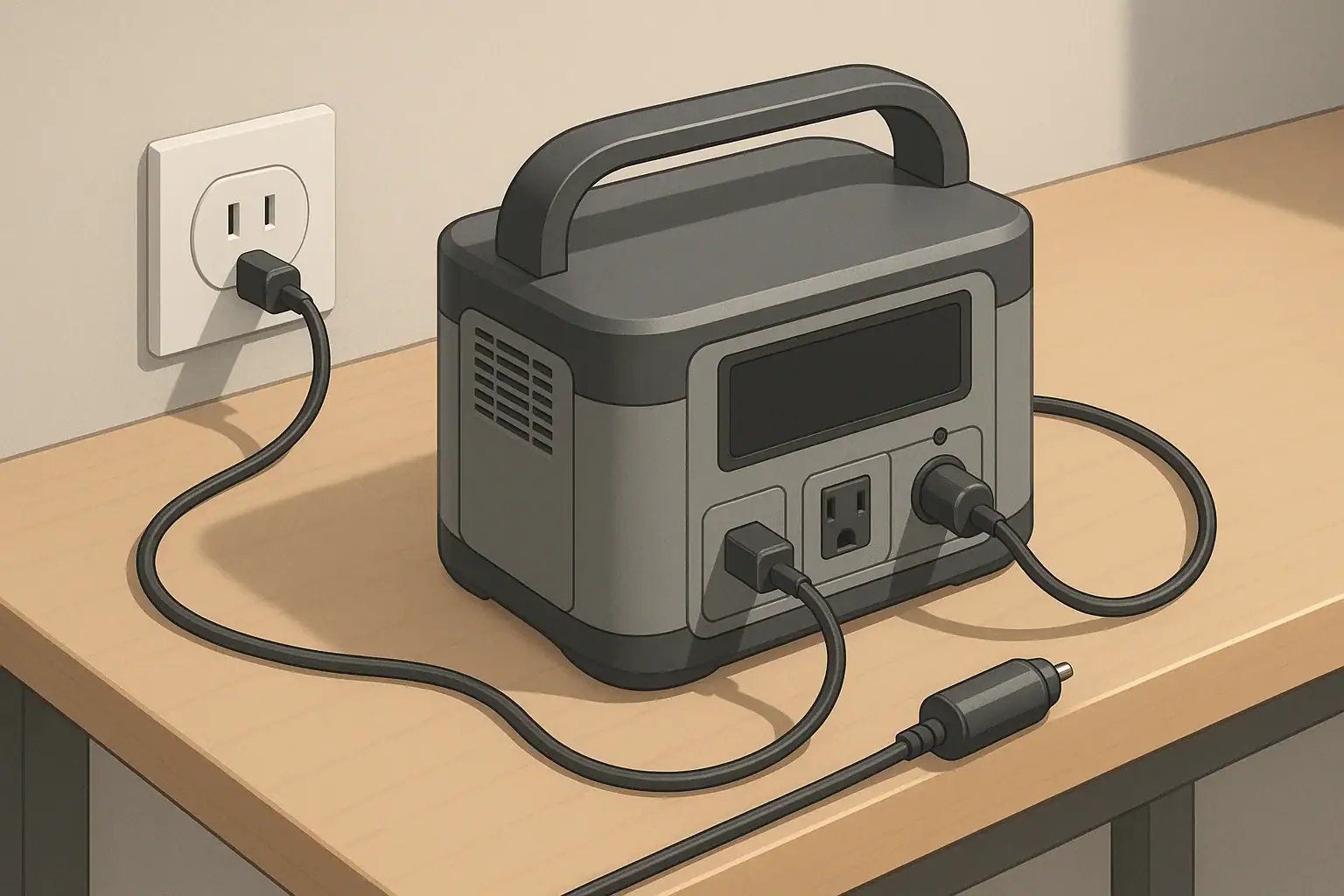
C-rate tells you how hard a portable power station’s battery is being pushed when you fast charge it or run heavy loads, and higher C-rates usually mean faster charging but more wear on battery life. If you understand C-rate, you can quickly estimate real-world charge times, decide whether a “fast charge” claim is realistic, and avoid habits that shorten the life of your backup or camping power setup. In practical terms, most everyday users are better off in the middle: not the slowest trickle charge, but not hammering the battery at its maximum C-rate every day either.
This guide breaks down C-rate in plain English, using simple examples and numbers you can match to your own gear. You will see how watts, watt-hours, and charge power fit together, how to spot when a power station is working too hard, and what specs really matter on the product page. The goal is to help you balance fast charging, runtime, and long-term reliability without getting lost in marketing terms.
What C-rate Means for Portable Power Stations and Why It Matters
C-rate is a way to describe how quickly a battery is charged or discharged relative to its size. A 1C rate means, in theory, that the battery is charged or emptied in about one hour. A 0.5C rate would take about two hours, and 2C would be about half an hour. Real devices never hit these times exactly, but C-rate is still useful for comparing how aggressively different portable power stations are used.
When you see big claims like “0–80% in under an hour,” that is another way of saying the power station can accept a relatively high C-rate. The benefit is obvious: less time plugged into the wall, car socket, or solar panels. The tradeoff is that higher C-rates create more heat and stress inside the battery pack. Over years of use, that extra stress can reduce capacity and cycle life.
For most people using a portable power station for camping, RV trips, remote work, or home backup, the sweet spot is a moderate C-rate. You want it to recharge in a few hours between uses, but you do not need to max out the input power every single cycle. Understanding C-rate helps you decide when fast charging is worth it and when you can back off to be kinder to the battery.
Key Concepts: Power, Capacity, and How to Estimate C-rate
To make sense of C-rate in portable power stations, it helps to keep three related ideas straight:
- Power (W): How fast energy is moving right now. A 100 W laptop charger is drawing 100 watts of power while it is running.
- Energy capacity (Wh): How much total energy the battery can store. A 500 Wh power station can, in theory, deliver 500 watts for one hour, or 100 watts for five hours.
- C-rate: Charge or discharge current relative to the battery’s capacity. In power station terms, you can approximate C-rate by comparing input or output watts to watt-hours.
A simple rule of thumb for portable power stations is:
Approximate C-rate = Charge power (W) ÷ Battery capacity (Wh)
For example, if a 600 Wh power station charges at 300 W from the wall, that is roughly a 0.5C rate (300 ÷ 600 = 0.5). In ideal math, 0.5C means about two hours from empty to full. In real life, you should add extra time for efficiency losses and the slower “top-off” phase near 100%.
You can use the same idea for discharge. If that 600 Wh unit is running a 300 W load, it is also discharging at roughly 0.5C. Heavier loads mean higher discharge C-rates, more heat, and shorter runtimes than the simple math suggests.
Because portable power stations include inverters, charge controllers, and cooling systems, they are not 100% efficient. It is common to see 10–25% of the energy lost as heat between the wall and the battery, or between the battery and the AC outlets. That is why “one-hour charge” marketing claims often turn into 70–90 minutes in real use.
| Approx. C-rate | What it looks like in use | Theoretical full charge time | Typical real-world behavior | Impact on battery wear |
|---|---|---|---|---|
| 0.1C–0.2C | Small charger into a mid-size battery, or modest solar input | 5–10 hours | Very gentle, often nearly silent, slow to refill after heavy use | Lowest stress, best for long-term storage and occasional use |
| 0.3C–0.5C | Common wall charging for many mid-size units | 2–3.5 hours | Good balance of speed and heat; fans may cycle on and off | Reasonable for daily or weekly use |
| 0.6C–0.8C | High-watt wall or generator charging on a smaller battery | 1.25–1.75 hours | Visibly fast, fans often run; more sensitive to hot environments | More wear over time if used every cycle |
| ~1C | “0–100% in about an hour” style fast charging | ~1 hour | Actual 0–100% often closer to 70–90 minutes due to tapering | Best reserved for when quick turnaround really matters |
Efficiency losses and why 0–80% is faster than 80–100%
Most portable power stations follow a two-stage charge profile:
- Bulk phase: The charger pushes near its maximum rated power. This is where the effective C-rate is highest and most of the energy goes in.
- Absorption or taper phase: As the battery nears full, charge power gradually drops to protect the cells and prevent overcharging.
This is why you often see the battery go from 20% to 80% quite quickly, then slow down noticeably. If you only need enough energy to get through the evening or finish a workday, stopping around 80–90% can save time and reduce heat, especially at higher C-rates.
Real-World C-rate Examples: Camping, Remote Work, and Backup Power
Once you know the battery size and charge power, you can quickly estimate whether a portable power station will fit your routine. Below are a few realistic scenarios using round numbers so you can adapt them to your own setup.
Example 1: Weekend camping with a small fridge
Imagine a 500 Wh portable power station on a weekend camping trip. You run:
- A 50 W portable fridge for 12 hours (it cycles on and off, averaging 50 W)
- 20 W of LED lights for 4 hours
Total energy use is roughly:
- Fridge: 50 W × 12 h = 600 Wh
- Lights: 20 W × 4 h = 80 Wh
That is about 680 Wh of load. After inverter and system losses, a 500 Wh unit will not cover that entire demand, so in practice you would either reduce runtime, reduce load, or recharge during the day.
If the power station can charge at 250 W from a campsite outlet or small generator, that is about a 0.5C rate (250 ÷ 500). In ideal math, two hours would refill 500 Wh. In reality, plan for roughly 2.5–3 hours to go from low to near full, depending on temperature and how low you let it drop.
Example 2: Remote workday with a mid-size unit
Now consider a 900 Wh portable power station for remote work. It powers:
- A 60 W laptop
- A 10 W Wi-Fi router or hotspot
- About 10 W of phone and accessory charging
Total draw is around 80 W. Ignoring losses, 900 Wh ÷ 80 W = 11.25 hours. With inverter and conversion losses, a more realistic runtime is 8–10 hours. That covers a full workday with some margin.
If the same unit supports 400 W wall charging, that is roughly a 0.44C charge rate (400 ÷ 900). From quite low to near full, you might see a 2–2.5 hour recharge. That means you could work in the morning, charge over a long lunch or afternoon break, and be ready again for evening use without fully draining the battery each time.
Example 3: RV or vanlife with solar emphasis
For RV or vanlife use, imagine a 1500 Wh power station paired with 400 W of roof-mounted solar. On a clear day you might get 4–5 effective hours of good sun, giving 1600–2000 Wh of input. The effective C-rate during peak sun is about 0.25C (400 ÷ 1500).
This slower C-rate is relatively gentle on the battery, but it also means your daily loads need to be in the same ballpark as your daily solar input. If you routinely use 1500–2000 Wh per day and get similar solar input, the system will hover around the same state of charge. On cloudy days or in shade, you will draw the battery down and may need to supplement with shore power or a generator.
| Use case | Battery size (Wh) | Typical load (W) | Approx. discharge C-rate | Approx. recharge power (W) | Approx. charge C-rate |
|---|---|---|---|---|---|
| Weekend camping fridge + lights | 500 | 80–120 | 0.16C–0.24C | 200–300 | 0.4C–0.6C |
| Remote work setup | 900 | 70–100 | 0.08C–0.11C | 300–500 | 0.33C–0.55C |
| Small power tools, short bursts | 1000 | 400–800 | 0.4C–0.8C while tools run | 400–800 | 0.4C–0.8C |
| RV or vanlife with solar | 1500 | 150–300 (average over the day) | 0.1C–0.2C | 300–500 solar (peak) | 0.2C–0.33C |
Common Mistakes and Troubleshooting Cues
Many charging and runtime problems trace back to misunderstandings about C-rate, load size, and what a portable power station is designed to do. Recognizing a few patterns can save you time and frustration.
Mistake 1: Taking “0–80% in X minutes” as a guarantee
Fast-charge marketing numbers are usually measured under ideal conditions: cool room temperature, no loads running, and a specific input source. In real use, you might see slower results if:
- The power station is hot from previous use or sitting in the sun.
- You are charging from a lower-power source, such as a car socket or small solar panel.
- You are using pass-through charging and running devices at the same time.
Troubleshooting tip: If charge power is lower than expected, turn off outputs, move the unit to a cooler area, and let it sit for 10–20 minutes. Many units will automatically increase charge power once internal temperatures drop.
Mistake 2: Confusing continuous watts with surge watts
Portable power stations have two important output ratings:
- Continuous watts: What the inverter can supply steadily.
- Surge watts: Short bursts to handle startup spikes from motors or compressors.
Running close to the continuous limit for long periods raises internal temperatures and effective discharge C-rate. Starting a device whose surge exceeds the inverter’s peak rating can cause beeping, shutdowns, or flickering.
Troubleshooting tip: If the unit shuts off when a device starts, try:
- Unplugging other loads and starting the high-surge device alone.
- Using a “soft start” mode if the device offers one.
- Reducing total load so you are well under the continuous rating.
Mistake 3: Expecting full charge speed during pass-through use
When you charge a power station while it is powering devices, much of the incoming energy may go straight to the outputs instead of the battery. This is especially true at high C-rates, where heat and internal limits can cause the system to throttle.
Troubleshooting tip: Watch the state-of-charge display over 30–60 minutes. If it barely moves or continues to drop, your output load is too high for the available input. Turn off nonessential devices or charge them directly from the wall when possible.
Mistake 4: Ignoring heat and fan behavior
Fast charging and heavy loads at higher C-rates inevitably create more heat. Constant high fan speed, warm casing, or thermal warnings are clear signs the system is being pushed hard.
Troubleshooting tip: If the unit feels hot or the fan never slows down:
- Move it to a cooler, shaded, well-ventilated location.
- Avoid placing it on soft surfaces that block vents.
- If possible, lower the input power setting or reduce output loads.
| Symptom | Likely cause | How C-rate is involved | Quick things to try |
|---|---|---|---|
| Charging slower than advertised | Hot environment, pass-through use, or weak input source | Device reduces C-rate to limit heat or protect battery | Cool the unit, turn off outputs, verify charger wattage |
| Unit shuts off when tools or fridge start | Startup surge exceeds inverter peak rating | Very high momentary discharge C-rate triggers protection | Start heavy loads alone, reduce other devices, check ratings |
| Fan runs loudly during charge | High input watts or warm ambient temperature | Higher C-rate produces more heat that must be removed | Lower charge setting if available, improve airflow, move to shade |
| Battery seems to lose capacity over time | Frequent deep discharges or constant fast charging | Repeated high C-rate cycles accelerate aging | Use moderate C-rates, avoid running to 0% regularly |
Safety Basics: Heat, Placement, and Cables at Higher C-rates
Higher C-rates concentrate more power in a compact device, so basic safety habits matter more as you move toward the fast end of the charging spectrum.
Manage heat and ventilation
Heat is one of the main factors that shortens battery life and stresses electronics. To keep temperatures under control:
- Operate the power station on a firm, stable surface with vents unobstructed.
- Avoid enclosing it in cabinets, gear piles, or tight vehicle corners during charging or heavy use.
- Keep it out of direct sun, especially when fast charging or running large AC loads.
If the casing feels very warm, or the fan is running at high speed for long periods, treat that as a cue to reduce C-rate by lowering input power or output load.
Use appropriate cords and connections
Extension cords, adapters, and splitters can become weak points when you run close to the continuous watt rating of a power station.
- Use cords rated for at least the maximum current you expect to draw.
- Keep cords fully uncoiled to avoid extra heat buildup.
- Inspect plugs and sockets for looseness, discoloration, or damage before use.
Avoid daisy-chaining multiple power strips or stacking adapters. Each extra connection adds resistance and heat, especially at higher loads and C-rates.
Respect household circuits and environments
When charging from a household outlet, remember that the circuit has its own limits. A high-watt charger plus other appliances on the same circuit can approach the breaker rating. If you notice frequent breaker trips, buzzing, or warm wall outlets, reduce the number of devices on that circuit or charge the power station from a different one.
In damp or outdoor environments, use equipment rated for that setting and keep the power station itself in a dry, protected location. Moisture and high power do not mix well, and higher C-rates can increase the consequences of poor connections or water exposure.
Maintenance and Storage for Long Battery Life
How you treat a portable power station between high C-rate charging sessions can be just as important as how fast you charge it. A few simple habits can help preserve capacity and extend useful life.
Store at moderate charge and temperature
Most lithium-based batteries prefer to sit somewhere in the middle of their state-of-charge range, not at 0% or 100% for long periods. For storage longer than a few weeks:
- Aim for roughly 40–60% charge level.
- Keep the unit in a cool, dry place away from direct sunlight.
- Avoid leaving it in hot vehicles, attics, or near heaters.
Very low temperatures are less harmful when the battery is idle, but charging at or below freezing can cause damage. If the unit has been stored in the cold, let it warm to room temperature before charging at a higher C-rate.
Cycle gently when you can
Occasional fast charges at higher C-rates are fine for most modern power stations, but using maximum input power every day and running the battery to empty regularly will generally shorten its lifespan. When you have time:
- Use moderate charge settings if the device lets you choose.
- Avoid deep discharges to 0% unless necessary.
- Give the unit a break between heavy discharge and full-speed charging.
Do quick health checks
Periodic checks help you catch small issues before they become bigger problems:
- Inspect charge cables and adapters for wear, kinks, or exposed conductors.
- Look at vents and fans for dust buildup and gently clean them with a dry cloth.
- Turn the unit on every few months, run a small load, and confirm that the display and ports behave normally.
Tracking runtime over time is also useful. If you notice a clear drop in how long the unit can power a familiar load, that may indicate natural aging accelerated by frequent high C-rate use, heat, or deep discharges.
Practical Takeaways and Specs to Look For
Understanding C-rate turns fast charging from a marketing buzzword into a practical planning tool. The key is not to chase the highest possible rate, but to choose a portable power station that fits your loads and your recharge windows without constantly running at its limits.
In everyday terms, aim for a setup where a typical discharge cycle uses only part of the battery and a normal recharge takes a few hours at a moderate C-rate. Reserve the fastest charging settings for when you truly need a quick turnaround, such as short generator runs, brief shore-power stops, or fast top-offs between jobs.
Specs to look for when comparing models
When you read spec sheets or product pages, these items will help you judge how C-rate, charging speed, and battery life will play out in real use:
- Battery capacity (Wh): Match this to your typical daily energy use with a buffer for inefficiencies. Larger capacity allows lower C-rates for the same charge power.
- Maximum AC or DC charge power (W): Divide this by the battery watt-hours to estimate the maximum charge C-rate. For frequent use, many people are comfortable in the 0.3C–0.6C range.
- Selectable or adjustable charge rate: Some units let you reduce input power. This is helpful if you want to be gentle on the battery or avoid overloading a weak circuit.
- Continuous and surge output ratings (W): Make sure your heaviest loads are well within the continuous rating, and that motorized devices fit within the surge rating.
- Efficiency and inverter type: Higher efficiency means more of the battery’s watt-hours reach your devices, effectively lowering the real discharge C-rate for a given load.
- Thermal management: Look for clear ventilation paths, temperature operating ranges, and any notes about derating (automatic power reduction) at high temperatures.
- Cycle life claims and conditions: Cycle life often assumes moderate C-rates and partial discharges. Use that as a reminder that gentle use generally extends battery life.
- Solar input range and max watts: For off-grid use, check that your planned solar array can comfortably recharge the battery within your available sun hours without constantly running at the very highest C-rate.
If you keep these points in mind, you can choose a portable power station that charges quickly enough for your schedule, powers the devices you care about, and still has a good chance of delivering reliable service for years instead of just a season or two.
Frequently asked questions
Which specifications and features should I prioritize to judge charging speed and long-term battery life?
Look at battery capacity in watt-hours and the maximum AC or DC charge power to estimate the C-rate (charge power ÷ Wh). Also check whether the unit offers adjustable charge rates, its thermal management and derating behavior, continuous and surge output ratings, and the manufacturer’s cycle-life conditions. Together these specs help predict real-world charging speed and how hard the battery will be stressed over time.
Can I trust “0–80% in X minutes” claims when planning charging times?
Not always—those claims are often measured under ideal conditions (cool ambient temperature, no loads, and a specific input source). In real use, factors like heat, simultaneous loads, weaker chargers, and charge tapering near full will usually make charging slower. Plan extra time and watch the unit’s state-of-charge rather than relying solely on headline numbers.
What basic safety precautions are important when charging at higher C-rates?
Keep the unit well ventilated and out of direct sun, use appropriately rated cables and avoid daisy-chaining adapters, and charge on a firm, unobstructed surface. Monitor for excessive heat or constant high fan speeds and reduce input or output power if the unit becomes hot to the touch. In damp or outdoor situations, use equipment rated for those conditions and keep the station dry and protected.
How does frequent fast (high C-rate) charging affect battery lifespan?
Higher C-rate charging increases internal heat and mechanical stress on cells, which accelerates capacity loss and reduces cycle life over time. Occasional fast charges are usually acceptable, but consistently charging at the maximum rated C-rate and doing frequent deep discharges will shorten the battery’s useful life. Using moderate C-rates and avoiding repeated 0%–100% cycles helps preserve capacity.
Will charging the station while it powers devices (pass-through) slow the recharge?
Yes—when the station is simultaneously powering loads, some incoming energy may be diverted directly to outputs, and the system may throttle input to limit heat, so state-of-charge can move slowly or even stay flat. If you need faster charging, turn off nonessential outputs or charge the devices separately when possible. Monitor the SOC readout for 30–60 minutes to verify net charging.
Why might my unit reduce charge power unexpectedly during charging?
Common causes include thermal protection activating in hot conditions, the charger or source being lower-power than expected, battery internal state (near full) triggering taper, or the unit’s internal limits being reached. To address it, improve ventilation or cooling, reduce output loads, verify the input source wattage and cable ratings, and allow the unit to cool before resuming high-rate charging.
Related guides
Browse this topic →
- Beginner-friendly sizing, runtime & specs
- Solar & charging (MPPT, fast charging, cables)
- Batteries (LiFePO4, cycles, care & storage)
- Safety, cold-weather performance, real-world tips
More in Charging
See all →- Can You Daisy-Chain Portable Power Stations? Why It Usually Isn’t a Good Idea
- USB-C Input vs AC Input on Portable Power Stations: Which Charging Method Makes Sense?
- Car Alternator Charging vs Cigarette Lighter Charging: What Changes for Power Stations?
- Charging a Portable Power Station From an RV Outlet: 12V, 24V, and Safety Limits
- Fast AC Charging vs Battery Longevity: Should You Use Turbo Mode Every Time?
Keep reading
About this site
Portable Energy Lab publishes practical, independent guides about portable power—clear sizing, safe use, and real-world expectations.
Affiliate disclosure
Some links on this site may be affiliate links. If you buy through these links, we may earn a small commission at no extra cost to you. This helps support our content. Read our affiliate disclosure.