
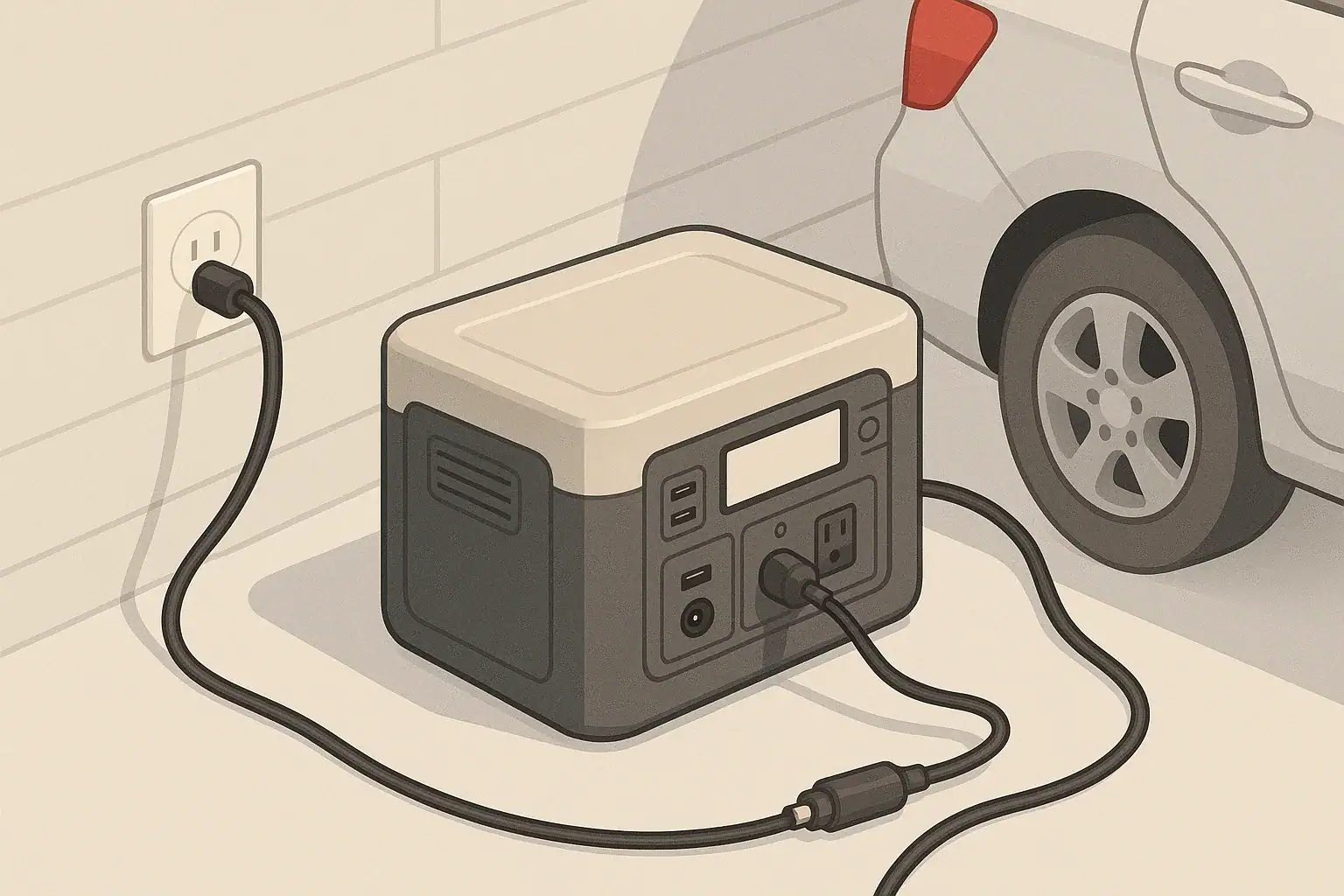
In plain English, using a car’s 12V socket to charge a portable power station is usually the slowest option, a dedicated DC-DC charger is much faster, and pulling directly from the alternator is the most powerful but also the most complex and risky if done wrong. All three methods rely on the same vehicle charging system, but they tap into it in very different ways for speed, efficiency, and safety.
If you only need to top up a small battery on road trips, the cigarette-style 12V outlet is often enough. If you are running a larger portable power station for camping, vanlife, or off-grid work, a properly installed DC-DC charger fed from the alternator can cut charge times by several hours. Understanding these differences helps you avoid dead starter batteries, blown fuses, overheated wiring, and unrealistic expectations about “charging while you drive.”
This guide breaks down how car charging actually works, compares 12V sockets vs DC-DC chargers vs alternators, and walks through real-world examples, common mistakes, and key safety and spec checks before you plug anything in.
What car charging really means and why it matters
When people talk about “charging from the car,” they are usually referring to three different but related pieces of the same system:
- 12V accessory socket (cigarette lighter socket) – The plug-in outlet on the dash or console you use for phone chargers and small devices.
- DC-DC charger – A separate device wired into the vehicle’s 12V system that converts power into a controlled charge for a second battery or portable power station.
- Alternator – The engine-driven generator that actually produces electrical power and keeps the starter battery charged while the engine runs.
All three are part of the same energy path: fuel turns the engine, the engine turns the alternator, the alternator feeds the 12V system, and from there you either use the 12V socket directly or a DC-DC charger to refill your portable power station.
This matters because each step adds limits and losses. A small 12V socket circuit might only give you tens of watts, while a well-sized DC-DC charger can safely pull a few hundred watts from the alternator. Your decisions here affect how long you have to drive to recharge, how hard the alternator works, how much fuel you burn idling, and how likely you are to trip fuses or flatten the starter battery.
Key concepts and how 12V sockets, DC-DC chargers, and alternators actually work
To compare car charging options, it helps to separate a few basic concepts: power vs energy, current limits, and where losses occur.
Power vs energy
- Power (W) – How fast energy is moving right now. A 120W car charger is moving energy twice as fast as a 60W charger.
- Energy (Wh) – How much total work you can do. A 500Wh portable power station can, in theory, run a 50W device for about 10 hours (500 ÷ 50).
Charge time is roughly:
Charge time (hours) ≈ Battery capacity (Wh) ÷ Charging power (W) × 1.1–1.3 (to account for losses).
What limits a 12V accessory socket
A 12V socket is limited by its fuse rating, wiring, and connector. Many passenger vehicles use fuses in the 10–15A range on these circuits. At typical running voltage (around 13.5V):
- 10A × 13.5V ≈ 135W (theoretical maximum)
- 15A × 13.5V ≈ 200W (theoretical maximum)
In reality, you usually cannot run them at full rating continuously without heat and voltage drop. Many portable power stations will limit car input to around 60–120W to stay within safe margins for typical sockets and cables.
How a DC-DC charger changes the picture
A DC-DC charger is wired closer to the battery and alternator, usually with heavier-gauge cable and its own fusing. Instead of being stuck with a light-duty accessory socket, it can pull a controlled, higher current directly from the vehicle’s 12V system and boost or buck the voltage as needed.
Common DC-DC charger settings for portable power stations and auxiliary batteries are in the 20–40A range. At about 13.5V, that means roughly 270–540W of input power, assuming the alternator and wiring can support it and the power station’s DC input is sized appropriately.
Alternator capacity and smart alternators
The alternator is the upstream source. It has to power:
- Vehicle electronics and lights
- HVAC blowers and engine management
- Charging the starter battery
- Any extra loads like a DC-DC charger or large inverter
Older vehicles often run the alternator at a fairly steady voltage. Many newer vehicles use smart alternators that reduce output when the starter battery is full to improve fuel economy. That can cause charging to slow down or pulse if your DC-DC charger or portable power station expects a steady 13–14V supply.
Where efficiency losses happen
- 12V socket to DC input – One conversion inside the power station (DC to DC). Losses might be around 10–15%.
- 12V socket → inverter → AC charger → power station – Multiple conversions (DC to AC, then AC to DC). Losses can be 20–30% or more, plus extra heat.
- DC-DC charger to DC input – DC-DC conversion, usually 85–95% efficient when properly sized.
That is why direct DC charging is preferred whenever possible: you get more of the alternator’s output stored in the battery for the same driving time and fuel burned.
| Charging path | Typical install complexity | Approx. continuous power (W) | Typical use case | Key pros | Main trade-offs |
|---|---|---|---|---|---|
| 12V socket → DC car input | Very low (plug-in) | 60–120 | Small to mid-size power stations, road trips | Simple, no wiring changes, low cost | Slow for large batteries, socket and cable limits |
| 12V socket → inverter → AC charger | Low (plug-in) | 60–150 | Units with AC-only charging | Works with older or basic power stations | Higher losses, more heat, easier to blow fuses |
| Hardwired DC-DC charger | Medium (professional recommended) | 200–400 | Vanlife, overlanding, frequent off-grid use | Much faster charging, stable voltage | Higher cost, adds alternator load |
| High-output alternator with DC-DC | High (custom system) | 400–800+ | Large systems, work vehicles | Very fast charging for big batteries | Complex design, must manage heat and load |
| Idling for charging (any path) | Low user effort | Similar to driving, depends on setup | Top up when parked | Convenient in some scenarios | Fuel use, exhaust risk, engine wear |
Real-world examples: how long charging actually takes
Numbers on spec sheets can feel abstract, so it helps to walk through some realistic scenarios. These examples assume the power station supports the stated input power and that the vehicle wiring and fuses are appropriate.
Example 1: 300Wh compact portable power station
- Via 12V socket at 80W: 300Wh ÷ 80W ≈ 3.75 hours. With losses, expect about 4–5 hours of driving.
- Via DC-DC charger at 250W: 300Wh ÷ 250W ≈ 1.2 hours. With losses, roughly 1.5 hours of driving.
For a small unit, the 12V socket can be practical if you are already driving several hours a day. A DC-DC charger is nice to have but not essential.
Example 2: 500Wh mid-size portable power station
- Via 12V socket at 100W: 500Wh ÷ 100W ≈ 5 hours. With losses, plan on 5.5–6.5 hours of driving.
- Via DC-DC charger at 300W: 500Wh ÷ 300W ≈ 1.7 hours. With losses, around 2–2.5 hours.
This is where the difference becomes noticeable. A weekend trip with only an hour or two of daily driving may never fully recharge a 500Wh unit over 12V alone if you are using it heavily at night.
Example 3: 1,000Wh large portable power station
- Via 12V socket at 100W: 1,000Wh ÷ 100W ≈ 10 hours. With losses, 11–13 hours of driving.
- Via DC-DC charger at 400W: 1,000Wh ÷ 400W ≈ 2.5 hours. With losses, about 3 hours.
For large units, a 12V socket is often best treated as a slow top-up method, not your primary charging plan. A higher-power DC-DC charger or regular access to wall charging or solar becomes important.
Example 4: Matching daily use to driving time
Imagine this typical camping pattern:
- Evening: laptop at 50W for 4 hours (200Wh) + lights at 10W for 5 hours (50Wh) + phone charging at 10Wh.
- Total daily use ≈ 260Wh.
With a 500Wh power station:
- Two hours of driving at 100W puts back about 200Wh before losses, maybe 170–180Wh stored.
- You would slowly drift down in state of charge over several days if car charging is your only source.
Add a DC-DC charger at 300W and those same two hours can realistically refill most or all of what you used, keeping the battery more stable over a longer trip.
| Power station size | Daily use (Wh) | Charging method | Charge power (W) | Driving time to replace daily use* |
|---|---|---|---|---|
| 300Wh | 150Wh (lights, phones) | 12V socket | 80W | About 2–2.5 hours |
| 500Wh | 260Wh (laptop + lights) | 12V socket | 100W | About 3–3.5 hours |
| 500Wh | 260Wh | DC-DC charger | 300W | About 1–1.5 hours |
| 1,000Wh | 400Wh (fridge + devices) | 12V socket | 100W | About 4.5–5 hours |
| 1,000Wh | 400Wh | DC-DC charger | 400W | About 1.5 hours |
*Times include a modest allowance for efficiency losses.
Common mistakes and troubleshooting cues
Most car charging problems come from exceeding circuit limits, misunderstanding how the vehicle behaves when the engine is off, or pushing equipment in high heat. Recognizing the early warning signs can prevent damage and frustration.
1. Assuming the 12V socket stays live with the engine off
Symptom: The portable power station stops charging as soon as you turn off the ignition.
- Many vehicles cut power to 12V sockets when the key is off to protect the starter battery.
- Some sockets stay live, but draining them with the engine off can leave you unable to start the car.
What to do: Test your socket behavior, avoid long car-only charging with the engine off, and use low-power draws if you must top up while parked.
2. Blown fuses from overloading the 12V outlet
Symptom: The 12V socket suddenly stops working for everything, not just the power station.
- High loads from inverters or multiple devices can exceed the socket’s fuse rating.
- Installing a larger fuse than specified can overheat wiring and is unsafe.
What to do: Reduce the load (lower-wattage charger, fewer devices) and replace the fuse with the same rating the vehicle specifies.
3. Charging that pulses, ramps down, or never reaches full speed
Symptom: The input wattage on the power station display jumps up and down or is much lower than expected.
- Smart alternators may lower voltage once the starter battery is full.
- Long, thin cables cause voltage drop, making the power station reduce current.
- High temperatures can cause the power station to throttle input to protect itself.
What to do: Shorten or upgrade cables, improve ventilation, and consider a DC-DC charger that can regulate input from a smart alternator.
4. Hot connectors and cables
Symptom: The 12V plug, socket, or cable feels very warm or hot to the touch.
- Loose or under-rated connectors create resistance, which turns into heat.
- Coiled cables and tight bundles trap heat and make this worse.
What to do: Stop charging, let everything cool, and inspect for discoloration or deformation. Use heavier-gauge, automotive-rated cables and avoid coiling during use.
5. Alternator strain and dimming lights
Symptom: Headlights dim or engine idle changes noticeably when high charging loads are active.
- This can indicate that the alternator is near its limit or that the starter battery is weak.
- Repeated heavy loading on a marginal alternator can shorten its life.
What to do: Reduce DC-DC charger current settings if adjustable and have the vehicle charging system inspected if symptoms persist.
| Symptom | Likely cause | Quick check | Suggested action |
|---|---|---|---|
| Charging stops when parked | Socket switched off with ignition | Test socket with phone charger, engine off | Only charge with engine on or use low draw briefly |
| No power from 12V socket | Blown fuse | Check vehicle fuse panel | Replace with same-rated fuse and reduce load |
| Wattage fluctuates wildly | Smart alternator, voltage drop, or heat | Observe pattern while driving vs idling | Shorten cables, improve cooling, consider DC-DC charger |
| Hot 12V plug or cable | High current through small connector | Feel connector after 15–20 minutes | Use heavier cable or lower input setting |
| Dimming lights with charger on | Alternator or battery near limit | Compare lights with charger on vs off | Reduce charger current, have vehicle system checked |
Safety basics for charging from a car
Car charging is generally safe when kept within design limits, but it happens in a confined, moving, sometimes hot environment. A few habits go a long way toward preventing problems.
Placement and securing the power station
- Place the unit on a flat, stable surface such as the cargo area floor.
- Avoid locations that could interfere with pedals, seat tracks, or airbag deployment zones.
- Secure the power station so it cannot become a projectile in hard braking or a collision.
Ventilation and heat management
- Keep vents clear on all sides; do not cover the unit with blankets, jackets, or bags.
- In hot weather, interior temperatures can soar. High heat accelerates battery wear and triggers thermal throttling.
- If the fan runs constantly or the case feels very warm, reduce charging power or move the unit to a cooler spot.
Cable routing and protection
- Route cables where they will not be pinched by seat tracks, door seals, or hatch latches.
- Avoid trip hazards in the passenger area; keep cords away from pedals.
- Use automotive-rated 12V plugs and cables, and avoid cheap, thin adapters for higher-current use.
Idling and exhaust safety
- Never run a vehicle in an enclosed or poorly ventilated space just to charge a power station.
- Be mindful of wind direction and surroundings if idling near tents, open windows, or other vehicles.
- Whenever possible, prioritize charging while driving instead of extended idling.
AC power in vehicles
- If you use an inverter to get 120V AC inside the vehicle, keep it away from moisture and soft materials.
- Do not exceed the inverter or outlet rating, and avoid daisy-chaining power strips.
- Use grounded plugs where available and keep AC cords tidy to reduce snag and damage risks.
Maintenance and long-term use when car charging
Portable power stations that live in vehicles or are used frequently for car charging benefit from occasional checks on both the power station and the vehicle side.
Battery health and storage state of charge
- Most lithium-based units prefer storage around a moderate state of charge rather than completely full or empty.
- Check the charge level every few months and top up if it drifts too low.
- Avoid leaving the unit at 0% for extended periods, which can shorten battery life.
Temperature exposure in vehicles
- Long-term storage in a hot car (especially in direct sun) accelerates battery aging.
- Very cold conditions temporarily reduce capacity and can make charging less efficient.
- When possible, move the unit indoors between trips or park in shade to moderate temperature swings.
Routine inspections before trips
- Inspect 12V plugs and cables for cracks, discoloration, or loose parts.
- Check that the power station’s vents are free of dust and debris.
- Do a quick test charge from the car to confirm stable input power and no error messages.
Vehicle-side checks
- If you notice slow engine cranking or dim lights even without the power station connected, have the starter battery tested.
- For systems with DC-DC chargers, periodically verify that mounting hardware, cables, and fuses are secure.
- Follow the vehicle’s normal service schedule for alternator and charging system checks, especially if you regularly draw higher currents.
Practical takeaways and specs to look for
Car charging works best when your expectations line up with what the vehicle can safely deliver. For small and mid-size portable power stations, a well-behaved 12V socket is often enough to top up during normal driving. For larger systems or heavy daily use, a properly sized DC-DC charger that respects alternator limits is usually worth the extra complexity.
Think in terms of energy per day rather than just battery size. Estimate how many watt-hours you use, compare that to how many watt-hours you can realistically put back during your normal driving, and then decide whether the 12V socket, a DC-DC charger, or an alternate source like wall or solar charging needs to carry most of the load.
Quick planning checklist
- Match daily use and driving time: Estimate daily watt-hours used and confirm your chosen charging method can replace that energy in the hours you actually drive.
- Respect 12V socket limits: Know the fuse rating for each socket and keep continuous loads well below that number, especially when using inverters.
- Prefer direct DC charging: Use the power station’s DC car input or a DC-DC charger instead of going through an inverter whenever possible.
- Watch for warning signs: Hot connectors, blown fuses, dimming lights, or fluctuating input power mean you are near or past safe limits.
- Have a backup plan: For trips with little driving or high energy use, plan for occasional wall charging, solar, or reduced consumption.
Specs to look for on portable power stations and vehicle setups
- Car/DC input wattage: Check the maximum wattage and voltage range for the 12V/DC input. Higher limits are more useful with DC-DC chargers.
- Adjustable input current: Some units let you limit car charging current, which helps avoid overloading weaker 12V sockets or small alternators.
- Supported input types: Note whether the unit supports direct 12V DC input, higher-voltage DC, or only AC charging.
- Clear input monitoring: A display that shows real-time input watts and error codes makes troubleshooting much easier.
- Thermal management: Look for multiple vents and fans sized appropriately for the unit’s charge and discharge ratings.
- Cable quality: Prefer included or aftermarket 12V cables with solid connectors and adequate wire gauge for the expected current.
- Vehicle circuit ratings: From the vehicle side, know the alternator output rating, 12V socket fuse sizes, and any limits recommended for accessory loads.
- DC-DC charger settings: If using a DC-DC charger, check for adjustable current, compatibility with smart alternators, and proper fuse and wire sizing guidance.
With a realistic view of what your 12V socket, DC-DC charger, and alternator can safely deliver, you can design a car charging setup that keeps your portable power station ready without overtaxing the vehicle or relying on optimistic assumptions about “charging while you drive.”
Frequently asked questions
What specifications should I prioritize when choosing a portable power station and vehicle components for car charging?
Check the power station’s car/DC input wattage and supported input voltage range, whether it allows adjustable input current, and the quality of the supplied 12V cable and connectors. From the vehicle side, know the alternator output rating and each 12V socket’s fuse size, and ensure any DC-DC charger you use is rated for the expected current and compatible with smart alternators.
Will charging from the 12V socket with the engine off drain my starter battery?
Yes—many vehicles cut power to accessory sockets with the ignition off, but some keep them live; leaving a power station plugged in and drawing power while the engine is off can flatten the starter battery. Test how your sockets behave and avoid extended car-only charging, or use low draws and monitor battery state to prevent being unable to start the vehicle.
What safety precautions should I follow when charging a power station from a running vehicle?
Secure the power station, keep vents clear for cooling, route cables away from moving parts and pedals, and never run the engine in an enclosed space. Also use automotive-rated cables and correct fusing, avoid exceeding socket or alternator limits, and prioritize charging while driving over long idling to reduce exhaust and engine-wear risks.
Is charging through an inverter less efficient than direct DC-to-DC charging?
Yes. Using an inverter to convert 12V DC to AC and then back to DC in the power station adds conversion steps and typically increases losses, often in the 20–30% range, whereas a direct DC-DC path or a dedicated DC-DC charger will usually be significantly more efficient.
How do modern smart alternators affect charging performance for auxiliary batteries while driving?
Smart alternators can vary output to prioritize fuel economy and battery health, which may cause charging to pulse or slow once the starter battery reaches target voltage. Using a DC-DC charger designed to work with smart alternators or locating charging closer to the battery with heavy-gauge wiring helps provide more consistent charging to auxiliary systems.
What are common signs that I’m overloading a 12V charging circuit and how should I respond?
Watch for blown fuses, hot plugs or cables, dimming lights, fluctuating input wattage, or connectors that become very warm. If you notice these signs, stop charging, let components cool, replace fuses only with the correct rating, reduce charger current or load, and upgrade to heavier-gauge wiring or a DC-DC charger if needed.
Related guides
Browse this topic →

- Beginner-friendly sizing, runtime & specs
- Solar & charging (MPPT, fast charging, cables)
- Batteries (LiFePO4, cycles, care & storage)
- Safety, cold-weather performance, real-world tips
More in Charging
See all →- Can You Daisy-Chain Portable Power Stations? Why It Usually Isn’t a Good Idea
- USB-C Input vs AC Input on Portable Power Stations: Which Charging Method Makes Sense?
- Car Alternator Charging vs Cigarette Lighter Charging: What Changes for Power Stations?
- Charging a Portable Power Station From an RV Outlet: 12V, 24V, and Safety Limits
- Fast AC Charging vs Battery Longevity: Should You Use Turbo Mode Every Time?
Keep reading
About this site
Portable Energy Lab publishes practical, independent guides about portable power—clear sizing, safe use, and real-world expectations.
Affiliate disclosure
Some links on this site may be affiliate links. If you buy through these links, we may earn a small commission at no extra cost to you. This helps support our content. Read our affiliate disclosure.