
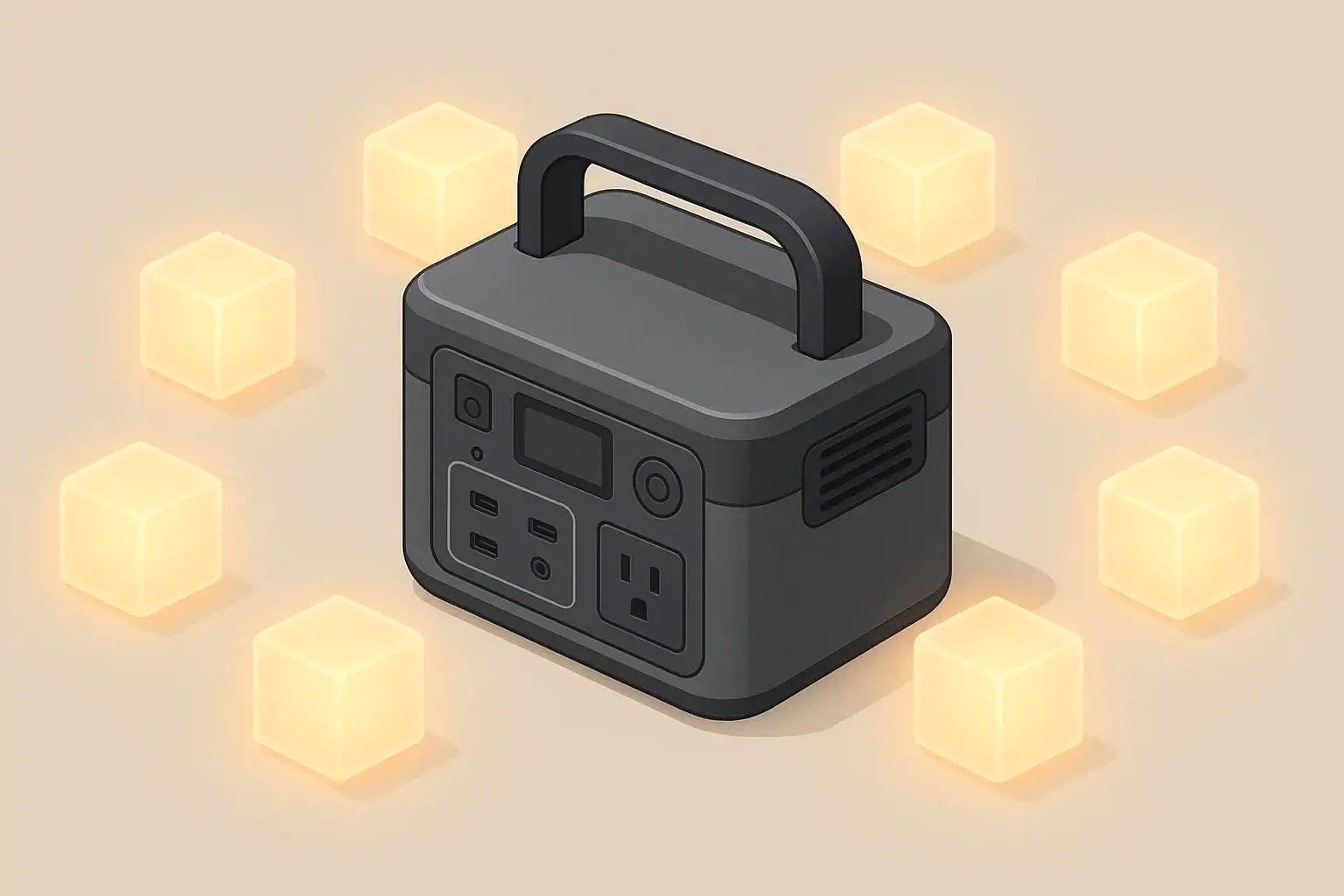
A full discharge for battery calibration is only occasionally useful, and when you do it, you should let the portable power station shut itself off under a moderate load, then recharge it straight back to 100% at room temperature. This helps the internal battery management system line up the state-of-charge display with the pack’s real usable capacity without adding unnecessary wear.
In other words, calibration does not “repair” or increase capacity; it simply teaches the meter where empty and full really are. You use a controlled full discharge when the percentage reading or runtime estimates are clearly wrong, not as monthly maintenance. Done carefully, this process can make runtime predictions more trustworthy and reduce surprises during outages, camping, or remote work.
This guide explains what battery calibration is, when a full discharge makes sense, how to perform it safely, and how to tell the difference between normal battery aging, meter drift, and overload problems. You will also find practical examples, a troubleshooting section, safety basics, and a specs checklist to help you choose and use portable power stations more confidently.
What Battery Calibration Really Means and Why It Matters
On a portable power station, battery calibration is about correcting the fuel gauge, not fixing the fuel tank. The internal battery management system (BMS) estimates how much energy is left based on voltage, current, temperature, and usage history. Over time, those estimates can drift so that the display shows, for example, 25% remaining even though the pack is nearly empty.
A controlled full discharge followed by a full recharge gives the BMS two clear reference points: the lowest allowed voltage (its internal “empty”) and the highest allowed voltage (its internal “full”). With those anchors refreshed, the percentage meter and runtime estimates usually become more accurate again.
This matters because people rely on the display to plan critical tasks: keeping a fridge cold during an outage, running a CPAP overnight, or powering a laptop and router for remote work. An inaccurate meter can cause two kinds of problems:
- Unexpected shutdowns even though the display shows a comfortable buffer.
- Overly optimistic runtime estimates that collapse suddenly near the end.
Battery calibration helps prevent these surprises, but it does not restore lost capacity or reverse battery aging. It is a measurement tune-up, not a repair procedure. Understanding that distinction helps you decide when a full discharge is worth doing and when it is better to adjust expectations or sizing instead.
Key Concepts: Capacity, Power, and Why Meters Drift
To use calibration and full discharge wisely, it helps to separate three ideas that often get mixed together: energy capacity, power draw, and meter accuracy.
Energy (watt-hours) vs power (watts)
Energy capacity, usually given in watt-hours (Wh), tells you how much total work the battery can do. Power, measured in watts (W), tells you how fast you are using that energy at any moment. A simple way to think about it:
- Watt-hours = size of the tank.
- Watts = how wide you open the tap.
Ignoring losses, a 500 Wh power station running a 100 W load should last about 5 hours (500 ÷ 100). In practice, inverter and conversion losses reduce that number.
| Battery rating | Typical load | Simple math runtime (Wh ÷ W) | Realistic runtime after losses | How drift shows up on the display |
|---|---|---|---|---|
| 300 Wh | 60 W (router + laptop) | 5.0 hours | 4–4.5 hours | Starts at 6–7 hours remaining, then drops quickly near the end |
| 500 Wh | 100 W (lights + fan) | 5.0 hours | 4–4.5 hours | Shuts off while still showing 10–20% charge |
| 1000 Wh | 200 W (small fridge + lights) | 5.0 hours | 4–4.3 hours | Percentage stays at 100% for a long time, then falls rapidly |
| 1500 Wh | 400 W (tools or cooking appliances) | 3.75 hours | 3–3.3 hours | Runtime estimates jump up and down as loads change |
Why the state-of-charge meter drifts
The BMS is constantly estimating state of charge (SoC). It does this by counting how many amp-hours go in and out, watching voltage curves, and adjusting for temperature. Small errors accumulate when:
- You mostly use shallow cycles (for example, 60–90% repeatedly).
- The unit rarely reaches a true full charge.
- It spends long periods stored at high or low temperatures.
- Loads vary rapidly, making estimates harder.
Over months of this kind of use, the displayed percentage can become misaligned with the pack’s real usable energy. A calibration cycle gives the system a chance to reset those assumptions.
Calibration vs real capacity loss
All lithium batteries gradually lose capacity as they age and cycle. After enough time, a 1000 Wh pack might only deliver 800–900 Wh even when brand new it met its rating. Calibration cannot reverse this chemical aging. It only makes the display more honest about the reduced capacity you still have.
Real-World Examples of Calibration and Full Discharge
Seeing how calibration plays out in real scenarios makes it easier to decide whether a full discharge is worth doing.
Example 1: Remote work station
Someone uses a 600 Wh power station to run a laptop, monitor, and router drawing about 120 W. Simple math says 5 hours; after losses, 4 hours is realistic. At first, the display shows 8 hours remaining, then suddenly drops to 2 hours after only 30–40 minutes of use. The unit still delivers roughly 4 hours total, but the runtime prediction is clearly off.
In this case, a calibration cycle can help. The user can run the same 120 W load until the power station shuts itself off, note the actual runtime, then recharge to 100% without interruptions. Afterward, the hours-remaining estimate will usually start closer to 4 hours and decline more smoothly.
Example 2: Short household outages
A household keeps a 1000 Wh unit for power outages. It runs a small refrigerator (about 80 W running, higher on startup) plus 10 W of LED lights. They expect 8–9 hours of operation, but recently the power station has been shutting off after 5–6 hours while still showing 25% remaining.
Repeated, consistent shutdowns at a seemingly comfortable percentage are a classic sign of meter drift. A calibration discharge under similar loads, followed by a full recharge, will usually bring the displayed percentage closer to reality. If runtime remains much shorter than expected even after calibration, that points more toward normal aging or heavier-than-assumed loads.
Example 3: Cold-weather camping
During winter camping, a user runs a small 12 V fan and charges phones from a mid-sized power station. In cold conditions, the battery appears to drain very quickly and the percentage readout fluctuates. Later, when the same unit is used indoors at room temperature, it seems to last much longer.
Cold temperatures reduce available capacity and distort voltage readings, which can confuse the SoC meter. Performing a calibration cycle in moderate indoor temperatures can restore more reliable readings. However, the user should still expect reduced runtime in cold conditions even with a calibrated meter.
Example 4: Aging but healthy pack
A 5-year-old unit that once powered a 100 W load for 6 hours now only lasts about 4 hours, even after a careful calibration discharge. The meter is honest and consistent, but the numbers are lower than when the unit was new.
This is typical capacity loss from age and cycle count, not a calibration fault. In this situation, repeating full discharges will not bring back the missing hours; it only adds extra stress. The practical response is to adjust expectations or supplement with additional capacity if needed.
Common Mistakes and Troubleshooting Cues
Many calibration problems are actually usage or sizing issues in disguise. Before scheduling a full discharge, it helps to rule out other causes.
Frequent mistakes around full discharge
- Using deep discharge as routine maintenance. Regularly running to 0% for no clear reason adds unnecessary wear and can shorten battery life.
- Calibrating under extreme temperatures. Performing a full discharge when the unit is very hot or very cold leads to poor reference points.
- Using heavy, spiky loads for calibration. High-surge tools or compressors can trigger inverter protection before the battery is truly empty, confusing the process.
- Interrupting the recharge. Stopping the recharge halfway after a full discharge denies the BMS a clean “full” reference.
When shutdowns are not a calibration issue
- Inverter overload: If the power station shuts off the instant a high-draw device starts, the surge watts may exceed the inverter’s limit even though the battery is full.
- Over-temperature protection: If the unit is hot to the touch and the fan runs constantly, a shutdown may be thermal protection, not an empty battery.
- Low input power while charging: Slow charging from a car outlet or weak solar source is usually a power-source limitation, not a miscalibrated meter.
| Observed symptom | Most likely cause | Is a calibration discharge useful? | Practical next step |
|---|---|---|---|
| Shuts off at 15–30% repeatedly under similar loads | SoC meter drift | Yes, usually helpful | Plan a full discharge under moderate load, then recharge fully |
| Instant shutdown when a large appliance starts | Surge watts exceed inverter rating | No | Reduce load, start devices one at a time, or use lower-wattage gear |
| Runtime much shorter than when new, meter seems honest | Normal capacity loss with age | Usually no | Adjust expectations or increase total capacity for your setup |
| Percentage stuck at 100% for a long time, then drops quickly | Top-of-range SoC estimate drift | Yes, sometimes helpful | Allow a full cycle from high charge down to automatic cutoff |
| Display fluctuates in cold weather, runtime lower than usual | Temperature effects on voltage and capacity | Only at room temperature | Warm the unit to moderate temperature before calibrating |
| Charging slows dramatically above 80–90% | Normal tapering to protect cells | No | Allow extra time for the last part of the charge; this is expected |
How to perform a careful calibration discharge
- Choose a light to moderate, steady load (for example, a fan and a few lights totaling 50–150 W).
- Start with the battery at or near 100% and at room temperature.
- Let the power station run until it shuts itself off; do not bypass built-in protections.
- Once it shuts down, allow it to rest for a short period, then recharge to 100% without interruptions.
- Note the runtime you actually got and compare it with your rough math; use that as your practical planning number.
Safety Basics: Using Power Stations and Calibration Wisely
Calibration discharges should always be done within the same safety framework you use for normal operation.
Placement and ventilation
- Operate the unit on a stable, dry surface with vents unobstructed.
- Avoid placing the power station in enclosed cabinets, under bedding, or in tight corners where heat can build up.
- Keep it away from direct sources of heat such as space heaters or strong sunlight through windows.
Loads and cords during calibration
- Use devices that are well within the inverter’s continuous watt rating.
- Avoid daisy-chaining multiple power strips or extension cords.
- Do not rely on the power station for critical medical or safety devices while intentionally running it toward empty.
Electrical safety and isolation
- Keep the unit away from standing water, wet ground, or very humid environments.
- Do not attempt to backfeed household wiring or connect directly to breaker panels during a calibration discharge.
- Use only properly rated cables and connectors supplied or approved for the DC and AC ports.
Temperature awareness
- Perform calibration at moderate indoor temperatures whenever possible.
- If the unit feels very hot or the fan runs constantly, allow it to cool before continuing heavy use.
- In cold environments, consider warming the unit gradually to room temperature before starting a calibration cycle.
Maintenance and Storage: Protecting Capacity and Meter Accuracy
Good maintenance habits reduce how often you need calibration and help preserve capacity over the long term.
State of charge during storage
Portable power stations are generally happiest when stored at a moderate state of charge rather than at 0% or 100% for long periods. Many users aim for roughly the middle of the range if the unit will sit unused for months.
Self-discharge and periodic checks
Even when switched off, batteries slowly lose charge. A stored unit might drop several percentage points per month depending on design and temperature. If it sits too long and drifts to very low charge, that deep, unintentional discharge can be harder on the pack than normal cycling.
Temperature management in storage
- Store in a cool, dry indoor location, away from direct sunlight.
- Avoid uninsulated sheds or vehicles that swing between very hot and very cold.
- Bring the unit to room temperature before heavy charging or discharging.
Weaving calibration into normal use
Instead of scheduling frequent deliberate full discharges, you can often combine calibration with real-world use. For example, once or twice a year:
- Plan a day when you will naturally use the power station for several hours.
- Allow it to run down under everyday loads until it shuts off.
- Recharge it straight back to full that same day.
This approach keeps calibration occasional and purposeful while respecting the battery’s long-term health.
Practical Takeaways, Full Discharge Guidelines, and Specs to Look For
Battery calibration is about improving the honesty of the display, not magically restoring capacity. Most users only need a calibration discharge occasionally, when the percentage and runtime estimates are clearly misaligned with real-world performance.
In day-to-day use, you will get more benefit from correct sizing, moderate operating temperatures, and avoiding unnecessary deep discharges than from chasing a perfectly accurate meter.
Key practical takeaways
- Use watt-hours to estimate runtime, then subtract a safety margin for inverter and conversion losses.
- Treat full discharge as a diagnostic and calibration tool, not routine maintenance.
- Perform calibration only when symptoms suggest meter drift, such as repeated shutdowns at high displayed percentages.
- Run calibration at room temperature with steady, moderate loads and let the unit shut down on its own.
- Accept that aging batteries lose capacity; calibration cannot reverse this, but it can tell you more accurately what remains.
Specs to look for when choosing or evaluating a power station
- Battery capacity (Wh): Compare this with your typical loads to estimate realistic runtimes.
- Inverter continuous watts: Must comfortably exceed the total running watts of your devices.
- Inverter surge watts: Should handle the startup surge of appliances with motors or compressors.
- Display detail: Look for clear percentage, wattage in/out, and estimated runtime rather than a simple bar graph.
- Battery chemistry and cycle life rating: Indicates how many full cycles the pack is designed to handle before noticeable capacity drop.
- Operating and storage temperature ranges: Help you plan for cold-weather or hot-climate use without harming the pack.
- Built-in protections: Overload, over-temperature, overcharge, and low-voltage cutoffs are essential for safe calibration and everyday use.
- Charge input options and max input watts: Determine how quickly you can recharge after a full discharge.
By combining an understanding of capacity and power, occasional calibration when symptoms warrant it, and careful attention to specs and operating conditions, you can keep your portable power station accurate, predictable, and healthy over many years of service.
Frequently asked questions
How do I know which specs or features matter most for accurate state-of-charge readings?
Prioritize a clear display that shows percentage, instantaneous wattage in/out, and estimated runtime, plus a robust BMS (battery management system) that supports amp-hour counting and temperature compensation. Also check battery capacity (Wh), inverter continuous and surge ratings, and operating temperature ranges, since those factors influence both real runtime and the accuracy of the meter.
Can I use full discharge as regular maintenance to keep the battery healthy?
No. Regular deep discharges add unnecessary wear to lithium batteries and accelerate capacity loss. Use a controlled full discharge only occasionally as a diagnostic or when the meter clearly drifts, not as routine maintenance.
What safety steps should I follow before attempting a calibration full discharge?
Perform calibration at moderate room temperature on a stable, dry surface with good ventilation, and choose a steady load well within the inverter’s continuous rating. Do not bypass built-in protections, avoid relying on the unit for critical medical devices during the test, and allow an uninterrupted full recharge afterward.
How often should I calibrate my power station’s battery meter?
Most users only need to calibrate once or twice a year or when symptoms appear, such as repeated shutdowns at unexpectedly high percentages. Frequency depends on usage patterns—units used for many shallow cycles or stored at extreme temperatures may need attention more often.
Will a calibration full discharge restore lost battery capacity?
No. Calibration realigns the state-of-charge estimation but does not reverse chemical aging or restore lost watt-hours. If runtime remains significantly reduced after calibration, the pack has likely experienced normal capacity loss from age or cycle count.
How does temperature affect calibration and battery performance?
Cold temperatures reduce available capacity and can confuse voltage-based state-of-charge estimates, while high temperatures can both distort readings and accelerate wear. For reliable calibration, bring the unit to moderate indoor temperatures and expect lower runtime in cold conditions even after calibration.
Related guides
Browse this topic →

- Beginner-friendly sizing, runtime & specs
- Solar & charging (MPPT, fast charging, cables)
- Batteries (LiFePO4, cycles, care & storage)
- Safety, cold-weather performance, real-world tips
More in Capacity
See all →- Wh per Pound: How to Compare Portable Power Station Weight and Capacity
- Two Small Power Stations vs One Large Power Station: Which Backup Setup Is Better?
- How to Build a Load Priority List for a Portable Power Station During Blackouts
- Usable Capacity vs Advertised Capacity: Why 1,000Wh Doesn’t Mean 1,000Wh at the Outlet
- Why Output Ports Have Separate Watt Limits on Portable Power Stations
Keep reading

About this site
Portable Energy Lab publishes practical, independent guides about portable power—clear sizing, safe use, and real-world expectations.
Affiliate disclosure
Some links on this site may be affiliate links. If you buy through these links, we may earn a small commission at no extra cost to you. This helps support our content. Read our affiliate disclosure.