
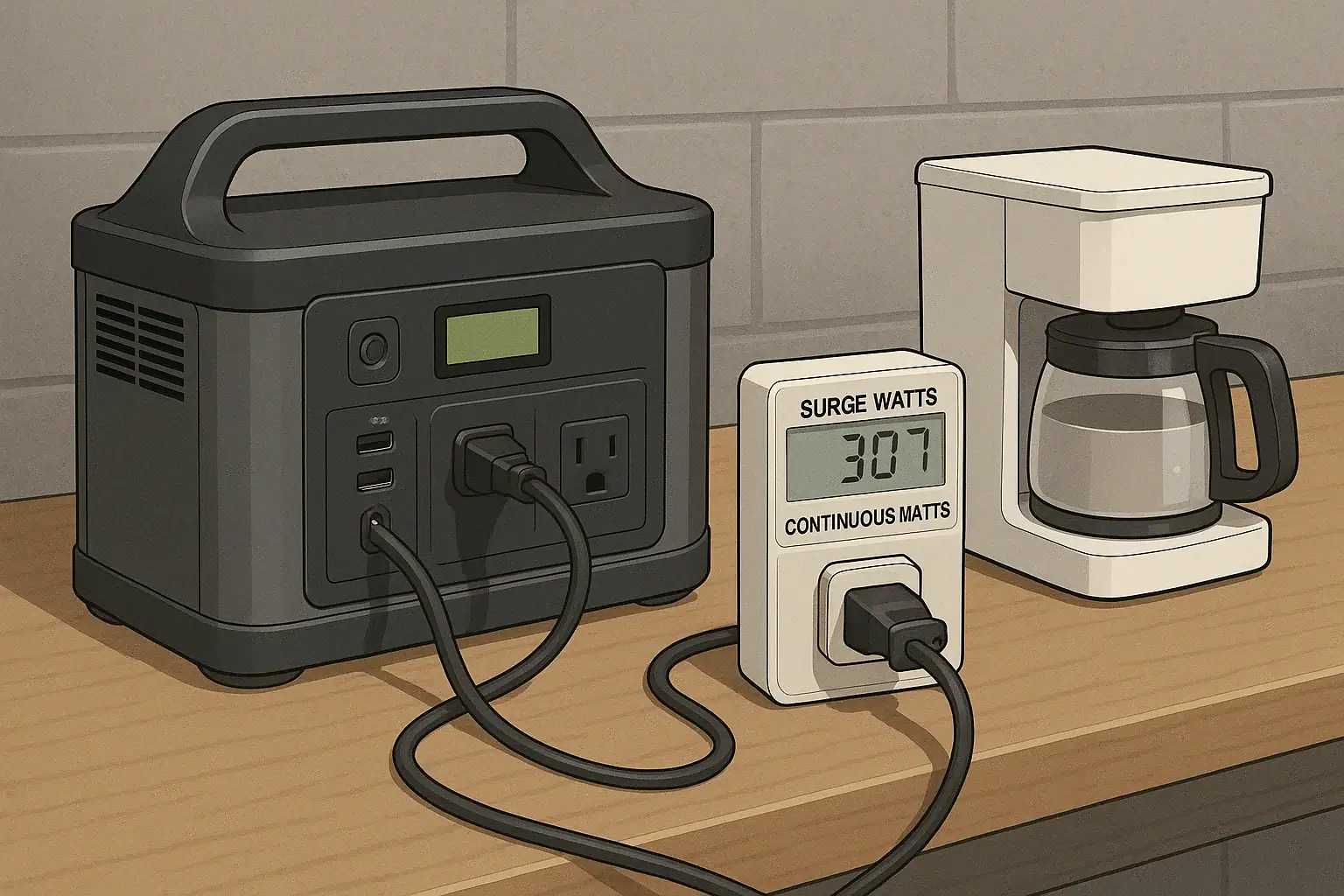
To check if your power station can start a device, compare the device’s startup surge to the power station’s AC surge rating, then test briefly with the device plugged in by itself.
Many appliances and tools need much more power for the first fraction of a second than they use while running. That short peak is often called surge watts, starting watts, inrush current, or peak load. If the surge is higher than the inverter rating, the power station may click off, show an overload warning, or fail to start the device even when the battery still has plenty of runtime left.
Peak load testing is a practical way to confirm real compatibility before relying on a device during an outage, job, trip, or emergency. The key is to test one load at a time, understand continuous watts versus peak watts, and leave a margin instead of running directly at the limit.
What peak load testing means and why it matters
Peak load testing is the process of checking whether a portable power station can handle the highest short-term power demand from a device at startup. It is not the same as a runtime test. A runtime test asks, “How long will this run?” A peak load test asks, “Can this start at all without tripping the inverter?”
This matters because most portable power stations have more than one relevant limit. Battery capacity, usually listed in watt-hours, affects how long the unit can supply energy. AC output, usually listed in watts, affects how much power the inverter can deliver at one time. Surge output describes how much the inverter can deliver briefly for startup loads. A refrigerator, pump, compressor, power tool, or microwave may have a modest running wattage but a much higher startup demand.
For example, a device that runs at 500 watts may briefly ask for 1,200 to 1,800 watts when it starts. If the power station has a 600-watt continuous inverter and a 1,000-watt surge rating, the running number looks acceptable but the startup event may still fail. Peak load testing helps reveal that mismatch before you need the setup to work.
The test is especially useful for devices with motors, compressors, heating elements, or electronic controls. It also helps when the device label lists amps instead of watts, or when the actual startup behavior changes depending on temperature, load, or cycling conditions.
How startup loads and inverter limits work
A portable power station stores energy as DC power in a battery and uses an inverter to create household-style AC power. The inverter has thermal, electrical, and software protection limits. When a connected device asks for more than the inverter can safely supply, the power station may shut off AC output, display an overload code, beep, or restart.
Continuous watts are the amount of AC power the power station can supply steadily. Surge watts are the short burst it can supply briefly. The exact duration of that burst varies by design; it could be less than a second, several seconds, or longer depending on the unit and the load. Because surge duration is not always obvious from a simple spec sheet, testing is more reliable than assuming a high number will work in every situation.
Startup loads vary because devices do not all draw power in the same way. A resistive load, such as a simple heater or incandescent work light, usually draws close to its rated wattage immediately and does not have a large surge. A motor load, such as a fan, pump, refrigerator, freezer, or compressor, can draw several times its running wattage while it comes up to speed. Electronic loads, such as battery chargers or devices with power supplies, can create a brief inrush current as capacitors charge.
To estimate watts from a label, multiply volts by amps. A device listed at 120 volts and 5 amps is roughly 600 watts while running. That does not tell you the startup surge, but it gives a baseline. If the device has a motor or compressor, assume the starting requirement may be significantly higher than the running number and plan a margin.
A good basic peak load test uses the device alone, with the power station adequately charged, AC output enabled, and other loads disconnected. Start the device normally and watch for overload warnings, dimming, cycling, unusual sounds, or immediate shutdown. If it starts cleanly several times, allow it to run long enough to confirm the power station does not overheat or trip under the normal running load.
| Device type | Typical running load | Possible startup behavior | Testing note |
|---|---|---|---|
| Small fan | 40 to 100 watts | Brief motor surge | Usually easy to start, but test speed settings |
| Refrigerator | 100 to 250 watts while cycling | Surge may be several times running watts | Test when compressor starts, not just when lights turn on |
| Sump pump | 400 to 900 watts | High motor startup, especially under load | Starting under water load can be harder than dry testing |
| Microwave | 900 to 1,500 watts input | High steady draw with some startup demand | Input watts are often higher than cooking watts |
| Tool charger | 50 to 300 watts | Short electronic inrush | May start fine but add heat during long charging sessions |
Real-world examples of peak load testing
Consider a compact refrigerator. Its label may show 1.5 amps at 120 volts, which suggests about 180 running watts. The light and control board may turn on easily, giving the impression that the setup works. The true test happens when the compressor starts. If the power station trips at that moment, the issue is startup surge, not battery capacity. If it starts repeatedly and then settles to a lower wattage, the power station is likely compatible for that operating condition.
A sump pump is another common example. The pump might run at 700 watts once moving, but it may need a much larger surge to start against water pressure. A power station that starts the pump while it is sitting dry may still fail when the pump starts under real load. For any device that moves water, air, refrigerant, or mechanical weight, the realistic starting condition matters.
Power tools can also be misleading. A circular saw, grinder, or air compressor may not draw its highest power until it is under work. Starting the tool in open air is useful, but it does not prove it can cut dense material, spin up a compressor tank, or keep running under load. The power station may start the tool, then overload when the tool meets resistance.
A microwave highlights a different issue: rated output is not the same as electrical input. A microwave advertised as 1,000 cooking watts may draw 1,400 to 1,700 watts from the AC outlet. If the power station’s continuous AC rating is below that input draw, it may overload even if there is no dramatic motor surge. For cooking appliances, heat-producing devices, and anything with a magnetron, the continuous rating is often the first limit to check.
Battery chargers and electronics usually have smaller running loads, but they can still trigger protection if several are started at once. Testing them individually helps identify whether one device causes inrush issues or whether the combined load is simply too high.
Common mistakes and troubleshooting cues
The most common mistake is comparing a device’s running watts to the power station’s surge watts. Running watts should be compared to continuous AC output. Startup surge should be compared to surge output. Both conditions must be satisfied for the setup to be dependable.
Another mistake is ignoring other connected loads. A power station may start a refrigerator by itself, but fail when a lamp, router, fan, and charger are already running. Peak load testing should begin with one device, then repeat with the realistic combination of devices you plan to use. If one device has a major startup surge, start it first, let it settle, and then add lower-demand loads.
Watch the symptoms. An immediate shutdown at startup usually points to surge overload. A shutdown after minutes of operation may suggest continuous overload, overheating, low battery state, or ventilation problems. A device humming without starting can mean the inverter cannot supply enough startup current, and the test should be stopped rather than repeated aggressively. Flickering displays, repeated cycling, or a clicking inverter relay are also warnings that the setup is near or over its limits.
Battery state can affect results. Many power stations are most capable when reasonably charged and at moderate temperature. A nearly empty or very cold battery may sag under load and trip protection earlier. If a device barely starts at full charge, it may not start reliably later when the battery is lower.
Extension cords can add another variable. Long, thin cords can increase voltage drop, which makes motor startup harder. For testing, use a short, appropriately rated cord if one is needed, and avoid power strips that add unknown limits or weak connections.
- If AC output turns off instantly: suspect surge overload or a shorted/failed connected device.
- If the device starts but trips later: suspect continuous overload, heat buildup, or low battery.
- If the device hums or stalls: stop the test and assume startup demand is too high for the setup.
- If only combinations fail: reduce other loads or start the largest motor load first.
- If results change by temperature: retest in the conditions where the setup will actually be used.
Safety basics for peak load testing
Peak load testing should be simple and controlled. Test in a dry, ventilated area with the power station on a stable surface. Keep vents clear, keep cords untangled, and avoid covering the unit while it is under load. Heat is a normal byproduct of inverter use, but blocked airflow can cause premature shutdown or damage.
Do not bypass overload protection, defeat grounding features, modify plugs, open devices, or attempt to alter the battery pack. Protection circuits exist because excessive current can create heat, arcing, fire risk, or damage to the inverter and connected device. If a power station shuts down during a test, treat that as useful information rather than an obstacle to work around.
Avoid backfeeding a home through a wall outlet or connecting a portable power station to a home electrical panel without proper equipment and qualified help. Whole-home, transfer switch, interlock, and hardwired backup arrangements involve electrical code, utility isolation, and shock hazards. For those situations, use a qualified electrician and equipment designed for that purpose.
Use caution with refrigerators, medical devices, pumps, and other equipment where failure has consequences. A successful short test does not guarantee every future condition. If the device is critical, plan redundancy and confirm suitability with the device manufacturer or a qualified professional where appropriate.
Finally, listen and smell during testing. Unusual buzzing, burning odor, hot plugs, softened insulation, or repeated tripping are signs to stop. Let equipment cool before investigating externally, and do not continue cycling a failing setup.
Maintenance and storage factors that affect startup performance
A power station that started a device last year may not perform the same way if it has been stored poorly, left deeply discharged, or used in extreme conditions. Battery health affects voltage stability under load. Inverter cooling, firmware behavior, and connector condition can also affect real-world peak load performance.
Store the unit within the manufacturer’s recommended charge range and temperature range. For general planning, moderate indoor temperatures are better than freezing garages or hot vehicles. If the power station has been stored for months, recharge it before peak load testing. A half-charged display may not tell the full story if the battery has been sitting for a long time.
Keep AC outlets and ventilation areas clean and dry. Dust, pet hair, and debris around vents can restrict cooling. Dirty or loose plugs create resistance and heat, which can cause voltage drop during startup. Inspect cords and plugs externally before testing. Do not use cracked cords, discolored plugs, or equipment with signs of overheating.
Retest important loads periodically, especially before storm season, camping trips, remote work, or jobsite use. Devices can age too. A refrigerator compressor, pump bearing, or tool motor may become harder to start over time. A simple retest can reveal a shrinking safety margin.
If your power station supports display data, note the observed starting behavior and running watts for important devices. Keeping a small list of tested loads helps you avoid guessing later. Include the device, approximate running watts, whether it started reliably, and any conditions such as cold temperature or pump load.
| Check item | Why it matters | Practical cue |
|---|---|---|
| Battery charge before testing | Low charge can reduce surge reliability | Test important loads after recharging |
| Storage temperature | Extreme cold or heat can reduce output performance | Allow the unit to return to a moderate temperature |
| Ventilation | Restricted airflow can trigger thermal protection | Keep several inches of clearance around vents |
| Cord condition | Damaged cords can overheat or cause voltage drop | Use intact, appropriately rated cords |
| Retest interval | Loads and batteries change over time | Retest critical devices before expected use |
Practical takeaways and specs to compare before you buy
Related guides: Surge Watts vs Running Watts: How to Size a Portable Power Station • Portable Power Station Basics: Outputs, Inputs, and What the Numbers Mean • Portable Power Station Watt-Hours Explained
The practical rule is simple: the device must fit both the continuous AC rating and the surge capability of the power station, with margin. If a device has a motor, compressor, pump, or high electronic inrush, do not rely only on its running watts. Test it under realistic conditions, by itself first, and then with the other loads you intend to run.
For troubleshooting, separate startup problems from runtime problems. If the device never starts and the power station overloads immediately, the peak load is likely too high. If it starts but later shuts down, look at continuous watts, heat, battery state, ventilation, and total combined load. If a device is essential, plan for a conservative margin rather than a perfect-on-paper match.
Specs to look for
- Continuous AC output: look for a rating above the device’s running watts, such as 20 to 30 percent headroom, because steady overload causes shutdown and heat.
- Surge or peak AC output: look for a surge rating that exceeds estimated starting watts, often two to three times motor running watts, because startup is where many failures occur.
- Surge duration description: look for any indication of how long peak output is supported, such as brief burst versus several seconds, because some motors need more than an instant to start.
- Watt-hour capacity: look for enough capacity for the expected runtime after startup, such as 500 watt-hours for several hours of light loads or more for appliances, because starting is only the first requirement.
- AC outlet rating and count: look for outlets that share a total rating clearly stated in watts, because multiple sockets do not mean each can provide the full inverter output.
- Low-temperature operating range: look for a usable range that matches your storage and use conditions, because cold batteries may struggle with high peak loads.
- Display or load meter: look for real-time watts, overload status, and battery percentage, because visible data makes troubleshooting easier during a test.
- Pure sine wave AC output: look for a pure sine wave inverter for motors, compressors, and sensitive electronics, because some devices run hotter or noisier on lower-quality waveforms.
- Recharge rate: look for practical wall or solar recharge times, such as a few hours rather than all day, because repeated testing and real use depend on recovering capacity.
Peak load testing does not need to be complicated. Read the device label, estimate running watts, allow for startup surge, test one device at a time, and stop if the power station or device shows signs of stress. The best match is not the smallest unit that works once; it is a setup that starts the device repeatedly, runs it comfortably, and leaves enough reserve for real-world conditions.
Frequently asked questions
How do I know if my power station has enough surge power to start a device?
Compare the device’s estimated startup surge to the power station’s surge or peak AC rating. The device also needs to stay within the unit’s continuous AC output once it is running. A brief test with the device alone is the most reliable way to confirm compatibility.
What specs matter most when choosing a power station for motor-driven devices?
Look first at continuous AC output and surge output, since motors often need a high starting burst and a stable running supply. It also helps to check surge duration, pure sine wave output, and whether the outlet rating is shared across all AC sockets. Battery capacity matters for runtime, but it does not solve an overload problem.
What is the most common mistake people make during peak load testing?
A common mistake is comparing a device’s running watts to the power station’s surge rating instead of its continuous rating. Another frequent issue is testing with other loads already connected, which can hide the true startup demand. For the clearest result, test one device at a time.
Is peak load testing safe to do at home?
Yes, if you keep the test simple, dry, and well ventilated, and you do not bypass any safety features. Use intact cords, avoid overloading outlets, and stop if you notice heat, odor, buzzing, or repeated shutdowns. Do not attempt home backfeeding or panel connections without proper equipment and qualified help.
Why does a device start once but fail later on the same power station?
Startup success does not always mean the setup has enough margin for repeated use. Battery state, temperature, ventilation, and the device’s own load can all change the result. A unit that starts a device once may still trip later if the continuous draw or conditions become less favorable.
Can I test several devices at the same time to save time?
You can, but it is better to test the largest or most demanding load first. Testing several devices together can hide which one causes the overload and makes troubleshooting harder. Start with one device, confirm it works, and then add smaller loads if needed.
Related guides
Browse this topic →
- Beginner-friendly sizing, runtime & specs
- Solar & charging (MPPT, fast charging, cables)
- Batteries (LiFePO4, cycles, care & storage)
- Safety, cold-weather performance, real-world tips
More in Capacity
See all →- Wh per Pound: How to Compare Portable Power Station Weight and Capacity
- Two Small Power Stations vs One Large Power Station: Which Backup Setup Is Better?
- How to Build a Load Priority List for a Portable Power Station During Blackouts
- Usable Capacity vs Advertised Capacity: Why 1,000Wh Doesn’t Mean 1,000Wh at the Outlet
- Why Output Ports Have Separate Watt Limits on Portable Power Stations
Keep reading
About this site
Portable Energy Lab publishes practical, independent guides about portable power—clear sizing, safe use, and real-world expectations.
Affiliate disclosure
Some links on this site may be affiliate links. If you buy through these links, we may earn a small commission at no extra cost to you. This helps support our content. Read our affiliate disclosure.