
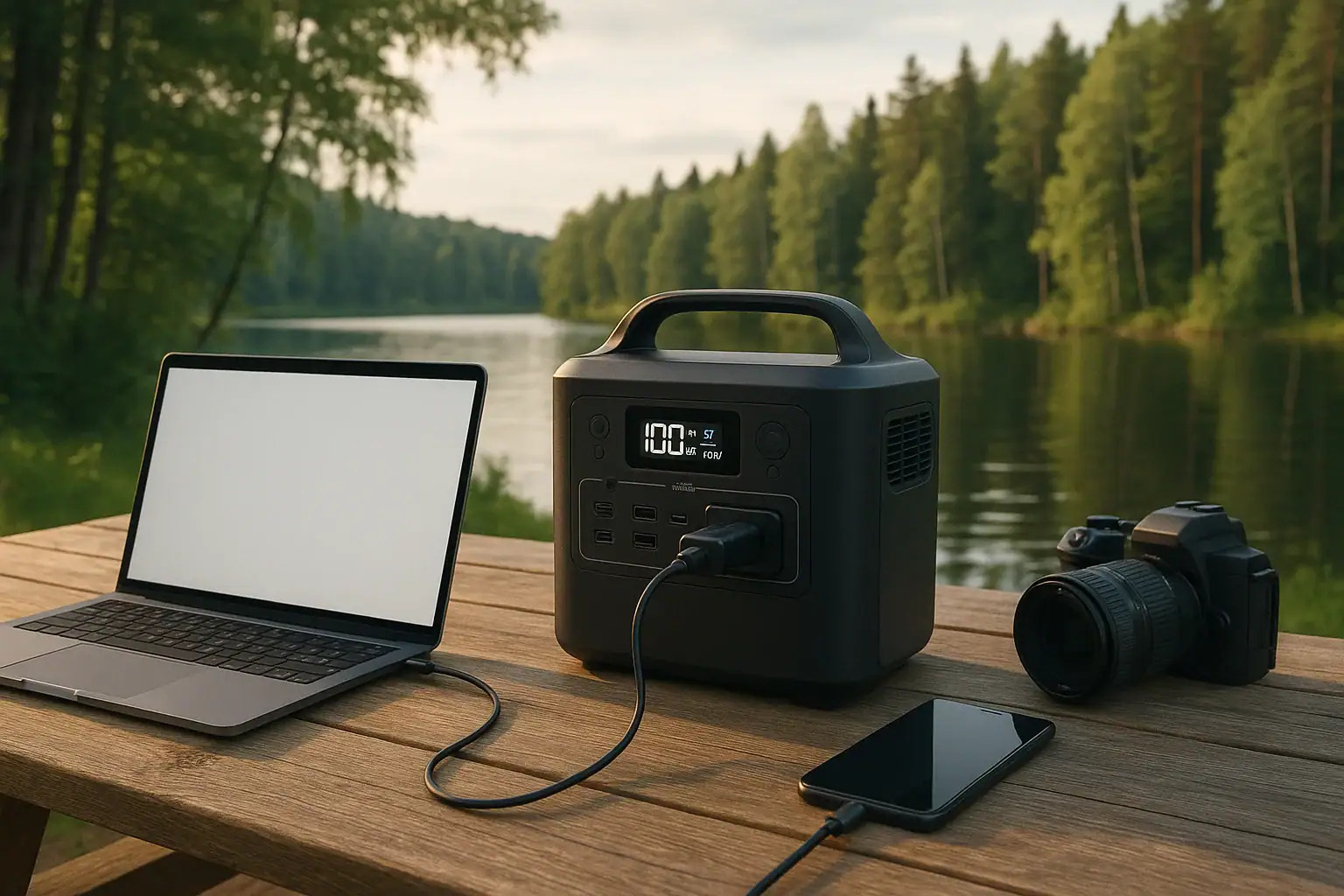
Portable power stations for remote work let you run laptops, monitors, Wi‑Fi hotspots, and phones far from traditional wall outlets. For digital nomads, field teams, and work-from-anywhere professionals, they solve power issues like short runtime, limited USB-C PD output, weak inverters, and noisy generators. Instead of worrying about battery percentage or surge watts every hour, you can size a unit to match your daily energy use and charging habits.
Whether you are camping with a laptop, working from a cabin, or doing on-site client visits, choosing the right capacity, inverter size, and ports matters more than fancy marketing terms. Understanding watt-hours, input limits, idle draw, and peak power will help you get predictable runtime and avoid overloads. This guide explains how portable power stations work for remote work, shows example setups, highlights common mistakes, and ends with a practical checklist of specs to look for when you are ready to compare models.
With the right setup and a bit of planning, a portable power station can turn almost any location with cell or satellite coverage into a reliable remote office.
What Portable Power Stations Mean for Remote Work and Why They Matter
For remote work, a portable power station is a rechargeable battery box with built-in inverter and DC outputs that replaces wall outlets when you are away from the grid. It stores energy in watt-hours (Wh) and delivers it through AC, USB, and DC ports so you can run laptops, monitors, routers, phones, cameras, and small tools.
They matter for remote work because they provide predictable, quiet power where traditional options fall short. Compared with small power banks, they offer much higher capacity and full-size AC outlets. Compared with fuel generators, they are almost silent, have no exhaust, and can be used indoors with proper ventilation and care.
For freelancers, remote employees, and field professionals, this means you can plan workdays around your schedule instead of around the nearest outlet. A correctly sized unit can cover an 8–10 hour workday, keep communications equipment running in outages, and support hybrid setups such as a laptop plus an external display and mobile hotspot.
Thinking of a portable power station as your “mobile wall outlet” helps clarify why capacity, port selection, and recharge speed are so critical. If any one of these is mismatched to your workflow, you end up with forced breaks, throttled devices, or unexpected shutdowns in the middle of calls and uploads.
Key Concepts: Capacity, Output, and Charging for Remote Work
Several technical concepts determine how well a portable power station will support remote work. Understanding them prevents overbuying or choosing a unit that cannot sustain your typical workday.
Watt-hours and runtime
Battery capacity is usually listed in watt-hours (Wh). Roughly, runtime in hours is:
Runtime ≈ battery Wh × 0.8 ÷ total device watts
The 0.8 factor accounts for typical conversion losses. If your laptop and accessories draw 80 W and your power station has 512 Wh, you might expect around 5 hours of continuous use under realistic conditions.
Continuous watts vs. surge watts
The inverter rating has two key numbers:
- Continuous output (W): What it can sustain indefinitely.
- Surge or peak output (W): Short bursts to start devices with inrush current.
For remote work, most loads are steady and modest, but external monitors or compact printers can have short startup spikes. Ensuring the continuous rating exceeds your combined typical load, with some headroom, helps avoid overload shutdowns.
Ports and PD profiles
Remote workflows often depend on USB-C Power Delivery (PD) ports. Key details include:
- Maximum USB-C PD wattage: Common useful ranges are 45–100 W per port.
- Supported voltage profiles: For example, 5 V, 9 V, 15 V, 20 V options allow fast charging for modern laptops and tablets.
- Number of ports: Multiple PD and USB-A ports help power phones, headsets, and accessories without extra hubs.
Input limit and recharge speed
The input limit (maximum charging watts) controls how fast the battery refills from wall, vehicle, or solar. A modest-capacity unit with a low input limit may take many hours to recharge, which can be a problem if you only have limited time with grid access between workdays.
Inverter type and waveform
Most remote work gear expects a pure sine wave similar to household power. Pure sine wave inverters are safer for sensitive electronics than modified sine wave options and help avoid issues like coil whine, heat, or glitches in adapters and chargers.
Idle consumption and always-on loads
Even with nothing plugged in, a power station’s inverter and electronics draw some power. For remote work, where you might leave a hotspot and laptop in standby, low idle draw and eco modes can significantly extend usable runtime over a day.
| Parameter | Typical Range | Why It Matters for Remote Work |
|---|---|---|
| Battery Capacity | 300–1500 Wh | Determines runtime for laptops, monitors, and routers. |
| Inverter Continuous Output | 300–1200 W | Limits how many devices you can run at once. |
| USB-C PD Output | 45–100 W per port | Supports fast charging for modern laptops and tablets. |
| AC Input Limit | 150–800 W | Controls how fast you can recharge between work sessions. |
| Idle Power Draw | 5–25 W | Affects how long the unit lasts when left on all day. |
Real-World Remote Work Scenarios Using Portable Power Stations
Different remote work styles place very different demands on a portable power station. Thinking through your actual scenario is often more useful than comparing raw specs in isolation.
Solo laptop workday at a campsite
A writer or developer working from a campsite might use a single laptop (40–60 W), a phone (5–10 W while charging), and a small LED light. Average draw could stay under 80 W. A mid-sized portable power station in the 400–600 Wh range can often cover a full 6–8 hour workday, especially if the laptop is not under constant heavy load.
Adding a compact solar panel can extend runtime over multi-day trips, as long as there are a few hours of decent sun to partially recharge the battery each day.
Mobile video calls and hotspot in a vehicle
For sales, consulting, or support roles that rely on video calls, a setup might include a laptop, 4G/5G hotspot, and a small USB-powered light. Power draw may fluctuate between 60 and 120 W during calls. A power station in the 500–800 Wh range can comfortably handle several hours of meetings, especially if recharged via vehicle DC while driving between locations.
In this scenario, stable AC or USB-C PD output is crucial to avoid laptop throttling or unexpected shutdowns during calls.
Pop-up field office with monitor and peripherals
Field engineers, surveyors, or project managers may need a more office-like setup: laptop, 24-inch monitor (20–40 W), external storage, label printer, and phone charging. Total draw can reach 120–200 W when everything is active.
Here, a larger portable power station in the 800–1500 Wh range provides a more realistic full workday buffer. Careful port planning also matters: enough AC outlets for monitor and printer, and high-wattage USB-C PD for the laptop to avoid using bulky adapters.
Hybrid remote and backup power at home
Some remote workers use portable power stations as both a travel tool and a backup during grid outages. The station might power a laptop, Wi‑Fi router, modem, and phone chargers during a blackout.
Even a mid-range unit can keep communications and essential work devices online for several hours, which can be enough to meet deadlines or attend critical meetings during short outages. For longer events, pairing with solar or periodic wall recharging when power returns becomes important.
On-site content creation and uploads
Photographers, videographers, and social media teams may use power stations to run laptops, card readers, portable SSDs, and charge camera batteries on location. Power draw can spike during exports and file transfers.
In these cases, consistent AC output and enough USB and DC ports to charge multiple batteries simultaneously are key. Even moderate capacity can go a long way if the devices are not under heavy load all day.
Common Mistakes and Troubleshooting Power Issues
Many remote workers run into similar problems when first using portable power stations. Recognizing these patterns can help you diagnose and prevent issues.
Underestimating total power consumption
A frequent mistake is sizing a power station for the laptop alone and forgetting monitors, routers, lights, and charging cycles for phones or headsets. This leads to shorter-than-expected runtime and mid-day shutdowns.
Troubleshooting cue: If your station drains much faster than expected, add up the rated watts of each device and compare them with your assumptions. Also consider duty cycles; devices like printers and external drives may not draw full power continuously.
Ignoring inverter limits and surge behavior
Some users plug in too many devices or a single device that briefly exceeds the inverter’s surge capacity. This can trigger overload protection and shut the AC outlets off.
Troubleshooting cue: If the unit turns off or shows an overload icon when starting certain devices, try running them one at a time, or remove non-essential loads. Ensure your combined running watts stay well below the continuous rating.
Relying on low-wattage USB ports for high-demand laptops
Modern laptops may negotiate 60–100 W over USB-C PD. If the station’s USB-C port only supports lower PD profiles, the laptop may charge slowly, lose charge under load, or refuse to charge at all.
Troubleshooting cue: If your laptop battery keeps dropping while plugged into USB-C, check the PD wattage rating. Switching to the AC adapter plugged into an AC outlet on the station may provide more stable power.
Overlooking input limits and recharge windows
Remote workers who move between limited charging opportunities (short stays at coworking spaces, cafes, or client offices) sometimes discover that their power station cannot fully recharge in the available time.
Troubleshooting cue: If your unit never reaches full before you have to leave, look at the input wattage and your battery size. You may need to adjust your workflow, charge more frequently, or reduce daily consumption.
Leaving the inverter on with tiny standby loads
Keeping the AC inverter on all day just to power a small router or a device in standby can waste a significant portion of your battery on idle draw.
Troubleshooting cue: If the battery drains overnight with almost nothing plugged in, check idle consumption. Using DC or USB outputs instead of AC for small devices, or enabling eco modes that auto-shut off low loads, can help.
Operating in extreme temperatures
High heat or cold can reduce available capacity and trigger thermal protection. For example, leaving a power station in direct sun inside a parked vehicle can cause it to shut down or throttle charging.
Troubleshooting cue: If output or charging suddenly stops and the environment is very hot or cold, move the unit to a shaded, moderate-temperature area and allow it to stabilize before trying again.
Safety Basics When Using Portable Power Stations for Work
Portable power stations are designed to be safer and simpler than fuel generators, but they still store substantial energy and should be treated with care, especially when used as part of a daily remote work setup.
Use within rated limits
Always respect the continuous and surge watt ratings for AC and DC outputs. Regularly running at or near maximum output can increase heat, reduce efficiency, and in some cases shorten component lifespan. Aim for a comfortable margin between your typical load and the inverter’s rating.
Ventilation and placement
Place the unit on a stable, flat surface with ventilation openings unobstructed. Avoid covering it with bags, clothing, or blankets, and keep it away from heat sources, direct intense sun, or flammable materials. Good airflow helps the unit manage heat during long work sessions.
Dry, clean environments
Use the station in dry conditions and protect it from rain, splashes, and condensation. For outdoor remote work, consider sheltering the unit under a canopy or in a dry, ventilated location. Dust and debris can accumulate over time, so keeping the area around vents clean is important.
Safe cable management
In pop-up offices, it is easy to create tripping hazards with AC and USB cables. Strain on connectors can damage ports or plugs. Route cords so they do not cross walking paths when possible, and avoid sharply bending or pinching cables under furniture or doors.
Charging safety
Use compatible charging methods and observe the manufacturer’s guidance for AC, vehicle DC, and solar input. Avoid improvising connections or exceeding recommended input voltages or currents. If you plan to integrate the station with any part of a building’s electrical system, consult a qualified electrician rather than attempting direct wiring yourself.
Monitoring temperature and alerts
Many units provide status indicators for temperature, overload, and low battery. Pay attention to these alerts during long remote work sessions. If the unit becomes unusually hot, emits unusual sounds or smells, or repeatedly shuts down, disconnect loads and stop charging until you can evaluate the situation or seek professional support.
| Safety Aspect | Recommended Practice | Remote Work Impact |
|---|---|---|
| Load Margin | Keep typical load under ~70% of inverter rating | Reduces overload risk during peak use. |
| Operating Temperature | Moderate indoor-like conditions when possible | Helps maintain capacity and performance. |
| Ventilation Clearance | Several inches around vents | Supports cooling during long workdays. |
| Moisture Exposure | Avoid rain, puddles, and condensation | Prevents short circuits and corrosion. |
Related guides: Portable Power Station Buying Guide • Remote Work Power Kit: Keeping Laptop, Monitor, and Internet Running • Can a Portable Power Station Replace a UPS?
Maintaining and Storing Your Work Power Station
For remote workers who rely on portable power regularly, good maintenance practices help preserve capacity and reduce unpleasant surprises on the road.
Regular charging habits
Avoid leaving the battery at 0% for extended periods. When possible, recharge soon after heavy use. For units used daily, normal cycling within a moderate range (for example, 20–80%) can help balance usability and long-term health, depending on the battery chemistry.
Long-term storage between trips
If you only use the station for occasional travel or as a backup for outages, store it in a cool, dry place at a partial state of charge. Many users aim for somewhere around half to two-thirds full for multi-month storage, checking and topping up every few months as needed.
Temperature considerations
Do not store the unit in very hot or very cold environments such as car trunks in summer or unheated sheds in winter. Extreme temperatures accelerate aging and can reduce capacity over time. Bringing the unit to room temperature before charging is generally advisable.
Port and cable care
Inspect AC, USB, and DC ports periodically for dust and debris. Use quality cables rated for the power levels you need, especially for high-wattage USB-C PD charging. Replace frayed or damaged cables promptly to avoid intermittent connections or overheating.
Firmware and functional checks
Some modern power stations support firmware updates through apps or other interfaces. Periodically checking for updates can improve performance or add minor features. Even without updates, it is wise to test the unit before important trips: run your full remote work setup for an hour or two to confirm everything behaves as expected.
Battery health over time
All rechargeable batteries slowly lose capacity with cycles and age. Planning for a gradual reduction in runtime over years helps set realistic expectations. If you notice a sudden, large drop in usable capacity or frequent unexpected shutdowns at moderate load, that can be a sign to contact support or consider replacement.
For remote workers, treating the power station as essential infrastructure, not just a gadget, means giving it the same attention you would give to your laptop or network equipment.
Practical Takeaways and Specs to Look For
Choosing a portable power station for remote work comes down to matching your actual workflow to the right balance of capacity, output, ports, and recharge speed. Start by listing your devices, estimating their combined wattage, and deciding how many hours of independent operation you need. Then look for a unit that comfortably covers that load with headroom, rather than just meeting minimum numbers on paper.
Think about where and how you will recharge: wall outlets between coworking sessions, vehicle DC while driving, or solar in remote locations. Your charging environment strongly influences how important input limits and solar compatibility will be. Also consider portability: a higher-capacity unit is only useful if you can realistically move it to where you work.
Specs to look for
- Battery capacity (Wh): Match 400–800 Wh for light solo setups or 800–1500 Wh for multi-device offices; this controls how many work hours you can cover without recharging.
- Inverter continuous output (W): Choose a rating at least 30–50% above your typical combined load; this prevents overloads when you power a laptop, monitor, and accessories together.
- USB-C PD output (W and ports): Look for 60–100 W on at least one USB-C port plus additional lower-wattage ports; this supports fast laptop charging and multiple mobile devices.
- AC and DC input limit (W): Aim for 200–600 W input depending on battery size; higher input allows faster top-ups during short access to wall or vehicle power.
- Idle power draw and eco modes: Prefer lower idle consumption (for example, under 15 W) and automatic shutoff options; this extends runtime when devices are in standby.
- Weight and form factor: Balance 7–12 lb units for ultra-portable setups or 15–30 lb for higher capacity; portability affects how often you will actually bring it to remote locations.
- Inverter waveform: Look for pure sine wave output; this helps ensure compatibility and smooth operation with sensitive electronics like laptops and monitors.
- Operating temperature range: Check that the unit is rated for the environments you expect (hot vehicles, cool cabins); staying within this range helps maintain performance and safety.
- Display and monitoring: A clear screen showing input, output, and remaining runtime in hours or percentage makes it easier to manage work sessions without guesswork.
- Solar charging compatibility: If you plan off-grid work, confirm supported solar input ranges and connectors; this determines how effectively you can extend runtime with panels.
By focusing on these practical specs instead of marketing terms, you can select a portable power station that reliably supports your remote work style today and remains flexible as your device lineup evolves.
Frequently asked questions
What specs and features matter most when choosing a portable power station for remote work?
Prioritize battery capacity in watt-hours (Wh) for runtime, continuous inverter output (W) for simultaneous loads, and USB-C PD wattage for laptop charging. Also check input/recharge limits (how fast it can refill), idle draw or eco modes, inverter waveform (pure sine recommended), and the unit’s weight/portability. Matching these to your devices and recharge opportunities gives the most predictable results.
Why do portable power stations sometimes run out of power sooner than expected?
Common causes are undercounting all active loads (monitors, routers, lights), ignoring idle draw and duty cycles, and not accounting for conversion losses or temperature effects. Another frequent issue is limited input wattage that prevents timely recharging between sessions. Adding up actual device watts and allowing headroom helps avoid surprises.
Are portable power stations safe to use indoors, and what precautions should I take?
Yes — they are generally safer than fuel generators for indoor use, but you should keep ventilation clear, avoid moisture and direct heat, and operate within rated input/output limits. Use appropriate cables and connectors, don’t improvise wiring into a building system, and follow manufacturer alerts for temperature or overloads. Consult a qualified electrician before any permanent electrical integration.
How long will a portable power station run my laptop and accessories?
Runtime depends on battery Wh and total device draw; a practical estimate is Runtime ≈ Wh × 0.8 ÷ device watts to account for conversion losses. For example, a 512 Wh unit powering an 80 W load would run roughly five hours under typical conditions. Actual times vary with device power profiles and standby behavior.
Can I recharge a portable power station quickly between short work sessions?
Recharge speed depends on the station’s input limit and the source (AC wall, vehicle DC, or solar). Units with higher input wattage refill faster, but a large battery will still take longer than a small one. Check the input rating and match it to the charging opportunities you expect.
Do I need a pure sine wave inverter for sensitive electronics used in remote work?
Yes — pure sine wave inverters are recommended for laptops, monitors, and other sensitive gear because they provide cleaner power and reduce risks like coil whine, overheating, or erratic adapter behavior. Modified sine wave outputs may work for some devices but can cause compatibility or efficiency issues. Choose pure sine wave for better reliability.
Recommended next:
- Portable Power Stations for Apartments
- Portable Power Stations for RV and Motorhomes
- Can a Portable Power Station Run a Microwave? What to Check Before You Try
- Can a Portable Power Station Run a Space Heater? Realistic Limits
- Can a Portable Power Station Run an Air Conditioner? Sizing and Expectations
- Powering a Coffee Maker, Kettle, or Induction Cooktop: What Works and Why
- More in Home / Appliances →
Related guides
Browse this topic →

- Beginner-friendly sizing, runtime & specs
- Solar & charging (MPPT, fast charging, cables)
- Batteries (LiFePO4, cycles, care & storage)
- Safety, cold-weather performance, real-world tips
More in Beginners
See all →- Mobile Office Power Kit: Working From a Car With Laptop, Phone, and Hotspot
- Portable Power Station for Power Tools: Drills, Saws, and Battery Chargers
- Portable Power Station for Electric Coolers: 12V vs AC Runtime Planning
- Portable Power Station for E-Bike Charging: Capacity, Speed, and Safety Limits
- Portable Power Station for Amateur Radio and Emergency Communications
Keep reading
About this site
Portable Energy Lab publishes practical, independent guides about portable power—clear sizing, safe use, and real-world expectations.
Affiliate disclosure
Some links on this site may be affiliate links. If you buy through these links, we may earn a small commission at no extra cost to you. This helps support our content. Learn more.