
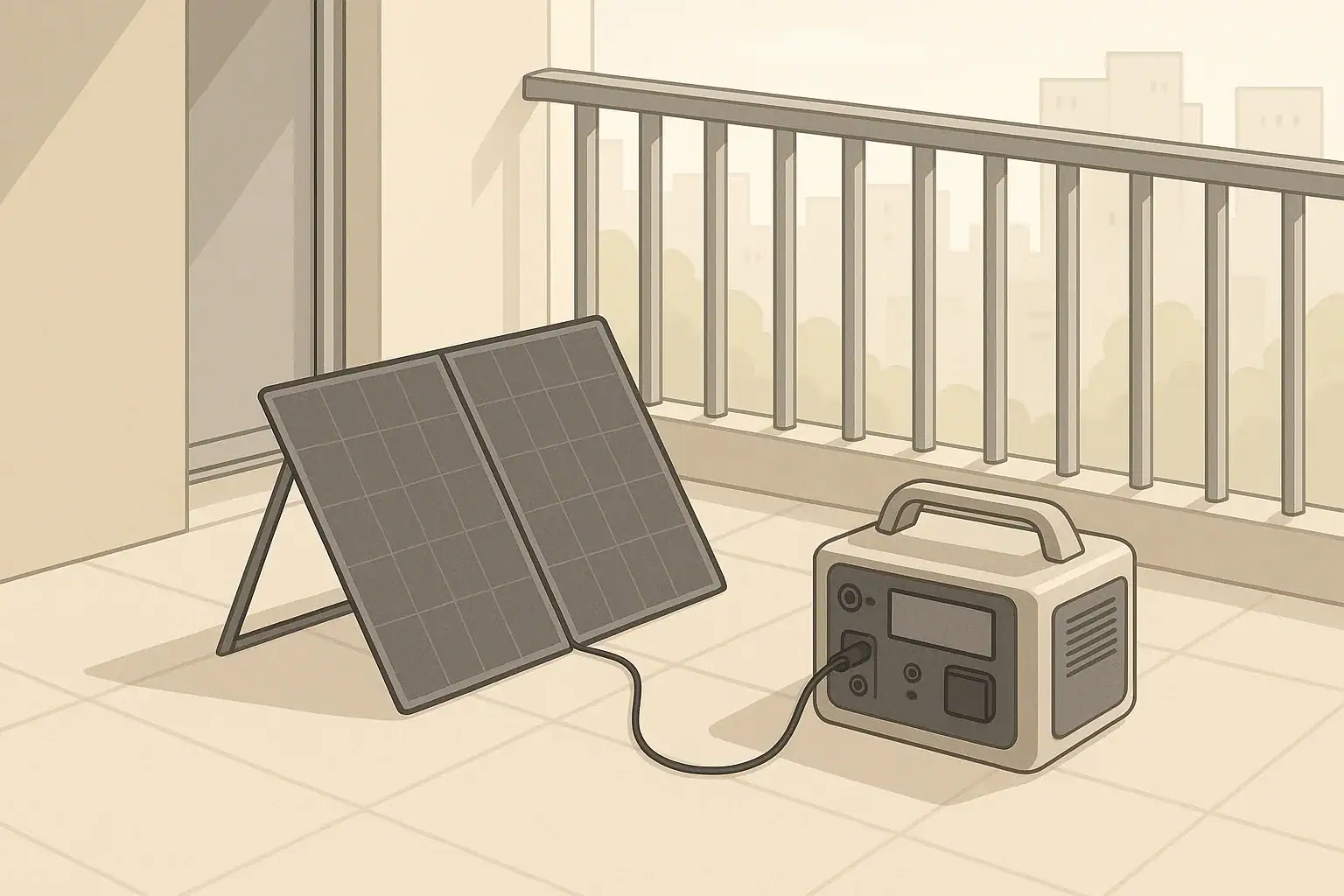
Many apartment residents assume solar and backup power are only realistic for houses. A small balcony solar panel paired with a portable power station changes that. It lets you harvest sunlight without modifying building wiring and gives you a flexible battery you can move indoors, take traveling, or use during outages.
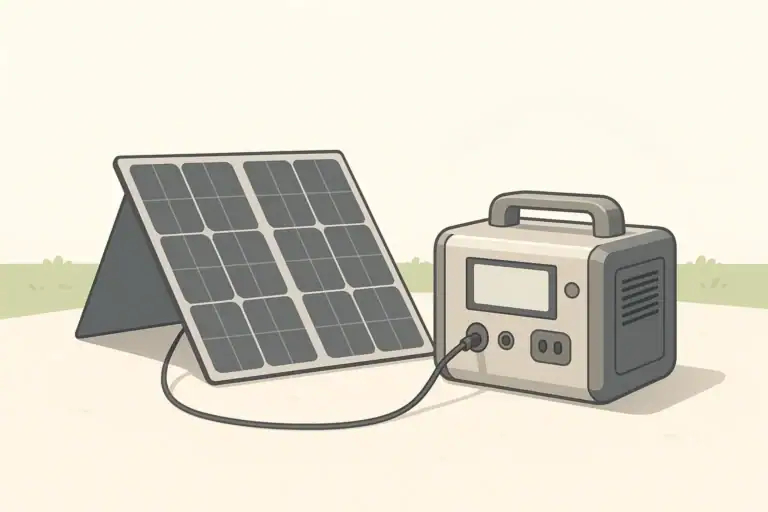
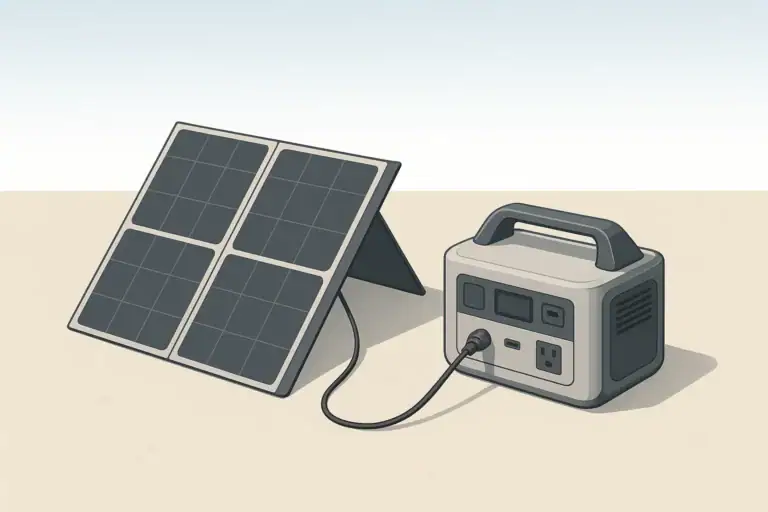
This setup stays fully off-grid. The solar panel charges the power station, and you plug devices directly into the station’s outlets. No changes to your home electrical panel or building wiring are required, which makes it suitable for renters and condos with strict rules.
A balcony solar + power station system is especially practical for:
- Short power outages – Keep phones, a small router, and a few lights running.
- Remote work – Power a laptop and monitor during brief blackouts.
- Everyday energy offset – Charge devices from solar instead of wall outlets when possible.
- Portable use – Take the power station camping or on road trips.
Why Balcony Solar and a Power Station Work Well in Apartments
Many apartment residents assume solar and backup power are only realistic for houses. A small balcony solar panel paired with a portable power station changes that. It lets you harvest sunlight without modifying building wiring and gives you a flexible battery you can move indoors, take traveling, or use during outages.
This setup stays fully off-grid. The solar panel charges the power station, and you plug devices directly into the station’s outlets. No changes to your home electrical panel or building wiring are required, which makes it suitable for renters and condos with strict rules.
A balcony solar + power station system is especially practical for:
- Short power outages – Keep phones, a small router, and a few lights running.
- Remote work – Power a laptop and monitor during brief blackouts.
- Everyday energy offset – Charge devices from solar instead of wall outlets when possible.
- Portable use – Take the power station camping or on road trips.
Basic Components of a Balcony Solar + Power Station Setup
You only need a few core pieces of equipment to build a practical balcony system. The key is to keep it simple, compatible, and safe.
Portable Power Station
The portable power station is a battery with built-in electronics. Most units include:
- Battery capacity (Wh) – Watt-hours describe how much energy the battery stores.
- AC outlets – Inverter-powered 120 V outlets for small appliances and electronics.
- DC outputs – Commonly 12 V car-style sockets and barrel ports.
- USB ports – USB-A and/or USB-C for phones, tablets, and laptops.
- Charging inputs – Ports for wall charging, vehicle charging, and solar panels.
For balcony solar, verify that the power station accepts solar input at the voltage and connector type you plan to use. Many accept solar through a dedicated port, often with an included or optional adapter.
Balcony-Friendly Solar Panel
The solar panel converts sunlight into DC power that charges the station. For apartments, common options include:
- Foldable portable panels – Easy to move and store; ideal for renters.
- Rigid small panels – May mount to balcony railings or rest against a wall, subject to building rules.
Important considerations for a balcony panel:
- Rated power (W) – Common portable sizes range roughly from 60 W to 200 W.
- Voltage and connectors – Voltage and plug type must match the power station’s input specs.
- Mounting and wind safety – The panel must be secured to prevent tipping or falling.
- Orientation – Access to sun, ideally facing south in the northern hemisphere.
Cables and Adapters
You will typically need:
- The solar cable attached to or supplied with the panel.
- Any adapters required to match the panel’s connectors to the power station’s solar input.
Use only cables and adapters that are rated for the voltage and current of your system. Avoid homemade wiring unless you are qualified and follow all electrical codes.
Example values for illustration.
| What to check | Why it matters | Notes |
|---|---|---|
| Power station capacity (Wh) | Determines how long devices can run | Example: 500–1,000 Wh for basic apartment backup |
| Inverter output (W) | Limits what can be plugged into AC outlets | Check running and surge watts of your appliances |
| Solar input rating | Maximum watts and voltage the station accepts | Size balcony solar panel below these limits |
| Balcony orientation and shading | Affects daily solar energy production | Note approximate sun hours and obstacles |
| Mounting and safety on balcony | Prevents falls and wind damage | Use stable stands, straps, or approved mounts |
| Building and community rules | Avoids violations of lease or HOA rules | Confirm permissions for visible panels |
| Indoor storage space | Protects panel and battery when not in use | Keep dry, ventilated, and away from heat sources |
Understanding Capacity, Watts, and What You Can Realistically Power
Sizing is one of the most important steps in planning a balcony solar plus power station setup. The goal is to match your typical apartment needs with realistic capacity and power output.
Battery Capacity (Wh) for Apartment Use
Power station capacity is measured in watt-hours (Wh). In simple terms, watt-hours equal watts multiplied by hours. For example, if a 100 W device ran for one hour, that would use 100 Wh.
Common capacity ranges for apartment-friendly systems:
- 300–500 Wh – Basic backup for phones, a router, and a laptop for several hours.
- 500–1,000 Wh – Adds small LED lights, fans, or a low-power TV for a short evening.
- 1,000–2,000 Wh – More comfortable outages, more devices, or longer runtimes.
Real runtime will be lower than the theoretical Wh divided by device watts due to inverter losses and other inefficiencies. It is wise to plan with a safety margin rather than counting on every last watt-hour.
Running Watts vs. Surge Watts
The inverter in your power station has two key ratings:
- Running (continuous) watts – The maximum power it can supply steadily.
- Surge (peak) watts – A brief higher output for starting devices like some motors.
Many apartment loads are electronics that do not require much surge, such as laptops, routers, and LED lamps. However, devices with compressors or motors, like certain small fridges, can have higher startup surges. Always check device labels and compare them with inverter ratings.
Realistic Apartment Loads for a Balcony System
Balcony solar with a modest power station will not replace whole-home power. Instead, it excels at low-to-moderate loads, such as:
- Phones, tablets, and laptops
- Wi-Fi router and modem
- LED lamps and small USB lights
- Portable fans and small DC devices
- Low-power TV or streaming device
Larger resistive loads like space heaters, hair dryers, and some microwaves typically exceed what a balcony-friendly system can handle effectively. Even if they can start, they will drain the battery quickly.
Outputs, Inverters, and Pass-Through Charging Basics
Understanding the different outputs and features of a power station helps you use your balcony system more efficiently.
AC, DC, and USB Outputs
Most portable power stations offer:
- AC outlets (120 V) – For devices normally plugged into wall outlets. These rely on the inverter and are the least efficient output type.
- 12 V DC ports – For car-style devices, some coolers, and certain LED lights. More efficient than running the same load through AC.
- USB-A and USB-C – For charging phones, tablets, and some laptops with high-efficiency DC conversion.
For the most efficient use of your battery, prefer DC and USB outputs when your devices support them. Reserve AC outlets for items that cannot use DC directly.
Pass-Through Charging and “Solar UPS” Style Use
Many power stations support pass-through charging, where the unit can charge from solar or wall power while simultaneously powering connected devices. This can mimic an uninterruptible power supply (UPS) for small electronics.
Considerations for pass-through use:
- Check the manual to confirm whether pass-through is supported and any limitations.
- Understand efficiency – Running power through the battery while charging can introduce extra losses and heat.
- Use within safe loads – Keep total power draw comfortably below the inverter rating and charging input to reduce stress on the system.
For balcony solar, pass-through charging is often used during the day: solar input charges the battery while also powering a laptop, router, or other small devices.
Charging Options: Solar, Wall, and Vehicle in an Apartment Context
Balcony systems are centered on solar, but wall and vehicle charging remain useful. Combining methods gives more flexibility and faster recovery after a power outage.
Solar Charging from a Balcony
Solar charging speed depends on panel power, sun conditions, and the power station’s charge controller. For example, a panel rated around 100 W might deliver less than that in real conditions due to shading, sun angle, heat, and weather.
In an apartment, partial shading from nearby buildings or balcony railings is common. Expect output to vary widely through the day. Even with this variability, solar can provide a steady stream of energy for light-use devices.
Wall Charging
Most power stations can be fully charged from a standard 120 V outlet. Wall charging is valuable for:
- Pre-charging before storms or planned outages.
- Top-ups when solar is limited by weather or shade.
- Nighttime charging when solar is not available.
Many users keep the power station near an outlet indoors and move it to the balcony only when charging from solar.
Vehicle Charging
Some apartment residents have access to a car in a parking lot or garage. Vehicle charging through a 12 V accessory socket is slower than wall or solar charging but can be useful during travel or when away from home. In many day-to-day apartment scenarios, wall and balcony solar will be more practical.
Planning a Simple Balcony Solar Layout
A practical balcony setup prioritizes safety, building rules, and convenience. While specific layouts vary, a few general principles apply.
Safe Panel Placement
Key points for placing balcony solar panels:
- Secure mounting – Use stands, brackets, or straps rated for outdoor use to prevent the panel from moving or falling.
- Wind awareness – Avoid positions where strong gusts can turn the panel into a sail.
- Drainage – Ensure water can drain away from cables and connectors.
- Non-obstruction – Do not block emergency exits or walkways on the balcony.
Always comply with building, landlord, and association rules. Some properties limit visible exterior equipment. In those cases, temporary or low-profile setups may be more acceptable.
Indoor vs. Outdoor Placement of the Power Station
Most portable power stations are designed for dry environments. Common practices include:
- Placing the power station indoors near the balcony door, running the solar cable inside through a small gap or suitable opening.
- Keeping the battery off the ground if the floor may become wet.
- Avoiding direct sun on the power station to reduce heat.
If you must place the unit outdoors temporarily, protect it from rain and direct sun and follow the manufacturer’s environmental ratings. Do not enclose the power station in a completely sealed container; allow ventilation around vents and fans.
Using Your Balcony System During Power Outages
When the grid goes down, a balcony solar + power station setup gives you a limited but valuable island of power. The key is to prioritize and manage expectations.
Essential Loads in an Apartment
Many people focus on comfort and communication rather than replicating full household power. Typical priority loads include:
- Phone charging for communication.
- Internet router and modem if the building’s internet remains powered.
- LED lighting in key rooms.
- Laptop for work or information.
- A small fan in warm weather.
If you plan to use a compact fridge or similar appliance, confirm its wattage and startup requirements, and test how your system handles it under safe conditions before an actual outage.
High-Level Guidance on Home Electrical Integration
It may be tempting to feed power from a portable station into home circuits. However, directly connecting a power station to apartment wiring, breaker panels, or outlets in a way that backfeeds building circuits introduces significant safety and code concerns.
For apartment setups, the safest approach is usually to use the power station as a standalone source and plug devices directly into its outlets or power strips rated for the load. If you are considering more advanced integration, consult a licensed electrician and follow all local codes and building rules. Do not attempt DIY modifications to electrical panels or fixed wiring.
Cold Weather, Storage, and Maintenance in Small Spaces
Apartment storage areas can expose batteries and panels to temperature swings. Proper care improves safety and longevity.
Cold and Hot Weather Considerations
Portable power stations and solar panels have recommended operating and storage temperature ranges. General practices include:
- Avoid freezing charging – Many lithium-based batteries should not be charged below freezing. Let a cold unit warm up indoors before charging.
- Avoid overheating – Do not leave the power station in direct sun or near heaters.
- Monitor performance – Capacity can decrease temporarily in cold weather, so plan for shorter runtimes.
Storage in an Apartment
When not in use, store the power station in a cool, dry, well-ventilated area away from direct sun and flammable materials. Many users keep the battery partially charged and top it up a few times a year if unused, following the manufacturer’s guidance.
Solar panels can often be stored in closets or under a bed if they are foldable. Avoid stacking heavy items on top of them, and protect connectors from dust and moisture.
Basic Maintenance Habits
Simple periodic checks help keep your balcony system reliable:
- Inspect cables for wear or damage.
- Wipe dust from panel surfaces with a soft, non-abrasive cloth.
- Test the system before storm seasons, verifying that it charges and powers key devices.
Example values for illustration.
| Device type | Typical watts range (example) | Planning notes |
|---|---|---|
| Smartphone charging | 5–15 W | Very light load; many charges from a modest power station |
| Wi-Fi router + modem | 10–30 W | Often a high priority during outages; hours of runtime are practical |
| Laptop | 40–90 W | Limit use to essential tasks to extend battery life |
| LED lamp | 5–15 W | Efficient lighting; good candidate for extended outage use |
| Small fan | 20–50 W | Manage runtime, especially on smaller batteries |
| Compact fridge (efficient type) | 40–100 W (running) | Startup surge may be higher; test compatibility in advance |
| TV (flat-panel) | 40–120 W | Occasional use during outages is usually manageable |
Safety Practices for Balcony Solar and Indoor Battery Use
Balcony systems are relatively low power compared with whole-home installations, but basic electrical and battery safety still applies.
General Electrical Safety
To reduce risk when using a portable power station in an apartment:
- Do not overload outlets or use damaged power strips.
- Keep cords tidy and out of walkways to prevent tripping or yanking the station off a surface.
- Avoid running extension cords through doors or windows where they may be pinched.
- Use only grounded outlets and cords rated for the loads they will carry.
Battery and Ventilation Considerations
Most modern power stations use sealed lithium-based batteries with built-in protections. Even so, treat them with care:
- Place the unit on a stable, non-flammable surface.
- Allow space around vents and fans; do not cover them.
- Follow manufacturer guidance about indoor use and charging.
- If the unit is damaged, swollen, or emits unusual smells, disconnect and stop using it.
Weather and Water Exposure
Balcony environments expose equipment to sun, wind, and occasional moisture. To protect your system:
- Keep all electrical connections away from pooled water.
- Use drip loops on cables where possible so water runs off before reaching the power station.
- Do not operate the power station in the rain unless specifically rated for such conditions.
- Bring the battery indoors during storms and when not in use.
By pairing modest balcony solar with a correctly sized portable power station and following basic safety and maintenance practices, apartment residents can enjoy a practical, flexible source of backup and everyday power without altering building wiring.
Frequently asked questions
How much energy can I realistically get from a balcony solar power station in an apartment?
Daily energy production depends on panel wattage, orientation, shading, and local peak sun hours; for example, a 100 W panel in good direct sun for 3–5 peak sun hours might produce roughly 300–500 Wh during the day. Shading from neighboring buildings, balcony railings, and cloudy weather can reduce output significantly, so monitor your system and plan conservatively.
Can I leave a power station charging on the balcony overnight?
Most portable power stations are designed for dry indoor environments and should not be left outdoors overnight unless the manufacturer explicitly rates them for outdoor use. Bring the battery indoors during rain, high humidity, or storms and avoid exposing it to prolonged direct sun or extreme temperatures while charging.
Will a balcony solar power station run my refrigerator during an outage?
Some compact, efficient refrigerators can run from a sufficiently sized power station, but you must confirm both the running watts and the startup surge against the inverter’s ratings. Larger or older refrigerators often have higher startup surges and continuous draw that will quickly deplete a modest apartment-sized battery, so test under safe conditions if you plan to rely on one.
Do I need permission from my landlord or HOA to install a balcony solar panel?
Rules vary by building and community, and many landlords or associations have restrictions on visible exterior equipment. Check your lease, HOA guidelines, or ask building management before mounting panels or using visible setups to avoid violations or fines.
How do I safely connect a foldable panel to my power station?
Ensure the panel’s voltage, maximum current, and connector type match the power station’s solar input and use only rated cables and manufacturer-recommended adapters. Protect connections from moisture, secure cables to prevent tripping or pinching, and follow the power station’s instructions for correct polarity and input limits.
Recommended next:
- Are Portable Power Stations the Future of Backup Power?
- Portable Power Stations and Renewable Energy
- Solar Panel Series vs Parallel: Which Is Better for Charging a Power Station?
- How Many Solar Watts Do You Need to Fully Recharge in One Day?
- Overpaneling Explained: Can You Connect Bigger Solar Panels Than the Input Limit?
- Shading and Angle: How Placement Changes Solar Charging Speed
- More in Solar →
Related guides
Browse this topic →
- Beginner-friendly sizing, runtime & specs
- Solar & charging (MPPT, fast charging, cables)
- Batteries (LiFePO4, cycles, care & storage)
- Safety, cold-weather performance, real-world tips
More in Solar
See all →- Solar Charging in Shade: Why Power Collapses and What You Can Do
- Can You Mix Different Solar Panels on One Power Station? A Safe Matching Checklist
- How to Read Solar Panel Specs for Power Stations: Voc, Vmp, Imp, and Why It Matters
- Solar Safety Basics: Cables, Heat, and Preventing Connector Melt
- MC4, Anderson, DC Barrel: Solar Connectors and Adapters Explained
Keep reading
About this site
Portable Energy Lab publishes practical, independent guides about portable power—clear sizing, safe use, and real-world expectations.
Affiliate disclosure
Some links on this site may be affiliate links. If you buy through these links, we may earn a small commission at no extra cost to you. This helps support our content. Learn more.