
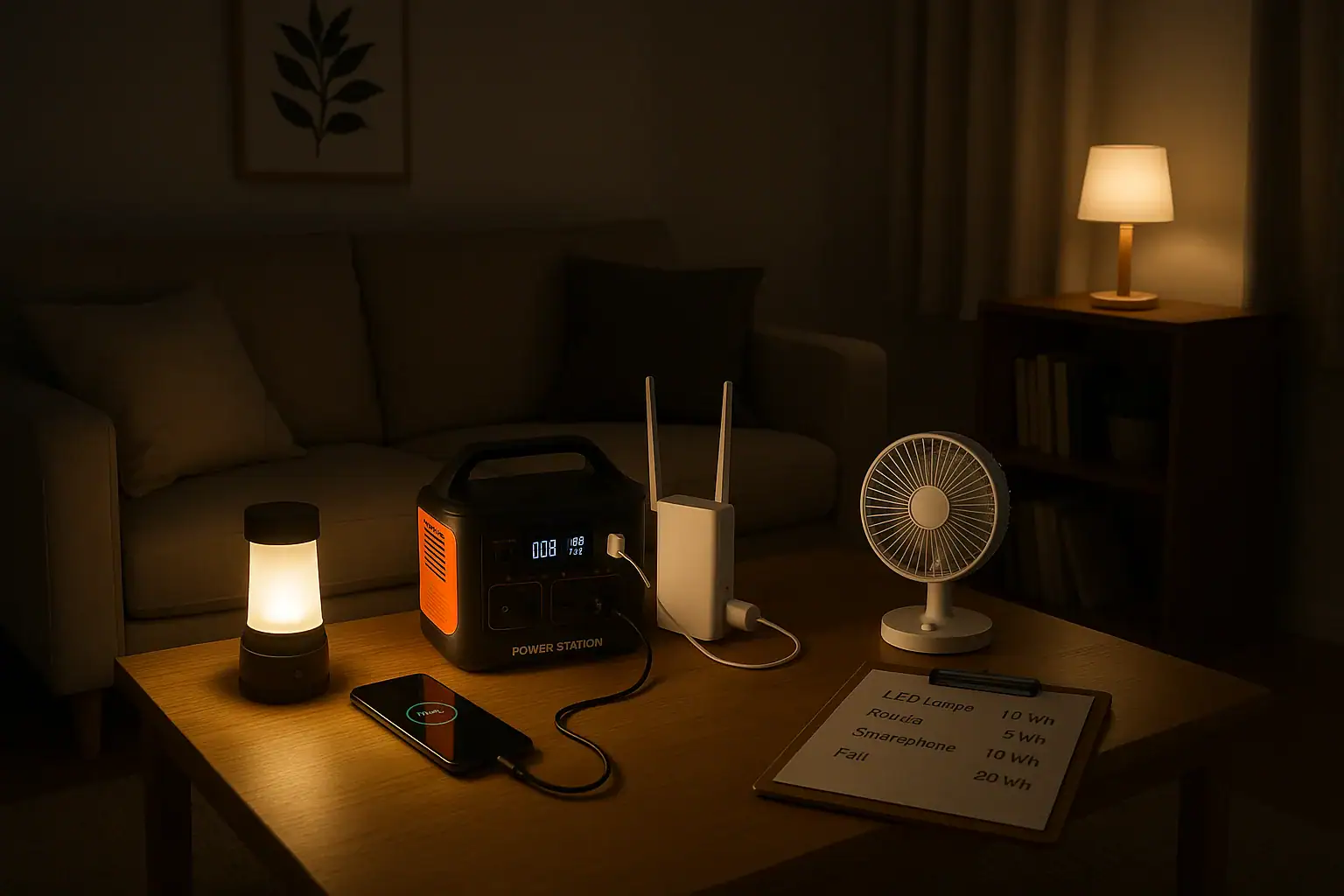
An effective energy budget for a power outage means estimating how many watt-hours you need to keep lights, phone, internet, and small appliances running for your target runtime. You match that total to the capacity and output limits of a portable power station so you do not overload it or run out of power too soon. Thinking in terms of wattage, watt-hours, surge watts, and battery capacity helps you plan realistically instead of guessing.
When you map out your loads and hours of use, you can see whether a compact backup unit is enough for basic communication and lighting or if you need a larger capacity setup for extended blackouts. This same method works whether you are calculating a simple phone-charging kit, a work-from-home backup for your modem and router, or a small emergency power system for fans and a compact fridge. The goal is a clear, repeatable process you can adjust as your needs or devices change.
Understanding Your Energy Budget During an Outage
An energy budget for a power outage is a simple plan that matches what you want to power with how much stored energy you actually have. Instead of asking, “How long will this portable power station last?” you ask, “How many watt-hours will my essential devices use, and does my battery capacity cover that?”
For portable power stations, three ideas matter most:
- Power (watts): how much power devices draw at a given moment.
- Energy (watt-hours): how long that power draw can be sustained.
- Capacity: the size of the battery, usually in Wh, which sets your total energy limit.
During an outage, you typically care about four categories of loads:
- Lights (LED lamps, lanterns, small work lights).
- Communication (phones, tablets, laptops).
- Internet (modem, router, maybe a low-power switch).
- Small appliances (fans, compact fridge, coffee maker, microwave in short bursts).
The reason this energy budgeting matters is that battery capacity is finite. Every extra light left on or appliance cycled longer than planned eats into runtime. By assigning rough watt and watt-hour numbers to each item, you can decide what to prioritize, what to limit, and whether your existing power station capacity is enough for a 4-hour, 8-hour, or multi-day outage.
Key Concepts: Watts, Watt-Hours, and Portable Power Capacity
To build a reliable outage plan, you need to understand how power and energy relate to a portable power station’s capacity and output limits.
Power (Watts) vs. Energy (Watt-Hours)
Watts (W) measure the rate of power use. A 10 W LED bulb uses 10 watts whenever it is on. A 60 W laptop adapter uses up to 60 watts while charging at full speed.
Watt-hours (Wh) measure energy over time. The basic formula is:
Energy (Wh) = Power (W) × Time (hours)
If that 10 W bulb runs for 5 hours, it uses 10 W × 5 h = 50 Wh. A 60 W laptop charger running for 2 hours uses about 120 Wh.
Portable Power Station Capacity
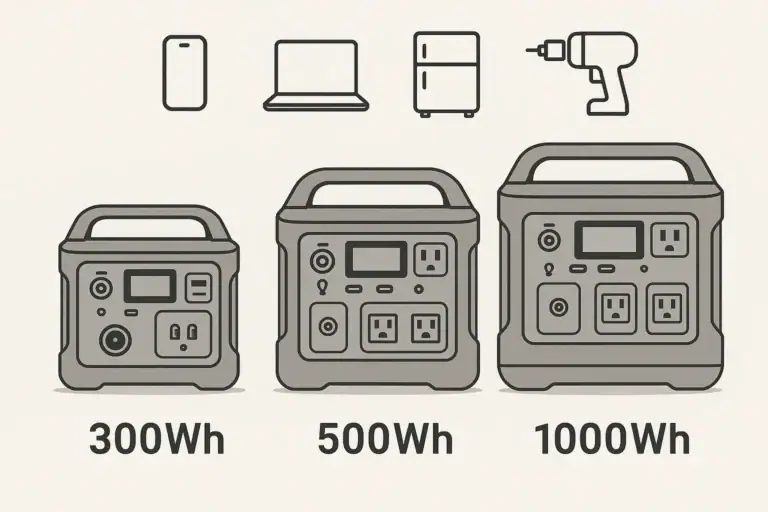
Portable power stations list a battery capacity such as 300 Wh, 500 Wh, 1000 Wh, or more. This is the theoretical energy the battery can store. In practice, usable energy is lower because of inverter and conversion losses, often leaving you with roughly 80–90% of the rated capacity for AC loads.
Usable energy estimate:
Usable Wh ≈ Rated Wh × 0.8 to 0.9
For a 500 Wh unit, that might mean 400–450 Wh available to run AC devices.
Continuous Watts and Surge Watts
Power stations also list a continuous output (for example, 300 W, 600 W, 1000 W) and a higher surge or peak rating. Continuous watts is what it can safely output for long periods. Surge watts handle brief startup spikes, such as from a small compressor or motor.
For an outage energy budget, you must keep your total running loads under the continuous watt rating and make sure any devices with motors fall under the surge rating when they start.
Input Limits and Recharge Strategy
Your energy budget also depends on how quickly you can recharge. Portable power stations have an input limit in watts for AC charging, solar input, or car charging. If the input limit is low, you cannot replace energy as fast as you use it, which shortens practical runtime over a long outage.
Thinking in terms of daily energy use vs. daily recharge helps you decide whether you can sustain internet and lighting for multiple days or if you must conserve aggressively.
| Device | Typical Power (W) | Example Daily Use (hours) | Approx. Energy Use (Wh) |
|---|---|---|---|
| LED room light | 8–12 | 4 | 32–48 |
| Wi-Fi router + modem | 15–25 | 6 | 90–150 |
| Smartphone charging | 5–15 | 2 | 10–30 |
| Laptop charging | 40–70 | 2 | 80–140 |
| Small fan | 20–40 | 4 | 80–160 |
| Compact fridge (cycling) | 50–80 avg. | 8 (on/off) | 400–640 |
Real-World Energy Budget Examples for Lights, Phone, Internet, and Small Appliances
Once you understand watts and watt-hours, you can build sample energy budgets to see how far different portable power station capacities will go.
Scenario 1: Basic Communication and Safety Lighting (Short Outage)
Goal: keep a small household connected and safely lit during a 4–6 hour outage in the evening.
- Two LED bulbs at 10 W each, on for 4 hours: 2 × 10 W × 4 h = 80 Wh.
- Wi-Fi router + modem at 20 W for 4 hours: 20 W × 4 h = 80 Wh.
- Two smartphones charging at 10 W each for 1.5 hours: 2 × 10 W × 1.5 h = 30 Wh.
- Occasional laptop top-up at 50 W for 1 hour: 50 Wh.
Total: about 240 Wh.
A portable power station with around 300–400 Wh usable capacity could comfortably handle this scenario without running flat, assuming you stay under its continuous watt rating (in this case, your peak draw is around 100–120 W).
Scenario 2: Work-from-Home Backup for a Full Day
Goal: keep internet, a laptop, and modest lighting running for remote work during an 8–10 hour daytime outage.
- Wi-Fi router + modem at 20 W for 9 hours: 180 Wh.
- Laptop at an average of 45 W for 6 hours (periodic charging): 270 Wh.
- One LED desk lamp at 8 W for 6 hours: 48 Wh.
- Phone charging at 10 W for 2 hours: 20 Wh.
Total: about 520 Wh.
With inverter losses, you would want a power station rated around 700–800 Wh or more to have margin for higher draw moments, background losses, and any unplanned use, such as briefly running a low-power fan.
Scenario 3: Overnight Comfort with a Fan and Small Fridge
Goal: maintain some food cooling and basic comfort overnight (8–12 hours).
- LED room light at 10 W for 3 hours in the evening: 30 Wh.
- Wi-Fi router + modem at 20 W for 4 hours: 80 Wh.
- Small fan at 30 W for 8 hours: 240 Wh.
- Compact fridge averaging 60 W over 10 hours (cycling): 600 Wh.
Total: about 950 Wh.
For this scenario, a 1000 Wh class portable power station may be just adequate, but you would want to watch fridge duty cycle, fan speed, and unnecessary loads. If you cannot recharge during the day, using the fridge only intermittently or pre-chilling items before the outage becomes important.
Scenario 4: Stretching Limited Capacity Over Multiple Days
Goal: make a mid-size power station last through a 2–3 day outage by limiting daily use.
Assume a 1000 Wh unit with about 800 Wh usable each day after some recharge from solar or occasional AC input. You might plan:
- LED lighting: 2 bulbs at 8 W each for 3 hours: 48 Wh.
- Internet: router + modem 20 W for 3 hours: 60 Wh.
- Phones and a tablet: 30 Wh.
- Laptop: 50 W for 2 hours: 100 Wh.
- Small fan: 25 W for 4 hours: 100 Wh.
Total: about 338 Wh per day.
This leaves margin for inverter losses and unplanned draws while giving you critical services each day. The key is strict control of hours used, especially for fans and internet, which can quietly consume a lot of watt-hours if left on continuously.
Common Energy Budget Mistakes and How to Spot Problems
Energy budgeting for outages is straightforward, but several recurring mistakes cause people to run out of power earlier than expected or overload their portable power station.
Underestimating Runtime for Always-On Devices
Many users underestimate how long they leave certain devices on. Routers, modems, and lights often run far longer than planned. A 20 W router running for 12 hours uses 240 Wh by itself. If your battery is only 300–400 Wh usable, that single device can dominate your energy budget.
Troubleshooting cue: if your battery drains faster than your paper calculations, check which devices stayed on continuously and how many hours they actually ran.
Ignoring Inverter and Conversion Losses
Calculations that simply sum watt-hours of devices and compare directly to rated battery capacity ignore conversion losses. Running AC loads through an inverter may reduce usable energy by 10–20% or more.
Troubleshooting cue: if you expect 500 Wh of use from a 500 Wh unit but see shutdown earlier, assume only 400–450 Wh are practically available and rebuild your plan with that in mind.
Overloading Continuous Watt Capacity
Even if you have plenty of watt-hours, you can still trip the inverter by exceeding the continuous watt rating. For example, a coffee maker at 900 W plus a microwave at 700 W will overload a 1000 W power station, even if you only run them briefly.
Troubleshooting cue: if the AC output shuts off when you start a high-power appliance, add up the watt ratings of everything running at that moment and compare to the power station’s continuous output spec.
Forgetting Surge Watts for Motor Loads
Small fridges, pumps, and some fans draw a higher surge current at startup. If that surge exceeds the power station’s surge rating, the unit can fault or shut down even though the running watts look safe on paper.
Troubleshooting cue: if a device trips the power station only at startup, but runs fine when started alone, you are likely at or above the surge limit when other loads are present.
Not Accounting for Charging Efficiency of Phones and Laptops
Charging electronics is not perfectly efficient. A 60 W laptop adapter may draw close to its rating even when the laptop battery is nearly full, then taper off. Fast-charging phones at high PD profiles can also draw more than expected for a short period.
Troubleshooting cue: if runtime is shorter than expected when fast-charging, consider reducing charging speed, staggering device charging, or using lower-power USB outputs instead of AC adapters.
Safety Basics When Using Portable Power for Outages
Safety is as important as runtime when using portable power stations during an outage. High-capacity batteries and inverters can deliver significant current, so basic precautions help prevent damage and injury.
Avoid Overloading Outlets and Cords
Even if your power station can supply 1000 W, the cords and power strips you use must be rated for the loads you plug into them. Use heavy-duty extension cords for higher-wattage devices and avoid daisy-chaining multiple power strips.
Keep total loads within the power station’s continuous watt rating and within the limits of each outlet or extension cord. If cords feel hot to the touch, reduce the load or replace them with higher-rated ones.
Ventilation and Heat Management
Portable power stations contain electronics and batteries that generate heat under load and while charging. Place the unit on a hard, flat surface with adequate airflow around vents. Avoid covering it with blankets or clothing, and keep it away from direct heat sources.
High temperatures reduce battery life and can trigger thermal protection, shutting the unit down when you need it most.
Indoor Use and Appliance Selection
Use only electric devices with a portable power station. Never try to power fuel-burning heaters or similar appliances designed for direct fuel use through a battery-based system. For heat, rely on safe electric space heaters only if your power station and wiring can handle the load, and even then, use them sparingly because they draw large amounts of power.
For cooking, small electric appliances such as low-wattage kettles or compact induction plates can work in short bursts if their wattage is within your power station’s limits.
High-Level Connection Guidance
Do not attempt to wire a portable power station directly into your home’s electrical panel or circuits without a proper transfer device and a qualified electrician. Backfeeding a home system can be dangerous to you and to utility workers.
Instead, plug essential devices directly into the power station or into appropriately rated extension cords. If you need whole-circuit backup, consult a licensed electrician about safe, code-compliant options.
Battery and Child Safety
Keep the power station out of reach of small children and pets, especially during outages when the unit may be on the floor and surrounded by cords. Do not place liquids on top of the unit and avoid operating it in damp or wet locations.
Maintaining and Storing Your Portable Power for Reliable Outage Use
A well-maintained portable power station is much more likely to deliver its rated capacity during an unexpected outage. Batteries age over time, and poor storage habits can significantly reduce runtime when you need it most.
Regular Top-Ups and Exercise Cycles
Most modern portable power stations prefer to be stored partially charged rather than completely full or empty. Check the manufacturer’s guidance, but a typical recommendation is to keep the battery between about 30% and 80% when stored long term.
Every few months, it is helpful to:
- Charge the unit to a moderate level.
- Run a few typical devices (lights, router, phone) for a few hours.
- Recharge it again to your preferred storage level.
This light exercise helps the battery management system stay calibrated and confirms that your energy budget estimates still match real-world behavior.
Storage Temperature and Environment
Store your power station in a cool, dry place away from direct sunlight and extreme temperatures. High heat accelerates battery degradation, while very low temperatures can temporarily reduce capacity and may prevent charging.
During winter, avoid leaving the unit in an unheated garage for long periods if you expect to need it quickly. Bring it indoors so it can deliver closer to its rated capacity during a cold-weather outage.
Monitoring Capacity Over Time
Batteries slowly lose capacity with age and use. Over several years, you may notice that your power station does not last as long as it did when new. To track this, occasionally compare your expected runtime for a known set of loads with what you actually get.
If you see a consistent drop, adjust your energy budget by reducing daily watt-hour expectations or planning for an earlier recharge. In some cases, you might need to upgrade to a larger capacity unit or add a secondary system to cover longer outages.
Cable and Port Care
Inspect power cords, DC cables, and USB leads for wear, fraying, or loose connectors. Damaged cables can cause intermittent charging, wasted energy, or even short circuits. Replace questionable cables and avoid sharply bending or pinching them in doors or windows.
Keep ports clean and free of dust. Gently unplug connectors by the plug body rather than pulling on the cable to extend their life.
Keeping an Updated Outage Plan
Your energy budget should evolve as your devices and household needs change. If you add a more powerful router, multiple laptops, or extra lighting, revisit your watt and watt-hour estimates. Keep a simple written list of priority loads and their approximate consumption so you can make quick decisions during an outage.
| Maintenance Task | Recommended Frequency | Benefit to Outage Readiness |
|---|---|---|
| Charge to storage level (e.g., 40–60%) | Every 1–3 months | Reduces battery stress and preserves capacity |
| Run test load (lights, router, phone) | Every 3–6 months | Verifies real runtime vs. energy budget |
| Inspect cables and ports | Every 6 months | Prevents power loss from damaged wiring |
| Check storage environment | Seasonally | Ensures safe temperatures and dryness |
| Update device list and watt estimates | Annually or after major changes | Keeps outage plan aligned with actual needs |
Related guides: Portable Power Station Buying Guide • Can a Portable Power Station Replace a UPS? • Running a Router and Modem During a Power Outage: How Many Hours Can You Get?
Practical Takeaways and Specs to Look For in a Portable Power Station
Planning an energy budget for a power outage comes down to three steps: list the devices you truly need, estimate their watt-hour use over the hours you expect to be without grid power, and choose a portable power station whose usable capacity and output ratings comfortably cover that total.
For lights, phone, internet, and a few small appliances, many households find that keeping daily use under a few hundred watt-hours is realistic if they prioritize and avoid running high-wattage devices continuously. Short, high-power tasks (like making coffee or briefly using a microwave) are possible if they fit within the inverter’s continuous and surge ratings and do not consume too much of your limited energy budget.
As you fine-tune your plan, remember that conservation is often the easiest “upgrade.” Dimming or reducing lights, limiting router uptime, and staggering phone and laptop charging can extend runtime dramatically without changing any hardware.
Specs to look for
- Battery capacity (Wh) – For basic lights, phone, and internet, look for roughly 300–800 Wh; for adding small appliances or multi-day use, 800–1500 Wh or more. Higher capacity extends runtime but adds weight and cost.
- Usable continuous AC output (W) – Aim for at least 300–600 W for lights, router, and electronics; 800–1200 W if you plan to run a compact fridge, microwave, or coffee maker briefly. This determines what you can run at the same time.
- Surge/peak watt rating – Choose a unit whose surge rating comfortably exceeds the startup draw of any motor loads (fans, small fridge). A surge rating around 1.5–2× the continuous rating offers more headroom for brief spikes.
- Number and type of outlets – Look for a mix of AC outlets, USB-A, and USB-C (including higher-wattage PD profiles such as 45–100 W) to charge phones and laptops efficiently without extra adapters. More ports allow simultaneous charging without overloading any one outlet.
- Charging input options and max input (W) – A higher AC and solar input limit (for example, 100–400 W) lets you recharge faster between outages or during daytime. Multiple input paths (AC, car, solar) add flexibility in emergencies.
- Display and monitoring – A clear screen showing remaining percentage, estimated runtime, input/output watts, and error indicators helps you manage your energy budget in real time instead of guessing.
- Efficiency and inverter type – A pure sine wave inverter with good efficiency reduces wasted energy and works better with sensitive electronics and some small appliances. Higher efficiency means more usable watt-hours from the same capacity.
- Battery chemistry and cycle life – Look for batteries rated for many charge cycles (for example, 500–3000 cycles to a given percentage of original capacity). Longer cycle life supports years of seasonal tests and real outages without major capacity loss.
- Weight, size, and portability – Consider whether you need to move the unit between rooms or locations. Lighter, more compact models are easier to deploy quickly, while heavier, higher-capacity units may be better as semi-permanent home backups.
- Built-in protections and certifications – Features such as overcurrent, overvoltage, short-circuit, and temperature protection, plus relevant safety certifications, help ensure safe operation under varying loads during outages.
By matching these specs to your calculated energy budget and realistic usage patterns, you can choose and use a portable power station that keeps your essential lights, communication, internet, and small appliances running smoothly through most outages.
Frequently asked questions
Which specifications should I prioritize when selecting a portable power station for outage use?
Prioritize battery capacity in watt-hours (Wh) to meet your energy needs, the continuous AC output (W) so you can run required devices simultaneously, and the surge rating to handle motor start-ups. Also consider usable port types (AC, USB-C PD), input recharge power (for solar or AC charging), inverter efficiency, and monitoring features to manage runtime effectively.
How do people most often miscalculate the battery capacity they need?
Common miscalculations come from assuming rated Wh equals usable energy, ignoring inverter/conversion losses, and underestimating how long always-on devices (like routers) run. Failing to account for surge draws or frequent fast-charging spikes can also make real-world runtime much shorter than paper estimates.
What are the basic safety steps for using a portable power station indoors during an outage?
Place the unit on a hard, flat surface with good ventilation, keep it dry and away from children and pets, and use properly rated cords and outlets. Never backfeed household wiring without a licensed electrician and a transfer switch, and avoid operating fuel-burning appliances with a battery-based station.
Can a 500 Wh power station run a home router and charge phones for a day?
Yes, typically a 500 Wh unit has about 400–450 Wh usable after losses; a 20 W router could run for roughly 20 hours on 400 Wh, and phone charges generally consume only tens of watt-hours each. Actual runtime depends on router draw, number of phone charges, and inverter efficiency.
Is solar a practical way to recharge a portable power station during extended outages?
Solar can be practical if the power station supports solar input and your panel array can deliver near the unit’s max input rating; clear weather and properly sized panels improve recharge speed. Expect variability from weather and allow for slower recharge on cloudy days, so factor daily recharge potential into your energy budget.
What are the easiest ways to extend a power station’s runtime without buying a larger battery?
Reduce consumption by dimming or limiting lighting hours, staggering and slowing device charging, preferring efficient DC/USB charging over AC adapters, and turning off routers or fans when not needed. Pre-chilling food, minimizing high-wattage appliance use, and strict scheduling of essentials all help stretch available watt-hours.
Recommended next:
- Pure Sine Wave vs Modified Sine Wave: Does It Matter for a Portable Power Station?
- Surge Watts vs Running Watts: How to Size a Portable Power Station
- Inverter Efficiency Explained: Why Your Runtime Is Shorter Than Expected
- AC vs DC Power: How to Maximize Efficiency and Runtime
- How to Calculate Watt-Hours From Amp-Hours (and Avoid Common Mistakes)
- Why a 1000Wh Power Station Doesn’t Give 1000Wh: Usable Capacity Explained (Efficiency + Cutoffs)
- More in Capacity →
Related guides
Browse this topic →

- Beginner-friendly sizing, runtime & specs
- Solar & charging (MPPT, fast charging, cables)
- Batteries (LiFePO4, cycles, care & storage)
- Safety, cold-weather performance, real-world tips
More in Capacity
See all →- Inverter Idle Consumption Explained: How Much Power You Lose Just Having AC On
- VA vs Watts Explained for Portable Power Stations: Computers, Power Supplies, and UPS Confusion
- Why a 1000Wh Power Station Doesn’t Give 1000Wh: Usable Capacity Explained (Efficiency + Cutoffs)
- How to Calculate Watt-Hours From Amp-Hours (and Avoid Common Mistakes)
- Inverter Efficiency Explained: Why Your Runtime Is Shorter Than Expected
Keep reading
About this site
Portable Energy Lab publishes practical, independent guides about portable power—clear sizing, safe use, and real-world expectations.
Affiliate disclosure
Some links on this site may be affiliate links. If you buy through these links, we may earn a small commission at no extra cost to you. This helps support our content. Learn more.