
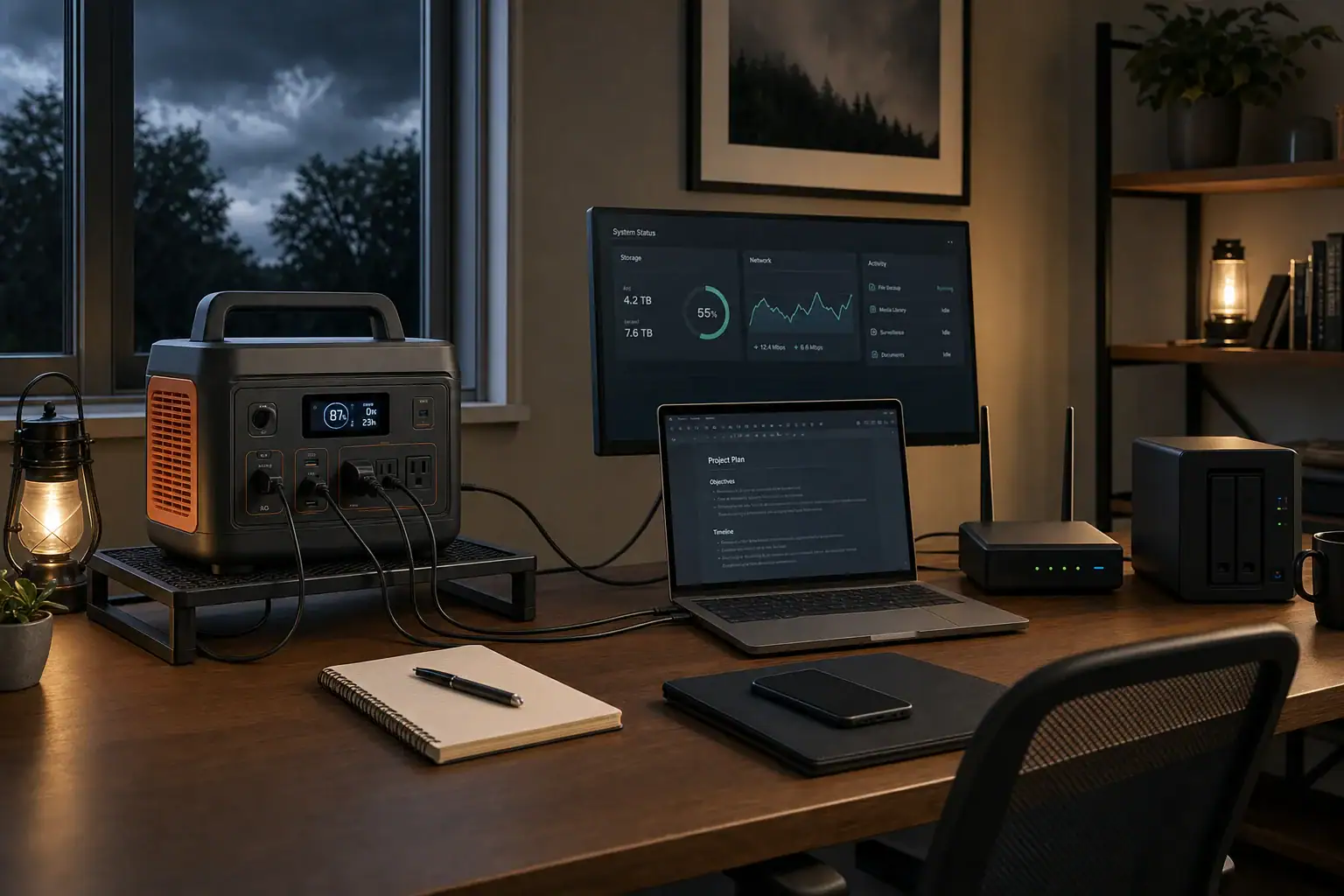
To plan backup power for a laptop, router, monitor, and NAS, add their average operating watts and multiply by the desired runtime. Then divide by a conservative planning factor—such as 0.80—to account for AC conversion losses, internal power use, battery limits, and a small reserve.
For an illustrative 110-watt office load, plan on about 275 watt-hours for two hours, 550 watt-hours for four hours, or 1,100 watt-hours for eight hours. Actual runtime can differ substantially, so measure the complete setup when possible and verify that the power station’s continuous output and changeover behavior suit the equipment.
Build an Average-Watt Load Budget
Use average operating draw rather than simply adding the maximum ratings printed on power adapters. Adapter labels describe what the adapter can supply, not necessarily what the device consumes continuously.
| Device | Assumed average draw | What can change it |
|---|---|---|
| Laptop | 45 W | Charging state, processor workload, screen brightness |
| Router | 10 W | Model, connected radios and network activity |
| Monitor | 25 W | Size, brightness, resolution and sleep mode |
| NAS | 30 W | Drive count, drive activity, processor load and sleep settings |
| Total | 110 W | Average illustrative load, not a universal value |
Include every device required for useful connectivity. A separate modem, fiber terminal, network switch, external drive or powered USB hub can materially change the total. Internet service may also fail upstream during a neighborhood outage even if local networking equipment remains powered.
Convert the Load into a Capacity Target
Portable power station capacity is normally stated in watt-hours, while output power is stated in watts. Use these planning formulas:
Required capacity in Wh = average load in W × desired hours ÷ planning factor
Estimated runtime in hours = rated capacity in Wh × planning factor ÷ average load in W
Using a 0.80 planning factor, the illustrative 110-watt setup produces these targets:
- Two hours: 110 W × 2 ÷ 0.80 = 275 Wh
- Four hours: 110 W × 4 ÷ 0.80 = 550 Wh
- Eight hours: 110 W × 8 ÷ 0.80 = 1,100 Wh
The 0.80 factor is a planning assumption, not a guaranteed efficiency rating. It combines conversion losses with a modest operating reserve. Available AC energy varies with power-station design, load level, battery state, temperature, age, inverter overhead and manufacturer-defined shutdown thresholds. If the manufacturer publishes usable AC energy under conditions similar to yours, use that figure instead of applying a generic factor.
Plan a Reduced-Load Mode
The easiest way to extend runtime is to decide in advance which devices can be turned off. With a 500 Wh power station and the same 0.80 factor:
- All four devices at 110 W: about 3.6 hours
- Monitor off, 85 W remaining: about 4.7 hours
- Monitor and NAS off, laptop plus router at 55 W: about 7.3 hours
These estimates assume the laptop continues averaging 45 watts. Runtime may be longer if its battery is already charged and power demand falls, or shorter during heavy work and rapid charging.
Give the NAS a Shutdown Deadline
A NAS does not necessarily need to run for the entire outage. A practical plan is to save active files, stop transfers and shut the NAS down using its normal software controls while enough backup energy remains. Follow the NAS manufacturer’s shutdown and power-loss guidance; do not simply disconnect it during disk activity.
After shutdown, the remaining capacity can support the laptop and network equipment longer. If continuous NAS availability or automatic safe shutdown is essential, use equipment specifically designed and documented for that function rather than assuming any portable power station will behave like a UPS.
Check Continuous Power, Startup Demand, and Waveform
Capacity determines approximate runtime, but the inverter’s watt rating determines whether it can run the load at all. Its continuous AC rating must exceed the highest simultaneous demand, including a laptop charging at high power and a NAS starting its drives.
NAS hard drives and some power adapters can briefly draw more power at startup than during normal operation. This is a surge, but surge ratings are manufacturer-specific and may apply for only a limited time. Do not size the system around the advertised surge number alone. Check the power station’s continuous rating, the NAS or adapter specifications, and—when available—the setup’s observed peak draw.
Also verify the waveform required by the connected equipment. Many modern switch-mode adapters tolerate a range of AC inputs, but compatibility should be confirmed in the equipment manufacturers’ current instructions.
Do Not Assume Seamless UPS Operation
A portable power station may offer pass-through power, an emergency power mode, or automatic changeover, but that does not automatically make it a certified or suitable UPS. A transfer interruption that seems brief can still reboot a router, interrupt a monitor, or cause a NAS shutdown.
If you intend to leave the office equipment connected while utility power is available, confirm all of the following in the current manufacturer documentation:
- Whether simultaneous charging and AC output are supported
- The specified transfer time for the relevant operating mode
- Whether that mode is intended for continuous use
- How the unit behaves when utility power returns or the battery becomes low
- Whether AC output restarts automatically after an overload or shutdown
For work that cannot tolerate even a short interruption, use a power-continuity product documented for the required equipment and application. Keep important files saved regardless of the claimed transfer time.
Measure and Validate the Plan
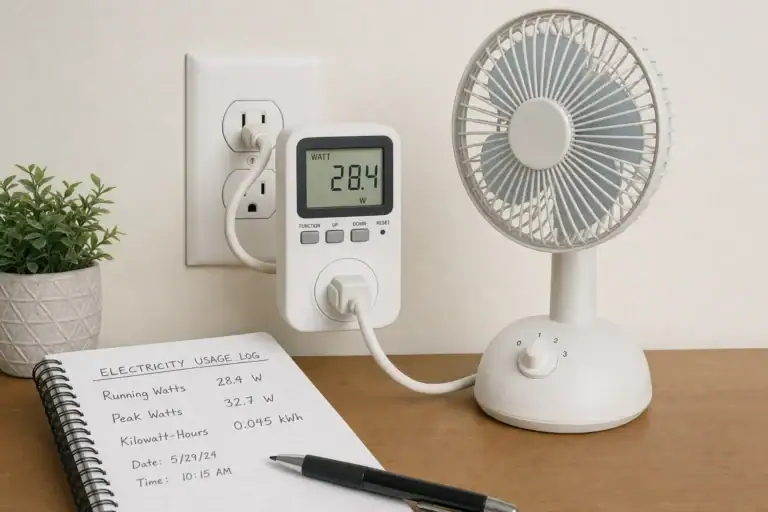
A plug-in power meter can show the combined average draw of the office setup during representative work. Measure long enough to include laptop charging, monitor use and NAS activity. If possible, also observe startup demand when the NAS and other devices power on together.
Run a controlled practice session before relying on the plan. Confirm that the station supports the expected load, the NAS starts normally, and low-load settings do not turn off the AC output after higher-draw devices are removed. Keep the power station ventilated and follow its specified temperature, charging and storage instructions.
Use only compatible outputs and cables. A manufacturer-approved direct DC connection may avoid some inverter losses, but voltage, polarity, connector type and charging protocol must all match exactly. When uncertain, use the device’s normal AC adapter. Never connect a portable power station to home wiring or an electrical panel unless a specifically approved system is installed according to current manufacturer instructions and applicable electrical requirements.
A Practical Runtime Plan
- List every device required for work and internet access.
- Measure or conservatively estimate average operating watts.
- Calculate capacity with watts × hours ÷ 0.80, adjusting the factor if reliable manufacturer data supports a different assumption.
- Verify continuous output, startup demand, waveform requirements and outlet compatibility.
- Set a NAS shutdown point and a reduced-load mode for longer outages.
- Confirm changeover behavior instead of assuming seamless UPS operation.
- Test the complete setup under controlled conditions and revise the estimate using observed power consumption.
This approach sizes backup power around the work that must continue, while preserving a clear fallback plan when an outage lasts longer than expected.
Related guides
Browse this topic →
- Beginner-friendly sizing, runtime & specs
- Solar & charging (MPPT, fast charging, cables)
- Batteries (LiFePO4, cycles, care & storage)
- Safety, cold-weather performance, real-world tips
More in Home / Appliances
See all →Keep reading
About this site
Portable Energy Lab publishes practical, independent guides about portable power—clear sizing, safe use, and real-world expectations.
Affiliate disclosure
Some links on this site may be affiliate links. If you buy through these links, we may earn a small commission at no extra cost to you. This helps support our content. Read our affiliate disclosure.