USB-C Power Delivery (PD) Explained for Portable Power Stations

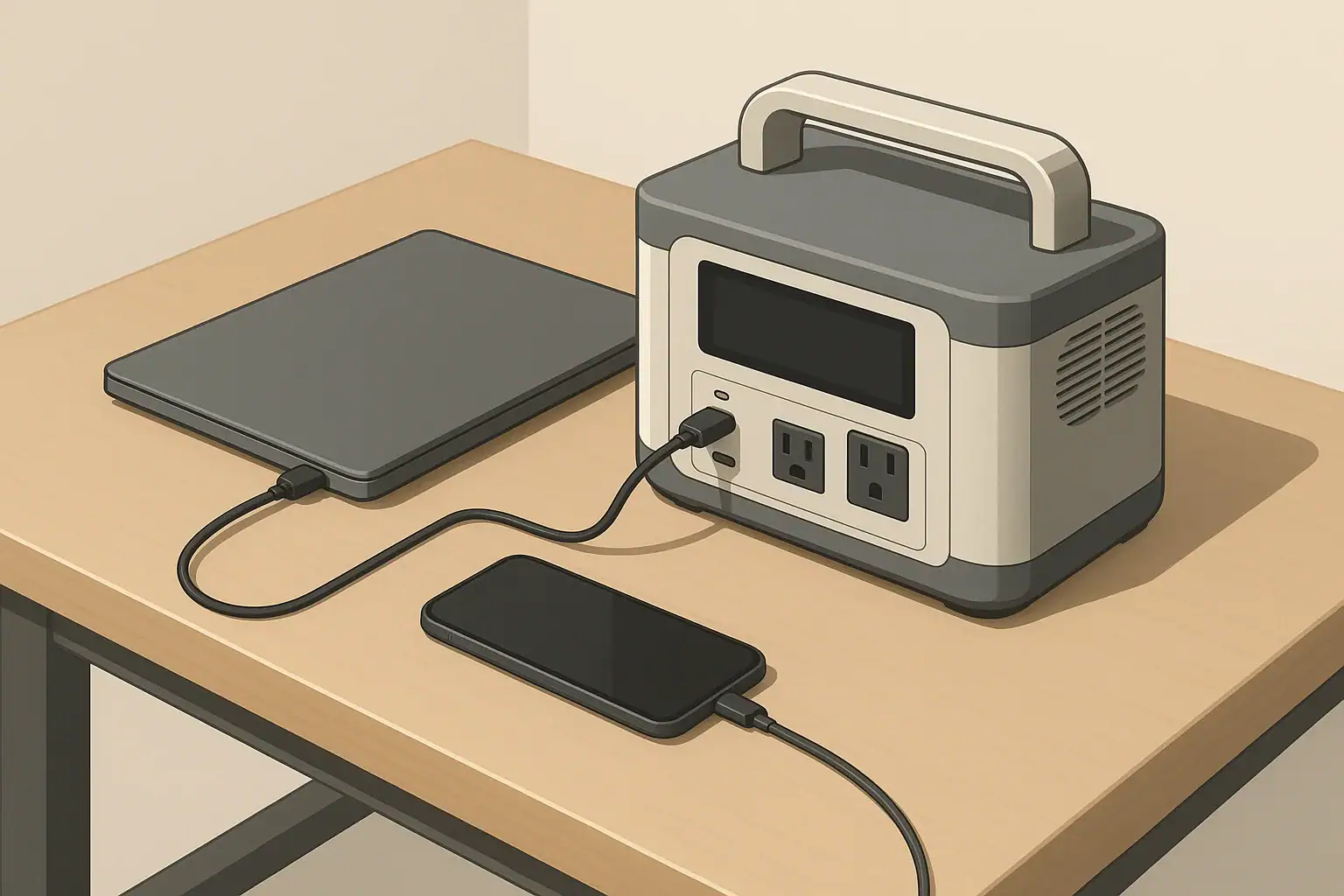
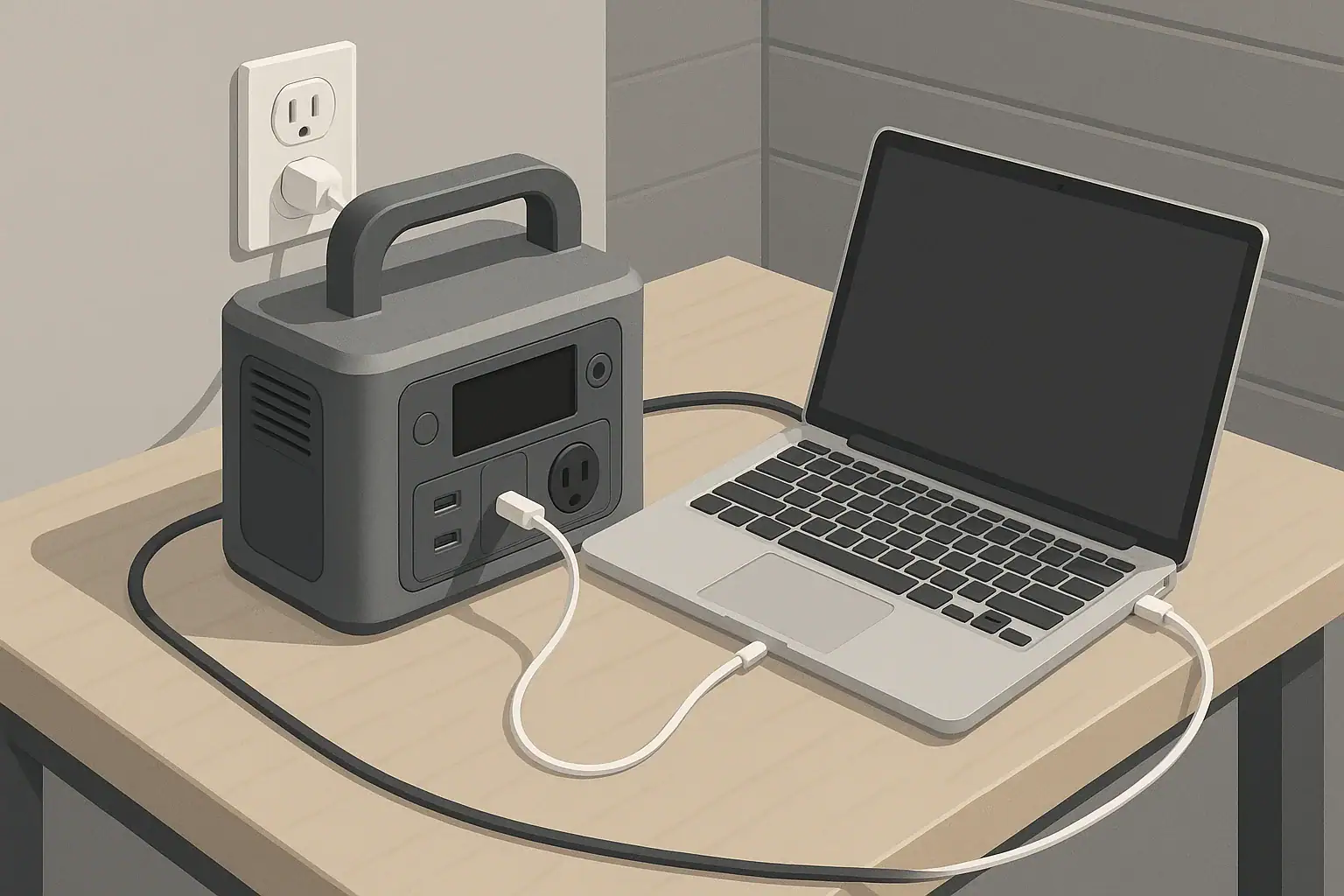
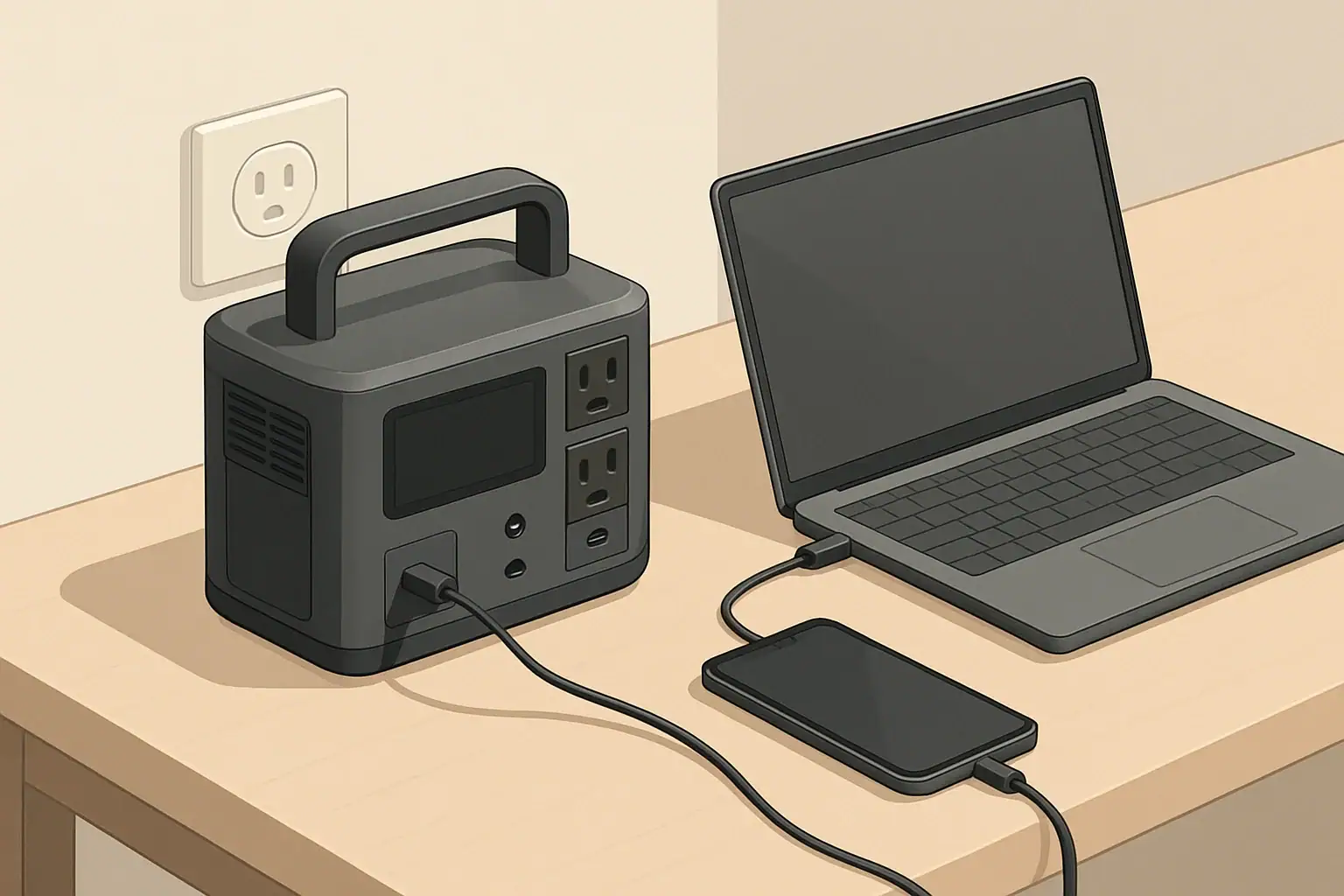
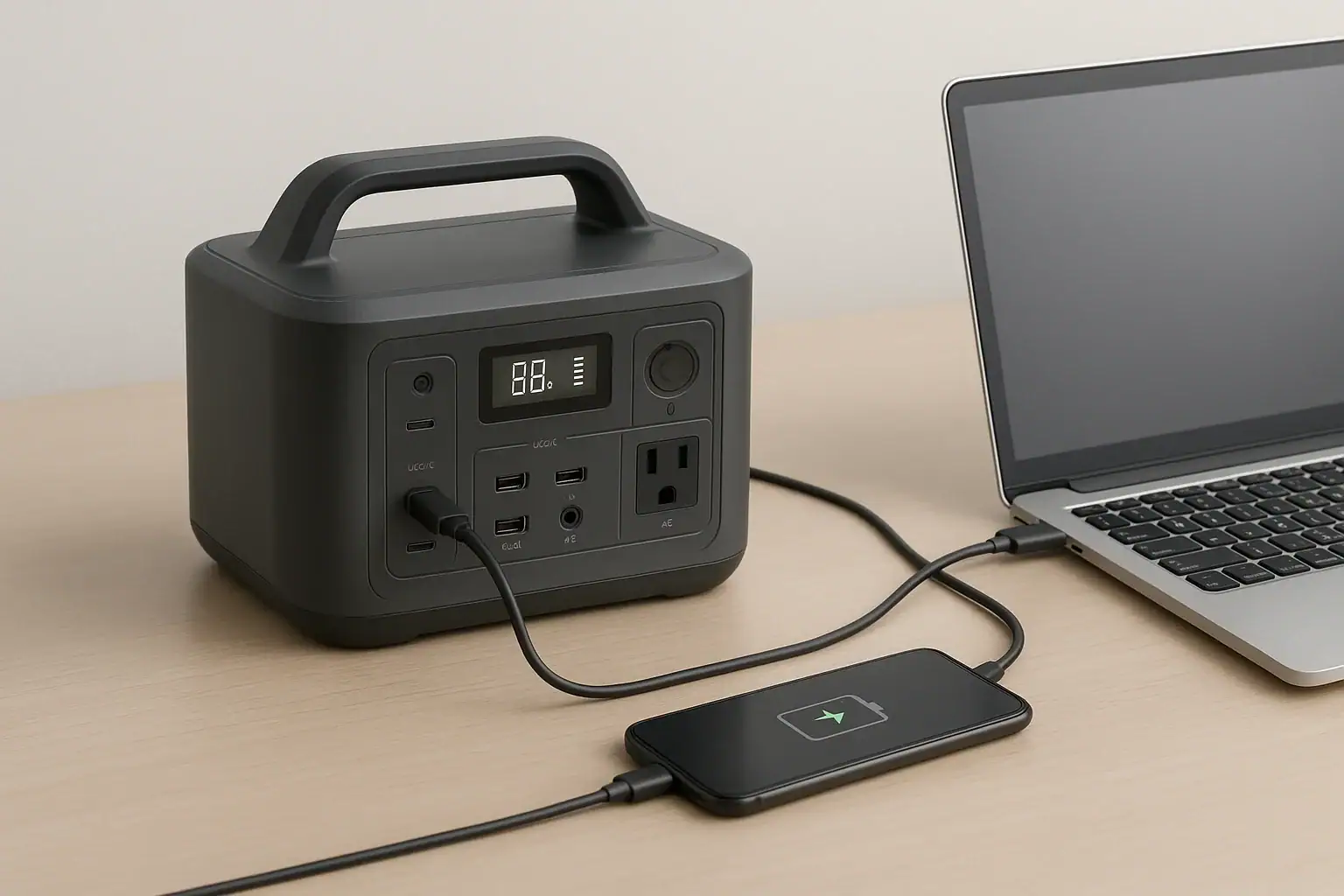
Portable power station charging laptop and phone via USB C

USB-C Power Delivery on a portable power station lets you charge phones, tablets, and many laptops directly and more efficiently than using the AC outlets. By matching PD wattage to each device, using the right cables, and understanding port limits, you can stretch your watt-hours and keep critical electronics running longer off-grid.

This guide explains what USB-C PD actually does inside a power station, how to read the specs on the label, and when to choose PD versus AC. You will see real-world examples, simple runtime estimates, and common pitfalls that cause slow or unreliable charging. Whether you use a portable power station for camping, backup power, or mobile work, understanding PD helps you plan loads, avoid overloads, and protect your battery over the long term.

What USB-C Power Delivery Is and Why It Matters

USB-C Power Delivery (PD) is a fast-charging standard that uses the USB-C connector to negotiate higher voltages and currents than older USB ports. Instead of always outputting 5 V, a PD port and a compatible device agree on a voltage and current profile in real time, typically anywhere from 5 V up to 20 V and from a fraction of an amp up to several amps.

On a portable power station, this means you can often plug devices directly into a USB-C PD port instead of using their AC power bricks. That reduces conversion losses, cuts fan noise, and frees up AC outlets for gear that truly needs them. In practical terms, PD ports can fast-charge modern phones, tablets, handheld consoles, cameras, and many laptops, sometimes at 60 W, 100 W, or more.

PD matters most when:

  • You need to maximize runtime from a limited battery during outages or camping.
  • You carry multiple devices and want to minimize bulky AC adapters.
  • You rely on a laptop or tablet for work and need predictable charging performance.

Key USB-C PD Concepts and How They Work

To use USB-C PD effectively with a portable power station, it helps to understand a few core ideas: voltage profiles, wattage ratings, per-port versus total limits, and input versus output roles.

Voltage profiles and negotiation

PD works by negotiating a compatible “profile” between the power station and the device. Common fixed voltage levels include:

  • 5 V (legacy USB level, low power)
  • 9 V (typical for phone fast charging)
  • 12 V
  • 15 V
  • 20 V (often used for laptops and monitors)

The device asks for a combination of voltage and current that fits its needs and the port’s limits. The power station then supplies that profile as long as thermal and power budgets allow.

Wattage and port ratings

Power is measured in watts (W), calculated as voltage (V) × current (A). Portable power stations often advertise USB-C PD ratings such as 18 W, 45 W, 60 W, 65 W, or 100 W per port. A label like “5 V⎓3 A, 9 V⎓3 A, 15 V⎓3 A, 20 V⎓3.25 A (65 W max)” means:

  • The port can supply those voltage levels.
  • Maximum current changes with voltage.
  • Total power is capped at 65 W regardless of the combination.

Per-port vs. total USB budget

Most power stations also have a total USB or total DC output limit across all USB ports. For example, a unit might have:

  • One USB-C PD port rated to 100 W
  • One USB-C PD port rated to 60 W
  • Two USB-A ports at 12 W each
  • Total USB output limit of 120 W

In that case, you cannot use 100 W + 60 W + 12 W + 12 W at the same time. The electronics will share or cap power so the combined USB output stays at or below 120 W.

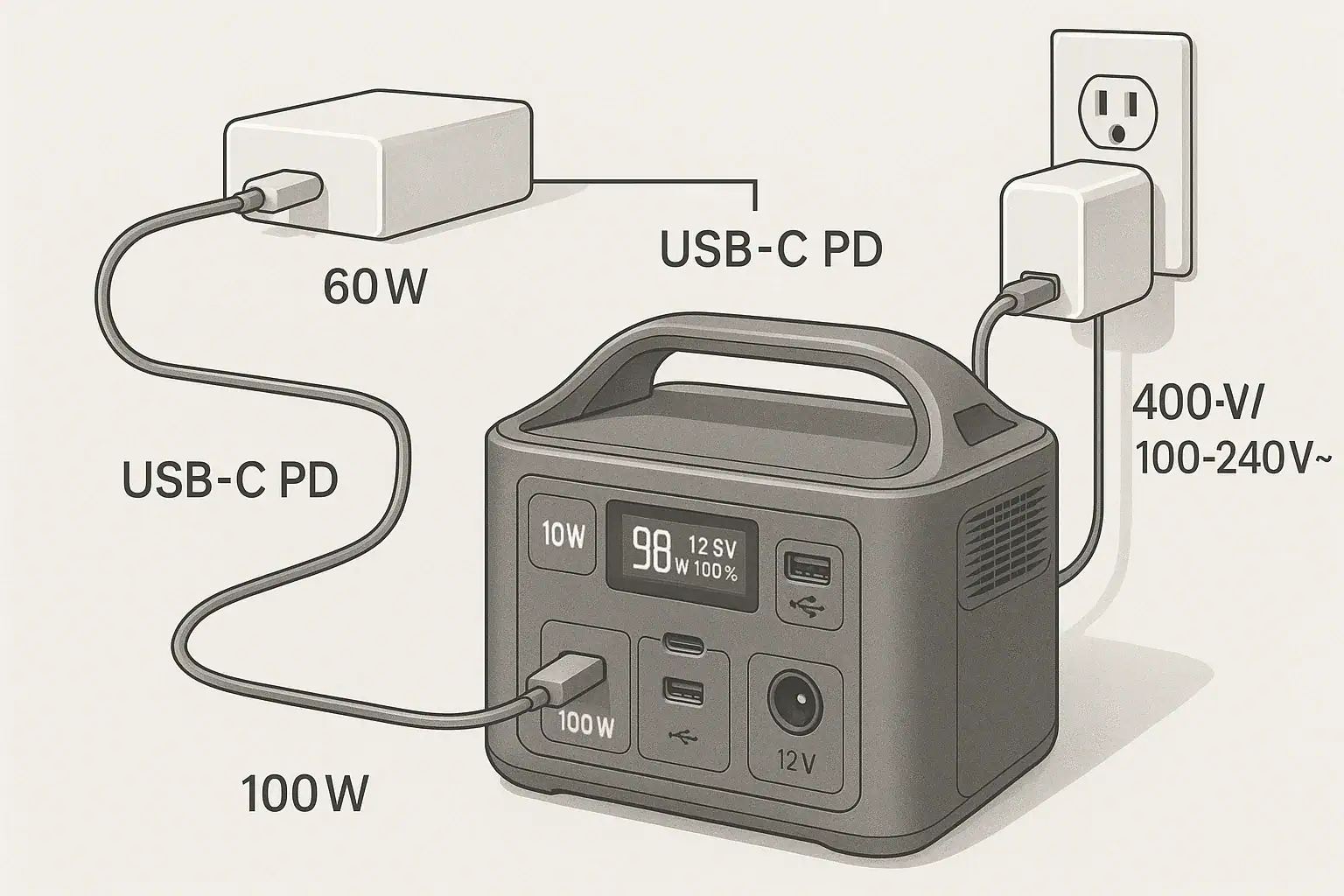
Input vs. output PD roles

USB-C PD ports on power stations can act as:

  • Output only: Send power from the station to devices.
  • Input only: Accept power from a PD wall charger or other source to recharge the station.
  • Bidirectional: Act as input or output depending on what is connected.

Labeling near the port or in the manual usually indicates “PD in,” “PD out,” or “PD in/out,” along with wattage limits for each direction.

PD vs. regular USB ports

Portable power stations typically include a mix of USB-A and USB-C ports:

  • USB-A (legacy): Often 5 V at 2.4 A (≈12 W). Good for basic phones, earbuds, and accessories.
  • USB-C non-PD: Uses the USB-C connector but fixed at 5 V, usually 10–15 W. Not suitable for most laptops.
  • USB-C PD: Negotiated voltage, higher wattage, suitable for laptops and fast-charging phones.

Real-World USB-C PD Examples with Portable Power Stations

Understanding numbers is easier with concrete scenarios. The examples below assume typical behavior; actual performance depends on your specific devices and power station.

Matching PD wattage to common devices

Device type Typical PD need (W) Minimum practical PD port Notes for portable power station use
Smartphone 18–30 W 18–30 W USB-C PD Fast charges; can also use USB-A if PD ports are reserved for larger loads.
Tablet 30–45 W 30–45 W USB-C PD Charges noticeably faster on PD than on 12 W USB-A.
Small / thin laptop 45–65 W 60–65 W USB-C PD Often charges at full speed; may slow under heavy CPU/GPU load.
Mainstream 15″ laptop 60–90 W 60–100 W USB-C PD Will usually charge; may discharge slowly under intensive workloads on lower-watt ports.
High-performance laptop 90–150+ W 100 W USB-C PD (if supported) PD may only maintain battery or charge slowly; full performance may still require the original AC adapter.
Camera / action cam 10–18 W Any PD or 5 V USB-A Low draw; usually fine on shared USB power.
Typical USB-C PD wattage needs for common devices when powered from a portable power station. Example values for illustration.

Estimating runtime for a laptop on USB-C PD

To estimate how long a power station can run a laptop over USB-C PD:

  1. Find the power station’s usable capacity in watt-hours (Wh).
  2. Estimate the laptop’s average draw while in use (W). This is often lower than the adapter’s maximum rating.
  3. Multiply capacity by an efficiency factor (around 0.9 for DC-to-DC) and divide by the laptop’s draw.

Example: A 500 Wh power station running a laptop that averages 40 W over USB-C PD:

  • Usable energy ≈ 500 Wh × 0.9 = 450 Wh
  • Estimated runtime ≈ 450 Wh ÷ 40 W ≈ 11.25 hours

This estimate assumes no other loads and moderate temperatures. Heavy multitasking or gaming can raise power draw and shorten runtime significantly.

Using PD alongside other outputs

Consider a small mobile office setup on a 500 Wh station with a 120 W total USB limit:

  • Laptop on 60 W PD, averaging 45 W while working.
  • Tablet on 30 W PD, averaging 20 W while in use.
  • Phone on USB-A at 10 W.

Total real draw is about 45 + 20 + 10 = 75 W, well below the 120 W USB limit, so all devices charge normally. If you add another high-draw device to USB, the station may reduce PD wattage or drop some ports to prevent exceeding the total limit.

PD vs. AC charging efficiency

Charging a laptop through AC usually involves two conversion steps: DC (battery) to AC (inverter), then AC back to DC in the laptop’s power brick. Using USB-C PD typically keeps everything DC-to-DC with fewer conversion losses. Over a long workday, this can translate into noticeably more runtime from the same battery capacity and less heat and fan noise from the inverter.

Common USB-C PD Mistakes and Troubleshooting

Many charging problems with portable power stations come down to mismatched expectations, mislabeled ports, or cables that cannot carry the required power. The table below summarizes frequent issues and where to look first.

Symptom Likely cause What to check or change
Laptop does not charge over USB-C at all Laptop does not support USB-C charging, or port is data-only Confirm laptop specs; look for charging symbols near USB-C; use original AC adapter if USB-C power is not supported.
Charging is very slow or battery still drains PD port wattage is below laptop’s typical draw Compare laptop adapter rating to PD port rating; move the laptop to the highest-wattage PD port or reduce workload.
Phone will not fast charge Using USB-A or non-PD USB-C, or low-quality cable Switch to a PD-capable USB-C port and a known good cable; verify port labeling and wattage.
Ports shut off or reset when multiple devices are connected Total USB/DC output limit exceeded or thermal protection Reduce the number of high-draw devices; spread loads between USB and DC outputs; allow the unit to cool.
Power station fans run constantly when using PD High combined load or pass-through charging Lower PD output where possible; avoid heavy pass-through use for long periods; ensure good ventilation.
Power station will not charge from a PD wall charger Using output-only PD port or incompatible charger profile Confirm which port supports PD input; verify PD input wattage rating; try a different PD charger or cable.
Typical USB-C PD problems with portable power stations and quick troubleshooting checks. Example values for illustration.

Checklist when PD is not working as expected

  • Port type: Confirm you are using a USB-C PD port, not USB-A or non-PD USB-C.
  • Direction: Make sure the port supports output when charging devices and input when recharging the station.
  • Wattage: Compare the device’s power needs to the port’s PD rating and the total USB output limit.
  • Cable: Try a different, short, high-quality USB-C cable rated for the needed wattage.
  • Battery level: Some stations reduce PD output at very low or very high state of charge to protect the battery.
  • Firmware behavior: If the station supports updates, check whether PD behavior changed after an update and adjust expectations accordingly.

USB-C PD Safety Basics on Portable Power Stations

USB-C PD is designed to be safe and self-limiting, but real-world use on portable power stations still requires some basic precautions, especially at higher wattages.

Built-in protections

  • Negotiated power: Devices only draw what the PD contract allows, reducing the risk of overload.
  • Overcurrent and overvoltage protection: Power stations monitor ports and shut them down if currents or voltages exceed safe limits.
  • Thermal management: Fans and internal sensors limit power or turn outputs off if temperatures rise too high.

Safe cable and connector use

  • Use cables rated for the wattage you expect. For 60 W and below, most quality USB-C cables are fine; for 100 W and above, use cables explicitly rated for higher current.
  • Avoid sharply bending or pinching cables, especially near the connectors, as this can cause heat buildup or intermittent connections.
  • Inspect USB-C ports and plugs periodically for debris, moisture, or visible damage before connecting high-power loads.

Managing heat and ventilation

  • Place the power station on a hard, stable surface with vents unobstructed.
  • Avoid covering the unit with clothing, blankets, or gear while running high PD loads or using pass-through charging.
  • If the case feels unusually hot or fans run at maximum for extended periods, reduce load or pause charging until the unit cools.

Using pass-through charging wisely

  • Pass-through (charging the station while powering devices) is convenient but increases internal heat and stress.
  • For long sessions, consider charging the power station first, then running loads, instead of doing both at maximum levels simultaneously.
  • Stay within the manufacturer’s combined input and output ratings to avoid protective shutdowns.

Long-Term Use, Maintenance, and Storage with PD

USB-C PD itself requires little maintenance, but how you use it affects the long-term health of both your portable power station and your devices.

Protecting the power station battery

  • Avoid routinely running the battery from 100% down to 0% at high PD loads; moderate depth of discharge can help extend battery life.
  • When possible, keep heavy PD loads (like laptops) off the station while it is charging at maximum input power to reduce heat and cycling stress.
  • If the unit allows adjustable charge rates, using a moderate input level instead of the absolute maximum can improve long-term battery health.

Storage practices when you rely on PD

  • For long-term storage, keep the power station at a partial state of charge (often around 40–60%) rather than full or empty, if recommended by the manufacturer.
  • Store the unit and PD cables in a cool, dry place away from direct sunlight and extreme temperatures.
  • Every few months, top up the battery and briefly test the PD ports with a known device so you are not surprised during an outage or trip.

Caring for high-wattage PD cables

  • Label your higher-wattage USB-C cables so you can quickly find them for laptops or other demanding devices.
  • Coil cables loosely for transport; avoid tight wraps that strain the connectors or internal conductors.
  • Replace cables that show fraying, discoloration near the ends, or intermittent charging behavior.

Planning for evolving devices

As new laptops, tablets, and accessories adopt higher-wattage USB-C PD standards, consider leaving some margin in your setup. Choosing a power station with at least one high-wattage PD port and a healthy total USB budget gives you flexibility as your device lineup changes over time.

Practical Takeaways and Specs to Look For

USB-C Power Delivery turns a portable power station into a more efficient and flexible hub for modern electronics. A bit of planning around wattage, ports, and cables can prevent most charging headaches and help you get more runtime from the same battery capacity.

Key practical takeaways

  • Use USB-C PD instead of AC for laptops and tablets whenever possible to reduce conversion losses and noise.
  • Match PD wattage to your most demanding device; underpowered ports lead to slow charging or continued battery drain.
  • Remember that per-port ratings and total USB output limits are different; both matter when running multiple devices.
  • Invest in a few known high-quality USB-C PD cables and keep them with the power station.
  • Monitor heat and fan behavior during heavy PD and pass-through use, and back off if the unit is clearly stressed.

Specs to look for on a portable power station (USB-C PD)

  • Number of USB-C PD ports: At least one high-wattage PD port for a laptop, plus additional ports if you plan to charge multiple PD devices.
  • Per-port PD rating: Look for a port that meets or exceeds your laptop’s adapter rating (for example, 60 W, 65 W, 100 W).
  • Total USB output budget: Ensure the total USB wattage can support your typical combined loads (laptop + phone + tablet, etc.).
  • PD input capability: If you want to recharge the station via USB-C, check for a PD input or bidirectional port and its maximum input wattage.
  • Supported voltage profiles: Confirm that the PD port supports common laptop voltages such as 15 V and 20 V if you rely on USB-C charging.
  • Pass-through behavior: Check whether the station supports powering devices while charging and whether there are any limits on PD during pass-through.
  • Thermal and protection features: Look for clear information about overcurrent, overvoltage, and temperature protection on USB-C ports.
  • Battery capacity vs. usage: Compare the station’s watt-hours to the power draw of your main PD devices to estimate realistic runtimes.

By focusing on these PD-related specs and habits, you can choose and use a portable power station that keeps your essential USB-C gear powered reliably, efficiently, and safely wherever you need it.

Frequently asked questions

Which USB-C PD specifications and features should I prioritize when choosing a portable power station?

Prioritize the number of high-wattage USB-C PD ports, per-port wattage, and the total USB output budget so your typical device mix can run simultaneously. Also check whether a PD port is bidirectional for PD input, the maximum PD input wattage, supported voltage profiles (e.g., 15 V/20 V), and the unit’s thermal and protection features for reliable operation.

Why is my laptop charging very slowly or still losing battery when plugged into USB-C PD?

Slow charging usually means the PD port is rated below the laptop’s average draw, the station’s total USB budget is being shared, or the cable is not rated for the required current. Verify the port’s PD wattage and the cable rating, try a higher-wattage PD port if available, and reduce the laptop workload to lower power draw.

Is USB-C Power Delivery safe to use with portable power stations?

Yes—PD uses negotiation and most stations include overcurrent, overvoltage, and thermal protections to limit risk. However, high-wattage use and pass-through charging increase internal heat, so follow ventilation guidance and the manufacturer’s combined input/output limits to maintain safe operation.

What type of cable do I need for high-wattage USB-C PD (such as 100 W)?

Use a USB-C cable explicitly rated for the higher current (usually 5 A) or labeled for 100 W PD; these often include an e-marker chip to communicate capability. Short, high-quality cables reduce loss and heat; avoid older or cheap cables that lack the proper rating for high-watt charging.

How can I estimate how long my laptop will run on a power station using USB-C PD?

Estimate runtime by taking the station’s usable watt-hours, multiplying by a DC-to-DC efficiency factor (≈0.9), and dividing by the laptop’s average power draw in watts. For example, a 500 Wh station × 0.9 ≈ 450 Wh; at a 40 W average draw that yields about 11.25 hours.

What should I do if the power station’s USB-C ports shut off when multiple devices are connected?

Check the station’s total USB output limit and reduce high-draw devices or redistribute loads to AC or DC outputs to stay within the combined budget. Also allow the unit to cool, use higher-priority PD ports for critical devices, and verify cables and connections to rule out intermittent faults.

Key practical takeaways

  • Use USB-C PD instead of AC for laptops and tablets whenever possible to reduce conversion losses and noise.
  • Match PD wattage to your most demanding device; underpowered ports lead to slow charging or continued battery drain.
  • Remember that per-port ratings and total USB output limits are different; both matter when running multiple devices.
  • Invest in a few known high-quality USB-C PD cables and keep them with the power station.
  • Monitor heat and fan behavior during heavy PD and pass-through use, and back off if the unit is clearly stressed.

Specs to look for on a portable power station (USB-C PD)

  • Number of USB-C PD ports: At least one high-wattage PD port for a laptop, plus additional ports if you plan to charge multiple PD devices.
  • Per-port PD rating: Look for a port that meets or exceeds your laptop’s adapter rating (for example, 60 W, 65 W, 100 W).
  • Total USB output budget: Ensure the total USB wattage can support your typical combined loads (laptop + phone + tablet, etc.).
  • PD input capability: If you want to recharge the station via USB-C, check for a PD input or bidirectional port and its maximum input wattage.
  • Supported voltage profiles: Confirm that the PD port supports common laptop voltages such as 15 V and 20 V if you rely on USB-C charging.
  • Pass-through behavior: Check whether the station supports powering devices while charging and whether there are any limits on PD during pass-through.
  • Thermal and protection features: Look for clear information about overcurrent, overvoltage, and temperature protection on USB-C ports.
  • Battery capacity vs. usage: Compare the station’s watt-hours to the power draw of your main PD devices to estimate realistic runtimes.

By focusing on these PD-related specs and habits, you can choose and use a portable power station that keeps your essential USB-C gear powered reliably, efficiently, and safely wherever you need it.

Frequently asked questions

Which USB-C PD specifications and features should I prioritize when choosing a portable power station?

Prioritize the number of high-wattage USB-C PD ports, per-port wattage, and the total USB output budget so your typical device mix can run simultaneously. Also check whether a PD port is bidirectional for PD input, the maximum PD input wattage, supported voltage profiles (e.g., 15 V/20 V), and the unit’s thermal and protection features for reliable operation.

Why is my laptop charging very slowly or still losing battery when plugged into USB-C PD?

Slow charging usually means the PD port is rated below the laptop’s average draw, the station’s total USB budget is being shared, or the cable is not rated for the required current. Verify the port’s PD wattage and the cable rating, try a higher-wattage PD port if available, and reduce the laptop workload to lower power draw.

Is USB-C Power Delivery safe to use with portable power stations?

Yes—PD uses negotiation and most stations include overcurrent, overvoltage, and thermal protections to limit risk. However, high-wattage use and pass-through charging increase internal heat, so follow ventilation guidance and the manufacturer’s combined input/output limits to maintain safe operation.

What type of cable do I need for high-wattage USB-C PD (such as 100 W)?

Use a USB-C cable explicitly rated for the higher current (usually 5 A) or labeled for 100 W PD; these often include an e-marker chip to communicate capability. Short, high-quality cables reduce loss and heat; avoid older or cheap cables that lack the proper rating for high-watt charging.

How can I estimate how long my laptop will run on a power station using USB-C PD?

Estimate runtime by taking the station’s usable watt-hours, multiplying by a DC-to-DC efficiency factor (≈0.9), and dividing by the laptop’s average power draw in watts. For example, a 500 Wh station × 0.9 ≈ 450 Wh; at a 40 W average draw that yields about 11.25 hours.

What should I do if the power station’s USB-C ports shut off when multiple devices are connected?

Check the station’s total USB output limit and reduce high-draw devices or redistribute loads to AC or DC outputs to stay within the combined budget. Also allow the unit to cool, use higher-priority PD ports for critical devices, and verify cables and connections to rule out intermittent faults.

Portable Power Station vs Power Bank: How to Choose the Right One

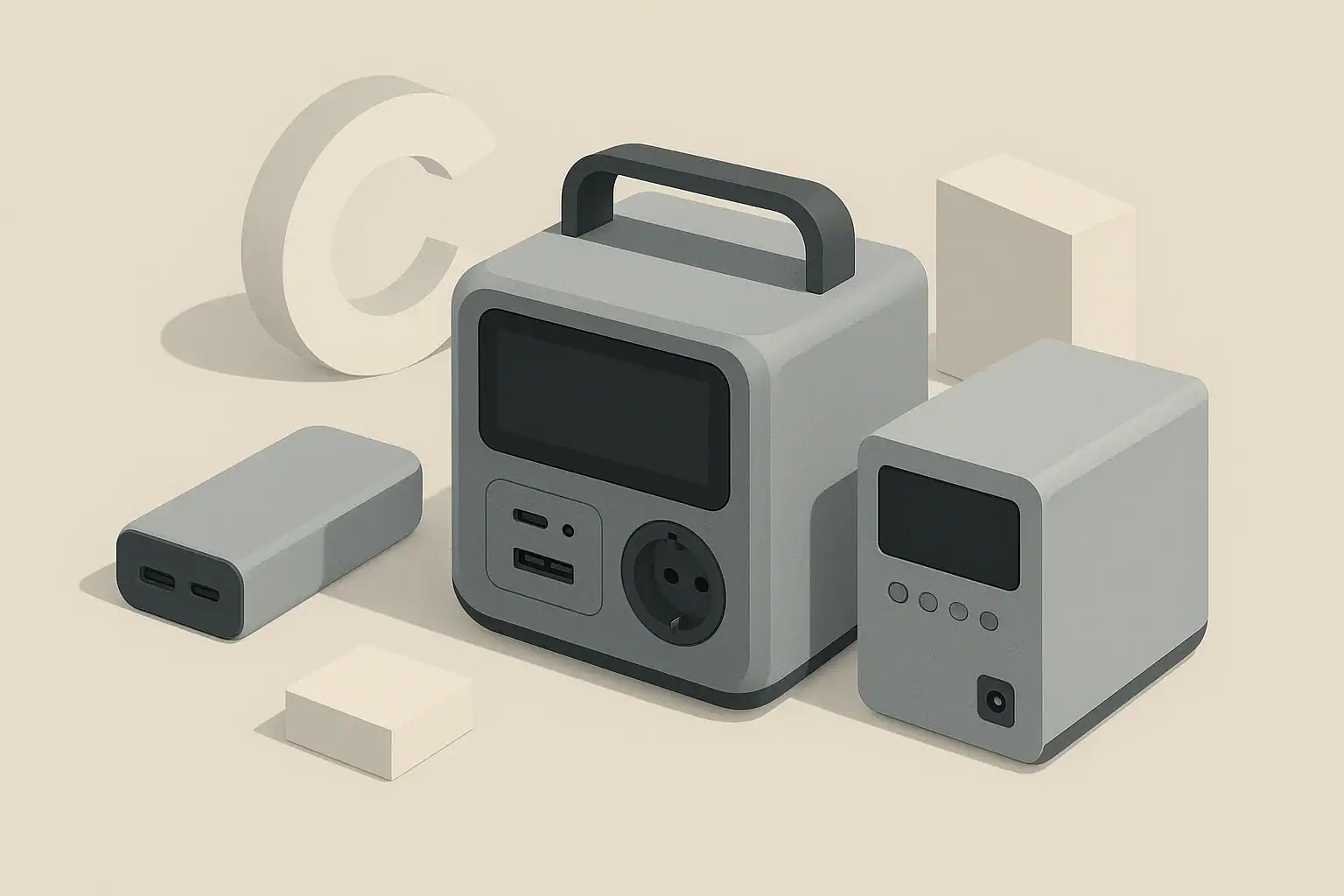
isometric illustration of two portable power units

A portable power station is better when you need to run laptops, appliances, or multiple devices for hours, while a power bank is usually enough for phones and small USB gadgets. Both are battery packs, but they differ a lot in capacity, output power, and how you actually use them day to day.

This guide breaks down the real differences between a portable power station and a power bank, using simple examples and numbers you can plug into your own situation. You will see how to estimate runtimes, what each option can realistically power, and where the extra cost and weight of a power station actually pay off.

Whether you are planning for travel, camping, remote work, or home emergency backup, use this comparison to decide which type of battery pack fits your needs now and what to look for if you upgrade later.

What They Are and Why the Difference Matters

At a high level, both power banks and portable power stations are rechargeable batteries with electronics that safely deliver power to your devices. The main difference is scale and capability.

Power bank: A compact battery pack designed mainly for phones, tablets, and other USB-powered devices. It focuses on portability and quick top-ups, not running appliances.

Portable power station: A larger, box-style battery system with multiple output types (for example, AC outlets, 12 V car-style ports, and USB). It is built to run higher‑power devices like laptops, lights, small refrigerators, or tools for longer periods.

This difference matters because it affects:

  • What you can plug in (USB only vs USB + AC + 12 V)
  • How long you can run things (tens of watt‑hours vs hundreds or thousands)
  • How you transport and recharge the unit (pocketable vs handled box, USB vs wall + car + solar)

If your goal is “keep my phone alive all weekend,” a power bank is usually enough. If your goal is “keep my router, laptop, and a small fridge running through an outage,” you are in portable power station territory.

Key Concepts: Capacity, Power, and Outputs

To compare a portable power station vs a power bank in a meaningful way, it helps to understand three core ideas: capacity, power, and output types.

Capacity: How much energy is stored

Capacity is the total amount of energy the battery can store. It is best expressed in watt‑hours (Wh). Many power banks are marketed in milliamp‑hours (mAh), which can be confusing.

Typical ranges:

  • Power banks: roughly 5–100 Wh (often shown as 5,000–30,000 mAh)
  • Portable power stations: roughly 200–2,000+ Wh

A simple way to estimate runtime is:

Estimated runtime (hours) ≈ Battery capacity (Wh) ÷ Device power draw (W) × 0.8

The 0.8 factor accounts for typical conversion losses and inefficiencies (around 20%).

Battery type Example capacity Example device Device power draw Approx. runtime or charges*
Small power bank 20 Wh Smartphone (10 Wh battery) 10 W while charging ≈ 1.5–2 full charges
Large power bank 60 Wh Tablet (25 Wh battery) 15 W while charging ≈ 2 full charges
Compact power station 300 Wh Laptop 60 W ≈ 4 hours of use
Mid‑size power station 500 Wh Wi‑Fi router + modem 20 W total ≈ 20 hours of runtime
Larger power station 1,000 Wh Small fridge 80 W average ≈ 10 hours of runtime
*Example runtimes use a 20% loss factor. Example values for illustration.

Power: How much can be delivered at once

Even if two units have the same capacity, they may not be able to deliver power at the same rate.

  • Continuous watts: How much power the device can deliver steadily (for example, 100 W, 500 W).
  • Surge watts: Short bursts for devices that need extra power at startup (for example, small compressors or motors).

Power banks usually top out at tens of watts through USB. Portable power stations often provide hundreds of watts (or more) through AC outlets and DC ports, which is why they can run appliances instead of just charging them.

Outputs and ports: What you can plug in

Power banks typically offer:

  • USB‑A ports for phones and accessories
  • USB‑C ports, sometimes with USB Power Delivery (PD) for faster laptop and tablet charging

Portable power stations typically offer:

  • AC outlets (inverter output) for standard household plugs
  • 12 V DC ports (car‑style sockets) for automotive and camping gear
  • Multiple USB‑A and USB‑C ports for phones, tablets, and laptops

More output types give you flexibility but also add cost and size. If you only ever charge USB devices, a power bank is usually the simpler choice.

Real‑World Examples: When Each Option Makes Sense

Below are practical scenarios that show how portable power stations and power banks perform in everyday use.

Everyday commuting and travel

If you mainly need to keep your phone and earbuds charged on the go, a pocket‑size power bank is usually the best fit. You might carry:

  • A small 20–40 Wh power bank for a day trip, providing one to three phone charges.
  • A 40–80 Wh power bank with USB‑C PD for a weekend away, topping up a phone and a tablet or small laptop.

A portable power station is usually overkill for air travel or daily commuting due to size and weight, and many airline rules limit the capacity you can take in carry‑on luggage.

Camping and van trips

For car camping or van trips, your needs often extend beyond phones. You might want to run:

  • LED string lights for several evenings
  • A laptop for work or media
  • A small fan at night
  • Camera batteries and other gear chargers

A mid‑size portable power station (for example, 300–700 Wh) can usually handle this combination for a weekend, especially if you are careful about turning devices off when not needed. A power bank can supplement for phones, but it will not comfortably run AC devices like fans or projectors.

Home internet and work‑from‑home backup

Many people want enough backup power to keep internet and basic work tools running during short outages. Typical loads include:

  • Wi‑Fi router and modem (10–25 W)
  • Laptop (40–80 W while in use)
  • Phone charging (5–10 W intermittently)

A power bank can keep a phone and maybe a laptop charged, but it cannot power a router that needs AC unless you use extra adapters. A compact power station with a 200–500 Wh battery and modest AC output can keep your network and laptop going for several hours to a full workday, depending on how heavily you use the laptop.

Medical and appliance backup

Some users want backup for devices like small refrigerators, CPAP machines, or circulation fans. These are almost always beyond a power bank’s capabilities because they require:

  • AC power with enough continuous wattage
  • Surge capability for startup loads
  • Hundreds of watt‑hours for overnight runtimes

In these cases, you would look at portable power stations in the 500–1,500 Wh range or larger, and verify that the continuous and surge ratings exceed the device’s requirements.

Job sites and field work

On job sites or in the field, you may need to run tools, test equipment, or lighting where grid power is not available. A power bank is sometimes useful for handheld electronics, but a portable power station is usually the main power source for:

  • Work lights
  • Battery chargers for cordless tools
  • Measurement or communication equipment

Here, the key is matching the station’s continuous watt rating and capacity to your typical tool usage pattern, not just its advertised peak wattage.

Common Mistakes and How to Avoid Them

People often buy the wrong type or size of portable battery because marketing terms can be vague. These are some of the most common pitfalls when choosing between a portable power station vs a power bank.

Mistake 1: Confusing mAh with real runtime

Power banks are often advertised in mAh, which makes them look huge compared to a power station measured in Wh. The number is not directly comparable unless you convert it.

  • Rough conversion: Wh ≈ (mAh ÷ 1,000) × nominal voltage (often around 3.6–3.7 V for lithium cells)

Troubleshooting cue: If your “30,000 mAh” power bank is not giving as many charges as you expected, convert to Wh and apply the runtime formula with a 20–30% loss factor. The result will usually match your real‑world experience much more closely.

Mistake 2: Ignoring continuous and surge power ratings

Some buyers focus only on capacity (Wh) and overlook how much power can be delivered at once.

  • A power station with 500 Wh but only 200 W continuous output might not run a 300 W appliance, regardless of its large battery.
  • A power bank with a 100 W USB‑C output can charge many laptops, while a similar‑capacity bank limited to 18 W cannot.

Troubleshooting cue: If a device will not start or shuts off the battery pack, check the continuous watt rating and whether the unit is going into overload protection.

Mistake 3: Overestimating solar charging

Some portable power stations support solar input, but real‑world solar charging is often slower than expected because of panel angle, shading, and weather.

  • A 100 W panel may only deliver 50–70 W for several hours on a typical day.
  • Charging a 500 Wh station from solar alone can easily take a full sunny day or more.

Troubleshooting cue: If your power station seems to “never reach 100%” on solar, calculate expected daily solar energy (panel watts × effective sun hours × efficiency) and compare it to the station’s capacity.

Mistake 4: Forgetting about weight and transport

It is easy to underestimate how heavy a large battery can be. A big portable power station may weigh as much as a small piece of luggage.

  • For backpacking, even a 20–40 Wh power bank can feel heavy if you are counting every gram.
  • For car‑based trips, a 500–1,000 Wh power station is manageable but not something you want to carry long distances.

Troubleshooting cue: If you find yourself leaving the power station behind because it is too heavy, you may be better served by a smaller station plus one or two power banks targeted to your most important devices.

Mistake 5: Using the wrong device for the job

Trying to run an appliance from a power bank or using a large power station just to top up a phone are both inefficient in different ways.

Situation Common mistake Better approach What to check
Weekend city trip Carrying a heavy power station for phone charging only Use a small or mid‑size power bank Phone battery size, daily usage hours
Short power outage Expecting a phone‑oriented power bank to run a router via adapters Use a compact power station with AC output Router power draw (W), required runtime
Camping with laptop and lights Relying on a single high‑capacity power bank Use a mid‑size power station, plus a small power bank for phones Total nightly watt‑hours for lights and laptop
Running a small fridge Choosing a station by capacity only, ignoring continuous watts Match station continuous and surge watts to fridge label Fridge running watts and startup surge
Backpacking Bringing a very large power bank that rarely gets used Downsize to the smallest bank that covers planned charges Number of days, expected device charges
Use case examples showing when each device type fits best. Example values for illustration.

Safety Basics for Portable Power Stations and Power Banks

Both device types are generally safe when used correctly, but they store significant energy and should be treated with care.

Built‑in protections to look for

  • Overcharge and over‑discharge protection: Prevents damage from charging too long or draining the battery too deeply.
  • Short‑circuit protection: Shuts the unit down if output terminals are accidentally bridged.
  • Over‑current and over‑voltage protection: Limits current and voltage to safe levels for connected devices.
  • Temperature monitoring: Reduces power or shuts down if the battery or inverter gets too hot.

Safe placement and ventilation

  • Operate the unit on a stable, dry surface away from flammable materials.
  • Leave space around vents and cooling fans so heat can escape.
  • Avoid covering the device with clothing, blankets, or gear while it is charging or discharging heavily.

Charging safely

  • Use appropriate chargers and cables that match the manufacturer’s recommendations.
  • Avoid daisy‑chaining questionable adapters or extension cords into the AC outlets of a power station.
  • Do not leave damaged cables in service; replace any with frayed insulation, bent connectors, or exposed wire.

Recognizing warning signs

Stop using the device and disconnect loads if you notice:

  • Unusual swelling or deformation of the case
  • Strong chemical or burning odors
  • Excessive heat that does not subside after loads are removed

In these cases, follow the manufacturer’s guidance for disposal or service rather than attempting to repair the device yourself.

Maintenance and Long‑Term Use

Good maintenance habits help both portable power stations and power banks last longer and perform more consistently.

Storage best practices

  • Store at a moderate state of charge, often around 40–60%, if you will not use the device for several months.
  • Keep in a cool, dry place away from direct sunlight and extreme temperatures.
  • Avoid storing completely full or completely empty for long periods, as both can accelerate battery aging.

Regular cycling and checkups

  • Every few months, charge the unit to around 80–100%, run a light load, and confirm that ports and displays work as expected.
  • Top the battery back up to your preferred storage level afterward.
  • Inspect ports for dust or debris and gently clean if needed.

Managing expectations as the battery ages

All lithium‑based batteries gradually lose capacity over time and with repeated charge cycles. You may notice:

  • Shorter runtimes for the same loads
  • More noticeable voltage sag under heavy load
  • Longer recharge times if internal resistance increases

Planning for some capacity loss over the life of the device can help you choose a size that still meets your needs after a few years of use.

Practical Takeaways and Specs to Look For

Choosing between a portable power station vs a power bank comes down to what you need to power, for how long, and how you plan to carry and recharge the unit.

  • For phones, earbuds, and light travel, a small to mid‑size power bank is usually the most practical and cost‑effective option.
  • For laptops, routers, lights, and small appliances, a portable power station with AC output and higher capacity is often required.
  • Combining a power station for heavy loads with one or two power banks for personal devices can give you flexibility without overusing the larger unit.

Specs to look for when comparing models

Use this checklist when evaluating any power bank or portable power station:

  • Battery capacity (Wh): Compare against your estimated daily energy use using the runtime formula.
  • Continuous output (W): Must exceed the total wattage of everything you plan to run at once.
  • Surge output (W): Important for devices with motors or compressors that draw extra power at startup.
  • Output types: USB‑A, USB‑C PD, AC outlets, and 12 V ports as needed for your devices.
  • USB‑C PD wattage: For laptops and tablets, look for USB‑C ports with enough wattage to match or exceed the device’s original charger.
  • Recharge methods: Wall charging, car charging, and solar input if you plan to be off‑grid.
  • Recharge time: How long it takes to go from empty to full with your typical charging method.
  • Weight and dimensions: Check whether you will realistically carry it as part of your normal gear.
  • Display and indicators: Battery percentage, input/output watts, and remaining runtime estimates improve usability.
  • Protection features: Over‑charge, over‑discharge, short‑circuit, over‑current, and temperature protections.

If you start by listing your devices, their wattage, and how many hours you need them to run, you can quickly see whether a power bank or a portable power station is the better fit and choose a size that matches your real‑world needs instead of just the biggest number on the box.

Frequently asked questions

Which specs and features should I prioritize when choosing between a portable power station vs power bank?

Prioritize battery capacity in watt‑hours (Wh), the continuous output in watts (W), and the output types you need (for example AC, 12 V, USB‑C PD). Also consider recharge methods, weight, and recharge time so the unit fits how and where you will use it. These factors together determine whether a unit can actually run your devices for the required time.

How can I avoid overestimating how many charges or runtime a power bank will provide?

Convert advertised mAh to Wh (Wh ≈ (mAh ÷ 1,000) × nominal cell voltage) and then use the runtime formula: Wh ÷ device watts × ~0.8 to account for conversion losses. This gives a realistic estimate and helps you compare different units on the same basis. Always allow an additional margin for inefficiencies and cable loss.

What common mistake should I watch for when selecting a unit?

A common mistake is choosing solely by capacity (Wh) without checking the continuous and surge watt ratings; a large battery cannot power a high‑wattage device if its output rating is too low. Verify both capacity and output ratings to ensure the unit can start and run your equipment. Also match output types to your device connectors to avoid inefficient adapters.

What safety precautions should I follow when using a portable power station or power bank?

Use the manufacturer‑recommended chargers and cables, keep the unit on a stable, ventilated surface, and avoid exposing it to extreme heat or moisture. Check for built‑in protections like over‑current and temperature monitoring, and stop use if you detect swelling, burning smells, or persistent overheating. Dispose of or service damaged batteries according to the maker’s instructions.

Can I bring a portable power station or power bank on an airplane?

Airline rules vary, but many carriers allow power banks under a certain Wh limit in carry‑on baggage, while larger stations or very high‑capacity batteries are often restricted or require airline approval. Check your carrier’s specific policy before travel and never place batteries in checked luggage if they are prohibited. Always declare larger batteries when required.

Will solar panels reliably recharge a portable power station while camping?

Solar can recharge a station but actual output depends on panel wattage, sun angle, shading, and weather; a 100 W panel often delivers 50–70 W in typical conditions. Estimate daily solar energy as panel watts × effective sun hours × efficiency and compare it to the station’s capacity to judge charging time. Plan for longer recharge times and consider supplemental charging methods if you need guaranteed availability.