
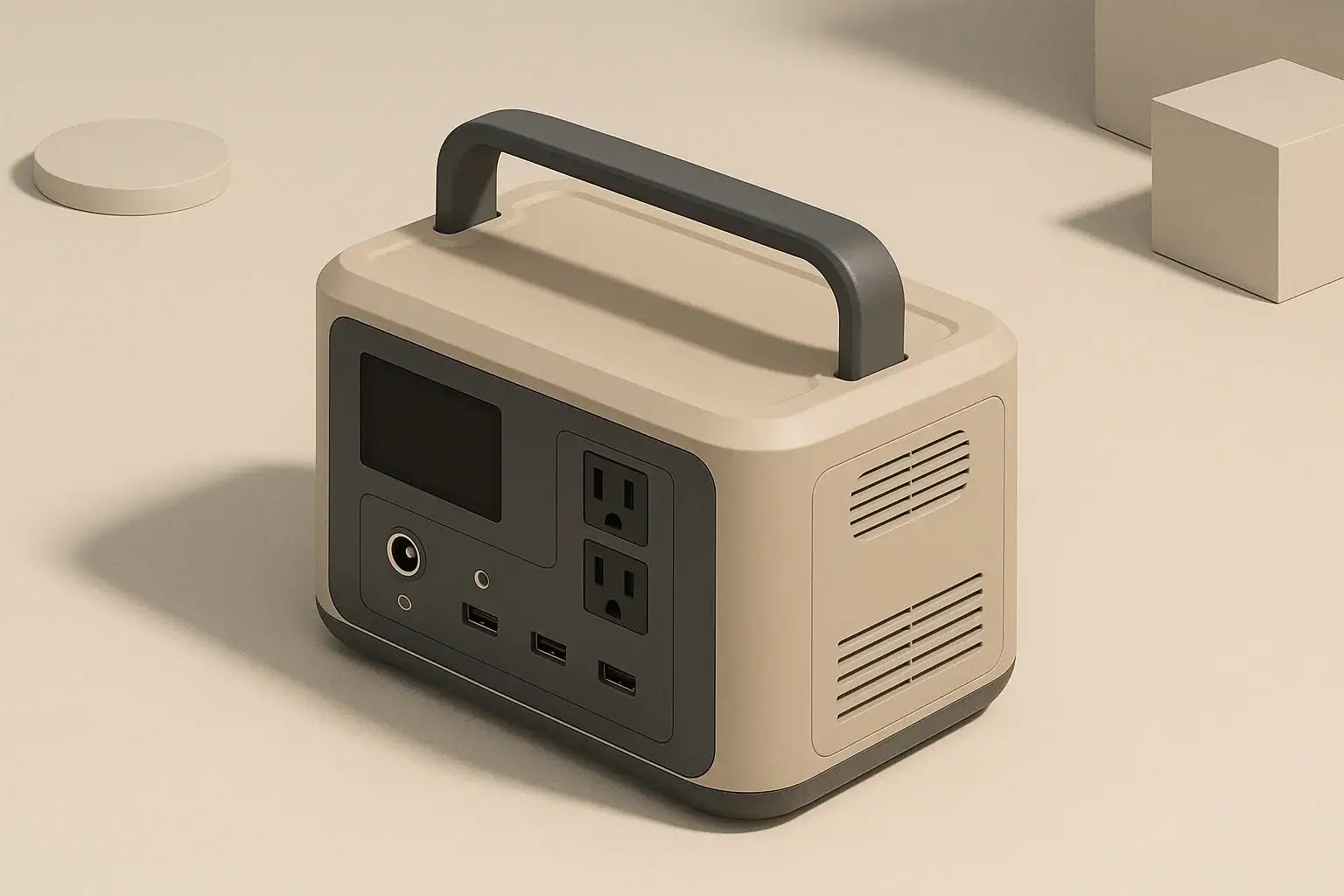
Portable power stations pack a lot of electrical components into a compact case. When you draw power from them or charge them quickly, they generate heat. The cooling fan is there to move that heat away from sensitive parts so the system stays within its safe operating temperature.
Most units use one or more small, high-speed fans. These fans are controlled automatically by internal temperature sensors and power electronics. When the control system detects that certain temperatures or internal power levels are reached, it ramps the fan up to protect the battery, inverter, and charging circuits.
While fan noise can be surprising, especially in a quiet room or campsite at night, it is usually a sign that the device is doing its job. The goal is not to keep the outside shell cool, but to keep critical internal components within safe limits.
Why Portable Power Stations Need Fans
Most units use one or more small, high-speed fans. These fans are controlled automatically by internal temperature sensors and power electronics. When the control system detects that certain temperatures or internal power levels are reached, it ramps the fan up to protect the battery, inverter, and charging circuits.
While fan noise can be surprising, especially in a quiet room or campsite at night, it is usually a sign that the device is doing its job. The goal is not to keep the outside shell cool, but to keep critical internal components within safe limits.
What Triggers the Fan to Run or Get Loud
Fan behavior is governed by a mix of temperature thresholds, power levels, and sometimes time-based logic. You may notice patterns such as the fan starting suddenly, running for several minutes after you unplug devices, or cycling on and off even with light loads.
1. High AC or DC Load
The more power you draw, the more heat the inverter and internal wiring generate. Common examples that raise fan speed include:
- Running a microwave, coffee maker, or small space heater
- Starting devices with motors (refrigerators, power tools, pumps)
- Charging multiple laptops and several phones at once
Even if the outside of the unit feels only warm, the internal components near the inverter can be significantly hotter. Fans will often spin faster when AC output is near the upper portion of the rated continuous wattage, or when surge loads occur.
2. Fast Charging
High-rate charging is another major source of heat. When you charge from a wall outlet, vehicle outlet, or solar panels at relatively high wattage, the charging circuitry and battery pack warm up.
Common situations that trigger louder fans during charging include:
- Using the highest available wall charging mode
- Charging from both AC and solar or DC simultaneously
- Charging from a car outlet while the power station is also powering devices
Fans may continue running for a while even after the battery reaches full charge, simply to help the system cool back down.
3. Ambient Temperature and Placement
Where and how you place the unit has a big impact on temperatures inside the case.
- Warm rooms or vehicles: Hot air around the device makes it harder to shed heat, so the fan may run more often and at higher speed.
- Confined spaces: Placing the station in a cabinet, under a bed, or pushed against a wall can block vents and recirculate warm air.
- Direct sun: Sunlight on the case, especially darker cases, increases surface temperature and the fan workload.
Even moderate electrical loads can cause loud fan operation if the surrounding air is already warm and still.
4. Internal Temperature Thresholds and Hysteresis
Fans typically do not ramp smoothly from off to full speed. Many systems have several temperature thresholds that correspond to fan steps (for example, off, low, medium, high). Once a threshold is reached, the fan jumps to the next speed.
These systems also use hysteresis, meaning the fan will not switch speeds the instant temperature changes. Instead, it may stay at a higher speed until temperature falls well below the point where it turned on. This prevents rapid, distracting on/off cycling but can make the fan seem to run longer than expected.
5. Firmware Behavior and Background Tasks
Some units may briefly run the fan for self-checks, battery balancing, or when changing modes.
- The fan may spin up briefly at power-on.
- The fan may run after finishing a heavy load even if nothing is plugged in.
- The fan may respond to internal component temperature, even when the battery level looks low or stable.
This behavior is usually normal, provided there are no warning lights or error messages.
Example values for illustration.
| Condition | Typical trigger | Likely fan behavior | What you can do |
|---|---|---|---|
| Heavy AC load | Running near upper watt rating | Fan ramps to high quickly | Reduce load or spread use over time |
| Fast wall charging | High input watts mode enabled | Continuous medium to high speed | Switch to lower charge rate if available |
| Warm environment | Room or vehicle above room temperature | Fan runs more often | Move to cooler, shaded, ventilated spot |
| Blocked vents | Placed against wall or soft surface | Fan sounds strained or uneven | Clear intake/exhaust areas |
| Post-use cooldown | After sustained high load | Fan runs with no devices connected | Allow time to cool; do not cover unit |
| Normal test cycle | On startup or mode change | Short fan burst | Observe; should stop after a brief period |
How Fan Noise Relates to Capacity and Loads
The cooling demand on a portable power station is closely tied to how much power you draw, for how long, and how the battery and inverter are sized.
Battery Capacity vs. Inverter Output
Two major ratings guide what to expect from cooling behavior:
- Capacity (watt-hours, Wh): How much stored energy is available.
- Inverter rating (watts): How much power can be delivered at once.
A compact unit with a modest inverter may reach its thermal limits quickly when driving near its maximum AC output, making the fan seem aggressive. Larger units may have more thermal mass and larger fans, which can move more air at lower speeds but may also create a deeper, more noticeable whoosh.
Continuous vs. Surge Power
Many devices have both a continuous and a surge (peak) power rating. Starting a motor, compressor, or power tool may draw a brief surge several times higher than its running wattage.
- Short surges: Often cause brief fan speed increases that settle quickly.
- Repeated surges: Such as a refrigerator cycling frequently, can keep internal temperatures elevated and fans running longer.
Even if the average watt draw seems moderate, frequent surges can add to thermal stress, especially in warm conditions.
AC vs. DC Outputs and Fan Behavior
Using AC outputs through the inverter generates more heat than using low-voltage DC outputs (such as USB or a DC car-style socket), for the same power level.
- Heavy AC use: Increases inverter temperature and fan activity.
- DC-only use: For small devices, may keep fan off or at low speed, particularly at lower loads.
If you are concerned about noise, powering compatible devices via DC outputs where possible can help, as long as you stay within the output ratings and connector specifications.
Understanding Normal vs. Abnormal Fan Sounds
Not all loud fans indicate a problem. Many sounds are normal for compact, high-speed fans. However, certain noises can be warning signs that deserve attention.
Normal Fan Noises
Typical fan sounds include:
- Steady whoosh of air: A continuous airflow sound that increases with load or charging rate.
- Gradual ramp-up and ramp-down: Smooth changes as the fan speed steps through levels.
- Short bursts at power-on: Brief tests when the unit starts or changes mode.
These are usually consistent from one session to another, given similar loads and conditions.
Potentially Concerning Fan Noises
Pay attention to changes in the character of the noise, especially if they appear suddenly.
- Grinding or scraping: Could indicate debris in the fan or a failing bearing.
- Rattling or vibration: May point to a loose internal component or the unit resting on an uneven surface.
- High-pitched squeal: Can be caused by worn fan components or resonance.
If these sounds occur along with overheating warnings, unexpected shutdowns, burning smells, or visible damage, discontinue use and follow the manufacturer’s safety and support guidance. Avoid opening the unit yourself, as that can expose you to electrical hazards and may defeat internal safety features.
When Loud Does Not Mean Unsafe
A loud fan can still be operating normally when:
- Load and charging levels are high but within specified limits.
- The environment is warm and ventilation is limited.
- The unit is running for extended periods, such as during a power outage.
In these cases, the fan is preventing temperatures from rising further. The noise may be inconvenient, but it indicates that the thermal protection system is active.
Placement, Ventilation, and Noise Management
Where you place your portable power station has a direct impact on how hard the cooling system has to work, and therefore how loud it will be.
Give the Vents Room to Breathe
Most units have clearly visible intake and exhaust vents. To help them run quieter and cooler:
- Keep several inches of clearance around all vent areas.
- Avoid placing the unit on soft surfaces that can block vents, such as beds, couches, or deep carpeting.
- Do not drape clothing, blankets, or covers over the unit, especially during high loads or charging.
- Orient the unit so that exhaust air is not blowing directly against a wall or solid barrier.
Proper airflow means the fan does not have to work as hard or as long to move the same amount of heat.
Choose Cooler, Stable Locations
Ambient temperature and air movement matter. To reduce fan workload:
- Place the unit in shade, away from direct sunlight.
- Avoid sealed compartments, closets, or under-bed storage when in active use.
- In vehicles, avoid operating the unit in a closed car in hot weather.
- Use a flat, stable surface to reduce vibration noise.
Even a small drop in surrounding temperature can noticeably change how often the fan runs.
Managing Noise in Sleeping or Work Areas
If fan sound is disruptive at night or in quiet workspaces, you can often adjust your setup without changing equipment:
- Increase distance: Place the power station farther from where people are sleeping or working, while keeping cords safely routed.
- Use longer, appropriately rated extension cords: Run power to your devices while keeping the unit in a better-ventilated or more distant location. Ensure cords are in good condition and properly sized for the load.
- Schedule high-load tasks: Run heavy appliances (like electric kettles or induction cookers) earlier in the evening so the unit can cool before bedtime.
- Use DC outputs when practical: For phones and small devices, DC outputs may cause less inverter heating.
Always route cords to avoid tripping hazards, pinching, or damage, and follow device and cord ratings.
Cooling Behavior During Common Use Cases
Fan noise often varies a lot between different real-world scenarios. Understanding what is typical can make the sounds less surprising and help you plan your setup.
Short Power Outages at Home
During a brief outage, many people power a few essentials like lights, a router, and phone chargers. These are relatively low-watt loads, and often:
- The fan may cycle occasionally if AC output is used, but not continuously.
- In a cool room with light loads, fan noise may be minimal.
- During initial startup or when plugging in a device with a power brick, a temporary fan speed increase is normal.
If you connect higher-watt appliances like a coffee maker or electric cooktop, expect a noticeable ramp-up while those devices are running.
Remote Work and Electronics
Running a laptop, monitor, and networking gear can be moderately demanding, especially if powered via AC. Typical behavior:
- Steady, medium-speed fan during continuous work sessions.
- In quiet rooms, even medium-speed fan noise will be noticeable.
- If you use DC outputs for compatible devices, fan usage may drop.
Placing the unit under a desk with good open space can move the noise slightly away while still ensuring ventilation.
Camping, Vanlife, and RV Basics
In small spaces, fan noise can feel more intense. When using a portable power station in vans, RVs, or tents:
- Small spaces warm up quickly, increasing cooling demand.
- Running fridges, fans, or CPAP devices overnight via AC can keep the fan cycling.
- Position the unit so exhaust air does not blow directly at sleeping areas.
In vehicles and RVs, avoid enclosing the unit in tightly sealed cabinets while in use. Allow for airflow and follow any placement guidance in the user manual.
Cold Weather Use
In cold environments, you may notice the fan runs less often during discharge, but other behaviors can appear:
- Charging in cold conditions can be restricted or controlled to protect the battery.
- If charging is allowed at low temperatures, the system may use fan and internal control to manage heat distribution in the pack.
- Bringing a cold unit into a warm, humid space can cause condensation; allow it to acclimate before heavy use.
Follow the manufacturer’s temperature guidelines for both charging and discharging, as extreme cold and heat can affect safety and longevity.
Safety Considerations Around Cooling and Noise
The way your portable power station manages heat is closely tied to safe operation. Fan noise alone does not indicate danger, but how you respond to it and set up your system matters.
Do Not Block or Modify Cooling Systems
Even if the fan is louder than you prefer, avoid attempts to physically alter the cooling system:
- Do not open the case to replace, disconnect, or modify the fan.
- Do not tape over vents or use external coverings to muffle noise.
- Do not insert objects into vents or mount the unit in ways that obstruct airflow.
These actions can lead to overheating, damage to internal components, or fire risk. Internal parts can also carry potentially dangerous voltages even when the unit is off.
Respect Electrical Limits
Running at or over the rated limits of your power station can cause more than just fan noise.
- Stay within continuous and surge watt ratings for AC and DC outputs.
- Use cords and extension cables that are suitable for the load and in good condition.
- Avoid daisy-chaining multiple power strips or adapters in ways not recommended by their instructions.
Overloading can trigger safety shutoffs, overheating, or persistent loud fan operation as the system struggles to manage heat.
Using Portable Power with Home Circuits
Some users want to power home circuits during outages. This should be approached carefully:
- Do not attempt to hardwire a portable power station into a home electrical panel on your own.
- Improper connections can create backfeed hazards for utility workers and people nearby.
- If you need a more integrated setup, consult a licensed electrician and follow local codes.
In many situations, powering appliances directly from outlets on the power station, using safe extension cords where appropriate, is simpler and avoids complex wiring.
Example values for illustration.
| Device type | Illustrative power range (watts) | Likely effect on fan | Planning notes |
|---|---|---|---|
| Phone charger (single) | 5–20 | Often fan off or low | Use DC/USB output when possible |
| LED light string | 5–30 | Minimal fan activity | Good for quiet nighttime use |
| Laptop via AC adapter | 40–120 | Moderate fan cycling | Expect occasional ramp-up during heavy use |
| Portable fridge | 40–80 running, higher surge | Periodic fan bursts | Compressor cycles can trigger short fan spikes |
| Coffee maker or kettle | 600–1200 | High fan speed when heating | Run for short periods; keep well ventilated |
| Small space heater | 500–1500 | Sustained maximum fan | Quickly drains battery; consider alternatives |
| Power tool (corded) | 300–800 with surges | Frequent high-speed fan | Surges and heat build-up require extra cooling |
Practical Tips to Live with Fan Noise
While you cannot fully control when the fan runs, you can influence how often and how loudly it operates.
Adjust Loads and Timing
- Group high-watt activities (like boiling water or using power tools) into shorter sessions rather than running them constantly.
- Charge the power station earlier in the day so it is not working hard to cool itself at night.
- Balance loads between AC and DC outputs where possible, keeping AC usage for devices that truly need it.
Optimize Charging Practices
- If your unit allows different charge-rate settings, choose a lower rate when you do not need a very fast recharge.
- Avoid simultaneous heavy discharge and fast charging unless necessary, as this can create maximum heat and noise.
- Use reasonably cool, shaded locations for charging, especially with solar or in vehicles.
Monitor for Changes Over Time
- Pay attention if fan noise significantly changes character compared with earlier use under similar conditions.
- If you notice persistent unusual sounds, overheating warnings, or unexpected shutdowns, stop high-load operation and consult the user documentation or manufacturer support.
- Store the unit within the recommended temperature range to help maintain both battery and fan health.
Understanding why the fan behaves the way it does allows you to set expectations, reduce unnecessary noise, and support safer, more efficient operation of your portable power station over the long term.
Frequently asked questions
Why does my portable power station fan get loud even when the case feels cool?
Internal components such as the inverter and charging circuitry can be significantly hotter than the external shell, so fans respond to internal temperature sensors rather than surface temperature. Stepped fan controls and hysteresis can also keep the fan running at higher speeds until internal temperatures drop sufficiently.
Is continuous loud fan noise a sign that the unit is failing?
Not necessarily; continuous loud operation is often a response to sustained high loads, fast charging, or a warm environment and can be normal. However, sudden changes in sound character (grinding, rattling, or burning smells) combined with warnings or shutdowns are signs to stop use and contact support.
Can I reduce portable power station fan noise without affecting safety?
Yes. Improve ventilation and move the unit to a cooler, shaded location, route devices to DC outputs when possible, and stagger heavy loads or lower the charge rate to reduce heat generation. Avoid covering vents or modifying the cooling system, as that can create safety hazards.
Will charging and discharging at the same time make the fan louder?
Yes. Simultaneous charging and heavy discharge increase the total heat generated inside the unit, which commonly causes the fan to run at higher speeds to manage thermal load. If possible, avoid high-rate charging while powering heavy AC loads.
Are there safe ways to muffle fan noise on a portable power station?
Do not attempt to muffle the fan by blocking vents or opening the case. Safer options include increasing distance between the unit and sleeping areas, using properly rated extension cords to place the station in a better-ventilated spot, and scheduling noisy tasks earlier so the unit can cool before quiet periods.
Recommended next:
- Can a Portable Power Station Replace a UPS?
- Do Portable Power Stations Work While Charging? Pass-Through vs UPS Mode
- Why Does My Power Station Turn Off? Auto-Shutoff Explained
- Why Won’t It Charge From Solar? A Troubleshooting Checklist
- Why Does AC Output Stop Under Load? Common Causes and Fixes
- Can You Take a Portable Power Station on a Plane? Travel and Capacity Rules
- More in FAQ →
Related guides
Browse this topic →
- Beginner-friendly sizing, runtime & specs
- Solar & charging (MPPT, fast charging, cables)
- Batteries (LiFePO4, cycles, care & storage)
- Safety, cold-weather performance, real-world tips
More in FAQ
See all →Keep reading
About this site
Portable Energy Lab publishes practical, independent guides about portable power—clear sizing, safe use, and real-world expectations.
Affiliate disclosure
Some links on this site may be affiliate links. If you buy through these links, we may earn a small commission at no extra cost to you. This helps support our content. Learn more.