
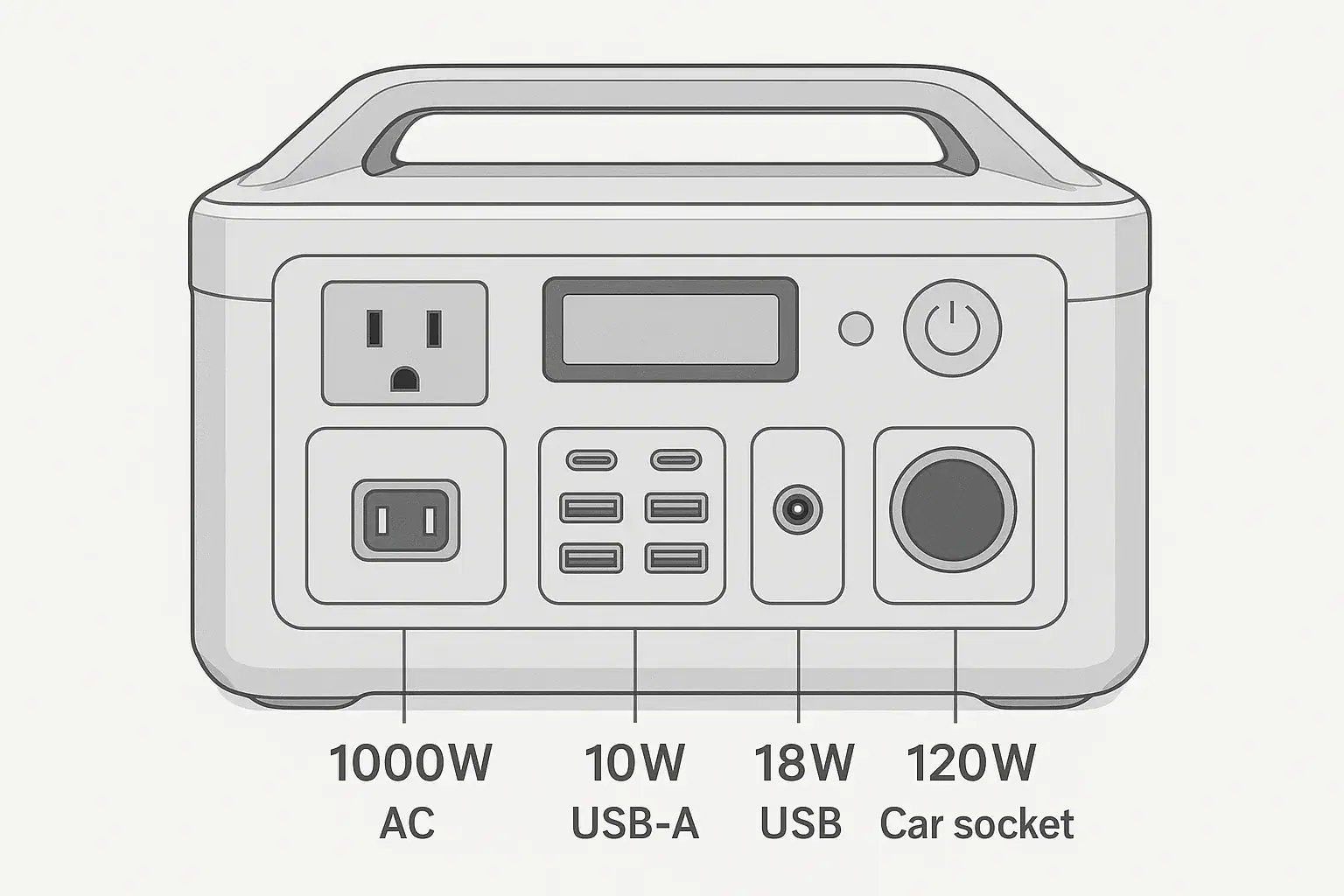
Output ports have separate watt limits because each port is controlled by different electronics, connector ratings, heat limits, and charging or output protocols. A portable power station may advertise a large total capacity or inverter rating, but that does not mean every outlet can deliver the same power.
This matters when a device shuts off, charges slowly, or works on one port but not another. Searchers often compare AC outlet wattage, USB-C PD profile, DC output, surge watts, input limit, and runtime, but those specs describe different parts of the system. The port you choose can decide whether a laptop fast-charges, a fridge starts reliably, or a small appliance overloads the unit.
The key idea is simple: capacity tells you how much energy is stored, while a port watt limit tells you how much power can flow through that specific outlet at one time.
What separate output port watt limits mean and why they matter
A separate output port watt limit is the maximum continuous power a specific outlet or connector can provide under normal operating conditions. On a portable power station, the AC outlets, USB-C ports, USB-A ports, car socket, barrel DC ports, and wireless charging pad may all have different limits.
For example, a unit may have a 1,000-watt AC inverter, a 100-watt USB-C port, a 120-watt car socket, and 18-watt USB-A ports. Those numbers are not interchangeable. A 500-watt appliance belongs on an AC outlet that supports that load, while a phone can use a USB port. A 100-watt USB-C laptop charger will not receive 100 watts from a 30-watt USB-C port, even if the power station battery is nearly full.
This distinction helps explain many troubleshooting issues. If a device turns on briefly and stops, the port may be over its continuous watt limit or unable to handle startup surge. If a device charges but not at full speed, the port may not support the voltage and current combination the device requests. If several devices work individually but fail together, the shared circuit or total output limit may be reached.
Separate limits also make the power station more useful. Low-power ports can run efficiently without turning on a large inverter, while high-power AC outlets can serve appliances that need household-style power. The design balances efficiency, safety, cost, heat, size, and user convenience.
How output port watt limits are set inside a power station
Portable power stations do not send battery power directly to every port in the same way. The internal battery stores DC energy. That energy must be converted, regulated, protected, and delivered through connectors designed for certain voltage and current ranges.
The AC outlets are powered by an inverter, which changes battery DC into household-style AC power. The inverter has a continuous watt rating and often a higher surge rating for brief startup loads. The USB-C ports use DC-to-DC conversion and USB Power Delivery negotiation. A USB-C PD profile might support 5, 9, 12, 15, or 20 volts, with current levels that determine the final wattage. DC barrel ports and car sockets usually provide a fixed DC voltage, often around 12 volts, with a current cap.
Heat is another major limit. Higher current creates more heat in wires, circuit boards, connectors, and power electronics. A thin USB-A connector cannot safely do the same job as an AC receptacle. A car socket may handle useful DC loads but still be limited by its fuse, connector contact area, and internal wiring. Even when the battery can supply enough energy, the path to the device may not be built for that much power.
Some ports also share internal circuits. Two USB-C ports may each advertise a maximum wattage when used alone, but the pair may share a combined limit. Similarly, multiple AC outlets usually share one inverter. Plugging three devices into three AC receptacles does not multiply the inverter capacity.
| Port type | Typical separate limit | What usually controls the limit |
|---|---|---|
| AC outlet | 300 to 2,000 watts continuous on many units | Inverter rating, cooling, surge capability, wiring |
| USB-C | 30 to 140 watts per port | USB PD profile, cable rating, DC regulator |
| USB-A | 10 to 18 watts per port | Legacy charging protocol and connector current |
| Car socket | 96 to 120 watts common | 12-volt current limit, fuse, socket contact design |
| DC barrel port | 30 to 120 watts depending on voltage and current | Connector size, regulator, polarity, current cap |
Real-world examples of why one port works and another does not
A common example is a laptop that can charge at 100 watts over USB-C Power Delivery. If it is plugged into a 60-watt USB-C port, it may still charge, but more slowly. If the laptop is under heavy use, the battery percentage may climb slowly, stay flat, or even decrease because the computer is using nearly as much power as the port can provide.
Another example is a portable refrigerator. Many compact DC fridges are designed for a 12-volt car socket and may draw modest running watts. However, the compressor can need a higher brief startup draw. If the power station car socket has a low current limit, the fridge may click, restart, or show a low-voltage warning. The same fridge might run better on a properly rated DC output or on AC through its adapter, depending on the device and power station.
Small kitchen appliances show the difference between capacity and output. A power station with 700 watt-hours of battery capacity cannot necessarily run an 1,100-watt coffee maker if the AC inverter is rated for 600 watts continuous. The stored energy is present, but the AC output path is not rated to deliver that much power at once.
Phone charging provides the opposite example. A phone plugged into a high-watt USB-C port will only draw what it can accept. The port’s maximum wattage is a ceiling, not a forced output. A 100-watt USB-C port does not push 100 watts into every device; the device, cable, and port negotiate a safe charging level.
Shared limits can be confusing. If one USB-C port can provide 100 watts alone, adding a second laptop may split available power into 65 watts and 30 watts, or another combination. That is not necessarily a fault. It may be the designed behavior of a shared DC module.
Common mistakes and troubleshooting cues
The most common mistake is reading the largest number on the product label and assuming it applies to every port. A power station may promote peak watts, total output, or battery capacity, but a device must match the limit of the exact port being used.
Another mistake is ignoring startup surge. Motors, compressors, pumps, and heating appliances can draw much more power at startup than they do while running. If the AC outlet shuts off immediately, beeps, or displays an overload message, the surge watts or continuous watts may exceed the inverter’s capability. A device that runs after several attempts may still be operating near the limit, which can increase heat and reduce reliability.
USB-C troubleshooting often involves the PD profile and cable. A laptop may require 20 volts to charge at full speed. If the USB-C port only supports lower voltage profiles, or if the cable is not rated for the needed current, charging may be limited. Try checking the device’s input rating, the cable’s rating, and the port’s stated voltage and watt combinations rather than looking only at the maximum watt number.
For DC ports, polarity, voltage, and connector size matter in addition to wattage. A 12-volt device should not be connected to a higher-voltage DC output unless the device is designed for it. If a device cycles on and off, the power station may be protecting against overcurrent, low voltage, or heat.
When troubleshooting, note the symptom. Slow charging usually points to protocol, cable, or device acceptance limits. Instant shutoff usually points to overload, surge, short-circuit protection, or incompatible voltage. Shutdown after several minutes may point to heat, battery state of charge, or a load that is too close to the port’s continuous rating.
Safety basics for using port watt limits correctly
Port watt limits are not just convenience numbers; they are part of the safety design. Exceeding them can trigger protection circuits, cause overheating, reduce component life, or create unsafe conditions with damaged cables and adapters.
Use the right type of output for the device. AC appliances should use an AC outlet with enough continuous and surge capacity. USB devices should use compatible USB ports and rated cables. DC devices should match the correct voltage, polarity, connector type, and current limit. Avoid stacking adapters in ways that make the actual load unclear.
Do not bypass fuses, tape down switches, alter connectors, open the power station, modify battery packs, or defeat overload protection. If a load repeatedly trips a port, treat that as useful information rather than an inconvenience. The device may be too large, the adapter may be incompatible, or the power station may need a port with a higher rating.
Be careful with heat. High loads near the port limit can warm the case, cables, and plugs. Keep vents clear, avoid covering the unit, and do not operate it in enclosed spaces where heat cannot escape. Very cold or very hot conditions can also reduce output performance because the battery management system may limit power to protect the cells.
For home backup use, do not improvise connections to a building electrical panel, transfer switch, or interlock. Whole-circuit backup requires equipment designed for that purpose and should be handled by a qualified electrician according to local code.
Maintenance and storage habits that protect output performance
Good storage and maintenance help ports perform closer to their rated limits over time. Keep connectors clean, dry, and free of debris. Dust, moisture, or corrosion can increase resistance, which creates heat and voltage drop. If a plug feels loose or unusually hot, stop using that connection and inspect for visible damage without opening the power station.
Store the unit in a moderate environment when possible. Extreme heat can age batteries and electronics faster, while extreme cold can temporarily reduce output capability. Follow the general storage charge range recommended for the unit, because long-term storage at completely full or completely empty charge can be harder on lithium batteries.
Exercise the ports periodically if the power station is stored for emergency use. That does not require heavy testing; simply confirming that AC, USB-C, USB-A, and DC outputs still power appropriate small loads can reveal a problem before an outage or trip. Recharge the unit on a reasonable schedule and check that cables used for higher-power USB-C or DC loads remain in good condition.
| Maintenance habit | What it helps prevent | Practical cue |
|---|---|---|
| Keep vents unobstructed | Thermal throttling and shutdown | Fan runs less aggressively and ports stay cooler |
| Inspect cables and plugs | Voltage drop, heat, unreliable charging | Replace damaged, loose, or hot-running cables |
| Store at moderate temperature | Battery aging and reduced output in extremes | Avoid hot vehicles and freezing long-term storage |
| Test ports before trips or outages | Surprises from inactive or damaged outputs | Use small known-good loads for confirmation |
Practical takeaways for choosing and using the right port
Related guides: Portable Power Station Basics: Outputs, Inputs, and What the Numbers Mean • Surge Watts vs Running Watts: How to Size a Portable Power Station • USB-C Power Delivery (PD) Explained for Portable Power Stations
The practical rule is to match the device to the specific port, not just to the power station’s headline capacity. Check the device’s rated watts or volts and amps, allow for startup surge when motors or compressors are involved, and remember that shared ports may reduce output when several devices are connected.
For runtime estimates, use watt-hours for stored energy and watts for power draw. A 50-watt device uses energy much more slowly than a 500-watt device, but both still need a port that can deliver their required power. Higher-watt ports can be useful, but efficiency also matters. Running a tiny DC load through the AC inverter may waste more energy than using a suitable DC or USB port.
Specs to look for
- AC continuous output: Look for a rating above your largest steady appliance load, such as 600, 1,000, or 1,800 watts; this determines what can run without overload.
- AC surge output: Look for brief surge capacity roughly 1.5 to 2 times the running watts for motors and compressors; this helps with startup loads.
- USB-C PD wattage and profiles: Look for 60 to 100 watts or higher and voltage profiles such as 15 or 20 volts; this affects laptop and tablet fast charging.
- Per-port versus shared USB limits: Look for both individual port limits and combined USB output, such as 100 watts single-port or 120 watts shared; this matters when charging multiple devices.
- 12-volt DC current rating: Look for values such as 8 to 10 amps on car-style outputs; this helps confirm compatibility with fridges, pumps, and DC accessories.
- Regulated DC output: Look for stable voltage under load, such as regulated 12-volt DC; this matters for sensitive electronics that dislike voltage sag.
- Total simultaneous output: Look for a stated combined limit when AC, USB, and DC are used together; this prevents confusion when several ports are active.
- Thermal and overload protection: Look for clear protections such as overcurrent, short-circuit, overtemperature, and low-voltage cutoff; these help protect the station and connected devices.
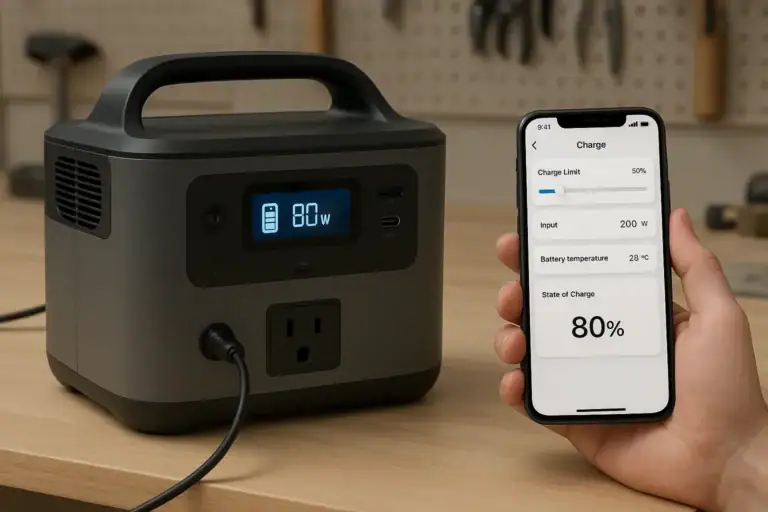
- Display detail: Look for real-time watts in and out, port status, and warnings; this makes troubleshooting easier when runtime or charging speed is not as expected.
Separate watt limits are normal and useful. They reflect how each port is designed to deliver power safely and efficiently. Once you read the per-port ratings, device requirements, and shared output limits together, most charging problems and overload messages become much easier to understand.
Frequently asked questions
Why do different ports on a portable power station have different watt limits?
Different ports use different internal circuits, connectors, and power conversion methods, so they are not all built to handle the same load. AC outlets rely on an inverter, while USB and DC ports use separate regulation and protection components. Heat, wiring size, and connector ratings also affect how much power each port can safely deliver.
What specs should I check before plugging in a device?
Check the device’s input watts or volts and amps, then compare them with the exact port’s continuous rating. For USB-C, also confirm the supported voltage and power delivery profile, and for AC loads, check both continuous and surge output. If multiple devices will run at once, look for shared output limits as well.
What is a common mistake people make with port watt limits?
A common mistake is assuming the largest number on the power station applies to every outlet. Another frequent error is ignoring startup surge from motors, compressors, or heating devices. Either issue can lead to overload shutdowns, slow charging, or a device that works on one port but not another.
Is it safe to use a port near its maximum watt limit?
Using a port near its rated limit is generally safer than exceeding it, but it can create more heat and reduce efficiency. Leave some headroom when possible, especially for devices with startup surges or long run times. If a port repeatedly gets hot, shuts off, or triggers warnings, the load is too close to the limit.
Why does my laptop charge slowly on one USB-C port but not another?
The two ports may have different watt limits or different USB Power Delivery profiles. The cable can also limit charging speed if it is not rated for the required current. In some cases, the ports share power internally, so using another device at the same time reduces available wattage.
Can I run a high-watt appliance if the battery capacity is large enough?
Not always. Battery capacity tells you how much energy is stored, but the port and inverter still need to supply enough power at the moment the appliance runs. If the continuous or surge rating is too low, the power station may shut down even when the battery is full.
Related guides
Browse this topic →
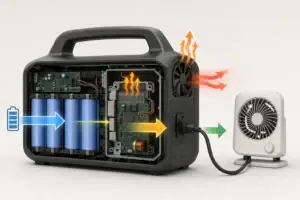

- Beginner-friendly sizing, runtime & specs
- Solar & charging (MPPT, fast charging, cables)
- Batteries (LiFePO4, cycles, care & storage)
- Safety, cold-weather performance, real-world tips
More in Capacity
See all →- Wh per Pound: How to Compare Portable Power Station Weight and Capacity
- Two Small Power Stations vs One Large Power Station: Which Backup Setup Is Better?
- How to Build a Load Priority List for a Portable Power Station During Blackouts
- Usable Capacity vs Advertised Capacity: Why 1,000Wh Doesn’t Mean 1,000Wh at the Outlet
- Runtime Planning for Mixed Loads: AC, DC, and USB at the Same Time
Keep reading
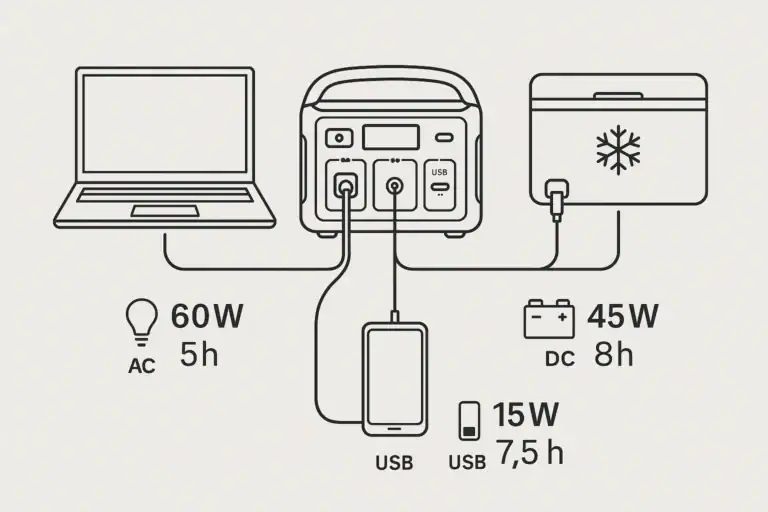
About this site
Portable Energy Lab publishes practical, independent guides about portable power—clear sizing, safe use, and real-world expectations.
Affiliate disclosure
Some links on this site may be affiliate links. If you buy through these links, we may earn a small commission at no extra cost to you. This helps support our content. Read our affiliate disclosure.