
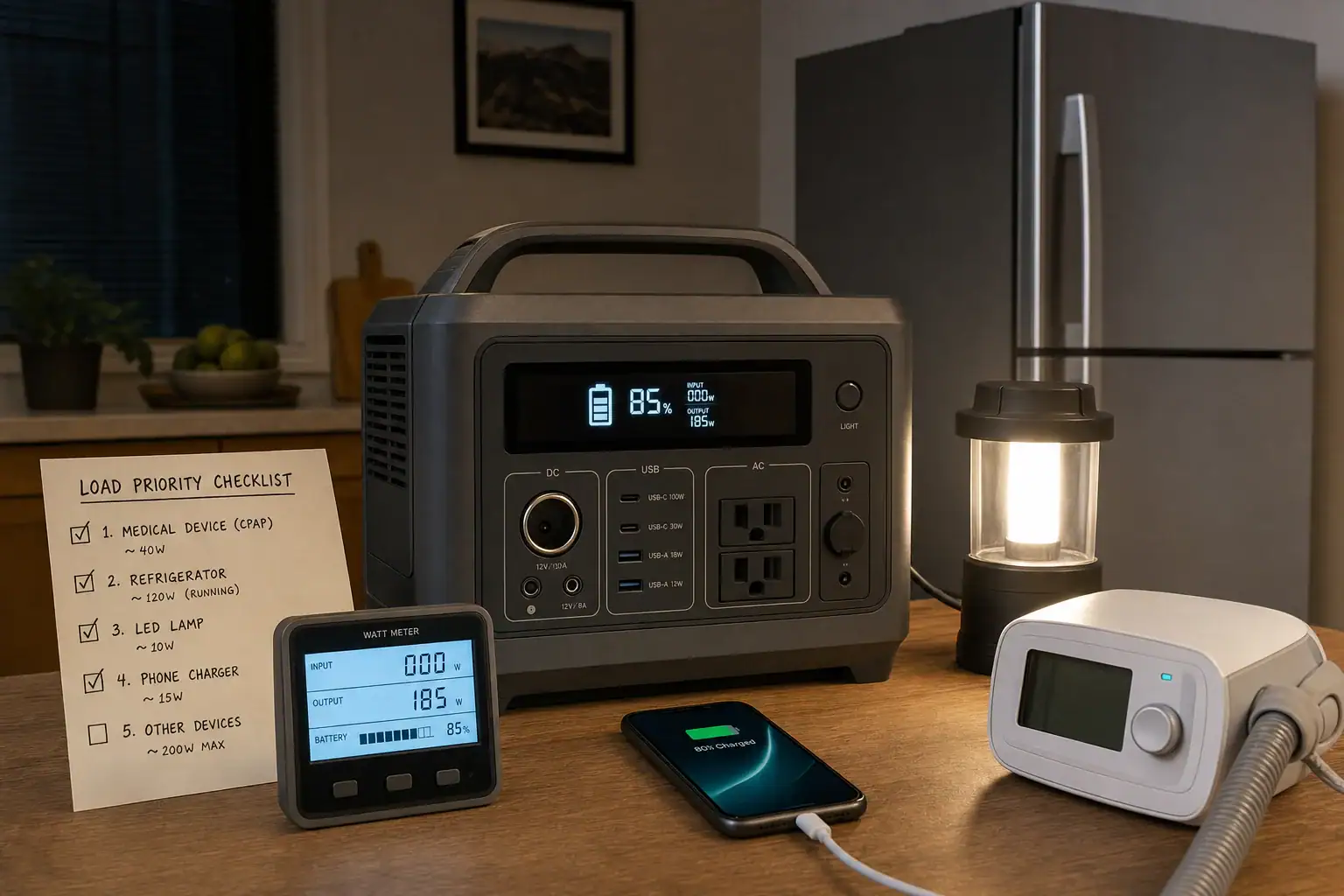
A portable power station load priority list ranks devices by necessity, power demand, and required runtime so the battery lasts through the most important parts of a blackout. Instead of plugging in everything at once, assign each load to an essential, conditional, or optional tier.
A useful plan accounts for continuous watts, surge watts, battery capacity, usable watt-hours, and expected runtime. It also distinguishes appliances that run constantly from equipment that cycles on and off. This helps prevent inverter overloads and reduces the chance of spending stored energy on comfort loads before refrigeration, communications, lighting, or health-related equipment has been covered.
Build the list before an outage, verify device wattage where possible, and revise it as household needs change. The result should be a short, practical schedule that anyone in the home can follow without doing calculations in the dark.
1. What a Load Priority List Is and Why It Matters
A load priority list is a written order for deciding which devices receive power first, which may operate only under certain conditions, and which should remain off. It turns a portable power station from a general backup battery into a managed emergency resource.
A simple list normally uses three tiers:
- Tier 1: Essential loads. Equipment needed for health, safety, food preservation, basic lighting, or critical communication.
- Tier 2: Conditional loads. Useful devices that may run when battery state of charge and outage duration allow.
- Tier 3: Optional loads. High-consumption or convenience devices that can usually wait until utility power returns.
Priority is not based on wattage alone. A low-power medical or communications device may deserve continuous service, while a higher-power refrigerator may need only periodic operation. Personal circumstances also matter. A medical device, well pump controller, or accessibility aid may be essential in one household but absent from another.
The list matters because battery energy is finite. A power station that can operate a 1,000-watt appliance may still run it for only a short time. Prioritization protects runtime while keeping the inverter within its continuous and surge ratings.
2. How Power Demand, Battery Capacity, and Runtime Work Together
Start by recording each device’s running watts, starting surge if applicable, expected hours of use, and priority tier. The label on a device may show watts directly or list volts and amps. Multiplying volts by amps gives an approximate input figure, but measured consumption is often more useful because appliances cycle and operating conditions vary.
Separate power from energy
Watts describe the rate at which a device uses power. Watt-hours describe how much stored energy is consumed over time. A 20-watt light used for five hours consumes about 100 watt-hours. A 500-watt load used for 30 minutes consumes about 250 watt-hours.
Estimate basic runtime with this relationship:
Estimated runtime in hours = usable battery watt-hours divided by average load watts.
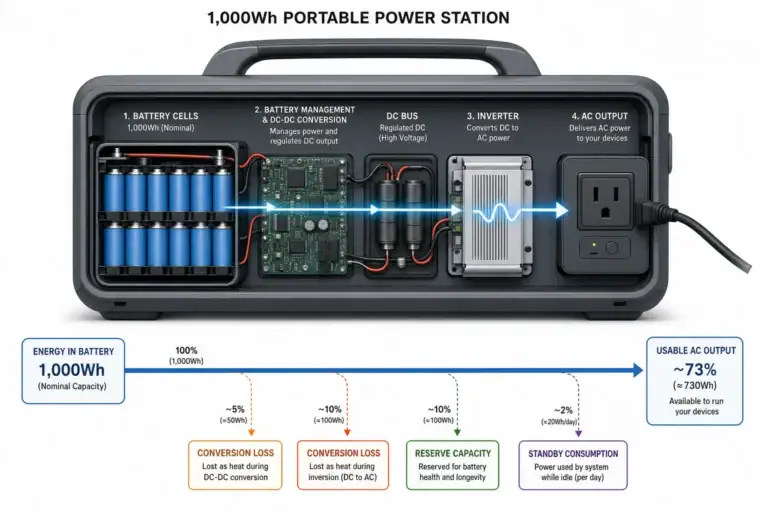
Usable energy is normally lower than the battery’s advertised capacity because of inverter losses, standby consumption, temperature, battery protections, and conversion between DC battery power and AC output. For planning, using roughly 75% to 90% of stated capacity can provide a more realistic starting range, depending on the output type and operating conditions.
Account for startup demand and cycling
Refrigerators, freezers, pumps, compressors, and some fans can draw a brief starting surge above their normal running wattage. The surge must remain within the power station’s short-duration capability. Do not assume that a low running-watt figure guarantees successful startup.
Cycling loads require a duty-cycle estimate. A refrigerator drawing 120 watts while its compressor runs does not necessarily consume 120 watt-hours every hour. If it runs approximately one-third of the time, its average may be closer to 40 watts, although room temperature, door openings, condition, and thermostat settings can change that result.
| Planning field | Illustrative entry | Reason to record it |
|---|---|---|
| Device | Refrigerator | Identifies the load clearly |
| Running power | 120 watts | Helps estimate ongoing demand |
| Starting surge | 600 watts | Checks whether the inverter can start it |
| Daily energy | 900 watt-hours | Supports a full-outage energy budget |
| Priority | Tier 1 | Defines when it receives power |
| Operating rule | Limit door openings | Reduces avoidable consumption |
3. Real-World Load Priority Examples
Example 1: Short evening outage
Assume a household has about 900 usable watt-hours available. Its essential plan includes a 10-watt modem for five hours, two 8-watt LED lights for five hours, four phone charges totaling 60 watt-hours, and a refrigerator budget of 350 watt-hours.
The estimated energy use is 50 watt-hours for the modem, 80 watt-hours for lighting, 60 watt-hours for phones, and 350 watt-hours for refrigeration. That totals 540 watt-hours. The remaining 360 watt-hours provide a reserve for longer operation, conversion losses beyond the estimate, or an unexpected essential need.
A television drawing 100 watts for three hours would use another 300 watt-hours. It could fit mathematically, but it belongs in a conditional tier because using it would consume most of the reserve.
Example 2: Overnight outage with uncertain restoration
When restoration time is unknown, the objective changes from convenience to endurance. A household might power one efficient light instead of several, charge phones only when needed, and operate internet equipment during scheduled communication periods rather than continuously.
Refrigeration may receive the largest energy allocation, but it should be evaluated by measured daily consumption rather than compressor running watts alone. Opening the door less often can lower energy use. Heating appliances, electric cooking devices, hair dryers, and portable air conditioners generally move to the optional tier because their high draw can deplete a modest battery quickly.
Example 3: Health-related equipment
If a person relies on electrically powered medical equipment, that load should be evaluated first rather than added to a general household estimate later. Record its normal consumption, startup behavior, required hours, acceptable interruption time, and backup options. Confirm compatibility and emergency procedures with the equipment provider or a qualified medical professional. The portable power station should not be treated as the only contingency when interruption could create a serious risk.
4. Common Planning Mistakes and Troubleshooting Cues
- Using only the battery capacity number. A 1,000-watt-hour rating does not mean every output can deliver all 1,000 watt-hours. Apply a realistic usable-energy allowance.
- Confusing watts with watt-hours. Watts determine whether the inverter can support a load; watt-hours help determine how long it can run.
- Ignoring simultaneous demand. Several acceptable devices can overload the inverter when used together. Add their running watts and consider overlapping startup surges.
- Planning around maximum output. Operating near the inverter limit leaves little room for surge events and can increase heat or trigger shutdown.
- Underestimating idle consumption. An energized AC inverter consumes some power even when connected devices use little or none.
- Assuming labels equal real-world use. A plug-in power meter can reveal cycling, standby demand, and operating changes, provided it is used according to its instructions.
- Skipping a reserve. Keep roughly 10% to 25% of usable energy unassigned when outage length is uncertain.
If the power station shuts down when an appliance starts, suspect a startup surge, excessive combined load, low battery state of charge, overheating, or an incompatible load. Disconnect optional devices, allow the unit to cool if necessary, and compare the appliance demand with the power station’s stated output ratings. Repeated shutdowns are a reason to stop and review the equipment instructions rather than repeatedly resetting it.
5. Safety Basics for Blackout Load Management
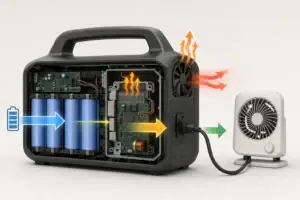
Place the power station in a dry, stable, ventilated location with clearance around its cooling openings. Keep it away from heaters, standing water, combustible materials, and areas accessible to small children. Follow the specified operating temperature range and do not cover the unit while it is charging or supplying power.
Do not connect a portable power station to household wiring through improvised cords, a wall receptacle, or any method that can backfeed the electrical system. Permanent or panel-connected backup arrangements require approved equipment and a qualified electrician. Never open the power station, alter its battery pack, bypass protection circuits, or replace fuses with unapproved parts.
Inspect cords and plugs before an outage. Avoid damaged insulation, loose adapters, overloaded power strips, and tightly coiled extension cords carrying substantial current. Use extension cords with suitable current ratings and keep connections dry.
Battery backup does not replace smoke alarms, carbon monoxide alarms, evacuation plans, or medically appropriate contingency planning. If a power station becomes swollen, unusually hot, damaged, wet, or produces an unusual odor, stop using it and follow the manufacturer’s isolation and service guidance.
6. Maintaining the List and Storing the Power Station
A load list should be tested rather than filed away. Every few months, verify that listed devices are still in the home, confirm their wattage, and check whether family health or communication needs have changed. Mark appliances that have been replaced because the new model may have different running and surge behavior.
Run a short simulation with essential loads under safe, supervised conditions. Watch total output, remaining battery percentage, estimated runtime, heat, and fan behavior. A successful short test does not guarantee full-duration performance, but it can expose missing cables, unexpected surges, or unrealistic energy estimates.
Store the power station according to its instructions, typically in a cool, dry area away from direct sun and extreme temperatures. Check charge level periodically because batteries slowly self-discharge. If the unit is not intended to remain at 100% during long-term storage, follow its specified storage charge range. Update the written priority list after each real outage while actual consumption and operating problems are still easy to remember.
| Readiness check | Example interval | What to confirm |
|---|---|---|
| Battery state of charge | Monthly | Charge remains within the recommended storage range |
| Cables and adapters | Every three months | No damage, corrosion, or missing parts |
| Essential-load test | Every three to six months | Devices start and total demand stays within ratings |
| Priority list review | Twice a year | Loads, wattage, contacts, and household needs are current |
| Full visual inspection | Before storm season | No swelling, impact damage, blocked vents, or abnormal wear |
Related guides: Energy Budget for a Power Outage: Lights, Phone, Internet, and Small Appliances • How to Plan a 24-Hour Backup Load for Essential Devices • Peak Load Testing: How to Check If Your Power Station Can Start a Device • Portable Power Stations for CPAP and Medical Devices: What to Look For
7. Practical Takeaways and Specs to Look For
Keep the finished list simple enough to use under stress. Put Tier 1 loads at the top, assign each one an energy budget, state whether it runs continuously or on a schedule, and reserve part of the battery for changing conditions. List Tier 2 and Tier 3 devices below them with a clear rule such as use only above 50% charge or use only when restoration is expected soon.
Recalculate the plan whenever battery capacity, appliance inventory, or essential needs change. For each scenario, confirm both energy capacity and output capability: enough watt-hours to support the desired duration and enough inverter power to handle simultaneous loads and startup surges.
Specs to look for
- Battery capacity: Look for a watt-hour rating that covers the essential-load budget plus roughly 10% to 25% reserve; capacity largely determines potential runtime.
- Usable energy: Look for test data or clear efficiency information suggesting about 75% to 90% availability under typical loads; conversion losses affect real runtime.
- Continuous AC output: Look for a rating above the combined running demand, with reasonable headroom; this reduces overload risk during normal operation.
- Surge output: Look for a short-duration rating capable of supporting compressor, pump, or motor startup, often two or more times running power; inadequate surge capacity can prevent startup.
- Output options: Look for AC, regulated DC, USB-A, and USB-C outputs that match essential devices; direct DC or USB operation may avoid unnecessary inverter losses.
- Recharge input: Look for a charging rate that can restore a meaningful share of capacity in several hours; faster recovery matters during intermittent utility service or limited generator time.
- Low-load efficiency: Look for modest inverter idle consumption and power-saving controls; small continuous loads can otherwise lose substantial energy to overhead.
- Battery cycle life: Look for capacity-retention estimates stated at a defined number of cycles, such as 2,000 to 3,000 cycles to a specified remaining capacity; this helps compare long-term durability.
- Monitoring: Look for displays that show input watts, output watts, battery percentage, and estimated runtime; clear information supports better decisions during an outage.
The best load priority list is conservative, measurable, and easy to revise. Protect essential functions first, avoid unnecessary simultaneous loads, and treat the remaining battery percentage as a limited emergency reserve rather than unused capacity.
Frequently asked questions
How do I make a portable power station load priority list?
List every device you may need during an outage, then record its running watts, expected operating time, and any startup surge. Place health, safety, communication, and food-preservation loads first; assign convenience loads to lower tiers. Include an energy reserve so the plan remains useful if the outage lasts longer than expected.
What should be included in Tier 1 during a blackout?
Tier 1 commonly includes medically necessary equipment, basic lighting, phones, essential communications equipment, and refrigeration when appropriate. The exact list depends on the household, including health needs, local conditions, and whether other backup options are available. A device should be Tier 1 only when its interruption would create a meaningful safety, health, or essential-function problem.
What portable power station specs matter most for blackout backup?
Prioritize usable battery capacity in watt-hours, continuous AC output, surge capability, and the output ports needed for essential devices. Also consider inverter idle consumption, recharge speed, monitoring information, and operating-temperature limits. The unit must have enough energy for the desired runtime as well as enough output power to start and run loads safely.
What is the most common mistake when using a portable power station during an outage?
A common mistake is treating the battery capacity rating as if all of it will be available to connected devices. Conversion losses, standby use, temperature, and battery protections reduce usable energy, while simultaneous appliances can exceed the inverter rating. Planning with measured or conservative estimates and keeping a reserve helps avoid unexpected shutdowns.
Can a portable power station run a refrigerator during a blackout?
It may run a refrigerator if the power station can handle both the refrigerator’s running demand and its startup surge. Runtime depends primarily on the refrigerator’s average energy use, which changes with compressor cycling, room temperature, and door openings. Test compatibility in advance under safe conditions rather than relying only on the appliance’s running-watt label.
Is it safe to connect a portable power station to household wiring?
Do not connect a portable power station to household wiring through improvised cords, a wall outlet, or any setup that could backfeed utility lines. A panel-connected backup system requires compatible approved equipment and a qualified electrician. For ordinary use, connect devices directly to the power station with suitable, undamaged cords and keep the unit dry and ventilated.
Related guides
Browse this topic →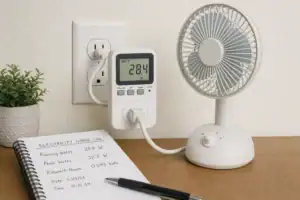
- Beginner-friendly sizing, runtime & specs
- Solar & charging (MPPT, fast charging, cables)
- Batteries (LiFePO4, cycles, care & storage)
- Safety, cold-weather performance, real-world tips
More in Capacity
See all →- Wh per Pound: How to Compare Portable Power Station Weight and Capacity
- Two Small Power Stations vs One Large Power Station: Which Backup Setup Is Better?
- Usable Capacity vs Advertised Capacity: Why 1,000Wh Doesn’t Mean 1,000Wh at the Outlet
- Why Output Ports Have Separate Watt Limits on Portable Power Stations
- Runtime Planning for Mixed Loads: AC, DC, and USB at the Same Time
Keep reading
About this site
Portable Energy Lab publishes practical, independent guides about portable power—clear sizing, safe use, and real-world expectations.
Affiliate disclosure
Some links on this site may be affiliate links. If you buy through these links, we may earn a small commission at no extra cost to you. This helps support our content. Read our affiliate disclosure.