
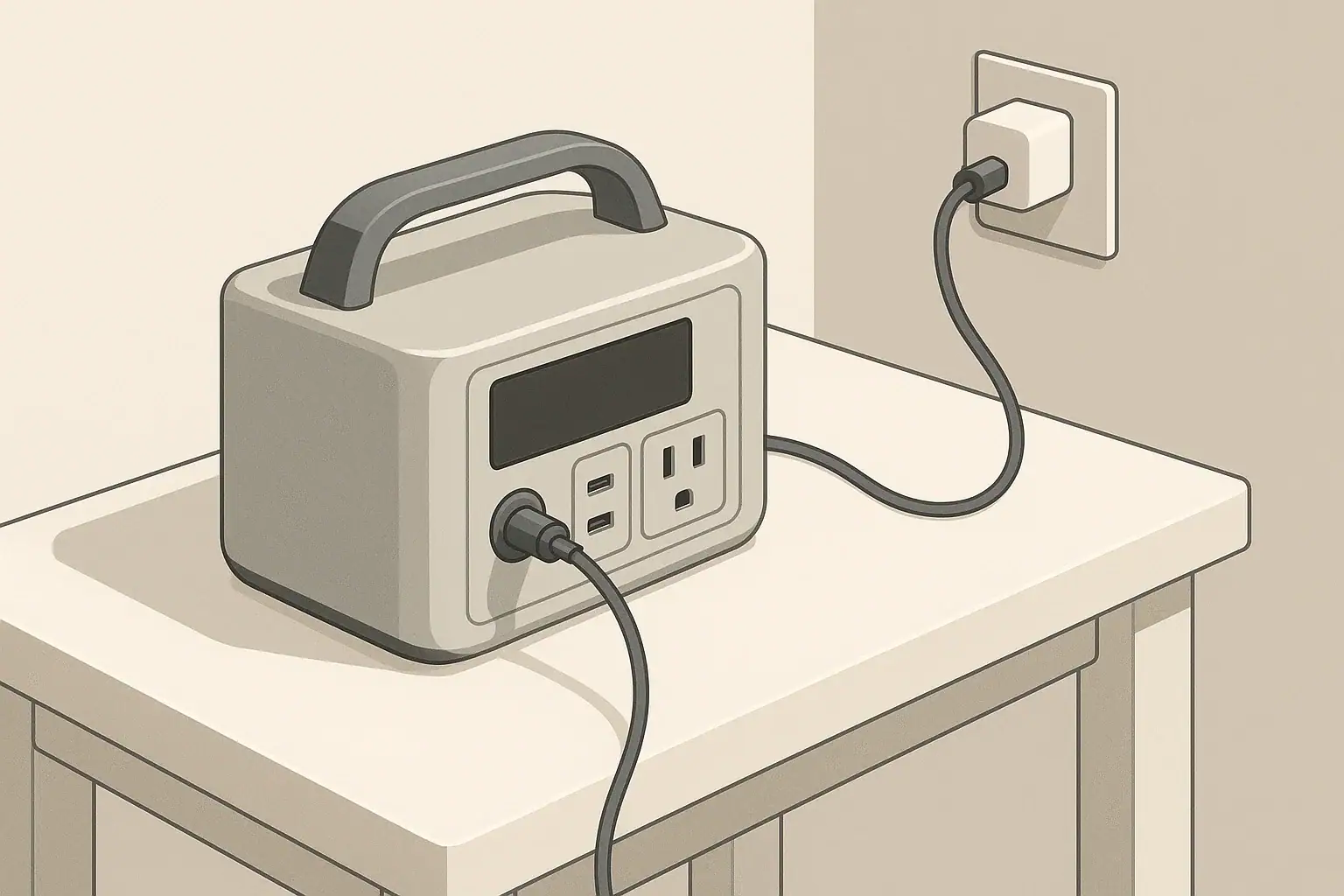
You can usually use a higher-watt charger than your portable power station is rated for, as long as the voltage, connector, and charging standard match. The power station decides how much power to draw, not the charger. What matters most is compatible voltage and safe input limits, not just the largest charger you can find.
This idea is often called input headroom. You might see a 140 W USB-C or 200 W DC brick and wonder if it will overdrive a power station that lists only 60–150 W of input. In most normal setups it will not, but there are clear cases where the wrong charger can damage your unit or make it charge no faster than before.
Below, you will learn what input headroom actually means, how charge controllers manage power, where a bigger charger helps, where it does nothing, and how to read spec labels so you can pick compatible chargers with confidence.
What Higher-Watt Chargers and Input Headroom Really Mean
When you compare a charger and a portable power station, the key idea is that the charger advertises what it can supply, while the power station decides what it will draw. A higher-watt charger simply has more capacity available than the station can use.
Input headroom is the gap between those two limits:
- The charger’s maximum output power (for example, 140 W USB-C adapter).
- The power station’s maximum input rating on that port (for example, 60 W USB-C input or 150 W DC input).
If the charger’s voltage and connector are correct, the extra watts above the station’s limit are just unused headroom. The station’s charge controller caps the actual input so it does not exceed its design.
This is similar to plugging a 200 W appliance into a household outlet that can supply 1,500 W. The outlet does not force 1,500 W into the appliance. The appliance only draws around 200 W, and the remaining capacity is headroom.
Understanding this difference helps answer common questions like:
- Will a 100 W USB-C laptop charger damage a 60 W-rated USB-C input?
- Can I replace a 150 W DC brick with a 200 W brick at the same voltage?
- Why does my station still charge slowly even with a powerful adapter?
Key Electrical Concepts and How Input Power Is Controlled
You do not need to be an engineer to use higher-watt chargers safely, but a few basic terms and how they interact inside the power station are useful.
Watts, Volts, and Amps in Plain Language
- Voltage (V) – The electrical “pressure.” Common values for portable power station inputs include 12–28 V DC, 48 V DC, or 120 V AC from the wall.
- Current (A) – The flow of electrical charge. At a fixed voltage, higher current means higher power.
- Power (W) – The rate of energy transfer. It is calculated as W = V × A.
For example, a 20 V charger delivering 3 A is providing 60 W (20 × 3 = 60). If the same charger delivers only 2 A at 20 V, that is 40 W.
What the Charge Controller Does
Inside every portable power station, a charge controller (and often a battery management system) manages incoming power. It typically:
- Negotiates voltage and current with smart sources like USB-C Power Delivery.
- Limits current so the input power never exceeds the rated maximum.
- Monitors temperature and battery condition and can reduce or cut input if needed.
Because of this control loop, a higher-watt charger does not automatically push its full rating into the battery. The station senses what is connected and then pulls only what it is designed to accept.
Common Input Types on Portable Power Stations
Most units have one or more of these input options:
- Barrel plug DC input (for example, 24 V DC from a wall brick or car adapter).
- High-current DC connector (for example, for larger solar or DC bricks).
- USB-C input that supports Power Delivery or similar protocols.
- AC input with an internal charger and a simple power cable.
Input headroom is most relevant when you are choosing external USB-C or DC power bricks. For AC inputs with a built-in charger, the wall outlet already has far more capacity than the station can use, and the internal circuitry fixes the charging rate.
Real-World Examples of Using Higher-Watt Chargers
Looking at specific scenarios makes it easier to see when a higher-watt adapter helps and when it does nothing.
USB-C Power Delivery Chargers
USB-C Power Delivery (PD) uses digital negotiation. The charger announces several voltage and current options, such as 5 V, 9 V, 15 V, or 20 V at different currents. The power station then chooses one option that fits within its own limits.
Imagine a station with this label near its USB-C port:
- USB-C input: 5–20 V, up to 60 W
If you connect different chargers:
- 30 W USB-C charger – The station might settle around 27–30 W.
- 65 W USB-C charger – The station will typically draw up to its 60 W limit.
- 100 W USB-C charger – The station still draws only about 60 W; the rest is unused headroom.
In all three cases, the station stays within its own 60 W ceiling.
Barrel Plug and Other DC Bricks
Consider a portable power station with a DC input label such as:
- DC input: 24 V, 6.5 A (156 W max)
If you replace the original 150 W brick with a third-party 200 W brick that also outputs 24 V DC with the same polarity:
- The new brick can supply up to 200 W, but the station’s controller still draws around 150–156 W.
- The extra 40–50 W is headroom, not extra charging speed.
This is safe in principle as long as the new brick is well regulated, correctly wired, and within the allowed voltage range.
When a Bigger Charger Actually Speeds Up Charging
A higher-watt charger only speeds up charging when the original charger was below the station’s input limit. For example:
- Station input limit: 200 W.
- Original adapter: 120 W.
- Replacement adapter: 200 W at the correct voltage and connector.
In this case, the original brick limited the station to 120 W. With the 200 W brick, the station can now pull the full 200 W and charge significantly faster.
| Battery capacity (Wh) | Input power (W) | Rough charge time (hours) |
|---|---|---|
| 300 Wh | 60 W | 5–6 |
| 300 Wh | 120 W | 2.5–3 |
| 600 Wh | 60 W | 10–11 |
| 600 Wh | 200 W | 3–3.5 |
| 1,000 Wh | 120 W | 8–9 |
| 1,000 Wh | 300 W | 3.5–4 |
These times are approximate because real systems reduce input near full charge and lose some energy as heat. The key point is that going above the station’s input limit does not help, but matching that limit can cut charge time significantly.
Combined Inputs (AC Plus DC or USB-C)
Some stations allow charging from more than one source at once, such as AC plus solar, or DC plus USB-C. The manual will usually list separate limits for each input and a combined maximum.
For example:
- AC input: up to 200 W.
- Solar/DC input: up to 200 W.
- Combined input: up to 400 W.
Using higher-watt chargers on each port does not mean the station will exceed 400 W overall. The controller should cap total input at the combined limit, but staying within those published numbers reduces heat and stress on internal components.
Common Mistakes and Troubleshooting When Using Bigger Chargers
Most charging issues come from voltage mismatch, incorrect assumptions about wattage, or poor-quality adapters. Recognizing these patterns makes troubleshooting easier.
Typical User Mistakes
- Confusing watts with voltage compatibility – Assuming any “higher-watt” charger is fine, without checking that the voltage range matches the station’s input label.
- Ignoring polarity on DC barrel plugs – Many bricks use center-positive polarity, but not all. Reversed polarity can cause immediate failure.
- Using non-PD USB-C sources – Some fixed-output USB-C supplies output a single voltage that may not match what the station expects.
- Expecting faster charging just from a bigger number on the brick – The station’s input limit is often the real bottleneck.
- Charging through output-only ports – For example, trying to backfeed power through a DC output or expansion connector not designed as an input.
Symptoms and What They Often Mean
| Observed issue | Likely cause | What to check |
|---|---|---|
| Station will not charge at all | Voltage out of range or polarity reversed | Compare brick voltage and polarity symbol to station label |
| Charges, but much slower than expected | Charger wattage below station’s input limit or long/thin cable | Check charger rating and try a shorter, higher-current cable |
| Input wattage jumps or drops repeatedly | Unstable or low-quality adapter, or overheating | Feel for excess heat and listen for buzzing from the brick |
| Station fan runs constantly and gets very warm | Charging at or near maximum input for long periods | Reduce input power if possible or move to a cooler location |
| USB-C input stuck at low wattage | Non-PD charger or cable not rated for high current | Use a PD-capable charger and a cable rated for the charger’s output |
Quick Troubleshooting Steps
- Read the labels – Compare the charger’s voltage and polarity symbols with the station’s input specs.
- Check displayed input watts – If your station shows input power, confirm it is within the expected range.
- Swap components one at a time – Try a different cable, then a different charger, to isolate the problem.
- Test the original charger – If it works normally, the issue may be with the replacement brick or cable.
- Let the system cool – If charging resumes after cooling, you may be pushing thermal limits.
Safety Basics When Using Higher-Watt Chargers
Most modern portable power stations have multiple layers of protection, but relying on those protections alone is not ideal. A few high-level safety principles go a long way.
Voltage and Polarity First, Wattage Second
The most important compatibility checks are:
- Voltage range – The charger’s output must fall within the station’s rated input voltage range for that port.
- Polarity – For barrel and other DC connectors, ensure the positive and negative terminals match the diagram on the station.
- Protocol – For USB-C, the source and sink should both support the same standard (for example, PD) so they can negotiate safely.
If those match, a higher watt rating by itself is usually safe, because the station limits the current it draws.
Heat and Ventilation
Higher input power means more heat inside the charger and the power station. To keep temperatures under control:
- Place both charger and station on a hard, flat surface when charging.
- Keep vents clear; avoid covering the unit with bags or clothing.
- Avoid charging at maximum input in very hot environments when possible.
If either device becomes too hot to touch comfortably, disconnect and let it cool before continuing.
Use Quality Chargers and Cables
Well-designed chargers include overvoltage, overcurrent, and short-circuit protection. Cables rated for the charger’s maximum current reduce voltage drop and heat buildup.
- For USB-C, use cables rated for the charger’s maximum wattage (especially above 60 W).
- For DC bricks, avoid frayed or repaired cables and damaged connectors.
- Do not modify connectors unless you fully understand the wiring and ratings.
Long-Term Effects, Maintenance, and Charging Habits
Using a higher-watt charger within the station’s input limits is generally safe, but your long-term charging habits can still influence battery life and reliability.
Fast Charging vs. Battery Longevity
Charging at the maximum allowed input is convenient but tends to increase internal temperatures and electrical stress. Over many cycles, this can contribute to gradual capacity loss.
Practical habits that can help:
- Use full-speed charging when you need a quick turnaround.
- When time allows, use moderate input power (for example, a smaller brick or a lower-wattage mode if available).
- Avoid leaving the station at 100% charge in high heat for long periods.
Storage and Occasional Use
How you store the station between uses matters more than which charger you use:
- Store in a cool, dry place away from direct sunlight.
- If storing for months, keep the battery at a partial charge (for example, around 40–60%) rather than full.
- Top up the battery every few months to prevent deep discharge.
Periodic Checks on Chargers and Cables
Even quality chargers can wear over time, especially if they are transported often.
- Inspect cables for cuts, kinks, or loose connectors.
- Listen for unusual buzzing or clicking from the charger under load.
- Check that the station’s reported input wattage is still consistent with past behavior.
If a charger starts to run unusually hot or the station’s input becomes unstable with that charger, retire it and use a known-good alternative.
Practical Takeaways and Specs to Look For
Choosing and using higher-watt chargers safely comes down to matching the right specifications and setting realistic expectations about charging speed.
Key Takeaways
- You can usually use a higher-watt charger than your portable power station’s rating, as long as voltage, polarity, and protocol match.
- The power station’s input limit, not the charger’s maximum wattage, determines how fast it can charge.
- A bigger charger helps only if the original charger was below the station’s input limit.
- Voltage mistakes and poor-quality adapters are far more dangerous than having extra wattage headroom.
- Moderate charging rates and good ventilation support better long-term battery health.
Specs to Look For on the Power Station
- Per-port voltage range (for example, 12–28 V DC, 5–20 V USB-C).
- Per-port maximum input watts (for example, USB-C up to 60 W, DC up to 150 W).
- Combined maximum input when using multiple sources at once.
- Connector types and polarity diagrams for DC inputs.
- Supported charging protocols (for example, USB-C PD on specific ports).
Specs to Look For on the Charger
- Output voltage(s) – Must fall within the station’s allowed input range.
- Maximum output wattage – Can be higher than the station’s rating, but not lower if you want full-speed charging.
- Current rating at each voltage – For USB-C, check the listed profiles; for DC, confirm the amp rating.
- Polarity and connector size – For barrel plugs and DC connectors, ensure they match the station’s jack.
- Safety features and build quality – Look for overcurrent, overvoltage, and short-circuit protection, plus sturdy cabling.
If you can match these specifications and keep charging temperatures under control, using a higher-watt charger than rated becomes a practical way to reduce charge times or share chargers across multiple devices, without sacrificing safety or long-term reliability.
Primary references: USB Power Delivery allows compatible devices to negotiate the power they require; see the USB-IF Power Delivery overview and its USB-C cable and connector guidance. The device manual still controls the permitted input for a specific model.
Frequently asked questions
Which charger and power station specifications should I check before using a higher-watt charger?
Verify the charger’s output voltage range, connector type and polarity, the station’s per-port and combined input wattage limits, supported charging protocols (such as USB-C PD), and the cable’s current rating. Matching these specs ensures compatibility and determines the safe maximum charging rate.
What happens if I use a charger with the wrong voltage or reversed polarity?
Using a charger with incorrect voltage or reversed polarity can prevent charging, trip protection circuits, or cause immediate damage to the station’s electronics. Always compare the voltage and polarity symbols on the charger and the power station before connecting.
Is it safe to use a charger that has a higher wattage than the station’s rating?
Generally, yes — a higher-watt charger won’t force extra power into the station if voltage, polarity, and protocol match because the station’s controller limits what it draws. However, poor-quality chargers or excessive heat can still create risks, so use well-regulated equipment and monitor temperatures while charging.
Why does my station charge slowly even when I’ve connected a high-watt adapter?
Slow charging despite a high-watt adapter usually means the station’s port limit, the cable’s capability, or the PD negotiation profile is the bottleneck; thermal throttling or an adapter that doesn’t actually provide the advertised profile are other common causes. Check the station’s per-port wattage, use a rated cable, and observe the input-watt reading if available.
Can I combine multiple chargers or inputs to speed up charging?
Some stations accept multiple inputs but specify a combined maximum; using several high-watt sources will not exceed that published combined limit. Consult the manual and keep total input within the combined rating to avoid overheating or stressing internal components.
How can I tell if a USB-C cable supports high-watt charging?
Look for cables rated for the required current (for example, 3 A versus 5 A) and cables with an e-marker chip for high-watt profiles; manufacturers often print current or maximum wattage on the cable or packaging. Using a PD-capable cable rated for the charger’s wattage reduces voltage drop and negotiation issues.
Related guides
Browse this topic →
- Beginner-friendly sizing, runtime & specs
- Solar & charging (MPPT, fast charging, cables)
- Batteries (LiFePO4, cycles, care & storage)
- Safety, cold-weather performance, real-world tips
More in Charging
See all →- Can You Daisy-Chain Portable Power Stations? Why It Usually Isn’t a Good Idea
- USB-C Input vs AC Input on Portable Power Stations: Which Charging Method Makes Sense?
- Car Alternator Charging vs Cigarette Lighter Charging: What Changes for Power Stations?
- Charging a Portable Power Station From an RV Outlet: 12V, 24V, and Safety Limits
- Fast AC Charging vs Battery Longevity: Should You Use Turbo Mode Every Time?
Keep reading
About this site
Portable Energy Lab publishes practical, independent guides about portable power—clear sizing, safe use, and real-world expectations.
Affiliate disclosure
Some links on this site may be affiliate links. If you buy through these links, we may earn a small commission at no extra cost to you. This helps support our content. Read our affiliate disclosure.