
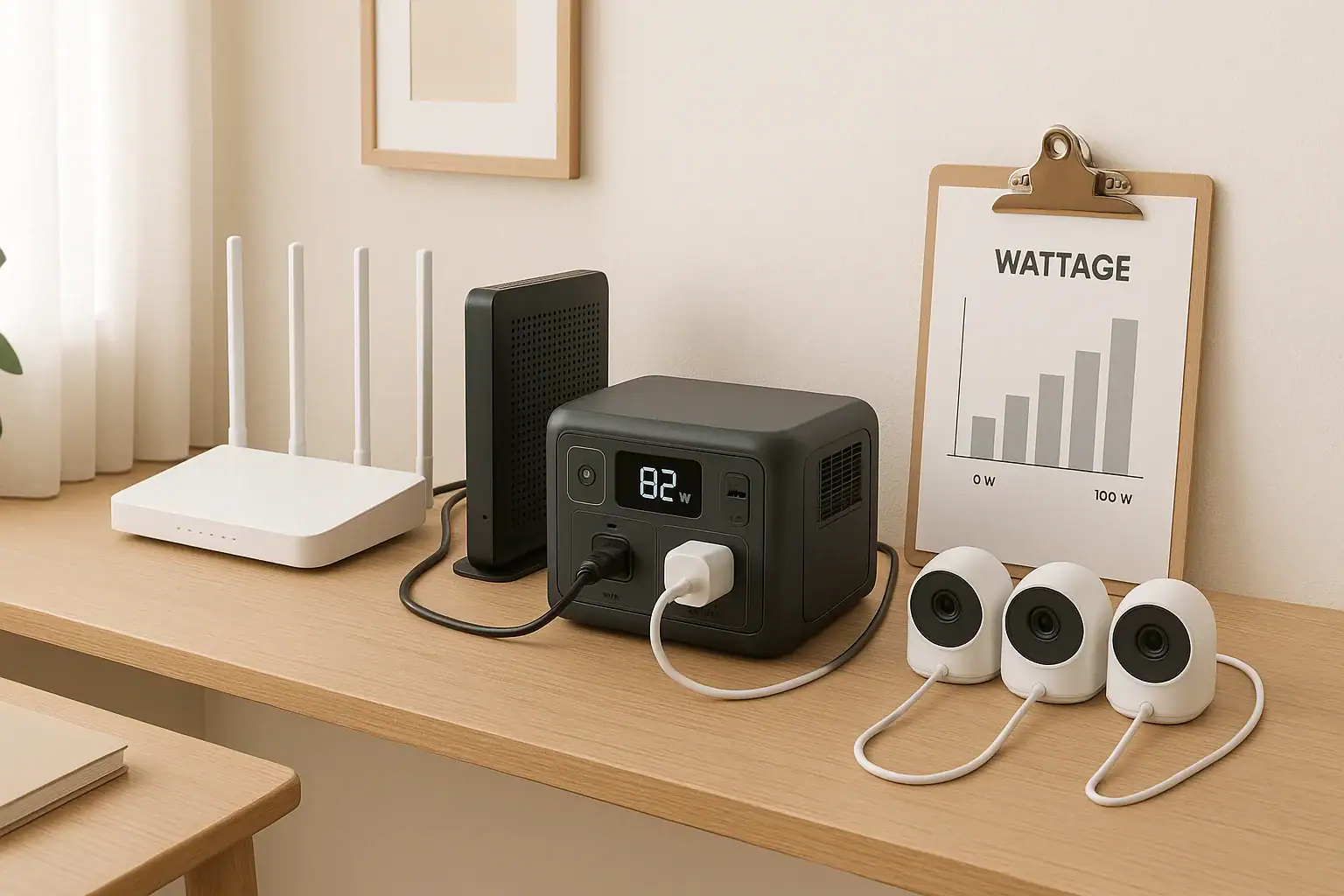
To keep security cameras and Wi-Fi running 24/7 during outages, you must match your portable power station’s wattage and battery capacity to the combined load and desired runtime. That means calculating watts, watt-hours, and expected backup time before you buy or set anything up.
People often search for how to size backup power, why their cameras shut off early, or how to get longer runtime from a battery backup. Terms like continuous watts, surge watts, runtime, battery capacity, inverter efficiency, and pass-through charging all affect how long your home network and cameras stay online. When you understand these basics, you can design a backup system that quietly keeps your Wi-Fi, NVR, and smart cameras working while the rest of the house is dark.
This guide explains what backup power for security cameras and Wi-Fi really means, how it works with portable power stations, what runtimes to expect, and which specs matter most for a reliable 24/7 setup.
What “24/7 Backup Power” for Cameras and Wi-Fi Really Means
For a home, having 24/7 backup power for security cameras and Wi-Fi means your monitoring and internet gear keep running continuously, even when the grid drops, without you having to rush around plugging and unplugging devices.
In practice, this usually means:
- Your modem, router, and any mesh Wi-Fi nodes stay powered.
- Your security cameras, NVR/DVR, and any PoE switch or hubs stay on.
- The backup source (often a portable power station) can supply enough watts and watt-hours to cover the load for the length of an outage you care about.
For many homeowners, the goal is not truly unlimited runtime, but enough backup hours to ride through typical outages: maybe 4–8 hours for short cuts, or 12–24 hours for storms and planned maintenance.
Why this matters:
- Continuous surveillance: Cameras stop recording when power drops, creating blind spots.
- Remote access: Without Wi-Fi and internet, you cannot view live feeds or get alerts on your phone.
- Alarm integrations: Smart locks, sensors, and cloud-based alarms often depend on your home network.
A well-sized backup system protects not just video recording, but the entire chain: power → network → cameras → cloud/app access.
Key Power Concepts: Watts, Watt-Hours, and Runtime
To size backup power for security cameras and Wi-Fi, you only need a few core concepts: watts, watt-hours, and runtime. Understanding these will let you estimate how long a portable power station can keep your system online.
Watts: How much power your gear draws
Watts (W) measure how much power a device uses at any moment.
- A typical modem/router combo: about 8–20 W.
- A mesh Wi-Fi node: around 5–15 W.
- A single Wi-Fi camera: about 3–8 W.
- A PoE camera via NVR or switch: often 5–12 W per camera.
- An NVR/DVR: roughly 10–30 W, depending on drives and channels.
Add up the watts of all devices you want to back up. This gives your continuous load. Your portable power station’s AC output rating (continuous watts) must be higher than this total.
Watt-hours: How much energy your battery stores
Watt-hours (Wh) measure energy capacity. A 500 Wh battery can, in theory, run a 50 W load for 10 hours (500 ÷ 50 = 10). In reality, inverter losses and other inefficiencies reduce usable capacity by 10–20% or more.
Approximate usable capacity:
- Multiply the rated Wh by about 0.8–0.9 for AC loads.
Example: A 600 Wh portable power station with 85% efficiency gives around 510 Wh usable (600 × 0.85).
Runtime: How long your system can stay online
Estimated runtime (hours) is:
Runtime ≈ Usable Wh ÷ Total load (W)
Example: 510 Wh usable and a 40 W combined load (router + NVR + 4 cameras):
Runtime ≈ 510 ÷ 40 ≈ 12.75 hours.
This is an estimate; real-world runtimes vary with temperature, battery age, and how steady your load is.
Continuous vs. surge watts
Some devices briefly draw more power when starting up. This is usually minor for networking gear, but can matter for NVRs with multiple drives or other electronics on the same power station.
- Continuous watts: What the power station can supply indefinitely.
- Surge watts: Short bursts (seconds) allowed for startup spikes.
For a camera and Wi-Fi setup, continuous watts are usually the main concern, but having some surge headroom helps avoid nuisance shutdowns.
| Device | Typical Power Draw (W) | Notes |
|---|---|---|
| Modem + Router | 10–25 | Varies with Wi-Fi radios and traffic |
| Mesh Node | 5–15 | Each node adds to total load |
| Wi-Fi Camera | 3–8 | Higher if with pan/tilt or IR on |
| PoE Camera | 5–12 | Power drawn via PoE switch or NVR |
| NVR/DVR | 10–30 | More drives and channels use more watts |
| PoE Switch | 10–60+ | Depends on number of powered ports |
Real-World Backup Scenarios for Home Cameras and Wi-Fi
Once you know watts and watt-hours, you can model realistic backup scenarios. Here are common home setups and what they might need from a portable power station.
Scenario 1: Basic Wi-Fi and a few cloud cameras
Many homes rely on Wi-Fi cameras that record to the cloud and a phone app. The minimum you must back up is your modem and router.
- Modem + router: ~15 W
- 3 Wi-Fi cameras (each with its own power adapter): ~5 W × 3 = 15 W
- Total load: ~30 W
With a portable power station offering about 400 Wh usable:
- Runtime ≈ 400 ÷ 30 ≈ 13 hours.
This is often enough for overnight outages. If your cameras can fall back to local recording on microSD but still need Wi-Fi for notifications, this setup keeps both storage and alerts active.
Scenario 2: NVR system with PoE cameras
A wired system with PoE cameras usually has a higher, but still modest, power draw.
- Modem + router: ~15 W
- NVR with hard drive: ~20 W
- 4 PoE cameras at 8 W each: ~32 W
- Total load: ~67 W (round to 70 W for margin)
With about 700 Wh usable:
- Runtime ≈ 700 ÷ 70 ≈ 10 hours.
For longer outages, you could:
- Power only the NVR and the most critical cameras.
- Disable nonessential features (like continuous IR on some cameras) if possible to cut watts.
Scenario 3: Mixed system with mesh Wi-Fi
Large homes may run a modem, main router, and multiple mesh nodes, plus a mix of Wi-Fi and PoE cameras.
- Modem + main router: ~20 W
- 2 mesh nodes: ~10 W each = 20 W
- 4 Wi-Fi cameras: ~5 W each = 20 W
- 4 PoE cameras via switch: ~8 W each = 32 W
- PoE switch overhead: ~15 W
- Total load: ~107 W (round to 110 W)
With about 900 Wh usable:
- Runtime ≈ 900 ÷ 110 ≈ 8.2 hours.
To stretch runtime, you could power only critical mesh nodes or temporarily shut down nonessential cameras during long outages.
Scenario 4: Prioritizing Wi-Fi over cameras
In some cases, you might choose to keep Wi-Fi and internet online for phones and laptops, while allowing some cameras to go offline. This can be a strategic choice when battery capacity is limited.
- Modem + router only: ~15–20 W
- Portable power with 500 Wh usable:
- Runtime ≈ 500 ÷ 20 ≈ 25 hours.
This approach maximizes communication and remote access, while you selectively power only the most important cameras.
Scenario 5: Adding solar for extended outages
For areas with frequent or long outages, pairing a portable power station with solar panels can extend runtime.
- Daily camera + Wi-Fi consumption: for a 60 W continuous load, about 1,440 Wh per day (60 × 24).
- Solar input: a 200 W panel in good sun might average 600–800 Wh per day.
In this case, solar can meaningfully extend backup time but may not fully support a true 24/7 load unless you reduce power use or add more panels and capacity. The key is matching realistic solar charging to your average daily consumption.
Common Sizing Mistakes and Troubleshooting Short Runtime
Many homeowners find that their portable power station does not keep cameras and Wi-Fi running as long as expected. This almost always comes down to a few predictable issues.
Mistake 1: Underestimating total load
People often guess power draw from labels or online specs, which may list only typical or idle watts. Real-world usage can be higher.
- Multiple mesh nodes, extenders, and hubs quietly add up.
- PoE cameras draw more power at night when IR LEDs are on.
- NVRs and switches may use more under heavy network traffic.
Troubleshooting cue: If runtime is much shorter than your math predicted, measure actual consumption with a plug-in watt meter on your normal AC outlet before sizing your backup.
Mistake 2: Ignoring inverter and conversion losses
Portable power stations convert battery DC to AC, and you may also convert back to DC with power bricks. Each step loses energy.
- Assuming 100% of rated Wh is available leads to optimistic runtimes.
- High loads relative to battery size can increase losses.
Troubleshooting cue: Use 70–90% of rated capacity in calculations, depending on quality and age. If a 500 Wh unit powers a 50 W load for only 7 hours, that is 350 Wh usable (70%). Rework your sizing with that number.
Mistake 3: Not accounting for 24/7 duty cycle
Security gear runs continuously. Some people size backup as if it were for occasional laptop charging, not constant load.
- Even a small 40–60 W load adds up over 24 hours.
- Short outages may be fine; long ones drain batteries quickly.
Troubleshooting cue: Convert your continuous watts into daily watt-hours (W × 24) and compare to your battery and any charging sources. If daily use exceeds daily charging, your system will eventually run down.
Mistake 4: Powering unnecessary devices
During a blackout, every extra device on the backup cuts runtime.
- Smart speakers, TVs, and chargers may be plugged into the same power strip.
- Nonessential IoT hubs can quietly consume watts.
Troubleshooting cue: During outages, plug only essential devices into the portable power station: modem, router, NVR, PoE switch, and critical cameras.
Mistake 5: Battery age and temperature
Batteries lose capacity over time and perform differently with temperature swings.
- Older batteries may deliver significantly less than their original Wh rating.
- Very cold or very hot environments reduce effective capacity.
Troubleshooting cue: If a system that once met your runtime requirements no longer does, consider battery aging and storage conditions. You may need to derate your expectations or upgrade capacity.
Mistake 6: No pass-through or improper charging
If you expect the portable power station to sit between the wall and your gear, staying charged and instantly taking over during an outage, you need suitable pass-through behavior.
- Some units support powering loads while charging; others do not recommend it or limit output.
- Input limits from the wall or solar may be too low to keep up with load plus recharging.
Troubleshooting cue: Check whether your model supports safe pass-through operation and what its input limit is. If the input is lower than your continuous load, the battery will slowly drain even when plugged in.
Safety Basics for Backing Up Home Network and Cameras
Backing up security cameras and Wi-Fi with a portable power station is generally straightforward, but you should still follow some basic safety practices.
Use appropriate outlets and cords
Portable power stations typically provide standard AC outlets and DC outputs. For a home camera and Wi-Fi setup:
- Use grounded power strips rated for the load if you need more outlets.
- Avoid daisy-chaining multiple power strips or extension cords.
- Do not exceed the continuous watt rating of the power station.
Keep cords tidy and away from foot traffic to avoid tripping hazards and accidental unplugging.
Avoid DIY panel connections
Do not attempt to wire a portable power station directly into your home’s electrical panel, circuits, or outlets. This can be dangerous and may violate electrical codes.
- If you want whole-circuit backup, consult a licensed electrician.
- Use the power station only as a standalone source with its own outlets.
Ventilation and placement
Place the power station in a location that is:
- Dry and protected from water or condensation.
- Well-ventilated, not covered by cloth or boxes.
- Out of direct intense sunlight and away from heat sources.
This helps prevent overheating and extends battery life.
Respect battery chemistry limitations
Different portable power stations use different chemistries, commonly lithium-ion or lithium iron phosphate. Regardless of type:
- Do not open the unit or attempt to modify the battery.
- Do not use if the case is swollen, cracked, or damaged.
- Avoid charging or operating outside the manufacturer’s recommended temperature range.
Grounding and surge protection
For sensitive networking gear and NVRs:
- Consider using a quality surge protector between the power station and your devices.
- Do not defeat grounding pins on plugs or adapters.
While portable power stations often have built-in protections, an extra layer can help shield your equipment from unexpected surges when returning to grid power.
Label and communicate
If multiple people in your home may interact with the backup system:
- Label which outlets and strips are backed up.
- Explain which devices should stay connected during outages.
- Show how to check battery level and safely turn the power station on and off.
| Safety Area | Good Practice | Why It Matters |
|---|---|---|
| Cord Management | Use rated strips, avoid daisy-chains | Reduces fire and trip hazards |
| Electrical Panel | Leave to licensed electricians | Prevents backfeed and code issues |
| Placement | Dry, ventilated, away from heat | Helps avoid overheating and damage |
| Battery Handling | Do not open or modify units | Limits risk of shock or fire |
| Surge Protection | Use surge strips for sensitive gear | Protects routers and NVRs |
Putting It All Together: Practical Sizing Steps and Key Specs
Designing reliable backup power for security cameras and Wi-Fi comes down to a few practical steps: measure your load, decide how many hours of runtime you need, and choose a portable power station with suitable capacity and output.
A simple workflow is:
- List every device you want to keep online (modem, router, mesh nodes, NVR, PoE switch, cameras).
- Measure or estimate each device’s watts, then add them for a total continuous load.
- Multiply that load by your target runtime to get required watt-hours (W × hours).
- Adjust for efficiency by dividing by about 0.8–0.9 to find a realistic battery size.
- Confirm the power station’s continuous watt rating exceeds your total load with some margin.
You can also plan for tiers of backup: always-on devices (modem, router, main NVR) and optional devices (extra mesh nodes, noncritical cameras) that you can unplug during extended outages to stretch runtime.
Specs to look for
- Battery capacity (Wh): Look for enough watt-hours to cover your load for at least 1.5–2× your typical outage length. For example, 400–800 Wh for modest systems, more for large PoE setups. This directly sets potential runtime.
- AC continuous output (W): Choose a rating comfortably above your total camera + Wi-Fi load, often 100–300 W for home networking gear. Extra headroom reduces stress and avoids overload shutdowns.
- Inverter efficiency: Seek units that specify high efficiency (around 85–90% or better on AC). Higher efficiency means more usable energy and longer runtime from the same rated capacity.
- Pass-through capability: Look for support to power devices while charging from the wall, with clear guidance from the manufacturer. This allows seamless switchover during outages and keeps the battery topped off.
- Number and type of outlets: Ensure enough AC sockets and possibly DC outputs for your modem, router, NVR, and PoE switch. Adequate outlets reduce the need for extra strips and simplify wiring.
- Input charging power (W): Check how fast the unit can recharge from AC or solar, such as 100–300 W. Higher input power shortens recovery time between outages and helps sustain longer events with solar.
- Battery cycle life: Look for higher cycle ratings if you expect frequent use (hundreds to thousands of cycles). Better cycle life keeps capacity closer to original over years of service.
- Low-noise operation: Consider fan noise levels and cooling behavior. Quiet operation is important if the power station sits near living or sleeping areas.
- Display and monitoring: A clear screen showing watts in/out and remaining runtime helps you manage loads during an outage and make informed decisions about which devices to keep powered.
- Operating temperature range: Check that the unit’s recommended range matches where you plan to store and use it, especially in garages, basements, or unconditioned spaces, to maintain performance and safety.
By matching these specs to the real-world power needs of your cameras and Wi-Fi, you can build a backup setup that stays online when it matters most, with predictable runtime and room to grow.
Why night-time security runtime can fall
Security-system demand can rise after dark when cameras enable infrared illuminators, low-light processing, or other night modes. A recorder may also work harder when more motion events are detected. A runtime estimate based only on daytime measurements can therefore be optimistic.
Measure or observe the complete system through both day and night, including the recorder, PoE switch, router, ONT or modem, and every camera that must remain active. Use the higher sustained load for conservative outage planning and leave additional reserve for battery aging and conversion losses.
Frequently asked questions
Which specs and features should I prioritize when choosing backup power for security cameras and Wi‑Fi?
Prioritize battery capacity (Wh) to meet your desired runtime, and an AC continuous output (W) that exceeds your total load with margin. Also check inverter efficiency, pass-through behavior, input charging power, outlet types/count, and battery cycle life. These combine to determine usable energy, runtime, and how the unit performs during and after outages.
Why does my backup system run out of power faster than my calculations predicted?
Common causes are underestimating the total continuous load, inverter and conversion losses, reduced capacity from battery age or temperature, and devices drawing more at startup or with IR/night modes on. Measure real-world draw with a watt meter and apply an efficiency derate (typically 70–90%) when recalculating runtime.
What safety precautions should I take when using a portable power station for network and camera backup?
Use properly rated grounded cords and power strips, keep the unit in a dry, ventilated location, and avoid DIY connections to home panels. Do not open or modify the battery, follow operating temperature limits, and consider additional surge protection for sensitive networking equipment.
Can a single portable power station reliably power PoE cameras and a PoE switch?
Yes, but you must confirm the PoE switch’s total power budget and the combined continuous watt draw fit within the power station’s AC output rating and usable Wh. Account for the switch overhead, camera peak draws, and any startup surges when choosing capacity and continuous watt ratings.
How can I estimate how long my router and cameras will run on a given battery?
Sum the continuous watts for all devices, calculate usable Wh (battery Wh × ~0.8–0.9 for AC), then divide usable Wh by total load (Runtime ≈ usable Wh ÷ load). For greater accuracy, measure actual device draw with a plug-in watt meter and include inverter losses in the calculation.
Is adding solar a practical way to maintain near‑24/7 uptime for cameras and Wi‑Fi?
Solar can extend runtime and recharge batteries during extended outages, but practicality depends on matching daily solar energy to your 24‑hour consumption and having enough battery buffer. A modest panel may partially offset use, but sustaining true 24/7 uptime usually requires multiple panels, adequate charging input, and sufficient battery capacity.
Related guides
Browse this topic →
- Beginner-friendly sizing, runtime & specs
- Solar & charging (MPPT, fast charging, cables)
- Batteries (LiFePO4, cycles, care & storage)
- Safety, cold-weather performance, real-world tips
More in Home / Appliances
See all →Keep reading
About this site
Portable Energy Lab publishes practical, independent guides about portable power—clear sizing, safe use, and real-world expectations.
Affiliate disclosure
Some links on this site may be affiliate links. If you buy through these links, we may earn a small commission at no extra cost to you. This helps support our content. Read our affiliate disclosure.