Charge Cycles vs Calendar Aging: What Actually Limits Power Station Lifespan?

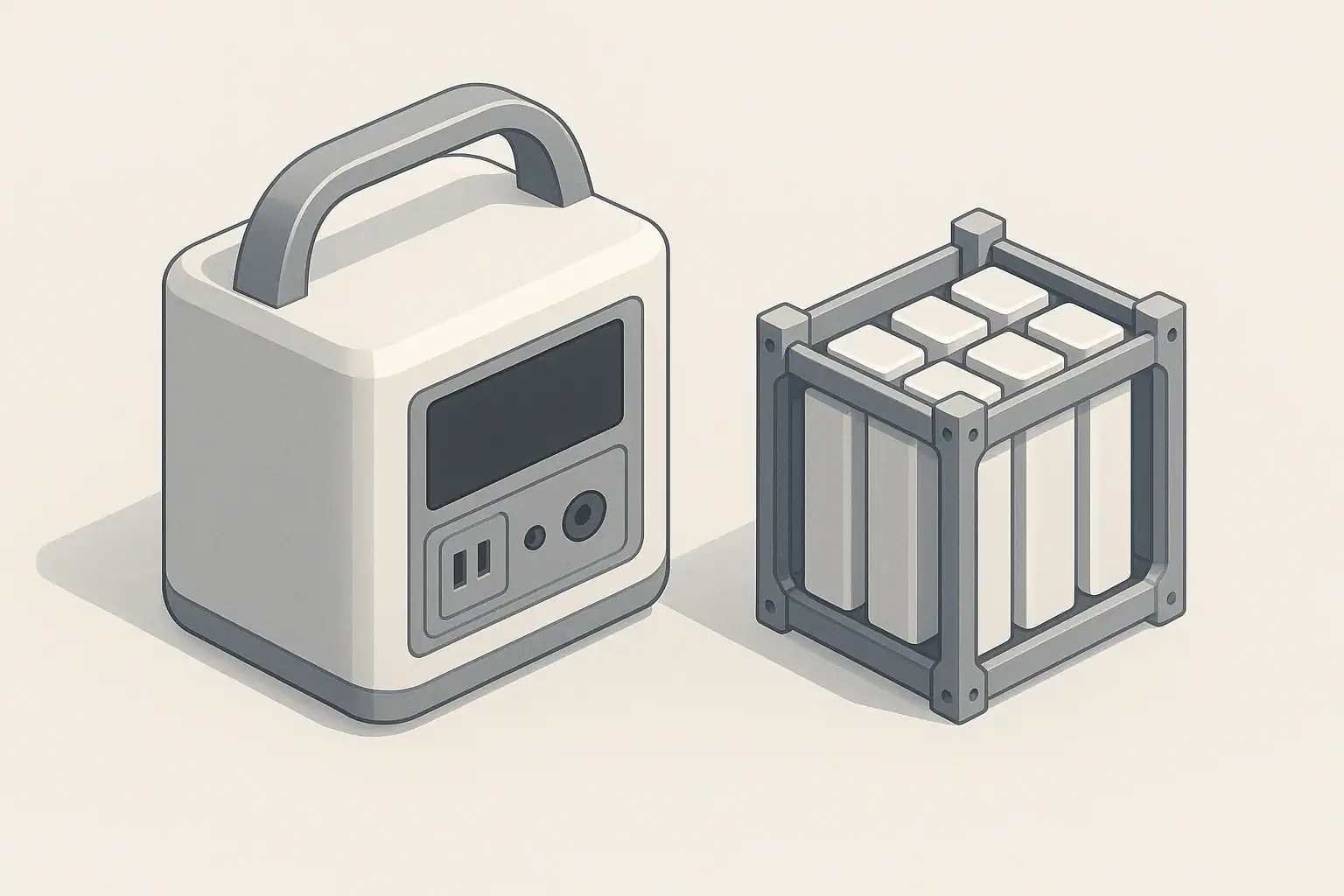
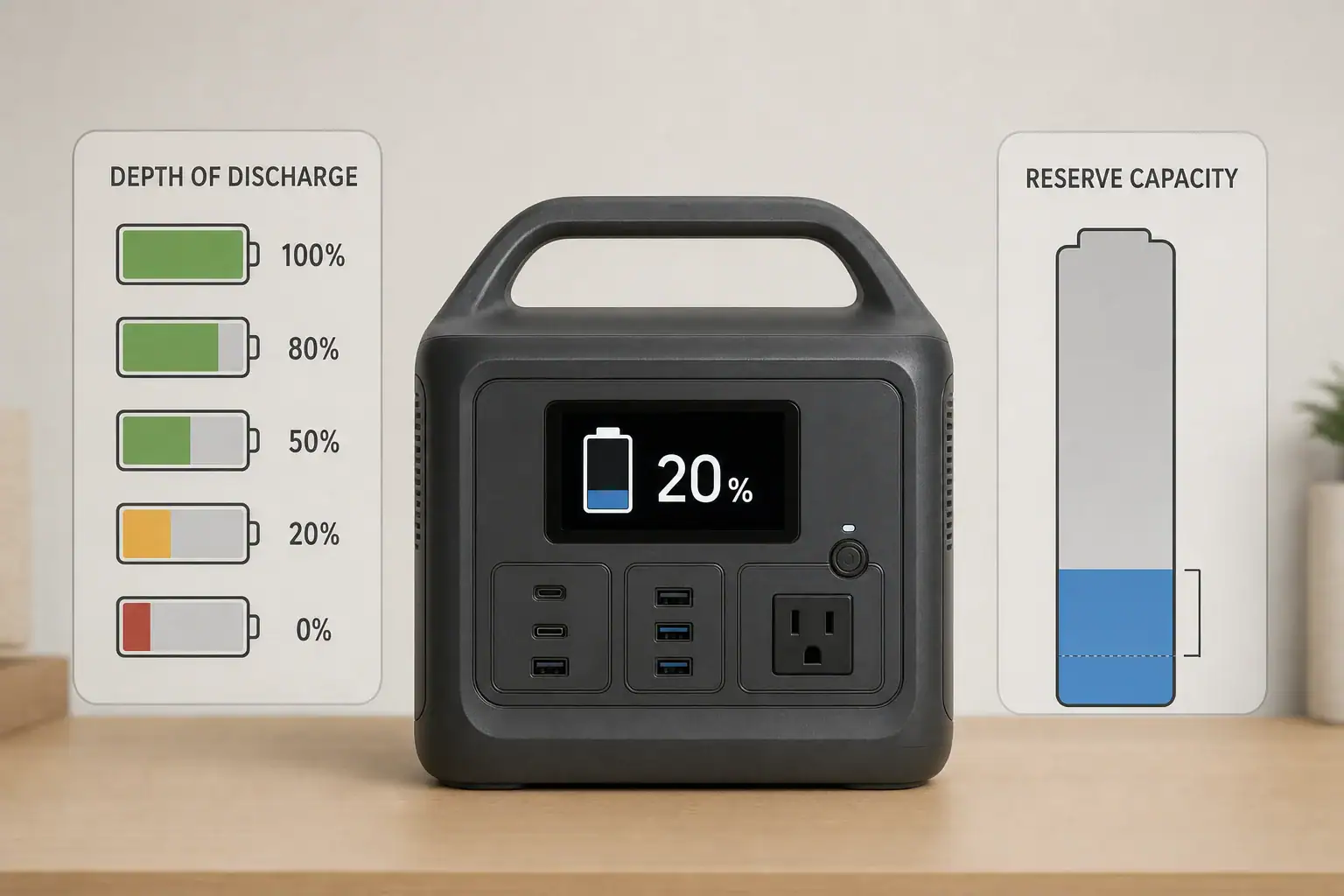
Portable power station battery lifespan comparison showing charge cycles and calendar aging

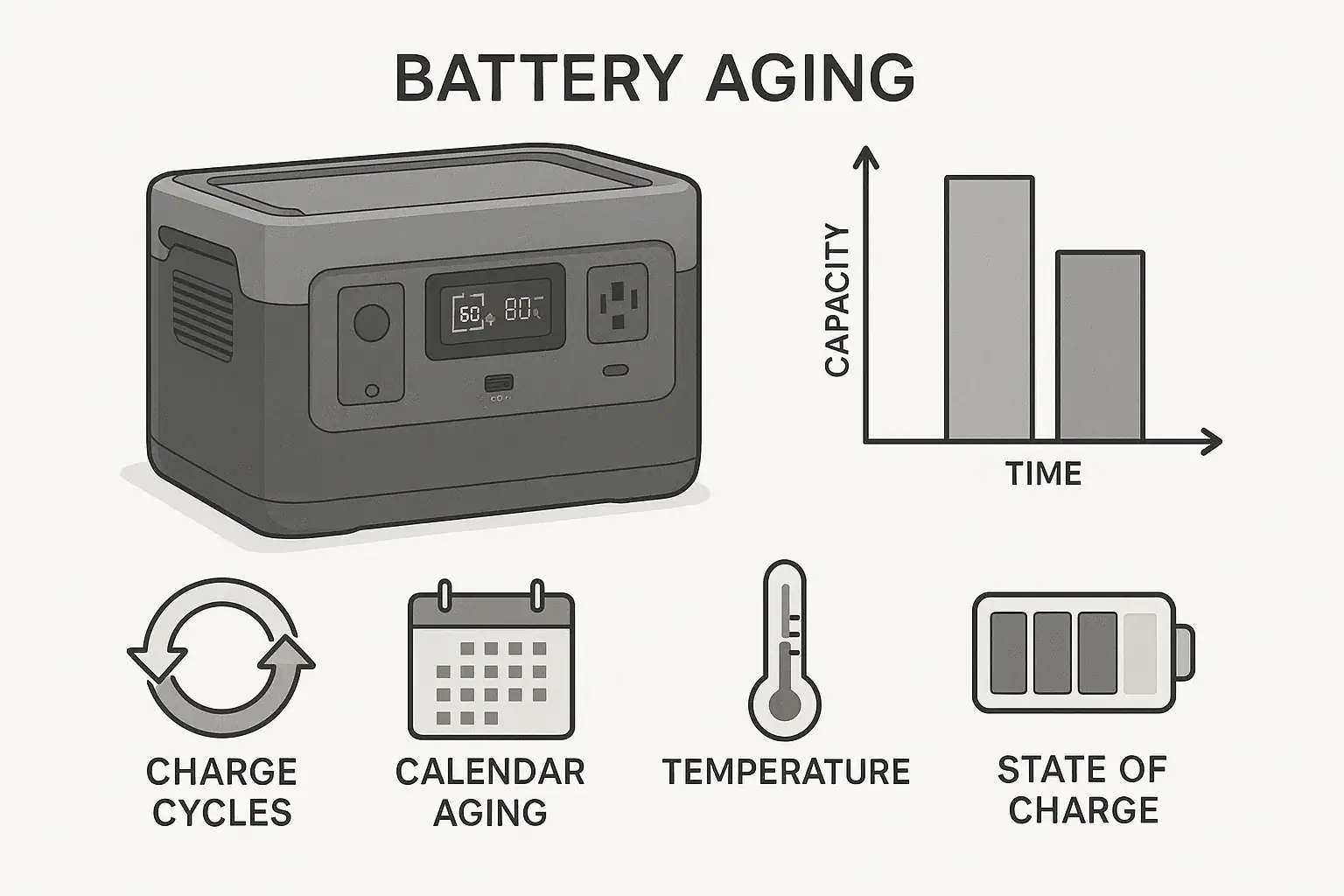
Power station lifespan is usually limited by both charge cycles and calendar aging, but calendar aging often explains capacity loss in units that sit unused for long periods.

A charge cycle is wear from using and recharging the battery. Calendar aging is wear from time, temperature, and state of charge even when the unit is not powering anything. Both reduce usable battery capacity, runtime, and peak performance over time. Search terms like battery cycles, cycle life, capacity loss, depth of discharge, and storage voltage all point to the same practical question: why does a portable power station hold less energy than it used to?

The short answer is that heavy daily use mainly stresses cycle life, while hot storage and long periods at 100% or 0% charge mainly accelerate calendar aging. Understanding the difference helps you choose better specs, store the unit correctly, and set realistic expectations for long-term backup power.

What charge cycles and calendar aging mean, and why they matter

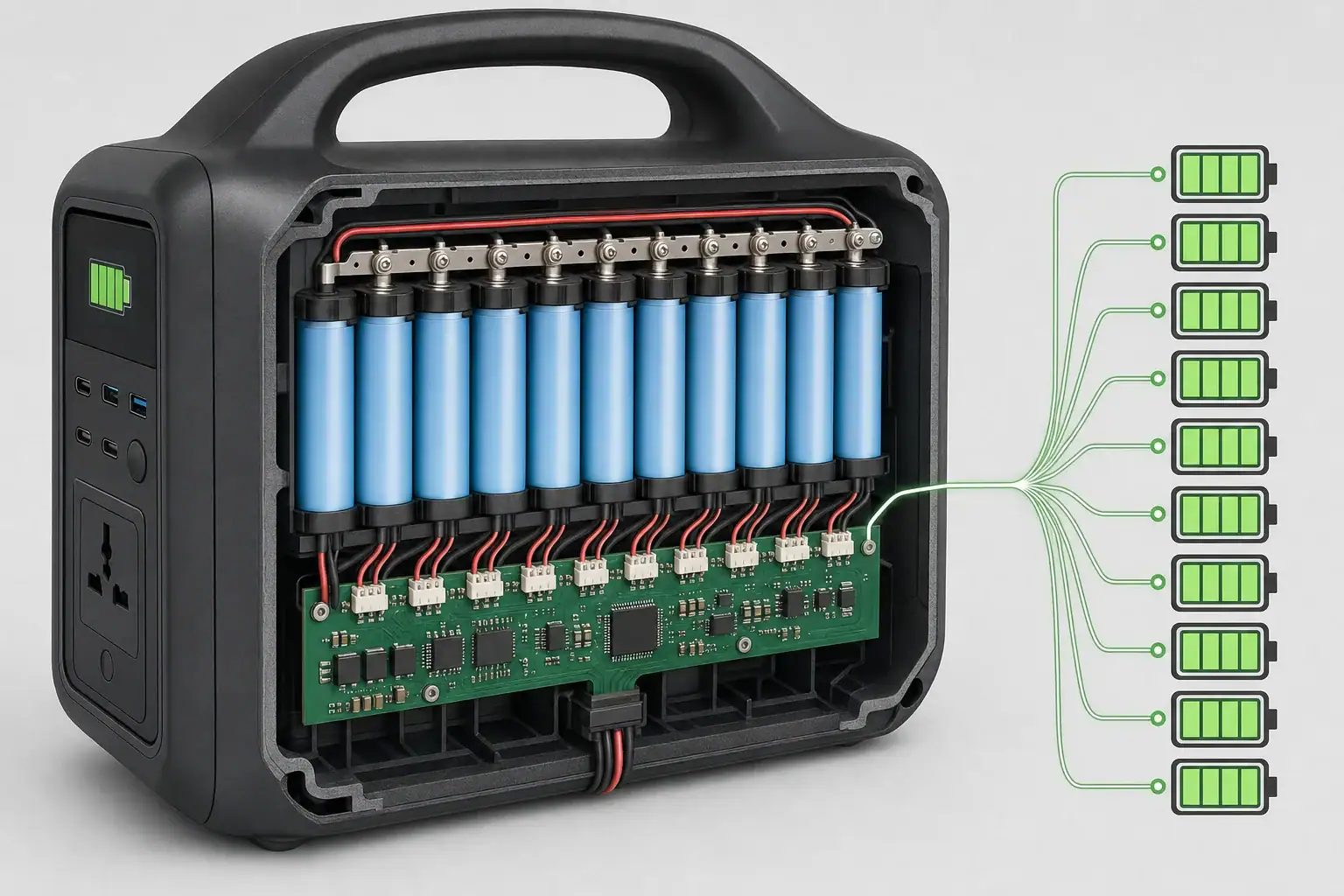
A portable power station is built around a rechargeable battery pack, power electronics, a battery management system, and input and output hardware. When people talk about lifespan, they usually mean how long the battery can deliver useful capacity before runtime noticeably drops. A common reference point is when the pack reaches about 80% of its original usable capacity, although the station may still work after that.

Charge cycle aging is wear caused by moving energy in and out of the battery. If you discharge a battery from 100% to 0% and recharge it to 100%, that is roughly one full cycle. Two discharges from 100% to 50%, followed by recharges, can also add up to roughly one full equivalent cycle. The exact accounting is handled internally, but the idea is simple: deeper and more frequent use consumes more cycle life.

Calendar aging is chemical aging that happens with time. A battery can lose capacity while sitting on a shelf, especially if it is stored hot, fully charged, nearly empty, or exposed to repeated temperature swings. This is why a power station used only for emergencies can still age between outages.

This distinction matters because two owners can see very different results. One may cycle a unit daily for work and gradually reduce capacity through repeated use. Another may keep a unit in a hot garage at full charge and discover shorter runtime after a year of little use. In both cases the battery did not necessarily “fail”; it aged through different paths.

How battery aging works inside a power station

Portable power stations commonly use lithium-ion battery chemistries. Some emphasize higher energy density, while others emphasize longer cycle life and thermal stability. Regardless of chemistry, aging is influenced by voltage, temperature, current, time, and depth of discharge. The battery management system helps keep operation within safe limits, but it cannot stop normal chemical aging.

During cycling, microscopic changes occur inside the cells. Repeated charging and discharging can thicken internal layers, reduce available lithium, increase resistance, and generate heat during higher loads. As resistance rises, the station may show more voltage sag under load, slightly less usable capacity, or earlier shutdown at high output.

During calendar aging, similar losses can happen without daily use. High state of charge keeps cells at a higher voltage, which generally increases long-term stress. Very low state of charge can also be harmful because self-discharge may eventually push cells below a healthy range if the unit is neglected. Heat speeds most aging reactions, so a battery stored in a warm vehicle or unconditioned shed can age faster than one stored indoors.

Cycle life ratings are helpful, but they are not a complete lifespan promise. A rating such as hundreds or thousands of cycles usually assumes certain lab conditions, controlled discharge rates, and a defined capacity-retention target. Real-world use includes partial cycles, standby drain, inverter losses, fast charging, cold-weather use, and storage habits. That is why calendar aging and cycle aging must be considered together.

Aging factor What drives it Common sign How to reduce stress
Charge cycle aging Frequent deep discharge and recharge Shorter runtime after many uses Use shallower cycles when practical
Calendar aging Time, heat, and high or very low state of charge Capacity loss despite light use Store cool at a moderate charge level
Thermal aging Charging, discharging, or storing in high temperatures Faster capacity loss or reduced output Keep vents clear and avoid hot storage
High-current stress Loads near the inverter limit or repeated surge demand Fan noise, warmth, or early shutdown Leave headroom below rated output
How different aging mechanisms affect portable power station batteries. Example values for illustration.

Real-world examples of what limits lifespan

Consider an emergency backup unit kept at home. It may be charged to 100% after purchase and then stored for months. If it sits in a cool interior closet and is checked periodically, calendar aging should be relatively slow. If it sits in a hot garage all summer at full charge, time and heat may matter more than charge cycles.

Now compare that with a power station used at a jobsite every weekday. It may run lights, chargers, small tools, or communications equipment and then recharge overnight. In that pattern, full equivalent cycles accumulate quickly. The battery chemistry and rated cycle life become more important because the pack is actively being used.

A camper using a station on weekends falls between those two cases. The unit may cycle partially during trips and then sit for several weeks. For this owner, both moderate cycle aging and storage habits matter. Avoiding unnecessary full discharge, preventing heat buildup in a vehicle, and storing at a moderate state of charge can preserve capacity over multiple seasons.

Solar charging adds another layer. Solar input may slowly recharge the station throughout the day, creating many shallow charge and discharge events. Shallow cycling is often easier on lithium batteries than repeated deep cycling, but high heat under direct sun can offset some of that benefit. The station may be rated for outdoor use during operation, but battery aging is still temperature-sensitive.

High-power appliances can also change the aging pattern. A refrigerator, medical device, router, or laptop dock may use modest wattage and create manageable discharge rates. A microwave, heater, power tool charger bank, or compressor can push the inverter closer to its output limit. Even if surge watts are supported, repeated high-current operation can increase heat and reduce efficiency. That does not mean the station cannot handle those loads; it means headroom matters for long-term use.

Common mistakes and troubleshooting cues

One common mistake is treating the cycle count as the only lifespan number. A power station with a high cycle rating can still age faster if stored hot or left fully charged for long periods. Conversely, a lower cycle rating may be less concerning for occasional backup use if the battery is stored correctly and rarely deeply discharged.

Another mistake is assuming that a displayed 100% charge means the battery has the same usable energy it had when new. The state-of-charge indicator estimates the current charge level of the aged pack. If total capacity has declined, 100% simply means full relative to its current condition. The practical symptom is shorter runtime, not necessarily a lower percentage reading.

Troubleshooting should start with load and runtime expectations. If a 500 watt-hour station powers a 50-watt device, theoretical runtime is 10 hours before losses. In practice, inverter overhead, device power variation, temperature, and reserve capacity can reduce that. If runtime has declined gradually over years, normal aging is likely. If runtime changed suddenly, check for a heavier load, colder conditions, blocked vents, a calibration issue, or an appliance with a higher startup surge than expected.

Leaving the unit at 0% for months is another avoidable problem. Even when turned off, electronics and cells can have small self-discharge. If the battery falls too low, the management system may prevent charging or reduce available capacity to protect the pack. At the other extreme, keeping the display at 100% all year can increase voltage-related calendar aging.

Fast charging is useful, but it can add heat. Occasional fast charging is not automatically harmful when supported by the unit, yet always using the maximum input in a warm environment can be harder on the pack than slower charging. If the station offers adjustable AC input or charge speed, using a moderate setting during routine charging may reduce thermal stress.

Watch for cues such as noticeably shorter runtime under the same load, faster percentage drops at higher wattage, more fan activity than usual, charging that pauses in hot or cold conditions, or shutdown when a device starts. These signs do not always mean the battery is worn out, but they do suggest that temperature, load size, surge demand, or aged capacity should be considered.

Safety basics when aging batteries are involved

Battery aging is normal, but safety still matters. Use the power station within its published input, output, temperature, and ventilation guidance. Do not cover cooling vents, stack blankets or gear around the unit while it is charging, or operate it in locations where heat cannot escape. Heat is both a performance issue and an aging accelerator.

Do not open the device, modify the battery pack, bypass the battery management system, or attempt cell-level repairs. Portable power stations contain high-energy cells and power electronics that can be dangerous if handled incorrectly. Internal service is not a normal user maintenance task.

If the station shows swelling, unusual odor, melted plastic, repeated fault messages, abnormal heat, or damage after impact or water exposure, stop using it and follow the manufacturer’s disposal or service guidance. Do not continue charging a visibly damaged battery-powered device.

For home backup, avoid improvised connections to household wiring. A portable power station can safely run appliances directly within its output limits, but connecting backup equipment to a home electrical panel requires proper transfer equipment and code-compliant installation. Use a qualified electrician for any permanent or panel-related electrical work.

Cold weather also deserves attention. Lithium batteries may deliver less power when cold, and charging below the supported temperature range can be restricted by the battery management system. Some units include low-temperature charging protection or internal heating. If cold-weather backup is important, those protections and operating ranges should be part of the buying criteria.

Maintenance and storage habits that extend useful life

The best storage habit is simple: keep the station cool, dry, and partially charged when it will not be used for a while. A moderate state of charge, often around 40% to 80%, reduces both high-voltage stress and deep-discharge risk. Fully charging before an expected outage or trip is reasonable, but long-term full-charge storage is not ideal for many lithium batteries.

Temperature is the strongest everyday variable. Indoor storage in a conditioned space is generally better than a garage, attic, shed, or vehicle. Avoid leaving the unit in direct sun, especially while charging. If it has been stored in a cold or hot place, allow it to return closer to room temperature before heavy charging or discharging when practical.

Check the battery periodically during storage. The right interval varies by design and standby drain, but a check every few months is a practical habit for emergency equipment. Recharge if the level has dropped too low, then return it to a moderate storage range unless you need it ready at full capacity.

For frequent users, smaller habits add up. Avoid unnecessary full discharges, leave output headroom instead of running at the inverter limit all the time, and keep cables and vents unobstructed. When possible, size the station so normal loads use a comfortable portion of its capacity and wattage rather than pushing it to maximum output every use.

Display calibration can sometimes make capacity appear inconsistent. Some power stations estimate state of charge based on voltage, coulomb counting, or a mix of methods. After many partial cycles, the display may be less precise. A controlled full charge and normal discharge within the device’s intended use may help the gauge relearn capacity, but it will not reverse true battery aging.

Use case Storage target Check interval Main lifespan risk
Emergency backup Moderate charge until storm season or planned need Every 2 to 3 months Calendar aging from long storage
Weekend camping Recharge after trip, then store partially charged Monthly during active season Heat in vehicles and repeated partial use
Daily work use Charge only as much as needed when practical Ongoing High cycle accumulation
Solar-supported use Avoid prolonged hot full-charge conditions During each setup Heat plus long time at high state of charge
Simple storage and maintenance patterns for different owners. Example values for illustration.

Related guides:
Battery Cycle Life Explained: What “Cycles” Really Mean
Depth of Discharge (DoD) Explained: How Partial Cycles Extend Battery Life (LiFePO4 vs NMC)
Best Storage Charge Percentage: 40% vs 60% vs 80% (What Battery Chemistries Prefer)

Frequently asked questions

Do charge cycles or calendar aging matter more for a power station lifespan?

It depends on how the unit is used. Daily or near-daily use usually makes charge cycles the bigger factor, while occasional use with long storage periods makes calendar aging more important. Heat, state of charge, and storage conditions can make either one dominate over time.

What specs matter most when comparing portable power stations for long-term use?

Look at battery chemistry, rated cycle life with a stated capacity-retention target, usable capacity, output wattage, and charging options. Operating temperature range and battery management protections also matter because they affect both safety and aging. For backup use, storage guidance and standby drain are especially useful specs.

What is the most common mistake that shortens battery life?

Storing the unit hot and fully charged for long periods is one of the most common mistakes. That combination increases calendar aging even if the station is rarely used. Leaving it at 0% for months can also cause problems because the battery may self-discharge further.

Is it bad to keep a power station plugged in all the time?

It can be, depending on how the charging system works and how warm the unit gets. Keeping a battery at 100% for long periods can increase stress, especially in warm environments. If the device supports charge limits or storage modes, those features can help reduce wear.

How can I tell if reduced runtime is normal aging or a problem?

Gradual runtime decline over months or years is usually normal aging. A sudden drop is more likely to come from a heavier load, colder temperatures, blocked ventilation, a calibration issue, or a failing appliance. If the unit shows swelling, unusual heat, or fault messages, stop using it and inspect it safely.

Are there any safety basics I should follow as the battery gets older?

Yes. Keep vents clear, avoid heat buildup, and use the station within its published temperature and output limits. Do not open the battery pack or use a damaged unit with swelling, odor, or repeated faults. For home backup wiring, use proper transfer equipment and a qualified electrician.

Practical takeaways and specs that matter

Charge cycles and calendar aging both limit power station lifespan, but their importance depends on how you use the unit. If you cycle it every day, cycle life, chemistry, cooling, and output headroom matter most. If you keep it mainly for emergencies, storage temperature and state of charge may matter more than the advertised cycle count.

The most durable setup is not always the largest or fastest-charging one. It is the one sized correctly for the load, operated within comfortable limits, stored in a stable environment, and supported by clear battery management features. A realistic lifespan expectation should include gradual capacity loss, reduced runtime over time, and the possibility that the battery ages even when the station is rarely used.

Specs to look for

  • Battery chemistry: Look for the chemistry type and expected cycle behavior, such as longer-cycle lithium iron phosphate or higher-energy lithium-ion variants, because chemistry strongly affects cycle life and storage tolerance.
  • Rated cycle life: Look for a rating tied to capacity retention, such as cycles to about 80% capacity, because a cycle number without a retention target is less useful.
  • Usable capacity: Look beyond watt-hours and consider practical runtime after inverter losses; a 700 to 1000 watt-hour class unit may not deliver every rated watt-hour to AC loads.
  • Output wattage and surge watts: Look for continuous output comfortably above your normal load and surge capacity for motors or compressors, because operating at the limit adds heat and shutdown risk.
  • Adjustable charging speed: Look for selectable AC input or lower-charge modes when available, because slower routine charging can reduce heat compared with always using maximum input.
  • Operating and charging temperature range: Look for clear hot and cold limits, plus low-temperature charge protection if winter use matters, because temperature affects both safety and aging.
  • Battery management system protections: Look for over-voltage, under-voltage, over-current, short-circuit, and temperature protection, because electronic safeguards help prevent abusive conditions.
  • Storage guidance and standby drain: Look for stated storage recommendations and low standby consumption, because emergency units may sit for months between uses.
  • Warranty length and capacity terms: Look for coverage that explains battery performance over time, because battery aging is gradual and warranty language may separate defects from normal capacity loss.

For most owners, the practical rule is to avoid extremes: extreme heat, extreme state of charge, extreme discharge depth, and extreme output loads. Use the station when you need it, but do not store it hot and full for months or run it at maximum output unnecessarily. That balance does more for long-term power station lifespan than focusing on charge cycles alone.

Low-Temperature Charging Protection in LiFePO4 Power Stations Explained

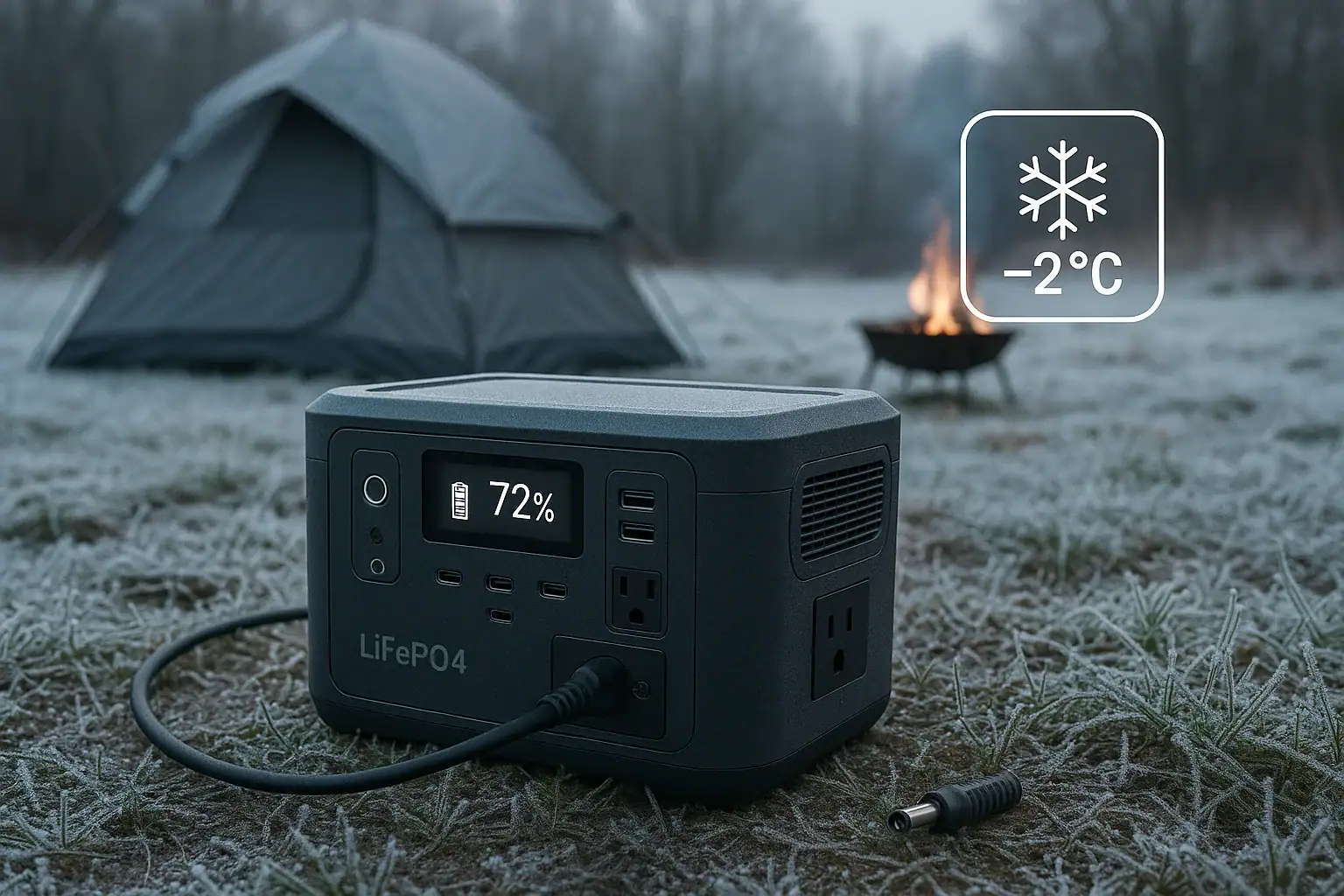
LiFePO4 power station in cold weather showing low-temperature charging protection

Low-temperature charging protection stops a LiFePO4 power station from accepting charge when the battery cells are too cold, usually near or below freezing, to help prevent permanent battery damage.

If your portable power station will run devices but refuses AC charging, solar input, car charging, or USB-C PD input in cold weather, the battery management system may be enforcing a cold charge cutoff. Users often describe this as a charging fault, input limit, cold battery warning, no solar charging, or reduced charge current, but in many cases the unit is working as designed.

This matters because lithium iron phosphate batteries are durable, long-lasting, and stable, but they still have a temperature window for safe charging. Understanding how low-temperature protection works helps you troubleshoot winter charging, plan solar use, protect runtime, and compare specifications before buying a power station for cold environments.

What Low-Temperature Charging Protection Means and Why It Matters

Low-temperature charging protection is a safety and longevity feature that blocks or limits charging when the internal LiFePO4 cells are below a set temperature threshold. It is controlled by the battery management system, often called the BMS, which monitors cell voltage, current, temperature, and other operating conditions.

The key point is that charging and discharging are not the same. A LiFePO4 power station may be able to discharge at temperatures below freezing, although output power and usable capacity can drop. Charging, however, is more sensitive. When cells are too cold, lithium ions do not move into the battery material as efficiently. If charge current is forced into the cells at low temperature, metallic lithium can form on the anode in a process commonly called lithium plating.

Lithium plating can reduce capacity, increase internal resistance, shorten cycle life, and in severe cases contribute to internal failure. The BMS cutoff is designed to avoid that risk. From a user perspective, this can be frustrating because the display may show sunlight available, a wall charger connected, or a car outlet active, yet the battery percentage does not rise. In cold weather, that behavior is often protection, not a defective charger.

For portable power stations used in cabins, vehicles, job sites, emergency kits, RVs, and winter camping, this feature can determine whether the unit recharges reliably. If the station sits overnight in freezing air, it may need to warm up before it accepts input again.

How LiFePO4 Cold-Charge Protection Works

A LiFePO4 power station usually has one or more temperature sensors placed near the battery pack or cell groups. The BMS reads those sensors and compares the temperature against programmed limits. If the cell temperature is below the low-temperature charge threshold, the BMS can block charging entirely, reduce the current, or delay charging until the cells warm back into the allowed range.

Many LiFePO4 systems use a low-temperature charging cutoff around 32°F, or 0°C. Some allow reduced-current charging slightly below that point, while others are stricter. The exact behavior depends on cell design, sensor placement, firmware, pack construction, and whether the power station includes battery heating.

Input type usually does not override the protection. If the BMS decides the battery is too cold, charging may be blocked from AC wall input, solar input, DC car input, and USB-C input alike. A solar panel may show voltage, the wall adapter may be plugged in, and the display may show an input icon, but the battery may still not accept energy.

Some power stations include internal battery heaters. These do not make cold charging irrelevant. Instead, the heater uses incoming power or stored battery energy to raise the cell temperature before normal charging begins. A heated unit may appear to charge slowly at first because some power is being used for warming rather than stored capacity.

The BMS may also use hysteresis, which means the battery may not restart charging the instant it reaches the cutoff temperature. For example, if charging stops near freezing, it may need to warm a few degrees above that point before input resumes. This prevents rapid on-off cycling around the threshold.

Temperature condition Typical charging behavior What the user may notice
Above about 41°F to 50°F Normal charging is usually available Expected AC, solar, or DC input
Near 32°F to 40°F Charging may continue, sometimes at reduced current Slower input or a brief delay
At or below about 32°F Charging may be blocked until the pack warms No battery percentage increase despite connected input
Below freezing with built-in heating Incoming power may warm the battery first Input shown but charge level rises slowly at first
Cold charging behavior by temperature band. Example values for illustration.

Real-World Examples of Cold-Weather Charging Behavior

Consider a power station left in an unheated vehicle overnight. In the morning, the display turns on and the unit can run a small appliance. When plugged into a wall outlet, however, input remains at zero watts. The likely reason is that the internal battery cells are still below the charge threshold. Bringing the unit indoors and letting it warm gradually may allow charging to resume without any repair.

In a winter solar setup, panels may produce voltage on a bright cold day, but the power station may not store any energy until the battery warms. This can be confusing because solar panels often perform well in cold sunlight. The panel may be fine, the cable may be fine, and the charge controller may be fine, while the BMS is refusing to charge the cold battery.

At a campsite, a user may run lights and a small refrigerator overnight in below-freezing weather. Discharging works because many LiFePO4 packs allow output below 32°F at reduced performance. The next morning, solar input does not begin until the sun warms the case or the unit is moved inside a tent or vehicle. The difference between discharge temperature and charge temperature is the missing detail.

In a job-site scenario, a station stored in a cold trailer may power tools briefly but refuse to recharge from a generator or wall outlet. The charger may not be the problem. The practical fix is usually environmental: warm the power station within its safe operating range, then reconnect the input after the internal temperature rises.

For emergency backup, the same issue can affect readiness. A battery stored at a good state of charge in a cold garage may still deliver power during an outage, but recharging immediately afterward from solar or AC may be delayed if the pack is too cold.

Common Mistakes and Troubleshooting Clues

One common mistake is assuming that if a power station can discharge in freezing temperatures, it can also charge in the same conditions. LiFePO4 batteries generally tolerate cold discharge better than cold charge. Output working does not prove that charging should work.

Another mistake is focusing only on the air temperature. The BMS responds to internal cell temperature, not just the weather forecast. A power station stored on a concrete floor, in a vehicle, or in an unheated shed may stay cold long after the air warms. Conversely, a unit kept indoors may accept charging outdoors for a while because the cells start warm.

A third mistake is repeatedly disconnecting and reconnecting chargers without giving the battery time to warm. If the BMS is blocking input, cycling cables usually will not help. It may also make troubleshooting more confusing because displays can update slowly or show brief input spikes before protection engages again.

Useful troubleshooting cues include a battery temperature warning icon, zero-watt input despite a connected charger, input that starts and then quickly stops, charging that resumes after the unit warms indoors, or solar input that works later in the day as temperatures rise. Some units display a specific low-temperature message, while others simply show no charging progress.

High-level checks are reasonable: confirm the charger is connected, verify that the input source is within the power station’s normal input range, check whether other input types behave the same way, and note the storage temperature. If every input is blocked only when the unit is cold, low-temperature charging protection is a strong possibility.

Avoid trying to bypass the BMS, modify the pack, or heat the unit aggressively. If the behavior continues at normal room temperature after the power station has had time to warm, then the issue may involve a sensor, charger, port, firmware, or battery fault that requires qualified service.

Safety Basics for Cold Charging

The safest rule is simple: do not force-charge a LiFePO4 battery below its specified charging temperature range. The protection system exists because cold charging can cause damage that is not immediately visible. A battery may appear to work after improper cold charging while losing capacity or cycle life over time.

Warm the power station passively and evenly whenever possible. Move it to a dry indoor space, a temperature-controlled vehicle, or another moderate environment within the manufacturer’s operating limits. Let the internal battery temperature rise before charging. Avoid placing it directly against high heat, open flame, heaters, engine components, or other hot surfaces. Rapid uneven heating can create condensation, case damage, or inaccurate temperature readings.

Keep ventilation in mind. Power stations can generate heat while charging, discharging, or preheating their battery packs. Do not bury the unit under blankets while connected to high-power input. Insulating a unit for storage is different from blocking vents during operation.

Cold weather also increases the importance of dry connections. Snow, frost, and condensation can affect charging ports and cables. Allow wet surfaces to dry before connecting inputs. If a unit has been moved from a cold environment into warm humid air, condensation can form on the case and around ports. Waiting until moisture clears is safer than plugging in immediately.

For home backup systems, vehicle charging setups, or any installation tied into building wiring, use appropriate equipment and consult a qualified electrician where needed. This article does not cover wiring into electrical panels, transfer switches, or interlocks.

Maintenance and Storage in Low Temperatures

Good storage habits reduce cold-charging surprises. If you expect to recharge a portable power station during winter, store it somewhere that stays above the low-temperature charging cutoff when practical. A closet, insulated interior space, or climate-controlled room is usually better than an unheated garage or vehicle.

If cold storage is unavoidable, plan a warm-up period before charging. The larger the battery, the longer it may take for the internal cells to reach room temperature. A high-capacity unit can remain cold inside even after the outer case feels warmer.

State of charge also matters for storage. LiFePO4 power stations are often stored partially charged rather than completely full or empty, but the best range depends on the device. A moderate state of charge is commonly used for long-term storage because it reduces stress while leaving useful reserve capacity. Check the product documentation for storage guidance, but avoid leaving a power station deeply discharged in cold conditions for long periods.

During seasonal storage, inspect the unit periodically at a high level. Confirm that the display wakes, the state of charge has not fallen unexpectedly, ports are dry and clean, and there is no swelling, odor, or physical damage. Do not open the enclosure or attempt internal inspection.

For winter solar use, think about the whole energy path. Panels may produce well in cold sun, but the battery still needs to be warm enough to accept input. If the unit has a self-heating function, understand whether it uses incoming solar power, AC power, battery energy, or a combination. That detail affects how quickly charging starts after a freezing night.

Storage or use situation Practical approach Reason
Stored indoors before outdoor use Start with the battery warm Improves the chance of immediate charging later
Left in a cold vehicle overnight Allow a gradual warm-up before charging Internal cells may remain below the cutoff
Winter solar charging Expect delayed input after freezing nights The panel may be ready before the battery is
Long-term cold storage Store at a moderate charge and check periodically Helps preserve battery health and readiness
Cold-weather storage and charging planning. Example values for illustration.

Practical Takeaways and Specs to Compare


Related guides: Battery Management System (BMS) Explained: Protections Inside a Power StationTemperature Limits Explained: Safe Charging/Discharging Ranges and What Happens Outside ThemDo Portable Power Stations Work in Cold Weather?

Low-temperature charging protection is not a nuisance feature; it is a battery-preservation function. If a LiFePO4 power station refuses to charge in cold weather but works normally after warming, the BMS is likely doing its job. The best long-term approach is to buy and use a unit whose temperature specifications match the way you actually store, transport, and recharge it.

For occasional indoor backup, a standard low-temperature cutoff may be sufficient. For winter camping, off-grid cabins, field work, and vehicle storage, cold-weather charging behavior deserves closer attention. Look beyond capacity and surge output. Temperature ranges, heater behavior, and input limits can make the difference between a system that recharges when needed and one that waits for warmer conditions.

Specs to look for

  • Charging temperature range: Look for a stated range such as about 32°F to 113°F or wider; this tells you when AC, solar, DC, or USB-C charging should be available.
  • Low-temperature charge cutoff: Look for a clear cutoff near 32°F or a documented reduced-current range; this helps predict why charging may stop in freezing weather.
  • Discharging temperature range: Look for a broader output range, often extending below freezing; this explains whether the station can still power devices when it cannot recharge.
  • Built-in battery heating: Look for self-heating or battery preheat support and how it is powered; this matters for winter solar, vehicle storage, and off-grid use.
  • Heater activation behavior: Look for details such as automatic preheating from AC input or solar input; this affects whether the unit warms itself before charging starts.
  • Maximum solar input: Look for voltage, current, and wattage limits such as 12–60 volts and several hundred watts; cold panels can produce strong voltage, so input compatibility matters.
  • Charge rate at low temperatures: Look for reduced-current charging notes around 32°F to 50°F; slower charging may be normal and safer in cool conditions.
  • Display and warning information: Look for temperature icons, error codes, or app-free status messages; clear feedback makes cold-weather troubleshooting easier.
  • Storage temperature range: Look for guidance that covers unheated spaces, for example below-freezing storage allowed but charging restricted; this helps plan seasonal storage.

In practical terms, treat LiFePO4 power stations as cold-tolerant but not cold-charge-proof unless the specifications say otherwise. Keep the battery warm when you need reliable recharging, allow time for internal cells to recover after cold storage, and compare cold-weather specifications as carefully as capacity, output watts, and runtime.

Frequently asked questions

Why won’t my LiFePO4 power station charge when it is cold?

It may be triggering low-temperature charging protection in the battery management system. Many LiFePO4 packs block charging near or below freezing to reduce the risk of lithium plating and long-term battery damage. The unit may still power devices even while refusing input.

Can I use solar panels to warm the battery and start charging?

Sometimes the incoming power can support a built-in heater, but solar input does not always override cold-charge protection. If the battery cells are below the allowed charging temperature, the system may delay normal charging until the pack warms enough. The exact behavior depends on the power station’s design and firmware.

What specs should I compare for cold-weather use?

Look at the charging temperature range, low-temperature cutoff, discharging temperature range, and whether the unit has battery heating. It also helps to check whether the heater can run from AC, solar, or battery power, since that affects winter charging behavior. Clear warning indicators or app messages can also make troubleshooting easier.

What is a common mistake people make with cold charging?

A common mistake is assuming that because the power station can discharge in freezing weather, it should also charge in the same conditions. Charging is usually more temperature-sensitive than discharging. Repeatedly reconnecting the charger without warming the battery usually does not fix the issue.

Is it safe to force-charge a cold LiFePO4 battery?

No, it is not recommended to force-charge below the manufacturer’s specified charging range. Cold charging can cause internal damage that may not be obvious right away, even if the battery seems to work afterward. The safer approach is to let the unit warm gradually before charging.

How do I know whether the problem is protection or a fault?

If charging fails only when the unit is cold and resumes after warming indoors, low-temperature charging protection is the likely cause. If the problem continues at room temperature, the charger, cable, port, sensor, firmware, or battery may need service. Consistent behavior across all input types is a useful clue.

Portable Power Station Expansion Batteries: When Extra Capacity Makes Sense

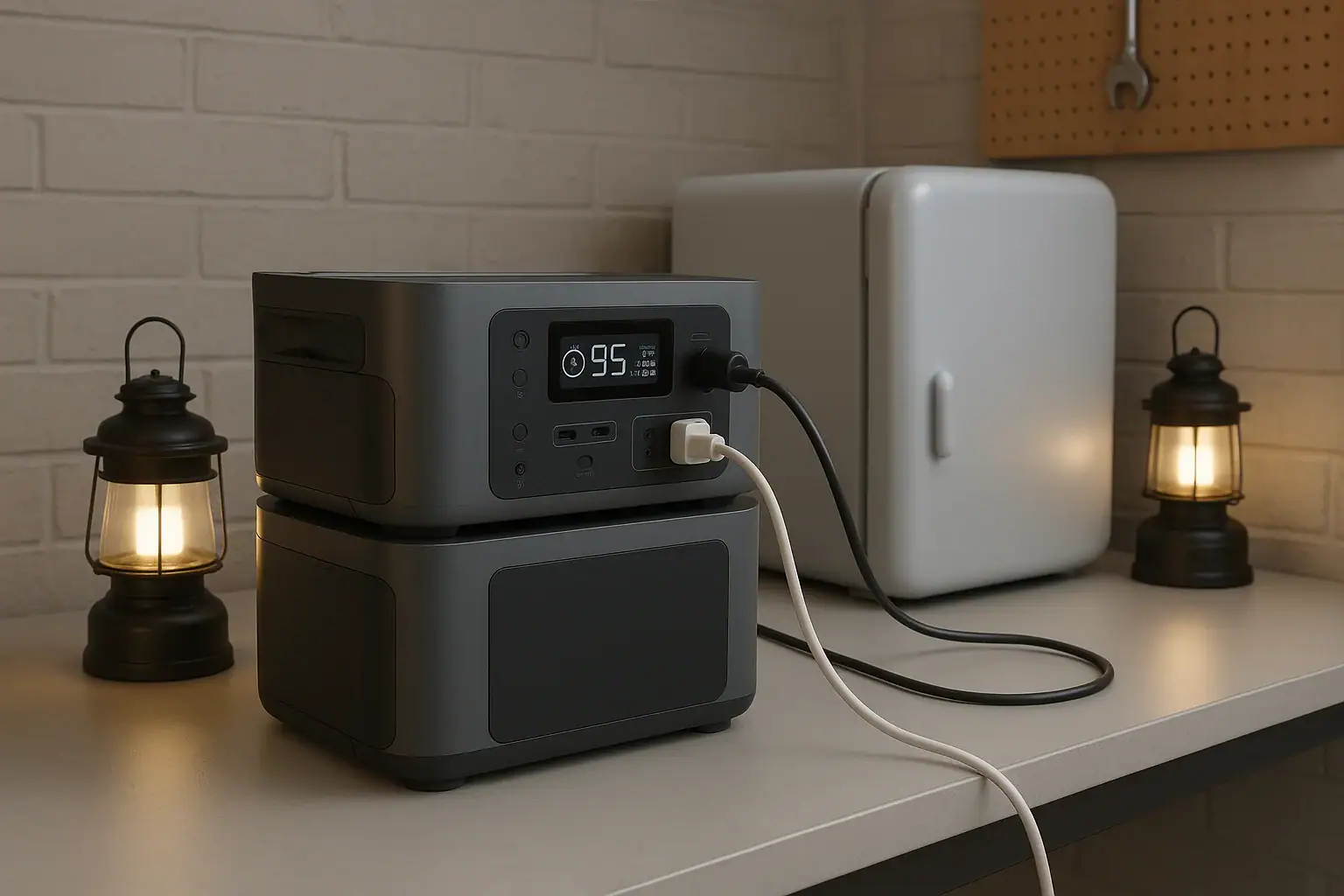
Portable power station connected to an expansion battery for extra runtime

Portable power station expansion batteries make sense when you need longer runtime from the same inverter and charging system, not when you need more surge watts or higher AC output.

An expansion battery is an add-on battery module designed to connect to a compatible power station and increase total watt-hours. It can help with overnight CPAP use, longer refrigerator backup, extended camping trips, and work sites where recharging is limited. Search terms such as extra battery pack, modular battery, watt-hours, runtime, input limit, and solar charging all point to the same practical question: do you need more stored energy, or do you need a more powerful unit?

The answer depends on your loads, recharge windows, portability needs, and whether the base unit supports battery expansion safely. More capacity can be useful, but it also adds cost, weight, charge time, and storage considerations.

What Expansion Batteries Are and Why They Matter

A portable power station expansion battery is a separate battery module that connects to the main power station through a manufacturer-designed expansion port or cable. The base power station still provides the outlets, inverter, display, charging controls, and safety protections. The add-on battery mainly contributes additional stored energy.

The key benefit is increased battery capacity, usually measured in watt-hours. If a 1,000 watt-hour power station can run a 100-watt device for roughly 8 to 9 usable hours after conversion losses, adding another 1,000 watt-hours may approximately double that runtime. The exact result depends on inverter efficiency, standby drain, temperature, and the device being powered.

Expansion batteries matter because they let some users separate two decisions: how much output power they need and how much energy storage they need. A person running modest appliances for a long time may not require a larger inverter, only more stored energy. Another person using a high-draw power tool may need more continuous watts or surge watts, which an expansion battery usually does not provide by itself.

This distinction is important for affiliate-ready comparison later: extra capacity is not the same as extra power. Capacity affects how long a compatible unit can run. Inverter rating affects what it can run. Charging input affects how quickly it can recover. A good decision starts by identifying which limit you are actually hitting.

How Expansion Batteries Work with Capacity, Output, and Charging

Expansion batteries connect electrically to the main power station and are managed by the system electronics. In most designs, the base unit recognizes the added module, combines available capacity on the display, and balances charging or discharging within the system’s built-in limits. The user generally should not treat expansion batteries as generic batteries; compatibility is specific.

The most important concept is watt-hours. A watt-hour is a measure of stored energy. A 60-watt device running for 10 hours uses about 600 watt-hours before losses. Because AC inverters and DC converters are not perfectly efficient, real usable energy is often lower than the label capacity. Light loads can also be affected by idle consumption, especially when AC outlets are left on for many hours.

Adding capacity usually does not raise the maximum AC output. If a base unit is rated for 1,800 continuous watts, the expansion battery may help it run a 600-watt appliance longer, but it typically will not turn it into a 3,000-watt power station. Some ecosystems may change certain performance limits when expanded, but that is a product-specific design feature, not something to assume.

Charging time also changes. More battery capacity takes longer to refill unless charging input increases as well. If a system has a 500-watt AC input limit, refilling 2,000 watt-hours from low charge can take several hours even under ideal conditions. Solar charging may take longer due to panel angle, weather, temperature, and the solar input controller’s voltage and current limits.

Concept What it changes What it does not always change
Added watt-hours Longer runtime for supported loads Maximum inverter output
Higher charging input Shorter recharge time Total stored energy unless capacity is added
More solar panels Potentially faster daytime recovery Charging speed beyond the input limit
Higher surge rating Better startup support for motors Runtime if battery capacity is unchanged
Expansion battery planning basics. Example values for illustration.

Real-World Examples of When Extra Capacity Makes Sense

Expansion batteries are most useful when your power needs are moderate but long-lasting. For example, a refrigerator that averages 60 to 120 watts over time may not require a very large inverter, but it may need substantial stored energy to run through a long outage. In that case, expanding capacity can be more practical than replacing the whole power station with a much larger output model.

Camping is another common case. LED lights, phones, camera batteries, fans, laptops, and a small cooler can add up over several days. If the campsite has limited sun or no vehicle charging, an expansion battery can extend comfort without relying on a fuel generator. The tradeoff is transport weight, so the best setup depends on whether you are car camping, RV camping, or carrying equipment by hand.

Medical-adjacent backup planning can also favor extra capacity. A CPAP machine may draw a manageable load, especially with humidification settings adjusted by the user’s normal device options, but the runtime requirement is strict. The goal is often dependable overnight operation with reserve capacity. Anyone planning for critical medical use should verify equipment requirements and maintain a backup plan rather than relying on a single battery system.

Remote work is a simpler example. A laptop, monitor, router, and phone charger may only draw 80 to 200 watts combined, but a full workday plus an evening outage can drain a smaller unit. Extra capacity provides more hours without changing the devices being used.

Job sites can go either way. Battery expansion can help with lights, chargers, routers, test equipment, and low-to-moderate tools used intermittently. However, saws, compressors, pumps, and heaters may be limited by surge watts or continuous watts. If the tool trips the inverter or refuses to start, capacity is probably not the main problem.

Common Mistakes and Troubleshooting Cues

The biggest mistake is buying an expansion battery to solve an output problem. If a power station shuts off immediately when a high-draw appliance starts, the issue is often surge watts, continuous output, or an overload protection limit. More watt-hours will not necessarily fix that. Look at the appliance starting behavior, not just the average wattage.

Another common mistake is ignoring charge time. Doubling stored energy can be helpful during an outage, but it also means more energy must be replaced afterward. If the only charging source is a small solar array or a low input limit, the expanded system may not fully recharge between uses. Capacity and charging should be planned together.

Users also run into compatibility assumptions. Expansion packs are generally not universal. Connector shape, battery voltage, communication protocol, charge control, and firmware expectations can all matter. A physically similar cable does not make a battery safe or compatible. Use only supported expansion batteries and cables for the system.

A troubleshooting cue is unexpected low runtime. This can happen when AC outlets are left on with small loads, because the inverter itself consumes power. It can also happen in cold conditions, with aging batteries, or when loads cycle unpredictably. Refrigerators, pumps, and compressors may have low average watts but high startup demands.

Another cue is slow charging after expansion. This may be normal if total capacity is much larger than before. It may also be caused by solar panels operating below peak output, a charger limited by household circuit conditions, or a system input cap. If the display shows charging watts far below expectations, compare the actual input watts with your planned recharge window.

Safety Basics for Expanded Battery Systems

Use expansion batteries only as the power station maker intended, with compatible modules, approved cables, and normal operating positions. Do not open battery packs, modify connectors, bypass protections, or attempt to wire generic batteries into an expansion port. Portable power stations contain high-energy battery systems and power electronics that should remain intact.

Ventilation matters even when the battery chemistry is relatively stable. Charging and inverting create heat. Keep vents clear, avoid enclosed boxes during heavy use, and do not stack soft items against the power station or expansion battery. Heat can reduce performance and may accelerate battery aging.

Moisture control is also important. Most portable power stations and expansion batteries are not designed to sit in rain, puddles, or wet grass. Outdoor use should protect the unit from direct water exposure while still allowing airflow. Avoid charging or operating any unit that appears damaged, swollen, wet inside, or unusually hot.

Home backup use requires extra caution. A portable power station can safely power devices plugged directly into its outlets within its rating. Connecting any power source to home wiring involves shock, fire, and backfeed hazards if done incorrectly. For transfer equipment, interlocks, or permanent circuits, consult a qualified electrician and follow local electrical rules. This article does not provide wiring instructions.

Pay attention to cord sizing and load placement. Long, undersized extension cords can waste energy and heat up under load. High-draw appliances should use suitable cords and remain within the power station’s output rating. If breakers, overload warnings, or thermal shutdowns occur, reduce the load and let the equipment cool as directed by its normal operating guidance.

Maintenance and Storage for Expansion Batteries

Expansion batteries should be stored with the same care as the main power station. For many lithium-based systems, moderate state of charge is preferred for storage rather than leaving the battery completely full or completely empty for long periods. A practical storage range is often around 40% to 80%, unless the product’s instructions say otherwise.

Temperature is one of the biggest long-term factors. Store batteries in a dry, indoor, temperature-stable place when possible. Avoid hot vehicles, freezing sheds, direct sunlight, and damp basements. Extreme heat can accelerate aging, while cold temperatures can reduce available capacity and may restrict charging.

Periodic checks help prevent surprises. If the system sits unused for months, inspect the display level and recharge as needed. Battery management systems consume a small amount of power over time, and self-discharge can gradually lower capacity. Before storm season, camping season, or planned travel, test the system with realistic loads rather than assuming the stored runtime is unchanged.

Keep ports, cables, and connectors clean and protected. Do not force expansion cables into place, pull by the cord, or store heavy objects on connectors. If a connector is cracked, corroded, loose, or heat-discolored, stop using it and seek proper service or replacement through the normal support path for the product.

Maintenance item Practical target Why it matters
Storage charge About 40% to 80% for many lithium systems Helps reduce stress during long storage
Check interval Every 2 to 3 months Catches self-discharge before deep depletion
Storage temperature Cool indoor space, roughly room temperature Limits heat aging and cold performance loss
Pre-use test Run typical loads before an outage or trip Confirms runtime, cables, and charging behavior
Storage and maintenance planning ranges. Example values for illustration.

Practical Takeaways and Specs to Look For

The practical rule is simple: choose an expansion battery when your current power station can already run your devices, but not for long enough. If the unit overloads, fails to start a motor, or charges too slowly for your schedule, look at output rating, surge rating, and charging input before assuming more capacity is the answer.


Related guides:
Portable Power Station Watt-Hours Explained
Surge Watts vs Running Watts: How to Size a Portable Power Station
Input Limits (Volts/Amps/Watts) Explained: How Not to Damage Your Unit

Good planning starts with a load list. Add the watts of devices that run at the same time, estimate daily watt-hours, then compare that number with usable battery capacity. Leave reserve capacity for cold weather, inverter losses, battery aging, and unexpected use. For backup planning, it is usually better to size around realistic essentials than to assume every household device will run normally.

Specs to look for

  • Expansion capacity: Look for added capacity in the range that matches your load, such as 1,000 to 3,000 watt-hours, because this determines how much longer supported devices can run.
  • Base inverter output: Look for continuous watts above your combined running load, with margin, because expansion batteries usually do not fix an undersized inverter.
  • Surge watts: Look for a surge rating suitable for refrigerators, pumps, or compressors, often 2 times or more the running watts, because motors need extra startup power.
  • Battery compatibility: Look for clearly supported expansion modules and cables, because voltage, communication, and battery management must match the base unit.
  • AC charging input: Look for input levels that can refill the expanded system within your available window, such as several hundred watts to over 1,000 watts, because larger capacity takes longer to charge.
  • Solar input range: Look for voltage, current, and watt limits that fit your panel plan, because extra panels cannot help beyond the controller’s input limit.
  • Usable output ports: Look for the AC, USB-C, DC, and vehicle-style ports your devices actually need, because capacity is only useful if it can be delivered conveniently.
  • Operating temperature range: Look for realistic charging and discharging temperature guidance, because cold and heat affect available runtime and battery health.
  • Weight and form factor: Look for a total system weight you can move and store safely, because expansion batteries can turn a portable setup into a semi-stationary one.

Extra capacity is valuable when it solves a measured runtime gap. It makes less sense when the real issue is overload, incompatible charging, limited solar recovery, or unrealistic expectations. Treat expansion batteries as part of a complete energy system: storage, output, charging, safety, and maintenance all need to work together.

Frequently asked questions

How do I know whether I need more capacity or a bigger power station?

If your devices run normally but the battery dies too soon, more capacity is usually the better fit. If the power station shuts off, overloads, or cannot start a device, you likely need higher output or surge capability instead. Check both the running watts and the startup watts before deciding.

What specs matter most when choosing portable power station expansion batteries?

Focus on compatible expansion capacity, the base unit’s inverter rating, surge watts, charging input limits, and supported battery connection type. Also check the usable ports, weight, and operating temperature range. These specs determine whether the system will run long enough, recharge in time, and remain practical to carry.

Can an expansion battery increase AC output or surge power?

Usually, no. An expansion battery mainly adds stored energy, which extends runtime, but it does not automatically increase inverter output or startup power. Some systems may have product-specific exceptions, so the base unit’s specifications still matter.

What is the most common mistake people make with expansion batteries?

The most common mistake is using extra capacity to solve an overload problem. If the inverter is too small for the appliance, a larger battery will not fix that. Another frequent mistake is underestimating how long the expanded system will take to recharge.

Are portable power station expansion batteries safe to use indoors?

Yes, when used according to the manufacturer’s instructions and kept in a dry, ventilated area. Do not block vents, modify cables, or use damaged equipment. For home backup wiring, use proper transfer equipment and a qualified electrician.

Do expansion batteries make sense for solar charging setups?

They can, especially when you want to store more daytime solar energy for nighttime use or cloudy days. The main limitation is whether your solar input can refill the larger battery within your available sun window. More panels help only up to the controller’s input limit.

Lithium-Ion vs LiFePO4 Batteries Explained

Comparison of lithium-ion and LiFePO4 batteries for portable power stations

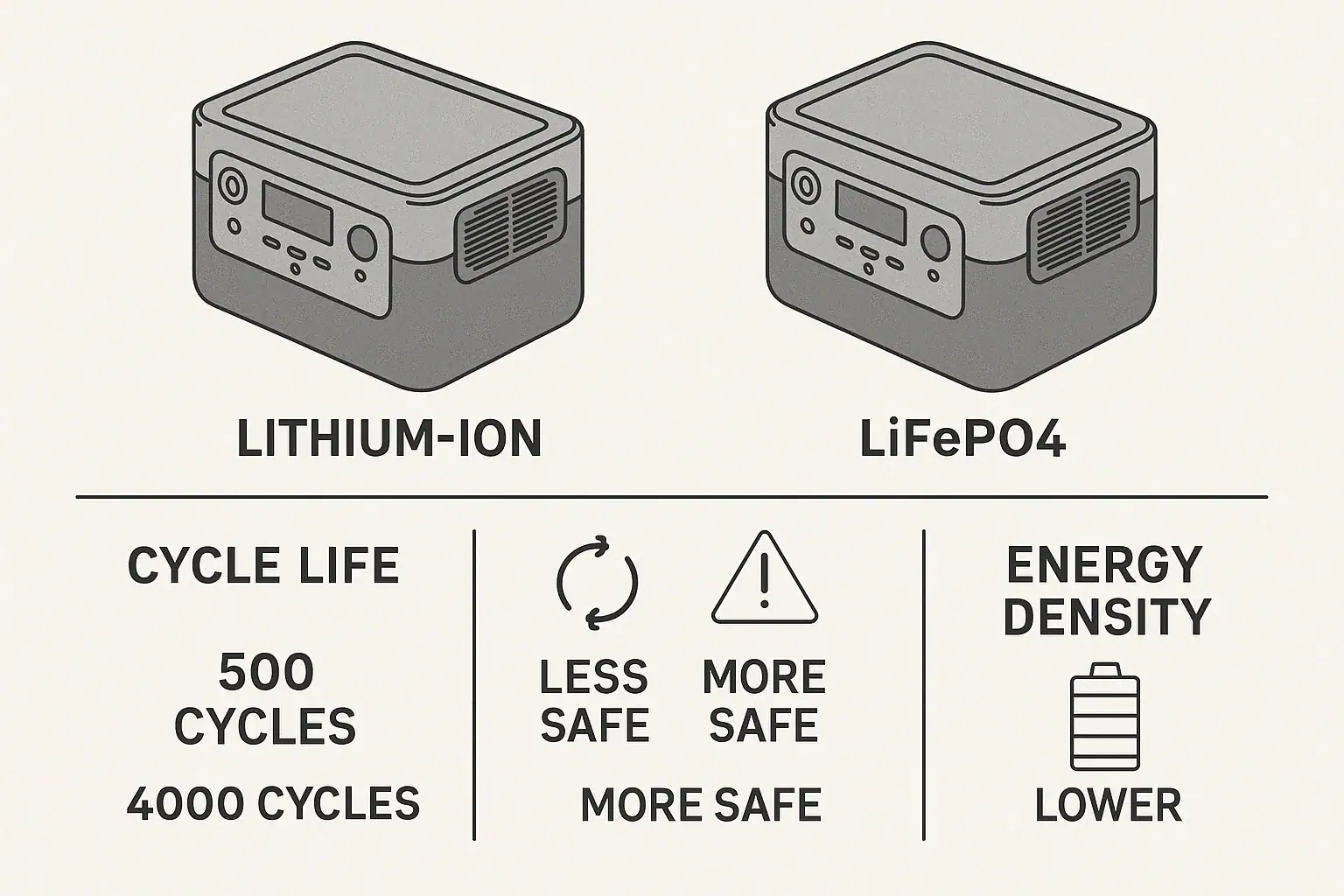
Lithium-ion and LiFePO4 batteries mainly differ in safety, cycle life, weight, and usable capacity, which directly affect runtime, recharge time, and long-term cost in portable power stations. Understanding these differences helps you choose the right battery chemistry for backup power, camping, off-grid use, and everyday charging.

When people compare lithium-ion vs LiFePO4, they are usually asking which lasts longer, which is safer, how many cycles they can expect, and whether the higher price is worth it. These factors influence watt-hour capacity, depth of discharge, charge rate, and how the battery behaves under heavy loads or surge watts from appliances.

This guide breaks down how each chemistry works, what it means for real-world runtime and performance, and which specs matter most so you can match a portable power station to your actual use instead of just buying by advertised watt-hours.

What Lithium-Ion and LiFePO4 Batteries Are and Why They Matter

Both lithium-ion and LiFePO4 are rechargeable lithium-based batteries used in portable power stations, but they use different cathode materials and have different strengths and trade-offs. In this context, “lithium-ion” usually refers to higher energy density chemistries such as nickel-manganese-cobalt or similar blends, while LiFePO4 stands for lithium iron phosphate.

For portable power stations, battery chemistry matters because it affects:

  • Cycle life: How many charge/discharge cycles before noticeable capacity loss.
  • Safety margin: How the battery handles abuse, high temperatures, and overcharge conditions.
  • Energy density: How much energy (Wh) fits into a given size and weight.
  • Voltage behavior: How stable the output voltage is as the battery discharges, which affects inverter performance and runtime.
  • Cost per cycle: Total usable energy over the battery’s life relative to price.

Choosing between lithium-ion and LiFePO4 is less about which is “best” and more about which is better matched to your priorities: maximum capacity in a compact package, or long life and stability for frequent deep discharges.

How Lithium-Ion and LiFePO4 Batteries Work in Portable Power Stations

Both lithium-ion and LiFePO4 batteries operate by moving lithium ions between a positive electrode (cathode) and a negative electrode (anode) through an electrolyte. During charging, ions move into the anode; during discharging, they move back to the cathode, releasing electrical energy.

In mainstream lithium-ion chemistries, the cathode typically includes nickel, manganese, cobalt, or similar metals, which provide high energy density. LiFePO4 uses an iron-phosphate cathode, which is more thermally stable and less prone to runaway but stores slightly less energy per unit of weight and volume.

Inside a portable power station, individual cells are connected in series and parallel to create a battery pack with a suitable voltage and capacity. A battery management system (BMS) monitors cell voltages, temperatures, and currents. It controls charging profiles, protects against overcharge and over-discharge, and limits input and output current to safe levels.

Key operational differences include:

  • Voltage curve: LiFePO4 has a flatter discharge curve, holding near its nominal voltage for most of the cycle, which can keep inverters operating efficiently longer. Many lithium-ion chemistries show a more gradual voltage drop.
  • Cycle life behavior: LiFePO4 typically tolerates more deep cycles (e.g., 2,000–4,000+ at moderate depth of discharge) compared with many lithium-ion packs that may be rated in the hundreds to low thousands of cycles under similar conditions.
  • Temperature sensitivity: Lithium-ion chemistries generally perform better in cold conditions but can be more sensitive to high temperatures; LiFePO4 is more stable at high temperatures but can see reduced charge acceptance at low temperatures.
  • Charge rate: Both can support relatively fast charging when designed correctly, but the BMS will enforce limits based on cell chemistry, pack design, and long-term durability targets.
Comparison of typical characteristics for lithium-ion vs LiFePO4 in portable power stations. Example values for illustration.
CharacteristicLithium-IonLiFePO4
Typical cycle life range~500–2,000 cycles~2,000–6,000 cycles
Energy density (relative)Higher (more Wh per lb)Lower (fewer Wh per lb)
Thermal stabilityGood, but more sensitive to abuseVery high, more tolerant of abuse
Weight for same WhLighterHeavier
Cost per Wh (upfront)Often lowerOften higher
Cost per Wh (lifetime)ModerateOften lower due to long life

Real-World Examples: Which Battery Chemistry Fits Which Use Case

In practice, the choice between lithium-ion and LiFePO4 in a portable power station comes down to how you use it and how often.

Occasional Backup Power and Travel

If you mainly use a portable power station for occasional power outages, light camping, or as a travel charger, a lithium-ion based unit can make sense. The higher energy density means more watt-hours in a smaller, lighter package, which is easier to carry and store. For example:

  • A compact 300–500 Wh lithium-ion unit can be light enough for carry-on luggage yet still power small devices, laptops, and low-wattage appliances for short periods.
  • Because you are only cycling the battery a few dozen times per year, the shorter cycle life is less of an issue.

Frequent Cycling, Off-Grid, and RV Use

For daily or near-daily use—such as in RVs, van life, off-grid cabins, or as part of a small solar setup—LiFePO4 often provides better long-term value. The higher cycle life and stable voltage are beneficial when you regularly run the battery down and recharge it:

  • A 1,000–2,000 Wh LiFePO4 power station used and recharged most days can remain serviceable for many years, even with deep discharges.
  • The flatter voltage curve helps maintain consistent inverter output, so devices see less voltage sag as the battery empties.

High-Power Loads and Surge Demands

When powering tools, small air conditioners, or appliances with high surge watts, both chemistries can work well if the pack and inverter are correctly sized. However, LiFePO4’s ability to handle high discharge rates with less stress can be an advantage for repeated heavy use. In contrast, a lithium-ion pack might be more optimized for short bursts and lighter average loads.

Weight-Sensitive vs Longevity-Sensitive Scenarios

If you prioritize minimum weight—such as carrying the unit long distances—lithium-ion’s higher energy density is appealing. If you prioritize longevity and total cost of ownership over many years, LiFePO4’s extended cycle life can outweigh the extra weight and initial cost.

Common Misconceptions, Mistakes, and Troubleshooting Clues

Users often run into performance issues not because of the chemistry itself, but because of misunderstandings about how lithium-ion and LiFePO4 behave in real use.

Mistake 1: Assuming All Watt-Hours Are Equal

Two power stations can have the same rated watt-hours but deliver different usable runtime. Differences in depth of discharge limits, inverter efficiency, and BMS settings mean that a LiFePO4 unit might allow more frequent deep discharges without noticeable degradation, while a lithium-ion unit may be tuned for shallower cycles to protect cycle life.

Troubleshooting cue: If runtime seems shorter than expected, check the rated usable capacity, depth of discharge limits, and whether high loads are triggering early shutoff.

Mistake 2: Ignoring Temperature Effects

Both chemistries are sensitive to temperature, but in different ways. Charging at very low temperatures can be restricted or blocked by the BMS, especially with LiFePO4, to prevent damage. High temperatures can accelerate aging for lithium-ion packs.

Troubleshooting cue: If charging slows down, stops, or the unit displays an error icon in cold or hot environments, let the battery return to a moderate temperature and try again. Many systems intentionally limit input current when cells are outside the optimal temperature range.

Mistake 3: Overestimating Fast-Charge Benefits

Fast charging is limited by both the charger and the battery chemistry. Pushing a lithium-ion pack at its maximum input limit repeatedly can increase heat and long-term wear. LiFePO4 can often handle higher charge rates relative to capacity, but the BMS may still cap input to protect longevity.

Troubleshooting cue: If the unit does not reach the advertised input watts, check whether the state of charge is already high, the temperature is elevated, or the BMS is throttling current to preserve the battery.

Mistake 4: Treating Cycle Life Ratings as Absolute

Cycle life ratings (for example, 500 cycles to 80% capacity, or 3,000 cycles to 80%) are estimates under specific test conditions. Real-world factors such as depth of discharge, average temperature, and charging habits can increase or decrease actual lifespan.

Troubleshooting cue: If capacity appears to drop faster than expected, review how deeply you are discharging the battery, how often you are fast charging, and whether the unit is frequently stored fully charged in high heat.

Safety Basics for Lithium-Ion and LiFePO4 Batteries

Both lithium-ion and LiFePO4 batteries used in portable power stations are designed with integrated safety systems. The BMS monitors voltage, current, and temperature to reduce the risk of overcharge, over-discharge, and overheating. Nonetheless, safe operation and storage are essential.

LiFePO4 chemistry is generally considered more thermally stable and less prone to thermal runaway than many lithium-ion chemistries. This does not mean it is immune to damage or misuse, but it provides a wider safety margin when properly designed and managed.

Key safety principles include:

  • Use only approved chargers and inputs: Follow the manufacturer’s guidance for AC adapters, car charging, and solar input limits. Mismatched voltage or current can stress the pack and BMS.
  • Avoid extreme temperatures: Do not operate or store portable power stations in direct sun inside vehicles or in freezing conditions without protection. Both chemistries age faster under heat, and charging in sub-freezing temperatures can damage cells.
  • Keep ventilation clear: Ensure vents and cooling fans are unobstructed so the unit can dissipate heat under heavy load or during fast charging.
  • Do not open or modify packs: Battery packs are not user-serviceable. Opening, rewiring, or bypassing protections can create fire and shock hazards.
  • Monitor for unusual behavior: Swelling, strong odors, excessive heat, or repeated error codes can indicate a problem. In such cases, discontinue use and contact qualified service support.

For integrating a portable power station with home circuits, consult a qualified electrician. Avoid makeshift connections to breaker panels or household wiring, regardless of battery chemistry.

Basic safety-related differences between lithium-ion and LiFePO4 batteries in portable power applications. Example values for illustration.
Safety AspectLithium-IonLiFePO4
Thermal runaway tendencyHigher if abused or damagedLower due to stable chemistry
BMS relianceCritical for safe operationCritical, but chemistry is more forgiving
High-temperature toleranceModerate, aging can accelerateGenerally better, but still limited
Abuse toleranceLess tolerant of overcharge/shortsMore tolerant, yet not immune
Typical use guidanceCareful with heat and fast chargeSimilar guidance, more margin

Related guides: LiFePO4 Charging Profile Explained (in Plain English)Depth of Discharge (DoD) ExplainedLiFePO4 vs NMC Batteries: Weight, Cold Performance, Safety, and Real Cycle Life Differences

Maintenance and Storage for Long Battery Life

Good maintenance practices extend the life of both lithium-ion and LiFePO4 batteries and help you get closer to their rated cycle life.

Depth of Discharge and Everyday Use

Both chemistries benefit from avoiding constant 0%–100% swings. While LiFePO4 tolerates deep cycles better, shallower discharges generally slow aging for any lithium-based battery. Keeping typical cycles in a moderate range—such as 20%–80% or 10%–90%—can improve long-term capacity retention.

Storage State of Charge

For long-term storage (weeks to months), storing at partial charge is usually better than leaving the battery full or completely empty. Many users aim for around 30%–60% state of charge when putting a portable power station away for a season. Check the battery level every few months and top up if it drops significantly.

Temperature Management

Store and use the power station in a cool, dry place away from direct sunlight and heat sources. High ambient temperatures accelerate capacity loss for both lithium-ion and LiFePO4, even when not in use. Extremely cold conditions can restrict charging and temporarily reduce available capacity.

Charging Habits

Using moderate charge rates when time allows can reduce heat buildup and stress. Fast charging is convenient, but relying on maximum input power for every cycle may shorten lifespan over many years. If the unit supports adjustable input limits, selecting a lower setting for everyday use can be beneficial.

Periodic Use and Self-Discharge

Lithium-based batteries have relatively low self-discharge, but they are not zero-loss systems. Cycling the power station periodically—rather than leaving it unused for very long periods—can help keep the BMS calibrated and the cells healthy. Avoid letting the battery sit at 0% for extended time, as very deep, prolonged discharge can trigger protective shutdowns that require specialized recovery.

Practical Takeaways and Specs to Look For

When comparing lithium-ion vs LiFePO4 portable power stations, start with how often you will cycle the battery, how much weight you can carry, and how critical safety margins and lifespan are for your use. Lithium-ion units often win on compactness and lower upfront cost, making sense for occasional or light-duty use. LiFePO4 units typically win on cycle life, thermal stability, and long-term value, especially for frequent deep discharges or semi-permanent off-grid setups.

Beyond the marketing labels, focus on measurable specs and how they align with your real-world needs—backup power duration, device wattage, surge watts, input charging time, and expected service life.

Specs to look for

  • Battery chemistry (Lithium-ion vs LiFePO4): Choose lithium-ion for lighter weight and compact size; choose LiFePO4 for higher cycle life and added thermal stability, especially for frequent daily use.
  • Usable capacity (Wh): Look for clear watt-hour ratings and, if available, usable capacity after BMS limits (for example, 90%–95% of nominal). More Wh means longer runtime for the same load.
  • Cycle life rating: Compare ratings such as 500+ vs 2,000+ cycles to 80% capacity at a stated depth of discharge. Higher cycle counts suggest better long-term value when used regularly.
  • Continuous and surge output (W): Ensure continuous watts comfortably exceed your typical load, and surge watts exceed startup demands of devices like fridges or power tools.
  • Charge input power and options: Check maximum AC, car, and solar input (for example, 200–800 W total). Higher input allows faster recharge, but moderate rates can be gentler on the battery.
  • Operating temperature range: Look for realistic charge and discharge temperature ranges. Wider ranges and built-in low-temperature charging protection are helpful in variable climates.
  • BMS protections listed: Confirm protections for over-voltage, under-voltage, over-current, short circuit, and temperature. These are critical regardless of chemistry.
  • Weight vs capacity ratio: Compare pounds per 100 Wh. Lithium-ion typically offers a lower weight per Wh; LiFePO4 will be heavier for the same capacity but may last more cycles.
  • Recommended depth of discharge: Some manufacturers specify an ideal discharge range. A design that supports deeper discharge (for example, down to 10–20%) without severe cycle life penalties can be beneficial.
  • Warranty duration and cycle terms: While not a performance spec, a longer warranty aligned with higher cycle life claims can provide added confidence in the stated ratings.

By aligning these specs with how often you plan to cycle the battery, the loads you need to power, and your tolerance for weight and cost, you can make an informed choice between lithium-ion and LiFePO4 portable power stations that fits your long-term needs.

Frequently asked questions

Which specs and features should I compare when choosing between lithium-ion and LiFePO4 batteries?

Compare usable watt-hours (not just nominal capacity), cycle life at a stated depth of discharge, continuous and surge output (W), charge input limits, operating temperature range, and listed BMS protections. These factors determine real runtime, how often the pack can be used over its life, and how it handles heavy loads and temperatures.

How can I avoid common mistakes when estimating real-world runtime?

Account for usable capacity after BMS limits, inverter efficiency, depth of discharge, and the impact of high loads or surge events rather than relying on nominal watt-hours alone. Also check whether advertised charge times assume ideal conditions—temperature and input power can change real performance.

Are LiFePO4 batteries safer than other lithium-ion chemistries?

LiFePO4 is generally more thermally stable and less prone to thermal runaway than many higher-energy-density lithium-ion chemistries, providing a wider safety margin. However, safe operation still depends on a properly designed BMS and correct charging, storage, and handling practices.

Is the higher upfront cost of LiFePO4 usually justified compared to lithium-ion?

LiFePO4 often costs more up front but can deliver lower cost per usable Wh over many years because of higher cycle life and better durability under deep discharges. Whether it’s justified depends on how frequently you’ll cycle the battery and whether longevity and safety margins are priorities.

Do extreme temperatures affect charging and performance for these batteries?

Yes. Charging can be limited or blocked at low temperatures (especially for LiFePO4) and high ambient heat accelerates aging for both chemistries. Look for realistic operating and charging temperature ranges and allow the unit to return to moderate temperatures if the BMS throttles input.

Which chemistry is generally better for frequent heavy loads and high-discharge use?

For repeated heavy loads and frequent deep discharging, LiFePO4 typically performs better due to higher cycle life and better tolerance for high discharge rates. Well-designed lithium-ion packs can handle high power too, but they may show faster capacity decline under the same demanding usage.

LiFePO4 vs Lithium-Ion in Cold Weather: Which Holds Up Better?

Portable power stations with LiFePO4 and lithium-ion batteries operating in cold weather snow.

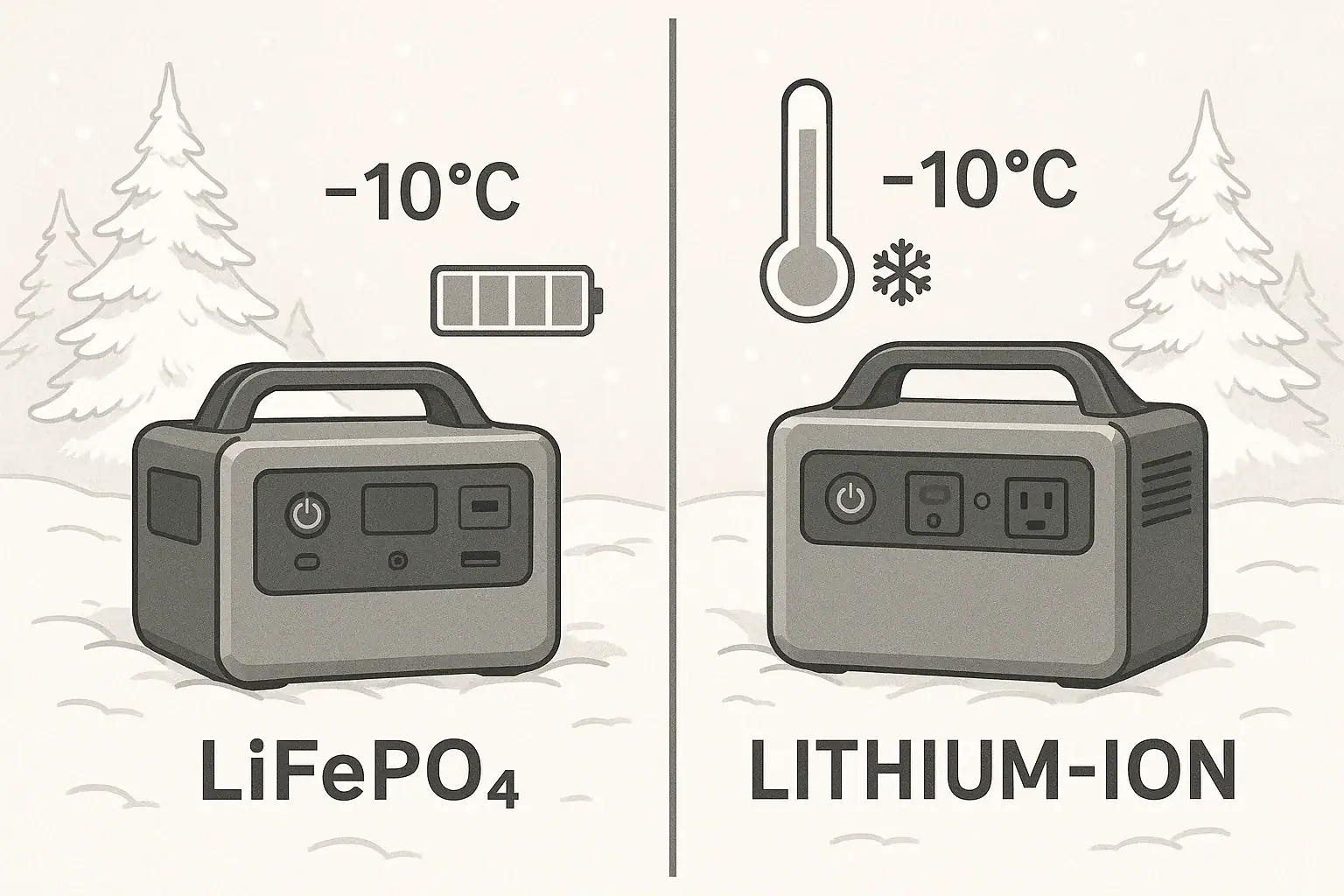
In cold weather, LiFePO4 batteries usually hold voltage more steadily but lose usable capacity faster, while other lithium-ion chemistries can deliver more power at very low temperatures but degrade quicker over time. For portable power stations, this affects runtime, charging speed, and whether your unit will even start in freezing conditions. People search for answers using terms like battery runtime, low temperature limit, cold crank behavior, depth of discharge, and cycle life.

Understanding how LiFePO4 vs lithium-ion react to the cold helps you avoid dead power stations, failed starts, and permanent battery damage. The right chemistry and settings can mean the difference between a reliable winter backup and a brick when you most need it. This guide explains what happens inside the cells, how it shows up in real-world use, and which specs matter most when you compare portable power stations for winter camping, off-grid cabins, or emergency backup.

LiFePO4 vs lithium-ion: what they are and why cold weather matters

Both LiFePO4 and lithium-ion are rechargeable lithium-based batteries, but they use different cathode materials and behave differently in cold weather. “Lithium-ion” is a broad term that usually refers to chemistries like NMC (nickel manganese cobalt) or NCA (nickel cobalt aluminum), while LiFePO4 uses lithium iron phosphate.

For portable power stations, the chemistry you choose affects three core cold-weather outcomes: whether the battery will accept a charge, how much runtime you get, and how long the battery will last over years of use. Temperature directly changes internal resistance, voltage sag, and how quickly the cells age.

In moderate cold (around 32°F / 0°C), LiFePO4 typically offers excellent cycle life and stable voltage but reduced usable capacity. In deeper cold (well below freezing), many lithium-ion chemistries may still deliver bursts of power but can suffer faster long-term degradation and higher risk if charged outside their safe limits.

Because portable power stations are often used for backup power, winter camping, tailgating, or in unheated garages, understanding the differences between LiFePO4 and lithium-ion in the cold helps you pick a system that will actually work when temperatures drop.

How cold affects LiFePO4 and lithium-ion batteries inside a portable power station

Cold weather changes how ions move inside the battery. As temperature drops, the electrolyte becomes less conductive, and the chemical reactions that move lithium ions between anode and cathode slow down. This affects LiFePO4 and other lithium-ion chemistries in slightly different ways.

Internal resistance and voltage sag

At low temperatures, internal resistance increases. That means:

  • More voltage sag under load (the voltage drops more when you turn on a device).
  • Reduced peak power output (inverter may shut down earlier on high-watt loads).
  • Lower apparent capacity (the battery reaches its cutoff voltage sooner).

LiFePO4 already has relatively high internal resistance compared to some lithium-ion chemistries at room temperature, and this difference becomes more noticeable in the cold. The result is that a LiFePO4 pack might hit its low-voltage cutoff earlier under the same load, even if the actual stored energy is similar.

Charge acceptance and low-temperature charging limits

Charging is more sensitive to cold than discharging. Both LiFePO4 and other lithium-ion batteries can be damaged if charged too quickly when cold, especially below freezing. Lithium plating can occur on the anode, leading to permanent capacity loss and safety risks.

Typical behavior in a portable power station:

  • Above about 32°F (0°C): Most systems allow normal charge current, though with slightly reduced efficiency.
  • Between roughly 14°F and 32°F (-10°C to 0°C): Many battery management systems (BMS) will reduce charge current or switch to a slow charge profile.
  • Below about 14°F (-10°C): Many BMS designs will block charging entirely to prevent damage.

LiFePO4 is particularly sensitive to charging below freezing, so well-designed systems rely heavily on BMS protections or internal heaters to manage cold charging. Other lithium-ion chemistries may tolerate slightly lower charge temperatures, but repeated cold charging still accelerates wear.

Capacity loss and runtime in the cold

All lithium-based batteries show apparent capacity loss in cold weather because the reactions slow down and internal resistance rises. A pack rated for 100% capacity at 77°F (25°C) might only deliver 60–80% at 14°F (-10°C), depending on chemistry and discharge rate.

LiFePO4 tends to show more noticeable capacity loss at low temperatures compared with some NMC/NCA lithium-ion cells, especially at higher discharge rates. However, LiFePO4 also tends to recover more of its capacity when warmed back up, and its long-term cycle life remains strong if it has been protected from cold charging.

BMS behavior and cold-weather protections

The battery management system is the gatekeeper. In modern portable power stations, the BMS monitors cell temperature, voltage, and current, and it may:

  • Block charging below a set temperature.
  • Limit discharge current when cells are cold.
  • Shut the system down if temperature falls outside safe bounds.
  • Coordinate with internal heaters to raise battery temperature before charging.

Some LiFePO4-based systems include active self-heating, allowing the pack to warm itself using a portion of the incoming charge, then resume full charging once safe. Many basic lithium-ion systems rely solely on passive temperature limits and may simply refuse to charge in deep cold.

Cold-weather behavior differences between LiFePO4 and common lithium-ion chemistries in portable power stations. Example values for illustration.
ParameterLiFePO4Typical lithium-ion (NMC/NCA)
Nominal cell voltage~3.2 V~3.6–3.7 V
Relative capacity at 32°F (0°C)~75–85%~80–90%
Relative capacity at 14°F (-10°C)~55–75%~60–80%
Cold charge toleranceMore sensitive; strict BMS limits commonSlightly more tolerant but still limited
Cycle life (moderate temps)Often higherOften lower
Voltage stability under loadVery stable until cutoffMore gradual sag

Real-world cold-weather scenarios for LiFePO4 and lithium-ion power stations

Understanding lab behavior is useful, but what matters is how your portable power station performs at a campsite, in a vehicle, or during a winter outage. Here are common scenarios that highlight the differences between LiFePO4 and other lithium-ion chemistries in the cold.

Winter camping at freezing temperatures

Imagine an overnight trip where temperatures drop to around 32°F (0°C). You use a portable power station to run LED lights, charge phones, and power a small DC fridge.

  • LiFePO4 unit: You may see a noticeable drop in displayed remaining capacity overnight, and the fridge might trigger low-voltage cutoffs sooner when the compressor starts. However, the battery voltage remains relatively flat until near the end, making runtime somewhat predictable.
  • Lithium-ion unit: You may get slightly longer runtime at the same temperature and loads, with a bit more tolerance to short compressor surges. The trade-off is that repeated deep discharges and cold use can shorten long-term cycle life more than with LiFePO4.

Vehicle-based power in sub-freezing weather

Consider a power station left in a car overnight at 14°F (-10°C), then used to power a tire inflator and charge a laptop in the morning.

  • Start-up behavior: Some LiFePO4-based units may initially refuse to charge from the vehicle outlet until the internal pack warms up. Discharge may still be allowed but at reduced current.
  • Load handling: A high-draw device like a tire inflator can cause voltage sag. A LiFePO4 pack might hit low-voltage cutoff faster under that surge compared with certain lithium-ion packs, even if its rated capacity is similar.
  • Recovery: Once the cabin warms or the unit is brought indoors, both chemistries recover much of their apparent capacity, but the LiFePO4 may show less long-term wear if it has not been charged while still very cold.

Unheated garage or shed backup power

For backup use in an unheated garage, the power station might sit idle for weeks in temperatures hovering around or below freezing, then be expected to run tools or a sump pump during an outage.

  • LiFePO4 advantages: Very low self-discharge, long cycle life, and good calendar life mean it is more likely to retain its rated capacity over years of standby.
  • LiFePO4 limitations: If an outage occurs while the pack is very cold, initial peak power and usable capacity may be lower than expected, especially for heavy loads.
  • Lithium-ion behavior: It may deliver higher peak power in the cold but could lose capacity faster over years of storage and use, especially if regularly charged to 100% and stored hot in summer months.

Emergency indoor heating or electronics during a winter outage

During a multi-day winter outage, you might use a power station to run a low-wattage space heater (within inverter limits), communication devices, or a router.

  • Temperature moderation: Indoors, the temperature is usually less extreme, so both chemistries perform closer to their rated specs.
  • LiFePO4 benefit: The strong cycle life shines when you perform multiple deep discharges in a short period. You are less likely to notice permanent capacity loss after the event.
  • Lithium-ion consideration: The unit may work well during the event but can lose usable capacity more quickly over multiple seasons of similar use, particularly if often charged to 100% and stored at high state of charge.

Common cold-weather mistakes and troubleshooting signs

Many cold-weather battery problems come from using or charging portable power stations outside their recommended temperature range. Recognizing the symptoms can help you avoid permanent damage.

Trying to fast charge below freezing

One of the biggest mistakes is forcing a fast charge when the battery is below 32°F (0°C), especially for LiFePO4. Symptoms include:

  • Charging suddenly stops or never starts, even though AC or solar input is present.
  • Charge rate is much lower than usual (for example, only a fraction of the normal wattage).
  • Error icons or temperature warnings on the display.

These are often protective actions by the BMS. If you bypass them using external chargers or workarounds, you risk lithium plating and permanent capacity loss. The correct response is to bring the unit into a warmer environment and allow it to reach a safe temperature before charging.

Expecting summer runtime in winter conditions

Another common issue is assuming the same runtime in winter as in summer. Signs of cold-related capacity loss include:

  • Battery percentage dropping faster than expected under familiar loads.
  • Inverter shutting off early when starting a compressor, pump, or heater fan.
  • DC outputs cutting out while the display still shows significant charge remaining.

This is usually not a defect but a combination of increased internal resistance and low-temperature voltage behavior. LiFePO4 in particular may hit its low-voltage cutoff quickly under high loads in the cold, even when the state of charge is not truly near zero.

Leaving the unit fully depleted in the cold

Storing a power station at very low state of charge in cold conditions can cause issues for both LiFePO4 and lithium-ion chemistries. Warning signs include:

  • Unit will not turn on after long storage.
  • Battery percentage reads 0% and does not rise even when plugged in immediately.
  • Display flickers or resets when you try to start a load.

Some BMS designs enter a deep sleep mode to protect the cells when voltage is very low. Recovery may still be possible by leaving the unit on charge for an extended period in a warm environment, but repeated deep storage depletion shortens lifespan for any lithium-based battery.

Ignoring BMS temperature warnings

If the display shows a temperature or battery warning, do not keep trying to restart or override it. Repeated resets can stress the cells and internal electronics. Instead:

  • Move the power station to a moderate-temperature area.
  • Let it sit unplugged for a while so internal temperature equalizes.
  • Try a low-power load or a gentle charge source first to confirm stable operation.

If warnings persist at normal room temperature, contact the manufacturer or a qualified technician, as the issue may be more than just cold-weather behavior.

Cold-weather safety basics for LiFePO4 and lithium-ion power stations

Safety in cold weather is mostly about preventing charging damage and avoiding unsafe workarounds. While both LiFePO4 and other lithium-ion chemistries can be very safe when managed correctly, cold conditions increase the risk of misuse.

Respect the operating temperature range

Each portable power station has a specified operating temperature range for charging and discharging. Typical ranges might be:

  • Charging: around 32°F to 104°F (0°C to 40°C), sometimes with narrower limits for LiFePO4.
  • Discharging: around 14°F to 104°F (-10°C to 40°C), with some variation.

Do not assume the discharge range equals the charge range. Charging is usually more restricted. If your environment is below the minimum charge temperature, let the unit warm up before connecting AC or solar input.

Avoid DIY heating methods

It is tempting to warm a cold battery with external heat, but many methods are unsafe. Avoid:

  • Placing the power station directly against heaters or stoves.
  • Using heating pads or blankets not designed for electronics.
  • Covering air vents or blocking cooling paths to “trap” heat.

Instead, bring the unit into a temperature-controlled space and allow it to warm gradually. Some systems have built-in heaters managed by the BMS; rely on those rather than improvised external heat.

Do not bypass the BMS or open the case

Never attempt to open the power station to warm or charge the cells directly, bypass temperature sensors, or modify the battery pack. This can:

  • Defeat over-temperature and low-temperature protections.
  • Increase the risk of internal short circuits.
  • Void warranties and create fire hazards.

If the unit repeatedly refuses to charge or operate within its stated temperature range, seek professional support instead of attempting internal repairs.

Use appropriate extension cords and placement

In cold-weather setups, you may place the power station indoors and run extension cords outdoors to loads. To stay safe:

  • Use cords rated for outdoor use and appropriate current.
  • Avoid running cords through door gaps where they can be pinched.
  • Keep the power station on a dry, stable surface away from snow, ice, and condensation.

For any connection to home circuits, consult a qualified electrician and use approved transfer equipment. Do not attempt to wire a portable power station directly into a panel or backfeed outlets.

Cold-weather safety and storage considerations for LiFePO4 and lithium-ion portable power stations. Example values for illustration.
AspectLiFePO4Typical lithium-ion (NMC/NCA)
Typical safe charge temp~32–113°F (0–45°C)~32–113°F (0–45°C)
Typical safe discharge temp~14–140°F (-10–60°C)~-4–140°F (-20–60°C)
Cold charging riskHigh; plating risk below 32°FHigh; plating risk below 32°F
Built-in heatersCommon in newer designsPresent in some models
Self-discharge in storageVery lowLow to moderate

Related guides: Winter Use: Why Charging Slows in Cold Weather and How to Plan Around ItWinter Storage Checklist: Keeping Batteries Healthy in the ColdLiFePO4 vs NMC Batteries: Weight, Cold Performance, Safety, and Real Cycle Life Differences

Practical takeaways and cold-weather specs to compare

For cold climates, the choice between LiFePO4 and other lithium-ion chemistries comes down to priorities. LiFePO4 usually offers superior cycle life, stable voltage, and excellent long-term value, but feels the cold more in terms of immediate capacity and charge acceptance. Other lithium-ion chemistries can perform slightly better at very low temperatures in the short term but often wear out faster over years of use.

In real-world portable power station use:

  • If you value long-term durability, frequent cycling, and predictable performance in moderate cold (around freezing), LiFePO4 is often attractive.
  • If you need high surge output and are operating in more extreme cold, a well-managed lithium-ion system with robust BMS protections can deliver strong short-term performance, as long as you respect its charge limits.

In both cases, system design matters as much as chemistry. Battery heaters, conservative charge profiles, and accurate temperature sensing can dramatically improve cold-weather reliability.

Specs to look for

  • Operating temperature range (charge/discharge) – Look for clearly stated charge and discharge ranges, for example, charging from 32–104°F (0–40°C). Wider, well-documented ranges indicate better cold-weather engineering.
  • Low-temperature charge protection – Check for automatic charge cutoff or reduced current below freezing. This protects LiFePO4 and lithium-ion cells from plating damage in cold conditions.
  • Integrated battery heating – Some units include self-heating that activates before charging in the cold. This feature can make winter solar or vehicle charging far more reliable.
  • Rated cycle life at 80% capacity – Look for realistic cycle life numbers (for example, 2,000–4,000+ cycles) at standard depth of discharge. Higher values suggest the chemistry and BMS are optimized for longevity, especially important for LiFePO4.
  • Usable capacity vs. rated capacity – Pay attention to whether the system allows deep discharge (for example, 80–90% usable) and how that holds up at low temperatures. Some systems reduce usable capacity aggressively in the cold.
  • Continuous and surge output at low temps – If specified, compare continuous watts and surge watts at lower temperatures. This helps predict whether cold will cause early inverter shutdowns when starting motors or compressors.
  • State-of-charge and temperature monitoring – A clear display showing battery percentage, estimated runtime, and internal temperature helps you adjust usage in cold weather before protections kick in.
  • Self-discharge and standby drain – Look for low self-discharge rates and minimal idle consumption. This matters when leaving a power station in a cold garage or vehicle for weeks between uses.
  • Recommended storage state of charge – Guidance such as storing at 40–60% charge at moderate temperatures indicates the manufacturer has considered long-term battery health, especially relevant for seasonal cold-weather users.

By focusing on these specs instead of just chemistry labels, you can choose a portable power station that stays dependable when temperatures drop, whether it uses LiFePO4 or another lithium-ion formulation.

Frequently asked questions

What specs and features should I prioritize for reliable cold-weather performance?

Look for a clearly stated operating temperature range for both charging and discharging, low-temperature charge protection, and whether the unit has integrated self-heating. Also compare usable capacity at low temperatures, continuous/surge output specs at cold temps, and clear state-of-charge and temperature monitoring on the display.

Is it OK to try charging a portable power station when it’s below freezing?

Generally no—charging below freezing can cause lithium plating on the anode and permanent capacity loss. Most modern BMSs will reduce charge current or block charging below safe thresholds; the safest approach is to warm the unit to the recommended charge temperature or use a system with managed heaters.

How can I manage battery temperature safely during winter use?

Keep the power station in a temperature-controlled space when possible, run loads or extension cords outdoors rather than moving the unit into cold conditions, and rely on built-in BMS heaters instead of improvised external heat sources. Follow the manufacturer’s guidance and avoid covering vents or placing the unit against high-heat surfaces.

Why does my power station show reduced runtime in cold weather even when the percentage seems high?

Cold increases internal resistance and causes greater voltage sag under load, so the pack can hit its low-voltage cutoff sooner even though the state-of-charge indicator still shows capacity. Warming the battery typically restores much of the apparent capacity.

What’s a common user mistake that shortens battery life in cold climates?

Forcing charges or bypassing BMS protections when the pack is cold is a common mistake that accelerates wear and can cause permanent damage. Long-term habits like regularly storing at 100% state of charge or repeatedly deep-discharging in cold conditions also reduce lifespan.

LiFePO4 vs NMC Batteries: Weight, Cold Weather, Safety, and Cycle Life

Two portable power stations compared side by side illustration

LiFePO4 batteries are usually the better choice for long-lasting portable power stations, while NMC batteries are usually better when low weight and compact size matter most.

Both are lithium-ion battery chemistries, but they are not interchangeable in real-world use. LiFePO4, short for lithium iron phosphate, tends to offer longer cycle life, stronger thermal stability, and more predictable aging. NMC, short for lithium nickel manganese cobalt oxide, usually stores more energy in less weight and space, which can make a portable power station easier to carry.

The right choice depends on how you use the unit. A weekend camper may care more about pounds and handle comfort. A homeowner, RV user, or remote worker who cycles a power station often may care more about long-term battery health, cold charging limits, and safety margin.

What LiFePO4 and NMC Mean and Why It Matters

LiFePO4 and NMC describe the battery cell chemistry inside the power station. The chemistry affects energy density, voltage behavior, charging limits, heat tolerance, and how quickly the pack loses capacity over time. The inverter, battery management system, charger, enclosure, and cooling design still matter, but chemistry sets important boundaries.

LiFePO4 cells have lower energy density than many NMC cells. That means a LiFePO4 power station often needs a larger and heavier battery pack to reach the same watt-hour rating. In exchange, LiFePO4 usually handles frequent cycling better. Many LiFePO4 packs are marketed for thousands of cycles before reaching a specified remaining capacity, often around 80 percent under controlled test conditions.

NMC cells generally have higher energy density, so they can support lighter and smaller designs. That is why NMC has been common in compact electronics and some portable power stations where portability is the main selling point. The tradeoff is that NMC is typically more sensitive to high heat, long storage at full charge, and repeated deep discharges.

For buyers, this matters because watt-hours alone do not tell the whole story. Two power stations can both claim 1000 Wh, but one may be easier to carry while the other may tolerate years of frequent use with less capacity loss. The better battery is the one that matches your actual pattern of use.

Key Performance Differences and How They Work

The biggest difference between LiFePO4 vs NMC batteries is not whether they can power your devices. Both can run lights, laptops, routers, refrigerators, tools, and small appliances when paired with the right inverter. The difference is how much weight it takes to store that energy, how the pack behaves at temperature extremes, and how long it is likely to remain useful under repeated cycling.

Energy density is the main advantage for NMC. If you need to carry a unit up stairs, lift it into a vehicle, or move it often between rooms, the lighter chemistry can be a real benefit. This is especially noticeable as capacity increases. A few pounds may not matter for a 300 Wh unit, but it can matter a lot for a 1500 Wh or 2000 Wh station.

Cycle life is the main advantage for LiFePO4. A cycle is usually counted as one full equivalent discharge and recharge, even if it happens across partial uses. For example, using 50 percent of the battery one day and 50 percent the next roughly equals one full cycle. If you use a power station daily for tool charging, refrigerator backup, or off-grid work, the chemistry with higher cycle life can provide better long-term value.

Cold performance is more nuanced. NMC often retains usable discharge performance better in moderately cold conditions, though capacity still drops as temperature falls. LiFePO4 can also discharge in the cold, but it is commonly more restricted when charging near or below freezing. Many modern power stations block charging when the cell temperature is too low because charging cold lithium cells can cause permanent damage.

LiFePO4 vs NMC decision factors. Example values for illustration.
Factor LiFePO4 tendency NMC tendency What it means for portable power stations
Weight for same Wh Heavier and often larger Lighter and more compact NMC is easier to carry when capacity is high
Cycle life Usually much higher Usually lower LiFePO4 is better for daily or frequent deep use
Thermal stability Strong inherent stability More heat sensitive LiFePO4 provides more safety margin, though design still matters
Cold charging Often restricted near freezing May be less restrictive, but still limited Check operating temperature specs before winter use
Voltage behavior Flatter discharge curve More gradual voltage decline State-of-charge displays may behave differently
Best fit Frequent cycling, backup, RV, workshop use Travel, lighter camping kits, occasional backup Choose based on use pattern, not chemistry labels alone

Real-World Examples

For a short home outage, either chemistry can work well if the watt-hour capacity and inverter rating are adequate. Suppose you run a 12 W router, a 60 W laptop, and 20 W of LED lighting. That is about 92 W before inverter losses. On a 500 Wh power station, a realistic AC runtime may be around four to four and a half hours after efficiency losses. At this modest load, the chemistry is less important than the unit size, inverter efficiency, and state of charge when the outage begins.

For regular refrigerator backup, LiFePO4 starts to look more attractive. A refrigerator does not draw its rated surge power continuously, but it cycles throughout the day. If the power station is used every storm season or as part of a routine backup plan, cycle life and heat tolerance become more important than saving a few pounds. The inverter still must handle compressor startup surge, so chemistry alone will not solve an undersized output rating.

For tent camping or car camping, NMC can be appealing when the power station is moved frequently. A lighter unit is easier to load, unload, and reposition around camp. If you only use it a few weekends per year for phones, cameras, a fan, and lights, you may never come close to wearing out an NMC pack. In that case, portability may matter more than maximum cycle count.

For RV, van, and remote work use, LiFePO4 often makes more sense. These users may discharge and recharge the station many times, sometimes from solar during the day and AC loads at night. A heavier battery is less of a problem if the station stays in one place. The longer cycle life can become meaningful after hundreds of partial cycles.

For cold-weather use, think about where the power station will sit. A unit stored overnight in a freezing vehicle may refuse to charge from solar in the morning until the cells warm up. This is especially common with LiFePO4 units that protect against low-temperature charging. If winter charging is important, look for clear low-temperature charging specifications and any built-in warming features.

Common Mistakes and Troubleshooting Cues

The most common mistake is choosing by battery capacity alone. Watt-hours tell you how much energy the battery can store, but they do not tell you whether the inverter can start your appliance. A small power station may have enough stored energy to run a device for a while, yet still shut down instantly if the startup surge is too high.

Another mistake is assuming cold-weather slowdowns mean the battery is defective. Lithium batteries lose performance in the cold, and protective electronics may block charging outside the safe temperature range. If the display shows input power dropping to zero on a freezing morning, the battery management system may be doing exactly what it should.

Users also misread cycle life claims. A rated cycle life is usually based on controlled testing at specified temperature, discharge rate, and depth of discharge. Real use may include heat, high loads, full-charge storage, or deep discharge, all of which can shorten practical life. LiFePO4 usually has the advantage, but it is not immune to aging.

Troubleshooting cues for LiFePO4 and NMC power stations. Example values for illustration.
Symptom Likely cause What to check first Practical response
Unit shuts off when appliance starts Surge exceeds inverter rating Startup watts and overload message Use a lower-surge load or a larger inverter rating
Charging stops in freezing weather Low-temperature charging protection Battery temperature range in specs Warm the unit before charging
Runtime is shorter than expected Inverter losses or high actual load Device watt draw and AC versus DC use Measure load and plan for efficiency losses
Display drops quickly from full Load calibration, age, or voltage curve Runtime under a steady known load Run a controlled test after fully charging
Charging slows near 100 percent Normal charge tapering Input watts at different charge levels Expect slower final charging
Fans run often under load Heat from inverter or charger Vent clearance and ambient temperature Improve airflow and reduce load if needed

Safety Basics

LiFePO4 has an inherent safety advantage because it is more thermally and chemically stable than NMC. That does not make any portable power station risk-free. Safety depends on the cells, battery management system, charger design, inverter design, enclosure, cooling, and how the owner uses the unit.

Keep any power station on a stable, dry surface with ventilation space around the intake and exhaust areas. Do not cover it with bedding, pack it tightly under gear while operating, or place it next to heaters. Heat is bad for both chemistries, and it is especially hard on NMC over time.

Treat the AC outlets like household power. Do not exceed the continuous watt rating, do not daisy-chain overloaded power strips, and use appropriately rated cords. High-watt devices such as space heaters, kettles, microwaves, hair dryers, and induction cooktops can drain a battery quickly and may exceed inverter limits.

Moisture is a separate safety issue from battery chemistry. Keep the station away from rain, puddles, snowmelt, and wet floors unless the product is specifically rated for that exposure. If the unit gets wet, is dropped hard, smells unusual, swells, or shows repeated overheat warnings, stop using it and follow the manufacturer’s service guidance.

Do not open the battery enclosure or attempt cell-level repair. A short circuit inside a lithium pack can create extreme heat very quickly. Battery chemistry affects risk level, but it does not make internal repair appropriate for typical users.

Maintenance, Storage, and Long-Term Use

Good storage habits can extend the useful life of both LiFePO4 and NMC power stations. For long-term storage, a moderate state of charge is usually better than storing completely full or nearly empty. Many owners aim for roughly 40 to 60 percent when the unit will sit unused for weeks or months.

NMC is more sensitive to being stored at full charge, especially in heat. If an NMC power station is kept at 100 percent in a hot garage or vehicle for long periods, capacity loss can accelerate. LiFePO4 is more tolerant, but it still benefits from cool, dry storage and periodic checks.

Avoid letting any lithium battery sit fully depleted. Even though the display may show zero percent, the battery management system usually reserves some energy to protect the cells. Over long storage, self-discharge and standby electronics can continue to draw the pack lower. If the unit will be stored for months, check it occasionally and top it up before it gets too low.

For seasonal use, run a simple readiness check before you need the power station. Charge it to the level you plan to use, plug in a small known load, confirm AC and DC outputs work, and listen for abnormal fan noise. Check cords for damage and make sure vents are clear of dust. A ten-minute test before storm season or a trip is better than discovering a problem during an outage.

If the station has been in a freezing vehicle or unheated shed, let it warm gradually before charging. This is especially important for LiFePO4. If the unit supports a storage mode, charge limit, or battery care setting, use it when it matches your use pattern.

Practical Takeaways and Specs to Look For

LiFePO4 vs NMC batteries is not a simple good-versus-bad comparison. LiFePO4 usually wins for frequent cycling, long service life, thermal stability, and stationary backup use. NMC usually wins when you need the lightest practical unit for a given capacity. Both can be reliable when the power station is correctly sized and used within its limits.

If you use a power station every day, discharge it deeply, run it in an RV, or keep it ready for repeated outages, LiFePO4 is often the more practical chemistry. If you only need occasional backup or you carry the unit often, an NMC design may be easier to live with. Cold-weather users should pay special attention to charging temperature, not just discharge temperature.

Specs to look for

  • Battery chemistry: Confirm whether the pack is LiFePO4 or NMC instead of relying on vague lithium wording.
  • Usable watt-hours: Compare capacity, but remember that AC inverter losses reduce real runtime.
  • Continuous output rating: Make sure the inverter can run your largest device without overload.
  • Surge output rating: Check startup requirements for refrigerators, pumps, compressors, and tools.
  • Cycle life rating: Note the remaining-capacity condition, such as cycles to 80 percent capacity.
  • Charging temperature range: Look closely if you expect solar or vehicle charging in winter.
  • Weight and dimensions: Compare actual carry weight, not just capacity.
  • Storage guidance: Prefer clear instructions for state of charge, temperature, and periodic top-ups.
  • Battery management protections: Look for overcurrent, overtemperature, low-temperature charge protection, and short-circuit protection.

The practical rule is straightforward: choose LiFePO4 when longevity and safety margin matter most, and choose NMC when compact energy storage and lighter carrying weight matter more. Then verify inverter output, temperature limits, and charging options before assuming the chemistry alone will meet your needs.

Frequently asked questions

Which is better for a portable power station, LiFePO4 or NMC?

Neither chemistry is universally better. LiFePO4 is usually better for frequent use, longer cycle life, and higher thermal stability, while NMC is usually better when lower weight and smaller size matter most. The best choice depends on how often you plan to charge and discharge the unit and how portable it needs to be.

What specs should I compare when choosing between LiFePO4 vs NMC batteries?

Compare battery chemistry, usable watt-hours, continuous output, surge output, cycle life rating, charging temperature range, and total weight. It also helps to check storage guidance and battery management protections. These specs matter more than chemistry alone because they affect real-world runtime, portability, and reliability.

Is LiFePO4 safer than NMC?

LiFePO4 is generally considered more thermally stable and less prone to overheating than NMC. That said, both are lithium-ion chemistries and still need proper charging, ventilation, and protection circuitry. Safe use depends on the full system design and how the power station is operated.

Can I charge a LiFePO4 power station in cold weather?

Sometimes, but many LiFePO4 systems restrict charging near or below freezing to protect the cells. Discharge may still work in cold conditions, but charging is the bigger concern. Always check the manufacturer’s charging temperature range before using solar or vehicle charging in winter.

What is a common mistake people make when buying these batteries?

A common mistake is choosing only by watt-hour capacity and ignoring inverter limits, weight, and temperature specs. A power station can have enough stored energy but still fail to start an appliance with a high surge. Buyers should match the battery, inverter, and operating conditions to the actual use case.

Which battery chemistry lasts longer with frequent cycling?

LiFePO4 usually lasts longer when the battery is cycled often. It is commonly rated for more charge and discharge cycles before reaching a lower remaining capacity. NMC can still be durable, but it typically has a shorter cycle-life advantage in demanding daily-use scenarios.

Why Battery Capacity Drops in Cold and Heat (and How to Get Better Runtime)

Portable power station with abstract battery cells in isometric view

Battery capacity drops in cold and heat because temperature changes how efficiently the battery’s chemistry can move ions and deliver power. In cold weather, reactions slow down and internal resistance rises, so you cannot access all the stored energy; in high heat, the battery may deliver power but ages faster and may throttle output to protect itself.

For portable power stations, that means the “rated” watt-hours on the label are a best-case number measured at moderate temperature, not a guarantee in real-life weather. A 1,000 Wh unit might behave like 600–800 Wh on a freezing morning or after years of hot storage in a vehicle. Understanding this gap between rated and usable capacity is essential for planning runtimes for fridges, CPAP machines, laptops, lights, and other off-grid loads.

This guide explains why capacity changes with temperature, what you can realistically expect in winter and summer, and how to adjust your setup to get more reliable runtime. You will see simple rules of thumb, real-world examples, and a checklist of specs to pay attention to when comparing portable power stations.

What capacity drop means and why it matters

When people say a portable power station “loses capacity” in the cold or “drains faster” in hot weather, they are talking about usable capacity: how many watt-hours you can actually draw before the unit shuts off. The total chemical energy inside the battery has not disappeared; the battery management system is limiting how much of it can be safely used under those conditions.

Manufacturers rate batteries at a specific temperature (often around room temperature) and a specific discharge rate. Out in the real world, your battery faces cold mornings, hot cars, and fluctuating loads from devices that cycle on and off. Each of these factors changes how much of the rated watt-hours you can access during that discharge.

This matters because runtime planning depends on capacity. If you assume a 1,000 Wh power station will always deliver 1,000 Wh, you may undersize your system for winter camping, emergency backup, or RV travel. In practice, you need to plan for conversion losses, temperature effects, and battery aging so that critical loads—like medical devices or refrigeration—keep running even when conditions are not ideal.

Thinking in terms of a capacity range instead of a single number is the key shift. The same power station might give you 850 Wh on a mild day, 650 Wh on a freezing night, and 750 Wh after years of hot storage. Building that variability into your expectations and sizing decisions is the most practical way to avoid surprises.

Key concepts: power vs energy, chemistry, and temperature effects

To understand why battery capacity in cold and heat changes, it helps to separate a few basic ideas: power vs energy, how battery chemistry works, and how temperature affects internal resistance.

Power vs energy

  • Power (W) is how fast energy is used at any moment. A 100 W light uses power twice as fast as a 50 W light.
  • Energy (Wh) is how much total work the battery can do. A 1,000 Wh battery could, in theory, power a 100 W device for 10 hours (1,000 ÷ 100).

Your portable power station’s capacity rating is in watt-hours, but the outlets have watt limits. High power draws (near the inverter’s maximum watts) stress the battery more and make temperature effects more obvious.

Battery chemistry in brief

  • Inside the battery, ions move through an electrolyte between the positive and negative electrodes.
  • When you draw power, ions move in one direction and electrons flow through your devices.
  • Temperature changes how easily ions move and how much resistance they encounter.

How cold affects capacity

  • Cold temperatures slow ion movement and increase internal resistance.
  • Voltage drops more quickly under load, so the battery “looks” empty to the management system even though some energy remains.
  • The battery management system may reduce maximum output power or shut down earlier to protect the cells.

Result: in cold weather, you can often only access 60–80% of the energy you would get at room temperature, especially with high-wattage loads.

How heat affects capacity

  • Warm batteries can deliver current more easily in the short term, so they may appear to perform well.
  • However, high temperatures accelerate chemical side reactions that permanently reduce capacity over time.
  • The battery management system may slow charging or reduce output to avoid overheating.

Result: in heat, you may see normal runtime today but faster long-term capacity loss over months and years.

Other real-world losses

  • Conversion losses: Turning DC battery power into AC for household outlets wastes energy as heat in the inverter.
  • Standby and electronics: Displays, fans, and the control electronics consume power even with light loads.
  • Safety buffer: Many systems keep a small reserve at the top and bottom of the state-of-charge range to protect the cells, so “0%” and “100%” on the display do not represent the full chemical capacity.
Planning for real-world usable capacity from a portable power station. Example values for illustration.
Rated battery size Conditions and load Typical planning usable capacity Notes
1,000 Wh Room temperature, mostly DC loads, light to moderate power draw 800–900 Wh Assumes 10–20% lost to conversion and safety buffers
1,000 Wh Below freezing, moderate AC load 600–750 Wh Cold plus inverter losses significantly reduce runtime
1,000 Wh Room temperature, near-maximum inverter load 650–800 Wh High current increases internal losses and heat
1,000 Wh (aged) After many cycles and hot storage, room temperature 650–800 Wh Permanent capacity loss from long-term heat and cycling

Using a planning range instead of the label number makes your runtime estimates more realistic, especially in cold or hot environments.

Real-world examples of capacity drop in cold and heat

Numbers feel abstract until you see how they affect actual devices. The examples below use a 1,000 Wh portable power station to illustrate what happens in different temperatures and with different loads.

Example 1: Laptop and small electronics

Assume a combined load of 60 W (laptop, router, and phone charging).

  • Room temperature (around 70°F): Plan on about 850 Wh usable. Runtime ≈ 850 Wh ÷ 60 W ≈ 14 hours.
  • Cold garage (20°F): Plan on about 650 Wh usable. Runtime ≈ 650 Wh ÷ 60 W ≈ 10–11 hours.
  • Hot interior (100°F) with a newer battery: Usable capacity might still be around 800 Wh, but repeated use in this heat will slowly lower that number over time.

From the user’s perspective, the same setup that easily runs through a workday in spring may fall short in winter unless you warm the unit or add extra capacity.

Example 2: Small refrigerator or cooler

Assume a fridge that averages 80 W over time (cycling on and off).

  • Room temperature: 850 Wh usable → about 10–11 hours of average runtime.
  • Cold conditions: 650 Wh usable → about 8 hours of average runtime.
  • After years of hot storage: even at room temperature, you might only get 700 Wh, or about 8.5–9 hours.

For food safety or medication storage, that difference can decide whether you need a bigger battery, a second unit, or a plan to recharge during longer outages.

Example 3: High-wattage space heater

Assume a 1,000 Wh power station running a 600 W electric heater.

  • Simple math: 1,000 Wh ÷ 600 W ≈ 1.7 hours. This is the theoretical maximum.
  • More realistic at room temperature: 750 Wh usable at high discharge → 750 ÷ 600 ≈ 1.2–1.3 hours.
  • Cold environment: 600–650 Wh usable at high discharge → roughly 1.0–1.1 hours.

High loads exaggerate temperature effects because they pull current quickly, increasing voltage sag and triggering protective shutdown sooner.

Example 4: CPAP machine overnight

Assume a CPAP drawing 40 W on average, used for 8 hours.

  • Energy needed: 40 W × 8 h = 320 Wh.
  • Room temperature: Even a 500 Wh unit with 400 Wh usable should handle this.
  • Cold cabin: If usable capacity drops to 60–70% (300–350 Wh), a 500 Wh unit is now borderline, especially if other loads share the battery.

This is why people relying on medical devices often choose larger capacity than the math suggests, or keep the power station in a warmer part of the room.

Common mistakes and troubleshooting cues

Many “bad battery” complaints are actually normal behavior under cold or hot conditions. Recognizing the patterns can save time and worry.

Mistake 1: Assuming the label watt-hours are always available

Planning runtimes using the rated capacity without accounting for temperature, inverter losses, or aging leads to disappointment. If you design your setup so that you need nearly 100% of the label capacity just to get through the night, cold weather or an older battery will quickly expose that margin as too thin.

Mistake 2: Ignoring temperature limits for charging

Most batteries should not be charged when very cold or very hot. If you notice charging slowing or stopping at partial charge on a freezing morning or in a hot vehicle, the system is likely protecting itself. For troubleshooting, move the unit to a moderate environment, wait for it to warm or cool, and try again.

Mistake 3: Misreading the state-of-charge display

Percentage readings are estimates based on voltage and past behavior. In cold weather, voltage drops faster under load, so the percentage can fall quickly and the unit may shut down even though it still shows a non-zero value. After warming up, the percentage may jump or behave more normally. This is not necessarily a calibration failure; it is the chemistry reacting to temperature.

Mistake 4: Overloading the inverter in cold weather

Running close to the inverter’s continuous rating is more likely to cause shutdowns when it is cold because internal resistance is higher. If the power station clicks off when a large appliance starts, try:

  • Reducing the total load (unplug non-essential devices).
  • Starting high-surge devices one at a time.
  • Warming the unit closer to room temperature before heavy use.

Mistake 5: Storing the unit fully charged in heat

Leaving a portable power station at 100% charge in a hot environment—such as a trunk or shed in summer—accelerates permanent capacity loss. Months later, users notice shorter runtimes and blame a “defective” battery when the main issue was storage conditions.

Common symptoms, likely causes, and simple checks. Example values for illustration.
Symptom Likely cause Quick checks
Unit shuts off early in cold weather High internal resistance and voltage sag triggering protection Warm the unit, reduce load, and test again at room temperature
Charging pauses at partial state of charge Battery temperature outside recommended charging range Move to a moderate environment and resume charging later
Runtime much shorter than last season Capacity fade from age and/or hot storage Compare runtime at similar temperature with lighter loads
Fans running constantly in warm room Inverter and battery working near thermal limits Improve ventilation, reduce load, or move to a cooler spot
Display percentage drops quickly under load Cold-induced voltage drop or heavy current draw Test with a smaller load and/or at a warmer temperature

Working through these checks helps distinguish normal temperature-related behavior from true faults that may require professional service.

Safety basics around temperature, placement, and loads

Temperature that reduces capacity can also affect safety. While modern portable power stations include multiple protections, basic habits make them safer and more reliable.

Placement and ventilation

  • Place the unit on a stable, dry, non-flammable surface.
  • Keep vents clear on all sides so cooling air can flow freely.
  • Avoid direct sun, heaters, stoves, or other strong heat sources.
  • In cold conditions, avoid setting the unit directly on ice, metal, or concrete; a thin insulating pad can reduce temperature swings at the battery pack.

Managing heat during use

  • Do not cover the power station with blankets, bags, or clothing while it is charging or discharging.
  • If the case feels very hot or the fan runs continuously, reduce the load and allow the unit to cool.
  • Avoid operating at maximum rated power for long periods in hot rooms or vehicles; this combination is hard on the battery and electronics.

Cords, extension leads, and connected devices

  • Use cords rated for the current your devices will draw; undersized or damaged cords can overheat.
  • Inspect cords for cuts, frays, or crushed insulation before use.
  • Avoid tightly coiling extension cords under heavy load, as this can trap heat.
  • Spread high-wattage devices across outlets rather than stacking them on a single adapter or strip.

High-level electrical protection

  • Use outlets with ground-fault protection when operating near damp areas.
  • Do not attempt to modify the internal wiring or bypass safety features.
  • If you intend to connect a portable power source to building wiring, consult a qualified electrician and follow local codes.

Paying attention to temperature, ventilation, and load limits not only preserves capacity but also reduces the risk of overheating or equipment damage.

Maintenance and storage for better long-term capacity

How you store and maintain a portable power station has a large influence on how much capacity it will still have after a few years, especially if it regularly sees cold winters or hot summers.

State of charge for storage

  • Avoid storing the battery long-term at 0% or 100%.
  • For multi-month storage, a mid-range state of charge (for example, around half to three-quarters full) is often a good compromise.
  • Check the charge level every few months and top up if it has dropped significantly.

Temperature during storage

  • Store in a cool, dry place away from direct sun and heat sources.
  • Avoid long-term storage in vehicles, attics, or sheds that can reach very high temperatures.
  • Very cold storage is usually less harmful than hot storage, but always warm the unit toward room temperature before charging or heavy use.

Periodic testing and inspection

  • Every few months, plug in a small, known load (such as a light or fan) and confirm the unit powers it normally.
  • Listen for unusual noises from fans and feel for hot spots during operation.
  • Check that vents are free of dust and debris.
  • Look for any swelling, cracks, or damage to the case; if you see these, stop using the unit and seek professional guidance.

These habits help keep runtime predictions closer to reality and reduce the chance of a surprise failure during an outage or trip.

Practical takeaways and specs to look for

Temperature will always affect battery capacity, but you can plan around it. Think of your portable power station as having a usable capacity range that shrinks in the cold, slowly declines with age, and is affected by how hard you push the inverter. Build margin into your system so that critical loads still run when conditions are worst, not just when they are ideal.

In practice, that means assuming less than the rated watt-hours in winter, avoiding long-term storage in high heat, and choosing models with features that handle temperature extremes more gracefully.

Quick rules of thumb for everyday use

  • At room temperature, assume you can use roughly 80–90% of the rated watt-hours with moderate loads.
  • Below freezing, plan on losing roughly 20–40% of usable capacity unless you keep the unit warm.
  • Expect shorter runtime when running near the inverter’s maximum wattage.
  • Keep the unit out of closed, sun-heated spaces whenever possible.
  • Let a cold battery warm toward room temperature before fast charging or heavy discharging.

Specs to look for when comparing portable power stations

To handle capacity drop in cold and heat more effectively, pay attention to these specifications and design details:

  • Battery capacity (Wh) vs your loads: Calculate your daily energy needs and add margin for temperature losses and aging.
  • Continuous and surge inverter ratings (W): Ensure both are comfortably above the starting and running watts of your largest devices, especially in cold climates.
  • Recommended operating temperature range: Check that the discharge and charge ranges match your intended environment (for example, winter camping or hot garages).
  • Low-temperature charging protections: Look for systems that prevent charging when the battery is too cold and resume automatically when safe.
  • High-temperature protections and cooling: Fans, vents, and thermal limits help prevent overheating in summer or under heavy loads.
  • Efficiency and DC output options: Using DC ports for compatible devices reduces conversion losses and stretches runtime, especially when capacity is already reduced by cold.
  • Cycle life and expected capacity retention: Specifications that indicate how much capacity remains after a certain number of cycles give you a sense of long-term performance.
  • Accurate, stable state-of-charge display: A clear percentage readout and remaining-time estimate, while not perfect, make it easier to adjust for temperature and load changes.

Combining realistic expectations about battery chemistry with careful attention to these specs will help you choose and use portable power stations that perform more predictably in both cold and hot conditions.

Frequently asked questions

What specs and features most affect a portable power station’s performance in cold and heat?

Key specs include the recommended operating temperature range, low-temperature charging protection, and thermal management (fans, vents, and thermal cutoffs). Inverter continuous and surge ratings matter too because high discharge rates increase internal losses; DC output options and overall efficiency also help reduce conversion losses in extreme temperatures.

How much capacity loss should I expect in freezing or very hot conditions?

In cold conditions you can commonly lose 20–40% of usable capacity depending on discharge rate and temperature; heavy loads make the loss worse. High ambient heat may not reduce short-term runtime as much, but it accelerates permanent capacity fade over months or years if the unit is stored hot.

Can I safely charge or use a power station in freezing temperatures?

Most power stations restrict charging below their recommended minimum temperature to protect the cells, so charging may pause or not start in freezing conditions. Discharging is generally possible but with reduced usable capacity; warming the unit to a moderate temperature before charging is the safest approach.

Is storing a power station fully charged in a hot car harmful?

Yes. Keeping a battery at high state-of-charge in a hot environment speeds up chemical degradation and reduces long-term capacity. For multi-week or -month storage, keep the unit partially charged (around 40–70%) and in a cool, shaded location if possible.

What common mistakes lead people to think their battery is failing?

Typical mistakes include assuming the label watt-hours are always available, charging in temperatures outside the recommended range, and misreading state-of-charge under load. Storage at high temperature and frequent operation near the inverter’s limits also cause capacity loss that can be mistaken for sudden failure.

How should I manage safety when using portable batteries in extreme temperatures?

Keep the unit well ventilated, avoid direct sunlight or proximity to heat sources, and do not cover the case while charging or discharging. Follow the manufacturer’s operating-temperature guidelines, reduce heavy loads if the unit feels hot or fans run continually, and store the battery in a cool, dry place when not in use.

Depth of Discharge (DoD) Explained: How Partial Cycles Extend LiFePO4 and NMC Battery Life

portable power station beside abstract battery modules isometric

Depth of discharge (DoD) tells you what percentage of a battery’s usable energy has been drained, and keeping DoD moderate is one of the simplest ways to extend battery life. In plain terms, the less deeply you run a battery down each cycle, the more total cycles you usually get, especially with portable power stations using LiFePO4 or NMC cells.

If you regularly discharge to 90–100% DoD, you get more runtime per charge but shorten the overall lifespan. If you stay closer to 30–70% DoD, you trade a bit of runtime today for many more cycles over the years. Understanding DoD, state of charge (SOC), and how they interact with watt-hours, watts, and temperature helps you size a unit correctly and avoid surprises like early shutdowns.

This guide explains what depth of discharge really means, how it affects LiFePO4 versus NMC batteries, and how to apply it in real-world situations such as camping, outages, RV use, and remote work so your portable power station remains reliable for as long as possible.

What Depth of Discharge Means and Why It Matters

Depth of discharge is the percentage of a battery’s usable capacity that has been consumed. A cycle from 100% down to the minimum safe level is 100% DoD. A cycle from 80% down to 30% is a 50% DoD cycle. Because portable power stations have built-in protection, you usually cannot damage the pack by accidentally going below its safe limit, but how far you go down each time still matters.

DoD and SOC are two sides of the same coin. If the battery is at 70% SOC, it is at 30% DoD for that cycle. Manufacturers often rate battery life in cycles until capacity falls to a certain percentage of the original value. Deeper average DoD means fewer total cycles before you notice reduced capacity; shallower average DoD means more cycles.

This tradeoff is different for LiFePO4 and NMC. LiFePO4 chemistry generally tolerates deeper, more frequent discharges with less wear, making it attractive for heavy daily cycling. NMC can offer higher energy density in a smaller package but is more sensitive to high DoD, high temperature, and very high discharge rates. In both cases, managing DoD is one of the most practical levers you have to balance runtime needs, weight, and long-term cost of ownership.

Key Concepts: How DoD, Capacity, and Power Work Together

To use depth of discharge in a practical way, you need to connect three ideas: energy capacity, power draw, and efficiency.

Capacity (Wh) describes how much energy a battery can store. A 1,000 Wh portable power station can theoretically deliver 1,000 watts for 1 hour, or 100 watts for 10 hours, before losses and protections are considered.

Power (W) describes how fast you are using that energy. High-wattage devices drain the battery faster and can reduce usable capacity at the same time, especially at low temperatures or near the inverter’s limit.

If you divide watt-hours by watts, you get an approximate runtime in hours. Real runtimes are usually 10–20% lower because of inverter losses, voltage conversion, and the battery management system protecting the cells.

DoD describes how much of that capacity you actually use per cycle. If you have a 1,000 Wh unit and typically consume about 500 Wh before recharging, your average DoD is around 50%. If you regularly pull 900 Wh or more, your average DoD is closer to 90%.

LiFePO4 packs typically maintain a more stable voltage across a wide SOC range and can handle many cycles even at higher DoD. NMC packs often show more voltage sag near the bottom of the charge, which can trigger low-voltage cutoffs earlier under heavy load. In both chemistries, very deep cycles at high load and high temperature create more stress than moderate cycles at modest loads.

Planning battery size using DoD, capacity, and power draw. Example values for illustration.
Use case Typical load (W) Daily energy use (Wh) Target DoD range Suggested minimum battery size (Wh)
Home internet + lights during short outages 60–120 200–400 40–70% 600–800
Remote work (laptop, monitor, router) 70–120 400–700 30–60% 800–1,200
Weekend camping (phones, lights, small fridge) 50–200 (variable) 500–900 50–80% 1,000–1,500
RV fridge, fans, and small electronics 150–300 800–1,200 50–80% 1,500–2,000
Jobsite tools (intermittent high draw) 300–800 (peaks higher) 600–1,500 40–70% 1,500–2,400

In practice, you start with your expected daily watt-hour use, decide how aggressive you are willing to be with DoD, and then size the battery so your typical day falls within that target range. This is often more reliable than buying solely based on peak wattage ratings.

Real-World Examples: DoD, LiFePO4 vs NMC, and Runtimes

Seeing depth of discharge in real numbers makes it easier to apply when you choose or use a portable power station.

Example 1: 1,000 Wh unit powering small devices
Suppose you have a 1,000 Wh power station and you run a 100 W load (for example, a router, a light, and a laptop combined). On paper, 1,000 Wh ÷ 100 W = 10 hours. After 15% efficiency losses, you might get about 8.5 hours. If you let the unit shut down from full, you are using close to 100% DoD.

If you instead recharge after 5 hours, you have used around 500–600 Wh, roughly a 50–60% DoD cycle. Over many months of use, those shallower cycles generally lead to significantly more total cycles before capacity noticeably fades, especially on NMC-based systems.

Example 2: 500 Wh unit for remote work
Imagine a 500 Wh unit running a 50 W laptop and a 30 W monitor for 6 hours. That is 80 W × 6 hours = 480 Wh on paper. With losses and protective cutoffs, you might see 380–430 Wh delivered before shutdown, or roughly 75–85% of the label. That is effectively a deep cycle every workday.

If you want to keep DoD closer to 50–60% for longer battery life, you could either reduce runtime (for example, 4 hours per day instead of 6) or choose a larger unit, perhaps 800–1,000 Wh, so that the same workload becomes a moderate cycle instead of a deep one.

Example 3: Refrigerator with surge load
A compact refrigerator might average 60–80 W while running but demand 3–5 times that briefly at startup. A LiFePO4 pack usually maintains voltage better at higher DoD, which can help the inverter handle the startup surge even when the battery is at 20–30% SOC. An NMC pack at the same apparent SOC may show more voltage sag, causing the inverter to trip on low-voltage or overload protection earlier, especially if the overall DoD is already high for that cycle.

Example 4: Continuous daily cycling
Consider a user cycling a LiFePO4 power station every day between 80% and 20% SOC (60% DoD). Many LiFePO4 systems are designed for thousands of such cycles before capacity drops to around 80% of original. If the same user instead cycles between 100% and the cutoff every day (near 100% DoD), the total cycle count before noticeable capacity loss is often much lower, even with LiFePO4. For an NMC system under similar conditions, the difference between moderate and deep daily DoD is usually even more pronounced.

Common Mistakes and Troubleshooting Cues

Misunderstanding depth of discharge often shows up as frustration with runtime, unexpected shutdowns, or the impression that a unit is “wearing out too fast.” Recognizing common patterns can help you separate normal protective behavior from actual problems.

Mistake 1: Focusing on watts, ignoring watt-hours
Many buyers choose a power station because the inverter watt rating looks high enough for their appliances, but they overlook the energy capacity in watt-hours. A unit that can briefly power a microwave may still only run it for a short time before hitting a deep DoD and shutting down. The result is high stress on the battery and disappointing runtime.

Mistake 2: Expecting the full labeled capacity in every situation
Fast discharges, cold temperatures, and operation near maximum inverter output all reduce usable capacity. This is especially noticeable with NMC at high discharge rates. Users may assume the battery is defective when they see only 70–80% of the label in a demanding scenario, but this is often a normal combination of losses and protections.

Mistake 3: Misreading protective shutdowns
Sudden power loss under load is often the battery management system protecting the pack from over-discharge, overcurrent, or over-temperature. High DoD combined with a heavy load increases the chances of hitting these limits. If the unit restarts and behaves normally at lighter loads or after cooling, it is usually doing its job rather than failing.

Mistake 4: Leaving the battery at 0% or 100% for long periods
Storing a portable power station completely full or completely empty for months is harder on both LiFePO4 and NMC cells than storing at a mid-range SOC. Over time, this can reduce capacity even if cycle counts are low.

Typical symptoms linked to DoD-related issues and simple checks. Example values for illustration.
Symptom Likely DoD-related cause Quick checks
Unit shuts off earlier than expected High DoD at heavy load; efficiency losses; low temperature Reduce load, warm the unit to room temperature, compare runtime at lighter loads
Cannot start fridge or pump at low battery Voltage sag during surge at high DoD Recharge to higher SOC, try starting again, avoid running surge loads near empty
Runtime varies a lot day to day Different DoD and load patterns, changing temperatures Log approximate watts used and ambient temperature to see patterns
Battery seems to charge “too fast” at first, then slows Deep DoD followed by normal tapering near higher SOC Note that fast initial charging and slower top-off is expected BMS behavior
Capacity feels reduced after months of use Frequent deep cycles, high temperature, or both Review typical DoD, reduce deep discharges, store cooler when possible

When troubleshooting, start by estimating how many watt-hours you are using, how deep you are cycling the battery, and what the ambient temperature is. Often, small changes in load or operating conditions can bring behavior back in line with expectations.

Safety Basics: Placement, Heat, and Electrical Protection

Whether a portable power station uses LiFePO4 or NMC, safe operation follows the same core principles: avoid excess heat, allow ventilation, and respect electrical limits.

Placement and airflow
Place the unit on a stable, dry surface with space around it for air to move. Do not cover vents or stack items on top. High DoD combined with heavy loads generates more heat inside the unit, so good airflow helps keep temperatures within safe limits and reduces thermal stress on the cells and electronics.

Temperature awareness
In very cold conditions, many systems limit charging until the cells warm up, especially when the battery is already at a low SOC.

Cords and connections
Use extension cords and power strips that are appropriately rated for the loads you plan to run. Undersized or very long cords can overheat and cause voltage drop, which increases current draw and makes protective shutdowns more likely at high DoD. For outdoor use, keep connections off the ground and away from standing water.

Integration with household wiring
Do not attempt to backfeed a home’s electrical system through standard outlets or improvised adapters. Any permanent or semi-permanent connection to household circuits should be handled by a qualified electrician using appropriate transfer equipment. This is important for safety and for ensuring that the power station is not exposed to currents or voltages outside its design.

Maintenance and Storage for Longer Battery Life

Good maintenance habits can extend the practical life of both LiFePO4 and NMC batteries, regardless of how often you use them. Depth of discharge is part of this, but temperature and storage practices are just as important.

Storage state of charge
For storage longer than a few weeks, it is usually best to leave the battery at a moderate SOC rather than full or empty. A mid-range level reduces chemical stress on the cells over time. Many systems are comfortable around 30–60% SOC for storage, with a top-up to higher levels shortly before you expect to use the unit heavily.

Periodic checks
All batteries self-discharge slowly, and the internal electronics of a power station draw a small amount of power even when off. If you store the unit for months without checking it, it can drift into very low SOC. That is harder on the cells and may put the system into a deep-sleep mode that takes longer to recover from. Checking the charge level every couple of months and briefly recharging when needed keeps DoD during storage modest.

Visual and temperature checks
During normal use and charging, the case should feel warm at most, not excessively hot. There should be no strong odors or visible swelling. Vents should remain free of dust buildup. If anything looks or feels abnormal, stop using the unit and have it inspected by the manufacturer or a qualified service provider rather than opening the case yourself.

Adapting to climate
If you live in a hot climate, prioritize cool storage and avoid leaving the unit fully charged in high heat for long periods. If you live in a cold climate, allow the battery to warm toward room temperature before charging, particularly after a deep discharge. In both chemistries, repeated deep cycles at extreme temperatures are more damaging than the same DoD at moderate temperatures.

Practical Takeaways and Specs to Look For

Depth of discharge is one of the most useful concepts for predicting how a portable power station will behave in real life. Thinking in watt-hours instead of just watts, estimating your typical DoD, and understanding how LiFePO4 and NMC respond to deep cycles can help you choose the right unit and use it in a way that preserves capacity.

For frequent, daily cycling, aim to keep most cycles in a moderate range, such as 30–70% DoD, whenever your use case allows. Use deeper cycles when you need maximum runtime but treat them as occasional rather than routine. Combine this with moderate temperatures, correct cabling, and sensible storage practices to get the most out of the battery over many years.

When comparing portable power stations on paper, you can use a short checklist of specifications and behaviors to see how well a model will match your DoD and runtime expectations.

Specs to Look For When Evaluating DoD and Battery Life

  • Battery capacity (Wh): Check watt-hours first, not just inverter watts. Estimate your daily energy use and choose a size that keeps your typical DoD in a moderate range.
  • Battery chemistry: Note whether the pack is LiFePO4 or NMC. Expect LiFePO4 to handle deeper regular cycles better, and NMC to benefit more from conservative DoD and careful temperature management.
  • Cycle life rating: Look for the number of cycles to a specified remaining capacity (often 70–80%) and the DoD used for that rating. A cycle life specified at 80% DoD is not directly comparable to one specified at 50% DoD.
  • Continuous and surge power ratings: Confirm that continuous watts cover your typical loads and that surge watts are sufficient for motor-driven appliances. Remember that high surge loads near empty are more likely to trip protections, especially on NMC packs.
  • Operating temperature ranges: Check recommended charging and discharging temperature windows. If you plan to use the unit in a vehicle, RV, or unconditioned space, this has a direct impact on usable capacity and safe DoD.
  • Efficiency or usable capacity notes: Some manufacturers list expected usable Wh at typical loads or provide efficiency figures. Use these to adjust your runtime estimates instead of assuming 100% of the label.
  • Battery management features: Look for protections against over-charge, over-discharge, over-current, and over-temperature. These systems are what enforce safe DoD in practice and prevent accidental damage.
  • Display and monitoring: A clear SOC display (percentage and, ideally, estimated remaining time or watts in/out) makes it easier to track DoD in real time and adjust your usage before hitting hard cutoffs.
  • Charging options and rates: Faster charging can help you avoid deep cycles by topping up more often, but very high charge rates at high temperatures can increase wear. Balance speed with long-term battery health.
  • Manufacturer guidance on storage: Check recommended storage SOC and intervals for top-ups. Following these guidelines keeps DoD during storage modest and supports long-term capacity retention.

Using depth of discharge as a planning tool, rather than just a number on a spec sheet, allows you to size your system realistically, interpret its behavior correctly, and make choices that extend the usable life of both LiFePO4 and NMC portable power stations.

Frequently asked questions

Which battery specifications and features most affect usable capacity and DoD?

Usable capacity and practical DoD depend most on the battery’s watt-hours (Wh), chemistry (LiFePO4 vs NMC), and the cycle-life rating with its stated DoD. Continuous and surge power ratings, operating temperature range, and the battery management system (BMS) and efficiency notes also strongly affect how much energy you can safely draw in real conditions.

How can I estimate real runtime from depth of discharge and my device load?

Divide the usable Wh by your load in watts to get a baseline runtime, then reduce that estimate by typical system losses (commonly 10–20%) for inverter and BMS overhead. Also account for voltage sag under high discharge rates and colder temperatures, which both reduce usable capacity and shorten runtime.

Why does my power station sometimes shut off earlier than the labeled capacity?

Early shutdowns are commonly caused by heavy loads, efficiency losses, voltage sag, protective cutoffs, or low ambient temperatures that reduce usable capacity. Before assuming a defect, check actual watt-hour use, try lighter loads or warmer conditions, and confirm whether surge demands are triggering protections.

Are deep discharges safe, and what safety measures should I follow?

Deep discharges are generally safe when the BMS enforces cutoffs, but frequent 100% DoD accelerates capacity loss and raises the chance of protective shutdowns during surge events. Maintain good ventilation, avoid extreme temperatures, use properly rated cables, and have any permanent home wiring work done by a qualified electrician.

How should I store a power station to minimize DoD-related degradation?

For storage longer than a few weeks, keep the battery at a moderate SOC—typically around 30–60%—and check/top it up every couple of months. Avoid storing fully charged or empty in hot or very cold environments, since both extremes increase chemical stress and long-term capacity loss.

How do partial cycles extend battery life in practice?

Partial (shallow) cycles reduce stress per cycle, so most chemistries deliver many more total cycles at moderate DoD (for example, 30–70%) than at repeated 100% DoD. If you cycle daily, sizing the battery so typical days are shallower or topping up more often will extend the pack’s usable life.

BMS Explained: What a Battery Management System Does Inside a Portable Power Station

Isometric illustration of portable power station and battery module

A battery management system in a portable power station is the electronic control unit that monitors the battery cells and decides when to allow, limit, or cut off charging and discharging. In everyday use, the BMS is what makes lithium batteries safe, predictable, and long‑lasting inside a compact power box.

It constantly watches voltage, current, temperature, and state of charge, then compares those readings to safe limits. When something starts to drift out of range, the BMS quietly adjusts power flow or shuts outputs down. That is why a power station may stop earlier than the math suggests, slow its charging, or refuse to start a demanding appliance.

Understanding what the BMS actually does helps you size a portable power station realistically, interpret odd behaviors, and avoid thinking a unit is “bad” when it is simply protecting itself. The sections below walk through how it works, what you will see in real-world use, and how to work with the BMS instead of fighting it.

What a Battery Management System Means and Why It Matters

In simple terms, the battery management system is the battery’s supervisor. It sits between the battery cells and the rest of the portable power station, making rapid decisions about when to deliver power, when to accept charge, and when to say “no” for safety or longevity.

Without a BMS, high-capacity lithium batteries would be at risk of overcharging, deep discharging, overheating, and cell imbalance. Any of those issues can permanently damage the pack or, in extreme cases, create safety hazards. The BMS enforces limits so that the cells stay within a safe operating window.

This matters directly to how you use a portable power station:

  • Runtime: The BMS decides how much of the rated watt-hours are actually usable before it shuts the pack down.
  • Power output: It can limit or cut AC or DC outputs if current is too high or voltage sags under heavy load.
  • Charging behavior: It controls charge rate, especially when the battery is nearly full, very empty, or too hot or cold.
  • Battery lifespan: It avoids the extremes that wear out lithium cells, extending the useful life of the power station.

When you see unexpected shutdowns, slow charging, or reduced performance in extreme temperatures, you are usually seeing the BMS doing its job, not a random glitch.

Key Concepts, Sizing Logic, and How the BMS Fits In

To understand how a battery management system shapes real performance, it helps to separate a few basic electrical terms and then layer the BMS on top of them.

Energy (watt-hours, Wh) describes how much energy is stored. A 500 Wh battery can, in theory, deliver 500 watts for 1 hour, 250 watts for 2 hours, and so on.

Power (watts, W) describes how fast you use that energy. High-wattage appliances drain the battery faster and stress it more.

Voltage (V) is the electrical “pressure” of the battery. As the battery discharges, its voltage drops. Under heavy load, voltage can sag temporarily.

Current (amps, A) is the flow of electricity. High current creates more heat in the cells and internal wiring.

The BMS monitors all of these and enforces several key limits:

  • Overcharge and over-discharge protection: It stops charging before the cells reach a damaging voltage and stops discharging before they are too empty.
  • Overcurrent protection: It limits how many amps can flow in or out at once, often shutting down outputs if a device draws too much.
  • Temperature protection: It slows or blocks charging and discharging if the pack is too hot or too cold.
  • Cell balancing: It keeps individual cells at similar voltages so that no single cell is over-stressed.

These protections mean that the full printed capacity is rarely accessible, especially at high loads or in harsh temperatures. The BMS will also reserve a buffer at the top and bottom of the state-of-charge range, even when the display shows 0% or 100%, to avoid the most damaging extremes.

The table below shows how BMS decisions can change real-world runtime compared with simple math.

How BMS Behavior Changes Theoretical Runtime – Example values for illustration.
Battery rating Approx. load Simple math runtime Typical BMS-limited runtime Why they differ
300 Wh 60 W (laptop, router) 5.0 hours 4–4.5 hours Inverter losses and small safety buffer at top/bottom of charge
500 Wh 120 W (laptop + monitor + lights) 4.2 hours 3–3.5 hours Efficiency losses plus BMS cutoff when voltage sags near empty
1000 Wh 500 W (small heater or microwave) 2.0 hours 1.1–1.5 hours High current creates heat; BMS limits depth of discharge under heavy load
1000 Wh 80 W (CPAP, fan, phone charging) 12.5 hours 10–11.5 hours Lower losses at light load, but BMS still keeps protective buffer

When you size a portable power station, you are really sizing both the battery and the BMS limits. A unit with the same watt-hour rating but a more conservative BMS may shut down earlier, while one with a more aggressive BMS may allow deeper discharge at the cost of faster long-term wear.

Real-World Examples of How the BMS Affects Use

Seeing how the BMS behaves in specific scenarios makes its decisions easier to recognize.

Remote work setup

Imagine running a laptop (60 W), an external monitor (40 W), and a Wi‑Fi router (10–15 W) from a 500 Wh power station. Simple math suggests a little over 4 hours of runtime. In practice you might see 3 to 3.5 hours because:

  • The inverter and internal electronics waste some energy as heat.
  • The BMS reserves a buffer at the top and bottom of the battery’s charge range.
  • If the unit gets warm on a desk or in a bag, the BMS may slightly limit output to keep temperatures in check.

Short home outage with a refrigerator

During a blackout, you plug a small refrigerator into the power station. The running power is 80–120 W, but the compressor briefly pulls several times that amount when it starts. Even if the inverter’s surge rating looks high enough on paper, the BMS may see a sharp current spike and instantly shut the AC output down to protect the battery.

The result: lights and smaller devices run fine, but the fridge tries to start and everything clicks off. That is the BMS enforcing an overcurrent limit, not a random failure.

Camping in summer heat

On a hot day, a power station sits inside a tent charging from a portable panel while powering a fan and several phones. As the interior temperature climbs, the BMS senses the pack getting close to its upper temperature limit. It may respond by:

  • Reducing the charging current so the battery warms up more slowly.
  • Limiting AC output or cycling the fan on and off.
  • Shutting down charging entirely until the unit cools.

From the user’s perspective, charging seems to “stall” around a certain percentage, or the fan stops even though there appears to be plenty of battery left.

Vanlife and high-draw appliances

In a van or RV, it is common to try running a microwave, induction cooktop, or hair dryer from a compact power station. These can draw 1000–1500 W or more. Even if the inverter’s continuous rating looks just high enough, the BMS might:

  • Allow the appliance to run for only a short burst before shutting down from overcurrent or overtemperature.
  • Refuse to start the appliance at all if the battery is already partly discharged.
  • Cut off early when battery voltage sags heavily under the load.

Understanding that the BMS is guarding the battery helps set expectations: heavy appliances may be possible only for brief use, or may require a larger unit with higher current limits and more thermal headroom.

Many “problems” people report with portable power stations are really the BMS enforcing limits. Recognizing the patterns can save time and frustration.

Typical BMS Symptoms and What They Often Mean – Example values for illustration.
What you see Likely BMS cause Simple checks to try
Unit shuts off suddenly under a big load (heater, microwave, power tool) Overcurrent or low-voltage cutoff triggered by high surge or voltage sag Try a lower-power setting, unplug other devices, or test with a smaller load
Charging starts fast, then slows dramatically above ~80–90% BMS tapering charge current near full to protect cells Allow extra time for the last portion of the charge; feel for excess heat
Battery display shows 10–20%, but outputs will not turn on Protective buffer preserved; BMS already hit low-voltage cutoff Fully recharge, then observe if behavior repeats at the same point
Unit will not charge in a cold garage or outdoors in winter Low-temperature charge protection active Move the unit to a warmer area and let it reach room temperature
Some outlets work, others stay off after a trip Certain outputs latched off after a BMS event (overload or short) Turn the unit fully off, wait, then turn outputs back on individually
Unit loses noticeable charge over several months in storage Small standby draw from BMS and internal electronics Top up every 1–3 months and avoid long-term storage at 0% or 100%

Common user mistakes that trigger BMS protection

  • Assuming inverter watts equal safe load at all times. Running appliances right at the continuous rating, especially in heat, can cause frequent shutdowns.
  • Ignoring surge requirements. Devices with compressors, pumps, and motors often need several times their running watts for a second or two.
  • Using long, thin extension cords. Undersized cords add resistance, increase voltage drop, and make voltage sag worse under load.
  • Blocking ventilation. Placing the unit in a confined space, on a bed, or in direct sun forces the BMS to cut power to avoid overheating.
  • Expecting full-speed charging in all conditions. The BMS will slow charging when the battery is nearly full, very cold, or already hot.

If you suspect the BMS has tripped, simple steps include reducing the load, improving airflow, allowing the unit to cool or warm to room temperature, and fully recharging before testing again. If a power station still misbehaves with a small, known-good load (like a low-wattage lamp), that is when deeper diagnostics or service may be needed.

Safety Basics: How the BMS Helps and What It Cannot Do

The battery management system is a major safety layer, but it does not replace safe operating practices. Knowing where its protection ends is just as important as knowing what it does well.

What the BMS typically does for safety:

  • Prevents overcharging and deep discharging of lithium cells.
  • Cuts off power during short circuits or severe overloads.
  • Monitors temperature and shuts down if the pack overheats.
  • Balances cells so that no single cell is pushed beyond its limits.

What the BMS does not do:

  • It does not make damaged cords, outlets, or adapters safe.
  • It does not protect your home’s wiring from improper backfeeding.
  • It does not guarantee safe operation if the case is opened or modified.
  • It cannot overcome physics: high heat, extreme cold, or severe overloads will still stress components.

Basic habits still matter:

  • Use the power station on a stable, dry, well-ventilated surface.
  • Keep vents clear of dust, fabric, and other obstructions.
  • Choose cords and power strips that are properly rated for the loads you plan to run.
  • Avoid improvising adapters that connect the power station directly into building wiring without proper transfer equipment.

Think of the BMS as the last line of defense if something goes wrong, not as permission to ignore basic electrical safety.

Maintenance and Storage: How the BMS Influences Battery Life

The same BMS that protects your portable power station during use also shapes how it ages over years. Its limits on voltage, current, and temperature have a direct impact on long-term capacity and cycle life.

State of charge and cycle life

Lithium batteries generally last longer when they avoid spending a lot of time at 0% or 100% state of charge. The BMS often keeps a hidden buffer at both ends so that “0%” is not truly empty and “100%” is not truly full. This invisible margin reduces stress on the cells and slows capacity loss over hundreds of cycles.

Standby drain during storage

Even when the power station is turned off, the BMS and monitoring circuits may draw a tiny amount of power. Over weeks or months, this can slowly drain the battery. If it falls too low, the BMS may enter a deep-protection state that requires a full recharge before the unit will turn on again.

Temperature during storage

High temperatures accelerate aging, while very low temperatures can temporarily reduce available capacity and block charging. The BMS will try to prevent charging in extreme cold and may limit output in heat, but it cannot change the environment around the pack.

Good long-term habits are simple but effective:

  • Store the unit at a moderate state of charge rather than fully full or empty.
  • Keep it in a cool, dry location away from direct sun or heat sources.
  • Top up the battery every 1–3 months if it sits unused.
  • Occasionally test it with a small load to confirm normal BMS behavior.

Practical Takeaways and Specs to Look For

Once you understand what the battery management system is doing behind the scenes, a portable power station becomes easier to choose, use, and trust. You can plan runtimes more realistically, interpret shutdowns as useful signals, and avoid habits that shorten battery life.

At a high level, using the BMS to your advantage means:

  • Running most day-to-day loads well below the inverter’s maximum rating.
  • Avoiding long stretches at 0% or 100% state of charge when not necessary.
  • Keeping the unit within its recommended temperature range whenever possible.
  • Letting the BMS taper charging near full instead of forcing constant high input.

Specs to look for when comparing portable power stations

When you read spec sheets, you are indirectly reading the BMS’s boundaries. The checklist below highlights the most useful items to pay attention to and how they relate to real-world use.

  • Battery capacity (Wh): Start here for estimating runtime, then mentally subtract some margin for BMS limits and inverter losses.
  • Inverter continuous watts: Aim to keep your typical combined load at 50–70% of this number for fewer BMS trips.
  • Inverter surge watts and duration: Important for devices with motors or compressors; a higher surge rating and longer allowed duration reduce nuisance shutdowns.
  • Maximum AC and DC output current: Indicates how much current the BMS is willing to deliver; useful when running multiple high-draw DC devices.
  • Maximum charge input (AC, DC, and solar): Shows how quickly the BMS will allow the battery to be refilled and how much it may need to taper as it warms.
  • Supported battery chemistry: Different chemistries (such as common lithium-ion variants and lithium iron phosphate) have different voltage windows and BMS strategies, affecting cycle life and usable capacity.
  • Operating temperature range (charge and discharge): Tells you when the BMS will start limiting or blocking operation in cold or heat.
  • Storage temperature and recommended state of charge: Indicates how the manufacturer expects the BMS and cells to behave over long idle periods.
  • Protection features listed: Look for overvoltage, undervoltage, overcurrent, short-circuit, and overtemperature protections, along with cell balancing.
  • Display and error codes: A clear state-of-charge display and understandable BMS warning codes make troubleshooting much easier.

By treating the BMS as an essential partner rather than a mystery box, you can choose a portable power station that matches your needs, operate it within its comfort zone, and get more reliable performance in everything from everyday charging to emergency backup.

Frequently asked questions

What specs and features should I check to evaluate the battery management system in a portable power station?

Check inverter continuous and surge watts, maximum AC/DC output currents, and maximum charge input because they reflect how the BMS will allow power in and out. Also look for operating temperature ranges, listed protection features (overvoltage, undervoltage, overcurrent, short-circuit, overtemperature), and whether the unit provides clear error codes or a precise state-of-charge display.

Is running appliances at the inverter’s continuous watt rating a common mistake that triggers the BMS?

Yes — consistently loading the inverter near its continuous rating, especially in warm conditions, can cause frequent BMS interventions due to heat or voltage sag. Keeping typical loads below about 50–70% of the continuous rating reduces the chance of shutdowns and extends component life.

Can a BMS prevent safety hazards like overheating or short circuits?

A BMS helps prevent many battery-related hazards by monitoring temperature, cutting off during short circuits or severe overloads, and stopping overcharge or deep discharge. However, it does not replace basic safe practices and cannot make damaged cords, improper wiring, or physical case damage safe.

How does temperature influence charging and discharging behavior controlled by the BMS?

Most BMSs will limit or block charging in cold conditions and reduce charge or discharge currents when the pack is hot to protect cells and prevent thermal runaways. Users should keep the unit within the recommended temperature range to avoid reduced performance or temporary lockouts.

Why does charging often slow dramatically above about 80–90%?

The BMS and battery chemistry typically require tapering the charge current as the pack approaches full to balance cells and avoid overvoltage stress. This slower final stage is normal and helps extend long-term cycle life.

How should I store a portable power station to avoid BMS-related issues?

Store the unit in a cool, dry place at a moderate state of charge (not fully full or empty) and top it up every 1–3 months to prevent deep-protection states. Avoid extreme temperatures and periodically test with a small load to confirm normal operation.

Why Charging Slows Down Near 80–100% (And How to Use That to Your Advantage)

portable power station charging from a wall outlet on desk

Charging slows down near 80–100% because the battery’s protection system deliberately reduces current to keep voltage, temperature, and cell balance within safe limits. This is normal behavior for lithium batteries in portable power stations, phones, laptops, and similar devices. It is not a sign of a weak charger or a failing battery.

Once you understand why charging feels fast at first and slow at the end, you can plan your charging schedule better, avoid unnecessary waiting, and reduce long‑term wear on your battery. This guide explains what is happening inside the battery, shows how it appears in real‑world use, and gives practical tips to decide when it is worth waiting for 100% and when stopping around 80–90% makes more sense.

The explanations here apply to most modern lithium‑ion and lithium iron phosphate (LiFePO4) portable power stations, as well as many other rechargeable devices that use similar charging strategies.

What the 80–100% Slowdown Really Means (And Why It Matters)

When people ask why charging slows down near 80 percent, they are really noticing the built‑in charge profile of lithium batteries. The battery accepts power quickly at lower states of charge, then tapers off as it approaches full to avoid overcharging and overheating.

In practical terms, this means:

  • The jump from, for example, 20% to 70% can be surprisingly fast.
  • The final stretch from about 80% to 100% can take almost as long as the earlier 20–60% part.
  • A powerful wall charger or solar array speeds up the early part of charging but cannot remove the slowdown near full.

This matters for portable power stations because you often care more about usable runtime than about the exact percentage on the screen. Understanding the slowdown helps you:

  • Decide when to unplug early to save time.
  • Recognize normal behavior versus possible faults.
  • Adopt habits that extend battery lifespan instead of shortening it.

How Lithium Batteries Charge: CC/CV, Cell Balancing, and Temperature Limits

Most portable power stations use a two‑stage charging method called constant current / constant voltage (CC/CV). A battery management system (BMS) supervises this process and adds extra protections.

Stage 1: Constant Current (Fast Part)

In the constant current stage, the charger sends a steady current into the battery until a target voltage is reached.

  • The charger operates near its rated power (for example, 300 W or 600 W input).
  • The battery percentage climbs quickly from low levels up to roughly 60–80%.
  • The battery voltage rises as energy is stored.

Because the current is held high and steady, this stage feels fast. Manufacturers often advertise “0–80% in X minutes” because that portion takes place mostly in constant current.

Stage 2: Constant Voltage (Slow Top‑Off)

Once the pack reaches its target voltage, the BMS switches to constant voltage. Instead of pushing in as much current as possible, the system holds the voltage nearly constant and allows current to taper down gradually.

  • Charging current drops as the battery gets closer to full.
  • Each additional percent takes longer than the last.
  • The last few percent may take as long as the jump from 20% to 60% did.

This is the main reason charging seems to “crawl” from about 80% to 100%.

Why the BMS Slows Charging Near Full

The BMS monitors voltage, current, and temperature at pack and cell level. Near the top of the charge, it slows things down for three main reasons:

  • Safety: Prevents overvoltage and excessive heat that could damage cells.
  • Cell balancing: Gently equalizes small differences between cells in the pack.
  • Longevity: Reduces stress on battery materials at very high state of charge.
Charge range (displayed %) Charging stage Typical behavior What you notice
0–20% Constant current High current, rising voltage Percentage climbs quickly, device may warm up
20–80% Mostly constant current Near‑maximum input power Fast progress, advertised “quick charge” window
80–95% Transition to constant voltage Current starts tapering Percentage slows; time estimates stretch
95–100% Constant voltage Very low current, cell balancing Long dwell at 99–100%, fan noise usually lower
Typical charge stages and what users observe on the display. Example values for illustration.

Lithium‑Ion vs LiFePO4 Behavior

Both lithium‑ion and LiFePO4 packs use CC/CV, but their voltage curves differ:

  • Lithium‑ion (NMC, NCA, etc.): Voltage rises more gradually; the slowdown feels spread over a wider range.
  • LiFePO4: Voltage stays flatter through much of the range, then rises sharply near full; the slowdown can feel more sudden in the high 80–100% band.

In both cases, the visible result is the same: fast early charging, slow final top‑off.

Temperature Limits and Power Input

Temperature strongly affects how much current the BMS will allow:

  • Cold conditions: The BMS may cut current early, extend the taper, or even block charging below a minimum temperature.
  • Hot conditions: The BMS may lower input power or pause charging to prevent overheating, especially near full.

A high‑wattage charger or strong solar input can speed up the constant current stage, but once the BMS decides to taper, extra available power no longer makes charging faster.

Real‑World Charging Examples and What to Expect

Understanding the pattern is easier with concrete numbers. Actual values depend on battery size, charger rating, and temperature, but the ratios are surprisingly consistent across many portable power stations.

Example: 1 kWh Portable Power Station

Imagine a 1,000 Wh portable power station charging from a 500 W wall input under moderate room temperature. A typical charge session might look like this:

  • 10% to 80%: roughly 1 hour.
  • 80% to 100%: another 30–50 minutes.
  • Total 10% to 100% time: about 1.5 hours or slightly more.

Even though the last 20% contains only one quarter of the total energy, it can take one third or more of the total time because of the tapering current.

Example: Smaller 300 Wh Unit with Lower Input

Now consider a 300 Wh unit limited to 120 W input:

  • 10% to 80%: about 1.5–2 hours.
  • 80% to 100%: about 40–60 minutes.

The absolute numbers are smaller, but the pattern is the same: the 80–100% segment is much slower than the 20–60% segment.

How the Display Can “Stick” Near the Top

State‑of‑charge (SoC) is an estimate, not a direct measurement. At high SoC, small changes in voltage and current provide less information, so the BMS relies more on learned behavior and conservative assumptions.

  • The display may sit at 99% for a long time while tiny amounts of energy are added.
  • The percentage may jump from 96% to 100% suddenly after a balancing cycle finishes.
  • Time‑remaining estimates can fluctuate as the BMS re‑evaluates the taper rate.

All of this is normal and simply reflects the difficulty of measuring the last few percent precisely.

Solar and Vehicle Charging Examples

With solar or vehicle charging, the same slowdown appears, but with more variability:

  • Solar: Under full sun, the unit may pull its maximum solar input up to around 70–80%, then gradually reduce current even though the panels could supply more.
  • Car outlet: Input is often limited (for example, 60–120 W). The constant current stage is already slower, and the constant voltage stage still adds extra time at the top.

If you notice that input watts drop sharply after around 80–90% while the sun or charger has not changed, that is simply the BMS tapering current in the constant voltage stage.

Common Mistakes and Troubleshooting Slow Charging

Because the 80–100% slowdown is normal, it can hide real problems. The key is to distinguish expected tapering from avoidable mistakes or hardware issues.

Normal vs Problem Behavior

These patterns are generally normal:

  • Fast rise from low percentage to about 70–80%.
  • Noticeable slowdown and falling input watts above 80%.
  • Long dwell at 99–100% with very low input power.
  • Moderate warmth during heavy charging, then cooling as current tapers.

These patterns may indicate a problem:

  • Charging is very slow even below 50%, despite a suitable charger and cable.
  • Percentage jumps backwards, resets, or never exceeds an unusually low value (for example, stops at 75% every time).
  • The unit becomes excessively hot, or cooling fans run loudly for long periods even at the end of charging.
  • Charging stops unexpectedly and does not resume until the unit is power‑cycled or cooled down.
Symptom Likely cause Simple checks
Slow at all percentages Under‑rated charger or cable, limited input setting Confirm charger wattage, try a different cable, check input mode
Stops around 70–80% and will not go higher Battery protection trigger or inaccurate SoC reading Restart unit, perform a full discharge/charge cycle if recommended
Very hot case and loud fan near full High ambient temperature or blocked ventilation Move to cooler area, clear vents, avoid direct sun during charging
Percentage jumps suddenly at high SoC BMS recalibration or cell balancing Usually normal; observe over several full cycles
Common charging symptoms, likely causes, and quick checks. Example values for illustration.

Frequent User Mistakes

  • Expecting linear time: Assuming that if 0–50% took 30 minutes, then 50–100% will take another 30 minutes. In reality, the second half is slower.
  • Judging chargers only by the last 10%: Declaring a charger “bad” because it appears to slow down near full, even though that slowdown is controlled by the battery, not the charger.
  • Testing in extreme temperatures: Evaluating performance in a hot car or freezing garage, where the BMS deliberately restricts current.
  • Leaving the unit buried under gear: Blocking ventilation so the BMS must reduce power to keep temperatures in range.

Simple Troubleshooting Steps

  1. Test with the original or a known‑good charger and cable.
  2. Charge from a wall outlet at room temperature with no heavy loads running from the unit.
  3. Note the input watts at 30%, 60%, and 90%. A large drop only near 90% is normal; low power at 30% suggests an input or charger issue.
  4. If the unit never reaches full or stops at a fixed percentage, perform a full discharge and full recharge if the manual allows it, then re‑check.

Safety Basics When Charging Near 80–100%

Portable power stations are designed with multiple safety layers, but user habits still matter, especially near full charge when voltage and stored energy are highest.

How the System Protects Itself

  • Overvoltage protection: The BMS prevents the pack from exceeding its maximum safe voltage.
  • Overcurrent protection: Input current is limited to prevent overheating of cells and internal wiring.
  • Temperature monitoring: Sensors can reduce power or stop charging if the pack becomes too hot or too cold.
  • Cell balancing: High cells are gently bled down so that all cells stay within a safe window.

Practical Safety Habits

  • Provide airflow: Keep vents clear and avoid covering the unit with blankets, clothing, or bags during charging.
  • Avoid extreme temperatures: Charge in a cool, dry place whenever possible. Avoid charging in a closed, hot vehicle or directly in the sun.
  • Use appropriate chargers: Use chargers that match the input voltage and wattage limits listed for the device. Higher‑watt chargers do not force the battery to charge faster beyond its programmed limits.
  • Do not bypass protections: Avoid homemade adapters or wiring changes that could defeat built‑in safety features.

When to Be Cautious of the 80–100% Region

The high‑SoC region is where the battery is most sensitive to heat and overvoltage. Extra caution is useful if:

  • The environment is very hot, such as a parked vehicle in summer.
  • The unit is charging and discharging heavily at the same time (for example, charging while running high‑wattage appliances).
  • You notice unusual smells, deformation, or repeated thermal shutdowns.

In such cases, stop charging, let the unit cool, and consult the manual or support resources before continuing.

Charging Habits, Storage, and Long‑Term Battery Health

Because the 80–100% region is slower and more stressful for lithium cells, adjusting your habits can improve both convenience and battery lifespan.

When You Do Not Need 100%

For everyday or light use, a full charge is often unnecessary. Examples include:

  • Short day trips where you can recharge at night.
  • Using the power station as a backup for small electronics or tools.
  • Bench testing or experimenting with loads.

In these situations, unplugging at 80–90% can:

  • Save 20–40 minutes of waiting time per charge cycle.
  • Reduce the time the battery spends at its highest voltage.
  • Support better long‑term capacity retention.

When Waiting for 100% Makes Sense

There are times when the slow final phase is worth it:

  • Before extended camping trips without reliable power.
  • When preparing for forecasted power outages or storms.
  • Any situation where you plan to run larger appliances for many hours.

In those cases, start charging early so the last 20% finishes before you actually need to use the unit.

Storage and Partial Charge

For long‑term storage (weeks or months), many manufacturers recommend storing lithium batteries at a moderate state of charge rather than full:

  • A typical recommended range is around 40–60%.
  • Top up every few months if the battery slowly self‑discharges.
  • Avoid leaving the unit plugged in at 100% for months unless the manual explicitly says this is how it is designed to be used.

Storing at moderate charge reduces chemical stress and can noticeably improve long‑term capacity retention.

Periodic Full Cycles for Calibration

Some BMS designs benefit from occasional full cycles to keep the state‑of‑charge estimate accurate. If recommended in your manual, you might:

  • Once in a while, discharge the unit to a low but safe level.
  • Then recharge it all the way to 100% in one continuous session.

This does not need to be done frequently, but it can help the percentage display track the real capacity more closely.

Practical Takeaways and Specs to Look For

Understanding why charging slows down near 80–100% helps you interpret what you see on the screen and choose gear that matches your needs.

In everyday use, it is often more efficient to focus on how quickly your portable power station can reach about 80% and how much runtime that provides, rather than obsessing over the last few percent.

Key Practical Takeaways

  • Slower charging above roughly 80% is normal and driven by the battery, not a weak charger.
  • The last 20% can take one third or more of the total charge time.
  • Stopping around 80–90% saves time and can reduce long‑term wear for routine use.
  • Waiting for 100% is best reserved for trips, outages, or heavy‑load scenarios.
  • Temperature and ventilation significantly influence how quickly the unit can safely charge.

Specs to Look For When Comparing Portable Power Stations

When you compare models or plan how to use one you already own, these specifications and features help you understand real‑world charging behavior:

  • Battery capacity (Wh): Determines how much energy the unit can store and how long it will run your devices.
  • Maximum AC input power (W): Higher values shorten the constant current phase and get you to 60–80% faster.
  • Maximum DC / car / solar input (W): Important if you plan to charge on the road or from panels.
  • Advertised “0–80%” charge time: Gives a realistic picture of how fast the useful part of the charge completes.
  • Battery chemistry (lithium‑ion vs LiFePO4): Affects cycle life, weight, and how sharply the slowdown appears near full.
  • Charge limit settings: Some units let you cap charging at, for example, 80% or 90% to save time and extend battery life.
  • Operating temperature range: Indicates how tolerant the unit is to hot or cold charging environments.
  • Cooling design: Fan placement and ventilation help maintain safe temperatures at high input power.
  • Display detail: Input watts, output watts, and estimated time remaining make it easier to see when tapering begins and to plan around it.

If you keep these points in mind, the slowdown near 80–100% becomes a predictable, manageable part of using any portable power station instead of a frustrating mystery.

Frequently asked questions

Which specs or features should I check to understand real‑world charging speed?

Look at battery capacity (Wh), maximum AC and DC/solar input power (W), and the advertised 0–80% charge time for realistic expectations. Also check charge‑limit settings, operating temperature range, cooling design, and whether the display shows input watts and time remaining so you can see when tapering begins.

Is judging a charger by how fast it charges the last 10% a valid test?

No. The slow final 10% is usually caused by the battery’s CC/CV tapering and BMS cell balancing, not the charger’s poor performance. A charger that reaches the constant current stage quickly is still effective even if the last few percent take longer.

Is it unsafe to charge a portable power station near 100%?

Generally no — portable power stations include BMS protections for overvoltage, overcurrent, and temperature. However, exercise extra caution in very hot environments, if ventilation is blocked, or if you notice unusual heat or smells; in those cases stop charging and investigate.

Am I harming the battery by always charging to 100%?

Keeping a lithium battery at 100% all the time can modestly accelerate aging compared with storing or cycling at lower states of charge. For routine daily use, capping charging around 80–90% reduces stress and can extend long‑term capacity, while occasional full cycles can help calibration.

Why does my display sit at 99% for a long time?

State‑of‑charge estimates become less precise near full, and the BMS may add very small amounts of energy while balancing cells, so the percentage can appear to “stick.” This is normal and often resolves after balancing or when charging finishes.

Does temperature significantly affect charging speed?

Yes. The BMS reduces or blocks charging in cold or hot conditions to protect cells, which can extend the taper and overall charge time. Charging in a cool, ventilated area gives the most consistent and fastest safe charging.