
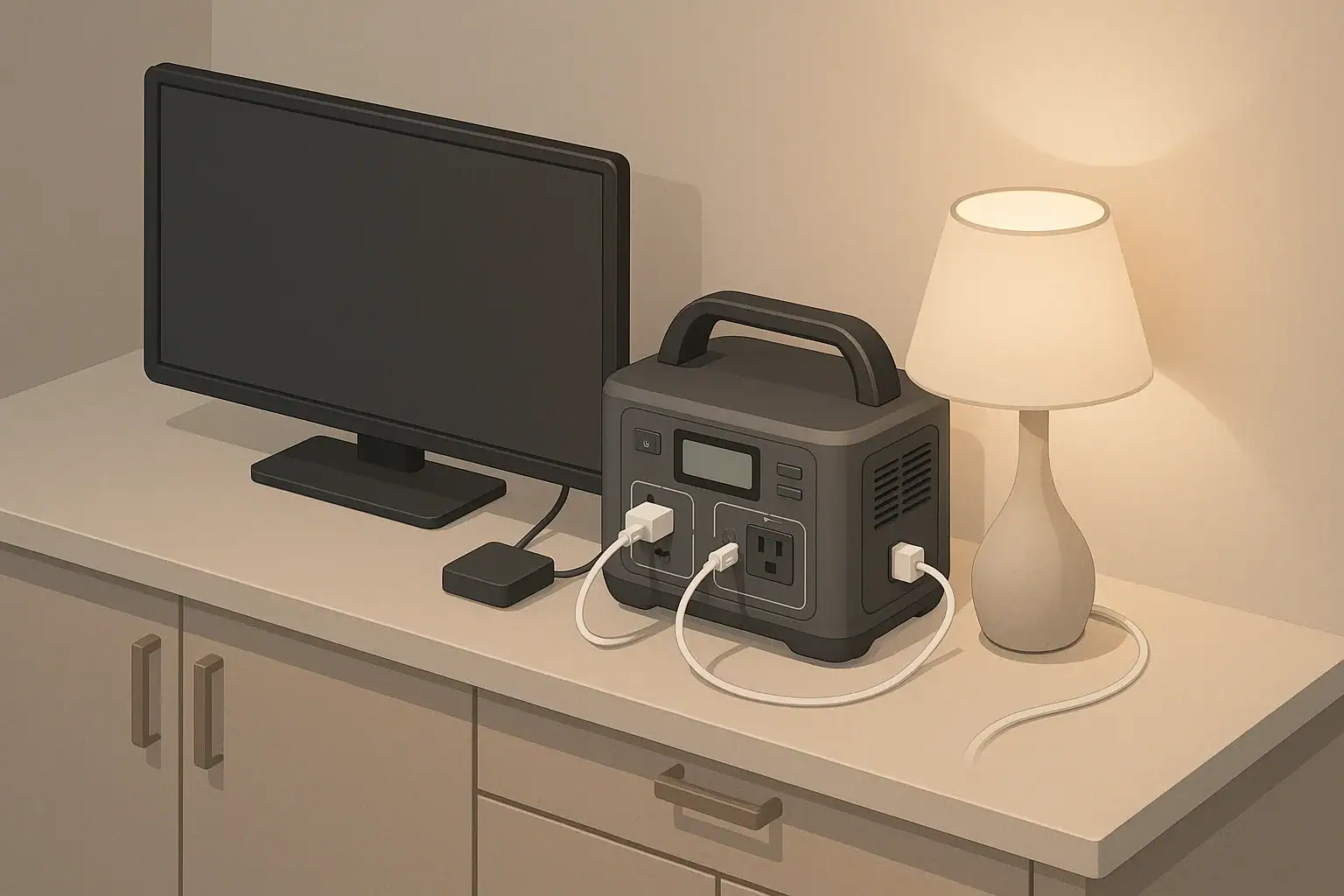
What powering a TV and streaming setup on a portable power station really means
Powering a TV and streaming setup with a portable power station means running your television, streaming device, router, and possibly a soundbar or game console from a battery instead of a wall outlet. The power station converts stored energy in its battery into usable AC power for your home electronics, usually at 120V and 60Hz in the United States.
This matters whenever you want entertainment or news during a power outage, while camping, in an RV, or in an off-grid cabin. A TV and streaming setup is often one of the first things people try to run from a portable power station, but runtime can be very different from what the product label might suggest.
Estimating runtime without guessing means understanding how much power your devices actually use and how that compares to the battery capacity of the power station. With a few simple numbers, you can predict whether you will get an hour, an evening, or an entire weekend of viewing before you need to recharge.
Once you know how to translate watts and watt-hours into hours of runtime, you can plan which devices to run together, when to recharge, and what size power station makes sense for your typical TV and streaming habits.
Key concepts and sizing logic for TV and streaming loads
Two terms are central for runtime planning: watts (W) and watt-hours (Wh). Watts describe how much power a device is using at a given moment. Watt-hours describe how much energy is stored in a battery or consumed over time. A TV labeled 80W might use around 80 watts while on; a power station labeled 500Wh can, in theory, provide 500 watts for one hour, or 250 watts for two hours, and so on.
Every AC-powered device has both running watts and, in some cases, a short surge or inrush when it turns on. Many modern TVs and streaming boxes have low or negligible surge compared with their running draw, but larger screens and external speakers can briefly pull more power at startup or when the backlight ramps up. Portable power stations usually list a continuous (running) wattage limit for their inverter and a higher surge limit they can handle for short bursts.
To estimate runtime, you use a simple formula: runtime (hours) ≈ usable battery energy (Wh) ÷ average load (W). However, the inverter inside the power station is not perfectly efficient. Heat and electronics losses often mean you only get around 80–90% of the listed watt-hours when running AC loads like TVs and routers. If a power station is rated at 500Wh, you might treat it as having 400–450Wh of usable energy for TV and streaming.
Other factors also affect sizing: how bright you set your TV, whether your streaming device and router are both running, and whether anything else shares the power station. Adding a game console or a mini PC can double or triple the total load. Good sizing for a TV and streaming setup starts with adding up each device’s running watts, checking that the total is well below the inverter’s continuous rating, and then dividing adjusted battery capacity by that total to estimate hours of use.
| What to check | Why it matters | Typical example |
|---|---|---|
| TV power label (watts) | Base load and screen size impact runtime | 30–120W depending on screen size |
| Streaming device draw | Adds to total, often small but constant | 3–15W for a streaming stick or box |
| Router/modem power | Needed for online streaming and updates | 8–20W when powered via AC adapter |
| Soundbar or speakers | Audio upgrades can significantly increase load | 15–60W depending on volume |
| Total running watts | Determines whether the inverter can handle the setup | Sum all device wattages |
| Battery capacity (Wh) | Sets maximum potential runtime in hours | Multiply Ah by battery voltage if needed |
| AC efficiency factor | Adjust for inverter losses and heat | Use 0.8–0.9 for rough planning |
| Planned viewing hours | Ensures capacity covers your typical session | 2–6 hours for an evening of use |
Real-world runtime examples for TV and streaming
Actual runtimes depend heavily on your specific devices, but you can use ballpark numbers to get into the right range. Many modern LED TVs in the 32–43 inch range might draw roughly 40–80 watts in typical use, while a small streaming stick might add another 5 watts, and a home router or modem could add 10–15 watts if you power it from the same station.
Imagine a total load of 90 watts for a modest TV plus streaming and networking gear. If you have a power station with 500Wh of capacity and you assume 85% usable energy on AC, that gives about 425Wh available. Dividing 425Wh by 90W yields roughly 4.7 hours of runtime. In practice, screen brightness changes, standby modes, and brief power spikes can nudge this number up or down.
If you step up to a larger screen, add a soundbar, or run a game console, the draw can easily reach 150–250 watts or more. Using the same 500Wh power station example and a 200W total load, the adjusted 425Wh divided by 200W yields a bit over 2 hours of use. For longer viewing sessions or all-evening sports events, you might want a larger-capacity station or a plan to reduce load by dimming the TV, turning off extra speakers, or pausing the router if you switch to offline content.
Smaller setups are also common. A compact TV or monitor around 25–30 inches with a streaming stick can draw only 30–50 watts total. On a 500Wh station with the same 85% assumption, that could translate to 8–12 hours of light viewing. These examples are not official limits, but they illustrate how a small change in load can dramatically change runtime on the same battery.
Common mistakes and troubleshooting cues
One common mistake is sizing only by battery capacity and ignoring inverter limits. A portable power station might have a large watt-hour rating but a relatively modest continuous wattage output. If your TV, console, soundbar, and other devices together exceed the inverter’s continuous rating, the unit may shut down quickly or refuse to power on your setup at all, even if the battery is mostly full.
Another frequent issue is underestimating how many devices are actually plugged in. Phone chargers, set-top boxes, and external drives add up. When the power station seems to run out “too quickly,” it often turns out that extra adapters, lights, or background electronics were drawing power the entire time. Checking which outlets are active and consolidating only the essentials can restore the expected runtime.
Users also commonly misinterpret behavior when the battery approaches low state of charge. Many portable power stations reduce output or shut off AC when the battery reaches a protective threshold. If your TV suddenly turns off but the display on the power station still shows a small percentage remaining, it may be protecting the battery from deep discharge, not failing. Likewise, if charging from solar or a vehicle, heavy loads like a TV can slow charging or cause the unit to oscillate between charging and discharging modes.
If you notice your power station getting unusually warm, fans running constantly, or the TV flickering, these can be cues that you are near the upper limit of the inverter’s rating or that ventilation is inadequate. Reducing the load, moving the unit to a cooler, better-ventilated area, and checking cables for secure connections can prevent nuisance shutdowns and help maintain safe operation.
Safety basics when running TVs and electronics from a power station
Portable power stations are designed to be safer and quieter than many engine-driven generators, but basic electrical safety still applies. Place the unit on a stable, dry surface away from water sources, where the vents are not blocked by curtains, furniture, or bedding. Good airflow helps manage heat generated by the inverter and battery during higher loads like TVs and entertainment systems.
Use cords and power strips that are rated for the load you plan to run. Avoid daisy-chaining multiple power strips or overloading a single AC outlet with several high-draw devices. For TV setups, a single quality surge protector or power strip is usually sufficient, but always check its rating against the maximum continuous output of your power station.
Many portable power stations include built-in protections, but they are not a substitute for ground-fault protection where it is required. When using equipment near sinks, outdoors, or in damp locations, plug the power station or downstream devices into outlets with ground-fault protection that comply with local codes. If your application involves more complex setups, consult a qualified electrician rather than trying to integrate a power station directly into a home’s wiring yourself.
Finally, avoid covering the power station with blankets, clothing, or electronics, and do not place it directly against heat sources or in direct, intense sunlight for extended periods. Heat shortens battery life and can trigger protective shutdowns. Keeping cords tidy and routed away from walkways also reduces trip hazards, especially in dark rooms where people are focused on the TV screen.
Maintenance and storage for reliable TV runtime
To count on your portable power station when you want to watch TV during an outage or on a trip, basic maintenance is important. Most modern units use lithium-based batteries that prefer to be stored partially charged rather than completely full or empty. Many manufacturers recommend storage around 40–60% state of charge (SOC), but always follow your specific device’s guidelines.
Self-discharge is gradual but real. Even when not in use, a stored power station will lose some charge over time, and any devices left plugged in can slowly drain it further. Plan to top it up every few months so it is ready when a storm, grid interruption, or trip arises. Periodically running a controlled discharge and recharge cycle can also help you verify that the unit still delivers the runtime you expect for a TV and streaming setup.
Temperature affects both safety and long-term battery health. Store the power station in a cool, dry environment, out of direct sunlight and away from freezing conditions. Extreme heat can accelerate battery degradation, and severe cold can temporarily reduce available capacity and performance. If you need to use the unit in colder environments, allowing it to warm to room-like temperature before heavy use can improve output and runtime.
Routine checks should include inspecting cords and plugs for damage, testing outlets, and confirming that fans and ventilation openings are free of dust buildup. Keeping the exterior clean and the ventilation paths open supports reliable cooling when you run steady loads like evening TV sessions.
| Task | Suggested interval | What to look for |
|---|---|---|
| Charge to storage level | After each major use | Battery around mid-range SOC for storage |
| Top-up charge | Every 3–6 months | Restore charge lost to self-discharge |
| Runtime test with TV | Every 6–12 months | Confirm expected viewing hours are still available |
| Visual inspection of cords | Before outages or trips | No frayed insulation or loose plugs |
| Vent and fan check | Every few months | Clean vents, unobstructed airflow during use |
| Storage environment review | Seasonally | Cool, dry location away from extreme heat or cold |
| Function check of outlets | Annually | AC and DC ports power devices as expected |
Practical takeaways for estimating TV and streaming runtime
Estimating runtime for a TV and streaming setup does not require detailed engineering, just a few basic numbers and a consistent approach. First, identify the power draw of each component you plan to run: TV, streaming device, router, soundbar, and anything else sharing the power station. Use nameplate ratings or, if available, measured averages from a plug-in meter.
Next, add those wattages together and compare the total to the power station’s continuous AC rating, leaving some buffer so the inverter does not run at its absolute limit. Convert battery capacity from watt-hours to usable energy by multiplying by an efficiency factor, such as 0.8–0.9 for AC loads. Divide that usable watt-hour number by your total watts to get a first-pass estimate of runtime.
- Confirm your total TV and streaming power draw before a real outage by testing your full setup on the power station.
- Plan for lower efficiency and shorter runtime than the maximum theoretical number, especially if you use higher brightness, louder audio, or gaming consoles.
- Keep your power station stored partially charged, in a moderate-temperature location, and test it periodically with your actual viewing setup.
- Use appropriate cords and safe placement to avoid overheating, tripping hazards, and electrical issues while watching TV.
- Consider what is truly essential during an outage and shut down non-critical devices to extend viewing time.
With these habits, you can move from rough guesses to reliable expectations, making it much easier to enjoy your TV and streaming setup on battery power when you need it.
Frequently asked questions
How do I calculate how long my TV and streaming setup will run on a portable power station?
Estimate runtime by dividing usable battery energy (Wh) by the total running watts of all devices. Adjust the battery Wh by an inverter efficiency factor (typically 0.8–0.9) and ensure the combined load does not exceed the inverter’s continuous output rating.
Can I run a router and streaming stick together with my TV from a small power station?
Yes, routers and streaming sticks usually draw only a few watts each, so they can run with most modern TVs if the combined running watts stay below the inverter’s continuous rating. Confirm the battery capacity provides the viewing hours you want and check that any additional devices won’t push the inverter into overload.
Will my power station handle startup surges from a TV or audio system?
Many modern TVs have low startup surges, but larger speakers, subwoofers, or game consoles can produce brief inrush currents. Check the power station’s surge rating and avoid setups where startup spikes exceed that limit, since exceeding surge capability can trigger shutdowns or protection circuits.
What are simple ways to extend viewing time on battery power?
Reduce TV brightness, turn off nonessential devices like soundbars or game consoles, and use offline content to avoid running a router. If supported, charge the power station while in use (solar, vehicle, or AC) and prioritize critical devices to extend usable runtime.
Is it safe to use a portable power station indoors for TV and streaming?
Yes, portable power stations are generally safe for indoor use when placed on a stable, dry surface with good ventilation and when used with properly rated cords and surge protectors. Avoid covering the unit, keep it away from water, and use ground-fault protection where required for damp locations.
Recommended next:
- Portable Power Stations for Apartments
- Portable Power Stations for RV and Motorhomes
- Can a Portable Power Station Run a Microwave? What to Check Before You Try
- Can a Portable Power Station Run a Space Heater? Realistic Limits
- Can a Portable Power Station Run an Air Conditioner? Sizing and Expectations
- Powering a Coffee Maker, Kettle, or Induction Cooktop: What Works and Why
- More in Home / Appliances →
Related guides
Browse this topic →
- Beginner-friendly sizing, runtime & specs
- Solar & charging (MPPT, fast charging, cables)
- Batteries (LiFePO4, cycles, care & storage)
- Safety, cold-weather performance, real-world tips
More in Home / Appliances
See all →- Backup Power for Security Cameras and Wi-Fi: Sizing a 24/7 Setup
- Running a Pellet Stove During a Power Outage: Starting Surge, Runtime, and Safe Setup
- What Size Portable Power Station for a Chest Freezer? Runtime Planning for Outages
- Portable Power Station for Starlink: Power Draw, Runtime, and What Specs Matter
- Using a Portable Power Station as Emergency Lighting: Efficient Options
Keep reading
About this site
Portable Energy Lab publishes practical, independent guides about portable power—clear sizing, safe use, and real-world expectations.
Affiliate disclosure
Some links on this site may be affiliate links. If you buy through these links, we may earn a small commission at no extra cost to you. This helps support our content. Learn more.