
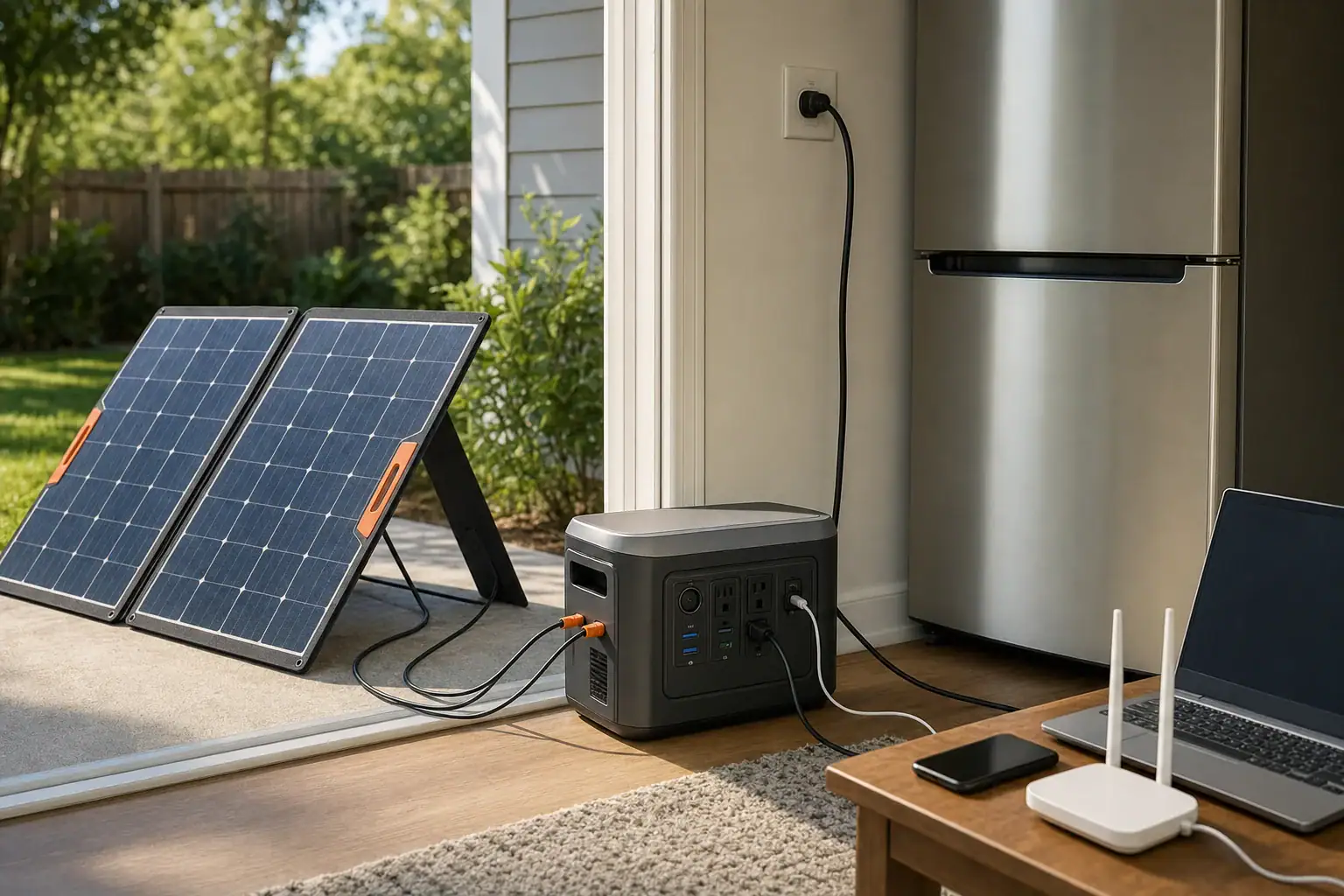
Pass-through solar charging can keep a portable power station running during an outage, but it works best when solar input consistently exceeds or offsets the connected load. The station must explicitly support simultaneous charging and discharging, and its solar input limit, inverter load, battery state of charge, and temperature all affect the result.
This setup is sometimes called solar pass-through charging, simultaneous charge and discharge, or solar generator load-through operation. It should not automatically be treated as UPS mode. Even when the display shows incoming solar power, the battery may still drain if appliances consume more energy than the panels provide. Surge watts, conversion losses, changing sunlight, and the station’s own operating power also reduce runtime.
For reliable outage use, match the panels to the station’s voltage and current specifications, prioritize essential loads, and leave enough battery reserve for nighttime. Avoid unsupported connectors, overloaded outputs, unsafe indoor panel placement, and any attempt to energize household wiring without approved equipment and professional guidance.
1. What pass-through solar charging means and why it matters
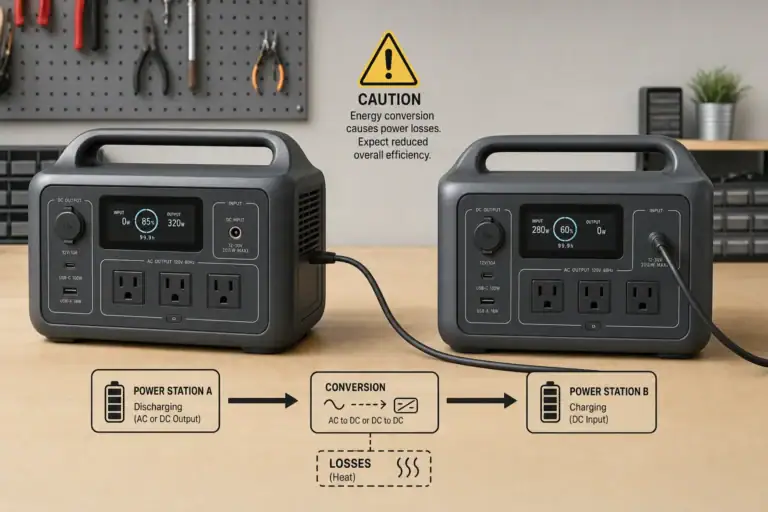
Pass-through solar charging means a portable power station accepts solar energy while supplying power from its AC, DC, or USB outputs. Incoming energy may serve the connected loads, recharge the battery, or do both. The exact internal power path varies by design, so simultaneous input and output must be listed as a supported operating condition.
This feature matters during a prolonged outage because it allows daytime solar production to extend battery runtime without disconnecting essential devices. A refrigerator, communications equipment, lights, or medical support equipment may continue operating while the station harvests available sunlight. However, solar does not necessarily pass directly from the panels to the appliance. The power station commonly regulates the input, manages the battery, and converts power for the active outputs.
Pass-through operation is not the same as unlimited operation. If a 300-watt load runs while the station receives only 180 watts, the battery must provide the difference plus conversion losses. If solar input is greater than total demand, the excess can recharge the battery until charging slows near full capacity.
2. How solar input, battery power, and connected loads interact
A power station’s solar charge controller accepts a limited voltage and current range. Its maximum solar wattage is only one part of compatibility. Panel open-circuit voltage must remain below the input’s maximum voltage, including the increase that can occur in cold weather. Panel operating voltage should also fall within the controller’s usable or MPPT range. Available current may be capped even when the connected array could produce more.
Solar ratings describe favorable test conditions, not guaranteed field output. Clouds, heat, panel angle, shade, dirt, cable losses, and the time of day can reduce production. Partial shade on a small portion of a panel may cause a disproportionate drop, particularly when panel sections are electrically linked.
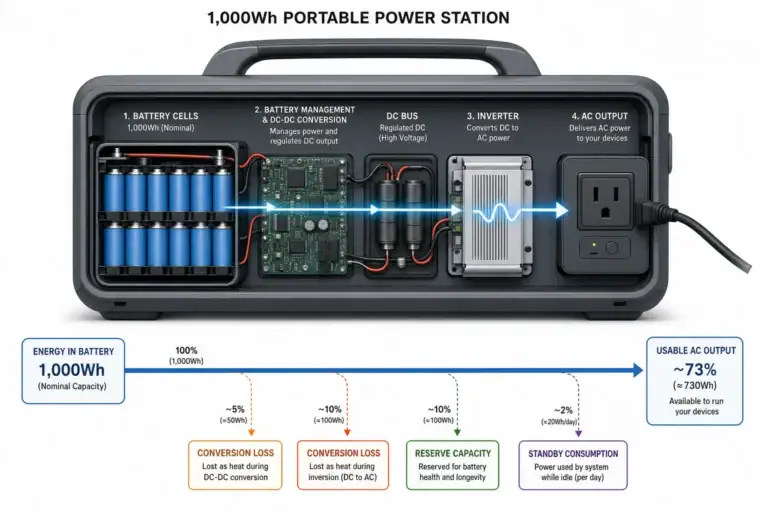
The basic energy balance is straightforward: solar input minus the station’s operating losses and connected loads determines whether the battery gains or loses charge. AC appliances add inverter losses, while DC and USB loads may avoid part of the conversion process. A displayed input of 400 watts and an AC load of 400 watts may therefore still produce slow battery discharge.
High starting loads require separate consideration. A refrigerator may average less than 100 watts but briefly demand several times that amount when its compressor starts. The inverter must support both continuous watts and surge watts, regardless of how much solar power is arriving at that moment.
| Operating condition | Solar input | Connected demand | Likely battery behavior |
|---|---|---|---|
| Strong sun, light electronics | 300 W | 80 W | Battery charges with remaining input |
| Variable clouds, refrigerator | 60–250 W | 70 W average | Charge level rises and falls |
| Cooking appliance | 400 W | 900 W | Battery discharges rapidly |
| Battery near full | 500 W available | 120 W | Controller may reduce solar intake |
3. Real-world outage examples
Daytime refrigerator support
Consider a refrigerator averaging 70 watts over several hours, with brief compressor starts above its average draw. If the solar array delivers 250 watts in strong sun, it can cover the running demand and leave energy for charging. During clouds, input may fall below the refrigerator’s needs, causing the battery to fill the gap. The station still needs adequate inverter surge capacity for compressor startup.
Remote work and communications
A laptop, modem, router, and LED light might average 80 to 150 watts together. A suitably matched array may support these loads for much of a clear day. Using efficient USB-C or regulated DC outputs where compatible can reduce losses compared with running every device through an AC adapter. Actual savings depend on the station and device voltage requirements.
Short use of a high-power appliance
A 1,000-watt appliance used for six minutes consumes about 100 watt-hours before losses. If solar input is 300 watts during that period, the battery still supplies most of the instantaneous demand. Short operation may be practical when battery reserve is healthy, but repeated use can consume energy needed overnight.
Multi-day outage planning
During a multi-day event, daily energy is more useful than peak panel wattage. An array averaging 250 watts for four effective sun-hours yields roughly 1,000 watt-hours before cable, charging, and storage losses. Loads consuming 1,200 watt-hours per day will create an energy deficit even if the display occasionally reaches the array’s rated output.
4. Common mistakes and troubleshooting cues
Assuming simultaneous operation is supported: Some stations limit outputs during charging, reduce charging power under heavy load, or disable certain modes. Check the operating instructions for solar charging while outputs are active. Do not infer support simply because the ports can be switched on.
Comparing only panel watts: A panel array can have an acceptable watt rating but an incompatible voltage. If solar input remains at zero, review the array’s open-circuit voltage, operating voltage, polarity, connector fit, and minimum startup requirements. Never exceed the stated input voltage.
Expecting rated solar production all day: If input is lower than expected, check for shade, poor orientation, dirty surfaces, loose connections, excessive cable length, or high panel temperature. Test in direct sun with a simple load and compare results at different times of day.
Ignoring power used by the station: The inverter, display, fans, wireless features, and control electronics consume energy. A small AC load can be inefficient if the inverter must remain active continuously. Turn off output sections that are not needed.
Overloading the inverter: An overload warning, output shutdown, or repeated restart may indicate excessive continuous demand or startup surge. Disconnect nonessential loads and restart only according to the operating instructions. Do not repeatedly force the station to power an appliance beyond its ratings.
Charging stops in heat or cold: Battery management systems may reduce or stop charging outside their permitted temperature range. Move the station to a dry, ventilated environment within its specified charging range. Do not attempt to heat, cool, open, or bypass the battery system.
Using UPS expectations: Pass-through capability does not guarantee instant transfer during a utility failure. Devices that cannot tolerate a brief interruption require a power station with a documented transfer function and a transfer time suitable for the load.
5. Safety basics for outage operation
Keep the power station indoors in a dry, ventilated location unless its documentation specifically permits another environment. Solar panels generally belong outdoors, but cables should be routed to avoid water entry, pinching, trip hazards, sharp edges, and damaged insulation. Do not place the station in direct midday sun merely because the panels need sunlight.
Use connectors, adapters, and extension cables rated for the expected voltage and current. A connector that physically fits is not necessarily wired with the correct polarity. Stop using any cable or plug that becomes unusually hot, discolored, loose, or damaged.
Do not connect a portable power station to a wall receptacle to energize household circuits. Backfeeding can endanger occupants, utility workers, and equipment. Any connection to fixed home wiring requires approved transfer equipment and installation by a qualified electrician.
Preserve access to exits and smoke alarms, and keep the equipment away from flammable materials. Follow the manufacturer-defined temperature and moisture limits. If the station swells, emits an unusual odor, makes abnormal sounds, leaks, or becomes excessively hot, disconnect loads if it is safe to do so and move away from the area.
6. Maintenance and storage for reliable pass-through use
Inspect the station, panels, plugs, and cables before outage season and after heavy use. Clean solar panel surfaces using the panel maker’s recommended method, and avoid abrasive tools that can scratch the protective layer. Confirm that cooling vents are clear and that cables have not developed cracked insulation or bent contacts.
For storage, follow the stated charge-level guidance rather than leaving the battery empty for months. Many lithium-based stations are commonly stored at a partial state of charge, with periodic checks for self-discharge. Store the unit in a cool, dry place within its specified range and keep it accessible enough to test before severe weather.
Run a practical load test periodically. Confirm that the expected appliances start, the solar input is recognized, and pass-through operation remains stable. A short test can reveal a failed adapter, an unexpected appliance surge, or battery capacity loss before an outage.
| Maintenance item | Example interval | What to verify |
|---|---|---|
| Charge-level check | Every 1–3 months | Battery has not fallen below storage guidance |
| Cable inspection | Before each deployment | No cuts, loose plugs, corrosion, or heat damage |
| Solar test | Twice per year | Input is detected under clear direct sun |
| Load test | Before outage season | Essential devices start and run without overload |
Related guides: Solar Charging in Partial Shade: Why One Shadow Can Slow the Whole Setup • MC4, Anderson, DC Barrel: Solar Connectors and Adapters Explained • Portable Power Station vs UPS: What Changes for Computers and Networking?
7. Practical takeaways and specs to look for
Pass-through solar charging works best as an energy-balancing strategy, not as a promise of endless power. Start with the daily watt-hour needs of essential devices, then consider realistic solar production and conversion losses. Keep high-draw appliances brief, preserve an overnight reserve, and monitor net battery movement rather than relying only on the solar input number.
Before buying or configuring a station for outage use, verify that simultaneous solar charging and output operation are expressly supported. Also distinguish pass-through charging from a true transfer or backup-power function. The right specifications depend on the loads, climate, available panel area, and required runtime.
Specs to look for
- Simultaneous input and output support: Look for documented solar charging while AC, DC, and USB outputs operate; this confirms the intended outage use.
- Solar input power: A range such as 300–1,000 watts may suit moderate systems; higher input can restore more daily energy when panel conditions allow.
- Solar voltage range: Match panel operating voltage to the MPPT range and keep cold-weather open-circuit voltage below the maximum; this prevents incompatibility and overvoltage.
- Input current limit: Values such as 10–20 amps determine how much array current the controller can use; excess available current may not increase charging speed.
- Usable battery capacity: Compare watt-hours with daily load demand; about 1,000–2,000 watt-hours can support more overnight energy than a small electronics-focused unit.
- Continuous inverter output: Choose a rating above the combined running watts of planned AC loads; operating with margin can reduce overloads and heat.
- Surge output: Look for enough short-duration capacity to start compressors, pumps, or motors, often two or more times their running wattage.
- Transfer function and transfer time: If uninterrupted operation matters, look for a documented backup mode and a transfer time expressed in milliseconds; pass-through support alone is insufficient.
- Charging temperature range: A range appropriate for the intended climate helps prevent charging interruptions during very hot or cold outage conditions.
- Input and output monitoring: Separate watt displays, remaining-time estimates, and battery percentage make it easier to identify an energy deficit before the battery is depleted.
For dependable results, test the complete setup under realistic loads before an emergency. Record typical refrigerator cycles, communication loads, solar input at different times, and overnight battery use. Those measurements provide a more reliable plan than nameplate ratings alone.
Frequently asked questions
Can a portable power station run appliances while solar panels are charging it?
It can if the power station specifically supports simultaneous solar input and output operation. Whether the battery charges or discharges depends on actual solar production, connected load, conversion losses, and the station’s own power use.
What specs matter most for pass-through solar charging?
Confirm documented simultaneous charging and output support, compatible solar voltage and current limits, usable battery capacity, and inverter continuous and surge ratings. A documented transfer function matters separately if a device needs to remain powered through a utility interruption.
Why is my power station battery draining even though the solar input display is active?
Solar input may be lower than the appliance demand after inverter and operating losses are included. Cloud cover, shade, panel angle, high panel temperature, and cable losses can also reduce the power available from the array.
Is it a mistake to choose solar panels based only on their watt rating?
Yes. The array’s open-circuit voltage, operating voltage, polarity, connector compatibility, and available current must also fit the station’s solar input specifications. An array with an acceptable watt rating can still be incompatible or unsafe if its voltage exceeds the input limit.
Can pass-through solar charging keep a refrigerator running during a power outage?
It may help extend runtime when solar production covers some or all of the refrigerator’s energy use. The power station must also have enough continuous inverter capacity and surge capacity for compressor startup, and the battery still needs reserve for low-sun periods and overnight use.
Is pass-through solar charging safe to use indoors during an outage?
The power station should be kept in a dry, ventilated indoor area only if its documentation allows it, while solar panels are generally placed outdoors. Use correctly rated cables and connectors, keep equipment away from heat and flammable materials, and never backfeed a wall outlet or fixed household wiring.
Related guides
Browse this topic →
- Beginner-friendly sizing, runtime & specs
- Solar & charging (MPPT, fast charging, cables)
- Batteries (LiFePO4, cycles, care & storage)
- Safety, cold-weather performance, real-world tips
More in Charging
See all →- USB-C Input vs AC Input on Portable Power Stations: Which Charging Method Makes Sense?
- Car Alternator Charging vs Cigarette Lighter Charging: What Changes for Power Stations?
- Charging a Portable Power Station From an RV Outlet: 12V, 24V, and Safety Limits
- Fast AC Charging vs Battery Longevity: Should You Use Turbo Mode Every Time?
- Solid-State Batteries and Portable Power Stations: What Could Change?
Keep reading
About this site
Portable Energy Lab publishes practical, independent guides about portable power—clear sizing, safe use, and real-world expectations.
Affiliate disclosure
Some links on this site may be affiliate links. If you buy through these links, we may earn a small commission at no extra cost to you. This helps support our content. Read our affiliate disclosure.