
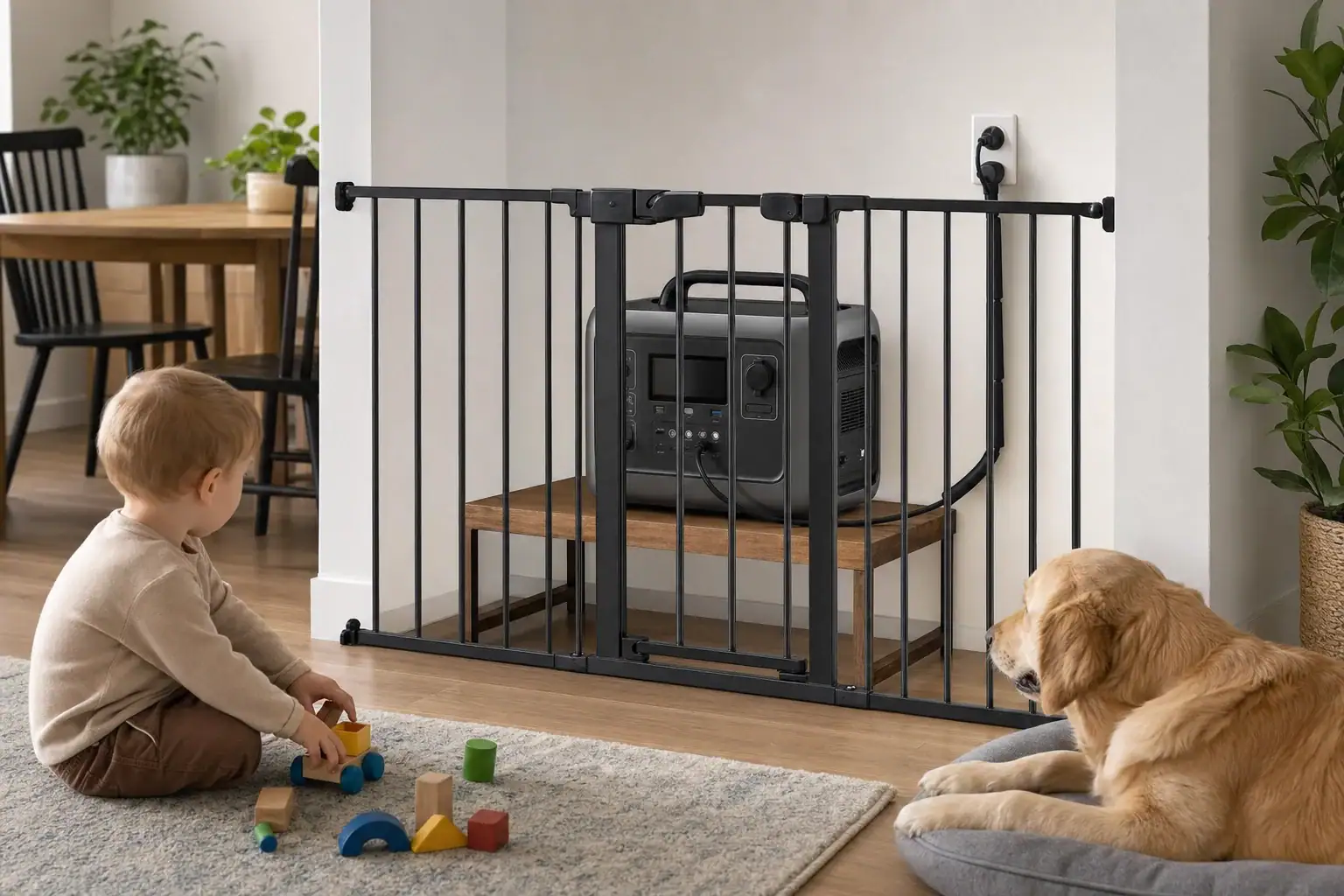
Childproofing a portable power station means preventing access to its cables, outlets, buttons, hot surfaces, and battery while preserving the ventilation needed for safe operation. Place it in a stable, supervised area that children and pets cannot reach, secure loose cords, and disconnect outputs that are not being used.
The main concerns are cable management, outlet covers, control lock settings, charging safety, and ventilation clearance. A power station can attract attention through illuminated displays, sounds, movable port covers, and connected cords. Pets may also chew cables, shed hair near cooling vents, or knock over a poorly placed unit.
No setup is completely childproof. Physical separation, active supervision, and routine inspection are more reliable than depending on a button lock or plastic cover alone. Always follow the operating temperature, clearance, charging, and storage instructions supplied with the unit.
What Childproofing a Portable Power Station Means
Effective childproofing creates several layers between a child or pet and the power station. These layers include safe placement, restricted access, protected cords, disabled unused outputs, and adult supervision. The goal is not merely to stop buttons from being pressed. It is to reduce the likelihood of electric shock, burns, trips, damaged wiring, blocked airflow, and accidental shutdowns.
A portable power station contains a high-energy battery and power electronics even when it is quiet. Some ports may remain energized after the display dims, and a control lock may not disable every outlet. During charging or heavy use, the case, charger, plugs, and connected cables may become warm. Childproofing therefore needs to account for the unit’s complete operating area, including everything connected to it.
How Cables, Heat, Controls, and Access Interact
Childproofing works best as a system. Start with a stable location outside normal play and pet routes. Use a safety gate, ventilated enclosure designed for operating equipment, or another secure boundary that cannot fall onto the unit. Do not place a heavy power station on a high shelf where pulling a cable could bring it down.
- Cables: Route cords along walls or through suitable cable guards, leaving enough slack to avoid strain at plugs.
- Heat: Keep every vent open and maintain the clearance stated by the manufacturer. Never operate the unit beneath clothing, bedding, or pet blankets.
- Buttons: Enable a control lock when available, but verify which buttons and outputs it actually locks.
- Pets: Prevent chewing, scratching, spraying, and hair accumulation with physical separation and regular cleaning.
Output ports should be off when they are not needed. Port covers can discourage touching, but they must fit correctly and must not trap heat or interfere with plugs. Accessories not approved for the unit may loosen, break, or obstruct ventilation.
| Risk area | Illustrative cue | Practical control |
|---|---|---|
| Ventilation | Object within 4 to 8 inches | Restore the clearance specified for the unit |
| Loose cord | Cable crosses a play route | Reroute through a wall-edge cable guard |
| Buttons | Display activates when touched | Use a control lock and physical barrier |
| Pet hair | Hair visible near an intake | Power down and clean the exterior safely |
Real-World Childproofing Examples
Powering a router during an outage
Place the power station on a dry, stable floor area behind a secured safety gate rather than on a table. Route the router during an outage cable against the wall and keep the AC outlet section facing away from the barrier. Confirm that the gate does not press against the unit or reduce airflow.
Charging in a family room
Charging creates two cable runs: one from the wall to the power station and another if devices are charging from its outputs. Restrict access to the whole area, not only the battery. Avoid charging near toy bins, curtains, upholstered furniture, pet beds, or places where liquids are commonly carried.
Using power around a dog or cat
A pet may treat a warm unit as a resting place or a cable as a chew toy. Use a stable barrier with openings too small for the pet to reach through. Inspect cord insulation and plug strain relief before every use. A protective sleeve may reduce abrasion, but it does not make an energized cable safe to chew.
Common Mistakes and Troubleshooting Cues
- Hiding the unit in a closed cabinet: A sealed space can retain heat. If the fan runs frequently, output drops, or a temperature warning appears, shut down loads and check airflow and ambient temperature.
- Relying only on a button lock: Some locks affect settings but leave outlets active. Test the feature without a child present and turn off unused AC, USB, and DC output groups.
- Using a high shelf: A child or pet pulling a cord can topple the unit. Choose a low, stable location protected by a barrier instead.
- Covering bright displays: Fabric or tape placed over the unit may block vents or hide warnings. Use built-in display timeout or brightness controls when available.
- Ignoring damaged cords: Stop using a cable if it has exposed conductors, crushed insulation, bent contacts, unusual heat, or a loose plug. Replace it with a correctly rated cable.
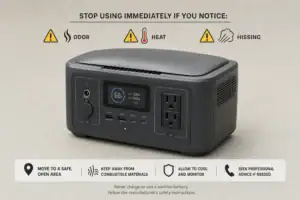
Repeated alarms, unusual odors, swelling, smoke, liquid leakage, crackling sounds, or excessive heat are not childproofing problems to work around. Move children and pets away, stop using the equipment if this can be done safely, and follow the manufacturer’s emergency guidance. Do not open the case or attempt battery repairs.
High-Level Safety Basics for Home Use
- Keep the area dry: Do not place the unit where spills, pet bowls, wet footwear, or plumbing leaks could reach it.
- Match loads to ratings: Check continuous watts and surge watts before connecting an appliance. Overloading may trigger shutdowns and create unnecessary heat.
- Use suitable cords: Extension cords and power strips should be appropriately rated, intact, and fully visible for inspection.
- Separate it from heat and flame: Keep the power station away from stoves, radiators, direct summer sun, and ignition sources.
- Maintain supervision: Do not leave young children alone with operating electrical equipment, even when barriers and locks are present.
A portable power station must never be connected to household wiring through an improvised cord or used to backfeed a receptacle. Any planned connection to home circuits requires approved equipment and evaluation by a qualified electrician. If a fuel-powered generator charges the station, operate the generator outdoors at a safe distance from the home; the power station itself does not eliminate generator exhaust hazards.
Maintenance and Storage Around Children and Pets
Inspect the case, ports, plugs, and cables before use. Remove exterior dust or pet hair only with the unit shut down and disconnected, following its cleaning instructions. Do not insert tools into vents or apply liquids, sprays, or pet deterrents to the case or wiring unless the manufacturer specifically permits them.
For storage, turn outputs off and keep the unit in a dry, temperature-controlled, secured location. Avoid a locked car, damp basement floor, or hot attic. Maintain the recommended storage charge and recharge interval because prolonged storage at an unsuitable charge level can reduce battery performance.
- Confirm that latches, gates, cable guards, and outlet covers still fit securely.
- Check for pet tooth marks, pinching, fraying, discoloration, or looseness at connectors.
- Review placement as children become taller, stronger, and able to open previous barriers.
| Timing | Inspection | Reason |
|---|---|---|
| Before each use | Cords, plugs, ports, and placement | Find immediate access or damage risks |
| Weekly during regular use | Vents, barriers, and pet hair | Preserve airflow and separation |
| Every 1 to 3 months in storage | Charge level and storage conditions | Support battery readiness and longevity |
Practical Takeaways and Specs to Look For
Use multiple protections rather than treating any single feature as childproof. Create a secure perimeter, keep the unit stable and dry, route cords away from traffic, preserve ventilation, and disable outputs that are not needed. Recheck the arrangement whenever a new appliance is connected or furniture is moved.
Related guides: Indoor Use Safety: Ventilation, Heat, and Fire-Prevention Basics • Extension Cords and Power Strips: Safe Practices With Portable Power Stations • UL 2743 Certification Explained for Portable Power Stations • Where to Store a Portable Power Station at Home: Heat, Humidity, and Access • Portable Power Station Fire Safety Checklist for Apartments
Specs to look for
- Control lock: Look for a clearly documented lock requiring a deliberate action, such as a 2- to 5-second press; it reduces accidental setting changes but should not replace a barrier.
- Independent output controls: Look for separate AC, USB, and DC switches; they let unused port groups remain de-energized.
- Automatic output timeout: Look for adjustable shutdown or standby settings; these can reduce the time unused outlets remain active.
- Thermal protection: Look for published high- and low-temperature shutdown behavior plus clear ventilation guidance; these features help the unit respond to unsafe operating temperatures.
- Continuous and surge output: Compare appliance starting watts with both ratings, such as a 1,000-watt continuous load and a higher brief surge; adequate headroom reduces overload shutdowns and heat.
- Cable and connector quality: Look for firmly fitting plugs, robust strain relief, and cables rated for the expected current; secure connections are less likely to loosen or overheat.
- Size, weight, and handles: Check whether the unit can sit securely in the intended protected area; a 25- to 50-pound unit needs a stable surface and should not be placed where it can fall.
- Safety certification and protections: Look for evaluation by a recognized testing laboratory and documented overcurrent, short-circuit, overvoltage, and temperature protection; these provide important safeguards without making the product childproof.
Before buying or relocating a power station, measure the protected area with its cables connected and required ventilation clearance included. A suitable setup must remain inaccessible to children and pets without enclosing the unit so tightly that heat cannot escape.
Frequently asked questions
Is it safe to use a portable power station around children?
It can be used more safely when children cannot reach the unit, its outlets, or its connected cords. Keep it dry, stable, ventilated, and supervised, and turn off output groups that are not in use. A lock feature or outlet cover should support, not replace, physical separation.
Can I put a portable power station in a cabinet to keep children away?
A closed or poorly ventilated cabinet is a common mistake because it can trap heat and obstruct cooling vents. Use a secure barrier or a ventilated equipment enclosure that preserves the manufacturer-required clearance instead. The barrier should not touch the unit, cables, or vents.
What features matter most when choosing a child-safe portable power station setup?
Useful features include separate controls for AC, USB, and DC outputs, a documented control lock, adjustable display or standby settings, and clear thermal protection information. Also consider the unit’s size, weight, cable quality, and ventilation requirements for the intended location. These features improve control of access and operation but do not make a power station fully childproof on their own.
How do I stop pets from chewing portable power station cables?
Keep cables behind a stable barrier and route them along walls or through suitable cable guards so pets cannot easily reach them. Inspect cables and strain relief before each use, and stop using any cord with tooth marks, fraying, crushed insulation, or looseness. Protective sleeves may reduce abrasion but do not make an energized cable safe for a pet to chew.
Should unused outlets on a portable power station be turned off?
Yes, turn off unused AC, USB, and DC output groups when the unit allows separate control. This reduces unnecessary access to energized ports and can limit accidental activation by a child or pet. Check the manual because a display turning off does not always mean every output is de-energized.
What should I do if a portable power station gets unusually hot or smells strange?
Move children and pets away and stop using the equipment if it is safe to do so. Follow the manufacturer’s emergency instructions for unusual heat, alarms, odors, swelling, smoke, leakage, or crackling sounds. Do not open the case, cover the unit, or attempt battery repairs.
Related guides
Browse this topic →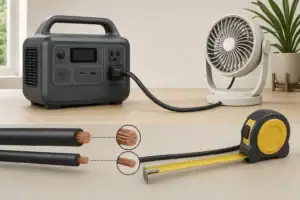
- Beginner-friendly sizing, runtime & specs
- Solar & charging (MPPT, fast charging, cables)
- Batteries (LiFePO4, cycles, care & storage)
- Safety, cold-weather performance, real-world tips
More in Safety
See all →- Can You Take a Portable Power Station on a Plane? Battery Limits and Safer Travel Planning
- What to Do If a Portable Power Station Gets Wet
- Portable Power Station Fire Safety Checklist for Apartments
- UL 2743 Certification Explained for Portable Power Stations
- Lithium Battery Safety Myths vs Reality: What Actually Causes Incidents
Keep reading

About this site
Portable Energy Lab publishes practical, independent guides about portable power—clear sizing, safe use, and real-world expectations.
Affiliate disclosure
Some links on this site may be affiliate links. If you buy through these links, we may earn a small commission at no extra cost to you. This helps support our content. Read our affiliate disclosure.