
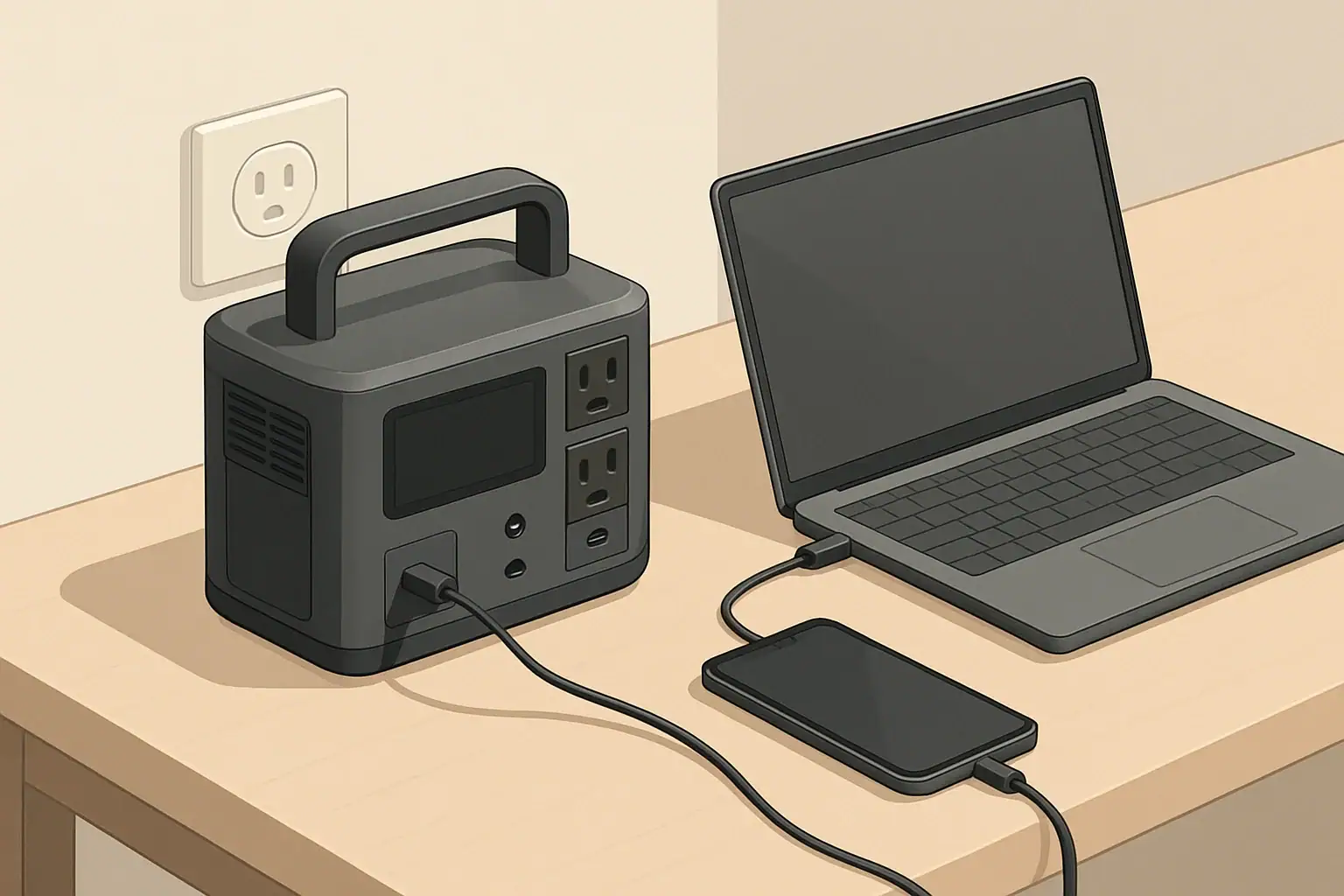
USB-C Power Delivery on a portable power station lets you charge phones, tablets, and many laptops directly and more efficiently than using the AC outlets. By matching PD wattage to each device, using the right cables, and understanding port limits, you can stretch your watt-hours and keep critical electronics running longer off-grid.
This guide explains what USB-C PD actually does inside a power station, how to read the specs on the label, and when to choose PD versus AC. You will see real-world examples, simple runtime estimates, and common pitfalls that cause slow or unreliable charging. Whether you use a portable power station for camping, backup power, or mobile work, understanding PD helps you plan loads, avoid overloads, and protect your battery over the long term.
What USB-C Power Delivery Is and Why It Matters
USB-C Power Delivery (PD) is a fast-charging standard that uses the USB-C connector to negotiate higher voltages and currents than older USB ports. Instead of always outputting 5 V, a PD port and a compatible device agree on a voltage and current profile in real time, typically anywhere from 5 V up to 20 V and from a fraction of an amp up to several amps.
On a portable power station, this means you can often plug devices directly into a USB-C PD port instead of using their AC power bricks. That reduces conversion losses, cuts fan noise, and frees up AC outlets for gear that truly needs them. In practical terms, PD ports can fast-charge modern phones, tablets, handheld consoles, cameras, and many laptops, sometimes at 60 W, 100 W, or more; our USB-C PD 3.1 and 240W EPR guide covers newer high-power profiles.
PD matters most when:
- You need to maximize runtime from a limited battery during outages or camping.
- You carry multiple devices and want to minimize bulky AC adapters.
- You rely on a laptop or tablet for work and need predictable charging performance.
Key USB-C PD Concepts and How They Work
To use USB-C PD effectively with a portable power station, it helps to understand a few core ideas: voltage profiles, wattage ratings, per-port versus total limits, and input versus output roles.
Voltage profiles and negotiation
PD works by negotiating a compatible “profile” between the power station and the device. Common fixed voltage levels include:
- 5 V (legacy USB level, low power)
- 9 V (typical for phone fast charging)
- 12 V
- 15 V
- 20 V (often used for laptops and monitors)
USB PD 3.1 Extended Power Range (EPR) adds fixed 28 V, 36 V, and 48 V profiles, enabling up to 140 W, 180 W, and 240 W. The power station, device, and cable must all support the requested profile; otherwise they negotiate a lower supported level.
The device asks for a combination of voltage and current that fits its needs and the port’s limits. The power station then supplies that profile as long as thermal and power budgets allow.
Wattage and port ratings
Power is measured in watts (W), calculated as voltage (V) × current (A). Portable power stations often advertise USB-C PD ratings such as 18 W, 45 W, 60 W, 65 W, or 100 W per port. A label like “5 V⎓3 A, 9 V⎓3 A, 15 V⎓3 A, 20 V⎓3.25 A (65 W max)” means:
- The port can supply those voltage levels.
- Maximum current changes with voltage.
- Total power is capped at 65 W regardless of the combination.
Per-port vs. total USB budget
Most power stations also have a total USB or total DC output limit across all USB ports. For example, a unit might have:
- One USB-C PD port rated to 100 W
- One USB-C PD port rated to 60 W
- Two USB-A ports at 12 W each
- Total USB output limit of 120 W
In that case, you cannot use 100 W + 60 W + 12 W + 12 W at the same time. The electronics will share or cap power so the combined USB output stays at or below 120 W.
Input vs. output PD roles
USB-C PD ports on power stations can act as:
- Output only: Send power from the station to devices.
- Input only: Accept power from a PD wall charger or other source to recharge the station.
- Bidirectional: Act as input or output depending on what is connected.
Labeling near the port or in the manual usually indicates “PD in,” “PD out,” or “PD in/out,” along with wattage limits for each direction.
PD vs. regular USB ports
Portable power stations typically include a mix of USB-A and USB-C ports:
- USB-A (legacy): Often 5 V at 2.4 A (≈12 W). Good for basic phones, earbuds, and accessories.
- USB-C non-PD: Uses the USB-C connector but fixed at 5 V, usually 10–15 W. Not suitable for most laptops.
- USB-C PD: Negotiated voltage, higher wattage, suitable for laptops and fast-charging phones.
Real-World USB-C PD Examples with Portable Power Stations
Understanding numbers is easier with concrete scenarios. The examples below assume typical behavior; actual performance depends on your specific devices and power station.
Matching PD wattage to common devices
| Device type | Typical PD need (W) | Minimum practical PD port | Notes for portable power station use |
|---|---|---|---|
| Smartphone | 18–30 W | 18–30 W USB-C PD | Fast charges; can also use USB-A if PD ports are reserved for larger loads. |
| Tablet | 30–45 W | 30–45 W USB-C PD | Charges noticeably faster on PD than on 12 W USB-A. |
| Small / thin laptop | 45–65 W | 60–65 W USB-C PD | Often charges at full speed; may slow under heavy CPU/GPU load. |
| Mainstream 15″ laptop | 60–90 W | 60–100 W USB-C PD | Will usually charge; may discharge slowly under intensive workloads on lower-watt ports. |
| High-performance laptop | 90–150+ W | 100 W USB-C PD (if supported) | PD may only maintain battery or charge slowly; full performance may still require the original AC adapter. |
| Camera / action cam | 10–18 W | Any PD or 5 V USB-A | Low draw; usually fine on shared USB power. |
Estimating runtime for a laptop on USB-C PD
To estimate how long a power station can run a laptop over USB-C PD:
- Find the power station’s usable capacity in watt-hours (Wh).
- Estimate the laptop’s average draw while in use (W). This is often lower than the adapter’s maximum rating.
- Multiply capacity by an efficiency factor (around 0.9 for DC-to-DC) and divide by the laptop’s draw.
Example: A 500 Wh power station running a laptop that averages 40 W over USB-C PD:
- Usable energy ≈ 500 Wh × 0.9 = 450 Wh
- Estimated runtime ≈ 450 Wh ÷ 40 W ≈ 11.25 hours
This estimate assumes no other loads and moderate temperatures. Heavy multitasking or gaming can raise power draw and shorten runtime significantly.
Using PD alongside other outputs
Consider a small mobile office setup on a 500 Wh station with a 120 W total USB limit:
- Laptop on 60 W PD, averaging 45 W while working.
- Tablet on 30 W PD, averaging 20 W while in use.
- Phone on USB-A at 10 W.
Total real draw is about 45 + 20 + 10 = 75 W, well below the 120 W USB limit, so all devices charge normally. If you add another high-draw device to USB, the station may reduce PD wattage or drop some ports to prevent exceeding the total limit.
PD vs. AC charging efficiency
Charging a laptop through AC usually involves two conversion steps: DC (battery) to AC (inverter), then AC back to DC in the laptop’s power brick. Using USB-C PD typically keeps everything DC-to-DC with fewer conversion losses. Over a long workday, this can translate into noticeably more runtime from the same battery capacity and less heat and fan noise from the inverter.
Common USB-C PD Mistakes and Troubleshooting
Many charging problems with portable power stations come down to mismatched expectations, mislabeled ports, or cables that cannot carry the required power. The table below summarizes frequent issues and where to look first.
| Symptom | Likely cause | What to check or change |
|---|---|---|
| Laptop does not charge over USB-C at all | Laptop does not support USB-C charging, or port is data-only | Confirm laptop specs; look for charging symbols near USB-C; use original AC adapter if USB-C power is not supported. |
| Charging is very slow or battery still drains | PD port wattage is below laptop’s typical draw | Compare laptop adapter rating to PD port rating; move the laptop to the highest-wattage PD port or reduce workload. |
| Phone will not fast charge | Using USB-A or non-PD USB-C, or low-quality cable | Switch to a PD-capable USB-C port and a known good cable; verify port labeling and wattage. |
| Ports shut off or reset when multiple devices are connected | Total USB/DC output limit exceeded or thermal protection | Reduce the number of high-draw devices; spread loads between USB and DC outputs; allow the unit to cool. |
| Power station fans run constantly when using PD | High combined load or pass-through charging | Lower PD output where possible; avoid heavy pass-through use for long periods; ensure good ventilation. |
| Power station will not charge from a PD wall charger | Using output-only PD port or incompatible charger profile | Confirm which port supports PD input; verify PD input wattage rating; try a different PD charger or cable. |
Checklist when PD is not working as expected
- Port type: Confirm you are using a USB-C PD port, not USB-A or non-PD USB-C.
- Direction: Make sure the port supports output when charging devices and input when recharging the station.
- Wattage: Compare the device’s power needs to the port’s PD rating and the total USB output limit.
- Cable: Try a different, short, high-quality USB-C cable rated for the needed wattage.
- Battery level: Some stations reduce PD output at very low or very high state of charge to protect the battery.
- Firmware behavior: If the station supports updates, check whether PD behavior changed after an update and adjust expectations accordingly.
USB-C PD Safety Basics on Portable Power Stations
USB-C PD is designed to be safe and self-limiting, but real-world use on portable power stations still requires some basic precautions, especially at higher wattages.
Built-in protections
- Negotiated power: Devices only draw what the PD contract allows, reducing the risk of overload.
- Overcurrent and overvoltage protection: Power stations monitor ports and shut them down if currents or voltages exceed safe limits.
- Thermal management: Fans and internal sensors limit power or turn outputs off if temperatures rise too high.
Safe cable and connector use
- Use cables rated for the wattage you expect. For 60 W and below, most quality USB-C cables are fine; for 100 W and above, use cables explicitly rated for higher current.
- Avoid sharply bending or pinching cables, especially near the connectors, as this can cause heat buildup or intermittent connections.
- Inspect USB-C ports and plugs periodically for debris, moisture, or visible damage before connecting high-power loads.
Managing heat and ventilation
- Place the power station on a hard, stable surface with vents unobstructed.
- Avoid covering the unit with clothing, blankets, or gear while running high PD loads or using pass-through charging.
- If the case feels unusually hot or fans run at maximum for extended periods, reduce load or pause charging until the unit cools.
Using pass-through charging wisely
- Pass-through (charging the station while powering devices) is convenient but increases internal heat and stress.
- For long sessions, consider charging the power station first, then running loads, instead of doing both at maximum levels simultaneously.
- Stay within the manufacturer’s combined input and output ratings to avoid protective shutdowns.
Long-Term Use, Maintenance, and Storage with PD
USB-C PD itself requires little maintenance, but how you use it affects the long-term health of both your portable power station and your devices.
Protecting the power station battery
- Avoid routinely running the battery from 100% down to 0% at high PD loads; moderate depth of discharge can help extend battery life.
- When possible, keep heavy PD loads (like laptops) off the station while it is charging at maximum input power to reduce heat and cycling stress.
- If the unit allows adjustable charge rates, using a moderate input level instead of the absolute maximum can improve long-term battery health.
Storage practices when you rely on PD
- For long-term storage, keep the power station at a partial state of charge (often around 40–60%) rather than full or empty, if recommended by the manufacturer.
- Store the unit and PD cables in a cool, dry place away from direct sunlight and extreme temperatures.
- Every few months, top up the battery and briefly test the PD ports with a known device so you are not surprised during an outage or trip.
Caring for high-wattage PD cables
- Label your higher-wattage USB-C cables so you can quickly find them for laptops or other demanding devices.
- Coil cables loosely for transport; avoid tight wraps that strain the connectors or internal conductors.
- Replace cables that show fraying, discoloration near the ends, or intermittent charging behavior.
Planning for evolving devices
As new laptops, tablets, and accessories adopt higher-wattage USB-C PD standards, consider leaving some margin in your setup. Choosing a power station with at least one high-wattage PD port and a healthy total USB budget gives you flexibility as your device lineup changes over time.
Practical Takeaways and Specs to Look For
USB-C Power Delivery turns a portable power station into a more efficient and flexible hub for modern electronics. A bit of planning around wattage, ports, and cables can prevent most charging headaches and help you get more runtime from the same battery capacity.
Key practical takeaways
- Use USB-C PD instead of AC for laptops and tablets whenever possible to reduce conversion losses and noise.
- Match PD wattage to your most demanding device; underpowered ports lead to slow charging or continued battery drain.
- Remember that per-port ratings and total USB output limits are different; both matter when running multiple devices.
- Invest in a few known high-quality USB-C PD cables and keep them with the power station.
- Monitor heat and fan behavior during heavy PD and pass-through use, and back off if the unit is clearly stressed.
Specs to look for on a portable power station (USB-C PD)
- Number of USB-C PD ports: At least one high-wattage PD port for a laptop, plus additional ports if you plan to charge multiple PD devices.
- Per-port PD rating: Look for a port that meets or exceeds your laptop’s adapter rating (for example, 60 W, 65 W, 100 W).
- Total USB output budget: Ensure the total USB wattage can support your typical combined loads (laptop + phone + tablet, etc.).
- PD input capability: If you want to recharge the station via USB-C, check for a PD input or bidirectional port and its maximum input wattage.
- Supported voltage profiles: Confirm that the PD port supports common laptop voltages such as 15 V and 20 V if you rely on USB-C charging.
- Pass-through behavior: Check whether the station supports powering devices while charging and whether there are any limits on PD during pass-through.
- Thermal and protection features: Look for clear information about overcurrent, overvoltage, and temperature protection on USB-C ports.
- Battery capacity vs. usage: Compare the station’s watt-hours to the power draw of your main PD devices to estimate realistic runtimes.
By focusing on these PD-related specs and habits, you can choose and use a portable power station that keeps your essential USB-C gear powered reliably, efficiently, and safely wherever you need it.
Primary reference: For the official protocol, negotiated power levels, and cable requirements, consult the USB-IF USB Power Delivery overview.
Frequently asked questions
Which USB-C PD specifications and features should I prioritize when choosing a portable power station?
Prioritize the number of high-wattage USB-C PD ports, per-port wattage, and the total USB output budget so your typical device mix can run simultaneously. Also check whether a PD port is bidirectional for PD input, the maximum PD input wattage, supported voltage profiles (e.g., 15 V/20 V), and the unit’s thermal and protection features for reliable operation.
Why is my laptop charging very slowly or still losing battery when plugged into USB-C PD?
Slow charging usually means the PD port is rated below the laptop’s average draw, the station’s total USB budget is being shared, or the cable is not rated for the required current. Verify the port’s PD wattage and the cable rating, try a higher-wattage PD port if available, and reduce the laptop workload to lower power draw.
Is USB-C Power Delivery safe to use with portable power stations?
Yes—PD uses negotiation and most stations include overcurrent, overvoltage, and thermal protections to limit risk. However, high-wattage use and pass-through charging increase internal heat, so follow ventilation guidance and the manufacturer’s combined input/output limits to maintain safe operation.
What type of cable do I need for high-wattage USB-C PD (such as 100 W)?
Use a USB-C cable explicitly rated for the higher current (usually 5 A) or labeled for 100 W PD; these often include an e-marker chip to communicate capability. Short, high-quality cables reduce loss and heat; avoid older or cheap cables that lack the proper rating for high-watt charging.
How can I estimate how long my laptop will run on a power station using USB-C PD?
Estimate runtime by taking the station’s usable watt-hours, multiplying by a DC-to-DC efficiency factor (≈0.9), and dividing by the laptop’s average power draw in watts. For example, a 500 Wh station × 0.9 ≈ 450 Wh; at a 40 W average draw that yields about 11.25 hours.
What should I do if the power station’s USB-C ports shut off when multiple devices are connected?
Check the station’s total USB output limit and reduce high-draw devices or redistribute loads to AC or DC outputs to stay within the combined budget. Also allow the unit to cool, use higher-priority PD ports for critical devices, and verify cables and connections to rule out intermittent faults.
Related guides
Browse this topic →

- Beginner-friendly sizing, runtime & specs
- Solar & charging (MPPT, fast charging, cables)
- Batteries (LiFePO4, cycles, care & storage)
- Safety, cold-weather performance, real-world tips
More in Charging
See all →- Can You Daisy-Chain Portable Power Stations? Why It Usually Isn’t a Good Idea
- USB-C Input vs AC Input on Portable Power Stations: Which Charging Method Makes Sense?
- Car Alternator Charging vs Cigarette Lighter Charging: What Changes for Power Stations?
- Charging a Portable Power Station From an RV Outlet: 12V, 24V, and Safety Limits
- Fast AC Charging vs Battery Longevity: Should You Use Turbo Mode Every Time?
Keep reading

About this site
Portable Energy Lab publishes practical, independent guides about portable power—clear sizing, safe use, and real-world expectations.
Affiliate disclosure
Some links on this site may be affiliate links. If you buy through these links, we may earn a small commission at no extra cost to you. This helps support our content. Read our affiliate disclosure.