
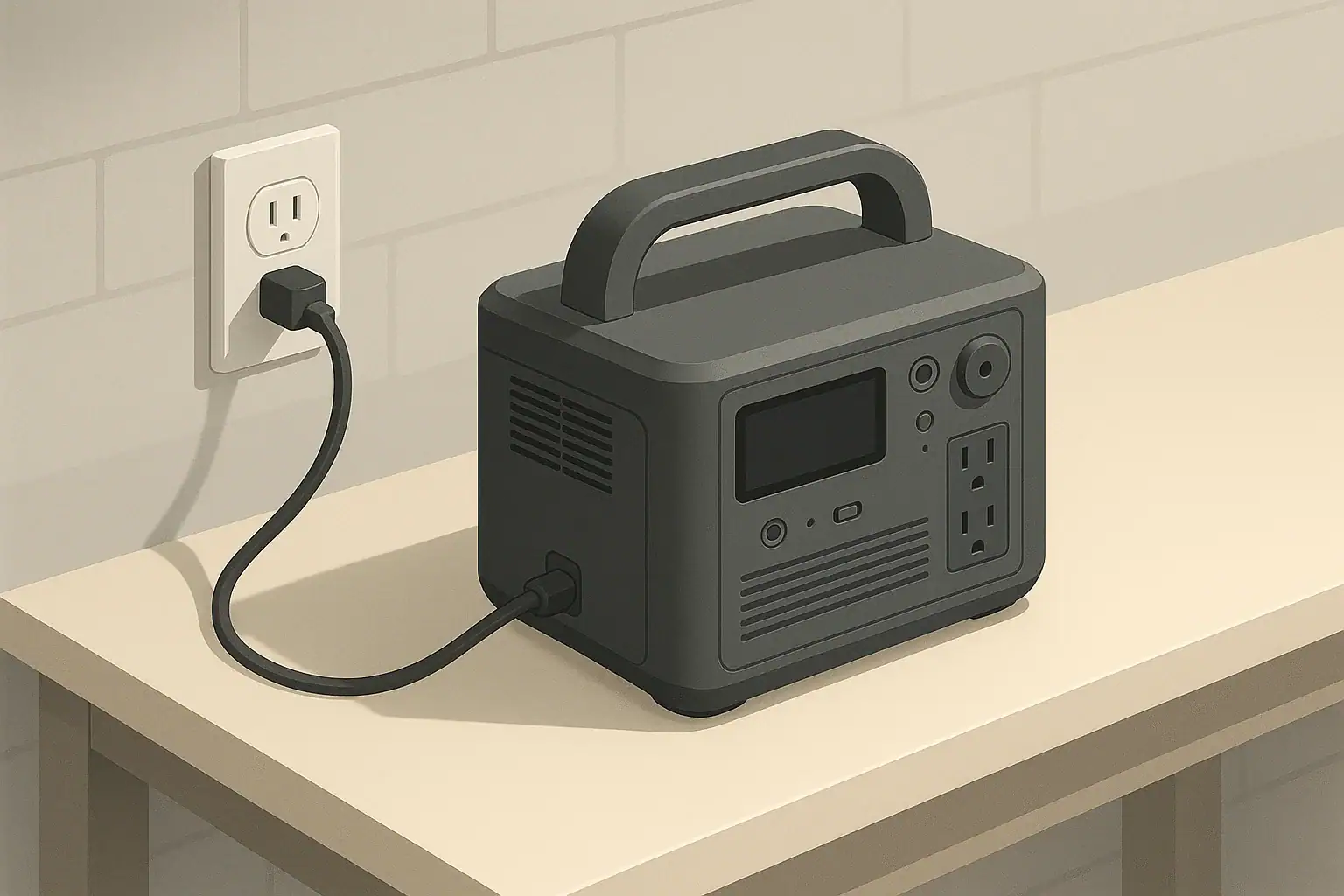
When you plug a portable power station into a wall outlet, you are using AC charging. The station converts 120V AC power from the grid into DC power to recharge its internal battery. During this conversion, some of the electrical energy turns into heat, and the built-in cooling fans switch on to prevent overheating.
Heat and fan noise are normal side effects of this process, especially at higher charge rates. The AC charger, inverter electronics, and battery all generate heat as they work. Fans move air through the enclosure to keep internal components within a safe temperature range.
Understanding why your power station gets warm and noisy helps you judge what is normal and what might signal a problem. It also helps you choose good placement, manage loads, and adjust charging habits so you can reduce noise, extend battery life, and stay within safe operating conditions.
This matters most when you rely on a power station for backup power, remote work, or camping. Good heat management and realistic expectations about fan noise can make your setup more comfortable and help ensure your power station is ready when you need it.
What AC charging heat and fan noise mean for portable power stations
Key concepts behind heat, fan noise, and sizing logic
Portable power stations are typically rated in watt-hours (Wh) for battery capacity and watts for output power. Watt-hours tell you how much energy the battery can store, while watts describe how much power the unit can supply or accept at a given moment. Both numbers influence how much heat is produced during AC charging.
Surge watts describe short bursts of higher power the inverter can provide to start certain devices, while running watts describe the continuous power it can handle. During AC charging, the important value is input power: how many watts the charger is drawing from the wall. Higher charge power usually means the battery fills faster, but it also means more heat and more frequent fan operation.
No conversion is perfectly efficient. When the charger converts AC to DC and when the battery stores that energy, some portion is lost as heat. For example, if your power station pulls 300W from the wall but only 240W reaches the battery, the rest is lost as heat in the electronics and battery. These efficiency losses are one of the main reasons the enclosure warms up and the fans ramp up.
The environment adds another layer. If the unit is in a warm room or direct sun, or if it is charging while also powering devices (pass-through charging), temperatures rise faster. The internal temperature sensors then trigger the fans to maintain safe limits. High charge rates, low efficiency, warm ambient temperatures, and restricted airflow all combine to increase heat and fan activity.
| What to check | Why it matters | Example observation |
|---|---|---|
| Charge power (watts from wall) | Higher watts create more heat and more frequent fan use. | Fast mode draws about twice the power of eco mode. |
| Battery capacity (Wh) | Larger batteries absorb more energy and stay under load longer. | A 1,000Wh unit may stay warm for several hours of charging. |
| Ambient temperature | Warm rooms reduce cooling effectiveness and raise internal temps. | Fans run longer in a 85°F garage than in a 68°F office. |
| Airflow clearance | Blocked vents trap hot air and can trigger louder fan speeds. | Fans quiet down after moving unit a few inches from a wall. |
| Simultaneous output load | Charging while powering devices increases total heat. | Laptop plus charging makes the case warmer than charging alone. |
| Charge mode settings | Some models offer eco or reduced charge rates to cut heat. | Lowering charge speed noticeably reduces fan noise. |
| Dust buildup | Dust on vents and fans can restrict cooling over time. | Gentle cleaning restores more normal fan behavior. |
Real-world examples of AC charging heat, noise, and efficiency
Consider a mid-sized portable power station with around 1,000Wh of battery capacity. If it charges from the wall at roughly 400W input, it could go from low to full in about three hours in simple math. In practice, charging may slow near the top of the battery to protect the cells, so total time could stretch to three and a half or four hours. During the first part of the charge, when power is highest, the enclosure is likely to feel noticeably warm and the fans may run at a moderate to high speed.
If the same unit allowed you to reduce the charge power to around 200W, the total charging time might extend to six or seven hours. However, the heat generated at any moment would be lower, fan speeds might stay in a quieter range, and internal temperatures would rise more slowly. For overnight charging, this slower, cooler approach is often more comfortable and easier on the battery.
Now think about simultaneous charging and discharging. If you are AC charging at about 300W while running a small fridge that uses around 60W on average, the total internal workload is closer to what a 360W input would produce. The fans may come on sooner and stay on longer because both the charger and the inverter are active. This can surprise users who expect the unit to be quiet just because the output load is relatively small.
Even small differences in efficiency can change how hot the unit feels. A charger that is 90% efficient at 300W wastes roughly 30W as heat, while one that is 80% efficient wastes around 60W. That extra heat has to go somewhere, and it typically means more fan activity. You cannot directly see efficiency, but you can infer it from how warm the charger area feels and how aggressively the fans behave for a given charge level.
Common mistakes, warning signs, and troubleshooting cues
Several common mistakes make AC charging heat and fan noise worse than they need to be. One frequent issue is placing the power station in a tight space, such as in a cabinet, closet, or against a wall, where vents are partially blocked. This forces the fans to work harder to remove heat and may even trigger thermal protection that slows or pauses charging.
Another common mistake is expecting silent operation at high charge power. Fast or “turbo” charge modes move a lot of energy quickly, which naturally creates more heat. If fans are spinning loudly at maximum charge rate, that is usually a sign the cooling system is doing its job, not that something is wrong. Switching to a lower charge setting can be a simple way to reduce noise if you are not in a hurry.
Watch for warning signs that go beyond normal warmth and fan noise. If the case becomes uncomfortably hot to the touch, if charging stops repeatedly with error indicators, or if the fans ramp to maximum and stay there for long periods in moderate room temperatures, those are cues to power down, unplug, and let the unit cool. Persistent overheating, strange odors, or visible damage warrant contacting the manufacturer or a qualified technician rather than continued use.
Charging that slows or stops unexpectedly can have several benign causes. The battery may be nearing full and the control system is tapering current to protect the cells. The unit may have reduced charge speed automatically due to high internal temperature. In some cases, long extension cords, loose plugs, or undersized circuits can also create voltage drop or nuisance breaker trips that interrupt charging. Checking the outlet, cord condition, and room temperature can help narrow down the cause without opening the device or tampering with built-in protections.
Safety basics for heat, ventilation, cords, and outlets
Safe AC charging starts with placement. Put the portable power station on a stable, nonflammable surface with several inches of clearance around all sides, especially near vents. Avoid covering the unit with blankets or placing it on soft bedding, which can block airflow and trap heat. Keep it away from direct sunlight, space heaters, or other heat sources that might push internal temperatures too high.
Ventilation is essential because the fans are designed to move air through specific paths inside the case. If these pathways are obstructed, hot spots can form and the unit may shut down to protect itself. In smaller rooms, consider leaving a door open so hot air can dissipate more easily, especially during long, high-power charging sessions.
Cord safety matters as well. Use properly grounded outlets, and avoid running cords under rugs or through doorways where they can be pinched or damaged. If you use an extension cord, make sure it is rated for at least the current your power station’s charger will draw, and keep it fully uncoiled to prevent overheating. Inspect cords periodically for cuts, kinks, or loose prongs and replace them if damaged.
In damp locations like garages or outdoor areas, ground-fault circuit interrupter (GFCI) outlets add an extra layer of protection by quickly cutting power if a ground fault is detected. Do not attempt to wire your power station into your home’s electrical panel or circuits on your own. Any connection that goes beyond plugging into standard outlets should be handled by a qualified electrician using appropriate transfer equipment so you do not bypass safety systems or create back-feed hazards.
Maintenance and storage to keep heat and noise under control
Routine maintenance helps keep AC charging heat and fan noise predictable over the life of the power station. Periodically check the vent areas and gently remove dust with a soft brush or dry cloth. Dust buildup restricts airflow, forces the fans to work harder, and reduces cooling performance. Avoid sprays or liquids that could enter the enclosure.
Battery health influences how much heat is generated during charging. Most portable power stations are happiest when stored at a partial state of charge rather than completely full or empty. For many lithium-based systems, keeping the battery somewhere around the middle of its range during long-term storage helps reduce stress. Topping up every few months helps counter self-discharge without subjecting the battery to constant high-voltage storage.
Temperature conditions during storage are also important. Storing the unit for long periods in very hot places, such as a parked car in summer or a sunlit shed, can age the battery faster and make it run hotter during future charges. Extremely cold storage can temporarily reduce capacity and performance. Aim for a cool, dry indoor environment within the manufacturer’s recommended range whenever possible.
Regular functional checks are useful. Every few months, bring the unit out of storage, charge it, and run a small load for a short time. Pay attention to how warm it gets and how the fans sound during AC charging. Gradual changes over the years are expected, but sudden increases in heat or unusual fan noise can signal that the unit needs inspection or professional service.
| Task | Suggested frequency | Example notes |
|---|---|---|
| Top up charge from storage | Every 3–6 months | Charge to a moderate level to offset self-discharge. |
| Vent and fan inspection | Every 3–6 months | Check for dust and gently clean vent openings. |
| Full functional test | Every 6–12 months | Charge, run a small load, confirm normal heat and fan behavior. |
| Check cords and plugs | Every 6–12 months | Look for fraying, loose blades, or discoloration. |
| Review storage location | Seasonally | Move out of very hot or freezing environments if needed. |
| Inspect for physical damage | Annually | Look for cracks, warping, or signs of impact. |
| Update use plan | Annually | Confirm charging habits align with current needs. |
Practical takeaways to reduce AC charging heat and fan noise safely
To keep AC charging comfortable and safe, focus on placement, settings, and habits. Charge the power station in a cool, well-ventilated room with clear space around the vents. Avoid enclosing it in cabinets or tight corners, and keep it off soft surfaces that might block airflow. If the unit feels hotter than usual, pause charging and let it cool before continuing.
Use charging modes thoughtfully. When you do not need a fast turnaround, select lower AC charge rates if your unit offers them. This can noticeably reduce heat and fan noise, especially overnight. Try to avoid frequently charging from very low to 100% if your use case allows; moderate charge levels and gentler rates are often kinder to the battery in the long run.
- Check that vents are clear and dust-free before long charging sessions.
- Give the unit some space from walls and other objects on all sides.
- Use properly rated, undamaged cords and outlets, preferably indoors.
- Consider slower charge modes when you want quieter operation.
- Avoid charging in very hot environments or direct sunlight.
- Pause charging and let the unit cool if it becomes unusually hot.
- Do not open the unit or bypass safety systems; seek professional help for persistent issues.
By combining sensible placement, realistic expectations about fan noise, and moderate charging practices, you can keep your portable power station running cooler, quieter, and more reliably whenever you need it.
Frequently asked questions
Why does my portable power station get hot while AC charging?
AC-to-DC conversion and battery charging are not perfectly efficient, so some of the input power is lost as heat in the charger, inverter, and battery. Higher charge power, warm ambient temperatures, and simultaneous output loads increase heat production and cause the fans to run more frequently to maintain safe internal temperatures.
Is loud fan noise during AC charging dangerous?
Loud fan noise by itself usually indicates the cooling system is working and is not inherently dangerous. However, if noise is accompanied by repeated shutdowns, burning odors, an excessively hot enclosure, or visible damage, unplug the unit and seek inspection from the manufacturer or a qualified technician.
How can I reduce AC charging heat and fan noise without voiding the warranty?
Keep the unit on a stable, nonflammable surface with several inches of clearance around vents, charge in a cool, ventilated room, use lower charge modes when possible, and keep vents free of dust. Do not open or modify the enclosure; instead follow the manufacturer’s care instructions and use properly rated cords and outlets.
Should I stop charging if the unit becomes very hot or emits odors?
Yes—power down the unit, unplug it, and allow it to cool in a well-ventilated area. Persistent overheating, burning smells, error indicators, or visible damage merit contacting the manufacturer or a qualified service technician rather than continuing to use the unit.
Can charging at lower power extend battery life and reduce noise?
Charging at a lower power reduces instantaneous heat generation and fan activity and generally reduces stress on the battery, which can help long-term battery health. The trade-off is longer charging times, but this is often beneficial for overnight charging or when minimizing noise and heat is important.
Recommended next:
- USB-C Power Delivery (PD) Explained for Portable Power Stations
- Charging From a Car: What’s Safe, What’s Slow, and What Can Break
- Input Limits (Volts/Amps/Watts) Explained: How Not to Damage Your Unit
- MPPT vs PWM in Portable Power Stations: What It Changes in Real Life
- Can You Use a Higher-Watt Charger Than Rated? Understanding Input Headroom
- Why Charging Slows Down Near 80–100%: A Simple Explanation
- More in Charging →
Related guides
Browse this topic →
- Beginner-friendly sizing, runtime & specs
- Solar & charging (MPPT, fast charging, cables)
- Batteries (LiFePO4, cycles, care & storage)
- Safety, cold-weather performance, real-world tips
More in Charging
See all →- Can You Charge a Portable Power Station From USB-C PD? Limits, Adapters, and Gotchas
- Why Your Power Station Won’t Charge From a Generator: Frequency, Grounding, and Fixes
- USB-C PD 3.1 (240W) on Portable Power Stations: What It Changes and Who Needs It
- Car Charging Explained: 12V Socket vs DC-DC Charger vs Alternator (Speed + Safety)
- Fast Charging vs Battery Life: C-Rate Explained for Portable Power Stations (No Hype)
Keep reading
About this site
Portable Energy Lab publishes practical, independent guides about portable power—clear sizing, safe use, and real-world expectations.
Affiliate disclosure
Some links on this site may be affiliate links. If you buy through these links, we may earn a small commission at no extra cost to you. This helps support our content. Learn more.