
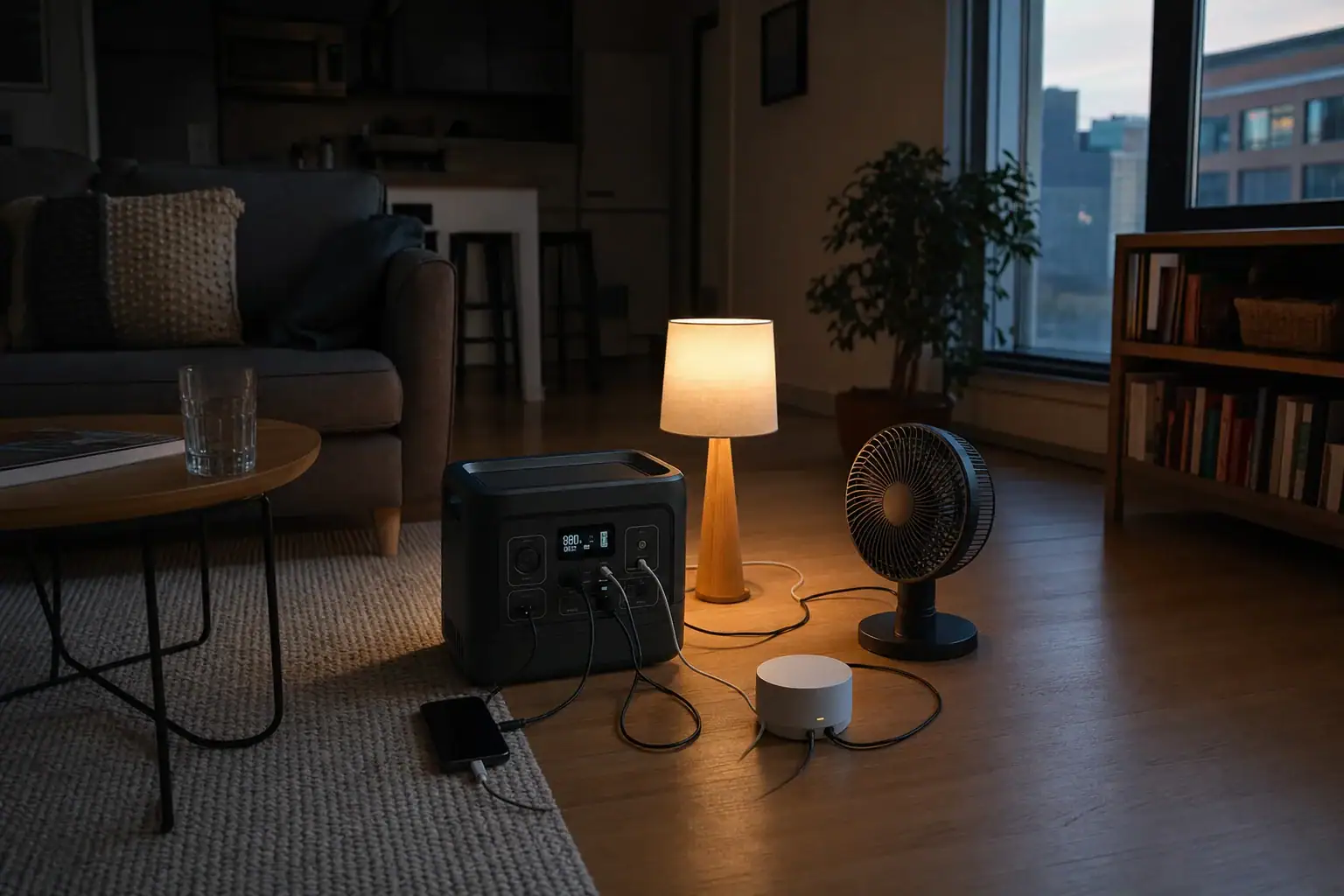
A portable power station lets renters operate selected essentials during an outage without rewiring the apartment or connecting anything to the electrical panel. It stores energy in a rechargeable battery and supplies power through built-in AC outlets, USB ports, or DC outputs. The main specifications to understand are battery capacity, continuous watts, surge watts, inverter output, and estimated runtime.
For most apartments, the safest approach is to plug devices directly into the power station while keeping it in a dry, ventilated, accessible location. This can support phones, internet equipment, lights, fans, medical equipment, or a refrigerator when the station has enough capacity and output.
Before choosing or using one, renters should compare appliance loads, lease restrictions, charging options, cord placement, and emergency priorities. A portable station is a limited backup source rather than a replacement for normal household service, and it must never be used to energize apartment wiring through a wall outlet.
1. What Apartment Backup Power Means for Renters
Apartment backup power means keeping a limited group of devices running when utility electricity is unavailable. A portable power station combines a battery, charging system, power controls, and inverter in one movable enclosure. Because devices plug into the unit directly, normal use does not require alterations to walls, outlets, circuit breakers, or the building electrical system.
This matters for renters because permanent electrical work generally requires property-owner approval and may require permits or a qualified electrician. A self-contained station avoids those complications when used as intended. It can be carried between rooms, charged before severe weather, and taken to a new residence.
The practical goal is load prioritization, not whole-apartment power. Internet equipment and LED lights may consume relatively little energy, while space heaters, electric ranges, clothes dryers, and large air conditioners can exceed the output of many portable units or drain them rapidly. Selecting essential loads helps preserve stored energy for the longest useful period.
A battery power station also produces no combustion exhaust during discharge. That makes it more suitable for indoor operation than a fuel-burning generator. However, the battery and inverter still generate heat, so the unit needs open space around its vents and should not be covered, enclosed in a cabinet, or placed next to combustible materials.
2. How Capacity, Output, and Runtime Work
Battery capacity is normally stated in watt-hours, abbreviated Wh. It describes stored energy. A 1,000Wh battery could theoretically provide 100 watts for 10 hours, but actual runtime is lower because the inverter, electronics, temperature, and connected devices consume or waste some energy.
A useful planning estimate is usable watt-hours multiplied by expected conversion efficiency, then divided by the average load in watts. For example, a nominal 1,000Wh station delivering 85% of that energy to a 100-watt load may run for about 8.5 hours. Cycling appliances such as refrigerators are harder to predict because their compressors turn on and off.
Output power, measured in watts, is separate from capacity. Continuous output is the load the station can sustain. Surge output is the brief higher power available when a motor or compressor starts. Both values matter for refrigerators, pumps, fans, and certain medical devices. The station must accommodate the appliance’s starting demand as well as its running demand.
AC outlets use the inverter, while USB and some DC connections may avoid part of the conversion process. Direct USB-C charging can therefore be efficient for compatible laptops, phones, and tablets. A pure sine wave inverter is generally preferable for sensitive electronics and motor-driven equipment because its output more closely resembles normal utility power.
| Device | Typical running load | Energy used in 8 hours | Planning note |
|---|---|---|---|
| Wi-Fi modem and router | 15–30W | 120–240Wh | Usually a steady, low load |
| LED lamp | 5–12W | 40–96Wh | Multiple lamps add together |
| Phone charging | 5–20W | Varies | Load falls as the battery fills |
| Small fan | 20–60W | 160–480Wh | Higher speed uses more energy |
| Refrigerator | 80–250W running | Highly variable | Compressor startup may require a substantial surge |
3. Real-World Apartment Backup Examples
Internet, lighting, and communications
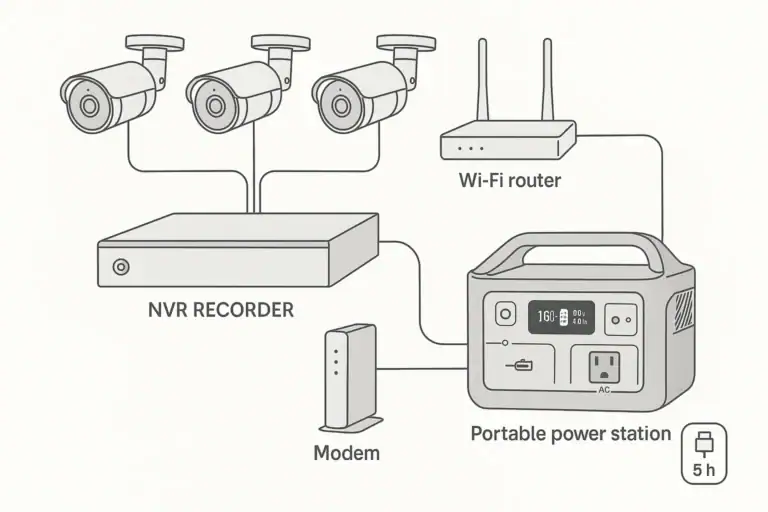
A renter who needs connectivity might power a modem, router, one LED lamp, and periodically charge two phones. If the combined continuous load averages 40 watts, a station with about 500Wh of usable energy could theoretically support that average for roughly 12 hours. Real results depend on efficiency, battery condition, and whether the local internet provider’s equipment still operates during the outage.
Refrigerator support
A refrigerator may have a modest average energy requirement but a much higher compressor-starting load. Its nameplate, energy label, or power meter can help estimate demand. A station must have adequate continuous and surge output, and its capacity must account for cycling. Keeping the refrigerator door closed reduces compressor operation and extends the available backup time.
Work-from-home essentials
A laptop using 40 to 90 watts, a monitor using 20 to 50 watts, and network equipment using 15 to 30 watts could create a combined load near 75 to 170 watts. Turning off the monitor, lowering screen brightness, and charging the laptop directly through a suitable USB-C port may reduce inverter losses and extend runtime.
Overnight medical or comfort loads
Some renters need backup power for a prescribed medical device, while others prioritize a fan during hot weather. Check the device manufacturer’s power requirements, including any humidifier, heater, or startup load. For critical medical equipment, confirm compatibility with the equipment provider and maintain an outage plan that does not depend on one battery alone.
High-wattage resistance appliances are generally poor backup loads. A 1,500-watt heater, kettle, or hot plate can deplete a 1,000Wh-class battery in well under an hour after losses, even if the inverter can supply the load. Lower-power alternatives usually make better use of limited stored energy.
4. Common Mistakes and Troubleshooting Cues
Confusing watts with watt-hours: Watts indicate how much power a device needs at a moment in time. Watt-hours describe stored energy or energy consumed over time. A station can have enough inverter output to start an appliance but too little capacity to run it for long.
Ignoring startup power: If the station shuts off as soon as a refrigerator, pump, or fan starts, the initial surge may exceed the inverter’s capability. Disconnect other loads, review the appliance starting requirement, and compare it with the station’s surge rating. Repeatedly forcing restarts is not a solution.
Relying on the display alone: A runtime estimate on the screen changes with the current load and may fluctuate as appliances cycle. Use it as a live estimate, not a guarantee. Sudden drops can indicate a newly connected load, low temperature, battery aging, or a high inverter draw.
Overloading an extension cord: A cord that is too light, damaged, coiled tightly under load, or hidden beneath a rug can become warm. Use a cord rated for the connected load, keep it visible, and inspect the plug and insulation. Stop using it if it becomes hot, discolored, loose, or damaged.
Expecting uninterrupted transfer: Some stations have pass-through or backup modes, but their transfer time and behavior vary. Sensitive equipment may restart during the changeover. If uninterrupted operation is essential, compare the device’s requirements with the station’s documented transfer performance rather than assuming it functions like a dedicated uninterruptible power supply.
Charging too slowly before a storm: Input power determines recharge time. If charging takes longer than expected, check whether the wall charger, USB-C source, cable, and selected input settings can provide the intended rate. Cold or hot battery temperatures may also reduce charging speed.
5. Safety Basics in a Rental Apartment
Plug appliances directly into the power station or into an appropriately rated extension cord or power strip used within its limits. Never connect the station to a wall receptacle to feed apartment circuits. This practice, often called backfeeding, can energize wiring unexpectedly, create fire and shock hazards, and endanger utility or maintenance workers.
Do not attempt to connect a portable station to a breaker panel, transfer switch, or building electrical system. Any proposed building-level backup arrangement requires permission from the property owner and evaluation by a qualified electrician under applicable rules. Renters should not improvise adapters or alter plugs to create such a connection.
Place the station on a stable, dry surface with clearance around its cooling vents. Keep it away from sinks, tubs, open windows where rain can enter, heaters, direct sunlight, and escape routes. Cords should not cross doorways or hallways where people can trip over them. Do not cover the unit to hide indicator lights or fan noise.
Use only compatible charging equipment and stop operation if the enclosure swells, leaks, produces smoke, smells unusual, makes abnormal sounds, or becomes excessively hot. Move away from the area if conditions are unsafe and contact emergency services when there is smoke or fire. Do not open the case or attempt battery repairs.
A power station does not replace working smoke and carbon monoxide alarms. Although the station itself has no combustion exhaust while discharging, any fuel-burning generator used as an external charging source must remain outdoors and far from occupied spaces, doors, windows, and air intakes.
6. Charging, Maintenance, and Storage
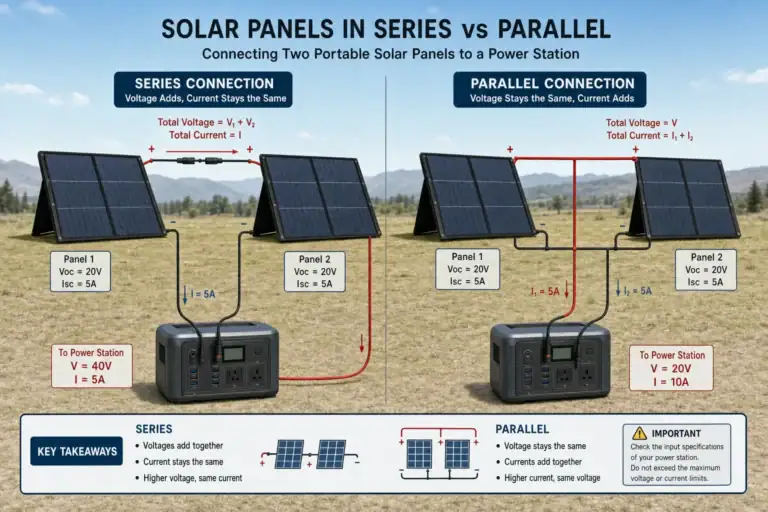
Recharge the station after an outage according to its operating instructions, but allow it to return to an appropriate temperature first if it is unusually hot or cold. Charging may be available from a wall outlet, vehicle socket, compatible USB-C source, or portable solar panels. Input limits determine how much power the station can accept, regardless of how large the charger or solar array is.
For storage, avoid prolonged exposure to extreme heat, freezing conditions, moisture, or direct sun. A cool, dry closet can work if it has no plumbing leak risk, combustible clutter, or blocked access. Do not stack heavy objects on the unit. Follow the specified storage charge range because leaving some battery types completely full or empty for long periods can accelerate aging.
Check the battery level periodically and recharge when needed. Inspect the case, ports, cables, and plugs for damage. A short test with a familiar load can confirm that the display and outputs operate, but avoid unnecessary deep discharge cycles. Install firmware updates only through the supported method when they address operation or safety.
Capacity gradually declines with time and charge cycles. If runtime becomes shorter, compare the same load under similar conditions before assuming a fault. Temperature, inverter use, and standby features can change results. A large unexplained loss, repeated shutdowns, or charging failure should be assessed through qualified support rather than by opening the unit.
| Interval | Suggested check | Reason |
|---|---|---|
| Monthly or every few months | Review charge level and physical condition | Helps prevent an empty or damaged unit from going unnoticed |
| Before severe weather | Charge fully enough for the planned loads | Provides maximum practical outage readiness |
| After each outage | Recharge and inspect cords and ports | Restores readiness and identifies wear |
| During long storage | Keep in a dry, moderate-temperature location | Reduces avoidable battery and enclosure stress |
Related guides: Choosing the Right Size for Apartment Backup: Practical Examples • Indoor Use Safety: Ventilation, Heat, and Fire-Prevention Basics • How to Plan a 24-Hour Backup Load for Essential Devices • Portable Power Stations for CPAP and Medical Devices: What to Look For
7. Practical Takeaways and Specs to Look For
Start by listing only the devices that must operate during an outage. Record each device’s running watts, note possible startup loads, and estimate the number of operating hours. Add the simultaneous loads to determine inverter needs, then calculate the required watt-hours with a margin for conversion losses and changing conditions.
Renters should also consider where the station will sit, how cords will reach devices without creating hazards, and how the battery will be recharged. A smaller unit may be easier to carry upstairs, while a larger battery may provide better refrigerator runtime. The useful choice is the one that safely covers realistic priorities rather than every appliance in the apartment.
Specs to look for
- Battery capacity: Look for roughly 300–500Wh for communications and lighting or 1,000–2,000Wh for longer runtime and cycling appliances; capacity determines how much energy is available.
- Continuous AC output: Compare a range such as 500–2,000W with the combined running watts of planned devices; adequate output prevents overload shutdowns.
- Surge output: Look for short-duration capability comfortably above the startup demand of refrigerators or motor loads, often around 1.5 to 2 times the continuous rating; this helps appliances start reliably.
- Inverter waveform: Look for pure sine wave AC output; it is generally better suited to sensitive electronics, medical devices, and motor-driven appliances.
- Recharge input: Compare accepted wall, USB-C, vehicle, and solar input, with examples ranging from about 200W to more than 1,000W; higher accepted input can shorten recovery time when a compatible source is available.
- USB-C Power Delivery: Look for ports in the 60–140W range when charging compatible laptops and tablets; direct USB-C power can reduce adapter clutter and conversion losses.
- Transfer performance: If automatic backup matters, look for a clearly stated transfer time and supported load range; some electronics may restart if transfer is too slow.
- Battery cycle rating: Compare capacity retention after roughly 1,000–3,000 cycles under stated test conditions; this indicates how the battery may hold up with repeated use.
- Size, weight, and noise: Check whether roughly 15–50 pounds and the expected cooling-fan noise suit stairs, storage space, and close apartment living; portability affects whether the unit can be positioned safely.
- Safety and monitoring features: Look for overload, short-circuit, overtemperature, and low-voltage protection plus a display showing watts and estimated runtime; these features improve awareness and controlled operation.
A portable power station can give renters useful, quiet backup power without permanent alterations. Safe direct connections, realistic load planning, adequate ventilation, and routine charging are more important than trying to run the entire apartment. When a need involves building wiring or critical life-safety equipment, consult the property owner, equipment provider, or a qualified electrician instead of improvising.
Frequently asked questions
Can renters use a portable power station during an apartment outage?
Yes. A portable power station can be used in an apartment when devices are plugged directly into its built-in outlets or appropriately rated accessories. It is intended for selected loads such as phones, lights, internet equipment, fans, and compatible appliances rather than for powering the apartment’s fixed wiring.
What size portable power station do I need for an apartment?
The right size depends on the devices’ running watts, possible startup surge, and the number of hours needed. Smaller units may cover communications and lighting, while longer use of a refrigerator or several work devices generally requires more battery capacity and adequate AC output. Calculate planned loads and allow for conversion losses instead of relying only on a product’s estimated runtime display.
What specs and features matter most in a portable power station for renters?
Compare battery capacity in watt-hours, continuous AC output, surge output, charging input, and the ports needed for your devices. A pure sine wave inverter is generally preferable for sensitive electronics and motor-driven loads, while USB-C Power Delivery can be useful for charging compatible laptops directly. Weight, cooling-fan noise, display information, and protective features also matter in a small apartment.
Can a portable power station run a refrigerator in an apartment?
It may, provided the station has enough continuous output, surge capability, and battery capacity for that specific refrigerator. Refrigerators cycle on and off, and compressor startup can require substantially more power than normal running operation. Check the appliance’s requirements and keep the door closed as much as possible to reduce energy use.
Is it safe to plug a portable power station into an apartment wall outlet?
No. Connecting a power station to a wall outlet to energize apartment circuits can backfeed wiring and create serious shock and fire hazards. Plug appliances directly into the station instead, and leave any building electrical work to the property owner and a qualified electrician.
What is the most common mistake when using a portable power station?
A common mistake is confusing watt-hours with watts. Watt-hours indicate how much stored energy is available, while watts indicate how much power a device needs at one time. Another frequent issue is overlooking the startup surge required by refrigerators, fans, and other motor-driven appliances.
Recommended next:
- Portable Power Station for a Wi-Fi Mesh System: How Long Can It Keep Internet Online?
- Can a Portable Power Station Run a Washing Machine? Motor Surge and Runtime Limits
- Portable Power Station for a Garage Workshop: Tools, Chargers, and Safe Setup
- What Size Portable Power Station for an Electric Recliner or Lift Chair?
- Portable Power Station for Baby Monitor, Sound Machine, and Nursery Essentials
- Powering a Heated Mattress Pad or Electric Throw: Runtime and Safety Notes
- More in →
Related guides
Browse this topic →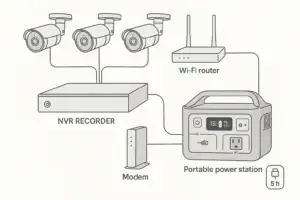
- Beginner-friendly sizing, runtime & specs
- Solar & charging (MPPT, fast charging, cables)
- Batteries (LiFePO4, cycles, care & storage)
- Safety, cold-weather performance, real-world tips
More in Home / Appliances
See all →- Portable Power Station for an Oxygen Concentrator: Runtime Planning and Safety Questions
- Portable Power Station for Medical Refrigeration: Mini Fridge Runtime and Backup Plan
- Can a Portable Power Station Run a Space Heater? Why Heat Loads Drain Batteries Fast
- Portable Power Station for Coffee Makers and Electric Kettles: Why Small Units Struggle
- Can a Portable Power Station Run an Induction Cooktop? Wattage and Safety Limits
Keep reading
About this site
Portable Energy Lab publishes practical, independent guides about portable power—clear sizing, safe use, and real-world expectations.
Affiliate disclosure
Some links on this site may be affiliate links. If you buy through these links, we may earn a small commission at no extra cost to you. This helps support our content. Learn more.