GFCI Tripping on Power Stations: Why It Happens and How to Fix It Safely

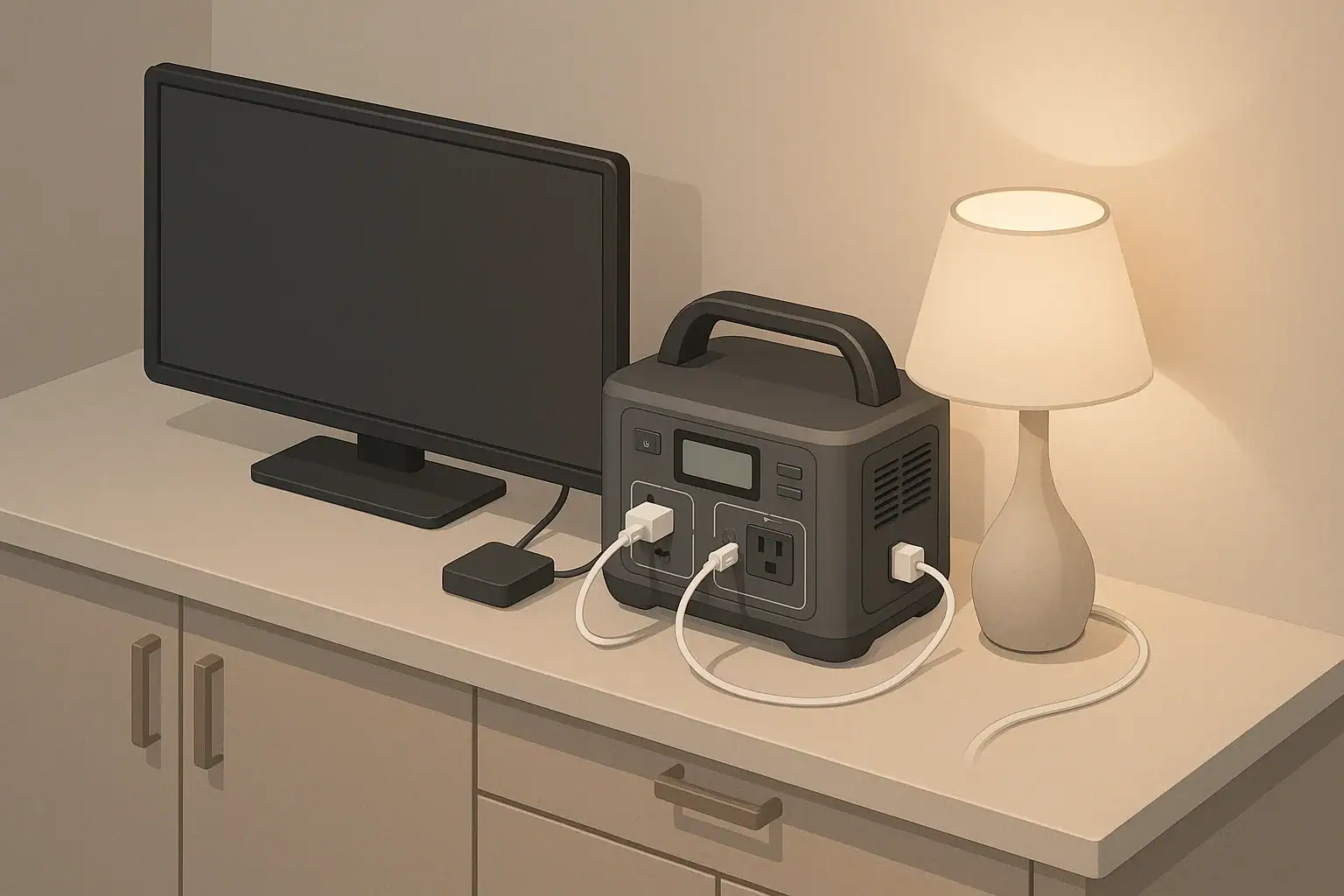
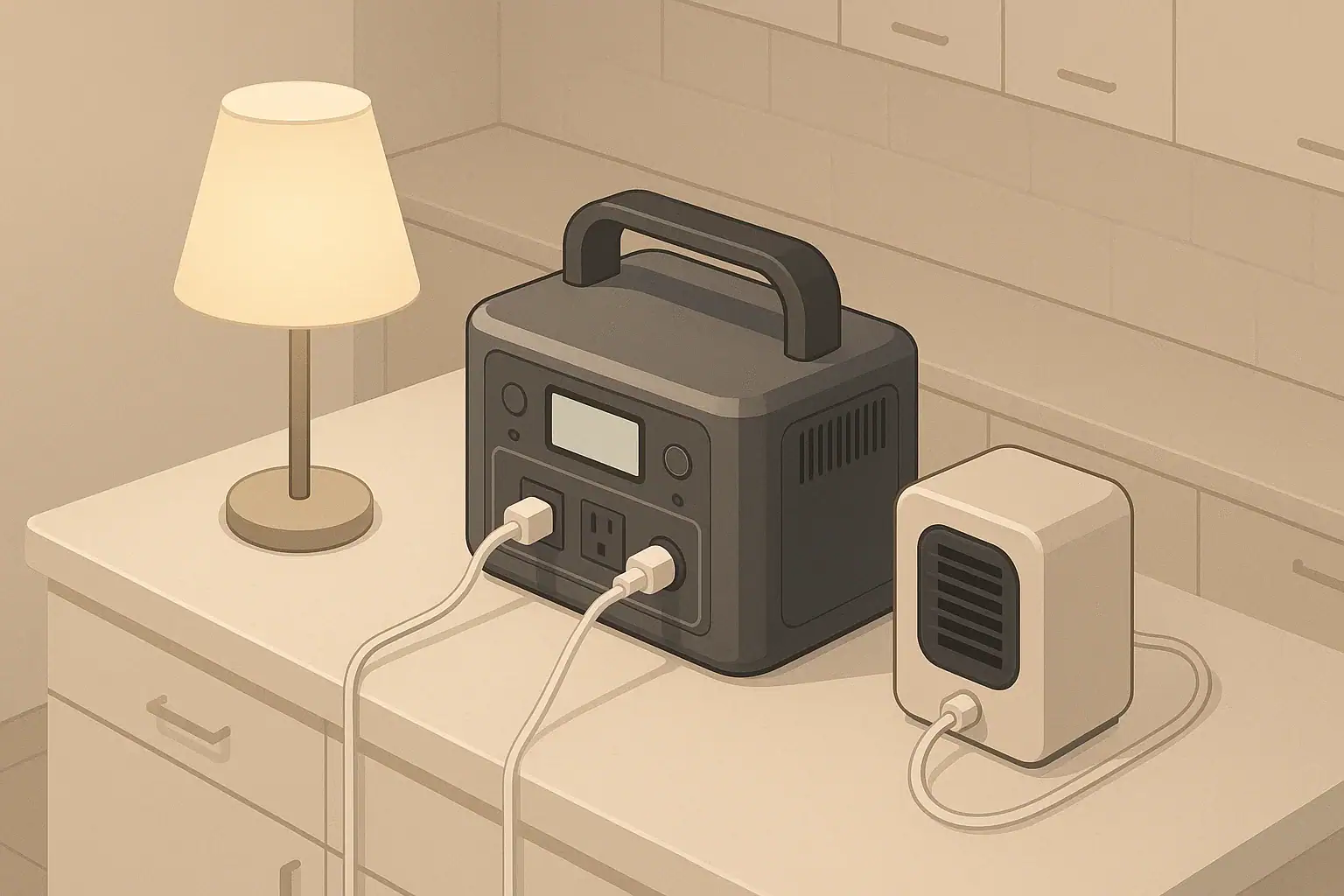
Portable power station on table with tidy cords indoors

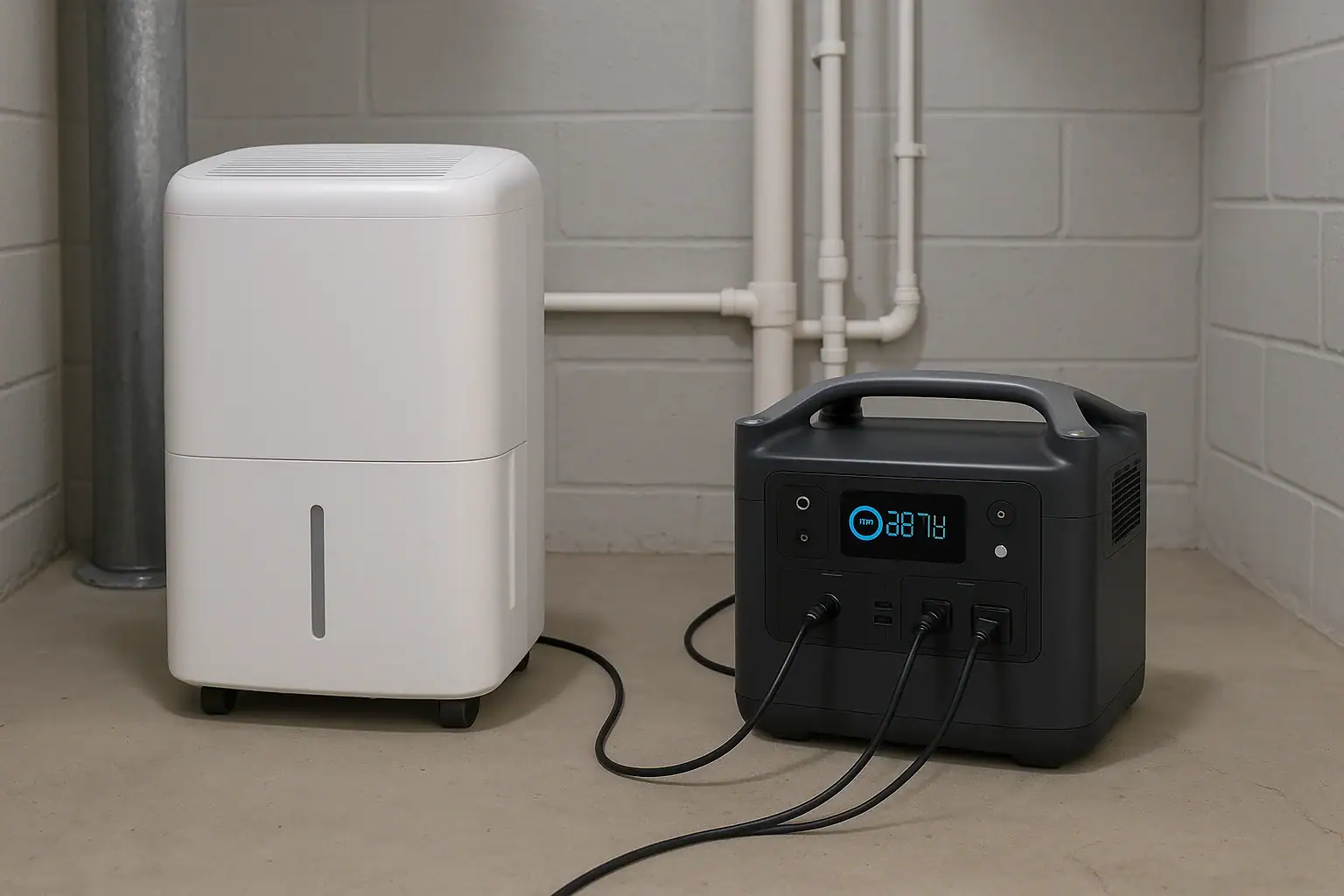
GFCI outlets on portable power stations usually trip because of small leakage currents, damaged cords, or motor surges that look like a ground fault to the safety circuit. In other words, the power station is cutting power because it thinks some current is escaping the normal path and could shock someone, even when the device appears to work fine on a wall outlet.

Understanding GFCI tripping on power stations helps you tell the difference between a real electrical problem and a nuisance trip. That is essential when you rely on a power station for power tools, refrigerators, sump pumps, or electronics during outages, camping, or jobsite work.

This guide explains what GFCI protection actually does inside a portable power station, how it interacts with watts, surge loads, extension cords, and moisture, and what to check when it keeps shutting off. You will see practical examples, simple troubleshooting steps, and the key specs to look for when you choose or upgrade a power station for GFCI-sensitive loads.

What GFCI Tripping Means on Portable Power Stations

A ground-fault circuit interrupter (GFCI) constantly compares the current on the hot wire with the current on the neutral wire. If it detects even a small difference, it assumes that current is leaking somewhere else (often through a person or a damp surface) and shuts off power in a fraction of a second.

On a portable power station, a GFCI trip usually shows up as:

  • AC output suddenly turning off while the battery still shows plenty of charge
  • A fault or “GFCI” indicator on the display, often with no overload warning
  • The need to press a reset button or power the AC output back on

This is different from a low-battery shutdown or overload shutdown. GFCI trips are about where the current is going, not how much you are using overall. Common triggers include:

  • Power tools and compressors with worn insulation or internal leakage
  • Long, thin, or damp extension cords that provide leakage paths to ground
  • Multiple electronic chargers whose tiny leakage currents add up
  • Waveform differences between inverter power and utility power

Because many power stations combine an inverter, GFCI, and overload protection in one compact unit, it can be confusing when everything shuts down at once. Learning to recognize a GFCI trip helps you decide whether you are dealing with a safety issue (damaged equipment, moisture) or an operational issue (load size, cord choice, or inverter limits).

Key Concepts: How GFCI Protection and Power Station Limits Interact

Three ideas explain most GFCI tripping behavior on portable power stations: power (watts), surge behavior, and leakage current.

Watts, surge watts, and runtime basics

Every power station has two AC output limits:

  • Continuous watts – what the inverter can deliver steadily
  • Surge watts – what it can deliver briefly during startup

Many tools and appliances pull 2–3 times their normal running watts when they first start. A 400-watt rated fridge compressor may briefly demand 800–1,000 watts. If the surge capability is too low, the inverter may shut down or sag in voltage, which can indirectly contribute to GFCI trips or overload errors.

Battery capacity is usually given in watt-hours (Wh). That tells you how long you can run a given load, but not whether the inverter and GFCI can handle it safely at all. Inverter efficiency (often around 85–90%) also means the battery has to supply more watts than your devices actually use at the outlets.

Leakage current and GFCI sensitivity

A GFCI does not care how many watts you use. It trips when the difference between hot and neutral exceeds a small threshold. That difference, called leakage current, can come from:

  • Moisture on plugs, outlets, or cords
  • Filters inside power supplies that intentionally bleed tiny currents
  • Damaged insulation inside a tool or appliance
  • Long cable runs with higher capacitance to nearby surfaces

On a house circuit, leakage from several devices is spread out over a larger system. On a compact inverter with only one or two outlets, the same combined leakage can reach the GFCI threshold more quickly, especially when several chargers and power supplies are plugged in together.

How these pieces combine in real use

In practical terms, you want to know whether a shutdown was caused by watts (overload), temperature (thermal), or leakage (GFCI). The table below summarizes the differences and what they usually look like on a power station.

Shutdown Types on Portable Power Stations Example values for illustration.
Shutdown type Main cause Typical timing What you usually see
GFCI trip Leakage current or ground fault Instant, often at startup or when a device is plugged in AC cuts out suddenly, battery still charged; GFCI/fault indicator lights
Overload (watts) Total load exceeds continuous or surge rating Instant or within a few seconds of turning on a big load Overload warning; unit may beep and shut off when tool starts
Low-battery cutoff Battery voltage falls below safe limit After minutes or hours of use Battery gauge low; unit may warn before shutting down
Thermal shutdown Inverter or battery overheats After running near maximum load, especially in hot spaces Fan runs hard; sometimes a temperature icon or derated output first

Real-World Examples of GFCI Tripping and Power Use

Seeing how specific tools and appliances behave on a power station makes GFCI tripping easier to understand and prevent.

Example 1: Corded drill on a midsize power station

Imagine a corded drill labeled 6 amps at 120 volts (about 720 watts). On light duty, it may draw far less. But when you start the drill under load or if the bit binds, the motor can momentarily pull well above 720 watts.

On a power station rated for 800 watts continuous with modest surge capability:

  • The drill may run fine at low speed or no-load.
  • The moment you bore into a dense stud, the startup surge plus load can cause a brief voltage dip.
  • If the drill cord is long, thin, or slightly damaged, small leakage currents can appear.

The result can be a GFCI trip or overload shutdown right when you squeeze the trigger hard. The same drill may seem to work “better” on a household outlet because the building circuit may have more surge headroom and different grounding characteristics.

Example 2: Small air compressor during an outage

A compact air compressor might list 8 amps (around 960 watts) but surge several times higher when the motor starts against tank pressure. On a dedicated household circuit with a standard GFCI receptacle, it might start reliably.

On a similarly sized power station:

  • The motor surge can exceed the inverter’s surge rating.
  • The compressor’s internal wiring or motor windings may leak a tiny current to its metal frame.
  • Moisture in a garage or driveway can provide a path for that leakage to ground.

The GFCI sees this as a potential shock hazard and trips. From the user’s perspective, it feels like the power station is “too sensitive,” but it is actually reacting to conditions that are less noticeable on a building circuit.

Example 3: Electronics and chargers on a small station

Consider a setup with a laptop charger, two phone chargers, a camera battery charger, and a small LED desk lamp. None of these loads are big, and the total watts may be well under 200.

However, many modern power supplies and LED drivers include filters that intentionally leak a tiny current to ground. One charger alone is not a problem. Five or six together on a small inverter can push the combined leakage above the GFCI threshold.

The result is a seemingly random GFCI trip, even though the wattage is low and nothing appears wrong. Unplugging one or two chargers often stops the nuisance tripping.

Example 4: Mixed household loads in a short blackout

During a short outage, a typical home setup on a portable power station might include:

  • Refrigerator (compressor motor)
  • Wi-Fi router and modem
  • Laptop
  • Two or three LED lamps

The total running watts are within the station’s rating. But when the fridge compressor cycles on, the surge combines with the leakage currents from all the small power supplies and the resistance of any extension cords. That can lead to either an overload shutdown or a GFCI trip, depending on which limit the system hits first.

Common Mistakes and Troubleshooting Cues

Most recurring GFCI tripping on power stations comes down to a few predictable mistakes. Systematically checking for them usually solves the problem without disabling any safety features.

Typical user mistakes

  • Undersizing the power station – Choosing a unit whose continuous and surge ratings are too close to the running wattage of the largest tool or appliance.
  • Ignoring startup surge – Assuming a 600-watt device is fine on a 600-watt inverter, leaving no headroom for 2–3x startup current.
  • Using long, thin extension cords – Running 50–100 feet of light-duty cord that increases resistance, voltage drop, and leakage paths.
  • Mixing many small chargers on one outlet – Stacking multiple phone, camera, and laptop chargers that add up to significant leakage current.
  • Operating in damp or dirty conditions – Using the station or cords on wet ground, in dew, or with dirty connectors that trap moisture.
  • Assuming every trip is a “bad” GFCI – Resetting and retrying without inspecting the tool, cord, or environment for real faults.

Step-by-step troubleshooting approach

When a tool or appliance trips the GFCI on your power station, work through these steps:

  1. Confirm it is a GFCI trip. Check whether the display or indicator shows a fault separate from overload or low battery. If the battery is still well charged, suspect GFCI or thermal issues first.
  2. Test the device alone. Unplug everything else and plug only the suspect device directly into the power station with no extension cord. If it runs without tripping, the problem may be combined leakage from multiple devices or a bad cord.
  3. Swap cords and reduce length. Replace long or thin cords with a shorter, heavier one. If the GFCI stops tripping, the original cord may have damage or too much leakage.
  4. Check for moisture and dirt. Inspect plugs, outlets, and cord ends for condensation, mud, or corrosion. Let them dry completely and clean them carefully before retrying.
  5. Compare behavior on another GFCI source. If the same tool trips a different GFCI-protected outlet, the tool itself may have internal leakage and should be inspected or replaced.
  6. Review load size versus ratings. If trips occur only under heavy load or at startup, you may be near the inverter’s surge or continuous limits, even if the nameplate wattage seems acceptable.

The table below shows common patterns and likely causes you can use as a quick diagnostic reference.

Patterns of GFCI Tripping and Likely Causes Example values for illustration.
What you notice Most likely cause First things to check
Trips only when one specific tool runs Internal leakage or insulation wear in that tool Try tool on another GFCI outlet; inspect cord and housing for damage
Trips only outdoors or in damp weather Moisture on cords, plugs, or surfaces Dry all connectors; keep cords off wet ground; use shorter runs
Trips when several chargers are plugged in together Combined leakage from multiple power supplies Unplug some chargers; spread loads across different outlets or circuits
Trips when a motor starts, even though watts look okay Startup surge plus small leakage pushes system over the edge Check surge rating; reduce other loads; use a heavier extension cord
Trips after long use in a hot area Heat increasing sensitivity of protection circuits Improve ventilation; lower the load; allow the unit to cool

Safety Basics: Placement, Cords, Heat, and GFCI

GFCI protection is one part of a broader safety strategy when using portable power stations. Good placement, cable management, and operating habits reduce both real hazards and nuisance trips.

Dry, stable placement

  • Set the power station on a stable, level surface.
  • Keep it away from standing water, wet grass, puddles, or snow.
  • Avoid placing it directly under open windows, awnings, or areas where rain or condensation can drip onto outlets.

Ventilation and heat control

  • Leave several inches of clearance around all sides and above the unit.
  • Do not cover the power station with blankets, clothing, or gear while it is running or charging.
  • In hot weather or enclosed spaces, consider reducing the load to keep internal temperatures lower and reduce the chance of thermal shutdowns.

Extension cords and accessories

  • Use cords rated for the current your tools require, with heavier gauge wire for higher loads or longer runs.
  • Keep cords as short as practical to reduce resistance, voltage drop, and leakage paths.
  • Inspect cords regularly for cuts, crushed insulation, or loose plugs. Replace damaged cords rather than taping over faults.
  • Avoid daisy-chaining multiple power strips or adapters, which can complicate grounding and increase leakage.

Respecting GFCI protection

  • Never defeat the ground pin on plugs or use adapters that bypass grounding.
  • Do not attempt to modify or bypass the GFCI function inside the power station.
  • If a particular tool or appliance repeatedly trips GFCI protection on any source, treat that as a sign it needs inspection or replacement.
  • For complex setups, such as tying a power station into an RV or building electrical system, consult a qualified electrician.

Maintenance and Storage for Reliable Operation

Good maintenance and storage practices help your power station deliver stable power and reduce unexpected trips or shutdowns over its lifetime.

Battery care and long-term storage

  • Avoid leaving the battery at 0% for long periods; recharge after use.
  • For seasonal storage, keep the state of charge in a moderate range rather than fully full or empty.
  • Top up the battery every few months to offset self-discharge.

Environmental conditions

  • Store the unit in a dry, temperature-controlled space whenever possible.
  • Avoid prolonged exposure to extreme heat or freezing temperatures, which can shorten battery life and affect GFCI behavior.
  • Let a cold-soaked unit warm up to a moderate temperature before applying heavy loads.

Regular inspections

  • Check AC outlets and ports for debris, corrosion, or looseness.
  • Keep ventilation grills free of dust and pet hair to maintain airflow.
  • Inspect frequently used cords and tools, especially those that have caused GFCI trips in the past.
  • If your unit provides error codes or status lights, learn what the main indicators mean so you can distinguish GFCI trips from overload or low-battery conditions.

Testing key appliances on the power station once or twice a year, under controlled conditions, is a simple way to confirm compatibility, check for nuisance trips, and verify that battery capacity still meets your needs.

Practical Takeaways and Specs to Look For

Managing GFCI tripping on portable power stations is about matching the right hardware to your loads and using it in a way that respects how GFCI protection works. Once you understand that GFCI trips are triggered by leakage current rather than total watts, it becomes easier to separate real hazards from avoidable nuisance trips.

In everyday use, you can think in terms of three questions:

  • Is my power station large enough for the running and surge loads I want to power?
  • Are my cords, environment, and devices creating extra leakage or moisture paths?
  • Am I maintaining and storing the unit in a way that keeps it reliable over time?

Specs to look for when choosing or upgrading a power station

When you plan to run GFCI-sensitive loads such as power tools, pumps, or mixed household devices, pay close attention to these specifications and features:

  • Continuous AC output (watts) – Choose a rating that comfortably exceeds the combined running watts of your largest planned loads, not just by a few watts.
  • Surge or peak output (watts) – Look for enough surge capacity to handle 2–3x the running wattage of motor loads like fridges, compressors, and pumps.
  • Number and type of AC outlets – More outlets can help spread out chargers and reduce combined leakage on a single receptacle.
  • GFCI protection on outlets – Note which outlets are GFCI-protected and how the unit indicates a GFCI trip versus an overload or low-battery event.
  • Inverter type and efficiency – A high-quality inverter with good efficiency can reduce heat and voltage sag, which may help minimize nuisance trips.
  • Operating temperature range – Check that the unit is rated for the conditions where you plan to use it (garage, workshop, RV, or outdoor environments).
  • Battery capacity (Wh) – Ensure there is enough energy to run your critical loads for the duration you expect, while remembering that usable capacity is lower than the raw rating due to inverter losses.
  • Thermal management – Fans, vents, and thermal protections help keep the unit safe under continuous load; good cooling can also reduce sensitivity to trips at high temperatures.
  • Status indicators and error codes – Clear icons or messages for GFCI, overload, and low battery make troubleshooting much easier in the field.

With the right combination of specs, careful cord choices, and basic maintenance, you can keep GFCI protection working for your safety while significantly cutting down on nuisance trips that interrupt your work, travel, or backup power plans.

Frequently asked questions

Which specs and features should I prioritize when buying a portable power station to reduce GFCI tripping?

Prioritize continuous AC output and surge/peak watt ratings so the inverter can handle both running loads and motor startup surges. Also look for multiple outlets to spread chargers, clear GFCI/ fault indicators, good inverter efficiency, and robust thermal management. These features together reduce nuisance trips and make troubleshooting easier.

Why do multiple chargers and small electronics cause a power station GFCI to trip?

Many modern chargers and LED drivers leak a tiny amount of current to ground as part of their filtering. When several are plugged into the same compact inverter, the combined leakage can exceed the GFCI threshold even though total wattage is low. Unplugging or spreading chargers across outlets usually resolves the issue.

Is using long, thin extension cords a common cause of GFCI trips on power stations?

Yes. Long, undersized cords increase resistance and can develop higher leakage to nearby surfaces, and they worsen voltage drop during surges. Using a shorter, heavier-gauge cord reduces these effects and often stops nuisance GFCI trips.

Can motor startup surges make a power station’s GFCI trip even if the running watts are within limits?

Motor startup surges can cause voltage sag and stress on the inverter, which may interact with protection circuits and contribute to a GFCI trip or overload shutdown. Choosing a station with adequate surge capacity and reducing other concurrent loads helps prevent those startup-related trips.

Is it safe to disable or bypass the GFCI on a portable power station to stop nuisance trips?

No. Bypassing or defeating GFCI protection creates a real electric shock hazard and is unsafe. If nuisance trips persist, troubleshoot cords, devices, and environmental moisture, or consult a qualified electrician rather than disabling safety features.

How can I test whether a GFCI trip indicates a real fault or just a nuisance trip?

Isolate the suspect device by unplugging everything else and test it directly on the station without extension cords; if it still trips other GFCI outlets, the device likely has internal leakage. Also inspect for moisture, swap cords with a known-good heavy gauge cord, and observe the station’s fault indicators to distinguish leakage from overload or thermal shutdowns.

Can a Portable Power Station Run a Space Heater? Realistic Limits and Runtimes

Portable power station running a small space heater and lamp

Yes, a portable power station can run a space heater, but usually only on lower settings and for a short time before the battery is drained. Electric heaters are one of the most power-hungry loads you can plug into a battery power source, so realistic expectations are essential.

If you are planning backup heat for power outages, RV or van life, or cold-weather camping, it is important to know how long a battery power station can actually run a space heater. The same unit that powers lights, phones, and a small fridge all evening may only run a 1500 watt heater for well under an hour.

This guide walks through how portable power stations and space heaters interact, how to estimate runtime, and how to avoid common overload and shutdown problems. You will see concrete examples, simple rules of thumb, and a practical checklist so you can decide when electric space heating from a battery makes sense and when to focus on other ways to stay warm.

What this question really means and why it matters

When you ask whether a portable power station can run a space heater, you are really asking whether the heater’s power demand fits within the station’s inverter limits and battery capacity. Space heaters convert electrical energy directly into heat using resistance elements, which means nearly all of the power they draw is turned into heat. That also means they draw far more watts than typical electronics.

In many homes, a plug-in portable heater is rated for 750–1500 watts on 120 volts. By comparison, a laptop might use 60 watts, a phone charger 10 watts, and an efficient LED bulb 10 watts or less. A heater can easily draw 10–100 times more power than these devices, which is why it can drain a battery pack so quickly.

This matters because portable power stations are often marketed using their watt-hour capacity and maximum watt output, but those numbers can be misleading if you do not connect them to real-world loads. Someone might see a “1000 Wh” label and assume it will keep a room warm all night. In practice, that same unit might only support an hour of continuous heating on a medium setting.

Understanding the limits helps you choose a realistic strategy: perhaps using the heater briefly for spot warmth, keeping the power station for critical loads like communications and medical devices, and relying on insulation, clothing, and other non-electric heat sources for long-duration comfort.

Key power concepts and sizing logic for running a heater

To decide if your portable power station can run a specific space heater, you need three basic numbers: the heater’s watt rating, the power station’s continuous AC watt rating, and the battery’s watt-hour capacity. With those, you can quickly estimate whether the combination is safe and how long it might run.

1. Heater watts: Check the label or manual on your heater. Common settings include around 500 watts (low), 750–1000 watts (medium), and 1500 watts (high). Use the actual number printed on the device whenever possible. If it lists amperes (A) instead of watts, you can approximate watts as volts × amps (for example, 120 V × 12.5 A ≈ 1500 W).

2. Power station AC output: Look for the continuous (running) watt rating of the AC inverter. Ignore the higher surge or peak number for this purpose. The heater’s watt draw should be comfortably below the continuous rating for reliable operation. Running right at the limit often leads to nuisance shutdowns or overheating.

3. Battery capacity in watt-hours (Wh): This tells you how much total energy the battery can store. A simple theoretical runtime is:

Runtime (hours) ≈ Battery Wh ÷ Heater watts

However, this calculation assumes 100% efficiency. In reality, you lose some energy in the inverter and battery management system, especially at high loads. A common planning rule is to assume about 80–85% of the rated watt-hours are usable for a large AC load like a heater.

For a quick mental estimate, you can multiply the theoretical runtime by 0.8. For example, if the math says 2 hours, expect more like 1.5–1.7 hours of continuous operation in practice.

Heater and power station compatibility guide Example values for illustration.
Heater setting (approx.) Minimum inverter continuous rating to start Recommended inverter rating for reliability Typical outcome on a matching battery
500 W (small / eco) ≥ 500 W 600–800 W Usually starts and runs; drains a 500 Wh battery in under an hour.
750 W (low) ≥ 750 W 900–1200 W Works on many mid-size units; 1000 Wh battery lasts around 1 hour.
1000 W (medium) ≥ 1000 W 1200–1500 W High draw; 1000 Wh battery drains in well under 1.5 hours.
1500 W (high) ≥ 1500 W 1800 W or more Requires a large inverter and battery; short runtimes unless capacity is several kWh.
Any of the above Rating equal to or below heater watts Not recommended Likely overload warnings, shutdowns, or failure to start the heater.

Beyond raw numbers, consider how you will use the heater. Continuous high-power heating is much harder on both the battery and inverter than short bursts on a lower setting. Directing heat at people (for example, under a desk or near a sitting area) is usually more efficient than trying to raise the temperature of an entire room.

Real-world runtime examples for heaters on portable power

Putting the math into concrete scenarios makes it easier to set expectations. The following examples assume about 80% usable capacity for high-wattage AC loads and continuous operation without thermostat cycling.

Example 1: Small power station with a 500 W personal heater

  • Power station: 500 Wh battery, 600 W continuous inverter
  • Heater: 500 W setting
  • Theoretical runtime: 500 Wh ÷ 500 W = 1.0 hour
  • Realistic runtime (80% efficiency): 0.8 hours, or about 45–50 minutes

This setup is often adequate for short bursts of heat at a work desk or in a small tent, but it will not keep a room warm for an evening.

Example 2: Mid-size power station with a 750 W heater setting

  • Power station: 1000 Wh battery, 1200 W continuous inverter
  • Heater: 750 W setting
  • Theoretical runtime: 1000 Wh ÷ 750 W ≈ 1.33 hours
  • Realistic runtime: about 1.0–1.1 hours of continuous heating

If the heater’s thermostat cycles on and off in a well-insulated room, the total elapsed time before the battery is empty might be 2–3 hours, but the heater will not be running the whole time.

Example 3: Large heater on a high setting

  • Power station: 2000 Wh battery, 2000 W continuous inverter
  • Heater: 1500 W setting
  • Theoretical runtime: 2000 Wh ÷ 1500 W ≈ 1.33 hours
  • Realistic runtime: roughly 1.0–1.1 hours

To run the same 1500 W heater for 4 hours continuously, you would need around 6000 Wh of usable capacity. That is more than many portable units can provide and typically means a much heavier, more expensive system.

Example 4: Choosing between heat and other essentials

  • Power station: 1000 Wh battery
  • Option A: 750 W heater on low, about 1 hour of runtime
  • Option B: 10 W LED light for 8 hours, 60 W laptop for 4 hours, 10 W router for 8 hours, plus several phone charges

Both options use a similar amount of energy, but Option B keeps communications, work, and lighting running for an evening. This comparison highlights why many users treat electric heating as a short-term comfort measure rather than a primary use for a battery power station.

Illustrative heater runtime scenarios on battery power Example values for illustration.
Battery capacity Heater setting Theoretical runtime (Wh ÷ W) Realistic continuous runtime (80% of rated Wh)
500 Wh 500 W 1.0 hours 0.8 hours (about 45–50 minutes)
1000 Wh 750 W 1.33 hours ≈ 1.0–1.1 hours
1500 Wh 1000 W 1.5 hours ≈ 1.1–1.2 hours
2000 Wh 1500 W 1.33 hours ≈ 1.0–1.1 hours
3000 Wh 1500 W 2.0 hours ≈ 1.5–1.7 hours

These examples show that even relatively large-capacity power stations provide limited runtime for full-size heaters. Planning around lower heater settings, shorter usage windows, and supplemental non-electric insulation is usually more effective than trying to replicate central heating from a battery.

Common mistakes and troubleshooting cues

Many problems people encounter when trying to run a space heater from a portable power station come down to a few predictable mistakes. Recognizing them makes troubleshooting much easier.

Mistake 1: Ignoring the heater’s watt rating

Assuming that “if it plugs in, it will work” is a common error. If your heater draws 1500 watts and your power station’s inverter is rated for 1000 watts continuous, the station will likely shut down immediately, flash an overload warning, or refuse to start the heater at all.

What you might see: The heater clicks on briefly, the power station beeps, and the AC output turns off. Some units display an overload icon or error code.

Mistake 2: Overestimating runtime from watt-hours

Simply dividing watt-hours by heater watts and assuming that number is guaranteed leads to disappointment. Heavy AC loads are where inverter losses and battery protection limits are most noticeable.

What you might see: The battery percentage drops much faster than your calculation suggested, even though the heater seems to be working normally. This does not usually indicate damage; it just reflects real-world efficiency.

Mistake 3: Running the inverter at its limit continuously

Running a heater that is very close to the inverter’s maximum continuous rating stresses the electronics and generates more internal heat. Over time, this can lead to more frequent thermal shutdowns or reduced performance.

What you might see: The power station’s cooling fans run at full speed, the case feels warm, and the unit shuts down after a period of heavy use even though the battery is not empty.

Mistake 4: Placing the power station in the heater’s airflow

Positioning the heater so that hot air blows directly on the power station can quickly raise its internal temperature, triggering protective shutdowns or shortening lifespan.

What you might see: The heater stops, and the power station shows a temperature warning or refuses to turn the AC output back on until it cools down.

Mistake 5: Misunderstanding pass-through use

Some users expect that plugging the power station into a wall outlet or another charger while running a heater will keep the battery at 100%. If the heater draws more power than the charger supplies, the battery will still discharge.

What you might see: The display shows that the unit is charging, but the overall state of charge slowly decreases or barely increases while the heater is on.

Quick troubleshooting checks

  • Compare heater watts to inverter continuous watts; reduce heater setting if they are close.
  • Check for overload or temperature icons on the display if the unit shuts down.
  • Move the power station away from heat sources and improve airflow around its vents.
  • Test the AC output with a smaller load (such as a lamp) to confirm the inverter still works.
  • If problems persist even with small loads, stop using the unit and contact a professional service provider.

Safety basics when using a heater with a power station

Space heaters carry fire and burn risks regardless of how they are powered. Adding a portable power station introduces high current draw and concentrated energy storage, so safety deserves extra attention.

Placement and clearance

  • Place the heater on a stable, flat, non-flammable surface.
  • Keep clear space around the heater, especially in front of the hot air outlet.
  • Keep bedding, curtains, paper, clothing, and furniture well away from the heater.

Supervision and duration

  • Avoid running a space heater unattended or while sleeping, especially on battery power.
  • Use shorter, supervised heating sessions to warm up a space or specific area, then turn the heater off.

Power station ventilation

  • Ensure the power station has adequate airflow around its cooling vents.
  • Do not cover the unit with blankets or clothing to “keep it warm”; this can trap heat.
  • Keep the power station out of direct heater airflow and away from other heat sources.

Cords and connections

  • Plug the heater directly into the power station when possible rather than using power strips.
  • If an extension cord is necessary, use one rated for at least the heater’s wattage and intended for indoor use.
  • Inspect cords for damage, and avoid running them under rugs or through tight doorways where they can overheat or be pinched.

Environment and moisture

  • Avoid using electric space heaters powered by a portable unit in wet or very humid areas.
  • Keep both the heater and power station away from sinks, tubs, and other water sources.

Following these basics reduces the risk of fire, overheating, and electrical hazards while still allowing you to use a heater briefly when it is genuinely needed.

Maintenance and storage for reliable cold-weather use

Because heaters are often used during winter storms and cold-weather trips, the way you maintain and store your portable power station has a direct impact on whether it will perform when you need it.

Temperature and battery performance

Lithium-based batteries do not like extreme temperatures. Very cold conditions can temporarily reduce available capacity and discharge rates, while high heat accelerates long-term aging. Whenever possible, store and operate the unit within the temperature range specified in its documentation.

In practice, this means avoiding long-term storage in freezing vehicles, unheated sheds, or hot attics. During winter, try to keep the power station indoors and bring it into a moderate environment for a while before charging or using it heavily.

State of charge during storage

Most portable power stations are happiest when stored partially charged rather than at 0% or 100% for long periods. A common approach is to store the battery around 40–60% state of charge if it will sit unused for months, then top it up before storm season or a trip.

Periodic checks and test runs

Even when turned off, many units slowly self-discharge. Checking the battery every 1–3 months and recharging as needed helps ensure that the battery is not unexpectedly empty when a winter outage hits. Running a small AC load for a short time is also a good way to confirm that the inverter and outlets are still working properly.

Visual inspections and cleaning

High-draw loads like heaters put extra stress on internal components. Regular visual inspections can catch problems early.

  • Look for cracks in the housing, swelling, or deformation.
  • Inspect AC outlets and DC ports for looseness or discoloration.
  • Keep cooling vents free of dust and debris.

If you notice anything unusual beyond minor dust, avoid opening the unit or attempting internal repairs yourself. Instead, stop using the power station and seek professional service.

Cold-weather readiness and care checklist Example values for illustration.
Maintenance item Suggested practice Benefit for heater use
Storage charge level Store around 40–60% if unused for several months. Preserves battery health so peak power is available for high-draw heaters.
Recharge interval Check and top up every 1–3 months. Reduces chance of finding a dead battery during a winter outage.
Storage location Keep in a cool, dry indoor area away from extremes. Limits capacity loss from heat and performance loss from deep cold.
Pre-season test Run a small AC load for 10–20 minutes. Confirms inverter operation before connecting a high-watt heater.
Vent and fan cleaning Periodically remove dust from vents. Improves cooling so the unit can handle sustained heater loads.
Usage tracking Note how often you fully discharge the battery. Helps avoid frequent deep cycles that can shorten lifespan.

Practical takeaways and specs to look for

Portable power stations can run space heaters, but only within clear limits. Matching heater wattage to inverter capacity, and heater runtime expectations to battery watt-hours, is essential if you want predictable performance instead of surprise shutdowns.

For most people, the most effective approach is to treat electric space heating as a short, targeted comfort measure and reserve most of the battery for lights, communications, and critical small appliances. Lower heater settings, shorter sessions, and good insulation usually deliver more comfort per watt-hour than trying to heat an entire room continuously from a battery.

When you are comparing portable power stations for occasional heater use, it helps to focus on a few key specifications and design details.

Specs to look for when planning to run a space heater

  • AC inverter continuous watt rating: Choose a unit with a continuous rating comfortably above your intended heater setting (for example, at least 20–30% higher). Avoid operating continuously at the inverter’s absolute limit.
  • Battery capacity (Wh): Estimate runtime using battery Wh ÷ heater watts, then multiply by about 0.8 for a realistic figure. Decide if that runtime is acceptable for your use case.
  • Thermal management: Look for designs with clear ventilation paths and active cooling, which are better suited to sustained high-wattage loads.
  • Display and monitoring: A clear readout of input, output, and remaining capacity helps you see how fast the heater is draining the battery and adjust your usage.
  • AC outlet count and rating: Ensure there are enough outlets and that they share the inverter capacity appropriately if you plan to run a heater plus other devices.
  • Supported operating temperature range: Check that the specified range fits your expected winter conditions, especially if you plan to use the unit in unheated spaces.
  • Charging options and speed: Faster charging from wall power, vehicle power, or solar can partially offset the rapid drain from heater use during multi-day outages.
  • Battery chemistry and cycle life: Higher cycle life can be useful if you regularly draw large amounts of energy for heat, as this places more wear on the battery.

By combining realistic runtime estimates with these spec checks, you can quickly determine whether a given power station and heater pairing fits your needs. In many situations, the best comfort comes from using the heater briefly and intelligently while letting the power station focus on the essential loads that truly require electricity.

Frequently asked questions

Which power station specifications should I prioritize to run a space heater?

Prioritize the inverter’s continuous AC watt rating to ensure it comfortably exceeds the heater’s running watts, and the battery capacity in watt-hours to estimate runtime. Also consider thermal management (venting and fans) and clear monitoring of input/output so you can track drain and avoid overheating.

Why won’t my space heater start when plugged into a portable power station?

Most commonly the heater’s starting or running watts exceed the inverter’s continuous or surge capability, causing an immediate overload or shutdown. Check the heater’s watt rating against the station’s continuous output and try a lower heater setting or a larger inverter-rated unit.

Is it safe to run a space heater from a portable power station overnight?

Running a heater unattended overnight from battery power is generally not recommended due to fire and overheating risks and the potential for inverter thermal shutdown. Use short, supervised heating sessions and follow placement, ventilation, and cord-safety guidance to reduce hazards.

How can I maximize runtime when using a heater on battery power?

Use lower heater settings, target heat to people rather than whole-room heating, improve insulation, and rely on thermostat cycling rather than continuous operation. Combining these steps with supplemental non-electric measures (blankets, clothing) gives more effective comfort per watt-hour.

Will charging the power station while running a heater prevent the battery from draining?

Only if the charger’s input power equals or exceeds the heater’s draw; otherwise the battery will still discharge slowly. Many chargers cannot supply enough continuous power to fully offset a high-wattage heater, so check input vs. output ratings before relying on pass-through charging.

What common mistakes shorten power station or heater performance?

Frequent mistakes include running the inverter at or above its continuous limit, placing the power station in the heater’s hot airflow, and storing batteries in extreme temperatures. These practices increase thermal stress, trigger protective shutdowns, and accelerate battery aging.

Can a Portable Power Station Run a Microwave? What to Check Before You Try

Portable power station running a microwave and lamp on counter

Yes, a portable power station can run a microwave, but only if the inverter output and battery capacity are big enough for the microwave’s real power draw. Many compact power stations are designed for phones and laptops, not high‑wattage cooking, so you need to match the microwave to the power station carefully.

This guide walks through how to check watts, surge power, and watt‑hours so you can tell, before you plug in, whether your setup is realistic. You will see how long a portable power station can run a microwave, what usually goes wrong, and how to avoid damaging your gear or draining your battery too quickly.

If you are planning for power outages, camping, vanlife, or RV use, understanding how a microwave behaves on battery power helps you decide whether it is worth the energy cost or if another cooking option makes more sense.

Can a Portable Power Station Really Run a Microwave?

Running a microwave from a portable power station is possible, but it is not as simple as “plug it in and see what happens.” Microwaves are one of the highest‑draw appliances people try to power from batteries, and they put stress on both the inverter and the battery pack.

Whether your portable power station can handle a microwave comes down to three checks:

  • Inverter continuous watts: Must be higher than the microwave’s electrical input watts.
  • Inverter surge (peak) watts: Must tolerate the short startup spike when the magnetron turns on.
  • Battery capacity (Wh): Must be large enough to support the cooking time you actually need.

Because microwaves usually run for only a few minutes at a time, they are more about power (watts) than long runtimes. A portable power station that is just big enough on paper may still shut down if the microwave’s surge is high or if other devices are sharing the same inverter.

Understanding these basics helps you decide if using a microwave on portable power is a good use of your limited energy budget, or if you should reserve that capacity for refrigeration, communications, or medical equipment instead.

Key Power Concepts: Microwaves, Inverters, and Battery Capacity

To size a portable power station for microwave use, you need to translate the labels on both devices into a simple power budget. Three concepts matter most: input watts, surge power, and watt‑hours.

Microwave cooking watts vs. input watts

Microwave boxes often advertise “700 W” or “1,000 W,” but that number usually refers to cooking power (output), not the electrical input. The input watts are what the portable power station must actually supply.

Typical examples you might see on a label or in a manual:

  • Cooking power: 700 W, Input: 1,050 W
  • Cooking power: 1,000 W, Input: 1,500 W

When planning, always use the input watts. If you cannot find them, assume the input is noticeably higher than the cooking watts and give yourself extra inverter headroom.

Startup surge and cycling behavior

When a microwave starts, the magnetron and transformer (or inverter electronics) draw a short surge above the normal running watts. Some microwaves also cycle fully on and off at lower power settings, causing repeated mini‑surges.

This matters because a portable power station has two ratings:

  • Continuous watts: What it can supply steadily.
  • Surge or peak watts: What it can supply briefly during startup spikes.

If your microwave’s startup surge is too close to the inverter’s surge rating, the power station may shut down as soon as you press Start, or partway through a cooking cycle when the power cycles back on.

Battery capacity and runtime (watt‑hours)

Battery size is usually listed in watt‑hours (Wh). This tells you how much total energy you have to work with. A simple way to estimate runtime for one appliance is:

Runtime (hours) ≈ Battery Wh ÷ Appliance watts × 0.8

The 0.8 factor accounts for inverter losses and other inefficiencies. It is a planning number, not a guarantee.

Because microwaves draw so much power, even short cooking times can use a noticeable chunk of your battery. A few three‑minute runs can add up quickly on a small power station.

Microwave and power station sizing overview – Example values for illustration.
Item Example rating What you need from the power station
Small microwave Cooking 700 W, Input 1,050 W >1,050 W continuous AC, higher surge rating
Mid‑size microwave Cooking 900 W, Input 1,350 W >1,350 W continuous AC, strong surge margin
Large microwave Cooking 1,100 W, Input 1,600 W >1,600 W continuous AC, large surge capacity
Compact power station 500 W continuous, 800 W surge, 500 Wh Generally unsuitable for most microwaves
Mid‑size power station 1,200 W continuous, 2,000 W surge, 1,000 Wh Can support many small to mid microwaves briefly
Large power station 2,000 W continuous, 3,000 W surge, 2,000 Wh Better for frequent microwave use and other loads

Real‑World Examples: Can This Power Station Run That Microwave?

Putting the numbers together is easier with a few concrete, real‑world style scenarios. These examples use rounded values to show how to think about your own setup.

Example 1: Small microwave on a mid‑size power station

Assume:

  • Microwave input: 1,050 W
  • Power station: 1,200 W continuous, 2,000 W surge, 1,000 Wh battery

Inverter match: The microwave’s 1,050 W input is below the 1,200 W continuous rating, so running watts are acceptable. The 2,000 W surge rating gives a healthy buffer for startup.

Estimated runtime:

  • Runtime ≈ 1,000 Wh ÷ 1,050 W × 0.8 ≈ 0.76 hours (about 45 minutes total cooking time).
  • A single 3‑minute run uses roughly 1,050 W × 0.05 h ≈ 52.5 Wh, before losses.

This setup is realistic for occasional reheating during a short outage or on a camping trip, as long as you are not also powering other large appliances at the same time.

Example 2: Mid‑size microwave on a borderline inverter

Assume:

  • Microwave input: 1,350 W
  • Power station: 1,500 W continuous, 2,000 W surge, 1,500 Wh battery

Inverter match: On paper, 1,350 W is under 1,500 W continuous, but there is little headroom. If the microwave has a strong startup surge or if you plug in another device (like a coffee maker), the inverter may overload and shut down.

Estimated runtime:

  • Runtime ≈ 1,500 Wh ÷ 1,350 W × 0.8 ≈ 0.89 hours (about 53 minutes).
  • Each 5‑minute run uses roughly 1,350 W × 0.083 h ≈ 112 Wh, before losses.

This combination can work, but you should avoid running other heavy loads at the same time and watch the power station’s display for high‑load warnings or overheating.

Example 3: Trying a microwave on a small power station

Assume:

  • Microwave input: 900 W
  • Power station: 500 W continuous, 1,000 W surge, 600 Wh battery

Inverter match: The microwave’s 900 W input is far above the 500 W continuous rating. Even though the surge rating is 1,000 W, the inverter is not designed to hold 900 W for more than a brief moment. It will likely shut down immediately or within seconds.

Estimated runtime (if it could run): 600 Wh ÷ 900 W × 0.8 ≈ 0.53 hours (about 32 minutes), but in practice the inverter limit makes this combination impractical.

This scenario shows why you cannot rely on surge ratings alone. For microwaves, the continuous rating is usually the hard limit.

Example runtimes for a microwave on different battery sizes – Example values for illustration.
Battery size Microwave input Approx. total runtime (0.8 factor) Rough number of 3‑minute heats
500 Wh 800 W ≈ 0.5 h (30 min) About 10 cycles
1,000 Wh 1,000 W ≈ 0.8 h (48 min) About 16 cycles
1,500 Wh 1,200 W ≈ 1.0 h (60 min) About 20 cycles
2,000 Wh 1,200 W ≈ 1.3 h (80 min) About 26 cycles

Use‑case perspective: outages, camping, and remote work

Short power outages at home: A mid‑size power station can comfortably support a compact microwave for quick meals, but every few minutes of cooking can use a noticeable percentage of your stored energy. You may decide to limit microwave use to preserve charge for refrigeration and communications.

Camping, vanlife, and RV use: A microwave is convenient but energy‑hungry. If you rely mostly on solar or limited vehicle charging, you might only use the microwave for occasional reheats and rely on other cooking methods for daily meals.

Remote work and light backup: If your main goal is to run laptops, monitors, and networking gear, adding microwave use might push you into a much larger and more expensive power station than you otherwise need. In that case, it can be more practical to cook with fuel or other low‑electric options.

Common Mistakes and Troubleshooting When Running a Microwave

Even when the numbers look good on paper, real‑world use can reveal weak spots. Recognizing common mistakes and symptoms helps you troubleshoot quickly and avoid damaging your equipment.

Typical mistakes people make

  • Using cooking watts instead of input watts: This leads to under‑sizing the inverter and unexpected shutdowns.
  • Ignoring other loads: Running a microwave plus a coffee maker, toaster, or space heater can easily exceed the inverter’s continuous rating.
  • Relying on surge watts for steady running: Surge ratings are for seconds, not for holding a high load like a microwave.
  • Using long, undersized extension cords: Thin or very long cords can overheat and cause extra voltage drop, making overloads more likely.
  • Over‑discharging the battery: Running the battery to empty repeatedly with high‑wattage loads can shorten its lifespan.

What common symptoms usually mean

If something does not feel right when you start the microwave, the behavior often points to a specific issue.

Microwave on portable power: symptoms and likely causes – Example values for illustration.
Symptom Likely cause Practical next steps
Power station shuts off as soon as you press Start Startup surge exceeds inverter surge rating Try a lower‑watt microwave, unplug other loads, or use a larger inverter
Microwave runs a few seconds, then stops Continuous draw is near or over inverter limit; thermal or overload protection trips Reduce microwave power setting if available, or upgrade to a higher‑watt power station
Microwave light dims, cooking seems weak Inverter struggling, voltage sag, or modified wave output Use a lower‑power setting, shorten cook times, or use a power station with more headroom
Power station fan runs loudly and case feels hot High sustained load pushing inverter and battery hard Allow cool‑down between runs, improve ventilation, avoid running other heavy loads
Battery percentage drops faster than expected Microwave input watts higher than assumed; inverter losses; other loads active Re‑check label watts, monitor live watt draw, and adjust cooking habits

Simple troubleshooting sequence

  1. Check the labels: Confirm the microwave’s input watts and the power station’s continuous and surge ratings.
  2. Run the microwave alone: Unplug all other AC loads and try again.
  3. Shorten cook time: Test with 10–20 seconds instead of several minutes to see if startup alone is the problem.
  4. Lower power level: If the microwave allows lower power settings, try those to reduce average draw.
  5. Feel for heat: After a short test, carefully check for excessive warmth around vents or cords and allow time to cool.

If the power station still trips or overheats after these steps, the combination is likely too demanding for that inverter or battery size.

Safety Basics for Running a Microwave on a Portable Power Station

High‑wattage appliances deserve extra caution, especially when powered from a battery‑based system that may be used indoors, in vehicles, or in small spaces.

Placement and ventilation

  • Place the power station on a firm, level, dry surface with its vents unobstructed.
  • Do not stack items on top of the power station or press it against walls or soft materials.
  • Give the microwave the same clearances you would on a kitchen counter so its vents can move hot air away.
  • Avoid operating both devices in tightly enclosed cabinets or storage compartments.

Cords, outlets, and load limits

  • Plug the microwave directly into the power station when possible.
  • If you must use an extension cord, choose a short, heavy‑duty cord rated for the current draw of the microwave.
  • Avoid daisy‑chaining power strips, splitters, or multiple adapters for a high‑wattage appliance.
  • Do not exceed the power station’s rated AC output by running too many large appliances at once.

Environment and weather

  • Keep both the power station and microwave away from rain, splashes, and condensation.
  • Avoid placing the power station directly on wet ground or in standing water.
  • Follow recommended operating temperature ranges. Extreme heat increases the risk of overheating; extreme cold can reduce available battery capacity.

Respecting built‑in protections

  • Most portable power stations include protections for overload, short circuit, and temperature. If the unit shuts down, treat this as a warning, not an inconvenience.
  • Allow the power station to cool before restarting after a heavy microwave session.
  • Do not attempt to bypass fuses, modify the battery pack, or open the enclosure. Internal servicing should be left to qualified technicians.

Managing Battery Health and Long‑Term Use

Microwave use is one of the harsher tasks you can ask of a portable power station. With a few habits, you can still preserve battery health and keep performance predictable over time.

Limiting deep discharges

High‑wattage loads can pull the battery from a high state of charge down to low percentages quickly. Repeatedly running the battery to empty can shorten its lifespan.

  • Plan microwave use so you do not routinely drain the battery to 0%.
  • During outages, consider reserving a minimum “floor” (for example, 20–30%) for essentials.

Charging strategy after microwave use

After several microwave runs, it is common to see a large drop in state of charge. How you refill that energy matters, especially off‑grid.

  • Wall charging: When grid power is available, it is usually the fastest way to recover from heavy microwave use.
  • Vehicle charging: Often best for slow top‑ups during travel days, not for quickly recovering large amounts of energy.
  • Solar charging: Works well over a full day, but a few microwave sessions can easily consume a large share of what your panels collect.

Storage and periodic maintenance

  • Store the power station in a cool, dry place away from direct sunlight and moisture.
  • If the manufacturer recommends storing at a partial charge, follow that guidance and top up periodically.
  • Run a test session every so often: power the microwave for a short time and confirm that the inverter, display, and protections behave as expected.

Monitoring over time

As batteries age, available capacity slowly decreases. You may notice that the same microwave routine uses a larger percentage of the battery than it did when the power station was new.

  • Watch for signs like faster‑than‑expected percentage drops or more frequent overload warnings.
  • Adjust your cooking habits or consider a larger battery if microwave use is a regular part of your energy plan.

Practical Takeaways and Specs to Look For

When you put all of this together, running a microwave on a portable power station can be practical in short bursts, as long as the inverter and battery are sized with enough margin. The key is to treat the microwave as a high‑priority, high‑impact load instead of “just another appliance.”

In many setups, the most efficient strategy is to use the microwave sparingly for quick reheats, while relying on lower‑wattage or fuel‑based cooking methods for everyday meals. This keeps your battery available for refrigeration, communications, and other essentials during outages or off‑grid trips.

Specs to look for when pairing a portable power station with a microwave

  • Microwave input watts: Find the electrical input rating on the label or in the manual. Use this number, not just the advertised cooking watts.
  • Inverter continuous watts: Choose a power station with a continuous AC rating comfortably above the microwave’s input watts, especially if you plan to run other loads at the same time.
  • Inverter surge watts: Look for a surge rating significantly higher than the microwave’s running draw to handle startup spikes.
  • Battery capacity (Wh): Estimate how many minutes per day you will run the microwave and use the runtime formula (Wh ÷ watts × 0.8) to size the battery.
  • Inverter waveform: A pure or true sine wave output is preferable for high‑wattage kitchen appliances and can reduce noise and waste heat.
  • Number and type of AC outlets: Ensure there is at least one outlet dedicated to the microwave, with room to spare for other devices if needed.
  • Cooling and ventilation design: Fans, vents, and thermal protections should be robust enough for sustained high‑load operation.
  • Charging options: Consider how quickly you can recharge after heavy microwave use using wall, vehicle, or solar inputs.

If you match these specs carefully and monitor how your system behaves under real loads, you can use a microwave on a portable power station confidently, without guesswork or repeated overloads.

Frequently asked questions

What specs and features matter when choosing a portable power station for running a microwave?

Focus on the inverter’s continuous watt rating, its surge (peak) capacity, and the battery size in watt‑hours (Wh). A true sine wave output, adequate AC outlets, strong cooling, and practical recharge options (wall, vehicle, or solar) are also important.

What is a common mistake that causes unexpected shutdowns when using a microwave with a power station?

Relying on the microwave’s advertised cooking watts instead of its higher electrical input watts commonly leads to undersized inverters and shutdowns. Another frequent error is running other heavy loads simultaneously or depending on surge ratings for sustained operation.

What high‑level safety precautions should I follow when operating a microwave on a portable power station?

Ensure both devices have clear ventilation, avoid wet or confined spaces, and plug the microwave directly into the station or use a heavy‑duty short extension cord. Treat any shutdown, overheating, or unusual noises as a warning and allow cooling before retrying.

How long can a typical portable power station run a microwave?

Runtime depends on the battery Wh and the microwave’s input watts; estimate it with Wh ÷ watts × 0.8 to include losses. For example, a 1,000 Wh battery powering a 1,000 W microwave would run roughly 0.8 hours (about 48 minutes) under ideal conditions.

Can I run other appliances at the same time as the microwave?

Running other large appliances simultaneously can quickly exceed the inverter’s continuous rating and cause overloads, so it’s safest to run the microwave alone or ensure your station has significant headroom. Monitor the station’s live draw and avoid daisy‑chaining multiple high‑watt devices.

Surge Watts vs Running Watts: Size a Portable Power Station the Right Way

Isometric portable power station with energy blocks

Surge watts are the short burst of power an appliance needs to start, while running watts are the lower, steady power it needs to keep running. Understanding surge watts vs running watts is the single most important step in sizing a portable power station that will actually start your fridge, power tools, or medical equipment instead of tripping off at the worst moment. If you only match the continuous watts and ignore surge watts, high‑startup devices may never turn on.

This guide walks through what those ratings really mean, how they show up in power station specs, and how to use them to calculate the size you need. You will see concrete examples, simple formulas, and common mistakes to avoid. Whether you are planning for camping, RV use, or home backup during outages, the goal is the same: pick a portable power station that has enough continuous watts, enough surge watts, and enough battery capacity to cover your real‑world loads with a safe margin.

What surge watts and running watts mean (and why they matter)

Manufacturers use different terms for the same two ideas: running watts vs surge watts. You may also see continuous watts, rated watts, peak watts, or starting watts. They all describe either steady power or short bursts of power.

Running watts (continuous watts) are the power a device needs after it has already started and is operating normally. This is the load your portable power station has to support hour after hour. Examples include LED lights, a laptop charger, or a refrigerator once the compressor is already running.

Surge watts (starting or peak watts) are the temporary spike in power when a device first turns on or when a motor cycles. Motors, compressors, pumps, and many power tools can draw 2–6 times their running watts for a fraction of a second to a few seconds. That short spike is what trips inverters when they are undersized.

For a portable power station to work reliably, its continuous AC output rating must be higher than your total running watts, and its surge or peak rating must be higher than the highest expected startup surge. Both numbers have to be checked; focusing on only one is a common cause of overload shutdowns and failed startups.

Key concepts: how surge and running watts interact with a portable power station

A portable power station combines a battery, an inverter, and protective electronics. Each piece affects how much surge and running power you actually get.

1. Inverter continuous vs peak rating

  • Continuous watts: the maximum power the inverter can deliver indefinitely under normal conditions.
  • Surge or peak watts: the higher power it can deliver for a short time, usually a few seconds.

For example, a unit might list 1,000 W continuous and 2,000 W surge. That means it can run up to 1,000 W of steady loads and tolerate brief peaks up to 2,000 W, such as a refrigerator starting.

2. Battery capacity and runtime

Battery capacity is usually given in watt‑hours (Wh). A simple way to estimate runtime is:

Estimated runtime (hours) ≈ (usable Wh × inverter efficiency) ÷ total running watts

If a station has 1,000 Wh of usable capacity and 90% efficiency, and your loads total 200 W running:

Runtime ≈ (1,000 × 0.9) ÷ 200 ≈ 4.5 hours.

3. Load type and surge behavior

  • Resistive loads (heaters, toasters, incandescent bulbs): surge ≈ running watts.
  • Inductive loads (compressors, pumps, fans, some power tools): surge often 3–6× running watts.
  • Electronics with power supplies (TVs, computers): small to moderate surge, typically 1–2× running watts.

4. Power factor and VA vs W

Some labels show volt‑amps (VA) instead of watts. Real power in watts equals VA multiplied by power factor. For most consumer gear, the watt value on the label or in the manual is the best number to use for sizing. When you only have amps and volts, use:

Watts ≈ Volts × Amps

5. Temperature and derating

Inverters may reduce their output automatically at high temperatures. A system that works in cool weather might struggle in a hot garage. Building in 20–30% headroom between your calculated loads and the power station’s continuous rating helps account for this derating.

Putting these pieces together, you size your portable power station by matching three things: continuous watts ≥ total running watts, surge watts ≥ highest startup surge, and battery Wh ≥ desired runtime × running watts ÷ efficiency.

Real‑world examples and sizing walk‑throughs

To make surge watts vs running watts less abstract, it helps to see typical appliance values and a couple of full sizing examples.

Device type Typical running watts Typical surge watts Notes
LED light (single bulb) 10 W 10–15 W Resistive/electronic, very low surge.
Laptop charger 60 W 70–90 W Modest startup spike from capacitors.
Phone charger 10 W 15–20 W Negligible impact on sizing.
Mini refrigerator 70–100 W 400–800 W Compressor surge 4–8× running watts.
Box fan 50–70 W 150–250 W Inductive motor with moderate surge.
1/2 hp well or sump pump 700–900 W 2,000–3,000 W High surge; critical for sizing.
Microwave (countertop) 800–1,200 W 1,200–1,800 W Short‑term high load, limited surge.
Typical running and surge watt ranges for common devices. Example values for illustration.

Example 1: Small camping or van‑life setup

Assume you want to power these devices at the same time in the evening:

  • 2 × LED lights: 10 W each (no meaningful surge)
  • 1 × laptop: 60 W running, 80 W surge
  • 2 × phone chargers: 10 W each, 15 W surge each

Step 1: Total running watts

  • LED lights: 2 × 10 W = 20 W
  • Laptop: 60 W
  • Phone chargers: 2 × 10 W = 20 W

Total running watts = 20 + 60 + 20 = 100 W

Step 2: Worst‑case surge watts

  • Laptop surge: 80 W
  • Phone chargers surge: 2 × 15 W = 30 W

Lights have no meaningful surge, so worst‑case surge is 80 + 30 = 110 W. A power station with at least 150–200 W continuous and 250–300 W surge would be comfortable.

Step 3: Battery capacity for a 5‑hour evening

Target runtime: 5 hours. Assume 90% inverter efficiency.

Required Wh ≈ running watts × hours ÷ efficiency
≈ 100 W × 5 h ÷ 0.9 ≈ 556 Wh.

Choosing around 600 Wh of usable capacity gives a reasonable buffer.

Example 2: Refrigerator and essentials during an outage

You want to keep food cold and maintain basic connectivity during a 10‑hour outage:

  • Mini refrigerator: 90 W running, 600 W surge
  • Wi‑Fi router: 10 W running, 15 W surge
  • 3 × LED lights: 10 W each running

Step 1: Total running watts

  • Fridge: 90 W
  • Router: 10 W
  • Lights: 3 × 10 W = 30 W

Total running watts = 90 + 10 + 30 = 130 W

Step 2: Worst‑case surge watts

  • Fridge surge: 600 W
  • Router surge: 15 W
  • Lights surge: negligible

Worst‑case surge ≈ 600 + 15 ≈ 615 W. A practical target would be at least 150–200 W continuous and 800–1,000 W surge to maintain headroom.

Step 3: Battery capacity for 10 hours

Refrigerators do not run 100% of the time. A simple planning rule is to assume a 50% duty cycle for a modern mini fridge in moderate temperatures.

  • Average fridge draw ≈ 90 W × 0.5 = 45 W
  • Router: 10 W (continuous)
  • Lights (on for 5 of 10 hours): 30 W × 0.5 = 15 W average over 10 hours

Average load ≈ 45 + 10 + 15 = 70 W

Required Wh ≈ 70 W × 10 h ÷ 0.9 ≈ 778 Wh.

Planning for around 900–1,000 Wh usable capacity allows for warmer conditions, extra device charging, and inverter losses.

Common mistakes and troubleshooting overload issues

Many users run into problems not because the portable power station is defective, but because surge watts vs running watts were misunderstood during sizing. Recognizing these patterns helps you fix or avoid them.

Common mistake Typical symptom Likely cause What to try next
Only checking running watts Fridge or pump clicks but never starts. Startup surge exceeds inverter peak rating. Estimate or measure surge; use a unit with higher surge or reduce simultaneous loads.
Running inverter at 100% continuously Unit shuts down after several minutes or gets very hot. Thermal derating or overload protection. Reduce load to 70–80% of rating; improve ventilation and add capacity if needed.
Assuming labels are exact Runtime is much shorter than expected. Higher real‑world consumption than nameplate values. Measure actual draw with a power meter and recalculate Wh needs.
Ignoring duty cycle Battery drains faster when motors cycle frequently. Compressor or pump running more often than planned. Use conservative duty cycle estimates; consider temperature and usage patterns.
Starting too many motors at once Instant overload when multiple devices switch on. Combined surge exceeds peak rating. Stagger startups manually or with timers; avoid overlapping high‑surge events.
Overestimating usable battery capacity Battery indicator hits empty sooner than math suggested. Only a portion of nominal Wh is usable. Check usable Wh rating; assume 80–90% of nominal unless specified.
Frequent sizing and usage errors, with troubleshooting actions. Example values for illustration.

Quick troubleshooting cues

  • Device tries to start, then stops immediately: likely surge overload. Unplug other loads and try again, or use a power station with a higher surge rating.
  • Power station shuts off after several minutes at high load: may be thermal shutdown. Reduce load, move the unit to a cooler, well‑ventilated area, and keep vents clear.
  • Runtime is half of what you calculated: recheck your average wattage, inverter efficiency, and usable Wh. Many loads draw more in practice than their labels suggest.
  • Display shows high watts even with few devices plugged in: check for hidden loads such as always‑on chargers, or mis‑wired extension strips feeding multiple devices.

Safety basics when dealing with surge and running loads

Even though portable power stations feel like appliances, they are still energy systems capable of delivering high current. Safe use matters as much as correct sizing.

1. Respect the inverter limits

  • Never intentionally exceed the continuous or surge watt ratings.
  • Avoid daisy‑chaining power strips and extension cords to run many high‑draw devices from a single outlet.
  • Do not try to “test the limits” by plugging in heavy loads just to see if they work.

2. Use appropriate cords and connections

  • Use cords rated for at least the expected amperage and length of run.
  • Avoid damaged, undersized, or coiled extension cords, which can overheat under load.
  • Keep all connections dry and off the ground in outdoor or RV setups.

3. Ventilation and heat management

  • Operate the power station on a stable surface with air vents unobstructed.
  • Avoid enclosed spaces where heat cannot escape; high internal temperatures reduce surge capability and can trigger shutdowns.
  • Do not cover the unit with blankets or clothing while in use.

4. Special attention for critical and medical devices

  • Confirm both running and surge watt requirements directly from the device documentation whenever possible.
  • Consider redundancy or backup options so a single overload event does not interrupt critical equipment.
  • Test the setup under controlled conditions before relying on it during an emergency.

Following these basics not only protects the power station but also helps it deliver its rated surge and running watts safely and consistently.

Long‑term use, maintenance, and storage

Good maintenance habits keep your portable power station closer to its original performance for longer. Over time, batteries age and surge capability may decline if the system is abused or stored poorly.

1. Battery health and usable capacity

  • Avoid fully discharging the battery whenever possible; shallow to moderate cycles are easier on most chemistries.
  • Recharge promptly after heavy use instead of leaving the battery near empty for long periods.
  • Expect gradual capacity loss over hundreds of cycles; plan sizing with some margin to absorb this decline.

2. Storage practices

  • Store in a cool, dry place away from direct sunlight and extreme temperatures.
  • If storing for more than a month, follow the manufacturer’s recommended state of charge, commonly around 40–60%.
  • Top up the charge every few months during long storage to prevent deep self‑discharge.

3. Periodic testing

  • Every few months, run a short test with your key loads (such as a refrigerator or pump) to confirm they still start reliably.
  • Note any changes in startup behavior or runtime; these can be early signs of battery aging or inverter issues.
  • Update your load list if you add or replace appliances, since new devices may have different surge characteristics.

4. Keeping your load plan realistic

  • Write down which devices you intend to run together during an outage or trip.
  • Group them into “always on” loads (router, fridge) and “optional” loads (microwave, hair dryer).
  • During real use, stick to the plan to avoid unexpected overloads that stress the system.

Practical takeaways and specs to look for

At this point you know how surge watts and running watts affect sizing, runtime, and reliability. Turning that knowledge into a quick evaluation checklist makes shopping and planning much easier.

Key takeaways

  • Always size a portable power station for both total running watts and highest surge watts, not just one or the other.
  • Motors, compressors, and pumps dominate surge requirements; lights and small electronics rarely do.
  • Battery capacity in watt‑hours determines how long you can sustain your running loads; surge only affects brief startup events.
  • Build in at least 20–30% extra headroom in both inverter power and battery capacity to handle heat, aging, and real‑world variations.

Specs to look for on a portable power station

  • AC continuous output (W): should exceed your total running watts by a comfortable margin. For example, if you plan for 600 W running, look for roughly 800 W or more continuous.
  • AC surge/peak output (W): must be higher than your worst‑case combined startup surge. If your fridge and pump could briefly draw 1,800 W together, look for a surge rating above that value.
  • Battery capacity (Wh): match this to your desired runtime using the runtime formula. Consider future needs and battery aging when deciding between sizes.
  • Usable capacity vs nominal capacity: some systems advertise total Wh, but only a portion is available. When possible, base your calculations on usable Wh.
  • Number and type of AC outlets: ensure there are enough outlets to avoid unsafe daisy‑chaining and to keep high‑surge devices on separate receptacles when possible.
  • DC and USB outputs: powering low‑voltage devices directly from DC can improve efficiency and extend runtime compared with routing everything through the inverter.
  • Operating temperature range: if you expect to use the unit in hot or cold environments, confirm that its ratings apply under those conditions.
  • Display and monitoring features: real‑time wattage and state‑of‑charge readings make it easier to validate your surge and running assumptions in actual use.

By matching these specs to a realistic list of your devices, their running watts, and their surge requirements, you can choose a portable power station that starts what it needs to start, runs as long as you expect, and remains reliable over the long term.

Frequently asked questions

Which specifications and features should I prioritize when choosing a portable power station?

Prioritize AC continuous output (to cover total running watts), AC surge/peak output (to handle highest startup draws), and usable battery capacity in watt‑hours for your desired runtime. Also consider the number and type of outlets, operating temperature range, and monitoring features that show real‑time wattage and state of charge.

How can I estimate a device’s surge watts if the label doesn’t list them?

If surge isn’t listed, use typical multipliers: inductive motors and compressors often draw 3–6× running watts, while electronics are usually 1–2×. When precision matters, measure inrush with an appropriate meter or consult the device manual and add conservative headroom if uncertain.

What is a common sizing mistake that causes appliances like fridges or pumps to click but not start?

The most common mistake is sizing only for running watts and ignoring startup surge; the fridge or pump’s inrush current can exceed the inverter’s peak rating. Also avoid starting multiple high‑surge devices at the same time without staggered starts or higher surge capacity.

What high‑level safety precautions should I follow when using a portable power station?

Respect the unit’s continuous and surge ratings, use cords rated for the expected amperage, keep the unit well ventilated and dry, and avoid daisy‑chaining outlets. For critical devices, verify requirements from the device documentation and test setups under controlled conditions before relying on them.

Can I run multiple motors or compressors together, and how do I avoid overloads?

You can run multiple motors if the combined surge stays below the power station’s peak rating, but it’s safer to stagger startups or use soft‑start devices. If combined surges exceed the rating, increase surge capacity or run motors one at a time to prevent overloads.

Pure Sine Wave vs Modified Sine Wave: What Matters for Your Portable Power Station

Isometric illustration of two portable power stations

For most portable power station users, a pure sine wave inverter is the safer and more compatible choice, while a modified sine wave unit is acceptable only for simple, non-sensitive loads. The difference between pure sine wave and modified sine wave affects what you can plug in, how efficiently the battery is used, and how much noise or heat your devices produce.

If you mainly power laptops, medical devices, refrigerators with electronic controls, or audio gear, prioritize a pure sine wave output that closely mimics utility power. If you only need to run basic lights or simple resistive heaters, a modified sine wave inverter can work but comes with more limitations. Understanding how these waveforms behave in real-world use helps you match your portable power station to your appliances and avoid costly mistakes.

What pure and modified sine waves mean, and why they matter

A portable power station stores energy as DC (direct current) in its battery, then uses an inverter to create AC (alternating current) at 120 V, 60 Hz. The shape of that AC waveform is what people mean by pure sine wave vs modified sine wave.

Pure sine wave inverters output a smooth, rounded waveform similar to grid power. Voltage rises and falls gradually, and the signal contains very little electrical noise. This is what most household electronics are designed for.

Modified sine wave (sometimes called quasi-sine or stepped square wave) inverters approximate a sine wave using flat steps. The voltage jumps abruptly between levels instead of following a smooth curve. This is cheaper to build but creates extra harmonics and electrical noise.

Why it matters:

  • Compatibility: Some devices simply will not start or will show error codes on a modified sine wave.
  • Efficiency and runtime: Sensitive electronics and motors often draw more power and run hotter on a modified sine wave, reducing battery runtime.
  • Noise and comfort: Buzzing, humming, and interference are more common with modified sine wave inverters.
  • Longevity and risk: Long-term use of the wrong waveform can shorten the life of motors, power supplies, and control boards.

Key technical concepts: how waveform type affects devices

You do not need to be an engineer to choose between pure and modified sine wave, but a few basic concepts help explain the trade-offs.

Waveform shape and harmonics

A pure sine wave has a single, smooth frequency at 60 Hz with very low total harmonic distortion (THD). A modified sine wave is made of flat segments and sharp corners, which introduce extra frequencies called harmonics. Devices with transformers, motors, or power factor correction circuits often react poorly to those harmonics.

In practice, this can mean:

  • Transformers and motors running hotter than normal.
  • Audio equipment picking up a background hum.
  • Digital power supplies working harder to filter the noisy input.

Voltage, frequency, and control electronics

Most portable power stations try to hold 120 V at 60 Hz, but waveform type changes how that energy is delivered over each cycle. Pure sine inverters usually control both voltage and frequency tightly, so devices with timing circuits, digital displays, and control boards behave as designed.

On a modified sine wave, the average voltage and frequency may be close to 120 V / 60 Hz, yet the sudden transitions can confuse or stress:

  • Microwave ovens with digital controls or inverter-based cooking.
  • Refrigerators and freezers with electronic control boards.
  • Battery chargers with power factor correction (PFC).

Surge and motor starting behavior

Many appliances need a short surge of power to start, especially those with compressors or induction motors. Both pure and modified sine wave inverters can be designed with surge capability, but motor loads usually start more easily and run cooler on pure sine wave.

A common pattern is:

  • On pure sine wave: motor starts smoothly, brief higher wattage, then settles.
  • On modified sine wave: motor may buzz, struggle to start, or cause the inverter to trip on overload.
Use case Better choice Why it matters
Laptops, tablets, camera chargers Usually pure sine wave, especially for daily use Lower heat in chargers, fewer glitches, closer to grid power.
CPAP and home medical devices Pure sine wave strongly preferred Some units alarm or shut down on modified sine wave.
Refrigerators with electronic control boards Pure sine wave Improves compressor starts and protects control electronics.
Simple resistive heaters, incandescent bulbs Modified sine wave usually acceptable Heat output depends mainly on RMS voltage, not waveform shape.
Basic power tools with universal motors Either, but pure sine is smoother Modified sine can cause more noise and heat in heavy use.
Pure sine wave vs modified sine wave for common portable power station uses. Example values for illustration.

Real-world examples: what typically works and what does not

Looking at specific devices makes the pure sine wave vs modified sine wave choice easier. The lists below assume a typical 120 V portable power station used for camping, RVs, tailgating, or home backup.

Devices that usually need pure sine wave

  • Medical devices: Many CPAP machines, oxygen concentrators, and home health devices specify pure sine wave or a compatible UPS. On modified sine wave they may alarm, overheat, or shut down.
  • Appliances with electronic controls: Modern refrigerators, freezers, washing machines, and some window AC units use circuit boards and sensors that expect clean power.
  • High-quality audio and AV gear: Studio monitors, amplifiers, mixers, and some TVs can pick up hum or interference on noisy waveforms.
  • Laser printers and some office equipment: These often have power supplies and fusers that are sensitive to waveform shape and surge behavior.
  • Tools and pumps with variable-speed drives: Inverter-driven compressors, variable-speed well pumps, or smart power tools tend to be designed around a sine wave input.

Devices that often tolerate modified sine wave

  • Simple resistive loads: Incandescent bulbs, basic electric kettles, and non-digital space heaters mainly convert electricity directly to heat or light.
  • Basic power tools: Many corded drills and saws with universal (brushed) motors work on modified sine wave, though they may run a bit hotter and noisier.
  • Phone and small device charging via DC: When you charge through the power station’s DC or USB ports, the inverter waveform is bypassed entirely.
  • Non-critical camping appliances: Simple fans, basic coffee makers without electronic displays, and simple hot plates can often run acceptably.

Example weekend setups

Camping with electronics: A family running laptops, tablets, a portable projector, and a small fridge is better served by a pure sine wave power station. The extra upfront cost is offset by fewer glitches, quieter operation, and better runtime.

Jobsite tools: A user powering a circular saw and work lights for short periods may accept a modified sine wave unit if budget is tight, but should watch for overheating and avoid plugging in sensitive chargers or measuring tools.

Emergency backup for medical gear: A household relying on a CPAP machine during outages should prioritize a pure sine wave inverter and fully test the setup in advance, including overnight runtime.

Common mistakes and troubleshooting waveform problems

Waveform issues often show up as “weird behavior” rather than obvious failure. Recognizing the patterns helps you troubleshoot quickly.

Frequent user mistakes

  • Assuming all AC outputs are equal: Some users see a 120 V outlet and assume it behaves like a wall receptacle, without checking whether the inverter is pure or modified sine wave.
  • Ignoring device labels: Many appliances and medical devices state “pure sine wave only” or give inverter guidance in the manual, which goes unread.
  • Loading the inverter to its limit with hard-to-start motors: A refrigerator that draws 100 W while running might need 600–800 W for a split second to start, especially on a modified sine wave.
  • Testing only briefly: A device may appear fine for a minute, then overheat or shut down after 30–60 minutes on modified sine wave power.

Typical symptoms of waveform incompatibility

  • Buzzing or humming from chargers, transformers, or motors.
  • Flickering or pulsing lights, especially LED or CFL bulbs.
  • Error codes, beeping, or unexpected shutdown from medical or kitchen devices.
  • Unusual heat in power bricks, plugs, or the device housing.
  • Inverter overload alarms or repeated tripping when motors start.

Step-by-step troubleshooting approach

  1. Confirm waveform type: Check the portable power station’s specifications for “pure sine wave” or “modified sine wave.”
  2. Check the device manual: Look for notes about inverter or generator compatibility, or any mention of sine wave requirements.
  3. Test with a low-risk device first: Plug in a simple lamp or resistive load to confirm the inverter is working as expected.
  4. Observe closely on first use: When you connect a more complex device, listen for new noises and feel for excess heat after 10–20 minutes.
  5. Reduce load and retest: If the inverter trips or the device misbehaves, unplug other loads and try again. Motor starts are more demanding on a loaded inverter.
  6. Switch waveform if needed: If symptoms persist on a modified sine wave unit, plan to use a pure sine wave inverter for that device.
Observed symptom Likely cause Suggested action
CPAP beeps or shows error when powered on Device expects pure sine wave or tighter voltage control Verify manual; use pure sine wave inverter for overnight use.
Fridge clicks repeatedly but compressor will not start Insufficient surge power or modified sine wave stressing motor Reduce other loads, increase inverter size, or switch to pure sine wave.
Laptop charger becomes very hot to the touch Extra losses from waveform harmonics Limit use on modified sine wave; prefer DC or pure sine wave AC.
LED lights flicker or buzz Driver circuitry reacting to stepped waveform Try a different bulb type or use pure sine wave output.
Inverter shuts off when saw starts Starting surge exceeds inverter rating on that waveform Use a higher surge-rated inverter or stagger tool starts.
Common waveform-related issues with portable power stations and what to do about them. Example values for illustration.

Safety basics when choosing and using inverter waveforms

Waveform choice is partly about performance, but it also has safety implications, especially when powering critical equipment.

Medical and life-supporting equipment

Any device used for health or life support should be treated conservatively:

  • Follow the device manufacturer’s instructions on backup power and inverter type.
  • Prefer pure sine wave output and test the full setup well before you depend on it.
  • Monitor for alarms, error codes, or unexpected shutdowns, especially during the first few nights of use.

Heat, wiring, and overloading risks

Modified sine wave inverters can cause some devices to run warmer than they would on grid power. This does not always mean immediate failure, but it increases risk if combined with:

  • Undersized extension cords or adapters.
  • Poor ventilation around the power station or the device.
  • Running close to or above the inverter’s continuous rating.

Basic precautions include keeping the power station well ventilated, avoiding daisy-chained power strips, and periodically checking plugs and cords for excess heat.

Electrical noise and interference

The harmonics from a modified sine wave can create radio-frequency noise. This can interfere with radios, some wireless equipment, or audio systems. While this is mostly a comfort and performance issue, in some setups it can affect communication equipment that users rely on during emergencies.

Long-term use, maintenance, and storage considerations

Over time, repeated exposure to an unsuitable waveform can shorten the life of both your devices and your portable power station.

Impact on connected devices over time

  • Motors and compressors: Running for hours per day on modified sine wave can lead to higher winding temperatures and earlier bearing wear.
  • Power supplies and chargers: Constant operation near their thermal limits may reduce lifespan or lead to premature failure.
  • Audio and AV gear: Persistent hum or interference may indicate the internal power supply is working harder than intended.

If you plan to power the same appliances every day, a pure sine wave inverter is usually the more economical choice over the long term, even if it costs more up front.

Maintaining your portable power station

  • Keep the unit in a dry, dust-free environment when not in use.
  • Store within the recommended temperature range to protect both the battery and inverter electronics.
  • Exercise the inverter periodically by running a light load, so you notice any changes in noise, smell, or behavior early.
  • Inspect AC outlets and cables for discoloration or looseness, which can be aggravated by heat from inefficient loads.

Storage and seasonal use patterns

For users who only bring out a power station for camping season or storm outages:

  • Top off the battery to the manufacturer’s recommended storage level.
  • Label which devices you have successfully tested on that unit (for example, “OK: fridge, router, lights; avoid: CPAP, microwave”).
  • Re-test key devices at the start of each season, especially if you rely on them for health or work.

Practical takeaways and specs to look for

Choosing between pure sine wave and modified sine wave comes down to what you plan to power, how often, and how critical that power is.

  • If you power mixed household loads (electronics, appliances with control boards, chargers, and the occasional motor), treat pure sine wave as the default choice.
  • If you only run simple heaters and lights and want the lowest cost for occasional use, a modified sine wave unit can be acceptable with careful testing.
  • For medical devices or work-critical electronics, plan as if pure sine wave is mandatory and test your full setup under realistic conditions.

Checklist: key specs to evaluate before you buy

When comparing portable power stations and inverters, look beyond just wattage and battery capacity. Waveform-related specs matter just as much.

  • Waveform type: Confirm “pure sine wave” if you plan to power anything beyond simple resistive loads.
  • Continuous AC output (W): Must exceed the total running watts of all devices you plan to power at once.
  • Surge or peak output (W): Should comfortably cover motor and compressor starting surges, especially for refrigerators, AC units, or pumps.
  • Total harmonic distortion (THD): Lower is better; pure sine wave units often list THD figures to show waveform quality.
  • AC output voltage and frequency stability: Look for 120 V ± a small range at 60 Hz, with protections against over- and under-voltage.
  • Number and type of AC outlets: Enough grounded outlets for your key appliances, avoiding unsafe splitter setups.
  • DC and USB outputs: Using DC where possible (for phones, tablets, some laptops) avoids inverter losses and waveform concerns.
  • Thermal and overload protection: Automatic shutdown or derating if the inverter overheats or is overloaded.
  • Efficiency and idle consumption: Higher efficiency and lower no-load draw mean more usable runtime from the same battery.

By matching waveform type, surge capability, and overall inverter quality to your actual devices, you can get reliable power from your portable power station without unnecessary cost or risk.

Frequently asked questions

Which inverter specs and features should I prioritize when choosing between pure sine wave and modified sine wave?

Prioritize waveform type first (pure sine for sensitive or motor-driven loads), then check continuous and surge (peak) wattage to cover running and starting requirements. Also look at total harmonic distortion (THD), voltage/frequency stability, number and type of outlets, and thermal/overload protections.

How can I check if a specific appliance will work on a modified sine wave inverter?

Start by reading the appliance manual for inverter compatibility notes; then test it with the inverter using a low-risk resistive load first while observing for buzzing, error codes, or heat. Make sure the inverter can supply any required starting surge and run the device for a realistic period to confirm thermal behavior.

What is a common mistake people make regarding inverter outputs?

A frequent mistake is assuming any 120 V outlet behaves like grid power and not checking whether the inverter is pure or modified sine wave. Users also often test devices only briefly and miss problems that appear after 10–60 minutes of operation.

Are there safety risks to using a modified sine wave inverter for critical equipment?

Yes. Modified sine wave power can cause overheating, false alarms, or shutdowns in medical and other critical devices, and increase wear on motors and power supplies. For life-supporting or mission-critical equipment, use pure sine wave output and fully test the setup in advance.

Can using DC or USB outputs avoid waveform compatibility problems?

Yes. Charging devices via DC or USB bypasses the inverter and eliminates waveform-related issues for those loads, often with higher efficiency. However, DC/USB outputs may have lower power limits than AC outlets, so verify the ratings first.

How should I test a device before relying on a power station during an outage or trip?

Test the full setup under realistic conditions: connect all expected loads, simulate start cycles for motors, and run appliances for the duration you plan to use them (overnight for medical gear). Monitor for noise, heat, error codes, and inverter trips, and label devices that passed or failed the test.