
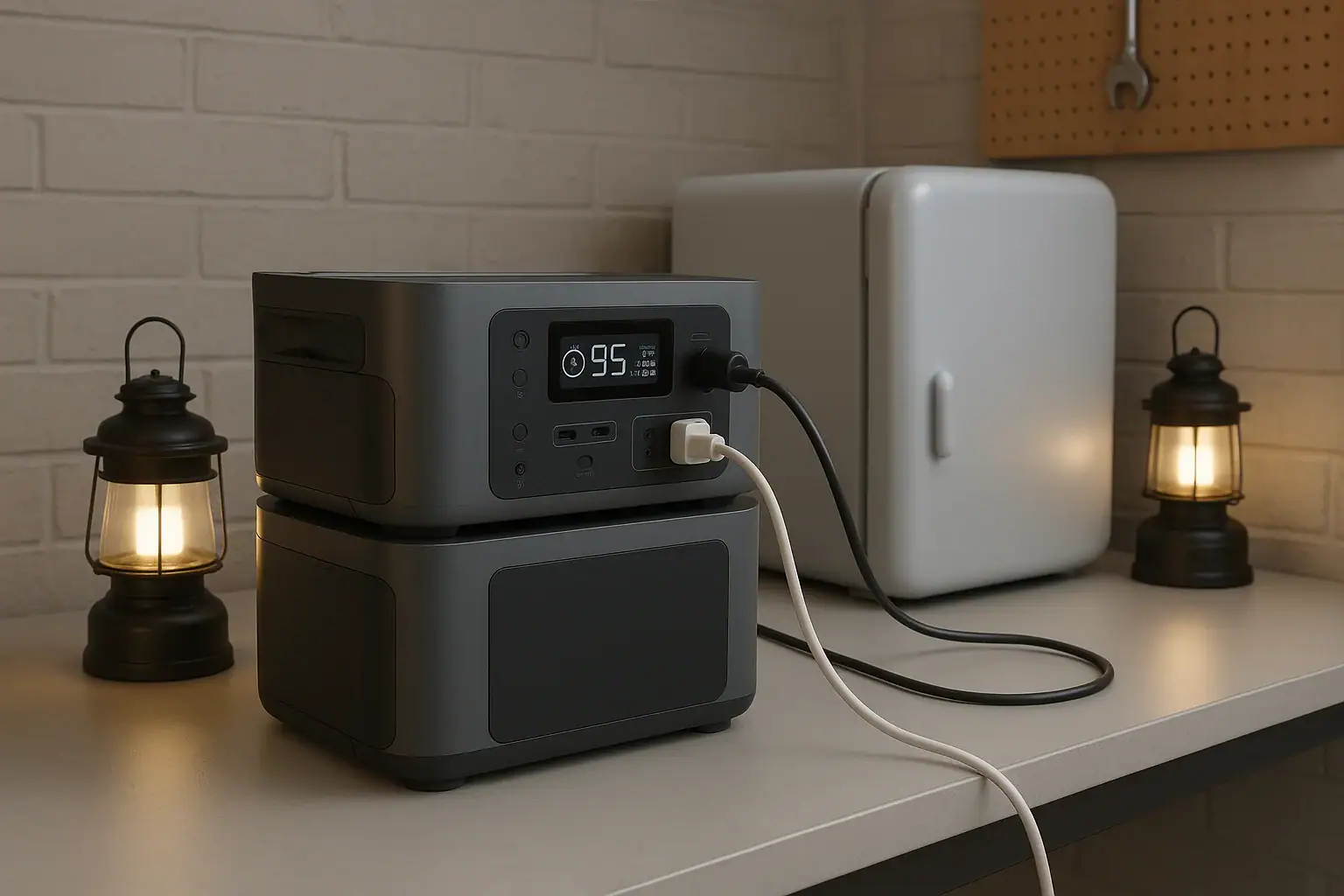
Portable power station expansion batteries make sense when you need longer runtime from the same inverter and charging system, not when you need more surge watts or higher AC output.
An expansion battery is an add-on battery module designed to connect to a compatible power station and increase total watt-hours. It can help with overnight CPAP use, longer refrigerator backup, extended camping trips, and work sites where recharging is limited. Search terms such as extra battery pack, modular battery, watt-hours, runtime, input limit, and solar charging all point to the same practical question: do you need more stored energy, or do you need a more powerful unit?
The answer depends on your loads, recharge windows, portability needs, and whether the base unit supports battery expansion safely. More capacity can be useful, but it also adds cost, weight, charge time, and storage considerations.
What Expansion Batteries Are and Why They Matter
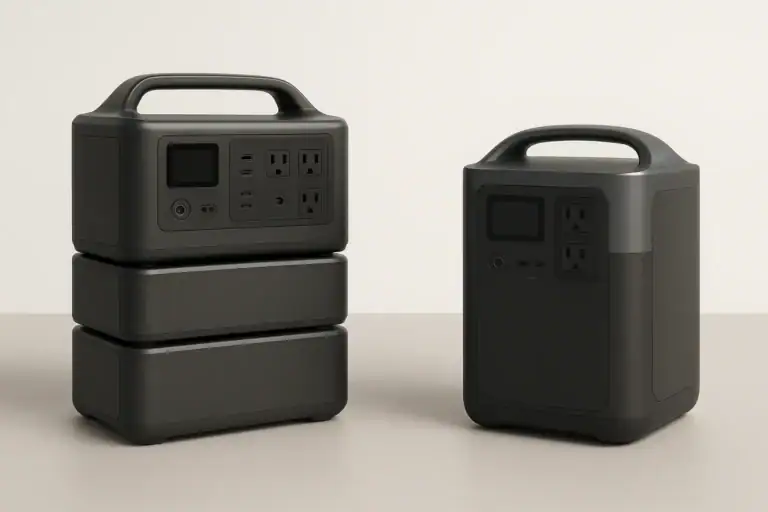
A portable power station expansion battery is a separate battery module that connects to the main power station through a manufacturer-designed expansion port or cable. The base power station still provides the outlets, inverter, display, charging controls, and safety protections. The add-on battery mainly contributes additional stored energy.
The key benefit is increased battery capacity, usually measured in watt-hours. If a 1,000 watt-hour power station can run a 100-watt device for roughly 8 to 9 usable hours after conversion losses, adding another 1,000 watt-hours may approximately double that runtime. The exact result depends on inverter efficiency, standby drain, temperature, and the device being powered.
Expansion batteries matter because they let some users separate two decisions: how much output power they need and how much energy storage they need. A person running modest appliances for a long time may not require a larger inverter, only more stored energy. Another person using a high-draw power tool may need more continuous watts or surge watts, which an expansion battery usually does not provide by itself.
This distinction is important for affiliate-ready comparison later: extra capacity is not the same as extra power. Capacity affects how long a compatible unit can run. Inverter rating affects what it can run. Charging input affects how quickly it can recover. A good decision starts by identifying which limit you are actually hitting.
How Expansion Batteries Work with Capacity, Output, and Charging
Expansion batteries connect electrically to the main power station and are managed by the system electronics. In most designs, the base unit recognizes the added module, combines available capacity on the display, and balances charging or discharging within the system’s built-in limits. The user generally should not treat expansion batteries as generic batteries; compatibility is specific.
The most important concept is watt-hours. A watt-hour is a measure of stored energy. A 60-watt device running for 10 hours uses about 600 watt-hours before losses. Because AC inverters and DC converters are not perfectly efficient, real usable energy is often lower than the label capacity. Light loads can also be affected by idle consumption, especially when AC outlets are left on for many hours.
Adding capacity usually does not raise the maximum AC output. If a base unit is rated for 1,800 continuous watts, the expansion battery may help it run a 600-watt appliance longer, but it typically will not turn it into a 3,000-watt power station. Some ecosystems may change certain performance limits when expanded, but that is a product-specific design feature, not something to assume.
Charging time also changes. More battery capacity takes longer to refill unless charging input increases as well. If a system has a 500-watt AC input limit, refilling 2,000 watt-hours from low charge can take several hours even under ideal conditions. Solar charging may take longer due to panel angle, weather, temperature, and the solar input controller’s voltage and current limits.
| Concept | What it changes | What it does not always change |
|---|---|---|
| Added watt-hours | Longer runtime for supported loads | Maximum inverter output |
| Higher charging input | Shorter recharge time | Total stored energy unless capacity is added |
| More solar panels | Potentially faster daytime recovery | Charging speed beyond the input limit |
| Higher surge rating | Better startup support for motors | Runtime if battery capacity is unchanged |
Real-World Examples of When Extra Capacity Makes Sense
Expansion batteries are most useful when your power needs are moderate but long-lasting. For example, a refrigerator that averages 60 to 120 watts over time may not require a very large inverter, but it may need substantial stored energy to run through a long outage. In that case, expanding capacity can be more practical than replacing the whole power station with a much larger output model.
Camping is another common case. LED lights, phones, camera batteries, fans, laptops, and a small cooler can add up over several days. If the campsite has limited sun or no vehicle charging, an expansion battery can extend comfort without relying on a fuel generator. The tradeoff is transport weight, so the best setup depends on whether you are car camping, RV camping, or carrying equipment by hand.
Medical-adjacent backup planning can also favor extra capacity. A CPAP machine may draw a manageable load, especially with humidification settings adjusted by the user’s normal device options, but the runtime requirement is strict. The goal is often dependable overnight operation with reserve capacity. Anyone planning for critical medical use should verify equipment requirements and maintain a backup plan rather than relying on a single battery system.
Remote work is a simpler example. A laptop, monitor, router, and phone charger may only draw 80 to 200 watts combined, but a full workday plus an evening outage can drain a smaller unit. Extra capacity provides more hours without changing the devices being used.
Job sites can go either way. Battery expansion can help with lights, chargers, routers, test equipment, and low-to-moderate tools used intermittently. However, saws, compressors, pumps, and heaters may be limited by surge watts or continuous watts. If the tool trips the inverter or refuses to start, capacity is probably not the main problem.
Common Mistakes and Troubleshooting Cues
The biggest mistake is buying an expansion battery to solve an output problem. If a power station shuts off immediately when a high-draw appliance starts, the issue is often surge watts, continuous output, or an overload protection limit. More watt-hours will not necessarily fix that. Look at the appliance starting behavior, not just the average wattage.
Another common mistake is ignoring charge time. Doubling stored energy can be helpful during an outage, but it also means more energy must be replaced afterward. If the only charging source is a small solar array or a low input limit, the expanded system may not fully recharge between uses. Capacity and charging should be planned together.
Users also run into compatibility assumptions. Expansion packs are generally not universal. Connector shape, battery voltage, communication protocol, charge control, and firmware expectations can all matter. A physically similar cable does not make a battery safe or compatible. Use only supported expansion batteries and cables for the system.
A troubleshooting cue is unexpected low runtime. This can happen when AC outlets are left on with small loads, because the inverter itself consumes power. It can also happen in cold conditions, with aging batteries, or when loads cycle unpredictably. Refrigerators, pumps, and compressors may have low average watts but high startup demands.
Another cue is slow charging after expansion. This may be normal if total capacity is much larger than before. It may also be caused by solar panels operating below peak output, a charger limited by household circuit conditions, or a system input cap. If the display shows charging watts far below expectations, compare the actual input watts with your planned recharge window.
Safety Basics for Expanded Battery Systems
Use expansion batteries only as the power station maker intended, with compatible modules, approved cables, and normal operating positions. Do not open battery packs, modify connectors, bypass protections, or attempt to wire generic batteries into an expansion port. Portable power stations contain high-energy battery systems and power electronics that should remain intact.
Ventilation matters even when the battery chemistry is relatively stable. Charging and inverting create heat. Keep vents clear, avoid enclosed boxes during heavy use, and do not stack soft items against the power station or expansion battery. Heat can reduce performance and may accelerate battery aging.
Moisture control is also important. Most portable power stations and expansion batteries are not designed to sit in rain, puddles, or wet grass. Outdoor use should protect the unit from direct water exposure while still allowing airflow. Avoid charging or operating any unit that appears damaged, swollen, wet inside, or unusually hot.
Home backup use requires extra caution. A portable power station can safely power devices plugged directly into its outlets within its rating. Connecting any power source to home wiring involves shock, fire, and backfeed hazards if done incorrectly. For transfer equipment, interlocks, or permanent circuits, consult a qualified electrician and follow local electrical rules. This article does not provide wiring instructions.
Pay attention to cord sizing and load placement. Long, undersized extension cords can waste energy and heat up under load. High-draw appliances should use suitable cords and remain within the power station’s output rating. If breakers, overload warnings, or thermal shutdowns occur, reduce the load and let the equipment cool as directed by its normal operating guidance.
Maintenance and Storage for Expansion Batteries
Expansion batteries should be stored with the same care as the main power station. For many lithium-based systems, moderate state of charge is preferred for storage rather than leaving the battery completely full or completely empty for long periods. A practical storage range is often around 40% to 80%, unless the product’s instructions say otherwise.
Temperature is one of the biggest long-term factors. Store batteries in a dry, indoor, temperature-stable place when possible. Avoid hot vehicles, freezing sheds, direct sunlight, and damp basements. Extreme heat can accelerate aging, while cold temperatures can reduce available capacity and may restrict charging.
Periodic checks help prevent surprises. If the system sits unused for months, inspect the display level and recharge as needed. Battery management systems consume a small amount of power over time, and self-discharge can gradually lower capacity. Before storm season, camping season, or planned travel, test the system with realistic loads rather than assuming the stored runtime is unchanged.
Keep ports, cables, and connectors clean and protected. Do not force expansion cables into place, pull by the cord, or store heavy objects on connectors. If a connector is cracked, corroded, loose, or heat-discolored, stop using it and seek proper service or replacement through the normal support path for the product.
| Maintenance item | Practical target | Why it matters |
|---|---|---|
| Storage charge | About 40% to 80% for many lithium systems | Helps reduce stress during long storage |
| Check interval | Every 2 to 3 months | Catches self-discharge before deep depletion |
| Storage temperature | Cool indoor space, roughly room temperature | Limits heat aging and cold performance loss |
| Pre-use test | Run typical loads before an outage or trip | Confirms runtime, cables, and charging behavior |
Practical Takeaways and Specs to Look For
The practical rule is simple: choose an expansion battery when your current power station can already run your devices, but not for long enough. If the unit overloads, fails to start a motor, or charges too slowly for your schedule, look at output rating, surge rating, and charging input before assuming more capacity is the answer.
Related guides: Portable Power Station Watt-Hours Explained • Surge Watts vs Running Watts: How to Size a Portable Power Station • Input Limits (Volts/Amps/Watts) Explained: How Not to Damage Your Unit
Good planning starts with a load list. Add the watts of devices that run at the same time, estimate daily watt-hours, then compare that number with usable battery capacity. Leave reserve capacity for cold weather, inverter losses, battery aging, and unexpected use. For backup planning, it is usually better to size around realistic essentials than to assume every household device will run normally.
Specs to look for
- Expansion capacity: Look for added capacity in the range that matches your load, such as 1,000 to 3,000 watt-hours, because this determines how much longer supported devices can run.
- Base inverter output: Look for continuous watts above your combined running load, with margin, because expansion batteries usually do not fix an undersized inverter.
- Surge watts: Look for a surge rating suitable for refrigerators, pumps, or compressors, often 2 times or more the running watts, because motors need extra startup power.
- Battery compatibility: Look for clearly supported expansion modules and cables, because voltage, communication, and battery management must match the base unit.
- AC charging input: Look for input levels that can refill the expanded system within your available window, such as several hundred watts to over 1,000 watts, because larger capacity takes longer to charge.
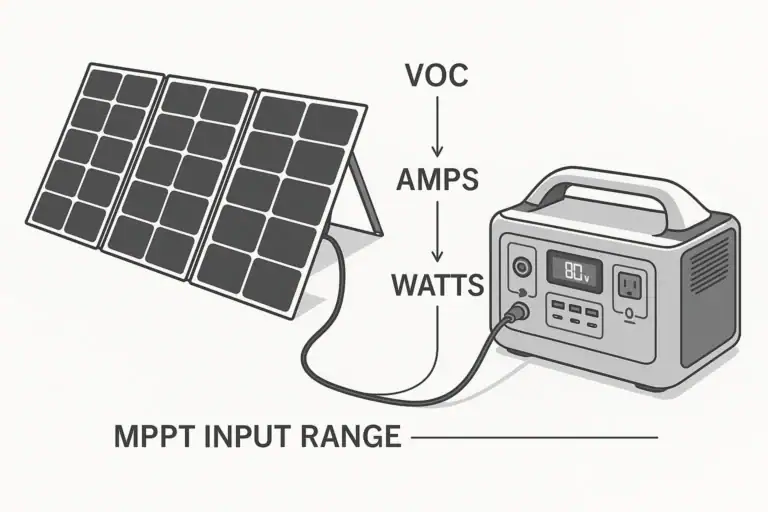
- Solar input range: Look for voltage, current, and watt limits that fit your panel plan, because extra panels cannot help beyond the controller’s input limit.
- Usable output ports: Look for the AC, USB-C, DC, and vehicle-style ports your devices actually need, because capacity is only useful if it can be delivered conveniently.
- Operating temperature range: Look for realistic charging and discharging temperature guidance, because cold and heat affect available runtime and battery health.
- Weight and form factor: Look for a total system weight you can move and store safely, because expansion batteries can turn a portable setup into a semi-stationary one.
Extra capacity is valuable when it solves a measured runtime gap. It makes less sense when the real issue is overload, incompatible charging, limited solar recovery, or unrealistic expectations. Treat expansion batteries as part of a complete energy system: storage, output, charging, safety, and maintenance all need to work together.
Frequently asked questions
How do I know whether I need more capacity or a bigger power station?
If your devices run normally but the battery dies too soon, more capacity is usually the better fit. If the power station shuts off, overloads, or cannot start a device, you likely need higher output or surge capability instead. Check both the running watts and the startup watts before deciding.
What specs matter most when choosing portable power station expansion batteries?
Focus on compatible expansion capacity, the base unit’s inverter rating, surge watts, charging input limits, and supported battery connection type. Also check the usable ports, weight, and operating temperature range. These specs determine whether the system will run long enough, recharge in time, and remain practical to carry.
Can an expansion battery increase AC output or surge power?
Usually, no. An expansion battery mainly adds stored energy, which extends runtime, but it does not automatically increase inverter output or startup power. Some systems may have product-specific exceptions, so the base unit’s specifications still matter.
What is the most common mistake people make with expansion batteries?
The most common mistake is using extra capacity to solve an overload problem. If the inverter is too small for the appliance, a larger battery will not fix that. Another frequent mistake is underestimating how long the expanded system will take to recharge.
Are portable power station expansion batteries safe to use indoors?
Yes, when used according to the manufacturer’s instructions and kept in a dry, ventilated area. Do not block vents, modify cables, or use damaged equipment. For home backup wiring, use proper transfer equipment and a qualified electrician.
Do expansion batteries make sense for solar charging setups?
They can, especially when you want to store more daytime solar energy for nighttime use or cloudy days. The main limitation is whether your solar input can refill the larger battery within your available sun window. More panels help only up to the controller’s input limit.
Related guides
Browse this topic →
- Beginner-friendly sizing, runtime & specs
- Solar & charging (MPPT, fast charging, cables)
- Batteries (LiFePO4, cycles, care & storage)
- Safety, cold-weather performance, real-world tips
More in Battery
See all →- Low-Temperature Charging Protection in LiFePO4 Power Stations Explained
- Lithium-Ion vs LiFePO4 Batteries Explained
- LiFePO4 vs Lithium-Ion in Cold Weather: Which Holds Up Better?
- Best Storage Charge Percentage: 40% vs 60% vs 80% for Different Battery Chemistries
- Why Battery Capacity Drops in Cold and Heat (and How to Get Better Runtime)
Keep reading
About this site
Portable Energy Lab publishes practical, independent guides about portable power—clear sizing, safe use, and real-world expectations.
Affiliate disclosure
Some links on this site may be affiliate links. If you buy through these links, we may earn a small commission at no extra cost to you. This helps support our content. Read our affiliate disclosure.