
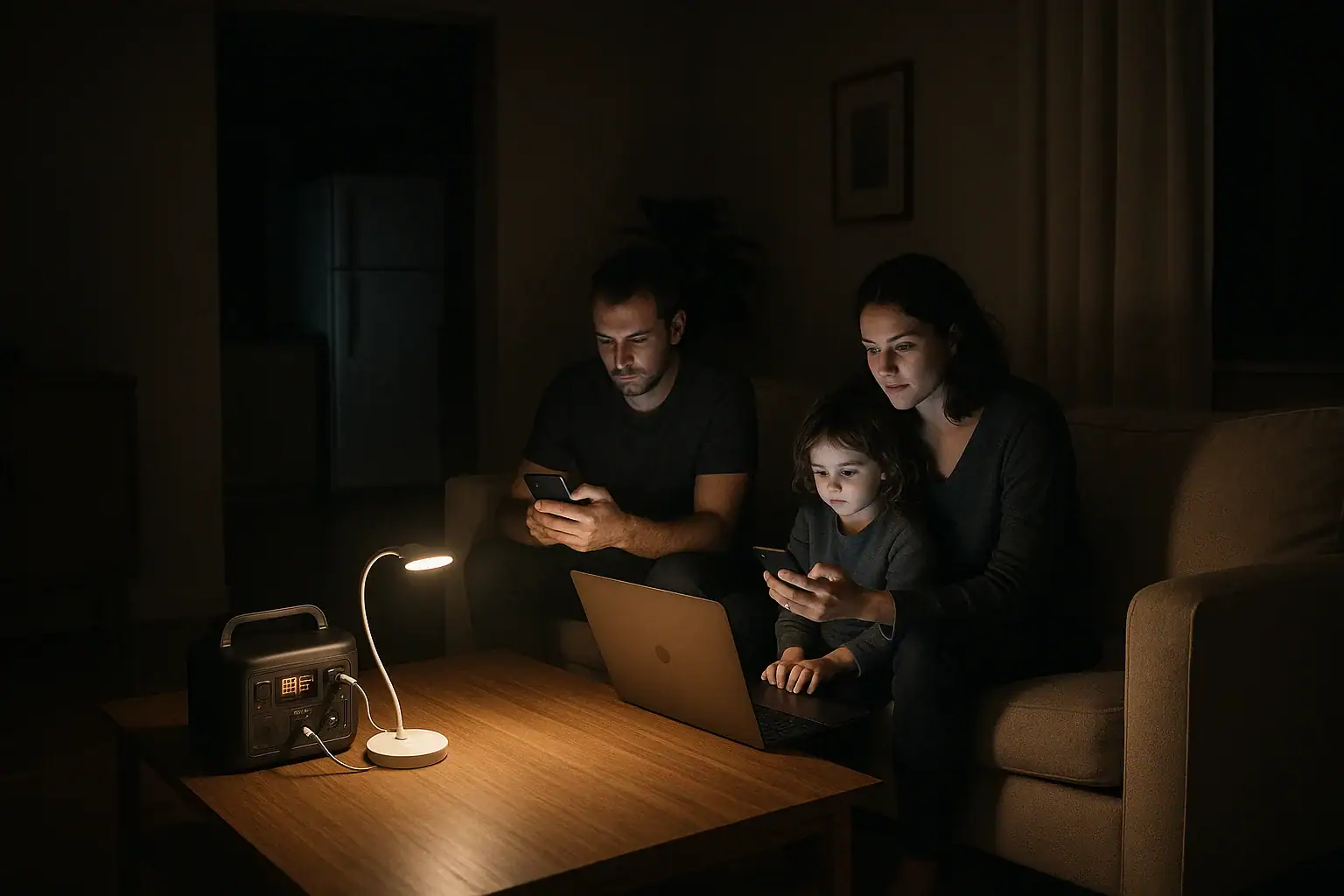
Using a portable power station during a power outage means matching its capacity, surge watts, and output ports to the devices you actually need to run and for how long. When you understand watt-hours, runtime estimates, and input limits for recharging, a portable power station can safely keep essentials like lights, phones, and small appliances powered until the grid comes back.
People search terms like “backup battery for home”, “portable generator alternative”, “runtime calculator”, and “how many watts do I need” because they want reliable, quiet power without fumes. A portable power station can do that, but only if you know its limits and avoid overloading it.
This guide explains what these units can realistically power in a blackout, how they work, common mistakes that drain them too fast, and the safety basics you should follow. It also outlines the key specs and features to look for so you can compare models later without guesswork.
What a Portable Power Station Is and Why It Matters in a Blackout
A portable power station is a rechargeable battery pack with built-in electronics that provide usable household and DC power during an outage. Unlike fuel-powered generators, it runs silently, produces no exhaust, and can be used indoors when properly ventilated and kept dry.
For home use, it matters because it can act as a compact backup power source to keep essentials running: charging phones and laptops, powering a Wi‑Fi router, running LED lights, and sometimes operating a refrigerator or medical devices within its power limits. Instead of losing all functionality when the grid fails, you can prioritize critical loads and stretch your backup runtime.
During a power outage, the most important concepts are how much energy the station stores (watt-hours), how much power it can deliver at once (watts and surge watts), and how efficiently your devices use that power. Understanding these basics helps you decide what to plug in, what to leave off, and when to recharge if you have access to wall power, car charging, or solar panels.
How Portable Power Stations Work During a Power Outage
At the core of a portable power station is a rechargeable battery, usually lithium-based, measured in watt-hours (Wh). Watt-hours describe the total energy stored. For example, a 1000 Wh station theoretically can deliver 100 watts for about 10 hours, or 500 watts for about 2 hours, before accounting for losses.
The unit includes an inverter that converts the battery’s DC power into AC power, similar to a wall outlet. The inverter has a continuous watt rating (how much power it can deliver steadily) and a surge watt rating (how much it can briefly supply to start motors or compressors). Devices like refrigerators, sump pumps, and some power tools may need a high surge to start, even if their running wattage is modest. A tankless gas water heater still needs electricity for ignition, controls, and sometimes fans or pumps, so check its running watts and startup behavior before relying on a power station. Motorized heating appliances need separate planning; review the starting surge and runtime requirements for running a pellet stove during an outage.
Most stations also provide DC outputs: USB-A, USB-C PD (Power Delivery) for faster laptop charging, 12 V car-style ports, and sometimes regulated DC barrel ports. Using DC outputs where possible is more efficient than converting to AC, which can extend runtime.
During a blackout, you connect devices directly to these ports. The station’s display typically shows remaining battery percentage, input watts (when charging), and output watts (what your devices are consuming). By monitoring output watts and remaining capacity, you can estimate how long the station will last and decide when to unplug non-essential loads.
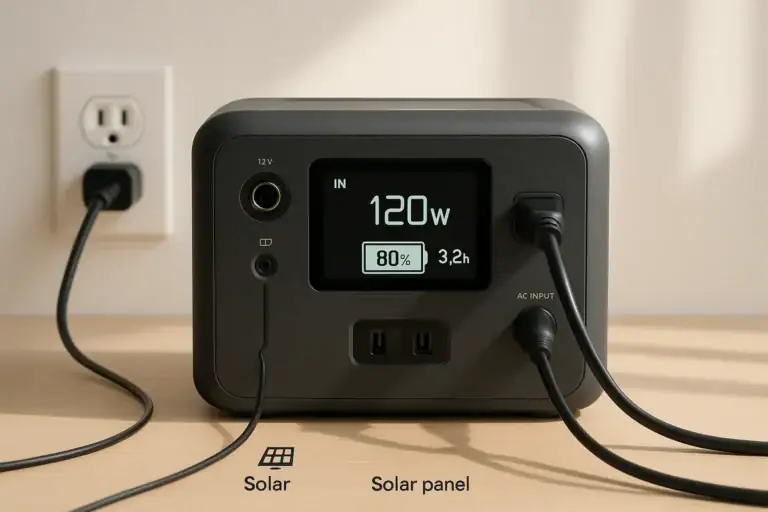
Recharging options vary by model but usually include wall AC charging, car charging, and optional solar input. The input limit (maximum charging watts) determines how fast you can refill the battery. For extended outages, higher solar or AC input can be valuable, but you must still manage your usage so the station does not drain faster than you can recharge it.
| Component | Typical Value | Role During Outage |
|---|---|---|
| Battery capacity | 300–2000 Wh | Determines total available energy |
| AC inverter (continuous) | 300–2000 W | Limits what you can run at once |
| AC surge rating | 600–4000 W | Helps start motors and compressors |
| Solar input limit | 100–800 W | Controls how fast you can recharge with solar |
| USB-C PD output | 30–100 W | Efficient laptop and device charging |
Real-World Examples of Using a Portable Power Station at Home
To understand what a portable power station can realistically do in a home outage, it helps to look at practical scenarios. These examples assume moderate efficiency losses and are for illustration only, but they show how watt-hours and power draw affect runtime.
Example 1: Keeping Communications and Lighting On
Imagine a 500 Wh power station during an evening outage. You plug in:
- Wi‑Fi router: 10 W
- Two LED lamps: 10 W each (20 W total)
- Two phones charging: 10 W combined
- A laptop via USB-C PD: 40 W
Total draw is about 80 W. A 500 Wh station might power this setup for roughly 5–6 hours before reaching a low state of charge. If you turn off the laptop once it is charged and dim or reduce lighting, you could extend runtime further.
Example 2: Running a Refrigerator Intermittently
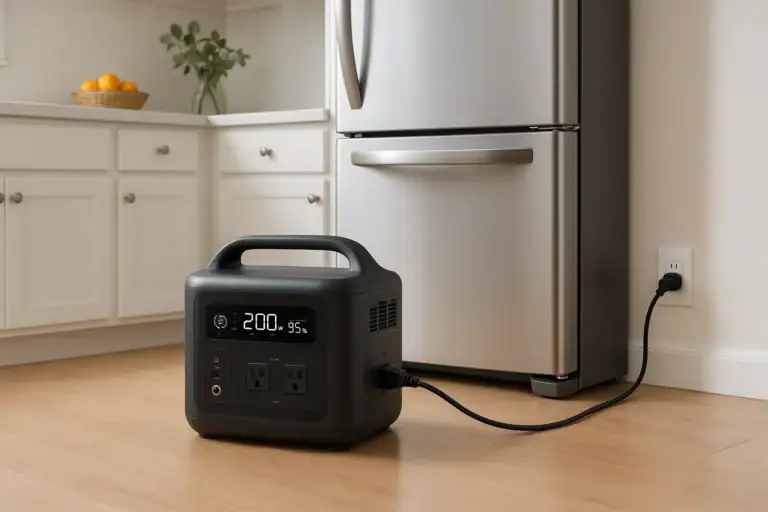
Now consider a larger 1000 Wh unit with a 1000 W continuous inverter. A typical modern refrigerator might use 80–150 W while running, but with a higher surge when the compressor starts.
Instead of running the refrigerator continuously, you could:
- Run it 15–20 minutes every hour to maintain safe temperatures.
- Limit door openings to reduce warm air entering.
- Unplug non-essential loads while the fridge cycles.
If the fridge averages 100 W while running and you run it one-third of the time, the average draw is around 33 W. That 1000 Wh station might support this pattern for a full day or more, especially if you are not powering many other devices.
Example 3: Powering Medical or Comfort Devices
Some people rely on low-wattage medical devices, small CPAP machines, or fans for comfort. Suppose you have:
- CPAP machine without heated humidifier: 30 W
- Small DC fan: 10 W
- Phone charging: 5 W
Total draw is about 45 W. A 500 Wh station could potentially run this setup for 8–10 hours, enough for a night’s sleep, with some reserve. If the CPAP uses a heated humidifier, its draw can increase significantly, so checking the device label or manual is important.
Example 4: Working From Home During a Daytime Outage
For remote work, you might power:
- Laptop via USB-C PD: 40–60 W while in use
- Monitor: 20–40 W (if necessary)
- Router and modem: 15–20 W
- Phone charging: 5–10 W
Total draw might be 80–120 W. With a 700–1000 Wh station, you could often work through a typical 8-hour day, especially if you dim the monitor, let the laptop battery share the load, or take breaks where the laptop is on battery only.
These examples show that the same station can feel either “small” or “large” depending on how you prioritize loads. Planning ahead and measuring your devices’ wattage (using labels or a plug-in power meter) lets you choose realistic combinations during an outage.
Common Mistakes When Using a Portable Power Station in an Outage
Portable power stations are straightforward to use, but a few common mistakes can shorten runtime, stress the battery, or create unsafe situations. Recognizing these issues early helps you avoid problems when the lights go out.
Overloading the Inverter
One frequent error is plugging in too many high-wattage devices at once, such as space heaters, hair dryers, microwaves, or full-size coffee makers. These appliances can easily exceed a station’s continuous watt rating, causing it to shut down or trip protections.
Before an outage, identify and label high-draw devices in your home. During a blackout, avoid plugging them into the station unless you are certain the inverter can handle both the running and surge watts. If the unit repeatedly shuts off when starting a device, that is a cue you are exceeding its limits.
Ignoring Standby and Phantom Loads
Many electronics draw power even when “off” or in standby mode. Plugging entire power strips or entertainment centers into a portable power station during an outage can quietly drain the battery without providing much benefit.
Instead, plug in only the specific items you need—such as a single TV, a router, or a laptop charger—directly into the station. If your station shows output watts, compare the reading when devices are actively used versus when they are supposedly idle. A higher-than-expected idle draw signals phantom loads you should unplug.
Not Prioritizing Essential Loads
Another mistake is treating the station like regular grid power and running non-essentials: gaming consoles, multiple TVs, or decorative lighting. In a long outage, this can mean losing refrigeration or communication later when the battery runs low.
Make a simple priority list before storms or planned outages. Essentials might include communications, lighting, refrigeration, and any health-related equipment. Secondary loads can wait until you are sure you have enough remaining capacity or reliable recharging options.
Misjudging Runtime
Users often assume the advertised watt-hours equal usable runtime without losses. In reality, inverter inefficiency, battery management, and higher loads can reduce effective capacity. For instance, drawing near the maximum inverter output can drain the battery faster than light or moderate loads.
If your station has a runtime estimate on its display, treat it as a rough guide, not a guarantee. Watch how quickly the percentage drops under different loads. If the battery level is falling faster than expected, reduce the number or size of devices connected.
Charging and Discharging in Extreme Temperatures
Using or charging a portable power station in very hot or very cold conditions can reduce performance and, over time, battery lifespan. Leaving it in a freezing garage or a hot car and then expecting full output during an outage is a common oversight.
If the station feels unusually warm, the fan runs constantly, or the display shows temperature warnings, move it to a cooler, well-ventilated indoor area away from direct sunlight or heaters. In cold conditions, allow it to warm gradually to room temperature before charging.
Safety Basics for Using a Portable Power Station at Home
Portable power stations are generally safer and easier to use indoors than fuel-powered generators, but they still store significant energy and must be treated with care. Following a few high-level safety principles helps protect both people and equipment during a blackout.
Use in Dry, Ventilated Areas
Always place the power station on a stable, dry surface away from sinks, bathtubs, open windows during storms, or damp basements. Moisture increases the risk of electrical shorts or corrosion. At the same time, ensure there is adequate airflow around the unit so its cooling system can work properly.
Avoid covering the device with blankets, clothing, or other materials, and keep vents clear. If you notice a strong chemical smell, unusual noises, swelling, or visible damage, stop using the unit and contact the manufacturer or a qualified professional for guidance.
Do Not Backfeed Your Home’s Electrical System
One critical safety rule is to never plug a portable power station into a wall outlet to try to energize household circuits. This can create dangerous backfeed that threatens utility workers, neighbors, and your own equipment.
High-level whole-home backup setups require proper transfer switches or interlock devices installed by a licensed electrician. If you want to power multiple circuits, consult a professional about safe options instead of improvising connections.
Use Appropriate Cords and Avoid Overheating
Use extension cords and power strips that are rated for the loads you plan to run. Thin or low-quality cords can overheat when carrying high current, especially over long distances. Check cords periodically for warmth, damage, or discoloration and replace any that show wear.
Do not coil long cords tightly while in use, as this can trap heat. Route cords to minimize tripping hazards and avoid pinching them under doors or heavy furniture.
Keep Away from Children and Pets
During an outage, children and pets may be curious about the glowing display and cables. Place the station where it cannot be easily knocked over, chewed on, or used as a step. Loose cords should be secured or routed along walls to reduce the chance of accidental disconnection or damage.
Follow Device and Station Ratings
Always check both your devices’ power requirements and the station’s output ratings. Do not bypass built-in protections or attempt to modify the battery pack, ports, or internal wiring. If a device repeatedly trips the station’s overload protection, treat that as a sign of incompatibility rather than something to “work around.”
Maintaining and Storing a Portable Power Station for Emergencies
To rely on a portable power station during a power outage, it must be charged, healthy, and easy to access. Proper maintenance and storage can significantly extend its useful life and ensure it is ready when you need it most.
Regular Charging and Battery Health
Most portable power stations benefit from being kept partially or fully charged when stored. Many manufacturers recommend maintaining the battery between about 40% and 80% for long-term storage, but always follow the specific guidance in your manual.
As a general rule, avoid letting the battery sit at 0% for extended periods. If you rarely use the station, set a reminder to check and top up the charge every few months. This helps prevent deep discharge, which can reduce capacity over time.
Storage Environment
Store the station in a cool, dry, indoor location away from direct sunlight, heaters, and freezing conditions. A closet, interior room shelf, or dedicated emergency storage area works well, provided it is easy to reach in the dark.
Avoid leaving the unit long-term in a car trunk, shed, or uninsulated garage where temperatures can swing widely. Extreme heat and cold both accelerate battery aging and can affect performance during the next outage.
Keeping Cables and Accessories Organized
During an emergency, searching for the right charging cable or adapter wastes time and battery. Keep commonly used cords—USB-C, phone cables, a short extension cord, and any DC adapters—stored together with the station in a labeled bag or compartment.
Consider including a small LED flashlight, spare batteries for it, and a simple list of which home devices are safe to run from the station. This turns the power station into a more complete, ready-to-deploy emergency kit.
Periodic Function Checks
A few times a year, do a quick function test. Plug in a light, charge a phone, and verify that the display, ports, and cooling fan behave normally. If your station supports solar charging and you plan to use it, test that connection on a sunny day so you are not troubleshooting for the first time during a prolonged outage.
If you notice reduced runtime compared to past use, faster-than-expected battery drain, or new error codes, consult the manual or contact customer support. Addressing issues early can prevent failure during a critical event.
End-of-Life Considerations
All batteries eventually lose capacity. When your station no longer holds enough charge for your needs, do not throw it in household trash. Look for local e-waste or battery recycling programs that accept large rechargeable batteries. Proper disposal reduces environmental impact and follows safety regulations.
| Maintenance Task | Suggested Frequency | Purpose |
|---|---|---|
| Charge level check | Every 2–3 months | Prevent deep discharge |
| Function test with small loads | 2–4 times per year | Confirm ports and inverter work |
| Cable and accessory check | Before storm season | Ensure everything is accessible |
| Visual inspection for damage | Annually or after impacts | Catch issues early |
| Storage environment review | Seasonally | Avoid extreme temperatures |
Related guides: Portable Power Station Buying Guide • Can a Portable Power Station Run a Refrigerator? • Energy Budget for a Power Outage: Lights, Phone, Internet, and Small Appliances
Practical Takeaways and Key Specs to Look For
Using a portable power station effectively during a power outage comes down to planning and realistic expectations. These units excel at running low- to medium-power essentials: communications, lighting, small electronics, and, with sufficient capacity, intermittent refrigeration or select medical and comfort devices.
Before an outage, identify which devices are truly essential, note their wattage, and estimate how long you need them to run. During a blackout, monitor output watts and remaining capacity, unplug non-critical loads, and recharge whenever grid, vehicle, or solar input is available. Treat the power station as a finite resource to be managed, not as an unlimited replacement for household power.
When comparing future models for home backup, pay close attention to the following specifications and features. They determine what you can run, for how long, and how easily you can keep the station charged during extended outages.
Specs to look for
- Battery capacity (Wh) – Look for a range that matches your needs, such as 500–1500 Wh for basic home backup; higher capacity extends runtime for fridges and multiple devices.
- Inverter continuous watts – Choose a continuous rating that exceeds your expected simultaneous load (for example, 600–1500 W) so the station can handle your essential devices without frequent overloads.
- Surge watt rating – Ensure the surge rating is at least 1.5–2 times the continuous rating to better handle motor starts from refrigerators, fans, or small pumps.
- AC outlet count and type – Look for enough grounded outlets (often 2–6) to plug in your critical devices without daisy-chaining multiple power strips, which can be less efficient and harder to manage.
- DC and USB outputs (including USB-C PD) – Multiple USB-A and at least one 60–100 W USB-C PD port allow efficient charging of phones and laptops without using the inverter, improving overall runtime.
- Recharge input limit and options – Higher AC and solar input limits (for example, 200–800 W combined) enable faster recharging between outages or during daytime solar windows.
- Battery chemistry and cycle life – Chemistries with higher cycle life ratings (often 2000+ cycles to a given percentage) can be beneficial if you plan frequent use or long-term emergency readiness.
- Display and monitoring features – A clear screen showing input/output watts, remaining percentage, and estimated runtime helps you manage loads intelligently during a blackout.
- Weight, size, and handles – Consider whether you can comfortably move the station between rooms or floors; compact units (10–30 lb) are easier to deploy quickly in an emergency.
- Operating temperature range and protections – Built-in overcurrent, overtemperature, and short-circuit protections, along with a reasonable operating temperature range, improve safety and reliability in varied home conditions.
By focusing on these specs and aligning them with your actual outage scenarios, you can choose and use a portable power station that provides dependable, quiet backup power when your home needs it most.
Frequently asked questions
What specs and features should I prioritize when choosing a portable power station for outages?
Prioritize battery capacity in watt-hours to match how long you need to run essentials, and ensure the inverter’s continuous and surge watt ratings exceed your peak loads. Also look for efficient DC/USB outputs (including USB-C PD) to avoid inverter losses and a sufficient recharge input limit so you can top up the battery faster with AC or solar.
How long can a portable power station realistically run essential devices like lights and phones?
Runtime depends on the station’s watt-hours and the combined wattage of connected devices; for example, a 500 Wh unit powering an 80 W load might last roughly 5–6 hours before losses. Actual time varies with inverter efficiency, standby draws, and whether you run devices continuously or intermittently.
Which typical user errors quickly drain a portable power station?
Common errors include overloading the inverter with high-wattage appliances, leaving standby or phantom loads plugged in, and running nonessential devices instead of prioritizing critical loads. Misjudging runtime and not monitoring output watts can also lead to unexpectedly fast depletion.
Is it safe to use a portable power station indoors during a blackout?
Yes—portable power stations are generally safer indoors than fuel generators because they produce no exhaust, but you should keep them dry, well-ventilated, and on a stable surface. Never backfeed the home electrical system and follow the unit’s operating and cord-rating guidance to avoid hazards.
Can I recharge a portable power station with solar panels during an extended outage?
Yes, many stations accept solar input, but charging speed is limited by the unit’s solar input rating and panel output. Make sure panel voltage and wattage match the station’s specifications and plan usage so the battery is not drained faster than it can be recharged.
What are signs that a portable power station needs service or replacement?
Warning signs include visible swelling, a strong chemical smell, unusual noises, rapidly reduced runtime, persistent error codes, or inability to hold charge. If you observe these, stop using the unit and consult the manufacturer’s guidance or a qualified technician, and recycle the unit properly at end of life.
Related guides
Browse this topic →
- Beginner-friendly sizing, runtime & specs
- Solar & charging (MPPT, fast charging, cables)
- Batteries (LiFePO4, cycles, care & storage)
- Safety, cold-weather performance, real-world tips
More in Home / Appliances
See all →Keep reading
About this site
Portable Energy Lab publishes practical, independent guides about portable power—clear sizing, safe use, and real-world expectations.
Affiliate disclosure
Some links on this site may be affiliate links. If you buy through these links, we may earn a small commission at no extra cost to you. This helps support our content. Read our affiliate disclosure.