
What USB-C PD 3.1 (240W) Means and Why It Matters
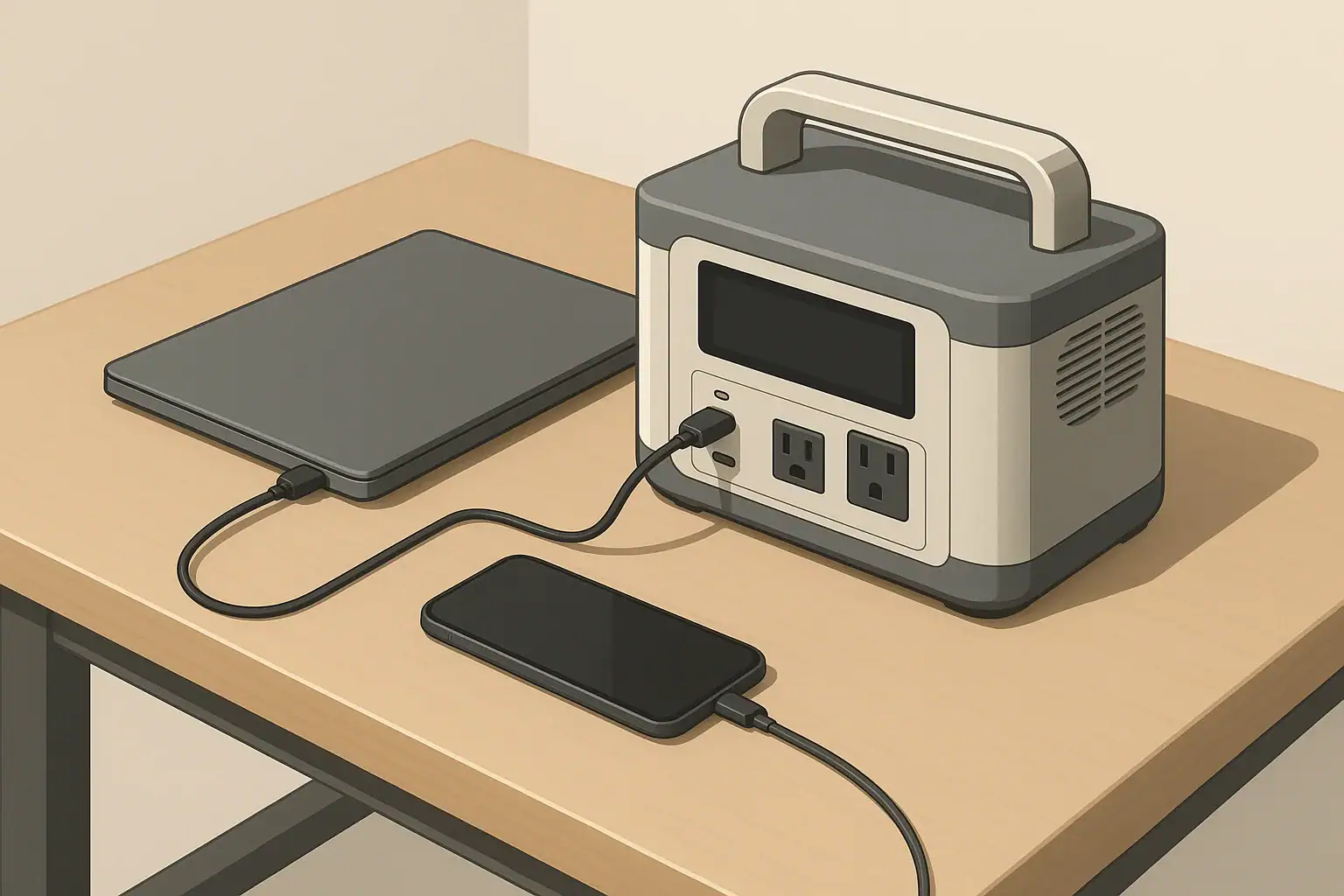
USB-C Power Delivery (PD) 3.1 is the latest revision of the USB fast-charging standard that allows a single USB-C port to deliver higher, more flexible power levels. The headline feature is support for up to 240 watts over one cable, enough for demanding laptops, some gaming systems, and power-hungry accessories that previously needed bulky AC adapters. On a portable power station, this means the USB-C port can move from being a phone charger to a primary power output for work and travel gear.
On earlier power stations, the strongest USB ports usually topped out around 60–100 watts. That works well for tablets and many laptops, but it can struggle with performance notebooks, docking stations, and multi-device charging from one port. With USB-C PD 3.1 at up to 240 watts, a compatible device can negotiate exactly the voltage and current it needs, often replacing a standard wall brick while staying efficient and compact.
This change matters because it shifts more everyday loads away from the AC outlets and onto DC outputs. Direct DC power over USB-C typically wastes less energy in conversion than running a laptop through an AC inverter. For portable power station users, that can translate into slightly longer runtimes, quieter operation, and less clutter from separate chargers. It also simplifies setups for remote work, travel, and lightweight backup power.
Not everyone needs 240 watts over USB-C. Many small laptops, phones, and tablets still charge fine at 45–65 watts. But people who rely on high-performance laptops, USB-C monitors, or docking stations can benefit from the headroom and flexibility of PD 3.1. Understanding how this fits into overall capacity and output limits helps you decide whether a high-wattage USB-C port is a critical feature or simply a nice-to-have.
Key Concepts and Sizing Logic for USB-C PD 3.1 on Power Stations
To understand how USB-C PD 3.1 fits into portable power stations, it helps to separate three ideas: watts, watt-hours, and inverter efficiency. Watts (W) describe how fast power flows at a moment in time, similar to how quickly water flows through a pipe. A 240-watt USB-C port can deliver up to 240 watts of power to a single device, if both ends support that level.
Watt-hours (Wh) describe stored energy. A 500 Wh power station can theoretically provide 500 watts for one hour, or 100 watts for five hours, before conversion losses. USB-C PD 3.1 does not change how many watt-hours you have; it only affects how efficiently and flexibly you can use those watt-hours. High-wattage USB-C can let you concentrate more of that energy into one demanding device, but the total tank size remains the same.
Another key concept is the difference between running watts and surge watts. Surge is the brief higher draw when a device first starts. Many AC appliances have a surge, but most USB-C electronics behave more predictably, drawing close to a steady running wattage after they negotiate a power profile. That is one advantage of PD 3.1: the device and power station communicate to set a safe, stable level, which reduces surprises like sudden overloads from that port.
Finally, consider efficiency losses. When you use AC outlets, the power station must run an inverter to convert its internal DC battery power to AC. That conversion can waste 10–15 percent or more. High-wattage USB-C is DC-to-DC, which is typically more efficient, especially at partial loads. If a laptop that would normally use 120 watts from an AC brick can instead pull similar power directly from a PD 3.1 port, you may see modest runtime gains and less heat from the inverter, especially during continuous use.
| Primary use case | Typical device load (example) | Suggested USB-C PD level focus | Notes |
|---|---|---|---|
| Phones, tablets, small electronics | 10–45 W per device | Up to 65 W PD is usually sufficient | 240 W is helpful only for multitasking on one port |
| Lightweight office laptops | 45–65 W while in use | 65–100 W PD for comfortable headroom | Focus more on total Wh than maximum port wattage |
| High-performance laptops and creators | 90–200 W under heavy load | PD 3.1 with 140–240 W capability | Helps sustain performance without battery drain |
| USB-C monitors and hubs | 30–90 W combined | 100 W PD plus extra ports | Check that ports can share power without throttling |
| Remote workstation setups | 150–250 W total via USB-C | 240 W PD with strong overall AC capacity | Verify that total station output supports all loads |
| Camping and casual travel | 20–80 W most of the time | 45–65 W PD plus extra USB ports | Focus on simplicity and runtime rather than max wattage |
| Backup for short outages | 50–200 W mixed loads | 100–140 W PD for laptops and routers | AC still handles non-USB appliances |
Real-World Examples of USB-C PD 3.1 on Portable Power Stations
Consider a remote worker who runs a performance laptop that can draw around 150 watts under load. On a power station with only 60-watt USB-C, the laptop might charge slowly or even lose battery charge while working hard, forcing the user to plug into AC and run the inverter. On a unit with a 240-watt PD 3.1 port, that same laptop can usually negotiate a higher power level, closer to what its original charger provides, allowing it to maintain performance while staying powered purely from USB-C.
As another example, imagine a small home office backup setup that includes a laptop, external monitor powered over USB-C, and a docking hub. Together, they may total around 120–180 watts. With PD 3.1, a single high-capacity USB-C port on the power station can power the dock, which then distributes power and data to connected devices. That consolidates power cabling and keeps the AC outlets free for other essentials like a modem, router, or a small desk lamp during an outage.
In a camping or vanlife scenario, most users do not push anywhere near the 240-watt ceiling but still benefit from the flexibility. A portable power station with PD 3.1 might simultaneously charge a laptop at 80 watts and a tablet at 30 watts from separate USB-C ports while also running a small 12V fan and LED lights. Even though no single device uses the full 240 watts, the overall system benefits from efficient DC outputs and reduced reliance on AC.
For short power outages, a modest-size power station with a strong USB-C port can keep internet access and basic work tools online. Pairing a PD 3.1 output with a laptop and router might draw around 60–120 watts combined. A 500 Wh battery could theoretically power that setup for several hours, depending on actual usage and efficiency losses, while freeing the AC outlets to handle a refrigerator cycling briefly or other essential appliance loads.
Common Mistakes and Troubleshooting Cues with High-Wattage USB-C
A frequent misunderstanding is assuming that a 240-watt USB-C port always delivers 240 watts, regardless of device. USB-C PD 3.1 still relies on negotiation. If the connected laptop or accessory only supports 65 watts, that is the upper limit it will draw, even from a higher-rated port. Users sometimes think a port is underperforming when, in reality, the bottleneck is the device or cable, not the power station.
USB-C cables is another common issue. Not all USB-C cables are rated for higher voltages and currents. Some are limited to 60 or 100 watts. If you pair a PD 3.1 power station with a low-rated cable, the devices may negotiate down to a lower power level or fail to enter a fast-charging mode. Symptoms include slow laptop charging, battery percentage still dropping under heavy load, or the system switching between charging and not charging.
Power stations can also throttle or shut off USB-C outputs when total system limits are reached. For example, if the unit is already powering several AC loads near its maximum continuous output, it may reduce power available to USB ports to protect itself. Users might see charging speeds drop or ports turn off entirely. This is not a fault with PD 3.1 itself, but a sign that the total demand on the power station is too high.
Another subtle issue is low-load auto shutoff. Some power stations turn off their DC or USB outputs when the combined draw falls below a certain threshold for a period of time, to save energy. Small devices such as wireless earbuds or low-draw sensors connected via USB-C may cause the port to cycle off unexpectedly. In these cases, adding another modest load, such as a phone charging in parallel, or checking for an “always on” mode (if available) can stabilize the output.
Safety Basics: Using USB-C PD 3.1 and Other Outputs Wisely
USB-C PD 3.1 is designed with safety features, including power negotiation and overcurrent protection, but overall safe use still depends on placement, ventilation, and cabling practices. Place the portable power station on a stable, dry surface with clear airflow around vents. High-wattage USB-C charging, especially at or near 240 watts, can generate noticeable heat both in the power station and in the device being charged, so avoid covering vents or stacking items on top.
Use quality cables rated for high power and avoid sharp bends or pinched runs. Cables that get hot to the touch, show visible damage, or intermittently disconnect should be replaced. When running multiple devices, keep cords organized to prevent tripping hazards and accidental disconnections. For outdoor or damp environments, keep the power station in a sheltered, dry location and avoid letting connectors sit in puddles or wet grass.
When you mix USB-C loads with AC loads, remember that the power station’s total output is shared. If AC outlets are feeding tools or appliances near the unit’s limit, starting another high-wattage USB-C session could trigger overload protection and a shutdown. In spaces like garages or workshops, plug sensitive electronics into appropriately grounded outlets and avoid daisy-chaining extension cords and power strips from the power station.
Many portable power stations include ground-fault protection on AC outputs to help reduce shock risk in certain fault conditions, especially around moisture. This is not the same as hardwiring into a building’s electrical system. For any connection to a home circuit or panel, even temporarily, consult a qualified electrician and rely on appropriate equipment rather than improvised solutions. Keep the power station itself away from extreme heat sources, flammable materials, and unventilated enclosed spaces.
Maintenance and Storage for Power Stations with USB-C PD 3.1
USB-C PD 3.1 does not significantly change maintenance needs, but higher power use can highlight weak spots in batteries, cables, and connectors. Periodically inspect USB-C ports for dust, debris, or damage, especially if the power station travels often. Gently clean around ports with a dry, soft brush if needed, and avoid inserting objects other than proper USB-C plugs.
For battery health, many manufacturers suggest storing portable power stations around 30–60 percent state of charge when not in use for long periods. Avoid leaving the battery fully depleted for weeks or kept at 100 percent continuously without need. All batteries experience some self-discharge over time; checking and topping up the unit every few months helps ensure it is ready when you need both the AC and USB-C outputs.
Temperature management is also important. Store and operate the power station within the temperature ranges in its manual, avoiding prolonged exposure to direct sun, freezing conditions, or enclosed hot vehicles. Cold temperatures can temporarily reduce available capacity, while high heat accelerates wear. When charging via wall, vehicle, or solar input, give the unit space to shed heat, especially if you plan to run a demanding USB-C PD 3.1 load at the same time.
Routine functional checks can catch problems early. Every so often, connect a laptop, phone, or other USB-C device and confirm it negotiates fast charging as expected. If charging is unexpectedly slow or devices frequently disconnect, try another cable and another device to isolate the issue. Addressing cable or connector problems early can prevent intermittent faults from showing up during a power outage or critical remote work session.
| Maintenance task | Suggested frequency | What to look for | Notes |
|---|---|---|---|
| Top up state of charge during storage | Every 2–3 months | Battery above roughly 30–60% | Helps reduce stress from deep discharge |
| USB-C port and cable check | Every 1–3 months | Secure fit, no wobble or debris | Replace frayed or loose cables promptly |
| Full functional test under load | Every 3–6 months | Devices reach expected charging speeds | Try both USB-C PD and AC outputs |
| Visual inspection of vents and case | Every few uses | No dust buildup, cracks, or warping | Keep vents clear for cooling |
| Storage environment check | Seasonally | Dry, moderate temperature area | Avoid garages that get very hot or freezing |
| Firmware or settings review (if available) | Once or twice a year | Updated behavior, new options | Some models refine USB-C performance over time |
| Solar or vehicle charging test (if used) | Before trips or storm seasons | Stable input, reasonable charge rate | Confirms backup charging methods work when needed |
Practical Takeaways: Who Really Needs USB-C PD 3.1 (240W)?
USB-C PD 3.1 with up to 240 watts is most valuable for users who depend on high-performance laptops, USB-C docks, or multi-device workstations and want to minimize AC adapters. It provides the headroom to run demanding systems directly from the power station’s DC side, improving efficiency and reducing clutter. For many casual users charging phones, tablets, and light laptops, lower-wattage USB-C ports still cover everyday needs.
When evaluating a portable power station, match the USB-C capabilities to your actual devices and workloads rather than chasing the highest number. A balanced setup considers both the peak power of individual ports and the total battery capacity in watt-hours. It also respects that AC outlets are still important for appliances that do not support USB-C at all.
Viewing USB-C PD 3.1 in the broader context of capacity, outputs, charging methods, and maintenance leads to better decisions. The goal is a system that runs quietly, efficiently, and safely for your specific use cases, whether that is remote work, short outages, or travel. High-wattage USB-C is a useful tool in that toolkit, but it is most effective when paired with realistic planning and good operating habits.
- List your real devices and note which truly benefit from high-wattage USB-C.
- Size the battery in watt-hours based on runtime goals, not just port ratings.
- Use quality USB-C cables rated for your expected power levels.
- Give the power station ventilation space, especially during heavy charging.
- Check and top up the battery periodically so it is ready for outages or trips.
Frequently asked questions
Can USB-C PD 3.1 240W power any laptop that originally used a 240W AC charger?
Possibly, but only if the laptop supports USB-C Power Delivery 3.1 (Extended Power Range) and can negotiate the required voltage and current. Some high-performance laptops still rely on proprietary chargers or specific firmware, so verify the device’s supported charging profiles before relying solely on a PD 3.1 port.
Do I need a special cable to get the full 240W from a USB-C PD 3.1 port?
Yes — you need an electronically marked (e‑marked) USB-C cable rated for the higher current (5 A) and voltages used by PD 3.1’s Extended Power Range. Using a lower-rated cable will force the negotiation to a reduced power level or prevent fast charging entirely.
Will using USB‑C PD 3.1 240W on a power station increase my device run time compared to using the AC outlet?
Often it will provide modest runtime improvements because DC-to-DC delivery via USB‑C avoids inverter conversion losses present when using AC outlets. However, the total available runtime still depends on the power station’s watt-hours and the efficiency of both the station and the connected device.
Can I connect multiple devices to the same 240W PD port using a hub or dock?
A single PD 3.1 port negotiates power for one downstream connection; a powered hub or dock can distribute that power only if the hub and connected devices support the necessary PD profiles and wattage. Power sharing typically reduces the maximum available wattage per device, and the dock’s design determines whether the full 240W can be split effectively.
What safety or maintenance steps are important when using high-wattage USB‑C PD 3.1 240W?
Use certified high-current cables, keep the power station and devices well ventilated, and inspect ports and cords regularly for damage or overheating. Also follow recommended storage charge levels and temperature ranges, and avoid exceeding the station’s total continuous output to prevent thermal throttling or protective shutdowns.
Recommended next:
- USB-C Power Delivery (PD) Explained for Portable Power Stations
- Charging From a Car: What’s Safe, What’s Slow, and What Can Break
- Input Limits (Volts/Amps/Watts) Explained: How Not to Damage Your Unit
- MPPT vs PWM in Portable Power Stations: What It Changes in Real Life
- Can You Use a Higher-Watt Charger Than Rated? Understanding Input Headroom
- Why Charging Slows Down Near 80–100%: A Simple Explanation
- More in Charging →
Related guides
Browse this topic →
- Beginner-friendly sizing, runtime & specs
- Solar & charging (MPPT, fast charging, cables)
- Batteries (LiFePO4, cycles, care & storage)
- Safety, cold-weather performance, real-world tips
More in Charging
See all →- Can You Charge a Portable Power Station From USB-C PD? Limits, Adapters, and Gotchas
- Why Your Power Station Won’t Charge From a Generator: Frequency, Grounding, and Fixes
- AC Charging Heat & Fan Noise: Why It Happens and How to Reduce It Safely
- Car Charging Explained: 12V Socket vs DC-DC Charger vs Alternator (Speed + Safety)
- Fast Charging vs Battery Life: C-Rate Explained for Portable Power Stations (No Hype)
Keep reading
About this site
Portable Energy Lab publishes practical, independent guides about portable power—clear sizing, safe use, and real-world expectations.
Affiliate disclosure
Some links on this site may be affiliate links. If you buy through these links, we may earn a small commission at no extra cost to you. This helps support our content. Learn more.