
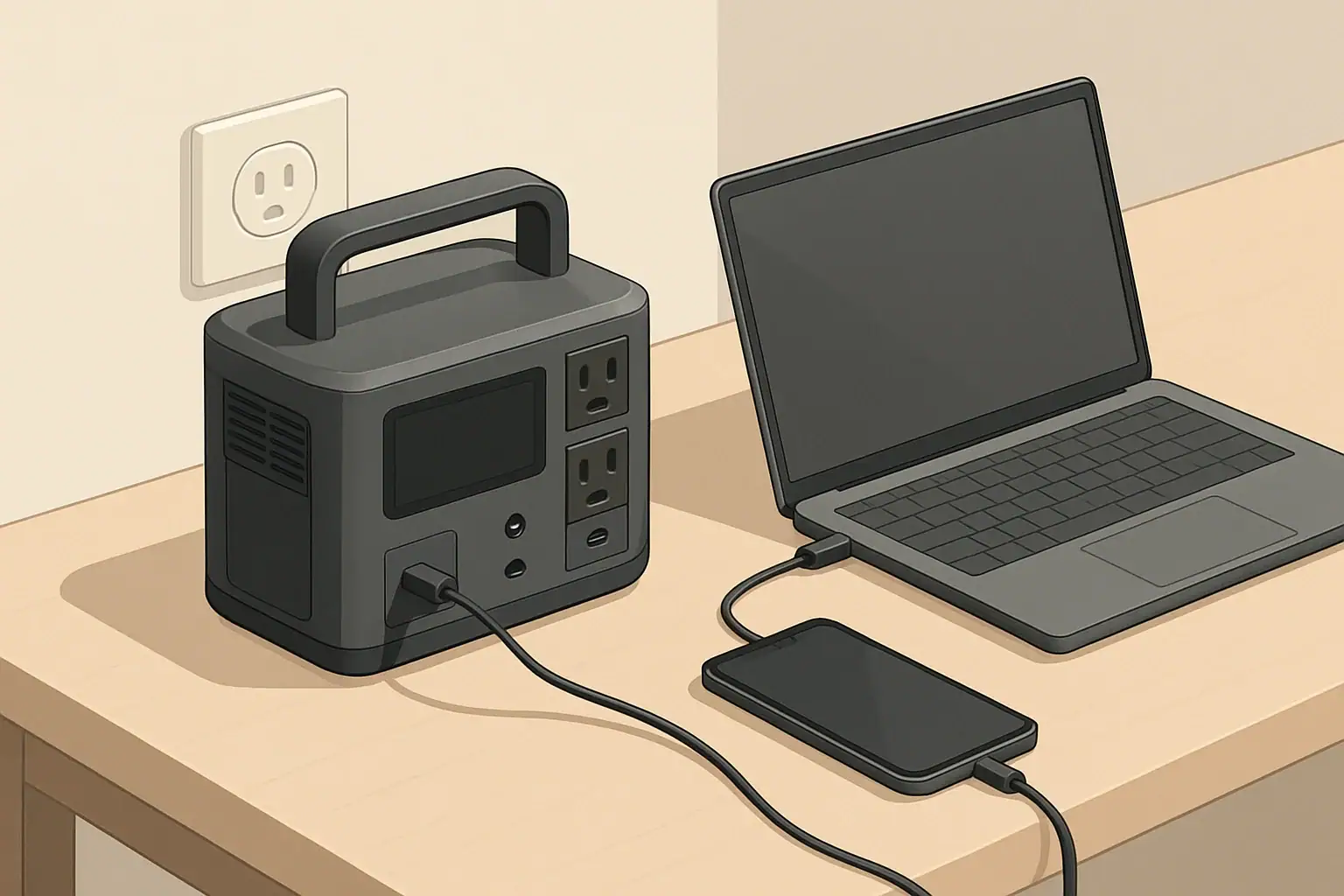
USB-C Power Delivery (PD) is one component of a portable power station’s broader feature set. Understanding PD helps you decide when to use USB-C, when AC is necessary, and how to balance multiple loads and charging sources.
By matching PD wattage to device requirements, using suitable cables, and paying attention to total output limits, you can make efficient use of your portable power station’s capacity while keeping essential electronics charged and ready.
USB-C Power Delivery (PD) is a fast-charging standard that uses the USB-C connector to safely deliver higher power than older USB ports. On portable power stations, USB-C PD ports can charge phones, tablets, laptops, cameras, and some small appliances directly, often without needing AC adapters.
Instead of a fixed 5-volt output like classic USB, USB-C PD negotiates voltage and current between the power station and the device. This negotiation lets compatible devices charge faster while staying within safe limits.
What Is USB-C Power Delivery (PD)?
Why USB-C PD Matters for Portable Power Stations
Portable power stations originally focused on AC outlets and basic USB-A ports. USB-C PD changes how you can use this stored energy.
Key benefits
- Higher efficiency: Direct DC-to-DC charging (USB-C) is usually more efficient than running an AC adapter from the inverter.
- Faster charging: PD supports higher wattage than legacy USB ports, so compatible devices recharge more quickly.
- Less gear to carry: Many laptops and tablets can plug into a PD port instead of a bulky AC charger.
- Quieter operation: When you avoid using the AC inverter, some power stations can run fans less often.
- Better use of battery capacity: Less conversion loss means more usable watt-hours from your battery.
How USB-C PD Power Levels Work
USB-C PD power is measured in watts (W), the product of voltage (V) and current (A). Portable power stations commonly advertise USB-C PD ratings such as 18 W, 45 W, 60 W, 65 W, 100 W, or higher.
Common PD voltage profiles
PD supports several voltage levels. The device and the power station agree on one during negotiation:
- 5 V (legacy USB level)
- 9 V
- 12 V
- 15 V
- 20 V
Higher-voltage profiles are typically used for more power-hungry devices like laptops and some monitors.
Example power levels for typical devices
- Phones and small devices: 18–30 W PD is usually enough for fast charging.
- Tablets and small laptops: 30–60 W PD often provides full-speed or near full-speed charging.
- Ultrabooks and mainstream laptops: 60–100 W PD is common.
- High-performance laptops: May require 100 W or more and might throttle or charge slowly if underpowered.
Always check the maximum USB-C charging capability of your device to match it with the PD port on your power station.
USB-C PD vs. Regular USB Ports on Power Stations
Portable power stations may include several types of USB ports. Understanding the differences helps you choose the right port for each device.
USB-A (legacy) ports
- Common ratings: 5 V at 2.4 A (≈12 W), or proprietary fast-charging standards.
- Good for: Basic phone charging, small accessories, low-power devices.
- Limitations: Lower maximum wattage; can be slower for modern phones and tablets.
USB-C non-PD ports
- Looks like USB-C but may only output 5 V with limited current.
- Good for: Smaller devices that do not need high power.
- Limitations: May not charge laptops or fast-charge compatible phones.
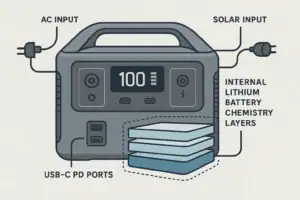
USB-C PD ports
- Offer negotiation-based voltage and higher power.
- Good for: Phones, tablets, laptops, and other PD-enabled devices.
- Advantages: Faster, more efficient, and more versatile than legacy USB ports.
Input vs. Output: USB-C PD on Portable Power Stations
On portable power stations, USB-C PD ports can serve as outputs, inputs, or both. The labeling is important.
USB-C PD output
When labeled as output, the PD port sends power from the power station to your devices.
- Used for charging phones, tablets, laptops, and other electronics.
- Rating example: “USB-C PD 60 W output” means up to 60 W available to that port.
- Multiple PD outputs share the total DC output budget of the power station.
USB-C PD input
When labeled as input, the PD port is used to charge the power station itself.
- Rating example: “USB-C PD 100 W input” means the station can accept up to 100 W from a compatible PD charger.
- Faster charging than low-wattage wall adapters.
- Useful when AC power is limited or when using a high-output PD wall charger.
Bidirectional USB-C PD (input/output)
Some ports are marked as both input and output. These can charge devices or recharge the power station depending on what is connected.
- When connected to a wall PD charger: the station charges its own battery.
- When connected to a phone or laptop: the station supplies power to the device.
- Power direction is determined by PD negotiation and the type of connected device or charger.
Understanding PD Wattage Ratings on Portable Power Stations
Manufacturers often list multiple wattage numbers for USB-C ports. Interpreting them correctly prevents confusion and helps with planning.
Per-port PD rating
Each USB-C PD port typically has a per-port maximum output, such as:
- One port: up to 60 W
- Another port: up to 100 W
This is the most that any single device can draw from that specific port.
Total USB output budget
Portable power stations may also have a total DC or USB output limit, for example:
- “Total USB output: 120 W” across all USB ports.
- When several devices are plugged in, each port may not reach its maximum rating if the total limit is exceeded.
In practice, if two laptops are drawing from two 60 W ports on a station with a 100 W USB total limit, they may share that 100 W rather than each getting 60 W.
Voltage and current combinations
A PD label might include multiple combinations, such as “5 V⎓3 A, 9 V⎓3 A, 15 V⎓3 A, 20 V⎓3.25 A (65 W max).” This means:
- The port supports several voltage levels.
- The maximum current varies by voltage.
- The highest total power is capped at 65 W regardless of the profile.
USB-C PD and Pass-Through Charging
Pass-through charging means using the power station while it is being charged. With USB-C PD, this can involve combinations of AC, DC, and USB inputs and outputs.
Typical pass-through scenarios involving PD
- Charging the power station via USB-C PD input while powering a laptop from an AC outlet.
- Charging the station from AC input while powering a phone and laptop from USB-C PD outputs.
- Using a bidirectional PD port to charge the station, while other USB and DC ports power devices.
Things to watch for
- Thermal limits: High combined input and output can increase heat, which may trigger fans or power limits.
- Reduced battery cycling: Some users prefer to avoid heavy pass-through use to reduce battery stress, though this varies by design.
- Power priorities: Some stations prioritize powering loads over charging the battery when input is limited.
Using USB-C PD to Charge Laptops from a Power Station
Laptop charging is one of the most important use cases for USB-C PD on portable power stations.
Check your laptop’s USB-C charging support
Not all laptops support USB-C charging, and some require a minimum PD wattage to work properly.
- Look for USB-C ports marked with a power or charging symbol.
- Check the laptop’s power adapter output (for example, 65 W, 90 W, or 100 W) to estimate PD needs.
- Confirm whether USB-C is the primary or secondary charging method.
Match PD wattage to laptop needs
- Underpowered PD: A laptop needing 90 W may charge slowly or lose charge under heavy use when connected to a 45 W PD port.
- Equal or higher wattage: A 100 W PD port can typically support laptops rated up to that level. The laptop will only draw what it needs.
- Multiple loads: If several high-power devices are plugged into USB at once, available power for the laptop may be reduced.
Estimating runtime from USB-C PD
To estimate how long a power station can run a laptop over USB-C PD:
- Find the laptop’s average power draw while in use (for example, 40 W).
- Find the power station’s usable capacity in watt-hours.
- Divide capacity by the laptop’s power draw and adjust for efficiency.
For example, a 500 Wh power station running a laptop averaging 40 W via USB-C PD with ~90% DC efficiency:
500 Wh × 0.9 ÷ 40 W ≈ 11 hours of approximate runtime, ignoring other loads.
USB-C PD and Small Devices: Phones, Tablets, and Accessories
For smaller electronics, USB-C PD offers faster charging and more flexibility compared to older USB standards.
Phone and tablet charging behavior
- Many modern phones support PD fast charging at 18–30 W.
- Tablets often make good use of 30–45 W PD for quicker top-ups.
- When a device does not support PD, it will usually default to basic 5 V charging.
Managing multiple small loads
Portable power stations often combine PD outputs with USB-A ports, allowing several devices to charge at once:
- Use PD ports for devices that benefit from fast charging (phones, tablets, laptops).
- Reserve USB-A ports for lower-priority or low-power accessories.
- Monitor total USB output if the station provides this information, especially when using all ports simultaneously.
USB-C PD and Power Banks vs. Portable Power Stations
USB-C PD appears on both power banks and portable power stations, but their roles differ.
Power banks with USB-C PD
- Smaller capacity, often 10,000–30,000 mAh.
- Designed primarily for phones, tablets, and some laptops.
- Usually feature only USB-C and USB-A, with no AC outlets.
Portable power stations with USB-C PD
- Much larger capacity, measured in hundreds or thousands of watt-hours.
- Provide AC outlets, DC outputs, and sometimes car and solar charging inputs.
- USB-C PD is one of several ways to access stored energy.
In many setups, a portable power station acts as the main energy source, and USB-C PD power banks can be recharged from it as secondary, portable chargers.
Efficiency Considerations: USB-C PD vs. AC Outlets
Using USB-C PD instead of AC can reduce energy losses from power conversion.
Conversion steps with AC laptop charging
- Battery DC → Inverter AC inside the power station.
- AC → DC inside the laptop’s power brick.
Each step introduces efficiency losses, which shorten total runtime.
Conversion steps with USB-C PD laptop charging
- Battery DC → regulated DC via USB-C PD in the power station.
With fewer conversion stages, less energy is lost as heat, and more of the battery capacity reaches the laptop. Actual savings depend on the specific designs but can be noticeable over long runtimes.
Practical Tips for Using USB-C PD with Portable Power Stations
1. Verify cable quality
- Not all USB-C cables support high-wattage PD.
- For 60 W or less, most decent USB-C cables are sufficient.
- For 100 W and above, use cables rated for higher current and PD support.
2. Understand port labeling
- Look for markings indicating “PD,” “USB-C PD,” or wattage ratings.
- Confirm which ports support input, output, or both.
- Check documentation for total USB output limits when using multiple ports.
3. Prioritize PD for critical devices
- Use PD ports for laptops and key communication devices.
- Move lower-priority items to USB-A or other outputs if you approach power limits.
- In constrained power situations, limit fast charging to devices that truly need it.
4. Monitor heat and fan noise
- High PD output combined with other loads can warm the power station.
- Ensure adequate ventilation and avoid covering vents.
- If possible, reduce charge or load levels if the unit frequently reaches high fan speeds.
5. Combine PD input with other charging methods carefully
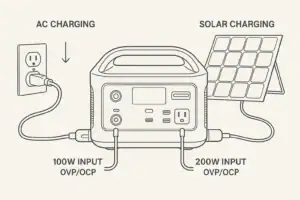
- Some power stations allow simultaneous charging from PD, wall, and solar inputs.
- Check the maximum combined input rating in the manual.
- Do not exceed specified input power limits to avoid protection shutdowns.
Limitations and Edge Cases of USB-C PD on Power Stations
Device compatibility quirks
- Some older or proprietary devices may not accept full PD profiles.
- Certain laptops may only charge via their original power adapter even when they have USB-C ports.
- Specialized equipment might require custom voltages not offered by standard PD profiles.
Shared power and derating
- When multiple high-power USB-C devices are connected, the power station may limit each port’s maximum output.
- Some units reduce PD wattage as the internal battery level becomes low or to control heat.
- Behavior varies, so observing real-world performance is useful for planning.
Firmware and protocol evolution
- USB-C PD has evolved through several specification versions.
- Most portable power stations support mainstream power levels and common profiles.
- Newer features, such as very high PD wattage or advanced protocol extensions, may not be present on every model.
USB-C PD as Part of an Overall Portable Power Strategy
Frequently asked questions
How can I tell if a power station’s USB-C PD port will charge my laptop at full speed?
Check the laptop’s USB-C charging requirement (often listed on its power adapter or in the specifications) and compare it to the power station’s per-port PD rating. Also confirm the station’s total USB output budget and whether multiple ports share that budget, because the available wattage can be reduced when several devices are connected.
Can I recharge a portable power station using a USB-C PD charger, and how fast will it charge?
If the station has a USB-C PD input or a bidirectional PD port, you can recharge it with a compatible PD charger. Charging speed is limited by the station’s PD input rating and any combined input limits, and real-world times may be affected by the charger, cable, and the station’s thermal management.
Does using USB-C PD instead of an AC outlet increase runtime from the power station?
Yes — using USB-C PD often reduces conversion losses because it avoids the DC→AC inverter and then AC→DC conversion in the device, so more of the battery’s energy reaches the device. The exact savings depend on the designs involved, but DC-to-DC PD charging is generally more efficient than charging via AC.
Do all USB-C cables support high-wattage PD like 100 W?
No, not all cables support very high PD wattage. For up to ~60 W most well-made USB-C cables are adequate, but for 100 W and above you should use cables rated for higher current (those with the appropriate e-marker or explicit 5A/100W rating).
Is pass-through charging with USB-C PD safe for the power station’s battery long-term?
Many power stations support pass-through charging, but using it frequently can increase thermal stress and affect battery cycling depending on the unit’s design. Consult the manufacturer’s guidance and observe combined input/output limits and heat behavior to avoid unnecessary wear or protection shutdowns.
Recommended next:
- Charging From a Car: What’s Safe, What’s Slow, and What Can Break
- Input Limits (Volts/Amps/Watts) Explained: How Not to Damage Your Unit
- MPPT vs PWM in Portable Power Stations: What It Changes in Real Life
- Can You Use a Higher-Watt Charger Than Rated? Understanding Input Headroom
- Why Charging Slows Down Near 80–100%: A Simple Explanation
- More in Charging →
Related guides
Browse this topic →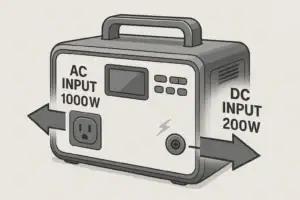
- Beginner-friendly sizing, runtime & specs
- Solar & charging (MPPT, fast charging, cables)
- Batteries (LiFePO4, cycles, care & storage)
- Safety, cold-weather performance, real-world tips
More in Charging
See all →- Can You Charge a Portable Power Station From USB-C PD? Limits, Adapters, and Gotchas
- Why Your Power Station Won’t Charge From a Generator: Frequency, Grounding, and Fixes
- USB-C PD 3.1 (240W) on Portable Power Stations: What It Changes and Who Needs It
- AC Charging Heat & Fan Noise: Why It Happens and How to Reduce It Safely
- Car Charging Explained: 12V Socket vs DC-DC Charger vs Alternator (Speed + Safety)
Keep reading

About this site
Portable Energy Lab publishes practical, independent guides about portable power—clear sizing, safe use, and real-world expectations.
Affiliate disclosure
Some links on this site may be affiliate links. If you buy through these links, we may earn a small commission at no extra cost to you. This helps support our content. Learn more.