Portable Power Stations for CPAP and Medical Devices: What to Look For

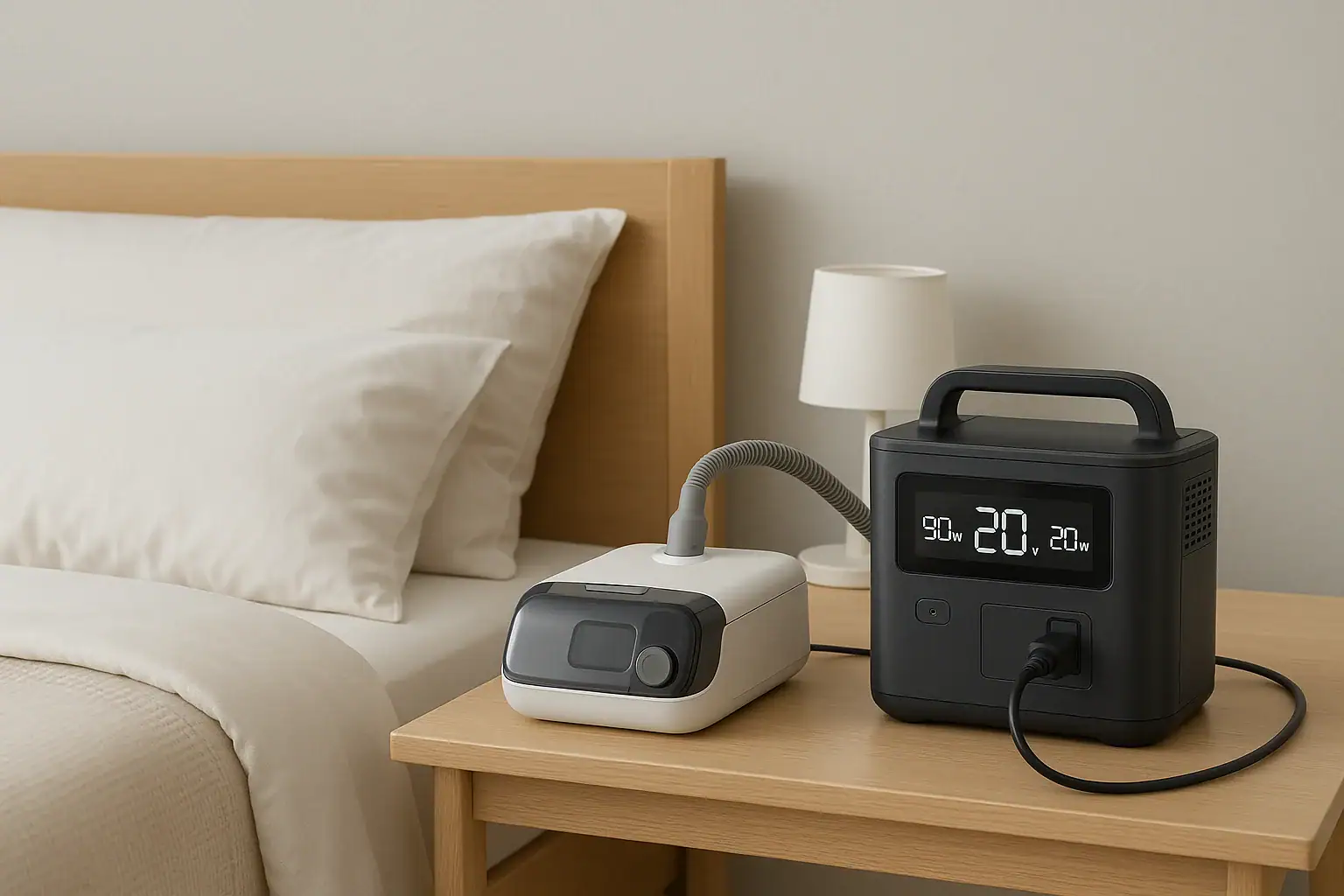
Portable power station powering a CPAP machine as medical backup

Portable power stations for CPAP and medical devices should be chosen based on wattage, battery capacity, runtime, and safety protections, not just price or size. To keep equipment running through outages or travel, you need to match your device’s power draw to the station’s output limits, inverter type, and battery capacity so you get predictable runtime and avoid overloads or alarms.

People often search for terms like CPAP backup power, watt hours, surge watts, runtime calculator, and inverter type because medical devices have strict power needs and must run reliably all night. Understanding input limits, output ports, and how battery capacity translates to hours of use helps you avoid underpowered units that shut off early. This guide explains how portable power stations work with CPAP machines, oxygen concentrators, and similar equipment, what specs matter most, and how to evaluate runtime and safety so you can choose confidently.

Understanding Portable Power Stations for CPAP and Medical Devices

A portable power station is a rechargeable battery system with built-in electronics that convert stored energy into usable AC and DC power for your devices. For CPAP machines and other medical equipment, it acts like a compact, silent generator that can keep critical devices running during power outages, camping trips, or travel where reliable grid power is not guaranteed.

Unlike simple power banks that only offer small USB outputs, portable power stations typically provide multiple types of outputs: AC outlets for standard plugs, DC barrel or car-style ports, and USB/USB-C ports. This flexibility is important because medical devices vary widely in how they connect and how much power they draw.

For CPAP and similar devices, the most important aspects are continuous output power (in watts), surge capability for startup loads, and total stored energy (in watt-hours). These determine whether the station can power your device at all and for how many hours. When matched correctly, a portable power station can provide overnight CPAP runtime, support low-to-moderate power oxygen concentrators, or keep smaller devices like nebulizers and suction units running as needed.

Because CPAP machines and many medical devices are designed to run steadily for hours, they benefit from stable, clean power. That is why inverter type and voltage consistency matter: they help ensure your equipment works as intended, without unexpected shutdowns or errors.

Key Power Concepts: Watts, Watt-Hours, and Inverter Type

To choose a portable power station for CPAP and medical devices, you need to understand a few key electrical concepts: watts, watt-hours, and inverter type. These determine compatibility, runtime, and how safely your equipment will operate.

Watts (W) measure power at a moment in time. Your CPAP or medical device will list a watt rating or an amp rating at a certain voltage (for example, 1.5 A at 120 V). Multiply volts by amps to estimate watts. The portable power station’s AC output must exceed the continuous watts your device needs, with some margin for safety. If your device draws 60 W, a station that can continuously supply 150 W or more offers comfortable headroom.

Watt-hours (Wh) measure stored energy, similar to the size of a fuel tank. To estimate runtime, divide the power station’s usable watt-hours by your device’s average watt draw. For example, a 500 Wh station powering a 40 W CPAP might deliver around 10–11 hours in practice after accounting for inverter losses and efficiency.

Surge watts refer to short bursts of extra power available during startup. Some devices, especially those with motors or compressors, briefly draw more power when they first turn on. CPAP machines typically have modest startup surges, but oxygen concentrators and some pumps can spike higher. The power station’s surge rating should comfortably exceed these brief peaks.

Inverter type matters for how the AC power is shaped. Pure sine wave inverters closely mimic household grid power and are the preferred option for sensitive electronics and medical devices. Modified sine wave inverters may cause some equipment to run hotter, noisier, or not at all. For CPAP and most medical devices, a pure sine wave output is strongly recommended.

Finally, input limits describe how fast you can recharge the power station from wall outlets, solar, or car chargers. For medical backup, faster recharge can be valuable between outages or during extended emergencies when you have intermittent access to power.

ConceptWhat it MeansWhy it Matters for CPAP/Medical Use
Watts (W)Instantaneous power drawMust be below the station’s continuous output rating to avoid overload
Watt-hours (Wh)Total stored energyDetermines approximate runtime for overnight or multi-hour use
Surge wattsShort-term peak powerHelps handle startup spikes from motors or compressors
Inverter typeHow AC power is shapedPure sine wave is better for sensitive medical electronics
Input limitMax charging powerAffects how quickly you can recharge between outages
Key power concepts that affect how portable power stations work with CPAP and medical devices. Example values for illustration.

Practical Examples: Matching Portable Power to CPAP and Other Devices

Seeing real-world style examples makes it easier to estimate what size portable power station you might need for CPAP and medical devices. Exact numbers will vary by model and settings, but these scenarios illustrate typical ranges and trade-offs.

Example 1: Standard CPAP Without Humidifier

A typical CPAP machine running without a heated humidifier and at moderate pressure might draw around 30–50 W once running. If you pair this with a 500 Wh portable power station, you can estimate runtime as follows:

  • Average draw: assume 40 W
  • Battery: 500 Wh
  • Theoretical runtime: 500 Wh ÷ 40 W = 12.5 hours
  • Realistic runtime after efficiency losses: roughly 9–11 hours

This can cover a full night of sleep for most users. If you need two nights without recharging, you might look for roughly double the capacity, or plan to recharge during the day.

Example 2: CPAP With Heated Humidifier and Heated Hose

Turning on the heated humidifier and heated hose can significantly increase power draw, often into the 70–120 W range depending on settings and room temperature. With the same 500 Wh station:

  • Average draw: assume 90 W
  • Theoretical runtime: 500 Wh ÷ 90 W ≈ 5.5 hours
  • Realistic runtime: around 4–5 hours

In this scenario, an overnight runtime may require a larger power station, reduced humidity settings, or running the CPAP without heat to conserve power during outages.

Example 3: Small Oxygen Concentrator or Suction Device

Some portable or small home oxygen concentrators draw in the range of 90–300 W depending on flow rate and design. A modest suction device might draw 50–150 W but only intermittently. For a 300 W device on a 1,000 Wh station:

  • Average draw: assume 300 W continuous
  • Theoretical runtime: 1,000 Wh ÷ 300 W ≈ 3.3 hours
  • Realistic runtime: approximately 2.5–3 hours

This demonstrates how higher-wattage medical equipment can quickly use up stored energy, even with a larger power station. In such cases, understanding duty cycle (how often the device actually runs) and having a plan for recharging becomes essential.

Example 4: Multiple Low-Power Medical Devices Together

Many households use more than one small medical device: a CPAP, a phone for communication, maybe a small nebulizer. If your CPAP draws 40 W, your phone charger uses 10 W, and a nebulizer runs at 60 W but only for 15 minutes per session, you can estimate average combined load and total runtime. The key is adding up the approximate wattage of everything you plan to run simultaneously and then comparing that to both the continuous output rating and the battery capacity of the power station.

Common Mistakes and Troubleshooting When Powering Medical Devices

Several recurring mistakes cause portable power stations to underperform or shut down unexpectedly when used with CPAP and medical devices. Recognizing these issues helps you troubleshoot and plan more effectively.

1. Underestimating power draw

Many users assume their CPAP or medical device uses less power than it actually does, especially when heated humidifiers or other comfort features are enabled. This leads to shorter-than-expected runtimes. If you notice your station depleting much faster than you calculated, check the device’s manual for typical watt usage with and without optional features, and consider reducing heat or pressure settings if medically acceptable and advised by your care provider.

2. Ignoring inverter type

Using a power station with a modified sine wave inverter can cause some medical devices to behave unpredictably or display error codes. If your device will not start, shuts off, or makes unusual noises, inverter compatibility may be the issue. For sensitive equipment, pure sine wave output is generally the safer choice.

3. Overloading the AC output

Plugging multiple devices into one portable power station can exceed its continuous watt rating, triggering overload protection. Symptoms include the AC output shutting off, warning lights, or error messages on the station. If this happens, unplug non-essential devices and restart the AC output. Always add up the wattage of all connected devices and keep it comfortably below the station’s continuous rating.

4. Not accounting for efficiency losses

Runtime estimates based solely on watt-hours divided by device watts ignore inverter and conversion losses. In real use, you might only get 80–90% of the theoretical runtime. If your power station consistently runs out earlier than your calculations, assume a safety margin and choose a larger capacity or lower power settings.

5. Poor ventilation or placement

Placing the power station in a confined space, under blankets, or near heat sources can cause it to overheat and shut down. If you notice the cooling fan running constantly, warm casing, or thermal warnings, move the unit to a well-ventilated, dry area away from direct sunlight.

6. Forgetting to pre-charge before outages or travel

A portable power station that is only partially charged will not provide the runtime you expect. If you rely on CPAP or other critical devices, make it a habit to keep the station topped up and verify charge level before storms, planned travel, or seasons when outages are more likely.

Safety Basics When Using Portable Power for Medical Equipment

When medical devices depend on a portable power station, safety and reliability are as important as runtime. While these systems are designed to be user-friendly, there are key practices to reduce risk and keep equipment operating properly.

Use appropriate outlets and adapters

Always plug medical devices into the type of outlet they are designed for. If your CPAP has an AC power brick, use the AC outlet on the station. If it has an approved DC adapter, use the DC port specified. Avoid improvised adapters or unapproved cables that could overheat or fail.

Do not exceed rated outputs

Stay below the station’s continuous watt rating for each output type. Overloading can trip internal protections and cause sudden shutdowns, which is especially problematic during sleep or when running critical medical equipment.

Maintain dry, stable placement

Keep the power station on a stable, flat surface where it cannot be knocked over. Avoid moisture, spills, and condensation. Liquids and electronics do not mix, and even minor spills can cause failures or safety hazards.

Allow proper ventilation

Portable power stations generate heat during charging and discharging. Ensure vents are not blocked and that there is adequate airflow around the unit. Overheating can shorten battery life and trigger protective shutdowns.

Avoid DIY modifications

Do not open the power station, modify internal batteries, or bypass built-in protections. These systems include safety electronics calibrated to the original design. Altering them can create fire, shock, or failure risks. For any advanced setup involving home circuits, consult a qualified electrician rather than attempting to integrate the station directly into household wiring.

Plan for medical continuity

Portable power is one part of a broader medical preparedness plan. Discuss backup power needs with your healthcare provider, especially if you rely on oxygen concentrators, ventilators, or other life-supporting equipment. For high-dependency situations, multiple backup options and clear emergency plans are important.

Safety AreaGood PracticeRisk if Ignored
Outlet usageUse correct AC/DC ports and approved adaptersOverheating, device malfunction
Load limitsStay under continuous watt ratingSudden shutdowns during use
PlacementStable, dry, ventilated locationTipping, spills, overheating
ModificationsLeave unit sealed, no internal changesFire or shock hazards
PlanningInclude power in medical preparednessInsufficient backup for critical devices
Core safety practices when using portable power stations with medical devices. Example values for illustration.

Related guides: Portable Power Station Buying GuideCan a Portable Power Station Replace a UPS?Portable Power Station Terminology Explained

Maintenance, Storage, and Long-Term Reliability

Proper maintenance and storage help ensure your portable power station is ready when you need it for CPAP or medical devices. Batteries age over time, and poor habits can reduce capacity or cause the unit to fail prematurely.

Regular charging cycles

Most modern portable power stations use lithium-based batteries that prefer partial rather than constant 0–100% cycles. If you rarely use the unit, top it up every few months according to the manufacturer’s guidance. Avoid leaving it fully discharged for long periods, as this can permanently reduce capacity.

Storage conditions

Store the power station in a cool, dry place away from direct sunlight and extreme temperatures. High heat accelerates battery degradation, while very low temperatures can temporarily reduce available capacity. For long-term storage, many manufacturers recommend keeping the battery partially charged rather than at 0% or 100%.

Inspect cables and connectors

Periodically check power cords, adapters, and ports for signs of wear, fraying, or damage. Replace any questionable cables before they cause intermittent connections or overheating. Clean dust and debris from vents and ports with a dry cloth or gentle air, avoiding liquids.

Test before you rely on it

Before storm seasons, travel, or anticipated outages, run a full overnight test with your CPAP or medical device connected to the power station. This confirms compatibility, gives you a realistic sense of runtime, and can reveal any issues with settings or cabling.

Monitor battery health over time

Over years of use, you may notice reduced runtime compared to when the unit was new. This is normal battery aging. If runtime becomes too short for your medical needs, consider adjusting device settings to reduce power draw, adding a second power station, or upgrading to a higher-capacity unit.

Safe transport

When traveling, secure the power station so it cannot slide or tip. Avoid crushing forces or impacts that could damage the case or internal components. If flying, check applicable rules for battery size and carry-on requirements, as larger batteries may be restricted.

Key Takeaways and “Specs to Look For” Checklist

Choosing a portable power station for CPAP and medical devices comes down to matching your equipment’s power needs to the station’s output, capacity, and safety features. Start by understanding your device’s watt draw with typical settings, decide how many hours of backup you need, and then look for a station with sufficient watt-hours and a pure sine wave inverter. Build in extra capacity for efficiency losses and future needs, and always test your setup before relying on it in an emergency.

Specs to look for

  • AC continuous output (W) – Choose a rating comfortably above your total device load (for example, at least 2–3 times your CPAP watt draw) so you avoid overloads and can add small accessories.
  • Battery capacity (Wh) – For overnight CPAP use, look for enough watt-hours to cover your device’s average watts times desired hours, plus 20–30% extra to account for inverter losses.
  • Inverter type – Prefer pure sine wave AC output for sensitive medical electronics to minimize noise, heat, and compatibility issues.
  • Number and type of outlets – Ensure there are enough AC outlets and any needed DC ports for your CPAP, oxygen concentrator, or other devices, so you do not rely on unsafe splitters.
  • Surge power rating – Look for surge watts that exceed startup needs of any motor-based devices (such as concentrators or pumps) to prevent tripping protections.
  • Recharge options and input limits – Consider how fast the unit can recharge from wall, car, or solar (for example, several hundred watts of input for quicker turnaround between outages).
  • Display and monitoring – A clear screen showing remaining battery percentage, input/output watts, and estimated runtime helps you manage power during long outages.
  • Operating temperature range – Check that the unit’s recommended temperature range aligns with your climate and storage conditions for reliable performance.
  • Weight and portability – Balance capacity with a weight you can comfortably move, especially if you expect to travel or reposition the station frequently.
  • Built-in protections – Look for overcurrent, overvoltage, short-circuit, and temperature protections to safeguard both the power station and your medical devices.

By focusing on these specifications and testing your setup ahead of time, you can select a portable power station that provides dependable backup for CPAP and other medical equipment when you need it most.

Frequently asked questions

What specs and features should I prioritize when choosing a portable power station for CPAP and medical devices?

Prioritize AC continuous output (watts) that exceeds your combined device load, battery capacity in watt-hours to meet your required runtime, a pure sine wave inverter for clean power, and a surge rating that covers startup peaks. Also check the number and type of outlets, input charging limits, and monitoring screens to manage usage during outages.

Why does my portable power station run out faster than I calculated?

Runtime often falls short because of underestimated device draw (especially heated humidifiers), inverter and conversion losses, standby power draw, and battery aging. Use the device manual for realistic wattage, factor in 10–25% efficiency losses, and test the setup overnight to get an accurate expectation.

Is it safe to run medical devices on a portable power station?

Yes, when the station is correctly matched to the device’s power needs, uses the proper outlet or adapter, and has a pure sine wave inverter and built-in protections. Maintain ventilation, avoid overloading, and include the power station in a broader medical contingency plan discussed with your healthcare provider.

How many hours will a portable power station run a CPAP overnight?

It depends on the CPAP’s average watt draw and the station’s usable watt-hours. A rough method is: usable Wh ÷ device watts × 0.8–0.9 (for efficiency). For example, a 500 Wh station powering a 40 W CPAP typically provides roughly 9–11 hours in real-world use.

Can I recharge a portable power station with solar panels during a prolonged outage?

Yes, if the station supports solar input and you have panels sized to the unit’s input limit. Charging rate depends on the station’s maximum solar input, available sunlight, and any charge controller; plan for variable recharge times and check compatibility before relying solely on solar.

Will a modified sine wave inverter cause problems with my CPAP or oxygen concentrator?

Modified sine wave output can cause some medical devices to run poorly, display errors, overheat, or not start at all. For sensitive medical equipment, a pure sine wave inverter is recommended to avoid compatibility and reliability issues.

Energy Budget for a Power Outage: Lights, Phone, Internet, and Small Appliances

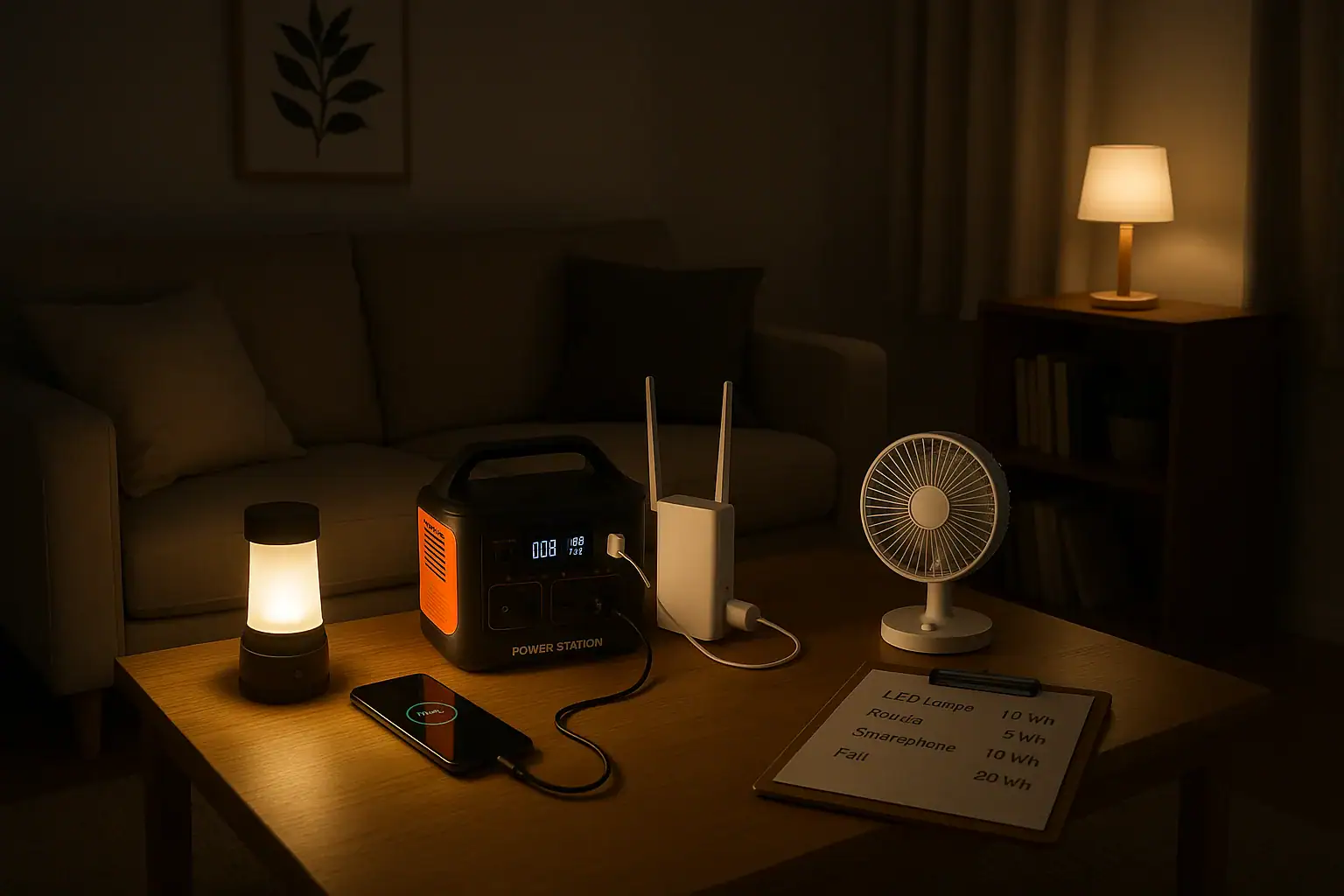
Portable power station running lights phone internet and small appliances during a power outage

An effective energy budget for a power outage means estimating how many watt-hours you need to keep lights, phone, internet, and small appliances running for your target runtime. You match that total to the capacity and output limits of a portable power station so you do not overload it or run out of power too soon. Thinking in terms of wattage, watt-hours, surge watts, and battery capacity helps you plan realistically instead of guessing.

When you map out your loads and hours of use, you can see whether a compact backup unit is enough for basic communication and lighting or if you need a larger capacity setup for extended blackouts. This same method works whether you are calculating a simple phone-charging kit, a work-from-home backup for your modem and router, or a small emergency power system for fans and a compact fridge. The goal is a clear, repeatable process you can adjust as your needs or devices change.

Understanding Your Energy Budget During an Outage

An energy budget for a power outage is a simple plan that matches what you want to power with how much stored energy you actually have. Instead of asking, “How long will this portable power station last?” you ask, “How many watt-hours will my essential devices use, and does my battery capacity cover that?”

For portable power stations, three ideas matter most:

  • Power (watts): how much power devices draw at a given moment.
  • Energy (watt-hours): how long that power draw can be sustained.
  • Capacity: the size of the battery, usually in Wh, which sets your total energy limit.

During an outage, you typically care about four categories of loads:

  • Lights (LED lamps, lanterns, small work lights).
  • Communication (phones, tablets, laptops).
  • Internet (modem, router, maybe a low-power switch).
  • Small appliances (fans, compact fridge, coffee maker, microwave in short bursts).

The reason this energy budgeting matters is that battery capacity is finite. Every extra light left on or appliance cycled longer than planned eats into runtime. By assigning rough watt and watt-hour numbers to each item, you can decide what to prioritize, what to limit, and whether your existing power station capacity is enough for a 4-hour, 8-hour, or multi-day outage.

Key Concepts: Watts, Watt-Hours, and Portable Power Capacity

To build a reliable outage plan, you need to understand how power and energy relate to a portable power station’s capacity and output limits.

Power (Watts) vs. Energy (Watt-Hours)

Watts (W) measure the rate of power use. A 10 W LED bulb uses 10 watts whenever it is on. A 60 W laptop adapter uses up to 60 watts while charging at full speed.

Watt-hours (Wh) measure energy over time. The basic formula is:

Energy (Wh) = Power (W) × Time (hours)

If that 10 W bulb runs for 5 hours, it uses 10 W × 5 h = 50 Wh. A 60 W laptop charger running for 2 hours uses about 120 Wh.

Portable Power Station Capacity

Portable power stations list a battery capacity such as 300 Wh, 500 Wh, 1000 Wh, or more. This is the theoretical energy the battery can store. In practice, usable energy is lower because of inverter and conversion losses, often leaving you with roughly 80–90% of the rated capacity for AC loads.

Usable energy estimate:

Usable Wh ≈ Rated Wh × 0.8 to 0.9

For a 500 Wh unit, that might mean 400–450 Wh available to run AC devices.

Continuous Watts and Surge Watts

Power stations also list a continuous output (for example, 300 W, 600 W, 1000 W) and a higher surge or peak rating. Continuous watts is what it can safely output for long periods. Surge watts handle brief startup spikes, such as from a small compressor or motor.

For an outage energy budget, you must keep your total running loads under the continuous watt rating and make sure any devices with motors fall under the surge rating when they start.

Input Limits and Recharge Strategy

Your energy budget also depends on how quickly you can recharge. Portable power stations have an input limit in watts for AC charging, solar input, or car charging. If the input limit is low, you cannot replace energy as fast as you use it, which shortens practical runtime over a long outage.

Thinking in terms of daily energy use vs. daily recharge helps you decide whether you can sustain internet and lighting for multiple days or if you must conserve aggressively.

DeviceTypical Power (W)Example Daily Use (hours)Approx. Energy Use (Wh)
LED room light8–12432–48
Wi​-Fi router + modem15–25690–150
Smartphone charging5–15210–30
Laptop charging40–70280–140
Small fan20–40480–160
Compact fridge (cycling)50–80 avg.8 (on/off)400–640
Example values for illustration.

Real-World Energy Budget Examples for Lights, Phone, Internet, and Small Appliances

Once you understand watts and watt-hours, you can build sample energy budgets to see how far different portable power station capacities will go.

Scenario 1: Basic Communication and Safety Lighting (Short Outage)

Goal: keep a small household connected and safely lit during a 4–6 hour outage in the evening.

  • Two LED bulbs at 10 W each, on for 4 hours: 2 × 10 W × 4 h = 80 Wh.
  • Wi​-Fi router + modem at 20 W for 4 hours: 20 W × 4 h = 80 Wh.
  • Two smartphones charging at 10 W each for 1.5 hours: 2 × 10 W × 1.5 h = 30 Wh.
  • Occasional laptop top-up at 50 W for 1 hour: 50 Wh.

Total: about 240 Wh.

A portable power station with around 300–400 Wh usable capacity could comfortably handle this scenario without running flat, assuming you stay under its continuous watt rating (in this case, your peak draw is around 100–120 W).

Scenario 2: Work-from-Home Backup for a Full Day

Goal: keep internet, a laptop, and modest lighting running for remote work during an 8–10 hour daytime outage.

  • Wi​-Fi router + modem at 20 W for 9 hours: 180 Wh.
  • Laptop at an average of 45 W for 6 hours (periodic charging): 270 Wh.
  • One LED desk lamp at 8 W for 6 hours: 48 Wh.
  • Phone charging at 10 W for 2 hours: 20 Wh.

Total: about 520 Wh.

With inverter losses, you would want a power station rated around 700–800 Wh or more to have margin for higher draw moments, background losses, and any unplanned use, such as briefly running a low-power fan.

Scenario 3: Overnight Comfort with a Fan and Small Fridge

Goal: maintain some food cooling and basic comfort overnight (8–12 hours).

  • LED room light at 10 W for 3 hours in the evening: 30 Wh.
  • Wi​-Fi router + modem at 20 W for 4 hours: 80 Wh.
  • Small fan at 30 W for 8 hours: 240 Wh.
  • Compact fridge averaging 60 W over 10 hours (cycling): 600 Wh.

Total: about 950 Wh.

For this scenario, a 1000 Wh class portable power station may be just adequate, but you would want to watch fridge duty cycle, fan speed, and unnecessary loads. If you cannot recharge during the day, using the fridge only intermittently or pre-chilling items before the outage becomes important.

Scenario 4: Stretching Limited Capacity Over Multiple Days

Goal: make a mid-size power station last through a 2–3 day outage by limiting daily use.

Assume a 1000 Wh unit with about 800 Wh usable each day after some recharge from solar or occasional AC input. You might plan:

  • LED lighting: 2 bulbs at 8 W each for 3 hours: 48 Wh.
  • Internet: router + modem 20 W for 3 hours: 60 Wh.
  • Phones and a tablet: 30 Wh.
  • Laptop: 50 W for 2 hours: 100 Wh.
  • Small fan: 25 W for 4 hours: 100 Wh.

Total: about 338 Wh per day.

This leaves margin for inverter losses and unplanned draws while giving you critical services each day. The key is strict control of hours used, especially for fans and internet, which can quietly consume a lot of watt-hours if left on continuously.

Common Energy Budget Mistakes and How to Spot Problems

Energy budgeting for outages is straightforward, but several recurring mistakes cause people to run out of power earlier than expected or overload their portable power station.

Underestimating Runtime for Always-On Devices

Many users underestimate how long they leave certain devices on. Routers, modems, and lights often run far longer than planned. A 20 W router running for 12 hours uses 240 Wh by itself. If your battery is only 300–400 Wh usable, that single device can dominate your energy budget.

Troubleshooting cue: if your battery drains faster than your paper calculations, check which devices stayed on continuously and how many hours they actually ran.

Ignoring Inverter and Conversion Losses

Calculations that simply sum watt-hours of devices and compare directly to rated battery capacity ignore conversion losses. Running AC loads through an inverter may reduce usable energy by 10–20% or more.

Troubleshooting cue: if you expect 500 Wh of use from a 500 Wh unit but see shutdown earlier, assume only 400–450 Wh are practically available and rebuild your plan with that in mind.

Overloading Continuous Watt Capacity

Even if you have plenty of watt-hours, you can still trip the inverter by exceeding the continuous watt rating. For example, a coffee maker at 900 W plus a microwave at 700 W will overload a 1000 W power station, even if you only run them briefly.

Troubleshooting cue: if the AC output shuts off when you start a high-power appliance, add up the watt ratings of everything running at that moment and compare to the power station’s continuous output spec.

Forgetting Surge Watts for Motor Loads

Small fridges, pumps, and some fans draw a higher surge current at startup. If that surge exceeds the power station’s surge rating, the unit can fault or shut down even though the running watts look safe on paper.

Troubleshooting cue: if a device trips the power station only at startup, but runs fine when started alone, you are likely at or above the surge limit when other loads are present.

Not Accounting for Charging Efficiency of Phones and Laptops

Charging electronics is not perfectly efficient. A 60 W laptop adapter may draw close to its rating even when the laptop battery is nearly full, then taper off. Fast-charging phones at high PD profiles can also draw more than expected for a short period.

Troubleshooting cue: if runtime is shorter than expected when fast-charging, consider reducing charging speed, staggering device charging, or using lower-power USB outputs instead of AC adapters.

Safety Basics When Using Portable Power for Outages

Safety is as important as runtime when using portable power stations during an outage. High-capacity batteries and inverters can deliver significant current, so basic precautions help prevent damage and injury.

Avoid Overloading Outlets and Cords

Even if your power station can supply 1000 W, the cords and power strips you use must be rated for the loads you plug into them. Use heavy-duty extension cords for higher-wattage devices and avoid daisy-chaining multiple power strips.

Keep total loads within the power station’s continuous watt rating and within the limits of each outlet or extension cord. If cords feel hot to the touch, reduce the load or replace them with higher-rated ones.

Ventilation and Heat Management

Portable power stations contain electronics and batteries that generate heat under load and while charging. Place the unit on a hard, flat surface with adequate airflow around vents. Avoid covering it with blankets or clothing, and keep it away from direct heat sources.

High temperatures reduce battery life and can trigger thermal protection, shutting the unit down when you need it most.

Indoor Use and Appliance Selection

Use only electric devices with a portable power station. Never try to power fuel-burning heaters or similar appliances designed for direct fuel use through a battery-based system. For heat, rely on safe electric space heaters only if your power station and wiring can handle the load, and even then, use them sparingly because they draw large amounts of power.

For cooking, small electric appliances such as low-wattage kettles or compact induction plates can work in short bursts if their wattage is within your power station’s limits.

High-Level Connection Guidance

Do not attempt to wire a portable power station directly into your home’s electrical panel or circuits without a proper transfer device and a qualified electrician. Backfeeding a home system can be dangerous to you and to utility workers.

Instead, plug essential devices directly into the power station or into appropriately rated extension cords. If you need whole-circuit backup, consult a licensed electrician about safe, code-compliant options.

Battery and Child Safety

Keep the power station out of reach of small children and pets, especially during outages when the unit may be on the floor and surrounded by cords. Do not place liquids on top of the unit and avoid operating it in damp or wet locations.

Maintaining and Storing Your Portable Power for Reliable Outage Use

A well-maintained portable power station is much more likely to deliver its rated capacity during an unexpected outage. Batteries age over time, and poor storage habits can significantly reduce runtime when you need it most.

Regular Top-Ups and Exercise Cycles

Most modern portable power stations prefer to be stored partially charged rather than completely full or empty. Check the manufacturer’s guidance, but a typical recommendation is to keep the battery between about 30% and 80% when stored long term.

Every few months, it is helpful to:

  • Charge the unit to a moderate level.
  • Run a few typical devices (lights, router, phone) for a few hours.
  • Recharge it again to your preferred storage level.

This light exercise helps the battery management system stay calibrated and confirms that your energy budget estimates still match real-world behavior.

Storage Temperature and Environment

Store your power station in a cool, dry place away from direct sunlight and extreme temperatures. High heat accelerates battery degradation, while very low temperatures can temporarily reduce capacity and may prevent charging.

During winter, avoid leaving the unit in an unheated garage for long periods if you expect to need it quickly. Bring it indoors so it can deliver closer to its rated capacity during a cold-weather outage.

Monitoring Capacity Over Time

Batteries slowly lose capacity with age and use. Over several years, you may notice that your power station does not last as long as it did when new. To track this, occasionally compare your expected runtime for a known set of loads with what you actually get.

If you see a consistent drop, adjust your energy budget by reducing daily watt-hour expectations or planning for an earlier recharge. In some cases, you might need to upgrade to a larger capacity unit or add a secondary system to cover longer outages.

Cable and Port Care

Inspect power cords, DC cables, and USB leads for wear, fraying, or loose connectors. Damaged cables can cause intermittent charging, wasted energy, or even short circuits. Replace questionable cables and avoid sharply bending or pinching them in doors or windows.

Keep ports clean and free of dust. Gently unplug connectors by the plug body rather than pulling on the cable to extend their life.

Keeping an Updated Outage Plan

Your energy budget should evolve as your devices and household needs change. If you add a more powerful router, multiple laptops, or extra lighting, revisit your watt and watt-hour estimates. Keep a simple written list of priority loads and their approximate consumption so you can make quick decisions during an outage.

Maintenance TaskRecommended FrequencyBenefit to Outage Readiness
Charge to storage level (e.g., 40–60%)Every 1–3 monthsReduces battery stress and preserves capacity
Run test load (lights, router, phone)Every 3–6 monthsVerifies real runtime vs. energy budget
Inspect cables and portsEvery 6 monthsPrevents power loss from damaged wiring
Check storage environmentSeasonallyEnsures safe temperatures and dryness
Update device list and watt estimatesAnnually or after major changesKeeps outage plan aligned with actual needs
Example values for illustration.

Related guides: Portable Power Station Buying GuideCan a Portable Power Station Replace a UPS?Running a Router and Modem During a Power Outage: How Many Hours Can You Get?

Practical Takeaways and Specs to Look For in a Portable Power Station

Planning an energy budget for a power outage comes down to three steps: list the devices you truly need, estimate their watt-hour use over the hours you expect to be without grid power, and choose a portable power station whose usable capacity and output ratings comfortably cover that total.

For lights, phone, internet, and a few small appliances, many households find that keeping daily use under a few hundred watt-hours is realistic if they prioritize and avoid running high-wattage devices continuously. Short, high-power tasks (like making coffee or briefly using a microwave) are possible if they fit within the inverter’s continuous and surge ratings and do not consume too much of your limited energy budget.

As you fine-tune your plan, remember that conservation is often the easiest “upgrade.” Dimming or reducing lights, limiting router uptime, and staggering phone and laptop charging can extend runtime dramatically without changing any hardware.

Specs to look for

  • Battery capacity (Wh) – For basic lights, phone, and internet, look for roughly 300–800 Wh; for adding small appliances or multi-day use, 800–1500 Wh or more. Higher capacity extends runtime but adds weight and cost.
  • Usable continuous AC output (W) – Aim for at least 300–600 W for lights, router, and electronics; 800–1200 W if you plan to run a compact fridge, microwave, or coffee maker briefly. This determines what you can run at the same time.
  • Surge/peak watt rating – Choose a unit whose surge rating comfortably exceeds the startup draw of any motor loads (fans, small fridge). A surge rating around 1.5–2× the continuous rating offers more headroom for brief spikes.
  • Number and type of outlets – Look for a mix of AC outlets, USB-A, and USB-C (including higher-wattage PD profiles such as 45–100 W) to charge phones and laptops efficiently without extra adapters. More ports allow simultaneous charging without overloading any one outlet.
  • Charging input options and max input (W) – A higher AC and solar input limit (for example, 100–400 W) lets you recharge faster between outages or during daytime. Multiple input paths (AC, car, solar) add flexibility in emergencies.
  • Display and monitoring – A clear screen showing remaining percentage, estimated runtime, input/output watts, and error indicators helps you manage your energy budget in real time instead of guessing.
  • Efficiency and inverter type – A pure sine wave inverter with good efficiency reduces wasted energy and works better with sensitive electronics and some small appliances. Higher efficiency means more usable watt-hours from the same capacity.
  • Battery chemistry and cycle life – Look for batteries rated for many charge cycles (for example, 500–3000 cycles to a given percentage of original capacity). Longer cycle life supports years of seasonal tests and real outages without major capacity loss.
  • Weight, size, and portability – Consider whether you need to move the unit between rooms or locations. Lighter, more compact models are easier to deploy quickly, while heavier, higher-capacity units may be better as semi-permanent home backups.
  • Built-in protections and certifications – Features such as overcurrent, overvoltage, short-circuit, and temperature protection, plus relevant safety certifications, help ensure safe operation under varying loads during outages.

By matching these specs to your calculated energy budget and realistic usage patterns, you can choose and use a portable power station that keeps your essential lights, communication, internet, and small appliances running smoothly through most outages.

Frequently asked questions

Which specifications should I prioritize when selecting a portable power station for outage use?

Prioritize battery capacity in watt-hours (Wh) to meet your energy needs, the continuous AC output (W) so you can run required devices simultaneously, and the surge rating to handle motor start-ups. Also consider usable port types (AC, USB-C PD), input recharge power (for solar or AC charging), inverter efficiency, and monitoring features to manage runtime effectively.

How do people most often miscalculate the battery capacity they need?

Common miscalculations come from assuming rated Wh equals usable energy, ignoring inverter/conversion losses, and underestimating how long always-on devices (like routers) run. Failing to account for surge draws or frequent fast-charging spikes can also make real-world runtime much shorter than paper estimates.

What are the basic safety steps for using a portable power station indoors during an outage?

Place the unit on a hard, flat surface with good ventilation, keep it dry and away from children and pets, and use properly rated cords and outlets. Never backfeed household wiring without a licensed electrician and a transfer switch, and avoid operating fuel-burning appliances with a battery-based station.

Can a 500 Wh power station run a home router and charge phones for a day?

Yes, typically a 500 Wh unit has about 400–450 Wh usable after losses; a 20 W router could run for roughly 20 hours on 400 Wh, and phone charges generally consume only tens of watt-hours each. Actual runtime depends on router draw, number of phone charges, and inverter efficiency.

Is solar a practical way to recharge a portable power station during extended outages?

Solar can be practical if the power station supports solar input and your panel array can deliver near the unit’s max input rating; clear weather and properly sized panels improve recharge speed. Expect variability from weather and allow for slower recharge on cloudy days, so factor daily recharge potential into your energy budget.

What are the easiest ways to extend a power station’s runtime without buying a larger battery?

Reduce consumption by dimming or limiting lighting hours, staggering and slowing device charging, preferring efficient DC/USB charging over AC adapters, and turning off routers or fans when not needed. Pre-chilling food, minimizing high-wattage appliance use, and strict scheduling of essentials all help stretch available watt-hours.

300Wh vs 500Wh vs 1000Wh: Choosing Capacity for Your Use Case (With Examples)

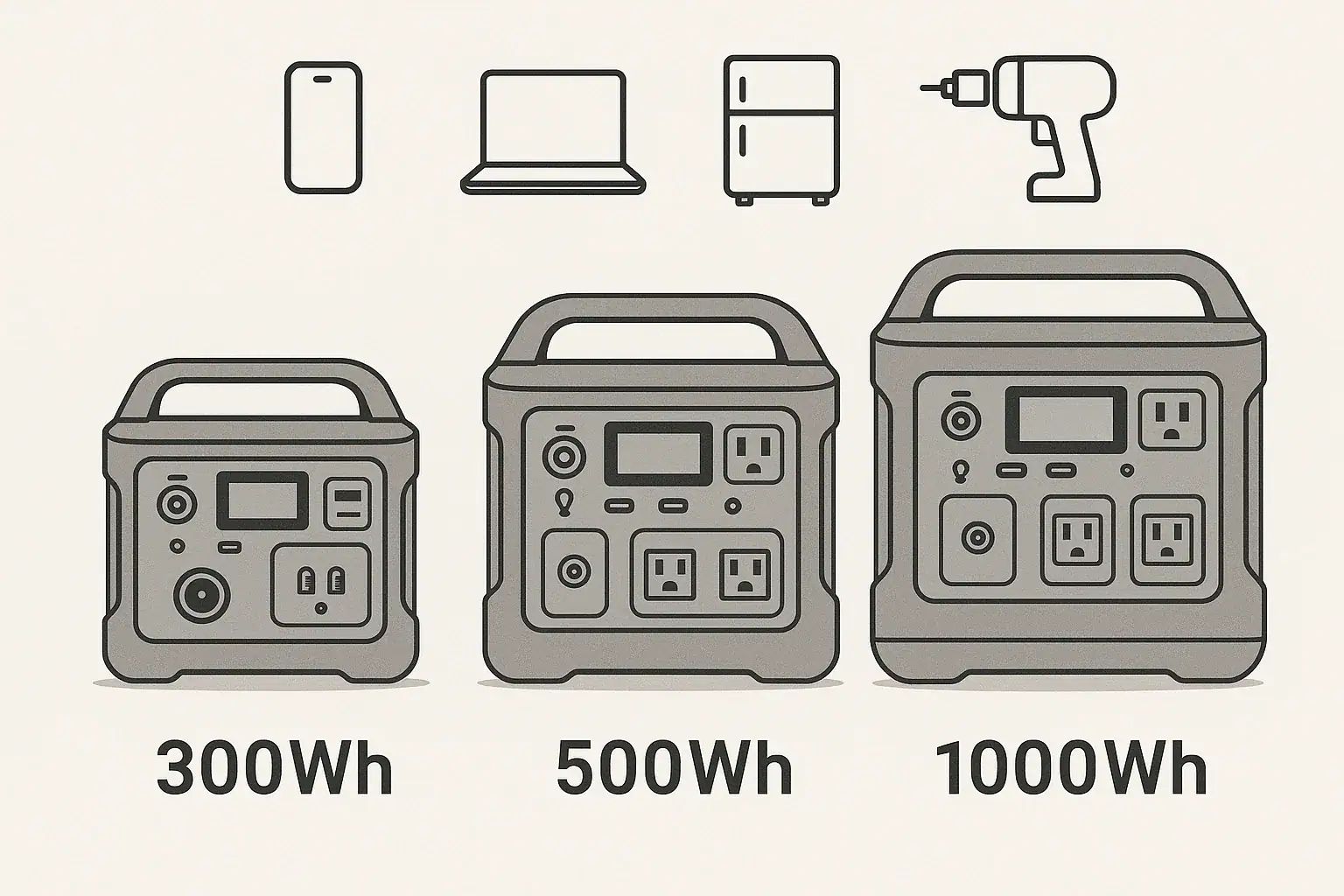
Comparison of 300Wh, 500Wh, and 1000Wh portable power station capacities with typical device icons

300Wh, 500Wh, and 1000Wh portable power stations mainly differ in how long they can run your devices and what loads they can realistically support. In practice, capacity affects runtime, recharge time, weight, and how many devices you can power at once. When people search for terms like runtime calculator, watt-hour capacity, surge watts, or off-grid backup, they are really asking: how big does my battery need to be for my specific use case?

This guide explains 300Wh vs 500Wh vs 1000Wh in plain language, then walks through real-world examples such as camping, CPAP backup, laptops, fridges, and small power tools. You will see how watt-hours, inverter efficiency, and continuous vs surge watts all interact so you can estimate runtime and avoid overloading. By the end, you will know which capacity range fits your needs today—and which specs to prioritize if you later compare different portable power stations.

Understanding 300Wh, 500Wh, and 1000Wh: What Capacity Really Means

Watt-hours (Wh) measure how much energy a portable power station can store. A 300Wh unit can theoretically deliver 300 watts for one hour, 150 watts for two hours, and so on. A 500Wh model stores more energy, and a 1000Wh model roughly doubles that again.

In simple terms:

  • 300Wh: Suited for light loads and short trips—phones, cameras, small lights, and a laptop for part of a day.
  • 500Wh: A mid-range option—better for overnight use, running more devices at once, or powering small appliances briefly.
  • 1000Wh: A larger battery bank—suitable for longer runtimes on fridges, CPAP machines, or multiple laptops and lights.

Actual runtime depends on load wattage, inverter efficiency, and how far the battery is discharged. Most portable power stations use an inverter to convert DC battery power to AC; this conversion is not 100% efficient, so real-world runtimes are lower than simple math suggests.

Capacity matters because it determines:

  • How long you can run critical devices (runtime).
  • How many devices you can power at once without draining the battery too quickly.
  • How often you need to recharge from wall outlets, solar panels, or vehicle DC ports.
  • Weight and size—the higher the capacity, generally the bulkier the unit.

Choosing between 300Wh, 500Wh, and 1000Wh is about matching stored energy to your typical daily consumption and backup needs, not just picking the biggest number.

How Capacity, Watts, and Runtime Work Together

To compare 300Wh vs 500Wh vs 1000Wh meaningfully, it helps to understand how watt-hours, watts, and runtime interact.

Basic runtime estimate (ignoring losses):

Runtime (hours) ≈ Battery capacity (Wh) ÷ Device load (W)

Real use is more complex because of inverter efficiency and battery management systems. A more realistic quick rule is:

Usable Wh ≈ Rated Wh × 0.8 (assuming around 80% overall efficiency and some reserve capacity).

So, approximate usable energy:

  • 300Wh → about 240Wh usable
  • 500Wh → about 400Wh usable
  • 1000Wh → about 800Wh usable

Example: A 60W laptop charger on a 500Wh unit:

  • Usable energy ≈ 400Wh
  • Runtime ≈ 400Wh ÷ 60W ≈ 6.6 hours of continuous charging

Key concepts that affect your choice:

  • Continuous output (W): The maximum power the inverter can supply continuously. A 300Wh unit might provide 200–300W continuous, while a 1000Wh unit can often support 800–1200W or more, depending on design.
  • Surge or peak watts: Short bursts for starting motors or compressors. Even if capacity is high, low surge watts can prevent starting devices like fridges or some power tools.
  • Input limits: How fast the station can recharge from AC, car DC, or solar. Larger batteries (1000Wh) usually take longer to refill, especially if the input wattage is modest.
  • Depth of discharge: Many systems reserve some capacity to protect the battery, so you rarely get 100% of the rated Wh.

The right capacity is the one that gives you enough usable watt-hours for your daily or overnight loads, within the continuous and surge watt limits of the power station.

Comparison of 300Wh, 500Wh, and 1000Wh capacities, typical continuous output ranges, and example runtimes for a 60W load. Example values for illustration.
Rated Capacity Approx. Usable Wh* Typical Continuous Output Range Est. Runtime @ 60W Load
300Wh ~240Wh 150–300W ~4 hours
500Wh ~400Wh 300–600W ~6.5 hours
1000Wh ~800Wh 600–1200W ~13 hours

Real-World Use Cases: 300Wh vs 500Wh vs 1000Wh

Looking at specific scenarios makes it easier to choose between 300Wh, 500Wh, and 1000Wh. These examples assume around 80% usable capacity and typical device wattages.

Light travel, day hikes, and short work sessions (300Wh)

  • Phones and small devices: A modern smartphone battery is roughly 10–15Wh. With 240Wh usable in a 300Wh unit, you could get 10–15 full phone charges, plus some extra for lights.
  • Laptop and camera: A 60W laptop plus a 10W camera charger might draw ~70W. Estimated runtime: 240Wh ÷ 70W ≈ 3.4 hours of continuous charging.
  • LED lighting: Two 5W LED lights (10W total) could run for 240Wh ÷ 10W ≈ 24 hours.

A 300Wh power station works well for single-day events, light vanlife work sessions, or as a compact backup for small electronics.

Weekend camping and basic home backup (500Wh)

  • CPAP machine (with DC adapter, ~40W average): 400Wh usable ÷ 40W ≈ 10 hours. Many users can get a full night or more, depending on settings and humidifier use.
  • Laptop + phone charging + lights: Suppose 60W laptop + 10W phone + 10W lights = 80W. Runtime: 400Wh ÷ 80W ≈ 5 hours of continuous use, often enough for an evening’s work and entertainment.
  • Small cooler or mini-fridge: A very efficient 60W average-draw cooler might run ~6.5 hours. Real fridges cycle on and off, so practical runtime can be longer, but 500Wh is still better for short-term rather than multi-day refrigeration.

A 500Wh unit is a versatile mid-size option for weekend camping, short power outages, or portable work setups where you need more headroom than a 300Wh can offer.

Longer outages, RV use, and heavier loads (1000Wh)

  • Household fridge: A modern fridge may average 80–150W over time. With 800Wh usable, a realistic runtime might be 5–8 hours, depending on efficiency and how often the compressor cycles. It is not full-house backup, but it can bridge shorter outages.
  • Multiple laptops and devices: Two 60W laptops + 20W of phones and lights ≈ 140W. Runtime: 800Wh ÷ 140W ≈ 5.7 hours continuous, often enough for a full workday when usage is intermittent.
  • CPAP plus other loads: A 40W CPAP overnight plus intermittent phone and light use is more comfortable on 1000Wh, especially for multi-night trips or unreliable grid power.
  • Small power tools: Occasional use of a 300–500W tool is more realistic on a 1000Wh unit with a higher continuous and surge rating, though it is still not a substitute for a full jobsite power source.

If your priority is extended runtime for essential loads—fridge, CPAP, work electronics, or a small entertainment setup—a 1000Wh power station offers significantly more flexibility than 300Wh or 500Wh.

Common Capacity Mistakes and How to Avoid Them

Many capacity frustrations come from misunderstandings about watt-hours and real-world power draw. Here are frequent pitfalls when choosing between 300Wh, 500Wh, and 1000Wh.

  • Confusing watts with watt-hours: Watts measure power at a moment; watt-hours measure energy over time. A 300W device can run on a 300Wh battery, but only for about an hour at best, not all day.
  • Ignoring inverter efficiency: Assuming the full rated Wh is available leads to optimistic runtime expectations. Planning with 70–80% of rated capacity is more realistic.
  • Overlooking continuous output limits: A 1000Wh unit with a 500W inverter cannot run a 900W appliance, no matter how big the battery is. Capacity and inverter rating must both be adequate.
  • Underestimating surge watts: Devices with motors or compressors (fridges, some pumps, some tools) can need 2–3× their running watts to start. A 500Wh power station with low surge capacity may fail to start them even if average watts look fine.
  • Stacking too many small loads: Multiple chargers, routers, and lights can add up. A 500Wh unit that seems large on paper can drain fast if total draw is 200–300W for several hours.
  • Not accounting for recharge opportunities: For solar or vehicle charging, smaller capacities (300Wh or 500Wh) may refill fully during a day of sun, while a 1000Wh unit may not, depending on panel wattage and input limits.

Troubleshooting cues that suggest you chose the wrong capacity:

  • Battery drops from full to empty in a few hours at your typical use—consider stepping up from 300Wh to 500Wh or from 500Wh to 1000Wh.
  • Devices shut off when they start up, even though running watts seem within limits—check surge ratings and consider a larger, higher-output unit.
  • You regularly hit low-battery warnings before night is over—your daily consumption is higher than the stored energy; a capacity upgrade or reduced load is needed.

Carefully listing your devices and estimating their wattage and runtime before purchasing is the best way to avoid these issues.

Safety Basics When Using Different Capacity Sizes

Regardless of whether you choose a 300Wh, 500Wh, or 1000Wh power station, the core safety principles remain the same. Higher capacity increases the amount of stored energy, so it is important to use and manage it responsibly.

  • Stay within rated output limits: Never exceed the continuous or surge watt ratings of the AC, DC, or USB outputs. Overloading can trigger protection circuits or cause overheating.
  • Allow ventilation: Place the power station on a stable surface with adequate airflow. Avoid covering vents or enclosing the unit in tight spaces, especially at higher loads.
  • Avoid extreme temperatures: High heat accelerates battery wear and can trigger thermal protection; deep cold can temporarily reduce capacity. Follow the manufacturer’s recommended operating ranges.
  • Use compatible chargers and cables: Match input voltage and current ratings. For DC and solar inputs, only use supported profiles and connectors to avoid damage.
  • Keep away from moisture: Even rugged units are vulnerable to water intrusion. Protect from rain, splashes, and condensation, particularly when using AC outlets.
  • Do not open or modify the unit: Internal components store significant energy. Repairs, modifications, or battery replacements should be handled by qualified professionals or authorized service providers.
  • Be cautious with high-power appliances: Larger capacity (like 1000Wh) may tempt use with space heaters or kettles. These devices often exceed safe continuous output or drain the battery extremely quickly.

Following these high-level practices helps ensure that whichever capacity you choose, you use it within its safe operating envelope.

Typical safety considerations for 300Wh, 500Wh, and 1000Wh portable power stations, including load limits and operating environments. Example values for illustration.
Capacity Class Typical Use Common Load Range Key Safety Focus
300Wh Small electronics, lights 10–150W Prevent overload from unexpected high-watt devices
500Wh CPAP, laptops, small appliances 50–300W Ventilation and managing multiple simultaneous loads
1000Wh Fridge, multi-device setups 100–800W Heat buildup and staying within inverter limits

Related guides: Portable Power Station Buying GuideHow to Estimate Runtime for Any DeviceHow Many Solar Watts Do You Need to Fully Recharge in One Day?

Maintenance and Storage Considerations by Capacity Size

Good maintenance habits extend the life of any portable power station, but capacity influences how you approach storage, cycling, and recharging.

  • Periodic cycling: All sizes benefit from being used and recharged periodically. Lightly cycling a 300Wh, 500Wh, or 1000Wh unit every 1–3 months helps keep battery management systems active and healthy.
  • Storage charge level: Many lithium-based systems last longer when stored partially charged (often around 40–60%), rather than at 0% or 100%. Check your manual for specific guidance.
  • Self-discharge over time: Larger capacities like 1000Wh can take longer to recharge if allowed to sit discharged. Before storms, trips, or expected outages, top up the battery so full capacity is available.
  • Charging sources and time: A 300Wh unit may recharge in a few hours from a standard AC adapter, while a 1000Wh unit can take significantly longer at the same input wattage. For solar, match panel power and available sunlight to the battery size you choose.
  • Temperature-controlled storage: Store all capacity sizes in cool, dry environments. Prolonged exposure to high heat (for example, in a closed vehicle in summer) can permanently reduce capacity.
  • Keep connectors clean: Dust and oxidation on AC, DC, and USB ports can cause poor connections or intermittent charging. Periodically inspect and gently clean connectors as recommended by the manufacturer.
  • Monitor firmware and indicators: Some units provide state-of-charge, cycle count, or health indicators. Regularly checking these can help you notice early signs of capacity loss or charging issues.

Whether you own a compact 300Wh unit for occasional use or a 1000Wh system for backup, consistent maintenance and thoughtful storage can preserve usable capacity for years.

Putting It All Together: Which Capacity Should You Choose?

Choosing between 300Wh, 500Wh, and 1000Wh comes down to your devices, how long you need to run them, and how often you can recharge.

  • Choose around 300Wh if you mainly charge phones, cameras, and a laptop for short periods, want a lightweight option, and have frequent access to recharging.
  • Choose around 500Wh if you need overnight capability for a CPAP, more comfortable runtimes for laptops and lights during camping, or a compact backup for brief outages.
  • Choose around 1000Wh if you want longer runtimes for fridges, multi-device work setups, or several nights of essential loads without constant recharging.

Always start by estimating your daily watt-hour usage. List your devices, note their wattage, and multiply by the hours you expect to run them. Then match that total to a capacity tier with some safety margin.

Specs to look for

  • Battery capacity (Wh): Look for 250–350Wh for light use, 400–700Wh for mid-range, and 800–1200Wh for heavier or multi-day needs. This determines how long your devices can run.
  • Continuous AC output (W): Aim for at least 200–300W for 300Wh units, 300–600W for 500Wh, and 600–1200W for 1000Wh class. Ensures your typical loads can run without tripping protection.
  • Surge/peak watts: Seek surge ratings roughly 1.5–2× the continuous output if you plan to run fridges, pumps, or tools. This helps start inductive loads without shutdowns.
  • AC, DC, and USB port mix: Ensure enough outlets for your devices (for example, 1–2 AC outlets, multiple USB-A, and at least one USB-C PD port). The right mix avoids overloading a single port.
  • Input charging power (W): For 300Wh, 60–150W input can recharge in a few hours; for 1000Wh, 200–400W or more is helpful. Higher input reduces downtime between uses.
  • Battery chemistry and cycle life: Compare typical cycle life ranges (for example, 500–2500 cycles to 80% capacity). Longer cycle life is valuable if you use the station frequently.
  • Weight and portability: 300Wh units may weigh under 10 lb, 500Wh around 10–20 lb, and 1000Wh often 20–30 lb or more. Consider how far and how often you will carry it.
  • Display and monitoring: A clear screen with remaining percentage, estimated runtime, and input/output watts helps you manage capacity and avoid surprises.
  • Operating temperature range: Check that the specified range matches your climate and intended use (for example, cold-weather camping or hot garages).
  • Built-in protections: Look for overcurrent, overvoltage, short-circuit, and temperature protections. These features safeguard both the power station and your devices.

By focusing on these specs and understanding how 300Wh, 500Wh, and 1000Wh capacities translate into real runtimes, you can select a portable power station that fits your actual use case instead of relying on guesswork.

Frequently asked questions

Which specs and features should I prioritize when comparing 300Wh, 500Wh, and 1000Wh power stations?

Prioritize battery capacity (Wh) for runtime, continuous AC output (W) for the types of devices you plan to run, and surge watts for motor-starting loads. Also consider input charging power, port mix (AC, DC, USB-C), cycle life, weight, and built-in protections like overcurrent and thermal limits.

What is a common mistake people make when estimating runtime?

A frequent mistake is confusing watts with watt-hours and assuming 100% of rated Wh is usable. Plan using a realistic usable Wh (often 70–80% of rated capacity) and check inverter efficiency and continuous/surge limits for a more accurate runtime estimate.

Are larger capacity units inherently safer than smaller ones?

Not necessarily—larger units store more energy, which increases the potential hazard if misused. Safety depends on following rated output limits, ensuring ventilation, avoiding extreme temperatures and moisture, and using the unit within the manufacturer’s specifications.

How do I calculate how long a specific device will run on a given battery capacity?

Estimate runtime by dividing usable Wh by the device’s watt draw: Runtime ≈ usable Wh ÷ device watts. Use a conservative usable Wh (for example, 70–80% of rated capacity) and account for duty cycles, inverter losses, and intermittent use to refine the estimate.

Can I recharge a 1000Wh unit fully in one day with solar panels?

Possibly, but it depends on panel wattage, available sun hours, and the station’s input limits. A 1000Wh battery typically needs several hundred watts of sustained input (for example, 200–400W) and multiple peak-sun hours to recharge fully in a day once conversion losses are considered.

How often should I cycle or top up my portable power station in storage?

Periodically cycle and top up batteries every 1–3 months to keep the battery management system active and preserve capacity. Store most lithium-based units at a partial charge (commonly around 40–60%) and follow the manufacturer’s specific storage recommendations.

Pure Sine Wave vs Modified Sine Wave: Does It Matter for a Portable Power Station?

Isometric illustration of two portable power stations

Portable power stations are widely used for camping, backup power, and mobile work. One key spec buyers encounter is the inverter waveform: pure sine wave or modified sine wave. This choice affects which appliances run reliably, how efficiently energy is used, and potential noise or heating in connected devices. Some devices tolerate modified waveforms, while sensitive electronics, medical equipment, and certain motors perform best with a pure sine output. Understanding the practical differences, compatibility considerations, and safety implications helps you choose the right power station for your needs. This article explains what each waveform is, technical differences that matter, examples of sensitive equipment, testing tips, and guidance on when the extra cost and weight of pure sine technology are justified.

Overview: why waveform type matters

Portable power stations convert stored DC battery energy into AC power with an inverter. The waveform the inverter produces matters because many electrical devices expect a clean alternating current similar to utility power. The two common inverter output types are pure sine wave and modified (or modified sine) wave. Understanding their differences helps you decide which is suitable for specific appliances and situations.

Basic definitions

What is a pure sine wave?

A pure sine wave is a smooth, continuous AC waveform that matches the shape of mains electricity from the grid. It alternates smoothly between positive and negative voltage and has low harmonic distortion. This waveform is the ideal reference for most electronic and electrical equipment.

What is a modified sine wave?

A modified sine wave approximates the sine wave using stepped or square-like segments. It is sometimes called a quasi-sine wave. The waveform changes in discrete jumps rather than a smooth curve, and typically has higher harmonic content and more abrupt transitions.

Technical differences that affect devices

Waveform shape and harmonics

Pure sine wave: smooth, low total harmonic distortion (THD). Clean for motors and sensitive electronics.

Modified sine wave: stepped waveform with higher THD. Creates more electrical noise and can interfere with devices designed for a smooth sine wave.

Voltage and frequency accuracy

High-quality pure sine inverters maintain stable voltage and frequency closer to utility standards. Modified sine inverters may still keep average voltage and frequency within limits but can have rapid transitions that stress some components.

Surge capability

Both inverter types can be engineered to supply surge current for short motor starts, but pure sine inverters often handle induction motor starting more reliably without overheating or tripping protective electronics.

Which devices are sensitive to waveform?

Some equipment requires or performs significantly better on a pure sine wave. These include:

  • Medical devices such as CPAP machines and certain home medical equipment
  • Variable-speed motor drives and some pumps
  • Audio equipment and amplifiers (distortion and hum can occur)
  • Modern electronics with active power supplies or power factor correction
  • Appliances with digital timers, microwaves, laser printers, or some LED drivers

Modified sine wave inverters can work for simpler resistive loads such as incandescent lights, heaters, and many basic power tools, but performance varies.

Practical impacts in a portable power station

Efficiency and battery drain

Pure sine wave inverters are usually more efficient when powering sensitive electronics because the waveform matches the load better. Modified sine wave inverters can introduce additional losses in connected devices, potentially increasing power draw and reducing run time.

Heat and noise

Higher harmonic content from modified sine outputs can lead to extra heating in motors and transformers. Some devices may produce audible buzzing, humming, or increased electromagnetic interference when powered by modified waveforms.

Device longevity and reliability

Using a waveform that stresses internal power supplies or motors may reduce lifetime or induce intermittent faults. Critical or expensive equipment is usually safer on pure sine wave output.

Compatibility checklist for common uses

Use the lists below as a quick guide when choosing a portable power station or deciding whether an inverter type matters for a particular device.

Prefer pure sine wave for:

  • Medical devices (CPAP machines, home oxygen concentrators where specified)
  • Computers and sensitive electronics
  • Refrigerators and freezers with electronic controls
  • Variable-speed power tools, pumps, and compressors
  • Microwave ovens and laser printers
  • High-fidelity audio systems and sensitive AV gear

Modified sine wave is often acceptable for:

  • Simple resistive loads such as incandescent heaters and basic light bulbs
  • Some power tools with simple AC motors
  • Charging USB devices via a DC port or dedicated charger (these often have their own regulation)
  • Basic camping appliances where manufacturers specify compatibility

How to test and verify compatibility

Before relying on a portable power station for critical equipment, test the device if possible. Steps to take:

  • Review the device manual for inverter compatibility recommendations.
  • Start the device on the inverter and watch for abnormal sounds, error messages, or failure to start.
  • Measure power draw and heat if you have a wattmeter or thermal probe; excessive draw or heating is a red flag.
  • For intermittent or timed devices, run a full cycle to ensure timers and sensors function correctly.

When modified sine wave might cause problems

Common symptoms of incompatibility include:

  • Buzzing, humming, or excessive motor noise
  • Device overheating or protective shutdowns
  • Distorted audio or flickering lights
  • Failure to power digital controls or sensors correctly

If any of these occur, switch to a pure sine wave inverter or a different power source.

Safety considerations

For medical devices and life-supporting equipment, always follow manufacturer guidance. Some medical devices require a true pure sine wave and/or a certified uninterruptible power supply (UPS) rated for medical use. Using an incompatible inverter can risk device malfunction or safety hazards.

Cost and weight trade-offs for portable power stations

Pure sine wave inverters typically add cost and slightly more weight due to higher-quality components and filtering. Modified sine inverter systems are often less expensive and lighter, which can matter for compact portable stations meant for simple tasks. Consider total system needs rather than just upfront cost.

When to choose one over the other

Choose pure sine wave if you plan to run sensitive electronics, medical gear, appliances with electronic controls, or audio equipment. Choose modified sine wave only when cost, weight, and simplicity outweigh the risk of incompatibility and you plan to power only simple resistive or robust inductive loads.

Practical tips for users

  • Check equipment manuals for inverter compatibility recommendations before connecting to a portable power station.
  • Use the DC ports on a power station when possible for charging phones and laptops via their original adapters, as many chargers handle DC well.
  • Test noncritical devices first to identify issues before attaching expensive or essential equipment.
  • For critical loads, consider a dedicated pure sine wave inverter or a UPS designed for that equipment.
  • Monitor temperature and performance during early use to catch problems early.

Further reading and resources

Understanding inverter specifications such as total harmonic distortion, continuous and surge watt ratings, and efficiency curves helps match a portable power station to your needs. Look for documentation that explains compatibility and performance under different loads.

Summary of key points

Pure sine wave outputs closely match grid power and are generally better for sensitive electronic and motor-driven devices. Modified sine wave outputs can work for many simple loads but may cause noise, inefficiency, or malfunction with more complex equipment. Assess your devices, test when possible, and prioritize safety for medical and critical applications.

Frequently asked questions

Can I run a CPAP machine on a modified sine wave portable power station?

Some CPAP machines and other medical devices require a true pure sine wave and can produce alarms, overheat, or behave erratically on a modified sine wave. Always check the device manual and for sleep-apnea equipment prefer a pure sine inverter or a medical-grade UPS to ensure reliable and safe operation.

Will a modified sine wave inverter damage my laptop or phone chargers?

Most modern phone and laptop chargers use switch-mode power supplies that tolerate modified sine wave power, though they may run warmer or be slightly less efficient. To be safe, use the device’s original charger and test briefly; using a power station’s DC output for USB charging often avoids inverter waveform issues.

How do I know if a motor will start on modified sine wave power?

Induction motors and compressor motors can sometimes start on modified sine wave power but with reduced starting torque, higher inrush current, and increased heating. Check the inverter’s surge rating, test the motor under observation, and choose a pure sine inverter if frequent motor starts are required.

Does using a modified sine wave inverter reduce battery runtime compared to pure sine?

Yes, in some cases modified sine wave output increases losses in the connected device (especially those with active electronics or motors), which can raise power draw and shorten runtime. The effect varies by load, so measure actual power consumption when possible to estimate runtime accurately.

How can I check an inverter’s waveform quality and surge capability before buying?

Review specifications such as total harmonic distortion (THD), continuous and surge watt ratings, and frequency stability. Where possible, request oscilloscope traces or independent test results, and read reviews that measure THD and real-world performance to ensure the inverter meets your device needs.