
Do Portable Power Stations Work While Charging? Pass-Through vs UPS Mode

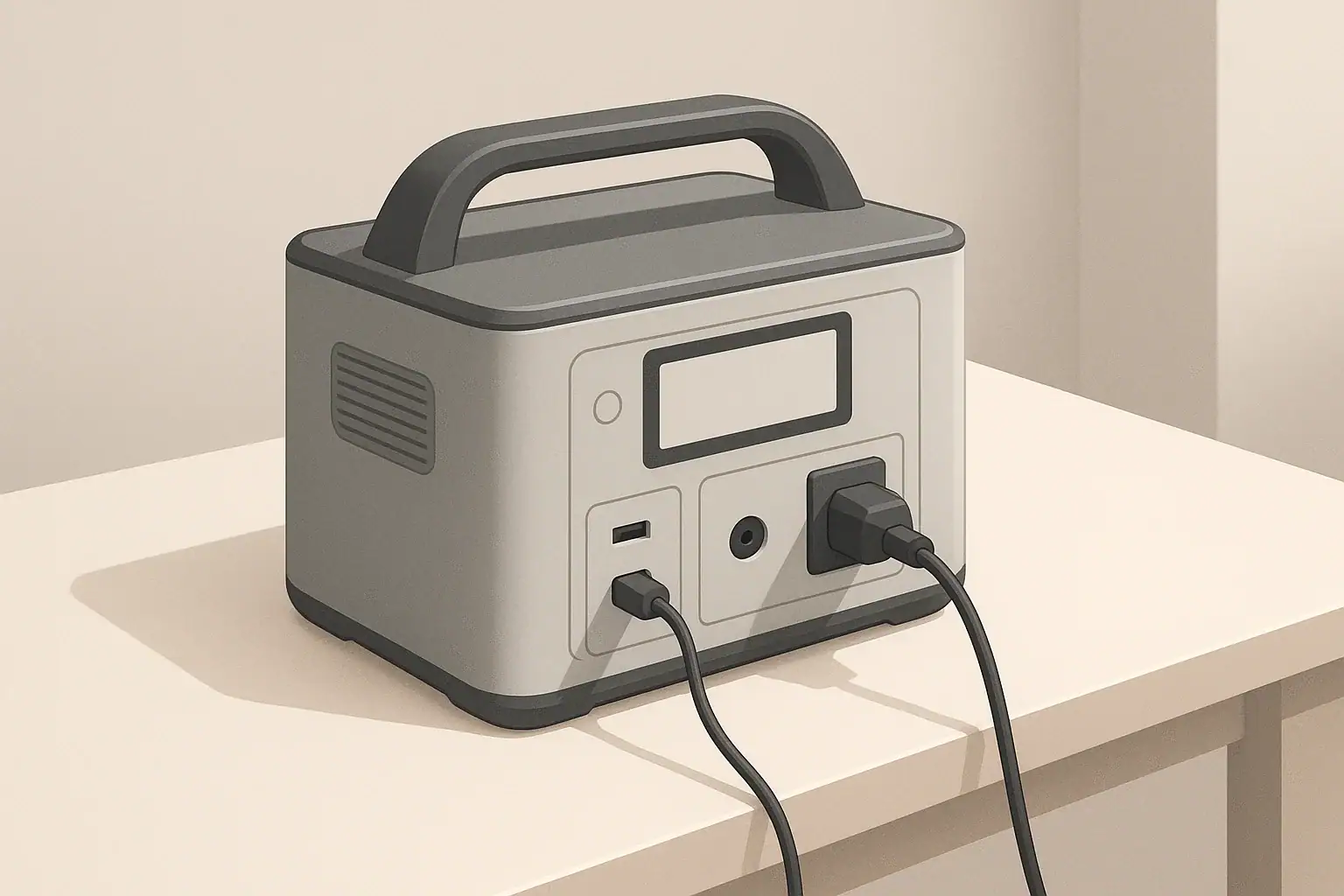
Portable power station on desk showing charging connections

Do Portable Power Stations Work While Charging?

Many people buy a portable power station expecting it to run devices while it is plugged into the wall or a vehicle outlet. Whether it can do this safely and effectively depends on how it is designed and what the manufacturer allows.

In general, there are three common behaviors:

  • No output while charging: Some units disable AC or all outputs whenever the input charger is active.
  • Pass-through charging: The station can power devices and charge its battery at the same time.
  • UPS-like mode: The station acts like an uninterruptible power supply, switching from grid power to battery when the grid fails.

Understanding which behavior your unit supports is important for planning outages, remote work setups, and camping or RV use.

What Is Pass-Through Charging?

Pass-through charging means a portable power station can deliver power from its outlets while it is also taking in power from a wall adapter, vehicle outlet, or solar panel. In simple terms, it can charge and discharge at the same time.

This is useful in common situations such as:

  • Running a laptop and monitor during the day while the station charges from the wall.
  • Powering a Wi-Fi router and phone chargers in a short outage while still plugged into the grid.
  • Using solar panels to run small appliances during the day while slowly topping up the battery.

However, pass-through charging is not guaranteed. Some manufacturers limit or disable it to reduce heat and wear on the battery. Always check the user manual to confirm:

  • Which ports (AC, DC, USB) can operate during charging.
  • Any wattage limits while in pass-through mode.
  • Recommended use patterns to avoid excessive battery stress.
Key features to check before relying on pass-through or UPS behavior

Example values for illustration.

What to check Why it matters Notes
Pass-through support for AC outlets Determines if you can run household-style plugs while charging Some models only allow DC or USB pass-through
Maximum output watts in pass-through Prevents overloading when input power is limited Example: may limit to a portion of rated inverter output
Maximum input watts Sets how quickly the battery can recharge Important for planning between outages or trips
Supported input sources Shows if wall, car, or solar can be used for pass-through Not all inputs behave the same when outputs are active
Continuous vs surge output ratings Helps match loads like fridges or tools to the inverter Surge rating covers short startup spikes only
Thermal and fan behavior Indicates how the unit handles heat under combined load Expect fans to run more in pass-through mode
Warranty terms on pass-through use Clarifies if heavy 24/7 use is recommended Some guides treat it as occasional, not continuous

How Pass-Through Charging Affects Runtime and Battery Health

When a portable power station is in pass-through mode, power flows in and out at the same time. This changes how you think about runtime, charging time, and long-term battery health.

Power balance: input vs output

The effective charge or discharge rate depends on the balance between input and output power:

  • Output higher than input: The battery still drains, just more slowly than if there were no input.
  • Input higher than output: The battery charges, though more slowly than if no devices were connected.
  • Input roughly equals output: Battery state of charge may hover in a narrow range.

As a simplified example, if a station can accept about 200 W from the wall and you run a 150 W load, the battery will charge slowly. If you run a 300 W load on the same input, the battery will gradually discharge even though it is plugged in.

Battery wear and heat

Pass-through use can mean the station is working harder:

  • The battery cycles more often, even if only between partial states of charge.
  • The inverter and charging circuitry create heat while running simultaneously.
  • Fans may run more frequently and at higher speed.

High temperatures and constant cycling tend to age lithium batteries faster. For long-term battery health:

  • Avoid leaving the unit at 100% charge under heavy load for long periods.
  • Do not block vents; give it open space for airflow.
  • Keep it out of direct sun or hot vehicle interiors when running and charging.

When pass-through is helpful vs when to avoid it

Pass-through charging is especially helpful when:

  • You need to keep a laptop, monitor, or router running through short outages.
  • You are working remotely and want to top up from a vehicle outlet while driving.
  • You are camping with solar and want to use power during the day without waiting for a full charge.

It may be better to avoid continuous pass-through use when:

  • You want to maximize battery lifespan over many years.
  • The unit becomes hot to the touch or frequently shows temperature warnings.
  • You are running near the maximum rated output for long stretches.

What Is UPS Mode on a Portable Power Station?

Some portable power stations offer a feature often described as a UPS mode or “uninterruptible power supply” behavior. In this mode, the unit can switch from utility power to battery power automatically when the grid fails.

This is commonly used for:

  • Desktop computers and monitors.
  • Wi-Fi routers and modems.
  • Small home office setups.
  • Low-wattage medical-related devices that cannot tolerate frequent interruptions (always follow medical guidance and manufacturer instructions).

How UPS-like behavior works

Exact designs vary, but many UPS-like portable stations work in one of two ways:

  • Online/line-interactive style: Grid power flows through the unit to your devices while also charging the battery. If the grid fails, the inverter instantly supplies power from the battery.
  • Standby style: Your devices draw directly from grid power, and the unit switches to battery when it detects a loss of power.

Most consumer portable power stations have a transfer time measured in milliseconds, not zero. This is often acceptable for many electronics, but timing can matter for some sensitive equipment.

Limitations of using a portable power station as a UPS

Before relying on UPS mode, consider these points:

  • Transfer time: There may be a brief moment where power drops while switching to battery. Devices with very strict power requirements may not tolerate this.
  • Wattage limits: The UPS mode is usually limited by the station’s continuous inverter rating, not just its advertised peak rating.
  • Runtime: Compared to dedicated large UPS units, portable power stations can offer longer runtime, but it depends on their capacity and your loads.
  • Duty cycle: Many portable power stations are not designed for 24/7, year-round UPS duty. Check the manual for any warnings about constant connection.

For critical or life-sustaining equipment, it is important to follow manufacturer guidance and consult a qualified professional. Portable power stations can be helpful, but they are not always a substitute for dedicated, properly sized UPS systems designed for that purpose.

Using a Portable Power Station During Power Outages

During short residential power outages, portable power stations are often used to keep a few essentials running. Pass-through and UPS-like features can make this more seamless.

Simple plug-in use vs home circuits

The safest and simplest approach is to plug individual devices directly into the portable power station:

  • Lamps or small LED lighting.
  • Phone and laptop chargers.
  • Internet router and modem.
  • Compact fans or low-power medical-related devices (as directed by their manufacturer).

Some homeowners want backup power for entire circuits or multiple outlets. Any connection between a portable power source and a home electrical system can introduce shock and backfeed hazards if done incorrectly. For safety:

  • Do not create improvised cables that feed power backward into wall outlets.
  • Avoid any modifications to breaker panels or wiring unless done by a licensed electrician.
  • If you want a portable power station to supply specific circuits, consult an electrician about appropriate hardware and safe configurations.

Prioritizing loads during an outage

Portable power stations have limited capacity, so prioritizing what you power matters more than whether pass-through is available. For typical home essentials, many people focus on:

  • Communications: phones, laptop, router.
  • Lighting: efficient LED lamps.
  • Food safety: a small refrigerator or cooler (intermittent operation).
  • Comfort: a small fan or low-wattage heater alternatives where safe and appropriate.

High-wattage devices such as resistance heaters, large space heaters, and full-size electric ovens usually drain batteries too quickly to be practical on most portable stations.

Remote Work, Camping, and RV Use

Outside the home, pass-through charging and UPS-like behavior can help manage limited power sources such as vehicle alternators and solar panels.

Remote work setups

For remote work, a typical setup might include:

  • Laptop and monitor.
  • Mobile hotspot or router.
  • Occasional phone or tablet charging.

Pass-through charging lets you run this setup while connected to:

  • A wall outlet in a coworking space or rental.
  • A vehicle outlet while parked or driving.
  • Solar panels during the day.

UPS-like behavior can help avoid data loss if power from a wall outlet is unstable, keeping your devices running during brief drops without you needing to intervene.

Camping and vanlife

For camping or vanlife, portable power stations often power:

  • LED lights and lanterns.
  • Phones, cameras, and small speakers.
  • Portable fridges or coolers.
  • Small fans or low-power electronics.

Pass-through charging is particularly useful when:

  • Solar panels are producing power during the day and you want to use devices without waiting.
  • You charge the station from a vehicle alternator while driving and use it at camp when parked.

Be mindful of energy balance. For example, a portable fridge cycling between 30–60 W over many hours may consume more than a small solar panel can replace on cloudy days. In that case, the battery slowly depletes despite pass-through charging.

RV basics

In RVs, portable power stations are often used separately from the built-in electrical system to:

  • Power electronics at a picnic table or outside seating area.
  • Run laptops and chargers without using the main inverter.
  • Provide quiet overnight power for fans or CPAP-type devices (when allowed by the manufacturer).

Some RV owners explore tying portable power into existing RV circuits. Any such integration can introduce safety concerns if not done correctly. Work with an RV technician or electrician who understands both the RV’s wiring and the portable power station’s limits.

Charging Methods and Their Impact on Pass-Through Use

Different charging methods change how practical pass-through and UPS-like use will be in real life. The main options are wall charging, vehicle charging, and solar.

Wall charging

Wall charging usually offers the highest and most stable input power. This makes it the most suitable option for:

  • UPS-like setups for computers or home offices.
  • Running small appliances while still getting a meaningful recharge.
  • Topping up the battery quickly between outages or trips.

When plugged into the wall, many units can run close to their inverter rating while also charging, though this depends on how large the charger is and how the unit manages input and output internally.

Vehicle charging

Vehicle 12 V outlets typically provide modest power. As a result:

  • They are well suited to topping up the battery while driving.
  • They are less suited to running high-wattage AC devices in pass-through mode.

For example, a typical vehicle outlet might support on the order of 100–150 W of input to a power station. If you plug in a 90 W laptop charger and a 20 W router, the battery may charge slowly. If you plug in a 300 W device, the battery will still drain even though you are “charging” from the vehicle.

Solar charging

Solar input varies with sun angle, weather, and panel size. In bright conditions, a modest portable array can supply enough power to:

  • Run low to moderate loads during the day.
  • Slowly recharge the battery for nighttime use.

On cloudy days or in shaded campsites, solar input may be much lower. In those cases, pass-through charging can keep devices running while slowly depleting the battery, so planning for margin is important.

Example charging methods and when they are most useful

Example values for illustration.

Charging method Typical input range (example) Best use cases Planning notes
Wall outlet (AC) Hundreds of watts, depending on charger Fast recharges, UPS-like use at home or office Often most reliable for pass-through with moderate loads
Vehicle 12 V outlet Dozens to low hundreds of watts Charging while driving, light pass-through for electronics Avoid relying on it for high-wattage AC devices
Portable solar panels Varies with panel size and sun Off-grid camping, vanlife, remote work Plan for weather; output can drop significantly on cloudy days
Generator-powered AC Similar to wall when properly sized Recharging during extended outages Follow safe generator placement and ventilation practices
USB-C input (where supported) Tens to low hundreds of watts Supplemental charging from laptops or adapters Useful but usually slower than dedicated AC adapters
RV 12 V or DC source Depends on RV wiring and limits Integrating with existing RV power for topping up Confirm current limits to avoid overloading circuits

Safety Tips for Using Portable Power Stations While Charging

Running a portable power station while it charges adds electrical and thermal stress. A few practical habits can reduce risks and extend equipment life.

Placement and ventilation

  • Operate the unit on a stable, dry surface away from flammable materials.
  • Keep vents and fans unobstructed; leave several inches of space on all sides.
  • Avoid enclosed cabinets or tightly packed shelves during heavy use.
  • Do not place the unit on soft bedding or cushions that can block airflow.

Cord and load management

  • Use cords and adapters rated for the loads you are running.
  • Avoid daisy-chaining multiple power strips and adapters.
  • Do not exceed the continuous watt rating of the power station’s inverter.
  • Unplug devices you are not using, especially high-wattage appliances.

Cold weather and storage

  • Avoid charging lithium-based power stations when they are extremely cold; consult the manual for safe temperature ranges.
  • Store the unit at a partial charge rather than fully depleted if it will sit unused for months.
  • Check and top up the battery every few months to reduce deep-discharge stress.

Understanding limits and documentation

  • Read the user manual sections on pass-through, UPS mode, and load limits.
  • Follow any guidance on maximum continuous connection time when used as a UPS.
  • If specifications are unclear, treat continuous 24/7 pass-through use as a heavy-duty scenario and consider lighter use patterns.

Used with realistic expectations and basic precautions, portable power stations can be effective for running devices while charging, whether in pass-through or UPS-like modes.

Frequently asked questions

Do portable power stations work while charging without harming the battery?

Some models support pass-through charging safely, but simultaneous charging and discharging increases heat and battery cycling which can hasten capacity loss over time. Occasional pass-through use is typically fine, but continuous 24/7 pass-through may shorten battery lifespan—check the manufacturer’s guidance.

How can I tell if my portable power station supports pass-through charging or UPS mode?

Review the user manual and product specifications for explicit mentions of pass-through, UPS mode, supported input sources, and any wattage or time limits. Also check which ports remain active while charging and whether a transfer-time is specified for UPS behavior.

Will using pass-through charging affect runtime and charging speed?

Yes. If the output power exceeds the input, the battery will still drain (albeit more slowly), whereas if the input exceeds the output the battery will charge while powering devices. Input and inverter limits determine the practical charging speed and effective runtime.

Is it safe to use a portable power station as a UPS for sensitive equipment?

Many stations offer UPS-like features but may have nonzero transfer times and limits on continuous duty; some sensitive equipment may not tolerate brief interruptions. For critical or life-sustaining devices, follow manufacturer recommendations and consult a professional to ensure proper protection and configuration.

Which charging method is best when I want devices to run while the station charges?

Wall AC charging generally provides the highest and most stable input, making it best for UPS-like use and meaningful recharging under load. Vehicle and solar inputs can work but are typically lower and more variable, so plan for power balance and environmental factors like sun and temperature.
USB-C Power Delivery (PD) Explained for Portable Power Stations

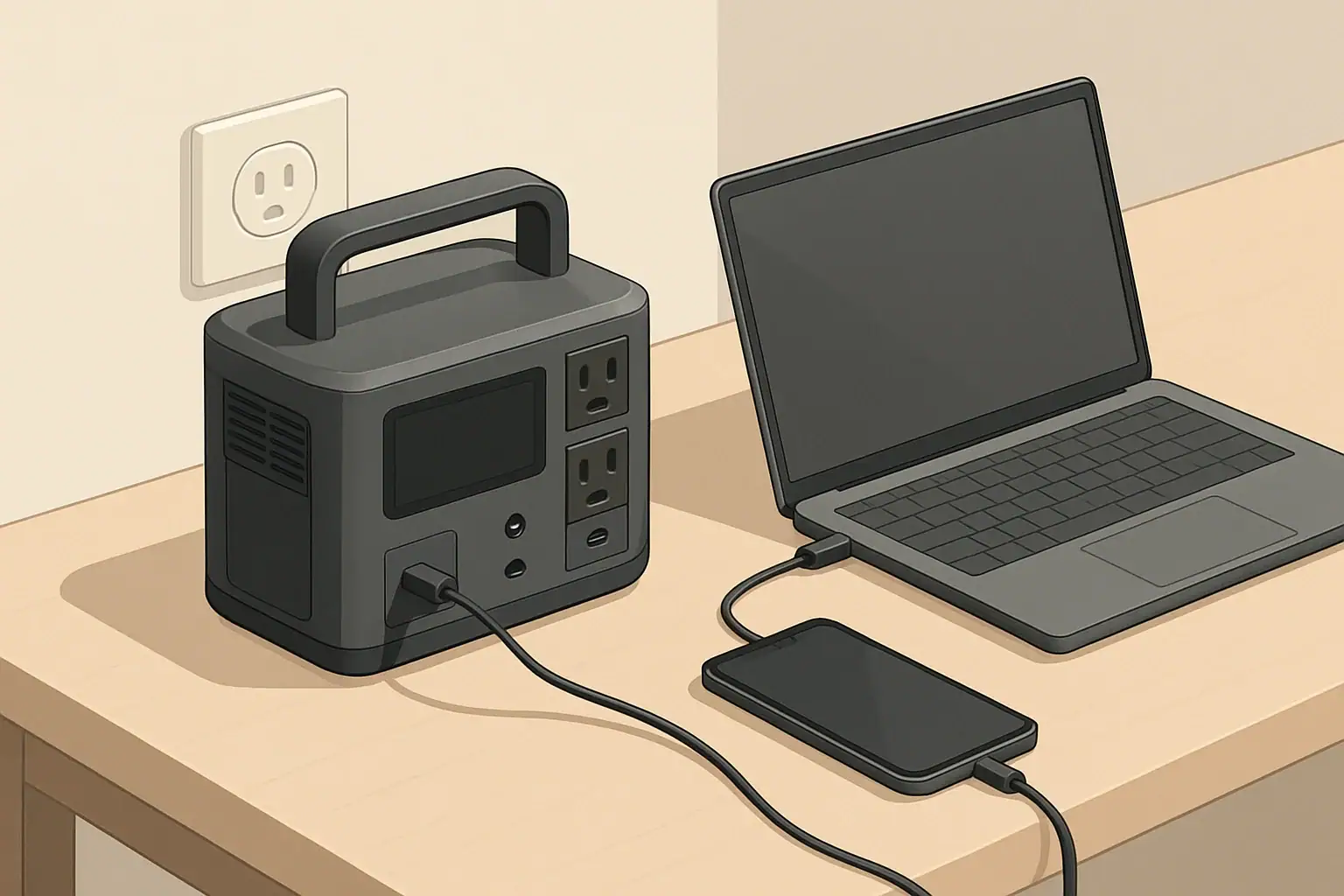
Portable power station charging laptop and phone via USB C

USB-C Power Delivery (PD) is one component of a portable power station’s broader feature set. Understanding PD helps you decide when to use USB-C, when AC is necessary, and how to balance multiple loads and charging sources.

By matching PD wattage to device requirements, using suitable cables, and paying attention to total output limits, you can make efficient use of your portable power station’s capacity while keeping essential electronics charged and ready.

USB-C Power Delivery (PD) is a fast-charging standard that uses the USB-C connector to safely deliver higher power than older USB ports. On portable power stations, USB-C PD ports can charge phones, tablets, laptops, cameras, and some small appliances directly, often without needing AC adapters.

Instead of a fixed 5-volt output like classic USB, USB-C PD negotiates voltage and current between the power station and the device. This negotiation lets compatible devices charge faster while staying within safe limits.

What Is USB-C Power Delivery (PD)?

Why USB-C PD Matters for Portable Power Stations

Portable power stations originally focused on AC outlets and basic USB-A ports. USB-C PD changes how you can use this stored energy.

Key benefits

  • Higher efficiency: Direct DC-to-DC charging (USB-C) is usually more efficient than running an AC adapter from the inverter.
  • Faster charging: PD supports higher wattage than legacy USB ports, so compatible devices recharge more quickly.
  • Less gear to carry: Many laptops and tablets can plug into a PD port instead of a bulky AC charger.
  • Quieter operation: When you avoid using the AC inverter, some power stations can run fans less often.
  • Better use of battery capacity: Less conversion loss means more usable watt-hours from your battery.

How USB-C PD Power Levels Work

USB-C PD power is measured in watts (W), the product of voltage (V) and current (A). Portable power stations commonly advertise USB-C PD ratings such as 18 W, 45 W, 60 W, 65 W, 100 W, or higher.

Common PD voltage profiles

PD supports several voltage levels. The device and the power station agree on one during negotiation:

  • 5 V (legacy USB level)
  • 9 V
  • 12 V
  • 15 V
  • 20 V

Higher-voltage profiles are typically used for more power-hungry devices like laptops and some monitors.

Example power levels for typical devices

  • Phones and small devices: 18–30 W PD is usually enough for fast charging.
  • Tablets and small laptops: 30–60 W PD often provides full-speed or near full-speed charging.
  • Ultrabooks and mainstream laptops: 60–100 W PD is common.
  • High-performance laptops: May require 100 W or more and might throttle or charge slowly if underpowered.

Always check the maximum USB-C charging capability of your device to match it with the PD port on your power station.

USB-C PD vs. Regular USB Ports on Power Stations

Portable power stations may include several types of USB ports. Understanding the differences helps you choose the right port for each device.

USB-A (legacy) ports

  • Common ratings: 5 V at 2.4 A (≈12 W), or proprietary fast-charging standards.
  • Good for: Basic phone charging, small accessories, low-power devices.
  • Limitations: Lower maximum wattage; can be slower for modern phones and tablets.

USB-C non-PD ports

  • Looks like USB-C but may only output 5 V with limited current.
  • Good for: Smaller devices that do not need high power.
  • Limitations: May not charge laptops or fast-charge compatible phones.

USB-C PD ports

  • Offer negotiation-based voltage and higher power.
  • Good for: Phones, tablets, laptops, and other PD-enabled devices.
  • Advantages: Faster, more efficient, and more versatile than legacy USB ports.

Input vs. Output: USB-C PD on Portable Power Stations

On portable power stations, USB-C PD ports can serve as outputs, inputs, or both. The labeling is important.

USB-C PD output

When labeled as output, the PD port sends power from the power station to your devices.

  • Used for charging phones, tablets, laptops, and other electronics.
  • Rating example: “USB-C PD 60 W output” means up to 60 W available to that port.
  • Multiple PD outputs share the total DC output budget of the power station.

USB-C PD input

When labeled as input, the PD port is used to charge the power station itself.

  • Rating example: “USB-C PD 100 W input” means the station can accept up to 100 W from a compatible PD charger.
  • Faster charging than low-wattage wall adapters.
  • Useful when AC power is limited or when using a high-output PD wall charger.

Bidirectional USB-C PD (input/output)

Some ports are marked as both input and output. These can charge devices or recharge the power station depending on what is connected.

  • When connected to a wall PD charger: the station charges its own battery.
  • When connected to a phone or laptop: the station supplies power to the device.
  • Power direction is determined by PD negotiation and the type of connected device or charger.

Understanding PD Wattage Ratings on Portable Power Stations

Manufacturers often list multiple wattage numbers for USB-C ports. Interpreting them correctly prevents confusion and helps with planning.

Per-port PD rating

Each USB-C PD port typically has a per-port maximum output, such as:

  • One port: up to 60 W
  • Another port: up to 100 W

This is the most that any single device can draw from that specific port.

Total USB output budget

Portable power stations may also have a total DC or USB output limit, for example:

  • “Total USB output: 120 W” across all USB ports.
  • When several devices are plugged in, each port may not reach its maximum rating if the total limit is exceeded.

In practice, if two laptops are drawing from two 60 W ports on a station with a 100 W USB total limit, they may share that 100 W rather than each getting 60 W.

Voltage and current combinations

A PD label might include multiple combinations, such as “5 V⎓3 A, 9 V⎓3 A, 15 V⎓3 A, 20 V⎓3.25 A (65 W max).” This means:

  • The port supports several voltage levels.
  • The maximum current varies by voltage.
  • The highest total power is capped at 65 W regardless of the profile.

USB-C PD and Pass-Through Charging

Pass-through charging means using the power station while it is being charged. With USB-C PD, this can involve combinations of AC, DC, and USB inputs and outputs.

Typical pass-through scenarios involving PD

  • Charging the power station via USB-C PD input while powering a laptop from an AC outlet.
  • Charging the station from AC input while powering a phone and laptop from USB-C PD outputs.
  • Using a bidirectional PD port to charge the station, while other USB and DC ports power devices.

Things to watch for

  • Thermal limits: High combined input and output can increase heat, which may trigger fans or power limits.
  • Reduced battery cycling: Some users prefer to avoid heavy pass-through use to reduce battery stress, though this varies by design.
  • Power priorities: Some stations prioritize powering loads over charging the battery when input is limited.

Using USB-C PD to Charge Laptops from a Power Station

Laptop charging is one of the most important use cases for USB-C PD on portable power stations.

Check your laptop’s USB-C charging support

Not all laptops support USB-C charging, and some require a minimum PD wattage to work properly.

  • Look for USB-C ports marked with a power or charging symbol.
  • Check the laptop’s power adapter output (for example, 65 W, 90 W, or 100 W) to estimate PD needs.
  • Confirm whether USB-C is the primary or secondary charging method.

Match PD wattage to laptop needs

  • Underpowered PD: A laptop needing 90 W may charge slowly or lose charge under heavy use when connected to a 45 W PD port.
  • Equal or higher wattage: A 100 W PD port can typically support laptops rated up to that level. The laptop will only draw what it needs.
  • Multiple loads: If several high-power devices are plugged into USB at once, available power for the laptop may be reduced.

Estimating runtime from USB-C PD

To estimate how long a power station can run a laptop over USB-C PD:

  1. Find the laptop’s average power draw while in use (for example, 40 W).
  2. Find the power station’s usable capacity in watt-hours.
  3. Divide capacity by the laptop’s power draw and adjust for efficiency.

For example, a 500 Wh power station running a laptop averaging 40 W via USB-C PD with ~90% DC efficiency:

500 Wh × 0.9 ÷ 40 W ≈ 11 hours of approximate runtime, ignoring other loads.

USB-C PD and Small Devices: Phones, Tablets, and Accessories

For smaller electronics, USB-C PD offers faster charging and more flexibility compared to older USB standards.

Phone and tablet charging behavior

  • Many modern phones support PD fast charging at 18–30 W.
  • Tablets often make good use of 30–45 W PD for quicker top-ups.
  • When a device does not support PD, it will usually default to basic 5 V charging.

Managing multiple small loads

Portable power stations often combine PD outputs with USB-A ports, allowing several devices to charge at once:

  • Use PD ports for devices that benefit from fast charging (phones, tablets, laptops).
  • Reserve USB-A ports for lower-priority or low-power accessories.
  • Monitor total USB output if the station provides this information, especially when using all ports simultaneously.

USB-C PD and Power Banks vs. Portable Power Stations

USB-C PD appears on both power banks and portable power stations, but their roles differ.

Power banks with USB-C PD

  • Smaller capacity, often 10,000–30,000 mAh.
  • Designed primarily for phones, tablets, and some laptops.
  • Usually feature only USB-C and USB-A, with no AC outlets.

Portable power stations with USB-C PD

  • Much larger capacity, measured in hundreds or thousands of watt-hours.
  • Provide AC outlets, DC outputs, and sometimes car and solar charging inputs.
  • USB-C PD is one of several ways to access stored energy.

In many setups, a portable power station acts as the main energy source, and USB-C PD power banks can be recharged from it as secondary, portable chargers.

Efficiency Considerations: USB-C PD vs. AC Outlets

Using USB-C PD instead of AC can reduce energy losses from power conversion.

Conversion steps with AC laptop charging

  1. Battery DC → Inverter AC inside the power station.
  2. AC → DC inside the laptop’s power brick.

Each step introduces efficiency losses, which shorten total runtime.

Conversion steps with USB-C PD laptop charging

  1. Battery DC → regulated DC via USB-C PD in the power station.

With fewer conversion stages, less energy is lost as heat, and more of the battery capacity reaches the laptop. Actual savings depend on the specific designs but can be noticeable over long runtimes.

Practical Tips for Using USB-C PD with Portable Power Stations

1. Verify cable quality

  • Not all USB-C cables support high-wattage PD.
  • For 60 W or less, most decent USB-C cables are sufficient.
  • For 100 W and above, use cables rated for higher current and PD support.

2. Understand port labeling

  • Look for markings indicating “PD,” “USB-C PD,” or wattage ratings.
  • Confirm which ports support input, output, or both.
  • Check documentation for total USB output limits when using multiple ports.

3. Prioritize PD for critical devices

  • Use PD ports for laptops and key communication devices.
  • Move lower-priority items to USB-A or other outputs if you approach power limits.
  • In constrained power situations, limit fast charging to devices that truly need it.

4. Monitor heat and fan noise

  • High PD output combined with other loads can warm the power station.
  • Ensure adequate ventilation and avoid covering vents.
  • If possible, reduce charge or load levels if the unit frequently reaches high fan speeds.

5. Combine PD input with other charging methods carefully

  • Some power stations allow simultaneous charging from PD, wall, and solar inputs.
  • Check the maximum combined input rating in the manual.
  • Do not exceed specified input power limits to avoid protection shutdowns.

Limitations and Edge Cases of USB-C PD on Power Stations

Device compatibility quirks

  • Some older or proprietary devices may not accept full PD profiles.
  • Certain laptops may only charge via their original power adapter even when they have USB-C ports.
  • Specialized equipment might require custom voltages not offered by standard PD profiles.

Shared power and derating

  • When multiple high-power USB-C devices are connected, the power station may limit each port’s maximum output.
  • Some units reduce PD wattage as the internal battery level becomes low or to control heat.
  • Behavior varies, so observing real-world performance is useful for planning.

Firmware and protocol evolution

  • USB-C PD has evolved through several specification versions.
  • Most portable power stations support mainstream power levels and common profiles.
  • Newer features, such as very high PD wattage or advanced protocol extensions, may not be present on every model.

USB-C PD as Part of an Overall Portable Power Strategy

Frequently asked questions

How can I tell if a power station’s USB-C PD port will charge my laptop at full speed?

Check the laptop’s USB-C charging requirement (often listed on its power adapter or in the specifications) and compare it to the power station’s per-port PD rating. Also confirm the station’s total USB output budget and whether multiple ports share that budget, because the available wattage can be reduced when several devices are connected.

Can I recharge a portable power station using a USB-C PD charger, and how fast will it charge?

If the station has a USB-C PD input or a bidirectional PD port, you can recharge it with a compatible PD charger. Charging speed is limited by the station’s PD input rating and any combined input limits, and real-world times may be affected by the charger, cable, and the station’s thermal management.

Does using USB-C PD instead of an AC outlet increase runtime from the power station?

Yes — using USB-C PD often reduces conversion losses because it avoids the DC→AC inverter and then AC→DC conversion in the device, so more of the battery’s energy reaches the device. The exact savings depend on the designs involved, but DC-to-DC PD charging is generally more efficient than charging via AC.

Do all USB-C cables support high-wattage PD like 100 W?

No, not all cables support very high PD wattage. For up to ~60 W most well-made USB-C cables are adequate, but for 100 W and above you should use cables rated for higher current (those with the appropriate e-marker or explicit 5A/100W rating).

Is pass-through charging with USB-C PD safe for the power station’s battery long-term?

Many power stations support pass-through charging, but using it frequently can increase thermal stress and affect battery cycling depending on the unit’s design. Consult the manufacturer’s guidance and observe combined input/output limits and heat behavior to avoid unnecessary wear or protection shutdowns.

Can a Portable Power Station Replace a UPS?

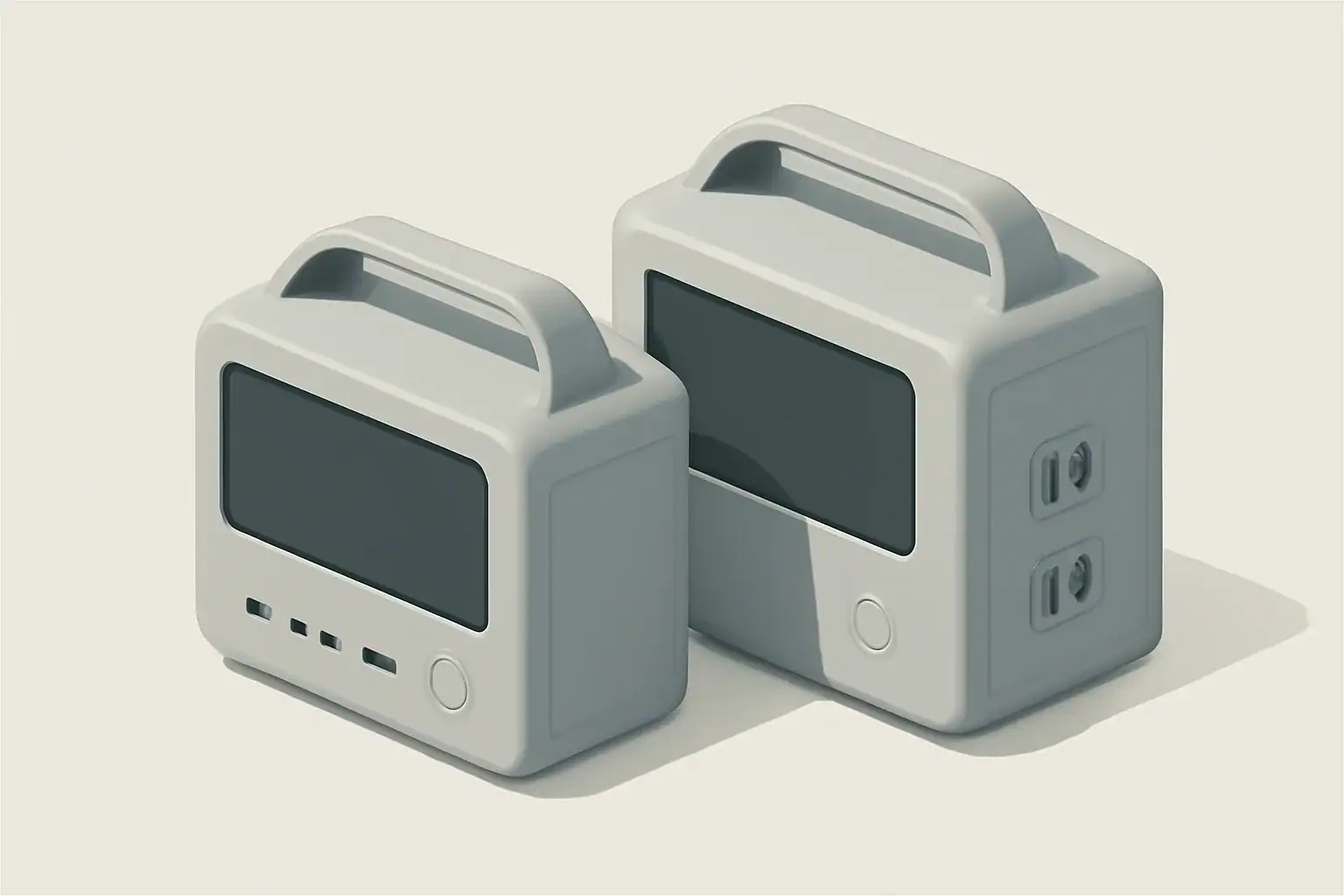
Isometric illustration of two power stations

Overview

Both portable power stations and uninterruptible power supplies (UPS) provide battery-backed power, but they are engineered for different roles. Understanding the technical differences and typical use cases helps determine whether a portable power station can replace a UPS in a given situation.

What a UPS is designed for

A UPS is primarily intended to protect sensitive electronics from power interruptions and disturbances. Key characteristics include short transfer times and power conditioning.

  • Fast transfer or continuous online operation so connected devices do not reboot.
  • Power conditioning (voltage regulation, surge protection, and filtering).
  • Relatively small battery capacity optimized for minutes of runtime to allow safe shutdown or ride-through brief outages.
  • Form factors and certifications aimed at IT equipment, network gear, and medical-support devices.
  • Often designed with monitoring, alarms, and controlled shutdown interfaces.

What a portable power station is designed for

Portable power stations are battery-inverter systems built for mobile and off-grid use. They prioritize usable energy capacity, multiple output types, and flexible recharging.

  • Higher watt-hour capacities intended for hours of runtime powering appliances, tools, or multiple devices.
  • Multiple output ports: AC outlets, USB, 12V DC, and sometimes 120V/240V variants.
  • Rechargeable from wall outlets, vehicle outlets, or solar panels.
  • Built-in inverters that produce AC power; waveform and transfer behavior vary by model.
  • Often portable with integrated handles, but not always intended for continuous indoor installation.

Key technical differences

Transfer time and continuity

UPS units are engineered for continuity. An online (double-conversion) UPS provides uninterrupted AC output; line-interactive and standby UPS types switch to battery in milliseconds. Many portable power stations use an inverter that provides AC output when the unit is on; some have a passthrough mode allowing simultaneous charging and output. However, not all portable stations are specified for seamless, zero-transfer switching in case of mains loss.

Inverter type and waveform

UPS devices commonly produce a clean sine wave or are designed to emulate mains characteristics for sensitive electronics. Portable power stations may provide pure sine wave inverters, modified sine wave, or varying quality depending on cost and design. Sensitive loads such as medical devices, variable-speed motors, and some servers may require true sine wave output.

Surge capacity and peak power

Starting currents for motors and compressors can be several times steady-state draw. UPS units tailored for IT gear provide defined surge handling for short peaks. Portable power stations typically quote continuous and peak (surge) power; verify surge capacity if you plan to run inductive loads like refrigerators or pumps.

Battery capacity and runtime

UPS batteries are sized for short-duration ride-through, often measured in minutes. Portable power stations are sized in watt-hours to deliver longer runtime. If your goal is extended runtime for appliances or multiple devices, portable stations generally provide more usable energy.

Charging speed and recharge options

UPS batteries recharge from the AC mains slowly in many designs, whereas portable power stations often support fast AC charging, solar input, and vehicle charging. Recharge time affects how quickly the unit returns to full capacity after an outage.

Pass-through charging and UPS mode

Some portable power stations support pass-through charging (charging while supplying loads) and advertise an “UPS mode” that automatically switch when mains power fails. Implementation quality varies; some units introduce a short switchover or require manual mode selection. Always check the specification for transfer time, continuous output during charging, and recommended loads for UPS operation.

Form factor, ventilation, and noise

UPS are often compact and designed for indoor rack or floor placement with quieter operation. Portable power stations may use active cooling fans that ramp up under load or during charging, making them potentially noisier in indoor settings.

When a portable power station can replace a UPS

In some scenarios, a portable power station can functionally replace a UPS. Useful cases include:

  • Short outages for non-critical equipment where a brief transfer or restart is acceptable.
  • Powering household appliances, lights, or tools where runtime matters more than instantaneous transfer.
  • Remote or mobile setups where solar or vehicle charging is advantageous.
  • Temporary setups for home office or media equipment where the portable station has a fast automatic transfer or continuous output and provides a true sine wave.

To use a portable power station as a UPS substitute, verify these specifications:

  • Transfer time or confirmation of continuous inverter output while mains present.
  • Pure sine wave output if powering sensitive electronics.
  • Surge/peak power rating sufficient for connected devices.
  • Pass-through charging capability if you want simultaneous charging and powering.

When you should stick with a UPS

A UPS remains the preferred solution for certain environments:

  • Servers, network gear, and equipment that cannot tolerate any interruption or reboot during transfer.
  • Medical devices or life-supporting equipment where certification and guaranteed continuity are required.
  • Mission-critical IT systems that need integrated monitoring, managed shutdown, and predictable short ride-through behavior.
  • Environments sensitive to electrical noise where power conditioning and surge suppression matter.

How to decide: a practical checklist

Use this checklist to evaluate whether a portable power station will meet your needs in place of a UPS.

  • Transfer time: Does the portable station guarantee immediate switchover or continuous inverter output?
  • Waveform: Is the AC output a pure sine wave if your equipment needs it?
  • Surge handling: Can the unit handle start-up currents of motors or compressors?
  • Runtime requirement: Calculate watt-hours required (see sizing example below).
  • Recharge needs: Do you need fast recharge or solar/vehicle recharging?
  • Pass-through/UPS mode: Is pass-through supported and rated for continuous use?
  • Noise and ventilation: Is the expected noise acceptable for indoor use?
  • Safety and certifications: Does the unit have appropriate battery and electrical safety features?

Sizing example

Estimate capacity using this straightforward method:

  • List devices and their steady-state wattage (W).
  • Add them to get total continuous power required.
  • Decide desired runtime in hours.
  • Calculate required watt-hours: total watts × hours.
  • Adjust for inverter efficiency (typical 85–95%); divide required watt-hours by efficiency (for example, 0.9).
  • Add a margin (20–30%) for unexpected loads or battery aging.

Example: A home router and a small desktop draw 50 W combined. For 2 hours runtime: 50 W × 2 h = 100 Wh. Adjusting for 90% inverter efficiency: 100 Wh / 0.9 ≈ 111 Wh. A 200–300 Wh portable station would provide comfortable margin.

Additional considerations

Battery chemistry matters for longevity and safety. Lithium-based chemistries provide higher energy density but require proper battery management. Cold temperatures can reduce available capacity; plan accordingly if deploying outdoors or in unheated spaces.

Maintenance varies: UPS batteries may need periodic replacement and testing, while portable power stations often have sealed batteries with recommended storage and periodic cycling. Both require safe storage and adherence to manufacturer safety guidance.

Finally, verify warranty and support terms for both types of devices, especially if you plan to use them for critical applications.

Final notes

A portable power station can replace a UPS in many non-critical and mobile scenarios if the unit’s specifications meet the technical requirements for transfer time, waveform, surge capacity, and runtime. For mission-critical systems or equipment that cannot tolerate any interruption, a purpose-built UPS remains the appropriate choice.

Frequently asked questions

Can a portable power station provide seamless, zero-transfer switching like a UPS?

Most portable power stations do not guarantee true zero-transfer switching; however, models with continuous inverter output will keep AC output running while mains are present and when mains fail. If the unit specifies transfer time, confirm it meets your equipment’s tolerance; otherwise choose a purpose-built UPS for interruption-sensitive loads.

How do I calculate the watt-hours needed if I want a portable station to replace my UPS?

Add the steady-state wattage of all devices, multiply by the desired runtime in hours, then divide by inverter efficiency (typically 85–95%) and add a 20–30% margin for safety. Also verify the unit’s continuous and surge power ratings match your devices’ requirements.

Is pass-through charging on portable power stations safe for continuous UPS-like use?

Pass-through charging can be convenient, but continuous use may increase heat and stress the battery and charging circuitry unless the manufacturer rates the feature for continuous operation. Check the specifications and follow ventilation and usage guidance before relying on pass-through for long-term use.

Can portable power stations handle motor-driven appliances like refrigerators or pumps?

Some portable stations can if their peak (surge) rating exceeds the motor’s start-up current; always confirm both continuous and surge ratings before connecting inductive loads. For frequent or heavy motor loads, consider systems with higher surge capacity or soft-start solutions to avoid overload and premature battery wear.

Are portable power stations suitable for medical devices or critical servers?

No. Medical devices and critical servers usually require certified UPS systems with guaranteed continuity, integrated monitoring, and regulatory approvals. Use portable power stations only for non-critical or temporary needs unless the unit explicitly meets the required certifications and transfer specifications.