Portable Solar Panels vs Fixed Panels: Which Is Better for a Power Station?

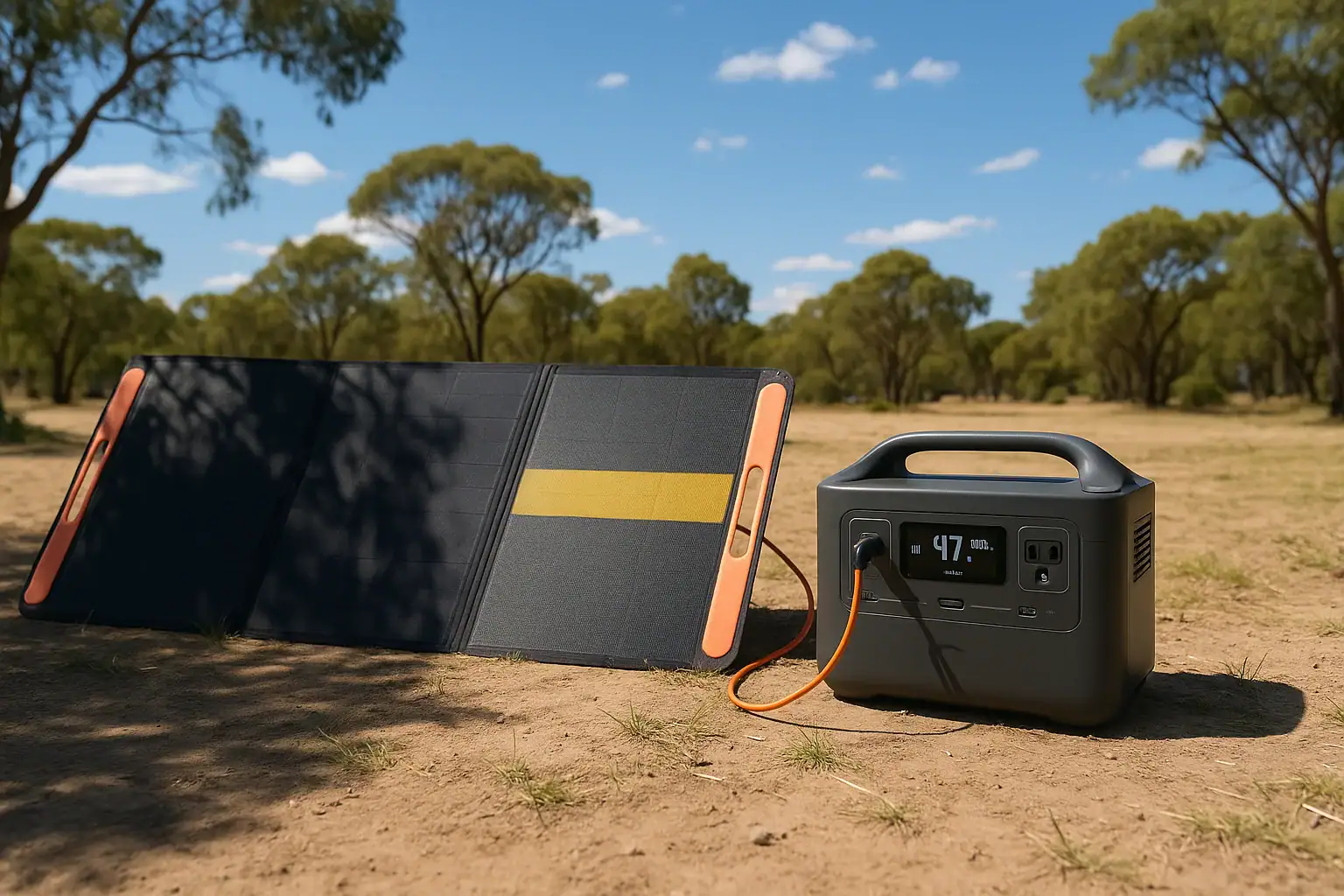
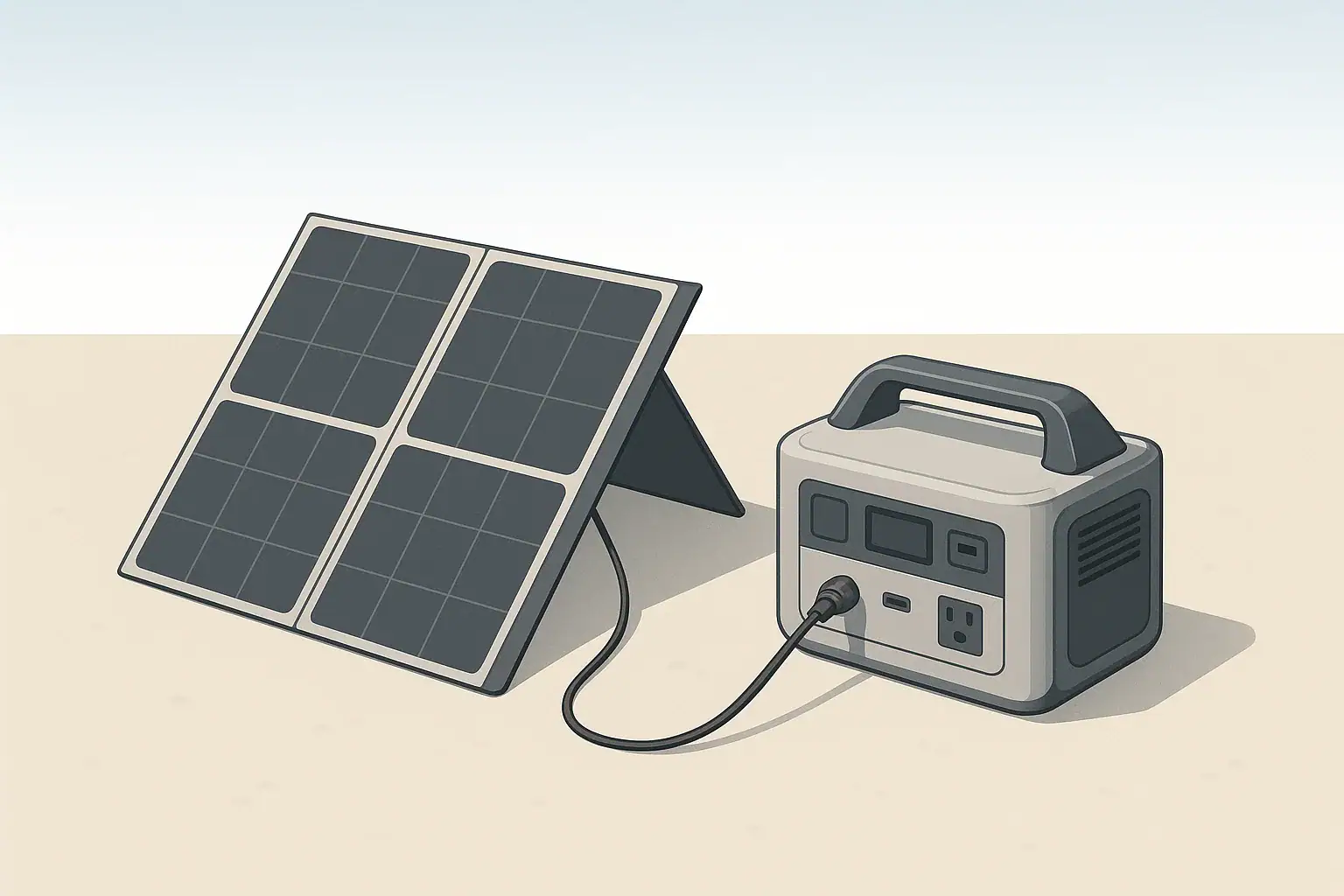
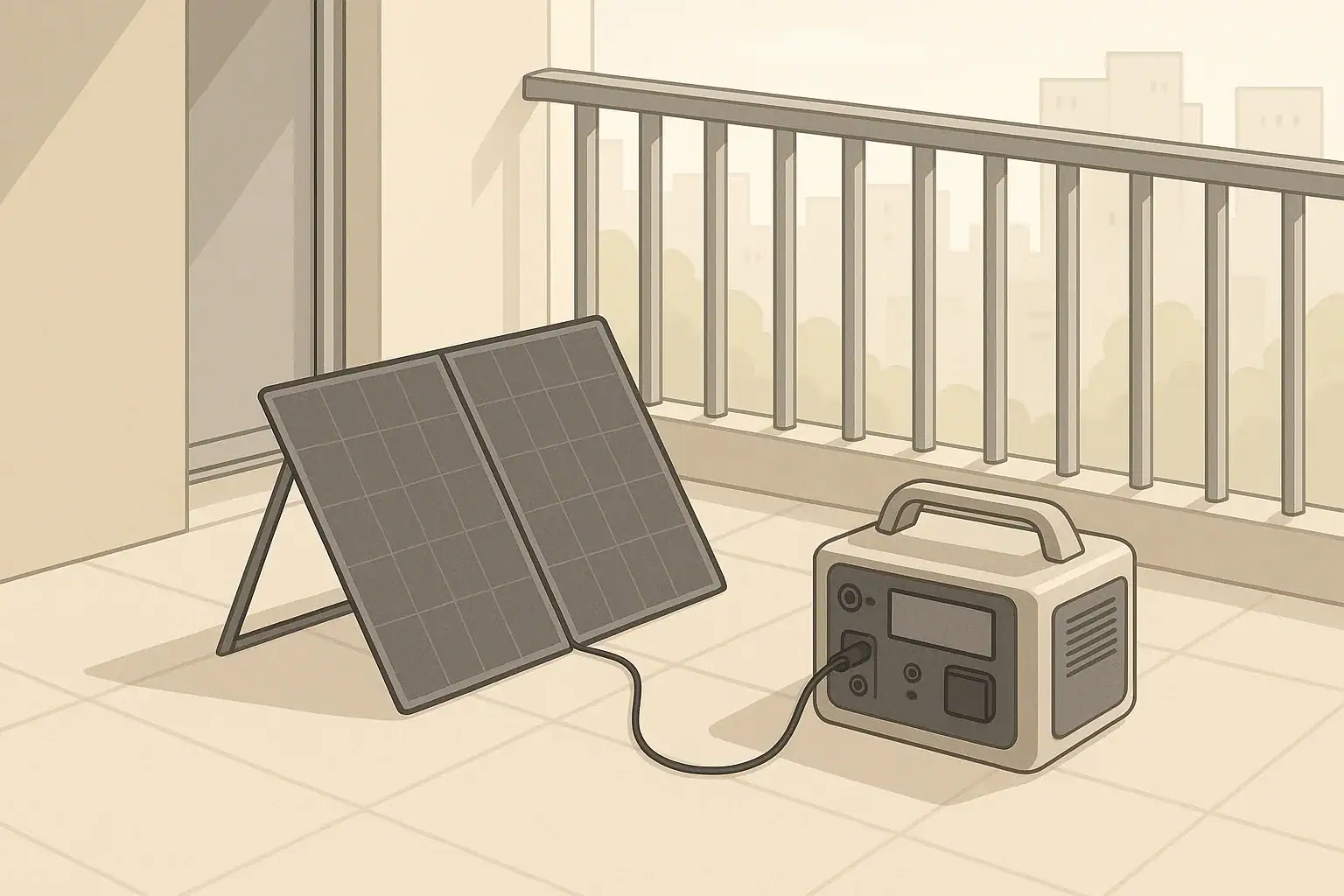
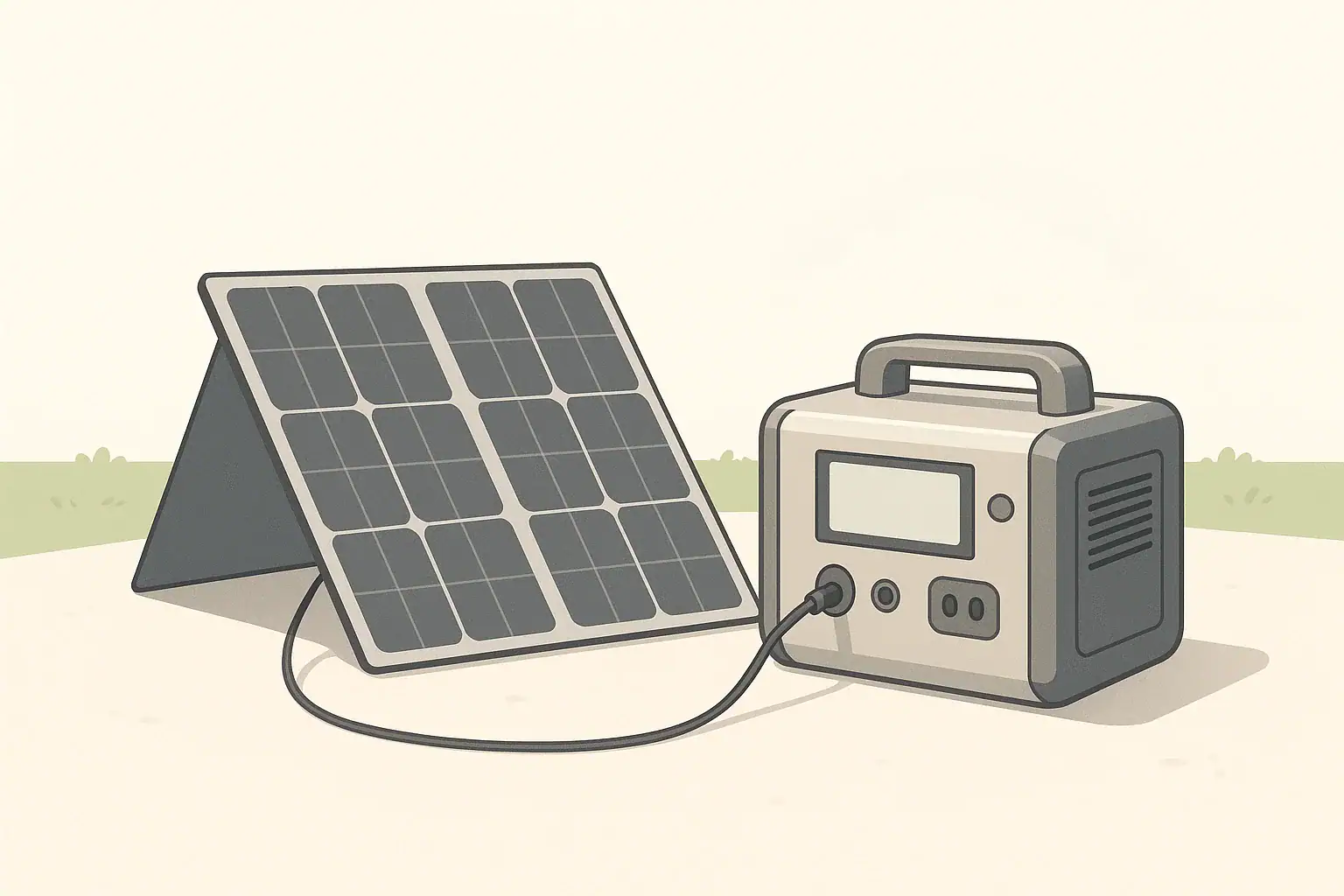
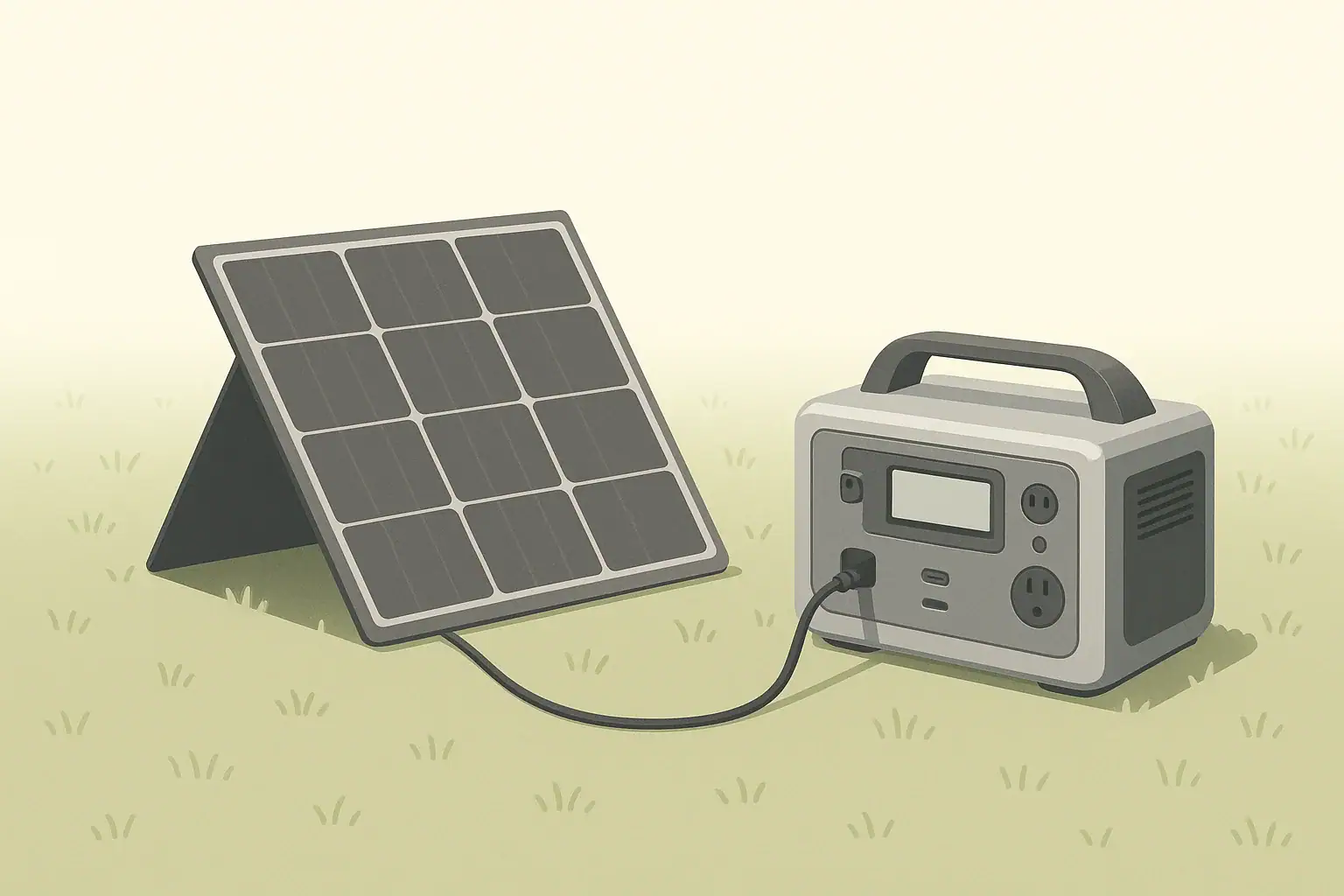
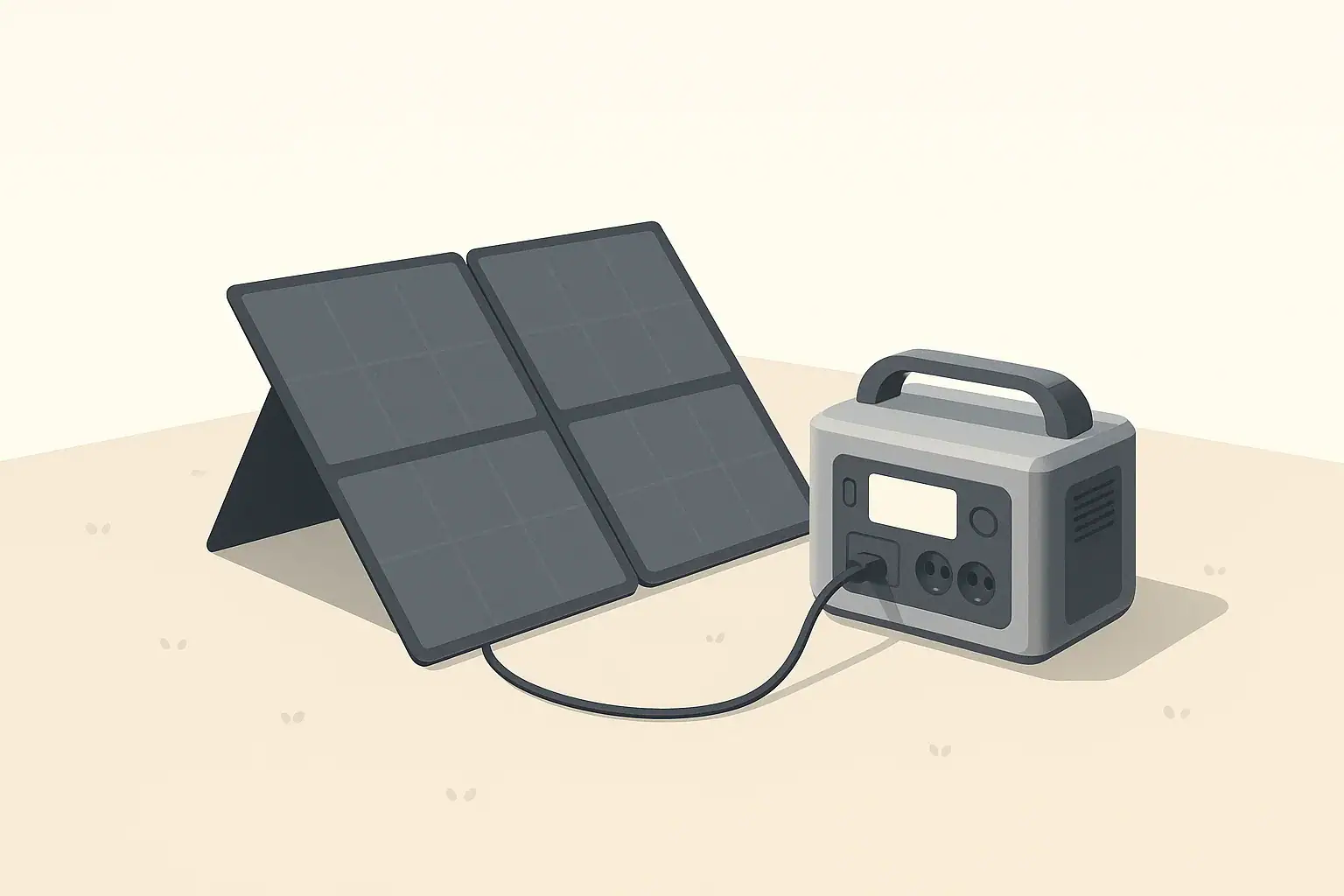
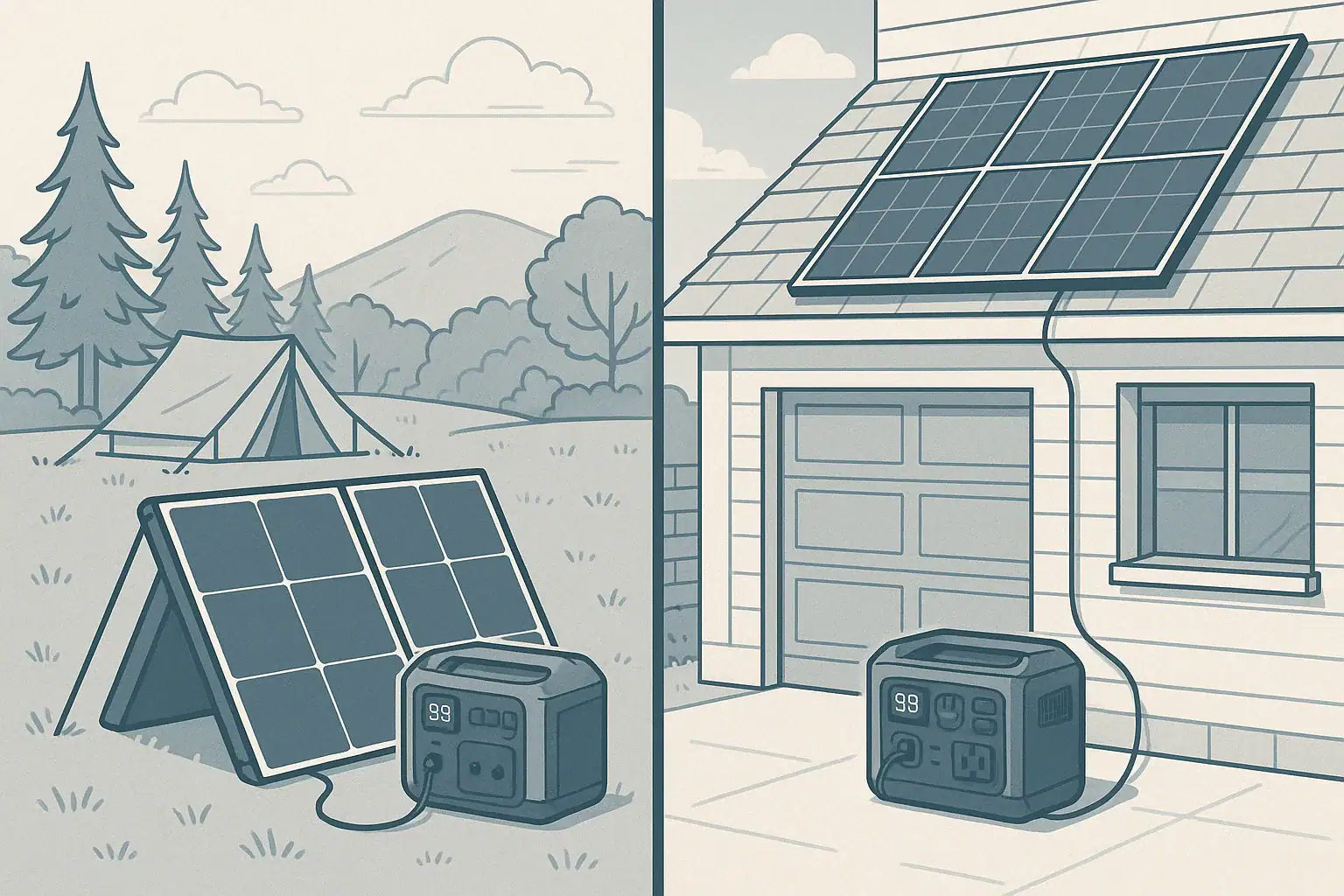
Portable solar panels and fixed panels charging portable power stations in different environments

Portable solar panels are usually better for a portable power station if you need mobility and flexible charging, while fixed panels are better if you want maximum daily energy, higher efficiency, and a set‑and‑forget setup. The right choice depends on how much power you need, your input watts limit, your typical runtime needs, and whether your main use is camping, RV, off‑grid backup, or home emergency power.

Both portable and fixed solar kits can keep a power station charged, but they differ in cost per watt, output stability, and how they handle shading, orientation, and seasonal changes. Understanding these differences helps you size your array correctly, avoid undercharging, and pick the right combination of panel wattage, voltage, connectors, and charge controller settings.

This guide compares portable vs fixed solar panels specifically for charging portable power stations, explains how each setup works, and shows what specs matter most before you invest.

Portable vs Fixed Solar Panels: What They Are and Why It Matters

For a portable power station, “portable solar panels” usually means foldable or lightweight rigid panels designed to be moved frequently, while “fixed panels” are rigid modules mounted permanently on a roof, rack, or frame. Both convert sunlight into DC power, but they serve different use cases and charging patterns.

Portable solar panels are built around convenience. They fold or stack for transport, often include kickstands or integrated handles, and are sized so one person can carry and deploy them. Their main role is to recharge a power station in changing locations: campsites, RV parks, job sites, tailgates, or temporary off‑grid cabins.

Fixed solar panels are designed to stay in one place for years. They are mounted on roofs, ground racks, or vehicle roofs and wired into a more permanent system. When paired with a portable power station, fixed panels turn the station into a semi‑permanent battery bank that still remains removable but is usually charged from the same array every day.

This distinction matters because it affects daily energy harvest, total cost, long‑term reliability, and how well your solar input matches the power station’s charging profile. Choosing the wrong type often leads to slow charging, poor runtime, or an overbuilt system that never reaches its potential.

How Solar Panels Work With a Portable Power Station

Both portable and fixed solar panels work the same way at the cell level: sunlight hits photovoltaic cells, generating DC electricity. The main differences for a portable power station are how the panels are wired, how they connect to the DC input, and how well their voltage and wattage match the station’s solar charging specs.

Every power station has a maximum solar input rating, usually listed as watts (W) and a voltage range (V). The internal or external solar charge controller converts panel voltage into the correct charging profile for the battery. If your panel array exceeds the allowable voltage or current, the station may refuse to charge or could be damaged. If the array is undersized, you will never reach the station’s full solar charging speed.

Portable panels are often sold in wattage sizes that align with common input limits, and they typically include MC4 or proprietary connectors plus adapter cables. Fixed panels can be wired in series, parallel, or series‑parallel to hit a specific voltage and current window for the power station’s MPPT or PWM controller.

In real use, solar output is rarely equal to the panel’s rated watts. Temperature, angle to the sun, shading, dust, and cable losses all reduce actual input watts. This is why understanding how panels are rated and how they interact with your power station’s input specs is more important than just picking the highest wattage panel you can afford.

FeaturePortable PanelsFixed Panels
Typical useCamping, RV, mobile workHome, cabin, long‑term off‑grid
MountingFreestanding, temporaryRoof, ground rack, vehicle roof
Weight per wattLighter, easier to moveHeavier, more robust
Output consistencyVariable, depends on setup each dayMore consistent once optimized
Cost per wattHigherLower
Example values for illustration.

Solar panel ratings and real‑world output

Solar panels are rated under standard test conditions (STC), which assume a specific temperature and irradiance. In practice, you might see only 60–80% of the nameplate watts during a typical sunny day. Portable panels are more sensitive to poor tilt or casual placement, while fixed panels can be optimized once and left alone, often yielding more consistent daily watt‑hours.

The key concepts that tie everything together for a power station are:

  • Input watts limit: The maximum solar power the station can accept at once.
  • Voltage window: The acceptable range of panel or array voltage.
  • Charge controller type: MPPT is more efficient and flexible than PWM, especially with higher‑voltage strings.
  • Daily energy needs: The watt‑hours you must replace each day to avoid slowly draining the battery.

Real‑World Use Cases: When Portable or Fixed Panels Make More Sense

The right choice between portable and fixed solar panels depends heavily on how and where you use your portable power station. Looking at common scenarios makes the trade‑offs clearer.

Camping and overlanding

For car camping, overlanding, and tent camping, portable panels are usually the better match. You can park in the shade while placing the panels in full sun, reposition them every few hours to follow the sun, and pack them away when you move. A pair of 100–200 W portable panels often provides enough solar input to recharge a mid‑size power station used for lights, phones, a small fridge, and camera gear.

Fixed panels on a vehicle roof can also work, but they force you to park in the sun to get good output. If you often move during the day or prefer shaded campsites, portable panels offer more flexibility and can deliver more watt‑hours despite similar rated wattage.

RV, vanlife, and travel trailers

In RVs and vans, both options are common. Fixed roof‑mounted panels provide continuous charging whenever the vehicle is in sun, ideal for topping up the power station during driving or while parked. Portable panels can supplement the roof array when parked in partial shade or during high‑demand days.

For full‑time vanlife, a hybrid approach is often best: a core fixed array sized to cover baseline loads (fridge, fans, devices) plus a portable panel or two for cloudy days or power‑hungry trips. The power station becomes the central battery, fed by both the roof array and portable panels via separate inputs or a combiner that respects voltage and current limits.

Home backup and small off‑grid cabins

When using a portable power station for home backup or a small cabin, fixed panels are usually more effective. A roof or ground‑mounted array can be sized to match typical daily consumption and oriented for the best year‑round performance. Because the power station tends to stay in one location, the extra effort of a fixed installation pays off in more reliable charging and better winter performance.

Portable panels can still play a role as an emergency or seasonal add‑on. For example, you might keep a foldable panel stored indoors for storm outages, then deploy it temporarily to extend runtime. But if you are relying on solar as a primary energy source, fixed panels offer better long‑term value and consistency.

Job sites and mobile work

On job sites, portable panels make sense when the work location changes frequently. Contractors, surveyors, and field technicians can bring a power station plus one or more portable panels to run tools, laptops, and communications gear. The panels can be moved between vehicles or set up near the work area without permanent mounting.

For semi‑permanent job sites, a small fixed array on a trailer, container, or shed can provide a more robust solution. The power station can remain portable, but the solar input is always available and less likely to be misplaced, stolen, or damaged during transport.

Common Mistakes When Pairing Solar Panels With a Power Station

Misconfiguring solar panels with a portable power station can lead to slow charging, error codes, or even damage. Many of these issues are avoidable with a basic checklist.

Oversizing or undersizing solar input

One common mistake is ignoring the power station’s maximum solar input. Connecting far more panel wattage than the station can use does not usually increase charging speed; the charge controller simply clips the excess. In some cases, exceeding voltage limits can trigger protective shutdowns.

On the other hand, undersizing the array is just as problematic. A single 100 W panel may only deliver 60–80 W in real conditions, which can be insufficient to recharge a large power station used heavily each day. This leads to a slow downward drift in state of charge over multi‑day trips.

Voltage and wiring mismatches

Another frequent issue is wiring fixed panels in series or parallel without checking the resulting voltage and current against the power station’s specs. A series string of high‑voltage panels can exceed the station’s input voltage limit, while a large parallel array can push current above safe levels for cables and connectors.

Portable panels are less prone to this because they are often designed with voltage ranges that match common power station inputs, but adding extra panels or mixing different models can still cause problems. Always calculate the open‑circuit voltage (Voc) and short‑circuit current (Isc) of the array and compare them to the station’s stated limits.

Ignoring shading, tilt, and orientation

Users often assume that a panel pointed roughly toward the sun is “good enough.” In reality, partial shading from trees, a roof rack, or nearby objects can dramatically reduce output, especially in series‑wired arrays. Portable panels placed flat on the ground or at a poor angle may only deliver a fraction of their potential.

Fixed arrays that are never adjusted can also underperform if they were installed with a suboptimal tilt or orientation for the location. Over time, this adds up to noticeably less energy and longer recharge times for the power station.

Using the wrong adapters or cable lengths

Long cable runs, undersized wire, or low‑quality adapters can cause voltage drop and connection issues. Portable panels often ship with thin, flexible cables that are convenient but not ideal for long distances. Fixed arrays can suffer from similar problems if wired with cables that are too small for the current.

Signs of trouble include the power station intermittently dropping the solar input, lower than expected watts despite good sun, or connectors that feel warm. Keeping cable runs reasonably short and using appropriately sized wire helps maintain stable charging.

Safety Basics for Portable and Fixed Solar Setups

Solar charging a portable power station is generally safe when you stay within the manufacturer’s electrical limits and use proper mounting and handling practices. The main safety considerations differ slightly between portable and fixed panels.

Electrical safety and input limits

Always verify the power station’s maximum solar voltage, current, and wattage before connecting any panel or array. Exceeding voltage limits is particularly risky and can damage internal components. If you are combining multiple fixed panels, confirm the total open‑circuit voltage at the lowest expected temperatures, when Voc can be highest.

Use connectors and adapters rated for the current they will carry, and avoid homemade cables unless you fully understand polarity, insulation ratings, and strain relief. If you are unsure about wiring a fixed array, consult a qualified electrician or solar installer, especially when mounting on a building.

Mechanical safety: mounting and stability

Portable panels should be placed where wind, pets, or people will not easily knock them over. Kickstands must be stable, and panels should not be leaned against sharp edges that could crack the glass or cells. In high winds, it may be safer to fold and store portable panels rather than risk damage or injury.

Fixed panels require secure mounting with appropriate hardware for the roof or ground structure. Loose or improperly anchored panels can become hazardous in storms. Use mounting systems designed for the panel type and surface, and ensure all bolts and clamps are tightened to specified torque values.

Heat, weather, and fire risk

Both portable and fixed panels can get hot in full sun, but they are designed to operate at elevated temperatures. The greater risk is from flammable materials or damaged wiring nearby. Keep dry leaves, paper, and other combustibles away from the back of panels and cable runs. Inspect for cracked insulation, exposed conductors, or melted connectors and replace any compromised parts.

Portable panels should be kept away from standing water and not used in severe storms. While many panels are weather‑resistant, the connectors and adapters leading to the power station may not be fully waterproof. Avoid placing the power station itself in direct sun or rain; it should remain in a shaded, dry, ventilated area.

Maintaining and Storing Portable vs Fixed Solar Panels

Good maintenance practices help both portable and fixed solar panels deliver closer to their rated output and last longer. The approach differs slightly because of how each type is used and stored.

Cleaning and inspection

Dust, pollen, bird droppings, and grime can noticeably reduce solar output. For both panel types, periodic cleaning with water and a soft cloth or sponge is usually sufficient. Avoid abrasive cleaners, high‑pressure washers, or harsh chemicals that could damage the glass or coatings.

Inspect panels for cracks, delamination, yellowing, or hot spots (areas that appear discolored or unusually warm). Check cables and connectors for corrosion, bent pins, and strain at entry points. Portable panels are more prone to wear at hinges and folding points; fixed panels are more exposed to long‑term UV and weathering.

Storage practices for portable panels

When not in use, portable panels should be folded or stacked according to the manufacturer’s instructions and stored in a dry, cool place. Avoid stacking heavy objects on top of them, which can stress cells and frames. Keep them away from sharp objects that might puncture the surface or wiring.

Coil cables loosely to prevent kinks and avoid tight bends at connectors. If the panels are transported frequently, a padded case can reduce impact damage and extend their useful life.

Long‑term durability of fixed panels

Fixed panels generally have longer service lives and more robust frames, but they are continuously exposed to sun, rain, wind, and temperature swings. Over time, seals, junction boxes, and mounting hardware can degrade. Periodic checks of mounting brackets, roof penetrations, and cable clamps help prevent water ingress and mechanical failure.

Snow and ice loads should be considered in cold climates. While most fixed panels are designed to handle typical snow loads, heavy accumulation can stress mounts. Gently clearing snow, when safe to do so, can restore output and reduce weight on the structure.

Maintenance TaskPortable PanelsFixed Panels
Cleaning frequencyBefore/after tripsEvery 1–3 months
Physical inspectionCheck hinges, fabric, cablesCheck mounts, seals, wiring
StorageIndoors, dry, foldedAlways outdoors, mounted
Typical lifespanSeveral years with care10+ years with proper install
Example values for illustration.

Related guides: How Many Solar Watts Do You Need to Fully Recharge in One Day?MC4, Anderson, DC Barrel: Solar Connectors and Adapters ExplainedWhy Won’t It Charge From Solar? A Troubleshooting Checklist

Which Is Better for Your Power Station? Key Takeaways and Specs to Look For

Choosing between portable and fixed solar panels for a portable power station comes down to how you balance mobility, daily energy needs, and budget. Portable panels excel when you move often, need flexible placement, and value compact storage. Fixed panels are better when you want maximum daily watt‑hours, long‑term reliability, and lower cost per watt.

For many users, a combination works best: a modest fixed array providing baseline charging, plus one or two portable panels for trips, seasonal boosts, or emergencies. Regardless of the mix, aligning your solar array with the power station’s input specs and your actual consumption is more important than the panel style alone.

Specs to look for

  • Solar input wattage rating (W): Look for a power station that accepts at least 1.5–2x your typical continuous load in solar watts so you can recharge while using it. This determines how much panel capacity you can effectively use.
  • Acceptable input voltage range (V): A wider range (for example, 12–60 V or higher) gives more flexibility in wiring fixed panels in series and improves MPPT efficiency. Staying within this window prevents shutdowns and damage.
  • Charge controller type (MPPT vs PWM): MPPT controllers typically recover 10–30% more energy, especially with higher‑voltage arrays or in cold weather. This matters more for fixed systems and larger portable setups.
  • Panel wattage and configuration: For portable use, 100–400 W of foldable panels is common; for fixed arrays, 400–1200 W or more may be appropriate. Matching configuration to your input limits maximizes real charging speed.
  • Connector type and cable gauge: Standardized connectors (such as MC4) and appropriately sized cables reduce voltage drop and make it easier to expand or reconfigure your system safely.
  • Weight and portability (for portable panels): Panels in the range of 5–20 lb per module are easier to set up and move frequently. Lower weight improves usability but may trade off some durability.
  • Weather resistance and build quality: Look for panels with robust frames, UV‑resistant materials, and sealed junction boxes, especially for fixed installations. This improves lifespan and maintains output over time.
  • Operating temperature range: Panels and the power station should be rated for the temperatures you expect in your climate. Stable performance in heat and cold protects both output and safety.
  • Daily energy target (Wh/day): Estimate your consumption and size your total panel wattage so that, in typical sun (4–6 hours of good sun), your array can replace what you use each day. This keeps the battery from slowly draining.

By matching these specs to your actual use case, you can decide whether portable solar panels, fixed panels, or a hybrid setup will keep your portable power station charged reliably and efficiently.

Frequently asked questions

What specs and features should I prioritize when choosing solar panels for a power station?

Prioritize the panel wattage relative to your daily watt‑hour needs, the panel or array voltage range to match the station’s input, and connector compatibility. Also consider charge controller type (MPPT vs PWM), cable gauge to limit voltage drop, and weather resistance for the intended use.

What is the most common mistake people make when pairing panels with a power station?

The most common mistake is mismatching the array size or wiring with the station’s input limits — either oversizing voltage or underestimating real‑world wattage. Ignoring shading, tilt, and cable losses also causes systems to underperform relative to expectations.

What safety precautions should I take when connecting solar panels to a portable power station?

Verify the power station’s maximum voltage, current, and wattage before connecting panels, use properly rated connectors and cable gauge, and avoid exposing connectors and the station to water. For fixed installations or high‑voltage arrays, consult a qualified electrician if you’re unsure about wiring or mounting.

Do portable solar panels produce significantly less energy than fixed panels?

Portable panels can produce less energy in practice because they’re often deployed flat or in suboptimal positions and can suffer more shading and heat buildup. When correctly positioned and angled, portable panels can approach the output of fixed panels, but fixed arrays generally deliver more consistent, optimized daily watt‑hours.

How many solar watts do I need to recharge my power station in a typical day?

Estimate by dividing the watt‑hours you need to recover by the expected peak sun hours (commonly 4–6 hours) and add a margin for system losses (about 20% or more). For example, to replace 1,200 Wh in 5 sun hours you’d want roughly (1,200 / 5) × 1.2 ≈ 288 W of panel capacity, while staying within the station’s input limits.

Can I mix portable and fixed panels on the same power station?

Yes — mixing is common and can be effective, but ensure the combined voltage and current stay within the station’s specifications and that connectors are compatible. Use an MPPT controller or appropriate combiner wiring to manage differing panel characteristics and avoid unsafe overvoltage or current conditions.

Solar Extension Cables and Voltage Drop: When Cable Length Starts to Matter

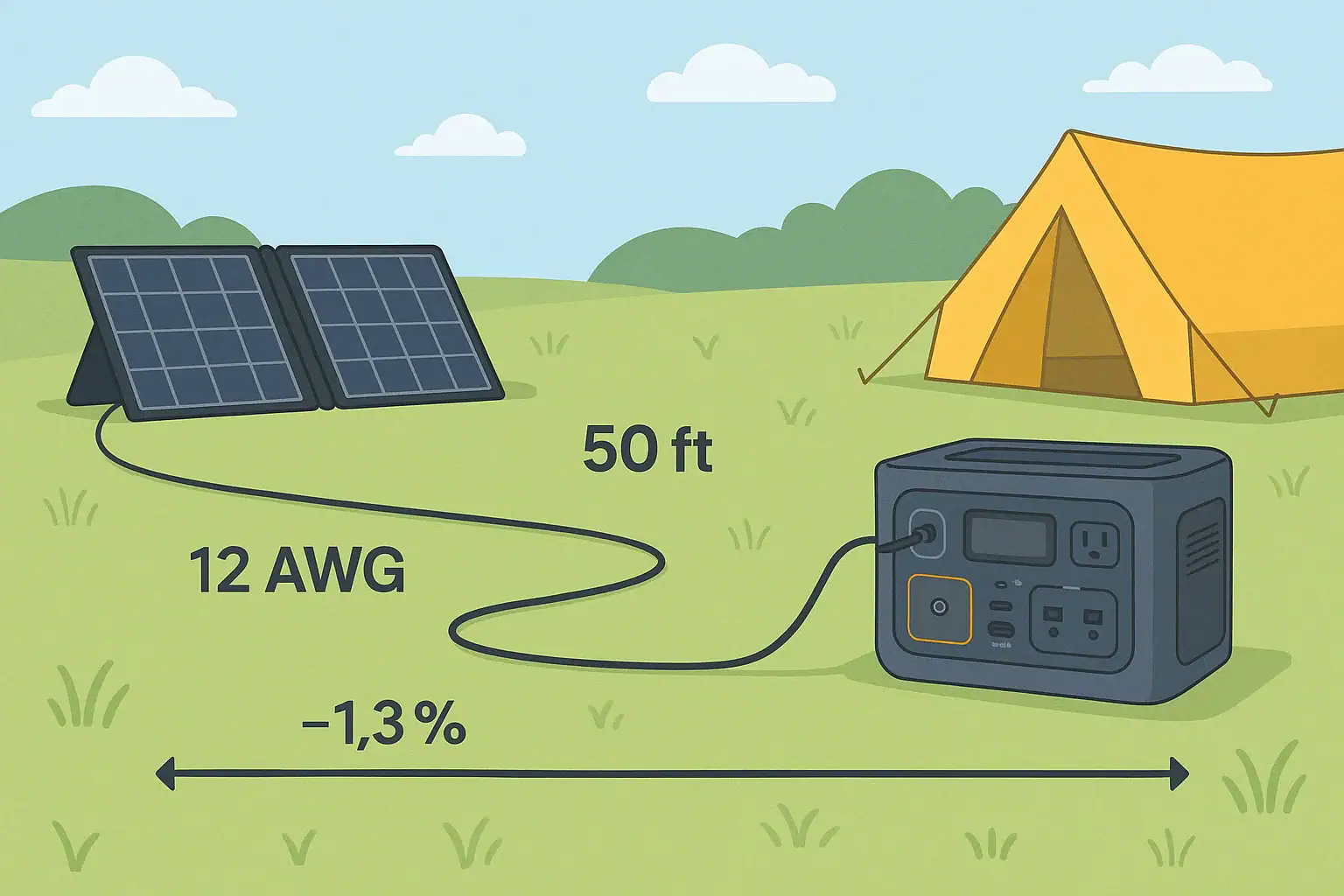
Portable power station connected to solar panels with long solar extension cables showing voltage drop along the cable

Solar extension cables start to matter when their length and thickness cause enough voltage drop that your portable power station charges slower or stops charging altogether. Long cable runs, undersized wire gauge, and low solar input voltage all work together to create power loss, wasted watts, and confusing charging behavior.

Users often search for terms like “solar cable length limit,” “voltage drop calculator,” “wire gauge for 12V solar,” “portable power station solar input,” or “why my panels only show half watts.” All of these issues usually trace back to resistance in the cables between your solar panel and your power station. Understanding how voltage drop works helps you choose the right cable gauge, length, and connectors so you can get closer to the rated watts from your panels in real-world conditions.

When Solar Extension Cable Length Actually Matters

Solar extension cables are the wires that connect your portable solar panels to your portable power station or solar generator input. They let you put panels in the sun while keeping your power station in the shade, inside a tent, or in a vehicle. The longer these cables are, the more electrical resistance they add to the circuit.

Voltage drop is the reduction in voltage that occurs as electricity flows through a cable with resistance. In solar setups, this means the voltage at the power station input is lower than the voltage at the panel terminals. If the drop is small, you barely notice it. If it is large, your portable power station may charge slowly, fall out of its maximum power point tracking (MPPT) range, or not recognize the solar input at all.

This matters most for portable systems because they often use relatively low-voltage solar inputs (commonly 12–48 V) and modest panel wattages. Even a few volts of loss can represent a big percentage of the total, cutting your effective charging watts by 10–30% or more. When you stretch panels far from your campsite or vehicle with long extension cables, voltage drop becomes a key design constraint instead of a minor detail.

Knowing when cable length starts to matter helps you decide whether you need thicker wire (lower AWG number), higher-voltage panel configurations, shorter runs, or a different layout to keep your system efficient and reliable.

How Voltage Drop Works in Solar Extension Cables

Voltage drop in solar extension cables comes from basic electrical principles: every real-world wire has resistance, and resistance causes a voltage loss when current flows. The main factors are cable length, wire gauge (AWG), current (amps), and system voltage.

1. Cable length

Resistance increases with length. Doubling the length of a cable roughly doubles its resistance, which doubles the voltage drop at the same current. In solar, you must consider the full round-trip distance: from panel to power station and back through the return conductor. A 30 ft extension is effectively 60 ft of conductor.

2. Wire gauge (AWG)

American Wire Gauge (AWG) numbers decrease as the wire gets thicker. Thicker wire (lower AWG number, like 10 AWG) has less resistance per foot than thinner wire (higher AWG number, like 16 AWG). For the same length and current, 10 AWG will have much less voltage drop than 16 AWG.

3. Current (amps)

Voltage drop (V) is proportional to current (I). Higher current means more drop for the same cable. Solar panel current depends on panel wattage and operating voltage. For example, a 200 W panel at 20 V outputs about 10 A, while a 200 W array at 40 V outputs about 5 A. Higher-voltage strings move the same power with less current and less voltage drop.

4. System voltage (percentage drop)

What really matters is percentage drop, not just volts lost. A 1.5 V drop on a 12 V system is over 12%, but on a 48 V system it is only about 3%. Portable power stations with higher-voltage solar inputs are more tolerant of long cables because the same absolute voltage drop represents a smaller fraction of the total.

In practice, many users aim to keep voltage drop under about 3–5% between the solar panel and the power station input for efficient charging. Beyond that, you may see noticeably reduced watts or problems staying in the MPPT input window.

Panel PowerApprox. VoltageApprox. CurrentTypical Use Case
100 W18–21 V4.5–6 ASmall portable panel, short cable runs
200 W18–21 V9–11 ATwo 100 W panels in parallel
200 W36–42 V4.5–6 ATwo 100 W panels in series
400 W36–42 V9–11 AFour 100 W panels, series-parallel
Example values for illustration.

MPPT Inputs and Voltage Drop Sensitivity

Most modern portable power stations use MPPT (maximum power point tracking) charge controllers on their solar inputs. These controllers expect solar voltage to stay within a certain operating window, such as 12–60 V or 20–55 V, depending on the model.

When voltage drop pulls the actual voltage at the input below the minimum threshold, the MPPT either derates the power or stops tracking entirely. Similarly, if the cable resistance is high, changes in sunlight can cause the operating point to jump around more, leading to unstable or reduced charging.

Because MPPT controllers constantly adjust to find the best combination of voltage and current, they will “see” the cable resistance as part of the panel behavior. Excessive resistance makes the controller think the panel has worse performance than it really does, so it settles on a lower power point than the panel could deliver with a better cable.

Real-World Examples of Cable Length and Voltage Drop

Translating theory into real-world behavior helps you decide when to upgrade cables or reconfigure your solar setup. Here are illustrative scenarios that mirror common portable power station use cases.

Example 1: Single 100 W panel with a long, thin cable

Imagine a 100 W folding panel rated around 18 V at maximum power, producing about 5.5 A in full sun. You use a 50 ft extension cable made from 16 AWG wire to reach from the sunny area to your shaded campsite.

At this length and gauge, voltage drop can easily reach several volts. If you lose, for example, 2 V out of 18 V, that is over 11% loss. Your portable power station might only see 85–90 W at best, and on hazy days the effective power could drop even further as the MPPT struggles with the extra resistance.

Example 2: Two 100 W panels in parallel on a long run

Now consider two 100 W panels wired in parallel, still around 18–20 V but now up to 10–11 A. You keep the same 50 ft, 16 AWG extension. Current has roughly doubled, so voltage drop doubles too. If you were losing 2 V before, you might now lose 4 V or more in bright sun.

Dropping from 20 V at the panels to 16 V at the power station is a 20% reduction. The controller may still charge, but your effective wattage could fall from 200 W potential to 150 W or less, even in perfect sunlight.

Example 3: Two 100 W panels in series with a thicker cable

Instead, suppose you wire the same two 100 W panels in series, giving around 36–40 V at about 5–6 A. You also upgrade to a 10 AWG extension cable of the same 50 ft length.

The current is now about half of the parallel case, and the wire is thicker with lower resistance per foot. Voltage drop might shrink to something like 1–1.5 V. Losing 1.5 V out of 38 V is only about 4%. Your portable power station might see 190+ W at the input, much closer to the panels’ rating under good sun.

Example 4: Very long runs in low-voltage systems

If you run a 12 V nominal panel (or low-voltage array) through 75–100 ft of thin cable, the voltage drop can be large enough that the power station’s solar input never reaches its minimum operating voltage. In this case, the unit may show “no input,” flicker between charging and not charging, or cap out at very low watts even in midday sun.

These examples show that cable length starts to matter once you combine low voltage, high current, and long runs. For portable systems, that often means anything beyond about 25–30 ft of cable deserves a closer look at wire gauge and panel configuration.

Common Mistakes and Troubleshooting Voltage Drop Issues

Many solar charging problems that look like “bad panels” or “faulty power station” are actually wiring and voltage drop issues. Recognizing the symptoms can save time and frustration.

Mistake 1: Using very thin, generic extension wire

Household extension cords or cheap, thin DC cables are often 16–18 AWG or smaller. When used for solar runs of 30–50 ft at 8–12 A, they introduce significant resistance. Symptoms include lower-than-expected watts, cables that feel warm to the touch, or voltage readings that drop sharply when connected.

Mistake 2: Extending on the low-voltage side of the system only

Some users run long cables from the panels to the power station while keeping the panels in a low-voltage parallel configuration. This maximizes current and therefore voltage drop. In many cases, it is better to wire panels in series (within the power station’s voltage limits) to increase voltage and decrease current over the long run.

Mistake 3: Ignoring connector contact resistance

Each extra connector pair adds a little resistance. Loose, corroded, or low-quality connectors add more. A chain of multiple adapters, splitters, and extensions can create enough added resistance and heat that voltage drop and power loss become noticeable, even if the cable gauge seems adequate on paper.

Mistake 4: Misreading wattage on cloudy or hot days

Solar panels rarely produce their full rated watts except under ideal test conditions. On a hot roof or in hazy conditions, 60–80% of rated output is common even with perfect wiring. Users sometimes blame cables for low output when the main cause is reduced irradiance or high panel temperature. However, if you see a further 10–20% drop when you add the extension cable, voltage drop may be contributing.

Troubleshooting cues

  • If the power station reads normal watts with a short factory cable but drops significantly with the extension, suspect voltage drop.
  • If cables or connectors feel unusually warm under load, current is high for the gauge and length.
  • If the solar input flickers on and off when clouds pass or devices turn on, the voltage may be hovering near the MPPT minimum due to cable losses.
  • If a multimeter shows much lower voltage at the power station end of the cable than at the panel, especially under load, the cable is too long, too thin, or both.

In these cases, shortening the run, using a thicker gauge, or reconfiguring panels in series often restores stable, higher charging power.

Safety Basics for Long Solar Cable Runs

While portable solar systems are generally low-risk compared to household AC wiring, long extension cables still deserve basic safety attention. Voltage drop and heat are linked: excessive current in undersized wires causes temperature rise, which can damage insulation and connectors over time.

Match wire gauge to current and length

Choose cable with an appropriate AWG rating for the maximum current you expect and the total run length. Thicker wire not only reduces voltage drop but also runs cooler. Avoid pushing thin cable near its ampacity limit for long periods in hot environments or direct sun.

Use cables rated for outdoor and solar use

Outdoor-rated insulation resists UV, moisture, and abrasion better than generic indoor cable. Purpose-built solar cable is typically double-insulated and more rugged. This reduces the risk of cracks, shorts, or exposed conductors over time, especially when cables are dragged across rough surfaces or pinched in doors or windows.

Protect connections from strain and damage

Long cable runs are prone to being tripped over, tugged, or snagged. Strain on connectors can loosen contacts, increasing resistance and heat. Use gentle bends, avoid tight kinks, and support cables where they cross walkways or sharp edges. Do not pull on cables to move panels or the power station.

Avoid DIY modifications without proper knowledge

Cutting, splicing, or re-terminating solar cables without the right tools and techniques can create poor connections, reversed polarity, or exposed conductors. If you need custom lengths or unusual configurations, consider pre-made cables from reputable sources or consult a qualified electrician for guidance.

Respect system voltage and series configurations

When wiring panels in series to reduce current and voltage drop, always verify that the combined open-circuit voltage stays below your portable power station’s maximum input rating. Exceeding this limit can damage the input circuitry. If you are unsure, seek advice from a knowledgeable professional and follow the device’s documentation.

Maintaining and Storing Solar Extension Cables

Good maintenance practices help your solar extension cables stay flexible, safe, and low-resistance over years of use with portable power stations. Poorly stored or neglected cables are more likely to develop damage that increases voltage drop or creates safety issues.

Inspect regularly for wear and corrosion

Before and after trips, look along the entire length of each cable for cuts, abrasions, flattened spots, or exposed conductors. Check connectors for discoloration, pitting, or greenish corrosion. Any visible damage or corrosion increases resistance and can lead to hot spots under load.

Keep connectors clean and dry

Moisture, dust, and grit inside connectors interfere with good contact. When not in use, cap connectors if possible and store cables in a dry place. If connectors get dirty, gently clean them with a soft brush or cloth and allow them to dry completely before reconnecting.

Coil cables loosely to avoid kinks

Sharp bends and tight kinks can break conductor strands inside the insulation, increasing resistance at those points. Coil cables into large, relaxed loops and avoid wrapping them tightly around small objects. Do not tie knots in cables or force them into cramped storage spaces.

Avoid prolonged exposure to harsh conditions

Leaving cables permanently in direct sun, standing water, or areas with heavy foot traffic accelerates wear. For portable setups, it is usually best to deploy cables only when needed and store them when not in use. This preserves insulation, reduces tripping hazards, and keeps connectors from corroding.

Label lengths and gauges

If you own multiple cables with different lengths and gauges, label them clearly. Knowing which cable is 25 ft of 10 AWG versus 50 ft of 14 AWG makes it easier to choose the right one for a given solar setup and avoid unintentional voltage drop from using the wrong cable.

PracticeBenefitHow It Helps Voltage Drop
Regular inspectionCatches damage earlyPrevents hidden high-resistance spots
Clean connectorsReliable contactReduces extra contact resistance
Proper coilingLonger cable lifeAvoids internal strand breakage
Dry storageLess corrosionMaintains low-resistance connections
Example values for illustration.

Related guides: Why Won’t It Charge From Solar? A Troubleshooting ChecklistSolar Safety Basics: Cables, Heat, and Preventing Connector MeltHow to Read Solar Panel Specs for Power Stations: Voc, Vmp, Imp, and Why It Matters

Practical Takeaways and Specs to Look For

For portable power station users, the main takeaway is that solar extension cables are not just simple accessories. Their length, gauge, and quality directly affect how many watts actually reach your battery. Once runs exceed roughly 25–30 ft, especially at 12–24 V and 8–12 A, cable selection can easily make a 10–30% difference in charging performance.

To keep voltage drop under control, think in terms of both absolute voltage loss and percentage loss. Use thicker wire for longer runs, consider series panel wiring within your power station’s safe voltage range, and minimize unnecessary connectors and adapters. Pay attention to heat, visible wear, and unstable charging behavior as cues that your cables may be undersized or degraded.

When planning or upgrading your solar cabling, it helps to have a simple rule of thumb: for every increase in cable length or current, compensate with a lower AWG (thicker wire) or higher system voltage. This mindset keeps your portable system efficient without needing complex calculations in the field.

Specs to look for

  • Wire gauge (AWG) – Look for 10–12 AWG for 20–50 ft runs at 8–12 A; thicker (lower AWG) for higher currents or longer distances. Thicker wire reduces resistance and voltage drop.
  • Cable length – Aim to keep individual runs under 25–30 ft when using 14–16 AWG; longer runs should use thicker wire. Shorter, properly sized cables keep losses in the 3–5% range.
  • Voltage rating – Select cable rated comfortably above your array’s open-circuit voltage (for example, 600 V DC rating for typical portable setups). Adequate voltage rating ensures insulation safety margin.
  • Current rating (amps) – Choose cables with continuous amp ratings at least 25–50% higher than your expected solar current (e.g., 15–20 A rating for 10–12 A use). Extra headroom keeps cables cooler and more efficient.
  • Insulation type and outdoor rating – Look for UV-resistant, outdoor or solar-rated insulation. Durable jackets resist cracking and water ingress, preserving low resistance over time.
  • Connector type and quality – Use connectors compatible with your panels and power station that lock securely and have firm contact. Solid connectors minimize contact resistance and intermittent drops in power.
  • Operating temperature range – Prefer cables rated for both high heat and cold (for example, -40°F to 194°F). Stable performance across temperatures helps maintain consistent resistance and flexibility.
  • Flexibility and strand count – Fine-stranded, flexible cable is easier to coil and less prone to internal damage from repeated bending. This helps avoid hidden high-resistance spots that increase voltage drop.
  • Markings and polarity identification – Clear positive/negative markings and printed gauge/ratings reduce hookup errors. Correct polarity and known specs help maintain safe, efficient solar connections.

By paying attention to these specifications and understanding how voltage drop behaves, you can design solar cable runs that let your portable power station make the most of every watt your panels produce, even when the best sun is far from where you want to set up camp.

Frequently asked questions

What cable specs and features matter most to reduce voltage drop?

Key specs are wire gauge (lower AWG for thicker wire), total run length (round-trip), and the cable’s current rating. Also look for a high DC voltage rating, UV- and weather-resistant insulation, and quality connectors with low contact resistance. Together these reduce resistance, heat, and the chance of power loss over time.

How long can extension cables be before voltage drop becomes a real problem?

There is no single cutoff, but for low-voltage portable systems you should scrutinize runs beyond about 25–30 ft, especially at 12–24 V and currents around 8–12 A. The acceptable length depends on your AWG, system voltage, and current; higher-voltage or thicker cables tolerate much longer runs. If you see a greater than ~3–5% voltage drop, consider upgrading the cable or reconfiguring panels.

Is wiring panels in parallel for a long run a common mistake?

Yes—running panels in parallel keeps voltage low and current high, which increases voltage drop over long cables. When possible and within device limits, series wiring raises voltage and cuts current, reducing losses on long runs. Always verify the combined open-circuit voltage stays below your input’s maximum rating.

How can I tell if voltage drop is the reason my power station is charging poorly?

Compare input readings using the short factory cable versus the long extension: a notable drop in watts with the extension suggests voltage drop. Other signs include warm cables/connectors, the solar input flickering near clouds, and a multimeter showing much lower voltage at the device under load than at the panel. Those cues point to excessive resistance in the run or connections.

Are long solar cable runs a safety risk and how should I mitigate that?

Yes—undersized cables carrying high current can heat up, degrading insulation and increasing fire risk over time. Mitigate this by choosing appropriate AWG for the expected current and length, using outdoor-rated insulation, providing strain relief on connectors, and avoiding long runs with thin or damaged cables. Regular inspection and not exceeding cable ampacity help keep runs safe.

Can cheap household extension cords be used for solar extension runs?

Household extension cords are often too thin, not UV-rated, and lack proper DC connectors, which makes them a poor choice for solar runs. They can introduce significant voltage drop and may overheat under continuous DC loads. Use purpose‑built solar or heavy-duty outdoor-rated cable sized for your current and run length instead.

Solar Charging in Shade: Why Power Collapses and What You Can Do

Portable power station with solar panels partially in shade showing reduced charging power

Solar charging often collapses in shade because even small shadows can choke the current flow through a solar panel string and drop the watt input to your portable power station. Partial shading, low irradiance, and the panel’s internal wiring all combine to slash real charging watts compared with the rated output.

Whether you call it solar drop-off, low PV input, unstable DC charging, or poor solar runtime, the cause is usually the same: shaded cells and mismatched voltage. This affects how fast your portable power station refills, how long you can run devices, and whether the unit will even start charging at all. Understanding how shade interacts with panel specs like series vs. parallel wiring, bypass diodes, and MPPT input limits helps you fix most issues without replacing gear.

This guide explains why power collapses under clouds and trees, how solar charging works with portable power stations, and practical ways to get stable wattage even when you cannot avoid some shade.

Why Shade Destroys Solar Charging Power for Portable Stations

For portable power stations, shade matters because solar panels behave more like strings of Christmas lights than independent tiles. When one section is shaded, current through that entire section drops, and your power station sees much less usable wattage at its DC or PV input port.

Solar panels are made of many small cells wired mainly in series. Current through a series string is limited by the weakest (most shaded) cell group. Even if 90% of the panel is in full sun, the remaining 10% in shade can throttle the whole string. This is why users often see their solar input plunge from, say, 180 W down to 20–40 W the moment a tree branch shadow crosses the panel.

Portable power stations add another layer: the built-in charge controller. If the voltage coming from your solar array drops below the minimum PV input range, the controller may shut off charging completely or hunt around, causing the input watts to flicker or collapse to zero. Shade is often the trigger that pushes the system below those thresholds.

Understanding this behavior is essential for realistic expectations about charging time, runtime, and system sizing when you rely on solar in campsites, RVs, cabins, or emergency backup situations.

How Solar Charging Works and Why Shade Causes Power Collapse

Solar charging for portable power stations is a chain: sunlight hits the panel, the panel produces DC power, and the power station’s solar or DC input converts that into battery charge. Shade interferes with every step, especially the panel’s voltage-current relationship and the charge controller’s operating window.

1. Solar cell basics

Each solar cell generates a small voltage when light hits it. Cells are wired in series to increase voltage, and in parallel to increase current. Most portable panels have several series strings, sometimes with bypass diodes that allow current to “skip” around shaded sections.

In series, current is limited by the weakest cell group. When shade hits a few cells, those cells produce much less current and can even act like resistors. Without bypass diodes, this drags down the entire string.

2. I-V curve and maximum power point

Every panel has an I-V (current-voltage) curve and a single maximum power point (MPP) in full sun. In shade, the curve changes, often creating multiple local peaks. A good MPPT (maximum power point tracking) controller tries to find the best point, but under partial shading the curve can be distorted, making tracking less efficient and causing unstable watt readings.

3. Role of the power station’s charge controller

Portable power stations use either PWM or MPPT controllers on their solar/DC input:

  • PWM controllers are simpler and cheaper but require panel voltage closely matched to battery voltage. Shade quickly reduces effective current, and any extra panel voltage is mostly wasted.
  • MPPT controllers adjust to the panel’s operating point, converting higher panel voltage into more charging amps. They cope better with non-ideal conditions, but still need minimum input voltage and power to work.

If shade pulls your array voltage below the controller’s minimum PV input (for example, below 12–18 V for some small systems or below a higher threshold for larger ones), the controller may stop charging entirely.

4. Series vs. parallel panel wiring

How panels are combined heavily influences shade behavior:

  • Series wiring increases voltage. Great for long cable runs and MPPT efficiency, but a single shaded panel can limit current for the entire string.
  • Parallel wiring keeps voltage similar to a single panel but increases current. Shade on one panel affects mainly that panel; the others continue to contribute near full power.

Portable setups often use folding panels internally wired in series, which is why a narrow strip of shade can drop the whole panel’s output dramatically.

5. Temperature and low sun angle

Even without hard shade, low sun angle, haze, or overcast conditions reduce irradiance. That pushes the panel away from its rated operating point, lowering both voltage and current. The result is much lower watt input to your power station than the nameplate rating suggests.

Condition Panel rated power Typical real output What the power station sees
Full sun, good angle 200 W 150–180 W Stable, near-max input
Light overcast 200 W 50–100 W Reduced but steady input
Partial shade on 25% of cells 200 W 10–70 W Fluctuating or low input
Heavy shade on one panel in series 2 × 200 W 0–40 W May drop below charge threshold
Example values for illustration.

Real-World Shade Scenarios and Their Impact on Portable Power

In practice, users encounter shade in many forms, from tree branches to nearby buildings. Each scenario affects solar charging performance differently.

1. Tree branches and moving shadows at a campsite

Imagine a 200 W folding panel feeding a mid-sized portable power station. In full sun at midday, you might see 140–170 W input. As the sun moves, a thin tree branch casts a line of shade across the middle of the panel. Despite most of the surface still being bright, the input can collapse to 20–50 W or even bounce between 0 and 60 W as the controller struggles to lock onto a stable operating point.

Because the shading moves, the wattage display on the power station may constantly fluctuate, making it hard to estimate charge time or runtime for your devices.

2. Balcony or backyard with partial building shade

In urban settings, panels may get full sun only for a few hours, then partial shade from railings, walls, or neighboring structures. If two panels are wired in series and one spends half the day partially shaded, the combined output during those hours can be a fraction of what you expect. Even when the visible shade seems minor, the internal cell strings might be affected in ways that drastically reduce current.

3. RV roof with vents and rails casting shadows

Roof-mounted panels on vans or RVs are often interrupted by vents, antennae, or roof racks. Small, hard shadows that track across the same cell strings can repeatedly force bypass diodes to engage and disengage. This leads to step-like drops in power and a jittery input reading on the power station, especially if the panels are in series.

4. Winter low-angle sun and nearby trees

In winter, the sun stays low. Even without leaves, tree trunks and branches can cast long shadows. The panels also operate colder, which can increase voltage but does not compensate for the reduced irradiance and partial shading. Users often report that their “200 W” solar kit barely manages 40–80 W on a clear winter afternoon with intermittent tree shade.

5. Window or behind-glass setups

Some users place folding panels behind glass or under a skylight. The glass reduces intensity and may reflect part of the spectrum. Any frame shadows or window dividers further fragment the light. The result is a seemingly bright panel that, in practice, delivers very low amps to the power station, causing extremely slow charging or frequent drops below the minimum input threshold.

Common Shading Mistakes and How to Troubleshoot Low Solar Input

When solar input collapses, many people assume the panel or power station is defective. Often, the real issue is shade or suboptimal setup. Recognizing common mistakes helps you troubleshoot quickly.

1. Ignoring small, sharp shadows

Thin shadows from branches, wires, or railings can cut through key cell strings. Because you see mostly sunlit surface, it is easy to underestimate their impact. If your watt input suddenly drops, look for narrow shadows across the panel’s short dimension where cell strings run.

Troubleshooting cue: If moving the panel a few inches or rotating it slightly restores most of the power, the culprit was a small shadow on a critical area.

2. Series-connecting panels in a shady location

Series wiring is efficient in full sun but unforgiving in shade. One panel in dappled light can drag the whole string down.

Troubleshooting cue: If you disconnect the shaded panel and the remaining panel suddenly delivers more stable watts, consider using parallel wiring (within your power station’s voltage and current limits) or repositioning the shaded panel.

3. Overestimating rated watts vs. real watts

Panel ratings assume ideal test conditions. In real life, angle, temperature, and shade usually cut output by 25–50% even before major shadows appear.

Troubleshooting cue: If your 200 W panel only gives 80–120 W in good sun and 20–60 W with light shade, that is often normal, not a failure.

4. Not matching panel voltage to power station input

If the combined panel voltage in shade falls below the minimum PV input of your power station, the controller may not start charging at all.

Troubleshooting cue: Check the power station’s solar/DC input voltage range and ensure your panel configuration (series or parallel) keeps voltage safely within that range even in less-than-ideal light.

5. Using long, thin cables

Long runs of undersized cable add voltage drop, especially at higher currents. In marginal light, that extra drop can push the input below the controller’s threshold.

Troubleshooting cue: If moving the power station closer to the panels or using thicker, shorter cables improves input watts, cable loss was part of the problem.

6. Relying on auto-tracking when conditions are marginal

Some power stations periodically scan for the maximum power point. Under constantly changing shade, this can make the input reading appear unstable.

Troubleshooting cue: Watch the input for several minutes rather than a few seconds. If the average power seems reasonable over time, the system is likely working as designed.

Safety Basics When Dealing With Shaded Solar Panels and Portable Stations

While shade mostly affects performance rather than safety, there are still important precautions when setting up and adjusting solar panels around a portable power station.

1. Avoid hot spots from severe partial shading

When a small area of a panel is heavily shaded while the rest is in strong sun, the shaded cells can become hot spots. Modern panels use bypass diodes to reduce this risk, but it is still wise to avoid situations where a dark, concentrated shadow sits on one corner for hours.

2. Handle connectors with care

Always make and break solar connections with dry hands and stable footing. Disconnect panels from the power station before rearranging wiring (such as switching between series and parallel, if your system allows it). Avoid yanking on cables or forcing mismatched connectors.

3. Respect voltage limits

Do not exceed the maximum PV or DC input voltage listed for your portable power station. Series-connecting too many panels, especially in cold weather when open-circuit voltage rises, can damage the input circuitry. If in doubt, configure for a lower voltage rather than pushing limits.

4. Keep panels stable and secure

To chase sun and avoid shade, users sometimes prop panels at odd angles or on unstable surfaces. High winds or accidental bumps can cause panels to fall, crack, or damage cables and connectors. Use stable stands or mounts and secure panels against gusts when possible.

5. Avoid DIY internal modifications

Do not open the power station or solar panels to modify wiring, bypass protections, or add unapproved components. Internal work on battery packs or high-voltage sections should be left to qualified technicians. For integrating solar into building wiring, consult a licensed electrician instead of back-feeding through outlets or improvising connections.

6. Protect against water and heat

Portable panels may be weather-resistant, but power stations usually are not. Keep the unit dry and shaded from direct sun to avoid overheating. Do not place the power station under the panel where any condensation or rain runoff may drip onto it.

Risk area Typical issue Safe practice
Panel positioning Panels tipping over in wind Use stable stands, anchor when possible
Electrical limits Exceeding max PV voltage Stay within rated input range
Connections Arcing from loose plugs Fully seat connectors, keep dry
Environment Overheating power station Operate in shade with good airflow
Example values for illustration.

Related guides: How to Read Solar Panel Specs for Power StationsShading and Angle: How Placement Changes Solar Charging SpeedHow Many Solar Watts Do You Need to Fully Recharge in One Day?

Maintaining Solar Performance in Shady Environments

Even if you cannot avoid shade entirely, you can maintain more consistent solar performance with good habits and simple adjustments.

1. Optimize panel placement and angle

Reposition panels a few times per day to follow the moving sun and avoid emerging shadows from trees or buildings. A moderate tilt toward the sun generally performs better than panels lying flat, especially in winter or at higher latitudes.

2. Use modular panel layouts

Instead of one large panel, several smaller panels give you flexibility. You can place some in the best sun and accept that others will be partially shaded. When wired appropriately, this can preserve more total wattage than having one large panel half in shade.

3. Keep panels clean

Dirt, pollen, bird droppings, and dust act like a permanent light filter. In combination with shade, they further reduce output. Wipe panels gently with a soft cloth and clean water as needed. Avoid abrasive materials that can scratch the surface.

4. Monitor input over time, not just instant snapshots

Solar input naturally fluctuates with passing clouds and moving shadows. Instead of fixating on a single watt reading, check how much energy (watt-hours) your power station reports over a full day. This gives a better sense of whether your system is meeting your needs.

5. Plan energy use around solar availability

Whenever possible, schedule high-draw tasks (like charging laptops or running small appliances) during periods of strong sun. This allows the solar input to support the load while still recharging the battery, instead of draining the battery alone during shaded hours.

6. Store gear properly when not in use

When storing panels, keep them dry, cool, and protected from physical damage. For the power station, follow the manufacturer’s storage charge level recommendations (often around 30–60%) and recharge periodically if stored long term. Proper storage maintains both panel efficiency and battery health, which together determine how forgiving your system will be in less-than-ideal solar conditions.

Practical Takeaways and Key Specs to Look For in Shady Solar Setups

Shade will always reduce solar performance, but it does not have to ruin your portable power setup. The most effective strategies are to minimize sharp, partial shadows, choose flexible panel configurations, and pair them with a power station whose solar input specs match your conditions.

In practice, this means:

  • Placing panels where they see the longest uninterrupted sun path.
  • Avoiding series connections in heavily shaded locations unless necessary for voltage.
  • Using MPPT-equipped power stations when you rely heavily on solar.
  • Monitoring real-world watt-hours instead of focusing only on panel ratings.

Specs to look for

  • Solar input wattage rating – Look for a solar input rating that is at least 1.3–2× your typical panel array (for example, 300–600 W input for a 200–300 W panel setup). This ensures the power station can accept full power in good sun and gives headroom if you upgrade panels.
  • MPPT vs. PWM charge controller – Prefer an MPPT-based solar input, especially if you expect partial shade or longer cable runs. MPPT can recover 10–30% more energy in non-ideal conditions compared with basic PWM control.
  • PV input voltage range – Check that the minimum and maximum PV voltage work with your planned series or parallel panel configuration (for example, 12–60 V or 12–100 V). A wider range makes it easier to keep charging even when shade lowers panel voltage.
  • Maximum solar input current – Ensure the maximum input amps support your panel array in parallel (for example, 10–20 A). If current limits are too low, the power station will clip power on bright days, wasting potential energy.
  • Display and monitoring features – Look for a clear watt input readout and, ideally, accumulated watt-hours from solar. This makes troubleshooting shade issues and optimizing panel placement much easier.
  • Supported connector types and adapters – Check that the solar input supports common DC connectors and that safe adapters are readily available. This simplifies using multiple panels or reconfiguring between series and parallel without improvised wiring.
  • Operating temperature range – A wider operating range (for example, 14–104°F or better) helps the power station function reliably in hot sun and cool mornings when panel voltage can spike. Stable operation reduces unexpected shutdowns during marginal conditions.
  • Battery capacity vs. expected solar harvest – Match battery size (in watt-hours) to realistic daily solar input in your climate. For example, a 500–1000 Wh station with 200–300 W of panels can often refill over a sunny day, even with some shade, while much larger batteries may remain undercharged.

By aligning these specs with how and where you use solar, you can keep your portable power station charging reliably, even when shade is part of the picture.

Frequently asked questions

What solar input specs and features matter most for reliable charging when panels are partially shaded?

Prioritize an MPPT charge controller, a wide PV input voltage range, and sufficient maximum input current (amps) and wattage to accept your array. Bypass diodes on panels and clear monitoring (watt and watt-hour readouts) also help diagnose and recover energy under partial shade. These features together improve efficiency and tolerance to non-ideal light.

How can I tell whether a small shadow is causing the charging collapse or if my equipment is faulty?

Move or rotate the panel a few inches and watch the input watts; if power returns, a narrow shadow or panel orientation caused the drop. Also test the panel in known full sun and inspect cables and connectors for damage; persistent low output in full sun suggests hardware issues rather than shading.

Are there safety concerns when using solar panels in partial shade?

Partial shade can create hot spots on cells, so avoid leaving concentrated dark shadows on small panel areas for long periods. In addition, follow electrical safety: keep connectors dry, respect PV voltage limits, and avoid DIY internal modifications to panels or power stations.

Will wiring panels in parallel help if one of my panels is frequently shaded?

Yes, parallel wiring limits the impact of one shaded panel because each panel contributes current independently at the same voltage. However, ensure your power station can accept the higher current and use appropriate connectors and cable sizing to avoid losses or exceeding input limits.

How much charging performance should I expect in light shade or overcast conditions?

Light overcast typically reduces real output to around 25–50% of rated power, while small partial shadows can cut output much more dramatically depending on which cell strings are affected. Measure daily watt-hours rather than relying on nameplate ratings to set realistic expectations.

What common setup mistakes cause low solar input even when panels appear sunlit?

Frequent mistakes include series-connecting panels in a shaded location, using long undersized cables, not matching panel voltage to the controller’s input range, and neglecting small sharp shadows or dirt. Checking wiring configuration, cable size, and cleaning or repositioning panels typically resolves most of these issues.

Can You Mix Different Solar Panels on One Power Station? A Safe Matching Checklist

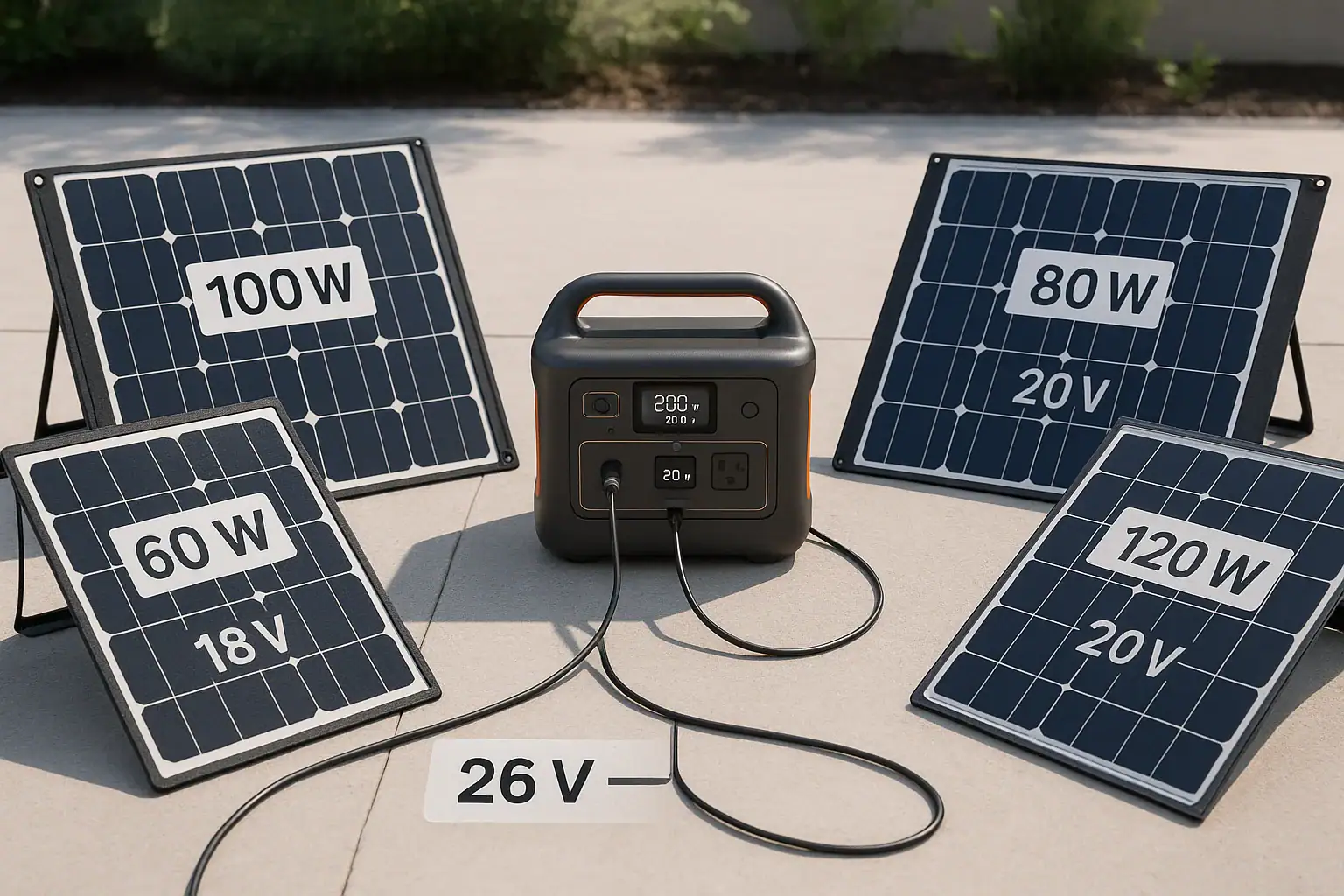
Portable power station connected to different solar panels with labeled specs

You can sometimes mix different solar panels on one portable power station, but only if their combined voltage, current, and wattage stay within the input limits of the solar port. Ignoring those limits risks reduced charging, shutdowns, or even damage. Understanding open-circuit voltage, series vs. parallel wiring, and maximum solar input watts is essential before you plug in a mixed solar array.

People search this because they want more charging watts, faster recharge time, or to reuse older panels with a new power station. Terms like solar input rating, VOC, MPPT range, and max amps all matter when deciding whether different solar panels can safely share one input. This guide explains what is compatible, what is not, and how to read the specs so you can build a safe, efficient setup.

By the end, you will know how to avoid over-voltage, why mismatched wattages waste potential power, and which specs to check before you buy panels or a new portable power station.

1. What “mixing solar panels on one power station” really means

When people ask if they can mix different solar panels on one power station, they are usually talking about connecting panels with different wattages, voltages, or brands into a single solar input port. In practical terms, you might have a 100 W panel and a 200 W panel and want to use both together to charge one portable power station faster.

Mixing panels matters because the power station’s solar input has hard electrical limits: maximum input watts, maximum input voltage (often listed as VOC or “open-circuit voltage” limit), and maximum input current (amps). Your panel combination must fit inside that “box” of limits, or the power station will either throttle, shut down, or potentially be damaged.

Most modern portable power stations include MPPT (maximum power point tracking) controllers designed to optimize solar charging. However, MPPT does not fix fundamental mismatches between solar panels. If the panels’ electrical characteristics are too different, the stronger panel is dragged down to the weaker one’s operating point, wasting potential power. In worse cases, the combined voltage or current can exceed the safe range.

So, “mixing” is not just about wattage labels on the front of the panels. It is about how their voltage and current ratings interact with each other and with the power station’s solar input specs.

2. Key electrical concepts before you mix solar panels

To safely combine different solar panels on one portable power station, you need to understand a few core specs that appear on both the panel label and the power station manual. These determine whether a mixed array is compatible or risky.

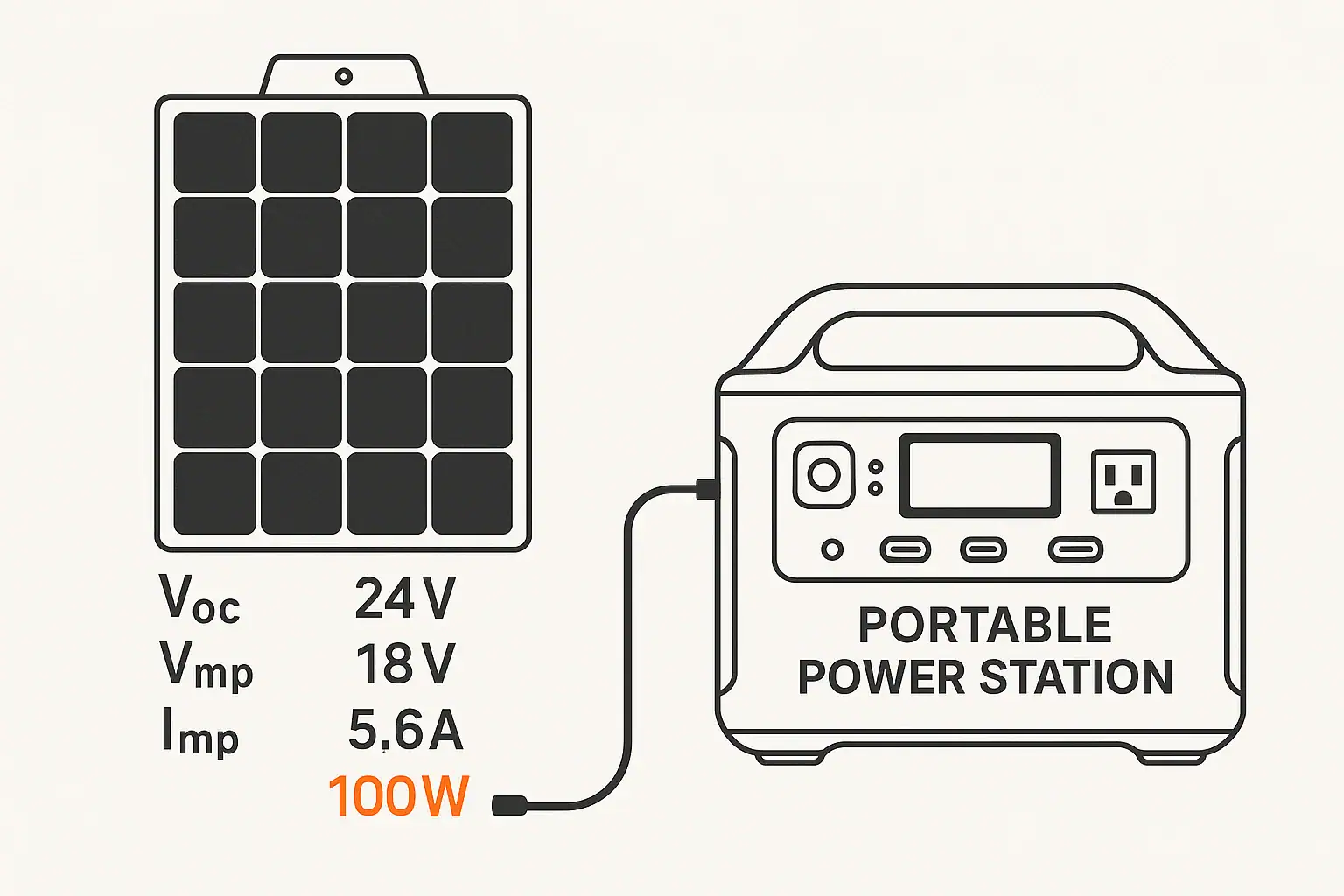
Open-circuit voltage (VOC) is the voltage of a panel when it is not connected to a load. It is the highest voltage the panel will present to the power station. The power station will list a maximum input VOC or maximum PV voltage. The sum of VOCs in series must always stay below this limit, even in cold weather when VOC rises.

Operating voltage (VMP) and operating current (IMP) describe where the panel produces its rated watts under standard conditions. An MPPT controller tries to run the array near this point. When you mix panels, the MPPT has to choose a single operating point, usually compromising the performance of the stronger panel.

Series vs. parallel wiring is another key concept. In series, voltages add and current stays roughly the same. In parallel, currents add and voltage stays roughly the same. Mixing panels of different voltage or current ratings behaves differently in each configuration.

Maximum input watts and amps on the power station define how much solar power it can safely accept. Going far above the wattage rating does not usually “force” more power in; the controller simply clips the output. But exceeding voltage or current limits can trigger protection or damage components.

Connector type and polarity also matter. Many portable power stations use standard solar connectors or barrel-type DC jacks. Adapters and Y-cables can combine panels, but they do not change the underlying electrical rules. Polarity must always be correct; reverse polarity can instantly trip protection or cause failure.

Solar specWhat it meansWhy it matters when mixing
VOC (V)Voltage with no loadSeries VOC total must stay below input limit
VMP (V)Voltage at max powerDifferent VMP panels limit each other’s performance
IMP (A)Current at max powerParallel current total must stay below amp limit
Rated watts (W)Power under test conditionsGuides expected charge speed, but not compatibility alone
Max input watts (W)Power station solar ceilingAbove this, extra panel power is mostly wasted
Example values for illustration.

3. Practical examples of mixing solar panels on one power station

Concrete scenarios help clarify when mixing solar panels is reasonable and when it becomes problematic. These examples assume a typical portable power station with a single MPPT solar input.

Example 1: Two similar 100 W panels in parallel

Suppose you have two 100 W panels with nearly identical VOC and VMP ratings. You connect them in parallel using a Y-connector, and the power station’s solar input supports the combined current and total wattage. This is a relatively safe and efficient setup. The MPPT sees roughly the same voltage from each panel, and their currents add. Mixing is minimal because the panels are similar.

Example 2: 100 W and 200 W panel in parallel

Now consider one 100 W panel and one 200 W panel with similar voltage ratings. In parallel, the voltage is shared, but the 200 W panel can deliver more current. The MPPT will still operate at a single voltage, which both panels can accept. The 200 W panel will not be used to its full potential if the input current or wattage limit is lower than the combined output, but the setup can still work safely if you stay under those limits.

This is a common real-world case: using a new, larger panel alongside an older, smaller one. The main downside is underutilization of the larger panel, not usually a safety hazard if specs are respected.

Example 3: Mismatched voltage panels in series

Imagine you have a 12 V-class panel (VMP around 18 V) and a 24 V-class panel (VMP around 36 V) and you wire them in series. The total VOC may approach or exceed the power station’s maximum PV voltage. Even if you stay under the limit, the MPPT must choose one current for the entire string, so the lower-current panel effectively throttles the higher-current one. Performance is poor, and the margin to the voltage limit may be small, especially in cold conditions.

Example 4: Exceeding the VOC limit with multiple panels

Suppose your power station’s solar input allows up to 50 V VOC, and you connect three 22 V VOC panels in series. The total VOC is 66 V, well above the limit. Even if the power station initially accepts some power, the risk of over-voltage is high and could damage the input circuitry. This is an example where mixing (or even using identical panels) in the wrong configuration is unsafe.

These scenarios show that the question is not just “Can I mix?” but “How are the panels wired, and do their combined specs stay inside the power station’s safe charging window?”

4. Common mistakes when mixing solar panels and warning signs

Many issues with mixed solar panels on a portable power station come from misunderstanding labels or assuming that any panels can be combined as long as connectors fit. Recognizing these mistakes and their troubleshooting cues can prevent damage and frustration.

Mistake 1: Ignoring voltage limits
Users may look only at wattage and forget VOC. Wiring too many panels in series, or mixing higher-voltage and lower-voltage panels without checking the total VOC, can exceed the power station’s maximum PV voltage. Warning signs include immediate input shutdown, error codes, or the solar icon not appearing even in full sun.

Mistake 2: Exceeding current ratings in parallel
When panels are wired in parallel, currents add. If the combined current exceeds the power station’s amp limit, internal protection may trip. Symptoms include fluctuating input watts, the fan running hard with low charge rate, or the unit repeatedly connecting and disconnecting the solar input.

Mistake 3: Mixing very different voltage panels
Connecting a low-voltage panel with a high-voltage panel in parallel often leads to the higher-voltage panel being pulled down to the lower voltage, wasting power. The system may appear to “work” but delivers far less than expected. The main cue is that the measured input watts are much lower than the sum of the panels’ ratings, even in ideal sun.

Mistake 4: Using long, undersized cables and adapters
Extra adapters, thin extension cables, and long runs add resistance, causing voltage drop and heat. With mixed panels, this can worsen mismatch problems and cause the power station to drop below its MPPT operating range. Clues include warm connectors, lower-than-expected voltage at the power station, and improved performance when shortening cables.

Mistake 5: Assuming MPPT can “fix” any mismatch
MPPT can optimize within a given array’s characteristics, but it cannot change the fact that a series string shares current or a parallel array shares voltage. If panel specs are too different, some portion of the array will always be underutilized. The symptom is a plateau in input watts that never approaches the theoretical combined rating, even under strong sun and cool temperatures.

When troubleshooting, always return to the basics: measure or calculate total VOC and current, compare to the power station’s limits, and simplify the setup by testing one panel at a time before reintroducing mixed combinations.

5. Safety fundamentals when combining solar panels on a power station

Safety should guide every decision when mixing solar panels on a portable power station. While these systems are low-voltage compared to household wiring, they can still deliver dangerous currents, cause arcing, or damage electronics if misused.

Respect voltage and current limits
The most important safety rule is to stay below the power station’s published maximum PV voltage and current. Over-voltage can punch through protective components, while over-current can overheat connectors and internal traces. Use panel nameplate data and worst-case conditions (such as cold weather increasing VOC) to maintain a margin of safety.

Use proper connectors and polarity
Always match positive to positive and negative to negative when combining panels and connecting to the power station. Reversed polarity can cause immediate faults. Use connectors and adapters designed for DC solar use; avoid improvised or damaged plugs that can loosen and arc.

Avoid ad-hoc rewiring or internal modifications
Do not open the portable power station, bypass internal protections, or modify its solar input ports. These devices are engineered with specific charge controllers and safety circuits. If your desired solar array exceeds the built-in limits, consider a different configuration or consult a qualified electrician for a higher-capacity system separate from the portable unit.

Protect from short circuits and water
Ensure that connectors are fully seated and not exposed to standing water. When panels are mixed with multiple Y-connectors, the number of junctions increases, raising the chance of accidental shorts. Keep connections off the ground when possible and avoid coiling excess cable tightly in direct sun, which can trap heat.

Monitor temperature and behavior
Check the power station and cable connections during the first few hours of running a mixed-panel setup. Excessive heat at connectors, a strong electrical smell, or repeated input shutdowns are signs that the configuration may be stressing the system. Power down and reassess your wiring and panel mix if you observe these issues.

If you are unsure about the electrical implications of your planned array, it is wise to consult a qualified electrician or solar professional, especially for larger or semi-permanent installations.

6. Maintenance and storage tips for mixed solar panel setups

Once you have a safe configuration for mixing solar panels on your portable power station, good maintenance and storage practices help preserve performance and reduce risk over time.

Inspect connectors and cables regularly
Mixed arrays often use extra adapters, splitters, and extension cables. Periodically check all connectors for signs of discoloration, cracking, looseness, or corrosion. Replace damaged components promptly. A single weak connector in a mixed setup can limit the entire array or become a hot spot.

Clean panel surfaces for consistent performance
Dust, pollen, and grime affect each panel differently. In a mixed array, a dirty panel can drag down overall performance, especially in series wiring. Clean glass surfaces gently with water and a soft cloth, avoiding abrasive cleaners. Aim for consistent cleanliness across all panels.

Label panels and cables
When you mix different wattages or voltage classes, labeling helps you remember which panels should or should not be wired together. Simple labels indicating VOC, VMP, and watts can save time and prevent accidental misconfigurations when setting up in a hurry.

Store panels and the power station properly
When not in use, store portable panels in a dry, cool place, protected from impact and bending. Keep the power station within its recommended storage temperature range and maintain its battery at a partial charge if it will sit unused for months. Extreme heat or cold can affect both solar panel output and battery health.

Recheck specs when you add or replace panels
As you upgrade or replace panels over time, re-evaluate the total VOC, current, and wattage of your mixed array. Do not assume that a new panel with a similar wattage rating has the same voltage characteristics as an older one. Compare nameplate data before plugging it into your existing setup.

Test one change at a time
When modifying a mixed array—adding a panel, changing series/parallel wiring, or using a new adapter—test the system in stages. Begin with a single panel, confirm normal operation, then add the next component. This stepwise approach makes it easier to identify which change causes any new issue.

Maintenance taskHow oftenBenefit for mixed arrays
Connector inspectionEvery 1–3 monthsPrevents overheating and intermittent faults
Panel cleaningAs needed, often seasonallyKeeps output consistent across different panels
Label updatesWhen adding/replacing panelsReduces wiring mistakes in the field
Storage checkBefore long-term storageProtects panels and battery from environmental damage
Example values for illustration.

Related guides: Solar Panel Series vs. Parallel: Which Is Better for Charging a Power Station?Overpaneling Explained: Can You Connect Bigger Solar Panels Than the Input Limit?Why Won’t It Charge From Solar? A Troubleshooting Checklist

7. Practical takeaways and a safe matching checklist

Mixing different solar panels on one portable power station is possible, but only when you treat the power station’s solar input specs as hard boundaries and understand how panel voltages and currents combine. Similar panels with close voltage ratings are easiest to mix, especially in parallel, while large differences in voltage or aggressive series wiring are where problems most often appear.

Before you connect anything, gather the key numbers: each panel’s VOC, VMP, IMP, and wattage, plus the power station’s maximum PV voltage, maximum solar input watts, and maximum input current. Use these to verify that your combined array stays inside the safe window and that you are not relying on MPPT to solve fundamental mismatches.

Specs to look for

  • Maximum PV voltage (VOC limit) – Look for a clear solar input voltage range, such as 12–50 V. Ensures your series-connected panels’ total VOC stays safely below the limit.
  • Maximum solar input watts – Typical portable units list values like 100–800 W. Tells you how much panel wattage is realistically useful before the controller clips excess power.
  • Maximum input current (amps) – Often in the 8–20 A range for DC solar ports. Critical when wiring panels in parallel so the combined current does not overrun the controller.
  • Supported wiring configuration – Some power stations specify series-only, parallel-only, or a preferred range (for example, 2× panels in series). Guides how you combine mixed panels for best MPPT performance.
  • MPPT operating voltage range – Look for a working range, such as 18–30 V or 18–60 V. Your array’s VMP should fall inside this window for efficient charging, especially when mixing panels.
  • Connector type and cable gauge – Check for compatible solar connectors and recommended wire size (for example, 12–16 AWG). Proper connectors and adequate wire thickness reduce voltage drop and heat in mixed setups.
  • Over-voltage and over-current protection – Look for built-in protections listed in the manual. These safeguards help prevent damage if a mixed array briefly exceeds ideal limits.
  • Environmental ratings – Ingress protection (such as IP ratings) and operating temperature ranges matter if your mixed panels and power station will be used outdoors regularly.

By prioritizing these specs and taking a conservative approach to series voltage and parallel current, you can safely use mixed solar panels to get more from your portable power station without compromising safety or reliability.

Frequently asked questions

Which panel and power station specs matter most when mixing different solar panels?

Key specs are panel VOC, VMP, and IMP plus the power station’s maximum PV voltage, maximum input watts, and maximum input current. Also check the MPPT operating voltage range and connector type; these determine whether the combined array will operate safely and efficiently.

What is the most common mistake people make when combining different solar panels?

The most common mistake is focusing only on wattage and ignoring VOC and combined current limits, which can lead to over-voltage or tripped protections. Users also often wire panels incorrectly (series vs. parallel) without recalculating totals under worst-case conditions.

Is it safe to mix different solar panels on one power station?

Yes, mixing can be safe if the total VOC, combined current, and total watts stay within the power station’s published limits and connectors/polarity are correct. If those limits are exceeded or wiring is incorrect, the setup can cause shutdowns or damage.

Can I mix panels with different wattages and still get efficient charging?

You can mix different wattages, but efficiency may drop because the MPPT will find a single operating point for the array and the stronger panel can be dragged down by the weaker one. Parallel setups with similar voltages tend to waste less potential power than mismatched series strings.

How do series and parallel wiring affect mixed panel performance?

In series, voltages add and current stays the same, so mismatched currents force the string to the lowest panel’s current. In parallel, voltages stay the same and currents add, so mismatched voltages can pull higher-voltage panels down; both configurations require checking totals against the station’s limits.

How should I test a mixed setup before relying on it regularly?

Measure each panel’s VOC and VMP, verify the combined totals against the station’s specs, then test one panel at a time before connecting all panels. Monitor input watts, connector temperature, and any error codes during the first hours of operation.

How to Read Solar Panel Specs for Power Stations: Voc, Vmp, Imp, and Why It Matters

Diagram of solar panel and portable power station with Voc, Vmp, and Imp labeled

Most charging problems between solar panels and portable power stations come down to mismatched specs like Voc, Vmp, Imp, and maximum input limits. If you understand these numbers, you can size your solar array correctly, avoid errors, and get the fastest realistic charge times.

When you look at a solar panel label, you’ll see terms like open-circuit voltage, operating voltage, current at maximum power, and rated watts. These directly affect how many panels you can connect, what cables or adapters you can use, and whether your power station’s MPPT input can handle the array safely. Learning how to read these specs helps you avoid undercharging, overvoltage faults, and wasted runtime.

This guide breaks down each spec in plain language, shows real-world examples, and ends with a practical checklist of what to look for when pairing solar panels with a portable power station.

Understanding Solar Panel Specs for Portable Power Stations

Solar panel spec labels can look like alphabet soup, but each value has a clear meaning and a direct impact on how well a portable power station charges. The most important specs for matching panels to a power station are Voc, Vmp, Imp, Isc, and rated power in watts.

Voc (open-circuit voltage) is the maximum voltage the panel can produce with no load connected. It matters because your power station’s solar input has a maximum voltage rating; if your array’s Voc is higher than that limit, you risk input faults or damage.

Vmp (voltage at maximum power) is the voltage when the panel is operating at its most efficient point under standard test conditions. Your power station’s MPPT controller will try to run the panel near Vmp to get the best charging power.

Imp (current at maximum power) is the current delivered at that optimum point. Together, Vmp and Imp define the panel’s usable wattage: Pmax = Vmp × Imp. Isc (short-circuit current) is the maximum current when the panel’s output is shorted; it’s important for cable and connector current ratings.

All of these specs must fit within your power station’s solar input window, which typically lists a voltage range (for example, 12–60 V DC) and a maximum input wattage or current. Reading and comparing these values is the foundation of safe, efficient solar charging.

How Voc, Vmp, and Imp Work Together with Your Power Station

To understand how solar panel specs interact with a portable power station, it helps to look at how a panel behaves electrically. A solar panel does not produce a fixed voltage and current; instead, its output changes with sunlight, temperature, and the load applied by the MPPT controller inside the power station.

Voc and input voltage limits: Voc is measured with no load, in bright sun, at standard test conditions. It represents the highest voltage the panel can reach. When panels are wired in series, their Voc values add together. Your power station’s solar input will specify a maximum voltage (for example, 50 V or 100 V). The sum of all panel Voc values in series must stay below this limit, with some margin for cold-weather increases, because panels produce higher voltage at lower temperatures.

Vmp and charging efficiency: Vmp is the voltage where the panel delivers its rated power. An MPPT controller constantly adjusts the load to keep the panel operating near Vmp. If the combined Vmp of your array is too low, the power station may not start charging or may charge inefficiently. If it’s within the input range and reasonably above the station’s battery voltage, the controller can harvest power effectively.

Imp and current limits: Imp tells you the current at maximum power. When panels are wired in parallel, their currents add. Your power station may have a maximum input current (for example, 10 A or 15 A). The combined Imp of parallel strings should stay at or below this limit, or the controller will simply clip the extra power, wasting potential charging capacity.

Rated watts vs. real watts: The panel’s watt rating (Pmax) is calculated as Vmp × Imp under ideal lab conditions. In real use, you will usually see 60–80% of that rating due to temperature, angle, and atmospheric conditions. Your power station’s maximum solar input wattage should be compared to the realistic output of your array, not just the nameplate ratings.

When you align Voc with the voltage limit, Vmp with the MPPT operating range, and Imp with the current limit, you get a safe, compatible setup that can approach the power station’s maximum solar charging rate.

Spec What It Means Typical Use in Matching to a Power Station
Voc Panel voltage with no load Ensure series Voc stays below max input voltage
Vmp Voltage at maximum power Check that array Vmp is within MPPT operating range
Imp Current at maximum power Keep parallel Imp within max input current
Isc Short-circuit current Size cables and connectors for safe current capacity
Pmax Rated panel power in watts Compare to power station’s max solar input watts
Example values for illustration.

Practical Examples of Matching Solar Panels to Power Stations

Seeing actual numbers makes it easier to understand how Voc, Vmp, and Imp affect a portable power station setup. The following scenarios are simplified but realistic, assuming full sun and standard test conditions.

Example 1: Single folding panel to a compact power station

Imagine a 100 W folding panel labeled: Voc 22 V, Vmp 18 V, Imp 5.6 A, Isc 6.0 A. Your compact power station lists a solar input range of 12–28 V and a maximum of 100 W. In this case, the panel’s Voc (22 V) is below the 28 V limit, and Vmp (18 V) is comfortably inside the 12–28 V range. Imp (5.6 A) is well within typical input current limits. This is a straightforward, compatible match. In good conditions, you might see 60–80 W going into the station.

Example 2: Two panels in series to reach a higher voltage input

Now consider two 100 W panels with Voc 22 V, Vmp 18 V, Imp 5.6 A. A mid-size power station lists a solar input of 18–60 V and 200 W max. If you wire the panels in series, Voc becomes 44 V (22 + 22) and Vmp becomes 36 V (18 + 18), while Imp stays 5.6 A. Voc is below the 60 V limit, and Vmp is well within the operating window, so the setup is safe and efficient. The array’s rated power is 200 W, matching the station’s maximum input. In real use, you might see 130–170 W.

Example 3: Parallel wiring and current limits

Suppose a power station accepts 12–30 V and a maximum input current of 10 A. You have two 100 W panels: Voc 22 V, Vmp 18 V, Imp 5.6 A each. In parallel, Voc and Vmp stay the same (22 V and 18 V), but Imp adds to about 11.2 A. This exceeds the 10 A input rating. The power station will typically limit current to 10 A, capping usable power around 180 W instead of the full 200 W. It is still safe if connectors and cables are rated appropriately, but you gain less than you might expect from the second panel.

Example 4: Cold weather and Voc margin

Consider a larger setup: three 120 W rigid panels, each Voc 21 V, Vmp 17.5 V, Imp 6.9 A, wired in series to a power station with a 60 V maximum solar input. The series Voc is 63 V (21 × 3), already above the 60 V limit even before considering cold-temperature increases, which can raise Voc by 10–20%. This configuration risks overvoltage faults. The safer approach would be two in series (42 V Voc) or reconfiguring with parallel strings, as long as current limits are respected.

These examples show why you cannot rely only on panel watt ratings. You need to check how Voc, Vmp, and Imp combine in series or parallel and compare them carefully to your power station’s input specs.

Common Mistakes When Reading Solar Specs (and What They Look Like)

Many solar charging issues with portable power stations can be traced to a few recurring misunderstandings about panel specs and input ratings. Recognizing these patterns can help you diagnose problems quickly.

Confusing Voc with Vmp: A frequent mistake is assuming the panel will operate at Voc. In reality, the MPPT controller pulls the voltage down to around Vmp under load. If you design a system based on Voc instead of Vmp, you may overestimate charging watts or misjudge whether the array’s operating voltage fits the input range.

Ignoring series Voc limits: Users sometimes add panels in series to increase voltage without adding up their Voc values. Symptoms of exceeding the power station’s maximum input voltage include immediate error codes, the solar icon not appearing, or the unit refusing to start charging in bright sun. In severe cases, overvoltage can damage the input circuitry.

Overlooking current limits in parallel: Adding panels in parallel increases available current. If the combined Imp exceeds the power station’s input current rating, the controller will simply cap the current. The system may work, but you will not see the expected increase in charging speed. This often shows up as “stuck” input wattage that does not rise when an extra panel is connected.

Expecting full rated watts all day: Panel watt ratings are based on ideal lab conditions. In real life, shading, panel angle, heat, and atmospheric conditions reduce output. Users often think something is wrong when a 200 W array only delivers 120–160 W in good sun. This is normal behavior, not necessarily a fault.

Not matching connectors and polarity: Even when Voc, Vmp, and Imp are correct, mismatched connectors or reversed polarity will stop charging. Typical signs include zero watt input, no charging icon, and no error code. Verifying polarity with a multimeter and using properly rated adapters can resolve many of these issues.

Using very low-voltage panels: Some small panels have Vmp values close to the battery voltage inside the power station. If Vmp is too low or outside the listed input range, the MPPT controller may not track properly, resulting in intermittent or no charging.

When troubleshooting, compare the array’s calculated Voc, Vmp, and Imp against the power station’s input range and limits, then check physical connections and shading before assuming the unit is faulty.

Safety Basics When Pairing Solar Panels with Power Stations

Working with solar panels and portable power stations involves DC voltages and currents that can be hazardous if mismanaged. While these systems are designed to be user-friendly, understanding a few safety principles around Voc, Vmp, and Imp helps prevent accidents and equipment damage.

Respect maximum input voltage: Never exceed the power station’s specified maximum solar input voltage. High Voc strings, especially in series and in cold weather, can surpass this limit. Overvoltage can stress or destroy input components even if the system appears to work at first.

Use appropriately rated cables and connectors: Imp and Isc values guide cable sizing. Cables, connectors, and adapters should be rated for at least the panel’s Isc and the array’s maximum current in parallel configurations. Undersized wiring can overheat under sustained load.

Avoid short circuits: Isc is measured under controlled conditions; deliberately shorting panels in the field is not recommended. When connecting or disconnecting panels, avoid touching bare conductors together. Work with the power station turned off or the solar input disabled when possible.

Do not bypass built-in protections: Portable power stations include protections for overvoltage, overcurrent, and reverse polarity. Do not attempt to bypass these safeguards or modify the internal battery or charge controller. If your solar configuration repeatedly triggers protection, adjust the array instead of trying to defeat the safety features.

Be cautious with series strings: Series wiring raises voltage, which increases shock risk and the potential for arcing when connecting or disconnecting under load. Make connections securely, avoid working with wet hands, and keep connectors clean and fully seated.

Consult a qualified electrician for complex setups: If you plan to integrate a portable power station into a larger DC system or combine multiple arrays, seek advice from a qualified electrician or solar professional. Do not attempt to wire solar inputs directly into home electrical panels or modify fixed wiring without proper expertise.

Following these high-level safety practices, along with careful attention to published specs, keeps your solar-power-station system reliable and reduces the risk of damage or injury.

Care, Storage, and Maintaining Solar Performance Over Time

While solar panel specs like Voc, Vmp, and Imp are fixed by design, real-world performance can drift over time due to dirt, damage, and poor storage. Good maintenance habits help your panels stay closer to their rated output and maintain consistent charging behavior with your portable power station.

Keep panel surfaces clean: Dust, pollen, bird droppings, and grime reduce the effective sunlight reaching the cells, lowering Imp and overall wattage. Periodic gentle cleaning with water and a soft cloth or sponge can restore lost performance. Avoid abrasive cleaners that could scratch the surface.

Protect connectors from corrosion: The stability of Voc and Vmp readings at the power station depends on solid, low-resistance connections. Moisture and dirt in connectors can cause voltage drop and intermittent charging. Keep connectors dry, use dust caps when available, and inspect for discoloration or pitting.

Avoid sharp bends and cable strain: Repeatedly bending cables near connectors can lead to internal breaks, causing fluctuating Imp or no output. Coil cables loosely, secure them to reduce strain, and avoid pinching them under panel frames or stands.

Store folding panels properly: For portable, folding panels, store them dry, away from extreme heat, and folded as designed. Prolonged exposure to moisture or heat can degrade encapsulation materials and backing, slowly reducing the panel’s ability to reach its rated Vmp and Imp.

Monitor performance over time: Occasionally note the wattage your power station reports from a known panel or array in similar sun conditions. If you see a gradual, unexplained decline beyond normal day-to-day variation, inspect for shading, dirt, loose connections, or physical damage.

Protect against impact and flexing: Cracked cells or damaged glass can change how current flows through the panel, sometimes leading to hot spots or reduced Imp. Handle panels carefully, do not stand or place heavy objects on them, and secure them against wind.

By maintaining the physical condition of your panels and connections, you help ensure that the voltage and current they deliver remain as close as possible to the specs you used when matching them to your portable power station.

Maintenance Task Effect on Specs in Practice How Often
Cleaning panel surface Improves usable Imp and wattage output Every few weeks in dusty areas
Inspecting connectors Reduces voltage drop affecting Vmp at the input Every few months or before long trips
Checking cables for damage Prevents intermittent current loss and faults Periodically and after rough transport
Verifying mounting and support Helps maintain consistent orientation and output Seasonally or after storms
Example values for illustration.

Related guides: Solar Panel Series vs Parallel: Which Is Better for Charging a Power Station?Why Won’t It Charge From Solar? A Troubleshooting ChecklistOverpaneling Explained: Can You Connect Bigger Solar Panels Than the Input Limit?

Key Takeaways and a Specs Checklist for Solar-Powered Stations

Reading solar panel specs for a portable power station is mainly about matching three things: voltage limits (Voc and Vmp), current limits (Imp and Isc), and power capacity (watts). When these align with the station’s published input range, you get safe, efficient charging without guesswork.

Start by identifying your power station’s solar input voltage window and maximum wattage or current. Then examine your panel label for Voc, Vmp, Imp, and Pmax. Decide whether to wire panels in series, parallel, or a combination, and calculate the resulting Voc, Vmp, and Imp. Always leave margin for cold-weather Voc increases and real-world losses that reduce wattage below the nameplate rating.

Specs to look for

  • Power station solar input voltage range – Look for a clear DC range (for example, 12–30 V or 18–60 V); it defines the acceptable Vmp window and helps you decide series vs. parallel wiring.
  • Power station maximum solar input watts – Values like 100–400 W are common; aim for total panel wattage slightly above this to account for real-world losses while staying within limits.
  • Panel Voc (open-circuit voltage) – Typical portable panels are around 20–24 V; ensure the sum of series Voc stays comfortably below the station’s maximum voltage, especially in cold climates.
  • Panel Vmp (voltage at maximum power) – Often 16–20 V for 12 V-class panels; make sure the combined Vmp of your array falls within the station’s input range for effective MPPT tracking.
  • Panel Imp (current at maximum power) – Values like 5–10 A per panel are common; when wiring in parallel, keep the total Imp at or below the station’s maximum input current to avoid clipping.
  • Panel Pmax (rated watts) – Check 60–200 W per portable panel; use Pmax to estimate realistic charge times, remembering you may see only 60–80% of this in typical conditions.
  • Connector type and cable rating – Confirm connector style and that cables are rated for the array’s maximum current and voltage to maintain safe, low-loss connections.
  • Operating temperature range – Look for a broad range (for example, –10°C to 65°C); colder temps can raise Voc, so this spec helps you plan safe voltage margins.
  • Power station charge controller type – MPPT inputs generally perform better than simple DC inputs; knowing this helps you set realistic expectations for how well Vmp will be tracked.

Using this checklist whenever you combine solar panels with a portable power station ensures that Voc, Vmp, Imp, and wattage all work together for reliable, efficient off-grid power.

Frequently asked questions

Which solar panel specs and power station features matter most when pairing panels with a portable power station?

Key panel specs are Voc, Vmp, Imp, Isc, and Pmax because they determine voltage, current, and wattage behavior. On the power station side, the important features are the allowable solar input voltage range, maximum input watts or current, and whether the input uses an MPPT controller for efficient tracking.

What is a common mistake people make when reading solar panel specifications?

A frequent error is confusing Voc with Vmp and designing systems around Voc or nameplate watts instead of the operating Vmp and realistic output. That can lead to overvoltage in series strings or current clipping in parallel arrays, resulting in reduced or blocked charging.

How can I stay safe when connecting solar panels to a portable power station?

Follow basic safety: never exceed the station’s maximum input voltage, use cables and connectors rated for the array’s current, and avoid connecting or disconnecting live DC circuits when possible. Also do not bypass built-in protections and consult a qualified electrician for complex or high-voltage setups.

Can I mix series and parallel wiring to increase power, and what should I watch for?

Yes, combining series and parallel can help reach the right voltage and current, but you must ensure the series string Voc stays below the station’s max voltage and that the parallel current stays within input limits. Match panel electrical characteristics and use proper connectors and fusing to avoid imbalance and safety issues.

Why won’t my power station charge even when panels are in bright sun?

Common causes include the array Voc exceeding the station’s limit (triggering protection), the array Vmp being below the station’s MPPT tracking window, shading or dirty panels reducing output, or connector/polarity issues. Check voltages, connections, and the station’s input status indicators to diagnose the problem.

How does cold weather affect solar panel voltage and how much margin should I allow?

Panel Voc increases as temperature drops because cell voltage rises in cold conditions; typical cold-weather increases are in the range of 5–20% depending on the panel’s temperature coefficient. Allow a safety margin by checking the panel’s Voc temperature coefficient and keeping series Voc well below the power station’s maximum input voltage.

Solar Safety Basics: Cables, Heat, and Preventing Connector Melt

Portable power station connected to solar panel with tidy safe cabling

Why Solar Cable and Connector Safety Matters

Portable power stations and folding solar panels make it easy to charge devices during power outages, camping trips, and RV travel. But any system that moves significant electrical power can generate heat, especially in cables and connectors. If that heat is not managed, it can lead to softening plastic, burned insulation, or melted plugs.

Most incidents with small solar and portable power setups do not come from the battery itself. They usually start at the weakest point in the circuit: undersized wire, loose or mismatched connectors, or cables running in direct sun without airflow.

This article explains the basics of cable sizing, heat, and connectors so you can use portable solar safely and reduce the risk of melted parts or damage to your equipment.

Understanding Current, Cable Size, and Heat

Whenever current flows through a wire, some electrical energy is lost as heat. The more current you push through a given cable, the more heat it produces. Long cable runs and small-diameter (thin) wire amplify that effect.

Voltage, current, and power in small solar setups

For typical portable power station solar inputs, you are usually working in the low-voltage DC range, often somewhere between about 12 V and 60 V depending on how panels are wired and what the input accepts. Power (in watts) is the product of voltage and current:

  • Power (W) = Voltage (V) × Current (A)

For a given power level, lower voltage means higher current. For example, 200 W at 20 V is about 10 A, while 200 W at 40 V is about 5 A. The 20 V system requires twice the current, which can generate more cable heating if wire size is not increased.

Why wire gauge and length matter

Wire gauge (AWG in the U.S.) describes the diameter of the conductor. Smaller gauge numbers mean thicker wire that can carry more current with less voltage drop and less heating. Longer cables add resistance, which increases heat for the same current.

In portable solar use:

  • Thicker wire (lower AWG number) = better for higher currents and longer runs.
  • Shorter cables = less voltage drop and less heat.
  • Thin or very long cables can get noticeably warm under load, especially in hot sun.

Most pre-made cables sold for portable panels and power stations are sized for common use, but problems arise when users extend runs with thin or improper wire, or daisy-chain multiple cables that were not intended to carry the combined current.

Heat buildup and connector melt

Heat is not evenly distributed. The highest temperatures often occur at connection points: plugs, adapters, and terminals. If a connector has high resistance (from corrosion, poor contact, or being pushed beyond its intended rating), it can get much hotter than the cable itself, sometimes hot enough to deform plastic housings.

Signs that a connector is overheating include:

  • Plastic that feels soft or rubbery while in use
  • Discoloration or darkening near the contact area
  • Acrid or “hot plastic” smell
  • Connectors that are too hot to touch comfortably

Consistently hot connectors can eventually lead to partial melting, loss of contact pressure, arcing, or complete failure of the connector. In severe cases, surrounding material can scorch.

Checklist for Safer Solar Cables and Connectors

Example values for illustration.

What to Check Why It Matters Practical Notes
Cable gauge vs. expected current Undersized wire runs hotter at higher currents Use thicker (lower AWG) wire when extending or combining panels
Cable length Long runs increase voltage drop and heat Keep solar leads as short as practical for your setup
Connector current ratings Overloading plugs can cause softening or melt Match connectors and adapters to or above your panel’s max current
Connector fit and condition Loose or corroded contacts run hotter Inspect for looseness, corrosion, or burned spots before use
Cable routing and sun exposure Hot environments reduce safety margin Avoid coiling excess cable tightly and keep it off very hot surfaces
Adapter and splitter quality Low-quality parts can be weak links Prefer robust, well-mated connectors sized for outdoor DC use
Protection devices (fuse or breaker) Limits fault current in case of short Use appropriately sized DC protection between panels and power input when recommended

Common Connectors in Portable Solar Systems

Portable power stations and folding panels use a variety of DC connector styles. Each has its own typical current capability and typical use case. Problems often appear when adapters are chained together or when connectors not intended for outdoor or DC power use are added to the system.

Barrel-style DC connectors

Many small panels and power stations use round barrel-style DC plugs for input or output. These are simple and convenient but can be a weak point if overloaded or partially unplugged while under load.

Good practice with barrel connectors includes:

  • Keeping current modest and within the device’s specified limits.
  • Ensuring the plug is fully seated and not angled or strained.
  • Avoiding frequent side loading from tight cable bends at the plug.

Multi-pin and locking DC connectors

Some systems use proprietary multi-pin or locking connectors designed for higher current and more secure engagement. These often handle outdoor use better than simple barrel jacks, but they still can overheat if the connection is contaminated or if contacts are bent or not fully engaged.

Check periodically for:

  • Cracks in the shell.
  • Broken locking tabs or rings.
  • Pins that are bent or pushed back into the housing.

Solar-style panel connectors

Certain portable or rigid panels use two-conductor polarized plugs specifically designed for solar leads. These are usually weather-resistant and made for outdoor use. When used correctly, they provide a solid mechanical and electrical connection suitable for the currents typical of small solar arrays.

To keep them working safely:

  • Make sure mated connectors click or snap together fully.
  • Do not force incompatible parts together or mix connectors that “almost” fit.
  • Avoid pulling on the cable; grip the connector body when disconnecting.

Cigarette lighter–style DC plugs

Automotive accessory sockets and plugs are common for 12 V DC, but they were not originally engineered for continuous high-current power transfer. Contacts can be loose or inconsistent, and the plug can wiggle, intermittently breaking contact and creating heat and arcing.

When using this style of connector:

  • Keep current modest and within any rating provided by the manufacturer.
  • Avoid heavy loads for long periods where possible.
  • Periodically feel the plug body to ensure it is not getting excessively hot.

Heat Sources in Portable Solar and How to Manage Them

Preventing connector melt is mostly about understanding where heat comes from and controlling it. In a portable solar and power station setup, heat typically comes from four places: the sun, electrical resistance, enclosed spaces, and surrounding equipment.

Direct sunlight and ambient temperature

Dark cables and connectors in full sun can become much hotter than the air temperature. When combined with electrical heating from current, this can push components toward their material limits.

To reduce solar heating:

  • Route cables behind or under panels where they are shaded, but not trapped in tight bundles.
  • Avoid placing connectors on top of black roofs, asphalt, or hot metal surfaces.
  • If safe and practical, elevate cables slightly for airflow instead of letting them sit directly on hot surfaces.

Electrical resistance at contact points

Any imperfection in a joint—oxidation, contamination, misalignment, or loss of spring tension—creates resistance. High current through a resistive spot produces additional heat right at that point.

Manage resistance by:

  • Keeping connectors dry and free of grit or debris.
  • Inspecting for greenish corrosion or darkened metal, especially after damp storage.
  • Retiring connectors that show repeated overheating or visible damage.

Coiled and bundled cables

Coiling extra cable tightly not only reduces airflow but can, in some circumstances, slightly increase heating. With DC, you are not creating the same kind of inductive heating issues seen with tightly coiled AC extension cords, but a bundle of wires wrapped tightly together in hot sun can still trap heat.

Better options include:

  • Using shorter cables to avoid large excess loops.
  • Looping extra cable in large, loose curves instead of tight coils.
  • Keeping cable bundles in the shade when possible.

Enclosed spaces and poor ventilation

Running high solar input into a power station while it sits in a sealed compartment, vehicle trunk, or tight cabinet can raise internal temperatures. Many units rely on ambient air exposure and built-in fans to stay within safe operating range.

To avoid heat buildup:

  • Operate the power station where vents are unobstructed and there is air circulation.
  • Avoid enclosing the unit and solar connectors in small boxes or closed bags while charging.
  • Follow any manufacturer guidance about maximum ambient temperature.

Practical Cable and Connector Choices for Portable Solar

You do not need to be an engineer to make safer choices. A few basic guidelines can significantly reduce risk of overheating or melted parts when charging a portable power station from solar.

Right-sizing cable for typical solar input

Consider how much solar power you realistically plan to run into your power station. Many small setups fall in the 100–400 W range, with some larger systems going higher. At common panel voltages, this often means currents in the range of a few amps up to perhaps 15–20 A in some configurations.

General habits that help:

  • Use thicker wire (lower AWG number) when extending or combining panel leads, especially for higher wattage.
  • Avoid very thin “speaker wire” or light accessory cable for primary solar connections.
  • When in doubt, choose a slightly heavier cable than the bare minimum.

If you have questions about specific current levels and wire size, a qualified electrician or solar installer can give personalized guidance based on your planned setup.

Minimizing adapter chains

Every added adapter introduces two more connection points and at least one more type of plastic housing that can soften if overheated. Long chains of barrel-to-barrel, barrel-to-solar-style, or solar-style-to-proprietary adapters are common sources of trouble.

Safer practices include:

  • Using the simplest, shortest adapter path between panel and power station input.
  • Avoiding daisy-chaining multiple splitters and extensions for high-current runs.
  • Ensuring any required polarity or pinout changes are handled by appropriate, well-built adapters.

Parallel and series panel connections

When panels are wired in series, voltage increases while current stays roughly the same as a single panel. When panels are wired in parallel, current increases while voltage stays roughly the same. From a cable and connector heating standpoint, higher current is usually the bigger concern.

High-level points to keep in mind:

  • Series wiring tends to be easier on cable current ratings but must stay within the power station’s maximum input voltage.
  • Parallel wiring keeps voltage lower but can increase current, stressing cables and connectors.
  • Use only compatible panels and follow the power station manufacturer’s rules for maximum voltage and current.

Any time you are connecting multiple panels, consider consulting a qualified solar professional if you are not comfortable evaluating voltage and current limits yourself.

Extension cords on the AC side

While this article focuses on DC solar connections, remember that AC extension cords between the power station and household loads also need correct sizing. Long, thin extension cords carrying high AC loads can overheat at the cord or at the plug.

Good habits include:

  • Using heavy-duty extension cords for higher-wattage appliances.
  • Uncoiling cords fully during high-load use.
  • Periodically feeling the plug and cord for warmth under heavy load.

Never modify household wiring or connect a portable power station directly into home outlets or panels. If you need whole-home backup integration, consult a licensed electrician about proper, code-compliant solutions.

Safe Operating Practices to Prevent Connector Melt

Even with correctly sized cables and connectors, the way you operate and monitor your system has a big influence on safety. A few simple checks during setup and use go a long way.

Inspect before each trip or use

Before heading out for camping or relying on solar during a storm season, inspect your cables and connectors:

  • Look for cuts, abrasions, or crushed sections in the cable jacket.
  • Check connectors for discoloration, cracking, or wobbliness.
  • Replace any parts that show burn marks, melted plastic, or exposed conductors.

Check temperatures early in a charging session

When you first set up a solar charging session, especially with new cables or a new panel arrangement, physically check temperatures after the system has been running at good sun for 10–20 minutes.

Using the back of your hand, gently touch:

  • The cable near the panel output.
  • Any adapters or splitters along the way.
  • The connector at the power station input.

Warm to the touch is common. Too hot to keep your hand on comfortably is a warning sign that something in the chain is undersized, damaged, or not making good contact. If you notice this, disconnect safely (for DC, cover or shade panels first to drop power output), allow things to cool, and reassess your cable size and connections.

Provide strain relief and avoid sharp bends

Mechanical stress gradually harms connectors. Heavy cables hanging from a small jack or tight 90-degree bends right at a plug can loosen internal connections over time, raising resistance and heat.

To limit strain:

  • Support cables so the connector body is not bearing all the weight.
  • Avoid slamming vehicle doors or hatches on cables.
  • Do not route cables where repeated foot traffic can step on them.

Store cables and connectors properly

When not in use, proper storage helps keep contacts clean and plastics in good condition:

  • Coil cables loosely and avoid tight kinks.
  • Keep connectors out of standing water and away from corrosive chemicals.
  • Allow damp cables to dry fully before long-term storage.
Safety Scenarios: Heat and Connector Risks

Example values for illustration.

Scenario Risk Safer Practice Note
Panel on hot asphalt with cable and connectors lying beside it Heat buildup in plastic housings Elevate panel slightly and route cables onto cooler, shaded surfaces High surface temps plus electrical load can soften connectors
Using long, thin extension cable between panel and power station Voltage drop and cable heating Shorten run or use thicker cable sized for the current Lower voltage at the power station can also slow charging
Running multiple panels through a small splitter adapter Overloading the splitter’s contacts Use components rated for combined current and minimize adapters Splitter can become the weak link and overheat first
Power station charging in a closed vehicle under sun Elevated internal and connector temperature Provide ventilation and shade; avoid sealed hot spaces High ambient temperature reduces safety margin for all parts
Loose automotive-style DC plug for high current Intermittent contact, arcing, and hot spots Use secure, rated connectors and keep loads moderate Wiggling plugs are common sources of localized heating
Visible corrosion on solar connectors after storage Increased resistance and heating at contact point Replace affected connectors or cables before use Do not scrape deeply into contacts; that can worsen contact quality
Operating at maximum solar input for many hours Cumulative heating of cables and plugs Use generously sized cables and periodically check temperatures Continuous full-power use exposes borderline components

When to Involve a Professional

Small, portable solar and power stations are designed for user-friendly setup, but there are clear limits where professional help is appropriate.

Consider consulting a qualified electrician or solar professional when:

  • You plan to connect a portable power station to any part of a home electrical system.
  • You want to mount panels semi-permanently on a roof or RV with fixed wiring runs.
  • You are unsure about appropriate cable sizes for longer or higher-power runs.
  • You suspect a connector or cable has been overheated but are not sure what caused it.

A professional can help design circuits that respect voltage, current, and temperature limits, and can install protective devices like fuses or breakers in a code-compliant way. This keeps your portable power system safe, reliable, and ready for the times you need it most.

Frequently asked questions

How can I tell if a solar connector is overheating and what should I do?

Signs of overheating include softened or discolored plastic, a hot or acrid smell, and connectors that are too hot to touch comfortably. If you notice these, stop charging (shade or cover panels to reduce output), allow components to cool, inspect for visible damage, and replace any compromised connectors before reuse.

What wire gauge should I use for portable solar runs to avoid overheating?

Choose wire based on the expected current and the run length; longer runs require heavier (lower AWG) wire to limit voltage drop and heating. For many portable setups carrying up to about 15 A, 14–12 AWG is common, while higher sustained currents typically call for 10 AWG or thicker; consult an AWG ampacity chart or a qualified professional for specific guidance.

Are cigarette lighter–style plugs safe for continuous solar charging?

Automotive accessory sockets were not designed for continuous high-current transfer and can develop loose or intermittent contacts that generate heat and arcing. Use them only for modest loads, check temperatures regularly during use, and prefer dedicated DC connectors rated for sustained current when charging for long periods.

How does wiring panels in parallel versus series affect connector and cable heating?

Wiring panels in parallel increases current while wiring in series raises voltage; higher current typically increases cable and connector heating risk. When using parallel connections, use thicker cables and ensure connectors and splitters are rated for the combined current to reduce overheating potential.

When should I replace a cable or connector after an overheating event?

Replace any cable or connector that shows melted or deformed plastic, burn marks, exposed conductors, persistent hotspots, or significant corrosion. If you suspect internal damage after an overheating incident, have a qualified professional inspect or replace the parts rather than reusing potentially compromised components.

Balcony Solar + Power Station: A Practical Setup for Apartments

Portable power station connected to solar panel on apartment balcony

Many apartment residents assume solar and backup power are only realistic for houses. A small balcony solar panel paired with a portable power station changes that. It lets you harvest sunlight without modifying building wiring and gives you a flexible battery you can move indoors, take traveling, or use during outages.

This setup stays fully off-grid. The solar panel charges the power station, and you plug devices directly into the station’s outlets. No changes to your home electrical panel or building wiring are required, which makes it suitable for renters and condos with strict rules.

A balcony solar + power station system is especially practical for:

  • Short power outages – Keep phones, a small router, and a few lights running.
  • Remote work – Power a laptop and monitor during brief blackouts.
  • Everyday energy offset – Charge devices from solar instead of wall outlets when possible.
  • Portable use – Take the power station camping or on road trips.

Why Balcony Solar and a Power Station Work Well in Apartments

Many apartment residents assume solar and backup power are only realistic for houses. A small balcony solar panel paired with a portable power station changes that. It lets you harvest sunlight without modifying building wiring and gives you a flexible battery you can move indoors, take traveling, or use during outages.

This setup stays fully off-grid. The solar panel charges the power station, and you plug devices directly into the station’s outlets. No changes to your home electrical panel or building wiring are required, which makes it suitable for renters and condos with strict rules.

A balcony solar + power station system is especially practical for:

  • Short power outages – Keep phones, a small router, and a few lights running.
  • Remote work – Power a laptop and monitor during brief blackouts.
  • Everyday energy offset – Charge devices from solar instead of wall outlets when possible.
  • Portable use – Take the power station camping or on road trips.

Basic Components of a Balcony Solar + Power Station Setup

You only need a few core pieces of equipment to build a practical balcony system. The key is to keep it simple, compatible, and safe.

Portable Power Station

The portable power station is a battery with built-in electronics. Most units include:

  • Battery capacity (Wh) – Watt-hours describe how much energy the battery stores.
  • AC outlets – Inverter-powered 120 V outlets for small appliances and electronics.
  • DC outputs – Commonly 12 V car-style sockets and barrel ports.
  • USB ports – USB-A and/or USB-C for phones, tablets, and laptops.
  • Charging inputs – Ports for wall charging, vehicle charging, and solar panels.

For balcony solar, verify that the power station accepts solar input at the voltage and connector type you plan to use. Many accept solar through a dedicated port, often with an included or optional adapter.

Balcony-Friendly Solar Panel

The solar panel converts sunlight into DC power that charges the station. For apartments, common options include:

  • Foldable portable panels – Easy to move and store; ideal for renters.
  • Rigid small panels – May mount to balcony railings or rest against a wall, subject to building rules.

Important considerations for a balcony panel:

  • Rated power (W) – Common portable sizes range roughly from 60 W to 200 W.
  • Voltage and connectors – Voltage and plug type must match the power station’s input specs.
  • Mounting and wind safety – The panel must be secured to prevent tipping or falling.
  • Orientation – Access to sun, ideally facing south in the northern hemisphere.

Cables and Adapters

You will typically need:

  • The solar cable attached to or supplied with the panel.
  • Any adapters required to match the panel’s connectors to the power station’s solar input.

Use only cables and adapters that are rated for the voltage and current of your system. Avoid homemade wiring unless you are qualified and follow all electrical codes.

Balcony solar power station checklist before you buy

Example values for illustration.

Key points to confirm for a balcony-friendly setup
What to check Why it matters Notes
Power station capacity (Wh) Determines how long devices can run Example: 500–1,000 Wh for basic apartment backup
Inverter output (W) Limits what can be plugged into AC outlets Check running and surge watts of your appliances
Solar input rating Maximum watts and voltage the station accepts Size balcony solar panel below these limits
Balcony orientation and shading Affects daily solar energy production Note approximate sun hours and obstacles
Mounting and safety on balcony Prevents falls and wind damage Use stable stands, straps, or approved mounts
Building and community rules Avoids violations of lease or HOA rules Confirm permissions for visible panels
Indoor storage space Protects panel and battery when not in use Keep dry, ventilated, and away from heat sources

Understanding Capacity, Watts, and What You Can Realistically Power

Sizing is one of the most important steps in planning a balcony solar plus power station setup. The goal is to match your typical apartment needs with realistic capacity and power output.

Battery Capacity (Wh) for Apartment Use

Power station capacity is measured in watt-hours (Wh). In simple terms, watt-hours equal watts multiplied by hours. For example, if a 100 W device ran for one hour, that would use 100 Wh.

Common capacity ranges for apartment-friendly systems:

  • 300–500 Wh – Basic backup for phones, a router, and a laptop for several hours.
  • 500–1,000 Wh – Adds small LED lights, fans, or a low-power TV for a short evening.
  • 1,000–2,000 Wh – More comfortable outages, more devices, or longer runtimes.

Real runtime will be lower than the theoretical Wh divided by device watts due to inverter losses and other inefficiencies. It is wise to plan with a safety margin rather than counting on every last watt-hour.

Running Watts vs. Surge Watts

The inverter in your power station has two key ratings:

  • Running (continuous) watts – The maximum power it can supply steadily.
  • Surge (peak) watts – A brief higher output for starting devices like some motors.

Many apartment loads are electronics that do not require much surge, such as laptops, routers, and LED lamps. However, devices with compressors or motors, like certain small fridges, can have higher startup surges. Always check device labels and compare them with inverter ratings.

Realistic Apartment Loads for a Balcony System

Balcony solar with a modest power station will not replace whole-home power. Instead, it excels at low-to-moderate loads, such as:

  • Phones, tablets, and laptops
  • Wi-Fi router and modem
  • LED lamps and small USB lights
  • Portable fans and small DC devices
  • Low-power TV or streaming device

Larger resistive loads like space heaters, hair dryers, and some microwaves typically exceed what a balcony-friendly system can handle effectively. Even if they can start, they will drain the battery quickly.

Outputs, Inverters, and Pass-Through Charging Basics

Understanding the different outputs and features of a power station helps you use your balcony system more efficiently.

AC, DC, and USB Outputs

Most portable power stations offer:

  • AC outlets (120 V) – For devices normally plugged into wall outlets. These rely on the inverter and are the least efficient output type.
  • 12 V DC ports – For car-style devices, some coolers, and certain LED lights. More efficient than running the same load through AC.
  • USB-A and USB-C – For charging phones, tablets, and some laptops with high-efficiency DC conversion.

For the most efficient use of your battery, prefer DC and USB outputs when your devices support them. Reserve AC outlets for items that cannot use DC directly.

Pass-Through Charging and “Solar UPS” Style Use

Many power stations support pass-through charging, where the unit can charge from solar or wall power while simultaneously powering connected devices. This can mimic an uninterruptible power supply (UPS) for small electronics.

Considerations for pass-through use:

  • Check the manual to confirm whether pass-through is supported and any limitations.
  • Understand efficiency – Running power through the battery while charging can introduce extra losses and heat.
  • Use within safe loads – Keep total power draw comfortably below the inverter rating and charging input to reduce stress on the system.

For balcony solar, pass-through charging is often used during the day: solar input charges the battery while also powering a laptop, router, or other small devices.

Charging Options: Solar, Wall, and Vehicle in an Apartment Context

Balcony systems are centered on solar, but wall and vehicle charging remain useful. Combining methods gives more flexibility and faster recovery after a power outage.

Solar Charging from a Balcony

Solar charging speed depends on panel power, sun conditions, and the power station’s charge controller. For example, a panel rated around 100 W might deliver less than that in real conditions due to shading, sun angle, heat, and weather.

In an apartment, partial shading from nearby buildings or balcony railings is common. Expect output to vary widely through the day. Even with this variability, solar can provide a steady stream of energy for light-use devices.

Wall Charging

Most power stations can be fully charged from a standard 120 V outlet. Wall charging is valuable for:

  • Pre-charging before storms or planned outages.
  • Top-ups when solar is limited by weather or shade.
  • Nighttime charging when solar is not available.

Many users keep the power station near an outlet indoors and move it to the balcony only when charging from solar.

Vehicle Charging

Some apartment residents have access to a car in a parking lot or garage. Vehicle charging through a 12 V accessory socket is slower than wall or solar charging but can be useful during travel or when away from home. In many day-to-day apartment scenarios, wall and balcony solar will be more practical.

Planning a Simple Balcony Solar Layout

A practical balcony setup prioritizes safety, building rules, and convenience. While specific layouts vary, a few general principles apply.

Safe Panel Placement

Key points for placing balcony solar panels:

  • Secure mounting – Use stands, brackets, or straps rated for outdoor use to prevent the panel from moving or falling.
  • Wind awareness – Avoid positions where strong gusts can turn the panel into a sail.
  • Drainage – Ensure water can drain away from cables and connectors.
  • Non-obstruction – Do not block emergency exits or walkways on the balcony.

Always comply with building, landlord, and association rules. Some properties limit visible exterior equipment. In those cases, temporary or low-profile setups may be more acceptable.

Indoor vs. Outdoor Placement of the Power Station

Most portable power stations are designed for dry environments. Common practices include:

  • Placing the power station indoors near the balcony door, running the solar cable inside through a small gap or suitable opening.
  • Keeping the battery off the ground if the floor may become wet.
  • Avoiding direct sun on the power station to reduce heat.

If you must place the unit outdoors temporarily, protect it from rain and direct sun and follow the manufacturer’s environmental ratings. Do not enclose the power station in a completely sealed container; allow ventilation around vents and fans.

Using Your Balcony System During Power Outages

When the grid goes down, a balcony solar + power station setup gives you a limited but valuable island of power. The key is to prioritize and manage expectations.

Essential Loads in an Apartment

Many people focus on comfort and communication rather than replicating full household power. Typical priority loads include:

  • Phone charging for communication.
  • Internet router and modem if the building’s internet remains powered.
  • LED lighting in key rooms.
  • Laptop for work or information.
  • A small fan in warm weather.

If you plan to use a compact fridge or similar appliance, confirm its wattage and startup requirements, and test how your system handles it under safe conditions before an actual outage.

High-Level Guidance on Home Electrical Integration

It may be tempting to feed power from a portable station into home circuits. However, directly connecting a power station to apartment wiring, breaker panels, or outlets in a way that backfeeds building circuits introduces significant safety and code concerns.

For apartment setups, the safest approach is usually to use the power station as a standalone source and plug devices directly into its outlets or power strips rated for the load. If you are considering more advanced integration, consult a licensed electrician and follow all local codes and building rules. Do not attempt DIY modifications to electrical panels or fixed wiring.

Cold Weather, Storage, and Maintenance in Small Spaces

Apartment storage areas can expose batteries and panels to temperature swings. Proper care improves safety and longevity.

Cold and Hot Weather Considerations

Portable power stations and solar panels have recommended operating and storage temperature ranges. General practices include:

  • Avoid freezing charging – Many lithium-based batteries should not be charged below freezing. Let a cold unit warm up indoors before charging.
  • Avoid overheating – Do not leave the power station in direct sun or near heaters.
  • Monitor performance – Capacity can decrease temporarily in cold weather, so plan for shorter runtimes.

Storage in an Apartment

When not in use, store the power station in a cool, dry, well-ventilated area away from direct sun and flammable materials. Many users keep the battery partially charged and top it up a few times a year if unused, following the manufacturer’s guidance.

Solar panels can often be stored in closets or under a bed if they are foldable. Avoid stacking heavy items on top of them, and protect connectors from dust and moisture.

Basic Maintenance Habits

Simple periodic checks help keep your balcony system reliable:

  • Inspect cables for wear or damage.
  • Wipe dust from panel surfaces with a soft, non-abrasive cloth.
  • Test the system before storm seasons, verifying that it charges and powers key devices.
Planning runtimes for common apartment devices

Example values for illustration.

Approximate device wattages and planning notes
Device type Typical watts range (example) Planning notes
Smartphone charging 5–15 W Very light load; many charges from a modest power station
Wi-Fi router + modem 10–30 W Often a high priority during outages; hours of runtime are practical
Laptop 40–90 W Limit use to essential tasks to extend battery life
LED lamp 5–15 W Efficient lighting; good candidate for extended outage use
Small fan 20–50 W Manage runtime, especially on smaller batteries
Compact fridge (efficient type) 40–100 W (running) Startup surge may be higher; test compatibility in advance
TV (flat-panel) 40–120 W Occasional use during outages is usually manageable

Safety Practices for Balcony Solar and Indoor Battery Use

Balcony systems are relatively low power compared with whole-home installations, but basic electrical and battery safety still applies.

General Electrical Safety

To reduce risk when using a portable power station in an apartment:

  • Do not overload outlets or use damaged power strips.
  • Keep cords tidy and out of walkways to prevent tripping or yanking the station off a surface.
  • Avoid running extension cords through doors or windows where they may be pinched.
  • Use only grounded outlets and cords rated for the loads they will carry.

Battery and Ventilation Considerations

Most modern power stations use sealed lithium-based batteries with built-in protections. Even so, treat them with care:

  • Place the unit on a stable, non-flammable surface.
  • Allow space around vents and fans; do not cover them.
  • Follow manufacturer guidance about indoor use and charging.
  • If the unit is damaged, swollen, or emits unusual smells, disconnect and stop using it.

Weather and Water Exposure

Balcony environments expose equipment to sun, wind, and occasional moisture. To protect your system:

  • Keep all electrical connections away from pooled water.
  • Use drip loops on cables where possible so water runs off before reaching the power station.
  • Do not operate the power station in the rain unless specifically rated for such conditions.
  • Bring the battery indoors during storms and when not in use.

By pairing modest balcony solar with a correctly sized portable power station and following basic safety and maintenance practices, apartment residents can enjoy a practical, flexible source of backup and everyday power without altering building wiring.

Frequently asked questions

How much energy can I realistically get from a balcony solar power station in an apartment?

Daily energy production depends on panel wattage, orientation, shading, and local peak sun hours; for example, a 100 W panel in good direct sun for 3–5 peak sun hours might produce roughly 300–500 Wh during the day. Shading from neighboring buildings, balcony railings, and cloudy weather can reduce output significantly, so monitor your system and plan conservatively.

Can I leave a power station charging on the balcony overnight?

Most portable power stations are designed for dry indoor environments and should not be left outdoors overnight unless the manufacturer explicitly rates them for outdoor use. Bring the battery indoors during rain, high humidity, or storms and avoid exposing it to prolonged direct sun or extreme temperatures while charging.

Will a balcony solar power station run my refrigerator during an outage?

Some compact, efficient refrigerators can run from a sufficiently sized power station, but you must confirm both the running watts and the startup surge against the inverter’s ratings. Larger or older refrigerators often have higher startup surges and continuous draw that will quickly deplete a modest apartment-sized battery, so test under safe conditions if you plan to rely on one.

Do I need permission from my landlord or HOA to install a balcony solar panel?

Rules vary by building and community, and many landlords or associations have restrictions on visible exterior equipment. Check your lease, HOA guidelines, or ask building management before mounting panels or using visible setups to avoid violations or fines.

How do I safely connect a foldable panel to my power station?

Ensure the panel’s voltage, maximum current, and connector type match the power station’s solar input and use only rated cables and manufacturer-recommended adapters. Protect connections from moisture, secure cables to prevent tripping or pinching, and follow the power station’s instructions for correct polarity and input limits.

MC4, Anderson, DC Barrel: Solar Connectors and Adapters Explained

Portable power station connected to solar panel with various connectors

Why Solar Connectors Matter for Portable Power Stations

Portable power stations make it easy to use solar panels for camping, RVs, remote work, and short power outages. But solar panels and power stations do not always share the same plugs. Understanding common connector types and how to use adapters helps you charge safely and get the most from your solar setup.

This guide explains the most common low-voltage solar connectors you will see with portable power stations in the U.S.: MC4, Anderson-style, DC barrel plugs, and a few others. It focuses on how they relate to real-world use cases, not brand-specific systems.

We will cover:

  • What MC4, Anderson, and DC barrel connectors are and where they are used
  • How to choose compatible panels, cables, and adapters
  • Basic safety limits and good practices for low-voltage solar wiring
  • How connectors affect charging speed and system planning

Overview of Common Solar Connector Types

Most portable power station solar setups use 12–48 V DC. At these voltages, different connectors are chosen for convenience, current capacity, and weather resistance. Below are the main connector families you will encounter.

MC4 Connectors

MC4 is the de facto standard connector for many rigid and foldable solar panels. MC4 connectors are:

  • Weather-resistant: Designed for outdoor use on solar panels.
  • Locking: They click together so they do not separate accidentally.
  • Polarized: One side is positive and the other negative, helping prevent reverse polarity connections.

Panels with MC4 leads usually connect to a portable power station using an adapter cable, such as MC4 to DC barrel or MC4 to Anderson-style, depending on the power station’s input port.

Anderson-Style Connectors

Anderson-style connectors (often two flat contacts in a colored housing) are common in DC power systems and some higher-current solar connections. For portable power station use, they are typically:

  • High-current capable: Suitable for higher wattage inputs where a small barrel connector might be undersized.
  • Genderless: Many Anderson housings are mated with identical pieces, simplifying connections.
  • Used for modular setups: You may see them between panels, extension cables, or between a combiner and the power station.

Portable power stations that accept Anderson-style inputs often provide a dedicated high-current solar input. Panels may then connect via MC4-to-Anderson or other adapter cables.

DC Barrel Connectors

DC barrel connectors are the round plug-and-sleeve style jacks commonly found on laptop chargers and many portable power stations. Their key traits are:

  • Compact size: Convenient for smaller systems and lower solar input power.
  • Many sizes: Different inner and outer diameters require the correct matching plug.
  • Polarity and voltage sensitive: The center pin is usually positive, but you must confirm with the device documentation.

Solar panels do not usually come with DC barrel plugs directly attached. Instead, an adapter converts from MC4 or another connector type to the barrel size your power station uses.

Other Low-Voltage Solar Connectors You May See

Beyond MC4, Anderson-style, and DC barrel plugs, you may encounter:

  • 8 mm or proprietary round ports: Functionally similar to DC barrel but with a brand-specific size or pin layout.
  • Automotive 12 V sockets: Panels or charge cables terminating in a plug for an automotive-style 12 V outlet on a power station.
  • Terminal blocks or ring terminals: Used on some charge controllers and distribution panels, less common directly on portable power stations.

In most portable use cases, you will be converting from panel MC4 leads into whatever input style your power station accepts.

Checklist for Selecting Solar Connectors and Adapters

Example values for illustration.

What to check Why it matters Notes
Connector type on solar panel (e.g., MC4) Determines which adapter cable you need Match panel leads to power station input style
Connector type on power station (barrel, Anderson-style) Prevents incompatible or loose connections Confirm size and polarity in the manual
Maximum input voltage rating of power station Avoids over-voltage damage to electronics Example: 12–30 V DC or similar range
Maximum input current / watts Ensures connectors and cables are sized correctly Choose wiring that comfortably exceeds expected current
Cable length and gauge Long or thin cables cause voltage drop and heat Shorter, thicker cables generally perform better
Weather exposure Outdoor connectors should resist moisture and UV MC4-style is common for outdoor panel leads
Locking or strain relief features Reduces accidental unplugging or wire damage Useful in wind, RV, or mobile setups

MC4 Connectors in Detail

Because so many solar panels use MC4 leads, understanding their behavior helps you design safer, more reliable setups.

Polarity and Panel Leads

Each panel typically has two MC4 leads:

  • One for positive (+)
  • One for negative (−)

The connectors are keyed so the positive only mates with the correct counterpart and the negative with its own counterpart. Despite this, you should still verify polarity on adapter cables, particularly if they were assembled by hand.

Series and Parallel Panel Connections

MC4 connectors allow simple series or parallel wiring between compatible panels. However, when working with portable power stations, do not exceed the station’s rated solar input voltage or current.

  • Series (voltage adds): Two panels in series roughly double the voltage while current stays similar.
  • Parallel (current adds): Two panels in parallel keep the voltage similar while current roughly doubles.

Before combining panels, check the maximum DC input voltage and current limit of your power station. Stay under both limits with some safety margin, and follow the panel and device documentation. If you are unsure how to calculate combined voltage and current safely, seek advice from a qualified solar professional.

Extending MC4 Cables

Extension cables with MC4 ends are widely available. When extending runs between panels and your power station:

  • Keep cable runs as short as practical to reduce voltage drop.
  • Use appropriate wire gauge for the expected current and length.
  • Route cables to avoid trip hazards, sharp edges, and pinching points.

Because MC4 connections are often outdoors, ensure each connection is fully seated and latched to minimize moisture ingress.

Anderson-Style Connectors in Portable Solar Setups

Anderson-style connectors are popular in hobbyist, RV, and off-grid systems, and occasionally appear on portable power stations as a higher-current DC input or output.

Why Anderson-Style Is Common for Higher Power

Compared to many barrel connectors, Anderson-style connectors:

  • Offer more robust contact area for higher currents.
  • Can be easier to connect and disconnect while wearing gloves.
  • Are often used for modular components such as extension leads, distribution blocks, and portable solar combiner boxes.

These traits make them useful when your solar array feeds more than a small trickle charge, such as when using multiple portable panels or operating in an RV where higher power is common.

Using Anderson Inputs on Power Stations

If your power station provides an Anderson-style solar input, it usually operates in the same voltage range as its other DC solar ports. The difference is the connector’s physical capacity and ease of connection.

Typical use cases include:

  • Connecting a combiner that joins several MC4-equipped panels.
  • Using a single, heavier cable run from panels to the power station to minimize voltage drop.
  • Connecting to auxiliary batteries or DC distribution (where supported and documented by the manufacturer).

Always follow the power station’s manual regarding which connectors can be used simultaneously and the total allowable solar input. Do not assume you can exceed the published solar input rating by using more than one connector at once.

DC Barrel and Other Round Power Connectors

Many compact portable power stations use DC barrel or proprietary round ports for solar and car charging. These connectors are familiar from other consumer electronics but must be treated carefully in solar applications.

Matching Size and Polarity

DC barrel connectors vary by:

  • Outer diameter (for the jack body)
  • Inner diameter (for the center pin)
  • Length and pin depth

Using the wrong size can result in:

  • Loose connections that overheat or disconnect easily.
  • Plugs that do not fully insert, reducing contact area.

Polarity is just as important. The majority of DC barrel ports use center-positive wiring, but you must confirm with the device documentation. An incorrect polarity adapter can immediately damage electronics.

Current Limits and Heating

DC barrel connectors are practical for moderate solar input currents. Pushing them near or beyond their design limit can cause:

  • Excessive heating of the plug or jack.
  • Intermittent charging as thermal expansion loosens the connection.
  • Long-term wear or damage to the port.

To avoid these problems, keep solar input within the power station’s rating and avoid using undersized, thin adapters or long, light-gauge cables.

Choosing and Using Solar Adapter Cables

Because panels and power stations rarely share the same connector type, adapter cables are a key part of most setups. Thoughtful selection improves both safety and convenience.

Common Adapter Paths

Some typical adapter paths for portable power stations include:

  • MC4 (panel) → DC barrel (power station)
  • MC4 (panel) → Anderson-style (combiner or power station)
  • MC4 (panel) → proprietary round solar input

Adapters may be single-piece cables or assembled from individual connectors and extension leads. Fewer connection points usually mean fewer potential failure points.

Verifying Compatibility

Before using an adapter cable, check:

  • Voltage range: Panel open-circuit voltage must stay within the power station’s DC input range.
  • Polarity: Use markings or a multimeter (if you are qualified and comfortable doing so) to confirm the adapter delivers the correct polarity at the power station plug.
  • Connector fit: The plug should insert fully and snugly with no wobble.
  • Cable quality: Look for flexible insulation and adequate wire thickness for the current.

When in doubt, seek guidance from documentation or a knowledgeable technician instead of guessing at connector type or pinout.

Avoiding Daisy Chains of Adapters

It is tempting to string multiple adapters together (for example, MC4 to Anderson, Anderson to barrel, barrel to proprietary plug). This can introduce:

  • Extra resistance and voltage drop.
  • More failure points.
  • Greater chance of mixing up polarity or shorting connectors.

Whenever possible, use a single, purpose-built adapter cable or reduce the number of separate adapters between your panel and power station.

Safety Considerations with Solar Connectors

Even though portable solar systems operate at lower voltages than home wiring, they can still produce significant current and energy. Careful handling of connectors and adapters helps prevent damage and reduces risk of fire or injury.

Basic Low-Voltage Solar Safety

General precautions include:

  • Do not short the panel leads together; this can create sparks and heat.
  • Cover panel faces or disconnect them when connecting or reconfiguring wiring.
  • Keep connectors dry and free of debris; moisture can cause corrosion or arcing.
  • Do not modify internal wiring of power stations, panels, or charge controllers.
  • Use cables and connectors rated for the expected current and environment.

Cable Routing and Strain Relief

Poor cable management can cause invisible damage that shows up later as overheating or intermittent charging. To reduce this risk:

  • Avoid tight bends near the connector; use gentle curves.
  • Keep cables off sharp edges and away from pinch points such as doors.
  • Use strain relief or simple cable ties to prevent tension on connectors.
  • Route cables where they will not be tripped over or run over by vehicles.

Working Around RVs, Vehicles, and Buildings

Portable power stations are often used alongside RVs or as temporary backup near a home. Keep these points in mind:

  • Do not attempt to wire a portable power station directly into a home electrical panel, generator inlet, or transfer switch unless a qualified electrician designs and installs the system.
  • Avoid routing low-voltage solar wiring where it could be confused with or tied into mains-voltage wiring.
  • Clearly separate and label DC solar circuits in more permanent RV or off-grid builds.

Connectors, Charging Speed, and System Planning

The connector itself does not increase or decrease power production, but it influences what cable sizes you can use and how easily you can scale your system. That, in turn, affects charging time and practical use during outages or trips.

Solar Input Limits of Portable Power Stations

Each power station has a maximum solar input power, often expressed in watts, along with a voltage and current range. For example, a unit might accept up to a few hundred watts between a certain voltage range. Staying within these limits is essential regardless of connector type.

Connectors matter when you approach these limits:

  • For lower solar input (for example, under roughly 150–200 W), DC barrel connectors are often adequate when properly sized.
  • For higher input, Anderson-style or specialized high-current connectors may be more suitable.
  • MC4 on the panel side remains useful across a wide range of system sizes.

Estimating Charging Time from Solar

To estimate charging time from solar, you can use a simplified approach:

  • Battery capacity in watt-hours (Wh) ÷ effective solar charging power in watts (W) ≈ hours of ideal charging.

Real-world conditions (clouds, angle, temperature, and losses in wiring and electronics) often reduce effective power. Planning with a conservative assumption—such as 50–70% of panel nameplate rating over several sun hours—provides more realistic expectations.

Connectors and wiring affect these losses. For instance, long, thin cables with undersized connectors can cause noticeable voltage drop and heat, reducing the power delivered to the power station.

Use Cases and Connector Choices

Different scenarios favor different connector strategies:

  • Camping and short trips: One foldable MC4-equipped panel with a single MC4-to-barrel or MC4-to-Anderson adapter is usually sufficient.
  • RV and vanlife: Anderson-style connectors and MC4 extensions can simplify plugging and unplugging roof or portable panels.
  • Home emergency backup: A small ground-deployed array with MC4 leads, feeding the power station via a robust adapter, can be set up in a safe outdoor spot and run extension cords indoors for critical loads.

In all cases, keep the power station itself in a dry, well-ventilated area and avoid covering it with blankets, clothing, or other items while charging or discharging.

Solar Sizing Quick-Plan with Connector Considerations

Example values for illustration.

Panel watts range (nameplate) Sun hours example per day Energy per day example (Wh) Connector and cabling notes
60–80 W 4–5 h ~240–400 Wh MC4 panel leads to DC barrel often sufficient for small power stations
100–150 W 4–5 h ~400–750 Wh Use short, adequately thick cables to limit voltage drop
200–300 W 4–5 h ~800–1500 Wh Anderson-style inputs or larger barrel ports may be preferable
300–400 W 4–5 h ~1200–2000 Wh Plan for heavier-gauge extension cables and secure connectors
400–600 W 4–5 h ~1600–3000 Wh Check power station max solar input; may need multiple inputs or controller
600–800 W 4–5 h ~2400–4000 Wh More common in RV or semi-permanent systems; professional guidance helpful

Practical Tips for Reliable Solar Connections

Once you understand MC4, Anderson-style, and DC barrel connectors, a few habits go a long way toward trouble-free operation.

  • Label your cables: Simple tags or color coding for panel, extension, and adapter cables reduce confusion when setting up in a hurry.
  • Test new adapters in daylight: Verify polarity and fit before relying on a setup during a storm or overnight trip.
  • Keep spares: A spare adapter cable or MC4 extension can save a trip if one becomes damaged.
  • Inspect periodically: Look for discoloration, melted plastic, or loose housings; retire suspect parts.
  • Store dry and coiled: Avoid tight knots and bending cables sharply when packing them away.

With the right connectors and adapters, your portable power station and solar panels can work together efficiently across many scenarios—from weekend camping to short home outages—without complicated wiring or permanent installation.

Frequently asked questions

Can I connect multiple MC4 solar panels in series to charge a portable power station?

Yes — panels can be connected in series to raise voltage, but only if the combined open-circuit voltage stays below the power station’s maximum DC input rating. Series wiring increases voltage while current remains the same, so verify the station’s voltage range and allow a safety margin for cold-weather higher Voc.

Is it safe to use an MC4-to-DC-barrel adapter with high-wattage panels?

It can be safe if the adapter, the barrel connector, and the wiring are all rated for the panel’s current and power and the power station accepts that input. DC barrel ports are often suitable for moderate currents; for higher-wattage arrays prefer larger connectors or heavier-gauge cabling and confirm the power station’s maximum solar input.

How do I verify polarity when using adapter cables between panels and a power station?

Check cable markings and the device manual, then use a multimeter to confirm which conductor is positive and which is negative at the plug before making the connection. Never assume center-positive or center-negative—always verify for each setup to avoid damaging equipment.

What cable gauge should I use for solar runs to minimize voltage drop?

Use thicker conductors for longer runs and higher currents to keep voltage drop low; a common goal is under about 3% drop. Short, low-current setups can use lighter gauge wire, while runs carrying tens of amps typically need 12–10 AWG or thicker depending on length — consult a voltage-drop chart or an electrician for exact sizing.

Can I safely combine multiple adapter types (MC4 → Anderson → barrel) in one solar run?

While possible, chaining several adapters is generally discouraged because each extra connection adds resistance, more potential failure points, and a higher chance of wiring mistakes. Whenever practical, use a single purpose-built adapter or minimize the number of adapters between the panel and power station for a more reliable, lower-loss connection.

Shading and Angle: How Placement Changes Solar Charging Speed

portable power station connected to solar panel outdoors

Why Placement Matters for Solar Charging Speed

Solar panels for portable power stations are very sensitive to placement. Two identical panels in the same area can deliver very different charging speeds depending on shading, angle, direction, and temperature. Understanding these factors helps you get closer to the panel’s rated output in real conditions and plan realistic charging times for camping, RV use, or backup power.

Most portable setups use small to medium solar panels, so every watt counts. When the sun is low, partially blocked, or hitting the panel at a steep angle, the charging power can drop sharply. With a few simple placement habits, you can often double or even triple the energy you collect over a day compared with a poorly positioned panel.

How Shading Affects Portable Solar Panels

Shading is one of the biggest factors that reduce solar charging speed. Even small shadows can have an outsized impact on output, especially on compact folding panels commonly used with portable power stations.

Partial Shade Versus Full Sun

Solar cells in a panel are wired together in series and parallel strings. When part of a string is shaded, that section can limit current for the entire string. Many panels have bypass diodes to reduce losses, but shading can still cut power significantly.

In practical terms, this means:

  • A palm-sized shadow from a branch or pole can drop output well below half of full-sun power.
  • Uneven shade moving across the panel (from trees or buildings) can cause power to fluctuate from minute to minute.
  • Consistent full sun for fewer hours is usually better than partial shade over a longer period.

Common Real-World Shading Sources

When you set up a panel, look for these common sources of shade:

  • Trees and branches that cast narrow, moving shadows.
  • RV roofs and roof racks that shade certain angles during parts of the day.
  • Nearby tents, coolers, and gear that block low-angle morning or evening sun.
  • Balcony railings and fences that create banded shadows as the sun moves.
  • Self-shading from panels leaning against objects, where the object blocks part of the panel.

How to Spot and Avoid Hidden Shade

Shade often moves quickly. A spot that looks sunny when you set up may be shaded 30 minutes later. To reduce shading losses:

  • Watch the ground shadows for a minute or two to see where they are moving.
  • Check the panel surface from a short distance away; look for narrow or patchy shadows.
  • Re-check every hour or so, especially near trees or tall objects.
  • If possible, place the panel in open ground away from trunks, masts, or railings.
Shading and Angle Checklist Before Solar Setup

Example values for illustration.

Quick checks to improve portable solar charging performance
What to check Why it matters Quick notes
Overhead and side shade sources Shadows can cut power far more than expected. Walk around and look for trees, poles, railings.
Ground shadows over next 1–2 hours Sun movement may shade the panel soon. Note where shadows are moving, not just where they are.
Panel tilt and direction Aligning with the sun increases output. Face toward the sun and tilt roughly toward it.
Panel cleanliness Dirt and dust scatter light and reduce power. Wipe gently with a soft, non-abrasive cloth.
Panel temperature Very hot panels can lose efficiency. Allow airflow behind panel; avoid laying flat on very hot surfaces.
Cable routing Loose or damaged cables can waste energy. Use undamaged cables, avoid sharp bends and trip hazards.
Connection to power station Secure connections prevent intermittent charging. Ensure plugs are fully seated and ports match panel output specs.

Panel Angle, Direction, and the Path of the Sun

Even in full sun, the angle between the panel and the sun’s rays strongly affects charging speed. A panel produces the most power when sunlight hits it close to perpendicular (straight on). When the sun is far off to the side, the same panel area collects much less energy.

Facing the Right Direction (Azimuth)

In the United States, the sun is generally to the south at midday. For most locations and portable uses:

  • Point panels roughly toward the south for best all-day performance.
  • If you only charge in the morning, slightly southeast can favor earlier sun.
  • If you mainly charge in the afternoon, slightly southwest can help.

Exact compass direction is less critical for short trips than avoiding shade and getting a reasonable tilt, but large misalignment (for example, pointing east when you need afternoon power) will reduce energy collection.

Choosing a Tilt Angle Without Complicated Math

Fixed solar installations often use precise angles based on latitude. Portable users usually need simple, flexible rules of thumb. For a typical trip in the continental U.S., rough guidelines include:

  • Summer: A shallower tilt (panel closer to flat) works well because the sun is higher in the sky.
  • Winter: A steeper tilt (panel more upright) helps catch the lower sun.
  • All-purpose: Set the panel so it roughly faces the sun at the time of day when you expect the most charging.

If you do not want to adjust frequently, a simple approach is to lean the panel at about a medium angle and make sure it sees clear sky to the south for most of the day.

Adjusting During the Day Versus Set-and-Forget

Tilting the panel a few times a day to follow the sun can increase energy yield compared with a fixed angle. However, frequent adjustment is not always practical, especially if you leave the campsite or work remotely.

To balance effort and benefit:

  • Prioritize aligning the panel well for the strongest sun hours (typically late morning to mid-afternoon).
  • If possible, do two or three quick adjustments during the day—morning, midday, and afternoon.
  • If you must “set and forget,” choose an angle that favors the time when your battery is lowest and you most need fast charging.

Other Real-World Factors That Change Solar Charging Speed

Shading and angle are the main placement issues, but several other conditions influence how fast your portable power station charges from solar.

Weather, Clouds, and Haze

Solar panels respond to light intensity, not just whether it feels bright out. Weather can change output significantly:

  • Clear sky, direct sun: Often gives output near the realistic maximum for your panel.
  • Light haze or thin clouds: May reduce power noticeably but can still provide useful charging.
  • Heavy overcast: Output may drop to a small fraction of clear-sky power.

Even on cloudy days, maintaining good angle and avoiding shading helps you capture as much as possible from the available light.

Panel Temperature and Airflow

Solar panels can become very warm in direct sun, especially when placed flat against a dark surface. High temperatures tend to reduce panel efficiency.

For portable setups:

  • Avoid placing panels directly on very hot surfaces such as dark roofs or asphalt when possible.
  • Allow some airflow behind the panel by tilting or propping it up.
  • Do not cover panels with plastic or fabric while operating; this can trap heat and reduce output.

Panel Cleanliness and Surface Condition

Dust, pollen, bird droppings, and fingerprints can scatter light and reduce power output. The effect is larger on small panels because each cell contributes a bigger share of the total.

Basic care tips:

  • Wipe the panel gently with a clean, soft, non-abrasive cloth when it looks dusty.
  • Avoid harsh scrubbing or strong chemicals that could damage the surface.
  • Do not stand or place heavy objects on the panel; this can cause micro-cracks that are not visible but reduce performance.

Cables, Connectors, and Power Station Limitations

Even if the panel itself is well placed, the rest of the system can limit charging speed:

  • Cable length: Very long, thin cables can cause voltage drop and reduce charging efficiency.
  • Connector fit: Loose or partially seated plugs can cause intermittent charging or higher resistance.
  • Power station input rating: The power station can only accept solar input up to its rated limit, regardless of how strong the sun is.

Check that your panel’s voltage and connector type are compatible with your portable power station, and use cables in good condition that are suited to the current they carry.

Planning Solar Charging Time for Realistic Use

Because placement conditions change so much, real-world solar charging speeds are almost always lower than the panel’s advertised wattage. When planning trips or backup power, it is helpful to think in terms of daily energy instead of just peak watts.

Peak Power Versus Daily Energy

Panel wattage (for example, a nominal 100-watt panel) refers to output under standardized test conditions that are rarely matched in the field. Actual output depends on:

  • Sun height and angle throughout the day.
  • Shading, clouds, and haze.
  • Panel temperature and cleanliness.
  • Power station input limits.

Instead of expecting full rated power all day, it is more realistic to consider “effective sun hours” per day. For many U.S. locations, pleasant-season conditions might provide several hours equivalent to full sun, spread across the day with varying intensity. Your daily energy is roughly the panel’s realistic average power multiplied by these effective hours.

Example: Estimating Solar Charging for a Portable Power Station

These kinds of estimates are approximate but useful for planning:

  • Start with the panel’s rated watts as an ideal upper bound.
  • Assume a fraction of that for real conditions (for example, half to three-quarters of the rating at midday in clear sun if placement is good).
  • Multiply that realistic power by the number of good sun hours you expect, considering season and weather.

This gives a rough daily watt-hour figure. Compare that with your portable power station’s capacity and your daily usage. If your usage routinely exceeds the solar energy you can collect in a day, you will either need to reduce loads, add more panel capacity, or use additional charging methods (such as wall or vehicle charging when available).

Solar Placement for Common Use Cases

Different scenarios put different constraints on panel placement and adjustment:

  • Camping on open ground: Often the easiest situation. Place panels in a clear area, angled toward the sun with room to move them as shadows shift.
  • Forest or shaded campsites: Look for small clearings, trail edges, or parking spots with better sky view. You may need to position the panel away from the tent and run a longer cable, while keeping cable safety in mind.
  • RV and vanlife: Roof-mounted panels are often fixed, so angle adjustments are limited. In that case, minimizing shading from roof racks, vents, and antennas becomes especially important. Portable panels on the ground can supplement roof arrays and can be angled more optimally when parked.
  • Remote work on a balcony or patio: Watch for railings and nearby walls. Tilting the panel and raising it slightly above the railing can reduce banded shadows as the sun moves.

Safety and Practical Setup Considerations

While focusing on maximizing charging speed, it is also important to keep basic safety and durability in mind when placing solar panels and portable power stations.

Placement of the Power Station Itself

Your portable power station should be placed on a stable, dry, and well-ventilated surface. Good practices include:

  • Keeping the unit off wet ground and away from standing water.
  • Providing clearance around air vents to avoid overheating.
  • Shielding it from direct rain, snow, and excessive dust.
  • Avoiding locations where people might trip over cables.

Do not attempt to open the power station enclosure or modify internal battery connections. Use only the ports and adapters the manufacturer provides or recommends.

Running Cables Between Panel and Power Station

Cables should be routed to reduce strain and avoid creating hazards:

  • Use lengths appropriate to your setup; extremely long runs can increase voltage drop.
  • Avoid tight bends, pinching under doors, or running cables where vehicles may drive over them.
  • In public or shared areas, place cables where they are less likely to be tripped over.
  • Inspect connectors periodically for dirt, moisture, or damage.

High-Level Guidance on Home Use

Portable power stations can support home essentials during short outages by powering devices directly via built-in outlets and ports. They are not intended to be wired directly into home electrical panels by untrained users.

If you wish to integrate a portable power station with a home circuit using transfer switches or inlet hardware, consult a qualified electrician. Working inside electrical panels involves shock, fire, and code-compliance risks and should not be done without proper training and licensing.

Solar Sizing Quick-Plan Examples

Example values for illustration.

Illustrative daily energy planning with portable solar panels
Panel watts range Example effective sun hours Example energy per day Planning notes
60–80 W 3–4 hours Approx. 180–320 Wh Suitable for phones, small lights, and light laptop use.
100–120 W 3–5 hours Approx. 300–600 Wh Can support basic remote work and small DC appliances.
160–200 W 3–5 hours Approx. 480–1,000 Wh Helpful for running a mix of AC and DC loads.
220–300 W 3–5 hours Approx. 660–1,500 Wh Better for RV setups or longer off-grid stays.
320–400 W 3–5 hours Approx. 960–2,000 Wh Can recharge larger stations if placement and weather are good.
400–600 W 3–5 hours Approx. 1,200–3,000 Wh More suitable for extended off-grid use with higher loads.

Key Takeaways for Everyday Solar Placement

For most portable power station users, the most effective steps to improve solar charging speed are straightforward:

  • Keep the panel in full sun as much as possible; avoid even small shadows.
  • Face the panel toward the sun and give it a reasonable tilt, adjusting a few times per day if practical.
  • Maintain clean, cool, and well-ventilated panels and use sound cable practices.
  • Plan based on realistic daily energy instead of the panel’s nameplate rating alone.

By paying attention to shading, angle, and the other conditions described above, you can get more reliable performance from your solar setup and make better use of your portable power station in a variety of real-world situations.

Frequently asked questions

How much power loss can a small shadow cause on a portable solar panel?

Even a palm-sized shadow can reduce output well below half of full-sun power because cells are often wired in series and partial shading can limit current for an entire string. Bypass diodes can reduce losses but do not eliminate large drops or fluctuations caused by moving shadows.

What tilt angle should I use for portable panels if I can’t adjust them throughout the day?

Use a medium, all-purpose tilt that biases toward the time of day you expect the most charging—shallower in summer and steeper in winter. This provides reasonable year-round performance without frequent adjustments and helps avoid large misalignment losses.

How often should I reposition panels to get noticeably more energy?

Two to three quick adjustments—morning, midday, and afternoon—typically capture substantially more energy than leaving a panel fixed. If you can only adjust once, align for the strongest sun hours (late morning to mid-afternoon) to maximize benefit.

Do high panel temperatures significantly reduce charging speed and how can I limit that?

Yes; higher temperatures reduce panel efficiency, often by a few percent for every 10 °C above standard conditions. Allow airflow behind panels, avoid placing them flat on hot surfaces, and keep them clean to help them run cooler and perform better.

Can cable choice or my power station’s input limit prevent full solar charging?

Yes. Very long or undersized cables cause voltage drop and added resistance, reducing charging efficiency, and loose connectors can cause intermittent charging. Also confirm your power station’s maximum solar input rating—if the panel can produce more power than the station accepts, the station will cap the charging rate.

Overpaneling Explained: Can You Connect Bigger Solar Panels Than the Input Limit?

portable power station connected to solar panel outdoors

What Is Overpaneling on a Portable Power Station?

Overpaneling means connecting solar panels with a total rated wattage higher than the published solar input watt limit of a portable power station or solar generator. For example, using 500 watts of panels on an input that is listed as 300 watts.

This idea often comes from rooftop solar, where arrays are sometimes slightly oversized to capture more energy during weaker sun hours. However, portable power stations have different limits and built-in electronics that must be respected.

To understand whether you can overpanel safely, you need to know:

  • How the solar input is specified (voltage, current, and watt limits)
  • What the internal charge controller actually does
  • What happens if you exceed one or more of those limits
  • How your use case (camping, RV, backup power) affects the decision

How Solar Input Limits Really Work

Solar inputs on portable power stations are usually limited in three ways: maximum voltage, maximum current, and maximum charging power in watts. These are separate but related limits.

Voltage limits (V)

The voltage limit is often the most critical. It is usually written as something like “12–30 V” or “10–50 V max.” Exceeding this maximum voltage can damage the input electronics. Unlike wattage, voltage is not something the power station can safely ignore if it is too high.

Key points about voltage:

  • Solar panels in series add their voltages.
  • Solar panels in parallel keep the same voltage but add current.
  • Cold weather can increase panel voltage above the nameplate rating.

You should design your panel configuration so that the coldest expected open-circuit voltage stays below the portable power station’s maximum input voltage. When in doubt, use fewer panels in series or switch to parallel wiring (staying within current limits).

Current limits (A)

The current limit is often stated as a maximum amps value or implied by the connector rating. If the array can supply more current than the input can handle, a properly designed charge controller will usually limit the current to its safe level. However, repeatedly pushing connectors or cables beyond their ratings can lead to overheating, damage, or even fire risk.

Current-related concerns include:

  • Overheating connectors or extension cables
  • Undersized wire gauge causing voltage drop and heat
  • Fuses or breakers tripping in external setups

Panels in parallel add current, so very large parallel arrays can approach or exceed safe current levels even if the voltage is acceptable.

Power limits (W)

The watt limit (power) is usually what people focus on: “max 300 W solar input” for example. Wattage is the product of volts times amps (W = V × A). Many modern charge controllers can simply clip or limit power to their maximum rating if the panels could produce more than they can use.

This means that if voltage and current are within safe limits, connecting slightly more wattage than the input rating often just results in the power station charging at its maximum rate while ignoring the extra potential power.

Checklist for Understanding Your Solar Input Ratings

Example values for illustration.

What to check Why it matters Typical notes
Maximum input voltage (V) Exceeding this can damage electronics Design series strings to stay safely below this even in cold weather
Recommended voltage range Ensures MPPT or PWM controller can operate efficiently Stay within both minimum and maximum values for best charging
Maximum input current (A) Protects connectors and internal wiring from overheating Avoid very large parallel arrays that could exceed this limit
Maximum solar input power (W) Defines the fastest possible solar charging rate Overpaneling beyond this gives diminishing returns
Connector type and rating Connectors have their own voltage and current limits Use adapters and cables that meet or exceed these ratings
User manual guidance on solar Often clarifies whether oversizing is allowed Follow manufacturer recommendations for safe operation

When Is Overpaneling Usually Safe vs Risky?

Whether overpaneling makes sense depends on which limit you are exceeding and by how much. It also depends on your climate and how you actually use the portable power station.

Relatively safe scenarios (when done carefully)

In many cases, a modest amount of overpaneling is acceptable if you stay within voltage and current limits. Examples include:

  • Small oversize on wattage only: For instance, using 400 W of panels on a 300 W input, with voltage and current within spec. The charge controller simply clips output.
  • Cloudy or shaded locations: A larger array can help you reach the same daily energy in weak sun, especially in winter or forested campsites.
  • Short cables, good connectors: Using quality, appropriately sized cables and connectors reduces heating and voltage drop even when the array can deliver close to the controller’s limit.

In these situations, the main downside is cost and portability, not safety—assuming specifications are respected.

High-risk scenarios

Overpaneling becomes risky when you push beyond what the hardware can tolerate. Avoid the following:

  • Exceeding maximum voltage: Wiring too many panels in series so that open-circuit voltage is higher than the input rating is one of the fastest ways to damage a charge controller.
  • Pushing connectors beyond their ratings: Large arrays in parallel may stay within controller current limits but overload the physical connector or cable.
  • Using unknown or mismatched panels: Mixing dissimilar panels (for example, very different wattages or voltages) can create unpredictable behavior and poor performance.
  • Ignoring heat buildup: Overloaded connectors, cable bundles in the sun, or coiled extension cords can overheat.

If you are unsure about voltage or current calculations, keep panel wattage at or below the published limit, or consult a qualified solar professional.

MPPT vs PWM and overpaneling behavior

Many larger portable power stations use MPPT (Maximum Power Point Tracking) charge controllers, which are better suited to modest overpaneling. MPPT controllers can often accept higher panel wattage and simply limit output power to their maximum rating, as long as voltage and current limits are respected.

Smaller units may use PWM (Pulse Width Modulation) controllers, which generally prefer panels that more closely match the battery voltage. Overpaneling in PWM systems often gives little benefit and can waste potential power.

Check the manual or product specs to see which type of controller your device uses and follow any manufacturer guidelines about maximum panel wattage.

How to Read Panel Specs for Overpaneling Decisions

To make informed decisions about overpaneling, you need to understand a few key solar panel specifications. These are typically listed on the back of the panel or in a spec sheet.

Key panel ratings

  • Rated power (Pmax): The panel’s wattage under standardized test conditions (e.g., 100 W, 200 W). Real-world output is often lower.
  • Open-circuit voltage (Voc): The voltage when the panel is not connected to a load. This is critical for staying below your input’s voltage limit, especially in series wiring.
  • Voltage at max power (Vmp): The operating voltage when the panel is producing its rated power.
  • Current at max power (Imp): The current the panel produces at its rated power.
  • Short-circuit current (Isc): The current when the panel’s positive and negative terminals are directly connected. This is used for fuse sizing and safety.

Series vs parallel wiring and overpaneling

How you combine panels greatly affects whether overpaneling is safe:

  • Series wiring: Adds panel voltages; current stays the same. Helpful for meeting minimum MPPT voltage requirements, but can quickly exceed maximum voltage in cold climates.
  • Parallel wiring: Adds panel currents; voltage stays roughly the same. Good for staying under voltage limits, but total current can become high, stressing connectors and cables.

When considering overpaneling, many users keep the number of panels in series modest to respect voltage limits, and then add additional parallel strings only if current limits and connector ratings allow.

Example: evaluating a hypothetical setup

Imagine a portable power station with a solar input rated for:

  • 10–40 V DC input
  • Maximum 10 A
  • Maximum 300 W

And you have three 120 W panels rated approximately at:

  • Voc: 22 V
  • Vmp: 18 V
  • Imp: 6.7 A

Some general observations:

  • Two in series: Voc about 44 V, already above the 40 V limit, so unsafe in series on cold mornings.
  • Two in parallel: Voc stays 22 V, Imp about 13.4 A, potentially above the 10 A limit and connector rating.
  • One panel: Safely below all limits, but only 120 W.

In this hypothetical case, it may be safer to use fewer or smaller panels, or a different configuration, rather than heavily overpaneling.

Benefits of Modest Overpaneling for Real Use Cases

In practical scenarios like camping, RV travel, or backup power, a modest level of overpaneling can be helpful when done safely.

Short power outages at home

For brief outages, you may rely on solar to top up your portable power station between loads. Overpaneling within safe voltage and current limits can help by:

  • Recovering energy more quickly after running essential devices
  • Reducing the number of sunny hours needed to recharge
  • Improving resilience on partly cloudy days

However, panels sized much larger than the input may not provide additional practical benefit if the outage is short and roof or yard space is limited.

Remote work, camping, and vanlife

In mobile scenarios, solar conditions vary widely. Shade from trees, nearby vehicles, and parking orientation can significantly reduce effective panel output.

Modest overpaneling can help by:

  • Maintaining laptop and router power through partial shade
  • Letting you recharge the battery even during shorter winter days
  • Offsetting losses from less-than-ideal panel tilt or orientation

Portability and storage space often become the practical limits. There is little point in carrying far more panel capacity than the input can ever use, especially if it is heavy or difficult to deploy.

RV and basic off-grid use

In an RV, you may have more roof space but also more energy demands (fans, lights, small appliances). Overpaneling slightly can make sense to keep your portable power station topped up while you are driving or parked.

Considerations for RV users include:

  • Ensuring the array never exceeds voltage limits, even in cold mountain climates
  • Using appropriate cable gauges and connectors rated for the expected current
  • Mounting panels securely and allowing ventilation to prevent overheating

If you intend to integrate a portable power station with existing RV wiring or solar systems, it is wise to consult a qualified RV or solar technician rather than improvising connections.

Safety Considerations When Overpaneling

Any time you consider connecting panels larger than the published input watt limit, place safety before potential gains in charging speed.

Thermal and fire safety

High currents through undersized parts can cause dangerous heating. To reduce risk:

  • Use cables with adequate gauge for the expected current and length.
  • Avoid coiling excess cable while under load; coils trap heat.
  • Keep connectors off the ground where water or debris may collect.
  • Periodically feel connectors and cables during use; discontinue use if they are uncomfortably hot.

Electrical protection and disconnects

For larger arrays, additional protection can improve safety and usability:

  • Inline fuses or appropriate breakers sized to the array’s current ratings.
  • A clearly accessible way to disconnect the panels before moving equipment or during storms.
  • Weather-resistant connectors and junctions rated for outdoor use.

A qualified electrician or solar technician can help with selecting and installing suitable protective components in more complex setups.

Battery health and longevity

Within safe input specs, the portable power station’s internal battery management system controls charge rates to protect the battery. Overpaneling does not usually force the battery to charge faster than it is designed to; the controller simply limits input power.

However, overall battery health still benefits from:

  • Avoiding sustained operation at very high temperatures
  • Not leaving the device stored fully discharged
  • Occasionally cycling the battery as recommended by the manufacturer

These practices matter more for longevity than modest, well-managed overpaneling.

Planning Solar and Overpaneling for Daily Energy Needs

Instead of starting from the input watt limit, it is often better to start from your daily energy needs and typical sun conditions, then decide whether overpaneling helps.

Estimate your daily energy use

Add up the watt-hours (Wh) you expect to use in a day from devices such as:

  • Laptops and monitors for remote work
  • Wi-Fi routers and phones
  • Small fridges or coolers
  • LED lighting and fans

You can estimate daily usage with simple assumptions, like a 60 W laptop used for 5 hours (about 300 Wh) or a 40 W fridge compressor averaging 30% duty cycle over 24 hours (about 288 Wh). These are examples only; real usage varies.

Match panel capacity to sun hours

Solar harvest depends on both panel size and usable sun hours per day. If your location provides about 4–5 good sun hours on average, a 300 W array might produce roughly 1.2–1.5 kWh of energy on a clear day before system losses. Overpaneling slightly can help maintain similar daily energy in less ideal conditions.

Example solar sizing quick plan by panel wattage

Example values for illustration.

Panel watts range Sun hours example Approx. energy per day Notes
100–150 W 4 hours 0.4–0.6 kWh Light loads only; good for phones, small electronics
200–300 W 4 hours 0.8–1.2 kWh Can support laptop work and modest lighting
300–400 W 4 hours 1.2–1.6 kWh Supports small fridge plus electronics in good sun
400–600 W 3–4 hours 1.2–2.4 kWh More margin for clouds and winter days
600–800 W 3–4 hours 1.8–3.2 kWh Useful for higher-demand RV or extended outages
800–1000 W 3 hours 2.4–3.0 kWh Often beyond what a single portable input can accept

Practical Guidelines for Deciding on Overpaneling

To decide whether overpaneling makes sense for your portable power station, keep these practical guidelines in mind:

  • Never exceed the maximum input voltage. Treat this as an absolute limit, allowing a safety margin for cold-weather voltage increase.
  • Respect connector and cable current ratings. Design for continuous operation without overheating.
  • Consider a modest oversize only. Often 20–50% over the watt limit is enough to compensate for less-than-ideal conditions, if allowed by the manufacturer.
  • Prioritize reliability over maximum numbers. A slightly smaller, well-matched array is often more dependable and easier to deploy.
  • Follow the user manual. If the manufacturer discourages connecting higher-wattage arrays, do not override those recommendations.
  • Seek expert help for complex setups. If integrating multiple arrays, roof mounts, or other power systems, consult a qualified electrician or solar professional.

Approached thoughtfully, overpaneling can improve daily solar harvest for a portable power station, but it must always be done within the electrical and safety limits of the equipment you are using.

Frequently asked questions

Can I connect more solar panel watts than my portable power station’s solar input rating?

Often you can connect a modestly larger wattage array if the panels’ open-circuit voltage and total current remain within the station’s specified voltage and amp limits; the charge controller will typically cap charging at the station’s maximum power. However, follow the user manual and ensure cables and connectors are rated for the higher potential current to avoid overheating or damage.

What happens if the panels’ open-circuit voltage exceeds the device’s maximum input voltage?

If the array’s Voc exceeds the maximum input voltage, you risk damaging the input electronics or voiding warranties; input protection may not prevent all failures. Always calculate cold-weather Voc for series strings and keep a safety margin below the maximum rated input voltage.

Is wiring panels in parallel a safe way to increase usable wattage without raising voltage?

Parallel wiring keeps voltage roughly the same while increasing current, which can be safe if the total current stays below the controller, cable, and connector ratings. Excessive parallel strings can overload connectors or cause overheating, so use appropriate wire gauge, fusing, and rated connectors.

How much overpaneling is usually acceptable without causing problems?

A modest oversize—commonly in the 20–50% range over the watt rating—is often acceptable for MPPT-equipped portable stations if voltage and current limits are respected. The exact acceptable amount depends on the device’s specs and any manufacturer guidance, so check the manual before sizing an oversized array.

Will modest overpaneling damage my battery or shorten its life?

When kept within the input and controller limits, modest overpaneling generally won’t force the battery to accept higher-than-design charging currents because the charge controller and battery management system limit charging. Still, avoid sustained high temperatures and follow recommended charging/storage practices to protect long-term battery health.