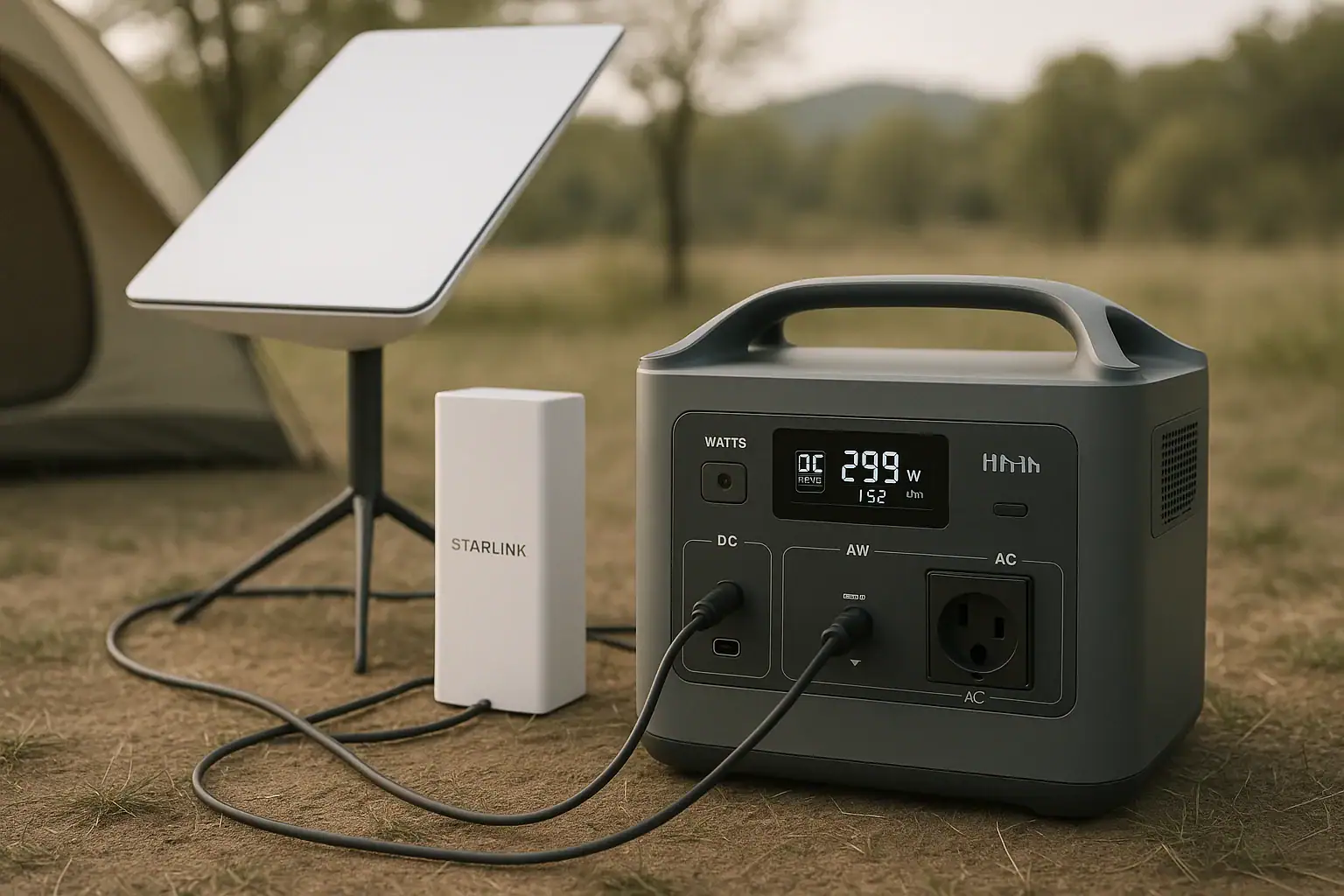
Running a Router and Modem During a Power Outage: How Many Hours Can You Get?

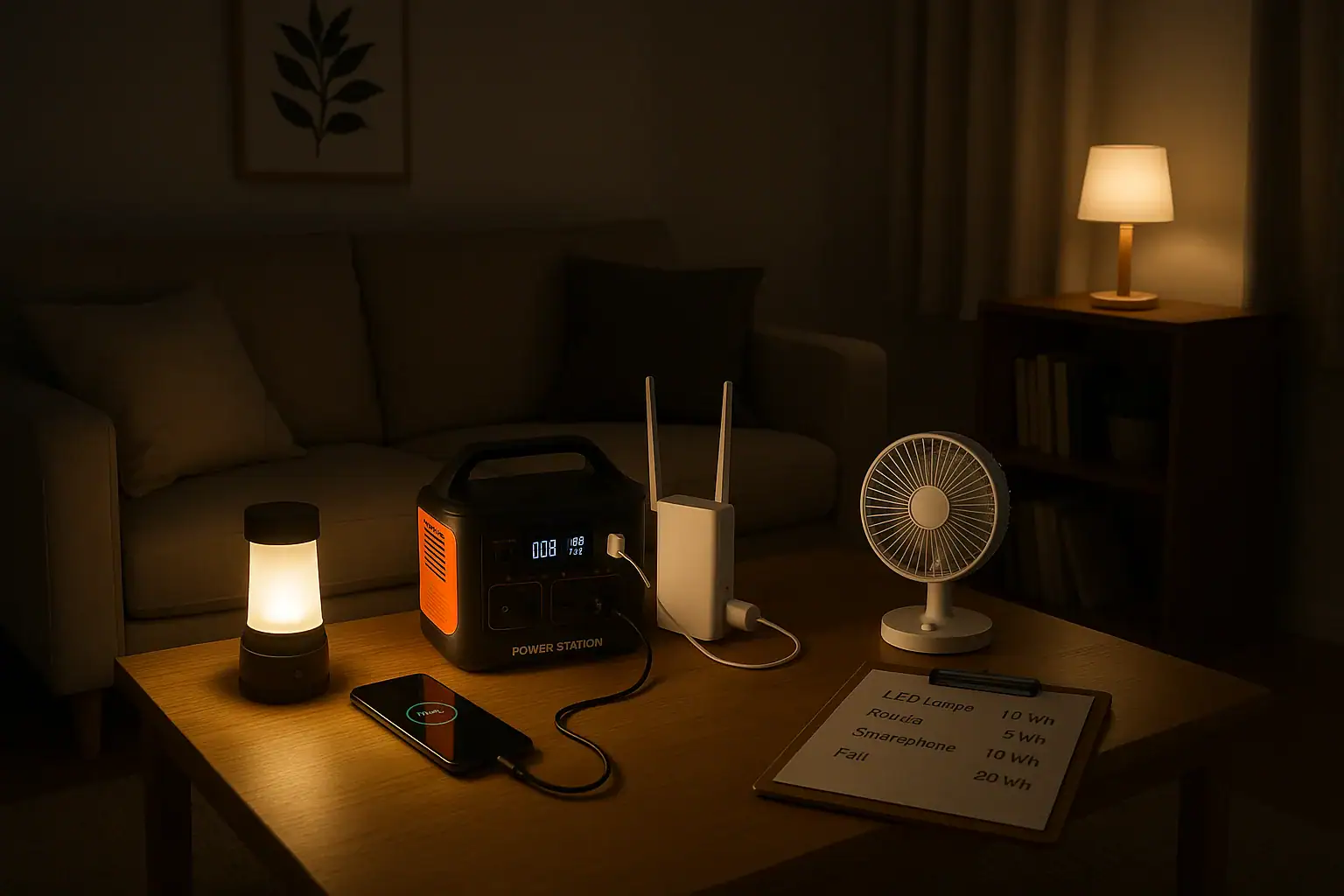
Portable power station running a router and lamp during outage

What running a router and modem during a power outage really means

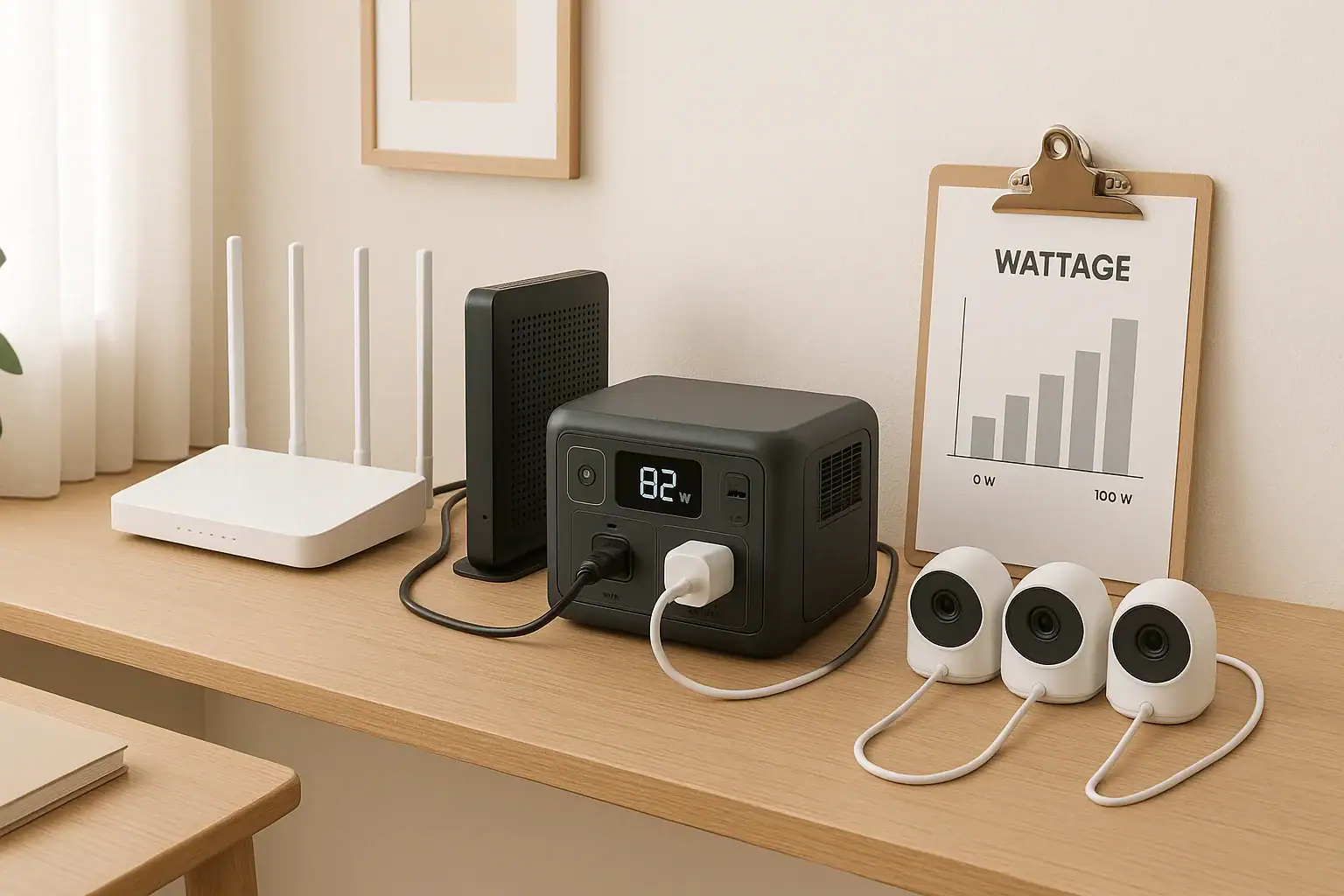
Running a router and modem during a power outage means using a backup power source, such as a portable power station, to keep your home internet connection online when grid power fails. Instead of losing Wi‑Fi the moment the lights go out, your networking gear can keep running from stored battery energy.

This matters because many people rely on home internet for work, school, and getting critical information during storms and emergencies. Even if larger appliances stay off, keeping a router and modem powered can support email, messaging, basic web use, and Wi‑Fi calling on phones.

Portable power stations are well suited for this task because routers and modems usually draw modest power. With a little planning, you can estimate how many hours of runtime you will get, decide what size battery you need, and understand what other small devices you can safely add without cutting runtime too short.

Understanding the basic power numbers and limitations helps avoid unpleasant surprises, like a router shutting down sooner than expected or a power station turning off under a light load. A simple sizing approach can give you realistic expectations before the next outage.

Key concepts and sizing logic for routers, modems, and backup power

Two key units determine how long you can run a router and modem on a portable power station: watts (W) and watt-hours (Wh). Watts describe how fast a device uses power at any moment, while watt-hours describe how much energy is stored in a battery. Runtime in hours is roughly battery watt-hours divided by the total watts of the devices, adjusted for efficiency losses.

Routers and modems usually use low power, often in the range of about 10–30 W combined, depending on the models, extra antennas, and whether you have an integrated gateway. Many of these devices use a small AC adapter that converts 120 V wall power to low-voltage DC, or they plug directly into the low-voltage DC outputs on a power station.

Surge power is not a major concern for routers and modems, because they do not have large motors or compressors that spike at startup. The main rating to care about is continuous or running watts: the steady draw while they are on. As long as your portable power station’s continuous output rating is comfortably above the total wattage of your networking gear, you should not overload it.

Efficiency losses, however, matter. Inverters that turn battery DC into 120 V AC are not 100% efficient. Typical overall efficiency is often around 80–90%. To estimate runtime more realistically, many people multiply the battery’s watt-hour rating by an efficiency factor, then divide by the device load in watts. Using a conservative factor helps avoid overestimating how long your router and modem will stay online.

Router and modem backup planning checklist table
Example values for illustration.
What to checkWhy it mattersNotes (example only)
Router and modem wattageDetermines total load on the power stationOften around 10–30 W combined
Power station capacity (Wh)Defines maximum potential runtimeHigher Wh means more hours of Wi‑Fi
AC vs DC poweringDC outputs can reduce conversion lossesUsing DC may slightly extend runtime
Added devices (laptops, phones)Extra loads reduce runtime for networking gearPlan priority devices in advance
Efficiency assumptionsPrevents overestimating runtimeMany people assume 80–90% overall
Battery starting charge levelPartial charge reduces available hoursTry to keep above 50% in outage season
Ambient temperatureExtreme cold or heat can reduce capacityAim for indoor room-temperature use

Real-world examples of router and modem runtime on a portable power station

To get a concrete feel for runtimes, it helps to run through some simplified examples. These are not official limits; they are sample calculations to show the math. In practice, actual runtimes vary with specific devices, battery age, temperature, and how many other items you power at the same time.

Imagine a small home setup where the router and modem together draw about 20 W while idle and during light use. If you connect them to a portable power station rated at 300 Wh and assume an overall efficiency of about 85%, the usable energy is roughly 255 Wh. Dividing 255 Wh by 20 W gives about 12.75 hours of runtime, so a rough expectation might be around 10–12 hours to allow for fluctuations.

Now imagine a larger backup unit rated around 600 Wh with the same 20 W networking load. With the same 85% efficiency assumption, usable energy is about 510 Wh. Dividing 510 Wh by 20 W suggests around 25.5 hours, so you might expect a full day of connectivity if you only run the router and modem. If you add a laptop drawing 40 W, the total load jumps to 60 W, cutting expected runtime down to around 8–9 hours.

For heavier networking setups, such as a router, modem, and small network switch totaling around 30 W, even a modest power station can be helpful. A 200 Wh unit at 85% efficiency provides about 170 Wh usable. Dividing 170 Wh by 30 W yields roughly 5.6 hours. That could cover a typical workday if you only need connectivity for key periods and are willing to turn equipment off between critical tasks to stretch the battery.

Common mistakes and troubleshooting cues when backing up internet equipment

One common mistake is overlooking the extra power used by chargers, smart speakers, or other small electronics plugged into the same power station. Each added device increases the total wattage and reduces runtime for your router and modem. During an outage, it is often best to prioritize only the devices you truly need and unplug the rest.

Another frequent issue is misunderstanding standby or idle power. Some people assume the router and modem use the same power all the time, but active data transfers, additional Wi‑Fi bands, or built-in voice adapters can increase draw. LED indicators, USB ports, and connected network drives can also add a few watts. If your power station shows real-time power usage, monitor it with the networking gear alone before an outage so you know typical numbers.

Users sometimes notice the portable power station shutting off even though the router and modem should only draw a few watts. Some units have a minimum load requirement or an auto-sleep feature. If the total power draw is below a threshold, the AC output may turn off to save energy. In such cases, using DC outputs (if compatible with your router’s input voltage and plug type) or keeping a small, low-priority device charging temporarily can keep the power station awake. Always follow manufacturer instructions for voltage and connector compatibility.

Charging behavior can also be confusing. A power station may charge slower than expected if it is simultaneously powering your router and modem, especially from a car outlet or solar panel. Cold temperatures, partial shading on solar panels, or circuit protections in vehicle sockets can further limit input. If the battery percentage seems to climb slowly or hold steady, the incoming power may be nearly equal to what the networking gear consumes.

Safety basics when using a portable power station for networking gear

Even though portable power stations are generally safer and cleaner than combustion generators, basic electrical safety still applies. Place the power station on a stable, dry, and well-ventilated surface away from direct heat sources and moisture. Keep it out of enclosed cabinets or covered spaces where heat can build up, especially while charging or under continuous load.

Use cords and adapters that are in good condition and rated for the loads involved. Avoid daisy-chaining multiple power strips or extension cords from the same outlet on the power station. For powering a router and modem, a single quality power strip or plugging devices directly into the unit is usually enough, provided you respect the output limits printed on the device.

Because portable power stations typically provide standard 120 V AC outlets, treat them like any household receptacle. Keep liquids away, avoid pinching or crushing cords behind furniture, and do not modify plugs. If you need to power devices in damp locations, such as a basement during a storm, keep the power station elevated and away from standing water, and make use of equipment that incorporates ground-fault protection when appropriate.

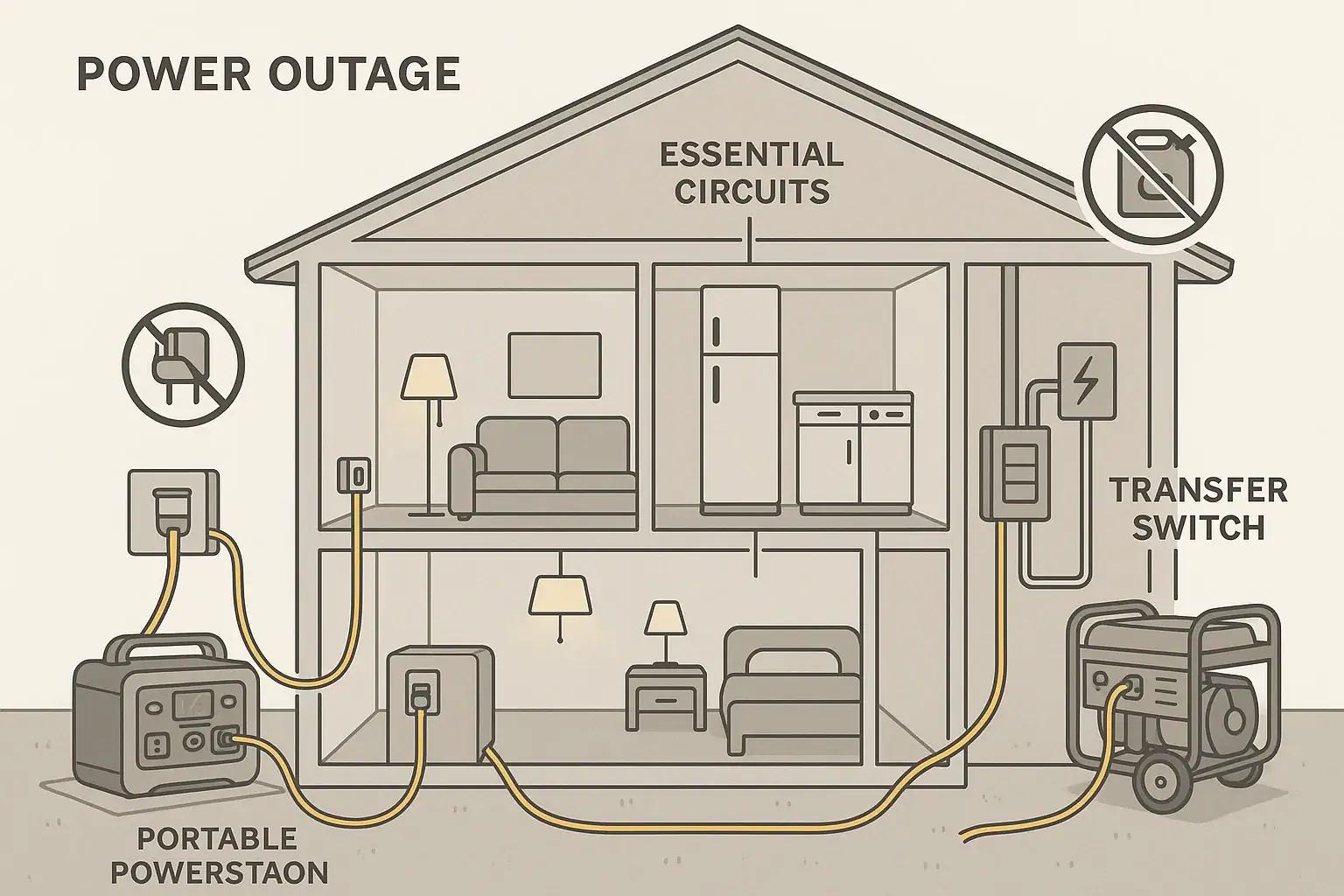
Do not attempt to wire a portable power station directly into your home’s electrical panel, permanent circuits, or wall outlets. Backfeeding a home system without proper equipment can be hazardous to you and to utility workers. If you want a more integrated backup setup, consult a qualified electrician to discuss code-compliant options designed for whole-home or circuit-level backup.

Maintenance and storage tips to keep your backup internet power ready

To ensure your portable power station is ready for the next outage, routine maintenance and sensible storage are important. Most lithium-based units prefer being stored partially charged rather than completely full or empty. Many manufacturers recommend around 40–80% state of charge for long-term storage, but you should always refer to the guidelines for your specific device.

All batteries experience self-discharge over time, slowly losing charge even when not in use. Checking the charge level every few months and topping up as needed helps prevent deep discharge, which can shorten battery life or trigger protective shutdown modes. During seasons with frequent storms or grid issues, consider checking charge levels more often so your backup is ready.

Temperature also affects performance and longevity. Storing and using portable power stations at moderate indoor temperatures is best. Very cold conditions can temporarily reduce available capacity and slow charging, while very hot environments can accelerate aging. Keeping the unit in a climate-controlled area, such as a hallway closet or office, helps it last longer and perform more predictably when needed.

Periodic functional tests are useful. Every few months, you can briefly run your router and modem from the power station to confirm everything powers up correctly, cables are in good shape, and you still get the expected runtime. This small test can reveal failing adapters, loose connectors, or reduced capacity well before an actual emergency.

Long-term maintenance plan for router backup power
Example values for illustration.
TaskSuggested frequencyExample notes
Check state of chargeEvery 2–3 monthsTop up if below roughly half charge
Run a short test with router and modemEvery 3–6 monthsConfirm power station powers networking gear
Inspect cords and adaptersEvery 6 monthsLook for fraying, bent plugs, or loose fit
Clean vents and surfacesEvery 6–12 monthsUse a dry cloth to remove dust buildup
Review temperature and storage spotSeasonallyEnsure area is dry and moderate in temperature
Update outage plan for priority devicesYearlyDecide which devices to power first
Check manufacturer guidanceYearly or after firmware updatesReview recommendations on charging and storage

Practical takeaways for keeping your router and modem online

When planning to run a router and modem during a power outage, start by identifying their approximate wattage and your power station’s capacity in watt-hours. Using a conservative efficiency value, estimate runtime by dividing usable watt-hours by your total load in watts. This simple calculation gives a baseline for how many hours of Wi‑Fi you can expect.

During an outage, prioritize networking gear and a few essential devices rather than powering everything at once. Keeping loads low extends runtime, especially on smaller power stations. If your unit offers DC outputs compatible with your router’s power needs, using them can slightly improve efficiency and may avoid minimum-load issues that sometimes shut AC outputs off.

Think through safety and reliability ahead of time. Store the power station in an accessible indoor location, keep it partially charged, and test it with your actual router and modem before you need it in an emergency. Check cords, adapters, and ventilation so that nothing interferes with safe operation when the lights go out.

Finally, treat your backup internet plan as part of a broader outage strategy. Decide how long you truly need connectivity, what tasks are most important, and which devices you can leave off to preserve battery life. With realistic expectations and simple preparation, a modest portable power station can keep your router and modem running through many typical power interruptions.

Frequently asked questions

How long can I run a router and modem during a power outage on a 300 Wh portable power station?

Runtime depends on device draw and conversion efficiency. For example, assuming about 20 W combined draw and ~85% overall efficiency, a 300 Wh battery yields roughly 255 Wh usable, or about 12–13 hours in ideal conditions; real-world results can be lower due to age, temperature, or additional loads.

Can I power my router and modem from a power station’s DC output to get a longer runtime?

Yes—using a DC output can reduce inverter conversion losses and slightly extend runtime, but only if the output voltage and connector match your router’s requirements. Check polarity, voltage, and current ratings carefully and use a compatible adapter or cable; using the wrong DC input can damage devices.

Why does my power station turn off even though the router and modem only draw a few watts?

Many power stations have a minimum load threshold or an auto-sleep feature that turns AC outlets off under very light loads to conserve energy. If this happens, try the station’s DC outputs (if compatible), add a small continuous load, or consult the manual to adjust settings if supported.

How much will charging phones or powering a laptop reduce the hours I can run a router and modem?

Additional devices reduce runtime roughly in proportion to their wattage. For example, adding a 40 W laptop to a 20 W router/modem doubles the total load to 60 W, cutting expected runtime on the same battery to about one-third of the router-only figure, all else equal.

What maintenance and storage practices help ensure my power station can run a router and modem during an outage?

Store the unit at a moderate temperature and a partial charge (commonly 40–80% per many manufacturer guidelines), check charge every few months, inspect cords, and run periodic tests powering your actual router and modem. These steps help detect capacity loss or connector issues before an emergency.

Powering an Aquarium During an Outage: Pumps, Heaters, and Runtime Tips

portable power station running an aquarium filter and lamp

Powering an aquarium during an outage means keeping the most critical equipment running when your home loses electricity. For most aquariums, that is first about maintaining water movement and oxygen levels, and second about keeping temperature within a safe range. Portable power stations can provide temporary electricity to pumps, filters, air pumps, and sometimes heaters until normal power returns.

Fish and invertebrates rely on stable conditions. When power goes out, water can quickly lose oxygen, especially in heavily stocked or warm tanks. Temperature can also drift outside ideal ranges if the outage lasts long enough. Planning ahead with a portable power station helps you prioritize which devices must stay on and for how long, instead of reacting in a hurry once the lights go out.

This planning is not just about buying a big battery. It involves learning the power draw of your equipment, understanding how long you actually need to run it, and deciding which items you can cycle on and off to stretch runtime. With a basic grasp of watts, watt-hours, and efficiency losses, you can estimate how a given power station will support your aquarium.

What powering an aquarium during an outage really means

Thinking through outage scenarios before they happen is especially important for larger or sensitive setups such as reef tanks, planted tanks with pressurized CO₂, or tanks with species that have narrow temperature or oxygen needs. Even for smaller community tanks, a simple backup plan can dramatically reduce stress for both you and your livestock.

Key concepts and sizing logic for pumps, heaters, and runtime

Portable power planning for aquariums centers on two main units: watts and watt-hours. Watts describe how much power a device uses while it is running. Watt-hours (Wh) describe how much energy a battery can deliver over time. For example, if a small filter uses 10 watts, it theoretically consumes 10 watt-hours in one hour of continuous operation.

Most portable power stations list a capacity in watt-hours and a maximum output in watts. Capacity in watt-hours tells you how long the station can run your devices, while the watt limit tells you how many devices you can run at once. Running two devices that total 50 watts from a 500 watt-hour power station would theoretically give 10 hours of runtime (500 Wh ÷ 50 W), before accounting for losses.

There are also two types of watt ratings for many devices: surge (or starting) watts and running (or continuous) watts. Many aquarium heaters and pumps draw a brief higher surge when they start, then settle at a lower running wattage. Your power station’s inverter must handle both the peak surge and the continuous running load. Aquarium pumps usually have modest surges, but it is still wise to confirm that your total startup load does not exceed the station’s rated surge output.

No system is perfectly efficient. When a portable power station converts stored battery energy to AC power, some energy is lost as heat. In real use you might see 10–25 percent less runtime than the simple watt-hour calculation suggests, depending on inverter efficiency, device type, and how close you are to maximum load. Heaters are especially demanding because they draw high wattage when on, so even small changes in temperature setpoint or room temperature can significantly affect how often they cycle and how quickly you drain the battery.

Aquarium outage planning checklist table. Example values for illustration.
What to check Why it matters Typical example or note
Total pump and filter watts Core for oxygenation and circulation Small filter + air pump might total 10–25 W
Heater watt rating Biggest driver of battery drain Common aquarium heaters range 50–300 W
Power station capacity (Wh) Defines maximum possible runtime Compare capacity to total continuous watts
Essential vs optional devices Lets you shut off noncritical loads Lights usually off during outages to save power
Surge vs running watts Avoids inverter overload on startup Most pumps have modest startup spikes
Ambient room temperature Affects heater duty cycle Cooler rooms make heaters run more often
Extension cord length and gauge Reduces voltage drop and heating Use a shorter, appropriately rated cord
Expected outage duration Guides how aggressively you conserve Plan differently for 2 hours vs overnight

Real-world examples of aquarium backup runtimes

To make the numbers more concrete, it helps to walk through a few example scenarios. These are not exact predictions but useful starting points for planning. Always compare them to the actual watt ratings on your equipment and adjust for your specific tank size, stocking level, and room temperature.

Consider a small freshwater tank with a 10-watt filter and a 30-watt heater. If you connect only the filter to a 300 watt-hour portable power station, the simple math is 300 Wh ÷ 10 W = 30 hours. Accounting for efficiency losses, you might expect somewhere around 22–26 hours of runtime. If you also run the 30-watt heater continuously, the total draw becomes 40 watts, which drops the theoretical runtime to about 7.5 hours before losses, perhaps 5.5–6.5 hours in practice. Since heaters cycle on and off, actual runtime will depend on how often the heater needs to run to maintain temperature.

For a medium community tank, imagine a 20-watt canister filter, 5-watt air pump, and 150-watt heater. Total non-heater load is 25 watts. On a 500 watt-hour station, running only the filter and air pump might yield around 16–18 hours of practical runtime. If you also run the heater and it averages 50 percent on-time over a cool night, the average heater draw becomes about 75 watts, bringing total average load to 100 watts. That could reduce usable runtime to roughly 4–5 hours, again depending on efficiency and how the heater cycles.

For larger or temperature-sensitive systems, some aquarists choose to prioritize life support over perfect temperature. In a reef tank, for example, you might run return and powerhead pumps continuously while turning the heater on only periodically to slow temperature drift, extending total runtime from a few hours to much longer. In cool climates or long outages, pairing a portable power station with insulation around the tank or a warmed room can reduce heater demand and make the same battery capacity stretch further.

Common mistakes and troubleshooting cues during outages

One of the most common mistakes is underestimating heater impact. Many people size their backup solution based on filter and pump loads, only to watch the power station shut down much sooner than expected because the heater cycles more often in a cooling room. If your runtime is much shorter than your calculations, the heater is often the main factor.

Another frequent issue is overloading the inverter with too many devices at once. Plugging aquarium lights, pumps, heaters, and miscellaneous household items into the same portable power station can easily exceed its continuous watt rating. Symptoms include the power station shutting off abruptly, flashing overload indicators, or refusing to start certain devices. In an outage, limit the station to essential aquarium life support plus perhaps a very small light if needed for observation.

Users also sometimes misinterpret slow or stalled charging. If your power station is set up for pass-through use (charging while also powering loads), a heavy load from the aquarium can cause the battery to charge very slowly or not at all. The input from the wall charger might simply match or fall short of the current output to your devices. Signs include the state-of-charge level holding steady or decreasing even while plugged in. In that case, reducing nonessential loads or charging the station before reconnecting the aquarium can help.

Long extension cords and power strips can introduce additional issues, such as voltage drop, warm cord insulation, or loose connections. If devices flicker or restart when other loads kick on, inspect all cords and connections for heat, damage, or poor fit. Use extension cords rated for the load and keep runs as short and direct as practical between the power station and the aquarium equipment.

Safety basics for using portable power with aquariums

Water and electricity are always a risky combination, so placement and cord routing are critical. Keep the portable power station on a stable, dry surface away from splashes, leaks, and salt creep. Position it where there is adequate airflow around vents, and avoid enclosing it in tight cabinets or covering it with towels or insulation materials. Good ventilation helps the unit stay cool and maintain safe operation under load.

Use cords and power strips that are rated for indoor use and for the total wattage of your connected aquarium gear. Keep plugs and cords off the floor where possible, especially in areas that might get wet during maintenance or spills. Drip loops on cords leading from the tank help ensure that water runs down the cord and drips off instead of traveling into outlets or the power station’s sockets.

In many homes, aquariums are normally plugged into outlets protected by ground-fault circuit interrupter (GFCI) devices, which can help reduce shock risk in wet environments. When using a portable power station, you may or may not have GFCI protection depending on how you connect it. Without getting into wiring modifications, which should always be evaluated by a qualified electrician, a simple approach is to plug your existing GFCI power strip into the power station’s AC outlet so you retain that added protection.

Avoid placing the power station where children or pets can easily disturb it, knock it over, or play with buttons and cords. Do not cover the unit to muffle fan noise, and do not operate it in standing water, outdoors in rain, or near humidifiers blowing directly on it. Follow the manufacturer’s guidelines about maximum load, ambient temperature range, and ventilation clearances, and discontinue use if you notice unusual smells, smoke, or excessive heat.

Maintenance and storage for reliable aquarium backup

A portable power station is only useful for aquarium emergencies if it holds a charge when you need it. Most lithium-based stations have relatively low self-discharge but will still lose some charge over months of storage. A common practice is to keep the battery partially charged during normal times and top it up every few months. Many users aim to store the station around 40–60 percent state of charge when it will sit unused for a long period, then fully charge it when bad weather or outage risk increases.

Temperature matters both for battery health and for reliable performance. Storing the unit in a cool, dry indoor space away from direct sunlight and extreme temperatures helps extend its life. Avoid leaving it in very hot or freezing environments, such as in vehicles or unconditioned sheds. During an outage, if the room is cold, expect somewhat reduced performance and capacity compared with mild indoor temperatures.

Routine checks help you discover issues before an emergency. Every few months, verify that the station turns on, that the display is readable, and that the ports work with a small test load such as a lamp or spare pump. Inspect the casing and outlets for dust buildup, corrosion, or damage. Also check any dedicated aquarium extension cords or power strips for wear, and replace anything with cracked insulation or loose fittings.

If you sometimes use the portable power station for camping or other activities, make a habit of returning it to your planned aquarium-ready configuration when you get home. That might include keeping a clearly labeled bag with the specific cords, air pump, or backup sponge filter you plan to use during outages, stored near the tank so you do not have to search for parts in the dark.

Storage and readiness planning for aquarium backup. Example values for illustration.
Task Suggested interval Practical note
Top up battery charge Every 2–3 months Keep around mid-level when in long-term storage
Function test with small load Every 3–6 months Use a lamp or spare pump for a quick check
Inspect cords and power strips Every 6 months Look for cracks, warmth under load, or loose plugs
Clean dust from vents As needed Gently wipe or vacuum around air inlets and outlets
Review aquarium gear wattage Annually or after equipment changes Update your outage plan when you change filters or heaters
Confirm storage temperature Seasonally Ensure unit is not left in very hot or freezing spaces
Refresh written runtime estimates Annually Keep a simple note near the tank for quick reference

Practical takeaways for aquarium outage planning

Keeping an aquarium safe during a power outage is mostly about preparation and prioritization. Understanding which devices matter most, how much power they draw, and how long your portable power station can support them turns an uncertain event into a manageable routine. Even a modest station can provide meaningful protection if you use it strategically, focusing on circulation and oxygenation and using heaters thoughtfully.

  • List the wattage of your pumps, filters, air pumps, and heater, and separate essentials from optional devices like lights.
  • Match your total essential watt load to the capacity and output limits of your portable power station, allowing for efficiency losses.
  • Plan how you will prioritize heater use, considering room temperature and likely outage duration.
  • Store the power station partially charged in a cool, dry place and test it periodically with a small load.
  • Keep cords organized with drip loops and maintain GFCI protection where practical to reduce electrical risk near water.
  • Review and adjust your plan whenever you change aquarium equipment or significantly alter stocking levels.

With these habits in place, a portable power station becomes a reliable part of your aquarium life-support strategy, helping you bridge short to moderate outages while protecting the health and stability of your aquatic environment.

Frequently asked questions

How do I estimate how long a portable power station will run my aquarium equipment?

Divide the station’s capacity in watt-hours by the combined running watts of the devices you intend to power to get a theoretical runtime, then reduce that by roughly 10–25% to account for inverter and system losses. For heaters, use the heater’s average on-time (duty cycle) rather than its peak wattage, since heaters cycle on and off. Always check your equipment’s actual watt ratings and allow a safety margin.

Which aquarium devices should I prioritize during an outage?

Prioritize pumps, filters, and any air pumps that maintain circulation and oxygenation, as these are most critical to immediate animal health. Heaters are next in importance for temperature-sensitive species, while lights and nonessential equipment can usually be left off to conserve energy.

Can I keep GFCI protection when running my aquarium from a portable power station?

You can often retain GFCI protection by plugging a GFCI-rated power strip into the power station’s AC output, which provides ground-fault protection for devices plugged into that strip. However, not all power stations and GFCI devices interact the same way, so verify compatibility and avoid modifying household wiring; consult a qualified electrician if unsure.

What are safe ways to reduce heater power draw without endangering livestock?

Insulate the tank’s canopy or wrap the stand with nonflammable insulating material, raise ambient room temperature if possible, and reduce heater setpoint only within safe limits for your species. For short outages, prioritizing circulation and oxygenation while allowing temperature to drift slowly is often safer than running a heater continuously on limited battery supply.

How do I choose a power station that can handle pump and heater startup surges?

Compare both the continuous (running) watt rating and the surge (peak) watt rating of the power station to the startup and running watts of your equipment. Choose a unit with a surge rating comfortably above combined startup draws and with continuous capacity exceeding your normal running load, allowing an extra margin to avoid overloads.

Powering a Coffee Maker, Kettle, or Induction Cooktop: What Works and Why

Portable power station running a coffee maker and kettle

What the topic means and why it matters

Running a coffee maker, electric kettle, or induction cooktop from a portable power station sounds simple, but these appliances place heavy, fast-changing demands on battery power. Unlike phone chargers or lights, they use heating elements or induction coils that draw a lot of power in a short time. Understanding how they behave helps you avoid tripping protection circuits, shortening runtime, or stressing your battery.

In plain terms, the question is: can your portable power station safely supply enough power, for long enough, to brew coffee, boil water, or cook on an induction surface? To answer that, you need to look beyond a single wattage number on the label and understand how wattage, watt-hours, surge power, and efficiency losses interact.

This topic matters because high-wattage appliances are often the first things that stop working when people switch from wall power to battery power. During short power outages, camping trips, or vanlife setups, people are often surprised to find their coffee maker will not turn on, or the induction cooktop keeps shutting down. Proper planning protects your equipment, prevents nuisance shutdowns, and sets realistic expectations for what a portable power station can actually do.

Focusing on coffee makers, kettles, and induction cooktops also reveals broader principles you can apply to other heating loads, such as space heaters, toasters, or hair dryers. Once you understand how these three appliance types interact with a portable power station, you can more confidently plan your entire off-grid or backup-power setup.

Key concepts and sizing logic

Two basic units matter most when pairing appliances with a portable power station: watts (W) and watt-hours (Wh). Watts describe the rate of power use at any moment, similar to how fast water flows through a pipe. Watt-hours describe total stored energy, like the size of a water tank. A portable power station might have a 1000 Wh battery and a 1000 W AC inverter; those are related but different limits.

Most coffee makers and electric kettles are high-wattage but short-duration loads. They often draw around 800–1500 W while heating, then shut off or cycle. Induction cooktops can behave differently: they may pulse power on and off to maintain a set temperature, but their peak draw can reach or exceed 1500 W on higher settings. To avoid overloads, the inverter’s continuous (running) watt rating must be higher than the appliance’s steady draw, and the surge rating must tolerate short spikes when the appliance first turns on.

Surge versus running watts is critical. Surge power is a brief, higher capacity that the inverter can provide for a second or two when a device starts. Running (continuous) power is what the inverter can supply indefinitely under normal conditions. While heating appliances usually do not have the enormous surges of some motors, they can still spike above their labeled rating at startup or as thermostat controls switch. If a coffee maker is labeled 1000 W, choosing an inverter with a comfortable margin above that helps avoid nuisance shutdowns.

efficiency losses also reduce usable runtime. Converting battery DC power to 120 V AC requires an inverter, which is not perfectly efficient. In real-world use, you might lose 10–20% of energy in the conversion process and internal electronics. Battery management systems also limit how much of the rated capacity you can access to protect the cells. That means a 1000 Wh power station might only deliver around 800–900 Wh to your appliance. When estimating runtimes, it is wise to factor in these losses rather than relying on simple “Wh divided by W” math.

Decision matrix for sizing a portable power station to run heating appliances. Example values for illustration.
Appliance scenario Typical draw (W) Minimum inverter running watts to consider Suggested battery capacity range (Wh) Notes
Small drip coffee maker 600–900 900–1200 500–1000 Good for occasional morning use; watch other loads.
Larger drip or single-serve pod brewer 900–1300 1200–1500 800–1500 Needs extra inverter margin to avoid overload.
Compact electric kettle 800–1200 1200–1500 800–1500 Short but intense draw; suitable for mid-size stations.
Full-size electric kettle 1200–1500 1500–1800 1000–2000 Often near the upper limit of many units.
Single-burner induction cooktop (low to medium) 500–1000 1000–1500 1000–2000 Usable for simple meals at reduced settings.
Single-burner induction cooktop (high) 1200–1800 1800–2000+ 1500–3000 Best suited to larger, high-output systems.
Multiple heating appliances at once Combined 1500–2500+ 2000+ 2000+ Usually impractical on small portable units.

Real-world examples with coffee, kettles, and induction

To translate numbers into everyday use, consider a moderate-size portable power station rated around 1000 Wh with a 1200 W inverter. If you plug in a simple drip coffee maker that draws about 800 W and runs for 10 minutes, it will use roughly 800 W × (10/60) hours ≈ 133 Wh. After accounting for inverter and system losses, you might see closer to 150–170 Wh used. That means you could reasonably brew several pots of coffee before needing to recharge, as long as you are not powering other big loads at the same time.

An electric kettle that draws 1200 W and boils 1 liter of water in roughly 5 minutes uses about 1200 W × (5/60) hours ≈ 100 Wh, plus losses. In practice, one boil might consume 110–130 Wh from the battery. On the same 1000 Wh station, you might realistically expect 6–8 full boils, depending on how full the kettle is and ambient temperature. Combining coffee brewing and kettle use in a morning routine remains feasible with some margin left for lights, phones, or a laptop.

Induction cooktops highlight the limits more clearly. Suppose you have a single-burner induction unit drawing around 1500 W on a high setting. A 1000 W inverter simply cannot support that; the protection circuitry will shut it down. Even a 1500 W inverter is operating at its ceiling, leaving little margin. If you instead run the cooktop on a medium setting around 800–1000 W, a 1200–1500 W inverter can typically handle it. Cooking a simple meal for 20 minutes at 900 W uses about 300 Wh plus losses, which is a significant portion of a mid-size battery.

These examples assume that the power station is not being charged while in use. If you add solar, wall, or vehicle charging, you can stretch runtimes but need to consider pass-through behavior. Some units can power loads while charging, but they may limit output, reduce charging speed, or produce more heat. Also remember that high, sustained loads such as induction cooking can warm both the inverter and battery, leading the system to reduce output or shut down if internal temperatures climb too high.

Common mistakes and troubleshooting cues

One common mistake is focusing only on battery capacity (Wh) and ignoring inverter output (W). People often buy a power station with enough stored energy on paper, then discover that its inverter cannot handle the instantaneous draw of their kettle or cooktop. If the appliance will not turn on, or the power station immediately beeps and shuts off, an inverter overload is a likely cause.

Another frequent issue is trying to run multiple heating devices at once. For example, powering a coffee maker and an induction burner together can easily push the total draw beyond the inverter’s rating, especially if the cooktop cycles to a higher level while the coffee maker’s heating element engages. Even if the inverter does not trip immediately, this combined load can drain the battery much faster than expected and may cause the unit to reduce output as it heats up internally.

Users also misinterpret charging behavior under heavy load. When a power station is both charging and powering a high-wattage appliance, the net battery change can be small or even negative. This makes it seem like charging is “stuck” or “slow.” In reality, the incoming power is partially or mostly consumed by the appliance. Some units will also limit AC charging when output loads are high to keep temperatures within safe ranges, further slowing down the charging process.

Additional troubleshooting cues include flickering displays, fans running constantly at high speed, and repeated shutdowns after short run times. These can signal that the system is at or near its power or temperature limits. If this happens, try reducing appliance settings (such as using a lower induction level), unplugging other loads, moving the unit to a cooler, well-ventilated area, and allowing it to rest. Persistent problems may indicate that the appliance simply exceeds what the power station is designed to handle.

Safety basics with high-heat appliances

Anytime you use heating appliances with a portable power station, treat them with the same respect you would on household outlets. Place the power station on a stable, dry, and level surface, away from direct heat sources and out of foot traffic paths. Keep ventilation grilles clear on all sides so internal fans can move air freely; blocking vents can lead to overheating and automatic shutdown.

Cord management is an important safety consideration. High-wattage appliances should be plugged directly into the power station or into a heavy-duty extension cord rated for the current draw. Avoid long, undersized cords or multiple daisy-chained power strips, as they can overheat. Inspect cords and plugs for damage, and do not operate appliances if there are signs of melting, discoloration, or loose connections at the receptacle.

Think carefully about where you place the coffee maker, kettle, or induction cooktop relative to the power station. Separate the appliance from the battery unit enough that splashes, steam, or tipped liquids are unlikely to reach the power station. Steam and heat from kettles and cooktops can degrade plastic housings and electronics over time if they vent directly onto the device. Induction cooktops also generate heat in cookware, so ensure that cords are routed away from hot surfaces and that the station itself is not exposed to rising heat.

Some portable power stations include outlets with ground-fault protection or recommend pairing with external GFCI devices, which can help reduce shock risks in damp or kitchen-like environments. While you should not attempt any internal modifications, it is wise to operate near properly grounded outlets when charging from the wall and to avoid using any power equipment in standing water or severely wet areas. If you are unsure about grounding or protection in your setup, consulting a qualified electrician is safer than guessing.

Maintenance and storage for reliable performance

Keeping a portable power station ready to handle high-demand appliances requires basic battery care. Most units perform best when stored at a partial state of charge, such as around 40–60%, rather than completely full or empty for long periods. Check the manufacturer’s guidance, but as a general rule, fully charge the unit after heavy use, then allow it to rest before long-term storage. Marking a calendar reminder every few months to check and top off the charge can prevent the battery from drifting too low.

Self-discharge varies by chemistry and design, but all batteries slowly lose charge over time. During storage, especially if you plan to rely on the station for emergency coffee and hot water during outages, verify the charge level at least every 3–6 months. If the level has dropped significantly, recharge it to the recommended storage range. Avoid repeatedly letting the battery sit at 0% or turn itself off from under-voltage, as that can shorten its overall lifespan.

Temperature is another critical factor. Most portable power stations prefer to be stored in a cool, dry indoor environment, generally in the range of typical room temperatures. Exposure to high heat, such as in a closed vehicle in summer, can accelerate aging and reduce capacity. Likewise, operating or charging in very cold conditions can limit performance, slow charging, and reduce available power. If you plan to brew coffee or cook on an induction surface in cold weather, it helps to let the unit warm gradually to a moderate temperature before heavy use when possible.

Routine checks should include inspecting outlets for wear, confirming that fans operate normally under load, and making sure that cables and plugs remain snug and undamaged. Wipe down the exterior with a dry or slightly damp microfiber cloth as needed, keeping moisture away from vents and ports. Avoid opening the case or attempting internal repairs, as this can defeat safety systems and may create shock, fire, or chemical hazards.

Storage and maintenance plan for portable power stations. Example values for illustration.
Task Suggested frequency Target state of charge Temperature considerations Notes
Check battery level Every 3–6 months 40–60% if in storage Room temperature Recharge if it falls significantly below the target.
Top-off charge for outage season Before storm or wildfire season 80–100% Cool, dry indoor area Ensures enough power for coffee, kettles, and essentials.
Visual inspection of cords and outlets Every 3 months or before trips Any Avoid damp locations Look for discoloration, cracks, or loose fittings.
Short functional test under load Every 6–12 months 50–80% Moderate temperature Run a small load to confirm normal operation.
Cleaning exterior and vents As needed Unplugged and off Dry environment Use a soft cloth; keep liquids out of ports and vents.
Deep review of manual and settings Annually Any Indoors Refresh knowledge of limits and safety notes.
Long-term storage check After 12+ months unused 40–60% Cool, stable Ensure unit still powers on and charges correctly.

Practical takeaways and planning checklist

Powering coffee makers, kettles, and induction cooktops from a portable power station is possible, but it requires matching appliance demands to inverter output and battery capacity. Thinking in terms of both watts and watt-hours helps you balance how hard you push the system with how long you can run it. For most households and travelers, it is realistic to expect a portable setup to handle modest coffee and hot water needs, while full-scale cooking on induction is usually reserved for larger, higher-output systems.

To make the most of your equipment, approach high-heat appliances with a plan rather than trial and error. Test your setup in calm conditions before you rely on it for outages or trips, monitor how much energy each task uses, and adjust your expectations accordingly. By paying attention to safety, maintenance, and realistic runtimes, you can enjoy the comfort of hot drinks and simple cooking without overloading your portable power station.

Use the following checklist as a quick reference when pairing appliances with a portable power station:

  • Confirm the appliance’s wattage rating and compare it with the inverter’s continuous and surge ratings.
  • Estimate runtime by dividing usable battery capacity (after losses) by appliance wattage and adding a safety margin.
  • Plan to run only one high-wattage appliance at a time, especially on smaller units.
  • Place the power station where it stays cool, dry, and well ventilated, away from steam and spills.
  • Use appropriately rated cords and avoid damaged or undersized extension cables.
  • Monitor for warning beeps, shutdowns, or excessive heat, and reduce load if needed.
  • Maintain the battery with periodic charging, storage at moderate state of charge, and regular inspections.
  • Test your coffee maker, kettle, and induction cooktop with the power station before you need them in an emergency or remote setting.

With thoughtful sizing and routine care, a portable power station can become a reliable partner for everyday comforts like coffee and hot meals, even when wall outlets are not available.

Frequently asked questions

Can a 1000 Wh portable power station run a 1500 W kettle or induction cooktop?

Usually not. Even if the battery has enough stored energy, the inverter must be rated to supply the appliance’s continuous wattage; a 1500 W draw requires an inverter that can sustain that load (often with additional margin). If the inverter is undersized, the unit’s protection circuitry will typically shut down immediately.

How many times can I boil 1 liter of water with a 1000 Wh power station?

Expect roughly 6–8 boils for a typical 1 L kettle on a 1000 Wh station, based on an actual consumption of about 110–130 Wh per boil after conversion losses. The exact number depends on usable battery capacity (many units deliver ~80–90% of rated Wh in practice), kettle efficiency, and ambient conditions.

Why does my power station shut down when I turn on the coffee maker even though the battery shows enough Wh?

That’s commonly caused by inverter overload or surge limits rather than lack of stored energy. Heating appliances can draw high instantaneous current when elements engage or thermostats cycle, and the inverter’s continuous or surge rating may be lower than the appliance’s startup or running demand. Combined loads, overheating, or protective temperature cutouts can also trigger shutdowns.

Can I use an induction cooktop while charging the power station from solar or wall power?

Sometimes, but behavior varies by unit. Many stations support pass-through use while charging, but they may limit AC output, reduce charging rate, or run hotter under simultaneous charge and discharge; this can reduce efficiency and may trigger thermal or power limits. Check the unit’s manual for pass-through specifications and ensure good ventilation.

What cord and outlet practices should I follow when powering kettles or induction cooktops from a portable station?

Plug high-wattage appliances directly into the station or use a short, heavy-duty extension cord rated for the expected current. Avoid daisy-chaining power strips or using long, undersized cables that can overheat, and inspect cords and plugs for damage before use. In damp or kitchen-like environments, consider ground-fault protection and keep the station away from steam and spills.

Can a Portable Power Station Run an Air Conditioner? Sizing and Expectations

Portable power station running a small air conditioner and lamp

Wondering if a portable power station can run an air conditioner really means asking whether a battery-powered unit can safely start and keep an AC unit running for a useful amount of time. This involves more than just plugging in and hoping for the best. You have to match the air conditioner’s power needs to the power station’s output and battery capacity, and then set realistic expectations for runtime.

Air conditioners are among the most demanding appliances you might try to power from a portable power station. Even small window or portable AC units use high wattage and have brief startup surges that can be several times higher than their normal running draw. That combination makes them a tough load for battery-based systems.

What the topic means (plain-English definition + why it matters)

This matters if you want backup cooling during short power outages, some comfort in a van or RV, or extra cooling in a small room without using a gas generator. Understanding the limits helps you avoid tripping overload protections, draining your battery too quickly, or damaging sensitive equipment.

Instead of asking only “Can it run?” it is more practical to ask “For how long can it run, under what conditions, and what tradeoffs do I accept?” The answer often involves reducing cooling expectations, choosing smaller or more efficient AC units, and planning for short, targeted use rather than all-day cooling.

Key concepts & sizing logic (watts vs Wh, surge vs running, efficiency losses)

To size a portable power station for an air conditioner, you need to work with two key numbers: watts and watt-hours. Watts (W) describe how much power an appliance uses at any moment. Watt-hours (Wh) describe how much energy is stored in the battery and therefore how long it can supply a given load.

Most air conditioners list their power use as watts or amperes. In the United States, many residential devices are powered at about 120 volts AC. If an AC unit lists amps only, you can estimate watts by multiplying amps by volts (amps × 120 ≈ watts). A unit that uses 8 amps at 120 volts will draw roughly 960 watts while running.

Air conditioners also have a surge or surge or startup wattage that is higher than the running wattage. When the compressor motor first kicks on, it can briefly draw two to six times its running power. A portable power station’s inverter must be able to handle that surge, usually for a fraction of a second, without shutting down. If the inverter’s surge rating is too low, the AC may never start even if the running watts are within limits.

Finally, you need to consider energy and efficiency. If you divide the portable power station’s usable watt-hours by the air conditioner’s average watt draw, you get a rough runtime in hours. However, inverters are not 100 percent efficient. Heat, conversion losses, and battery management overhead typically reduce usable energy by 10–20 percent. For planning, many people multiply the battery’s rated watt-hours by about 0.8 to estimate usable energy when running AC loads.

Basic sizing checks for running an air conditioner from a portable power station Example values for illustration.
What to check Why it matters Example guidance (not a limit)
AC running watts vs inverter continuous watts Ensures the power station can handle normal operation without overload. Running watts of AC at or below about 70–80% of inverter rating.
AC startup surge vs inverter surge watts Determines if the compressor can start without tripping protection. Startup surge of AC lower than inverter surge rating.
Battery watt-hours vs expected runtime Sets realistic expectations for how long cooling can last. Usable Wh ÷ AC average watts ≈ hours of run time.
Duty cycle of the air conditioner AC cycles on and off, so average draw can be lower than peak. Compressor might run 30–70% of the time depending on conditions.
Other loads on the power station Extra devices reduce available capacity and increase total watts. Plan AC as the primary load; minimize other devices.
Ambient temperature and insulation Poor insulation and high heat make the AC run more often. Smaller, well-insulated spaces help extend runtime.
Battery state of charge before starting Low charge shortens runtime and can cause early shutdown. Start AC use with a high state of charge when possible.

Real-world examples (general illustrative numbers; no brand specs)

Because every portable power station and air conditioner combination is different, example numbers are useful only as rough guides. Small window units, portable room ACs, and compact RV units often draw in the range of a few hundred to around 1,000 watts while running. Their startup surges can be higher, especially for older or less efficient models.

Imagine a small, efficient room air conditioner that uses about 500 watts when the compressor is running. If you pair it with a portable power station rated around 1,000 watts continuous output and 1,000 watt-hours of battery capacity, the math looks straightforward: 1,000 Wh ÷ 500 W ≈ 2 hours of continuous compressor run time. After factoring in inverter losses, you might get closer to 1.5–1.7 hours of actual compressor-on time.

However, air conditioners do not run at full power constantly. If the space is small and well insulated, and the temperature difference is modest, the compressor may cycle on and off. If the compressor runs only about half the time on average, that same setup might provide three or more hours of total cooling time. A hotter day, larger room, or more sun warming the space can quickly reduce that benefit.

Larger portable power stations with several thousand watt-hours can theoretically run a modest AC unit much longer, but the same limitations apply. As you increase AC size toward 1,000 watts or more of running load, you need a very robust inverter with a high surge rating. Even then, running a full-size room air conditioner for many hours will consume large amounts of stored energy, which may be difficult to replace quickly with typical home outlets or compact solar setups.

Common mistakes & troubleshooting cues (why things shut off, why charging slows, etc.)

Several recurring mistakes cause problems when trying to run an air conditioner from a portable power station. One of the most common is sizing only by battery capacity while ignoring inverter limits. Even if a power station has a large battery, if its inverter cannot supply the necessary surge, the AC may fail to start or repeatedly trip overload protections.

Another frequent issue is overestimating runtime by ignoring efficiency losses and duty cycles. People often divide battery watt-hours by the AC’s running watts and assume that number is guaranteed runtime. In practice, inverters waste some energy as heat, and batteries may deliver less than their rated capacity under high loads. Real runtimes are usually shorter than simple calculations suggest.

Users also sometimes plug multiple high-draw appliances into the same portable power station. An air conditioner plus devices like microwaves, hair dryers, or electric kettles can quickly exceed inverter capacity and battery limits. The power station may shut down abruptly to protect itself, which can be mistaken for a malfunction rather than an overload response.

Troubleshooting often starts with paying attention to how and when shutdowns occur. If the power station turns off immediately when the AC tries to start, the startup surge may be too high. If it runs briefly and then shuts down as the battery indicator drops quickly, the AC may be drawing more power than expected or the battery may have been only partially charged. Slower charging while running the AC usually means that the incoming charge power is lower than the outgoing load, so the system is net discharging even while plugged in.

Safety basics (placement, ventilation, cords, heat, GFCI basics at a high level)

Running an air conditioner from a portable power station concentrates a lot of power in a small setup, so basic safety practices are important. The power station itself should be placed on a stable, dry surface where it will not be kicked, stepped on, or exposed to water. Keep it in a location with good airflow around its vents so its cooling fans can move air freely and prevent overheating.

Use appropriately rated extension cords if the AC is not close to the power station. The cord should be heavy enough for the amperage and length; undersized cords can overheat and waste energy. Avoid daisy-chaining multiple cords or power strips between the power station and the air conditioner. Lay cords where they will not be crushed by furniture or create tripping hazards.

Heat buildup is another concern. Both the air conditioner and the portable power station produce heat during operation. Do not cover vents or block airflow with blankets, curtains, or other objects. In small enclosed spaces, consider how that extra heat will affect comfort and whether the equipment is operating within its recommended temperature range.

Many portable power stations provide outlets that behave like standard household receptacles, sometimes including GFCI-style protection. These protective features are designed to reduce shock risk, especially around moisture. If a protection device trips, reset only after checking for wet surfaces, damaged cords, or any signs of overheating. For more complex setups, such as powering RV circuits or dedicated outlets, consult a qualified electrician rather than attempting any hard-wiring yourself.

Maintenance & storage (SOC, self-discharge, temperature ranges, routine checks)

Keeping a portable power station in good condition is essential if you expect it to run an air conditioner reliably during emergencies. Batteries gradually lose charge over time, even when not in use. This self-discharge rate varies by chemistry and design, but checking and topping up the charge every few months is a good general practice.

Most manufacturers recommend storing batteries at a partial state of charge rather than completely full or empty. Many users choose a range around 40–60 percent for long-term storage, then fully charge the unit shortly before expected heavy use, such as during storm seasons. Avoid leaving the battery fully depleted for extended periods, as that can shorten overall life and reduce available capacity when you need it most.

Temperature is another important factor. Portable power stations typically have recommended operating and storage temperature ranges. Very high heat can accelerate battery wear, while very low temperatures can reduce available capacity temporarily and affect charging behavior. Whenever possible, store and operate the unit in moderate conditions and avoid leaving it in hot vehicles or unventilated spaces.

Routine checks include confirming that all ports and outlets are free of dust and debris, making sure fans spin freely without unusual noise, and inspecting cords for cuts or abrasions. Turning the unit on occasionally and powering a modest AC load, such as a fan, can help you verify that the inverter and battery behave as expected before you ask the system to start an air conditioner.

Example maintenance and storage plan for portable power stations Example values for illustration.
Task Suggested frequency Notes
Check state of charge (SOC) Every 1–3 months Top up if stored SOC falls below about 30–40%.
Exercise the inverter with a small load Every 3–6 months Run a fan or light briefly to confirm normal operation.
Inspect cords and plugs Before seasonal use Look for damage, loose blades, or discoloration.
Clean vents and exterior Every 6 months or as needed Use a dry cloth; keep vents free of dust buildup.
Review storage location Seasonally Ensure it is cool, dry, and away from direct sun.
Full charge cycle Every 6–12 months Charge to 100% before periods of likely heavy use.
Check for firmware or manual updates Annually Review manual for any updated operating guidance.

Practical takeaways (non-salesy checklist bullets, no pitch)

Running an air conditioner from a portable power station is possible under the right conditions, but it requires realistic expectations. Most setups are better suited to short-term or spot cooling rather than full-time air conditioning. Planning around those limits can turn a challenging application into a useful backup option.

Instead of focusing only on battery size, consider the entire system: inverter capacity, surge handling, charging options, and the characteristics of your air conditioner and space. Combining careful sizing with safe operation and regular maintenance gives you the best chance of getting meaningful runtime when you need it.

  • Match the air conditioner’s running and surge watts to the inverter’s continuous and surge ratings.
  • Use battery watt-hours and realistic efficiency assumptions to estimate runtime, then expect somewhat less in practice.
  • Plan for short cooling windows or targeted use in small, insulated spaces rather than whole-home cooling.
  • Limit additional loads on the power station while the air conditioner is running to avoid overloads.
  • Place the power station on a stable, ventilated surface and use properly rated cords.
  • Maintain a reasonable storage state of charge and check the system periodically so it is ready for emergencies.
  • Consult a qualified electrician for any complex or permanent electrical connections instead of attempting them yourself.

Used with these guidelines in mind, a portable power station can provide a measure of cooling resilience for short outages, trips, or supplemental comfort, while staying within safe and practical limits.

Frequently asked questions

Will my portable power station be able to start an air conditioner with a high startup surge?

That depends on the inverter’s surge rating versus the AC’s startup wattage. If the inverter’s surge capability is lower than the AC’s startup draw, the compressor may fail to start or the unit may trip protection. Check both continuous and surge specs and allow a safety margin to improve the chance of a successful start.

How can I estimate runtime for a 500 W room air conditioner from a power station?

Divide the power station’s usable watt-hours by the AC’s running watts, and factor in inverter inefficiency (commonly reducing usable energy by about 10–20 percent). For example, a 1,000 Wh battery with ~80% usable energy gives roughly 1.5–1.7 hours of continuous 500 W compressor run time, but cycling can extend total cooling time.

Can I run an air conditioner while charging the power station from a wall outlet or solar panels?

You can if the incoming charge power meets or exceeds the AC’s draw and the station supports simultaneous charge-and-discharge, but many typical inputs are lower than the AC load so the battery still discharges overall. Check the power station’s maximum input rating and the actual output of your solar or AC charger before relying on sustained operation.

What safety precautions should I follow when running an AC from a portable power station?

Place the unit on a stable, dry surface with good airflow, use appropriately rated extension cords, avoid blocking vents, and be cautious around moisture and GFCI-protected outlets. If you plan any permanent or complex electrical connections, consult a qualified electrician instead of attempting DIY wiring.

What size power station is appropriate for cooling a small RV or van?

Choose an inverter with continuous output comfortably above the AC’s running watts (following a guideline of using the inverter at about 70–80% of its rating) and a surge rating higher than the AC’s startup wattage. Also pick battery capacity in watt-hours that matches your desired runtime—for example, about 1,500 usable Wh for roughly three hours at a 500 W average draw after accounting for inefficiencies.

GFCI Tripping Explained: Why Power Tools and Appliances Trip on Power Stations (and Solutions)

Portable power station on table with tidy cords indoors

Ground-fault circuit interrupter, or GFCI, protection is built into many portable power stations to reduce the risk of electric shock. The GFCI constantly compares the current flowing out on the hot wire with the current returning on the neutral wire. If it senses a difference beyond a small threshold, it shuts off power almost instantly.

When you plug in power tools, appliances, or extension cords, that protection sometimes “trips” even though nothing appears damaged. On a portable power station, this usually shows up as the AC output switching off or a warning indicator on the display. It can be confusing, especially if the same device works fine when plugged into a wall outlet.

Understanding why GFCI trips happen matters because it helps you separate real safety issues from nuisance trips. It also helps you size the power station correctly and choose better wiring and accessory practices so your tools and home essentials run more reliably during outages, camping, or remote work.

In this context, GFCI behavior connects directly with other basics such as watts, watt-hours, surge ratings, and inverter efficiency. A portable power station may shut down for different reasons: overload, low battery, inverter overheat, or GFCI trip. Knowing which is which is the key to safe and effective use.

To make sense of GFCI trips with power stations, it helps to separate three concepts: power (watts), energy (watt-hours), and how inverters and protective devices behave. Watts describe how fast a device uses power at a given moment. Watt-hours describe how much energy a battery can deliver over time.

What GFCI Tripping Means on Portable Power Stations

Portable power stations have two important watt limits: continuous (running) watts and surge watts. Running watts describe what the inverter can handle steadily. Surge watts describe short bursts when a motor or compressor starts. Power tools, refrigerators, pumps, and some electronics can draw 2–3 times their running wattage for a fraction of a second, which can lead to brief overloads, voltage dips, or inverter protection events.

GFCI protection is a separate layer from wattage limits. A GFCI trip is triggered by current imbalance, not by how many watts you are using. However, high startup currents, long extension cords, and certain power supplies can create small leakages or waveform distortions that look like a ground fault. Combined with inverter efficiency losses—typically 10–15% from battery to AC output—this can create situations where devices behave differently on a power station than on a utility outlet.

Efficiency losses also matter for sizing. If a device is rated at 500 watts, the power station may need to supply closer to 550–600 watts from the battery to cover inverter losses. That extra load adds heat and stress, which can make protective circuits more sensitive. When you plan capacity, it is wise to assume you will get somewhat less usable energy than the raw watt-hour rating suggests, especially at higher loads.

Checklist: Why a Tool or Appliance Might Trip or Shut Off Example values for illustration.
Common causes of shutdowns or trips on a portable power station
What to checkWhy it mattersTypical cue
Total running wattsExceeding the continuous rating can cause overload shutdown, separate from GFCI.Power station shows overload or immediately shuts off under load.
Startup (surge) loadMotors and compressors can draw 2–3x running watts briefly.Device starts, clicks, then stops; lights flicker at start.
Extension cord length and gaugeLong or thin cords increase resistance and leakage paths.Works fine when plugged directly into the power station but not with a long cord.
Moisture or outdoor useDamp connectors and cords can create small ground faults.GFCI trips more often outdoors or in damp areas.
Condition of tool or applianceWorn insulation or damaged cords can leak current to ground.GFCI trips on any GFCI-protected source, not just the power station.
Number of devices plugged inMultiple small leakage currents can add up to one large trip.Works alone, but trips when multiple AC devices are on together.
Power station temperatureHigh internal temperature can trigger protective shutdown.Unit feels warm; fan runs often; shuts down under moderate load.
Battery state of chargeLow battery can cause voltage sag and protection events.Shuts off sooner than expected or during heavy startup loads.

Example values for illustration.

Key Concepts Behind GFCI, Watts, and Sizing Logic

To make sense of GFCI tripping with power stations, it helps to separate three concepts: power (watts), energy (watt-hours), and how inverters and protective devices behave. Watts describe how fast a device uses power at a given moment. Watt-hours describe how much energy a battery can deliver over time.

Portable power stations have two important watt limits: continuous (running) watts and surge watts. Running watts describe what the inverter can handle steadily. Surge watts describe short bursts when a motor or compressor starts. Power tools, refrigerators, pumps, and some electronics can draw 2–3 times their running wattage for a fraction of a second, which can lead to brief overloads, voltage dips, or inverter protection events.

GFCI protection is a separate layer from wattage limits. A GFCI trip is triggered by current imbalance, not by how many watts you are using. However, high startup currents, long extension cords, and certain power supplies can create small leakages or waveform distortions that look like a ground fault. Combined with inverter efficiency losses—typically 10–15% from battery to AC output—this can create situations where devices behave differently on a power station than on a utility outlet.

Efficiency losses also matter for sizing. If a device is rated at 500 watts, the power station may need to supply closer to 550–600 watts from the battery to cover inverter losses. That extra load adds heat and stress, which can make protective circuits more sensitive. When you plan capacity, it is wise to assume you will get somewhat less usable energy than the raw watt-hour rating suggests, especially at higher loads.

Real-World Examples of GFCI Tripping and Power Use

Consider a corded drill rated at 6 amps on 120 volts. In theory, that is about 720 watts while drilling under load. On startup or when it binds, it can briefly demand well over that. A medium portable power station with a continuous rating near that level may manage light work but shut down or trip as you push the drill harder, especially if you use a long extension cord through damp conditions.

A small air compressor might be labeled at 8 amps (around 960 watts) but surge to several times that when the motor and pump start. Plugged into a household GFCI outlet, it may work fine because of the wiring and grounding characteristics of the building circuit. On an isolated inverter output with built-in GFCI, the same compressor might cause nuisance trips if its motor or wiring leaks a small amount of current to its metal body or to ground through nearby surfaces.

Even non-motor loads can interact with GFCI and inverters. Some laptop power supplies, battery chargers, and LED lighting drivers use internal filters that bleed a tiny current to ground. When one device is plugged in, the leakage may be too low to matter. When you add several of these to a small power station, the combined leakage can reach the threshold that causes a GFCI trip, even though each individual device is within normal limits.

During a short power outage at home, you might run a refrigerator (with a compressor), a Wi‑Fi router, a laptop, and some LED lights from a single portable power station. The total running watts might be comfortably within the power station’s rating. Yet the combination of compressor surges, extension cords, and multiple electronic power supplies can occasionally trip the GFCI or overload protection, causing everything to shut off until you reset the unit.

Common Mistakes and Troubleshooting Cues

Many users assume that any shutdown means the battery is empty, but portable power stations can stop output for multiple reasons. A pure GFCI trip typically occurs suddenly when a device starts or when conditions change, even if the battery is still well charged. Overload or surge shutdown is more directly linked to watts, and thermal shutdown relates to heat buildup over time. Distinguishing these is the starting point for solving issues.

A common mistake is undersizing the power station for tools or appliances with motors. Choosing a power station based only on running watts without accounting for startup surge leads to frustrating trips. If your device’s label says 600 watts, and the power station’s continuous rating is 600 watts, there is little headroom for surge, heat, or inverter inefficiencies. You might see the AC output drop off just as the tool starts or when the refrigerator compressor kicks in.

Another frequent issue is using long, lightweight extension cords. These cords add resistance and introduce more opportunities for minor leakage or contact with moisture, which can trigger GFCI. If a device trips only when using a particular cord, that cord might be damaged, undersized, or poorly suited to the load. Keeping runs as short as practical and using cords rated for the current you need can reduce both voltage drop and nuisance trips.

Look for patterns when troubleshooting. If the GFCI trips whenever a certain tool starts, that tool may have internal leakage or insulation wear. If shutdowns happen mainly when multiple small devices are connected, the combined leakage current or total watts may be too high. If the power station feels hot and the fan runs constantly before shutdown, temperature is likely part of the problem. Paying attention to these cues helps you decide whether to change cords, reduce loads, move the unit for better cooling, or have a tool inspected.

Safety Basics: Placement, Ventilation, Cords, Heat, and GFCI

GFCI protection is one element of a broader safety picture around portable power stations. These units should be placed on stable, dry surfaces, away from standing water, open containers of liquid, or damp ground. Indoors, avoid blocking the air inlets and outlets that the cooling fan depends on. Outdoors, protect the unit from rain and heavy condensation, even if its enclosure is rated for some level of weather resistance.

Ventilation is important because inverters and batteries generate heat under load. If a power station is tucked into a tight cabinet or surrounded by gear, internal temperatures rise faster. That can lead to derating of output capacity, earlier shutdown, or accelerated battery wear. Give the unit several inches of clearance on all sides and avoid covering it with blankets, clothing, or bags while in use or charging.

Extension cords and power strips should match the load. Use cords with appropriate gauge wire for the current you expect and keep them as short as reasonably possible. Inspect cords regularly for cuts, crushed sections, or damaged plugs. Do not run cords through standing water, and avoid daisy-chaining multiple power strips. When GFCI tripping becomes frequent, inspect all cords and connections for damage and consider using fewer adapters and splitters.

At a high level, GFCI exists to reduce the risk of shock. If you consistently see GFCI trips with a particular tool or appliance on any GFCI-protected source, consider having that device inspected or replaced. For more complex setups—such as using a portable power station alongside an RV electrical system or in a building with existing GFCI and other protection—consult a qualified electrician. Avoid any attempt to bypass grounding pins, defeat GFCI functions, or modify the internal wiring of power stations or appliances.

Maintenance and Storage for Reliable Operation

Good maintenance and storage habits support both safety and predictable runtime. Most portable power stations perform best when stored with a moderate state of charge, often somewhere in the middle of their range rather than completely full or empty. Over long periods, batteries self-discharge slowly, so a unit left unused for many months can drop low enough that it refuses to start without a careful recharge.

Temperature strongly affects both battery health and GFCI behavior. Extreme cold can temporarily reduce available capacity and cause devices to draw higher currents as they struggle to start. Excessive heat can accelerate internal aging and make protective circuits more sensitive. Storing and using the power station within a moderate temperature range helps keep runtimes consistent and reduces the likelihood of nuisance shutdowns under load.

Routine checks are straightforward but important. Periodically inspect AC outlets, USB ports, and DC jacks for debris, corrosion, or looseness. Make sure ventilation grills are free of dust buildup. Check cords and commonly used tools for damage, especially those that have previously caused GFCI trips. Many power stations offer a way to run a basic self-test or show error codes; learn what those indicators mean in general terms so you can respond appropriately.

Charging practices also matter for longevity. Avoid letting the battery sit at 0% for long periods, and do not rely constantly on very fast charging if your schedule allows slower, cooler charging cycles. When storing the unit for a season, bring it back to a moderate state of charge every few months. This reduces stress on the battery and helps ensure the power station is ready when you need it for outages, trips, or projects.

Storage and Maintenance Planning Overview Example values for illustration.
Example maintenance intervals and storage practices
TaskSuggested frequencyNotes
Top up battery charge to a moderate levelEvery 3–6 months in storageHelps offset self-discharge and keeps cells balanced.
Inspect cords and plugsBefore major trips or outage seasonsLook for damage that can increase GFCI tripping risk.
Clean ventilation openingsEvery few months or after dusty usePrevents overheating and thermal shutdowns.
Test key appliances on the power stationOnce or twice a yearConfirms compatibility and checks for nuisance trips.
Store in temperature-controlled spaceDuring off-seasonAvoid prolonged exposure to high heat or freezing.
Review indicator lights and basic error codesWhen first setting up and after updatesHelps distinguish GFCI trips from overload or low battery.
Check for physical damage to outletsAnnually or after impactsCracked housings or loose outlets may be unsafe.
Verify charger and cablesWhen charging behavior changesLoose or damaged chargers can slow charging or cause faults.

Example values for illustration.

Practical Takeaways and Checklist

Managing GFCI tripping and shutdowns on portable power stations comes down to understanding load behavior, wiring quality, and environmental conditions. When you recognize how power tools, appliances, and electronics interact with a small inverter-based system, it becomes easier to plan realistic runtimes and avoid surprises.

Rather than treating every shutdown as a defect, use it as information. Identify whether you are seeing GFCI trips, overloads, thermal limits, or low-battery protection. Then adjust how you size, place, and maintain the power station and connected devices.

  • Match the power station’s continuous and surge ratings to your highest-demand tool or appliance, leaving comfortable headroom.
  • Use short, properly rated extension cords and avoid damaged or questionable cords that can contribute to GFCI trips.
  • Keep the power station dry, well ventilated, and within moderate temperature ranges during use and storage.
  • Test critical devices on the power station before relying on them during an outage or trip.
  • Inspect any tool or appliance that repeatedly trips GFCI protection, even on other circuits, and consider professional evaluation.
  • Maintain a moderate state of charge during long-term storage and refresh the battery periodically.
  • Consult a qualified electrician for complex setups involving RVs or building wiring, and do not modify internal wiring or safety systems.

With these practices, you can use portable power stations more confidently, keeping GFCI protection working for your safety while minimizing nuisance trips that interrupt your work and daily life.

Frequently asked questions

Why does a portable power station’s GFCI trip when I start a power tool?

GFCI trips occur when the device senses a current imbalance between hot and neutral, not simply high wattage. Motor startup surges, waveform distortion from the inverter, tiny leakage from tool filters, or increased resistance from long/poor cords can create conditions that the GFCI interprets as a fault and trips. Check surge capacity, use a short heavy-gauge cord, and test the tool on a known-good outlet to isolate the cause.

How can I tell if the unit shut down from a GFCI trip versus overload or thermal protection?

GFCI trips are usually sudden and often accompany a visible GFCI or fault indicator on the unit; overloads commonly trigger an overload indicator or immediate shutdown when the load exceeds the continuous rating; thermal issues are often preceded by increased fan activity and elevated temperature before derating or shutdown. Consult the station’s status lights or error codes for the precise meaning and the manual for reset procedures.

Can several small devices together cause GFCI tripping on a power station?

Yes. Multiple small electronics with EMI filters or chargers can each leak a tiny current to ground, and those leakage currents can add up to exceed the GFCI threshold. If trips only happen when multiple items are connected, try removing some devices or redistributing loads to reduce combined leakage.

Do long or thin extension cords increase the chance of GFCI tripping on power stations?

Long or undersized cords increase resistance, voltage drop, and the chance of insulation breakdown or moisture ingress, all of which can contribute to leakage paths or inverter distortion that look like ground faults. Use the shortest, appropriately gauged cord for the current and inspect cords for damage to reduce nuisance trips.

What safe steps reduce nuisance GFCI trips without disabling protection?

Do not bypass safety devices. Instead, ensure the power station has adequate surge headroom for motors, use proper-gauge short cords, keep the unit dry and well ventilated, inspect and repair tools or cords that leak, and test devices on a different GFCI-protected source to identify problematic equipment. For complex or persistent issues, consult a qualified electrician or service technician.

Can a Portable Power Station Run a Space Heater? Realistic Limits

Portable power station running a small space heater and lamp

Asking whether a portable power station can run a space heater is really a question about how much power heat requires and what these battery-powered units are designed to do. Space heaters use electric resistance to create heat, and that process demands a lot of watts compared with most electronics and small appliances.

Portable power stations excel at running lower-power devices such as lights, laptops, phones, small fans, or a compact fridge for short periods. A typical plug-in space heater, by contrast, is one of the hungriest loads you can connect. Matching the heater’s needs to the power station’s limits is essential if you want to avoid instant shutdowns, tripped protection circuits, or draining the battery in minutes.

This matters for backup heat during outages, RV or vanlife planning, and winter camping. Many people assume that a large-looking battery pack can keep a room warm all night, only to discover that realistic runtimes are much shorter. Understanding the numbers helps you decide whether to rely on electric space heat at all, or whether to focus on other ways to stay warm while using your power station for essentials.

By breaking down power (watts), energy (watt-hours), and real-world efficiency losses, you can estimate how long a power station might safely run a heater on different settings. From there, you can make practical choices about when it is feasible and when it is better to reserve battery power for lighting, communications, or medical and food-related needs.

What the topic means and why it matters

To understand whether a portable power station can run a space heater, start with two core numbers on the heater’s label: watts and voltage. In the United States, most portable heaters are designed for around 120 volts AC and draw between about 500 watts on low and up to 1500 watts on high. The watt rating tells you how much power the heater needs while it is operating.

Next, look at the power station’s AC output rating in watts. This is often split into continuous (running) watts and a higher surge or peak watts number. Continuous watts is what the unit can supply steadily. Surge watts is what it can briefly provide when a device first turns on. A space heater is mostly a resistive load and usually does not need a large surge, but the continuous rating still must be higher than the heater’s setting or the power station will shut off or refuse to start the heater.

Energy capacity is measured in watt-hours (Wh). This indicates how much total energy the battery can store. A simple estimate of runtime is battery Wh divided by the heater’s watts. For example, 1000 Wh divided by 1000 watts equals 1 hour. However, this is an idealized number. In reality, AC inverter losses, battery management limits, and not discharging fully to 0% reduce usable energy. A rough planning rule is to assume maybe 80–85% of the rated watt-hours are available for high-power AC loads.

Efficiency losses increase as power draw approaches the inverter’s maximum output. Running a heater near the top of the power station’s rating not only shortens runtime but can also generate more heat inside the power station itself. This stresses the electronics and may trigger protective shutdowns sooner. For realistic estimates, use the heater’s lower settings when possible and factor in that the effective runtime will usually be shorter than the theoretical calculation suggests.

Decision matrix: Can this power station realistically run this heater? Example values for illustration.
If your heater setting is… And your power station AC rating is… Then the basic outcome is…
1500 W (high) < 1000 W continuous Power station will likely shut off or refuse to start the heater.
1500 W (high) 1500–1800 W continuous May run, but battery drains very fast and inverter runs near its limit.
1000 W (medium) 1000–1200 W continuous Generally compatible; expect short runtimes and noticeable fan noise.
750 W (low) 800–1000 W continuous More comfortable margin; better efficiency and lower stress on components.
500 W (eco or small heater) 500–700 W continuous Often workable; still high draw but more manageable for mid-size units.
Any of the above Output rating equal to or just under heater watts Expect nuisance shutdowns, overload warnings, or failure to start the heater.
Any of the above Significantly higher than heater watts Power station can supply the load; runtime will depend on battery Wh.

Real-world examples of heater runtimes on portable power

Consider a power station with about 500 watt-hours of capacity and an AC inverter rated around 500–600 watts continuous. Pair that with a small 500-watt personal heater. In theory, 500 Wh divided by 500 W gives one hour of runtime. After accounting for inverter losses and not draining the battery fully, a more realistic expectation might be 35–45 minutes of continuous heating before the battery is low.

Scale that up to a 1000 Wh power station and a heater set to 750 watts. The simple math gives around 1.3 hours. With real-world efficiency, that may translate to around 1 to 1.1 hours of continuous use. If the heater has a thermostat and cycles on and off in a well-insulated space, the actual elapsed time before the battery is drained could be longer, but the heater will not be on the whole time.

At the high end, consider a 1500-watt space heater on its maximum setting. To run that heater for two full hours, you would need over 3000 Wh of usable energy, which generally means an even larger rated capacity once you factor in efficiency losses and reserve. Many consumer-grade portable power stations do not offer that combination of very high AC output and large battery capacity, and those that do are heavy and slower to recharge.

These examples illustrate why portable power is rarely the best primary heat source. A modest power station might operate a heater for only part of an evening, while the same battery could instead run LED lights, charge phones, power a router, and keep a laptop running for many hours. For many users, the most practical approach is to use the heater briefly for targeted warmth and rely on non-electric insulation and clothing for staying comfortable.

Common mistakes and troubleshooting cues

One frequent mistake is ignoring the heater’s watt rating and assuming that if the plug fits, the power station can handle it. If the heater’s draw exceeds the inverter’s continuous watt rating, you may see instant overload warnings, the AC output shutting off, or the heater never starting. In some cases, the power station will beep or flash an overload indicator to signal that the load is too high.

Another issue is misreading runtime estimates. Many people divide the power station’s watt-hours by the heater’s watts and treat the result as guaranteed. In reality, losses in the inverter and internal wiring, plus safety margins in the battery management system, can reduce usable energy significantly. If you see the battery percentage dropping faster than expected, that is usually not a sign of damage; it simply means the heater is drawing a lot of power and the theoretical math was optimistic.

Charging behavior can also be confusing. Running a high-wattage heater while charging the power station, often called pass-through use, may cause the state of charge to rise very slowly or even fall if the heater’s draw is close to or above the input charging power. Users sometimes think the unit is “not charging” when, in fact, the heater is consuming power faster than it can be replenished.

Finally, some power stations enforce temperature limits to protect the battery. If you run a heater in a warm room or place the power station too close to the heater’s hot air stream, internal temperatures may climb. The unit may respond by reducing output, speeding up internal fans, or shutting down until it cools. If your heater suddenly turns off and the power station feels warm or shows a temperature warning, overheating is a likely cause.

Safety basics when using a heater with a power station

Space heaters carry inherent fire risk, whether powered from a wall outlet or a portable power station. Always place the heater on a stable, flat, non-flammable surface with clear space around it. Keep it away from bedding, curtains, furniture, and any materials that could ignite or melt. Do not leave a heater running unattended or while sleeping, especially when it is fed from a battery that can quietly discharge over time.

Ventilation and placement of the power station itself are also important. The unit contains internal electronics and cooling fans that need airflow. Do not cover it with blankets or clothing, and do not place it directly in the heater’s hot airflow. Keep it on a dry, level surface where cords cannot create a tripping hazard. For indoor use, position the power station where it is unlikely to be knocked over or exposed to spilled liquids.

Use appropriate cords and connections. Plug the heater directly into the power station’s AC outlet whenever possible rather than daisy-chaining multiple power strips. If you must use an extension cord, select one rated for the heater’s wattage and intended for indoor use. Inspect cords for damage and avoid running them under rugs or through doorways where they can overheat or be pinched.

Some heaters designed for use in bathrooms or damp areas include ground-fault protection. Portable power stations may or may not offer similar protection on their AC outlets. As a general rule, avoid operating space heaters in wet or highly humid environments when powered from a portable unit. If you have questions about safe use around water or special circuits like GFCI outlets, consult product documentation or a qualified electrician for guidance.

Maintenance and storage for reliable cold-weather use

Because heating is often needed during cold weather, the condition and storage of your power station directly affect how well it can support a space heater. Lithium-based batteries perform best within moderate temperature ranges. Extreme cold can temporarily reduce available capacity and discharge rates, while high heat accelerates aging. Try to store and operate the power station within the temperature limits in its manual, and avoid leaving it in freezing vehicles or hot attics for long periods.

State of charge during storage also matters. Keeping a power station at 0% or 100% for months can stress the battery. A common practice is to store it around 40–60% charge if you will not use it for a while, then top it up before storm season or planned trips. Many units slowly self-discharge over time, even when turned off, due to internal monitoring circuits.

To stay ready for occasional heater use, check the charge every one to three months and recharge as needed. This helps ensure that when you do need backup power, the battery is not unexpectedly empty. Periodically running the AC output with a smaller load, such as a lamp or fan, can also help you confirm that the inverter and outlets are working correctly before you rely on them for a high-demand heater.

Routine visual inspections are simple but useful. Look for damaged cords, cracked housings, or signs of swelling or deformation. If the power station has cooling vents, keep them free of dust and debris. Do not open the unit or attempt internal repairs; if something seems wrong beyond basic cleaning or charging, contact the manufacturer or a professional service provider rather than bypassing safety features.

Storage and maintenance planning checklist Example values for illustration.
Item Suggested practice Why it matters for heater use
Long-term state of charge Store around 40–60% if unused for several months. Helps preserve battery health for high-draw loads like heaters.
Top-up schedule Check and recharge every 1–3 months. Reduces risk of finding an empty battery during a winter outage.
Storage temperature Keep in a cool, dry indoor space. Extreme heat or cold can reduce capacity or shorten life.
Pre-season test Run a small AC load for 10–20 minutes. Confirms inverter outputs work before relying on the unit for heat.
Visual inspection Look for cracks, swelling, or damaged ports. Catches physical issues that could worsen under heavy current.
Vent cleaning Gently remove dust from cooling vents. Improves airflow to handle the stress of high-wattage loads.
Usage log Note roughly how often deep discharges occur. Frequent full drains can shorten lifespan, impacting heater capability.

Practical takeaways and planning checklist

Portable power stations can run space heaters, but usually only for short periods and under specific conditions. The heater’s watt rating must be comfortably below the inverter’s continuous AC rating, and the battery’s watt-hour capacity must be large enough to provide meaningful runtime. Even then, high current draw, inverter losses, and temperature limits all work together to shorten real-world heating time.

For many users, the most practical strategy is to treat electric space heating as a supplemental or emergency-only use of battery power, not the primary way to keep a room warm. Prioritize running essentials such as lights, communications, and small appliances, and rely on insulation, clothing, and non-electric heat sources that are safe and appropriate for indoor use according to their own instructions. Use lower heater settings, direct heat toward people instead of entire rooms, and monitor battery status closely.

When planning for outages, camping, or RV use, think in terms of realistic runtimes and recharge opportunities rather than all-night heating. Match your expectations to the numbers, and you can use your portable power station more effectively without overloading it or draining it unexpectedly fast.

  • Confirm the heater’s wattage and choose a setting safely below the inverter’s continuous rating.
  • Estimate runtime using battery Wh, then reduce that estimate to account for efficiency losses.
  • Avoid leaving heaters unattended or running while asleep, especially on battery power.
  • Keep both the heater and power station on stable, clear surfaces with good airflow.
  • Store the power station partly charged, indoors, and check it periodically before winter.
  • Reserve battery capacity for critical loads if your energy supply or recharging options are limited.

By approaching space heater use with these limits in mind, you can decide when it is worth drawing heavily on your portable power station and when other heating strategies are a better fit.

Frequently asked questions

Can a typical portable power station run a 1500 W space heater?

Most consumer portable power stations cannot run a 1500 W heater reliably unless the inverter is rated for at least 1500 W continuous and the battery capacity is several kilowatt-hours. Even when the inverter rating is sufficient, the battery will usually drain very quickly, so this setup is generally impractical for extended heating.

How long will a 1000 Wh power station run a 750 W heater?

The theoretical runtime is about 1.33 hours (1000 Wh ÷ 750 W), but real-world runtime is shorter due to inverter losses and reserve limits; expect roughly 1 to 1.1 hours of continuous operation. If the heater cycles with a thermostat in a well-insulated space, the elapsed time before the battery is depleted can be longer because the heater is not on continuously.

Is it safe to run a space heater from a portable power station overnight?

Running a heater overnight on battery power is not recommended because of fire risk, unattended operation, and rapid battery depletion. If you must use a heater, keep it short-term, monitored, placed on a non-flammable surface, and positioned so the power station stays cool and well-ventilated.

Can I charge a power station while running a heater (pass-through use)?

Some units support pass-through charging, but whether the station’s input power can keep up with a heater’s draw depends on the relative wattages. If the heater uses more power than the charger supplies, the battery state of charge will still fall or only creep up slowly; check the manufacturer’s guidance and avoid assuming the unit will maintain charge under heavy load.

What practical steps maximize heater runtime from a limited battery?

Use the heater on lower settings, direct heat toward people rather than whole rooms, improve insulation and close doors, and let the heater cycle with a thermostat instead of running continuously. Also prioritize other loads, avoid running the inverter at its maximum rating, and arrange for recharge options (solar, generator, or shore power) if extended heat is required.

Can a Portable Power Station Run a Microwave? What to Check Before You Try

Portable power station running a microwave and lamp on counter

Can a Portable Power Station Run a Microwave?

A portable power station can run a microwave if its inverter and battery are large enough. Microwaves are high-wattage appliances with a short but intense power demand when they start. That means you need to check more than just the appliance label before you plug in.

Most compact microwaves draw somewhere between a few hundred watts and over 1,000 watts while running. Larger models can pull significantly more. Many portable power stations are sized for phones, laptops, and lights, not heavy kitchen appliances, so it is easy to overload a smaller unit.

Whether it is realistic or not comes down to three questions:

  • Can the inverter handle the microwave’s running watts?
  • Can it survive the microwave’s surge (startup) watts?
  • Does the battery have enough capacity (Wh) to run it for the time you need?

Understanding Microwave Power Ratings

The numbers printed on a microwave can be confusing because you may see two different watt ratings: one for cooking power and another for electrical input. For portable power station sizing, you care about the electrical input, not the advertised “cooking” watts.

Cooking watts vs. input watts

Microwave boxes and marketing materials often highlight a “700 W” or “1,000 W” rating. This usually refers to output or cooking power, not the electrical power it draws from the outlet. The input power is typically higher because the oven is not 100% efficient.

The input wattage is usually on the rear label or in the manual and may look like:

  • Input: 1,050 W
  • Input: 1,500 W

To size a portable power station, use that higher input number or, if you cannot find it, assume the real electrical draw is noticeably higher than the advertised cooking watts.

Startup surge and cycling behavior

Microwaves use a magnetron and transformer (or inverter-style electronics) that cause a brief surge when they start. This can be higher than the listed running watts. Many portable power stations list both a continuous (running) watt rating and a surge (or peak) rating.

Additionally, some microwaves cycle their power on and off to achieve lower power settings. When they cycle back on, you can see repeated small surges. A borderline-sized power station might trip during one of these cycles even if it survived the initial start.

Checklist of what to verify before running a microwave from a portable power station

Example values for illustration.

What to check Why it matters What to look for
Microwave input watts Determines minimum inverter size needed Label or manual; assume higher than cooking watts
Power station continuous watts Must meet or exceed microwave running watts Continuous AC output rating in watts
Power station surge watts Helps handle brief startup current spikes Peak or surge rating, usually above continuous
Battery capacity (Wh) Limits how long you can run the microwave Watt-hour rating; larger means longer runtime
Inverter type True sine wave is friendlier to appliances Look for pure/true sine wave AC output
Extension cords Undersized cords can overheat under high load Short, heavy-duty cords if one is needed at all
Ventilation and placement Reduces heat buildup and fume exposure Firm, dry surface with clear airflow around devices

Matching Inverter Output to Microwave Demand

The inverter inside a portable power station converts the battery’s DC power to the AC power your microwave expects. This is where most sizing problems show up.

Continuous power rating

The continuous AC rating is the amount of power the inverter can supply steadily. As a general rule, your portable power station’s continuous watt rating should be comfortably above the microwave’s input watts.

For example (illustrative only):

  • If your microwave label says 1,000 W input, a power station rated around 1,000 W continuous is cutting it close.
  • Having extra headroom (for instance, a unit rated several hundred watts above the microwave’s input) reduces the chance of overloads and heating.

Remember that any other devices plugged into the power station at the same time add to the total load. Phone chargers are small, but a coffee maker, toaster, or electric kettle can easily push the total draw well past the inverter’s limit.

Surge / peak power rating

Many inverters can briefly supply more than their continuous rating to help with startup surges. This surge rating is often available for a few seconds. While you do not need to match the exact surge wattage of the microwave, it helps to have a healthy gap between the microwave’s expected draw and the inverter’s maximum surge rating.

If the microwave causes the power station to shut down immediately on start, the surge may be too high for that unit. Repeated tripping can also create extra heat and stress on the electronics.

Inverter waveform

Microwaves generally prefer a pure (true) sine wave AC output. Some older or budget power devices use modified sine wave outputs that can cause:

  • extra noise or hum from the microwave
  • reduced heating performance
  • more waste heat in the appliance

Pure sine wave inverters are better suited for high-wattage kitchen appliances, even if modified sine units can sometimes run them at reduced efficiency.

How Long Can a Portable Power Station Run a Microwave?

Once you know that your power station can handle the load, the next question is runtime. Microwaves do not usually run continuously for hours, but they can still drain a battery quickly because of their high power draw.

Using watt-hours to estimate runtime

Portable power station capacity is usually listed in watt-hours (Wh). A rough runtime estimate for a single appliance is:

Runtime (hours) ≈ battery Wh ÷ appliance watts × efficiency factor

Because of inverter losses and real-world conditions, many people use an efficiency factor of around 0.8 as a simple planning number.

Example (illustrative only):

  • Battery capacity: 1,000 Wh
  • Microwave input: 1,000 W
  • Estimated runtime ≈ 1,000 ÷ 1,000 × 0.8 ≈ 0.8 hours (about 48 minutes)

But in practice, you are more likely to run the microwave for a few minutes at a time. Three minutes of use is only 1/20 of an hour, so that same microwave would use roughly 50 Wh per three-minute burst in this example.

Multiple devices and standby loads

If you are running other devices at the same time, add their wattage to the calculation. A laptop at 60 W and a light at 10 W do not change the total much, but a small electric heater or coffee maker can significantly reduce your available runtime.

Some power stations and appliances also have small standby draws, even when they are not actively heating. Over several hours or days, these add up, so it can be helpful to switch off devices at the outlet or use the power station’s AC output switch when not needed.

Is It Practical to Run a Microwave from a Portable Power Station?

Running a microwave on battery power is technically possible but not always the best use of capacity. Whether it makes sense depends on your situation.

Short power outages at home

For occasional short outages, a portable power station that can manage a few minutes of microwave use can be convenient. You might use it to:

  • warm up a quick meal or drink
  • heat water when the stove is unavailable

The tradeoff is battery percentage. A few short microwave sessions can use a large share of your stored energy—power that you might prefer to reserve for essentials like refrigeration, communication devices, or medical equipment (following the device’s manufacturer guidance).

Camping, vanlife, and RV use

In mobile situations, microwaves offer convenience but are not always the most energy-efficient choice. Consider:

  • Space and weight: Both the microwave and a larger-capacity power station take up room.
  • Charging opportunities: If you rely mostly on solar or limited vehicle charging, high-wattage cooking may deplete the battery faster than you can recharge it.
  • Alternative cooking methods: Propane stoves or low-wattage induction plates (when appropriately sized and used safely) can sometimes be better fits for long stays off-grid.

Remote work and light backup power

If your main goal is to power laptops, networking gear, and a few lights, adding microwave use may push you into needing a much larger power station. In that case, it may be more practical to rely on non-electric food options or brief use of a gas stove where allowed and safe.

Charging Considerations After Using a Microwave

High-wattage loads draw down a battery bank rapidly, so planning how you will recharge after microwave use is important, especially during extended outages or trips.

Wall charging

When grid power is available, wall charging is typically the fastest and simplest way to recharge a portable power station. If you use the microwave heavily during an outage but can recharge once power returns, you mainly need enough capacity to bridge that gap.

Vehicle charging

Charging from a vehicle 12 V outlet is slower and better suited for topping off the battery over time rather than quickly refilling after heavy microwave use. It can help maintain charge during travel days but may struggle to keep up with frequent high-wattage cooking.

Solar charging

Solar can be very effective over a sunny day, but the total energy harvested depends on panel size, sun hours, and conditions. A few microwave sessions in the morning can consume a large part of what your panels collect over the entire day, so it pays to align your cooking habits with your energy budget.

Example runtime planning for common devices on a portable power station

Example values for illustration.

Device type Typical watts range (example) Planning notes
Compact microwave 700–1,200 W input Use in short bursts; quickly drains smaller batteries
Coffee maker 600–1,000 W Similar impact as microwave; limit daily cycles
Mini fridge 50–100 W running Low running watts but long daily runtime
Laptop 40–100 W Modest draw; many hours of use on mid-size units
LED light 5–15 W Very efficient; minor effect on total runtime
Electric kettle 800–1,500 W Brief but heavy load; plan like microwave use
Phone charger 5–20 W Negligible compared with cooking appliances

Safety Tips When Using a Microwave on a Portable Power Station

High-wattage appliances deserve extra attention to safe operation, especially when powered from a battery-based system.

Placement and ventilation

Heat is one of the main concerns. Both the microwave and the power station need airflow:

  • Place the power station on a firm, level, dry surface.
  • Keep vents clear on all sides; avoid stacking items on or around it.
  • Give the microwave its normal clearance per the manufacturer’s instructions.

Cords and connections

Avoid daisy-chaining power strips or using lightweight extension cords for a microwave. Where an extension cord is unavoidable, select a heavy-duty cord rated for the appliance’s current draw, and keep it as short as practical to limit voltage drop and heating.

Environment and weather

Most portable power stations and standard household microwaves are designed for dry, indoor-type environments. Protect them from:

  • rain, splashes, and condensation
  • direct ground contact outdoors
  • extreme heat or cold outside the manufacturer’s recommended range

Cold weather can reduce battery performance and available capacity, while high temperatures can accelerate wear and increase the risk of overheating. Follow the device manuals for storage and operating temperature ranges.

Battery and inverter protection

Most modern portable power stations include built-in protections that shut the unit down if you overload it or if it gets too hot. If you repeatedly trigger these protections while using a microwave, consider:

  • reducing the microwave power setting (if available)
  • shortening cooking times and allowing cool-down periods
  • using a lower-wattage cooking method instead

Do not attempt to bypass safety features, modify the battery pack, or open the power station enclosure. Internal servicing and repairs should be left to qualified service centers or technicians recommended by the manufacturer.

Using portable power with home wiring

Some people consider using portable power stations to back up parts of their home electrical system. Connecting any portable power source directly into household wiring involves significant safety and code considerations.

Do not attempt to backfeed a home panel or wire a portable power station into household circuits without proper equipment and permits. If you are interested in a more integrated backup solution, consult a licensed electrician who can discuss transfer switches, interlocks, and other code-compliant options appropriate to your home.

For most users, the safest approach is to power microwaves and other appliances directly from the AC outlets on the power station using appropriate cords, rather than trying to integrate them into the building wiring.

Monitoring and maintenance

When you run a high-wattage appliance like a microwave, periodically check the power station’s display (if available) for battery percentage and any warning indicators. After heavy use, allow the unit to cool and store it in a cool, dry place.

Follow the manufacturer’s recommendations for storage charge level and periodic top-ups during long-term storage. Proper maintenance helps preserve battery health so the power station is ready when you need it for cooking, communication, or other essentials.

Frequently asked questions

What size portable power station is needed to run a typical microwave?

Use the microwave’s electrical input rating (not cooking watts) as your baseline and choose a power station with a continuous AC rating comfortably above that number and a higher surge rating. Compact microwaves often draw 700–1,200 W input, so a unit rated well above that range (plus surge capacity) is advisable. Also confirm battery Wh to ensure the runtime you need.

Can a 500 W portable power station run a microwave?

Most household microwaves draw more than 500 W input, so a 500 W station will usually be insufficient. Even if a microwave’s running watts are below 500 W, its startup surge and cycling behavior can trip the inverter. Check both continuous and surge ratings before attempting to run one.

How long will a 1,000 Wh power station run a microwave?

Estimate runtime by dividing battery watt-hours by the microwave’s input watts and applying an efficiency factor (commonly ~0.8). For example, a 1,000 Wh battery powering a 1,000 W microwave gives roughly 0.8 hours (about 48 minutes) in ideal conditions, though real use tends to be short bursts, so each three-minute session consumes roughly 50 Wh in this example.

Will running a microwave damage my portable power station?

Not if you stay within the inverter’s continuous and surge ratings and allow proper ventilation. Repeated overloads, overheating, or ignoring safety shutoffs can shorten component life or cause the unit to shut down; do not bypass protection features or attempt internal repairs yourself.

Is a pure sine wave inverter necessary for running a microwave?

A pure (true) sine wave inverter is recommended because it provides cleaner AC power and reduces the risk of humming, reduced heating performance, or extra waste heat in the microwave. Some modified sine wave inverters can run microwaves at reduced efficiency, but pure sine is the safer, more reliable choice for high-wattage kitchen appliances.

Surge Watts vs Running Watts: How to Size a Portable Power Station

Isometric portable power station with energy blocks

Introduction: why surge and running watts matter

When choosing a portable power station, two power ratings commonly appear: running watts (continuous watts) and surge watts (peak or starting watts). They are both necessary to understand because appliances draw power differently at startup and during steady operation. Selecting a unit without accounting for both can result in tripped inverters, failed startups, or undersized systems.

Definitions

Running watts (continuous watts)

Running watts refer to the continuous power required to keep an appliance operating after it has started. This is the steady-state electrical power draw measured in watts. Examples include LED lights, laptop chargers, and medical devices during normal operation.

Surge watts (starting or peak watts)

Surge watts describe the temporary higher power demand when some devices start or when they cycle on. Inductive loads such as motors, pumps, compressors, and some power tools often require significantly more power to start than to run. The surge duration is typically a fraction of a second to several seconds.

How surge and running watts interact with portable power stations

Portable power stations contain three main components that relate to these ratings: the battery (capacity), the inverter (converts DC to AC), and the output protection system (limits and responds to overloads). The inverter has two critical specs: continuous output rating and peak output rating. The continuous rating must meet or exceed the total running watts, and the peak rating must cover the highest combined surge watt requirement.

Step-by-step sizing process

1. List every appliance and device

Make a list of all devices you expect to power simultaneously. Include devices you may not think about, such as Wi-Fi routers, battery chargers, lights, and any medical equipment.

  • Device name
  • Quantity
  • Running wattage (or input current and voltage)
  • Surge wattage (if applicable)

2. Determine running and surge watts for each device

Check device nameplates, user manuals, or measure with a power meter. If only amps and volts are listed, calculate watts as watts = amps × volts. For many motorized appliances, the surge watt is 2–5× the running watt depending on the motor type.

  • Resistive loads (heaters, incandescent lamps): surge ≈ running
  • Inductive loads (motors, compressors): surge can be 3–6× running
  • Electronics with capacitors (power supplies): modest startup surge

3. Add up the total running watts

Sum the running watts for all devices you intend to run at the same time. This total must be below the portable power station’s continuous AC output rating. Leave headroom; operating an inverter at its maximum continuously can increase heat and reduce reliability.

4. Find the highest combined surge watt requirement

Some devices surge simultaneously, while others start at different times. Identify the worst-case simultaneous surge. The power station’s peak or surge inverter rating must meet or exceed that number. If multiple motors start at once, the combined surge can be substantial.

5. Verify battery capacity in watt-hours

Battery capacity is usually given in watt-hours (Wh). To estimate runtime, divide usable watt-hours by the total running watts adjusted for inverter efficiency:

Estimated runtime (hours) = usable Wh ÷ (running watts ÷ inverter efficiency)

Usable Wh is the battery capacity available for discharge; some chemistries and models limit usable depth of discharge for longevity.

Examples

Example A: Small camping setup

Devices: LED light (10 W), laptop (60 W), phone charger (10 W). Total running watts = 80 W. Surges minimal. An inverter with 200 W continuous and 400 W peak is sufficient. Battery capacity of 400 Wh gives about 4–5 hours depending on efficiency.

Example B: Refrigerator and essentials for short outage

Devices: mini fridge running 80 W but surge 600 W when compressor starts, LED lights 20 W, router 10 W. Total running = 110 W, highest surge = 600 W. The inverter needs at least 110 W continuous and 600 W peak. To run the fridge for 8 hours: 110 W × 8 = 880 Wh usable; allow inefficiencies and cycling, so consider 1,200 Wh usable.

Practical considerations and common pitfalls

Power factor and apparent vs real power

Many AC devices list current in amps and apparent power (VA). Real power in watts is VA × power factor. For accurate sizing, use the real watts the device consumes. Some electronics have a low power factor, so VA can overstate the actual watt demand.

Inverter overload protection and derating

Inverters may derate at high temperatures or continuous high loads. Peak ratings are typically for short bursts (seconds), so sustained near-peak operation can cause shutdown. Include a safety margin of 20–30% between calculated needs and inverter continuous rating.

Multiple startup events

If several motorized devices might start at once—air conditioners, pumps, compressors—ensure the combined surge is within the inverter peak rating. Staggering startups with timers or soft-start devices can reduce surge requirements.

Battery chemistry and usable capacity

Different battery technologies allow different depths of discharge. For example, some chemistries recommend limiting discharge to prolong cycle life. Confirm usable Wh rather than nominal capacity when calculating runtime.

Efficiency losses

Include inverter conversion losses (usually 85–95%), DC-DC conversion if used, and wiring losses. Add a conservative buffer to the estimated Wh consumption to account for these inefficiencies.

Special cases: high-startup loads and medical devices

Medical devices often have strict requirements for uninterrupted and stable power. When sizing for critical equipment, measure both running and surge requirements precisely and include redundancy. Consult device documentation and medical guidance where applicable.

Checklist for selecting a portable power station

  • List all devices and expected simultaneous use
  • Record running watts for each device
  • Record or estimate surge watts for starting loads
  • Sum running watts and compare to inverter continuous rating
  • Confirm peak inverter rating covers the highest simultaneous surge
  • Calculate required battery Wh using desired runtime and inverter efficiency
  • Include a safety margin for derating and inefficiencies
  • Consider soft-start devices or staged startups if surges exceed inverter peak

When to consult an expert

If you are sizing a system for critical loads, complex multi-device scenarios, or for integration with solar or home circuits, consult a qualified electrician or system designer. They can perform load studies, measure inrush currents accurately, and advise on protective devices and wiring practices.

Further reading and next steps

After you calculate running and surge requirements, compare those numbers to portable power station specifications: continuous AC output, peak output, and usable battery watt-hours. Also review charging sources and time to recharge if the station will be used off-grid or for extended outages.

Accurate measurements and conservative planning reduce the risk of overloads and ensure the portable power station meets your needs when you need it most.

Frequently asked questions

How do I calculate total surge watts when multiple motors start at the same time?

Add the surge watt values for each motor that might start simultaneously to determine the worst-case combined surge. If surge specs are uncertain, use conservative estimates and consider staggering startups or adding soft-start devices to reduce the combined peak.

What happens if a device’s surge watt exceeds the power station’s peak rating for a short moment?

If a startup surge exceeds the inverter’s peak rating, the inverter may trip or enter overload protection even for brief events. To avoid shutdowns, choose an inverter with a higher peak rating or employ soft-start methods to lower inrush current.

How much safety margin should I include between running watts and an inverter’s continuous rating?

Include about 20–30% headroom above your calculated running watts to allow for inverter derating, heat, and unexpected loads. This margin improves reliability and reduces the chance of overheating or nuisance shutdowns.

How can I estimate surge watts if the device specification doesn’t list them?

Measure startup current with a power meter or clamp ammeter, consult the appliance manual, or estimate based on type—resistive loads are near running watts while motors often surge 3–6× running. When in doubt use the higher end of the range and verify with direct measurement if possible.

Can soft-start devices or staggered startups let me pick a smaller portable power station?

Yes. Soft-start devices reduce inrush current and staggering startups prevents simultaneous surges, which can lower the required peak rating of the inverter. Confirm compatibility and that the reduced surge plus the battery capacity still meet your runtime and reliability needs.

Pure Sine Wave vs Modified Sine Wave: Does It Matter for a Portable Power Station?

Isometric illustration of two portable power stations

Portable power stations are widely used for camping, backup power, and mobile work. One key spec buyers encounter is the inverter waveform: pure sine wave or modified sine wave. This choice affects which appliances run reliably, how efficiently energy is used, and potential noise or heating in connected devices. Some devices tolerate modified waveforms, while sensitive electronics, medical equipment, and certain motors perform best with a pure sine output. Understanding the practical differences, compatibility considerations, and safety implications helps you choose the right power station for your needs. This article explains what each waveform is, technical differences that matter, examples of sensitive equipment, testing tips, and guidance on when the extra cost and weight of pure sine technology are justified.

Overview: why waveform type matters

Portable power stations convert stored DC battery energy into AC power with an inverter. The waveform the inverter produces matters because many electrical devices expect a clean alternating current similar to utility power. The two common inverter output types are pure sine wave and modified (or modified sine) wave. Understanding their differences helps you decide which is suitable for specific appliances and situations.

Basic definitions

What is a pure sine wave?

A pure sine wave is a smooth, continuous AC waveform that matches the shape of mains electricity from the grid. It alternates smoothly between positive and negative voltage and has low harmonic distortion. This waveform is the ideal reference for most electronic and electrical equipment.

What is a modified sine wave?

A modified sine wave approximates the sine wave using stepped or square-like segments. It is sometimes called a quasi-sine wave. The waveform changes in discrete jumps rather than a smooth curve, and typically has higher harmonic content and more abrupt transitions.

Technical differences that affect devices

Waveform shape and harmonics

Pure sine wave: smooth, low total harmonic distortion (THD). Clean for motors and sensitive electronics.

Modified sine wave: stepped waveform with higher THD. Creates more electrical noise and can interfere with devices designed for a smooth sine wave.

Voltage and frequency accuracy

High-quality pure sine inverters maintain stable voltage and frequency closer to utility standards. Modified sine inverters may still keep average voltage and frequency within limits but can have rapid transitions that stress some components.

Surge capability

Both inverter types can be engineered to supply surge current for short motor starts, but pure sine inverters often handle induction motor starting more reliably without overheating or tripping protective electronics.

Which devices are sensitive to waveform?

Some equipment requires or performs significantly better on a pure sine wave. These include:

  • Medical devices such as CPAP machines and certain home medical equipment
  • Variable-speed motor drives and some pumps
  • Audio equipment and amplifiers (distortion and hum can occur)
  • Modern electronics with active power supplies or power factor correction
  • Appliances with digital timers, microwaves, laser printers, or some LED drivers

Modified sine wave inverters can work for simpler resistive loads such as incandescent lights, heaters, and many basic power tools, but performance varies.

Practical impacts in a portable power station

Efficiency and battery drain

Pure sine wave inverters are usually more efficient when powering sensitive electronics because the waveform matches the load better. Modified sine wave inverters can introduce additional losses in connected devices, potentially increasing power draw and reducing run time.

Heat and noise

Higher harmonic content from modified sine outputs can lead to extra heating in motors and transformers. Some devices may produce audible buzzing, humming, or increased electromagnetic interference when powered by modified waveforms.

Device longevity and reliability

Using a waveform that stresses internal power supplies or motors may reduce lifetime or induce intermittent faults. Critical or expensive equipment is usually safer on pure sine wave output.

Compatibility checklist for common uses

Use the lists below as a quick guide when choosing a portable power station or deciding whether an inverter type matters for a particular device.

Prefer pure sine wave for:

  • Medical devices (CPAP machines, home oxygen concentrators where specified)
  • Computers and sensitive electronics
  • Refrigerators and freezers with electronic controls
  • Variable-speed power tools, pumps, and compressors
  • Microwave ovens and laser printers
  • High-fidelity audio systems and sensitive AV gear

Modified sine wave is often acceptable for:

  • Simple resistive loads such as incandescent heaters and basic light bulbs
  • Some power tools with simple AC motors
  • Charging USB devices via a DC port or dedicated charger (these often have their own regulation)
  • Basic camping appliances where manufacturers specify compatibility

How to test and verify compatibility

Before relying on a portable power station for critical equipment, test the device if possible. Steps to take:

  • Review the device manual for inverter compatibility recommendations.
  • Start the device on the inverter and watch for abnormal sounds, error messages, or failure to start.
  • Measure power draw and heat if you have a wattmeter or thermal probe; excessive draw or heating is a red flag.
  • For intermittent or timed devices, run a full cycle to ensure timers and sensors function correctly.

When modified sine wave might cause problems

Common symptoms of incompatibility include:

  • Buzzing, humming, or excessive motor noise
  • Device overheating or protective shutdowns
  • Distorted audio or flickering lights
  • Failure to power digital controls or sensors correctly

If any of these occur, switch to a pure sine wave inverter or a different power source.

Safety considerations

For medical devices and life-supporting equipment, always follow manufacturer guidance. Some medical devices require a true pure sine wave and/or a certified uninterruptible power supply (UPS) rated for medical use. Using an incompatible inverter can risk device malfunction or safety hazards.

Cost and weight trade-offs for portable power stations

Pure sine wave inverters typically add cost and slightly more weight due to higher-quality components and filtering. Modified sine inverter systems are often less expensive and lighter, which can matter for compact portable stations meant for simple tasks. Consider total system needs rather than just upfront cost.

When to choose one over the other

Choose pure sine wave if you plan to run sensitive electronics, medical gear, appliances with electronic controls, or audio equipment. Choose modified sine wave only when cost, weight, and simplicity outweigh the risk of incompatibility and you plan to power only simple resistive or robust inductive loads.

Practical tips for users

  • Check equipment manuals for inverter compatibility recommendations before connecting to a portable power station.
  • Use the DC ports on a power station when possible for charging phones and laptops via their original adapters, as many chargers handle DC well.
  • Test noncritical devices first to identify issues before attaching expensive or essential equipment.
  • For critical loads, consider a dedicated pure sine wave inverter or a UPS designed for that equipment.
  • Monitor temperature and performance during early use to catch problems early.

Further reading and resources

Understanding inverter specifications such as total harmonic distortion, continuous and surge watt ratings, and efficiency curves helps match a portable power station to your needs. Look for documentation that explains compatibility and performance under different loads.

Summary of key points

Pure sine wave outputs closely match grid power and are generally better for sensitive electronic and motor-driven devices. Modified sine wave outputs can work for many simple loads but may cause noise, inefficiency, or malfunction with more complex equipment. Assess your devices, test when possible, and prioritize safety for medical and critical applications.

Frequently asked questions

Can I run a CPAP machine on a modified sine wave portable power station?

Some CPAP machines and other medical devices require a true pure sine wave and can produce alarms, overheat, or behave erratically on a modified sine wave. Always check the device manual and for sleep-apnea equipment prefer a pure sine inverter or a medical-grade UPS to ensure reliable and safe operation.

Will a modified sine wave inverter damage my laptop or phone chargers?

Most modern phone and laptop chargers use switch-mode power supplies that tolerate modified sine wave power, though they may run warmer or be slightly less efficient. To be safe, use the device’s original charger and test briefly; using a power station’s DC output for USB charging often avoids inverter waveform issues.

How do I know if a motor will start on modified sine wave power?

Induction motors and compressor motors can sometimes start on modified sine wave power but with reduced starting torque, higher inrush current, and increased heating. Check the inverter’s surge rating, test the motor under observation, and choose a pure sine inverter if frequent motor starts are required.

Does using a modified sine wave inverter reduce battery runtime compared to pure sine?

Yes, in some cases modified sine wave output increases losses in the connected device (especially those with active electronics or motors), which can raise power draw and shorten runtime. The effect varies by load, so measure actual power consumption when possible to estimate runtime accurately.

How can I check an inverter’s waveform quality and surge capability before buying?

Review specifications such as total harmonic distortion (THD), continuous and surge watt ratings, and frequency stability. Where possible, request oscilloscope traces or independent test results, and read reviews that measure THD and real-world performance to ensure the inverter meets your device needs.