A Simple Buying Checklist: Features That Matter (and Those That Don’t)

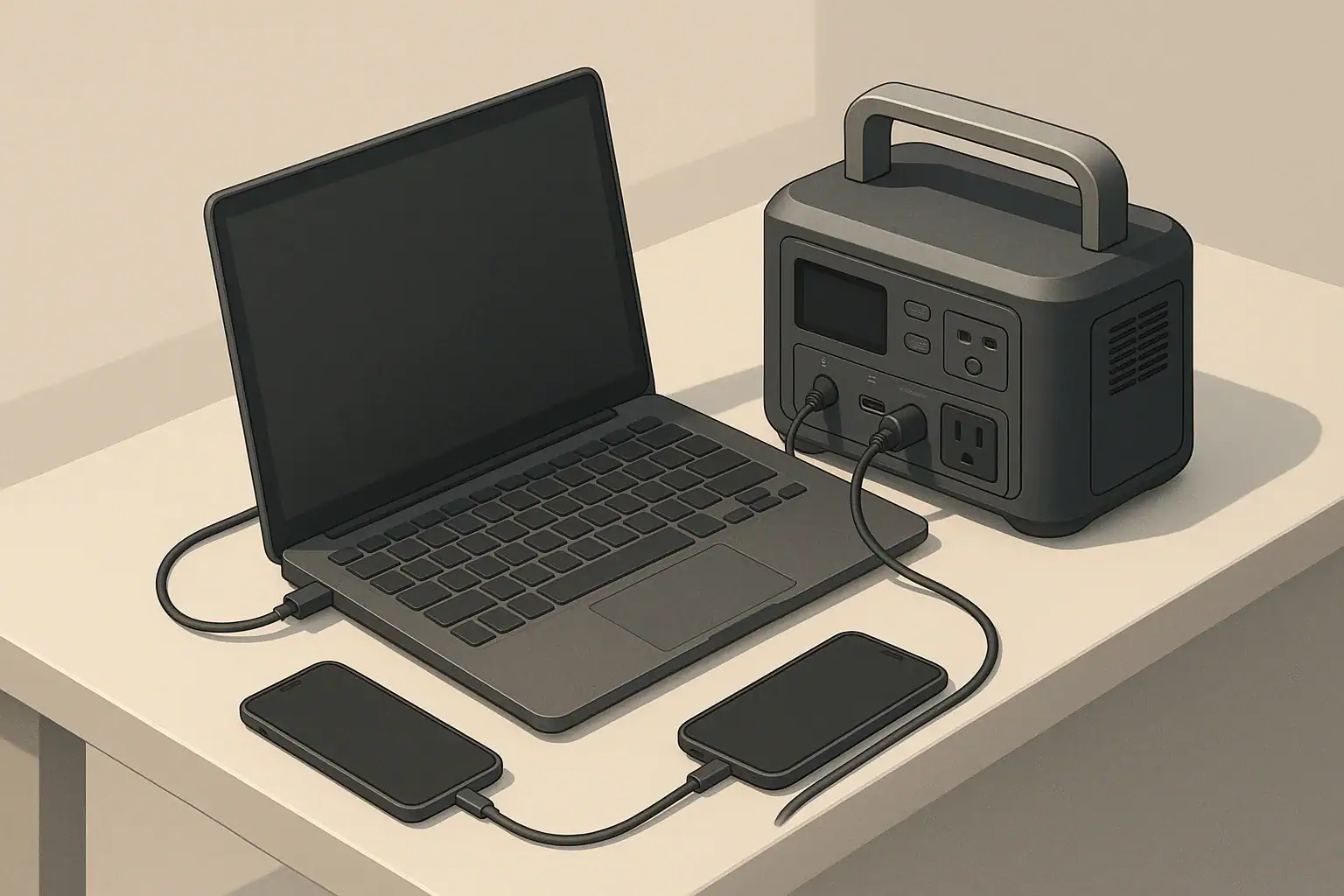
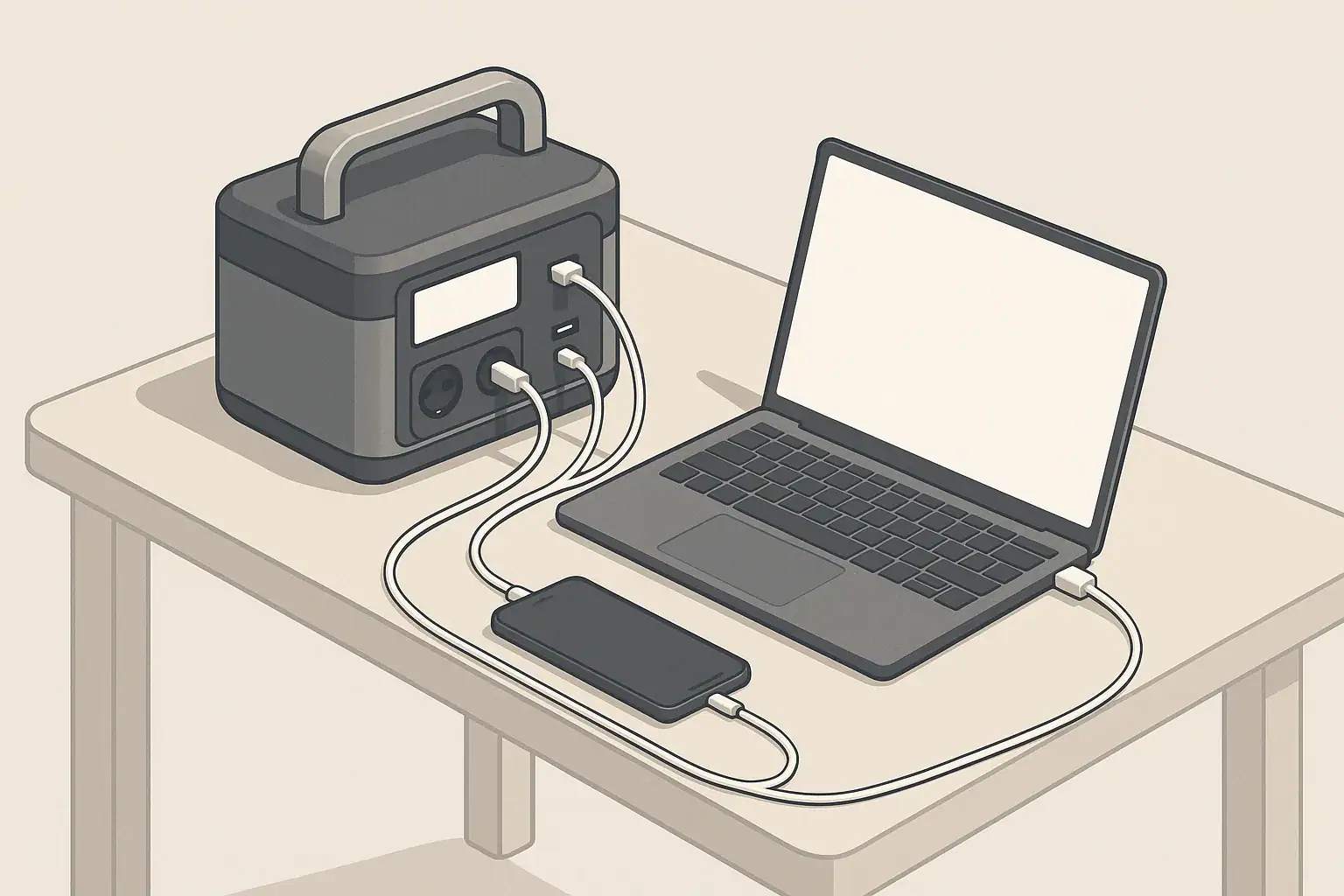
Portable power station charging a laptop and phone on desk

How to Use This Simple Buying Checklist

Portable power stations pack a lot of specs and buzzwords into a small box. This checklist helps you quickly separate what actually matters for everyday use from features that are mostly marketing. Use it as a practical filter before you buy.

At a high level, think about three things:

  • What you need to power (devices and appliances)
  • How long you need power (hours or days)
  • How you can recharge (wall, car, solar)

Once you know those basics, the rest of the specs fall into place. The sections below walk through key decisions in plain language.

Capacity and Power: The First Things to Check

Capacity and power ratings are the core of any portable power station. Everything else is secondary.

Battery capacity in watt-hours (Wh)

Battery capacity, usually given in watt-hours (Wh), tells you how much energy is stored. As a rough guide:

  • Under 300 Wh: phones, tablets, small cameras, a laptop for a few hours.
  • Around 300–600 Wh: multiple device charges, a laptop all day, small fan or router for part of a day.
  • Around 600–1,200 Wh: better for short power outages, small fridge for some hours, work-from-anywhere setups.
  • 1,200+ Wh: longer outages, powering several essentials, or more demanding camping/RV use.

These are examples only; real runtimes depend on how much power your devices draw and how efficiently the station runs.

Running watts vs surge watts

The inverter in a power station converts battery power into AC power. It has two key ratings:

  • Running (continuous) watts: how much power it can supply steadily.
  • Surge (peak) watts: a short burst of extra power, usually needed when certain devices start up.

For example, a small fridge or power tool might need a higher surge when starting, then settle at a lower running watt level. Always match the running watts of the power station to the expected combined load of what you want to plug in, with some headroom.

What matters most

  • Matters: Wh capacity that fits your runtime needs, running watts that match your devices, and enough surge capability for anything with a motor or compressor.
  • Matters less: Very high surge ratings if you only power electronics like laptops and phones.
Table 1. Portable power station pre-buy checklist

Example values for illustration.

Key items to verify before buying a portable power station
Checklist item Why it matters What to look for
Total battery capacity Determines how long devices can run Enough Wh to cover your highest-priority devices for the hours you expect
AC running watt rating Limits how many devices you can power at once Total device watts plus a safety margin instead of an exact match
Number and type of outlets Avoids having to juggle plugs or extra adapters Right mix of AC, DC, USB-A, and USB-C for your typical setup
Recharge methods Decides how usable it is beyond wall charging Wall charging plus car or solar if you camp, travel, or face long outages
Estimated recharge time Affects how quickly you can be ready again Recharge window that fits your routine or daylight hours
Weight and size Impacts how realistic it is to move and store Comfortable to lift and carry for your typical use
Basic safety features Helps protect devices and users Overload, over-temperature, and short-circuit protections listed in specs

Outputs and Inverters: Matching the Ports to Your Devices

Once you know capacity and power, focus on how you will actually connect your gear. Many buyers either overlook ports or get distracted by flashy ones they will rarely use.

AC outlets and inverter type

Portable power stations typically offer one or more 120 V AC outlets. Two points matter most:

  • Number of outlets: Enough for your usual mix of devices without stacking multiple power strips.
  • Inverter type: For sensitive electronics (most modern devices), a pure sine wave inverter is generally preferred over modified sine wave for smoother power delivery.

If you mainly charge small electronics via USB and rarely use AC, you can prioritize having at least one AC outlet and more USB ports instead of several AC outlets.

DC and USB ports

Beyond AC, you will likely see:

  • 12 V car-style outlet for coolers and some camping gear.
  • Barrel-style DC ports for certain lights or accessories.
  • USB-A ports for phones, headphones, and other small gadgets.
  • USB-C ports, sometimes with higher power delivery for laptops and tablets.

USB-C with power delivery can often charge laptops efficiently without using the inverter, which typically wastes more energy.

Pass-through-charging basics

Some power stations support pass-through charging, where the unit charges from an input source while also powering connected devices. This can be helpful for remote work or during outages.

Keep in mind:

  • Pass-through can generate extra heat inside the unit.
  • Higher heat can affect battery longevity over time.
  • Heavy loads during pass-through are best avoided unless clearly supported in the manual.

Use it as a convenience feature, not as a permanent setup.

Charging Methods: Wall, Car, Solar, and Time Planning

Power stations are only as useful as your ability to recharge them. Look at both the methods available and the time each method takes.

Wall charging (AC)

Wall charging is the default for most people. Check:

  • Included charger type (power brick, direct AC cord, or modular system).
  • Approximate charge time from empty to full as a general reference.
  • Whether there is an option for faster charging (for example, via higher wattage input or dual inputs).

Faster charging is convenient, but can be noisier (more fan use) and may stress components more. Moderate charge times are often fine if you plan ahead.

Car charging (12 V)

Car charging is useful for road trips, vanlife, or when wall power is unavailable. Keep in mind:

  • Charging through a vehicle outlet usually provides relatively low power compared with wall or solar inputs.
  • Charge times can be long, especially for larger-capacity units.
  • Follow the power station and vehicle guidelines to avoid draining your starter battery when the engine is off.

Solar charging basics

Solar can extend your runtime indefinitely in good conditions, but it comes with variability.

  • Check that the power station supports solar input and note the recommended input range.
  • Look at the maximum input wattage listed so you understand how much panel capacity can be used effectively.
  • Remember that real-world solar output is often lower than the panel rating due to angle, temperature, and weather.

For planning, think in terms of usable sun hours per day. For example, if you assume around 4–5 hours of reasonably strong sun, a 200 W panel might give roughly 600–800 Wh of energy in practice. This is an estimate only and varies by season and location.

Why charge time really matters

Fast charging is attractive, but the bigger question is whether you can get back to a usable level of charge within your typical window. Ask yourself:

  • Can I fully charge this overnight from a standard outlet?
  • If I rely on solar, will I likely catch up each day with realistic sun?
  • Do I need quick top-ups during breaks while working or traveling?

Realistic Use Cases: Matching Features to How You Live

It helps to think in terms of real scenarios instead of abstract specs. Different use cases push different features to the top of your checklist.

Short home power outages

For brief outages, most people care about a few essentials:

  • Keeping phones and laptops charged.
  • Powering a modem/router for internet.
  • Running a small light or fan.

Focus on:

  • Moderate capacity (enough for several hours of light use).
  • Pure sine wave AC for electronics.
  • Simple wall charging with reasonable recharge time.

High-end extras like built-in wireless chargers or complex app controls usually do not change the outcome in this scenario.

Home essentials for longer outages

Longer outages may add needs such as:

  • Running a small refrigerator for part of the day.
  • Keeping medical or comfort devices running, within the device guidelines.
  • Charging multiple family devices.

In this case, capacity and recharge options matter more than convenience features:

  • Higher Wh capacity to cover fridge cycles and basics.
  • Enough AC running watts for the fridge plus a few small loads.
  • Optional solar input to stretch runtime if outages are frequent.

For any critical medical device, review the device manual and talk with the device manufacturer or a qualified professional about backup power options; do not rely only on generic portable power advice.

Remote work and mobile offices

If your priority is remote work—laptops, monitors, and networking gear—consider:

  • USB-C power delivery ports for direct laptop charging.
  • A quiet fan profile if you work in quiet environments.
  • Pass-through charging for times when you are plugged into wall power but want backup on hand.

High power for heavy appliances is usually less important than stable, efficient power for electronics.

Camping and vanlife

Outdoor use highlights portability and flexible charging:

  • Weight and handle design, since you may carry it some distance.
  • Car and solar charging options for multi-day trips.
  • Low standby power draw so the battery does not drain quickly when idle.

Extra lighting or built-in flashlights can be handy, but they are rarely the reason to choose a specific unit.

Basic RV use

In RVs, a portable power station can supplement existing systems:

  • Powering laptops, phones, and small appliances without starting a generator.
  • Running fans, lights, or small kitchen devices intermittently.

Any connection to an RV’s electrical system should follow manufacturer recommendations. For more complex setups that tie into onboard wiring, consult a qualified RV technician or electrician. Avoid informal backfeeding or improvised panel connections.

Cold Weather, Storage, and Maintenance Basics

Battery performance changes with temperature and time, so it is worth understanding how storage and conditions affect your power station.

Cold weather considerations

Most portable power stations use lithium-based batteries, which do not like extreme cold or heat. In cold weather:

  • Available capacity can appear lower at low temperatures.
  • Charging at very low temperatures can be restricted or slowed by built-in protections.
  • Displays may respond more slowly when cold.

When possible, keep the unit within the temperature range recommended in its manual. For winter use, many people store the power station indoors and bring it out only when needed, instead of leaving it in a freezing vehicle for long periods.

Storage and self-discharge

All batteries slowly lose charge over time, even when not in use. To store a portable power station in good condition:

  • Avoid long-term storage completely full or completely empty.
  • Many manufacturers suggest storing around a partial charge level; check your manual for guidance.
  • Top up the battery every few months to offset self-discharge.

Do not open the unit or attempt to modify the battery pack. Internal components are designed and tested as a system; opening the case can damage safety features and void warranties.

Basic maintenance

Maintenance is mostly simple habits:

  • Keep vents clear and free of dust.
  • Use cords in good condition without damage or exposed conductors.
  • Store the unit in a dry place away from direct heat sources.
  • Periodically test the unit before storm seasons or trips so you know it still works as expected.
Table 2. Example device load and planning reference

Example values for illustration.

Common devices and approximate power considerations
Device type Example watt range Planning notes
Smartphone 5–15 W Low draw; many charges possible even from a small power station
Laptop 40–90 W Plan for several hours of use per 300–500 Wh of capacity
Wi-Fi router 10–25 W Often a priority during outages; low but continuous draw
LED light 5–20 W Efficient; multiple lights have modest impact on runtime
Small fan 20–60 W Good for comfort; consider intermittent use to save power
Compact fridge 50–150 W running Needs extra headroom for startup surge; runs in cycles, not constantly
Small power tool 300–800 W while in use Check surge capability; usage is typically short bursts

Safety and Features That Matter Less Than You Think

Safety should stay at the top of your checklist, while many cosmetic or convenience extras can be a lower priority.

Practical safety guidelines

  • Place the power station on a stable, dry surface with ventilation openings unobstructed.
  • Avoid covering the unit with blankets, clothing, or other materials while in use.
  • Use extension cords rated for the loads you intend to run and avoid daisy-chaining power strips.
  • Keep the unit away from flammable materials and out of standing water.
  • If a cord, plug, or outlet becomes hot, disconnect and inspect before further use.

If you want backup power for hardwired home circuits (for example, whole rooms or large appliances), talk with a licensed electrician about proper transfer equipment and safe options. Avoid any do-it-yourself methods that backfeed power into household wiring through improvised connections.

Features that often matter less

Many shoppers get distracted by extras that may not add much real value for their situation, such as:

  • Elaborate built-in lights when a basic flashlight would work.
  • Color screens and decorative lighting effects.
  • Complicated apps and smart functions that you may rarely open.
  • Minor styling differences that do not affect performance or durability.

These might still be pleasant to have, but they should not outweigh core needs like sufficient capacity, reliable outputs, and safe operation. Treat them as tie-breakers only after the essentials on your checklist are met.

Keeping your checklist simple

To recap the buying mindset:

  • Start with what you need to power and for how long.
  • Match capacity and running watts to those needs with some margin.
  • Check that the outputs, charging options, and weight fit how you will actually use the unit.
  • Confirm basic safety features and follow the manual for safe operation.

This approach keeps the focus on function over flash, so the portable power station you choose does its main job well when you really need it.

Frequently asked questions

How do I calculate the battery capacity (Wh) I need for my devices?

Estimate each device’s power draw in watts and multiply by how many hours you expect to run it to get watt-hours, then add those figures together. Include a margin (commonly 10–20%) to cover inverter and conversion losses and unexpected extra use; that total is the minimum Wh capacity to target.

Can a portable power station run a refrigerator, and how should I size it?

Yes, many power stations can run a compact refrigerator, but you must check both the fridge’s running watts and its startup surge requirement. Choose a station with running-watt capacity above the fridge’s steady draw and enough surge capability for startup, plus sufficient Wh to cover several compressor cycles during the period you need it.

Is pass-through charging safe to use regularly?

Pass-through charging is convenient but can produce extra heat and may stress components over time, which could reduce battery longevity if used constantly. Use it occasionally for convenience, and follow the manufacturer’s recommendations; avoid heavy continuous loads during pass-through unless the manual explicitly supports it.

How many solar watts do I need to recharge my power station in a day?

Estimate daily energy needs in Wh, then divide by realistic usable sun hours for your location to get required panel watts. As an example from typical assumptions, a 200 W panel might produce roughly 600–800 Wh in 4–5 strong sun hours, so plan with conservative sun-hour estimates and account for system losses.

What storage and maintenance steps extend a power station’s life?

Store the unit at a partial charge (not full or empty), top it up every few months to offset self-discharge, and keep it in a dry place within the recommended temperature range. Also keep vents clear of dust, use undamaged cords, and periodically test the unit before trips or storm seasons.

Portable Power Station Basics: Outputs, Inputs, and What the Numbers Mean

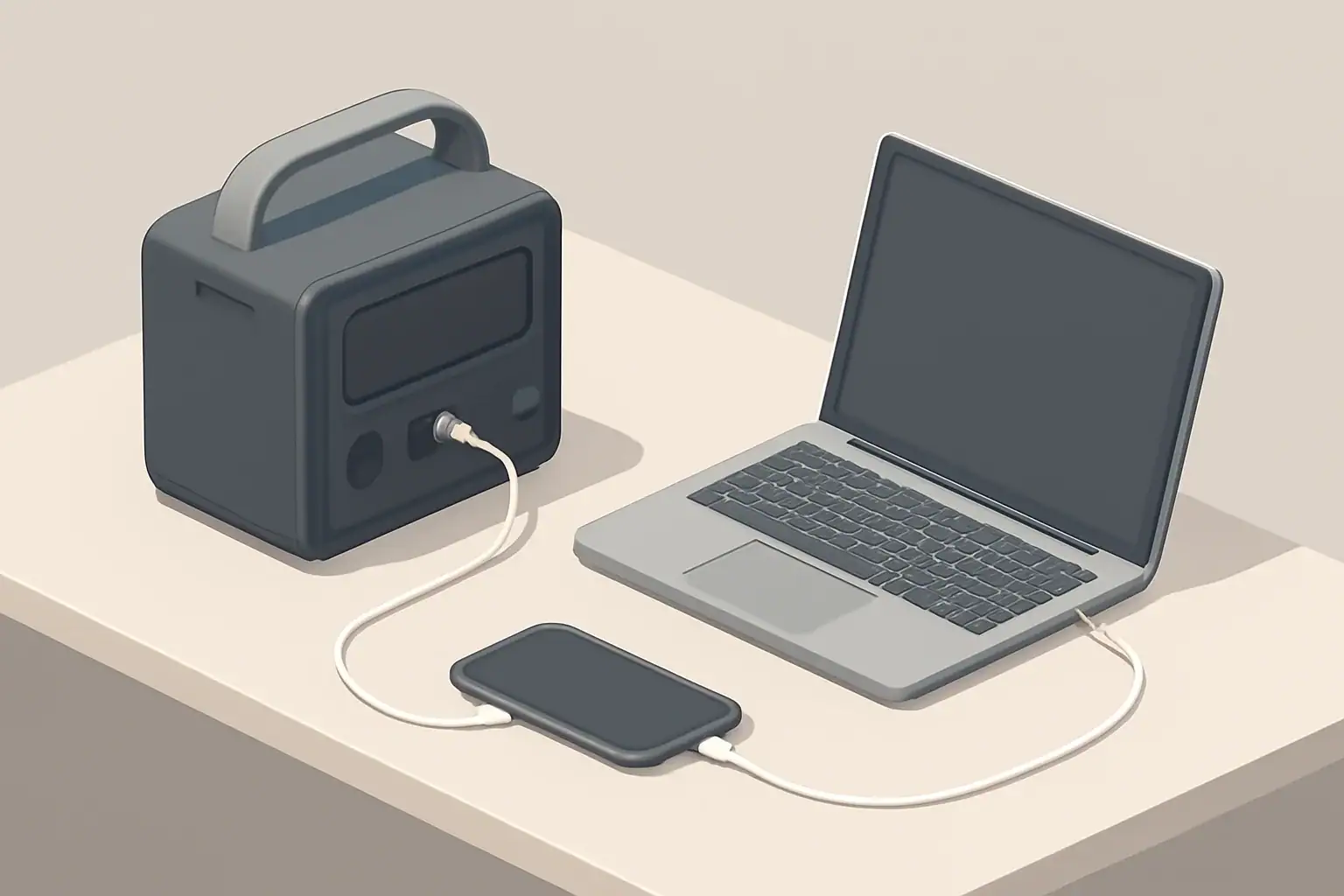
Portable power station on desk charging a laptop and phone

Portable power stations pack a lot of technical terms into a small box. Labels show watts, watt-hours, volts, amps, AC, DC, USB, surge, continuous, and more. Understanding these basics helps you decide whether a unit can safely and reliably run what you care about: lights, laptops, medical-support accessories, a small fridge, or tools.

This guide focuses on three core ideas:

  • Outputs: what kinds of power the station can provide, and in what amounts
  • Inputs: how the station can be recharged and how long it might take
  • The numbers: how watts, watt-hours, volts, and amps connect to real-world use

Once you understand those pieces, it becomes much easier to compare models, plan runtimes, and avoid overloading your system.

Most of the numbers on a portable power station fall into a few common units. Learning how they relate gives you a framework for reading any spec sheet or label.

Why Portable Power Station Numbers Matter

Portable power stations pack a lot of technical terms into a small box. Labels show watts, watt-hours, volts, amps, AC, DC, USB, surge, continuous, and more. Understanding these basics helps you decide whether a unit can safely and reliably run what you care about: lights, laptops, medical-support accessories, a small fridge, or tools.

This guide focuses on three core ideas:

  • Outputs: what kinds of power the station can provide, and in what amounts
  • Inputs: how the station can be recharged and how long it might take
  • The numbers: how watts, watt-hours, volts, and amps connect to real-world use

Once you understand those pieces, it becomes much easier to compare models, plan runtimes, and avoid overloading your system.

Key Electrical Terms: Watts, Watt-Hours, Volts, and Amps

Most of the numbers on a portable power station fall into a few common units. Learning how they relate gives you a framework for reading any spec sheet or label.

Watts (W): Power at a Moment in Time

Watts describe the rate of energy use. Think of watts as “how hard” the power station is working right now.

  • A small LED lamp might draw around 5–10 W.
  • A laptop often draws around 40–100 W while charging.
  • A small space heater can draw around 1000–1500 W.

The AC inverter on a portable power station will list a continuous watts rating (also called running power). That is the maximum load it can handle steadily. It may also list a higher surge watts rating for short bursts start-up loads like some refrigerators or power tools.

Watt-Hours (Wh): Stored Energy Capacity

Watt-hours measure how much energy the battery can deliver over time. It is similar to the size of a fuel tank.

For example, if a battery is rated at 500 Wh and you run a steady 100 W load, a simple estimate of runtime is:

Runtime (hours) ≈ Battery Wh ÷ Load W

In this example: 500 Wh ÷ 100 W ≈ 5 hours. Real runtimes are usually lower because of inverter and conversion losses, so many people apply a rough efficiency factor (such as 80%) when planning. That same load might then be estimated at roughly 4 hours instead of 5.

Volts (V): Electrical “Pressure”

Voltage is the electric potential difference. Common values on portable power stations include:

  • 120 V AC for household-style outlets in the United States
  • 12 V DC on car-style barrel or cigarette-lighter ports
  • 5 V, 9 V, 12 V, 20 V DC on USB ports, including fast-charge and USB-C Power Delivery

Voltage compatibility matters: a 12 V appliance expects 12 V, while a 120 V appliance expects 120 V AC. The portable power station’s ports are clearly labeled by type and voltage; devices should only be plugged into matching ports or appropriate adapters that are within rated limits.

Amps (A): Flow of Electrical Current

Amps describe the amount of current flowing. For a given voltage and wattage, you can roughly estimate:

Watts ≈ Volts × Amps

Rearranging that:

  • Amps ≈ Watts ÷ Volts
  • Volts ≈ Watts ÷ Amps

This is useful when a port is rated in amps and you know the voltage. For example, a 12 V DC port rated for 10 A can usually supply about 120 W (12 V × 10 A). Staying within both the watt and amp ratings keeps cables and connectors from overheating.

Portable power station buying checklist – what to check and why. Example values for illustration.
Key factors to review before choosing a portable power station
Item to check Why it matters Example consideration
Battery capacity (Wh) Defines how long devices can run between charges. Estimate total load (e.g., 150 W) and aim for several hours of runtime.
Inverter continuous watts Limits total AC power you can draw at once. Ensure it exceeds the combined running watts of devices you plan to plug in.
Inverter surge watts Supports brief start-up spikes from some appliances. Choose higher surge capacity if you expect to run fridges or some tools.
Output port mix Determines what you can plug in without extra adapters. Check how many AC outlets, USB-C, USB-A, and 12 V ports you actually need.
Input charging watts Affects how quickly the station can recharge. Higher input power can mean faster recovery after outages.
Weight and form factor Impacts portability and where you can store it. Lighter units are easier for camping; larger units suit semi-permanent setups.
Basic safety features Helps prevent overloads and overheating. Look for overcurrent, overvoltage, and temperature protections listed in specs.

Example values for illustration.


Understanding Portable Power Station Outputs

Outputs are how power leaves the station to run or charge devices. Most units include several output types so you can plug in different gear without extra converters.

AC Outputs and the Inverter

AC outputs look like household wall outlets. Inside the power station, an inverter converts the battery’s DC power to 120 V AC.

Important AC inverter specifications include:

  • Continuous (running) watts: maximum steady load. Exceeding this can trigger overload protection and shut off AC outputs.
  • Surge (peak) watts: short-term extra capacity used when a device starts up and briefly draws more power.
  • Waveform: many units use pure sine wave inverters that closely resemble grid power and are generally friendly to electronics. Some low-cost devices use modified waveforms that can cause certain appliances to run hotter or noisier.

When planning AC use, add up the running watt draw of all devices you intend to run at the same time and keep that below the inverter’s continuous rating. For appliances with compressors or motors, check that the inverter’s surge rating offers headroom for start-up spikes.

DC Outputs: 12 V and Barrel Ports

DC outputs power devices that already run on direct current, such as some car accessories, small coolers, routers, or LED lighting. Typical DC outputs include:

  • 12 V “car” ports with a current limit (for example, 10 A), often used for automotive-style plugs.
  • 5.5 mm barrel ports or similar connectors, each with its own voltage and current rating.

DC outputs can be more efficient than going through the AC inverter, because there is no extra conversion step. For small DC devices, using DC outputs instead of AC can extend usable runtime.

USB and USB-C Ports

Most portable power stations feature multiple USB outputs:

  • USB-A ports for phones, small accessories, and low to moderate power gadgets.
  • USB-C ports, often with Power Delivery (PD), which can supply higher wattages suitable for tablets and laptops.

USB ports are usually labeled with a maximum watt or amp rating. Some high-power USB-C ports might offer figures such as 60 W or 100 W, enabling direct laptop charging without an AC brick. If a device needs more power than a port can provide, it may charge slowly or not at all.

Total Output Limits and Port Sharing

Many portable power stations have both per-port limits and overall limits. For example:

  • An individual USB port might be capped at a certain wattage.
  • All USB ports together might share a larger combined limit.
  • AC and DC sections may also share an internal overall power limit.

If you plug in many devices at once, the system may reduce power to some ports or shut down specific sections to stay within safe operating limits. Checking both individual and combined ratings helps you avoid surprise cutoffs.

Understanding Inputs and Charging Methods

Inputs are how energy flows into the portable power station. Input ratings affect how fast you can recover from a power outage or recharge between trips.

AC Wall Charging

Many units include a charger that plugs into a standard household outlet. Important considerations are:

  • Charging wattage: A higher input rating generally means faster charging, up to the limits of the battery’s chemistry and management system.
  • Charge time estimates: As a simple approximation, charge time in hours ≈ Battery Wh ÷ Input W, adjusted upward for inefficiencies.

For example, a 600 Wh station charged at 300 W might complete a charge in a little over 2 hours under ideal conditions, though real times vary.

Vehicle (12 V) Charging

Many portable power stations can charge from a vehicle’s 12 V accessory socket. This is useful while driving between locations or during road trips.

Typical considerations for vehicle charging:

  • Input wattage is usually lower than from a wall outlet, leading to longer charge times.
  • Some vehicles limit current on 12 V outlets, especially when the engine is off.
  • To avoid draining a vehicle starting battery, many people only charge while the engine is running or follow manufacturer guidance.

Solar Charging Basics

Solar charging allows you to generate power away from the grid. Portable power stations that support solar typically list:

  • Acceptable voltage range for the solar input (for example, a range of several tens of volts DC).
  • Maximum input wattage, which caps the solar panel power that can be used at once.

Real solar output depends on sun angle, weather, panel placement, and temperature. Nameplate wattage is a peak value in ideal lab conditions; actual output is often significantly lower over the course of a day.

Using Multiple Charging Methods

Some systems allow charging from more than one source at the same time, such as AC plus solar. Whether and how this works depends on the specific design and documentation for the unit. When combined charging is allowed, it can reduce total time needed to refill the battery, but the unit may limit total input to a safe upper wattage.

Pass-Through Power and Using the Station Like a UPS

Pass-through charging means the power station can charge its battery while also powering devices from its outputs. This can be convenient, but behavior varies by model.

How Pass-Through Behavior Varies

Common patterns include:

  • Some units allow pass-through on all outputs while charging.
  • Some only allow certain ports (for example, DC or USB) to be active while charging.
  • Some reduce output limits while charging to keep temperature and internal stress manageable.

Frequent heavy pass-through use can generate more heat and cycles, which may affect long-term battery wear. Manufacturer guidance often notes whether pass-through is recommended for continuous use.

Portable Power Stations as a Simple Backup

Some people use portable power stations loosely like an uninterruptible power supply (UPS) to keep sensitive electronics running during brief outages. Important points:

  • Transfer time between wall power and battery power may not be instantaneous and can vary.
  • Portable power stations are not always designed as dedicated UPS devices; check documentation for any limitations.
  • For critical equipment, consider whether a purpose-built UPS or professional installation is more appropriate.

Do not attempt to hardwire a portable power station into a home electrical panel or backfeed household circuits. Any connection to home wiring should only be done with appropriate equipment and by a qualified electrician, following local codes.

Matching Outputs to Common Use Cases

Different scenarios emphasize different outputs and capacities. Thinking through your typical use cases helps you focus on what matters most.

Short Power Outages at Home

For brief outages, many households want to keep:

  • LED lights
  • Internet modem and Wi-Fi router
  • Phones and laptops charged
  • Possibly a small fan or compact fridge

Key considerations:

  • AC inverter size: Enough watts to handle a small fridge or fan plus networking gear at the same time.
  • Capacity: Enough watt-hours for several hours of essential loads.
  • Quiet operation: Useful for indoor, nighttime outages.

Remote Work and Mobile Offices

For remote work, the focus is often on electronics:

  • Laptops and monitors
  • Wi-Fi or hotspot devices
  • Phones and small accessories

Helpful features include:

  • High-wattage USB-C ports that can power laptops directly.
  • Enough AC outlets if your monitor or other gear requires AC adapters.
  • Quiet fans and good efficiency at modest loads.

Camping, Vanlife, and RV Basics

Outdoor and mobile setups often combine AC and DC loads:

  • 12 V fridges or coolers
  • LED lighting strips
  • Chargers for phones, cameras, and radios
  • Occasional AC use for small appliances

When planning for camping or vehicle-based living, consider:

  • Using DC outputs for 12 V appliances to minimize conversion losses.
  • Adding solar input sized to cover a good portion of daily use during sunny conditions.
  • Weight and size, because you may move the unit frequently.

Tools and High-Power Devices

Running tools, heaters, or cooking appliances can demand large bursts of power and substantial capacity:

  • Check both running and surge watts against the tool’s labels.
  • Be realistic about runtimes: high-wattage loads drain batteries quickly.
  • Consider whether intermittent use (short bursts) is acceptable or if you need sustained operation.
Example runtime planning by device type. Example values for illustration.
Illustrative device loads and planning notes
Device type Typical watts range (example) Runtime planning notes
LED light 5–15 W Very efficient; even a modest battery can run several lights for many hours.
Wi-Fi router + modem 15–30 W Good target for outage planning; factor in constant, 24/7 draw if left on.
Laptop (in use) 40–90 W Draw can spike under heavy use; using USB-C PD may improve efficiency.
12 V portable fridge 40–70 W while running Compressor cycles on and off; average draw over time is lower than peak.
Small microwave 700–1200 W High demand; practical for short heating bursts, not continuous use.
Space heater 1000–1500 W Can drain a portable station quickly; often impractical for long runtimes.
CPAP or similar device 30–80 W Check device specs; many people plan for full-night runtimes with margin.

Example values for illustration.


Cold Weather, Storage, and Safety Basics

Environmental conditions and handling practices affect both performance and longevity of portable power stations.

Cold Weather Performance

Battery chemistry is sensitive to temperature. In cold conditions, you may notice:

  • Reduced available capacity; the same unit may run devices for less time when it is cold.
  • Limits on charging below certain temperatures; many systems restrict or block charging to protect the battery.
  • Slower charging and higher internal resistance.

When possible, use and store the power station within the temperature ranges recommended in its manual. In cold environments, keeping the unit in an insulated area within a tent, vehicle, or building (while still ensuring adequate ventilation) can help.

Storage and Self-Discharge

All batteries slowly lose charge over time, even when not in use. To keep a portable power station ready:

  • Avoid long-term storage at 0% or 100% charge unless the manufacturer specifies otherwise.
  • Top up the battery periodically, such as every few months.
  • Store in a cool, dry place away from direct sunlight and heat sources.

Keeping the battery within a moderate state of charge during storage can help preserve long-term health.

Basic Safety Practices

Portable power stations are generally straightforward to use, but they deliver substantial energy. Practical safety steps include:

  • Follow the user manual for charging, operation, and placement instructions.
  • Use only rated cords and adapters, and avoid damaged or undersized extension cords.
  • Place the unit on a stable, dry surface with space for airflow around vents.
  • Keep away from flammable materials and out of standing water.
  • Do not open the case, modify internal wiring, or bypass protection systems.

For any connection to household wiring or specialized installations, work with a qualified electrician and follow applicable electrical codes. Portable units are designed for plug-in use, not for improvised backfeeding of home circuits.

Using Cords and Appliances Safely

Appliance and cord ratings also matter:

  • Do not exceed the watt or amp rating of extension cords or power strips.
  • Avoid daisy-chaining multiple power strips.
  • Uncoil long cords fully under higher loads to reduce heat buildup.
  • Check plugs and connectors for warmth during extended high-power use.

If anything smells hot, looks damaged, or behaves unexpectedly, unplug devices, turn off the power station outputs, and investigate before continuing use.

Putting It All Together

Reading a portable power station label becomes easier once you recognize how the numbers connect:

  • Wh tells you how much total energy is available.
  • W (continuous and surge) tells you how much power you can draw at once.
  • V and A help you match specific ports to specific devices.
  • Input watts tell you how quickly you can refill the battery.

By combining capacity estimates, realistic device wattages, and awareness of temperature and safety basics, you can choose and use a portable power station with confidence in a wide range of everyday and emergency situations.

Frequently asked questions

How do I estimate runtime for a device using portable power station outputs and inputs?

Estimate runtime by dividing the battery capacity in watt-hours (Wh) by the device’s steady watt draw (W), then account for conversion losses (a common planning factor is ~80% efficiency for inverter and conversion losses). For example, 500 Wh ÷ 100 W ≈ 5 hours, which becomes roughly 4 hours after applying an 80% efficiency factor. Remember that real-world duty cycles, temperature, and startup surges affect actual runtimes.

Can I charge a portable power station with solar and AC at the same time to speed up inputs?

Some units support combined charging (e.g., solar plus AC), but whether it’s allowed and how the inputs are managed depends on the model and its power-management hardware. Even when combined charging is permitted, the station will often cap total input to a safe maximum wattage, so combined sources may not simply add linearly. Always check the manufacturer’s specifications for acceptable voltage ranges and maximum input wattage before connecting multiple sources.

Is it safe to use pass-through power continuously or treat a portable power station like a UPS?

Pass-through behavior varies: some stations allow continuous pass-through, others limit which ports remain active while charging, and some reduce output limits to manage heat. Continuous heavy pass-through use can increase heat and battery cycle stress, potentially shortening lifespan, and transfer times may not be instantaneous as in a dedicated UPS. For critical equipment, check the unit’s documentation or consider a purpose-built UPS to guarantee low transfer times and continuous protection.

How do I match my device’s requirements to the station’s outputs and port-sharing limits?

Match devices by confirming voltage, current (amps), and wattage requirements against each port’s per-port rating and the station’s overall output limits. Use the relation Watts ≈ Volts × Amps to convert between units, and remember that multiple ports may share a combined limit that can throttle or cut power if exceeded. When possible, use DC outputs for DC-native devices to avoid inverter losses and prefer USB-C PD ports for higher-power device charging if they meet the device’s voltage and wattage needs.

What precautions should I take when using a portable power station in cold weather or long-term storage?

Cold temperatures reduce available capacity and can restrict charging until the battery warms to a safe range, so keep the unit insulated and above the recommended minimum when possible. For storage, maintain a moderate state of charge (not 0% or 100%), top up periodically, and store the unit in a cool, dry place away from extreme heat or direct sunlight to preserve long-term battery health.

Portable Power Station vs Home Backup Battery: Which Fits Apartments Best?

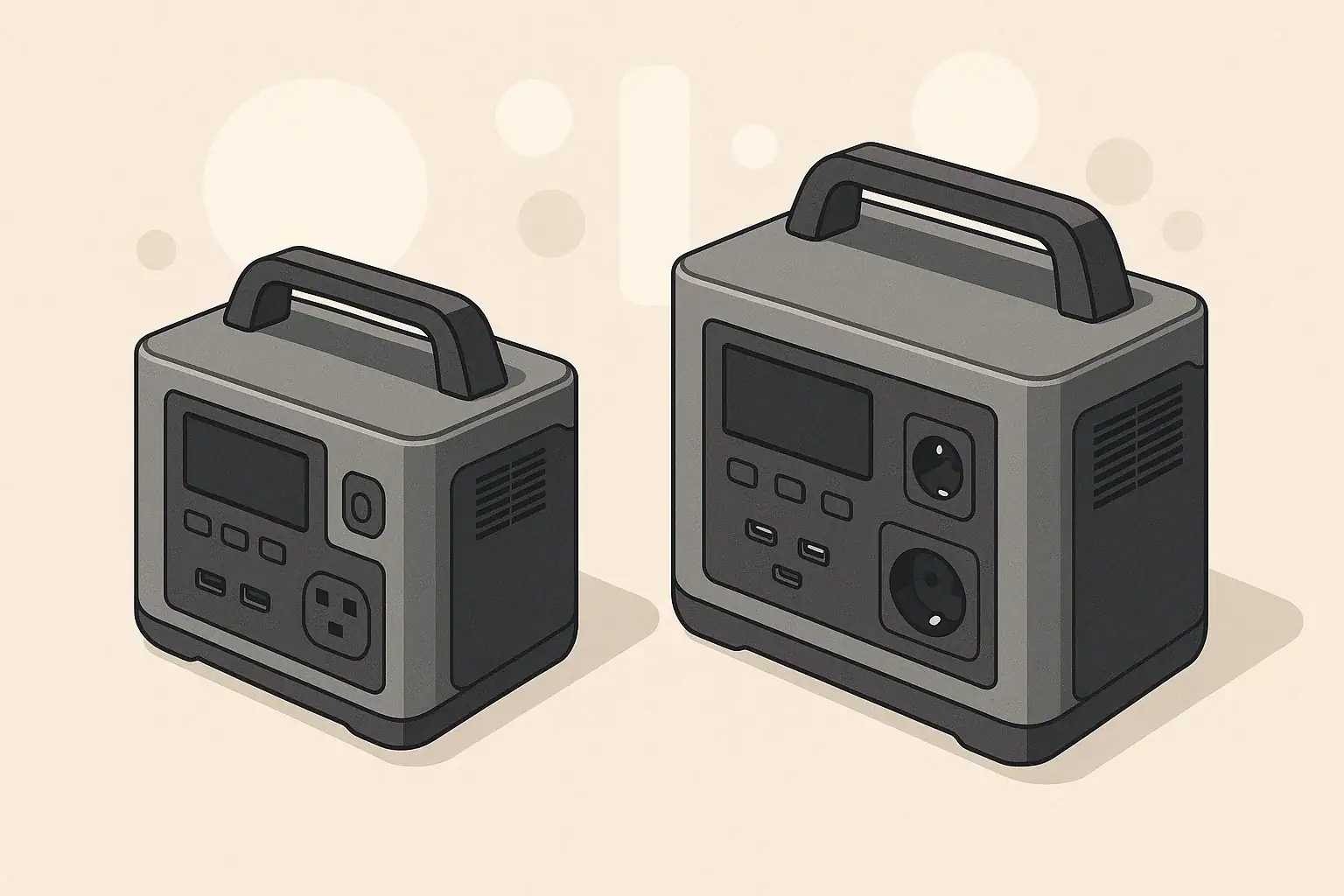
Two portable power stations side by side in minimal scene

Choosing between a portable power station and a home backup battery in an apartment is less about maximum power and more about space, noise, safety, and building rules. Both options use rechargeable batteries, but they are designed for different types of backup.

In most apartments, you cannot install fuel-powered generators on balconies or wire major equipment into the building electrical system without permission. That makes battery-based solutions attractive, but the right setup depends on what you need to keep running, how long typical outages last, and how much room you can give up to equipment.

This guide compares portable power stations and home backup battery systems specifically from an apartment perspective, focusing on capacity, outputs, charging, safety, and everyday practicality.

Apartment Power Backup: The Real-World Constraints

Choosing between a portable power station and a home backup battery in an apartment is less about maximum power and more about space, noise, safety, and building rules. Both options use rechargeable batteries, but they are designed for different types of backup.

In most apartments, you cannot install fuel-powered generators on balconies or wire major equipment into the building electrical system without permission. That makes battery-based solutions attractive, but the right setup depends on what you need to keep running, how long typical outages last, and how much room you can give up to equipment.

This guide compares portable power stations and home backup battery systems specifically from an apartment perspective, focusing on capacity, outputs, charging, safety, and everyday practicality.

What Is a Portable Power Station?

A portable power station is a self-contained battery unit with built-in inverter, multiple output ports, and simple plug-and-play operation. It is usually designed to be moved easily and used indoors or outdoors.

Key Components

Most portable power stations include:

  • Battery pack measured in watt-hours (Wh), which represents total stored energy.
  • Inverter that converts battery DC power to household-style AC outlets.
  • DC outputs such as 12 V car-style sockets and barrel connectors.
  • USB ports for phones, tablets, and small electronics.
  • Charging inputs for wall charging, vehicle charging, and often solar.

Typical Apartment Use Cases

Portable power stations are commonly used in apartments for:

  • Short power outages (several hours to a day).
  • Remote work continuity for laptops, monitors, and a modem/router.
  • Keeping phones, tablets, and small devices powered.
  • Running low-wattage appliances such as desk lamps or small fans.
  • Occasional portable use outside the apartment, such as camping or travel.

Advantages for Apartment Dwellers

  • Plug-and-play: No permanent installation or wiring into your panel.
  • Portable and compact: Easier to store in a closet or under a desk.
  • Flexible: Can be used both for backup and for mobile power.
  • No building modifications: Usually does not require landlord approval when used as a standalone device.

Limitations to Consider

  • Limited capacity compared to whole-home systems; best for essentials, not everything at once.
  • Finite output power: Each unit has a maximum continuous watt rating and surge rating.
  • Manual operation: You typically move cords and plug devices in when the power goes out.
Checklist for Choosing an Apartment-Friendly Backup Power Option
What to check Why it matters Notes
Available floor and closet space Both systems occupy physical space Measure where you plan to keep the unit
Typical outage length in your area Determines needed battery capacity (Wh) Longer outages may justify larger or multiple units
Critical devices and their watt usage Prevents overloading and disappointment List items like router, laptop, lamp, fan, CPAP as needed
Building and landlord rules Some systems may require approval Ask about restrictions on fixed batteries or wiring
Noise and heat tolerance Fans and inverters make some noise Consider placement away from sleeping areas if possible
Budget and upgrade path Costs vary between portable and fixed systems Plan for future devices or a potential move

Example values for illustration.

What Is a Home Backup Battery System?

When people refer to a “home backup battery,” they often mean a larger battery system intended to support multiple household circuits or even an entire home. These are usually stationary, wall- or floor-mounted, and often integrated with a home electrical panel and sometimes solar panels.

Key Characteristics

  • Higher capacity: Typically several times the watt-hours of a portable power station.
  • Panel integration: Often connected to specific household circuits via transfer equipment.
  • Automatic operation: Many systems can switch on automatically when the grid goes down.
  • Fixed location: Not intended to be carried around.

Apartment-Specific Challenges

In detached houses, these systems can be mounted in a garage or utility room and wired directly to a panel by an electrician. In apartments, there are several extra considerations:

  • Building ownership: You rarely control the main electrical infrastructure.
  • Space limitations: Many apartments do not have dedicated utility spaces.
  • Installation rules: Wall mounting, conduit runs, and panel work often require landlord and building approvals.
  • Common-area panels: Some apartments have shared panels that are not easily modified for individual units.

Because of these factors, full-scale home backup systems are less common in apartments, although smaller, non-panel-integrated “home battery” units that plug into outlets or have multiple AC sockets do exist. Those behave more like large portable power stations but are not designed to be moved often.

Pros and Cons in an Apartment Context

Potential advantages:

  • Can provide more energy for longer outages if allowed and properly installed.
  • Less manual switching if integrated with selected circuits.
  • May support higher loads such as multiple rooms of lighting or a refrigerator.

Potential drawbacks:

  • Requires professional installation when tied into a panel.
  • May not be permitted in some buildings or rental agreements.
  • Less flexible if you move to a new apartment or different city.
  • Upfront cost and installation complexity are usually higher.

Capacity, Runtime, and Sizing for Apartment Use

Whether you choose a portable power station or a home backup battery, the core concept is the same: capacity in watt-hours (Wh) determines how long you can run devices of a given wattage.

Understanding Watt-Hours and Watts

  • Watt-hours (Wh): Total energy stored in the battery.
  • Watts (W): How fast energy is used or delivered at a given moment.

As a rough example, if a battery has 1000 Wh of usable capacity and you run a 100 W load continuously, you might expect around 10 hours of runtime, minus efficiency losses. Real runtimes are lower because inverters and electronics use some energy.

Prioritizing Apartment Essentials

To size a system for an apartment, start with the devices you consider essential:

  • Internet modem/router.
  • One or two laptops.
  • Phone chargers.
  • One or two LED lamps.
  • A small fan, if needed for comfort.
  • Medical or sleep-related devices, if applicable (consult the device manufacturer for power requirements).

Most of these draw relatively low power compared to large appliances. That is why portable power stations are often a good match for apartments: they target exactly these smaller loads that matter most during short outages.

When a Larger Home Battery Might Make Sense

A higher-capacity home battery may be more appropriate if:

  • Your area experiences frequent, multi-day outages.
  • Your building and landlord allow installation and panel work.
  • You want to support higher loads such as a refrigerator or multiple rooms.
  • You plan to stay in the same unit long term, making permanent installation more reasonable.

In many apartments, however, a moderate-size portable power station (or a pair of them) is easier to justify and manage.

Outputs, Inverters, and What You Can Safely Power

For apartment use, output types and inverter capabilities are often more important than sheer capacity. You need the right ports and enough continuous wattage to run your chosen devices safely.

AC, DC, and USB Outputs

Most portable power stations and home backup batteries include a mix of outputs:

  • AC outlets: To plug in lamps, laptops, small appliances, and power strips (within rated limits).
  • DC outputs: 12 V car-style sockets and barrel jacks for some electronics and coolers.
  • USB-A and USB-C: Ideal for phones, tablets, wireless speakers, and some laptops.

For apartment backup, having several AC outlets plus multiple USB ports helps avoid using too many extension cords. However, avoid daisy-chaining power strips or overloading any single outlet.

Inverter Basics: Continuous vs Surge

Inverters are rated for:

  • Continuous watts: Power the unit can supply steadily.
  • Surge watts: Short bursts to start devices with higher startup draw, such as some fans.

For typical apartment electronics, continuous power is the key number. Sum the watt ratings of the devices you want to run at the same time and keep that total under the inverter’s continuous rating. Always leave some margin instead of running at the absolute maximum.

What Not to Run in an Apartment Backup Setup

High-wattage appliances can drain batteries quickly or overload inverters. Use caution or avoid running:

  • Space heaters.
  • Electric stoves and ovens.
  • Large air conditioners.
  • Clothes dryers and irons.

Even if a battery could technically support these for a short time, they usually are not an efficient use of limited stored energy in an apartment backup plan.

Charging Options and Apartment-Friendly Strategies

How you recharge your portable power station or home backup battery matters just as much as capacity. In apartments, the most practical charging methods are wall outlets and, in some cases, small portable solar panels.

Wall Charging

Wall charging is the default for most systems. Key ideas:

  • Charging rate: Higher input watts mean faster charging, but also more strain on circuits if several high-draw devices share the same outlet.
  • Planning window: After an outage, you may have limited time before the next one. Knowing roughly how many hours it takes to recharge is helpful.
  • Dedicated outlet where possible: Avoid using the same outlet for other heavy loads while charging.

Car Charging

Some portable power stations can recharge from a vehicle 12 V outlet. In an apartment, this is only practical if:

  • Your parking spot is close enough and accessible.
  • You are able to safely run the cable and supervise charging.

Running a vehicle engine for long periods just to charge a battery is usually inefficient and may not be allowed in enclosed parking areas, so check building rules and ventilation conditions.

Solar Charging in Apartments

Portable solar panels are attractive but tricky in apartments. Consider:

  • Sun exposure: Balconies can work if they receive several hours of direct sun.
  • Safety: Panels must be secured so they cannot fall or blow away.
  • Rules: Some buildings restrict items mounted on railings or exterior walls.

Solar can extend runtime during prolonged outages but rarely replaces wall charging entirely for most apartment residents.

Pass-Through Charging Concepts

Many portable power stations offer pass-through charging, where the unit can be plugged into the wall while powering devices. For apartment use, this can turn the station into a kind of advanced surge strip with battery backup.

However, pass-through behavior varies between products. Some prioritize powering loads first, then charging the battery. Others may limit output while charging. Consult the manufacturer’s documentation and avoid overloading the unit just because it is plugged in.

Safety, Placement, and Building Rules

Battery safety and proper placement are especially important in multi-unit buildings where a problem can affect neighbors as well.

Ventilation and Heat

Most modern battery systems are sealed and do not require open-air ventilation the way fuel generators do, but they still produce heat. Good practices include:

  • Place units on a hard, flat surface.
  • Keep them away from radiators, heaters, and direct sunlight.
  • Do not cover with blankets or store in tightly packed closets while operating.
  • Leave clearance around cooling vents so internal fans can do their job.

Cord Management

In tight apartment spaces, tripping hazards and overloaded outlets are common risks. To keep things safer:

  • Avoid running cords where people walk frequently.
  • Use heavy-duty extension cords only when necessary and within rated limits.
  • Do not daisy-chain power strips or plug one power strip into another.
  • Keep cords away from water sources like sinks and bathtubs.

Panel Integration and Professional Help

Some home backup batteries are designed to connect to a home electrical panel through transfer switches or similar hardware. In an apartment setting:

  • Do not attempt any panel wiring or modifications yourself.
  • Consult building management before planning any permanent installation.
  • Use a qualified electrician familiar with local codes if integration is permitted.

Many apartment residents choose stand-alone portable power stations specifically to avoid the need for panel work and associated approvals.

Cold Weather, Storage, and Maintenance

Even in apartments, temperature and long-term storage conditions affect battery health and performance.

Cold Weather Performance

Battery capacity usually decreases in cold conditions. If your apartment is well heated, this is less of a concern indoors, but it matters if you keep a unit in a colder storage area or use it on a balcony. In general:

  • Avoid charging batteries at very low temperatures unless the manufacturer states it is safe.
  • Bring the unit into a moderate temperature environment before charging.
  • Expect shorter runtimes if the unit is used in cold spaces.

Storage and Self-Discharge

All batteries slowly lose charge over time when stored. For apartment users who mainly rely on backup power during occasional outages:

  • Store the unit in a cool, dry place away from direct sun.
  • Top up the charge every few months, according to the manufacturer’s guidance.
  • Avoid leaving the battery at 0% for long periods.

Basic Maintenance Practices

Battery systems are generally low maintenance, but you can extend their useful life by:

  • Keeping vents free of dust.
  • Inspecting cords and plugs for visible damage.
  • Testing the system briefly every few months so you know it’s ready for an outage.
Storage and Maintenance Planning Examples for Apartment Battery Systems
Task Interval idea Why it matters Quick note
Top up battery charge Every 2–3 months Reduces stress from sitting at very low charge Unplug after it reaches a full or near-full level
Short functional test Every 3–6 months Confirms outputs and display operate normally Run a lamp or laptop for a short time
Visual inspection of cords Every 6 months Catches frayed or damaged insulation early Replace damaged cords instead of taping them
Dusting vents and surfaces Every 3–6 months Helps cooling fans work efficiently Use a dry cloth; avoid liquid cleaners on ports
Check storage location Once a year Ensures it stays dry and within temperature limits Move away from heaters or direct sun if needed
Review building rules When lease renews Reflects any updated safety or equipment policies Confirm that your setup still complies

Example values for illustration.

Which Fits Apartments Best: Portable Power Station or Home Backup Battery?

In most apartments, a portable power station is the more practical choice. It requires no permanent installation, can be stored in small spaces, and is well suited to the lower-power essentials that matter most during short to moderate outages.

A home backup battery system may be appropriate if your building explicitly allows it, you can work with a qualified electrician, and you need higher capacity for frequent or prolonged outages. Even then, many residents prefer to start with a portable power station and adjust their setup over time based on real-world experience.

By mapping your critical loads, understanding capacity and charging options, and respecting building rules and safety basics, you can choose a backup approach that fits both your apartment and your daily life.

Frequently asked questions

Can a portable power station run a refrigerator in an apartment?

It depends on the refrigerator size and the power station’s continuous and surge ratings as well as its capacity in watt-hours. Many full-size refrigerators have high startup currents that can overload small inverters, and even if they run, they will deplete the battery quickly, so verify appliance wattage and expected runtime before attempting it.

Do I need landlord or building permission to keep or use a battery backup in my apartment?

Small, standalone portable power stations are often allowed without formal approval, but rules vary by building and lease terms. Always check with your landlord or building management if you plan a permanent installation, panel integration, or to store equipment in common areas.

How do I estimate runtime for my essential devices?

Divide the battery’s usable watt-hours by the combined wattage of the devices to get a rough runtime, and then factor in inverter and system losses of around 10–20%. For example, a 1000 Wh usable battery powering a 50 W router and laptop might run roughly 15–18 hours after accounting for efficiency losses.

Can I charge a portable power station with solar panels from my balcony?

Solar charging is possible from a balcony if you have adequate sun exposure and a safe, secure setup, but output is often limited compared with wall charging. Check building rules about mounting or securing panels, and expect solar to supplement rather than fully replace wall charging for most apartment use cases.

Are multiple small portable power stations better than one larger battery for apartment living?

Multiple units offer portability, redundancy, and flexible placement, while a single larger battery can provide higher capacity and simpler management if installation is permitted. Choose based on space, budget, and whether you prioritize ease of use or maximum runtime and integration.

Common Mistakes When Buying a Portable Power Station

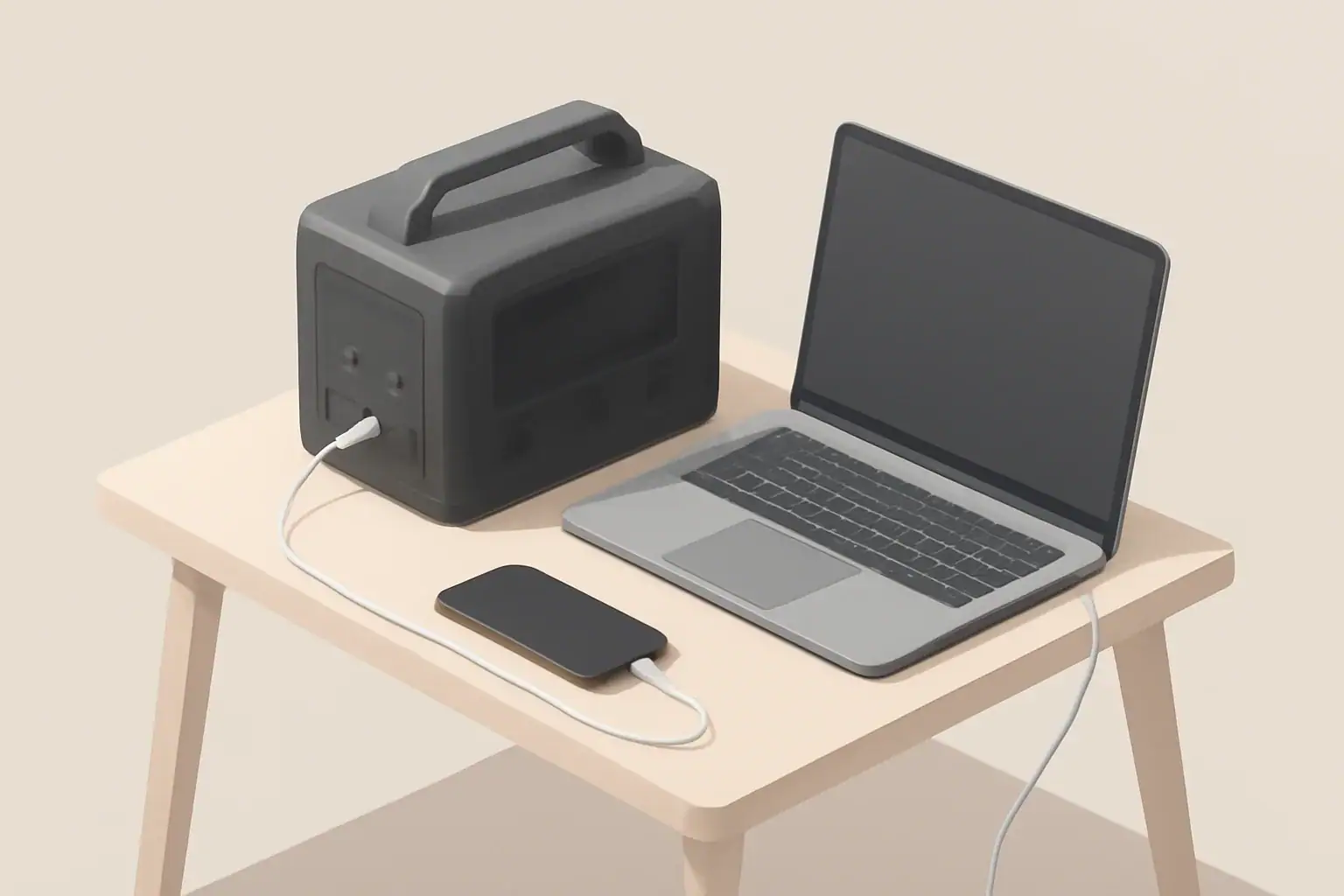
Isometric portable power station charging phone and laptop

Why this guide matters

Buying a portable power station involves several technical choices that affect performance, safety, and long-term value. Many mistakes are common because product specs can be confusing and marketing often mixes power and capacity terms. This article highlights frequent errors and gives practical advice to avoid them.

Common mistakes buyers make

1. Confusing watts and watt-hours

Watts (W) and watt-hours (Wh) measure different things. Watts describe instantaneous power—how much a device draws or how much the inverter can deliver. Watt-hours describe stored energy—how long a battery can supply power.

Mixing them up leads to unrealistic expectations. A unit with a 1,000W inverter but only 250Wh of battery capacity will run a 100W device for about 2–2.5 hours in ideal conditions, not much longer.

2. Underestimating capacity needs

Buyers often choose a power station based on headline numbers without calculating real needs. Capacity should be sized for the actual appliances and the intended runtime.

Consider these steps:

  • List devices and their power draw (in watts).
  • Estimate typical runtime required for each device.
  • Sum energy needs (W × hours) to find required Wh plus a margin for inefficiency.

3. Ignoring inverter type and ratings

Inverters convert DC battery power to AC. Two important specs are continuous power rating and peak (surge) power. Continuous rating matters for appliances that run constantly. Peak power matters for devices with high startup draws, like refrigerators or pumps.

Also note the waveform: pure sine wave inverters are preferable for sensitive electronics. Cheaper modified sine wave outputs can cause issues with motors and some chargers.

4. Overlooking battery chemistry and cycle life

Battery chemistry affects safety, weight, lifespan, and usable capacity. Different chemistries have varying cycle life and depth-of-discharge characteristics.

Key factors to check:

  • Cycle life at a specified depth of discharge (DoD).
  • Storage self-discharge rate and recommended storage conditions.
  • Thermal tolerances and performance in cold or hot environments.

5. Neglecting charging options and times

How you recharge the station affects usability. Wall AC, car 12V, and solar are common methods, and charge times can vary widely.

Important considerations:

  • Maximum input wattage limits how fast the unit can recharge.
  • Solar charging requires matching panel output to the station’s solar input specs and MPPT capability.
  • Pass-through charging (simultaneous charge and discharge) is useful but not always supported or recommended by manufacturers.

6. Assuming rated-runtime-equals-real-world-runtime

Manufacturers often quote ideal runtime under controlled conditions. Real-world efficiency losses occur in the inverter, battery management system, and cabling.

Expect 10–25% lower runtime than theoretical calculations, depending on load and operating conditions.

7. Failing to check outlet types, port compatibility, and power ratings

Different power stations provide various outputs: AC outlets, USB-A, USB-C with Power Delivery, DC barrel ports, and 12V car sockets. Not all ports supply the same power level.

Check that the station’s ports match the plugs and power requirements of the devices you plan to run. Also confirm whether USB-C ports support fast charging protocols if you rely on them.

8. Not accounting for surge currents and appliance startup draws

Many devices draw significantly more power at startup than during continuous operation. Motors, compressors, and some pumps can have startup surges several times their running wattage.

Ensure the inverter’s peak power rating can handle those surges, and verify that protective features won’t shut the station down under transient loads.

9. Overlooking weight, size, and portability

Power stations range from lightweight handheld units to heavy modular systems. Mobility matters for camping, vanlife, and emergency use.

Consider how you will carry or store the unit. Heavier stations might offer greater capacity but reduce portability.

10. Ignoring environmental suitability

Temperature and humidity affect battery performance and safety. Some batteries lose capacity in cold weather, while others require ventilation to manage heat during heavy use or charging.

Check operating and storage temperature ranges and any manufacturer guidance for cold-weather operation or indoor use.

11. Skipping maintenance and storage requirements

All batteries need some level of care in long-term storage. Leaving a battery fully discharged for long periods can reduce lifespan. Similarly, storing at high temperatures accelerates degradation.

Look for recommended storage charge levels and periodic maintenance schedules.

12. Overlooking warranty details and support

Warranty length and coverage vary. Some warranties cover only the battery capacity for a specific percentage over a period, while others cover defects in the product as sold.

Understand what is covered, how claims are handled, and whether local support is available.

How to avoid these mistakes

Treat the buying process as a small engineering exercise: quantify needs, verify specs, and compare realistic performance.

Practical preparation steps

  • Make an inventory of devices to power and estimate their average and peak wattage.
  • Calculate energy needs in watt-hours and add a 20–30% margin for inefficiency and unexpected use.
  • Match inverter continuous and surge ratings to your highest-draw devices.
  • Confirm available charging methods and realistic charge times for your use case.
  • Check battery chemistry, cycle life, and temperature tolerances for your environment.

Questions to ask when comparing models

  • What is the usable capacity (Wh) at a realistic depth of discharge?
  • What are the continuous and peak inverter ratings?
  • Which ports are provided and what are their maximum outputs?
  • Does the unit support pass-through charging and at what limits?
  • What charging inputs are available and what are the maximum input watts?
  • What warranty coverage and expected cycle life are specified?

Quick buyer checklist

Use this checklist when assessing a power station to ensure you avoid common pitfalls:

  • Calculated Wh needs match or exceed the station’s usable capacity.
  • Inverter continuous and surge ratings cover your heaviest loads.
  • Available ports match your device connectors and power requirements.
  • Charging methods and times fit your recharge plan (wall, car, solar).
  • Battery chemistry and cycle life align with expected usage frequency.
  • Operating temperature range and storage guidance suit your environment.
  • Warranty terms and support options are acceptable.

Final notes for buyers

Understanding the technical details behind capacity, power, and charging will lead to better purchases. Small differences in specs can have a big impact on real-world usability. Take time to calculate needs, compare realistic performance, and verify that the station’s features align with your use case.

Frequently asked questions

How do I calculate usable watt-hours (Wh) considering depth of discharge?

Start with the battery’s nominal Wh rating and multiply by the recommended depth of discharge (DoD) to estimate usable capacity. Then account for conversion losses from the inverter and BMS—expect roughly 10% to 25% additional loss depending on load and conditions.

Can a small portable power station reliably run a refrigerator or well pump?

Possibly, but you must verify the inverter’s continuous and peak (surge) power ratings against the appliance’s running and startup wattage. Many compressors have high startup surges several times their running draw, and you also need sufficient Wh to meet the desired runtime.

Is pass-through charging safe and will it shorten the battery life?

Pass-through charging is convenient but can increase heat and battery cycling, which may accelerate wear if the unit wasn’t designed for continuous simultaneous use. Check the manufacturer’s guidance—if pass-through is unsupported or warned against, avoid using it regularly to preserve lifespan.

How much extra capacity should I add for inefficiency and unexpected use?

Factor in a margin of about 20% to 30% on top of calculated energy needs to cover inverter/BMS losses and unexpected consumption. This buffer reduces the chance of depleting the battery prematurely and is especially important when planning for emergency or off-grid use.

What charging option gives the fastest recharge in the field?

AC mains charging is typically the fastest if the unit accepts high input wattage; solar recharge speed depends on panel wattage and MPPT capability and is often slower but usable off-grid. A 12V car input is usually the slowest and best used for topping up rather than full recharge.

Portable Power Station Buying Guide

Isometric illustration of portable power station charging devices

Portable power stations provide portable, reliable electricity for camping, work, and emergency backup. These all-in-one units combine a high-capacity battery with inverters, chargers, and multiple output ports so you can run AC appliances, charge phones and laptops, or power 12V devices without a generator. Choosing the right model involves trade-offs between capacity, weight, charging speed, and supported outputs. Practical considerations include how you will recharge the unit (wall, car, or solar), the continuous and surge inverter ratings for high-draw appliances, battery chemistry and expected cycle life, and whether pass-through charging or UPS-like behavior is needed. This guide breaks down the key specifications, sizing calculations, charging methods, and real-world use cases to help you match a unit to your needs and avoid common pitfalls. Also consider warranty, support, and replacement battery availability for long-term ownership.

What is a portable power station?

A portable power station is a compact battery system that stores electrical energy and delivers AC and DC power for devices and appliances. Unlike small power banks designed only for phones, these units offer higher capacity and multiple output types—such as AC outlets, USB ports, and 12V sockets—making them suitable for camping, job sites, emergency backup, and mobile offices.

Key specifications to compare

When shopping, the product specifications tell most of the story. Understanding the key metrics helps you match a unit to your needs.

Watt-hours (Wh) — usable energy

Watt-hours measure stored energy. Higher Wh means longer runtime or ability to power larger loads. For example, a 500 Wh unit can theoretically deliver 500 watts for one hour.

Keep in mind usable Wh can be lower than stated capacity due to inverter inefficiency and recommended battery depth of discharge.

Rated output in watts (continuous and peak)

Continuous watt rating indicates the maximum load the inverter can supply continuously. Peak or surge ratings show short-term capacity to start motors and compressors.

Match continuous watt rating to the appliances you expect to run. Devices with electric motors or heating elements often require higher startup power.

Inverter type and efficiency

The inverter converts DC battery power to AC. Pure sine wave inverters deliver clean power suitable for sensitive electronics. Modified sine inverters are cheaper but may not be appropriate for all devices.

Consider inverter efficiency; higher efficiency means less energy lost during conversion.

Battery chemistry

Common chemistries include lithium-ion and lithium iron phosphate. Differences affect energy density, lifespan (cycle life), thermal stability, and weight.

Battery chemistry influences cost and longevity. For frequent deep cycling, choose a chemistry with a higher cycle life.

Charging options and time

Check supported charging methods: AC wall charger, car (12V), solar input, and sometimes USB-C PD. Charging time varies by input power and supported maximum charging watts.

Faster charging can be convenient but may generate more heat—look for thermal management and manufacturer charging limits.

Pass-through charging

Pass-through charging allows the station to be charged while powering devices. This is useful for continuous setups but may reduce battery longevity if used constantly.

Ports and outlets

Review the number and types of outputs: AC outlets, USB-A, USB-C, car ports (12V), DC barrel ports, and specialized ports like Anderson Powerpole. Confirm voltage and amperage limits per port.

Portability: weight and form factor

Consider weight, handle design, and dimensions. Higher capacity units are heavier. If you plan to carry the unit frequently—hiking or rooftop storage—prioritize lower weight and ergonomic handles.

Noise levels

Some units include active cooling fans that run under load or during charging. If you need a quiet unit for camping or night use, look for quieter models or lower-noise cooling systems.

Operating temperature and cold weather performance

Batteries have temperature ranges for charging and discharge. Cold environments reduce effective capacity and may prevent charging in extreme cold. Check stated operating and storage temperatures.

Safety features

Essential protections include overcharge, overdischarge, short circuit, overcurrent, and thermal protection. For sensitive or medical applications, verify certifications and specific safety features.

Sizing and calculating capacity

Choosing the right capacity starts with determining what you want to power and for how long.

Step-by-step runtime calculation

1. List devices and their power draw in watts (check device labels or use typical values).

2. Estimate hours of use per device.

3. Multiply watts by hours to get watt-hours required per device.

4. Sum all watt-hours for total daily energy need.

5. Add a margin (20–30%) for inverter losses and unexpected usage.

Example calculation

If you want to power a 60 W laptop for 8 hours: 60 W × 8 h = 480 Wh. Accounting for inverter losses, you might need 600 Wh capacity.

A coffee maker drawing 1,000 W for 5 minutes (0.083 h) uses roughly 83 Wh—short high-power bursts matter more for inverter peak ratings than total Wh.

Charging methods and practical considerations

How you recharge affects portability and usefulness in off-grid situations.

AC wall charging

Fastest and most convenient when mains power is available. Charging wattage varies; higher input wattage reduces charge time.

Solar charging

Solar input enables off-grid recharging. Check maximum solar input watts, MPPT charge controllers, and required panel voltage range.

Consider available sun hours and panel portability for realistic recharge plans.

Car charging

Useful for road trips. Charging speed over a car outlet is typically slower than AC wall charging unless the unit supports higher input via DC fast charging.

USB-C Power Delivery and smart charging

USB-C PD provides efficient charging for laptops and phones and may support both input and output. If you rely on USB-C devices, prioritize units with high-watt PD ports.

Use cases and matching features

Different applications have distinct priorities. Match features to your primary use case.

Camping and vanlife

  • Priorities: weight, quiet operation, solar charging support
  • Small to mid-size capacity often suffices for lights, phones, and small appliances

RV and motorhome

  • Priorities: higher capacity, multiple AC outlets, support for refrigerators and CPAP machines
  • Check inverter continuous and surge ratings carefully

Home backup for outages

  • Priorities: larger capacity, UPS-like features, safe indoor use
  • Consider models designed for extended backup and with appropriate certifications

Remote work and job sites

  • Priorities: high-watt USB-C PD, durable casing, multiple output types
  • Balance capacity with portability for frequent transport

Maintenance, storage, and safety best practices

Proper care extends battery life and ensures safe operation.

Storage and self-discharge

Store in a cool, dry place with partial charge (often 40–60%). Avoid prolonged storage at 0% or 100% unless specified by the manufacturer.

Charging and cycle habits

Avoid keeping the unit at extreme states of charge. Regular moderate discharges and recharges typically prolong battery life.

Cleaning and inspection

Keep vents clear and ports clean. Inspect cables and connectors for damage before each use.

Cold weather and thermal management

Cold reduces capacity and may prevent charging. If you must use a unit in cold conditions, consider insulating it or keeping it in a temperature-controlled space when possible.

Safety around appliances and medical devices

For critical devices like medical equipment, confirm compatibility and consider units with UPS or regulated output modes. Always consult device documentation for power requirements.

Buying checklist and final considerations

Use this checklist to compare models and make a practical selection:

  • Calculate required daily watt-hours and peak watt draw
  • Confirm continuous and surge watt ratings meet your highest-load devices
  • Choose battery capacity (Wh) with a margin for inverter losses and future needs
  • Select appropriate battery chemistry for cycle life and safety needs
  • Verify supported charging methods and maximum input watts for recharge speed
  • Ensure needed ports and outlets are present and rated correctly
  • Check weight and dimensions for intended mobility
  • Review safety protections, certifications, and cold-weather specs if relevant
  • Consider warranty, support options, and replacement battery availability

Prioritize the features that align with your typical use case rather than every available spec. Document realistic charging options and plan for how you will recharge in the field or during an outage.

Further reading

After narrowing your requirements, consult detailed product specifications, user manuals, and third-party performance tests to confirm real-world runtimes and reliability.

Frequently asked questions

How do I estimate the watt-hours needed for a weekend camping trip?

List each device and its watt draw, multiply by expected hours of use to get watt-hours per device, then sum those values. Add a 20–30% margin for inverter losses and unexpected use, and factor in any planned solar or vehicle recharging capacity.

Can a portable power station run a refrigerator or microwave?

Possibly, but you must check both the continuous watt rating and the surge (peak) rating; refrigerators and microwaves have high startup currents. Also ensure the unit has sufficient Wh capacity for the intended runtime and that the inverter provides a clean sine wave for sensitive motors or electronics.

Is solar charging practical for multi-day off-grid use?

Solar can be practical when panel wattage, available sun hours, and an MPPT controller match your daily energy needs; plan using realistic sun-hour estimates and account for weather variability. For reliable multi-day operation, size panels and battery capacity to maintain a charge window that covers expected consumption plus reserves.

How does cold weather affect performance and charging?

Cold temperatures reduce available capacity and can prevent charging until the battery warms to its safe charging range. Store units at partial charge in a warmer environment when possible, and consider insulating or moving the unit to a temperature-controlled area during use in very cold conditions.

What safety features are important when powering medical or critical devices?

Look for pure sine wave output, UPS-style or regulated output modes, certifications for safe indoor use, and protections such as overcurrent and thermal shutdown. Verify the device’s power requirements and consult medical device documentation before using a portable power station for critical equipment.