Battery Cycle Life Explained: What “Cycles” Really Mean

isometric illustration of battery cells inside portable power station

Battery cycle life is the number of times a battery can be charged and discharged before its capacity noticeably drops, usually to around 70–80% of its original energy. In portable power stations, cycle life tells you how long the battery will stay useful for camping, backup power, or off-grid use.

When you see specs like “3,000 cycles to 80%,” that rating combines how many charge–discharge cycles the battery can handle and how much capacity it will have left at the end of that test. Understanding battery cycles, depth of discharge, and calendar aging helps you estimate real-world lifespan, compare different chemistries, and avoid habits that wear batteries out early.

This guide breaks down battery cycle life in plain English, with concrete examples, simple calculations, and practical tips so you can size a portable power station correctly, treat the battery well, and know what to expect over years of use.

What Battery Cycle Life Really Means (and Why It Matters)

Battery cycle life is a measure of how many times a battery can deliver its rated capacity and then be recharged before it loses a defined portion of its original energy storage. For most portable power stations, that “end of life” point is when the battery can only hold about 70–80% of what it could when new.

Key points about battery cycle life for portable power stations:

  • A “cycle” is energy moved (for example, 100% of rated capacity used and recharged), not how many times you press the power button.
  • Capacity fades gradually—the unit does not suddenly die at its rated cycle count.
  • Cycle life ratings are lab numbers based on controlled temperature, depth of discharge, and charge rates.

Why this matters when you buy a power station:

  • If you use it daily, cycle life largely determines how many years you get before runtimes shrink noticeably.
  • If you use it occasionally (for outages or trips), cycle life still matters, but calendar life and storage habits can matter even more.
  • Different battery chemistries (such as LiFePO4 versus other lithium-ion types) trade off weight, cost, and cycle life.

Key Concepts Behind Battery Cycle Life

To interpret cycle life specs correctly, it helps to understand how cycles are counted and what conditions manufacturers assume during testing.

What Counts as a Battery Cycle?

A battery cycle is the equivalent of using 100% of the battery’s rated capacity and then recharging it. This does not require a single full discharge from 100% to 0%.

  • Use 30% of the battery one evening, recharge.
  • Use 40% the next day, recharge.
  • Use another 30% later in the week, recharge.

Together, those add up to roughly one full cycle (30% + 40% + 30% = 100% of rated capacity).

Depth of Discharge (DoD)

Depth of discharge (DoD) describes how much of the battery’s capacity you use in a cycle.

  • 100% DoD: 100% down to near 0%.
  • 50% DoD: 100% down to 50%.
  • 20% DoD: 80% down to 60%, and so on.

In general, the shallower the DoD, the more cycles the battery can provide over its life. Many lab ratings assume a specific DoD (often 80–100%).

End-of-Life Capacity Threshold

Cycle life is almost always paired with an end-of-life capacity threshold, such as:

  • 80% of original capacity (very common for portable power stations).
  • 70% or 60% in some technical data sheets.

If a 1,000 Wh battery is rated for 2,000 cycles to 80%, that means that after roughly 2,000 lab cycles, it is expected to store about 800 Wh. It may still operate for many more cycles, just with shorter runtimes.

Battery Chemistry and Typical Cycle Life

Most portable power stations use one of two broad lithium-based chemistries:

  • Higher-energy-density lithium-ion (such as NMC-type chemistries): lighter and more compact, typically rated for hundreds to around a thousand cycles to 80% under standard test conditions.
  • Lithium iron phosphate (LiFePO4): heavier for the same capacity, but often rated for thousands of cycles to 80% under similar conditions.

Actual numbers depend on cell quality, design, and how conservative the manufacturer is with its ratings.

Standard Test Conditions vs Real Use

Cycle life ratings are generated in controlled tests, typically with:

  • Temperature around 25°C / 77°F.
  • Fixed charge and discharge currents (C-rates).
  • Repeated cycles at a specified DoD.

Real use is messier: temperature swings, irregular loads, fast charging, and occasional deep discharges. These differences are why a battery might last longer or shorter than the spec suggests.

Battery type Typical lab rating format Approximate use case fit
Higher-energy-density lithium-ion 500–1,000 cycles to 80% at 80–100% DoD Lighter, more portable units; occasional or moderate use
Lithium iron phosphate (LiFePO4) 2,000–6,000+ cycles to 80% at 80–100% DoD Heavier units; frequent or daily cycling, off-grid living
Typical cycle life rating patterns for common portable power station battery chemistries. Example values for illustration.

Real-World Battery Cycle Life Examples

Once you understand how cycles work, you can translate lab ratings into everyday usage patterns and expected years of service.

Example: Daily vs Occasional Use

Consider a 1,000 Wh portable power station rated for 3,000 cycles to 80% capacity:

  • Daily user (about one full cycle per day): 3,000 cycles ≈ 8–9 years before the battery drops to around 80% of its original capacity under similar conditions.
  • Weekend user (one cycle per week): 3,000 cycles is far beyond any realistic time frame; in practice, calendar aging (years on the shelf) will limit life first.

Now compare that to a unit rated for 800 cycles to 80% used every day:

  • 800 cycles ≈ a little over 2 years of daily full cycling before reaching about 80% capacity in lab-like conditions.

Example: Multiple Small Discharges per Day

Imagine a 1,000 Wh portable power station used for home backup:

  • Morning: 150 Wh for a coffee maker and lights.
  • Afternoon: 250 Wh for a laptop and router.
  • Evening: 200 Wh for lighting and a fan.

Total for the day: 600 Wh. If you recharge to 100% afterward, that day counts as about 0.6 of a cycle. After two similar days, the battery management system will have logged roughly 1.2 cycles.

Example: Depth of Discharge and Years of Life

Using shallower cycles can significantly extend effective cycle life. Suppose you have a 1,200 Wh power station and you use about 300 Wh per day.

  • Daily DoD ≈ 25% (300 Wh / 1,200 Wh).
  • Effective stress per cycle is lower than cycling 80–100% of capacity daily.

While the spec might say “2,000 cycles to 80% at 80% DoD,” your 25% DoD use pattern can reasonably lead to many more calendar years before you notice a similar drop in capacity, assuming moderate temperatures and charge rates.

Example: Sizing for Shallow Cycling

Assume you regularly need about 500 Wh per day:

  • 600 Wh unit: ≈ 83% DoD per day.
  • 1,000 Wh unit: ≈ 50% DoD per day.

The larger unit costs more and weighs more, but the lower daily DoD generally means less wear per cycle and a longer useful lifespan for the battery.

Scenario Battery capacity Typical daily use Approx. DoD per day What this means for cycle life
Small unit pushed hard 600 Wh 500 Wh ≈ 83% Fewer total cycles; faster capacity loss if used daily
Larger unit, same load 1,000 Wh 500 Wh ≈ 50% Less stress per cycle; more total cycles over life
Large unit, light use 1,200 Wh 300 Wh ≈ 25% Very shallow cycling; cycle aging is slow, calendar aging dominates
How battery size and daily energy use affect depth of discharge and effective cycle life. Example values for illustration.

Common Mistakes That Shorten Cycle Life (and What to Watch For)

Certain habits and conditions can significantly reduce the real-world cycle life of a portable power station. Recognizing these early can help you troubleshoot capacity loss and adjust your usage.

Frequent Very Deep Discharges

Regularly running the battery down to near 0% state of charge (SoC) increases stress on the cells.

  • What you might notice: The unit cuts off more quickly under load; the percentage drops rapidly near the bottom.
  • Better approach: Aim to keep most cycles between roughly 10–90% or 20–80% when practical, especially for daily use.

Storing at 100% in Hot Conditions

Leaving a power station fully charged for months in a warm or hot environment accelerates calendar aging.

  • What you might notice: After a year or two of being stored fully charged in a hot garage or vehicle, the battery no longer holds as much energy, even if you rarely used it.
  • Better approach: For long-term storage, keep it in a cool, dry place at a moderate SoC if the manual allows.

Consistently Pushing Maximum Output or Fast Charge

Regularly running near the maximum continuous output or always using the fastest possible charging mode can increase heat and mechanical stress inside the cells.

  • What you might notice: The fan runs often, the case feels warm or hot, and capacity seems to drop faster over time.
  • Better approach: When longevity matters, stay within comfortable continuous loads and use moderate charge rates when time allows.

Ignoring Early Signs of Capacity Loss

All batteries lose capacity, but rapid loss can signal that usage or storage habits are too harsh.

  • Warning cues:
    • Runtime drops sharply within the first year under moderate use.
    • The unit shuts off early under loads it previously handled easily.
    • The percent indicator jumps or behaves erratically, even after full charges.
  • What to try:
    • Review your typical DoD and reduce deep discharges where possible.
    • Avoid hot storage and constant full charge.
    • If the manual recommends it, perform a controlled full discharge and full recharge to help recalibrate the state-of-charge reading (this affects the display more than the actual chemistry).
Common mistake Effect on cycle life Practical fix
Running to 0% on most cycles Increases wear per cycle; fewer total cycles before capacity drops Recharge earlier; aim for shallower cycles when possible
Storing fully charged in a hot space Accelerates calendar aging; capacity loss even without many cycles Store in a cool area at a moderate state of charge for long-term storage
Always using maximum fast charge More heat and stress; can shorten effective cycle life Use standard or eco charging modes when speed is not critical
Leaving the unit unused for months at very low charge Risk of over-discharge and permanent capacity loss Top up periodically; avoid letting SoC sit near empty for long periods
Typical user habits that reduce battery cycle life and simple adjustments to improve longevity. Example values for illustration.

Good safety practices also support better cycle life. While modern portable power stations include protection circuits, user behavior still matters.

Respect Temperature Limits

Most manufacturers specify safe operating and charging temperature ranges.

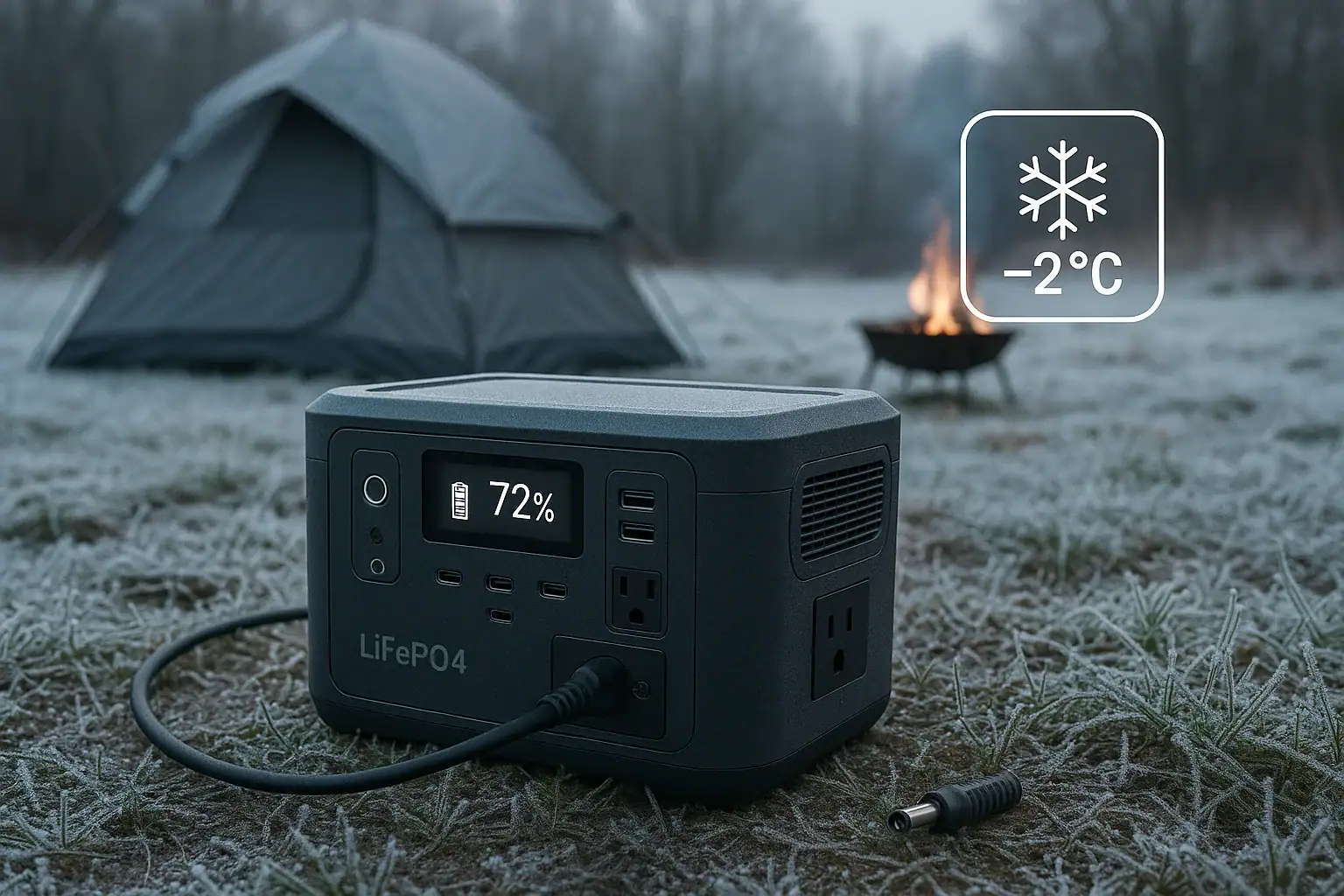
  • Avoid charging when very cold or very hot. Charging outside the recommended range can increase internal stress and may be blocked by the battery management system.
  • Do not cover ventilation openings. Allow airflow so internal components can shed heat during charging and heavy loads.

Use Approved Charging Methods

Cycle life and safety both depend on appropriate charging.

  • Use only the recommended input voltage and current levels for AC, DC, or solar charging.
  • Avoid improvised wiring or non-matching connectors that could bypass safety controls.

Avoid Physical Damage and Moisture

Mechanical and environmental stress can compromise both safety and longevity.

  • Do not drop, crush, or puncture the unit.
  • Keep it away from standing water, heavy condensation, or corrosive environments.
  • If the case is damaged or swollen, discontinue use and follow local guidance for safe handling and recycling.

Watch for Unusual Behavior

Changes in behavior can be early indicators of a problem.

  • Unusual smells, hissing, or visible smoke.
  • Extreme heat during light loads or charging.
  • Sudden, severe loss of capacity unrelated to normal aging.

If you observe these signs, stop using the device and follow the manufacturer’s safety instructions. While rare, ignoring serious symptoms can be hazardous.

Long-Term Use, Maintenance, and Storage

Even with a high cycle life rating, long-term performance depends heavily on how you store and maintain the battery between uses.

Calendar Life vs Cycle Life

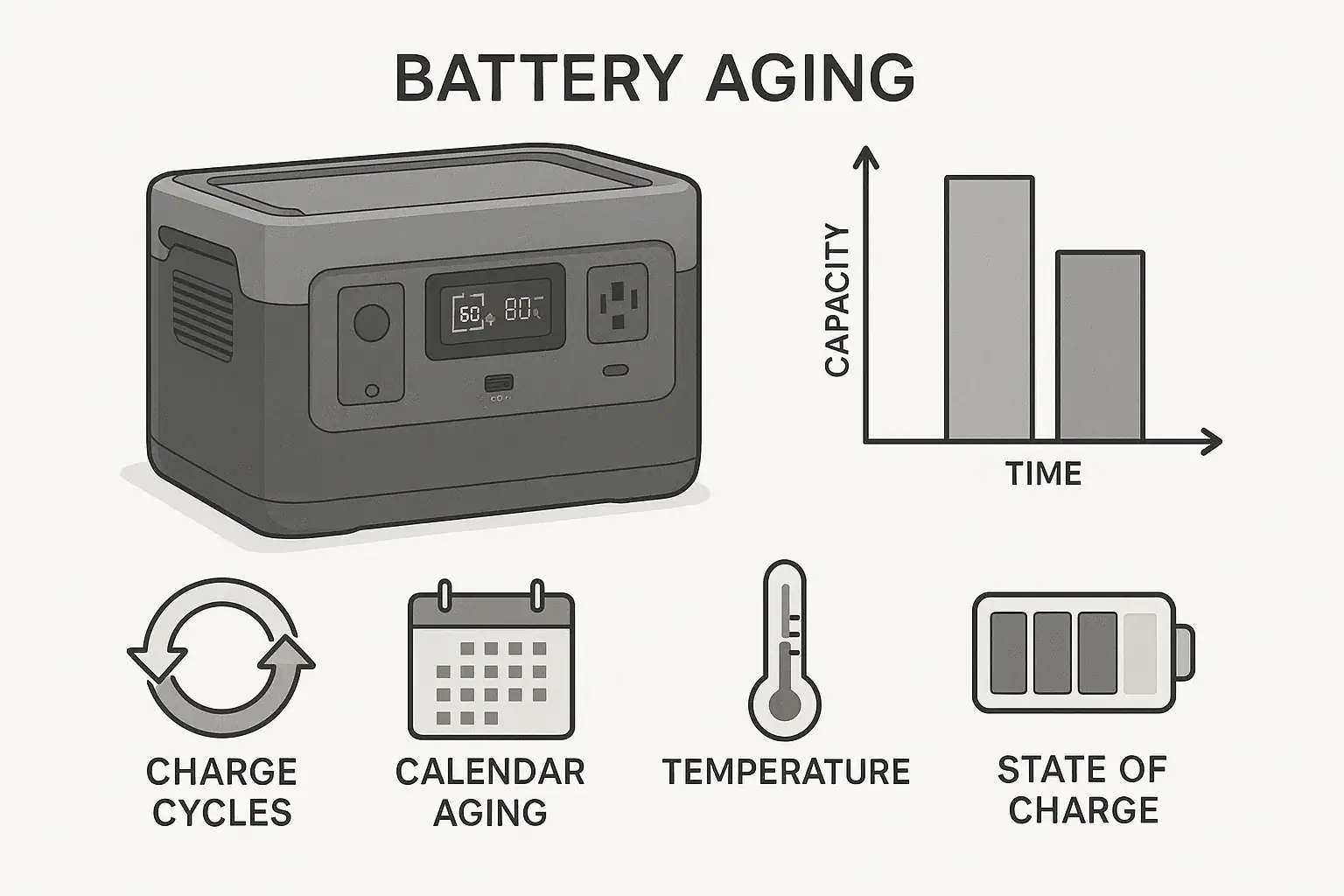
Cycle aging comes from charging and discharging. Calendar aging happens simply as time passes, even if the battery is rarely used.

  • High average SoC, especially at high temperature, accelerates calendar aging.
  • Moderate SoC and cooler storage slow down this process.

For emergency backup power, where cycle count is low, calendar life and storage conditions often matter more than the headline cycle rating.

Storage Best Practices

For storage periods of several weeks or more:

  • Store in a cool, dry place away from direct sunlight.
  • Avoid leaving the unit in a hot vehicle or unventilated shed.
  • If the manual allows, store at a moderate SoC rather than at 0% or 100% for months at a time.

Periodic Top-Ups and Checks

Even when idle, portable power stations can slowly self-discharge and draw a small amount of power for internal electronics.

  • Turn the unit on every few months to check the state of charge.
  • Recharge if the SoC has fallen significantly to avoid deep storage discharge.
  • Run a short test with a familiar load (such as a light or small appliance) to confirm normal behavior.

Balancing Longevity with Convenience

Maximizing cycle life sometimes conflicts with convenience. For example, keeping a unit at 100% all the time is convenient but not ideal for long-term aging. A practical balance is:

  • Keep it charged and ready during seasons when power outages or trips are likely.
  • During long idle periods, shift to moderate SoC storage and periodic top-ups.

Practical Takeaways and Specs to Look For

Once you understand how cycle life works, you can read spec sheets more critically and match a portable power station to your actual use pattern.

Key Takeaways

  • Battery cycle life is about total energy throughput, not how many times you turn the unit on.
  • Shallower cycles, moderate temperatures, and sensible charging habits can significantly extend real-world lifespan.
  • Higher cycle life ratings are especially valuable for daily or heavy use; for rare emergency use, storage habits and calendar life are just as important.
  • Battery chemistry influences both cycle life and weight/size, so consider how often and how you plan to carry and use the unit.

Specs to Look For When Comparing Models

When you compare portable power stations, look beyond the marketing phrases and focus on these cycle-life-related items:

  • Cycle life rating format
    • Look for statements like “X cycles to Y% capacity.”
    • Note both the number of cycles and the end-of-life percentage (for example, 80% vs 70%).
  • Depth of discharge used for testing
    • If provided, note whether the rating is at 80% DoD, 100% DoD, or another value.
    • Be cautious when comparing ratings that use different DoD assumptions.
  • Battery chemistry
    • Higher-energy-density lithium-ion types: lighter and more compact, often fewer cycles.
    • LiFePO4: heavier but often many more rated cycles.
  • Operating and storage temperature ranges
    • Check that the specified temperature ranges fit your climate and intended use (garage storage, vehicle use, outdoor trips).
  • Charging options and limits
    • Look for recommended (not just maximum) charge rates if longevity is a priority.
    • Confirm that your typical charging method (AC, DC, solar) is within the comfortable range.
  • Warranty terms related to the battery
    • Some warranties specify years and may reference expected capacity retention.
    • While not a direct measure of cycle life, stronger battery warranties can signal confidence in long-term performance.

By combining the official cycle life rating with your own expected usage pattern—daily vs occasional, shallow vs deep discharge, hot vs cool environment—you can make a more informed decision about which portable power station will deliver the best long-term value for your situation.

Frequently asked questions

Which battery specs and features matter most when comparing cycle life and long-term value?

Look for a clear cycle life statement (for example, “X cycles to Y% capacity”), the depth-of-discharge used for testing, battery chemistry, recommended charging rates, and operating/storage temperature ranges. Warranty terms that reference battery capacity retention can also be a useful indicator of expected long-term performance. These items together help translate lab ratings into real-world expectations.

Does regularly running a battery to 0% shorten its cycle life?

Yes. Frequent deep discharges increase cell stress and typically reduce the total number of cycles the battery will deliver before capacity declines. When practical, keeping cycles shallower (for example, between 10–90% or 20–80%) will extend effective cycle life.

What high-level safety precautions should I follow when using and charging a portable power station?

Follow the manufacturer’s temperature and charging guidelines, use approved charging methods and rated cables, and avoid mechanical damage or exposure to moisture. Also watch for unusual signs like extreme heat, hissing, or smoke and stop use immediately if they occur. These precautions protect both safety and battery longevity.

How should I store a power station if I won’t use it for several months?

Store the unit in a cool, dry place at a moderate state of charge (not fully charged or fully empty) if the manual permits, and top it up periodically to avoid deep storage discharge. Avoid leaving a fully charged unit in hot environments, as that accelerates calendar aging. Regular checks every few months help prevent unexpected capacity loss.

Can frequent fast charging or running at maximum output reduce cycle life?

Frequent fast charging and sustained maximum output increase heat and mechanical stress inside cells, which can accelerate capacity loss and reduce effective cycle life. If longevity is important, use moderate charge rates and avoid constant maximum loads when possible. Occasional fast charges or heavy draws are generally less harmful than continual use at those extremes.

How do manufacturers test cycle life, and why might real-world results differ?

Manufacturers typically test cycle life under controlled conditions (around 25°C, fixed charge/discharge currents, and a specified DoD) and count cycles until the battery reaches a defined capacity threshold. Real-world use involves temperature swings, varying loads, different DoD patterns, and calendar aging, so actual lifespan can be longer or shorter than lab numbers depending on conditions and habits.

How to Calculate Watt-Hours From Amp-Hours (and Avoid Costly Mistakes)

Isometric portable power station with abstract energy blocks

To calculate watt-hours from amp-hours, multiply the amp-hours (Ah) by the battery voltage (V): Wh = Ah × V. That single step converts battery capacity into energy, which is what actually determines how long you can run your devices.

This conversion is essential whenever you compare portable power stations, size a battery for camping or backup, or estimate how long a device will run. Amp-hours alone do not tell the full story because they ignore voltage. Watt-hours include both current and voltage, so they reflect usable energy more directly.

In this guide, you will see how to convert Ah to Wh, how to handle milliamp-hours (mAh), and how to apply these numbers to real-world runtimes. You will also learn where people commonly go wrong, how safety margins change the math, and which specs to pay attention to when you read a battery or power station label.

What watt-hours and amp-hours really mean (and why it matters)

Amp-hours and watt-hours both describe battery capacity, but they focus on different parts of the same picture.

Amp-hours (Ah) measure how much current a battery can deliver over time. One amp-hour means a battery can ideally deliver one amp for one hour, or two amps for half an hour, and so on. Amp-hours are often used on 12 V batteries and individual cells.

Watt-hours (Wh) measure total energy. One watt-hour is one watt of power used for one hour. Because watts already include voltage (W = V × A), watt-hours naturally factor in both current and voltage. That makes Wh the more useful unit for comparing different batteries or estimating runtime.

For example, a 12 V 100 Ah battery and a 24 V 50 Ah battery both store 1200 Wh of energy (12 × 100 and 24 × 50). Their amp-hour ratings are different, but their energy is the same. Without converting to watt-hours, it is easy to think the 100 Ah battery is “bigger,” even though it is not.

When you size a portable power station, plan for off-grid trips, or design a small backup system, working in watt-hours helps you match battery capacity to your devices’ power draw in watts. That is why most power station labels and spec sheets highlight Wh as the primary capacity number.

Key concepts: how to convert amp-hours to watt-hours

The core relationship between amp-hours and watt-hours is straightforward:

Watt-hours (Wh) = Amp-hours (Ah) × Voltage (V)

To use this formula correctly, you need three basic pieces of information: the capacity in Ah, the voltage in V, and consistent units.

Step 1: Get the capacity in amp-hours

Battery labels often show either Ah or mAh:

  • Amp-hours (Ah): Common on larger batteries (for example, 12 V 100 Ah).
  • Milliamp-hours (mAh): Common on small devices (for example, 3500 mAh phone battery).

If your battery is rated in mAh, convert to Ah first:

Ah = mAh ÷ 1000

Example: 3500 mAh ÷ 1000 = 3.5 Ah.

Step 2: Use the correct battery voltage

Next, identify the battery or pack voltage. Use the pack or system voltage, not the voltage of a single cell unless the Ah rating refers to that single cell. Common nominal voltages include 3.6–3.7 V for a single lithium-ion cell, about 12 V for small lead-acid batteries, and higher voltages (such as 24 V or 48 V) for multi-battery systems.

For quick estimates and comparisons, use the nominal voltage printed on the label. For more accurate calculations, especially with measurement equipment, you can use the average voltage under load over the discharge period.

Step 3: Apply the formula

Once you have Ah and V in consistent units, multiply:

Wh = Ah × V

If you need to go the other way, you can rearrange the formula:

  • Ah = Wh ÷ V
  • mAh = (Wh ÷ V) × 1000

Quick reference comparison table

The table below shows how different combinations of amp-hours and voltage translate into watt-hours.

Battery rating Voltage (V) Capacity (Ah) Energy (Wh) Typical use case
Small device cell 3.7 3.0 11.1 Phone, small gadget
Compact pack 12 10 120 Small LED lighting setup
Medium 12 V battery 12 50 600 Light loads, short backup
Larger 12 V battery 12 100 1200 General-purpose off-grid use
Higher-voltage pack 24 50 1200 Same energy as 12 V 100 Ah, different voltage
Typical battery ratings converted from amp-hours to watt-hours. Example values for illustration.

This comparison shows why watt-hours are the best way to compare packs with different voltages. Two very different Ah ratings can represent the same total energy once voltage is included.

Real-world examples: from amp-hours to watt-hours and runtime

Once you know how to calculate Wh from Ah, you can turn that into expected runtime for your devices. That is often the main reason people convert between these units.

Example 1: 12 V lead-acid battery

Suppose you have a 12 V battery rated at 100 Ah.

  • Step 1: Wh = 100 Ah × 12 V = 1200 Wh (theoretical total energy).
  • Step 2: If you only use 50% of the capacity to protect a traditional lead-acid battery, usable Wh ≈ 1200 × 0.5 = 600 Wh.

If you run a 60 W DC-compatible light directly from this battery:

  • Runtime ≈ 600 Wh ÷ 60 W = 10 hours.

If you instead power a 60 W AC lamp through an inverter that is 90% efficient:

  • AC-usable Wh ≈ 600 Wh × 0.9 = 540 Wh.
  • Runtime ≈ 540 Wh ÷ 60 W = 9 hours.

Example 2: Lithium-ion pack with mAh rating

Consider a lithium-ion pack labeled 14.8 V, 5000 mAh.

  • Convert mAh to Ah: 5000 mAh ÷ 1000 = 5 Ah.
  • Wh = 5 Ah × 14.8 V = 74 Wh.

If you use this pack to run a 15 W device:

  • Ideal runtime ≈ 74 Wh ÷ 15 W ≈ 4.9 hours.
  • Allowing 10% system losses, realistic runtime ≈ 74 × 0.9 ÷ 15 ≈ 4.4 hours.

Example 3: Phone battery in mAh

Take a phone battery rated 3500 mAh at 3.7 V.

  • Ah = 3500 ÷ 1000 = 3.5 Ah.
  • Wh = 3.5 Ah × 3.7 V = 12.95 Wh (about 13 Wh).

If your phone draws an average of 2.5 W while in use:

  • Ideal active use time ≈ 13 Wh ÷ 2.5 W ≈ 5.2 hours.
  • Background tasks, screen brightness, and temperature will reduce this in practice.

Example 4: Series vs parallel battery wiring

Imagine two 12 V 100 Ah batteries. You can connect them in series or parallel.

  • Series: Voltage adds, Ah stays the same.
    System: 24 V, 100 Ah → Wh = 24 × 100 = 2400 Wh.
  • Parallel: Ah adds, voltage stays the same.
    System: 12 V, 200 Ah → Wh = 12 × 200 = 2400 Wh.

Both configurations store the same total energy (2400 Wh), but they operate at different voltages. That affects current, cabling, and inverter choice, but not the overall Wh available.

Example-focused summary table

The next table brings these examples together so you can quickly see how Ah, V, and Wh relate and how that influences runtime.

Battery description Voltage (V) Capacity (Ah) Energy (Wh) Example device load Approx. runtime (ideal)
12 V 100 Ah (50% usable) 12 100 600 usable 60 W DC light 600 ÷ 60 ≈ 10 h
12 V 100 Ah via 90% inverter 12 100 540 AC-usable 60 W AC lamp 540 ÷ 60 ≈ 9 h
14.8 V 5 Ah pack 14.8 5 74 15 W device 74 ÷ 15 ≈ 4.9 h
3.7 V 3.5 Ah phone cell 3.7 3.5 13 2.5 W average draw 13 ÷ 2.5 ≈ 5.2 h
Two 12 V 100 Ah in series 24 100 2400 120 W DC load 2400 ÷ 120 ≈ 20 h
Example conversions from amp-hours to watt-hours and their effect on runtime. Example values for illustration.

Common mistakes when converting Ah to Wh (and how to fix them)

The math for converting amp-hours to watt-hours is simple, but several recurring mistakes can lead to unrealistic runtime expectations or undersized systems. Use the cues below to troubleshoot your calculations.

1. Forgetting to include voltage

Symptom: You compare batteries only by Ah and assume a higher Ah rating always means more energy.

Fix: Always multiply by the correct pack voltage. A 24 V 50 Ah battery has the same energy as a 12 V 100 Ah battery (both 1200 Wh). If your comparison does not include voltage, it is incomplete.

2. Mixing up mAh and Ah

Symptom: Your calculated Wh is off by a factor of 1000, or a small gadget battery appears to have more energy than a large deep-cycle battery.

Fix: Convert mAh to Ah before calculating:

  • Ah = mAh ÷ 1000.
  • Then Wh = Ah × V.

Double-check units anytime you see numbers in the thousands or tens of thousands for capacity.

3. Using the wrong voltage value

Symptom: You multiply Ah by a single-cell voltage even though the rating is for a multi-cell pack, or you use 12 V as a default for everything.

Fix: Use the pack’s nominal voltage printed on the label. If your pack is built from several cells in series, the pack voltage is higher than a single cell. For multi-battery systems, confirm whether the batteries are wired in series or parallel before deciding which voltage to use.

4. Ignoring usable capacity limits

Symptom: Your real-world runtime is much shorter than the theoretical runtime from Wh = Ah × V.

Fix: Most batteries cannot or should not be discharged to 0%. Common usable fractions include:

  • Traditional lead-acid: often 40–60% of rated Wh for good life.
  • Some lithium chemistries: often 80–95% of rated Wh.

Adjust your calculation:

  • Usable Wh = Rated Wh × Usable fraction.

5. Not accounting for conversion and wiring losses

Symptom: AC devices or devices powered through DC-DC converters run for less time than expected, even after adjusting for usable capacity.

Fix: Include efficiency in your runtime formula:

  • Runtime (hours) ≈ Battery Wh × Usable fraction × System efficiency ÷ Load watts.

System efficiency includes inverter losses, DC-DC conversion, and wiring. Typical inverter efficiencies range from about 85% to 95% under moderate loads.

6. Confusing series and parallel wiring

Symptom: You add both voltage and amp-hours when combining batteries and end up with an incorrect Wh number.

Fix: Remember:

  • Series: Voltage adds, Ah stays the same.
  • Parallel: Ah adds, voltage stays the same.

After you determine the combined system voltage and Ah, then calculate Wh using Wh = Ah × V.

7. Overlooking temperature, age, and discharge-rate

Symptom: Batteries deliver much less energy in cold weather, under heavy load, or after years of use than your Wh calculation suggests.

Fix: Treat Wh from the label as a starting point and apply reductions:

  • Cold conditions: expect reduced capacity, especially below freezing.
  • High discharge rates: some chemistries show lower effective capacity at high current.
  • Aged batteries: capacity may be significantly lower than when new.

Safety basics when working with battery capacity and energy

Knowing how to calculate watt-hours from amp-hours is only part of using batteries safely. Higher Wh capacity means more stored energy, and mishandling that energy can damage equipment or cause hazards.

Respect the limits of cables, fuses, and connectors

Even if your Wh calculations are correct, undersized wiring can overheat when delivering high power.

  • Match wire gauge to expected current, not just voltage or Wh.
  • Use appropriately sized fuses or breakers close to the battery to protect against short circuits.
  • Check connectors for signs of heat, discoloration, or looseness under load.

Avoid short circuits and improper polarity

Shorting a battery with high Wh capacity can release a large amount of energy in a very short time.

  • Keep tools and metal objects away from exposed terminals.
  • Double-check polarity before connecting devices or additional batteries.
  • Use insulated terminal covers where possible.

Operating outside recommended voltage or current ranges can reduce usable Wh and create safety risks.

  • Use chargers designed for your battery chemistry and voltage.
  • Avoid routinely discharging below the manufacturer’s recommended depth of discharge.
  • Do not exceed specified continuous or surge discharge currents when sizing loads from your Wh calculations.

Manage heat and ventilation

Energy conversion always produces some heat, especially at higher power levels.

  • Provide ventilation around inverters and converters.
  • Avoid enclosing batteries in unventilated, high-temperature spaces.
  • Monitor temperature during high-load or long-duration discharges.

Long-term performance: factors that change real-world watt-hours

The watt-hours you calculate from amp-hours and voltage describe a battery when new, at a standard temperature, and under a specified discharge rate. Over time and in different conditions, the effective Wh can change significantly.

Temperature effects on capacity

Battery chemistry is sensitive to temperature.

  • Cold: Capacity often drops, sometimes noticeably below freezing. Your calculated Wh may overestimate what you can actually draw.
  • Heat: High temperatures can accelerate aging and permanently reduce capacity over time.

For critical applications, consider applying a conservative reduction factor to your Wh estimate when operating in extreme temperatures.

Battery age and cycle count

Every charge-discharge cycle slightly reduces capacity. After many cycles, a battery that was originally rated for 1000 Wh may only deliver a fraction of that.

  • Track approximate cycle count and years in service for key batteries.
  • If you rely on a battery for backup, periodically measure its actual capacity with a controlled discharge and compare to the original Wh rating.

Discharge rate and effective capacity

Some chemistries, especially certain lead-acid types, deliver less capacity at high discharge rates. In practice, this means:

  • A small load over many hours may use most of the rated Wh.
  • A very heavy load over a short time may reach voltage cutoffs before using the full rated Wh.

When sizing batteries for high-power devices, avoid using the full rated Wh as your planning number. Build in extra capacity to account for reduced effective Wh at higher currents.

Simple maintenance habits that preserve Wh

A few basic practices help your batteries stay closer to their rated Wh over time:

  • Avoid storing batteries fully discharged for long periods.
  • Keep storage temperatures moderate and dry.
  • Follow manufacturer guidance on storage charge level, especially for lithium-based batteries.

Practical takeaways and key specs to look for

Once you understand how to calculate watt-hours from amp-hours, you can quickly translate spec sheets into realistic expectations for runtime and system sizing.

Use the points below as a checklist whenever you evaluate a battery, portable power station, or custom pack.

Core calculation takeaways

  • Always convert capacity to watt-hours for apples-to-apples comparisons.
  • Remember the basic formula: Wh = Ah × V (with Ah, not mAh).
  • Estimate runtime using: Runtime ≈ Battery Wh × Usable fraction × System efficiency ÷ Load watts.
  • Apply realistic usable fractions and efficiency values instead of assuming 100% of the label rating is available.

Specs to look for on labels and datasheets

  • Nominal voltage (V): Confirms whether you should use 12 V, 24 V, 48 V, or another value in your Wh calculation.
  • Capacity in Ah or mAh: Convert mAh to Ah when necessary before multiplying by voltage.
  • Rated energy (Wh): Many modern products list Wh directly. Verify that Wh ≈ Ah × V as a quick consistency check.
  • Recommended depth of discharge: Use this to estimate usable Wh instead of assuming full discharge.
  • Continuous and surge discharge ratings: Ensure your planned loads are within these limits so you can safely access the Wh you calculated.
  • Operating temperature range: Helps you judge how much capacity may be available in hot or cold conditions.
  • Cycle life at a given depth of discharge: Indicates how capacity and usable Wh will change over time.
  • Inverter or converter efficiency (if built in): Use this to refine runtime estimates for AC devices.

Using Wh calculations in everyday planning

When planning portable or backup power, start with your devices’ watt ratings, estimate daily energy needs in Wh, and then size your battery or power station so its usable Wh comfortably exceeds that number. The more accurately you convert from amp-hours to watt-hours and apply real-world factors, the less likely you are to be surprised by short runtimes or undersized systems.

By consistently working in watt-hours and cross-checking against amp-hours and voltage, you turn raw battery specs into clear, practical decisions about what your system can actually power and for how long.

Frequently asked questions

Which battery specs and features should I prioritize when sizing a system?

Focus first on nominal voltage and capacity (Ah or mAh converted to Ah), then check the rated energy (Wh) to verify consistency. Also consider recommended depth of discharge, cycle life, and continuous/surge current ratings; these determine usable energy and whether the battery can safely support your loads. Finally, if you’ll use AC devices, include inverter or converter efficiency in your planning.

What is a common calculation mistake that leads to overly optimistic runtime estimates?

One frequent mistake is using Ah without accounting for voltage or forgetting to convert mAh to Ah, which can be off by a factor of 1,000. People also forget usable capacity and system losses—always apply a usable fraction and efficiency factor to the rated Wh before estimating runtime.

How should I handle safety when working with batteries that have high watt-hour capacity?

Treat higher Wh as more stored energy and manage electrical and thermal risks: use correctly sized cables, fuses, and connectors; avoid short circuits and incorrect polarity; and ensure proper ventilation for heat-generating components. Follow charger and manufacturer guidelines for charge/discharge limits and monitor temperature during heavy or extended use.

How much do inverter and converter efficiencies change my runtime calculations?

Inefficiencies reduce the Wh available to your load, so multiply rated usable Wh by the system efficiency (for example, 0.9 for 90% efficiency) before dividing by load watts. Include both inverter and DC-DC converter losses as well as wiring losses for the most realistic estimate.

Can I combine batteries to increase capacity, and how does wiring orientation affect energy and voltage?

You can add batteries in series to increase voltage (Ah stays the same) or in parallel to increase Ah (voltage stays the same); either approach multiplies into the same total Wh when done correctly. After combining, calculate Wh using the system voltage and combined Ah, and ensure wiring, fusing, and charging are configured for the new system voltage and capacity.

How do temperature and battery age affect the watt-hours I can actually use?

Cold temperatures typically reduce available capacity, while high temperatures accelerate aging and can permanently decrease capacity over time. Likewise, cycle count and age gradually lower usable Wh, so treat label Wh as a starting point and apply conservative reductions for extreme temperatures or aged batteries.

Portable Power Station Terminology Explained (Plain-English Guide)

Isometric portable power station charging phone and laptop

Portable power station terminology describes how much power a unit can deliver, for how long, and how safely it can do it. If you understand a few key terms like watts, watt-hours, inverter output, and battery chemistry, you can quickly see whether a power station will actually run your devices the way you expect.

This guide breaks down the most important portable power vocabulary in plain English. You will see how the numbers on spec sheets connect to real-world use, how to estimate runtime, and what to watch for when comparing units for camping, emergency backup, or work sites.

Use it as a reference while shopping or checking a user manual. The goal is not to turn you into an engineer, but to give you enough clarity to avoid surprises, under‑sizing, or overpaying for features you do not need.

What these power station terms mean and why they matter

Most portable power station specs fall into three groups: how much power they can output at once, how much energy is stored in the battery, and how safely the system manages that power. Understanding each group helps you pick a unit that matches your devices and use cases.

Power (W) tells you what the station can run at the same time. If your devices together draw more watts than the inverter’s continuous rating, the unit will shut down or refuse to start them.

Energy (Wh) tells you how long the station can run those devices. Higher watt-hours mean more runtime, but only part of that capacity is usable because of conversion losses and protective limits.

Battery chemistry and management affect lifespan, weight, and safety. Some chemistries are lighter; others tolerate more cycles and heat. The internal battery management system (BMS) enforces safe limits so the pack is not overcharged, overheated, or discharged too deeply.

Once you see how these terms connect, you can read a spec sheet and quickly answer three questions: “Will it start my devices?”, “How long will it run them?”, and “Is it built to last for my kind of use?”

Key concepts: power, energy, batteries, and inverters

This section defines the core terms you will see on almost every portable power station spec sheet.

Watts (W): how much at once

Watts measure the rate of power use. A device labeled 60 W uses 60 watts while it is running at full draw. Portable power stations list an AC continuous watt rating (for example, 500 W) and often a higher surge or peak rating for brief startups.

Watt-hours (Wh): how long it can run

Watt-hours measure stored energy. A 500 Wh battery can theoretically deliver 500 watts for one hour, 250 watts for two hours, and so on. In practice, you must subtract conversion losses and safety buffers.

A quick usable estimate is often around 80–90% of the stated watt-hours, depending on inverter efficiency and how hard you push the battery.

Voltage (V) and current (A)

Voltage (V) is electrical “pressure,” and current (A) is the amount of flow. Their product is power: P (W) = V × A. Understanding this helps you interpret DC outputs and solar inputs.

  • Typical AC output: 120 V (in North America).
  • Typical DC “car” output: about 12–13.6 V.
  • USB outputs: 5 V for basic ports, higher for fast charging.

Continuous vs surge (peak) power

Continuous power is what the inverter can supply indefinitely under normal conditions. Surge or peak power is a short burst, often lasting a few seconds, to handle devices that draw extra power when they start.

Examples of surge-heavy loads include refrigerators, air compressors, and many power tools. If the surge rating is too low, these devices may never start, even if their running watts look fine on paper.

Battery chemistry basics

Most modern portable power stations use lithium-based batteries. Two common categories are:

  • Lithium-ion (various blends): higher energy density (more Wh per pound), usually lighter and more compact, often with shorter cycle life than LiFePO4 at similar conditions.
  • LiFePO4 (lithium iron phosphate): lower energy density, so heavier for the same Wh, but typically higher cycle life and improved thermal stability.

Cycle life is the number of full charge–discharge cycles until the battery falls to a defined percentage of its original capacity (often 70–80%). A higher cycle rating suggests better long-term durability, especially if you discharge the battery deeply and frequently.

Inverter and efficiency

The inverter converts the battery’s DC power into AC power for household-style outlets. Two main ideas matter:

  • Waveform: a pure sine wave inverter closely matches grid power and is friendlier to sensitive electronics and many motors. A modified sine wave is cheaper but may cause noise, extra heat, or malfunction in some devices.
  • Efficiency: no inverter is perfect. Some of the stored energy turns into heat. Efficiency is often in the 80–90% range. Lower efficiency means shorter runtime for the same battery size.

Charging input and MPPT

Input power rating tells you how fast the battery can be recharged, whether from wall AC, a vehicle outlet, or solar panels. Higher input watts generally mean faster charging, as long as the source can provide that power.

Many units include an MPPT (maximum power point tracking) solar controller, which adjusts voltage and current to pull more power from solar panels under changing light and temperature. MPPT usually improves solar charging speed compared with simple controllers.

Real-world examples and quick reference tables

Numbers become easier to understand when you see how they play out with common devices and realistic runtimes.

Estimating runtime in practice

A simple runtime estimate uses this formula:

Runtime (hours) ≈ (Battery Wh × Efficiency) ÷ Load W

If you assume 85% overall efficiency (0.85) for inverter and system losses, you can do quick back-of-the-envelope checks before you buy.

Battery capacity (Wh) Assumed efficiency Example load (W) Approx. runtime (hours) Typical use case
300 Wh 0.85 30 W ≈ 8.5 h LED lights, phone charging, small fan
500 Wh 0.85 60 W ≈ 7.1 h Laptop, router, lighting
1000 Wh 0.85 150 W ≈ 5.7 h Mini fridge, router, lights
1500 Wh 0.85 300 W ≈ 4.3 h TV, game console, lights
2000 Wh 0.85 500 W ≈ 3.4 h Power tools, larger fridge, mixed loads
Approximate runtimes for common battery sizes and loads. Example values for illustration.

Matching power ratings to devices

Here is how core terms interact when you plan to run real devices from a portable power station:

  • Phone charging: very low watt draw (often under 10 W). Almost any station can handle this, and runtime is usually not a concern.
  • Laptop plus monitor: often 60–150 W combined. Check that the inverter’s continuous rating covers this and that the battery capacity gives you the hours you need.
  • Mini fridge: running watts might be 60–100 W, but startup surge can be 2–3× higher. You must check both continuous and surge ratings.
  • Power tools: many tools have high surge demands and may cycle on and off. An undersized inverter may trip repeatedly.

Battery chemistry in everyday use

Battery chemistry terms also show up in real-world behavior:

  • A LiFePO4-based station may be heavier for the same watt-hours but is often better suited to frequent daily cycling, such as for off-grid cabins or work vans.
  • A lighter lithium-ion station may be easier to carry for short trips or occasional emergency use, where long cycle life is less critical.

Common mistakes and troubleshooting cues

Many problems people experience with portable power stations trace back to misunderstandings of the terminology on the label. Recognizing these patterns can help you avoid them or troubleshoot quickly.

Frequent sizing and usage errors

  • Confusing watts with watt-hours: buying a unit because the inverter watt rating looks high, but the battery (Wh) is too small to run that load for long.
  • Ignoring surge ratings: choosing a station that matches a device’s running watts but not its startup surge, so the device never starts.
  • Overloading DC or USB ports: assuming all ports share the full inverter rating, when in reality each port or group of ports has its own amp and watt limits.
  • Expecting spec-sheet charge times in all conditions: quoted charge times usually assume ideal input power and temperature; real times can be longer.
  • Operating in extreme temperatures: using or charging the unit far outside its rated temperature range, which can trigger protective shutdowns or slow charging.

Troubleshooting by symptom and term

Symptom Likely related spec/term What to check or adjust
Device will not start or shuts off immediately Continuous watts, surge watts Compare device running and startup draw to inverter ratings; try a lower-power device.
Runtime is much shorter than expected Watt-hours, efficiency, total load Recalculate runtime using battery Wh × 0.8–0.9; confirm actual device wattage with a meter.
Unit gets hot and fan runs constantly Inverter efficiency, thermal management Reduce load, move the unit to a cooler, well-ventilated spot, avoid covering vents.
Charging from solar is slower than expected Solar input watts, MPPT, panel orientation Check panel watt rating, sun angle, shading, and the station’s solar input limit.
Battery indicator drops quickly at high loads Depth of discharge, voltage sag Recognize that heavy loads reduce apparent runtime; try spreading loads over time.
Unit shuts down in cold or hot weather Operating temperature range, BMS protection Warm or cool the unit into its rated range before use or charging.
Typical symptoms mapped to key portable power station specs. Example values for illustration.

Safety basics for portable power stations

Terminology around safety features is just as important as power and capacity. These systems store a significant amount of energy, and the right protections help keep that energy under control.

Battery Management System (BMS)

The BMS monitors individual cells and the pack as a whole. It enforces limits on voltage, current, and temperature to prevent conditions that could damage the battery or create hazards.

  • Overcharge protection: stops charging when cells reach their safe voltage limit.
  • Overdischarge protection: shuts down output before the battery is drained too far.
  • Overcurrent and short-circuit protection: cuts power during abnormally high current events.
  • Cell balancing: keeps cell voltages aligned to maintain capacity and longevity.

Thermal management and fan noise

Portable power stations rely on passive cooling (heat sinks, vents) and active cooling (fans) to stay within safe temperatures. Fans may turn on during heavy loads, fast charging, or in warm environments.

Key terms include operating temperature range and storage temperature range. Operating outside these can trigger protective shutdowns or reduced performance. Understanding these limits helps you plan for hot vehicles, direct sun, or cold overnight camping.

UPS-like functionality

Some stations advertise a UPS-like or backup power function. This usually means the unit can pass grid power through to your devices and switch to battery when the grid fails.

Two specs matter here:

  • Transfer time: how fast the unit switches to battery. Sensitive electronics often tolerate brief interruptions, but not all.
  • Supported load in UPS mode: sometimes lower than the full inverter rating.

Understanding these terms keeps expectations realistic when using a portable power station as backup power for routers, small servers, or home office equipment.

Long-term use, storage, and battery health

Battery terminology also affects how you should treat the unit over months and years. Proper storage and maintenance can preserve capacity and cycle life.

State of Charge (SoC) and Depth of Discharge (DoD)

State of Charge (SoC) is how full the battery is, usually shown as a percentage. Depth of Discharge (DoD) describes how much of the battery’s capacity you use before recharging.

  • High DoD (for example, using 90% of the battery every cycle) can reduce cycle life faster.
  • Moderate DoD (for example, using 50–70% per cycle) generally improves long-term durability.

When a spec sheet lists cycle life, note the DoD used for that rating. A battery rated for many cycles at 80% DoD is typically more robust than one rated at the same number of cycles but at 50% DoD.

Self-discharge and storage best practices

Self-discharge is the slow loss of charge even when the unit is not in use. Lithium-based chemistries have relatively low self-discharge, but they are not zero.

  • For storage longer than a month, many manufacturers recommend keeping the battery at a partial SoC (often around 30–60%).
  • Store in a cool, dry place within the recommended storage temperature range.
  • Top up the charge every few months to avoid deep discharge from self-discharge and standby power draw.

Maintenance and firmware

Portable power stations are mostly maintenance-free, but a few simple habits help:

  • Keep vents clear of dust and debris to maintain airflow.
  • Avoid leaving the unit permanently at 0% or 100% SoC when not in use.
  • Check for available firmware updates if your unit supports them; these can refine charging behavior, improve accuracy of SoC readings, or add minor features.

Practical takeaways and specs to look for

Once you are comfortable with the terminology, you can scan a spec sheet and quickly judge whether a portable power station fits your needs. The key is to tie each term back to your real-world use case.

Quick planning steps

  1. List the devices you want to power and note their watt ratings (or estimate using similar devices).
  2. Add up the watts for the devices you might run at the same time; this is your required continuous power.
  3. Estimate how many hours per day you want to run them, then multiply watts by hours to get daily watt-hour needs.
  4. Allow for 10–20% overhead for inverter losses, battery aging, and unexpected extra loads.
  5. Match your needs to a station with sufficient inverter watts and battery watt-hours, plus charging inputs that fit how you plan to recharge.

Specs to look for checklist

Use this checklist while reading spec sheets or product descriptions. Each item corresponds to a term explained earlier in this guide.

  • Battery capacity (Wh): does it cover your estimated daily energy use with margin?
  • AC inverter continuous watts: is it higher than the total watts of devices you plan to run simultaneously?
  • AC inverter surge/peak watts: is it sufficient for startup surges of fridges, pumps, or tools?
  • Battery chemistry: does the weight, cycle life, and intended use (occasional vs daily) match your priorities?
  • Cycle life rating and DoD: how many cycles is it rated for, and at what depth of discharge?
  • Inverter waveform: pure sine wave is generally preferred for sensitive electronics and many motors.
  • Inverter efficiency or typical efficiency assumption: affects real runtime; you can assume around 80–90% if not specified.
  • Input power (AC, DC, solar): do the maximum input watts and supported voltages match your charging sources?
  • Solar charging details: presence of MPPT, supported voltage range, and maximum solar watts.
  • Pass-through or UPS-like capability: if you plan to use it as backup power, check whether it supports powering loads while charging and what the transfer behavior is.
  • Port types and counts: AC outlets, 12 V DC, USB-A, USB-C, and any high-power USB standards you need.
  • Operating and storage temperature ranges: consider your climate and where the unit will be stored or used.
  • Weight and dimensions: important for portability, especially if you will carry it frequently.
  • Noise level: fan noise may matter for indoor use, nighttime operation, or quiet campsites.

By connecting these specs to the terminology in this guide, you can quickly filter out units that are too small, mismatched to your environment, or missing key safety and charging features. That makes it easier to focus on a short list of power stations that genuinely fit your needs, budget, and long-term plans.

Frequently asked questions

Which specs and features should I prioritize when choosing a portable power station?

Prioritize battery capacity (Wh) to meet your energy needs and AC inverter continuous watts to handle simultaneous device loads. Also check surge watts for startup-heavy devices, input charging limits (including solar/MPPT support) for recharge speed, and battery chemistry/cycle life for long-term durability.

What is a common mistake people make when selecting a power station?

A common mistake is confusing inverter wattage with battery capacity: buyers focus on a high continuous watt rating but choose a battery (Wh) that is too small to deliver meaningful runtime. Always match both the inverter rating for immediate power and the Wh for how long you need to run devices.

What safety features should I look for in a portable power station?

Look for a robust battery management system (BMS) that provides overcharge, overdischarge, overcurrent, and temperature protections, plus good thermal management and clear operating temperature ranges. These features reduce the risk of battery damage, thermal events, and unexpected shutdowns during use or charging.

How can I quickly estimate how long a power station will run my devices?

Use the simple formula: Runtime ≈ (Battery Wh × Efficiency) ÷ Load W, where efficiency typically ranges 0.8–0.9 for inverter and system losses. Divide the usable Wh by your device wattage to get an approximate runtime and factor in extra margin for surge events or battery aging.

Can I charge a portable power station from solar and what affects charging speed?

Yes — many stations support solar charging; models with MPPT controllers will usually extract more power under varying conditions. Charging speed depends on panel wattage, sun angle/shading, the station’s solar input limit, and ambient temperature.

Do all output ports deliver the full inverter power at once?

No. Individual ports or port groups often have their own amp/watt limits and the total combined output is usually capped by the inverter or internal distribution. Check per-port ratings and the unit’s total simultaneous output to avoid overloading specific connectors.