Modular vs All-in-One Portable Power Stations: Pros, Cons, and Best Use Cases

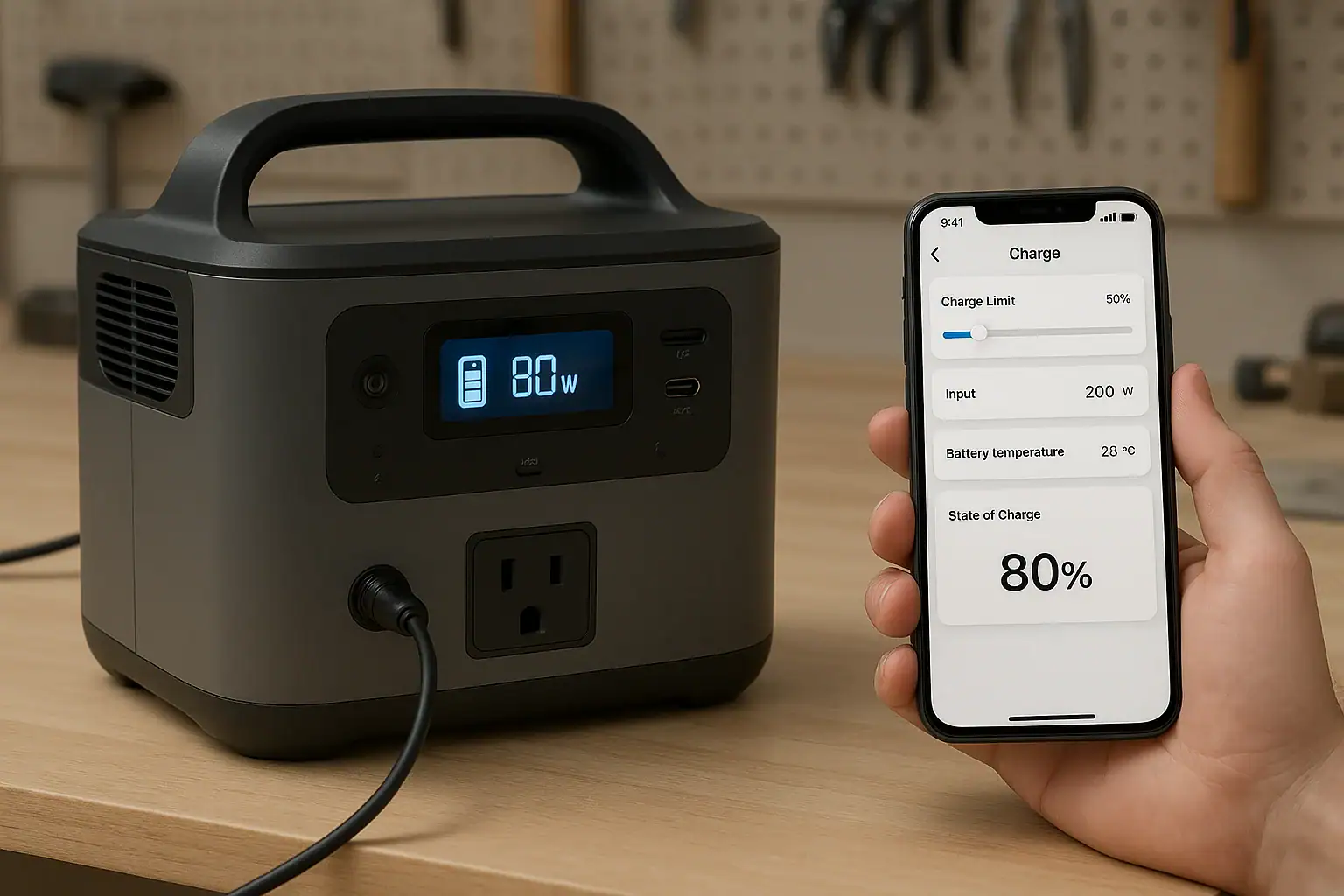
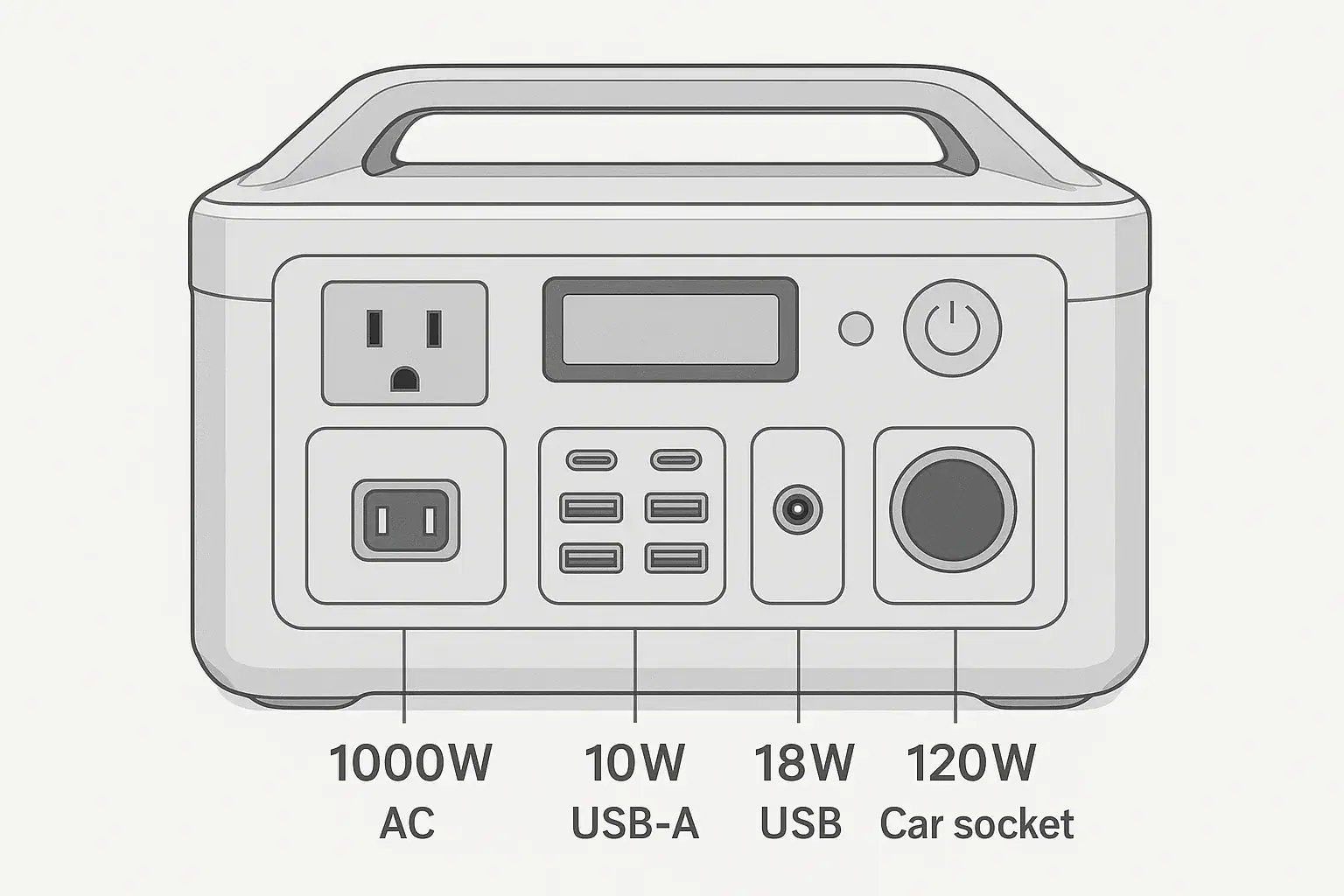
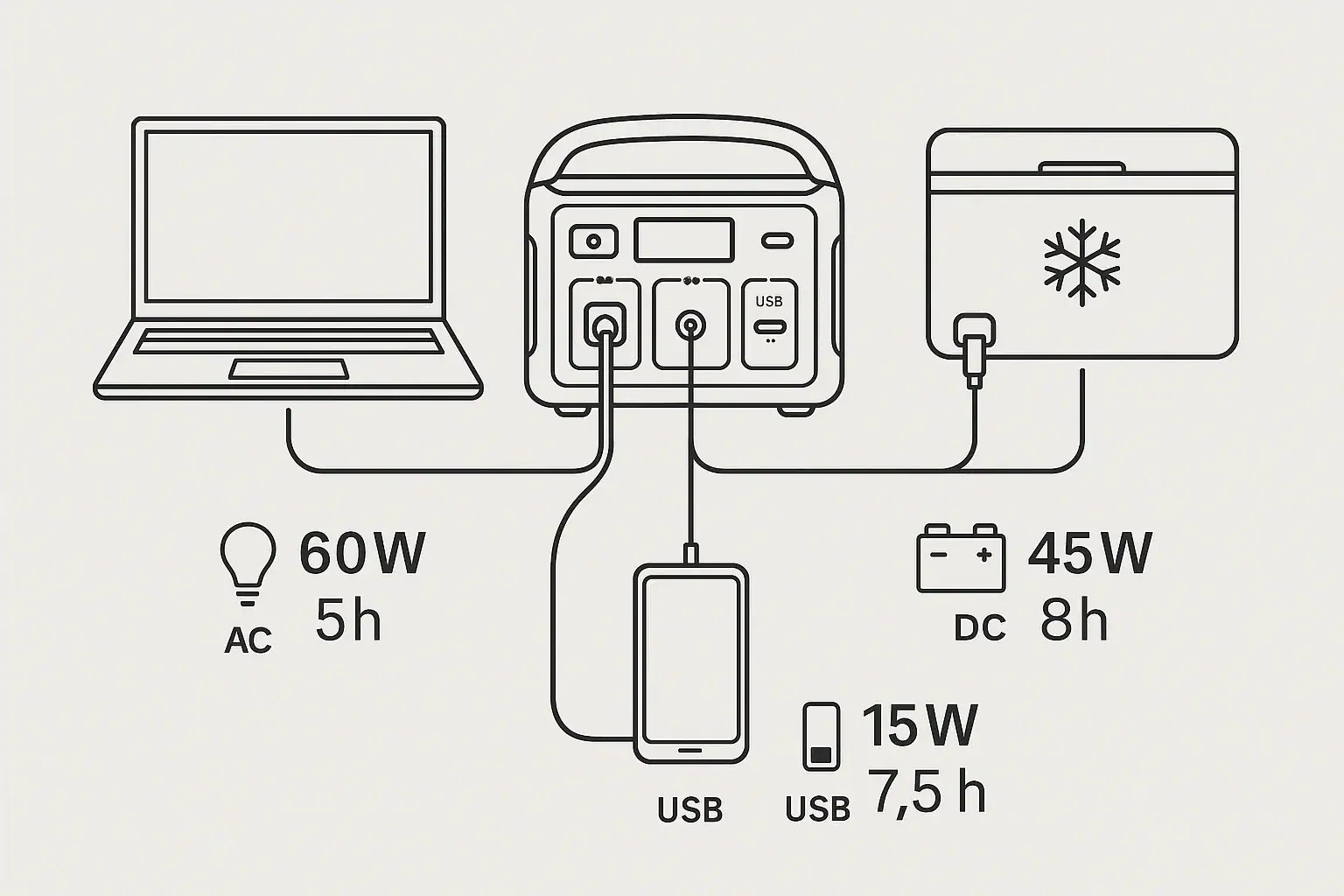
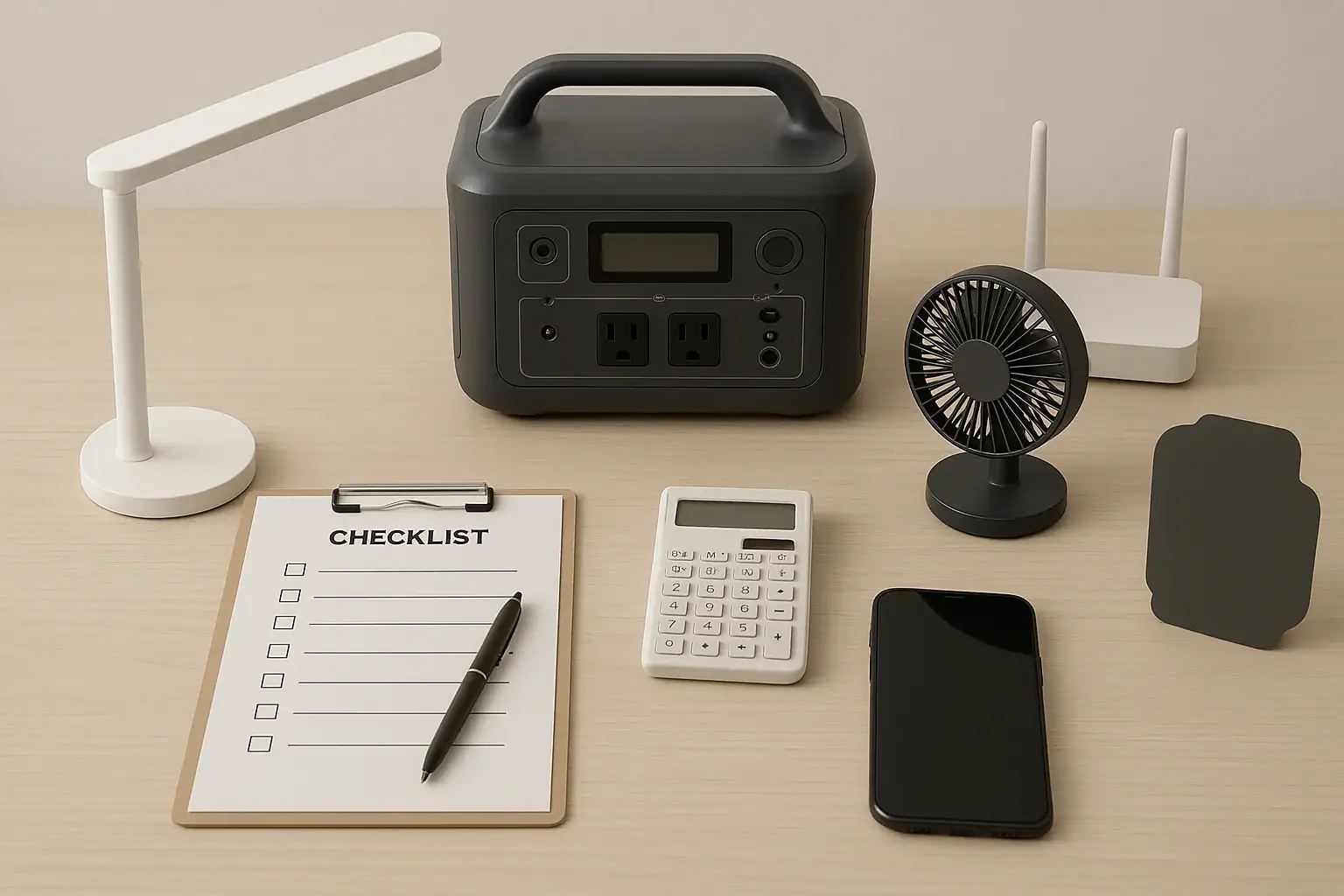
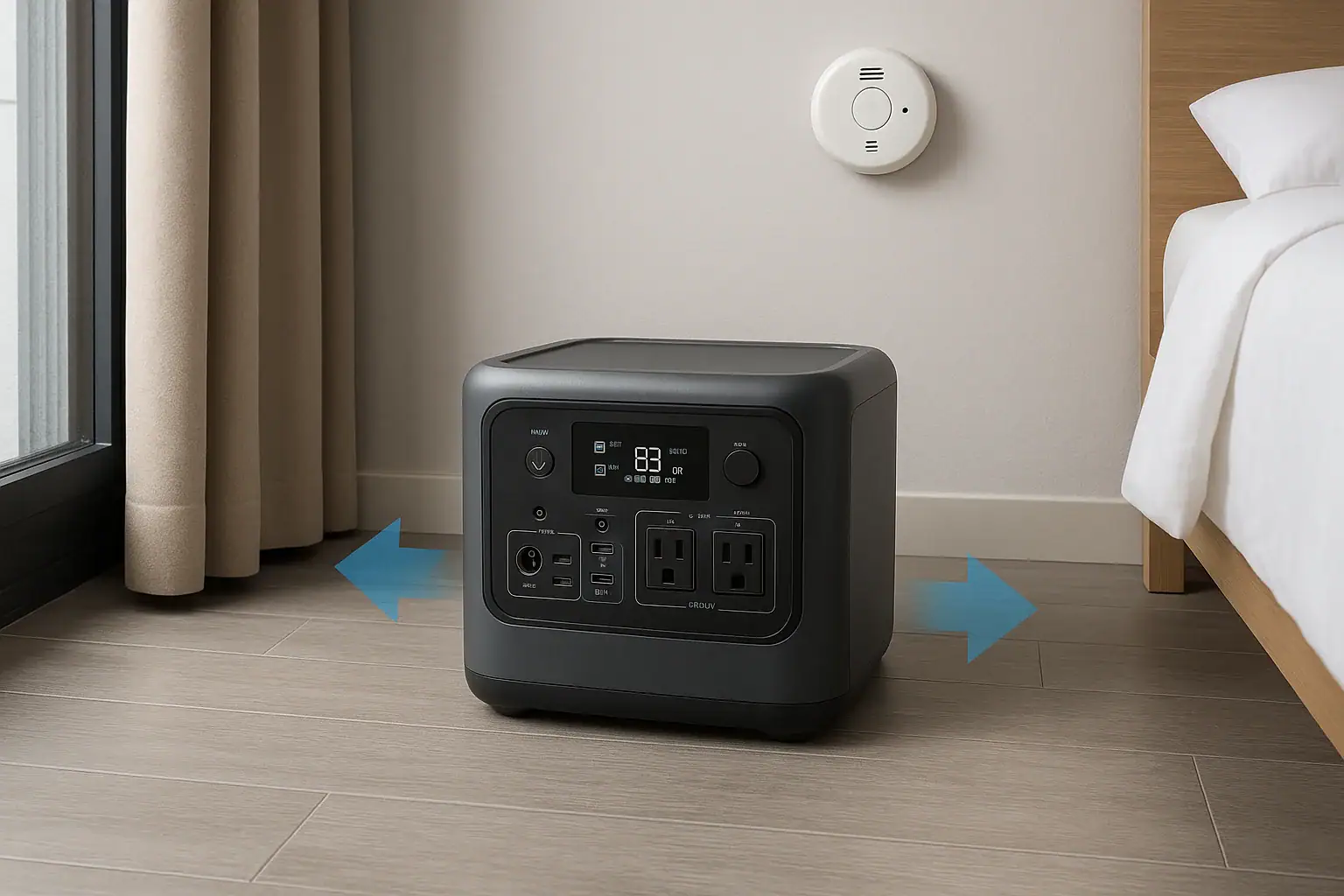
Modular and all-in-one portable power stations shown side by side for comparison

Modular portable power stations are better when you need expandable capacity or flexible runtime, while all-in-one units are better when you want simpler setup, lower bulk, and predictable performance. The best choice depends on how much energy you need, how often you move the unit, and whether your loads create high surge watts, long runtime needs, or frequent solar charging demands.

In search terms, the comparison comes down to battery expansion, input limit, AC inverter size, solar input, recharge time, and total system weight. A modular system can grow from a compact base unit into a larger backup setup, but it may require more cables, space, and planning. An all-in-one power station keeps the battery, inverter, charger, and outlets in one case, which is easier for camping, tailgating, short outages, and grab-and-go emergency use.

What modular and all-in-one power stations mean

A portable power station is a rechargeable battery system with built-in output ports. Most include AC outlets, USB ports, DC outputs, a charge controller, a battery management system, and an inverter that converts battery power into household-style AC power.

An all-in-one portable power station places the usable battery capacity, inverter, charger, display, controls, and outputs inside one enclosure. You buy one unit, charge it, and use it as a self-contained energy source. Some all-in-one models may accept solar panels or an accessory battery, but their main identity is one integrated box.

A modular portable power station uses a base unit with one or more optional expansion batteries. The base often contains the inverter, outlets, display, charging electronics, and control system. Expansion modules add watt-hours without requiring a completely separate power station. Some modular systems are small enough for recreational use, while larger systems are closer to home backup equipment.

This distinction matters because capacity and portability pull in opposite directions. More watt-hours can keep a refrigerator, medical device, router, fan, or lights running longer, but it also adds weight and storage volume. Modular design separates those decisions: you can carry the base unit alone for small jobs or attach battery modules for longer backup. All-in-one design favors simplicity: there are fewer pieces to manage and fewer compatibility questions.

How the designs work: capacity, inverter output, and charging

The main difference is where the energy is stored and how the system scales. In an all-in-one unit, the internal battery determines the maximum stored energy. If the unit has 1,000 watt-hours of usable capacity, your runtime is limited by that capacity, conversion losses, and the load you connect. A 100-watt load may run for several hours, while a 1,000-watt appliance may drain the battery quickly.

In a modular setup, the base unit may start with a modest internal battery or no large battery at all, then connect to expansion packs. The inverter output may stay the same even when capacity increases. For example, adding batteries may double runtime but not raise the maximum continuous watts the AC outlets can deliver. This is a common misunderstanding: capacity affects how long power lasts; inverter rating affects what you can run.

Charging also differs. Both designs may support wall charging, car charging, and solar charging. Modular systems often offer higher total charging potential when paired with additional batteries or larger solar arrays, but they may also have more input rules. All-in-one stations are usually easier to understand: one input limit, one battery gauge, and one expected recharge time.

When comparing either design, focus on usable watt-hours, continuous watts, surge watts, AC and solar input limits, charging speed, battery chemistry, and weight. These specs tell you more than marketing terms such as “whole-home capable” or “off-grid ready.”

Comparison pointModular power stationAll-in-one power station
Capacity growthCan often expand with add-on batteries for longer runtime.Usually limited to the built-in battery capacity.
PortabilityCan be split into pieces, but total system weight may be high.Single box is easier to grab, move, and store.
Setup complexityMore cables, modules, and compatibility checks.Simpler operation with fewer components.
Runtime planningFlexible for outages, work sites, and extended solar use.Predictable for short trips, light backup, and occasional use.
Cost patternMay start lower or higher, but expansion adds cost over time.Total cost is clearer at purchase because capacity is fixed.
Modular and all-in-one design differences at a glance. Example values for illustration.

Real-world examples and best use cases

Best use cases for modular power stations include longer outages, cabins, RV base camps, small business continuity, medical device backup where extended runtime is important, and solar-heavy setups where you want to store more daytime energy for nighttime use. Modular systems make sense when the same user sometimes needs a small portable battery and sometimes needs a larger backup bank.

Consider a refrigerator that averages 80 to 150 watts over time but surges higher when the compressor starts. An all-in-one unit with enough surge capability may keep it running for a limited period. A modular system with extra batteries can extend that runtime significantly without changing the refrigerator or the base power station. The key is matching both the surge watts and the total watt-hours.

Modular stations also work well when loads are predictable but long lasting. Examples include internet equipment, LED lighting, fans, CPAP-style devices, camera gear, communications equipment, and efficient coolers. The ability to add capacity helps when you do not know whether an outage will last one evening or multiple days.

Best use cases for all-in-one power stations include car camping, day trips, short blackouts, apartment emergency kits, charging phones and laptops, powering small fans, running lights, and supporting temporary outdoor work. If you value quick setup and easy storage over maximum expandability, an all-in-one model is often the more practical design.

All-in-one units are also better for users who do not want to think about module order, battery balancing, connector types, firmware behavior, or separate carry weights. A single compact station is easier to lend to a family member, carry to a tent, move between rooms, or keep in a closet for occasional backup.

Common mistakes and troubleshooting cues

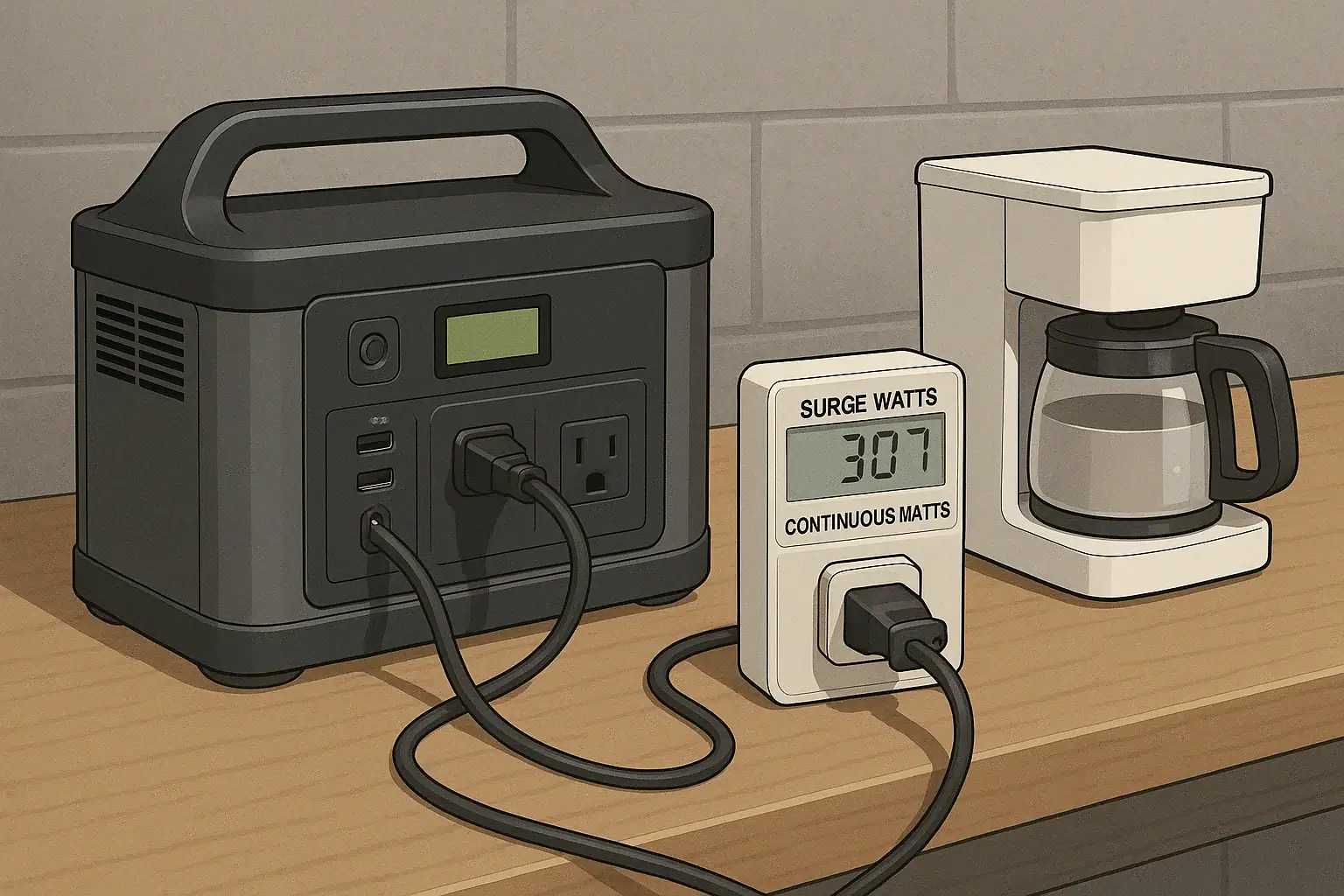
One common mistake is comparing only watt-hours. Capacity is important, but a large battery with a small inverter may still be unable to run a microwave, power tool, kettle, or pump. Check both continuous watts and surge watts. Continuous watts describe steady output. Surge watts describe short startup demand, which matters for compressors, motors, and some appliances.

Another mistake is assuming expansion batteries increase AC output. In many systems, extra batteries increase runtime, not inverter size. If a base unit is rated for 1,800 continuous watts, adding modules usually does not turn it into a 3,000-watt inverter. If a device overloads the AC outlet before expansion, it will likely still overload it after expansion.

Charging speed can also disappoint users. A power station with 2,000 watt-hours of storage and a 400-watt wall input may take many hours to recharge. Solar charging depends on panel size, sun angle, weather, cable losses, and the unit’s solar input limit. If the input limit is 500 watts, connecting much more panel capacity may not increase actual charging beyond that limit.

Watch for troubleshooting cues. If the station shuts off immediately, the connected load may exceed the inverter rating or surge capability. If solar charging starts and stops, panel voltage, shading, temperature, or connector compatibility may be the issue. If runtime is much shorter than expected, the load may be higher than rated, the battery may be cold, or AC conversion losses may be significant.

With modular systems, confirm that each battery module is fully seated and compatible with the base. Do not force connectors, bypass communication cables, or attempt to adapt battery packs outside the manufacturer-intended system. With all-in-one systems, avoid running loads that repeatedly trigger overload protection, because frequent shutdowns indicate a mismatch between the appliance and the power station.

Safety basics for both designs

Portable power stations are generally designed with built-in protections, but they still store substantial energy. Use them in dry, ventilated areas and keep them away from standing water, excessive heat, and flammable materials. Do not cover cooling vents while charging or discharging, especially under high AC loads.

Never open the housing, modify battery packs, bypass fuses, defeat overload protection, or connect unapproved expansion batteries. Internal battery systems can deliver high current, and improper modifications can create fire, shock, or burn hazards. If a unit is swollen, cracked, noticeably hot at rest, smoking, or producing an unusual odor, stop using it and move it to a safe area if you can do so without risk.

For home backup, avoid improvised connections to household wiring. A portable power station should not be backfed into an outlet or connected to a panel without proper equipment and professional oversight. If you want to power selected home circuits, consult a qualified electrician about code-compliant options. This is especially important for larger modular systems that may be powerful enough to run major appliances.

Cable sizing matters at a high level. Undersized extension cords can overheat under heavy loads. Use cords rated for the expected wattage and keep runs as short as practical. For DC and solar connections, use compatible connectors and stay within the device’s stated voltage and current input range. When in doubt, choose a lower-risk setup rather than pushing limits.

Maintenance, battery health, and storage

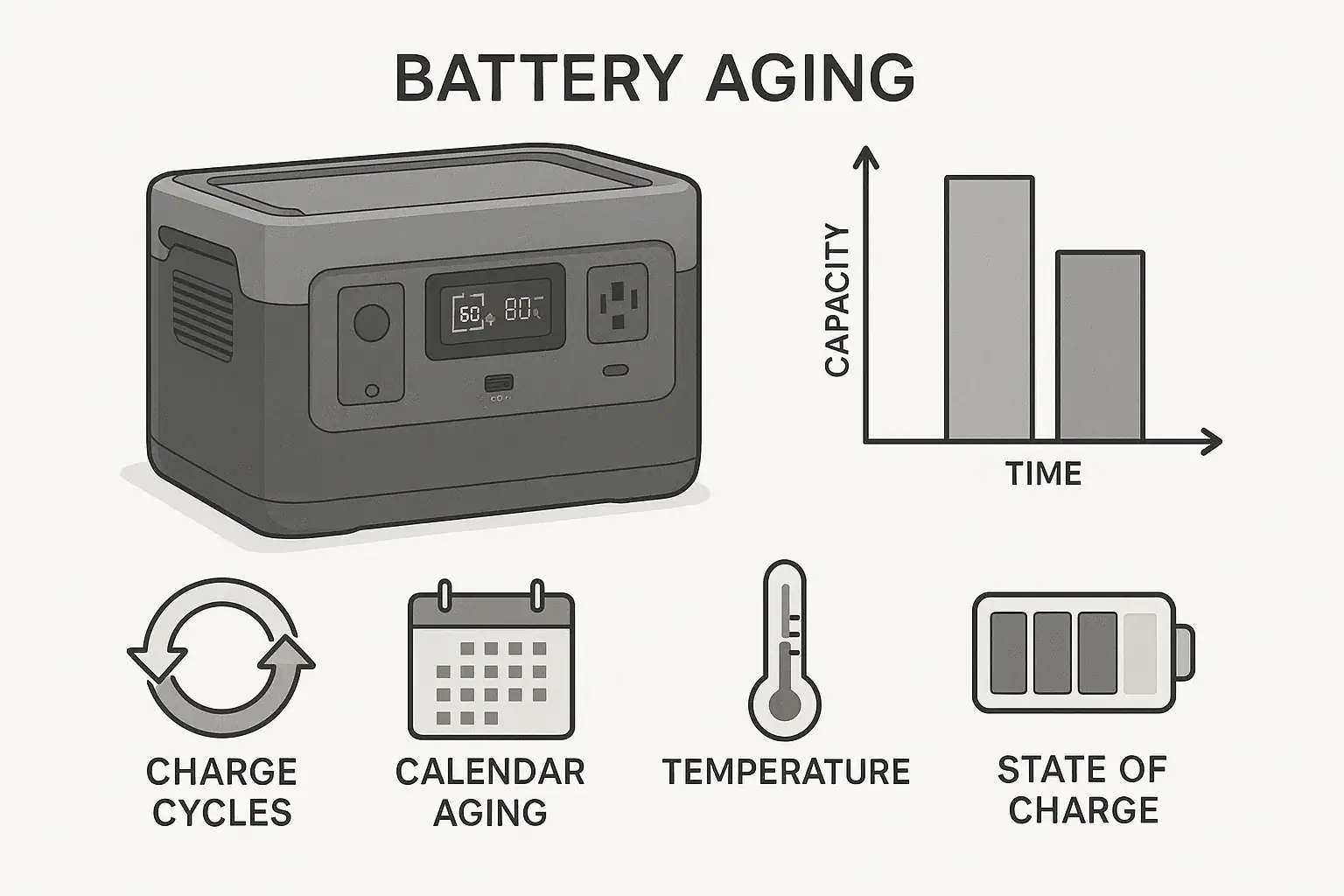
Battery health depends on chemistry, temperature, charge level, cycling habits, and storage conditions. Many modern portable power stations use lithium-based batteries, commonly lithium iron phosphate or lithium-ion variants. In general, lithium iron phosphate tends to offer longer cycle life and better thermal stability, while other lithium chemistries may offer higher energy density in a smaller package.

For occasional emergency use, check the battery every few months instead of leaving it untouched for a year. Store the unit in a cool, dry place, away from direct sun and freezing temperatures when possible. A moderate state of charge, often around half to three-quarters full, is commonly better for long-term storage than keeping the battery completely full or completely empty for months.

Modular systems need one extra habit: keep modules reasonably synchronized. If expansion batteries sit unused for long periods, check their charge levels and inspect connectors for dust or damage before use. Store cables with the system so the correct parts are available during an outage.

All-in-one systems are easier to maintain because there are fewer separate pieces. Still, the same basics apply: recharge periodically, keep vents clean, avoid moisture, and test essential loads before an emergency. A short test with a refrigerator, router, light, or medical-related device can reveal runtime expectations and overload issues before you actually need backup power.

Maintenance taskTypical intervalWhy it matters
Check state of chargeEvery 2 to 3 months in storageHelps prevent deep discharge and surprise low battery.
Inspect vents and portsBefore charging or heavy useReduces heat buildup and connector problems.
Test essential loadsBefore storm season or travelConfirms runtime, surge handling, and outlet compatibility.
Review module charge levelsBefore using expansion batteriesHelps modular systems perform predictably.
Store in a cool, dry placeWhenever not in useSupports battery life and safer storage.
Simple care schedule for portable power station storage. Example values for illustration.

Related guides: Portable Power Station Expansion Batteries: When Extra Capacity Makes SensePortable Power Station Watt-Hours ExplainedSurge Watts vs Running Watts: How to Size a Portable Power StationInput Limits (Volts/Amps/Watts) Explained: How Not to Damage Your Unit

Practical takeaways and specs to look for

Choose a modular portable power station if your priority is expandable runtime, longer outage coverage, and the ability to scale capacity over time. It is the stronger fit for users who can manage extra modules and want one system to cover both small and larger energy needs.

Choose an all-in-one portable power station if your priority is simplicity, portability, and fast setup. It is the stronger fit for short outages, travel, apartments, light backup, and users who want one self-contained unit with minimal configuration.

The most practical approach is to list the devices you want to run, estimate their watts, note any startup surge, and decide how many hours of runtime you need. Then compare power stations by usable capacity, inverter rating, charging speed, and weight rather than by design label alone.

Specs to look for

  • Usable capacity: Look for watt-hours that match your runtime target, such as 500 to 1,000 Wh for light backup or 2,000 Wh and above for longer appliance support; this determines how long the station can power your loads.
  • Expansion capacity: For modular systems, check the maximum supported capacity, such as adding one to three battery modules; this matters if your outage or camping needs may grow over time.
  • Continuous AC output: Look for an inverter rating that exceeds your highest steady load, such as 600 W for small electronics or 1,800 to 3,000 W for heavier appliances; this determines what the unit can run without overload.
  • Surge watt rating: Look for short-term surge capability above motor or compressor startup needs, often roughly 2 times the running wattage; this matters for refrigerators, pumps, and power tools.
  • AC and solar input limits: Check wall input and solar input ranges, such as 400 to 1,500 W charging support; this affects how quickly you can refill the battery.
  • Battery chemistry and cycle life: Look for chemistry and cycle ratings that fit your use, such as longer-cycle lithium iron phosphate for frequent cycling; this affects long-term value and battery durability.
  • Weight per piece: Compare the base unit and each module, such as 25 to 50 lb for portable pieces or heavier for large backup modules; this determines whether you can move the system safely.
  • Port selection: Look for enough AC outlets, USB-C ports with suitable power levels, DC outputs, and regulated 12 V output if needed; this prevents adapter clutter and compatibility issues.
  • Pass-through and backup behavior: Check whether the station supports powering loads while charging and how quickly it switches during an outage; this matters for routers, computers, and sensitive equipment.

Both designs can be excellent when matched to the right job. Modular systems solve the problem of changing runtime needs. All-in-one systems solve the problem of convenience. The better choice is the one that meets your load, runtime, charging, safety, and storage requirements without adding unnecessary complexity.

Frequently asked questions

Which is better for home backup: modular or all-in-one portable power stations?

Modular systems are usually better for home backup when you need longer runtime or want to add capacity over time. All-in-one units can still work for short outages or a few essential devices, but they are less flexible if your backup needs grow. The better choice depends on the loads you want to support and how long you need them to run.

What specs matter most when comparing modular vs all-in-one portable power stations?

The most important specs are usable watt-hours, continuous AC output, surge watts, charging input limits, and total weight. For modular systems, also check the maximum expansion capacity and whether extra batteries change runtime only or also affect output. These details matter more than the design label alone.

What is a common mistake people make when choosing between these two designs?

A common mistake is focusing only on battery capacity and ignoring inverter output. A large battery does not help if the inverter cannot handle the appliance’s steady or startup wattage. Another mistake is assuming expansion batteries automatically increase AC power, when they often only increase runtime.

Are modular portable power stations harder to use than all-in-one units?

Usually yes, because modular systems can involve more cables, setup steps, and compatibility checks. That extra complexity is the tradeoff for longer runtime and expandability. If you want the simplest possible setup, an all-in-one unit is typically easier to manage.

Are portable power stations safe to use indoors?

They are generally safe indoors when used as directed, because they do not produce exhaust like gas generators. Keep them in a dry, ventilated area, do not block cooling vents, and avoid overloading the unit. Never modify the battery system or use unapproved expansion batteries.

Which type is better for camping or travel?

All-in-one portable power stations are usually better for camping and travel because they are simpler to carry, set up, and store. Modular systems can make sense for extended trips or base camps where extra runtime matters more than convenience. If you only need to charge phones, lights, or a laptop, an all-in-one unit is often the easier choice.

Portable Power Station Expansion Batteries: When Extra Capacity Makes Sense

Portable power station connected to an expansion battery for extra runtime

Portable power station expansion batteries make sense when you need longer runtime from the same inverter and charging system, not when you need more surge watts or higher AC output.

An expansion battery is an add-on battery module designed to connect to a compatible power station and increase total watt-hours. It can help with overnight CPAP use, longer refrigerator backup, extended camping trips, and work sites where recharging is limited. Search terms such as extra battery pack, modular battery, watt-hours, runtime, input limit, and solar charging all point to the same practical question: do you need more stored energy, or do you need a more powerful unit?

The answer depends on your loads, recharge windows, portability needs, and whether the base unit supports battery expansion safely. More capacity can be useful, but it also adds cost, weight, charge time, and storage considerations.

What Expansion Batteries Are and Why They Matter

A portable power station expansion battery is a separate battery module that connects to the main power station through a manufacturer-designed expansion port or cable. The base power station still provides the outlets, inverter, display, charging controls, and safety protections. The add-on battery mainly contributes additional stored energy.

The key benefit is increased battery capacity, usually measured in watt-hours. If a 1,000 watt-hour power station can run a 100-watt device for roughly 8 to 9 usable hours after conversion losses, adding another 1,000 watt-hours may approximately double that runtime. The exact result depends on inverter efficiency, standby drain, temperature, and the device being powered.

Expansion batteries matter because they let some users separate two decisions: how much output power they need and how much energy storage they need. A person running modest appliances for a long time may not require a larger inverter, only more stored energy. Another person using a high-draw power tool may need more continuous watts or surge watts, which an expansion battery usually does not provide by itself.

This distinction is important for affiliate-ready comparison later: extra capacity is not the same as extra power. Capacity affects how long a compatible unit can run. Inverter rating affects what it can run. Charging input affects how quickly it can recover. A good decision starts by identifying which limit you are actually hitting.

How Expansion Batteries Work with Capacity, Output, and Charging

Expansion batteries connect electrically to the main power station and are managed by the system electronics. In most designs, the base unit recognizes the added module, combines available capacity on the display, and balances charging or discharging within the system’s built-in limits. The user generally should not treat expansion batteries as generic batteries; compatibility is specific.

The most important concept is watt-hours. A watt-hour is a measure of stored energy. A 60-watt device running for 10 hours uses about 600 watt-hours before losses. Because AC inverters and DC converters are not perfectly efficient, real usable energy is often lower than the label capacity. Light loads can also be affected by idle consumption, especially when AC outlets are left on for many hours.

Adding capacity usually does not raise the maximum AC output. If a base unit is rated for 1,800 continuous watts, the expansion battery may help it run a 600-watt appliance longer, but it typically will not turn it into a 3,000-watt power station. Some ecosystems may change certain performance limits when expanded, but that is a product-specific design feature, not something to assume.

Charging time also changes. More battery capacity takes longer to refill unless charging input increases as well. If a system has a 500-watt AC input limit, refilling 2,000 watt-hours from low charge can take several hours even under ideal conditions. Solar charging may take longer due to panel angle, weather, temperature, and the solar input controller’s voltage and current limits.

ConceptWhat it changesWhat it does not always change
Added watt-hoursLonger runtime for supported loadsMaximum inverter output
Higher charging inputShorter recharge timeTotal stored energy unless capacity is added
More solar panelsPotentially faster daytime recoveryCharging speed beyond the input limit
Higher surge ratingBetter startup support for motorsRuntime if battery capacity is unchanged
Expansion battery planning basics. Example values for illustration.

Real-World Examples of When Extra Capacity Makes Sense

Expansion batteries are most useful when your power needs are moderate but long-lasting. For example, a refrigerator that averages 60 to 120 watts over time may not require a very large inverter, but it may need substantial stored energy to run through a long outage. In that case, expanding capacity can be more practical than replacing the whole power station with a much larger output model.

Camping is another common case. LED lights, phones, camera batteries, fans, laptops, and a small cooler can add up over several days. If the campsite has limited sun or no vehicle charging, an expansion battery can extend comfort without relying on a fuel generator. The tradeoff is transport weight, so the best setup depends on whether you are car camping, RV camping, or carrying equipment by hand.

Medical-adjacent backup planning can also favor extra capacity. A CPAP machine may draw a manageable load, especially with humidification settings adjusted by the user’s normal device options, but the runtime requirement is strict. The goal is often dependable overnight operation with reserve capacity. Anyone planning for critical medical use should verify equipment requirements and maintain a backup plan rather than relying on a single battery system.

Remote work is a simpler example. A laptop, monitor, router, and phone charger may only draw 80 to 200 watts combined, but a full workday plus an evening outage can drain a smaller unit. Extra capacity provides more hours without changing the devices being used.

Job sites can go either way. Battery expansion can help with lights, chargers, routers, test equipment, and low-to-moderate tools used intermittently. However, saws, compressors, pumps, and heaters may be limited by surge watts or continuous watts. If the tool trips the inverter or refuses to start, capacity is probably not the main problem.

Common Mistakes and Troubleshooting Cues

The biggest mistake is buying an expansion battery to solve an output problem. If a power station shuts off immediately when a high-draw appliance starts, the issue is often surge watts, continuous output, or an overload protection limit. More watt-hours will not necessarily fix that. Look at the appliance starting behavior, not just the average wattage.

Another common mistake is ignoring charge time. Doubling stored energy can be helpful during an outage, but it also means more energy must be replaced afterward. If the only charging source is a small solar array or a low input limit, the expanded system may not fully recharge between uses. Capacity and charging should be planned together.

Users also run into compatibility assumptions. Expansion packs are generally not universal. Connector shape, battery voltage, communication protocol, charge control, and firmware expectations can all matter. A physically similar cable does not make a battery safe or compatible. Use only supported expansion batteries and cables for the system.

A troubleshooting cue is unexpected low runtime. This can happen when AC outlets are left on with small loads, because the inverter itself consumes power. It can also happen in cold conditions, with aging batteries, or when loads cycle unpredictably. Refrigerators, pumps, and compressors may have low average watts but high startup demands.

Another cue is slow charging after expansion. This may be normal if total capacity is much larger than before. It may also be caused by solar panels operating below peak output, a charger limited by household circuit conditions, or a system input cap. If the display shows charging watts far below expectations, compare the actual input watts with your planned recharge window.

Safety Basics for Expanded Battery Systems

Use expansion batteries only as the power station maker intended, with compatible modules, approved cables, and normal operating positions. Do not open battery packs, modify connectors, bypass protections, or attempt to wire generic batteries into an expansion port. Portable power stations contain high-energy battery systems and power electronics that should remain intact.

Ventilation matters even when the battery chemistry is relatively stable. Charging and inverting create heat. Keep vents clear, avoid enclosed boxes during heavy use, and do not stack soft items against the power station or expansion battery. Heat can reduce performance and may accelerate battery aging.

Moisture control is also important. Most portable power stations and expansion batteries are not designed to sit in rain, puddles, or wet grass. Outdoor use should protect the unit from direct water exposure while still allowing airflow. Avoid charging or operating any unit that appears damaged, swollen, wet inside, or unusually hot.

Home backup use requires extra caution. A portable power station can safely power devices plugged directly into its outlets within its rating. Connecting any power source to home wiring involves shock, fire, and backfeed hazards if done incorrectly. For transfer equipment, interlocks, or permanent circuits, consult a qualified electrician and follow local electrical rules. This article does not provide wiring instructions.

Pay attention to cord sizing and load placement. Long, undersized extension cords can waste energy and heat up under load. High-draw appliances should use suitable cords and remain within the power station’s output rating. If breakers, overload warnings, or thermal shutdowns occur, reduce the load and let the equipment cool as directed by its normal operating guidance.

Maintenance and Storage for Expansion Batteries

Expansion batteries should be stored with the same care as the main power station. For many lithium-based systems, moderate state of charge is preferred for storage rather than leaving the battery completely full or completely empty for long periods. A practical storage range is often around 40% to 80%, unless the product’s instructions say otherwise.

Temperature is one of the biggest long-term factors. Store batteries in a dry, indoor, temperature-stable place when possible. Avoid hot vehicles, freezing sheds, direct sunlight, and damp basements. Extreme heat can accelerate aging, while cold temperatures can reduce available capacity and may restrict charging.

Periodic checks help prevent surprises. If the system sits unused for months, inspect the display level and recharge as needed. Battery management systems consume a small amount of power over time, and self-discharge can gradually lower capacity. Before storm season, camping season, or planned travel, test the system with realistic loads rather than assuming the stored runtime is unchanged.

Keep ports, cables, and connectors clean and protected. Do not force expansion cables into place, pull by the cord, or store heavy objects on connectors. If a connector is cracked, corroded, loose, or heat-discolored, stop using it and seek proper service or replacement through the normal support path for the product.

Maintenance itemPractical targetWhy it matters
Storage chargeAbout 40% to 80% for many lithium systemsHelps reduce stress during long storage
Check intervalEvery 2 to 3 monthsCatches self-discharge before deep depletion
Storage temperatureCool indoor space, roughly room temperatureLimits heat aging and cold performance loss
Pre-use testRun typical loads before an outage or tripConfirms runtime, cables, and charging behavior
Storage and maintenance planning ranges. Example values for illustration.

Practical Takeaways and Specs to Look For

The practical rule is simple: choose an expansion battery when your current power station can already run your devices, but not for long enough. If the unit overloads, fails to start a motor, or charges too slowly for your schedule, look at output rating, surge rating, and charging input before assuming more capacity is the answer.


Related guides: Portable Power Station Watt-Hours ExplainedSurge Watts vs Running Watts: How to Size a Portable Power StationInput Limits (Volts/Amps/Watts) Explained: How Not to Damage Your Unit

Good planning starts with a load list. Add the watts of devices that run at the same time, estimate daily watt-hours, then compare that number with usable battery capacity. Leave reserve capacity for cold weather, inverter losses, battery aging, and unexpected use. For backup planning, it is usually better to size around realistic essentials than to assume every household device will run normally.

Specs to look for

  • Expansion capacity: Look for added capacity in the range that matches your load, such as 1,000 to 3,000 watt-hours, because this determines how much longer supported devices can run.
  • Base inverter output: Look for continuous watts above your combined running load, with margin, because expansion batteries usually do not fix an undersized inverter.
  • Surge watts: Look for a surge rating suitable for refrigerators, pumps, or compressors, often 2 times or more the running watts, because motors need extra startup power.
  • Battery compatibility: Look for clearly supported expansion modules and cables, because voltage, communication, and battery management must match the base unit.
  • AC charging input: Look for input levels that can refill the expanded system within your available window, such as several hundred watts to over 1,000 watts, because larger capacity takes longer to charge.
  • Solar input range: Look for voltage, current, and watt limits that fit your panel plan, because extra panels cannot help beyond the controller’s input limit.
  • Usable output ports: Look for the AC, USB-C, DC, and vehicle-style ports your devices actually need, because capacity is only useful if it can be delivered conveniently.
  • Operating temperature range: Look for realistic charging and discharging temperature guidance, because cold and heat affect available runtime and battery health.
  • Weight and form factor: Look for a total system weight you can move and store safely, because expansion batteries can turn a portable setup into a semi-stationary one.

Extra capacity is valuable when it solves a measured runtime gap. It makes less sense when the real issue is overload, incompatible charging, limited solar recovery, or unrealistic expectations. Treat expansion batteries as part of a complete energy system: storage, output, charging, safety, and maintenance all need to work together.

Frequently asked questions

How do I know whether I need more capacity or a bigger power station?

If your devices run normally but the battery dies too soon, more capacity is usually the better fit. If the power station shuts off, overloads, or cannot start a device, you likely need higher output or surge capability instead. Check both the running watts and the startup watts before deciding.

What specs matter most when choosing portable power station expansion batteries?

Focus on compatible expansion capacity, the base unit’s inverter rating, surge watts, charging input limits, and supported battery connection type. Also check the usable ports, weight, and operating temperature range. These specs determine whether the system will run long enough, recharge in time, and remain practical to carry.

Can an expansion battery increase AC output or surge power?

Usually, no. An expansion battery mainly adds stored energy, which extends runtime, but it does not automatically increase inverter output or startup power. Some systems may have product-specific exceptions, so the base unit’s specifications still matter.

What is the most common mistake people make with expansion batteries?

The most common mistake is using extra capacity to solve an overload problem. If the inverter is too small for the appliance, a larger battery will not fix that. Another frequent mistake is underestimating how long the expanded system will take to recharge.

Are portable power station expansion batteries safe to use indoors?

Yes, when used according to the manufacturer’s instructions and kept in a dry, ventilated area. Do not block vents, modify cables, or use damaged equipment. For home backup wiring, use proper transfer equipment and a qualified electrician.

Do expansion batteries make sense for solar charging setups?

They can, especially when you want to store more daytime solar energy for nighttime use or cloudy days. The main limitation is whether your solar input can refill the larger battery within your available sun window. More panels help only up to the controller’s input limit.

Solar Input Voltage for Power Stations: How to Stay Inside Voc and Amp Limits

Portable power station solar input diagram showing voltage and amp limits

To stay inside solar input voltage and amp limits, match the solar panel array’s open-circuit voltage, working voltage, and current output to the power station’s published solar input range.

The most important numbers are the power station’s maximum input voltage, maximum input current, and maximum solar watts, plus the panel’s Voc, Vmp, Isc, and Imp ratings. These specs explain why a solar panel may not charge, why an input limit is being reached, or why an MPPT controller reduces power even when the panels are capable of more.

This matters most when combining panels in series, parallel, or series-parallel wiring. A setup that looks fine by wattage can still exceed open-circuit voltage on a cold morning, while a high-current array may simply be clipped by the station’s amp limit.

What Solar Input Voltage Means and Why It Matters

Solar input voltage is the voltage a portable power station can accept from solar panels through its DC solar charging port. Most modern units use an internal MPPT charge controller that converts variable solar panel output into the correct charging power for the battery. The controller can only work safely within its designed voltage and current window.

The key voltage number is the maximum solar input voltage. Your panel array must remain below this limit even at open circuit, which is when the panels are connected to light but not drawing load. This is where Voc, or open-circuit voltage, matters. Voc is usually higher than the voltage a panel produces while actively charging.

The key current number is the maximum solar input current, often listed in amps. If the solar array can produce more current than the power station can accept, the station generally limits or clips the input. Exceeding current is usually less severe than exceeding voltage, but it can still cause charging problems, heat, connector stress, or compatibility issues depending on the design.

Wattage is important, but it is not enough by itself. A 400-watt solar array can be safe or unsafe depending on whether its voltage and amps fit the station’s MPPT input range. For solar charging, voltage compatibility comes first, current compatibility comes second, and wattage tells you the likely charging ceiling.

How Voc, Vmp, Amps, and MPPT Limits Work Together

A solar panel has several electrical ratings on its label. Voc is open-circuit voltage. Vmp is voltage at maximum power. Isc is short-circuit current. Imp is current at maximum power. For matching panels to a power station, Voc and Isc represent worst-case compatibility checks, while Vmp and Imp describe normal operating behavior under strong sun.

Panels wired in series add voltage while current stays about the same. Two panels with a Voc of 24 volts each become about 48 volts Voc in series. This can be useful for reaching the MPPT operating range, but it is also the easiest way to exceed a station’s voltage limit.

Panels wired in parallel add current while voltage stays about the same. Two panels with an Imp of 8 amps each become about 16 amps Imp in parallel. This can improve charging under mixed light and keep voltage lower, but it may run into the station’s amp limit.

Temperature changes the calculation. Solar panel voltage rises in cold weather and drops in heat. A panel with a listed Voc of 24 volts at standard test conditions may produce a few volts more on a cold, bright day. For that reason, a safe array should leave headroom below the power station’s maximum solar input voltage rather than matching it exactly.

MPPT controllers also have an operating voltage range. For example, a station might accept 12 to 60 volts and up to 10 amps, with a 500-watt solar input rating. The array must be high enough to start charging, low enough to avoid overvoltage, and not dependent on more current than the port can use.

SpecificationWhat it meansWhy it matters
VocOpen-circuit panel voltageUsed to check the maximum voltage limit, especially in cold weather
VmpVoltage while producing rated powerHelps show whether the array will operate inside the MPPT range
IscShort-circuit currentUseful for checking possible maximum current from the array
ImpCurrent while producing rated powerHelps estimate real charging current under good sun
Solar wattsPanel power rating under test conditionsEstimates charging potential but does not replace voltage and amp checks
Common solar panel ratings used for power station matching. Example values for illustration.

Real-World Examples of Staying Within Solar Input Limits

Consider a power station with a solar input range of 12 to 60 volts, a 10-amp current limit, and a 500-watt maximum solar input. A single 200-watt panel might list 23 volts Voc, 19 volts Vmp, 11 amps Isc, and 10.5 amps Imp. It is likely within the voltage range and close to the current limit. The station may accept it, but peak current may be clipped slightly.

Now consider two of those panels in series. The array Voc becomes about 46 volts, and Vmp becomes about 38 volts. Current remains roughly the same as one panel. This fits the 60-volt maximum more comfortably than three panels would, and it may allow the MPPT controller to operate efficiently. However, cold-weather Voc still needs headroom.

If three panels are wired in series, the array Voc becomes about 69 volts before any cold-weather increase. That exceeds a 60-volt input limit and should not be connected. Even if the array’s wattage seems reasonable, the voltage is outside the acceptable range.

For a parallel example, two 200-watt panels with about 10.5 amps Imp each would stay around 19 volts Vmp but could offer about 21 amps at maximum power. If the station accepts only 10 amps, it will not use the full current. Charging may still work if the voltage is high enough and connectors are appropriate, but the extra panel capacity is mostly useful for low-light improvement rather than higher peak input.

A higher-voltage power station might accept 12 to 150 volts and up to 15 amps. In that case, a string of several compatible panels may be possible, but the same principles apply. Add the series Voc, account for cold conditions, compare current in parallel branches, and stay below every input limit at the same time.

Common Mistakes and Troubleshooting Cues

The most common mistake is checking watts only. Users often see that a power station accepts 600 watts of solar and assume any 600-watt panel combination will work. In reality, a 600-watt array can exceed the voltage limit, exceed the current limit, fall below the MPPT starting voltage, or use incompatible connectors.

Another common mistake is ignoring cold-weather voltage rise. A series string that is just under the maximum voltage at room temperature may exceed the limit on a cold clear morning. If the power station shows a solar input error, refuses to start charging, or cycles on and off when sunlight is strong, overvoltage or marginal voltage may be involved.

Low input can also be confusing. If the display shows far less wattage than expected, the cause may be shade, panel angle, haze, high panel temperature, current clipping, dirty panels, cable loss, or the battery nearing full charge. Solar ratings are measured under laboratory conditions, so real-world output is often lower.

Parallel wiring can trigger a different issue. If voltage remains too low, the MPPT controller may not wake up or may operate inefficiently. In that case, adding panels in series may help, but only if the resulting Voc remains safely below the maximum input voltage.

Connector polarity is another troubleshooting cue. Many solar panels and adapter cables look similar but may not share the same polarity or current rating. Reversed polarity, undersized cables, loose adapters, or damaged connectors can prevent charging or create heat at the connection point.

When a power station starts charging and then drops to zero, check whether the battery is already near full, whether the array voltage is near the minimum startup voltage, and whether intermittent shade is crossing one panel in a series string. A single shaded panel can reduce output from the entire series string.

Safety Basics for Voc and Amp Limits

Never intentionally exceed the maximum solar input voltage of a power station. Overvoltage is the limit that deserves the least experimentation because it can damage internal electronics and may not be covered by built-in protections. Leave practical headroom for cold weather, measurement variation, and panel tolerances.

Use current limits conservatively. Many MPPT inputs can clip excess panel current, but that does not mean every oversized array is appropriate. Cables, connectors, adapters, and combiner accessories must be rated for the current they may carry. Heat, discoloration, soft plastic, or intermittent charging are warning signs to stop using the setup until it is inspected.

Do not open a power station, modify the battery pack, bypass a charge controller, or defeat protective circuits. Portable power stations are integrated electrical systems, and the solar input is designed for specific DC limits. Altering those protections can create fire, shock, and battery safety hazards.

Do not use a portable power station solar setup as a substitute for properly installed home electrical equipment. If solar charging is part of a larger backup power plan involving building wiring, transfer equipment, or permanent circuits, use a qualified electrician. This article only addresses panel-to-power-station solar input matching.

Check polarity before connecting unfamiliar panels or adapters. Avoid connecting or disconnecting under heavy load when practical, and keep connectors dry and clean. If a cable or adapter becomes hot in normal sunlight, the setup may be undersized, loose, or overloaded.

Maintenance and Storage for Reliable Solar Charging

Solar input problems are not always caused by a bad panel or a failed power station. Many issues come from storage, cable wear, dust, moisture, or weak connections. A simple inspection habit can prevent confusing charging behavior later.

Keep panel surfaces clean enough to receive direct light. Dust, pollen, salt film, bird droppings, and leaves can reduce output. Use gentle cleaning methods appropriate for the panel type, and avoid abrasives that can scratch the surface. For folding panels, make sure fabric hinges and cable exits are not strained during setup and packing.

Store cables loosely coiled rather than sharply bent. Repeated tight bends near connector ends can break internal conductors. Inspect connectors for cracks, corrosion, looseness, or melted plastic before relying on a solar array for backup power.

Store the power station within its recommended temperature range and avoid leaving it in a hot vehicle for long periods. Battery temperature can affect charging behavior. Some units limit or pause charging when the battery is too cold or too hot, even when the solar array is correctly matched.

Before seasonal use, compare your current panel configuration with the power station’s solar input label or manual. Panels and adapters often get mixed over time, and a setup that was safe for one device may not be safe for another. If you change from one panel count to another, recalculate series voltage and parallel current before connecting.

SymptomLikely area to checkTypical clue
No solar chargingVoltage range or polarityInput voltage too low, too high, or reversed connection
Charging starts and stopsMarginal voltage or heat limitClouds, shade, or temperature protection causing cycling
Lower watts than expectedSun conditions or current clippingPanel angle, haze, hot panels, or amp limit reached
Connector gets warmCurrent rating or loose contactUndersized adapter, worn plug, or poor fit
Error after adding panelsSeries Voc or parallel ampsNew array exceeds voltage or current assumptions
Solar charging symptoms and what to inspect first. Example values for illustration.

Practical Takeaways and Specs to Look For

The safest way to size solar panels for a portable power station is to work from the input limits backward. First confirm the maximum solar input voltage. Then add the Voc of panels in series and leave cold-weather headroom. Next, check current based on parallel strings and compare it with the station’s amp limit. Finally, compare array wattage with the station’s maximum solar charging watts to estimate realistic performance.

Remember that overpaneling is not automatically unsafe, but it must be done within voltage limits and with suitable current-rated parts. Extra panel capacity can help in cloudy weather, morning sun, winter conditions, or imperfect angles, but it will not force the power station to accept more power than its MPPT controller allows.

If the goal is faster solar charging, look for a wider MPPT voltage range, a higher solar watt limit, and enough current capacity to use the panel layout you prefer. If the goal is simple portable charging, a lower-voltage single-panel setup may be easier to manage. Either way, the best specification is the one that matches your panels, your climate, and your expected setup style.

Specs to look for

  • Maximum solar input voltage: Look for a limit with comfortable headroom above your planned series Voc, such as 60 volts, 100 volts, or 150 volts; this matters because cold panels can exceed their label voltage.
  • MPPT operating voltage range: Look for a clear range such as 12 to 60 volts or 30 to 150 volts; this matters because the array must be high enough to start charging but low enough to stay safe.
  • Maximum input current: Look for a current rating such as 10, 12, or 15 amps that fits your parallel panel plan; this matters because excess current may be clipped or stress weak connectors.
  • Maximum solar input watts: Look for a watt ceiling that matches your runtime and recharge goals, such as 200 to 1200 watts depending on capacity; this matters because it sets the fastest likely solar recharge rate.
  • Supported connector type and rating: Look for DC connectors and adapters rated for the expected voltage and amps; this matters because loose or undersized connectors can heat up and reduce reliability.
  • Cold-weather charging behavior: Look for listed battery charging temperature ranges and low-temperature protection; this matters because the station may pause charging even when panel voltage is correct.
  • Input display detail: Look for a display that shows solar watts and, ideally, input volts or amps; this matters because troubleshooting is easier when you can see what the controller is receiving.
  • Multiple solar inputs or independent MPPT controllers: Look for separate inputs when using panels with different angles or sizes; this matters because mismatched panels on one input can reduce total harvest.
  • Panel compatibility information: Look for examples of supported panel voltage and wiring layouts; this matters because clear documentation reduces the chance of exceeding Voc or amp limits.

When in doubt, choose a conservative configuration. Staying well inside Voc and amp limits protects the power station, improves reliability, and makes solar charging more predictable in real outdoor conditions.

Frequently asked questions

What specs matter most when matching solar panels to a power station?

The most important specs are the power station’s maximum solar input voltage, maximum input current, and maximum solar watts, along with the panel’s Voc, Vmp, Isc, and Imp. Voc is the key safety check for series wiring, while current matters most for parallel wiring. The MPPT operating range also matters because the array must be high enough to start charging and low enough to stay within limits.

Can I go over the power station’s solar watt rating if the voltage is safe?

Sometimes a slightly oversized array is acceptable, but only if the voltage and current stay within the station’s limits. The controller may clip extra power, which means you will not get the full panel output. If the array also exceeds the current limit or uses undersized wiring, the setup may become inefficient or unsafe.

What is the most common mistake people make with solar input voltage?

The most common mistake is checking panel watts and ignoring Voc. A series string can look fine on paper by wattage but still exceed the power station’s maximum input voltage, especially in cold weather. That is why safe planning should always start with voltage, not wattage.

How do I know if my panels should be wired in series or parallel?

Series wiring raises voltage and is useful when the power station needs a higher input voltage to charge efficiently. Parallel wiring raises current and can help when you want to keep voltage lower or improve performance in mixed light. The right choice depends on the station’s voltage window, current limit, and the panel ratings.

What should I check if the power station starts charging and then stops?

Check whether the array voltage is near the minimum startup point, whether shade is crossing one panel in a series string, and whether the battery is already close to full. Loose connectors, heat protection, or a marginally high or low input voltage can also cause cycling. A quick inspection of the display and cabling often reveals the cause.

Is it safe to exceed the current limit a little if the voltage is within range?

It may be tolerated by some systems, but it is still better to stay within the published current limit. Excess current is often clipped, yet it can also stress connectors, adapters, and cables if they are not rated for the load. A conservative design is the safest way to keep solar charging reliable.

140W vs 240W USB-C Output: Which Power Station Feature Actually Matters?

Portable power station USB-C output comparison for 140W and 240W charging

A 240W USB-C output matters only if your device can actually accept more than 140W and the power station supports the right USB Power Delivery profile; otherwise, port quality, runtime, and total output capacity usually matter more.

For most phones, tablets, small laptops, cameras, and handheld devices, a 140W USB-C port is already more than enough. The difference becomes important for power-hungry laptops, mobile workstations, some battery chargers, and setups where you want faster charging without using an AC adapter. Search terms such as PD profile, input limit, charging speed, output watts, runtime, and pass-through charging all point to the same issue: the number printed beside the USB-C port is only one part of the charging equation.

The practical goal is not to buy the highest USB-C watt rating on paper. It is to match the power station output, the device input limit, and the cable capability so the system can deliver stable power safely and efficiently.

What 140W and 240W USB-C Output Mean on a Power Station

USB-C output wattage describes the maximum amount of power a port can provide to a compatible device. A 140W USB-C port can deliver up to about 140 watts under the right conditions. A 240W USB-C port can deliver up to about 240 watts when the device, cable, and power station all support the required charging mode.

The key phrase is up to. A 240W port does not force 240 watts into every device. A phone may draw 15W to 30W, a tablet may draw 20W to 45W, and a typical laptop may draw 45W to 100W. If the device requests only 65W, both a 140W port and a 240W port may charge it at the same speed.

USB-C output matters because it can replace a bulky AC power brick. Charging through DC-based USB-C is often more efficient than converting battery power to AC and then back to DC inside a laptop charger. That efficiency can slightly improve runtime, reduce heat, and free up AC outlets for appliances that truly need them.

However, USB-C wattage is not the same as total power station capability. A unit may have a large battery but limited USB-C ports, or it may have a strong USB-C port but a small battery. The feature that actually matters depends on what you plan to charge and for how long.

How USB-C Power Delivery Actually Works

Modern high-wattage USB-C charging relies on USB-C Power Delivery, often shortened to USB PD. Instead of sending maximum power immediately, the power station and device negotiate a voltage and current combination. This is why the PD profile matters as much as the headline wattage.

Power is calculated as volts multiplied by amps. A 100W USB-C connection might use 20 volts at 5 amps. Higher outputs such as 140W or 240W generally require newer extended power range profiles, higher voltages, and properly rated cables. If one part of the chain does not support the needed profile, charging falls back to a lower level.

The cable is a common limiting factor. Some USB-C cables are designed only for basic charging. Others are rated for higher current and include an electronic marker that identifies their capability to the charger and device. Without the right cable, a 240W port may behave like a lower-wattage port.

The device also sets the ceiling. A laptop with a 96W input limit will not suddenly accept 140W or 240W. A power station can offer more, but the device decides what it requests. This is why two people can use the same power station and see very different charging speed results.

FeatureTypical 140W USB-C OutputTypical 240W USB-C OutputWhy It Matters
Best fitPhones, tablets, many laptops, compact work setupsHigh-power laptops and demanding USB-C equipmentHigher wattage helps only when the device can use it
NegotiationRequires compatible USB PD profileRequires higher USB PD profile and compatible cableUnsupported profiles reduce actual charging speed
Cable sensitivityModerate to highHighThe cable can cap charging below the port rating
Runtime impactLower drain at maximum outputFaster battery drain at maximum outputHigher output can empty the power station sooner
Example values for illustration.

Real-World Examples: When 140W Is Enough and When 240W Helps

For a smartphone, the difference between 140W and 240W is usually irrelevant. Most phones draw far less than 140W. The charging speed will be limited by the phone, its battery temperature, and its supported charging protocol. In this case, a reliable 60W or 100W USB-C port may already exceed what the phone needs.

For tablets and compact laptops, 140W is often more than adequate. Many everyday laptops work well at 45W, 65W, 90W, or 100W. Even a laptop that ships with a 100W charger may not draw that continuously; it may peak briefly, then settle lower once the battery fills or workload changes.

A 140W port becomes especially useful when you want to charge a laptop directly from the power station without occupying an AC outlet. It can also help maintain charge while doing moderate work, such as web browsing, video calls, photo management, or document editing. In these uses, 240W usually does not improve anything unless the laptop is designed for it.

A 240W USB-C port is more relevant for high-performance laptops, mobile workstations, portable monitors combined with laptop charging, drone battery chargers that support high-power USB-C, or professional field kits that need faster turnaround. It can reduce charge time if the receiving device supports high input and if the station can maintain the output without overheating or throttling.

There is also a battery capacity tradeoff. Drawing 240W from a power station can drain a small unit quickly. For example, a 500 watt-hour power station running a true 240W load will not run for two full hours after conversion losses and reserve limits. Higher output is useful, but capacity determines how long that output is useful.

Common Mistakes and Troubleshooting Cues

The most common mistake is assuming a device will charge at the number printed on the power station. If a laptop charges at 65W from a 240W port, that does not automatically mean the power station is defective. It may mean the laptop requested 65W, the cable is limiting the connection, or the battery management system reduced charging because the device is warm or nearly full.

Another mistake is using a low-rated USB-C cable with a high-wattage port. If the charging wattage seems stuck at a lower level, the cable should be one of the first things to check. A cable intended for light phone charging may not support high current. Cable length and build quality can also affect stability, especially at higher wattage.

Users also confuse output limits with input limits. A power station may have a 140W or 240W USB-C output for charging devices, but its own input limits may be different. The input limit controls how fast the power station can be recharged through USB-C, while the output limit controls how fast it can charge other devices.

Shared port limits can cause surprises. Some power stations advertise multiple USB-C ports, but the total USB output may be capped when several ports are used at once. A single port might provide 140W by itself, then drop to 100W or 65W when another port is active. This is normal if the design uses a shared power budget.

Troubleshooting cues include unexpected slow charging, charging that starts and stops, a laptop that drains while plugged in under heavy load, or a cable that gets unusually warm. These signs point to a mismatch among device demand, PD profile, cable rating, or the power station output budget.

Safety Basics for High-Wattage USB-C Charging

High-wattage USB-C charging is designed to negotiate power automatically, but it still deserves basic caution. Use cables rated for the wattage you expect, keep connectors clean and fully seated, and avoid using damaged, kinked, or frayed cables. A loose connector can create heat and intermittent charging.

Do not try to bypass USB-C protections, modify battery packs, open the power station, or adapt connectors in a way that defeats the normal negotiation process. The safety advantage of USB-C Power Delivery comes from communication between the charger and device. Improvised adapters can remove that protection and create overheating or failure risks.

Heat is another practical safety factor. Charging a laptop at high wattage while the power station is in direct sun, a hot vehicle, or a covered compartment can trigger thermal limits. Good ventilation helps the internal electronics maintain stable output. If the station reduces output or shuts down, let it cool and reduce the load rather than repeatedly restarting it.

For home backup use, remember that USB-C ports are for device charging, not for wiring a power station into household circuits. Any connection to a home electrical system should be handled with appropriate equipment and a qualified electrician. This is separate from normal portable use such as charging laptops, phones, radios, medical accessories, or camera batteries.

Maintenance and Storage Habits That Preserve USB-C Performance

USB-C output performance depends on healthy electronics, clean ports, and a battery that can support the requested load. Store the power station in a dry, moderate-temperature location. Extreme heat accelerates battery aging, while deep cold can reduce available output temporarily.

Keep USB-C ports free from dust, grit, and moisture. A port cover can help during camping, field work, or garage storage. If debris is visible, use gentle external cleaning only; do not insert metal objects into the port. Damaged pins or contamination can cause unreliable negotiation and slow charging.

Battery state of charge also matters. For long-term storage, many lithium-based power stations prefer being stored partially charged rather than completely full or completely empty. Check the unit periodically and recharge as needed. A deeply discharged battery may limit output or require a recovery charge before normal use.

Update settings only through normal user controls if the device provides them. Some power stations have eco modes, screen-off timers, USB always-on settings, or app-based options that affect port behavior. These settings can be useful, but they should not be confused with the electrical capability of the USB-C port itself.

SymptomLikely CausePractical Check
Charging stays below expected wattageDevice input limit or cable limitCompare the device input rating and use a high-wattage USB-C cable
Charging starts and stopsLoose connector, heat, or unstable negotiationReseat the cable, reduce load, and improve ventilation
Port output drops when another device is connectedShared USB power budgetCheck single-port and multi-port output ratings
Power station drains faster than expectedHigh sustained wattage and conversion lossesEstimate runtime from watt-hours, not just port rating
Example values for illustration.

Related guides: Portable Power Station Basics: Outputs, Inputs, and What the Numbers MeanUSB-C Power Delivery (PD) Explained for Portable Power StationsInput Limits (Volts/Amps/Watts) Explained: How Not to Damage Your Unit

Practical Takeaways: Which Feature Actually Matters?

The most important feature is not automatically 240W USB-C. The feature that matters is the highest stable USB-C output your actual devices can use, supported by the right PD profiles, enough battery capacity, and clear shared-output ratings. For many users, a well-implemented 140W port is more useful than a poorly documented 240W port.

Choose 140W USB-C output when your main devices are phones, tablets, cameras, portable monitors, and mainstream laptops. It is also a strong fit if you value efficiency and want to avoid using AC adapters for everyday electronics. Choose 240W USB-C output when you have a high-power laptop or specialized USB-C equipment that specifically supports higher input and benefits from faster charging.

Runtime still matters. A high-output port on a small battery can be useful for short bursts but less useful for all-day work. If you plan to power a laptop through long sessions, compare watt-hours, expected device draw, and whether you will also run lights, routers, fans, or other devices at the same time.

Specs to look for

  • Single-port USB-C output: Look for 100W, 140W, or 240W ratings that match your highest-demand device; this determines whether you can charge directly without an AC adapter.
  • Supported PD profiles: Look for clear voltage and current options such as 20V, 28V, 36V, or 48V examples; this matters because the device and power station must agree on a profile.
  • USB-C cable rating: Look for cables rated for the wattage you intend to use, such as 100W, 140W, or 240W; the wrong cable can cap charging or cause dropouts.
  • Total USB output budget: Look for a combined rating when multiple USB ports are used, such as 100W plus 60W or 140W shared; this prevents surprises when charging several devices.
  • Battery capacity: Look for watt-hour capacity that fits your runtime needs, such as 300Wh for light electronics or 700Wh and above for longer laptop sessions; output wattage does not indicate duration.
  • AC inverter rating: Look for continuous watts and surge watts separately, especially if you also run AC devices; USB-C output does not replace the need for adequate inverter capacity.
  • USB-C input capability: Look for input limits such as 60W, 100W, or higher if you plan to recharge the power station by USB-C; input is separate from output.
  • Thermal and overload protection: Look for documented protections against overheating, overcurrent, and short circuits; stable high-wattage charging depends on safe power management.
  • Pass-through charging behavior: Look for clear guidance on using USB-C output while the station is recharging; this matters for desk setups, travel days, and backup workflows.

In short, 240W USB-C is a valuable premium feature for the right equipment, but it is not automatically better for every user. A balanced power station with the right USB-C output, sufficient capacity, transparent port limits, and compatible cabling will usually deliver a better real-world experience than a unit chosen only for the biggest number beside one port.

Frequently asked questions

Is 140W USB-C output enough for most laptops?

Yes, for many everyday laptops 140W is more than enough. A lot of models charge at 45W, 65W, 90W, or 100W, so the device often sets the real limit. If your laptop does not support higher input, a 240W port will not make it charge faster.

When does 240W USB-C output actually matter?

240W matters for devices that can accept very high USB-C input, such as some performance laptops and specialized equipment. It can also help when you want faster charging without using an AC adapter. If the device only requests lower power, the extra wattage will not be used.

What specs matter more than the watt rating alone?

The most important specs are the supported USB Power Delivery profiles, the device input limit, the cable rating, and the total USB output budget. Battery capacity also matters because it determines how long the power station can sustain the load. A higher watt number is only useful when the whole chain supports it.

What is a common mistake people make with high-wattage USB-C charging?

A common mistake is assuming the port rating guarantees that speed for every device. Another frequent issue is using a cable that cannot support the needed wattage, which can cap charging or cause dropouts. Shared-port limits can also reduce output when multiple devices are connected.

Is high-wattage USB-C charging safe?

It is generally safe when the power station, device, and cable all support the same charging standard. Use properly rated cables, keep connectors in good condition, and avoid damaged or improvised adapters. Heat management also matters, so good ventilation helps maintain stable charging.

Why is my device charging slower than the port rating?

The device may have a lower input limit than the port can provide. The cable may also be limiting the connection, or the device may reduce charging because it is warm or nearly full. In some cases, the power station shares output across multiple ports, which lowers the available wattage.

Bidirectional USB-C Charging on Power Stations: What It Means in Real Use

Portable power station using bidirectional USB-C charging with a laptop and phone

Bidirectional USB-C charging means the same USB-C port on a power station can either receive power to recharge the station or send power out to run or charge other devices.

In real use, that sounds simple, but the results depend on the USB-C PD profile, input limit, output watts, cable rating, and the connected device. A port labeled USB-C does not automatically mean fast charging in both directions. Some ports provide only low-power output, some accept high-power input, and some can do both but not at the same time.

For portable power stations, bidirectional USB-C can reduce the number of adapters you carry, help with laptop charging, and provide a cleaner backup setup. It can also create confusion when a station charges slowly, refuses to charge a laptop, or switches direction unexpectedly. Understanding the key specs makes troubleshooting easier and helps you compare models without relying on marketing terms.

What bidirectional USB-C charging means and why it matters

On a power station, bidirectional USB-C charging refers to a USB-C port that supports power flow in two directions. In input mode, the port receives power from a USB-C wall charger, vehicle adapter, or another compatible source to recharge the power station battery. In output mode, the same port sends power to a phone, tablet, laptop, camera battery charger, small router, or other USB-C device.

The practical value is convenience. Instead of packing a separate AC charger or using the station’s AC inverter for every device, you may be able to plug a USB-C cable directly into the station. This can improve efficiency because DC-to-DC charging usually avoids the extra conversion losses of running an AC outlet just to power a USB-C laptop charger.

It also matters for backup planning. A power station with a strong bidirectional USB-C port can recharge from compact USB-C chargers when solar or the main AC adapter is not available. It can also keep modern electronics running without occupying the larger AC outlets. For travel, remote work, emergency communications, and light camping, that single port can become one of the most-used connections on the unit.

The important catch is that bidirectional does not define the wattage. A 30-watt bidirectional port and a 100-watt bidirectional port are very different in real use. The label tells you power can flow both ways; the specifications tell you whether it will be fast enough for your devices.

How USB-C power delivery works on power stations

Most higher-power USB-C charging uses USB Power Delivery, often shortened to USB-C PD. Instead of sending one fixed voltage, the charger and device communicate and agree on a supported voltage and current combination. These combinations are commonly called PD profiles. A phone might request a lower profile, while a laptop may request 20 volts at several amps.

The power station’s USB-C controller decides whether the port acts as a source, a sink, or in some designs either role depending on what is connected. As a source, it offers power to external devices. As a sink, it accepts power from a charger. The connected charger, cable, and device all affect the final result.

Wattage is the product of voltage and current. For example, 20 volts at 5 amps equals 100 watts. Many USB-C cables can safely carry up to 3 amps, while higher-current charging often requires an electronically marked cable designed for 5 amps. If the cable cannot support the requested current, the system may fall back to a lower wattage.

Some power stations have separate limits for USB-C input and USB-C output. A unit might provide 100 watts out to a laptop but accept only 60 watts in from a charger. Another might accept 100 watts in but provide only 30 watts out. Always read the input and output lines separately.

Another concept is pass-through behavior. Some power stations can charge their internal battery while separately powering USB devices, but the USB-C port itself may not be able to input and output at the same time. The station may prioritize charging, prioritize output, or disable one direction depending on design and battery conditions.

USB-C ratingWhat it may supportReal-use expectation
18 to 30 wattsPhones, earbuds, small tabletsGood for small electronics, usually weak for laptops
45 to 65 wattsMany tablets and efficient laptopsUseful for work devices, but may be slow under heavy load
90 to 100 wattsLarger laptops and faster power station inputMore flexible for mobile office and charging the station
140 watts or higherSome high-demand laptops and newer PD profilesCan reduce charging time if source, cable, and device match
Example values for illustration.

Real-world examples of bidirectional USB-C use

A common example is a remote worker using a power station to run a laptop directly from USB-C. If the laptop normally uses a 65-watt USB-C charger and the station has a 100-watt USB-C output, the setup will often keep the laptop charged while working. If the station has only a 30-watt USB-C output, the laptop may charge slowly, hold steady, or continue draining under heavy workloads.

Another example is recharging the power station from a compact USB-C PD wall charger. This can be helpful when the factory AC adapter is bulky or when only a shared USB-C charger is available. However, a 60-watt input into a large power station can take many hours. For a small unit, that may be reasonable. For a high-capacity station, it may be a backup option rather than the main charging method.

Bidirectional USB-C can also be useful in a vehicle or camper. A compatible USB-C vehicle charger may top up a small power station while driving, then the same station can later charge phones, lights, a tablet, or a camera. The limitation is the charger’s output and the station’s accepted input wattage, not just the cable shape.

For emergency use, a bidirectional port can simplify a small electronics plan. You might use the station to keep a phone, hotspot, rechargeable lantern, and laptop available without turning on the AC inverter. This can conserve energy because many power stations use less standby power on DC outputs than on AC output. The exact savings vary by design, but minimizing unnecessary conversions usually helps runtime.

There are also cases where bidirectional USB-C is less important. If you mainly run AC appliances, a refrigerator, power tools, or medical equipment that requires a specific AC adapter, USB-C wattage will not determine the main performance. It remains a convenience feature, not a replacement for capacity, inverter rating, or appropriate outlets.

Common mistakes and troubleshooting cues

The most common mistake is assuming any USB-C cable can deliver the maximum rating. A cable that works for a phone may limit a laptop or power station to a lower current. If charging is slower than expected, the cable is one of the first items to check. Look for a cable rated for the wattage you intend to use, especially above 60 watts.

Another mistake is reading only the largest USB-C number on the spec sheet. Some listings highlight maximum output but show lower input in a separate line. If your goal is to recharge the power station over USB-C, the input rating is the number that matters. If your goal is running a laptop, the output rating matters more.

Slow charging can also happen because the connected device requests less power. Phones often reduce charging speed as the battery fills or warms up. Laptops may reduce draw when idle and increase it under load. Power stations can reduce input when the internal battery is nearly full, very cold, very hot, or operating under protection settings.

If a laptop does not charge, the port may not provide the voltage profile the laptop expects. Many laptops need a 20-volt PD profile for normal charging. A lower-watt USB-C port may charge a phone perfectly but fail with a laptop. The same issue can occur when using a charger to refill the power station; the charger and station must agree on a compatible profile.

If the direction seems wrong, unplugging and reconnecting may cause the devices to renegotiate roles. In some cases, a power bank, laptop, or power station may each be capable of both input and output, and the initial role negotiation may not match what you expected. Avoid forcing connections or using unusual adapters to override normal behavior.

  • Symptom: The power station charges slowly. Likely cues: low-watt charger, cable limit, lower input rating, warm battery, or high state of charge.
  • Symptom: A laptop will not charge. Likely cues: USB-C output too low, missing PD profile, incompatible cable, or laptop requiring more wattage.
  • Symptom: Charging starts and stops. Likely cues: loose connector, insufficient charger, device renegotiation, or protection behavior.
  • Symptom: Runtime is shorter than expected. Likely cues: AC inverter left on, high laptop load, multiple devices, or overestimated usable capacity.

Safety basics for USB-C charging on power stations

USB-C charging is designed to negotiate power electronically, but safe use still depends on matching equipment and respecting limits. Use cables and chargers rated for the wattage you expect. A high-output power station cannot make an underrated cable safer, and a high-rated cable cannot make a low-power port deliver more than it supports.

Heat is an important warning sign. Slight warmth during fast charging is normal, but excessive heat at the connector, cable, charger, or power station port is a cue to stop using that setup. Damaged connectors, bent plugs, frayed cables, or ports that feel loose should not be used for high-power charging.

Keep ventilation clear when charging or discharging. Power stations generate heat during power conversion, and USB-C high-watt operation can add to the internal load. Soft bedding, closed bags, direct summer sun, or cramped storage compartments can increase temperature and reduce performance.

Avoid stacks of adapters that convert one connector type into another without a clear rating. Unusual adapter chains can interfere with power negotiation or create weak points. For USB-C PD, a properly rated USB-C to USB-C cable is usually the cleanest option when both devices support it.

Do not open the power station, modify battery packs, bypass protections, or attempt to rewire internal charging circuits. If a setup involves household circuits, transfer equipment, or permanent installation, use a qualified electrician. USB-C may be low voltage at the cable, but the full system can still involve high-energy batteries and AC outputs.

Maintenance and storage for reliable USB-C performance

Good USB-C performance depends partly on the condition of the port, cable, and battery. Keep USB-C ports clean and dry. Dust or debris inside the connector can cause poor contact, intermittent charging, or heat. If a port cover is provided, using it during storage can help reduce contamination.

Store cables loosely coiled rather than sharply bent. The internal wires and electronic marker in higher-watt cables can be damaged by crushing, tight bends, or repeated pulling at the connector. Labeling high-watt cables can also help prevent accidentally using a low-power cable for a power station or laptop.

Battery state of charge affects long-term storage. Many portable power stations store best at a partial charge rather than completely full or empty. A middle range is commonly used for storage, followed by periodic checks. This helps reduce deep discharge risk while avoiding unnecessary time at maximum voltage.

Temperature also matters. Store the unit in a dry, moderate environment away from freezing conditions, excessive heat, and direct sunlight. Very cold batteries may accept less input until they warm up, while hot batteries may reduce charging speed or pause charging to protect themselves.

For readiness, test the exact charger and cable combination you plan to rely on before a trip or outage. Confirm that the power station accepts input at the expected level and that your most important devices charge from its USB-C output. This is not a complex maintenance routine; it is a practical check that prevents surprises.

Maintenance itemWhat to checkWhy it affects real use
USB-C portClean, dry, and firm connectionPrevents intermittent charging and excess heat
CableCorrect watt rating and no visible damageHelps the port reach the intended PD profile
Storage chargePartial charge for longer storageSupports battery health and readiness
TemperatureModerate environment before chargingReduces throttling, pauses, and battery stress
Example values for illustration.

Practical takeaways and specs to compare


Related guides: Portable Power Station Basics: Outputs, Inputs, and What the Numbers MeanUSB-C Power Delivery (PD) Explained for Portable Power StationsCan You Charge a Portable Power Station From USB-C PD? Limits, Adapters, and Gotchas

Bidirectional USB-C charging is most useful when the port’s input and output ratings match the way you actually use the power station. For phones and small devices, nearly any decent USB-C output may be enough. For laptops, fast station recharging, and compact travel setups, the exact PD wattage and profiles matter much more.

When comparing power stations, treat bidirectional USB-C as a feature category, not a single performance number. Look separately at the charge-in rating, charge-out rating, number of ports, cable needs, and how the station behaves while charging other devices. The best fit is the one that supports your common devices without relying on the AC inverter for tasks USB-C can handle efficiently.

Specs to look for

  • USB-C output wattage: Look for about 60 to 100 watts for many laptops, or higher for demanding models; this determines whether the station can run a device instead of merely slowing its drain.
  • USB-C input wattage: Look for 60 to 100 watts or more if USB-C recharging matters; higher input can make a compact charger more practical for topping up the station.
  • Supported PD profiles: Look for common profiles such as 5, 9, 12, 15, and 20 volts; profile compatibility helps phones, tablets, and laptops negotiate stable charging.
  • High-current cable requirement: Look for whether 5-amp or electronically marked cables are needed above 60 watts; the wrong cable can reduce speed even when the port is capable.
  • Number of USB-C ports: Look for at least one high-power port, and consider two if you charge a laptop and phone together; shared ports can change available wattage.
  • Simultaneous input and output behavior: Look for clear notes on whether the station can recharge while powering USB devices; this affects desk use, travel, and backup charging routines.
  • DC output efficiency or low-power mode: Look for settings that keep USB outputs active without running the AC inverter; this can improve runtime for small electronics.
  • Display or app power readout: Look for input and output watts shown in real time; this makes it easier to spot cable limits, low charger output, and unexpected device draw.
  • Operating temperature range: Look for a practical charging range for your climate; temperature limits can reduce USB-C speed or stop charging during cold or hot conditions.

In short, bidirectional USB-C charging can be a major convenience feature, but only when the numbers behind it support your devices. Check input, output, PD profiles, and cable ratings together, then test the setup before relying on it for work, travel, or emergency power.

Frequently asked questions

What specs matter most when comparing bidirectional USB-C charging on a power station?

Focus on USB-C input wattage, USB-C output wattage, supported USB Power Delivery profiles, and whether the port needs a 5-amp electronically marked cable. If you plan to recharge the station by USB-C, the input rating matters most; if you plan to power a laptop, the output rating matters most. It also helps to check whether the station can charge and power devices at the same time.

Why does my power station charge slowly over USB-C even though the port is bidirectional?

Bidirectional only means power can flow both ways; it does not guarantee high wattage. Slow charging is often caused by a low-watt charger, a cable that cannot carry the requested current, a lower input limit on the station, or battery protection that reduces charging speed. The connected device may also request less power than expected.

Can a bidirectional USB-C port charge a laptop?

Yes, if the port supports the wattage and PD profile the laptop needs. Many laptops require a 20-volt USB-C PD profile and enough wattage to avoid slow charging or battery drain during use. A port that works well for phones may still be too weak for a laptop.

Is it safe to use bidirectional USB-C charging on a power station?

Yes, when you use properly rated cables and chargers and stay within the station’s published limits. Watch for excess heat, loose connectors, or damaged cables, and stop using the setup if anything feels abnormal. Good ventilation also matters during high-watt charging.

What is the most common mistake people make with bidirectional USB-C charging?

The most common mistake is assuming any USB-C cable or port can deliver the maximum advertised speed. In practice, the cable rating, PD profile, and separate input and output limits all affect performance. Another frequent mistake is checking only output wattage when the real goal is charging the station itself.

Does bidirectional USB-C replace the need for AC charging on a power station?

Not usually. USB-C is very useful for laptops, phones, tablets, and topping up the station, but AC charging may still be faster or more practical for larger batteries. Many users treat bidirectional USB-C as a convenience and efficiency feature rather than a full replacement for AC input.

Portable Power Station for Field Research and Data Logging Equipment

Portable power station powering field research and data logging equipment outdoors

A portable power station for field research and data logging equipment should provide stable, correctly matched power for sensors, laptops, gateways, and chargers for the full deployment window.

The right unit is not just the one with the largest battery. Researchers also need to match runtime, DC output, USB-C PD profile, AC inverter capacity, surge watts, solar input limit, and recharge time to the actual instruments being used. A station that works well for charging a laptop may be poorly matched for a 12-volt data logger that runs continuously for several days.

This guide explains how portable power stations fit into field research workflows, how to estimate power needs, what problems cause shutdowns or short runtimes, and which specifications matter most before choosing a unit.

What a Portable Power Station Means for Field Research

A portable power station is a rechargeable battery system with built-in outputs for running or charging electrical equipment away from fixed power. In field research, it can support data loggers, environmental sensors, GPS receivers, laptops, tablets, small pumps, camera traps, radio modems, satellite communicators, lighting, and battery chargers.

For data logging, the main value is continuity. Many research instruments draw modest power, but they may need to operate for hours, days, or repeated field shifts without interruption. A sudden power loss can create gaps in measurements, corrupt files, interrupt sensor warm-up cycles, or require a site visit that was not planned.

Portable power stations matter because they combine battery storage, power conversion, protection circuitry, and multiple ports in one transportable device. Instead of carrying loose batteries, separate inverters, and several chargers, a field team can plan around one central power source. The tradeoff is that every conversion has limits and losses. A careful match between the station and the equipment is more important than the headline capacity alone.

How Portable Power Works for Data Logging Loads

Most field research power planning starts with watts and watt-hours. Watts describe how much power a device uses at a moment in time. Watt-hours describe how much energy is needed over a period. A 10-watt data logger running for 24 hours uses about 240 watt-hours before conversion losses. If that logger is powered through an AC adapter from the station inverter, real use may be higher than the label suggests because the battery must convert stored DC energy into AC and then the adapter converts it back to DC.

Output type matters. Many data loggers, sensor hubs, and communications devices use 12-volt DC, while laptops and tablets may use USB-C Power Delivery or AC adapters. Using a native DC or USB-C output can reduce conversion losses when voltage and connector requirements match. AC outlets are flexible but often less efficient for small continuous loads, especially if the inverter has its own idle draw.

Runtime also depends on duty cycle. A weather station that logs continuously but transmits once per hour may consume very little most of the time and spike briefly during communication. A laptop used for data downloads may draw heavily during processing but sit idle at lower wattage. For remote deployments, average load over time is usually more useful than peak load, while surge capacity is important for motors, pumps, and devices with startup draw.

Load typeTypical planning factorWhy it matters
Low-power data logger2 to 10 watts continuousSmall loads can still use significant energy over multi-day deployments
Laptop or field tablet30 to 100 watts while charging or processingShort, high-use sessions can dominate daily energy needs
Cellular or radio gateway5 to 25 watts average with transmit peaksCommunication spikes can trigger weak or undersized outputs
Small pump or active sampler20 to 150 watts plus startup surgeMotors may need higher temporary power than the running wattage
Common field equipment load examples. Example values for illustration.

Real-World Field Research Use Cases

In a short field survey, a portable power station may serve as a mobile charging hub. A team collecting soil, water, vegetation, or wildlife data might use it to recharge tablets, GPS units, camera batteries, handheld meters, and a laptop used for backups. In this case, the key specifications are usable capacity, USB-C output strength, number of ports, and how quickly the station can recharge between field days.

For unattended data logging, the use case changes. A station may be placed in a shelter or protective case to power a logger, sensor array, and telemetry device. The goal is not rapid charging but predictable runtime and stable output. Low self-consumption, suitable DC voltage, cold-weather performance, and compatibility with solar input become more important than the number of AC outlets.

For mobile research stations, the power station may support equipment during setup, calibration, and data download sessions. Examples include a laptop connected to a logger, a portable monitor, a small network router, rechargeable tool batteries, or sample processing equipment. This mixed-use pattern requires headroom because several devices may be connected at the same time.

For remote environmental monitoring, solar charging can extend deployment time, but it should not be treated as guaranteed daily full recharge. Cloud cover, shade, panel angle, dust, snow, short winter days, and the station solar input limit all affect recovery. A conservative plan assumes lower-than-ideal solar harvest and includes enough battery reserve for poor weather or delayed site access.

Common Mistakes and Troubleshooting Cues

The most common mistake is estimating runtime from capacity without accounting for usable energy and conversion losses. If a station is rated at 500 watt-hours, that does not mean every connected device will receive exactly 500 watt-hours. AC inverter use, voltage conversion, temperature, aging, and built-in reserve can reduce practical runtime. For critical logging, it is better to plan with a margin than to run the battery near empty.

Another frequent issue is using the wrong output. A 12-volt logger connected through an AC adapter may run, but it may waste energy compared with a suitable DC output. Conversely, plugging a sensitive device into an output with the wrong voltage, connector polarity, or current behavior can create faults or damage. If the equipment documentation is unclear, use manufacturer guidance or a qualified technician rather than improvising.

Shutdowns under load often point to overload, surge draw, low battery, temperature protection, or an output auto-sleep feature. Some stations turn off low-power outputs if the load is below a detection threshold. That can be a problem for very efficient loggers. A troubleshooting cue is a logger that runs during setup but turns off later even though the battery still shows charge.

Shorter-than-expected runtime can also come from background loads. AC inverters consume energy even when connected equipment is small. Heated enclosures, modems searching for signal, laptops charging internal batteries, and sensors with warm-up cycles can raise average demand. Measuring actual wattage during a representative test is more reliable than using only nameplate ratings.

Charging problems usually relate to input limits, panel mismatch, cable losses, or environmental conditions. A solar panel may be capable of a certain wattage, but the station can only accept power within its allowed voltage and input range. Long or undersized cables can reduce performance. In cold conditions, many batteries charge more slowly or block charging until they warm enough to protect the cells.

Safety Basics for Field Power Stations

Field power should be treated as research infrastructure, not an afterthought. Keep the power station dry, stable, ventilated, and protected from direct contact with mud, standing water, conductive dust, and heavy impacts. Most portable units are not designed to sit uncovered in rain or snow. If an enclosure is used, it should allow heat to escape and should not block vents.

Use outputs only as intended. Do not open the power station, modify the battery pack, bypass internal protections, or combine batteries in improvised ways. Do not force incompatible connectors. If a research platform requires custom wiring, higher-voltage systems, or integration with building power, involve a qualified electrician or an appropriate technical specialist.

Load limits deserve attention. Stay below the continuous watt rating of the output being used, and allow headroom for startup surge from pumps, fans, compressors, or motorized samplers. Extension cords and outlet strips should be suitable for the load and environment. Damaged cables, loose connectors, and exposed conductors are not field inconveniences; they are safety hazards.

Temperature is also a safety and performance factor. Batteries can lose capacity in cold weather, and charging may be restricted when cells are cold. High heat can shorten battery life and may trigger shutdown. Shade, elevation from hot ground, and controlled storage between uses can help maintain reliable operation.

Maintenance and Storage Between Field Deployments

Good maintenance starts with documentation. Label which devices were powered, for how long, through which ports, and under what weather conditions. This creates a field-specific power history that is more useful than theoretical estimates. Over time, teams can refine deployment kits and avoid overpacking or underpowering critical sites.

Before each trip, charge the station, inspect cables, verify adapters, and test the complete chain with the actual equipment. A brief bench test can reveal sleeping outputs, wrong connectors, underpowered USB-C ports, noisy adapters, or equipment that draws more wattage than expected. Also confirm that the station display or app, if present, gives readings that are useful enough for field decisions.

For storage, avoid leaving the battery fully depleted. Many lithium-based systems are best stored at a partial state of charge in a cool, dry place, then checked periodically. Very hot vehicles, freezing locations, damp sheds, and long-term neglect can reduce reliability. Keep ports clean, caps closed when available, and accessories stored with the station so the correct cables are not missing on deployment day.

If the station has been exposed to heavy dust, moisture, impact, or unusual heat, remove it from service until it can be inspected externally and tested safely. Do not continue using equipment that smells burnt, has swelling, visible damage, abnormal heating, or repeated fault messages.

Maintenance taskSuggested timingReason
Full equipment runtime testBefore critical deploymentsConfirms real-world load, output behavior, and reserve margin
Cable and connector inspectionBefore and after field tripsFinds damage that can cause faults, heat, or intermittent shutdowns
Partial-charge storage checkEvery few months during storageReduces the risk of deep discharge and preserves readiness
Solar input verificationBefore remote solar-supported useConfirms panel, cable, and input compatibility under realistic light
Routine maintenance planning for field power kits. Example values for illustration.

Practical Takeaways and Specs to Look For

The best portable power station for field research is the one that matches the instruments, deployment time, environment, and charging plan. Start by listing every device, its voltage, its average and peak wattage, and the number of hours it must operate. Then add a reserve margin for conversion losses, weather, battery aging, and unexpected delays.

For data logging, reliability usually matters more than maximum outlet count. A station with suitable DC outputs, predictable low-load behavior, and enough reserve may be better suited than a larger unit used inefficiently through AC adapters. Test the full setup before relying on it in the field.

Specs to look for

  • Usable battery capacity: look for enough watt-hours to cover the total load plus roughly 20 to 50 percent reserve; this helps prevent data gaps from weather delays or underestimated runtime.
  • Continuous AC output: match the inverter watt rating to the combined AC loads with headroom, such as 300 watts for a 200-watt working load; this prevents overload shutdowns.
  • Surge watt rating: allow extra capacity for pumps, fans, and motorized samplers, often two to three times the running wattage; this matters during startup.
  • DC output options: look for regulated 12-volt or other required DC outputs with suitable current; native DC can improve efficiency for loggers and gateways.
  • USB-C PD profile: check for profiles such as 45, 65, or 100 watts when powering laptops or tablets; the right profile avoids slow charging or failure to charge.
  • Low-load behavior: confirm that outputs stay on for small continuous loads of only a few watts; auto-sleep can interrupt efficient data loggers.
  • Solar input range and limit: compare panel voltage, connector type, and input watts, such as 100 to 400 watts; this determines realistic recovery in remote deployments.
  • Recharge time: consider wall, vehicle, and solar recharge speeds; fast recovery matters when teams rotate between field sites.
  • Operating temperature range: choose a station suited to expected cold, heat, and storage conditions; temperature affects capacity, charging, and shutdown behavior.
  • Weight and enclosure practicality: balance capacity with carry distance, vehicle access, and protection from dust and moisture; an oversized station can be difficult to deploy safely.

For most research teams, the practical process is simple: measure or estimate the load, choose outputs that match the equipment directly, build in reserve, and test under realistic conditions. That approach makes a portable power station a dependable part of the field kit rather than a last-minute battery backup.

Frequently asked questions

What features matter most when choosing a portable power station for field research?

The most important features are usable battery capacity, the right output types for your equipment, and enough continuous and surge power for the full load. For data logging, native DC outputs, stable low-load behavior, and a suitable USB-C PD profile can matter more than a large AC inverter. Solar input range, recharge time, weight, and operating temperature range also affect how well the station fits field use.

How do I estimate how long a portable power station will run my data logger?

Start with the logger’s average watt draw and multiply it by the number of hours it must run to get watt-hours. Then account for conversion losses, built-in reserve, and any additional devices connected to the station. A bench test with the actual setup is the most reliable way to confirm runtime before deployment.

What is a common mistake people make with field research power setups?

A common mistake is assuming the battery capacity on the label equals usable runtime for every device. In practice, AC inverter losses, temperature, aging, and low-load shutdown behavior can reduce performance. Another frequent issue is using an AC outlet when a direct DC output would be more efficient for a continuous logger.

Is it safe to use a portable power station outdoors in remote field sites?

Yes, if it is kept dry, ventilated, and protected from impact, mud, and standing water. Most units are not meant to sit uncovered in rain or snow, and they should not be modified or overloaded. Use cables and enclosures that match the environment and the electrical load.

Can solar panels reliably keep a portable power station charged during field deployments?

Solar can extend runtime, but it is rarely reliable enough to assume a full recharge every day. Output depends on sun angle, shade, weather, cable quality, panel size, and the station’s input limit. For remote work, it is safer to plan for partial solar recovery and keep enough battery reserve for poor conditions.

Why does my portable power station shut off even though the battery is not empty?

This can happen when the load exceeds the output limit, startup surge is too high, or the station’s low-load auto-sleep feature turns off a small device. Temperature protection or a weak cable connection can also cause shutdowns. Testing the setup with the actual equipment usually helps identify the cause.

Portable Power Station for Festivals and Vendor Events: Quiet Power Planning

Portable power station powering a quiet festival vendor booth with lights and small electronics

A portable power station can run a festival booth or vendor setup quietly if its battery capacity, output watts, surge watts, and outlets match the equipment you plan to use.

For craft fairs, farmers markets, art festivals, food sampling booths, and pop-up vendor events, the goal is not just having power. The goal is predictable runtime without noise, fumes, tripped ports, or a dead battery before closing time. A good plan accounts for AC outlets, USB-C PD charging, solar input, peak loads, weather exposure, and how long each device will actually be used.

Unlike a fuel generator, a battery power station is silent during operation and can often be used where engine noise is restricted. The tradeoff is that you must estimate loads before the event. If you know your watt-hours, continuous watts, inverter capacity, and charging options, you can build a quiet power plan that feels boring in the best possible way.

What quiet power planning means for festivals and vendor events

Quiet power planning means matching your temporary power source to the real demands of your booth before the event begins. A portable power station stores energy in a rechargeable battery and delivers it through AC, DC, and USB ports. For festival vendors, it can power lights, phones, tablets, card readers, label printers, fans, small displays, sound-limited electronics, and some low-wattage appliances.

This matters because event sites are often unpredictable. Some venues offer paid electrical hookups, some provide shared outlets, and others do not allow fuel generators near vendor areas. Even when power is available, cords may be long, outlets may be limited, or access may cost more than expected. A portable power station gives you a self-contained option, but only if it is sized for the job.

The biggest planning question is simple: how many watts will your booth use, and for how many hours? A phone charger may use only a few watts, while a spotlight, fan, printer, or heated display can raise the load quickly. Runtime depends on total energy use, not just the number of devices plugged in. A small, efficient setup may run all day on a modest battery, while one heat-producing device can drain the same unit in a short time.

Quiet power planning also affects customer experience. A silent booth is easier to talk in, more professional near neighboring vendors, and less likely to violate event rules. It also reduces the need for extension cords crossing walkways, which can improve booth layout when used correctly.

How portable power stations deliver quiet event power

A portable power station works by storing energy in watt-hours and converting it into the type of power your devices need. The battery capacity, commonly listed in watt-hours, indicates the energy stored. A 500 watt-hour unit can theoretically supply 500 watts for one hour or 50 watts for 10 hours, but usable runtime is usually lower because of inverter losses, temperature, device cycling, and reserve capacity.

The inverter is the part that creates household-style AC power. Its continuous watt rating tells you how much load it can support steadily. Its surge watt rating tells you how much short startup demand it may handle for a short moment. Surge watts vs running watts matters for motors, compressors, pumps, and some appliances. It matters less for phones, tablets, LED lighting, and other electronics with steady low demand.

Ports matter as much as capacity. AC outlets are useful for standard plugs, but they are not always the most efficient option. USB-C Power Delivery portable power stations can charge phones, tablets, some laptops, and point-of-sale devices without using the AC inverter. DC ports may run certain lights or coolers more efficiently if the voltage and connector match the device. The fewer unnecessary conversions you use, the better your runtime tends to be.

Charging strategy is the final part of how it works. Many vendors charge fully at home, use the station during the event, and recharge afterward. For multi-day festivals, charge a portable power station with solar panels, vehicle charging while driving, or access to overnight AC charging may be important. Solar can extend runtime, but it should be treated as variable support rather than guaranteed power because shade, clouds, panel angle, and booth location can reduce output.

Booth itemTypical running wattsPlanning note
LED string lights or small display lights10 to 60 wattsOften efficient enough for all-day use if total lighting is modest.
Phone, tablet, or card reader charging5 to 45 wattsUSB-C or USB ports may be more efficient than AC adapters.
Small fan15 to 75 wattsRuntime depends heavily on speed setting and fan size.
Receipt or label printer20 to 150 watts while activeMay draw more during printing than while idle.
Small refrigerator or cooler40 to 120 watts cyclingStartup surge and duty cycle should be checked before relying on battery power.
Planning ranges for common festival loads. Example values for illustration.

Real-world vendor power examples

A jewelry booth may have a simple load: two LED display bars, a phone charger, a tablet, and a small card reader. If the lights use 30 watts total and the electronics average 15 watts, the booth may draw about 45 watts while open. Over an eight-hour day, that is roughly 360 watt-hours before conversion losses. A power station with extra capacity above that estimate can handle the day more comfortably than one sized to the exact number.

An art print booth may use brighter lighting, a tablet, a small label printer, and a fan. The label printer may not run continuously, so average draw is more useful than peak draw. If the booth averages 90 watts over six hours, it needs about 540 watt-hours plus a margin. If the fan is only used during afternoon heat, the load profile changes through the day. Planning by time block can give a more accurate estimate than assuming everything runs nonstop.

A farmers market vendor selling packaged foods may need a card reader, a scale, LED lighting, and possibly a small cooler. If the cooler has a compressor, startup surge and cycling behavior become important. Even if it averages 60 watts, it may briefly demand much more when the compressor starts. This is where inverter surge watts and appliance compatibility should be checked before event day.

A demonstration booth may use a laptop, monitor, small speaker at low volume, and occasional charging for visitors or staff. A laptop and monitor can create a steady draw, especially in bright outdoor settings where screen brightness is high. Reducing screen brightness, using efficient monitors, and charging devices before the event can noticeably extend runtime.

These examples show why vendor power is not one-size-fits-all. Two booths of the same size can have very different loads. The safest estimate comes from listing every device, checking its watt rating, deciding how many hours it will be used, and adding a realistic buffer.

Common mistakes and troubleshooting cues

The most common mistake is buying or bringing a power station based only on battery capacity while ignoring output watts. A large battery with an inverter that is too small may still shut off when a high-demand device starts. Capacity tells you how long power may last; output tells you whether the station can run the device at all.

Another frequent issue is underestimating heat-producing equipment. Kettles, coffee makers, hot plates, space heaters, heat sealers, and warming trays can use a lot of power. Many are poor fits for battery-only festival setups unless the power station is specifically sized for high continuous loads and the runtime expectation is short. If the event requires food preparation or heated service, review venue rules and power needs carefully.

If the station shuts down when a device turns on, look for overload, surge demand, or a port limit. Try removing other loads and checking whether the problem happens only at startup. If it does, the device may have a startup surge above the inverter capability. If the station runs for a while and then stops, the issue may be low battery, overheating, blocked ventilation, or a device cycling on and off with higher-than-expected draw.

If runtime is much shorter than expected, check whether AC outlets are being used for devices that could run from USB or DC. Also check idle loads. Printers, screens, chargers, and decorative lights can consume power even when they appear to be doing little. Bright sun can cause tablets and laptops to use more energy because screens run brighter and cooling fans work harder.

Charging confusion is another early warning sign. A station may have a maximum input limit that is lower than the combined rating of the panels or charger you hoped to use. Solar input also depends on voltage range, connector compatibility, and real sun conditions. For multi-day events, confirm the recharge schedule before assuming the battery will be full each morning.

Safety basics for crowded outdoor event spaces

Portable power stations are generally cleaner and quieter than fuel-powered options, but they still need basic electrical safety. Keep the unit dry, shaded when possible, and away from direct foot traffic. Do not place it where rain can pool, where drinks can spill into vents, or where customers can trip over cords. If weather is uncertain, plan a protected location that still allows ventilation.

Use cords rated for the environment and the expected load. safe extension cord use with portable power stations are preferable for outdoor booths, and cords should be routed to reduce trip hazards. Cable covers, booth edges, and taped-down low-traffic routes can help, but follow event rules. Avoid coiled extension cords under load because they can retain heat.

Do not overload a single outlet strip or adapter. The power station, outlet strip, and connected devices all have limits. If any plug, adapter, or cord feels hot, disconnect the load and investigate. Heat, buzzing, flickering power, repeated shutdowns, or burning smells are warning signs that the setup should not be used until the cause is understood.

Never open the power station, modify the battery pack, bypass protections, or attempt improvised wiring. If your booth needs fixed electrical distribution, hardwired equipment, or integration with venue power beyond normal plug-in use, involve event staff or a qualified electrician. High-level planning is appropriate for vendors; electrical installation work belongs to qualified professionals.

Also consider placement for theft prevention and emergency access. A power station should be accessible to staff but not easy for passersby to unplug or remove. Keep emergency exits, aisles, and neighboring booths clear.

Maintenance, charging, and storage between events

Good maintenance begins before the festival season. Test your complete booth setup at home with the same lights, chargers, printer, fan, and display devices you plan to use. Let it run for a realistic period and note the battery percentage used. This simple test often reveals hidden loads, noisy adapters, loose plugs, or equipment that draws more than expected.

Charge the station fully before event day unless the manufacturer recommends a different long-term storage level. For regular use, many vendors charge the night before and pack the unit where it will not be crushed or exposed to extreme heat. If you also use solar panels, inspect cables and connectors before leaving, because a missing adapter can make solar charging unavailable when you need it most.

Between events, store the station in a cool, dry place. Avoid leaving it in a hot vehicle for long periods, especially in summer. Extreme heat can reduce battery life and may trigger protective shutdowns. Extreme cold can reduce temporary output and charging performance. If the unit has a storage mode or recommended recharge interval, follow the general guidance provided with the device.

Keep ports clean and dry. Dust, lint, and debris can interfere with connections. Wipe exterior surfaces with a dry cloth and avoid harsh cleaning products. Check cords, adapters, and power strips for damage before each event. A reliable power plan includes the accessories, not just the battery.

It is also wise to keep a simple event power log. Record the event length, devices used, starting battery level, ending battery level, weather, and any problems. After a few events, you will know whether your setup has enough margin or whether your busiest days require more capacity or a different charging strategy.

Maintenance taskSuggested timingWhy it matters
Test the full booth loadBefore the first event and after major equipment changesReveals real runtime and overload issues before customers arrive.
Top off chargeBefore each event dayStarts the day with maximum available energy.
Inspect cords and adaptersDuring packing and setupReduces failures caused by damaged or missing accessories.
Clean and dry portsAfter dusty or wet eventsHelps maintain reliable connections.
Review power logAfter each eventImproves future capacity and runtime planning.
Simple care schedule for event power gear. Example values for illustration.

Practical takeaways and specs to look for


Related guides: Portable Power Station Basics: Outputs, Inputs, and What the Numbers MeanSurge Watts vs Running Watts: How to Size a Portable Power StationUSB-C Power Delivery (PD) Explained for Portable Power Stations

The best portable power station for a festival booth is the one that runs your actual equipment for the full event with a comfortable buffer. Start by listing every device, estimating watts, multiplying by hours, and adding extra capacity for losses and surprises. Then compare that number with battery capacity, inverter output, port selection, and recharge options.

For quiet events, efficiency is often more valuable than raw size. Charge phones and tablets directly from USB when possible, choose LED lighting, pre-charge laptops, and avoid heat-producing appliances unless they are essential and properly planned. A lower average load means longer runtime, less stress, and a smaller chance of mid-event troubleshooting.

Specs to look for

  • Battery capacity: Look for enough watt-hours to cover your estimated load plus about 20 to 40 percent margin; this protects runtime when weather, screen brightness, or customer traffic increases use.
  • Continuous AC output: Match the inverter rating to the total watts of devices running at the same time, such as 300 to 1000 watts for many light-to-medium booths; this determines whether the station can support the active load.
  • Surge watts: Check startup capability for coolers, pumps, printers, or motorized equipment; a surge rating above the device startup demand helps prevent instant shutdowns.
  • Port mix: Look for enough AC outlets, USB-A, USB-C PD, and DC ports for your setup; using the right port can reduce adapter clutter and improve efficiency.
  • USB-C PD output: Consider 60 to 100 watts or more if charging tablets, laptops, or point-of-sale devices; higher PD output can keep work devices charged without using an AC brick.
  • Solar input limit: For multi-day events, compare panel plans with the station input range and watt limit, such as 100 to 400 watts; this affects how much energy you can recover during daylight.
  • Recharge time: Look at AC recharge time from empty to full or to 80 percent; faster recharging is useful when you have only overnight access to power.
  • Weight and form factor: Choose a size you can safely carry, roll, and secure in the booth; portability matters when parking is far from the vendor area.
  • Operating temperature range: Check that expected outdoor heat or cold fits typical operating conditions; temperature affects performance, charging, and protective shutdown behavior.

Before relying on any setup, run a realistic test. If your trial uses far less battery than expected, you have useful margin. If it ends close to empty, reduce loads, add charging options, or increase capacity before the event. Quiet power works best when it is planned early, tested once, and then kept simple on the day of the festival.

Frequently asked questions

How do I size a portable power station for a festival booth?

List every device you plan to run, note each device’s wattage, and estimate how many hours it will be used. Add the watts together to estimate total energy use in watt-hours, then choose a power station with extra margin for losses and unexpected demand. If any device has a motor or compressor, also check the inverter’s continuous and surge ratings.

What specs matter most when choosing a portable power station for festivals?

The most important specs are battery capacity in watt-hours, continuous AC output, surge watts, and the mix of ports available. USB-C PD output, recharge time, and solar input can also matter if you plan to charge devices directly or recover power during multi-day events. The right combination depends on whether your booth uses lights, electronics, a cooler, or other higher-draw equipment.

What is a common mistake people make with vendor event power?

A common mistake is focusing on battery size while ignoring inverter output. A large battery may still fail if the station cannot handle the startup demand or total watt load of the equipment. Another frequent issue is assuming devices will run all day without accounting for printers, screens, fans, and other hidden power use.

Is it safe to use a portable power station in a crowded outdoor booth?

Yes, if it is used with basic electrical and placement precautions. Keep the unit dry, ventilated, and out of walkways, and use outdoor-rated cords that are routed to reduce trip hazards. Do not overload outlets or modify the unit, and stop using the setup if cords or plugs become hot.

Can a portable power station run a cooler or small refrigerator at an event?

Sometimes, but it depends on the appliance’s running watts, startup surge, and cycling pattern. Compressor-based coolers can briefly draw much more power when starting, which may exceed a station’s surge limit. Check the appliance label and test the setup before relying on it for a full event.

How long will a portable power station last at a festival?

Runtime depends on battery capacity, total load, and how often devices cycle on and off. A small booth with efficient lighting and phone charging may last many hours, while a setup with a fan, printer, or cooler will drain faster. The most reliable way to estimate runtime is to test the full booth setup before the event.

Mobile Office Power Kit: Working From a Car With Laptop, Phone, and Hotspot

Mobile office power kit in a car with laptop, phone, hotspot, cables, and portable power station

A mobile office power kit lets you run a laptop, phone, and hotspot from a car by combining efficient USB-C charging, a safe 12-volt or portable power station source, and enough battery capacity for your runtime.

The right setup depends on your devices, workday length, and whether the vehicle will be parked, idling, or used between stops. The key search terms to understand are capacity, input limit, USB-C PD profile, inverter efficiency, surge watts, and runtime.

For most car-based work, the goal is not maximum power. It is stable, quiet, organized power that keeps you online without draining the starter battery, overheating electronics, or creating cable clutter that makes the workspace hard to use.

What a mobile office power kit is and why it matters

A mobile office power kit is a small power system for doing real work from a vehicle. It usually includes a power source, charging cables, a way to keep internet devices running, and basic organization so the setup can be used repeatedly without guesswork.

The power source might be the car 12-volt outlet, a portable power station, a dedicated laptop car charger, or a high-capacity power bank. Many people combine two options: the vehicle charges the power station while driving, and the power station runs the laptop, phone, and hotspot while parked.

This matters because a car is not automatically a good office. A laptop may need more power than a phone charger can provide. A hotspot may disconnect if its battery dies or overheats. A phone used for calls, navigation, and tethering can drain quickly. If everything relies on the vehicle starter battery while parked, the workday can turn into a no-start problem.

A good kit answers three questions before they become problems: how much power your devices need, how long the setup must run, and how it will recharge. Once those are clear, the rest is mostly choosing the right ports, cables, and capacity.

How car-based laptop, phone, and hotspot power works

Every device in a mobile office has a wattage demand. Phones often charge at 10 to 30 watts. Mobile hotspots often use 5 to 15 watts while charging or running. Laptops vary widely: an efficient ultraportable may work at 30 to 65 watts, while a larger workstation laptop may ask for 90 to 140 watts or more.

Capacity is usually listed in watt-hours. A 300 watt-hour power source does not deliver a full 300 watt-hours to devices in every situation because conversion losses occur. inverter efficiency is usually more efficient than using an AC inverter, because it avoids converting battery power to household AC and then back to device charging voltage.

USB-C Power Delivery, often called USB-C PD, is especially important for laptops. A charger and cable must both support the PD profile the laptop needs, such as 45 watts, 65 watts, 100 watts, or 140 watts. If the port is too weak, the laptop may charge slowly, drain while plugged in, or display a low-power charger warning.

AC outlets are useful for devices that cannot charge by USB-C, but they add inverter overhead. Even a small inverter consumes some power just by being on. For a simple laptop, phone, and hotspot setup, choose USB-C when possible and use AC only when needed.

Vehicle 12-volt outlets usually have a practical power ceiling. Some can power a modest laptop charger, while others are better suited to phones and small accessories. The vehicle manual and outlet labeling matter, especially because a loose plug or weak adapter can cause resets, heat, or intermittent charging.

Device or loadTypical working drawPlanning note
Phone charging10 to 30 wattsHigher draw is usually temporary, then it tapers as the battery fills.
Mobile hotspot5 to 15 wattsKeeping it plugged in can prevent mid-call shutdowns.
Efficient laptop30 to 65 wattsCommon for office apps, email, calls, and browser work.
Performance laptop90 to 140 wattsMay need a stronger USB-C PD port or an AC adapter.
Small AC inverter overhead5 to 15 wattsThis can reduce runtime even when the laptop is idle.
Example values for illustration. Actual power use depends on device settings, battery level, workload, temperature, and charging method.

Real-world mobile office examples

A light-duty mobile office might include an efficient laptop, a smartphone, and a dedicated hotspot. If the laptop averages 45 watts during document work, the hotspot uses 8 watts, and the phone averages 10 watts while topping up, the working load is about 63 watts. A usable 250 watt-hours after losses could provide roughly three to four hours of working time.

A longer workday needs a different plan. Suppose the laptop uses closer to 70 watts during video calls, with a hotspot at 10 watts and a phone at 15 watts. That is about 95 watts before conversion losses. In that case, a compact power source may cover a few meetings, while a larger portable power station may be needed for a half day or more. For longer deployments involving sensors and continuous recording, plan separately for field research and data logging equipment.

A field sales or service worker may drive between stops. This changes the equation because recharge time becomes part of the kit. If the power station or power bank can accept strong 12-volt or USB-C input while driving, it may recover a useful amount between appointments. If its input limit is low, it may not refill fast enough to matter.

A remote worker parked for calls has another concern: fuel, noise, heat, and ventilation if relying on the vehicle. Many users prefer a charged portable power station for quiet parked operation, then recharge while driving later. This keeps the internet connection and laptop charger separate from the starter battery and reduces the urge to idle unnecessarily.

A content creator or analyst using a high-performance laptop may need more than a basic kit. Running heavy software, external drives, or a portable monitor increases demand. In this case, the kit should be sized around peak work sessions, not just light email use.

Common mistakes and troubleshooting cues

The most common mistake is assuming that any USB-C port can charge any USB-C laptop. The connector shape does not prove the wattage. If the laptop reports slow charging, loses battery while plugged in, or only charges when sleeping, the likely issue is an underpowered PD profile, a cable that cannot carry the required wattage, or a port with limited output.

Another common problem is runtime that is shorter than expected. This often happens when people divide battery capacity by the laptop charger rating instead of the laptop actual draw, or when they forget inverter losses. A laptop with a 65-watt charger does not always use 65 watts, but an AC inverter may still add overhead. Measuring or estimating average load gives a better answer than relying only on charger labels.

Frequent power interruptions can point to loose 12-volt plugs, overloaded adapters, or heat. Car outlets were not designed as perfect office outlets, and some plugs wiggle during use. If a charger cuts on and off, stop using that setup until you identify whether the plug, outlet, cable, or device is the weak link.

If a hotspot keeps disconnecting, power may not be the only cause. Heat, weak cell signal, auto sleep settings, or a drained internal battery can all affect reliability. Still, keeping the hotspot powered from a stable USB port and placing it where it has airflow and signal can reduce many issues.

Cable clutter is also a real reliability problem. A laptop cable pinched under a seat, a phone cable stretched across controls, or a hotspot hidden in direct sun can create failures that look like battery problems. A dependable kit should be easy to plug in the same way every time.

Safety basics for working from a car

Use high-level caution with any mobile power setup. Do not open battery packs, bypass safety protections, modify charging circuits, or use damaged cables. If a device, adapter, or power station becomes unusually hot, smells odd, swells, sparks, or shuts down repeatedly, stop using it.

Keep electronics out of footwells where pedals, seat tracks, or passengers can crush cables. Avoid placing power stations or power banks in direct sunlight under glass, especially in warm weather. Cars can become much hotter than the outside air, and heat reduces battery performance and may trigger shutdowns.

Do not run combustion engines in enclosed spaces to power electronics. If the vehicle must be on for climate control or charging, it should be outdoors with safe ventilation. Carbon monoxide is not detectable by smell and can be deadly.

Protect the vehicle starter battery. Many 12-volt outlets shut off when the ignition is off, but some remain active. If you are unsure, assume the starter battery can be drained and use a separate power source for parked work. A portable jump starter is not a substitute for good power planning, but some drivers keep one as a backup.

Respect the limits of outlets and adapters. Avoid stacking multiple splitters and high-load devices on one socket. If you need unusually high power or a permanent vehicle power installation, consult a qualified professional rather than improvising wiring.

Maintenance and storage for reliable workdays

A mobile office kit works best when it is treated like work equipment, not a random bag of chargers. Keep a dedicated set of cables in the car or work bag so the kit is always complete. Labeling high-wattage USB-C cables can prevent accidentally using a low-power cable with a laptop.

Recharge the main power source after each workday. Portable power stations and power banks are most useful when they are ready before an outage, travel day, or unexpected parking-lot meeting. If the kit sits unused for weeks, check the charge level periodically and store it in a moderate temperature range.

Inspect cables and adapters for strain, bent connectors, exposed conductors, or melted plastic. Replace questionable accessories rather than troubleshooting them repeatedly. A failing cable can cause slow charging, intermittent operation, or heat buildup.

Keep the kit physically organized. A small pouch for cables, a stable place for the hotspot, and a short charging cable for the phone can make the difference between a clean setup and a distracting mess. During hot or cold seasons, avoid leaving sensitive electronics in the car longer than necessary.

Maintenance itemSuggested intervalWhy it helps
Recharge main battery sourceAfter each work session or tripKeeps the kit ready for unplanned work or delays.
Check stored charge levelEvery 1 to 3 monthsReduces the chance of finding an empty battery when needed.
Inspect USB-C and 12-volt cablesMonthly during regular useFinds wear before it causes heat or unstable charging.
Clean vents and keep airflow clearBefore long sessionsHelps chargers and power stations manage heat.
Review device power needsWhen adding gearPrevents overloads after adding monitors, drives, or new laptops.
Example values for illustration. A heavier travel schedule, high heat, or daily use may require more frequent checks.

Practical takeaways for building a dependable kit


Related guides: Portable Power Station Basics: Outputs, Inputs, and What the Numbers MeanUSB-C Power Delivery (PD) Explained for Portable Power StationsCharging From a Car: What’s Safe, What’s Slow, and What Can BreakPortable Power Station vs Power Bank: Where the Line Really Is

The best mobile office power kit is sized for your actual work, not for the biggest number on a product box. Start with your laptop charging requirement, then add the phone and hotspot. Decide how many hours you need while parked, and choose charging methods that match your devices without relying too heavily on inefficient conversions.

For most people, the most useful features are adequate USB-C PD output, enough watt-hours for the work session, safe recharging while driving, clear battery status, and a compact layout that does not interfere with driving or passenger space. A quiet, reliable setup is usually better than an oversized one that is hard to store.

Specs to look for

  • Battery capacity: Look for roughly 250 to 700 watt-hours for common laptop, phone, and hotspot work sessions; this determines practical runtime while parked.
  • USB-C PD output: Look for at least 65 watts for many office laptops, 100 watts for higher-demand laptops, or 140 watts for newer high-power USB-C systems; this helps avoid slow-charging warnings.
  • Number of USB-C ports: Look for two or more useful USB-C outputs if you run a laptop and phone at the same time; this reduces adapter clutter.
  • AC inverter rating: Look for enough continuous watts for any device that cannot use USB-C, such as 150 to 300 watts for light office gear; this prevents overload shutdowns.
  • Surge watts: Look for a surge allowance above the continuous rating when using AC accessories; this helps with brief startup spikes from some electronics.
  • Vehicle charging input: Look for a 12-volt car input or USB-C input that can recover meaningful energy during drives; a low input limit may make recharging between stops too slow.
  • Display or battery meter: Look for estimated time remaining, watts in, and watts out; these readings make troubleshooting runtime much easier.
  • Operating temperature range: Look for a range suitable for parked-car conditions, while still avoiding extreme heat or cold; temperature affects safety, charging, and battery life.
  • Size and cable management: Look for a compact shape, stable placement, and ports that face a usable direction; a kit that is easy to set up is more likely to be used safely.

Before relying on the kit for important work, test it for a normal session at home or in a parked car. Run the laptop, phone, and hotspot together, watch the wattage, and confirm how long the setup lasts. That single test often reveals whether you need more capacity, a stronger USB-C port, a better cable, or simply a cleaner layout.

Frequently asked questions

How much battery capacity do I need for a laptop, phone, and hotspot in a car?

For light office use, a few hundred watt-hours may be enough for a short session, while longer workdays usually need more capacity. The right size depends on your laptop’s actual draw, how long you stay parked, and whether you can recharge while driving. It is better to estimate based on average watts used than on charger labels alone.

What specs matter most when choosing a mobile office power kit?

The most important specs are usable battery capacity, USB-C PD output, vehicle charging input, and whether the kit can run your laptop without relying on an inefficient inverter. A clear battery display and enough cable length also matter because they make the setup easier to monitor and use. If you run multiple devices at once, the number of ports becomes important too.

Can I charge a laptop from a car outlet while driving?

Yes, if the outlet and adapter can supply enough power for the laptop. Some vehicles support modest laptop charging well, while others are better for phones and small accessories only. Check the outlet rating, the charger wattage, and whether the connection stays stable during bumps or turns.

What is the most common mistake people make with car-based laptop charging?

One common mistake is assuming that any USB-C charger or cable will work at full speed with any laptop. Another is overestimating runtime by using the charger’s rated wattage instead of the device’s actual average draw. Both mistakes can lead to slow charging, unexpected shutdowns, or a battery that runs out sooner than planned.

Is it safe to run a mobile office power kit while the car is parked?

It can be safe if the setup uses proper equipment, stays within power limits, and does not overload the starter battery. Keep devices out of direct heat, avoid damaged cables, and do not run an engine in an enclosed space. If you are unsure whether the vehicle outlet stays live when the ignition is off, use a separate power source for parked work.

Why does my hotspot or laptop keep disconnecting in the car?

Intermittent power, heat, weak signal, or an underpowered charger can all cause disconnects. A loose 12-volt plug or a cable that cannot carry the needed wattage is a common cause for laptops. For hotspots, stable power plus better airflow often improves reliability.

Portable Power Station for Power Tools: Drills, Saws, and Battery Chargers

Portable power station powering a drill battery charger near saws and power tools

A portable power station can run many drills, saws, and battery chargers if its continuous watts, surge watts, outlet type, and battery capacity match the tool.

The key is to size the station for the load, not just the label on the tool box. A cordless tool charger may need only a modest AC output, while a corded circular saw or miter saw can demand a high peak load when the motor starts. Users commonly search for terms like inverter, runtime, surge watts, watt-hours, AC outlet, and battery charger compatibility because those specs determine whether the setup works reliably.

For garage work, mobile repairs, light construction, and remote jobsites, a portable power station can be a cleaner and quieter alternative to running an engine generator for small to medium tasks. It is not a universal replacement for high-amperage shop circuits, but it can be very practical when matched to the right tools.

What a Portable Power Station Does for Power Tools

A portable power station is a rechargeable battery system with built-in power electronics. For power tools, its most important job is converting stored battery energy into usable AC power for corded tools or battery chargers. Many units also provide DC and USB outputs, but drills, saws, and most tool chargers usually rely on a 120-volt AC outlet.

This matters because power tools are not all the same type of load. A small drill battery charger is typically predictable and steady. A corded drill draws more power while drilling under pressure. A saw may draw a sharp startup surge and then fluctuate as the blade meets material. The portable station must be able to handle both the initial peak and the running load without shutting down.

The best use case is usually charging cordless tool batteries, running small corded tools, or powering one moderate tool at a time. Heavy table saws, large compressors, welders, and high-draw dust collectors may exceed what many portable stations can support, especially when used continuously. Understanding this distinction prevents nuisance overloads and unrealistic runtime expectations.

Key Watts, Surge, and Charging Concepts

The first number to check is continuous AC output, usually expressed in watts. This is the power the station can supply while the tool is running. If a tool draws 900 watts in normal use, a station rated below that level may overload, even if the battery has plenty of stored energy.

The second number is surge or peak output. Motor-driven tools often need extra power for a fraction of a second at startup. A saw that runs at 1,200 watts may briefly demand much more when the blade starts. If the surge rating is too low, the station may beep, shut off the AC inverter, or refuse to start the tool.

Battery capacity is different from output. Capacity is usually shown in watt-hours. A 1,000 watt-hour station does not mean it can power any 1,000-watt tool; it means it stores about that amount of energy before conversion losses. Real runtime is lower because the inverter uses some energy and tool loads vary. A rough estimate is usable watt-hours divided by tool watts, then reduced for losses and stop-start use.

For chargers, also consider how many batteries will be charged at once. A single charger may be easy for a station, but several rapid chargers can add up quickly. The AC inverter must support the combined draw, and the station capacity must be large enough to make the charging session worthwhile.

Tool or charger typeIllustrative power rangeWhat it means for a power station
Single cordless drill charger50 to 150 wattsUsually easy for many stations, with runtime depending on battery capacity.
Multi-port or rapid chargers150 to 600 watts combinedCheck total AC draw when several chargers run at the same time.
Corded drill500 to 900 running wattsNeeds enough continuous output and some surge capacity under load.
Circular saw1,200 to 1,800 running wattsRequires a stronger inverter and higher surge capability.
Miter saw or heavy cutting tool1,500 to 2,000 plus running wattsMay exceed smaller stations, especially during startup and hard cuts.
Example values for illustration.

Real-World Examples for Drills, Saws, and Battery Chargers

For cordless drill users, the most practical setup is often simple: plug the charger into the AC outlet and recharge packs during the workday. If the charger draws 100 watts and the station has about 700 usable watt-hours after losses, it may support several hours of charger operation. The number of tool batteries charged depends on the charger efficiency, battery pack size, and how depleted each pack is.

For a cordless tool crew, the station becomes a mobile charging hub. Instead of sizing for the drill itself, size for the chargers. Two rapid chargers drawing 250 watts each create a 500-watt load. That is much easier than running a large saw, but it can still drain a station over a long day. If solar or vehicle charging is part of the plan, input power also matters because slow recharging may not keep up with battery use.

For corded drills and small sanders, a mid-range AC inverter may be enough if the tool is used intermittently. These loads often fluctuate with pressure. A drill boring through dense wood can demand much more than the same drill spinning freely. If the station shuts down only during hard use, the cause is often motor load rather than a defective outlet.

For saws, the margin needs to be larger. A circular saw, reciprocating saw, or miter saw can trip overload protection if the inverter cannot provide the starting surge. Even when it starts, forcing the cut can pull the voltage down or cause a shutdown. A station that works for quick trim cuts may not be suitable for repeated framing cuts or thick hardwood.

Common Mistakes and Troubleshooting Cues

The most common mistake is comparing battery capacity to tool wattage as if they are the same spec. A large battery capacity helps runtime, but it does not guarantee the inverter can start a saw. Always check AC continuous output and surge output separately.

Another mistake is ignoring the total load. A station may run one charger, but overload when a second charger, work light, and fan are added. If the station shuts off after adding another device, unplug everything, restart the AC output if needed, and test one load at a time. This identifies whether the issue is total wattage, startup surge, or a specific device.

If a charger does not power on, check whether the station AC outlet is enabled. Many units require the AC inverter to be turned on separately. Also confirm the charger is designed for the outlet voltage and frequency available from the station. Most standard tool chargers are straightforward, but unusual chargers or imported equipment may have different requirements.

If a saw starts and immediately stops, the likely issue is surge demand. If it runs for a few seconds and then stops during cutting, the likely issue is continuous load or overheating protection. If runtime is far shorter than expected, the tool may be drawing more power than the estimate, the station may be cold, or multiple hidden loads may be active.

Long, undersized extension cords can also create problems. Voltage drop can make motors work harder and may contribute to poor startup. For portable station use, keep cords as short and appropriately rated as practical, and avoid coiled cords under heavy load.

Safety Basics for Jobsite and Garage Use

Use a portable power station within its rated output and environmental limits. Power tools can create vibration, dust, sparks, and debris, so keep the station on a stable surface away from cutting paths and falling materials. Do not place it where sawdust can block vents or where metal shavings may enter openings.

Keep the station dry. Many portable stations are not designed to sit in rain, wet grass, or puddles. If work must happen outdoors, use a dry, protected location with adequate airflow. Do not cover the station tightly while it is running because the inverter and battery management system need to dissipate heat.

Do not modify power cords, bypass overload protection, open the station, or alter tool battery packs. Built-in protections are there to reduce fire, shock, and battery failure risks. If the station repeatedly trips with a specific tool, treat that as a sizing or compatibility problem rather than something to defeat.

Portable power stations should not be wired into home electrical panels, shop subpanels, or building circuits without proper equipment and professional guidance. For any fixed electrical connection, transfer equipment, or code-related installation, consult a qualified electrician. For normal tool use, plug tools and chargers directly into the station or into appropriately rated portable accessories.

Maintenance and Storage for Tool Use

For reliable tool use, keep the station charged enough for the work planned. Storing it completely empty for long periods can reduce readiness and may be hard on the battery. Many users store a lithium-based station at a moderate state of charge and top it off before a job. Follow the manufacturer instructions for the chemistry and storage range of the specific unit.

After dusty work, wipe the exterior with a dry cloth and check that vents are clear. Avoid blowing debris deep into openings with high pressure air. If the station was used near cutting, sanding, or grinding, inspect the area around outlets before storing it. Clean, dry outlets reduce the chance of poor contact later.

Temperature affects performance. Cold batteries may deliver less power and show shorter runtime, while heat can trigger protective shutdowns or accelerate wear. Store the station in a dry indoor area when possible, away from direct sun, freezing conditions, and flammable clutter. Let a very cold station warm up before asking it to power a high-draw tool.

Recharge planning is part of maintenance. If the station supports wall, vehicle, or solar input, know the input limit and realistic recharge time before relying on it at a remote site. A large station with a slow input may take many hours to recover after running chargers all day.

Care itemSuggested habitWhy it helps
State of chargeStore partially charged and top off before workImproves readiness and avoids starting a job with limited runtime.
Dust controlKeep vents and outlets clear after cutting or sandingSupports cooling and reduces contact problems.
TemperatureStore indoors when practicalHelps preserve battery performance and reduces shutdown risk.
Recharge planMatch input power to the next work sessionPrevents slow charging from becoming the limiting factor.
Example values for illustration.

Practical Takeaways and Specs to Look For


Related guides: Portable Power Station Basics: Outputs, Inputs, and What the Numbers MeanPortable Power Station Watt-Hours ExplainedHow to Choose the Right Size Portable Power Station

A portable power station for power tools is most dependable when it is sized around the hardest job it will actually do. For many users, that means choosing enough capacity for cordless battery charging and enough inverter strength for occasional corded tools. For saws and other motor loads, leave a generous margin for startup surge and cutting resistance.

Think in three layers: output, capacity, and recovery. Output determines whether the tool starts and keeps running. Capacity determines how long the work can continue. Recovery determines how quickly the station can recharge from wall power, a vehicle, or solar input before the next use.

Specs to look for

  • Continuous AC output: Look for a rating above your highest running load, such as 1,000 to 2,000 watts for many corded tools; this prevents overload during normal operation.
  • Surge or peak output: Look for a meaningful short-term surge rating, often 2,000 to 4,000 watts for saw-capable setups; this helps motors start without tripping protection.
  • Battery capacity in watt-hours: Look for enough capacity for the work session, such as 500 to 1,500 watt-hours for charging and light tool use; this drives realistic runtime.
  • Pure sine wave inverter: Look for clean AC output for chargers and motor tools; this supports compatibility and smoother operation with sensitive electronics.
  • AC outlet count and spacing: Look for enough outlets for chargers without blocking adjacent plugs; this matters when running multiple battery chargers.
  • Recharge input limit: Look for wall or solar input that matches your turnaround needs, such as several hundred watts or more; slow input can delay the next job.
  • Display with watts in and out: Look for real-time load and remaining runtime estimates; this makes troubleshooting overloads and planning charge sessions easier.
  • Thermal and overload protection: Look for clear alerts and automatic shutdown behavior; these protections help prevent unsafe operation when tools exceed limits.
  • Portability and durability: Look for a weight, handle design, and casing style that fit garage or jobsite movement; the best specs are less useful if the station is too awkward to place safely.

The right match is not always the largest station. A small charging station may be ideal for keeping drill batteries ready, while a larger inverter and battery are needed for saws. Start with the tools and chargers you plan to use, add their realistic wattage, allow for surge, and choose specs that leave a comfortable operating margin.

Frequently asked questions

What specs matter most when choosing a portable power station for power tools?

The most important specs are continuous AC output, surge or peak output, battery capacity in watt-hours, and the type of inverter. For tool charging, AC outlet count and spacing also matter because multiple chargers can take up more room than expected. If you plan to run saws or other motor tools, surge rating is especially important.

Can a portable power station run a circular saw?

Sometimes, but only if the station has enough continuous output and a high enough surge rating for startup. Circular saws often draw a large peak load when the motor starts and can overload smaller units. The exact result depends on the saw, the material being cut, and how much reserve the station has.

What is the most common mistake people make with tool loads?

A common mistake is assuming watt-hours alone tell the whole story. Battery capacity affects runtime, but it does not guarantee the inverter can start or sustain a power tool. Another frequent error is forgetting to add the watt draw of multiple chargers or accessories at the same time.

Is it safe to use a portable power station in a garage or on a jobsite?

Yes, if it is used within its rated limits and kept dry, ventilated, and away from dust buildup and cutting paths. It should not be covered while operating, and vents should stay clear. For fixed wiring or panel connections, professional electrical guidance is needed.

How do I estimate runtime for a drill charger or saw?

Start with the station’s watt-hour rating, then subtract some margin for inverter losses and real-world variation. Divide the usable energy by the tool or charger’s watt draw to get a rough estimate. Runtime will be shorter if the load cycles, starts and stops often, or draws more power under pressure.

Why does my power station shut off when I start a tool?

That usually means the startup surge is higher than the station can supply. Motor-driven tools often need a brief burst of extra power before settling into normal running draw. If the station works with chargers but not with a saw, surge capacity is likely the limiting factor.

Portable Power Station for Electric Coolers: 12V vs AC Runtime Planning

Portable power station connected to an electric cooler with 12V and AC runtime planning symbols

A portable power station can run an electric cooler, but runtime is usually longer and more predictable when the cooler uses a 12V DC connection instead of an AC wall plug.

The reason is simple: most electric coolers already operate internally on low-voltage DC power, while AC mode requires the power station to run an inverter. That inverter adds conversion loss, standby draw, and sometimes startup behavior that can shorten runtime. For anyone planning a camping trip, road stop, tailgate, overlanding setup, or backup cooling for food and medicine, the important terms are watt-hours, running watts, surge watts, inverter efficiency, runtime, and state of charge.

This guide explains how 12V and AC operation differ, how to estimate runtime realistically, why some coolers cycle on and off, and which power station specs matter before you rely on one for cold storage.

What 12V vs AC Runtime Planning Means and Why It Matters

Runtime planning means estimating how long a portable power station can operate an electric cooler before the battery reaches a low state of charge or shuts off. The planning is different for 12V and AC because the power path is different.

With a 12V DC outlet, the power station sends low-voltage direct current to the cooler. With an AC outlet, the power station first converts battery power into household-style alternating current through an inverter, and the cooler or adapter then converts it back to a form the cooler can use. Every conversion uses some energy, so the same cooler may run fewer hours on AC than on 12V.

This matters most when cooling time is the priority. A cooler used for drinks at a picnic may only need several hours. A compressor cooler used for food on a weekend trip may need one to three days. A medicine cooler may need much more careful planning, extra battery capacity, and temperature monitoring.

Another key point is that electric coolers do not all draw power the same way. Thermoelectric coolers often draw a steady load whenever they are on. Compressor coolers cycle: they draw more power while the compressor runs, then much less while maintaining temperature. That cycling behavior makes average watts more important than the maximum label wattage for runtime estimates.

How Electric Cooler Power Draw Works

The basic runtime formula is straightforward: usable watt-hours divided by average watts equals estimated hours. If a power station has 600 watt-hours and the cooler averages 35 watts, the simple estimate is about 17 hours. In real use, the result may be lower because of inverter loss, battery reserve, heat, cable voltage drop, and how often the cooler cycles.

Watt-hours describe energy capacity. Watts describe the rate of energy use. A cooler that runs at 50 watts for 10 hours uses about 500 watt-hours. If it cycles and averages only 25 watts over time, it may use about 250 watt-hours in 10 hours.

For 12V operation, check the power station’s DC output rating and the cooler’s DC input requirement. Many cooler plugs are designed for vehicle-style sockets, but the actual draw can vary from a modest compressor load to a heavier thermoelectric load. The outlet must support the cooler’s required amps without tripping.

For AC operation, check the continuous AC output rating and any surge or startup watts. Compressor coolers may draw a brief startup current when the compressor starts. Most small coolers are not extreme surge loads compared with large refrigerators, but the power station still needs enough inverter capacity to start and run the unit reliably.

Inverter efficiency is the main reason AC runtime is often shorter. If the cooler needs 40 watts and the inverter is operating at 85 to 90 percent efficiency, the battery may supply roughly 44 to 47 watts before considering inverter standby draw. At light loads, standby draw can become noticeable over many hours.

Connection typeTypical power pathRuntime effectPlanning note
12V DC outletBattery to DC output to coolerUsually more efficientCheck DC amps and cable fit
AC outletBattery to inverter to AC adapter or coolerUsually shorter runtimeInclude inverter loss and standby draw
USB-C PD, if supportedBattery to regulated USB-C outputVaries by PD profileOnly use if the cooler is designed for it
Example values for illustration. Comparing power paths helps explain why the same cooler can run longer on 12V than on AC.

Real-World Runtime Examples for Cooler Planning

The following examples are illustrative, not guarantees. Actual runtime depends on ambient temperature, cooler size, insulation, set temperature, how often the lid is opened, food temperature at loading, and whether the power station keeps DC or AC outputs active at low loads.

Small compressor cooler on 12V

Assume a compact compressor cooler averages 25 watts after it reaches temperature. On a 500 watt-hour power station with about 85 percent usable energy after reserves and conversion, usable energy might be around 425 watt-hours. Dividing 425 by 25 gives about 17 hours. If the cooler is pre-chilled, kept in shade, and opened rarely, runtime may improve. In hot sun with frequent opening, it may drop.

Same cooler on AC

If the same cooler is run from the AC outlet and the inverter plus adapter losses increase battery demand to an average of 32 watts, the same 425 watt-hours may provide about 13 hours. The cooler did not necessarily become less efficient; the power path did.

Thermoelectric cooler

A thermoelectric cooler may draw close to a steady 45 to 60 watts whenever it is operating. On a 500 watt-hour station, even with efficient DC output, a 55-watt average load may run for roughly 7 to 8 hours after accounting for usable capacity. These coolers can be convenient, but they are often more demanding for all-day battery operation.

Larger compressor cooler or dual-zone unit

A larger compressor cooler may have a higher startup draw and a higher average draw, especially if one zone is set to freezing. If it averages 45 watts over time, a 1,000 watt-hour station with about 850 usable watt-hours may run it for about 18 to 19 hours. If freezing, high heat, or frequent access increases the average to 70 watts, runtime may fall closer to 12 hours.

The best estimate comes from measuring average power over several hours under realistic conditions. If you cannot measure it, plan with conservative assumptions and include a reserve instead of draining the power station to zero.

Common Mistakes and Troubleshooting Cues

The most common mistake is using the cooler’s maximum wattage as if it were the average wattage, or using the lowest advertised power figure as if it applied in all conditions. Maximum watts help with output sizing. Average watts drive runtime.

Another common issue is choosing AC by default. AC may be convenient, but if the cooler has a proper 12V input and the power station’s 12V output can support the load, DC is often the better runtime choice. AC is still useful when the cooler requires it, when the DC outlet is current-limited, or when the AC cord is the only safe supported connection.

If the cooler shuts off or the power station turns off unexpectedly, check whether the outlet is overloaded, whether the cooler has a low-voltage protection setting, and whether the power station has an auto-off feature for low loads. Some power stations shut down DC or AC outputs when they sense little or no draw. A compressor cooler’s cycling can sometimes look like a low-load condition during off cycles.

If the cooler runs but does not stay cold, power may not be the only problem. The cooler may be overloaded with warm items, placed in direct sun, set too low for the conditions, or opened too often. Air space around the vents also matters. A compressor needs airflow to reject heat; blocking vents can increase energy use and reduce cooling performance.

If a 12V plug becomes warm, loose, or intermittent, stop relying on that connection until it is checked. Vehicle-style sockets vary in fit and can vibrate loose. Poor contact can cause voltage drop and nuisance shutdowns. Do not defeat fuses or modify plugs to keep a weak connection working.

Safety Basics for Portable Power Stations and Electric Coolers

Use only power connections supported by the cooler and the power station. Do not open the cooler, modify the battery pack, bypass protective circuits, or improvise adapters that exceed the rated voltage, current, or connector type. A cooler that needs a regulated input should not be connected to an unverified output.

Keep the power station dry, ventilated, and away from direct heat. Many power stations can safely operate outdoors only when protected from rain, pooling water, dust, and excessive temperature. Heat reduces efficiency and may cause the station to limit output or shut down.

Respect output ratings. The AC inverter rating should exceed the cooler’s running watts and allow for startup draw. The 12V output should supply the needed amps continuously. For example, a cooler drawing 5 amps at 12 volts is using about 60 watts, and the outlet should be rated above that load with room to spare.

Food safety also matters. Battery runtime is not the same as safe cooling time. Use a thermometer when temperature matters, keep perishable food in the safe range, and avoid assuming that a running cooler is always maintaining the correct internal temperature.

If you plan to integrate backup power into a fixed building electrical system, use a qualified electrician. This article is about portable cooler connections only, not wiring into home panels, transfer switches, or interlocks.

Maintenance, Storage, and Efficiency Habits

Good maintenance improves both runtime and reliability. Store the power station within the manufacturer’s recommended charge range, especially during long periods of non-use. Avoid leaving it fully depleted. Recharge it before a trip and verify that the output mode you plan to use actually powers the cooler.

Inspect cords, plugs, and sockets before travel. A 12V cable that worked in a vehicle may not fit every portable power station socket equally well. A loose connector can cause voltage drop, heat, and shutdowns. Replace damaged cords with properly rated replacements rather than taping or bending them into working order.

Pre-chill the cooler and contents whenever possible. Cooling warm drinks or groceries from room temperature uses far more energy than maintaining already-cold items. Load frozen items together, reduce empty air space when practical, and minimize lid openings.

Place the cooler in shade and keep ventilation openings clear. A cooler sitting in a hot vehicle or direct sunlight can use much more energy than the same cooler in a shaded, ventilated area. Even a highly efficient compressor cooler will cycle more often when heat load increases.

For longer trips, plan recharging separately from cooler runtime. Solar input, vehicle charging, or wall charging may help, but charging rates vary. A station that can run a cooler for 20 hours may still need several hours to recharge, depending on input limit, sunlight, alternator setup, and charger wattage.

Habit or conditionLikely effect on runtimeWhy it matters
Pre-chilled food and coolerLonger runtimeLess energy is spent pulling temperature down
Direct sun or hot vehicleShorter runtimeCompressor or cooling element works harder
Frequent lid openingsShorter runtimeWarm air enters and cold air escapes
12V connection with adequate ampsOften longer runtimeReduces inverter conversion losses
AC inverter left on unnecessarilyShorter runtimeStandby draw continues even at low load
Example values for illustration. Small setup choices can change electric cooler runtime by several hours.

Related guides: Portable Power Station Watt-Hours ExplainedInverter Efficiency Explained: Why Your Runtime Is Shorter Than ExpectedAC vs DC Power: How to Maximize Efficiency and Runtime

Practical Takeaways and Specs to Look For

For the longest runtime, use a supported 12V DC connection when the power station’s outlet has enough current capacity for the cooler. Use AC when the cooler requires it, when the DC output is not compatible, or when AC operation is the safer supported option. In either case, estimate runtime from usable watt-hours and average watts, not only from the power station’s advertised capacity.

A practical planning method is to start with the power station’s watt-hour rating, assume a usable portion such as 80 to 90 percent, then divide by the cooler’s estimated average watts. For AC operation, reduce the estimate further for inverter loss and standby draw. Add a reserve if food, medicine, or overnight use is important.

Specs to look for

  • Battery capacity: Look for watt-hours that match your trip length, such as 500 watt-hours for short use or 1,000 watt-hours and above for longer cooling; capacity is the main limit on runtime.
  • Usable energy estimate: Plan around roughly 80 to 90 percent of rated capacity; reserves and conversion losses mean the full label capacity is rarely available at the outlet.
  • 12V DC output rating: Look for an outlet rated above the cooler’s amp draw, such as 10 amps for many small loads; insufficient current can cause shutdowns.
  • AC continuous watts: Choose an inverter rating comfortably above the cooler’s running watts, such as several times a 40 to 80 watt load; this prevents nuisance overloads.
  • Surge watt capability: Look for enough headroom for compressor startup, even if it lasts only a moment; startup spikes can trip undersized inverters.
  • Inverter efficiency and idle draw: Favor low standby consumption if you must use AC for many hours; inverter idle draw can noticeably reduce overnight runtime.
  • Output auto-off controls: Look for settings that keep DC or AC active during low-load compressor cycles; auto-off behavior can stop a cooler even when battery remains.
  • Recharge input limit: Compare solar, vehicle, and wall charging watts, such as 100 to 500 watts depending on use; recharge speed determines whether daily operation is practical.
  • Operating temperature range: Look for a range suitable for summer vehicles, campsites, or winter storage; temperature affects both battery performance and cooler duty cycle.

The simplest rule is this: match the outlet to the cooler, use 12V when it is supported and adequately rated, and size battery capacity from average power draw with a reserve. That approach gives a more realistic runtime plan than relying on best-case estimates or advertised capacity alone.

Frequently asked questions

How do I estimate runtime for a portable power station and electric cooler?

Start with the power station’s usable watt-hours, then divide by the cooler’s average watts. For AC use, reduce the estimate further to account for inverter loss and standby draw. Because compressor coolers cycle on and off, average power is more useful than the peak label wattage.

What specs matter most when choosing a portable power station for an electric cooler?

The most important specs are battery capacity in watt-hours, 12V DC output rating, AC continuous watts, surge capability, and inverter efficiency. If the cooler supports 12V, that output is often the better choice for runtime. Also check whether the power station has auto-off behavior that could interrupt a cycling compressor.

Is it better to run an electric cooler on 12V or AC?

In most cases, 12V is better for runtime because it avoids inverter conversion losses. AC is still useful when the cooler requires it or when the DC output is not compatible or not strong enough. The best option is the one the cooler is designed to use safely and continuously.

What is the most common mistake people make when planning cooler runtime?

A common mistake is using the cooler’s maximum wattage instead of its average wattage. Another mistake is assuming AC and 12V will deliver the same runtime. Real-world runtime is usually shorter on AC and changes with temperature, lid openings, and how full the cooler is.

Are portable power stations safe to use with electric coolers?

Yes, if the cooler and power station are used within their rated voltage, current, and connector limits. Keep the power station dry, ventilated, and away from heat, and do not use improvised adapters or bypass safety features. For food or medicine, also monitor temperature rather than relying on runtime alone.

Why does my cooler shut off even though the battery is not empty?

This can happen if the outlet is overloaded, the connector is loose, or the power station has an auto-off feature for low loads. Compressor coolers also cycle, and that cycling can sometimes trigger low-load shutdown behavior. Check the output settings, cable fit, and load rating before assuming the battery is the problem.