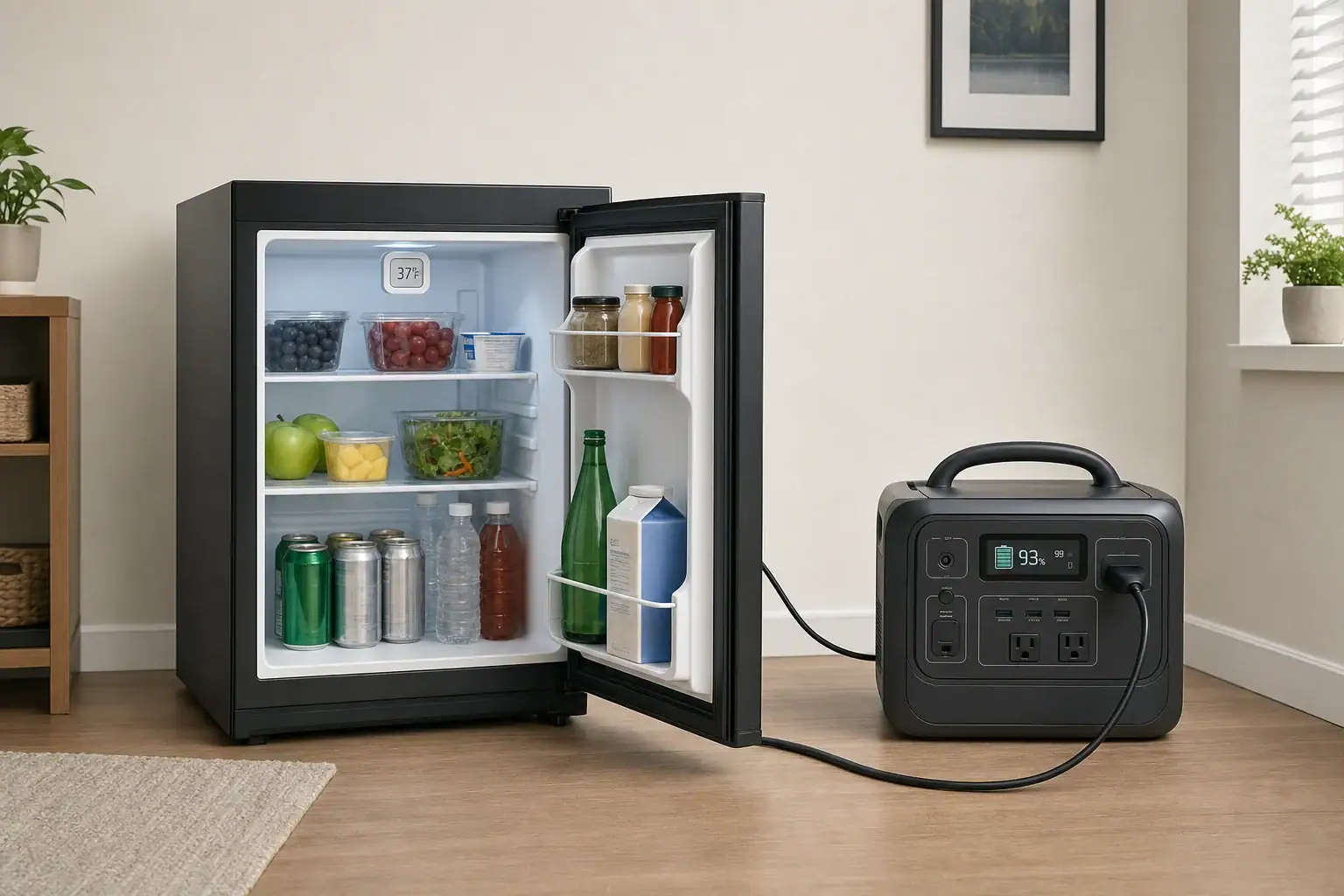
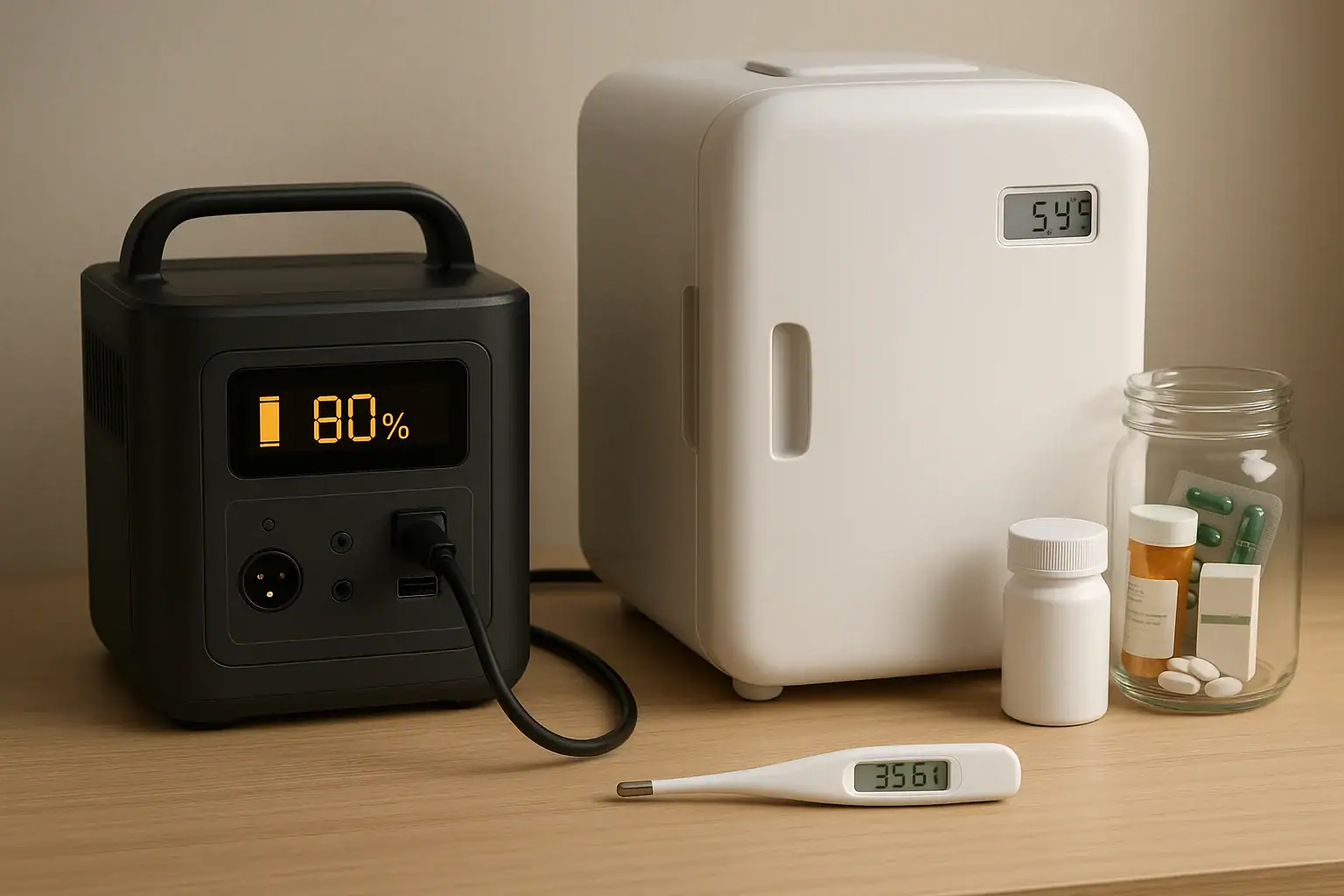
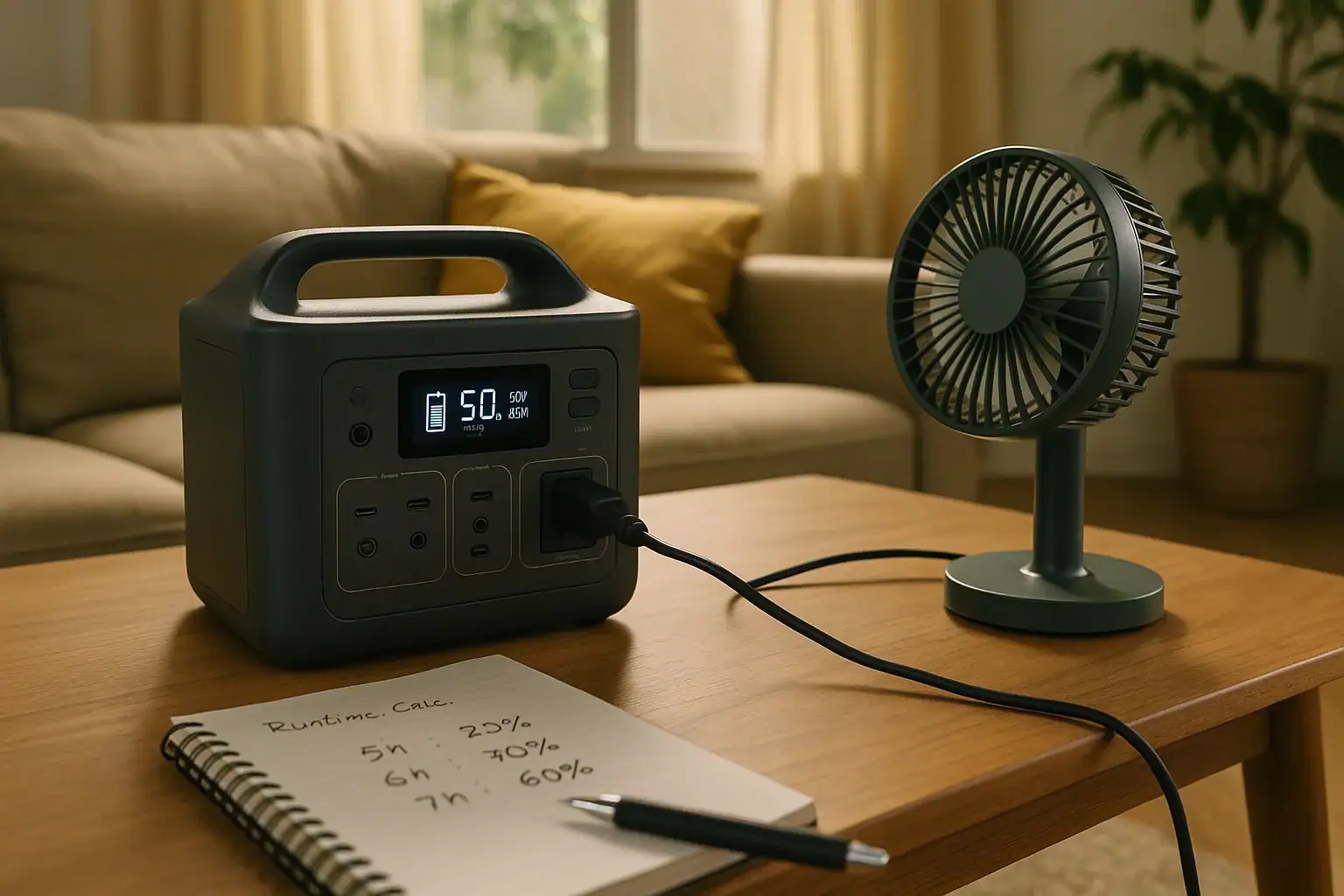
A portable power station can run a mini fridge if its inverter supports both the fridge’s running wattage and its brief compressor-starting surge. Runtime depends mainly on the station’s watt-hour capacity and the fridge’s actual energy consumption—not simply the wattage printed on the fridge label.
For a practical estimate, convert the fridge’s daily energy use to average watts, account for AC conversion losses, and then compare the result with the power station’s usable capacity. Leave additional capacity for hot weather, frequent door opening, battery aging, and other variables.
How to estimate mini-fridge runtime
The most useful input is the refrigerator’s measured or published energy consumption in watt-hours per day or kilowatt-hours per year. A compressor fridge cycles on and off, so its nameplate wattage usually represents power while operating rather than its average draw over a full day.
Using daily energy consumption
Estimate runtime with this formula:
Runtime in hours = usable AC energy ÷ average fridge watts
Calculate the two values as follows:
Usable AC energy: power-station capacity in watt-hours × assumed AC efficiency.
Average fridge watts: watt-hours consumed per day ÷ 24.
AC efficiency varies with the inverter, load, temperature, and battery state. For planning purposes, an illustrative assumption of 80% to 90% may be reasonable, but the power-station manufacturer’s data should take priority. Keeping a reserve rather than planning to reach 0% also provides a more conservative result.
For example, suppose a power station is rated at 500 Wh and you assume 85% reaches the fridge through the AC outlet:
500 Wh × 0.85 = 425 Wh of estimated usable AC energy
Illustrative runtime for a 500 Wh power station at 85% assumed AC efficiency
Fridge energy use
Average load
Estimated runtime
300 Wh/day
12.5 W
About 34 hours
600 Wh/day
25 W
About 17 hours
1,000 Wh/day
41.7 W
About 10 hours
These are planning estimates, not guaranteed runtimes. A warm fridge that has just been loaded may run continuously for a while, reducing runtime substantially.
Using an annual energy figure
If the refrigerator documentation lists kilowatt-hours per year, convert it to daily use:
Annual kWh × 1,000 ÷ 365 = estimated Wh/day
For example, 220 kWh per year equals about 603 Wh per day under the conditions used for that published estimate. Real consumption can differ because of room temperature, thermostat setting, ventilation, food load, door opening, and frost buildup.
Using running watts when no energy figure is available
Dividing battery capacity by the fridge’s running watts gives a conservative continuous-operation estimate, but it does not account for normal compressor cycling. A plug-in energy meter can provide a more useful 24-hour consumption figure if its ratings and instructions permit use with the refrigerator.
Why compressor surge matters
A compressor motor can draw substantially more power for a brief period when it starts than it uses while running. The power station therefore has two relevant inverter ratings:
Continuous output: the sustained power available while the compressor is running.
Surge or peak output: the short-duration output available during startup.
The fridge nameplate may show rated current or running watts without identifying the startup peak. Do not assume a universal surge multiplier: compressor design, starting components, voltage, temperature, and restart timing all affect the peak. Check the refrigerator manufacturer’s specifications or obtain appropriate startup-current data when possible.
The station’s continuous rating should exceed the fridge’s running requirement plus any simultaneous loads. Its surge rating and permitted surge duration must also cover the compressor’s startup demand. Two products may advertise the same peak wattage but support that peak for different lengths of time, so consult the current manufacturer documentation.
Thermoelectric mini coolers behave differently because they generally do not have a compressor-starting surge. However, they may run nearly continuously, so a modest wattage can still consume significant energy over a day.
Compatibility checklist
The power station’s AC voltage and frequency match the refrigerator’s requirements.
Continuous inverter output exceeds the total sustained load.
Surge output is adequate for compressor startup.
The inverter waveform meets the refrigerator manufacturer’s requirements.
Estimated usable watt-hours provide the needed runtime with a reserve.
The AC outlet and any permitted cable are rated for the appliance load.
Do not treat a watt-hour rating as an inverter-power rating. Capacity in Wh indicates stored energy; output in W indicates how much power the inverter can deliver at one time. A large-capacity station can still be incompatible if its inverter cannot start the compressor.
Setup tips for longer, more reliable operation
Pre-chill the refrigerator on normal utility power. Cooling a warm interior requires much more energy than maintaining an already-cold compartment.
Charge the power station beforehand. Confirm its state of charge and enable its AC output before relying on it.
Connect the fridge directly when practical. Avoid power strips and daisy-chained cables. If an extension cord is necessary and permitted by both manufacturers, use one properly rated for the appliance and environment.
Provide ventilation. Keep the fridge’s condenser area and the power station’s air inlets and outlets unobstructed. Do not place either unit in a sealed cabinet.
Keep equipment dry and stable. Protect the station and connections from liquids, condensation, heat sources, and impact.
Limit door opening. Organize contents in advance so cold air is not repeatedly lost.
Check power-saving behavior. Some stations shut off AC output when a cycling appliance draws little or no power. If the manual provides an appropriate always-on or low-load setting, use it as directed.
Monitor temperature. A refrigerator thermometer helps show whether food remains adequately cold. Follow current public-health guidance for food temperatures and disposal after an outage.
If the fridge will not start or keeps shutting down
An immediate overload warning usually points to startup surge, excessive combined load, or inverter incompatibility. Disconnect other loads and compare the fridge’s requirements with both the continuous and surge specifications. Do not repeatedly force restart attempts if either device reports a fault.
If the fridge starts but the station later turns off, check for a low-load shutdown setting, depleted battery, blocked ventilation, high temperature, or an overloaded outlet. Some compressors also have a protective delay before restarting after power is interrupted; follow the refrigerator manual rather than rapidly switching power off and on.
Pass-through charging does not automatically make a power station an uninterruptible power supply. Transfer behavior, interruption time, output limits, and charging restrictions vary. Use that arrangement only when the current manufacturer instructions explicitly support the intended appliance and configuration.
Bottom line
Size a portable power station from the mini fridge’s daily energy consumption, then separately verify the inverter’s continuous and surge ratings. Include conversion losses and a reserve, start with a cold refrigerator, maintain ventilation, and confirm that low-load power-saving features will not switch off the cycling compressor. Keep the setup isolated from household wiring; never connect a portable power station to a home panel or attempt to backfeed a circuit.
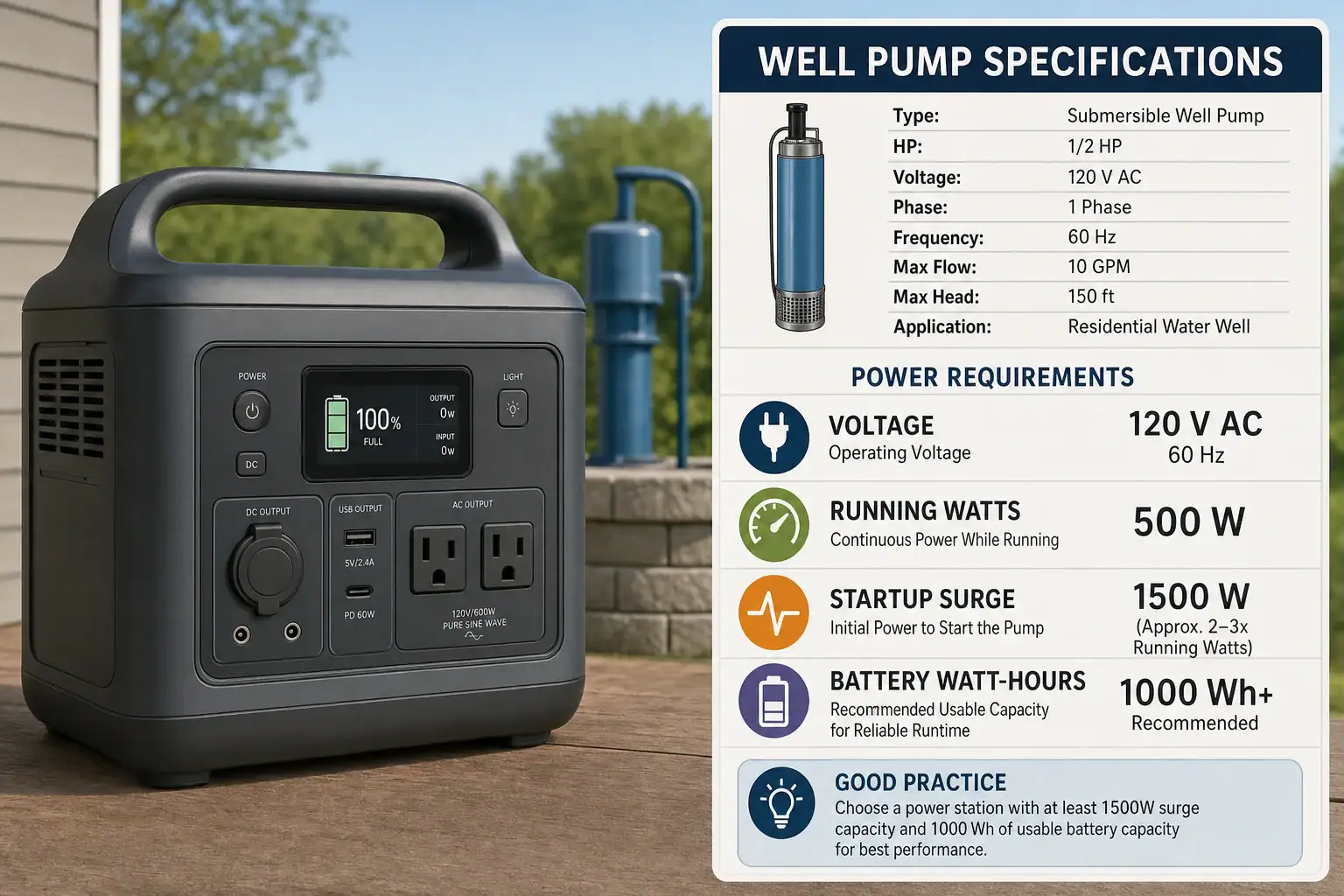
Choose a portable power station that matches the well pump’s voltage and frequency, supplies more than its continuous running load, and can sustain its full startup surge. Battery capacity then determines runtime. A pump that uses 1,000 watts while running and needs 3,000 watts at startup requires an inverter rated above 1,000 watts continuously and at least 3,000 watts for the required starting duration.
For runtime, divide the station’s usable AC energy by the pump’s average load. A 2,000-watt-hour station does not normally deliver all 2,000 Wh through its AC outlets because some capacity may be reserved and some energy is lost in the inverter. Voltage compatibility comes first: a high-capacity 120-volt station cannot operate a 240-volt pump merely because its watt rating appears sufficient.
Start With the Pump’s Electrical Requirements
Do not size from horsepower alone. Horsepower describes mechanical output, while portable power stations must handle the motor’s electrical input and starting current. Pumps with the same horsepower can have different voltage, running-current, and startup requirements.
Use the pump or controller manufacturer’s documentation and an accessible nameplate to identify:
Required AC voltage, such as 120 or 240 volts
Frequency, usually stated in hertz
Single-phase or other phase requirement
Running watts or full-load current
Starting watts, starting current, or locked-rotor amps
Any waveform or power-quality requirements for electronic controls
If starting information is unavailable, contact the pump manufacturer or have a qualified electrician obtain appropriate inrush data without opening or modifying the equipment yourself. Multiplying volts by amps gives volt-amps, not necessarily true watts, because an AC motor’s power factor affects the relationship. Manufacturer-provided running and starting specifications are preferable.
Continuous Output and Startup Surge Are Different
The power station has to meet two separate inverter requirements:
Continuous output: The power it can supply for the entire time the pump runs.
Surge output: The short burst available while the motor starts.
Leave continuous-output headroom instead of selecting an inverter whose rating exactly equals the pump’s stated running watts. Account for the pump controller and any other device powered at the same time. Operating pressure, water depth, motor design, supply voltage, and control equipment can all affect demand.
Surge ratings also vary by manufacturer. One station may support its advertised surge for several seconds, while another may allow it only briefly or may use a voltage-reducing mode that is unsuitable for some motors. Confirm that the surge rating applies at the pump’s required voltage and lasts long enough for that specific motor to start. A large watt-hour battery does not compensate for an inverter that trips during startup.
Illustrative Surge Example
Suppose a pump requires 240 volts, draws 1,000 watts while running, and has a 3,000-watt startup requirement. A compatible station would need:
A genuine 240-volt output with the correct frequency and phase
Continuous output comfortably above 1,000 watts
Surge output of at least 3,000 watts for the specified starting interval
An output receptacle and current rating suitable for the intended direct connection
Two ordinary 120-volt outlets must never be combined to create 240 volts. Likewise, an adapter cannot convert a 120-volt inverter into a proper 240-volt source.
Calculate Battery Capacity and Runtime
For a pump that runs continuously, use this planning formula:
Runtime in hours = rated battery Wh × usable fraction × AC efficiency ÷ running watts
The usable fraction represents capacity the station actually makes available before shutdown. AC efficiency accounts for inverter losses. Use manufacturer-supplied usable AC energy when available; otherwise, any percentages used are planning assumptions rather than guaranteed performance.
Illustrative Continuous-Run Calculation
Assume a 2,000 Wh station, 90% usable capacity, 90% AC conversion efficiency, and a 1,000 W pump:
2,000 Wh × 0.90 × 0.90 ÷ 1,000 W = 1.62 hours
The resulting 1.62 hours is an idealized estimate. Actual runtime can differ because of temperature, battery state, motor load, controller consumption, inverter behavior, and manufacturer-specific capacity reserves.
Account for an Intermittent Pump Duty Cycle
Many pressure-tank systems run only part of the time. Estimate the average load with:
Average pump load = running watts × duty cycle
If the illustrative 1,000 W pump runs 25% of the time, its average pump load is 250 W. Using the same assumed 1,620 Wh of usable AC energy:
1,620 Wh ÷ 250 W = 6.48 elapsed hours
This estimate assumes the 25% duty cycle continues throughout the outage. Actual water use, pressure-tank condition, well recovery, and pump controls can change that percentage. Repeated starts may also cause shutdown even when the average-energy calculation suggests sufficient runtime, so surge compatibility must still be checked separately.
Voltage and Connection Can Rule Out a Power Station
Many submersible well pumps are hardwired, and many operate at 240 volts. This guide applies only when the pump is designed for a direct connection to a compatible portable source under its manufacturer’s instructions. Do not backfeed a receptacle, improvise a cord, combine outputs, or connect a portable power station to a home electrical panel.
A hardwired pump requires a backup arrangement specifically designed for the installation. Any such design should be evaluated by a qualified electrician under the equipment instructions and current local electrical requirements. Do not assume that a station’s outlet, advertised voltage, or grounding arrangement makes it appropriate for permanent wiring.
Practical Compatibility Checklist
The station’s AC voltage, frequency, and phase exactly match the pump and controller.
Continuous inverter output exceeds the pump’s maximum running demand with reasonable headroom.
Surge output meets the motor’s starting requirement for the necessary duration.
The battery has enough usable AC watt-hours for the expected duty cycle and outage length.
The waveform and power quality satisfy the pump or electronic controller manufacturer’s instructions.
The individual receptacle and output circuit can supply the required current; do not rely only on the station’s combined watt rating.
The proposed connection is explicitly permitted by both equipment manufacturers and does not involve home-panel backfeeding or improvised wiring.
The most reliable sizing process is therefore voltage first, inverter output second, and battery capacity third. If any one of those requirements is missing—especially the correct voltage or adequate startup surge—a larger watt-hour rating alone will not make the station compatible with the well pump.
Frequently asked questions
Can solar charging extend a power station’s well-pump runtime?
Solar charging can replace some energy while the station is operating, but the amount depends on the solar input, weather, panel setup, and the pump’s average energy use. Confirm the station’s supported solar input and charging limits in its current manufacturer instructions.
Should I test the power station with the well pump before an outage?
If the pump is designed for a permitted direct connection, a planned test can reveal whether the station starts and runs the actual load. Follow both manufacturers’ instructions, and use a qualified electrician for any hardwired or permanently installed pump arrangement.
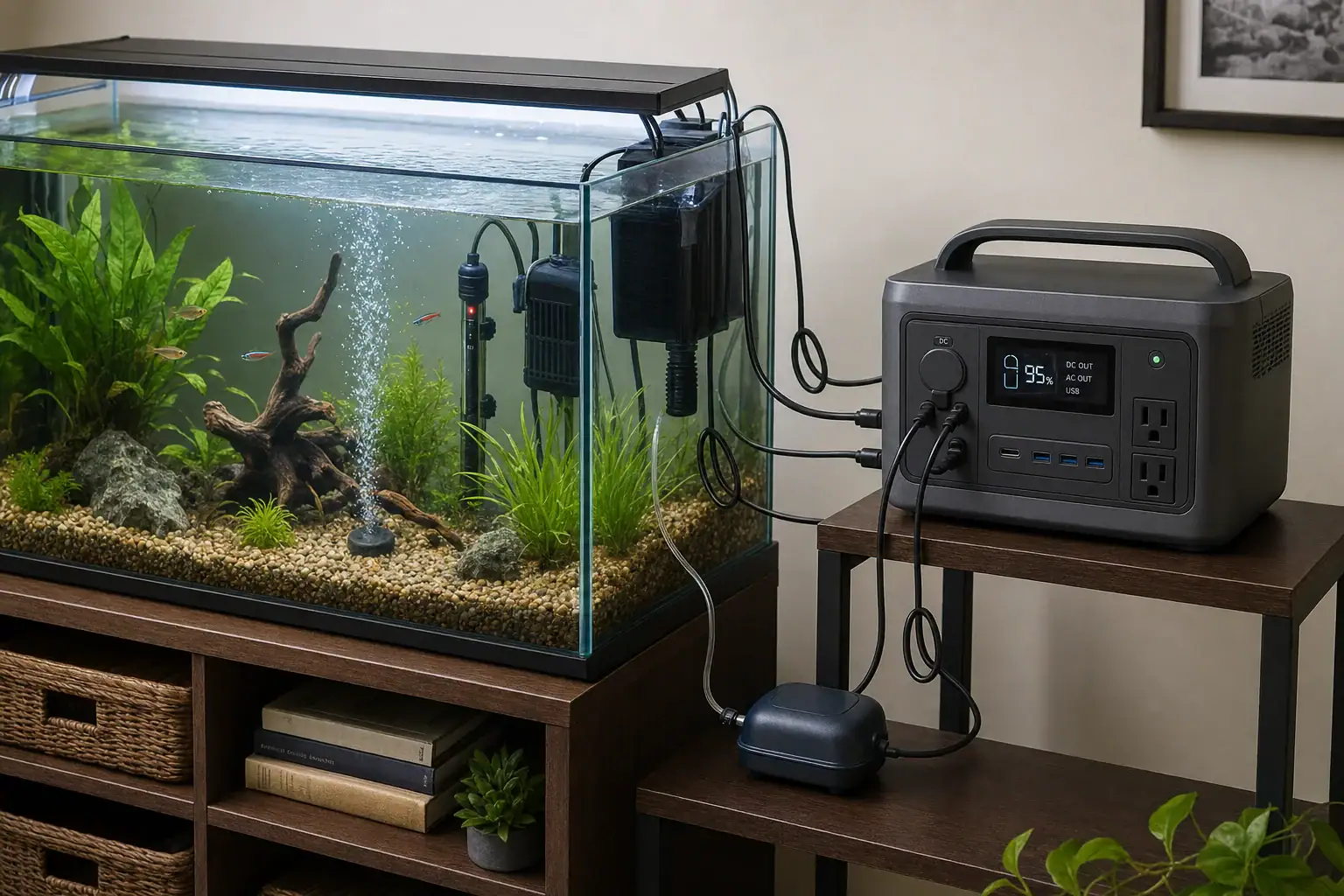
To keep an aquarium heater, filter, and air pump running, choose a portable power station based on both output watts and battery watt-hours. Its continuous output must support all connected equipment at once, while its surge rating must accommodate pump startup. Battery capacity then determines how long the system can run.
For runtime planning, add each device’s energy use over the expected outage and divide by an estimated AC efficiency. Heater cycling is the biggest uncertainty: a heater rated at 100 watts may run intermittently in normal conditions but nearly continuously as the room cools.
Calculate the aquarium’s backup-power requirement
Read the input wattage from the label or manual for the heater, filter pump, and air pump. If a device lists only amps, calculate approximate watts as volts multiplied by amps, but use the manufacturer’s stated input watts when available. Nameplate figures and actual consumption can differ.
Required battery capacity in watt-hours = total load energy ÷ estimated conversion efficiency
For a device that cycles, calculate its load energy as:
Rated watts × duty cycle × outage hours
A 50% heater duty cycle means the heater is assumed to run for half of each hour. This is only a planning assumption, not a guarantee. Tank size, room temperature, insulation, heater controls, livestock requirements, and the length of the outage all affect heater runtime.
Illustrative 10-hour calculation
Illustrative aquarium loads; use the ratings for your own equipment.
Equipment
Rated power
Assumed duty cycle
Energy for 10 hours
Heater
100 W
50%
500 Wh
Filter
15 W
100%
150 Wh
Air pump
5 W
100%
50 Wh
Total delivered to equipment
120 W maximum
70 W average
700 Wh
Assuming 85% overall AC efficiency, the estimated station capacity is 700 Wh ÷ 0.85 = about 824 Wh. The 85% figure is illustrative. Inverter losses, the station’s own operating consumption, battery temperature, battery age, and manufacturer reserve settings can all change usable runtime.
For a colder worst case in which the 100-watt heater runs continuously, the same setup would consume 1,200 Wh over 10 hours. At 85% efficiency, that would require about 1,412 Wh of nominal capacity. This large difference is why heater duty cycle should not be treated as a fixed specification.
Check continuous output and startup surge
The example system has a maximum running load of 120 watts, so the station’s continuous AC rating must exceed 120 watts. Select additional headroom if other aquarium devices could be connected or equipment labels show higher maximum inputs.
Heaters are generally steady resistive loads, but filter and air-pump motors can draw extra power when starting. The surge magnitude and duration vary by motor design, and power-station manufacturers define surge capability differently. Compare the equipment manufacturer’s available startup information with both the station’s continuous rating and its stated surge conditions. Do not assume a large peak-watt number can be sustained for more than the period specified by the manufacturer.
Equipment may also restart simultaneously when the inverter turns on. Size for that possibility rather than assuming the pumps will start one at a time.
Account for usable capacity and low-power losses
A station’s advertised watt-hours may describe nominal battery capacity rather than energy available from its AC outlets. Battery management reserves and inverter losses reduce the amount delivered to aquarium equipment. If the manufacturer publishes usable AC energy under relevant conditions, use that figure instead of applying a generic efficiency estimate.
Inverter overhead matters especially when powering only a small air pump. A 5-watt load does not necessarily provide the runtime predicted by dividing nominal watt-hours by 5 watts, because the inverter itself also consumes energy. Manufacturer runtime data for comparable low loads can improve the estimate, although actual conditions will still vary.
Native DC operation may avoid some inverter loss, but only use it when the aquarium device is explicitly designed for the station’s output voltage, polarity, connector, and current range. Do not improvise adapters or connect an AC aquarium device directly to a DC port.
Prioritize loads if the outage outlasts the battery
The safest priority depends on the species, water temperature, stocking level, filtration design, and room conditions. In many tanks, aeration and water movement become urgent because dissolved oxygen can decline, while cold-sensitive livestock may also require uninterrupted heat. Seek species-specific guidance rather than relying on a universal order.
Air pump: Often provides substantial oxygenation for relatively little power, provided the air stone and pump arrangement are appropriate for the tank.
Filter or circulation pump: Supports water movement and biological filtration, but may consume more power than a small air pump.
Heater: Usually the largest load. Its importance rises as the room and aquarium cool, particularly for temperature-sensitive livestock.
If capacity is limited, leave nonessential lights, decorative pumps, and unrelated electronics disconnected unless the animals or system specifically require them. Avoid allowing a filter to remain stagnant for a prolonged period and then restarting it without checking the filter manufacturer’s instructions; conditions inside an idle filter can deteriorate.
Aquarium-specific compatibility and safety
Keep the power station dry, raised above floor-level water risks, and outside the aquarium’s splash zone. Maintain required ventilation clearance.
Arrange cords with drip loops where appropriate, and never handle plugs, outlets, or the station with wet hands.
Keep the heater submerged to the depth specified by its manufacturer. Follow its instructions before exposing, moving, or restarting it.
Confirm that pumps restart and re-prime correctly after power loss. Some filters require manual priming, while sump systems must safely accommodate normal drain-down whenever the return pump stops.
Do not defeat grounding pins, protective devices, or required ground-fault protection. Outlet and grounding designs vary, so follow the aquarium equipment and power-station manuals along with current local electrical guidance.
Do not connect a portable power station to home wiring or an electrical panel. Power the aquarium equipment directly from approved station outlets and properly rated accessories.
Do not assume automatic backup operation
A portable power station is not automatically a certified uninterruptible power supply. Pass-through charging, transfer behavior, interruption time, and automatic recovery after depletion vary by model. Some units may turn off after a low-load period, while aquarium controllers or pumps may not restart after even a brief interruption.
For unattended operation, verify in the current manufacturer documentation that the station supports the intended backup mode and that every connected aquarium device automatically resumes safely. Stay within all charging, load, temperature, and placement requirements.
Bottom line
Add the heater’s duty-adjusted energy to the filter and air pump energy, divide by a realistic AC-efficiency assumption, and include capacity headroom for colder conditions and battery variability. Then confirm that the station’s continuous and surge ratings cover all devices starting together. Because the heater can dominate consumption, calculate both a normal cycling scenario and a conservative continuous-heating scenario before choosing capacity.
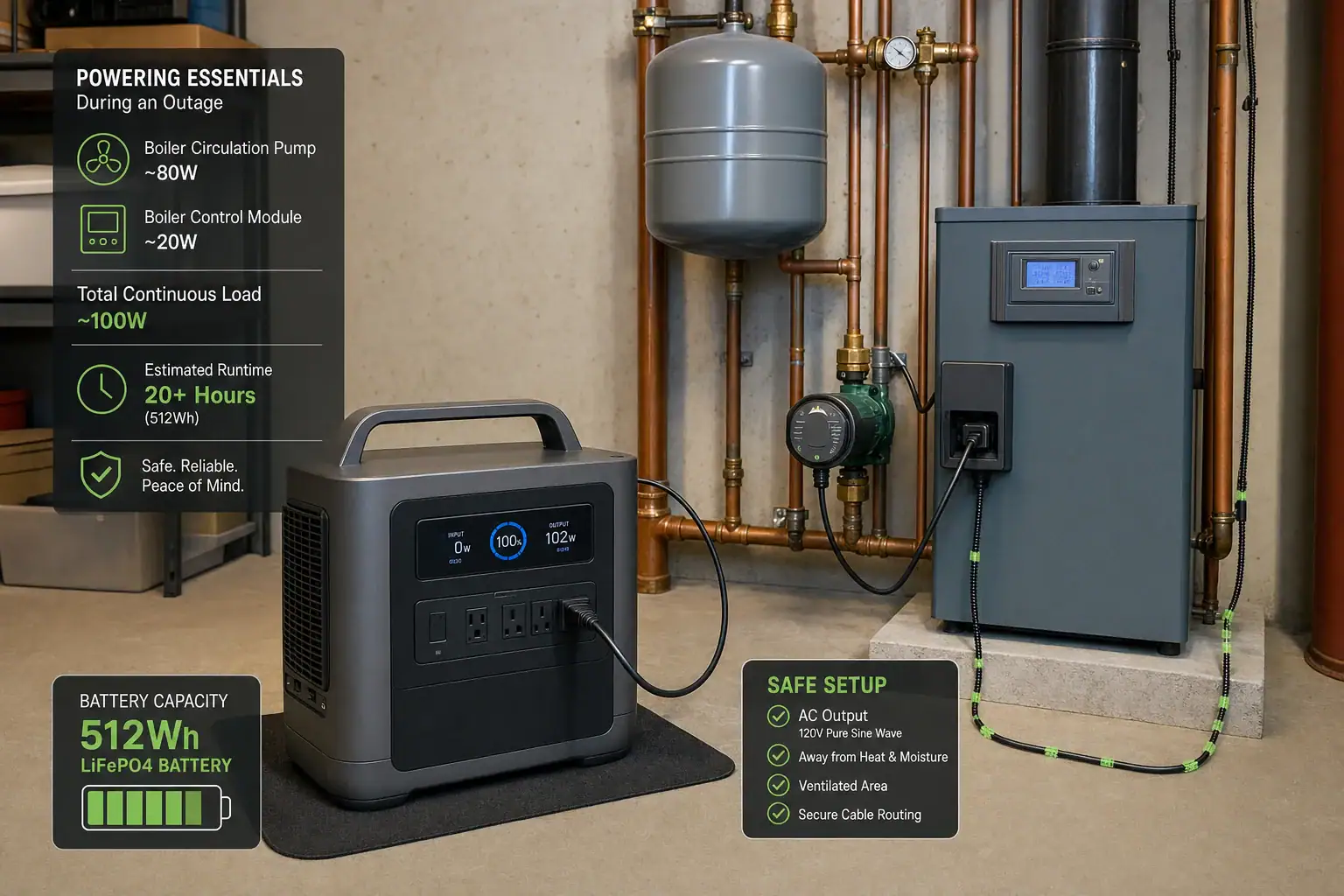
A portable power station can run a boiler circulation pump if its continuous output covers the complete heating load, its surge watts handle motor startup, and its battery has enough usable capacity for the required runtime.
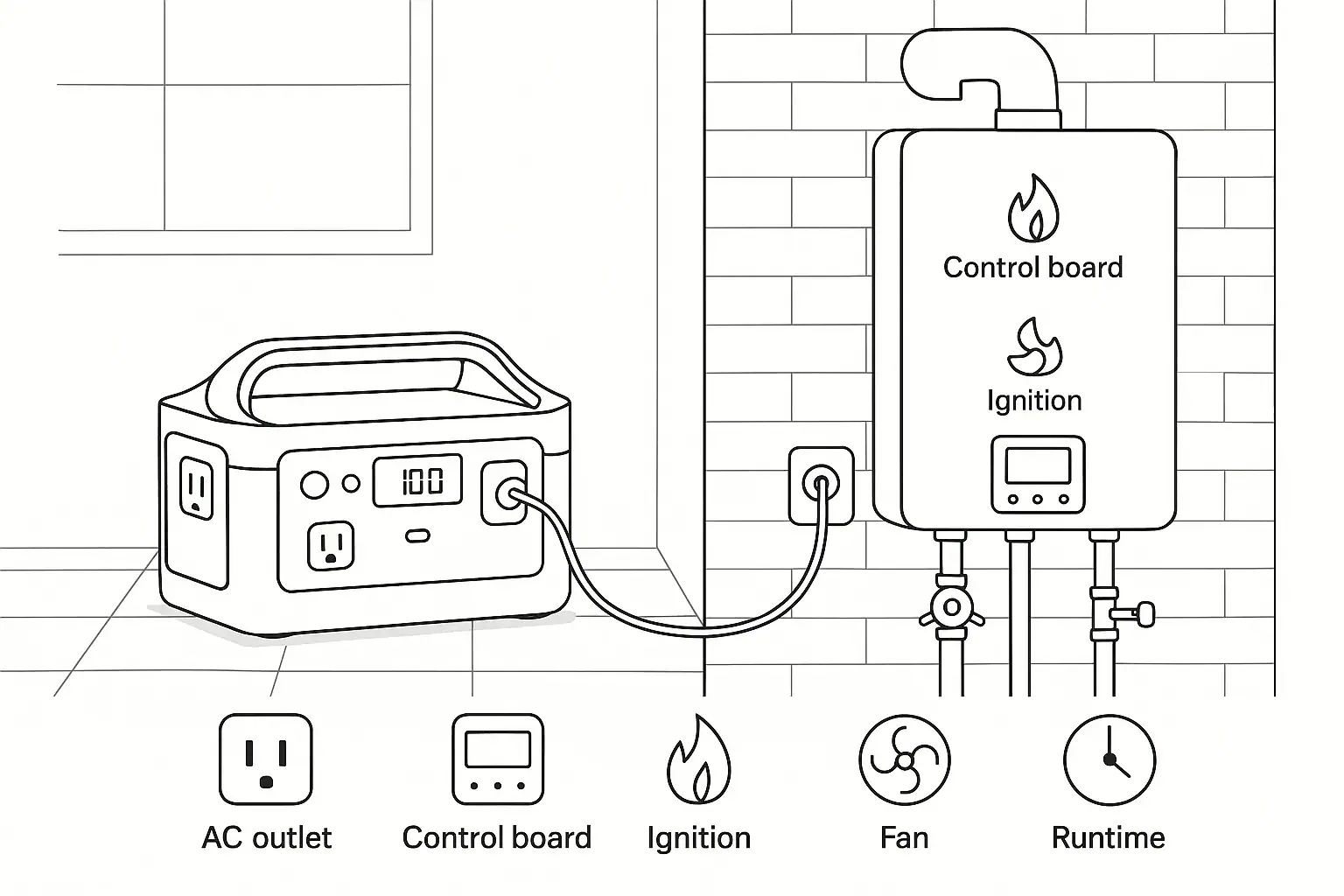
The pump nameplate is only the starting point. A working hydronic heating system may also need the boiler control board, thermostat circuit, zone valves, relays, igniter, combustion fan, or fuel valve. Pure sine wave output, transfer time, grounding behavior, and control compatibility can therefore matter as much as watt-hours.
For reliable backup power, identify both running watts and startup surge, then estimate how often the circulator will operate during an outage. A small pump may run for many hours from a moderately sized battery, but cold weather, continuous circulation, multiple zones, and boiler cycling can reduce runtime substantially. The goal is to power the complete operating sequence safely, not merely make the circulation pump spin.
1. What Backup Power for a Boiler Circulation Pump Means
A boiler circulation pump moves heated water through radiators, baseboards, radiant-floor loops, or other hydronic emitters. During a utility outage, a fuel-fired boiler may still have fuel available, but its pump and electronic controls normally cannot operate without electricity. Heat production can stop even though the boiler does not rely on electric resistance heating.
A portable power station stores electrical energy in a battery and provides AC power through an inverter. It can serve as a temporary source for compatible boiler equipment without the exhaust, fuel storage, and outdoor placement requirements of an engine generator. It is not automatically a whole-system backup, however. The station must support every electrical component needed by the boiler during ignition, firing, circulation, and shutdown.
This distinction matters because a pump labeled at 70 watts could be part of a system that draws 150 to 400 watts while firing. If only the pump is measured, the power station may be undersized or the boiler may fail to start.
2. How Surge, Capacity, and Boiler Controls Work Together
Continuous output is the power the inverter can supply steadily. Add the running consumption of all equipment that may operate at the same time. A plug-in power meter can provide useful operating data when the boiler has an approved cord-and-plug connection. For hardwired equipment, have a qualified electrician measure the load.
Startup surge is a brief increase in demand when a motor, transformer, fan, or igniter starts. Older circulators with induction motors may draw several times their running wattage for a fraction of a second. Modern electronically commutated pumps often use less energy and may have softer starting behavior, but their actual specifications still govern sizing.
Battery capacity is normally listed in watt-hours. Approximate runtime by multiplying rated watt-hours by a realistic usable factor, then dividing by average system watts. For example, a 1,000-watt-hour station with 85 percent usable AC energy provides about 850 watt-hours. At an average 100-watt load, the rough runtime is 8.5 hours. Inverter losses, standby consumption, temperature, battery age, and cycling patterns affect the result.
Controls add another compatibility issue. Some boilers monitor polarity, grounding, or flame-sensing current. An inverter with a floating neutral may not behave like household utility power, and a control board can reject the supply even when voltage and wattage appear adequate. Pure sine wave AC is generally the appropriate choice for motors and sensitive boiler electronics.
Illustrative system
Running load
Possible brief surge
Estimated energy for 8 hours
One efficient circulator and controls
60 W
150 W
480 Wh
Older circulator, controls, and zone valve
140 W
450 W
1,120 Wh
Circulator, controls, and combustion fan
250 W
700 W
2,000 Wh
Loads vary by equipment and operating cycle. Example values for illustration.
3. Real-World Sizing and Runtime Examples
Small single-zone boiler
Assume a modern circulator uses 45 watts and the boiler controls use another 25 watts. The combined running load is 70 watts, while startup briefly reaches 180 watts. A station rated for 500 continuous watts and a higher short surge would have ample output headroom. With 500 watt-hours of rated capacity and an assumed 85 percent usable AC energy, continuous operation would be about six hours. If the system runs half the time, practical outage coverage could approach 12 hours, although standby losses may shorten it.
Older pump with a combustion fan
Suppose an older circulator draws 110 watts, controls draw 35 watts, and a fan uses 90 watts while the burner operates. The simultaneous load can reach 235 watts, with startup potentially much higher. A low-output station might shut down even though its watt-hour rating looks sufficient. A 1,000-watt-hour battery providing roughly 850 usable watt-hours could support a 170-watt average load for about five hours.
Multiple heating zones
A zoned system may activate more than one circulator or several motorized valves. Determine the worst credible combination rather than adding only the components active during a brief test. Also account for controls that remain energized between heat calls. Cold-weather runtime should be based on frequent or continuous operation, not an optimistic duty cycle observed during mild conditions.
4. Common Sizing Mistakes and Troubleshooting Cues
Using only the pump wattage: If the pump runs but the burner does not fire, another required control or combustion component may be unpowered. Confirm the complete boiler circuit load and operating sequence.
Confusing watts with watt-hours: Watts describe how much power the station can deliver at once. Watt-hours describe stored energy. A station may have enough output to start the system but too little capacity for an overnight outage.
Ignoring startup demand: An overload warning or immediate AC shutdown when a pump starts often indicates inadequate surge capability. It can also result from several components starting together.
Assuming all AC waveforms are equivalent: Buzzing motors, excess heat, unstable controls, or failed ignition may indicate unsuitable waveform quality or a compatibility problem. Avoid repeatedly attempting operation when equipment behaves abnormally.
Overlooking transfer time: A station with backup-power functionality may take several milliseconds to switch from utility input to battery output. Some boiler controls tolerate this interruption; others reset, lock out, or require a new heat call. Backup mode should be tested under supervision before an emergency.
Estimating runtime from ideal capacity: The inverter consumes energy, and rated capacity is not fully available at the AC outlet. Low temperatures and battery aging can further reduce runtime. Recalculate using measured average demand and a conservative usable-capacity assumption.
5. Safety Basics for Boiler Backup Power
Do not connect a portable power station to household wiring by feeding power into a receptacle. Backfeeding can energize wiring unexpectedly and create fire, shock, and utility-worker hazards. A hardwired boiler requires an appropriately designed connection method installed or verified by a qualified electrician. This article does not replace equipment manuals or local electrical requirements.
Place the station in a dry location with the ventilation clearances specified for the unit. Keep it away from boiler surfaces, hot pipes, water leaks, combustible materials, and areas where flooding is possible. Do not use damaged cords, overloaded power strips, improvised grounding connections, or adapters that defeat protective conductors.
Maintain working carbon monoxide alarms whenever operating combustion heating equipment. A battery power station produces no combustion exhaust, but the boiler does. Stop using the backup arrangement if the boiler shows a fault, the pump overheats, cables become hot, the station repeatedly trips, or combustion appears abnormal. Grounding, neutral bonding, flame sensing, and hardwired control issues should be evaluated by qualified professionals.
6. Maintenance, Testing, and Storage
Charge and inspect the power station regularly instead of waiting for an outage. Follow its specified storage charge range and recharge interval, since leaving some batteries empty for long periods can cause damage. Store the unit within the recommended temperature range and protect it from moisture, dust, freezing conditions, and excessive heat.
Run a supervised functional test periodically. Confirm that the boiler starts, circulates water, completes a normal shutdown, and restarts without alarms. Record the initial battery percentage, operating time, ending percentage, and outdoor conditions. This creates a more useful runtime estimate than nameplate calculations alone.
Inspect accessible cords and plugs for discoloration, looseness, or damage without opening any device. Keep boiler maintenance current as well: a binding circulator, dirty combustion system, or failing control can raise power demand and reduce backup reliability.
Maintenance item
Practical interval
Purpose
Check state of charge
Monthly or as specified
Preserves emergency readiness
Test boiler operation on battery
Before heating season and periodically
Reveals surge or control incompatibility
Inspect cords and storage area
Before each use
Identifies heat, moisture, and physical damage
Intervals should follow equipment documentation and local conditions. Example values for illustration.
Size backup power from the entire boiler system, not from the circulation pump alone. Measure or document the highest simultaneous running load, allow headroom for motor startup, and calculate capacity from expected average watts. For critical heating needs, use conservative assumptions for cold weather and battery losses.
Compatibility should be confirmed before an outage. A station can have sufficient wattage yet fail to operate a boiler because of transfer behavior, waveform quality, grounding configuration, or control sensitivity. Professional review is appropriate for hardwired boilers or any system with uncertain neutral and grounding requirements.
Specs to look for
Continuous AC output: Look for at least 20 to 30 percent more than the highest measured simultaneous load; this reduces nuisance overloads and inverter stress.
Surge output: Choose a brief surge rating that comfortably exceeds measured startup demand, often two to four times an older pump’s running watts; this helps motors start without shutdown.
Battery capacity: Compare watt-hours using expected average demand, with perhaps 75 to 90 percent treated as usable AC energy; this produces a more realistic runtime estimate.
Pure sine wave inverter: Look for clearly specified pure sine wave AC; it is better suited to circulation motors, transformers, and electronic boiler controls.
Transfer time: For automatic backup use, compare transfer times such as 10 to 30 milliseconds with the boiler control’s tolerance; a long interruption can reset the heating cycle.
AC output voltage and frequency: Select output matching the boiler nameplate, commonly about 120 volts and 60 hertz in U.S. homes; incorrect power can prevent operation or damage equipment.
Low-temperature operating range: Check the discharge and charging temperature specifications if the station will be stored near an unheated mechanical space; cold batteries may deliver less energy or refuse charging.
Pass-through or backup-power rating: Verify that the feature is explicitly supported at the expected load; ordinary charging while powering devices is not always equivalent to a continuously available backup mode.
Runtime display and load monitoring: Look for live watts, remaining percentage, and estimated runtime; these readings make it easier to manage heating cycles during a prolonged outage.
A suitable power station should start the complete boiler system reliably, operate it without control faults, and provide enough measured runtime for the intended emergency. Testing under safe, supervised conditions is the final check that calculations alone cannot provide.
Frequently asked questions
Can a portable power station run a boiler circulation pump during a power outage?
Yes, if the station can power the complete boiler operating load rather than only the circulator. The required load may include the control board, relays, zone valves, combustion fan, igniter, and fuel controls, depending on the system. Compatibility should be tested before an outage.
What size portable power station do I need for a boiler circulation pump?
Choose an inverter with continuous output above the highest simultaneous running load and enough surge capacity for motors and ignition-related components to start. Then select battery capacity in watt-hours based on measured or documented average system demand and the intended outage duration. Allow a conservative margin for inverter losses, cold temperatures, and battery aging.
What specs and features matter most for boiler backup power?
Important features include adequate continuous AC output, a surge rating that exceeds startup demand, sufficient usable battery capacity, and pure sine wave output. Also check output voltage and frequency, transfer time for automatic backup use, low-temperature operating limits, and whether pass-through or backup operation is supported at the expected load. Grounding and neutral behavior can also affect certain boiler controls.
Why does a power station shut off when the boiler or circulator starts?
A shutdown often means the startup surge exceeded the inverter’s short-duration output limit, even if normal running watts appear low. It can also occur when several loads start together or when the boiler has a control or waveform compatibility issue. Avoid repeated restart attempts if equipment behaves abnormally, and have the complete load evaluated if needed.
What is the most common mistake when sizing battery backup for a boiler?
The most common mistake is sizing from the circulation pump nameplate alone. A boiler may need additional electrical components to ignite, fire, circulate heat, and shut down normally, so the actual system load can be much higher. Another common error is confusing inverter watts with battery watt-hours.
Is it safe to connect a portable power station to a boiler?
It can be safe when the equipment is compatible and connected using an approved method, but a portable power station must never be used to backfeed household wiring through a receptacle. Hardwired boilers and systems with uncertain grounding, neutral bonding, or flame-sensing requirements should be reviewed by a qualified electrician or heating professional. Keep the station dry, ventilated, and away from heat, water leaks, and combustible materials.
A CPAP humidifier can cut portable power station runtime by half or more because heating water uses much more energy than running the blower alone. If your CPAP battery backup lasts all night without humidification but shuts off early with the humidifier on, the most likely cause is higher watt-hours used overnight, not a defective power station.
Runtime depends on CPAP pressure, heated humidifier setting, heated tube use, mask leak, room temperature, AC inverter efficiency, and the usable battery capacity of the power station. Search terms such as CPAP runtime, watt-hours, AC inverter, humidifier setting, surge watts, and DC output all point to the same practical question: how much energy will your setup use while you sleep?
The short answer is that blower-only CPAP use is often a low electrical load, while active humidification turns it into a medium load that can drain small power stations quickly.
What a Portable Power Station for CPAP With Humidifier Means
A portable power station for CPAP with humidifier is a rechargeable battery system used to run a sleep apnea machine when wall power is unavailable, unreliable, or inconvenient. It may be used during outages, travel, camping, or as a bedside backup. Unlike a small CPAP-specific travel battery, a portable power station usually includes an internal battery, an AC outlet, DC outputs, USB ports, a display, and built-in safety electronics.
The humidifier matters because it changes the load profile. The CPAP blower moves air at a set pressure, which typically uses a predictable amount of power. The humidifier heats water to add moisture to that airflow. Heating is energy-intensive, especially when the room is cool, the humidifier is set high, or a heated tube is also active.
This matters for overnight planning because power station size is usually advertised in watt-hours, while CPAP machines are used for hours at a time. A compact unit that looks sufficient based on peak watts may not store enough usable energy for a full night with humidification. The right question is not only whether the outlet can run the CPAP, but whether the battery has enough usable capacity to support the blower, humidifier, and inverter losses for the entire sleep period.
How Humidification Changes CPAP Power Use
Runtime is based on a simple relationship: usable watt-hours divided by average watts equals approximate hours of operation. For example, if a power station can deliver about 450 usable watt-hours and the CPAP setup averages 45 watts, estimated runtime is about 10 hours. If the same setup averages 90 watts with a high humidifier setting and heated tube, runtime drops to about 5 hours.
The important word is average. A CPAP may not pull the same wattage all night. The humidifier heater cycles on and off to maintain temperature and moisture. The blower may work harder at higher pressures or when mask leaks increase airflow. A heated hose can add another steady or cycling load. The display on the power station may show changing watts because these loads are dynamic.
Using the AC outlet also introduces inverter efficiency loss. Many CPAP machines plug into AC power, so the power station converts stored DC battery energy into AC power. That conversion is convenient, but not perfectly efficient. A DC cable that is specifically designed for the CPAP input voltage can sometimes reduce conversion losses, but it must match the device requirements. Guessing at voltage or connector compatibility is not safe.
Surge watts usually are not the main problem for CPAP use. Most CPAP machines do not have large motor-start surges like refrigerators or pumps. Still, a power station must handle the normal running watts of the CPAP plus humidifier and any brief heating cycles without shutting down on overload.
CPAP setup
Typical average draw
Approximate runtime from 300 usable Wh
Approximate runtime from 600 usable Wh
Blower only, no heated tube
10 to 25 watts
12 to 30 hours
24 to 60 hours
Blower with low humidifier
30 to 50 watts
6 to 10 hours
12 to 20 hours
Blower with medium humidifier
50 to 75 watts
4 to 6 hours
8 to 12 hours
High humidifier plus heated tube
75 to 110 watts
3 to 4 hours
5 to 8 hours
CPAP and humidifier loads vary by settings, pressure, mask leak, and room conditions. Example values for illustration.
Real-World Overnight Runtime Examples
Consider an 8-hour night with a CPAP blower averaging 18 watts and no humidifier. The energy needed is about 144 watt-hours before conversion losses. With inverter losses included, a power station may need roughly 165 to 190 watt-hours of stored energy to complete the night. In that case, a smaller unit can be practical if it is fully charged and in good condition.
Now add a heated humidifier on a moderate setting. The same CPAP system may average closer to 55 watts. Over 8 hours, that is 440 watt-hours before accounting for inverter losses. With AC conversion, display overhead, and battery reserve behavior, the practical requirement may be closer to 500 watt-hours or more. This is why users often see a major runtime drop after turning humidity back on.
A high-humidity setup can be even more demanding. If the CPAP, humidifier, and heated tube average 90 watts for 8 hours, the energy required is 720 watt-hours before losses. A power station labeled around that capacity may still fall short if its usable AC capacity is lower than the nameplate number, if it starts at less than 100 percent charge, or if cold conditions reduce battery performance.
Runtime can also change from night to night. A colder room may cause the heater plate and heated tube to work harder. A dry environment can require more humidification to maintain comfort. A poor mask seal may increase airflow and raise blower power. These changes explain why one night may finish with charge remaining while another ends with the power station empty before morning.
Common Mistakes and Troubleshooting Cues
The most common mistake is sizing the power station based only on the CPAP label or power adapter rating. The adapter may list a maximum output that is higher than the typical draw. This number is useful for compatibility, but it does not tell you overnight energy use. Runtime planning should be based on average watts over time, ideally observed with your usual pressure, humidifier setting, and tube setting.
Another mistake is assuming advertised battery capacity equals usable AC capacity. A power station rated at a certain number of watt-hours may deliver less through the AC outlet because of inverter losses and built-in reserve limits. This is normal and should be expected. If you need 500 watt-hours for the night, choosing a unit with only slightly more than that on the label leaves little margin.
If the CPAP stops after a few hours, check the power station display if available. A steady decline to zero suggests normal battery depletion. An abrupt shutoff while charge remains may indicate overload, low-temperature protection, sleep mode behavior, or an AC outlet timeout. Some power stations turn off outputs when they detect a load below a certain threshold, though humidified CPAP use is usually high enough to stay awake.
If runtime is shorter than expected, reduce variables one at a time. Lowering the humidifier setting, turning off the heated tube, improving mask seal, and using a warmer room can reduce demand. If medically appropriate and comfortable, some users use passover humidification, where water is present but not actively heated. Any therapy comfort changes should be consistent with clinical guidance and personal sleep needs.
Also confirm that the power station is fully charged before bedtime and that the AC outlet is actually enabled. Many units have separate buttons for AC, DC, and USB outputs. If the display shows high wattage from other connected items, remove nonessential loads. A phone, lamp, fan, or heated blanket can materially reduce CPAP runtime.
Safety Basics for Overnight CPAP Backup Power
For CPAP use, safety starts with electrical compatibility. The power station should support the CPAP power adapter without exceeding outlet ratings. If using DC output, the voltage, polarity, connector, and current capability must match the CPAP requirements. Do not improvise cables, bypass protections, modify battery packs, or open devices to make them work.
Place the power station where it has ventilation and will not be covered by bedding, pillows, clothing, or curtains. Even efficient electronics generate heat during AC inverter use. Keep the unit on a stable surface away from water containers, including the CPAP humidifier chamber. Refill the humidifier carefully so water does not spill onto outlets, cords, or the power station.
Use the CPAP manufacturer’s normal cleaning and water guidance for the humidifier chamber. Distilled water is commonly used to reduce mineral buildup, but the key electrical point is to keep water away from power connections. Inspect cords for damage before relying on them overnight, and avoid running cords where they can be pinched, pulled, or tripped over.
If you intend to connect backup power to household wiring, do not attempt makeshift wiring, backfeeding, or panel modifications. Whole-circuit backup arrangements require proper equipment and should be handled by a qualified electrician. For CPAP specifically, the safer and simpler approach is usually to plug the CPAP power adapter directly into a suitable portable power station placed near the bed.
Maintenance and Storage for Reliable CPAP Runtime
Reliable overnight runtime depends on battery condition as much as capacity. Store the power station in a dry, temperature-controlled location when possible. Extreme heat can accelerate battery aging, and cold conditions can reduce available capacity temporarily. Before storm season, travel, or planned off-grid use, recharge the unit and run a short test with the CPAP setup you actually plan to use.
A periodic runtime test is more useful than reading the capacity label. Fully charge the power station, connect the CPAP with your normal humidifier and tube settings, and observe the starting charge, average watts, and remaining charge after a known period. You do not need to drain the unit completely every time; even a two-hour test can show whether the estimated overnight runtime is realistic.
Keep the CPAP humidifier chamber clean and free from excessive mineral deposits. Scale on the heater plate or chamber can affect heat transfer and may alter humidification performance. Replace worn seals, chambers, tubing, and filters according to the CPAP equipment guidance because leaks and restrictions can make the blower work harder.
For storage, avoid leaving the power station empty for long periods. Many battery systems age better when stored partly charged and topped up periodically. Follow the unit’s storage guidance, but for planning purposes, treat an old or heavily used battery as having less capacity than it did when new. If overnight CPAP use is medically important, build in extra reserve rather than planning to use every last watt-hour.
Maintenance item
What to check
Why it affects runtime
State of charge
Confirm the unit is charged before bedtime
Starting at 80 percent instead of full can remove hours of reserve
Battery age
Account for reduced capacity over time
Older batteries may deliver fewer usable watt-hours
Humidifier chamber
Keep it clean and seated correctly
Poor chamber condition can affect heating and comfort
Mask and tubing
Look for leaks, loose fittings, or worn parts
Leaks can increase blower workload
Storage temperature
Avoid hot cars, freezing areas, and damp storage
Temperature extremes reduce performance and battery life
Routine checks help make overnight CPAP backup power more predictable. Example values for illustration.
A portable power station can run a CPAP with a humidifier overnight, but runtime changes dramatically when heat is involved. Blower-only use may require less than 200 watt-hours for a typical night, while heated humidification can require several hundred watt-hours or more. High humidity settings, heated tubing, cold rooms, air leaks, and AC inverter losses all reduce runtime.
For dependable planning, estimate your actual average watts and multiply by sleep hours, then add a margin. A practical reserve is especially important if therapy is medically necessary, if outages may last more than one night, or if the power station will also charge phones, run lights, or power other devices. The best specification is not the largest peak watt number; it is enough usable watt-hours for your real CPAP settings.
Specs to look for
Usable battery capacity: Look for enough watt-hours to cover your CPAP load for 8 to 10 hours with a margin; humidified setups often need about 500 to 900 Wh for comfortable reserve.
AC output rating: Look for continuous watts comfortably above the CPAP adapter and humidifier draw, such as 150 to 300 watts; this prevents nuisance overload shutdowns.
Inverter efficiency: Look for clear AC runtime expectations or efficient inverter design; lower conversion loss means more of the battery reaches the CPAP.
Compatible DC output: Look for a DC option only if it matches the CPAP voltage and connector through a proper cable; avoiding AC conversion can improve runtime.
Low-load behavior: Look for outputs that stay on through steady overnight loads; automatic sleep modes can interrupt small medical devices in some situations.
Display and watt meter: Look for real-time watts, remaining percentage, and estimated time; these help diagnose whether the humidifier is draining the battery faster than expected.
Recharge speed: Look for recharge times that fit your outage or travel pattern, such as full recharge within a few hours from wall power; this matters for multi-night use.
Battery chemistry and cycle life: Look for long cycle life and stable storage characteristics; backup devices may sit unused for months and still need to perform reliably.
Operating temperature range: Look for performance suitable for bedrooms, vehicles, or camping conditions; cold can reduce available capacity and heat can shorten battery life.
The main takeaway is simple: turning on the humidifier changes CPAP backup power from a small load into a much larger overnight energy requirement. Size the power station by watt-hours, verify performance with your own settings, and keep enough reserve so comfort settings and normal battery losses do not leave you without therapy before morning.
Frequently asked questions
How long will a portable power station run a CPAP with humidifier overnight?
It depends on the CPAP’s average watt draw, humidifier setting, heated tube use, and the power station’s usable watt-hours. A blower-only setup may last all night on a modest battery, while heated humidification can cut runtime substantially. The most reliable estimate comes from testing your exact settings and using the average watts over time.
What size power station do I need for a CPAP with heated humidifier?
There is no single size that fits every setup, but humidified CPAP use often needs several hundred usable watt-hours for a full night. If you want margin for battery aging, inverter losses, and colder room conditions, a larger capacity is usually safer than a unit sized only to the minimum. The best choice is based on your measured average watts and sleep duration.
What specs or features matter most when choosing one?
Usable watt-hours matter more than peak watts for overnight CPAP runtime. Also look for a continuous AC output that comfortably exceeds the CPAP’s draw, efficient inverter performance, and a compatible DC output if you plan to avoid AC conversion. A clear display showing watts and remaining charge is helpful for troubleshooting and planning.
What is the most common mistake people make with CPAP backup power?
The most common mistake is sizing the battery from the CPAP adapter label instead of actual overnight energy use. The adapter rating shows maximum compatibility, not typical consumption. Another frequent error is forgetting that humidification and heated tubing can dramatically increase power demand.
Is it safe to use a portable power station with a CPAP and humidifier?
Yes, if the power station and cables match the CPAP’s electrical requirements and are used as intended. Keep the unit ventilated, protect it from water, and avoid improvised wiring or modified connections. If you are unsure about voltage, polarity, or connector compatibility, use the manufacturer’s approved setup or consult a qualified professional.
Why does runtime drop so much when the humidifier is turned on?
The humidifier uses electrical energy to heat water, and heating is much more demanding than running the blower alone. A heated tube can add even more load, especially in a cool or dry room. That extra energy use is why a battery that lasts all night without humidification may run out early once heat is enabled.
A portable power station can run an oxygen concentrator if its continuous watt rating, battery capacity, and inverter output match the concentrator’s requirements.
The main planning questions are runtime, surge watts, continuous watts, pure sine wave output, battery capacity, and whether the unit can recharge fast enough during an outage. Oxygen equipment is not the place to guess from marketing claims, because the same size power station can provide very different usable hours depending on the concentrator’s watt draw and settings.
For home backup, treat the power station as one layer in a broader medical power plan. Check the concentrator label, documentation, or power supply for input requirements, then compare them with the power station’s AC output and watt-hour capacity. If oxygen use is medically necessary, involve your clinician, durable medical equipment provider, or emergency planning contact before relying on any battery source.
What a Portable Power Station Means for an Oxygen Concentrator
A portable power station is a rechargeable battery system with built-in outlets and charging ports. For an oxygen concentrator, it acts like a temporary backup power source when a wall outlet is unavailable or utility power fails. It is not the same as a whole-home generator, and it should not be treated as a permanent medical power solution unless the care team and equipment provider have confirmed the plan.
The reason this matters is simple: oxygen concentrators are continuous-use devices for many households. A laptop or lamp can be turned off to save battery, but oxygen therapy may need to continue through the night or through a long outage. Runtime planning is therefore about more than choosing a large battery. You need to know whether the inverter can start and run the concentrator, how quickly the battery drains at the required setting, and what backup options exist if the outage lasts longer than expected.
Most home concentrators use AC power, while many portable concentrators have dedicated DC adapters or external batteries. A power station can support either type if the voltage, wattage, and connector method are appropriate. In general, AC outlets are easier to use but less efficient because the battery power must be converted through an inverter. DC outputs can be more efficient when compatible, but compatibility should be confirmed from the concentrator documentation rather than assumed.
How Power Requirements and Runtime Calculations Work
The most important number is the concentrator’s running wattage. This may be listed on a label as watts, amps, or volt-amps. If power is listed in amps, multiply volts by amps to estimate watts. For example, a device drawing 3 amps at 120 volts is approximately 360 watts. Real use may vary by oxygen setting, compressor cycling, altitude, filters, and age of the equipment.
Next, compare that draw with the power station’s continuous AC output. Continuous watts describe what the inverter can supply steadily. Surge watts describe a short starting burst. Some concentrators draw more power for a moment when the compressor starts, so a power station that barely matches the running watts may overload or shut down. A practical plan usually leaves headroom instead of running at the maximum rating.
Battery capacity is usually shown in watt-hours. A simple runtime estimate is watt-hours divided by device watts, then reduced for inverter losses and reserve margin. For AC use, many people use 80% to 90% of rated capacity as a rough planning range. A 1,000 watt-hour power station running a 300-watt concentrator might provide around 2.5 to 3 hours after losses, not the full 3.3 hours suggested by ideal math.
Running watts: the steady power the concentrator needs during normal operation.
Surge watts: the brief start-up demand that can trip a smaller inverter.
Watt-hours: the stored energy that determines approximate runtime.
Inverter efficiency: the energy lost when battery power is converted to AC power.
Reserve margin: unused capacity kept for medical uncertainty, battery aging, and display inaccuracies.
Runtime planning examples. Example values for illustration.
Concentrator load
Power station capacity
Planning efficiency
Estimated runtime
120 watts
500 watt-hours
85%
About 3.5 hours
250 watts
1,000 watt-hours
85%
About 3.4 hours
350 watts
1,500 watt-hours
85%
About 3.6 hours
500 watts
2,000 watt-hours
85%
About 3.4 hours
Real-World Runtime Examples for Home Planning
Consider a smaller portable oxygen concentrator that averages about 90 to 150 watts when charged through AC power. A 500 watt-hour power station may look large, but after inverter losses it may provide only a few hours of operation. If the concentrator can use a compatible DC power input, runtime may improve, but only if the voltage and connector are designed for that device.
A typical stationary home oxygen concentrator can draw several hundred watts. If it uses 300 watts on average, a 1,000 watt-hour power station may cover roughly one evening but not a full night. At 500 watts, even a larger unit can drain quickly. This is why a power station that works well for phones, lights, and a router may be undersized for oxygen equipment.
Settings also matter. Some concentrators draw more power at higher liter flow settings, while others have a more stable draw but still work harder under certain conditions. If the equipment cycles on and off, a plug-in power meter can help estimate average wattage during normal use. Do not run an unapproved test that interrupts prescribed oxygen therapy. If testing is needed, do it with backup oxygen available and with guidance from the equipment provider.
Runtime planning should also include overlapping loads. Adding a heated humidifier, extension cord losses, a CPAP machine, refrigerator, or room fan can reduce available hours. When oxygen is the priority, avoid using the same backup battery for nonessential appliances unless the capacity plan clearly supports it.
Common Mistakes and Troubleshooting Cues
The most common mistake is sizing only by battery capacity while ignoring inverter output. A high watt-hour number does not help if the AC outlet cannot supply the concentrator’s starting load. If the power station clicks off, shows overload, or turns the AC outlet off shortly after the concentrator starts, the inverter may be undersized or the surge demand may be too high.
Another mistake is accepting the display estimate without checking actual draw. Many power stations estimate time remaining from the current load, and that estimate can change as the concentrator cycles. If the display drops quickly at start-up, then stabilizes, that may be normal. If it repeatedly falls faster than expected, the concentrator may be using more watts than planned, the battery may be cold, or additional devices may be plugged in.
A third mistake is using long, thin extension cords. Voltage drop can make compressors start harder and can create heat at the cord. If an extension cord is unavoidable, use a heavy-duty cord rated for the load and keep it as short as practical. Do not run cords under rugs, through door pinch points, or where they can become a tripping hazard around medical tubing.
Other troubleshooting cues include beeping alarms from the concentrator, low oxygen output warnings, the power station fan running constantly, hot plugs, or repeated shutdowns. These are signs to stop relying on that setup until it is checked. A power station should support the concentrator without alarms, overheating, or frequent overload events.
Safety Basics for Oxygen and Battery Backup
Oxygen supports combustion, which means fire safety is central. Keep the power station, cords, and charger away from open flames, smoking materials, space heaters, stoves, candles, and other ignition sources. Maintain ventilation around both the concentrator and the power station so cooling fans are not blocked.
Use a pure sine wave AC output for sensitive medical equipment unless the concentrator documentation clearly allows another type. Many modern power stations use pure sine wave inverters, but it should still be verified in the specifications. A poor-quality waveform can cause heat, noise, inefficient operation, or error behavior in motor-driven devices.
Do not open the power station, modify battery packs, defeat overload protection, or use improvised adapters. Do not wire a power station into a home electrical panel, transfer switch, or interlock unless the work is designed and performed by a qualified electrician according to applicable codes. For most households, the safer approach is to plug the concentrator directly into the power station outlet during an outage.
Because oxygen therapy can be medically critical, do not rely on a single untested power station as the only backup. A safer plan may include charged concentrator batteries, oxygen cylinders if prescribed and supplied, a neighbor or family contact, transportation options, and a local emergency power plan. The correct backup plan depends on the prescription, the patient’s condition, and the expected outage risk.
Maintenance, Storage, and Readiness at Home
A power station is only useful if it is charged, accessible, and known to work. Store it in a dry indoor location within the temperature range suggested by the manufacturer. Avoid storage in hot cars, freezing garages, damp basements, or direct sunlight. Extreme temperatures can reduce capacity and may affect whether the inverter can deliver its rated output.
Check the charge level on a routine schedule. Many lithium power stations can hold a charge for months, but standby drain and battery management systems can still reduce available energy over time. If the unit has a storage mode, follow the manual. For emergency oxygen backup, many households choose to keep the unit at a high state of charge, while still performing periodic checks so it is ready when needed.
Inspect the AC outlet, charging cable, and any approved adapter before relying on them. Look for cracked insulation, bent plugs, scorch marks, loose connections, or damaged cords. Do not use damaged power accessories with oxygen equipment. Also keep the power station in a location where the user or caregiver can reach it without moving heavy furniture during an outage.
Practice a non-emergency test under safe conditions. The goal is to confirm that the concentrator starts, runs, and does not alarm when connected to the power station. Record the displayed watt draw and approximate runtime trend. Keep those notes with the oxygen instructions so a caregiver does not have to make calculations during a power failure.
Home readiness checks. Example values for illustration.
Item to check
Practical target
Why it matters
Charge level
Check monthly or before storms
Confirms usable energy is available
Test run
Run long enough to confirm stable operation
Reveals overloads, alarms, or unexpected watt draw
Storage location
Cool, dry, ventilated indoor area
Helps preserve battery capacity and safe operation
The right portable power station for an oxygen concentrator is the one that can run the exact device, at the prescribed setting, for the required backup time with safe headroom. Start with the concentrator’s watt draw, then size the inverter and battery capacity around that load. If the number of hours needed is high, a single portable unit may not be enough, and the household should plan additional medically appropriate backup options.
For affiliate-ready comparison later, the key is to evaluate specifications rather than brand claims. Look for clear published ratings, plain-language safety features, and enough capacity to support the oxygen plan without using every watt-hour under ideal conditions.
Specs to look for
Continuous AC output: look for a rating comfortably above the concentrator’s running watts, such as 25% to 50% headroom, because compressors and electronics should not be operated at the inverter’s limit.
Surge or peak output: look for a short-term rating high enough for start-up demand, often 2 times the running load for motorized equipment, because start-up spikes can trigger overload shutdowns.
Battery capacity in watt-hours: look for enough capacity to cover the desired runtime after losses, such as 1,000 to 2,000 watt-hours for several hours of a mid-sized home concentrator, because rated capacity is not the same as usable AC runtime.
Pure sine wave inverter: look for pure sine wave AC output, because medical electronics and compressor motors generally run more predictably on clean power.
AC outlet rating and layout: look for outlets rated for the full load with enough spacing for plugs, because loose adapters and overloaded strips add unnecessary risk.
Recharge speed: look for AC recharge times of a few hours when possible, because a short window of grid power may need to restore the backup battery quickly.
Pass-through or UPS-style behavior: look for clearly described support if you intend to keep equipment connected while charging, because not all power stations switch fast enough or are intended for medical continuity.
Operating temperature range: look for a range that matches the storage and use environment, because cold or heat can reduce capacity and may limit charging.
Display and load monitoring: look for real-time watts, percent charge, and time remaining, because caregivers need quick information during an outage.
Safety protections: look for overload, over-temperature, short-circuit, and battery management protections, because these help the unit shut down safely instead of overheating or damaging equipment.
Before depending on any backup setup, confirm compatibility with the oxygen concentrator documentation and the medical equipment provider. A portable power station can be a useful home outage tool, but it should be part of a planned, tested, and medically appropriate backup strategy.
Frequently asked questions
Can a portable power station run an oxygen concentrator overnight?
It can, but only if the power station has enough usable watt-hours and enough continuous AC output for the concentrator’s actual draw. Overnight runtime is often much shorter than people expect once inverter losses and safety margin are included. Check the concentrator’s wattage and test the setup before relying on it for sleep-time backup.
What specs matter most when choosing a portable power station for an oxygen concentrator?
The most important specs are continuous AC output, surge or peak output, battery capacity in watt-hours, and pure sine wave inverter output. Recharge speed and clear load monitoring also matter because they affect readiness during a long outage. The power station should be sized for the concentrator’s real running load, not just the marketing label.
What is the most common mistake people make with oxygen concentrator backup power?
The most common mistake is buying a unit with enough battery capacity but not enough inverter output. A concentrator may overload the AC outlet at startup even when the watt-hour number looks large. Another frequent error is assuming the display runtime estimate is accurate without checking the actual load.
Is it safe to use an extension cord with a portable power station and oxygen concentrator?
It can be safe if the cord is heavy-duty, properly rated, and kept as short as practical. Thin or very long cords can cause voltage drop, heat, and startup problems for compressor-based equipment. Avoid damaged cords, loose plugs, and any routing that creates a trip hazard around oxygen tubing.
How long will a portable power station last with an oxygen concentrator?
Runtime depends on the concentrator’s watt draw, the power station’s watt-hour capacity, and inverter efficiency. A rough estimate is usable watt-hours divided by device watts, then reduced for losses and reserve. In real use, the result is usually less than the ideal math suggests.
What safety precautions should I follow when using battery backup with oxygen?
Keep the concentrator, power station, and cords away from flames, smoking materials, heaters, and other ignition sources. Make sure the area is ventilated and do not modify the battery system or bypass protection features. If oxygen therapy is medically necessary, keep a second backup option in place and confirm the plan with the care team.
A portable power station can run a medical mini fridge if its usable watt-hours, inverter output, and recharge plan cover the fridge’s running watts, compressor surge watts, and outage length. The key is not just battery size; it is matching capacity, AC inverter rating, input limit, runtime needs, and temperature safety.
Medical refrigeration at home may involve insulin, biologics, eye drops, fertility medications, injections, or temperature-sensitive supplies. A compact refrigerator may look easy to power, but compressor cycling, room temperature, door openings, and thermostat settings can change energy use substantially.
This guide explains how to estimate mini fridge runtime, what specs matter in a portable power station, and how to build a practical backup plan without modifying home wiring or relying on guesswork during an outage.
What a portable power station does for medical refrigeration
A portable power station is a rechargeable battery system with outputs such as AC outlets, DC ports, and USB ports. For a medical mini fridge, the usual connection is the fridge’s standard AC plug into the power station’s AC inverter. The station converts stored battery energy into household-style AC power so the refrigerator can keep cycling during an outage.
This matters because refrigerator temperature is not the same as battery percentage. A medication fridge may remain cold for a while after power loss, then warm faster if the room is hot, the door is opened, or the unit has poor insulation. A backup power source helps keep the compressor operating instead of relying only on retained cold air.
The goal is to preserve the temperature range required by the medication label or pharmacy instructions. Many temperature-sensitive medications have strict storage requirements, and a power station is only one part of the plan. You also need a thermometer, a way to recharge the station, and a decision point for when to move the medication to another safe location.
For emergency planning, think in layers: keep the mini fridge powered when possible, reduce heat gain, monitor temperature, and have a backup destination if the outage lasts longer than the battery and recharge plan can support.
How mini fridge runtime works with watt-hours and compressor cycling
Runtime starts with watt-hours. If a power station has 1,000 watt-hours listed, that is the stored battery energy under ideal test conditions. The usable energy is usually lower after inverter losses, battery reserve, temperature effects, and the power required to run the station itself. A practical estimate is often based on 80% to 90% of rated capacity for AC loads.
A mini fridge does not draw one constant number of watts all day. It may pull a higher surge for a moment when the compressor starts, then run at a lower wattage while cooling, then use very little power between cycles. The average wattage over time is what determines runtime, but the inverter must still handle the short compressor surge.
A basic runtime estimate is: usable watt-hours divided by average watts. For example, if a station has 800 usable watt-hours and the medical mini fridge averages 40 watts over time, estimated runtime is about 20 hours. If the average rises to 70 watts in a hot room, runtime falls to about 11 hours.
Average wattage is best measured with an energy meter over at least a day in normal conditions. If you cannot measure it, use conservative assumptions and plan extra battery capacity. Medical refrigeration is a risk-sensitive load, so it is better to size for the worst reasonable case rather than the best-case number on a product label.
Planning variable
Example value
Why it matters
Rated power station capacity
768 to 1,024 watt-hours
Shows total stored energy before practical losses.
Usable AC energy
About 80% to 90% of rating
Accounts for inverter conversion and operating overhead.
Mini fridge average draw
30 to 80 watts
Determines how quickly the battery is consumed.
Compressor startup surge
2 to 4 times running watts
Must be below the inverter’s short surge capability.
Estimated runtime
Usable watt-hours divided by average watts
Provides a planning estimate, not a guarantee.
Example values for illustration.
Mini fridge runtime examples for home medical backup
Consider a compact medical fridge that averages 35 watts in a cool indoor room. A 500 watt-hour station with about 425 usable AC watt-hours could run it for roughly 12 hours. A 1,000 watt-hour station with about 850 usable AC watt-hours could run it for about 24 hours. A 2,000 watt-hour station could potentially cover two days or more if conditions stay favorable.
Now consider the same fridge in a warm room during a summer outage. If the average draw rises to 65 watts, the 500 watt-hour station may last about 6 to 7 hours, while the 1,000 watt-hour station may last about 13 hours. This difference is why emergency runtime estimates should include room temperature and door-opening behavior.
A second example is a small refrigerator with a running draw of 70 watts and a starting surge near 250 watts. A power station with a 300-watt continuous inverter might run it once started, but could fail at compressor startup if surge capability is too low. In this case, a larger inverter rating matters even if the average electricity use is modest.
Some users want to recharge the power station with solar panels or a vehicle power socket during an extended outage. Recharge time depends on the station’s input limit and real-world charging conditions. A station that accepts 200 watts of solar input will recharge much more slowly than one that accepts 600 watts, even if both have the same battery capacity. Solar output also drops with clouds, shade, poor panel angle, and short winter daylight.
For medical refrigeration, a good backup plan usually combines enough battery capacity for overnight use with a replenishment method for daytime or longer outages. That may mean wall charging before storms, solar charging when practical, or relocating medication to a facility with reliable power if the outage exceeds the plan.
Common mistakes and troubleshooting cues
One common mistake is sizing from the refrigerator’s maximum wattage label alone. The label may show a rating that does not reflect average energy use, or it may omit the real compressor startup surge. Runtime planning needs average watts, while compatibility needs both continuous and surge watts.
Another mistake is assuming the entire advertised capacity is available to the fridge. AC inverter losses are normal. If a station is rated at 1,000 watt-hours, it may not deliver a full 1,000 watt-hours through the AC outlet. Temperature, age, state of charge, and low-power cutoffs can reduce usable runtime.
A frequent troubleshooting cue is that the fridge runs for a while, then the power station shuts off when the compressor restarts. This can indicate a surge overload, not a lack of battery capacity. Look for overload warnings, beeping, error codes, or sudden AC output shutoff shortly after a compressor click.
If runtime is much shorter than expected, check whether the fridge is cycling constantly. Causes can include a hot room, poor ventilation around the fridge, a thermostat set colder than necessary for the medication range, damaged door gasket, frequent door openings, or placing warm items inside. A mini fridge packed too tightly may also cool unevenly.
Pass-through charging can also be misunderstood. Some power stations can power a load while recharging, but the behavior, efficiency, and switching time vary. For medical refrigeration, do not assume it functions as a certified medical uninterruptible power supply. Test the setup in advance and monitor temperatures during any real outage.
Finally, avoid using estimated runtime as the only decision tool. The actual medication temperature is what matters. Keep a refrigerator thermometer or data logger inside the fridge, and know in advance who to contact if medication storage temperature becomes uncertain.
Safety basics for powering a medical mini fridge
Use the portable power station in a dry, ventilated indoor area away from sinks, standing water, heaters, and direct sun. Keep air vents unobstructed, and do not cover the station with blankets or place it inside a sealed cabinet while it is powering a refrigerator.
Plug the mini fridge directly into the power station when possible. Avoid daisy-chaining power strips, adapters, or undersized extension cords. If an extension cord is unavoidable, use one rated for the load and keep it as short as practical. Damaged cords, loose plugs, or warm connectors are warning signs to stop using that setup.
Do not open the power station, modify battery packs, bypass protections, or attempt to wire the station into a home electrical panel. Whole-home connections, transfer equipment, and any permanent wiring should be handled by a qualified electrician and installed according to applicable code.
Separate medical decisions from electrical decisions. If medicine has been outside its labeled storage range, ask a pharmacist, clinician, or the medication manufacturer’s support channel for guidance. Do not assume it is safe because the fridge feels cool or because power returned later.
Carbon monoxide safety is also important if generators are part of a broader backup plan. Fuel-burning generators must never run indoors, in garages, or near openings to living spaces. A battery power station can be used indoors, but any charging source connected to fuel equipment needs proper outdoor placement and safe routing.
Maintenance, storage, and readiness before an outage
A portable power station is most useful for medical refrigeration when it is charged, tested, and easy to access. Store it where household members can find it quickly. Keep the required charging cables with the unit, and label the medical fridge plug if several cords are near the outlet.
Check the state of charge on a regular schedule. Many lithium-based power stations hold charge well, but they still self-discharge over time. For standby use, follow the owner’s manual for storage charge level and top-off intervals. If the unit will be needed during storm season, charge it fully before forecasted outages.
Test the full setup before relying on it. Run the mini fridge from the station long enough to confirm that the compressor starts, cycles, and restarts without overload. Record approximate runtime under normal indoor conditions. If possible, repeat the test in warmer weather, because cooling demand can increase significantly.
Maintain the mini fridge too. Clean dust from exterior vents if accessible without disassembly, keep space around the unit for airflow, verify the door seals, and avoid overloading the interior. Use a thermometer and record typical operating temperatures so you can spot changes before an emergency.
For longer outages, keep a written plan. Include the estimated battery runtime, recharge options, contact numbers, and the location of a backup storage site such as a clinic, pharmacy, hospital, or trusted location with reliable refrigeration. The plan should be simple enough to follow under stress.
Practical takeaways and specs to look for
Readiness task
Suggested target
Reason
Pre-outage charge
Charge before expected severe weather
Maximizes starting runtime.
Temperature monitoring
Use a fridge thermometer or logger
Confirms medication storage conditions.
Runtime test
Test for several compressor cycles
Checks surge handling and realistic draw.
Recharge plan
Identify wall, solar, vehicle, or alternate site options
Extends usefulness beyond the first battery cycle.
The best portable power station for medical refrigeration is the one that can start the fridge reliably, run it for the needed outage window, recharge at a useful rate, and remain simple to operate during stress. Start with the medication’s storage requirement, then size the power system around confirmed or conservative refrigerator energy use.
Specs to look for
Battery capacity: Look for enough rated watt-hours to cover the outage window after losses, such as 500 to 2,000 watt-hours for many mini fridge plans; this is the main driver of runtime.
Usable AC output estimate: Plan around roughly 80% to 90% of rated capacity for AC loads; this prevents overly optimistic runtime calculations.
Continuous inverter rating: Look for an AC output comfortably above the fridge’s running watts, such as 300 to 1,000 watts depending on the appliance; this keeps the inverter from operating at its limit.
Surge watt capability: Look for short-duration surge support several times higher than running watts; compressor startup can trip undersized inverters.
Recharge input limit: Look for AC and solar input levels that match your recovery plan, such as 200 to 800 watts or more; higher input can restore battery capacity faster during extended outages.
Pass-through charging behavior: Look for clear support for powering loads while charging, plus test it in advance; this can help during rolling outages but should not be assumed to be medical-grade backup.
Battery chemistry and cycle life: Look for a chemistry and cycle rating suitable for standby and repeated emergency use; longer cycle life supports multi-year readiness.
Low-temperature and high-temperature operating range: Look for practical indoor operating limits and storage guidance; extreme temperatures can reduce performance or prevent charging.
Display and alerts: Look for readable state of charge, input watts, output watts, and overload warnings; these help diagnose runtime and surge issues quickly.
Port layout and physical size: Look for a stable AC outlet arrangement and manageable weight; a backup device that is easy to move and connect is more likely to be used correctly.
For a simple planning method, measure or estimate the fridge’s average watts, multiply the desired backup hours by that wattage, then add a safety margin for inverter losses and hot weather. Confirm that the inverter can handle startup surge, and test the setup before the first emergency.
Medical refrigeration backup should always include temperature monitoring and a decision point for relocation. A power station can buy valuable time, but safe medication storage depends on verified temperature, not battery specifications alone.
Frequently asked questions
How do I choose the right portable power station size for a medical mini fridge?
Start with the fridge’s average watt draw, then multiply it by the number of hours you want to cover and add a margin for inverter losses and warmer conditions. Also check that the inverter can handle the compressor’s startup surge, not just the running watts. For medical refrigeration, it is usually safer to size conservatively than to rely on the minimum advertised capacity.
What features matter most in a portable power station for medical refrigeration?
The most important features are usable watt-hours, continuous AC output, surge capability, and a recharge plan that fits your outage scenario. A clear display for battery level, input watts, output watts, and overload alerts is also useful. If you expect longer outages, fast AC or solar input can make a major difference.
What is a common mistake people make when backing up a mini fridge?
A common mistake is estimating runtime from the fridge’s label or the power station’s advertised capacity without accounting for compressor cycling and inverter losses. Another frequent error is overlooking startup surge, which can shut the inverter off even when battery capacity is still available. Testing the setup in advance helps avoid both problems.
Is it safe to run a medical mini fridge from a portable power station indoors?
Yes, a portable power station is generally designed for indoor use, provided it is kept dry, ventilated, and used according to the manufacturer’s instructions. Do not block vents, overload outlets, or use damaged cords. If any medication may have gone out of range, follow pharmacist or manufacturer guidance rather than guessing based on the fridge’s feel.
How long can a portable power station keep insulin or other medications cold?
It depends on the fridge’s average power use, the station’s usable capacity, room temperature, and how often the door is opened. A small fridge in a cool room may run much longer than the same fridge in hot weather. Because medication storage is temperature-sensitive, use a thermometer or logger to confirm conditions rather than relying on a time estimate alone.
Can I recharge the power station while the mini fridge is running?
Sometimes, but the result depends on the station’s pass-through charging behavior and input limits. Even when supported, charging and powering a load at the same time can reduce efficiency and may not switch seamlessly during every outage. Test the exact setup beforehand if you plan to rely on it.
The most common reasons small portable power stations struggle with coffee makers and electric kettles are high heating wattage, limited inverter output, and short battery runtime.
These appliances look simple, but they often draw 700 to 1,500 watts continuously while heating water. That can exceed the continuous watts rating of a compact unit, trigger an overload warning, or drain the battery much faster than expected. Even if the battery capacity looks adequate on paper, inverter losses, surge watts, pure sine wave requirements, and the power station output limit all affect whether the setup will actually work.
If your goal is to make coffee during an outage, in a van, at a campsite, or in a small apartment backup setup, the key is matching the appliance load to the power station’s inverter and usable watt-hours, not just choosing the smallest unit that has an AC outlet.
What This Problem Means and Why It Matters
A portable power station is a battery with built-in outlets, a charge controller, and an inverter that turns stored DC battery power into household-style AC power. Coffee makers and electric kettles usually need AC power because they contain heating elements designed for a wall outlet. The problem is that heating water takes a lot of energy quickly.
Small power stations are often designed for phones, laptops, lights, routers, CPAP machines, small fans, and other modest loads. Those devices may draw 10 to 100 watts. A coffee maker or kettle may draw ten times that amount. A compact unit may have enough stored energy to run a low-watt device for hours, but it may not have an inverter powerful enough to start and sustain a water-heating appliance.
This matters because the failure mode is not always obvious. A power station may turn on, show a high battery percentage, and still shut off as soon as the kettle starts heating. Another unit may run the coffee maker for one brew cycle but lose a large part of its charge. In some cases, the appliance works only if no other loads are connected. Understanding the difference between battery capacity and AC output prevents frustration and helps you choose safer, more realistic expectations.
How Coffee Makers, Kettles, and Power Station Inverters Work Together
Coffee makers and electric kettles are primarily resistive heating loads. That means they convert electricity into heat through a heating element. Unlike a phone charger or LED light, a heating element usually draws near its rated wattage the entire time it is active. A 1,200-watt kettle is not a small load just because it runs for only a few minutes.
The inverter is the part of the power station that determines whether AC appliances can run. Two ratings matter most: continuous output and surge output. Continuous output is the amount of power the inverter can provide steadily. Surge output is a short burst for startup loads. Kettles and basic drip coffee makers usually do not have a large motor surge, but some coffee machines with pumps, grinders, or electronics may have brief startup peaks. If the appliance wattage is close to the inverter limit, even a small peak can cause a shutdown.
Battery capacity is measured in watt-hours. In simple terms, a 500 watt-hour battery could theoretically supply 500 watts for one hour. In real use, AC inverter losses, battery protection limits, cold temperatures, and high discharge rates reduce usable runtime. A rough planning estimate is to assume that 80% to 90% of rated capacity may be available at the AC outlet under favorable conditions, and sometimes less under heavy loads.
Pure sine wave output also matters. Many modern power stations provide pure sine wave AC, which is generally preferred for appliances with electronic controls, timers, pumps, or temperature sensors. Modified sine wave power can cause some devices to run hotter, buzz, behave unpredictably, or refuse to operate. For heat-only appliances, waveform sensitivity may be lower, but for coffee machines with electronics, pure sine wave output is the safer specification to look for.
Appliance type
Typical running watts
What it means for a small power station
Single-serve coffee maker
900 to 1,500 W
Often exceeds compact inverter limits, especially during heating
Basic drip coffee maker
600 to 1,200 W
May work only on power stations with enough continuous AC output
Electric kettle
1,000 to 1,500 W
Heavy short-duration load that can drain battery quickly
Travel kettle
300 to 800 W
More realistic for mid-size portable power stations
Manual pour-over with separate low-watt heater
200 to 700 W
Usually easier to match with smaller units, but slower
Example values for illustration.
Real-World Examples of Why Small Units Struggle
Consider a compact power station rated for 300 watts continuous AC output with a 300 watt-hour battery. It may be excellent for charging electronics or running a few lights. However, a 1,000-watt kettle asks for more than three times the inverter’s continuous output. The power station will likely display an overload message, beep, or shut off immediately. The battery percentage does not solve the problem because the inverter cannot deliver the required power.
Now consider a 600-watt power station connected to a 650-watt drip coffee maker. This looks close, but it is still risky. The coffee maker may momentarily exceed its nameplate rating, or the power station may reduce output as it warms up. If another device is plugged in, such as a router or phone charger, the combined load may push the inverter over its limit. Even if it runs once, repeated cycles could cause heat buildup or a low-battery cutoff.
A larger example shows the runtime issue. Suppose a kettle uses 1,200 watts for five minutes to boil water. That is about 100 watt-hours before inverter losses. With losses included, the power station might use roughly 110 to 130 watt-hours from the battery. On a small 300 watt-hour unit, one boil can consume a large share of usable capacity. On a 1,000 watt-hour unit, the same task is much less stressful and leaves more reserve for lights, refrigeration, communications, or additional brews.
Coffee makers can be less predictable than kettles because they may heat water in pulses, operate pumps, keep a warming plate hot, or run electronics after brewing. A warming plate can continue drawing power long after the coffee is made. For backup power planning, the brewing cycle and the keep-warm function should be treated as separate loads.
Common Mistakes and Troubleshooting Cues
The biggest mistake is focusing only on watt-hours. Battery capacity tells you how much energy is stored, not how much power can be delivered at one moment. For coffee makers and kettles, the inverter’s continuous AC output must meet or exceed the appliance’s running watts with a comfortable margin.
Another common mistake is assuming that short use means low energy use. A kettle may run for only three to seven minutes, but while it runs, it demands a very high power level. Small batteries also experience more stress at high discharge rates, which can reduce usable capacity and trigger protective limits sooner than expected.
A third mistake is ignoring the appliance label. Many people estimate based on size, but a compact single-serve machine can draw more power than a larger-looking drip coffee maker. The label, manual, or a plug-in power meter can reveal the actual watts. If the appliance lists amps instead of watts, multiplying amps by 120 volts gives a rough wattage estimate for standard North American household power.
Troubleshooting usually starts with the symptoms. If the power station shuts off instantly, the appliance likely exceeds the inverter output or triggers overload protection. If it runs briefly and then stops, the battery may be too low, the inverter may be overheating, or the load may be near the limit. If the appliance display flickers, resets, buzzes, or behaves oddly, waveform quality or voltage stability may be involved. If the unit works with nothing else plugged in but fails with added devices, the total combined load is too high.
It also helps to separate brewing from convenience features. Turn off keep-warm mode if possible, avoid running a kettle and coffee maker at the same time, and do not add other AC loads during the heating cycle. These are not upgrades to the power station, but they can reduce nuisance shutdowns when the system is nearly adequate.
Safety Basics for Heating Appliances on Portable Power
Portable power stations include protective electronics, but the load still needs to be reasonable. Do not try to bypass overload protection, modify outlets, open the battery pack, or defeat safety shutoffs. If a power station refuses to run a coffee maker or kettle, that is useful safety information, not a problem to work around.
Use the AC outlet only within the power station’s stated output range. Avoid damaged cords, loose plugs, wet surfaces, or placing a kettle where steam can enter the power station vents. Heating appliances should sit on a stable, heat-resistant surface with room for airflow around both the appliance and the power station. Keep water away from outlets and charging ports.
Extension cords should be used carefully. Undersized or damaged cords can heat up under high loads. If an extension is necessary, it should be rated for the appliance load and kept as short as practical. Power strips are not a way to increase capacity; they only divide the same inverter output among more devices.
Do not connect a portable power station directly into household wiring or a breaker panel unless the system is designed for that purpose and installed with appropriate equipment by a qualified electrician. Backfeeding and improvised connections can create shock and fire hazards. For home backup use, high-level load planning is appropriate for homeowners, but electrical integration should be handled professionally.
Maintenance and Storage Factors That Affect Performance
A portable power station that is stored poorly may perform worse when asked to run a high-watt appliance. Lithium-based batteries generally prefer moderate temperatures and partial charge for long-term storage. Very cold conditions can reduce available power, while high heat can accelerate aging. Even a unit that handled a kettle when new may struggle after years of use if the battery has lost capacity.
Before relying on a power station for coffee during outages, test it under realistic conditions. A practical test is not a complicated procedure: confirm the appliance wattage, fully charge the power station, run one normal brew or boil cycle, and note the battery percentage afterward. This gives a more useful estimate than a specification sheet alone. Avoid repeated overload tests, because those only confirm that the setup is mismatched.
Keep vents clean and give the unit space to cool. High AC loads make inverters generate heat, and heat can cause derating or shutdown. Store charging cables and adapters where they will not be damaged, and periodically recharge the unit according to its general storage guidance. If the display, outlets, case, or cords show damage, stop using the unit for high-load appliances until it has been inspected or replaced.
Storage or care factor
Practical target
Why it matters
Storage temperature
Cool, dry indoor conditions
Helps preserve battery capacity and electronics
Stored charge level
Often around 40% to 80% for longer storage
Reduces stress compared with empty or full storage
Vent clearance
Several inches around vents during use
Helps prevent inverter heat shutdowns
Periodic test
One realistic brew or boil cycle before outage season
Shows actual runtime and overload behavior
Cord condition
No fraying, looseness, melting, or discoloration
Reduces overheating and shock risk under high load
Example values for illustration.
Practical Takeaways and Specs to Look For
Small portable power stations struggle with coffee makers and electric kettles because water heating is a high-watt task. The best match is usually not the smallest battery with an AC outlet, but a unit with enough continuous inverter output, adequate usable watt-hours, and a safety margin for heat, losses, and other loads.
For a realistic setup, start with the appliance label. If the coffee maker or kettle draws 1,200 watts, look for an inverter that can supply more than that continuously, not just as a surge rating. Then estimate runtime using watt-hours and assume some energy will be lost through the inverter. If the power station will also run lights, a router, a refrigerator, or medical equipment, those loads need to be counted separately.
Specs to look for
Continuous AC output: Look for a rating above the appliance’s running watts, often 1,200 to 1,800 W for full-size kettles and many coffee makers, because this is the main limit that prevents overload shutdowns.
Surge output: Look for headroom above the continuous rating, such as 2,000 W or more on larger units, because pumps, electronics, or brief peaks can trip a unit that is already near its limit.
Battery capacity: Look for enough watt-hours for the number of brew or boil cycles you expect, such as 500 to 1,000 Wh or more for repeated use, because high heat loads consume energy quickly.
Usable AC efficiency: Plan around roughly 80% to 90% usable energy in favorable conditions, because inverter losses reduce the runtime you get from the battery rating.
Pure sine wave inverter: Look for pure sine wave AC output, because coffee machines with pumps, timers, sensors, or digital controls may operate more reliably on cleaner power.
AC outlet rating and voltage: Look for outlets rated to support the total wattage at standard household voltage, because outlet count does not increase the inverter’s total capacity.
Thermal management: Look for clear ventilation design and high-load cooling capability, because heating appliances can keep the inverter near its limit long enough to cause heat-related shutdowns.
Display or load meter: Look for real-time watts and remaining-runtime estimates, because they make it easier to see whether the kettle, coffee maker, or warming plate is using more power than expected.
Recharge options: Look for AC and solar input levels that fit your use case, such as several hundred watts of input for faster recovery, because a power station that can run a kettle still needs to be recharged afterward.
The simplest rule is this: match the appliance’s watts to the inverter first, then match the number of brew cycles to the battery capacity. A small power station can be very useful around the home, but for coffee makers and electric kettles, undersized inverters are the reason many setups fail.
Frequently asked questions
Can a small portable power station run a coffee maker or electric kettle?
Sometimes, but only if the power station’s continuous AC output is high enough for the appliance’s running watts. Many compact units are too small for full-size kettles and higher-watt coffee makers, even if the battery percentage looks sufficient. The inverter limit is usually the first constraint, followed by battery runtime.
What specs matter most when choosing a portable power station for coffee makers and electric kettles?
The most important specs are continuous AC output, usable battery capacity in watt-hours, and pure sine wave inverter output. Continuous output must cover the appliance’s wattage, while watt-hours determine how many brew or boil cycles you can get. Thermal management and a clear load display are also helpful for high-watt appliances.
Why does my power station shut off even though the battery is not empty?
That usually means the appliance is asking for more power than the inverter can supply, or the unit is hitting a protection limit. A kettle or coffee maker can overload the AC output even when the battery still has plenty of stored energy. Heat buildup, voltage drop, or a brief startup peak can also trigger shutdowns.
What is the most common mistake people make with these appliances?
The most common mistake is checking battery capacity but ignoring inverter output. A large battery does not help if the power station cannot deliver enough watts at once. Another frequent error is forgetting that warming plates, pumps, and electronics can add to the load after brewing starts.
Is it safe to use a portable power station with a kettle or coffee maker?
It can be safe when the appliance load is within the power station’s rated output and the setup is used correctly. Keep cords in good condition, avoid wet surfaces, and do not bypass overload protection. If the unit repeatedly trips or overheats, the load is too high for that system.
How can I estimate how long a power station will run a kettle or coffee maker?
Start with the appliance wattage and the power station’s watt-hour rating, then account for inverter losses. A high-watt appliance may use a large amount of energy in just a few minutes, so runtime is often shorter than people expect. Real-world testing with one normal cycle gives the most reliable estimate.
A portable power station can usually run a tankless gas water heater because the heater uses gas for heat and electricity mainly for ignition, controls, sensors, and sometimes a fan or freeze protection.
The key is not just battery size. You need the right AC output, enough running watts, enough surge watts, a compatible grounding behavior, and enough watt-hours for the runtime you expect. Many troubleshooting searches start when a heater lights on wall power but will not ignite, clicks repeatedly, shows an error code, or shuts down when connected to backup power.
This guide explains how the electrical side of a gas tankless unit works, what portable power station specs matter, and how to estimate runtime without assuming every heater is the same. It does not apply to electric tankless water heaters, which typically require far more power than a portable power station can provide.
What a portable power station does for a tankless gas water heater
A tankless gas water heater heats water with natural gas or propane, but it still needs electricity to operate. The portable power station acts like a temporary AC power source for those low-to-moderate electrical loads. In an outage, it may allow the unit to start, monitor water flow, open gas valves, run a combustion fan, power the control board, and keep safety sensors active.
This matters because hot water is often one of the most practical outage needs. A gas tankless unit may have plenty of fuel available, yet it will not operate if the electronic ignition and controls have no power. Unlike a storage tank with a standing pilot, many modern tankless units are fully dependent on electrical control.
The electrical demand is usually much lower than the heat output rating suggests. A heater described as producing large amounts of hot water may still use only a small amount of electricity while firing. However, some units have higher loads because of powered venting, recirculation settings, integrated freeze protection, or accessories such as condensate pumps.
The goal is to match the power station to the actual electrical requirements on the heater nameplate and manual. A power station that is too small may shut off, overload, or fail to support ignition. A power station with a poor AC waveform may cause nuisance faults or unreliable startup. A unit with an incompatible neutral-ground configuration may also create problems with certain flame-sensing or safety circuits.
How ignition, controls, fans, and sensors use electricity
A tankless gas water heater normally begins operation when a flow sensor detects water movement. The control board checks safety conditions, starts the combustion fan if equipped, activates the igniter, opens the gas valve, confirms flame, and then modulates gas and airflow to maintain the target outlet temperature. Electricity supports every part of that sequence.
The igniter is usually a short-duration load. It may draw more power for a brief moment during startup, but it does not run continuously. The control board and display use relatively little power, but they are sensitive to voltage quality. The combustion fan can be one of the larger continuous loads while the burner is operating, especially in sealed-combustion or forced-draft models.
Standby power matters for runtime when the heater stays plugged in all day waiting for use. A few watts of idle draw can consume noticeable energy over long outages. Freeze protection is another major variable. Some outdoor or garage-installed units use electric heaters to protect internal components in cold weather. Those loads can run intermittently and may be much higher than normal standby draw.
A portable power station converts stored DC battery energy into AC power through an inverter. For sensitive appliance controls, a pure sine wave vs modified sine wave inverter is generally preferred. Modified waveform output can cause hum, heat, false faults, or startup failures in some electronics and motors. The inverter also has an output watt rating and a surge rating. The output watt rating must cover the heater while running, and the surge rating must cover brief startup peaks.
Electrical load
Typical range
Why it matters
Control board and display
2 to 15 watts
Low draw, but sensitive to clean voltage and stable frequency
Igniter during startup
20 to 80 watts briefly
Can cause clicking or failed ignition if voltage sags
Combustion fan
30 to 150 watts while firing
Often the main running load during hot water use
Gas valve and sensors
Small continuous load
Must remain powered for safe burner operation
Freeze protection
50 to 200 watts intermittently
Can dominate runtime in cold locations
Condensate or recirculation pump
40 to 150 watts when active
Adds load and may increase surge demand
Common electrical loads in a gas tankless water heater. Example values for illustration.
Real-world runtime examples for outage planning
Runtime depends on battery capacity, inverter efficiency, and how often the heater actually fires. A power station rated at 1,000 watt-hours does not deliver every watt-hour to the appliance. After inverter losses and automatic shutoff reserves, usable AC energy is often lower. A reasonable planning estimate is to assume about 80 to 90 percent usable AC energy unless the product documentation says otherwise.
For a simple example, imagine a tankless gas water heater that draws 80 watts while firing and 5 watts in standby. If it fires for one total hour during a day and remains plugged in for the other 23 hours, the energy use is about 80 watt-hours plus 115 watt-hours, or 195 watt-hours before accounting for inverter losses. With losses, the power station may need roughly 220 to 245 watt-hours for that day of light use.
A larger or more complex setup can use more energy. If the heater draws 140 watts while firing, includes a small condensate pump, and sees several showers, dishwashing, and handwashing, total daily electrical use may rise substantially. If freeze protection runs during cold weather, it can add hundreds of watt-hours, especially if the unit is outdoors or in an unheated space.
Short hot-water events are usually easier on a power station than long continuous draws. A few handwashing cycles may barely dent the battery. Multiple back-to-back showers can use more energy because the combustion fan and controls stay active. The gas supply still provides the heat, but the electrical system must remain stable for the burner to stay lit.
To estimate runtime, multiply the heater wattage by the number of hours it operates, add standby wattage multiplied by standby hours, then divide the usable watt-hours of the power station by that daily demand. This gives a planning estimate, not a guarantee. Real output changes with water temperature, setpoint, flow rate, venting load, battery temperature, and accessory equipment.
Common mistakes and troubleshooting cues
One common mistake is sizing only by battery capacity while ignoring inverter output. A large battery with a small AC inverter may still overload if the heater, fan, pump, or startup surge exceeds the output limit. Look at both watt-hours and AC watts.
Another mistake is assuming a gas tankless unit needs no electricity. Most modern models need power for ignition and control. If the display is off, the unit is usually not ready to heat water. If the display turns on but the burner does not light, the cause may be voltage quality, grounding behavior, gas supply, venting, water flow, or an appliance fault.
Repeated clicking without ignition can indicate the igniter is trying but flame is not being established. On backup power, this may happen if the inverter voltage drops during startup, if the waveform is not suitable, or if the heater’s flame-sensing circuit does not like the power source. It can also happen for non-power reasons such as air in the gas line, closed gas valves, low gas pressure, or blocked venting.
An overload warning on the power station points to excessive connected load. Check whether other items are plugged into the same power station. Pumps, heat tape, refrigerators, and chargers can add enough load to push the inverter over its limit. If the heater works until a pump starts, the pump surge may be the issue.
Unexpected shutdowns can also come from the power station’s energy-saving mode. Some units turn off AC output when the load is very low for a period of time. A tankless heater in standby may draw so little power that the power station assumes nothing important is connected. For this use case, the ability to disable sleep mode or keep AC output active can be important.
Error codes should be read in the heater manual rather than guessed. Backup power can reveal marginal conditions, but it does not make normal safety checks optional. If the unit reports flame failure, fan failure, vent blockage, overheating, or combustion-related errors, treat them as appliance issues that may need qualified service.
Safety basics when using backup power for hot water
Use the portable power station as a temporary power source for the appliance plug or a manufacturer-approved connection method. Do not attempt to backfeed a home circuit, wire into a panel, bypass a breaker, or improvise a transfer setup. If the heater is hardwired or you want it connected through home wiring during outages, consult a qualified electrician.
Keep the power station dry, ventilated, and away from direct water spray. Utility rooms, garages, and outdoor installations can expose equipment to moisture. A power station is an electrical device and should not sit where a leaking pipe, pressure relief discharge, condensate line, or floor drain backup can wet it.
Do not use a power station to bypass heater safety systems. Flame sensors, limit switches, vent checks, and control-board shutdowns exist to prevent unsafe operation. If the heater will not run on a properly rated clean AC source, the right answer is diagnosis, not defeating protections.
Carbon monoxide safety still matters because the heater is burning gas. Backup electricity does not change venting requirements. Make sure combustion air and exhaust paths are unobstructed, and use carbon monoxide alarms according to local code and manufacturer instructions.
Extension cords should be treated carefully. If a cord is necessary, it should be rated for the load, as short as practical, and in good condition. Undersized or damaged cords can cause voltage drop, heat, and nuisance faults. Avoid running cords where they can be pinched, soaked, or tripped over.
Maintenance, storage, and readiness for outages
A portable power station is most useful for a tankless gas water heater when it is charged, accessible, and tested before an outage. Store it in a dry location within the temperature range recommended by the manufacturer. Extreme heat and freezing temperatures can reduce performance and shorten battery life.
Check the battery level periodically. Many lithium-based power stations hold a charge well, but they are not maintenance-free. If the unit sits unused for months, confirm that it still powers on, the AC outlet works, and the display or app reports a healthy state of charge. For long-term storage, follow the product guidance for storage charge level.
Do a practical test during normal conditions. Plug the heater into the power station only if the connection method is safe and appropriate for your installation, then run hot water long enough for the burner to ignite and stabilize. Watch for overload warnings, abnormal heater errors, or the power station turning AC output off during standby. This is a readiness test, not a repair procedure.
Keep appliance documentation available. The water heater nameplate, installation manual, and error-code chart are often more useful than general estimates. Note the heater’s rated electrical input, voltage, and any accessory loads. If the unit uses a condensate pump, recirculation pump, or freeze protection, include those loads in your planning.
Battery condition affects runtime. Older batteries may deliver less usable energy than their original rating. Cold batteries can also have reduced output. If you rely on hot water during winter outages, store the power station where it can remain within a reasonable operating temperature before use.
Planning item
Example value
Practical note
Power station capacity
500 to 1,500 watt-hours
Often enough for intermittent hot water, depending on standby and accessories
Usable AC energy
80 to 90 percent of rated capacity
Accounts for inverter losses and reserve behavior
Heater running draw
60 to 150 watts
Varies by fan, controls, and operating mode
Standby draw
2 to 10 watts
Important during long outages with light hot-water use
Freeze protection draw
50 to 200 watts intermittent
Can sharply reduce runtime in cold weather
Estimated light-use runtime
1 to 3 days from a mid-size unit
Depends on actual hot-water use and idle draw
Runtime planning variables for a tankless gas water heater. Example values for illustration.
A portable power station can be a practical backup source for a tankless gas water heater when the heater is gas-fired, the electrical load is modest, and the source provides clean, stable AC power. The most important step is to confirm the heater’s actual electrical requirements and include every accessory that may run at the same time.
For most households, the main sizing question is not whether the power station can create heat. The gas does that. The question is whether the power station can keep ignition, controls, fan, sensors, and support equipment powered for the length of the outage. Runtime estimates should include both active hot-water use and standby time.
If the heater is hardwired, uses unusual grounding requirements, or shows flame-sensing errors on backup power, do not improvise wiring changes. Have the installation reviewed by a qualified electrician or a qualified water-heater technician. Safe operation depends on both the electrical source and the combustion appliance working as designed.
Specs to look for
Pure sine wave AC output: Look for clean 120-volt AC power because control boards, igniters, and fan motors are more reliable on a utility-like waveform.
Continuous AC watt rating: Look for at least several times the heater’s listed running watts, such as 300 to 600 watts for many gas tankless setups, to leave room for fans and small accessories.
Surge watt rating: Look for enough short-term headroom, such as 2 times the expected running load, because igniters, fans, and pumps can draw more at startup.
Battery capacity in watt-hours: Look for 500 to 1,500 watt-hours for intermittent use, or more if standby, freeze protection, or multiple daily showers are expected.
Low-load AC behavior: Look for an option to keep AC output on or disable sleep mode because a heater in standby may draw only a few watts.
Grounding and neutral behavior: Look for documentation on neutral-ground bonding compatibility because some heater flame-sensing systems may be sensitive to the power source configuration.
Recharge options: Look for AC and solar or vehicle charging options because multi-day outages require a way to replace energy used by standby and hot-water cycles.
Operating temperature range: Look for ratings suitable for garages, utility rooms, or winter storage because cold batteries can deliver less power and freeze protection can increase demand.
Clear display or monitoring: Look for real-time watts and remaining battery estimates because they help you confirm actual heater draw and adjust hot-water use during an outage.
The best approach is to test the combination before you need it. If the heater starts cleanly, runs without error codes, and the power station shows a manageable watt draw, you can estimate runtime with much more confidence. If it fails during testing, use the error code, the heater manual, and qualified help rather than relying on trial-and-error changes.
Frequently asked questions
What size portable power station do I need for a tankless gas water heater?
Size it by the heater’s running watts, startup surge, and expected daily watt-hours, not just battery capacity. Many gas tankless units can work with a modest inverter, but the exact requirement depends on the fan, controls, pumps, and freeze protection. A unit with enough continuous AC output and a few hundred to over a thousand watt-hours of capacity is often the practical range for intermittent use.
What specs matter most when choosing a portable power station for a tankless gas water heater?
The most important specs are pure sine wave output, sufficient continuous watts, enough surge watts, and usable watt-hours for your expected runtime. Low-load AC behavior also matters because the heater may draw very little power in standby. If the heater is sensitive to grounding or neutral configuration, check that documentation before buying.
Why does my tankless gas water heater click but not ignite on backup power?
Clicking usually means the ignition sequence is starting but flame is not being established. On a portable power station, the cause can be voltage sag, an unsuitable waveform, or a compatibility issue with the heater’s sensing circuits. It can also be unrelated to power, such as low gas pressure, air in the line, or a venting problem.
What is the most common mistake people make when powering a gas tankless heater from a battery?
The most common mistake is focusing only on battery size and ignoring inverter output and surge capability. A large battery can still fail if the AC inverter cannot support the heater’s startup or fan load. Another frequent mistake is forgetting standby draw and accessory loads like pumps or freeze protection.
Is it safe to run a tankless gas water heater from a portable power station during an outage?
It can be safe when the power station is used as a temporary, properly rated AC source and the heater is connected the way the manufacturer allows. Do not backfeed a panel, bypass safety devices, or use damaged cords. The heater still needs normal venting, combustion air, and carbon monoxide precautions.
How long will a portable power station run a tankless gas water heater?
Runtime varies widely because the heater may draw only a few watts in standby and much more while firing or running freeze protection. A mid-size power station can sometimes support light intermittent hot-water use for one to several days, but heavy use or cold-weather protection can shorten that significantly. The best estimate comes from the heater’s actual watt draw and your expected daily usage.
A portable power station can run a portable fan during a heat wave, but the actual runtime depends on the fan wattage, battery capacity in watt-hours, inverter efficiency, and whether you are using AC or DC power.
For most small fans, a mid-size power station can provide many hours of airflow, while a large floor fan or box fan can drain the battery much faster. The key is to compare the fan’s running watts with the station’s usable battery capacity, not just the advertised maximum output.
This guide explains how to plan fan runtime, estimate power draw, avoid common mistakes, and choose useful specs such as watt-hours, AC output, DC ports, recharge time, and pass-through charging support. It is written for home heat-wave preparedness, especially when utility power is unreliable or a room becomes unsafe without airflow.
What a Portable Power Station Does for a Fan During a Heat Wave
A portable power station is a rechargeable battery system with built-in outputs for powering small appliances and electronics. For a portable fan, it acts like a temporary outlet when grid power is unavailable, unstable, or inconvenient. In a heat wave, that can mean keeping air moving near a sleeping area, cooling one room instead of a whole home, or extending comfort during a short outage.
The most important idea is that a fan is usually a continuous load. Unlike a phone charger that may draw power for a short period, a fan may run for hours. That makes runtime planning more important than peak output alone. A fan that uses 20 watts is very different from one that uses 90 watts, even if both plug into the same AC outlet.
Portable power stations are not air conditioners. They do not lower room temperature by themselves unless they power cooling equipment, and most battery units are not sized to run high-wattage air conditioning for long. A fan can still help by improving evaporative cooling from skin, moving cooler air from another part of the home, and preventing stagnant indoor air. During extreme heat, however, airflow is only one part of safety planning.
How Runtime Planning Works: Watts, Watt-Hours, and Efficiency
Runtime planning starts with two numbers: the fan’s power draw in watts and the power station’s battery capacity in watt-hours. Watts measure how fast energy is being used. Watt-hours measure how much stored energy is available. A simple estimate is battery watt-hours divided by fan watts.
For example, a 500 watt-hour power station running a 25-watt fan might appear to provide 20 hours of runtime. In real use, the result is usually lower because of conversion losses, standby power, display power, fan speed changes, and automatic inverter overhead. When using an AC outlet, a practical planning estimate is often 80% to 90% of the stated battery capacity for small to moderate loads. Very tiny loads may be affected more by inverter overhead.
Connection type matters. If your fan can run from USB-C, USB-A, or a DC barrel output, it may avoid the AC inverter and use less energy. If it must plug into a standard wall-style outlet, the inverter converts battery DC into AC, which costs some energy. For heat-wave planning, use conservative numbers so you are not surprised late at night.
Fan type
Typical running watts
Estimated runtime from 500 Wh usable at 85%
Small USB desk fan
5 to 10 W
About 42 to 85 hours
Compact personal AC fan
15 to 30 W
About 14 to 28 hours
Medium pedestal fan
35 to 60 W
About 7 to 12 hours
Large box fan
60 to 100 W
About 4 to 7 hours
Example values for illustration.
Real-World Runtime Examples for Home Heat-Wave Use
Consider a small bedroom at night. A 20-watt personal fan connected to a 300 watt-hour power station through AC may have a practical usable energy budget around 240 to 270 watt-hours. Dividing by 20 watts gives roughly 12 to 13.5 hours. That is usually enough for one overnight period, especially if the fan is placed close to the person who needs cooling.
Now compare that with a 70-watt box fan on the same 300 watt-hour unit. The practical runtime may fall to about 3.5 to 4 hours. The fan moves more air, but it consumes energy quickly. In that case, a lower fan speed, smaller fan, or larger battery can make a noticeable difference.
A daytime living-room plan may be different. Suppose a 40-watt pedestal fan runs from a 700 watt-hour power station with 85% usable capacity. The practical energy budget is about 595 watt-hours, giving roughly 14 to 15 hours. If the power station is also charging phones, running a router, or powering a lamp, subtract those watts from the budget.
For emergency planning, think in blocks of time. You might need 8 hours for sleeping, 4 hours for the hottest afternoon period, and reserve capacity for communications. A fan that feels efficient for casual use may not be the best choice if it uses twice the wattage of another fan at a similar comfort level.
Common Mistakes and Troubleshooting Cues
One common mistake is planning from the power station’s output rating instead of its capacity. A unit that can output 600 watts is not guaranteed to run a fan longer than a unit that outputs 300 watts. Output rating tells you what the station can handle at one moment. Watt-hours tell you how long it may last.
Another mistake is ignoring fan speed. Many fans use significantly more power on high than on low. If comfort allows, a lower speed can stretch runtime. Oscillation, lights, digital controls, and ionizer-style features may also add small amounts of draw.
If the fan will not start, check whether the station’s AC outlet is turned on, whether the fan’s plug is fully seated, and whether the fan’s starting surge is briefly exceeding the inverter output. Most portable fans do not have large surge watts compared with refrigerators or pumps, but some motors may still draw more at startup than while running. Trying a lower speed setting at startup may help if the fan design allows it.
If the power station shuts off while the fan is running, possible causes include low battery, overload protection, overheating, blocked ventilation, or an automatic eco mode that does not detect very low loads. Small USB fans can be especially tricky because their draw may be below the station’s minimum detection threshold on some outputs.
If runtime is far shorter than expected, recheck the actual watts with the fan on the intended speed. Also account for other connected loads. A router, modem, phone charger, and light may seem minor, but together they can reduce overnight fan runtime.
Safety Basics for Using a Fan and Power Station in Extreme Heat
Use the power station in a dry, ventilated location and keep its vents clear. Battery systems generate heat while discharging and especially while recharging. Do not cover the unit with towels, bedding, clothing, or curtains. In a heat wave, indoor temperatures can already be high, so extra airflow around the unit matters.
Keep the fan cord routed where it will not be pinched, tripped over, or pulled loose. Do not use damaged cords, loose adapters, or devices that smell hot or show signs of melting. If an extension cord is necessary, use one rated for the load and keep it as short and neat as practical.
Do not open the power station, modify battery packs, bypass protection circuits, or attempt improvised wiring. A portable power station should be used as a standalone device through its built-in ports and outlets. For any connection to home electrical systems, transfer equipment, or permanent backup wiring, consult a qualified electrician.
Heat illness risk should be taken seriously. A fan may not be enough when indoor temperatures are extremely high, especially for older adults, infants, people with certain medical conditions, and pets. If the room remains dangerously hot, prioritize moving to a cooler location, using a cooling center, or seeking medical help when symptoms such as confusion, fainting, or inability to cool down appear.
Maintenance, Storage, and Recharge Planning
Heat-wave readiness depends on the power station being charged before it is needed. Store it according to the manufacturer’s general guidance, usually in a cool, dry place away from direct sun. Avoid leaving it in a hot vehicle, attic, or unventilated shed during summer, because high heat can accelerate battery wear.
Check the state of charge periodically during the season. For emergency use, many households keep the unit partially or fully charged depending on expected outage risk and the battery chemistry. The practical goal is simple: do not discover an empty battery when the room is already hot.
Recharge time is part of runtime planning. If grid power returns briefly, a station with faster AC recharge can be ready again sooner. If solar charging is part of the plan, remember that heat waves can bring strong sun but also clouds, smoke, storms, or limited panel placement. Solar input rating, panel angle, and shade can all affect recharge speed.
Test the fan and power station together before summer peaks. Run the fan on the speed you expect to use for one or two hours and note the battery percentage drop. This real-world check is often more useful than relying only on label estimates.
The best portable power station for a portable fan is not automatically the biggest or highest-output unit. It is the one with enough usable watt-hours for your target runtime, the right outlets for your fan, safe operation in warm indoor conditions, and a reasonable recharge plan. Start with the fan’s wattage, decide how many hours of airflow you need, then add a margin for efficiency losses and other small loads.
For one person sleeping near a small fan, a lower-wattage setup can be very effective. For a shared room, larger fan, or multi-day outage plan, capacity and recharge speed become more important. A practical plan should also include non-battery measures such as shading windows, using the coolest room, drinking water, and checking on vulnerable household members.
Specs to look for
Battery capacity: Look for watt-hours that match your runtime target, such as 300 to 500 Wh for a small fan overnight or 700 Wh and above for longer use; this is the main driver of how long the fan can run.
Usable capacity estimate: Plan around roughly 80% to 90% of rated capacity when using AC; this accounts for inverter losses and prevents overestimating runtime.
AC output rating: Choose an output comfortably above the fan’s running watts, with extra room for startup; this helps avoid overload shutdowns.
DC and USB outputs: Look for USB-C, USB-A, or regulated DC options if your fan supports them; DC operation can improve efficiency compared with AC inverter use.
Low-load handling: Check whether the unit can keep very small loads running without shutting off; this matters for USB desk fans and ultra-efficient personal fans.
Recharge speed: Compare AC recharge times such as 2 to 6 hours for many home-ready units; faster charging helps when grid power is intermittent.
Solar input capability: Look for an input wattage and voltage range compatible with portable panels; this can extend fan use during longer outages if sunlight is available.
Operating temperature range: Favor units designed to operate safely in typical hot indoor conditions; heat tolerance matters during summer outages.
Display and watt meter: A screen showing watts in and out plus remaining battery percentage helps you adjust fan speed and predict remaining runtime.
As a quick planning formula, multiply your fan watts by the hours you need, then divide by an efficiency factor such as 0.85 for AC use. A 30-watt fan for 10 hours needs about 300 watt-hours at the fan, or roughly 353 watt-hours of rated battery capacity after accounting for losses. Add more capacity if you plan to power phones, medical devices, internet equipment, or lights at the same time.
During a heat wave, the goal is dependable airflow with realistic expectations. Know the fan’s draw, keep the battery charged, avoid unnecessary loads, and use the lowest comfortable fan speed. That simple approach can turn a portable power station into a practical part of a home heat-safety plan.
Frequently asked questions
How long can a portable power station run a portable fan?
Runtime depends mainly on the fan’s wattage and the power station’s usable watt-hours. A small 10-watt fan can run much longer than a 60-watt fan on the same battery. For a realistic estimate, divide usable watt-hours by the fan’s running watts and then reduce the result a bit for inverter losses if you are using AC.
What size portable power station do I need for a fan overnight?
For one small personal fan, a unit in the 300 to 500 watt-hour range is often enough for overnight use. If the fan is larger, or if you also want to charge phones or run a router, a larger battery is safer. The right size depends on the fan’s actual watt draw and how many hours you need.
What specs matter most when choosing a portable power station for a portable fan?
The most important specs are battery capacity in watt-hours, AC or DC output compatibility, and a continuous output rating above the fan’s running watts. Recharge speed, low-load handling, and a clear battery display also matter because they help with planning and avoid surprise shutdowns. If your fan supports DC or USB power, that can improve efficiency compared with AC use.
What is the most common mistake people make when estimating fan runtime?
The most common mistake is using the power station’s output rating instead of its battery capacity. Output rating tells you how much power the station can supply at one time, not how long it will last. Another common error is forgetting that fan speed changes power use, so runtime on high can be much shorter than on low.
Is it safer to run a fan from AC or DC on a portable power station?
Both can be safe if the equipment is compatible and used as intended. DC or USB power is often more efficient because it avoids inverter losses, but AC is fine for fans that only have a wall plug. Use the outlet type your fan is designed for and keep cords, vents, and the battery unit in good condition.
Can a portable power station keep a room cool during a heat wave?
A fan can improve comfort by moving air, but it does not actually cool a room the way an air conditioner does. It is most effective when used to move air across the body, improve ventilation, or support sleep in one occupied room. During extreme heat, a fan should be part of a broader safety plan that may include hydration, shade, and a cooler location.