Using a Transfer Switch With a Portable Power Station: Safe Alternatives

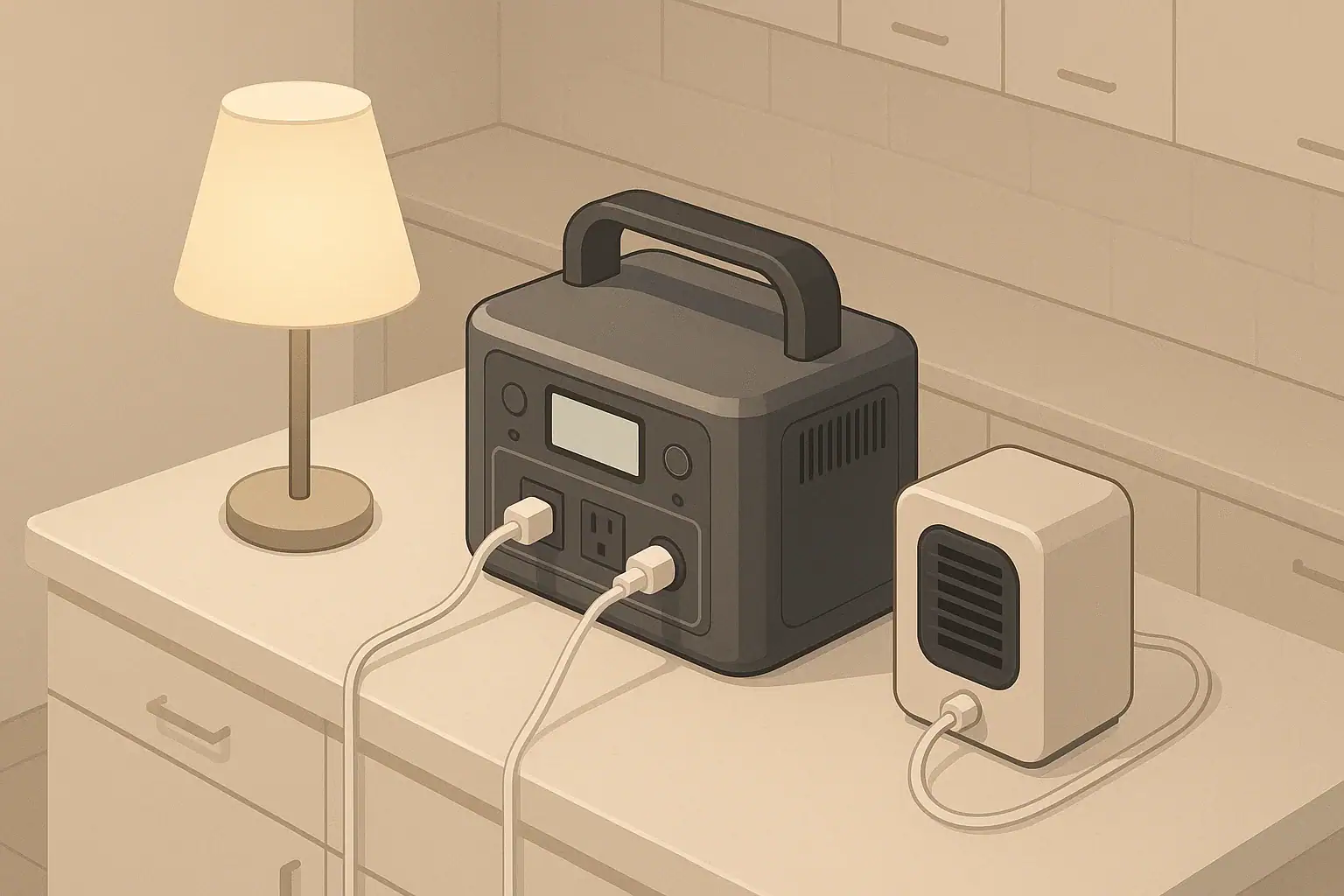
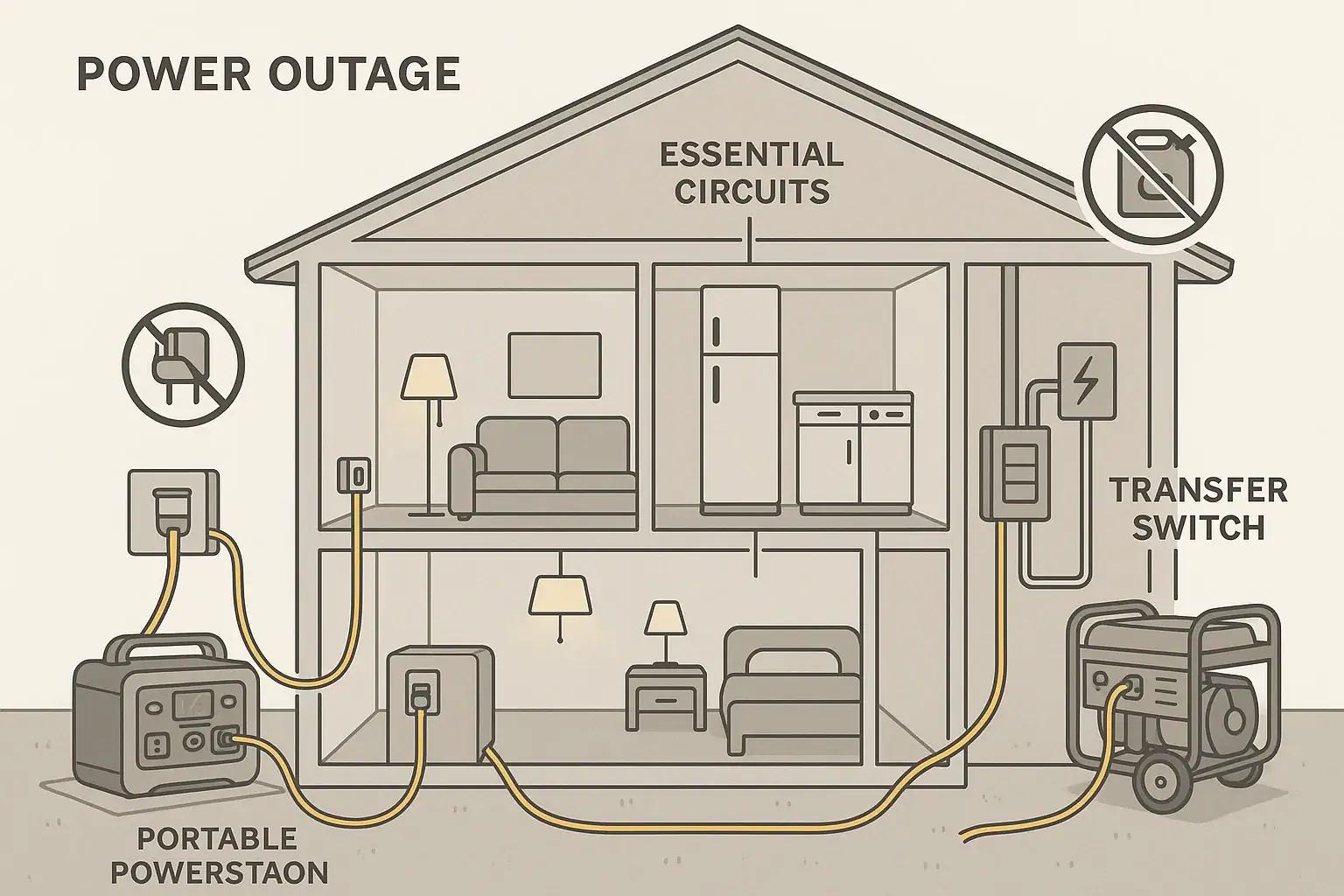
Home backup setup comparing a transfer switch with a portable power station and safer alternative connections.

Using a transfer switch with a portable power station is usually not recommended and is often unsafe unless the system is specifically designed and approved for that use. Instead, most homeowners should power essential devices directly from the power station or use other safe backup options. Understanding limits like continuous watts, surge watts, inverter rating, input limit, and runtime will help you plan a backup setup that matches your home needs without risking damage or backfeed.

Many people search for ways to connect a portable power station to a house panel the same way they would a gas generator. While the goals are similar—running fridges, lights, and maybe a furnace during an outage—the internal electronics, grounding, and output profiles of battery stations are very different. This article explains why transfer switches and power stations rarely mix, what safer alternatives exist, and which specs matter when you compare models for home backup.

By the end, you will know how these systems work, what loads you can realistically power, how to avoid common wiring mistakes, and which features to look for if you want a power station that fits into a broader emergency power plan.

What a Transfer Switch Does and Why It Matters With Portable Power Stations

A transfer switch is a device that safely switches a home’s selected circuits between utility power and a backup source, such as a generator. It prevents backfeeding the grid, isolates loads, and simplifies powering hardwired circuits like well pumps, furnaces, and some lighting circuits during an outage.

Portable power stations, however, are not just “quiet generators.” They are self-contained battery-inverter systems with specific limits on continuous output, surge output, grounding configuration, and allowable fault currents. Many are designed to power plug-in devices only, not to serve as a substitute for a permanently installed generator feeding a transfer switch.

This difference matters because transfer switches and home panels are designed around typical generator behavior: rotating machines with defined fault currents, neutral-ground bonding schemes, and breaker trip characteristics. A portable power station may not behave that way, which can affect breaker operation, shock protection, and even the station’s internal safety circuits.

In practice, this means that connecting a portable power station directly to a transfer switch or inlet without explicit approval from the power station’s manufacturer and a qualified electrician can:

  • Void warranties or violate electrical code
  • Create unsafe neutral or ground paths
  • Prevent breakers from tripping correctly during a fault
  • Stress the inverter by overloading multiple home circuits at once

For most homeowners, the safer default is to treat a portable power station as a high-capacity extension cord hub: plug in essential appliances directly, or use clearly rated power strips and cords, instead of trying to energize branch circuits through a transfer switch.

How Portable Power Stations and Transfer Switches Work Differently

To understand why transfer switches and portable power stations rarely pair well, it helps to compare how each system operates. A transfer switch is essentially an automatic or manual selector that routes power from either the utility or a backup source to a set of home circuits, while preventing the two sources from ever being connected at the same time.

Portable power stations, by contrast, convert stored DC energy from lithium or other battery chemistries into AC power using an inverter. The inverter’s waveform, surge capacity, and protection logic are tuned for typical appliance loads plugged directly into its outlets, not for feeding an entire branch-circuit network with many unknown combinations of loads.

Key differences include:

  • Output capacity: Power stations often provide hundreds to a few thousand watts of continuous output, far less than a typical home service. A transfer switch can connect multiple circuits whose combined draw can easily exceed the station’s inverter rating.
  • Fault current behavior: Traditional generators can deliver high short-circuit currents that rapidly trip breakers. Many inverters limit short-circuit current, which can slow or prevent breaker operation under some fault conditions.
  • Neutral and ground bonding: Some portable power stations have a floating neutral, some bond neutral to ground internally, and some expect bonding at the panel. Mismatches can lead to nuisance tripping, shock hazards, or code violations.
  • Output profile and waveform: Many power stations use pure sine wave inverters, but their total harmonic distortion and voltage regulation under sudden load changes may differ from conventional generators that transfer switches are designed to accommodate.
  • Charging behavior: Power stations may charge from wall outlets, solar, or vehicle ports. Incorrectly integrating charging sources into a transfer-switched system can create feedback paths or overload circuits.

Because of these factors, most portable power stations are intended for load-side connection only: you plug devices into the station, not the other way around. When a manufacturer does intend a power station to work with a transfer switch or home backup interface, it is usually clearly documented and may require a dedicated accessory or professionally installed interface.

FeatureTypical Generator + Transfer SwitchTypical Portable Power Station
Primary useFeed selected home circuitsPower plug-in devices directly
Continuous output3,000–10,000+ watts300–3,000 watts
Surge capabilityHigh mechanical surgeLimited by inverter electronics
Neutral/ground schemeDesigned for panel integrationVaries; often floating neutral
Fault currentHigh; trips breakers quicklyCurrent-limited by inverter
Typical connectionThrough transfer switch/inletDirect to devices/extension cords
Comparison of typical generator and portable power station behavior when used for home backup. Example values for illustration.

Real-World Backup Scenarios: When a Transfer Switch Helps and When It Does Not

In real homes, backup power needs fall into a few common patterns. Looking at these scenarios helps clarify where a transfer switch is useful and where a portable power station alone is a better fit.

Scenario 1: Whole-house or multi-circuit backup

A homeowner wants to keep a refrigerator, well pump, gas furnace blower, and several lighting circuits running. These loads are on different breakers, some hardwired, and may start at unpredictable times. A properly sized generator feeding a transfer switch is usually the right tool here, because it can handle high combined loads and starting surges, and the transfer switch safely isolates selected circuits.

A typical portable power station, even a larger one, is usually underpowered for this role if all those circuits are energized at once. Connecting such a station through the transfer switch could lead to overloads, tripped inverters, or incomplete protection if breakers do not trip as expected.

Scenario 2: Essential plug-in loads only

Another homeowner mainly wants to keep a refrigerator, a modem/router, phone chargers, a few LED lamps, and maybe a CPAP machine running. All of these use standard plugs and modest wattage. In this case, a portable power station is ideal when used directly with extension cords and plug-in power strips, with no transfer switch involved.

The user can manage loads manually, watching the station’s wattage display and battery percentage. Runtime can be extended by cycling appliances (for example, running the fridge intermittently) and prioritizing low-wattage devices.

Scenario 3: Mixed hardwired and plug-in loads

Some situations fall in between. For example, a home might have a gas furnace (hardwired), a fridge, and a few plug-in devices. Here are typical approaches:

  • Use a traditional generator with a transfer switch for the hardwired furnace and a few circuits.
  • Use a portable power station separately for sensitive electronics and low-watt plug-in loads.
  • In some cases, a qualified electrician may install a dedicated outlet or interconnection device for a specific hardwired appliance that can be safely powered by a power station, but this is specialized work and must follow local code and manufacturer guidance.

Trying to make a single portable power station do both jobs—feed a transfer switch and power plug-in loads—often stretches it beyond its intended design.

Scenario 4: Apartment or condo backup

In multi-unit buildings, residents often cannot install transfer switches or inlet boxes at all. Here, portable power stations shine because they require no panel work and can be used entirely inside the unit to power small appliances, communication gear, and medical devices (within their rating).

In these environments, transfer switches are usually not an option, so the question becomes how to size and use the power station effectively rather than how to integrate it with building wiring.

Common Mistakes When Pairing Power Stations and Home Circuits

Many of the riskiest mistakes happen when users try to make a portable power station behave like a generator without understanding the electrical differences. Recognizing these pitfalls can help you avoid damage and hazards.

Backfeeding through improvised cords

One of the most dangerous practices is using a “suicide cord” or improvised adapter to backfeed a home panel or transfer switch from a power station. This can energize circuits unexpectedly, expose live prongs, and create shock risks. It may also violate code and void insurance coverage in the event of a fire.

Overloading the inverter via multiple circuits

Even when a transfer switch is present, it is easy to overload a portable power station by energizing several home circuits at once. A refrigerator, microwave, space heater, and well pump starting together can exceed the inverter’s continuous or surge watts, causing shutdowns. Unlike a generator, a power station cannot tolerate sustained overloads.

Neutral and ground confusion

Some users attempt to “fix” nuisance tripping or odd behavior by adding jumpers between neutral and ground or modifying cords. This can defeat built-in protections, create parallel neutral paths, and increase shock risk. Neutral-ground bonding should only be configured according to manufacturer instructions and local code, typically by a licensed electrician.

Ignoring input and output limits

Another common issue is misunderstanding the difference between output rating and input limit. A power station may output 2,000 watts but only accept 400–800 watts of charging input. Trying to charge it through home circuits while simultaneously powering heavy loads can trip breakers, overheat cords, or cause the station to cycle unexpectedly.

Troubleshooting cues to watch for

If you experiment with home integration and see any of the following, stop and reassess the setup with a professional:

  • Frequent inverter overload alarms or automatic shutdowns
  • Breakers that do not trip even when a clear fault is present (for example, shorted cord)
  • Metal enclosures or appliance cases that feel tingly or show voltage on a non-contact tester
  • Unexpected behavior when switching between utility and backup sources

These are signs that the system is not behaving as intended and may be unsafe or non-compliant with electrical standards.

Safety Basics: Safer Alternatives to Using a Transfer Switch

For most homeowners, the safest approach is to avoid connecting a portable power station directly to a transfer switch or home panel unless the station and all accessories are specifically designed and approved for that purpose. Instead, focus on load-side solutions that keep the power station’s outlets as the primary source of power.

Direct plug-in approach

The simplest and safest method is to plug essential devices directly into the power station or into high-quality, properly rated extension cords and power strips. This keeps the station’s protections in play and avoids the complexity of panel wiring. Prioritize devices like refrigerators, routers, medical devices, and LED lighting.

Use of dedicated circuits or inlets (professionally installed)

In some homes, a qualified electrician can install dedicated outlets or inlets for specific loads that you want to power from a portable power station, such as a furnace or sump pump. These are usually isolated from the rest of the panel and clearly labeled. The electrician can ensure correct neutral and ground handling and verify that the load’s starting watts are within the station’s surge capacity.

While this may look similar to a transfer switch solution, the design is often simpler and tailored to the limited capacity and behavior of an inverter-based power source.

Parallel use with traditional generators

Another safe alternative is to use a traditional generator with a transfer switch for high-wattage and hardwired loads, while using a portable power station separately for sensitive electronics and smaller plug-in devices. This avoids pushing the power station into roles it was not designed for and can improve overall fuel efficiency by letting you shut down the generator when only light loads are needed.

General safety practices

  • Keep the power station in a dry, ventilated area away from flammable materials.
  • Use cords rated for the expected current and length; avoid daisy-chaining multiple strips.
  • Do not attempt to modify the power station, open its case, or bypass built-in protections.
  • Follow all manufacturer instructions regarding maximum load, charging sources, and operating temperature ranges.
  • Consult a licensed electrician before making any changes to home wiring or adding inlets, outlets, or switching devices.
MethodTypical UseRelative Safety
Direct plug-in to power stationFridge, electronics, small appliancesHigh when within ratings
Dedicated, electrician-installed inletSpecific hardwired load (e.g., furnace)High when properly designed
Transfer switch with generatorMultiple home circuits, higher loadsHigh when correctly installed
Backfeeding panel with improvised cordsAttempted whole-house backupLow; generally unsafe
Comparison of common backup connection methods and their typical safety levels. Example values for illustration.

Related guides: Extension Cords and Power Strips: Safe Practices With Portable Power StationsSurge Watts vs Running Watts: How to Size a Portable Power StationNeutral-Ground Bonding Explained for Portable Power Stations: When It Matters (and When It Doesn’t)

Maintenance, Storage, and Long-Term Reliability for Home Backup Use

Even if you never connect your portable power station to a transfer switch, how you maintain and store it has a direct impact on performance and safety during an outage. Treat it as a critical appliance, not a gadget you can forget in a closet.

Battery health and charge management

Most modern power stations use lithium-based batteries that prefer partial charge storage and moderate temperatures. Common practices to extend life include:

  • Storing the battery around 40–60% charge when not in use for long periods (if the manufacturer recommends it).
  • Avoiding full discharge to 0% whenever possible; shallow cycles are easier on the battery.
  • Keeping the unit in a cool, dry place away from direct sunlight and extreme heat or cold.

Check the state of charge every 1–3 months and top up as needed. Letting a power station sit fully depleted for long periods can permanently reduce capacity.

Exercise runs and load testing

Just as you would exercise a generator, it is wise to test your portable power station under realistic loads before you rely on it during a storm. Every few months:

  • Power up the station and run key devices (fridge, lights, electronics) for an hour or two.
  • Observe runtime, wattage draw, and any unusual noises or heat.
  • Verify that cords and strips stay cool and that breakers or resettable fuses do not trip.

This practice helps you confirm that the station still meets your expectations and that your load plan is realistic.

Inspecting cords and accessories

Even if you avoid transfer switches, extension cords and power strips are part of almost every backup setup. Periodically check for:

  • Cracked insulation, exposed conductors, or damaged plugs
  • Loose outlets or strips that no longer grip plugs firmly
  • Signs of overheating such as discoloration or soft spots

Replace any questionable accessories immediately. Poor connections can create hot spots and reduce the safety margin of your system.

Documentation and labeling

During an emergency, clear instructions matter. Consider:

  • Labeling which appliances should be powered by the station and which should not.
  • Keeping a simple load plan that lists approximate wattage for each device.
  • Storing manuals and key specifications (continuous watts, surge watts, capacity in Wh) in a waterproof sleeve near the station.

This preparation reduces the temptation to improvise unsafe connections or overload the inverter when the lights go out.

Key Takeaways and Specs to Look For in a Home-Ready Portable Power Station

For most households, using a transfer switch with a portable power station is neither necessary nor advisable unless the equipment is explicitly designed for that purpose and installed by a professional. Instead, think of the station as a flexible, plug-in backup source for essential loads, and pair it with a conventional generator and transfer switch if you need to power multiple circuits or hardwired equipment.

When choosing a portable power station for home backup, focus on how well it supports your real-world loads and how safely it fits into your overall power strategy, rather than on whether it can mimic a whole-house generator.

Specs to look for

  • Continuous AC output (watts): Look for enough capacity to cover your highest expected simultaneous load, often 500–2,000 watts for basic home backup. This determines what you can run at the same time without tripping the inverter.
  • Surge or peak output (watts): Choose a unit whose surge rating comfortably exceeds the starting watts of your largest motor load (for example, refrigerator or small pump). This helps prevent shutdowns when compressors or motors start.
  • Battery capacity (Wh or kWh): For outages, capacities from 500–2,000 Wh suit light loads, while 2–5 kWh or more support longer runtimes. Higher capacity means more hours of operation between charges at a given wattage.
  • AC outlet count and type: Multiple grounded outlets and, if needed, a higher-amperage outlet can simplify powering several devices without overloading strips. More outlets reduce the need for adapters and splitters.
  • Inverter waveform and quality: A pure sine wave inverter with low distortion is preferable for electronics and some appliances. Better waveform quality reduces noise, heat, and compatibility issues.
  • Input charging options and limit (watts): Look for flexible charging (wall, vehicle, solar) and a practical input range, often 200–1,000 watts. Faster charging lets you recover capacity quickly between outages or generator runs.
  • Display and monitoring: A clear display showing real-time watts in/out, remaining capacity, and estimated runtime makes load management easier and helps you avoid overloads.
  • Operating temperature range: Check that the unit can safely operate in the temperatures typical for your region, especially if you plan to use it in unconditioned spaces.
  • Safety certifications and protections: Look for overcurrent, overvoltage, overtemperature, and short-circuit protection, along with recognized safety certifications. These features add layers of protection when powering home devices.
  • Expandability and integration options: If you anticipate growing needs, consider whether the system supports expansion batteries or has approved interfaces for limited home backup use. This can provide a path to a more robust setup without unsafe improvisation.

By matching these specifications to your actual loads and respecting the limits of portable power stations, you can build a safer, more reliable backup plan that complements, rather than replaces, traditional transfer switch and generator solutions.

Frequently asked questions

What specs and features should I prioritize when choosing a portable power station for home backup?

Prioritize continuous AC output (watts) to cover simultaneous loads, surge/peak watts to handle motor starts, and battery capacity in watt-hours for runtime. Also consider inverter waveform quality, outlet types and count, input charging limits, and recognized safety protections or certifications.

Is it safe to backfeed my home panel with an adapter or improvised cord?

No. Backfeeding with improvised cords can energize circuits unintentionally, create shock hazards, and prevent utility-side isolation, and it often violates electrical code and insurance terms. Use only approved interconnection methods installed by a qualified electrician.

How can I safely use a portable power station during a power outage?

Use the station as a load-side device: plug appliances directly into its outlets or into properly rated extension cords, keep it in a dry, ventilated area, and monitor wattage to avoid overloads. For any panel connections or inlets, consult a licensed electrician to ensure safe wiring and compliance with local codes.

Can I power hardwired appliances like a furnace or well pump with a portable power station through a transfer switch?

Generally no, unless the station and the transfer switch or inlet are explicitly designed and approved for that use and installed by a professional. Hardwired loads often have high starting watts and require correct neutral/ground handling and fault-current characteristics that many portable inverters do not provide.

How do I estimate how long a portable power station will run my essential devices?

Add the wattage of the devices you plan to run to get a total load, then divide the station’s battery capacity in watt-hours by that load to estimate runtime. Allow for inverter losses and inefficiencies (often 10–20%) and remember that actual runtime will vary with cycling loads and starting surges.

Can a Portable Power Station Run a Dehumidifier? What to Check and Expect

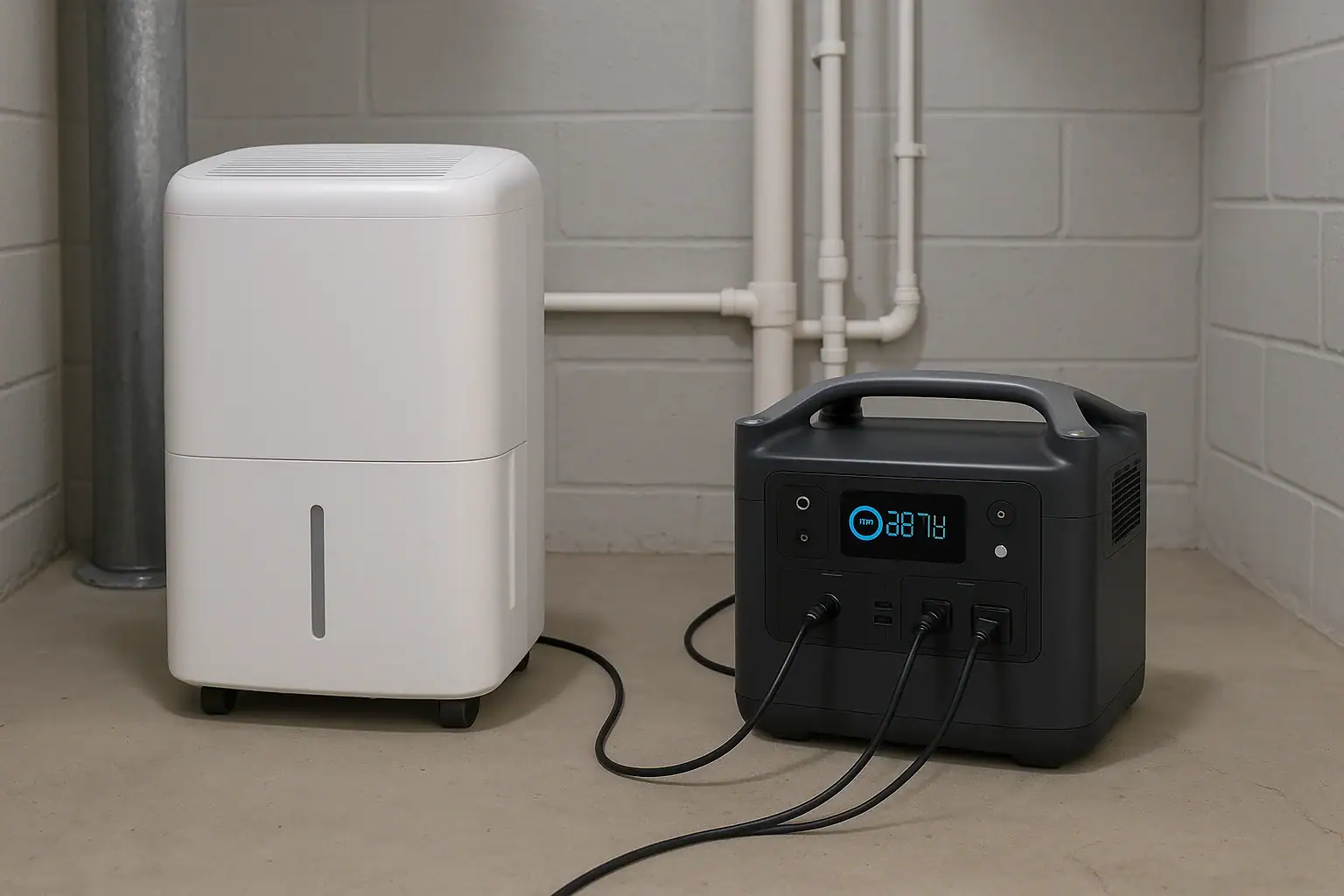
Portable power station running a home dehumidifier in a basement

Yes, a portable power station can run a dehumidifier, but only if its inverter output, surge watts, and battery capacity match the dehumidifier’s power draw. The main limits are continuous watt rating, startup surge, and expected runtime on a single charge.

Before you plug in, you need to check the dehumidifier’s wattage or amperage, the power station’s AC output limit, and the battery’s watt-hours. These details determine whether it will start reliably, how long it will run, and whether you risk overload shutdowns. Understanding surge watts, duty cycle, and efficiency losses will help you set realistic expectations for backup power, off-grid use, or humidity control during outages.

This guide walks through what to look at on both devices, how to estimate runtime, common issues like tripping overload protection, and the safety and maintenance basics to keep both your portable power station and dehumidifier working reliably.

Can a Portable Power Station Run a Dehumidifier and Why It Matters

A portable power station can usually run a small or mid-size dehumidifier, but not every combination will work. The match depends on three core factors: the dehumidifier’s power requirements, the power station’s inverter output (continuous and surge), and the battery capacity measured in watt-hours (Wh).

Most home dehumidifiers are designed for standard wall outlets, drawing anywhere from about 200 watts for compact units to 700 watts or more for large, high-capacity models. They also use a compressor or fan motor that needs a brief surge of power at startup. Portable power stations, in contrast, have a defined maximum AC output and a finite battery that drains faster as the load increases.

This matters for several reasons:

  • Outage planning: If you rely on a dehumidifier to control moisture in a basement or crawlspace, you need to know whether a power station can keep it running during blackouts.
  • Mold and moisture control: In damp climates, even a few days without humidity control can lead to mold growth, musty odors, and damage to stored items.
  • Off-grid and RV use: For cabins, RVs, or boats, matching your dehumidifier to your portable power station is key to avoiding drained batteries and tripped protection circuits.

Thinking in terms of watts and watt-hours instead of just “size” or “capacity” helps you answer a precise question: not just can your portable power station run a dehumidifier, but for how long and under what conditions.

Key Power Concepts: How Dehumidifiers and Portable Power Stations Match Up

To understand compatibility, you need a few basic power concepts and how they apply to both the dehumidifier and the portable power station.

Dehumidifier power ratings

Most dehumidifiers list one or more of the following on their labels or manuals:

  • Watts (W): The power the unit consumes while running. Typical home units range from about 200 W to 700 W.
  • Amps (A): The current draw. You can convert to watts using W = V × A. On a 120 V circuit, a 3 A unit uses roughly 360 W.
  • Voltage (V): In North America, standard plug-in dehumidifiers are usually 120 V AC.

Many compressor-based dehumidifiers also have a startup surge, sometimes 2–3 times higher than their running watts, as the compressor motor kicks on.

Portable power station output ratings

Portable power stations include built-in inverters that convert DC battery power to AC power. Key specs include:

  • Continuous AC output (W): The maximum wattage the power station can supply steadily. Your dehumidifier’s running watts must stay below this rating.
  • Surge or peak watts: A higher short-term rating that covers motor/compressor startup. Ideally, this should be at least 2–3 times the dehumidifier’s running watts for reliable starts.
  • AC voltage and waveform: Most home dehumidifiers expect 120 V pure sine wave AC. Many modern power stations provide this, but it is worth confirming in the specs.

Battery capacity and runtime

Portable power station batteries are rated in watt-hours (Wh). This number indicates how much energy the battery can store. To estimate runtime:

Estimated runtime (hours) ≈ Battery capacity (Wh) × Efficiency ÷ Load (W)

Because of inverter losses and other inefficiencies, a realistic efficiency factor is often around 0.8 (80%), though it varies by device and load.

For example, if you have a 1,000 Wh power station and a dehumidifier that draws 300 W while running:

  • Effective capacity ≈ 1,000 Wh × 0.8 = 800 Wh
  • Runtime ≈ 800 Wh ÷ 300 W ≈ 2.6 hours of active run time

Because dehumidifiers cycle on and off based on humidity (their duty cycle), the actual elapsed time may be longer. If it runs only half the time, your total elapsed time could be closer to 5 hours.

Duty cycle and humidity setpoints

Dehumidifiers do not usually run at full power continuously. Instead, they turn on when humidity rises above a setpoint and off when it drops below. In a very damp basement, the duty cycle may be high (70–90%). In a mildly humid room, it may be much lower (20–40%).

This cycling is why two homes with the same dehumidifier and power station can see very different runtimes. Ambient temperature, room size, and how leaky the space is to outside air all influence how often the compressor needs to run.

Device Typical Rating What It Means
Small dehumidifier 200–300 W running Often suitable for mid-size portable power stations
Medium dehumidifier 300–500 W running Needs higher continuous output and surge capacity
Large dehumidifier 500–800 W running Best paired with larger, higher-output power stations
Portable power station 500–2,000 W AC output Must exceed dehumidifier running watts and startup surge
Battery capacity 300–2,000+ Wh Higher Wh provides longer dehumidifier runtime
Example values for illustration.

Putting it together

To decide if your portable power station can run your dehumidifier, you need to confirm:

  • The dehumidifier’s running watts are below the station’s continuous AC output.
  • The station’s surge watts comfortably cover compressor startup.
  • The station’s battery capacity offers enough runtime for your needs, given how humid the space is.

Real-World Examples of Running a Dehumidifier on a Portable Power Station

Looking at a few realistic scenarios can help you understand what to expect in terms of compatibility and runtime.

Example 1: Small dehumidifier in a bedroom

Suppose you have a compact 25-pint dehumidifier rated at 220 W running, with an estimated startup surge around 400–500 W. You pair it with a portable power station rated for 600 W continuous output, 1,000 W surge, and 600 Wh of battery capacity.

  • Compatibility: The dehumidifier’s 220 W is well under the 600 W continuous rating, and the 1,000 W surge rating can easily handle startup.
  • Runtime: Effective capacity ≈ 600 Wh × 0.8 = 480 Wh. Runtime ≈ 480 ÷ 220 ≈ 2.2 hours of active run time.
  • Real-world use: If the unit cycles about 50% of the time in a moderately humid bedroom, you might see around 4–5 hours of total elapsed time before the battery is depleted.

Example 2: Medium dehumidifier in a basement

Now consider a 40–50 pint dehumidifier rated at 420 W running, with an estimated 900–1,200 W startup surge. You use a 1,000 Wh portable power station rated for 800 W continuous, 1,600 W surge.

  • Compatibility: The 420 W running draw fits within the 800 W continuous limit, and the 1,600 W surge capacity should cover compressor startup.
  • Runtime: Effective capacity ≈ 1,000 Wh × 0.8 = 800 Wh. Runtime ≈ 800 ÷ 420 ≈ 1.9 hours of active run time.
  • Real-world use: In a damp basement where the dehumidifier runs perhaps 70% of the time, you might see around 2.5–3 hours of total elapsed time.

Example 3: Large dehumidifier and undersized power station

Imagine a large 70-pint dehumidifier rated at 650 W running, with a 1,400–1,800 W startup surge. You try to run it on a 500 W continuous, 1,000 W surge portable power station with 800 Wh capacity.

  • Compatibility: The 650 W running draw already exceeds the 500 W continuous rating. Even if it briefly starts, the power station is likely to shut down or display overload errors.
  • Startup: The surge requirement can exceed 1,400 W, which is well above the 1,000 W surge rating. The unit may never start properly.
  • Outcome: In this case, the answer is effectively “no” — the portable power station is undersized for this dehumidifier.

Example 4: Partial-day humidity control during an outage

Suppose you only need to keep humidity in check during the most humid part of the day. You have a 300 W dehumidifier and a 1,500 Wh power station rated for 1,000 W continuous, 2,000 W surge.

  • Runtime: Effective capacity ≈ 1,500 Wh × 0.8 = 1,200 Wh. Runtime ≈ 1,200 ÷ 300 = 4 hours of active run time.
  • Strategy: You might run the dehumidifier for a few hours mid-day when humidity peaks, then switch it off to conserve battery. This can be enough to prevent the space from becoming excessively damp, even if you cannot run it around the clock.

These examples show that the same portable power station can be a good match for one dehumidifier and a poor match for another. The key is always to compare wattage, surge, and battery capacity to your specific humidity control needs.

Common Mistakes and Troubleshooting When Powering a Dehumidifier

When pairing a portable power station with a dehumidifier, several recurring mistakes lead to short runtimes, overloads, or failure to start. Recognizing these issues can help you troubleshoot quickly.

Mistake 1: Ignoring startup surge

Many people only look at the dehumidifier’s running watts and assume that if it is below the power station’s continuous rating, everything will work. In reality, the compressor may need 2–3 times that power for a second or two at startup.

Symptoms:

  • The dehumidifier clicks or hums but does not start.
  • The portable power station beeps, shows an overload message, or shuts off when the compressor tries to engage.

What to check: Confirm the power station’s surge rating and compare it to typical startup demands for similar-sized dehumidifiers. If your surge rating is marginal, the combination may be unreliable.

Mistake 2: Underestimating runtime needs

Another common issue is assuming a dehumidifier can run “all day” on a portable power station simply because the battery capacity seems large. High continuous loads drain batteries quickly.

Symptoms:

  • Battery depletes in a few hours instead of lasting through the day.
  • You must frequently recharge the power station, reducing its practicality during extended outages.

What to check: Use the runtime equation (capacity × efficiency ÷ watts) and factor in duty cycle. In very humid spaces, plan for a high duty cycle and shorter total runtime.

Mistake 3: Overloading with multiple devices

Plugging additional loads into the same portable power station — such as fans, lights, or a small fridge — can push total wattage over the continuous rating.

Symptoms:

  • Power station shuts off when multiple devices run together.
  • Display shows wattage close to or above the maximum output rating.

What to check: Add up the running watts of all connected devices. Keep the total comfortably below the continuous rating, and consider leaving headroom for surge events.

Mistake 4: Using long, undersized extension cords

Very long or thin extension cords can cause voltage drop and additional resistance, which may affect motor startup.

Symptoms:

  • Dehumidifier struggles to start or runs hot.
  • Cord feels warm to the touch under load.

What to check: Use a reasonably short, appropriately rated extension cord if you must use one, and avoid coiling cords tightly under load.

Mistake 5: Running in extreme temperatures

Both portable power stations and dehumidifiers have recommended operating temperature ranges. Very cold or hot conditions can affect performance, battery capacity, and compressor operation.

Symptoms:

  • Reduced runtime compared to expectations.
  • Dehumidifier freezing up or shutting off unexpectedly.

What to check: Ensure the space is within the operating temperature ranges listed in the manuals. Cold basements, in particular, can reduce both battery output and dehumidifier efficiency.

Safety Basics When Running a Dehumidifier on a Portable Power Station

Using a portable power station is generally safer and simpler than using fuel-powered generators, but you still need to follow basic electrical and operational safety practices.

Avoid overloading the inverter

Consistently running a power station near or above its rated output can trigger protective shutdowns and stress components over time.

  • Keep the dehumidifier’s running watts and any additional loads below the continuous rating.
  • Account for startup surges and leave some headroom rather than sizing right at the limit.

Use appropriate outlets and cords

Plug the dehumidifier into the power station’s AC outlet as you would a normal wall outlet.

  • Avoid daisy-chaining power strips or running multiple high-draw appliances from one outlet.
  • If an extension cord is necessary, use one rated for at least the dehumidifier’s current draw and keep it as short as practical.

Keep equipment dry and ventilated

Dehumidifiers often sit in damp locations, but portable power stations should be kept away from standing water and excessive moisture.

  • Place the power station on a stable, dry surface above floor level if the area is prone to minor flooding.
  • Ensure the power station has adequate ventilation around its vents to avoid overheating.

Do not modify wiring or bypass protections

Portable power stations and dehumidifiers include built-in protections for a reason. Avoid opening the cases, altering cords, or attempting to hard-wire the power station into household circuits.

  • If you need whole-home backup or complex wiring, consult a licensed electrician.
  • Rely on the power station’s standard AC outlets and follow manufacturer guidelines.

Monitor for heat and unusual behavior

During extended use, periodically check both devices.

  • Stop using the setup if you notice unusual smells, excessive heat, or intermittent shutdowns.
  • Allow the power station to cool if its fans run constantly or its case feels hot.

Battery charging safety

When recharging the portable power station, follow recommended charging methods and environments.

  • Avoid covering the unit while charging.
  • Charge in a dry, well-ventilated area within the suggested temperature range.
Safety Area Key Practice Why It Matters
Load management Stay below continuous and surge ratings Prevents overload shutdowns and component stress
Placement Keep power station dry and elevated Reduces risk in damp basements or utility rooms
Cabling Use properly rated cords Minimizes overheating and voltage drop
Ventilation Leave space around vents Helps maintain safe operating temperatures
Monitoring Check for heat, smells, shutdowns Early warning for potential problems
Example values for illustration.

Related guides: Portable Power Station Buying GuidePortable Power Station Terminology ExplainedHow to Estimate Runtime for Any Device: A Simple Wh Formula + 5 Worked Examples

Maintenance and Storage Tips for Reliable Operation

To get consistent performance when running a dehumidifier from a portable power station, both devices need basic care and proper storage.

Maintaining the dehumidifier

  • Clean the air filter: A clogged filter forces the fan and compressor to work harder, increasing power draw and shortening runtime. Check and clean or replace the filter according to the manufacturer’s schedule.
  • Keep coils and vents clear: Dust and debris on the coils or intake/exhaust vents can reduce efficiency. Gently vacuum or wipe accessible areas while the unit is unplugged.
  • Manage drainage: Ensure that the bucket or drain hose is positioned correctly to avoid leaks near the power station. Spills and standing water increase risk around electrical equipment.
  • Check for icing: In cooler spaces, coils can ice up, causing the compressor to cycle inefficiently. If you see ice, allow the unit to defrost and review temperature and airflow conditions.

Maintaining the portable power station

  • Periodic charging: Lithium-based batteries generally last longer if they are not stored completely full or empty for long periods. Many manufacturers recommend storing around a partial charge and topping up every few months.
  • Firmware and settings: Some portable power stations allow firmware updates or configuration of eco modes and output settings. Keeping these up to date can improve efficiency and compatibility.
  • Keep ports clean: Dust or moisture in AC outlets and DC ports can cause poor connections. Inspect and gently clean if necessary while the unit is off.

Storage conditions

  • Temperature: Store both the power station and dehumidifier in a dry, moderate-temperature environment when not in use. Extreme heat or cold can degrade batteries and plastic components.
  • Humidity: Ironically, long-term storage in very damp areas can damage electronics. If your basement is very humid, consider storing the power station in a drier part of the home when it is not actively in use.
  • Physical protection: Avoid stacking heavy items on top of the power station or its cords. Keep the dehumidifier upright to protect internal components.

Testing before outages

Do not wait for a storm or extended outage to find out whether your setup works.

  • Periodically test the dehumidifier on the portable power station under normal conditions.
  • Observe startup behavior, wattage draw, and approximate runtime so you can plan realistically when you need backup power.

Practical Takeaways and Specs to Look For

Running a dehumidifier on a portable power station is entirely feasible, but it requires matching the right appliance to the right power source and setting realistic expectations for runtime. Small and medium dehumidifiers are generally better candidates than large, high-draw units, especially if your power station has modest output and battery capacity.

Think in terms of energy and load: wattage for compatibility, watt-hours for runtime, and duty cycle for how your specific space behaves. Pay attention to surge requirements, avoid overloading with extra devices, and use safe placement and cabling practices, particularly in damp basements or crawlspaces.

Specs to look for

  • Continuous AC output (W): Look for a rating at least 25–50% higher than your dehumidifier’s running watts (for example, 600–800 W output for a 400 W unit) so it can run comfortably without constant overload risk.
  • Surge/peak watt rating: Choose a power station with surge capacity roughly 2–3 times the dehumidifier’s running watts (for example, 1,200–1,500 W surge for a 500 W unit) to handle compressor startup reliably.
  • Battery capacity (Wh): For meaningful runtime, look for at least 500–1,000 Wh for small units and 1,000–2,000 Wh or more for medium units; higher Wh directly translates into longer dehumidifier operation between charges.
  • AC waveform and voltage: Prefer pure sine wave 120 V AC output, which closely mimics household power and is better suited for compressor motors and electronics inside dehumidifiers.
  • Inverter efficiency: Higher efficiency (often around 80–90%) means more of the stored energy becomes usable runtime; this can add noticeable extra operating time over the life of the system.
  • Display and monitoring: A clear wattage and remaining-time display helps you see real-time load and adjust usage, preventing unexpected shutdowns and allowing better planning during outages.
  • Operating temperature range: Check that the power station’s recommended operating range matches the environment where you will run the dehumidifier, especially in cool basements or warm utility rooms.
  • AC outlet count and rating: Ensure there are enough outlets and that each is rated for the dehumidifier’s current draw, leaving room for low-wattage accessories like a small fan or light if needed.
  • Recharge options and speed: Faster AC charging or solar input capability can be useful if you need to run the dehumidifier day after day during extended outages or off-grid stays.

By comparing these specs with your dehumidifier’s label and your humidity control needs, you can determine whether a portable power station will be a practical and reliable way to keep your space dry when grid power is unavailable.

Frequently asked questions

What specifications and features should I check when pairing a portable power station with a dehumidifier?

Check the power station’s continuous AC output, surge/peak watt rating, battery capacity in watt-hours, AC waveform (prefer pure sine wave), and inverter efficiency. Also confirm outlet ratings and the unit’s operating temperature range to ensure reliable starts and expected runtime.

How do I calculate how long a portable power station will run a dehumidifier?

Estimate runtime using (battery Wh × efficiency) ÷ running watts, then factor in the dehumidifier’s duty cycle since it cycles on and off. Typical efficiency assumptions are around 0.8–0.9; adjusting for duty cycle gives elapsed time rather than just active runtime.

Why won’t my dehumidifier start when plugged into a portable power station?

Often the power station lacks sufficient surge capacity to handle the compressor’s startup current, causing the inverter to click or shut down. Voltage drop from an undersized or long extension cord and protective overload features can also prevent startup.

Is it safe to place a portable power station in a damp basement while running a dehumidifier?

Keep the power station on a dry, elevated surface with adequate ventilation and away from standing water or dripping hoses; moisture exposure increases risk to battery and electronics. Follow the manufacturer’s recommended operating ranges and avoid covering vents or placing the unit in direct contact with damp surfaces.

Can I run other appliances at the same time as my dehumidifier on the same power station?

Yes, if the combined running watts stay comfortably below the station’s continuous rating and you leave headroom for surge events; add the wattage of all connected devices to verify. Running multiple high-draw appliances together will shorten runtime and can trigger overload protections.

Will cold temperatures affect battery life and the dehumidifier’s performance?

Cold temperatures reduce battery capacity and can cause dehumidifier coils to ice up, which decreases effectiveness and may increase runtime. Check both devices’ recommended temperature ranges and avoid operating them outside those limits when possible.

Electric Blanket on a Power Station: Realistic Runtime and Safety Notes

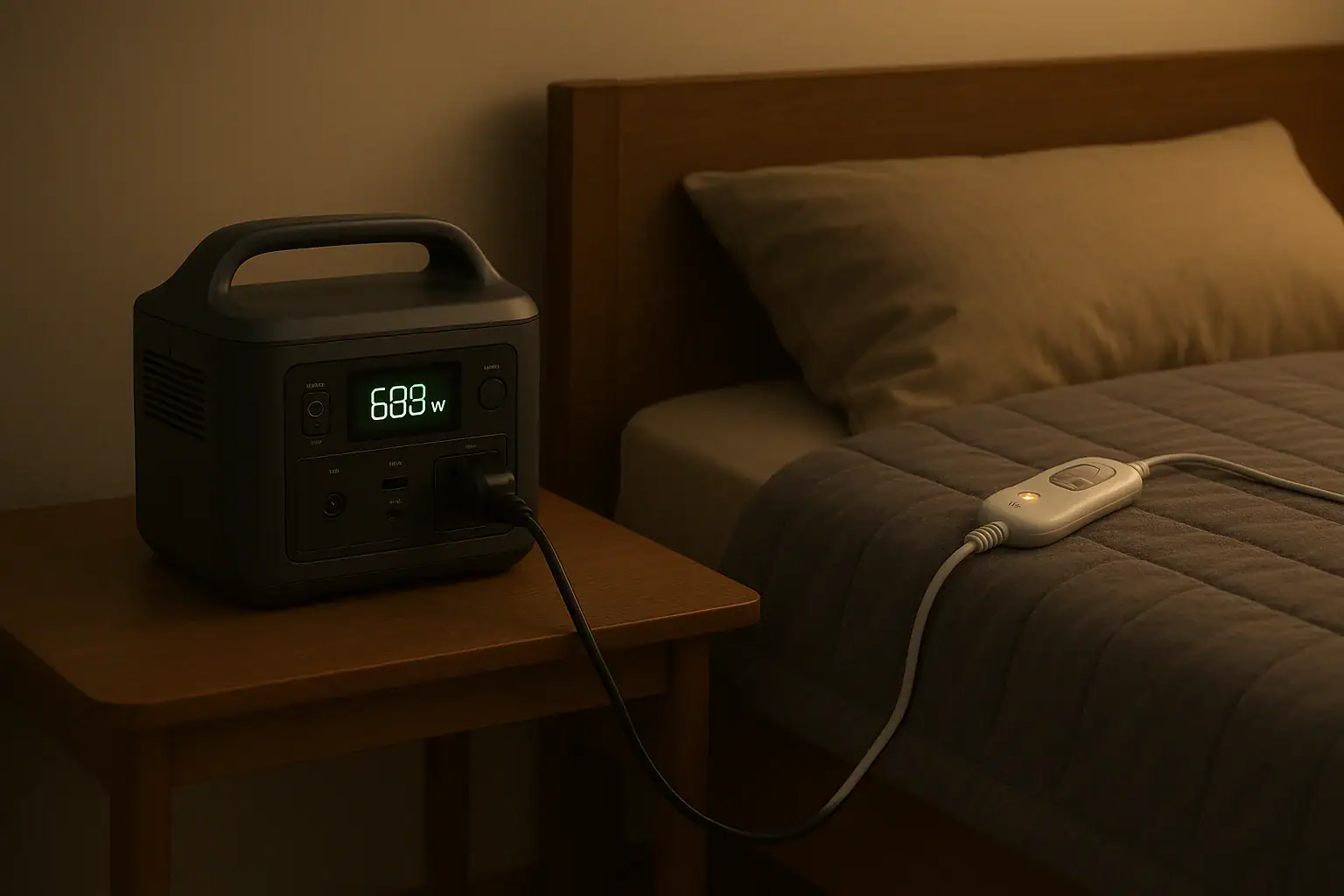
Portable power station running an electric blanket beside a bed

Most electric blankets can safely run on a compatible portable power station, but actual runtime is often much shorter than people expect and depends on wattage, battery capacity, and inverter efficiency. Understanding power draw, surge watts, and realistic runtime helps you avoid mid‑night shutdowns and overheating risks.

People search for terms like electric blanket runtime, Wh calculator, inverter limits, low‑power mode, and continuous output because they want to know if their power station can handle overnight heating. This guide explains how the setup works, how to estimate hours of use, and which safety notes matter most when you plug a heated throw or blanket into a battery-powered unit at home.

Below you will find clear explanations, example calculations, common overheating and shutdown causes, and a checklist of specs to look for when matching an electric blanket to a portable power station.

Using an Electric Blanket on a Power Station: What It Means and Why It Matters

Running an electric blanket on a portable power station simply means using stored battery energy to power a resistive heating device through the station’s AC outlet or DC output. Instead of plugging into a wall receptacle, you are plugging into a battery-backed inverter.

This matters for two main reasons: energy limits and safety limits. A home outlet can deliver power continuously as long as the grid is active. A power station, by contrast, has a fixed battery capacity (in watt-hours) and an inverter with a maximum continuous watt rating. Your blanket’s power draw (watts) and the time you run it directly drain that stored energy.

For home use—such as staying warm during outages, sleeping in a cool room without turning up the central heat, or heating a single bed in a shared house—knowing realistic runtime prevents disappointment and potential misuse. If the blanket demands more watts than the inverter can supply, the power station may shut down. If the blanket runs for too long on a nearly depleted battery, voltage can sag, again causing automatic shutdown.

On the safety side, a portable power station adds electronic protections (overload, short circuit, over-temperature), but you still need to respect the blanket’s own safety instructions. Using the wrong mode, covering the controller, or bunching the blanket too tightly can increase fire risk even if the power station itself is operating within spec.

Key Power Concepts: Watts, Watt-Hours, and How Runtime Is Determined

To understand how long an electric blanket can run on a power station, you need three basic numbers: blanket wattage, battery capacity, and inverter efficiency. Together, they explain why some people get only a few hours of runtime while others manage most of the night.

Blanket wattage (W) is the power draw. Many full-size electric blankets use roughly 60–120 W on a medium setting, while smaller throws may be in the 40–80 W range. Dual-zone blankets can draw more when both sides are on high. The label on the controller or tag usually lists a maximum watt rating or amperage at a given voltage.

Battery capacity (Wh) on the power station tells you how much energy is stored. A unit rated around 300 Wh has roughly enough energy to run a 100 W load for about 3 hours in ideal conditions. Larger home-focused stations may be 700–2000 Wh or more, extending runtime significantly.

Inverter efficiency describes how much energy is lost converting DC battery power to AC for your blanket. Typical efficiencies are around 80–90%. That loss means you cannot just divide Wh by blanket watts; you must also account for the overhead of the inverter and any idle consumption.

A simple runtime estimate is:

Estimated runtime (hours) ≈ (Battery Wh × 0.8 to 0.9) ÷ Blanket watts

For example, a 500 Wh power station with 85% efficiency powering a 70 W blanket would be: (500 × 0.85) ÷ 70 ≈ 6.1 hours. Real-world results may be lower due to cycling between heat levels, ambient temperature, and how the blanket’s thermostat behaves.

Two more concepts matter:

  • Continuous vs. surge watts: Electric blankets are resistive loads and typically do not have large startup surges like compressors, but the inverter’s continuous rating must still exceed the blanket’s maximum wattage.
  • Low-power cutoffs: Some power stations shut off automatically when load is very low. If your blanket’s controller cycles down or idles at low power, it may trigger these cutoffs, causing unexpected shutdown.

Understanding these basics lets you predict whether your power station can handle overnight heating or only a few hours of comfort before recharge.

Battery capacity (Wh)Blanket power (W)Efficiency factorEstimated runtime (hours)
300 Wh60 W0.85≈ 4.3 hours
500 Wh80 W0.85≈ 5.3 hours
1000 Wh100 W0.85≈ 8.5 hours
1500 Wh120 W0.85≈ 10.6 hours
Estimated electric blanket runtime on a portable power station. Example values for illustration.

How Controller Settings Affect Power Draw

Electric blankets rarely pull their full rated wattage continuously. Most use internal thermostats or pulse-width modulation to cycle power on and off and keep a set temperature. Higher settings keep the heating elements energized more often, increasing average watt draw and reducing runtime.

Using a lower heat setting, preheating the bed before sleep, and then switching to a maintenance level can significantly extend runtime. For instance, a 100 W blanket that averages only 50 W over the night due to cycling may effectively double the runtime compared with a constant 100 W draw.

However, do not assume the average draw is always half or less; it depends on room temperature, bedding insulation, and how often you adjust the control. The safest approach is to treat the label wattage as a worst-case number and calculate runtime from there, then expect a modest improvement in practice.

Realistic Runtime Examples for Home Use

Putting numbers into context helps set realistic expectations for using an electric blanket on a power station at home. Below are illustrative scenarios using common blanket wattages and portable power station sizes.

Scenario 1: Small throw blanket on a compact power station

Imagine a 50 W heated throw and a 300 Wh power station. Applying the earlier formula with 85% efficiency:

  • Usable energy ≈ 300 Wh × 0.85 = 255 Wh
  • Runtime ≈ 255 Wh ÷ 50 W = 5.1 hours

In a cool but not freezing room, the controller may cycle, so you might see around 5–6 hours of warmth. This is usually enough for an evening on the couch, but not a full night’s sleep.

Scenario 2: Full-size blanket overnight on a mid-size station

Consider a 90 W queen-size blanket and a 700 Wh power station:

  • Usable energy ≈ 700 Wh × 0.85 = 595 Wh
  • Runtime ≈ 595 Wh ÷ 90 W ≈ 6.6 hours

If you preheat the bed on high for 30–60 minutes and then drop to a low or medium setting, the average draw might fall to 50–70 W. In that case, you might achieve 7–9 hours, but you should not plan on more than a single night without recharging.

Scenario 3: Dual-zone blanket with both sides on

A dual-zone blanket might be rated at 2 × 70 W (140 W total). With a 1000 Wh power station:

  • Usable energy ≈ 1000 Wh × 0.85 = 850 Wh
  • Runtime ≈ 850 Wh ÷ 140 W ≈ 6.1 hours

That is often enough for the coldest part of the night, but if both users run high settings continuously, the power station may shut off before morning. Using separate low or medium settings, or staggering usage, can stretch runtime closer to an 8-hour window.

Scenario 4: Power-saving strategy during outages

During a home power outage, many people want to conserve battery capacity. One approach is to preheat the bed for 30–45 minutes, then turn off the blanket for part of the night, relying on insulation from blankets and comforters. In this case, a 500–700 Wh unit can potentially provide multiple nights of partial use instead of a single full night on constant heat.

Real-world runtime is also influenced by ambient temperature. In very cold rooms, the controller may stay on more frequently to maintain temperature, increasing average watt draw. In milder conditions, it cycles less, effectively extending the usable hours even beyond simple calculations.

Common Mistakes, Short Runtime, and Troubleshooting Clues

Many users are surprised when their electric blanket drains a power station faster than expected or causes it to shut down unexpectedly. Most issues fall into a few repeatable patterns.

1. Overestimating battery capacity

People often divide battery Wh by blanket watts without considering inverter efficiency or reserve margins. This leads to optimistic runtime estimates. If your 500 Wh station seems to last only 4 hours instead of the 6–7 you expected, efficiency losses and higher-than-assumed average watt draw are likely responsible.

2. Ignoring controller and idle draw

Controllers and displays consume power even when the blanket is not heating at full strength. Some power stations also have their own idle draw to keep the inverter active. Over long periods, these small loads add up, especially on smaller-capacity units.

3. Using incompatible outputs

Most electric blankets are designed for AC mains voltage. Plugging them into a low-voltage DC port or a USB output using improvised adapters can cause malfunction or overcurrent. Always match the blanket’s voltage and plug type to the appropriate AC outlet on the power station, unless the blanket is specifically designed for DC use.

4. Overloading the inverter

While a single blanket rarely exceeds a few hundred watts, combining multiple heating devices—such as a blanket plus a space heater—can exceed the inverter’s continuous rating. Symptoms include immediate shutdown, overload error messages, or repeated restart attempts.

5. Low-load auto shutoff

Some power stations turn off AC output when they detect very low load for a certain period. If your blanket’s controller cycles down to a very small draw, the station may interpret this as “no load” and shut off. If you notice the blanket turning cold even though the battery gauge still shows plenty of charge, check whether a low-load timeout feature is active and whether it can be disabled.

6. Overheating or hot spots

Users sometimes fold or bunch the blanket to concentrate warmth, but this can create hot spots and trigger the blanket’s internal safety cutoff or the power station’s overcurrent protection. If you feel unusually hot areas, smell anything odd, or see discoloration, disconnect immediately and inspect the blanket per the manufacturer’s instructions.

When troubleshooting, look for indicators on the power station’s display: output watts, error codes, battery percentage, and whether AC output is enabled. These clues often point directly to either an overload, an under-voltage shutdown, or an auto-off feature rather than a defective blanket.

Safety Basics When Powering an Electric Blanket from a Portable Station

Using an electric blanket on a portable power station can be safe when you understand and respect the limits of both devices. The goal is to stay warm without creating fire hazards or stressing the battery system.

Follow the blanket’s safety instructions

Electric blankets typically include warnings about folding, tucking, and covering. These apply regardless of the power source. Keep the blanket flat and avoid placing heavy items on top that could trap heat. Do not use pins, clips, or anything that might damage heating wires.

Use the correct outlet and rated voltage

Only plug the blanket into an outlet that matches its voltage and plug type. If the blanket is designed for standard household AC, use the AC output of the power station. Avoid adapters that change voltage unless they are specifically rated and appropriate for the load.

Monitor for excessive heat

Check the blanket and controller periodically, especially during the first few uses with a power station. The blanket should feel warm but not scorching, and the controller should not become uncomfortably hot. If anything feels abnormal, turn everything off and inspect.

Keep ventilation around the power station

Portable power stations contain batteries and inverters that may generate heat under continuous load. Place the unit on a stable, dry surface with good airflow. Do not cover it with bedding, clothing, or curtains. Obstructed vents can lead to thermal shutdown or, in extreme cases, damage.

Avoid extension cords and daisy-chaining

Using long, thin, or coiled extension cords can introduce additional resistance and heat. When possible, plug the blanket directly into the power station or use a short, properly rated extension cord laid out flat. Never daisy-chain multiple power strips or adapters.

Do not leave damaged blankets in service

If the blanket shows signs of wear—exposed wires, frayed fabric, broken controllers—retire it. A portable power station’s protections cannot compensate for a compromised heating element or damaged insulation.

Supervise vulnerable users

For children, older adults, or anyone who may not sense overheating or move away from hot areas, extra supervision is important. Consider using lower heat settings and timers to reduce the risk of prolonged exposure.

Maintaining Your Power Station and Blanket for Reliable Home Use

Good maintenance practices extend both runtime performance and safety when pairing an electric blanket with a portable power station at home.

For the portable power station:

  • Keep the battery within recommended charge ranges: Avoid leaving the battery at 0% or 100% for long periods. For long-term storage, many units perform best around 40–60% state of charge.
  • Store in a cool, dry place: High temperatures accelerate battery aging. Do not leave the power station in hot attics, near heaters, or in direct sun.
  • Exercise the battery periodically: If you only use the station during rare outages, run a moderate load like an electric blanket for a few hours every few months, then recharge. This helps keep the battery management system active and healthy.
  • Keep vents and fans clear: Dust and lint can accumulate in vents, especially in bedrooms. Gently clean around intake and exhaust areas to maintain cooling performance.
  • Use appropriate charging sources: Stick to charging methods and voltages specified by the manufacturer. Avoid improvised chargers that could overvoltage or stress the battery.

For the electric blanket:

  • Inspect before seasonal use: Before winter, check the blanket for kinks, worn spots, or damaged cords. Run it briefly on a low setting and feel for even heating.
  • Follow cleaning instructions: Many blankets allow gentle machine washing after disconnecting the controller, but harsh washing or drying can damage internal wires. Always follow the care label.
  • Avoid tight folding and sharp bends: When storing, roll or loosely fold the blanket to avoid sharp creases that strain heating elements.
  • Use timers where appropriate: Built-in or external timers can limit runtime and reduce wear on both the blanket and the power station by avoiding unnecessary all-night operation.

Combining these habits helps ensure that, when you do need warmth from battery power—whether during an outage or for targeted heating—you get predictable performance and minimize the risk of sudden failure.

ItemMaintenance actionSuggested frequency
Power station batteryCharge to 40–60% for storageBefore off-season storage
Power station operationRun a moderate load (e.g., blanket) then rechargeEvery 3–6 months
Electric blanket fabric and wiringInspect for damage or hot spotsAt the start of each heating season
Blanket cleaningWash per care label, dry fullyAs needed, usually 1–2 times per season
Basic maintenance routine for a power station and electric blanket. Example values for illustration.

Related guides: Portable Power Station Buying GuideHow to Estimate Runtime for Any Device: A Simple Wh Formula + 5 Worked ExamplesIndoor Use Safety: Ventilation, Heat, and Fire-Prevention Basics

Practical Takeaways and Specs to Look For When Pairing an Electric Blanket with a Power Station

Using an electric blanket on a portable power station at home is practical when you align blanket wattage, battery capacity, and safety practices. For short evening use, even small stations can provide several hours of comfort. For full-night heating or multi-night outages, you need larger capacity, conservative settings, and good energy management.

Start by confirming the blanket’s wattage and ensuring it is well below the power station’s continuous AC output rating. Estimate runtime using battery Wh and an efficiency factor, then plan for a bit less in real-world use. Use lower heat settings, preheat strategically, and avoid combining multiple high-draw heaters on the same small power station.

Safety-wise, treat the blanket as you would on grid power: keep it flat, undamaged, and properly supervised. Keep the power station ventilated and avoid covering it with bedding. Maintain both devices seasonally so they are ready when needed.

Specs to look for

  • Battery capacity (Wh) – Look for enough capacity to cover your target hours: for example, 500–1000 Wh for 4–8 hours with a 60–100 W blanket. More Wh means longer runtime between charges.
  • AC inverter continuous output (W) – Choose an inverter with at least 1.5–2× your blanket’s maximum wattage (e.g., 200–300 W for a 100 W blanket) to avoid overloads and allow for additional small devices.
  • Inverter efficiency and idle draw – Higher efficiency (around 85–90%) and low idle consumption improve runtime. This matters most on smaller stations where every watt-hour counts.
  • AC output voltage and waveform – A pure sine wave AC output at standard household voltage helps ensure compatible, stable operation with modern electronic controllers.
  • Low-load auto shutoff behavior – Check whether the power station can keep AC on with low loads or allows disabling auto-off. This prevents blankets that cycle to low power from triggering unwanted shutdown.
  • Battery chemistry and cycle life – Chemistries with higher cycle ratings (e.g., thousands of cycles) hold up better to repeated seasonal use for heating, preserving capacity over time.
  • Thermal management and ventilation – Built-in fans and clear venting help the station handle continuous loads like blankets without overheating or derating.
  • Display and monitoring features – A clear screen showing real-time watts, remaining percentage, and estimated runtime helps you manage energy and avoid unexpected cutoffs in the middle of the night.
  • Built-in protections – Overload, short-circuit, over-temperature, and low-voltage protections add a layer of safety when running resistive heating devices for extended periods.

By checking these specs and applying the runtime concepts above, you can confidently match an electric blanket to a suitable portable power station for comfortable, controlled home heating when grid power is limited or when you simply want targeted warmth.

Frequently asked questions

Which power station specs and features matter most when running an electric blanket?

Prioritize battery capacity (Wh) for runtime, the inverter’s continuous output rating (W) so it comfortably exceeds the blanket’s maximum draw, and inverter efficiency/idle draw to reduce losses. Also check low-load auto-off behavior, ventilation/thermal management, waveform (pure sine preferred), and built-in protections like over-temperature and overload. A clear display that shows real-time watts and remaining runtime is helpful for management.

What common mistakes cause shorter-than-expected runtime?

Frequent errors include dividing battery Wh by blanket watts without accounting for inverter efficiency, ignoring controller cycling and idle draw, and combining multiple high-draw devices on one inverter. Using the wrong output type or triggering low-load auto-shutoff by running at very low average power also shortens usable time.

Is it safe to run an electric blanket on a power station overnight?

It can be safe if the power station and blanket are compatible and you follow safety practices: keep the blanket flat and undamaged, use the correct AC outlet, provide ventilation for the station, and monitor for excessive heat. Avoid damaged blankets, do not cover the power station, and supervise vulnerable users or use timers to reduce continuous operation.

How can I extend runtime without buying a larger power station?

Preheat the bed briefly on a higher setting then lower to a maintenance level, use additional insulating bedding, set timers, and avoid running other loads simultaneously. Choosing lower blanket settings and improving room insulation are simple ways to reduce average draw and stretch battery life.

Will running an electric blanket damage the power station’s battery over time?

Regular use consumes charge cycles like any load, so frequent deep discharges can reduce long-term battery capacity depending on chemistry and cycle life. Maintaining moderate charge ranges, avoiding repeated full discharges, and storing the unit in recommended conditions helps preserve battery health.

How do I tell if my power station will shut off due to low-load auto-off when using a blanket?

Check the user manual or settings for low-load auto-off thresholds and whether that feature can be disabled. You can also observe the station while the blanket cycles: if AC output turns off when the blanket is in a low-power state, the station’s low-load timeout is likely active and may require a workaround or a unit with a lower cutoff.

Portable Power Station for a Garage Door Opener and Gate: What Actually Matters

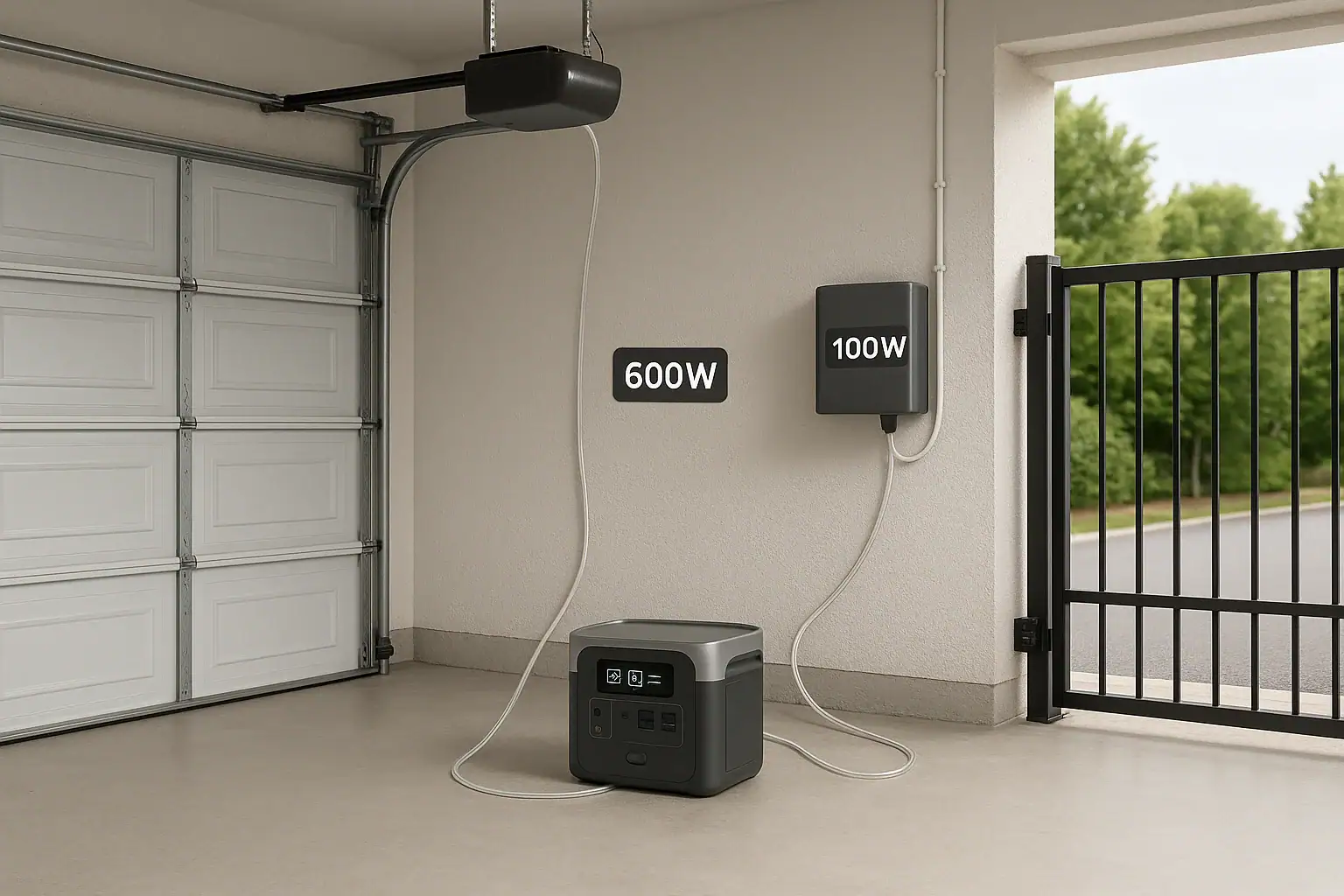
Portable power station powering a garage door opener and driveway gate in a home garage

A portable power station can run a typical garage door opener or gate motor if it can handle the startup surge watts and has enough watt-hours for the runtime you need. The key is matching inverter output, surge capacity, and battery size to your opener’s power draw and duty cycle.

When people search how to power a garage door with a battery backup, they are usually trying to solve a power outage problem, estimate runtime, or understand why an inverter trips on startup. Terms like continuous watts, peak surge, motor inrush current, amp draw, and watt-hour capacity all decide whether your setup actually works in real life.

This guide explains how portable power stations interact with garage door openers and automatic gates, how to estimate runtime, why some units shut down under load, and what specs really matter so you can choose and use one safely and effectively.

What It Means to Power a Garage Door Opener or Gate with a Portable Power Station

Using a portable power station for a garage door opener or gate means supplying AC power from a battery-based inverter instead of the utility grid. The power station converts stored DC energy in its battery into 120 V AC (in most North American homes) through an inverter, then feeds that to the opener or gate controller through a standard outlet.

This matters because garage door openers and gate motors are not simple constant loads. They are motor-driven devices with a short, high-current inrush at startup and a lower running draw while moving. That behavior stresses the inverter differently than, for example, a laptop charger or LED light.

To get a useful, reliable setup, three things have to line up:

  • Electrical compatibility: Voltage, plug type, and waveform must match what the opener expects.
  • Power capacity: The power station must handle both the surge watts at startup and the continuous watts while running.
  • Energy capacity: The battery must have enough watt-hours (Wh) to open or close the door or gate as many times as you need during an outage.

When those elements are balanced, a portable power station can act like a flexible, reusable backup battery for your access points, letting you get vehicles in and out even when the grid is down.

Key Power Concepts: Watts, Surge, and Runtime for Doors and Gates

To match a portable power station to a garage door opener or gate, you need to understand a few basic electrical concepts and how they apply to motor loads.

Continuous watts vs. surge watts

Continuous watts (or rated watts) describe how much power the inverter can supply steadily. Garage door openers often list a horsepower rating, but the actual electrical draw in watts is usually much lower than people assume.

Surge watts (or peak watts) describe how much short-term power the inverter can deliver for a brief period, usually a few seconds. Motorized devices like openers draw a high inrush current when they start moving. That spike can be 2–3 times the running watts, sometimes more for older or poorly lubricated systems.

If the surge exceeds the portable power station’s limit, the inverter may shut down, alarm, or fail to start the motor at all.

Estimating power draw from horsepower and amps

Many garage door openers are labeled in horsepower (HP). A rough conversion is:

Watts ≈ HP × 746 ÷ efficiency

But nameplate current (amps) is usually a better guide. For a 120 V system:

Watts ≈ Volts × Amps

So an opener nameplate of 4 A at 120 V suggests around 480 W running draw, with perhaps 800–1,000 W peak on startup. Gate motors may list similar or slightly higher current, depending on gate size and mechanism.

Watt-hours and how many cycles you get

Watt-hours (Wh) describe stored energy. If a power station is rated at 500 Wh and your opener uses 500 W while moving, you might think you only get one hour of continuous motion. But doors and gates run only for seconds per cycle.

For example, if a garage door uses 500 W for 15 seconds to open and 15 seconds to close, that is 30 seconds of runtime:

  • Power: 500 W
  • Time: 0.5 minutes (30 seconds) = 0.0083 hours
  • Energy per open+close: 500 W × 0.0083 h ≈ 4.2 Wh

Even a modest power station can theoretically operate many cycles before its battery is depleted. Real-world results are lower due to inverter losses and battery management limits, but the concept holds: access devices are intermittent loads, not continuous drains.

Waveform and compatibility

Most modern openers and gate controls expect a pure sine wave AC supply, similar to the grid. Some inexpensive inverters output a modified sine wave, which can cause:

  • Extra heat in motors
  • Hum or buzzing noises
  • Possible malfunction of sensitive electronics or safety sensors

For reliability and to protect electronics, a pure sine wave output is strongly preferred for garage and gate use.

Duty cycle and thermal limits

Portable power stations have internal limits on how long they can run near their maximum wattage before overheating. Similarly, garage door and gate motors are designed for intermittent duty. Repeated cycling under backup power can push both the inverter and the motor toward thermal limits, triggering shutdowns or protective pauses.

Example values for illustration.
DeviceTypical Running WattsEstimated Surge WattsNotes
Single-car garage door opener300–600 W600–1,200 WShort runs, 10–20 seconds per move
Double-car garage door opener400–800 W800–1,600 WHeavier load, more surge margin needed
Residential swing gate motor200–500 W400–1,000 WVaries with gate weight and wind
Residential sliding gate motor250–600 W500–1,200 WLonger travel distance can increase runtime
Small control electronics only5–30 WSame as runningKeypads, sensors, logic boards

How Portable Power Stations Actually Run Doors and Gates

In practice, using a portable power station for a garage door opener or gate is about managing short bursts of relatively high power, not long continuous loads.

Startup: the critical moment

The most demanding part of the cycle is the instant when the motor starts moving the door or gate. At this moment:

  • Inrush current spikes, drawing surge watts from the inverter.
  • The inverter must maintain voltage without sagging below the opener’s minimum operating threshold.
  • Any additional loads on the same power station (lights, chargers) add to the total draw.

If the inverter cannot supply enough surge, one of three things usually happens:

  • The opener hums but does not move, then times out.
  • The power station alarms or shuts down immediately.
  • The lights dim and the opener trips its internal protection.

Once the door or gate is moving, power draw typically stabilizes at the running watt level, which is easier for most portable units to handle.

Short duty cycle and energy use

Each open or close cycle is short, often 10–30 seconds. That means total energy per cycle is low, but the power draw during that short time is relatively high. Portable power stations are well suited to this pattern because:

  • They can deliver high power for short bursts without overheating.
  • Battery impact per cycle is small, preserving capacity for many operations.
  • The inverter can rest between cycles, allowing internal components to cool.

This is why a compact power station with adequate surge capacity can still provide dozens of door or gate operations on a single charge.

Gate specifics: travel length and resistance

Gates behave a bit differently from garage doors:

  • Sliding gates may run longer per cycle because they travel farther.
  • Swing gates may face variable wind resistance, increasing load.
  • Hinges, rollers, and tracks in poor condition raise current draw.

All of these factors affect how a portable power station sees the load. A gate that moves freely will draw near its rated running watts; one that binds or fights wind may approach surge levels for longer, stressing the inverter and reducing the number of cycles per charge.

Control electronics vs. motor load

Many gate systems and some garage doors have separate low-wattage electronics that stay on continuously: keypads, safety sensors, logic boards, and wireless receivers. These typically draw very little power, but:

  • They add a constant background load if left connected for hours.
  • They may be more sensitive to poor waveform or voltage dips than the motor itself.

In some cases, you may choose to power only the opener when needed, rather than leaving the entire system energized from the portable power station for long periods.

Real-World Scenarios: Matching Power Stations to Doors and Gates

Translating specs into real-world behavior helps you choose a power station size and understand expectations during an outage.

Scenario 1: Single-car garage, occasional emergency use

Consider a single-car garage door opener with a running draw around 400 W and a surge requirement near 800–1,000 W. A portable power station with:

  • Continuous output of at least 600–800 W
  • Surge capability around 1,200–1,600 W
  • Battery capacity of 300–500 Wh

could typically handle several dozen open/close cycles on a full charge. In an outage, you might only need to open the door once to get the car out and close it once for security, using a very small fraction of the battery.

Scenario 2: Double garage door and driveway gate on one unit

Now imagine a double-car garage door opener and a residential sliding gate, both reasonably efficient. If you try to power both from the same compact power station and run them close together in time, you might see:

  • Combined running draw near 700–1,000 W
  • Overlapping surge demands that exceed the inverter’s peak rating
  • Voltage dips that confuse control boards or trip safety sensors

In this case, you would either need a larger power station with higher surge capacity or a strategy to run only one motorized device at a time, allowing the inverter to recover between operations.

Scenario 3: Older, stiff door with high startup resistance

An older garage door with worn rollers or poor lubrication can draw much higher current at startup. On grid power, this may go unnoticed, but on a portable power station you might see:

  • Frequent inverter shutdowns exactly at the moment of startup
  • Door stopping mid-travel as friction increases load
  • Noticeable difference in performance between warm and cold weather

Here, mechanical maintenance (lubricating rollers, adjusting springs, ensuring tracks are aligned) can significantly reduce the electrical load, making the door easier to power from a modest portable unit.

Scenario 4: Gate used frequently during a prolonged outage

A residential gate that opens and closes many times per day will draw more total energy than a garage door used only a few times. In a multi-day outage, a mid-sized power station might be sufficient for:

  • Dozens of gate cycles over several days, if you minimize other loads
  • Even more cycles if you partially recharge during the day from solar or a vehicle outlet

But if the gate is in heavy use, you may need to prioritize which vehicles use the gate and consider manual override options to conserve battery capacity.

Common Mistakes and Troubleshooting When a Power Station Will Not Run the Opener

When a portable power station fails to run a garage door opener or gate, the cause is often predictable once you know what to look for.

Mistake 1: Ignoring surge watts

Choosing a power station based only on continuous watts and battery capacity is a common error. Symptoms include:

  • Inverter beeps and shuts off the instant you press the opener button.
  • The opener light comes on, but the motor does not move.
  • The power station display shows a brief spike in watts before cutting out.

In these cases, the running watts may be within limits, but the surge rating is too low for motor startup.

Mistake 2: Overloading with extra devices

Plugging lights, chargers, or other tools into the same power station can push the total draw over the limit during door or gate operation. Troubleshooting cues:

  • Systems work fine when nothing else is plugged in.
  • Failures happen only when multiple loads are active at once.
  • Reducing background loads restores reliable operation.

For access devices, it is often best to keep the power station dedicated to the opener or gate during motion.

Mistake 3: Underestimating extension cord losses

Long, thin extension cords can cause voltage drop, especially with motor loads. Signs include:

  • Door or gate starts moving slowly and then stalls.
  • Power station works fine when placed closer with a shorter cord.
  • Warm extension cord under load, indicating high resistance.

Using a shorter, appropriately rated extension cord can reduce these issues and improve startup performance.

Mistake 4: Misreading labels and HP ratings

People often assume that a “1/2 HP” or “3/4 HP” opener must draw hundreds or thousands of watts continuously. In reality, modern openers can be quite efficient, and the HP label does not directly equal electrical demand. Better approaches include:

  • Checking the opener’s nameplate for amperage at 120 V.
  • Using a plug-in power meter on grid power to measure actual running watts.
  • Adding a 2–3x safety margin for surge when sizing the power station.

Mistake 5: Expecting continuous operation

Garage door and gate motors are not meant to run continuously. If you attempt many back-to-back cycles on backup power, you may see:

  • Thermal shutdowns in the opener motor.
  • Inverter temperature warnings or fan running at high speed.
  • Noticeable drop in available power as the battery voltage sags.

Allowing rest periods between cycles protects both the power station and the motor.

Safety Basics When Powering Doors and Gates from a Portable Unit

Using a portable power station with access equipment is generally safer than improvised generator setups, but there are still important safety practices to follow.

Avoid backfeeding the home electrical system

A portable power station should not be plugged into household wiring in a way that backfeeds the panel or circuits. Backfeeding can endanger utility workers and damage equipment. Instead:

  • Plug the opener or gate control directly into the power station’s outlet or a properly rated extension cord.
  • Leave permanent wiring and transfer equipment to a qualified electrician if you need whole-circuit backup solutions.

Respect load limits and thermal protections

Do not bypass or defeat any protective features on the power station or opener. If the unit shuts down or shows an over-temperature warning:

  • Allow it to cool before trying again.
  • Reduce the number of consecutive cycles.
  • Check for mechanical binding that may be increasing load.

Overriding protections can lead to premature failure or, in extreme cases, fire risk.

Maintain clear travel paths and safety sensors

During outages, it can be tempting to rush. Still:

  • Ensure the door or gate path is clear before operating on backup power.
  • Confirm that safety sensors and auto-reverse features are functioning.
  • Avoid standing in the path of moving equipment while testing on a new power source.

Even under backup power, the same mechanical hazards exist.

Use appropriate cords and dry locations

Place the portable power station in a dry, ventilated area away from standing water. When using extension cords:

  • Choose cords rated for outdoor use if used outside.
  • Keep connections off the ground where possible.
  • Avoid running cords under doors in ways that could pinch or damage insulation.

Moisture and damaged insulation increase shock and fire risks.

Plan for manual override

Every powered door or gate should have a manual release or mechanical override. Even with a portable power station available, you should:

  • Know where the manual release is and how to use it.
  • Practice operating the door or gate manually in daylight before an emergency.
  • Use backup power as a convenience, not the only access plan.

Maintenance and Storage: Keeping Your Backup Ready

For a portable power station to reliably run your garage door or gate when needed, both the power station and the mechanical systems must be maintained.

Maintaining the portable power station

Key practices include:

  • Regular charging: Recharge the unit every few months if it is not used, or as recommended by the manufacturer, to prevent deep discharge damage.
  • Moderate storage temperatures: Store in a cool, dry place away from direct sunlight and extreme temperatures to preserve battery health.
  • Occasional test runs: Periodically connect the opener or gate and perform a test cycle to confirm compatibility and function.

These routines help ensure the power station delivers its rated wattage and runtime when the grid goes down.

Maintaining garage doors and gates to reduce load

Mechanical maintenance directly affects electrical demand. To keep loads manageable:

  • Lubricate rollers, hinges, and tracks periodically with appropriate lubricants.
  • Check spring tension and balance for garage doors; a properly balanced door should lift with modest force when disconnected from the opener.
  • Inspect gate hinges, rollers, and tracks for rust, misalignment, or debris.

A smooth, well-maintained system draws less current, making it easier for a portable power station to start and run the motor.

Battery health and long-term capacity

Over years of use, all batteries lose some capacity. To slow this process in your portable power station:

  • Avoid storing it fully discharged for long periods.
  • Do not leave it at maximum charge in very hot environments.
  • Use it periodically rather than letting it sit idle for years.

As capacity declines, you may still have enough power for several door or gate cycles, but total runtime for other loads will shrink.

Documenting your setup

It helps to keep simple notes near the power station, such as:

  • Which outlet or cord to use for the garage door or gate.
  • Approximate number of cycles you can expect on a full charge.
  • Any special steps, such as unplugging other loads before operating the door.

Clear documentation makes it easier for all household members to use the system safely during an outage.

Example values for illustration.
ItemRecommended PracticeTypical Interval
Recharge portable power stationTop up to around 50–80% if stored; full charge before stormsEvery 1–3 months if unused
Test run garage door on power stationPerform at least one open and close cycleEvery 3–6 months
Lubricate garage door moving partsUse suitable lubricant on rollers, hinges, and tracksEvery 6–12 months
Inspect gate hinges and tracksCheck for rust, binding, and debris; clean as neededEvery 6–12 months
Review manual override procedurePractice disengaging and reengaging opener or gateAnnually

Related guides: Inverter Efficiency Explained: Why Your Runtime Is Shorter Than ExpectedExtension Cords and Power Strips: Safe Practices With Portable Power StationsWhy Does AC Output Stop Under Load? Common Causes and Fixes

Practical Takeaways and Key Specs to Look For

Using a portable power station for a garage door opener or gate is mainly about handling motor surge and having enough stored energy for the number of cycles you care about. Most residential openers draw modest running watts, so even mid-sized units can provide many operations, but only if surge capacity, waveform quality, and mechanical condition are all in your favor.

For most homes, the practical approach is to size the power station so it can comfortably start the largest motorized access device you have, then treat each open or close as a short, high-power event rather than a continuous drain. Regular testing and basic mechanical maintenance will reveal problems in advance, not during a storm or outage.

Specs to look for

  • Continuous AC output (W): Look for at least 1.5–2 times your opener’s measured running watts (often 600–1,000 W for typical setups). This ensures the inverter is not operating at its limit during motion.
  • Surge/peak output (W): Aim for 2–3 times the opener’s running watts (often 1,000–2,000 W). Higher surge headroom helps the motor start reliably, especially for older or heavier doors and gates.
  • Battery capacity (Wh): For occasional emergency use, 300–700 Wh is often enough; for frequent gate use or multi-day outages, 700–1,500 Wh provides more cycles and flexibility.
  • Waveform type: Prefer a pure sine wave inverter. It better mimics grid power, reduces motor noise and heat, and improves compatibility with safety sensors and control electronics.
  • AC outlet rating and count: Ensure at least one 120 V outlet rated to the unit’s full continuous wattage. Multiple outlets are useful, but avoid overloading by running several high-draw devices at once.
  • Display and monitoring: A clear wattage and battery percentage display helps you see startup spikes, monitor runtime impact per cycle, and adjust usage during outages.
  • Recharge options and speed: Look for flexible input methods (wall, vehicle, solar) and reasonable recharge times (for example, 3–8 hours from wall). Faster, flexible charging makes it easier to recover between storms or long outages.
  • Operating temperature range: Check that the unit is rated for the temperatures typical in your garage or gate area. Cold can temporarily reduce capacity; heat can trigger thermal limits sooner.
  • Portability and placement: Consider weight and handle design so you can safely move the unit near the opener or gate, minimizing extension cord length and voltage drop.

By focusing on these practical specs and aligning them with your specific door and gate loads, you can choose a portable power station that works reliably when you need it most, without overspending on capacity you will never use.

Frequently asked questions

Which specs and features matter most when choosing a portable power station for a garage door opener and gate?

Look for adequate continuous AC output, a high surge/peak rating, and sufficient battery capacity in watt-hours for the number of cycles you want. A pure sine wave inverter, correctly rated AC outlets, effective thermal protections, and convenient recharge options (wall, vehicle, or solar) are also important for reliable operation.

What common mistake causes a power station to fail at motor startup?

Ignoring surge watts is a frequent error: an inverter with enough continuous watts can still be unable to deliver the short inrush current motors need to start. Running other loads at the same time or using thin, long extension cords can make the problem worse.

Is it safe to plug a portable power station into household wiring or backfeed the electrical panel?

No. Backfeeding household wiring can endanger utility workers and damage equipment. Always plug the opener or gate control directly into the power station or consult a qualified electrician to install an approved transfer mechanism for whole-circuit backup.

How many open/close cycles can I expect from a typical 500 Wh unit?

Because each cycle often uses only a few watt-hours (commonly 4–10 Wh for many garage doors), a 500 Wh battery can theoretically provide dozens to hundreds of cycles. Real-world counts are lower due to inverter losses, higher startup energy on older or binding doors, and any background loads the unit must support.

Will a modified sine wave inverter harm my garage door opener or gate electronics?

Modified sine wave outputs can cause increased motor heat, humming, or erratic behavior in sensitive control electronics and sensors. For best compatibility and to reduce risk of malfunction, a pure sine wave inverter is recommended.

The opener hums but won’t move when powered by the station—what should I check?

First verify the power station’s surge capability and remove any other plugged-in loads. Next try a shorter, heavier-gauge extension cord and check the door or gate for mechanical binding or low battery in the opener. If problems persist, perform mechanical maintenance or test with a higher-surge unit.

Backup Power for Security Cameras and Wi-Fi: Sizing a 24/7 Setup

Portable power station backing up home Wi-Fi router and security cameras

To keep security cameras and Wi-Fi running 24/7 during outages, you must match your portable power station’s wattage and battery capacity to the combined load and desired runtime. That means calculating watts, watt-hours, and expected backup time before you buy or set anything up.

People often search for how to size backup power, why their cameras shut off early, or how to get longer runtime from a battery backup. Terms like continuous watts, surge watts, runtime, battery capacity, inverter efficiency, and pass-through charging all affect how long your home network and cameras stay online. When you understand these basics, you can design a backup system that quietly keeps your Wi-Fi, NVR, and smart cameras working while the rest of the house is dark.

This guide explains what backup power for security cameras and Wi-Fi really means, how it works with portable power stations, what runtimes to expect, and which specs matter most for a reliable 24/7 setup.

What “24/7 Backup Power” for Cameras and Wi-Fi Really Means

For a home, having 24/7 backup power for security cameras and Wi-Fi means your monitoring and internet gear keep running continuously, even when the grid drops, without you having to rush around plugging and unplugging devices.

In practice, this usually means:

  • Your modem, router, and any mesh Wi-Fi nodes stay powered.
  • Your security cameras, NVR/DVR, and any PoE switch or hubs stay on.
  • The backup source (often a portable power station) can supply enough watts and watt-hours to cover the load for the length of an outage you care about.

For many homeowners, the goal is not truly unlimited runtime, but enough backup hours to ride through typical outages: maybe 4–8 hours for short cuts, or 12–24 hours for storms and planned maintenance.

Why this matters:

  • Continuous surveillance: Cameras stop recording when power drops, creating blind spots.
  • Remote access: Without Wi-Fi and internet, you cannot view live feeds or get alerts on your phone.
  • Alarm integrations: Smart locks, sensors, and cloud-based alarms often depend on your home network.

A well-sized backup system protects not just video recording, but the entire chain: power → network → cameras → cloud/app access.

Key Power Concepts: Watts, Watt-Hours, and Runtime

To size backup power for security cameras and Wi-Fi, you only need a few core concepts: watts, watt-hours, and runtime. Understanding these will let you estimate how long a portable power station can keep your system online.

Watts: How much power your gear draws

Watts (W) measure how much power a device uses at any moment.

  • A typical modem/router combo: about 8–20 W.
  • A mesh Wi-Fi node: around 5–15 W.
  • A single Wi-Fi camera: about 3–8 W.
  • A PoE camera via NVR or switch: often 5–12 W per camera.
  • An NVR/DVR: roughly 10–30 W, depending on drives and channels.

Add up the watts of all devices you want to back up. This gives your continuous load. Your portable power station’s AC output rating (continuous watts) must be higher than this total.

Watt-hours: How much energy your battery stores

Watt-hours (Wh) measure energy capacity. A 500 Wh battery can, in theory, run a 50 W load for 10 hours (500 ÷ 50 = 10). In reality, inverter losses and other inefficiencies reduce usable capacity by 10–20% or more.

Approximate usable capacity:

  • Multiply the rated Wh by about 0.8–0.9 for AC loads.

Example: A 600 Wh portable power station with 85% efficiency gives around 510 Wh usable (600 × 0.85).

Runtime: How long your system can stay online

Estimated runtime (hours) is:

Runtime ≈ Usable Wh ÷ Total load (W)

Example: 510 Wh usable and a 40 W combined load (router + NVR + 4 cameras):

Runtime ≈ 510 ÷ 40 ≈ 12.75 hours.

This is an estimate; real-world runtimes vary with temperature, battery age, and how steady your load is.

Continuous vs. surge watts

Some devices briefly draw more power when starting up. This is usually minor for networking gear, but can matter for NVRs with multiple drives or other electronics on the same power station.

  • Continuous watts: What the power station can supply indefinitely.
  • Surge watts: Short bursts (seconds) allowed for startup spikes.

For a camera and Wi-Fi setup, continuous watts are usually the main concern, but having some surge headroom helps avoid nuisance shutdowns.

DeviceTypical Power Draw (W)Notes
Modem + Router10–25Varies with Wi-Fi radios and traffic
Mesh Node5–15Each node adds to total load
Wi-Fi Camera3–8Higher if with pan/tilt or IR on
PoE Camera5–12Power drawn via PoE switch or NVR
NVR/DVR10–30More drives and channels use more watts
PoE Switch10–60+Depends on number of powered ports
Example values for illustration.

Real-World Backup Scenarios for Home Cameras and Wi-Fi

Once you know watts and watt-hours, you can model realistic backup scenarios. Here are common home setups and what they might need from a portable power station.

Scenario 1: Basic Wi-Fi and a few cloud cameras

Many homes rely on Wi-Fi cameras that record to the cloud and a phone app. The minimum you must back up is your modem and router.

  • Modem + router: ~15 W
  • 3 Wi-Fi cameras (each with its own power adapter): ~5 W × 3 = 15 W
  • Total load: ~30 W

With a portable power station offering about 400 Wh usable:

  • Runtime ≈ 400 ÷ 30 ≈ 13 hours.

This is often enough for overnight outages. If your cameras can fall back to local recording on microSD but still need Wi-Fi for notifications, this setup keeps both storage and alerts active.

Scenario 2: NVR system with PoE cameras

A wired system with PoE cameras usually has a higher, but still modest, power draw.

  • Modem + router: ~15 W
  • NVR with hard drive: ~20 W
  • 4 PoE cameras at 8 W each: ~32 W
  • Total load: ~67 W (round to 70 W for margin)

With about 700 Wh usable:

  • Runtime ≈ 700 ÷ 70 ≈ 10 hours.

For longer outages, you could:

  • Power only the NVR and the most critical cameras.
  • Disable nonessential features (like continuous IR on some cameras) if possible to cut watts.

Scenario 3: Mixed system with mesh Wi-Fi

Large homes may run a modem, main router, and multiple mesh nodes, plus a mix of Wi-Fi and PoE cameras.

  • Modem + main router: ~20 W
  • 2 mesh nodes: ~10 W each = 20 W
  • 4 Wi-Fi cameras: ~5 W each = 20 W
  • 4 PoE cameras via switch: ~8 W each = 32 W
  • PoE switch overhead: ~15 W
  • Total load: ~107 W (round to 110 W)

With about 900 Wh usable:

  • Runtime ≈ 900 ÷ 110 ≈ 8.2 hours.

To stretch runtime, you could power only critical mesh nodes or temporarily shut down nonessential cameras during long outages.

Scenario 4: Prioritizing Wi-Fi over cameras

In some cases, you might choose to keep Wi-Fi and internet online for phones and laptops, while allowing some cameras to go offline. This can be a strategic choice when battery capacity is limited.

  • Modem + router only: ~15–20 W
  • Portable power with 500 Wh usable:
  • Runtime ≈ 500 ÷ 20 ≈ 25 hours.

This approach maximizes communication and remote access, while you selectively power only the most important cameras.

Scenario 5: Adding solar for extended outages

For areas with frequent or long outages, pairing a portable power station with solar panels can extend runtime.

  • Daily camera + Wi-Fi consumption: for a 60 W continuous load, about 1,440 Wh per day (60 × 24).
  • Solar input: a 200 W panel in good sun might average 600–800 Wh per day.

In this case, solar can meaningfully extend backup time but may not fully support a true 24/7 load unless you reduce power use or add more panels and capacity. The key is matching realistic solar charging to your average daily consumption.

Common Sizing Mistakes and Troubleshooting Short Runtime

Many homeowners find that their portable power station does not keep cameras and Wi-Fi running as long as expected. This almost always comes down to a few predictable issues.

Mistake 1: Underestimating total load

People often guess power draw from labels or online specs, which may list only typical or idle watts. Real-world usage can be higher.

  • Multiple mesh nodes, extenders, and hubs quietly add up.
  • PoE cameras draw more power at night when IR LEDs are on.
  • NVRs and switches may use more under heavy network traffic.

Troubleshooting cue: If runtime is much shorter than your math predicted, measure actual consumption with a plug-in watt meter on your normal AC outlet before sizing your backup.

Mistake 2: Ignoring inverter and conversion losses

Portable power stations convert battery DC to AC, and you may also convert back to DC with power bricks. Each step loses energy.

  • Assuming 100% of rated Wh is available leads to optimistic runtimes.
  • High loads relative to battery size can increase losses.

Troubleshooting cue: Use 70–90% of rated capacity in calculations, depending on quality and age. If a 500 Wh unit powers a 50 W load for only 7 hours, that is 350 Wh usable (70%). Rework your sizing with that number.

Mistake 3: Not accounting for 24/7 duty cycle

Security gear runs continuously. Some people size backup as if it were for occasional laptop charging, not constant load.

  • Even a small 40–60 W load adds up over 24 hours.
  • Short outages may be fine; long ones drain batteries quickly.

Troubleshooting cue: Convert your continuous watts into daily watt-hours (W × 24) and compare to your battery and any charging sources. If daily use exceeds daily charging, your system will eventually run down.

Mistake 4: Powering unnecessary devices

During a blackout, every extra device on the backup cuts runtime.

  • Smart speakers, TVs, and chargers may be plugged into the same power strip.
  • Nonessential IoT hubs can quietly consume watts.

Troubleshooting cue: During outages, plug only essential devices into the portable power station: modem, router, NVR, PoE switch, and critical cameras.

Mistake 5: Battery age and temperature

Batteries lose capacity over time and perform differently with temperature swings.

  • Older batteries may deliver significantly less than their original Wh rating.
  • Very cold or very hot environments reduce effective capacity.

Troubleshooting cue: If a system that once met your runtime requirements no longer does, consider battery aging and storage conditions. You may need to derate your expectations or upgrade capacity.

Mistake 6: No pass-through or improper charging

If you expect the portable power station to sit between the wall and your gear, staying charged and instantly taking over during an outage, you need suitable pass-through behavior.

  • Some units support powering loads while charging; others do not recommend it or limit output.
  • Input limits from the wall or solar may be too low to keep up with load plus recharging.

Troubleshooting cue: Check whether your model supports safe pass-through operation and what its input limit is. If the input is lower than your continuous load, the battery will slowly drain even when plugged in.

Safety Basics for Backing Up Home Network and Cameras

Backing up security cameras and Wi-Fi with a portable power station is generally straightforward, but you should still follow some basic safety practices.

Use appropriate outlets and cords

Portable power stations typically provide standard AC outlets and DC outputs. For a home camera and Wi-Fi setup:

  • Use grounded power strips rated for the load if you need more outlets.
  • Avoid daisy-chaining multiple power strips or extension cords.
  • Do not exceed the continuous watt rating of the power station.

Keep cords tidy and away from foot traffic to avoid tripping hazards and accidental unplugging.

Avoid DIY panel connections

Do not attempt to wire a portable power station directly into your home’s electrical panel, circuits, or outlets. This can be dangerous and may violate electrical codes.

  • If you want whole-circuit backup, consult a licensed electrician.
  • Use the power station only as a standalone source with its own outlets.

Ventilation and placement

Place the power station in a location that is:

  • Dry and protected from water or condensation.
  • Well-ventilated, not covered by cloth or boxes.
  • Out of direct intense sunlight and away from heat sources.

This helps prevent overheating and extends battery life.

Respect battery chemistry limitations

Different portable power stations use different chemistries, commonly lithium-ion or lithium iron phosphate. Regardless of type:

  • Do not open the unit or attempt to modify the battery.
  • Do not use if the case is swollen, cracked, or damaged.
  • Avoid charging or operating outside the manufacturer’s recommended temperature range.

Grounding and surge protection

For sensitive networking gear and NVRs:

  • Consider using a quality surge protector between the power station and your devices.
  • Do not defeat grounding pins on plugs or adapters.

While portable power stations often have built-in protections, an extra layer can help shield your equipment from unexpected surges when returning to grid power.

Label and communicate

If multiple people in your home may interact with the backup system:

  • Label which outlets and strips are backed up.
  • Explain which devices should stay connected during outages.
  • Show how to check battery level and safely turn the power station on and off.
Safety AreaGood PracticeWhy It Matters
Cord ManagementUse rated strips, avoid daisy-chainsReduces fire and trip hazards
Electrical PanelLeave to licensed electriciansPrevents backfeed and code issues
PlacementDry, ventilated, away from heatHelps avoid overheating and damage
Battery HandlingDo not open or modify unitsLimits risk of shock or fire
Surge ProtectionUse surge strips for sensitive gearProtects routers and NVRs
Example values for illustration.

Putting It All Together: Practical Sizing Steps and Key Specs

Designing reliable backup power for security cameras and Wi-Fi comes down to a few practical steps: measure your load, decide how many hours of runtime you need, and choose a portable power station with suitable capacity and output.

A simple workflow is:

  1. List every device you want to keep online (modem, router, mesh nodes, NVR, PoE switch, cameras).
  2. Measure or estimate each device’s watts, then add them for a total continuous load.
  3. Multiply that load by your target runtime to get required watt-hours (W × hours).
  4. Adjust for efficiency by dividing by about 0.8–0.9 to find a realistic battery size.
  5. Confirm the power station’s continuous watt rating exceeds your total load with some margin.

You can also plan for tiers of backup: always-on devices (modem, router, main NVR) and optional devices (extra mesh nodes, noncritical cameras) that you can unplug during extended outages to stretch runtime.

Specs to look for

  • Battery capacity (Wh): Look for enough watt-hours to cover your load for at least 1.5–2× your typical outage length. For example, 400–800 Wh for modest systems, more for large PoE setups. This directly sets potential runtime.
  • AC continuous output (W): Choose a rating comfortably above your total camera + Wi-Fi load, often 100–300 W for home networking gear. Extra headroom reduces stress and avoids overload shutdowns.
  • Inverter efficiency: Seek units that specify high efficiency (around 85–90% or better on AC). Higher efficiency means more usable energy and longer runtime from the same rated capacity.
  • Pass-through capability: Look for support to power devices while charging from the wall, with clear guidance from the manufacturer. This allows seamless switchover during outages and keeps the battery topped off.
  • Number and type of outlets: Ensure enough AC sockets and possibly DC outputs for your modem, router, NVR, and PoE switch. Adequate outlets reduce the need for extra strips and simplify wiring.
  • Input charging power (W): Check how fast the unit can recharge from AC or solar, such as 100–300 W. Higher input power shortens recovery time between outages and helps sustain longer events with solar.
  • Battery cycle life: Look for higher cycle ratings if you expect frequent use (hundreds to thousands of cycles). Better cycle life keeps capacity closer to original over years of service.
  • Low-noise operation: Consider fan noise levels and cooling behavior. Quiet operation is important if the power station sits near living or sleeping areas.
  • Display and monitoring: A clear screen showing watts in/out and remaining runtime helps you manage loads during an outage and make informed decisions about which devices to keep powered.
  • Operating temperature range: Check that the unit’s recommended range matches where you plan to store and use it, especially in garages, basements, or unconditioned spaces, to maintain performance and safety.

By matching these specs to the real-world power needs of your cameras and Wi-Fi, you can build a backup setup that stays online when it matters most, with predictable runtime and room to grow.

Frequently asked questions

Which specs and features should I prioritize when choosing backup power for security cameras and Wi‑Fi?

Prioritize battery capacity (Wh) to meet your desired runtime, and an AC continuous output (W) that exceeds your total load with margin. Also check inverter efficiency, pass-through behavior, input charging power, outlet types/count, and battery cycle life. These combine to determine usable energy, runtime, and how the unit performs during and after outages.

Why does my backup system run out of power faster than my calculations predicted?

Common causes are underestimating the total continuous load, inverter and conversion losses, reduced capacity from battery age or temperature, and devices drawing more at startup or with IR/night modes on. Measure real-world draw with a watt meter and apply an efficiency derate (typically 70–90%) when recalculating runtime.

What safety precautions should I take when using a portable power station for network and camera backup?

Use properly rated grounded cords and power strips, keep the unit in a dry, ventilated location, and avoid DIY connections to home panels. Do not open or modify the battery, follow operating temperature limits, and consider additional surge protection for sensitive networking equipment.

Can a single portable power station reliably power PoE cameras and a PoE switch?

Yes, but you must confirm the PoE switch’s total power budget and the combined continuous watt draw fit within the power station’s AC output rating and usable Wh. Account for the switch overhead, camera peak draws, and any startup surges when choosing capacity and continuous watt ratings.

How can I estimate how long my router and cameras will run on a given battery?

Sum the continuous watts for all devices, calculate usable Wh (battery Wh × ~0.8–0.9 for AC), then divide usable Wh by total load (Runtime ≈ usable Wh ÷ load). For greater accuracy, measure actual device draw with a plug-in watt meter and include inverter losses in the calculation.

Is adding solar a practical way to maintain near‑24/7 uptime for cameras and Wi‑Fi?

Solar can extend runtime and recharge batteries during extended outages, but practicality depends on matching daily solar energy to your 24‑hour consumption and having enough battery buffer. A modest panel may partially offset use, but sustaining true 24/7 uptime usually requires multiple panels, adequate charging input, and sufficient battery capacity.

Running a Pellet Stove During a Power Outage: Starting Surge, Runtime, and Safe Setup

Pellet stove running during a power outage powered by a portable power station

Running a pellet stove during a power outage is possible if you match its starting surge, running watts, and desired runtime with the right backup power setup. The key is understanding how much power the stove actually draws at startup and while running, then sizing a portable power station or generator safely around those numbers. People often search for terms like surge watts, inverter size, battery capacity, runtime calculator, and safe setup because pellet stoves are not truly “off-grid” heaters.

This guide explains how pellet stoves use electricity, why the startup surge matters, how long you can expect them to run on different backup power options, and how to connect everything safely. It also outlines the essential specs to compare when choosing a portable power solution, so you can make an informed decision later without guessing or overspending.

How Pellet Stoves Use Power in an Outage and Why It Matters

A pellet stove burns solid fuel, but it still depends on electricity for ignition, fans, and controls. During a power outage, that small but essential electrical load becomes the limiting factor for how long you can keep the stove running on backup power.

Most modern pellet stoves have three main electrical demands: an igniter (for automatic startup), one or more fans (combustion and room blower), and an auger motor that feeds pellets. These components do not all draw maximum power at the same time, but they create a short startup surge and a lower, steady running load afterward.

This matters for two reasons:

  • Inverter sizing: The backup power source must handle the peak surge watts when the igniter and motors start, not just the lower running watts.
  • Battery capacity and runtime: The total watt-hours (Wh) of your battery or portable power station determines how many hours of heat you can get before needing to recharge or refuel.

If you only look at the stove’s “average watts” and ignore startup surge, you risk tripping the inverter or shutting down the stove during ignition. If you only look at surge and ignore watt-hours, you might have plenty of power to start the stove but only for a short runtime.

Understanding both surge and runtime is the foundation of planning a safe, reliable backup power strategy for your pellet stove.

Key Electrical Concepts: Starting Surge, Running Watts, and Runtime

To run a pellet stove during a power outage using a portable power station or other backup source, you need to understand a few basic electrical terms and how they apply to your stove.

Starting surge vs. running watts

Running watts are the continuous power the stove needs once it is burning steadily. This usually includes the control board, combustion fan, room blower, and auger cycling on and off. Many pellet stoves draw somewhere in the range of 80–250 watts while running, depending on size and fan speed.

Starting surge (or surge watts) is the short burst of higher power when components like the igniter and motors first turn on. Electric igniters can draw several hundred watts for a few minutes, while fan motors may briefly spike above their normal running level.

Your backup power inverter rating must be higher than the stove’s maximum surge, or the stove may fail to ignite or trip the protection on your power station.

Watt-hours and estimating runtime

watt-hours (Wh)Battery-based backup power is usually rated in watt-hours (Wh). This is the total energy capacity. To estimate runtime:

Estimated runtime (hours) ≈ Usable battery Wh ÷ Average running watts of the stove

Because you rarely want to drain a battery to 0%, it is safer to assume you can use about 80–90% of the rated capacity for planning purposes.

For example, if your stove averages 150 W while running and you have 1000 Wh of usable capacity:

Runtime ≈ 1000 Wh ÷ 150 W ≈ 6.6 hours

Ignition cycles and fan speed changes will nudge that number up or down, but this simple calculation gives a reasonable planning estimate.

AC waveform and sensitive electronics

Pellet stoves include control boards and sometimes display screens. They are designed to run on standard household AC power. For battery-based backup, this means you want a pure sine wave inverter, which closely mimics grid power and is easier on motors and electronics than modified sine wave inverters.

Voltage, amperage, and the nameplate label

The data plate or manual for your pellet stove should list voltage (typically 120 V in North America) and either watts or amps. If only amps are listed, you can estimate watts using:

Watts ≈ Volts × Amps

This gives you the maximum rated draw; real-world running watts are often lower, but the rating is a safe upper bound for inverter sizing.

Pellet Stove Power AspectTypical RangeHow It Affects Backup Power
Running watts (steady burn)80–250 WDetermines average battery drain and runtime
Startup surge / ignition300–600+ W for a few minutesSets minimum inverter surge rating
Igniter dutyOn at startup, sometimes for relightsShort-term spikes in power use
Combustion and room fans40–150 W combinedContinuous draw while stove is running
Control board & electronics5–20 WSmall but sensitive to power quality
Battery capacity500–3000+ WhDefines how many hours of operation you can expect
Example values for illustration.

Real-World Examples: Matching Pellet Stoves to Backup Power

Because every pellet stove model is slightly different, it helps to walk through some simplified examples of how pellet stoves pair with portable power stations and other backup options. These are illustrative only; always confirm your own stove’s specs.

Example 1: Small pellet stove with modest power draw

Imagine a compact pellet stove rated at 120 V, 2.0 A maximum. Using the volts × amps formula:

Max watts ≈ 120 V × 2.0 A = 240 W

In practice, it might run at around 120–180 W once fully burning, with a startup surge of 300–400 W when the igniter kicks on.

  • Inverter requirement: A portable power station with at least 500 W continuous and 700–800 W surge capacity provides a comfortable margin.
  • Runtime example: With a 1000 Wh usable battery and 150 W average draw, you could expect roughly 6–7 hours of heating.

This setup could cover a long evening outage or a cold night, especially if you manage ignition cycles carefully.

Example 2: Larger stove with powerful blower

Now consider a higher-output stove with a stronger room blower, rated at 120 V, 3.5 A max:

Max watts ≈ 120 V × 3.5 A = 420 W

Running draw might average 220–280 W, with a startup surge of 500–700 W.

  • Inverter requirement: A unit rated around 800–1000 W continuous with higher surge capacity helps avoid nuisance shutdowns when the igniter and fans overlap.
  • Runtime example: With 1500 Wh usable battery capacity and 250 W average draw, runtime is roughly 6 hours (1500 ÷ 250).

This is enough for many overnight outages, but multiple nights in a row would require recharging from solar, a vehicle, or a generator.

Example 3: Planning for multiple starts per day

If you plan to cycle the stove on and off to save pellets or battery, remember that each ignition uses more power than steady running. A setup that can handle one startup may struggle with repeated cycles if the battery is already low.

  • Strategy: During an extended outage, it is often more efficient to run the stove at a low setting continuously rather than shutting it down and restarting several times a day.
  • Battery planning: When estimating runtime, add a small buffer (for example, 10–20%) to account for ignition cycles and fan speed changes.

Example 4: Using a generator plus a portable power station

Some users combine a small generator with a portable power station. The generator runs a few hours to recharge the power station and possibly power other loads, then the stove runs quietly from battery the rest of the time.

This hybrid approach can reduce fuel consumption and noise while still giving you long-term heat. The same sizing rules apply: the portable power station must still handle the stove’s surge and running watts, and its watt-hours determine how long you can run between generator sessions.

Common Mistakes When Powering Pellet Stoves in Outages

Many pellet stove owners only realize the electrical requirements when the lights go out. Avoiding a few common mistakes can save you from frustration and unsafe setups.

Ignoring startup surge ratings

One of the most frequent errors is choosing a backup power source based solely on the stove’s average running watts. If the stove averages 150 W, some people assume a 200 W inverter is enough. When the igniter and fans start, the actual demand may briefly jump to 400–500 W, tripping the inverter.

What to watch for:

  • Stove turns on, fans start, then everything shuts off abruptly.
  • Portable power station displays “overload” or similar warning.
  • Stove fails to complete the ignition cycle consistently.

Using modified sine wave inverters

Modified sine wave inverters are often cheaper, but they can cause motors to run hotter or noisier and may interfere with sensitive control boards. Some pellet stoves may not start at all or may behave erratically on poor-quality power.

Signs of a problem:

  • Unusual humming from fans or motors.
  • Display flickering or error codes during ignition.
  • Intermittent shutdowns without clear mechanical cause.

Underestimating total runtime needs

It is easy to plan for a “few hours” of backup heat and then face a 12–24 hour outage. If your battery capacity is too small, you may need to shut down the stove to preserve power for essentials like lighting or communications.

Runtime red flags:

  • Portable power station drops rapidly from high to low state of charge.
  • Frequent low-battery or shutdown warnings overnight.
  • Having to choose between running the stove and charging other devices.

Overloading circuits with multiple devices

During an outage, it is tempting to plug multiple appliances into the same backup power source. A pellet stove plus a refrigerator, lights, and electronics can quickly exceed the inverter’s rating.

Troubleshooting cues:

  • Backup power shuts down when several devices start at once.
  • Breaker or internal protection trips repeatedly.
  • Noticeable dimming or flickering when large loads turn on.

Whenever possible, dedicate one backup power source to the pellet stove or at least calculate the combined load before plugging everything in.

Safety Basics for Running a Pellet Stove on Backup Power

Pellet stoves are generally safe when installed and operated correctly, but adding backup power introduces new safety considerations. The goal is to keep both the electrical system and the stove itself operating within their designed limits.

Use appropriate cords and connections

Always use grounded, heavy-duty extension cords rated for at least the maximum current of your pellet stove. Keep cords short, avoid daisy-chaining multiple extension cords, and ensure all connections are dry and secure.

Do not attempt to backfeed your home’s wiring by plugging a generator or portable power station into a wall outlet. This is dangerous for you and utility workers and is usually against electrical codes. Any whole-house connection should be handled by a qualified electrician using proper equipment.

Maintain proper ventilation and clearances

The stove’s venting system and clearances to combustibles do not change during a power outage. Make sure:

  • Vents are not obstructed by snow, ice, or debris.
  • Combustible materials are kept away from the stove and exhaust.
  • Doors, gaskets, and seals are in good condition to prevent smoke leakage.

If power to the fans is lost unexpectedly, follow the manufacturer’s guidance for safely handling residual smoke or heat.

Monitor carbon monoxide and smoke detectors

Working carbon monoxide (CO) and smoke detectors are critical whenever you use combustion appliances. During an outage:

  • Ensure detectors have fresh batteries or backup power.
  • Test alarms before relying on the stove for heat.
  • Do not ignore nuisance alarms; find and fix the cause.

Respect limits of your backup power system

Running an inverter or portable power station continuously at or near its maximum rating can cause overheating and shorten its life. Give it room to breathe, keep it off soft surfaces that block ventilation, and observe any manufacturer guidance on duty cycle and operating temperature.

If you smell hot wiring, see melted insulation, or notice unusual noises from your backup power equipment, shut everything down and investigate before continuing.

Consult professionals for complex setups

If you plan to integrate a pellet stove into a broader backup power system that includes panel connections, automatic transfer equipment, or large generators, involve a qualified electrician. High-level planning is fine on your own, but the actual wiring, overcurrent protection, and code compliance should be handled by a professional.

Maintaining Your Pellet Stove and Backup Power for Reliability

Reliable performance during a power outage depends on how well you maintain both the pellet stove and whatever backup power you plan to use. Routine care reduces the chance of failures when you need heat most.

Pellet stove maintenance for efficient electrical use

A clean, well-maintained stove typically uses less power and is less likely to trip a marginal backup system. Key tasks include:

  • Cleaning fans and air passages: Dust and ash buildup can make motors work harder and draw more current.
  • Inspecting gaskets and seals: Good seals help maintain proper combustion and reduce the need for higher fan speeds.
  • Keeping the burn pot and ash traps clean: Efficient combustion can reduce ignition time and fan workload.

Following the manufacturer’s recommended maintenance schedule helps ensure the stove’s actual running watts remain close to expectations.

Storing and maintaining portable power stations

Portable power stations and batteries need periodic attention, even when not in use:

  • Charge level during storage: Many lithium-based systems prefer being stored around 30–60% charge, then topped up every few months. Check your specific unit’s recommendations.
  • Temperature considerations: Avoid storing batteries in very hot or very cold locations, such as unconditioned attics or unheated sheds in extreme climates.
  • Exercise cycles: Occasionally running a partial discharge and recharge can help keep the battery management system calibrated.

Keep the unit clean, dry, and free from dust blocking vents or fans.

Generator care for hybrid setups

If you plan to use a generator to recharge a portable power station or power the stove directly:

  • Run the generator periodically under load to keep it in working order.
  • Store fuel safely and rotate it according to recommended timelines.
  • Check oil, air filters, and spark plugs before storm seasons.

Always operate generators outdoors, away from windows and vents, to prevent carbon monoxide buildup.

Testing your-outage-plan-in-advance

Before relying on your setup during a real outage, perform a controlled test:

  • Connect the pellet stove to your portable power station or backup source.
  • Start the stove from cold and monitor wattage, surge behavior, and any error codes.
  • Let it run for several hours to observe real-world runtime and battery drain.

Record the observed running watts and runtime so you can refine your expectations and know when to recharge during an actual emergency.

Maintenance TaskSuggested FrequencyWhy It Matters for Outages
Clean pellet stove burn pot and ashWeekly to monthly (usage-dependent)Helps maintain efficient combustion and stable power draw
Inspect and clean fans and ventsEvery 1–3 monthsReduces motor strain and unexpected surges
Test portable power station with stoveBefore storm season and annuallyConfirms surge handling and realistic runtime
Recharge and check battery healthEvery 3–6 months in storageEnsures backup power is ready when needed
Run generator under loadEvery few monthsVerifies reliable starting and output
Test CO and smoke detectorsMonthlyMaintains safety during all heating operations
Example values for illustration.

Related guides: Portable Power Station Buying GuidePortable Power Station Basics: Outputs, Inputs, and What the Numbers MeanInverter Efficiency Explained: Why Your Runtime Is Shorter Than Expected

Practical Takeaways and Backup Power Specs to Focus On

Running a pellet stove during a power outage comes down to three core questions: how much power the stove needs at startup, how many watts it uses while running, and how many hours of runtime you want from your backup system. Once you know those numbers, you can match them to a portable power station, generator, or hybrid setup that fits your home and climate.

In general, plan for a backup power source that can comfortably handle your stove’s highest surge while offering enough watt-hours to cover your typical outage length. Test the full setup in advance so there are no surprises on the coldest night of the year.

Specs to look for

  • Continuous AC output (W): Choose an inverter rating at least 25–50% above your stove’s maximum running watts so it can handle normal operation without strain.
  • Surge power rating (W): Look for surge capacity that exceeds your stove’s ignition and fan startup draw, often in the 500–1000+ W range, to prevent overloads during startup.
  • Battery capacity (Wh): Match total watt-hours to your desired runtime; for example, 1000–2000 Wh can provide several hours to a full night for many stoves, depending on average watts.
  • Pure sine wave output: Ensure the inverter is pure sine wave to protect control boards and motors and reduce noise or malfunction risks.
  • AC outlet rating and quantity: Confirm each outlet can handle the stove’s current draw and that you have a dedicated outlet available during outages.
  • Recharge options (AC, solar, vehicle): Multiple ways to recharge—such as wall charging, solar input, or vehicle DC—extend your ability to run the stove through multi-day outages.
  • Operating temperature range: Check that the power station can safely operate in the temperatures expected near your stove area during winter.
  • Display and monitoring: A clear display showing watts in use, remaining capacity, and estimated runtime helps you manage power during an outage.
  • Built-in protections: Overload, over-temperature, and low-voltage protections help prevent damage to both the power station and your pellet stove.

By focusing on these specs and confirming your stove’s real-world power draw ahead of time, you can build a reliable, safe backup power plan that keeps your home warm even when the grid goes down.

Frequently asked questions

Which backup power specifications and features are most important for powering a pellet stove during an outage?

Prioritize continuous AC output (watts), surge power rating, battery capacity in watt-hours, and pure sine wave output. Also confirm outlet amp rating, available recharge methods, and the unit’s operating temperature range to ensure reliable, long-duration operation.

What is a common mistake that causes pellet stoves to trip backup power systems?

Many people size backup power only for the stove’s running watts and ignore the startup surge; the igniter and motors can briefly draw several times the steady load. Choosing an inverter without adequate surge capacity often leads to failed ignitions or overload shutdowns.

How can I minimize carbon monoxide and electrical hazards when operating a pellet stove on backup power?

Ensure proper venting, maintain working CO and smoke detectors with fresh batteries, and use correctly rated grounded cords and connections. Avoid backfeeding the house and consult an electrician for any whole-house or panel-tied installations.

How do I estimate how long a pellet stove will run on a portable power station or battery?

Estimate runtime by dividing usable battery watt-hours by the stove’s average running watts (Runtime ≈ usable Wh ÷ average W). Use 80–90% of rated capacity for planning and add a buffer for ignition cycles and fan speed changes.

Will a modified sine wave inverter work with a pellet stove, or should I use a pure sine wave inverter?

Pure sine wave inverters are recommended because they better match household AC and are gentler on motors and control electronics; modified sine wave units can cause motors to run hotter, produce noise, or trigger errors. If you see humming, flickering displays, or erratic behavior, switch to a pure sine wave source.

Can I run other appliances alongside the pellet stove on the same backup power source?

Possibly, but you must calculate the combined steady and startup loads to avoid overloading the inverter. It’s often safer to dedicate a backup source to the stove or stagger startup times for other large appliances.

What Size Portable Power Station for a Chest Freezer? Runtime Planning for Outages

Chest freezer powered by a portable power station during a power outage

The right size portable power station for a typical chest freezer is usually in the 500–1500 Wh range, depending on freezer wattage and how many hours of runtime you need during an outage. To plan accurately, you need to understand running watts, surge watts, duty cycle, and battery capacity so you can estimate runtime and avoid spoiled food.

People often search for terms like “how many watts for a chest freezer,” “runtime calculator,” “surge watts,” “Wh capacity,” or “backup power for freezer” when trying to size a portable power station. The core idea is simple: match the inverter’s surge rating to the freezer’s startup load, and size the battery (in watt-hours) to cover your target outage hours with some safety margin. Once you know your freezer’s energy use per hour, you can pick a power station capacity that keeps it cold without overpaying for unused capacity.

This guide walks through how chest freezers draw power, how to estimate runtime, common sizing mistakes, and which specs matter most when choosing a portable power station for emergency backup.

How Chest Freezer Power Needs Affect Portable Power Station Size

Choosing the right size portable power station for a chest freezer starts with understanding what the freezer actually demands from the battery and inverter. Size is not just about the biggest number on the box; it is about matching power (watts) and energy (watt-hours) to your specific freezer and outage scenario.

A chest freezer has two key electrical characteristics that matter for sizing:

  • Running power (running watts) – the steady power draw while the compressor is on.
  • Surge power (starting watts or inrush current) – the brief higher draw when the compressor starts.

Portable power stations must handle both. The inverter needs enough surge watts to start the compressor cleanly, and the battery must have enough capacity (Wh) to keep the freezer cycling on and off over the duration of the outage. Because chest freezers are insulated and the compressor does not run constantly, the average hourly energy use is usually much lower than the nameplate wattage suggests.

This matters for runtime planning. If you only look at the maximum wattage, you might think you need a huge power station. In reality, a moderate-capacity unit can often run a chest freezer for many hours, especially if you keep the lid closed and the room is cool. Understanding these basics helps you avoid overbuying or underestimating runtime.

Key Power and Runtime Concepts for Chest Freezer Backup

To plan runtime and choose the right portable power station size, you need to connect a few basic electrical concepts: watts, watt-hours, surge, and duty cycle. Once you understand how they relate, sizing becomes a straightforward calculation instead of guesswork.

Watts vs. watt-hours

  • Watts (W) measure power at a moment in time. Your freezer might draw 80–200 W while the compressor is running.
  • Watt-hours (Wh) measure energy over time. A 1000 Wh portable power station can theoretically supply 100 W for 10 hours (100 W × 10 h = 1000 Wh).

Surge watts and inverter limits

Chest freezers use a compressor motor, which briefly draws extra power at startup. This is often 2–3 times the running watts. Your portable power station’s inverter must have:

  • Continuous output higher than the freezer’s running watts.
  • Surge output high enough to handle compressor startup without tripping.

Duty cycle and average consumption

Freezers do not run at full power all the time. They cycle:

  • The compressor turns on to cool down (drawing near the rated watts).
  • Then it shuts off while the insulation holds the cold (drawing very little power).

The percentage of time the compressor is on is the duty cycle. A 30% duty cycle means the compressor runs about 18 minutes out of each hour. This makes the average hourly consumption much lower than the running watt rating alone.

Battery usable capacity and efficiency

Portable power stations do not deliver 100% of their rated Wh to your freezer. Losses occur in the inverter and internal electronics. As a rough planning rule, many people assume about 80–90% of the rated capacity is usable for AC loads. For example, a 1000 Wh unit might effectively deliver 800–900 Wh to your freezer over time.

Runtime estimation formula

Once you know your freezer’s average hourly energy use, you can estimate runtime:

  • Runtime (hours) ≈ (Usable battery Wh) ÷ (Freezer Wh per hour)

This is the core calculation that connects freezer consumption and power station size for outage planning.

Typical chest freezer and portable power station example values for illustration.
Item Typical Range What It Affects
Chest freezer running watts 80–200 W Inverter continuous rating needed
Chest freezer surge watts 200–600 W Inverter surge rating needed
Average hourly use 30–120 Wh Battery capacity and runtime
Portable power station capacity 500–1500 Wh Maximum backup hours for freezer
Usable capacity factor 80–90% Realistic energy available to loads

Example Runtime Calculations for Different Chest Freezers

Seeing real-world style examples makes it easier to translate freezer wattage and power station capacity into expected runtime during an outage. The exact numbers for your setup will vary, but these scenarios show how to think through the math.

Small, efficient chest freezer on a 500 Wh power station

Assume a compact chest freezer with these characteristics:

  • Running power: 80 W
  • Estimated surge: 240 W (3× running)
  • Duty cycle: 25% (compressor runs 15 minutes per hour)

Average hourly energy use:

  • 80 W × 0.25 = 20 Wh per hour

Assume a 500 Wh portable power station with 85% usable capacity for AC loads:

  • Usable energy ≈ 500 Wh × 0.85 = 425 Wh

Estimated runtime:

  • 425 Wh ÷ 20 Wh/hour ≈ 21 hours

In this case, a relatively small power station could keep a small, efficient chest freezer cold for most of a day, especially if the lid stays closed and the room is cool.

Medium chest freezer on a 1000 Wh power station

Now consider a more common mid-size chest freezer:

  • Running power: 120 W
  • Estimated surge: 360 W
  • Duty cycle: 35% (about 21 minutes per hour)

Average hourly energy use:

  • 120 W × 0.35 = 42 Wh per hour

With a 1000 Wh power station and 85% usable capacity:

  • Usable energy ≈ 1000 Wh × 0.85 = 850 Wh

Estimated runtime:

  • 850 Wh ÷ 42 Wh/hour ≈ 20 hours

This setup could reasonably cover an overnight outage and into the next day, especially if you let the freezer coast (unplugged) part of the time while keeping the lid closed.

Large chest freezer on a 1500 Wh power station

For a larger, older, or less efficient chest freezer:

  • Running power: 180 W
  • Estimated surge: 450–540 W
  • Duty cycle: 40% (about 24 minutes per hour)

Average hourly energy use:

  • 180 W × 0.40 = 72 Wh per hour

With a 1500 Wh portable power station at 85% usable capacity:

  • Usable energy ≈ 1500 Wh × 0.85 = 1275 Wh

Estimated runtime:

  • 1275 Wh ÷ 72 Wh/hour ≈ 17.7 hours

This might comfortably bridge a typical overnight outage and give you a buffer into the next day. In very warm environments or with frequent lid openings, the duty cycle could increase, shortening runtime.

Planning for multi-day outages

For outages lasting several days, a single charge of even a large portable power station will not keep a freezer running continuously. Instead, you might:

  • Run the freezer for a few hours to pull temperatures down, then unplug and let it coast for several hours.
  • Use daytime solar charging (if available) to partially refill the power station.
  • Prioritize the most valuable or perishable items and consolidate them in the coldest part of the freezer.

In these cases, larger capacities (1000–2000 Wh) and multiple charging options become more important, but the basic sizing and runtime math remains the same.

Common Sizing Mistakes and Troubleshooting Power Issues

Many problems with running a chest freezer from a portable power station trace back to sizing errors or misunderstanding how the freezer behaves. Recognizing these issues in advance helps you avoid spoiled food and unexpected shutdowns during an outage.

Underestimating surge watts

One of the most common mistakes is choosing a power station with enough continuous watts for the freezer’s running load but not enough surge capacity for compressor startup. Symptoms include:

  • The freezer clicks but does not start when the compressor tries to run.
  • The power station’s overload or fault indicator turns on.
  • The inverter shuts off briefly and restarts.

To avoid this, make sure the inverter’s surge rating comfortably exceeds the freezer’s starting demand, often 2–3 times the running watts.

Ignoring duty cycle and using worst-case numbers

Another mistake is assuming the freezer’s rated watts apply 100% of the time. This leads to oversizing and unrealistic runtime expectations. While it is safer to be conservative, planning as if the compressor runs nonstop can make you think you need a much larger power station than you actually do. Estimating or measuring duty cycle gives a more accurate picture.

Not accounting for inverter and battery losses

On the other side, some users simply divide battery Wh by freezer watts and assume that is their runtime. This ignores:

  • Inverter conversion losses.
  • Battery management overhead.
  • The fact that the freezer’s draw varies over time.

A more realistic approach is to assume 80–90% of rated capacity is usable for AC loads and to base calculations on average hourly energy use.

Overloading the power station with extra appliances

During an outage, it is tempting to plug in additional loads like lights, routers, or a small fan. Each of these reduces the runtime available for the freezer. If the combined load approaches the inverter’s continuous rating, you may see:

  • Shorter than expected runtime.
  • Inverter overheating or shutting down.
  • Voltage drops that can stress the freezer’s compressor.

When sizing for a chest freezer, decide whether the power station will be dedicated to the freezer or shared with other devices, and size accordingly.

Freezer not staying cold long enough

If your freezer warms up too quickly even with a correctly sized power station, consider non-electrical factors:

  • Room temperature is very high, increasing duty cycle.
  • The lid is opened frequently during the outage.
  • The freezer is mostly empty, so there is less thermal mass.
  • The door gasket is worn or not sealing properly.

Improving these conditions can extend runtime more effectively than simply increasing battery size.

Safety Basics When Powering a Chest Freezer from a Portable Power Station

Using a portable power station for a chest freezer is generally safer than using a conventional fuel generator, but there are still important safety basics to follow. Treat the setup like any other AC power source and protect both people and equipment.

Avoid backfeeding and unsafe connections

Do not attempt to power household circuits by backfeeding through outlets or improvised connections. Plug the chest freezer directly into the portable power station’s AC outlet using an appropriate extension cord if needed. Any permanent or panel-level backup system should be designed and installed by a qualified electrician.

Use appropriate cords and avoid overloads

Use a heavy-duty extension cord rated for the freezer’s current draw and the distance involved. Avoid daisy-chaining multiple cords or power strips. Overloaded or undersized cords can overheat and create a fire risk. Check that the total load on the power station’s inverter stays within its continuous rating.

Ventilation and heat management

Both the freezer and the power station need adequate ventilation:

  • Keep vents on the power station clear so internal fans can move air.
  • Do not cover the unit with blankets or place it in confined, unventilated spaces.
  • Ensure the freezer has the clearance recommended by its manufacturer for proper heat dissipation.

High temperatures reduce battery performance and can shorten lifespan, so a cool, dry location is ideal during outages.

Moisture and spill protection

Keep the portable power station off damp floors and away from standing water. If you are operating in a basement or garage during a storm, elevate the unit on a dry, stable surface. Avoid placing drinks or containers on top of the power station to prevent liquid spills into vents or outlets.

Monitoring and alarms

Many portable power stations include displays that show remaining battery percentage, estimated runtime, and output watts. Make a habit of checking these periodically during an outage so you are not surprised by a sudden shutdown. If the unit has audible alarms for low battery or overload, do not ignore them; reduce load or recharge as needed.

Basic safety and storage considerations for portable power stations and chest freezers, example values for illustration.
Factor Typical Guidance Why It Matters
Operating temperature 32–95°F (0–35°C) Protects battery health and runtime
Storage charge level 40–60% of capacity Reduces long-term battery stress
Ventilation clearance Several inches around vents Prevents overheating and shutdown
Cord rating Equal to or above freezer load Prevents overheating of cables
Inspection interval Every few months Finds damage before emergencies

Related guides: Surge Watts vs Running Watts: How to Size a Portable Power StationWhy a 1000Wh Power Station Doesn’t Give 1000Wh: Usable Capacity Explained (Efficiency + Cutoffs)Inverter Efficiency Explained: Why Your Runtime Is Shorter Than ExpectedExtension Cords and Power Strips: Safe Practices With Portable Power Stations

Maintaining Your Portable Power Station for Reliable Freezer Backup

A portable power station sized correctly for your chest freezer is only useful if it performs reliably during an actual outage. Basic maintenance and storage practices help preserve battery capacity, inverter health, and overall readiness.

Regular charging and cycling

Most modern portable power stations benefit from being charged and lightly cycled periodically. Leaving the unit at 0% or 100% for months at a time is not ideal. Instead:

  • Top up the charge every few months if not in regular use.
  • Occasionally run a small load to exercise the inverter and confirm proper operation.
  • Avoid deep discharging to 0% unless necessary during an emergency.

This helps keep the internal battery management system active and calibrated.

Storage conditions

Store the power station in a cool, dry place away from direct sunlight and extreme temperatures. As a general guideline:

  • Avoid prolonged storage in hot attics or unconditioned sheds.
  • Keep it off bare concrete floors in damp basements to reduce moisture exposure.
  • If the unit will be unused for several months, many manufacturers recommend storing it at a partial charge level rather than completely full or empty.

Inspection before storm seasons

Before seasons when outages are more likely, such as winter storms or hurricane periods, perform a quick check:

  • Verify the power station holds charge and the display works.
  • Inspect AC outlets and cords for wear, cracks, or damage.
  • Test-run the chest freezer on the power station for at least one compressor cycle to confirm startup and operation.

This test is also a good time to observe actual watt draw and duty cycle if your power station shows real-time consumption.

Keeping accessories organized

During an outage, searching for the right cord or adapter wastes time and battery. Store the following together with your power station:

  • A dedicated heavy-duty extension cord suitable for the freezer.
  • Any charging cables you use (AC, vehicle, or solar).
  • A simple label or note listing your freezer’s typical wattage and expected runtime.

Having these items packaged as a “freezer backup kit” reduces confusion when power fails unexpectedly.

Monitoring long-term battery health

Over years of use, you may notice reduced runtime compared with when the power station was new. This is normal battery aging. If runtime drops significantly below your planning assumptions, you may need to:

  • Adjust your expectations for how many hours the freezer can run.
  • Increase charging opportunities (for example, more frequent solar charging during the day).
  • Consider a larger-capacity unit if outages are frequent and long.

Tracking performance over time helps ensure you still have enough reserve to protect your frozen food during critical outages.

Practical Sizing Guidelines and Key Specs to Look For

Putting all of this together, you can approach sizing a portable power station for a chest freezer in a structured way. Instead of guessing, base your decision on your freezer’s actual usage, your outage patterns, and your comfort level with risk.

Quick sizing guidelines by freezer type

  • Small, efficient chest freezer (80–120 W running): For roughly 12–24 hours of backup, many households find that a 500–1000 Wh portable power station is sufficient, assuming moderate room temperatures and minimal lid opening.
  • Medium chest freezer (120–150 W running): To cover an overnight outage with a margin, 800–1200 Wh is a common planning range.
  • Large or older chest freezer (150–200+ W running): For similar coverage, consider 1200–1500 Wh or more, especially in warmer climates or if you expect frequent access during outages.

These ranges assume the power station is primarily dedicated to the freezer. If you also plan to run lights, electronics, or other appliances, you may want to move up one capacity tier.

Refining your own runtime estimate

For a more tailored plan:

  • Check the freezer’s nameplate or manual for rated watts or amps.
  • If your power station or a separate meter shows real-time watts, plug the freezer in during normal operation and note the running draw and how often the compressor cycles.
  • Use these observations to estimate average Wh per hour and then apply the runtime formula with your chosen battery size.

This small amount of testing before an emergency can greatly improve your confidence in how long your backup will last.

Specs to look for

  • Inverter continuous output (W) – Choose a rating comfortably above your freezer’s running watts (for example, 300–600 W for most chest freezers) so the inverter is not operating at its limit.
  • Inverter surge output (W) – Look for surge capacity at least 2–3 times the freezer’s running watts (often 400–800+ W) to handle compressor startup without tripping.
  • Battery capacity (Wh) – Match capacity to your desired runtime; for many freezers, 500–1500 Wh can provide 10–24 hours depending on efficiency and duty cycle.
  • Usable capacity and efficiency – Prefer systems with clear AC efficiency or usable Wh information so you can plan on roughly 80–90% of rated capacity being available to your freezer.
  • Display with real-time watt and runtime data – A screen that shows current watts, remaining percentage, and estimated runtime helps you adjust usage and extend backup during an outage.
  • AC output waveform – A pure sine wave inverter is generally better for compressor motors, helping them start smoothly and run cooler compared with modified wave outputs.
  • Charging options and speed – Multiple charging methods (wall, vehicle, solar) and reasonable input limits let you recharge between outages or during longer events, extending freezer protection.
  • Operating temperature range – A unit rated for typical indoor garage or utility room temperatures (roughly 32–95°F) will perform more reliably where freezers are commonly located.
  • Cycle life and battery chemistry – Higher cycle life ratings and stable chemistries support long-term reliability if you expect to use the power station frequently for outages.
  • Port layout and outlet count – Sufficient AC outlets and a practical layout make it easier to dedicate one outlet to the freezer while leaving others available for critical low-wattage devices.

By focusing on these specs and aligning them with your freezer’s actual power needs and your typical outage duration, you can choose a portable power station that is neither oversized nor underprepared, giving you a balanced, reliable backup solution for your chest freezer.

Frequently asked questions

Which specs and features of a portable power station matter most when planning backup power for a chest freezer?

Focus on inverter continuous output, inverter surge output, and battery capacity in Wh (including usable capacity/efficiency). Also look for a pure sine wave output, a display that shows real-time watts and estimated runtime, and multiple charging options so you can recharge during longer outages.

What is a common sizing mistake people make when picking a portable power station for a freezer?

A frequent mistake is matching only the freezer’s running watts while underestimating the compressor’s startup (surge) watts, which can cause the inverter to trip or the compressor to fail to start. Always check surge ratings and allow a margin above the freezer’s peak startup demand.

Is it safe to power a chest freezer with a portable power station during an outage?

Yes — when used properly, portable power stations are generally a safe backup option. Avoid backfeeding into household circuits, use properly rated cords, keep the unit dry and ventilated, and do not exceed the inverter’s ratings.

Can I recharge a power station with solar while keeping my freezer running during multi-day outages?

Solar can extend runtime or sustain the freezer if the solar input (and battery/charge controller) provides equal or greater daily energy than the freezer consumes. In many cases you will need a fairly large solar array and sufficient input capacity to fully offset the freezer’s average hourly draw.

How can I estimate how long a portable power station will keep my freezer cold?

Estimate the freezer’s average Wh per hour using running watts multiplied by duty cycle, then divide the usable battery Wh by that hourly use (runtime ≈ usable Wh ÷ Wh per hour). Remember to account for inverter/battery losses (plan on ~80–90% usable) and include a safety margin.

What should I do if my freezer warms up faster than expected while on backup power?

Check non-electrical factors first: minimize lid openings, lower the ambient room temperature if possible, add frozen water bottles to increase thermal mass, and inspect the door gasket for leaks. These steps often extend cold time more effectively than simply increasing battery size; also verify the power station meets surge and continuous power needs.

Portable Power Station for Starlink: Power Draw, Runtime, and What Specs Matter

Portable power station powering a Starlink satellite internet dish and router outdoors

A portable power station can reliably run Starlink as long as its continuous output (watts), battery capacity (watt-hours), and inverter type match the system’s power draw and startup needs. Most Starlink setups pull modest watts but can still drain a small battery faster than expected, so understanding runtime, surge watts, and input limits is essential.

People search for terms like “Starlink power consumption,” “runtime calculator,” “inverter efficiency,” “DC vs AC power,” and “portable power station for Starlink RV” because they want a stable internet connection off-grid without killing their battery in a few hours. This guide explains how Starlink’s power draw works, how to estimate runtime, why different Starlink hardware versions matter, and which specs to prioritize when choosing a portable power station. You will learn how to avoid common mistakes, protect your gear, and quickly judge whether a given battery size can support work, gaming, or streaming sessions over satellite internet.

Starlink is relatively low power compared to big appliances, but it is a constant, always-on load. That makes its power profile very important when you are running from a portable power station with limited watt-hours.

Most Starlink kits include three main pieces that affect power draw:

  • Dish/antenna (the phased-array terminal)
  • Router or combined router/power supply unit
  • Cabling and, in some versions, an external power brick

Across different generations, many users see typical Starlink power consumption in a range that often falls between a low idle draw and a higher draw under heavy data use or in extreme weather. The dish can briefly spike above its normal level during boot, tracking, or de-icing cycles.

This matters because portable power stations are limited by:

  • Continuous output (W): Whether they can run Starlink at all without overloading.
  • Battery capacity (Wh): How many hours of runtime you get before recharging.
  • Inverter efficiency: How much energy is lost converting DC battery power to AC for the Starlink power brick.

Understanding these basics lets you match your Starlink setup with a power station that can provide stable, long-lasting power for work, travel, or emergency backup.

Starlink typically runs from AC power using its own power supply, which then converts AC to low-voltage DC for the dish and router. A portable power station, however, stores energy as DC in its internal battery. To feed Starlink, the station usually has to:

  • Convert battery DC to AC using an inverter.
  • Let the Starlink power brick convert AC back to DC.

This double conversion (DC → AC → DC) wastes some energy as heat. Inverter efficiency on many portable power stations often falls somewhere around a typical percentage range, which directly reduces actual runtime compared with a simple capacity ÷ load calculation.

The basic runtime estimate formula is:

Estimated runtime (hours) ≈ (Battery capacity in Wh × efficiency) ÷ Average Starlink draw in W

For example, if a power station has a usable capacity around a certain watt-hour value and Starlink averages a moderate watt draw, you can quickly predict whether it will last through a workday, an evening, or an overnight session.

Other key concepts include:

  • Continuous vs. surge watts: Starlink’s startup or heater spikes are usually short, so continuous rating is more important than surge rating, but the inverter must still tolerate brief peaks.
  • DC vs. AC outputs: Some users explore DC-DC powering to avoid inverter losses, but this requires compatible voltage and cabling; for most people, using the standard AC adapter is simpler and safer.
  • Input limits: Your recharge sources (solar, wall, vehicle) must keep up with how much Starlink drains if you want indefinite off-grid use.

Putting it all together, a portable power station for Starlink must consistently supply enough watts, for enough hours, with acceptable efficiency and safe voltage quality.

Starlink and portable power station power terms and how they relate. Example values for illustration.
Term What it means Why it matters for Starlink
Continuous watts Maximum power the inverter can output steadily Must exceed Starlink’s typical draw with margin
Surge watts Short-term peak power rating Helps handle brief startup or heater spikes
Watt-hours (Wh) Total stored energy in the battery Determines approximate runtime in hours
Inverter efficiency How much energy is lost converting DC to AC Lower efficiency means shorter runtime
Input (charging) watts How fast the station can recharge Affects ability to run Starlink while recharging

To make the math more concrete, it helps to walk through some typical Starlink and portable power station pairings. These are simplified examples to illustrate the relationships between power draw, capacity, and runtime.

Example 1: Small portable power station for short Starlink sessions

Imagine a compact unit with a battery capacity in the lower hundreds of watt-hours and an inverter efficiency near a common mid-range value. If your Starlink kit averages a moderate wattage during normal use, you can estimate:

  • Usable energy ≈ capacity × efficiency.
  • Runtime ≈ usable energy ÷ average Starlink draw.

This type of setup might be enough for a few hours of connectivity in the evening, quick email checks, or occasional remote work in a vehicle, but it is unlikely to cover a full day of continuous Starlink use without recharging.

Example 2: Mid-size power station for a workday of Starlink

Consider a mid-size station with roughly mid-range watt-hours of capacity. With the same Starlink power draw and efficiency assumptions, the usable energy increases proportionally, and so does runtime. Many users find that this size range can support a typical workday of video calls, browsing, and downloads, especially if Starlink is not running heaters heavily.

Example 3: Larger portable power station for extended Starlink uptime

A larger unit with higher watt-hours of capacity can provide significantly longer runtimes. If your Starlink setup averages the same draw, the larger battery can support overnight use or multi-day sessions when combined with periodic recharging from solar panels or a generator. In this range, you can often run Starlink plus a laptop and some lighting, as long as the combined load stays within the inverter’s continuous watt rating.

Example 4: Running Starlink while charging the power station

If your portable power station is receiving input power from solar or a vehicle while Starlink is running, the net battery drain equals Starlink’s draw minus the effective charging power (after conversion losses). For instance, if Starlink uses a certain watt level and solar is contributing a similar or slightly lower watt level, the battery may drain slowly instead of quickly, extending overall runtime.

These examples show that you do not need an enormous battery to run Starlink, but you do need enough watt-hours to cover your typical session length plus some margin for higher draw conditions.

Many runtime disappointments and connection issues come from a few predictable mistakes. Recognizing them early helps you troubleshoot and plan better.

Underestimating average power draw

Users often assume Starlink’s power consumption is closer to its lowest idle value and forget about higher draw periods during heavy data use, cold temperatures, or heater operation. This leads to over-optimistic runtime estimates. Watching real-time watt readings on the power station’s display over several hours gives a better average.

Ignoring inverter losses

Calculating runtime as battery watt-hours divided by Starlink watts, without factoring in inverter efficiency, can easily overstate runtime by a noticeable margin. Always multiply capacity by a realistic efficiency factor before dividing by the load.

Running other loads on the same power station

Starlink is rarely the only device plugged in. Laptops, monitors, lights, and chargers add up. If your total load doubles, your runtime halves, all else equal. When troubleshooting short runtimes, measure or estimate the combined watt draw of everything on the power station.

Using a power station with marginal continuous wattage

If your inverter’s continuous rating is too close to Starlink’s maximum draw, especially during heater or boot phases, you may see shutdowns or error messages. Choosing a unit with comfortable headroom above Starlink’s typical and peak draw helps avoid nuisance trips.

Letting the battery run to 0% too often

Frequently draining the portable power station to empty can reduce long-term battery health and make runtime less predictable. It also increases the risk of Starlink abruptly losing power mid-session, which can interrupt downloads and calls.

Not accounting for temperature

Both Starlink and the portable power station behave differently in extreme heat or cold. Battery capacity effectively shrinks in low temperatures, and Starlink may use more power for heaters. In hot conditions, fans and thermal management may increase draw. If your runtime suddenly drops in a weather change, this is a likely cause.

Powering Starlink from a portable power station is generally straightforward, but there are important safety practices to follow to protect both your equipment and yourself.

Use a pure sine wave AC output

Starlink’s power brick is designed for clean AC power. A pure sine wave inverter output is strongly preferred for sensitive electronics to minimize the risk of overheating, noise, or unexpected shutdowns. Modified sine wave outputs can be harder on power supplies and networking equipment.

Avoid overloading the inverter

Keep the combined load of Starlink plus any other devices comfortably below the portable power station’s continuous watt rating. Sudden shutdowns from overload can interrupt connectivity and stress the inverter. If you see overload warnings, unplug non-essential devices or step up to a higher-capacity unit.

Provide adequate ventilation

Both Starlink hardware and the portable power station generate heat. Place them on stable, dry surfaces with good airflow. Avoid covering vents or enclosing the power station in tight spaces where heat can build up, as this may trigger thermal throttling or shutdown.

Protect from moisture and dust

Neither device should be exposed directly to rain, snow, or heavy dust. Use covers, canopies, or enclosures that still allow ventilation. Keep connections dry and off the ground where puddles or condensation can form.

Use appropriate cables and adapters

Stick to manufacturer-specified power cables and avoid improvised adapters that change voltage or polarity without clear specifications. For advanced setups that attempt DC-DC powering, consult reliable electrical guidance and consider working with a qualified professional, as incorrect wiring can damage equipment or create shock hazards.

Do not integrate into household wiring yourself

A portable power station for Starlink should feed the router and dish directly, not backfeed into home electrical panels. Any permanent or semi-permanent integration with home circuits should only be designed and installed by a licensed electrician.

Safe operating conditions for Starlink and portable power stations. Example values for illustration.
Safety aspect Good practice Potential issue if ignored
Ventilation Keep vents clear and allow air circulation Overheating, thermal shutdowns
Load level Stay well below continuous watt rating Inverter overload, power loss
Moisture protection Use dry, sheltered locations Corrosion, shorts, equipment damage
Cable management Use undamaged, appropriate cables Loose connections, arcing, failures
Battery care Avoid repeated full discharges Reduced capacity and shorter lifespan

Related guides: Inverter Efficiency Explained: Why Your Runtime Is Shorter Than ExpectedAC vs DC Power: How to Maximize Efficiency and RuntimeDo Portable Power Stations Work While Charging? Pass-Through vs UPS ModeInput Limits (Volts/Amps/Watts) Explained: How Not to Damage Your Unit

Because Starlink often runs for many hours at a time, your portable power station experiences long, steady discharge cycles. Good maintenance and storage habits help preserve capacity and ensure reliable runtime when you need it.

Avoid constant deep discharges

Try not to run the power station to 0% every time you use Starlink. Keeping typical discharge cycles to moderate depths is generally easier on most lithium-based batteries than repeated full drains. If you need maximum runtime occasionally, it is fine, but avoid making deep discharge the daily norm.

Recharge promptly after use

After running Starlink for several hours, recharge the power station as soon as practical. Letting it sit at very low state-of-charge for long periods can accelerate battery aging. Regular, timely recharges also ensure the unit is ready for the next outage or trip.

Store at a partial charge for longer breaks

If you will not be using Starlink or the power station for weeks or months, store the battery at a moderate state-of-charge in a cool, dry location. Extremely hot or cold storage conditions can reduce lifespan and available capacity.

Keep firmware and monitoring tools up to date

Many modern portable power stations include firmware updates and companion apps that improve charging profiles, display accuracy, and protection behaviors. Checking for updates periodically can help you get more accurate runtime estimates and better performance under Starlink’s steady load.

Inspect ports and cables regularly

Because Starlink typically uses at least one AC outlet continuously, inspect the port and plug for looseness, discoloration, or heat buildup. Replace damaged cables and avoid using cracked or overly worn power cords.

Track real-world runtime logs

For off-grid cabins, RVs, or mobile offices, it can be useful to keep simple notes: date, starting battery percentage, hours of Starlink uptime, and ending percentage. Over time, this gives you a personalized runtime profile that is more accurate than generic estimates and helps you spot gradual capacity loss.

When you match Starlink with a portable power station, you are essentially balancing three things: how many watts Starlink needs, how many watt-hours your battery can provide, and how efficiently the power station turns stored energy into usable AC. Once you understand these relationships, choosing hardware becomes much more straightforward.

For short evening sessions or backup connectivity during brief outages, a modest-capacity station may be sufficient. For full workdays, travel, or multi-day off-grid use, you will want more watt-hours, higher input charging power, and better inverter efficiency. It also helps to leave headroom for other devices like laptops, monitors, and lighting.

Specs to look for

  • Battery capacity (Wh): Look for enough watt-hours to cover your typical Starlink usage window (for example, several hundred Wh for a few hours, or higher for full-day use). More capacity equals longer runtime.
  • Continuous AC output (W): Choose an inverter rating comfortably above Starlink’s maximum expected draw plus any additional devices (for example, several hundred watts or more). This prevents overloads and shutdowns.
  • Inverter type and efficiency: Prefer pure sine wave output with efficiency in a higher percentage range. Cleaner power and better efficiency mean more stable operation and longer runtimes.
  • AC outlet count and placement: Ensure there are enough grounded AC outlets with room for Starlink’s plug and any power bricks. Good spacing avoids blocked outlets and loose adapters.
  • Input (charging) power and options: Look for sufficient solar, wall, or vehicle charging wattage (for example, a few hundred watts of solar input) so you can recharge while running Starlink and reduce net battery drain.
  • Battery chemistry and cycle life: Consider chemistries known for long cycle life and stability. Higher cycle ratings mean the station will better tolerate frequent Starlink use over years.
  • Display and monitoring: A clear screen showing real-time watts in/out, remaining percentage, and estimated runtime helps you manage Starlink sessions and avoid unexpected shutdowns.
  • Low-temperature performance: If you will use Starlink in cold climates, look for built-in low-temperature protections or heating support for the battery so capacity and charging are more reliable.
  • Portability and noise level: Check weight, handle design, and cooling fan noise, especially for RV, van, or indoor use. Quieter, easier-to-move units are more pleasant during long Starlink sessions.
  • Protection features: Overload, over-temperature, short-circuit, and low-voltage protections help safeguard both the power station and your Starlink hardware under continuous operation.

By focusing on these specs and understanding how Starlink’s power draw interacts with a portable power station’s capabilities, you can build a reliable, efficient setup that keeps your satellite internet running wherever you need it.

Frequently asked questions

Which specs and features should I prioritize when choosing a portable power station for Starlink?

Prioritize battery capacity in watt-hours to meet your desired runtime, a continuous AC output rating comfortably above Starlink’s peak draw, and a pure sine wave inverter for clean power. Also consider inverter efficiency, input charging power (solar/wall/vehicle), outlet layout, and low-temperature performance.

How can I estimate how long a portable power station will run Starlink?

Estimate runtime by multiplying usable battery capacity (Wh) by inverter efficiency, then dividing by the average Starlink watt draw. Factor in additional devices on the same station and expect shorter runtimes during heater cycles or heavy data use.

What is a common mistake that leads to disappointing Starlink runtimes?

A frequent error is underestimating the average load by relying on idle draw numbers and ignoring inverter losses and other connected devices. Measuring real-world watts over several hours gives a much more accurate runtime prediction.

Is it safe to run Starlink from a portable power station?

Yes, it is generally safe when you use a pure sine wave output, avoid overloading the inverter, provide ventilation, protect against moisture, and use proper cables. For any advanced DC wiring or permanent electrical integration, consult a qualified electrician.

Can I power Starlink directly from a power station’s DC output to reduce losses?

Direct DC powering can reduce conversion losses but requires compatible voltage, connectors, and safety protections; it is not universally supported and can risk damage if done incorrectly. Unless you have verified compatibility and safe cabling, using the AC adapter is the simpler option.

Will charging the power station with solar let me run Starlink indefinitely?

Possibly, if your effective charging input (after losses) consistently equals or exceeds Starlink’s draw, but solar variability, shading, and battery management mean continuous operation depends on system sizing and conditions. Plan for margins and realistic solar production rather than assuming indefinite runtime.

Powering a TV and Streaming Setup: Estimating Runtime Without Guessing

portable power station running a tv and streaming setup

What powering a TV and streaming setup on a portable power station really means

Powering a TV and streaming setup with a portable power station means running your television, streaming device, router, and possibly a soundbar or game console from a battery instead of a wall outlet. The power station converts stored energy in its battery into usable AC power for your home electronics, usually at 120V and 60Hz in the United States.

This matters whenever you want entertainment or news during a power outage, while camping, in an RV, or in an off-grid cabin. A TV and streaming setup is often one of the first things people try to run from a portable power station, but runtime can be very different from what the product label might suggest.

Estimating runtime without guessing means understanding how much power your devices actually use and how that compares to the battery capacity of the power station. With a few simple numbers, you can predict whether you will get an hour, an evening, or an entire weekend of viewing before you need to recharge.

Once you know how to translate watts and watt-hours into hours of runtime, you can plan which devices to run together, when to recharge, and what size power station makes sense for your typical TV and streaming habits.

Key concepts and sizing logic for TV and streaming loads

Two terms are central for runtime planning: watts (W) and watt-hours (Wh). Watts describe how much power a device is using at a given moment. Watt-hours describe how much energy is stored in a battery or consumed over time. A TV labeled 80W might use around 80 watts while on; a power station labeled 500Wh can, in theory, provide 500 watts for one hour, or 250 watts for two hours, and so on.

Every AC-powered device has both running watts and, in some cases, a short surge or inrush when it turns on. Many modern TVs and streaming boxes have low or negligible surge compared with their running draw, but larger screens and external speakers can briefly pull more power at startup or when the backlight ramps up. Portable power stations usually list a continuous (running) wattage limit for their inverter and a higher surge limit they can handle for short bursts.

To estimate runtime, you use a simple formula: runtime (hours) ≈ usable battery energy (Wh) ÷ average load (W). However, the inverter inside the power station is not perfectly efficient. Heat and electronics losses often mean you only get around 80–90% of the listed watt-hours when running AC loads like TVs and routers. If a power station is rated at 500Wh, you might treat it as having 400–450Wh of usable energy for TV and streaming.

Other factors also affect sizing: how bright you set your TV, whether your streaming device and router are both running, and whether anything else shares the power station. Adding a game console or a mini PC can double or triple the total load. Good sizing for a TV and streaming setup starts with adding up each device’s running watts, checking that the total is well below the inverter’s continuous rating, and then dividing adjusted battery capacity by that total to estimate hours of use.

Checklist for sizing a portable power station for TV and streaming. Example values for illustration.
What to check Why it matters Typical example
TV power label (watts) Base load and screen size impact runtime 30–120W depending on screen size
Streaming device draw Adds to total, often small but constant 3–15W for a streaming stick or box
Router/modem power Needed for online streaming and updates 8–20W when powered via AC adapter
Soundbar or speakers Audio upgrades can significantly increase load 15–60W depending on volume
Total running watts Determines whether the inverter can handle the setup Sum all device wattages
Battery capacity (Wh) Sets maximum potential runtime in hours Multiply Ah by battery voltage if needed
AC efficiency factor Adjust for inverter losses and heat Use 0.8–0.9 for rough planning
Planned viewing hours Ensures capacity covers your typical session 2–6 hours for an evening of use

Real-world runtime examples for TV and streaming

Actual runtimes depend heavily on your specific devices, but you can use ballpark numbers to get into the right range. Many modern LED TVs in the 32–43 inch range might draw roughly 40–80 watts in typical use, while a small streaming stick might add another 5 watts, and a home router or modem could add 10–15 watts if you power it from the same station.

Imagine a total load of 90 watts for a modest TV plus streaming and networking gear. If you have a power station with 500Wh of capacity and you assume 85% usable energy on AC, that gives about 425Wh available. Dividing 425Wh by 90W yields roughly 4.7 hours of runtime. In practice, screen brightness changes, standby modes, and brief power spikes can nudge this number up or down.

If you step up to a larger screen, add a soundbar, or run a game console, the draw can easily reach 150–250 watts or more. Using the same 500Wh power station example and a 200W total load, the adjusted 425Wh divided by 200W yields a bit over 2 hours of use. For longer viewing sessions or all-evening sports events, you might want a larger-capacity station or a plan to reduce load by dimming the TV, turning off extra speakers, or pausing the router if you switch to offline content.

Smaller setups are also common. A compact TV or monitor around 25–30 inches with a streaming stick can draw only 30–50 watts total. On a 500Wh station with the same 85% assumption, that could translate to 8–12 hours of light viewing. These examples are not official limits, but they illustrate how a small change in load can dramatically change runtime on the same battery.

Common mistakes and troubleshooting cues

One common mistake is sizing only by battery capacity and ignoring inverter limits. A portable power station might have a large watt-hour rating but a relatively modest continuous wattage output. If your TV, console, soundbar, and other devices together exceed the inverter’s continuous rating, the unit may shut down quickly or refuse to power on your setup at all, even if the battery is mostly full.

Another frequent issue is underestimating how many devices are actually plugged in. Phone chargers, set-top boxes, and external drives add up. When the power station seems to run out “too quickly,” it often turns out that extra adapters, lights, or background electronics were drawing power the entire time. Checking which outlets are active and consolidating only the essentials can restore the expected runtime.

Users also commonly misinterpret behavior when the battery approaches low state of charge. Many portable power stations reduce output or shut off AC when the battery reaches a protective threshold. If your TV suddenly turns off but the display on the power station still shows a small percentage remaining, it may be protecting the battery from deep discharge, not failing. Likewise, if charging from solar or a vehicle, heavy loads like a TV can slow charging or cause the unit to oscillate between charging and discharging modes.

If you notice your power station getting unusually warm, fans running constantly, or the TV flickering, these can be cues that you are near the upper limit of the inverter’s rating or that ventilation is inadequate. Reducing the load, moving the unit to a cooler, better-ventilated area, and checking cables for secure connections can prevent nuisance shutdowns and help maintain safe operation.

Safety basics when running TVs and electronics from a power station

Portable power stations are designed to be safer and quieter than many engine-driven generators, but basic electrical safety still applies. Place the unit on a stable, dry surface away from water sources, where the vents are not blocked by curtains, furniture, or bedding. Good airflow helps manage heat generated by the inverter and battery during higher loads like TVs and entertainment systems.

Use cords and power strips that are rated for the load you plan to run. Avoid daisy-chaining multiple power strips or overloading a single AC outlet with several high-draw devices. For TV setups, a single quality surge protector or power strip is usually sufficient, but always check its rating against the maximum continuous output of your power station.

Many portable power stations include built-in protections, but they are not a substitute for ground-fault protection where it is required. When using equipment near sinks, outdoors, or in damp locations, plug the power station or downstream devices into outlets with ground-fault protection that comply with local codes. If your application involves more complex setups, consult a qualified electrician rather than trying to integrate a power station directly into a home’s wiring yourself.

Finally, avoid covering the power station with blankets, clothing, or electronics, and do not place it directly against heat sources or in direct, intense sunlight for extended periods. Heat shortens battery life and can trigger protective shutdowns. Keeping cords tidy and routed away from walkways also reduces trip hazards, especially in dark rooms where people are focused on the TV screen.

Maintenance and storage for reliable TV runtime

To count on your portable power station when you want to watch TV during an outage or on a trip, basic maintenance is important. Most modern units use lithium-based batteries that prefer to be stored partially charged rather than completely full or empty. Many manufacturers recommend storage around 40–60% state of charge (SOC), but always follow your specific device’s guidelines.

Self-discharge is gradual but real. Even when not in use, a stored power station will lose some charge over time, and any devices left plugged in can slowly drain it further. Plan to top it up every few months so it is ready when a storm, grid interruption, or trip arises. Periodically running a controlled discharge and recharge cycle can also help you verify that the unit still delivers the runtime you expect for a TV and streaming setup.

Temperature affects both safety and long-term battery health. Store the power station in a cool, dry environment, out of direct sunlight and away from freezing conditions. Extreme heat can accelerate battery degradation, and severe cold can temporarily reduce available capacity and performance. If you need to use the unit in colder environments, allowing it to warm to room-like temperature before heavy use can improve output and runtime.

Routine checks should include inspecting cords and plugs for damage, testing outlets, and confirming that fans and ventilation openings are free of dust buildup. Keeping the exterior clean and the ventilation paths open supports reliable cooling when you run steady loads like evening TV sessions.

Storage and maintenance plan for dependable TV runtime. Example values for illustration.
Task Suggested interval What to look for
Charge to storage level After each major use Battery around mid-range SOC for storage
Top-up charge Every 3–6 months Restore charge lost to self-discharge
Runtime test with TV Every 6–12 months Confirm expected viewing hours are still available
Visual inspection of cords Before outages or trips No frayed insulation or loose plugs
Vent and fan check Every few months Clean vents, unobstructed airflow during use
Storage environment review Seasonally Cool, dry location away from extreme heat or cold
Function check of outlets Annually AC and DC ports power devices as expected

Practical takeaways for estimating TV and streaming runtime

Estimating runtime for a TV and streaming setup does not require detailed engineering, just a few basic numbers and a consistent approach. First, identify the power draw of each component you plan to run: TV, streaming device, router, soundbar, and anything else sharing the power station. Use nameplate ratings or, if available, measured averages from a plug-in meter.

Next, add those wattages together and compare the total to the power station’s continuous AC rating, leaving some buffer so the inverter does not run at its absolute limit. Convert battery capacity from watt-hours to usable energy by multiplying by an efficiency factor, such as 0.8–0.9 for AC loads. Divide that usable watt-hour number by your total watts to get a first-pass estimate of runtime.

  • Confirm your total TV and streaming power draw before a real outage by testing your full setup on the power station.
  • Plan for lower efficiency and shorter runtime than the maximum theoretical number, especially if you use higher brightness, louder audio, or gaming consoles.
  • Keep your power station stored partially charged, in a moderate-temperature location, and test it periodically with your actual viewing setup.
  • Use appropriate cords and safe placement to avoid overheating, tripping hazards, and electrical issues while watching TV.
  • Consider what is truly essential during an outage and shut down non-critical devices to extend viewing time.

With these habits, you can move from rough guesses to reliable expectations, making it much easier to enjoy your TV and streaming setup on battery power when you need it.

Frequently asked questions

How do I calculate how long my TV and streaming setup will run on a portable power station?

Estimate runtime by dividing usable battery energy (Wh) by the total running watts of all devices. Adjust the battery Wh by an inverter efficiency factor (typically 0.8–0.9) and ensure the combined load does not exceed the inverter’s continuous output rating.

Can I run a router and streaming stick together with my TV from a small power station?

Yes, routers and streaming sticks usually draw only a few watts each, so they can run with most modern TVs if the combined running watts stay below the inverter’s continuous rating. Confirm the battery capacity provides the viewing hours you want and check that any additional devices won’t push the inverter into overload.

Will my power station handle startup surges from a TV or audio system?

Many modern TVs have low startup surges, but larger speakers, subwoofers, or game consoles can produce brief inrush currents. Check the power station’s surge rating and avoid setups where startup spikes exceed that limit, since exceeding surge capability can trigger shutdowns or protection circuits.

What are simple ways to extend viewing time on battery power?

Reduce TV brightness, turn off nonessential devices like soundbars or game consoles, and use offline content to avoid running a router. If supported, charge the power station while in use (solar, vehicle, or AC) and prioritize critical devices to extend usable runtime.

Is it safe to use a portable power station indoors for TV and streaming?

Yes, portable power stations are generally safe for indoor use when placed on a stable, dry surface with good ventilation and when used with properly rated cords and surge protectors. Avoid covering the unit, keep it away from water, and use ground-fault protection where required for damp locations.

Using a Portable Power Station as Emergency Lighting: Efficient Options

Portable power station powering lamp for emergency lighting

Using a portable power station as emergency lighting means relying on a rechargeable battery unit to keep lights on when grid power fails. Instead of candles or fuel generators, you use stored electrical energy to run efficient lamps, lanterns, or small light strings through AC outlets or DC/USB ports on the power station.

This approach matters because lighting is often the first and most important need in an outage. Being able to see clearly reduces the risk of trips, falls, and mistakes when moving around the home, checking breakers, or caring for family members. Consistent lighting also supports communication, since you can see phones, radios, and important documents.

Portable power stations are especially well suited for emergency lighting because LED lights draw relatively little power. With proper planning, a modest-capacity unit can keep essential areas lit for many hours or even multiple evenings. Understanding key concepts like watts and watt-hours helps you stretch that stored energy as efficiently as possible.

Thinking through emergency lighting in advance also helps you choose the right mix of lamps and placement. Instead of turning everything on at once, you can prioritize hallways, bathrooms, kitchen work areas, and one central room, using the power station as a quiet, indoor-friendly energy source.

What using a portable power station for emergency lighting really means

Using a portable power station as emergency lighting means relying on a rechargeable battery unit to keep lights on when grid power fails. Instead of candles or fuel generators, you use stored electrical energy to run efficient lamps, lanterns, or small light strings through AC outlets or DC/USB ports on the power station.

This approach matters because lighting is often the first and most important need in an outage. Being able to see clearly reduces the risk of trips, falls, and mistakes when moving around the home, checking breakers, or caring for family members. Consistent lighting also supports communication, since you can see phones, radios, and important documents.

Portable power stations are especially well suited for emergency lighting because LED lights draw relatively little power. With proper planning, a modest-capacity unit can keep essential areas lit for many hours or even multiple evenings. Understanding key concepts like watts and watt-hours helps you stretch that stored energy as efficiently as possible.

Thinking through emergency lighting in advance also helps you choose the right mix of lamps and placement. Instead of turning everything on at once, you can prioritize hallways, bathrooms, kitchen work areas, and one central room, using the power station as a quiet, indoor-friendly energy source.

Key concepts and sizing logic for emergency lighting

Planning emergency lighting with a portable power station starts with two core concepts: watts and watt-hours. Watts (W) describe how quickly a device uses power at any moment. Watt-hours (Wh) describe how much total energy is stored in the power station’s battery. To estimate runtime, you compare the power draw of your lights in watts to the battery capacity in watt-hours.

For example, if your light setup uses 20 W total and your portable power station has 300 Wh of usable capacity, a simple estimate is 300 Wh ÷ 20 W = 15 hours of runtime. In reality, you should assume less due to efficiency losses and changing battery behavior at higher or lower loads. A conservative rule of thumb is to plan for 70–85% of the rated capacity to be available for AC-powered lighting.

Most modern LED lights have low running wattage and no significant surge demand, which simplifies sizing. Surge watts matter more for devices like refrigerators or pumps that need a brief burst of higher power to start. For lighting, the running watts listed on the bulb or lamp are generally close to what the inverter must supply continuously, so the key limit is the power station’s continuous (running) watt rating, not surge capacity.

Efficiency losses enter in two main ways: inverter losses when converting DC battery power to 120 V AC, and losses in adapters or dimmers. Using DC or USB-powered lights where possible reduces conversion steps and can extend runtime. When you must use AC lamps, running them at lower brightness or choosing lower wattage bulbs helps offset inverter overhead and stretches each watt-hour further.

Decision matrix for sizing a portable power station for emergency lighting Example values for illustration.
If your goal is… Typical total lighting load (example W) Suggested minimum battery capacity (example Wh) Notes
Lighting a single room and hallway for short outages 10–20 W 150–300 Wh Focus on a few LED bulbs or a compact lantern.
Lighting key rooms for one evening 20–40 W 300–500 Wh Plan for 4–6 hours of conservative use.
Lighting several rooms over a full night 30–60 W 500–800 Wh Use dimmers or low-brightness modes when possible.
Multi-night lighting with recharging during the day 20–50 W 600–1000 Wh Pair with wall, vehicle, or solar recharging.
Whole-room area lighting plus device charging 40–80 W 800–1200 Wh Account for phones, routers, or radios as added load.
Minimal lighting only for safety pathways 5–15 W 100–200 Wh Use nightlights or micro-LED strips at low power.

Real-world examples of emergency lighting runtimes

To see how these numbers play out, consider a small apartment using three LED bulbs: one in the living area, one in a hallway, and one in a bathroom. If each bulb uses about 8 W, the total load is roughly 24 W. On a 300 Wh portable power station, planning for 75% usable capacity gives about 225 Wh. Dividing 225 Wh by 24 W suggests around 9 hours of light if all bulbs stay on continuously.

In practice, you might turn those lights off when not needed, or dim them if possible, which can extend runtime over multiple evenings. If you only keep one 8 W bulb on most of the time and occasionally switch on the others, the same 300 Wh unit could reasonably help with lighting across a full day of mixed use.

Another example is a larger home where the goal is to light a central family room, a kitchen work area, and a stairway. Suppose each area uses an equivalent of 10–15 W of LED light, for a total of 35–40 W. With a 600 Wh portable power station and a conservative 75% usable estimate (450 Wh), you could expect around 11–13 hours of continuous operation. By choosing which areas to light at any given time, you could cover an evening and early morning without draining the battery completely.

Some people also power small accent or strip lights for navigation at night. A 5 W LED strip or a pair of 1–2 W nightlights can keep hallways walkable while drawing very little power. Linked to a 500 Wh unit, those minimal lights could run for dozens of hours, leaving capacity available for charging phones or running a small radio.

Common mistakes and troubleshooting cues

One common mistake is assuming that the advertised watt-hour capacity translates directly to runtime with no losses. This can lead to disappointment when lights shut off earlier than expected. If you notice the power station depleting faster than your calculations, it may be due to inverter efficiency, standby power consumption, or additional devices quietly drawing power from USB or DC ports.

Another issue arises when people use high-wattage bulbs or fixtures meant for traditional grid power. A single 60 W incandescent bulb can consume as much energy as several LED bulbs combined. If your portable power station seems to empty quickly, check whether any older, high-wattage lamps are plugged in. Swapping them for low-wattage LEDs usually provides more light per watt-hour.

Users sometimes report that their power station shuts off even though the load seems small. Many units have a minimum load threshold for certain output modes, or an auto-sleep feature that switches off when power draw is extremely low. A single tiny nightlight on an AC outlet might not be enough to keep the inverter awake. In those cases, adding a second small device or using a DC/USB light rated for low power can help.

Slow charging or unexpected pauses in charging are also common concerns. If you are recharging the power station during the day while still using it for lights, the built-in management system may prioritize battery protection. Charging may slow or cycle if the unit is already warm, nearly full, or being powered from a limited source such as a vehicle outlet or a small solar panel. Monitoring the display for input and output values, and allowing cool-down periods, usually resolves these issues.

Safety basics when using a power station for lighting

Portable power stations are generally safer indoors than fuel generators, but basic electrical and battery safety still apply. Place the unit on a stable, dry, nonflammable surface such as a table or countertop, and keep it away from sinks, bathtubs, or open windows where rain could reach it. Ensure that ventilation openings are not blocked by blankets, curtains, or stacks of items, as restricted airflow can lead to overheating under higher loads.

Extension cords and power strips are often used to route lighting to different rooms. Use cords rated for indoor use and for at least the total wattage of the connected lights. Avoid daisy-chaining multiple power strips, running cords under rugs, or pinching them in doorways where insulation could wear through. Coiling long cords tightly can trap heat, so it is better to loosely loop and lay them out where they will not be walked on.

Ground-fault protection is another consideration, especially for lighting in bathrooms, kitchens, basements, or outdoor areas. Many household outlets in those spaces use GFCI protection to reduce shock risk. When plugging your portable power station into or near those circuits for charging, or when running lights where moisture may be present, follow manufacturer guidance and keep all connectors dry. If in doubt about how to integrate emergency lighting with existing protected circuits, consult a qualified electrician rather than attempting any panel or wiring changes.

Heat from bulbs is less of a concern with low-wattage LEDs than with older incandescent lamps, but it is still wise to prevent hot surfaces from contacting flammable materials. Do not drape fabric over lamps to diffuse light, and keep paper, cardboard, and bedding away from fixtures that could warm up over hours of operation. Always follow the safety instructions for both the power station and the lighting devices, and avoid modifying plugs or bypassing built-in protections.

Maintenance and storage for reliable emergency lighting

Good maintenance habits ensure that your portable power station is ready when the lights go out. Most units slowly self-discharge over time, even when switched off. It is a sound practice to check the state of charge every few months and recharge to a recommended storage level, often around half to most of the battery’s capacity, depending on the manufacturer’s guidance. Keeping the battery neither completely full nor completely empty during long storage typically supports longevity.

Temperature is another key factor. Storing the power station in a cool, dry indoor location helps preserve capacity and reduce degradation. Avoid leaving it in very hot places such as attics or vehicles in summer, or in freezing conditions for extended periods. During an actual outage in cold weather, try to operate and recharge the unit at room-like temperatures when possible, since extreme cold can temporarily reduce available capacity and charging performance.

Routine checks should include examining cords, plugs, and adapters used with your emergency lighting setup. Look for frayed insulation, bent prongs, or discolored plastic that might indicate overheating. Test your chosen lights with the power station a few times per year, both to confirm compatibility and to remind yourself of typical runtimes under realistic conditions.

If the power station supports multiple charging methods—such as wall outlets, vehicle outlets, or solar input—practice using each one before you need it urgently. Keep any required cables or adapters stored in the same location as the power station and your emergency lights. Labeling or color-coding cords for specific purposes can reduce confusion when you are working in low light during an outage.

Example storage and maintenance schedule for portable power stations Example values for illustration.
Task Suggested interval What to check Notes
Top up battery charge Every 3–6 months State of charge, charge time Keep around mid to high charge for standby use.
Test emergency lighting setup Every 6 months All bulbs, switches, dimmers Verify estimated runtimes and brightness levels.
Inspect cords and plugs Every 6–12 months Frayed insulation, loose connectors Replace damaged components before next outage.
Check storage environment Seasonally Temperature, humidity, dust Keep away from heat sources and damp areas.
Review charging methods Annually Wall, vehicle, solar cabling Confirm all chargers and adapters still work.
Clean exterior surfaces Annually or as needed Dust buildup, blocked vents Use a dry or slightly damp cloth, no harsh chemicals.

Practical takeaways for efficient emergency lighting

Putting everything together, using a portable power station for emergency lighting works best when you plan for efficiency and safety. Focus on low-wattage LED lighting, realistic runtime estimates, and a simple, rehearsed setup that you can deploy quickly in the dark. Treat the power station like any other emergency tool: it should be stored safely, maintained regularly, and tested under controlled conditions before a real event.

Instead of trying to light your entire home, prioritize the spaces that matter most for movement, safety, and communication. Think in terms of pathways, one or two main rooms, and essential tasks like cooking or using the bathroom. The more intentionally you use each watt of stored energy, the longer your lighting will last and the more comfortable outages will feel.

  • Use LED bulbs and low-power lamps to maximize runtime per watt-hour.
  • Calculate approximate runtimes using total watts and battery watt-hours, then factor in efficiency losses.
  • Test your chosen lights with the power station before emergencies to confirm compatibility.
  • Keep extension cords tidy, properly rated, and away from moisture and foot traffic.
  • Store the power station indoors at moderate temperatures and recharge it periodically.
  • Prepare a simple lighting plan that covers key rooms and pathways rather than every fixture.

With thoughtful sizing, safe operation, and regular maintenance, a portable power station can provide reliable, quiet, and efficient emergency lighting for a wide range of short-term power interruptions.

Frequently asked questions

How do I estimate how long a portable power station will run my emergency lights?

Estimate runtime by dividing the power station’s usable watt-hours by the total watt draw of your lights; for AC loads, account for inverter and system losses by assuming roughly 70–85% of rated capacity is available. For example, a 300 Wh unit at 75% usable capacity gives about 225 Wh, so a 25 W lighting load would run for approximately 9 hours. Also consider dimming and intermittent use, which can extend effective runtime.

Can I plug LED or strip lights into DC/USB ports to get more runtime?

Yes — using DC or USB-powered lights avoids inverter conversion losses and can improve effective runtime. Ensure the light’s voltage and connector match the power station outputs or use the appropriate cable; always check the port’s maximum current rating to avoid overloading. Low-power USB lanterns and LED strips are often the most efficient emergency lighting options.

What safety steps should I take when using a portable power station indoors for lighting?

Place the unit on a stable, dry, nonflammable surface with ventilation clear, and keep it away from water and direct rain. Use properly rated extension cords, avoid running cords under rugs or pinching them, and follow GFCI guidance in wet areas; consult an electrician if you are unsure about integrating with household circuits. Do not modify plugs or bypass built-in safety features.

Why does my power station turn off even though my lights draw very little power?

Many power stations have a minimum load threshold or an auto-sleep feature that shuts off outputs when draw is extremely low, and some also have standby power behaviors that affect operation. A single tiny nightlight on an AC outlet may not meet the minimum; adding a second small device, using a DC/USB light, or checking the unit’s settings can keep it awake. Review the manual for idle power limits and auto-shutdown options.

How should I store and maintain a power station so it’s ready for emergency lighting?

Store the unit in a cool, dry place and top up the charge every few months per the manufacturer’s guidance, typically keeping it around mid to high charge for standby use. Inspect cords and connectors periodically, test your lighting setup every 6–12 months, and practice charging from available methods (wall, vehicle, or solar) so you’re familiar with recharging during an outage. Avoid long-term extremes of heat or cold to preserve battery health.