First-Time Setup: What to Do on Day One for Better Battery Health

Beginner setting up a portable power station on desk

Why Day-One Setup Matters for Battery Health

The first day with a new portable power station is more important than it looks. How you charge, where you place it, and what you test on day one can influence both safety and long-term battery performance.

Modern portable power stations usually use lithium-based batteries. These are stable and efficient, but they still benefit from good habits: moderate temperatures, avoiding extremes of charge and discharge when possible, and not pushing the unit harder than it is designed to handle.

This guide focuses on what to do during the first setup so you build routines that protect your battery and help your power station perform reliably in real-world situations like short outages, camping trips, and remote work.

Unboxing and Initial Inspection

Before you ever plug in your power station, take a few minutes to inspect it. Early checks can catch shipping damage or issues that might affect safety or lifespan.

Check the Exterior for Damage

Look over the unit and accessories carefully:

  • Housing: Check for cracks, dents, or loose panels.
  • Ports and outlets: Ensure AC, DC, and USB ports are straight and firmly mounted, not bent or wobbly.
  • Cooling vents and fans: Make sure vents are not blocked by packaging debris.
  • Cables: Inspect power cords and adapters for cuts, kinks, or exposed wires.

If you see damage that looks structural or electrical, do not power on the unit. Contact the seller or manufacturer for guidance.

Find and Read the Essential Sections of the Manual

You do not need to memorize the entire manual, but you should find and understand:

  • Battery type and basic limits: Such as maximum AC output power and recommended operating temperature range.
  • Charging methods: How to charge from a wall outlet, vehicle outlet, and solar, plus any noted limits for each.
  • Storage recommendations: Suggested charge level and environment for long-term storage.
  • Warnings and prohibited uses: For example, what not to plug in and where not to place the unit.

These details inform how you treat the battery from day one and help avoid early misuse.

Table 1. Day-One Portable Power Station Setup Checklist – Example values for illustration.
Key checks to perform when first setting up a portable power station.
What to check Why it matters Day-one notes
Physical damage or loose parts Prevents unsafe operation and early failure Stop and contact support if anything looks serious
Cables and adapters Avoids overheating and poor connections Use only undamaged, correctly rated cords
Battery charge level indicator Helps decide whether to charge before use Note the level before the first full charge
Vent and fan openings Ensures proper cooling from the start Keep at least a few inches of clearance
Operating environment Protects battery from temperature extremes Avoid very hot, very cold, or damp locations
Basic controls and display Reduces misuse and confusion later Identify power, AC, DC, and USB buttons
Included safety warnings Clarifies prohibited uses Pay attention to high-load and indoor use warnings

Example values for illustration.

Choose a Safe Location for First Use

Where you place the power station from day one shapes how safely and efficiently it runs. Good placement helps cooling, keeps cords organized, and reduces trip hazards.

Prioritize Ventilation and Stability

On day one, set the unit in a location that can become its “home base” for most charging sessions:

  • Flat, stable surface: A table, shelf, or floor that does not wobble.
  • Vent clearance: Leave several inches of space around vents and the back or sides where air flows.
  • No soft surfaces: Avoid pillows, thick fabric, or deep carpet that could block vents.
  • Dry environment: Keep away from sinks, open windows during rain, and damp basements.

These habits help the battery avoid unnecessary heat, which is a major factor in long-term degradation.

Keep It Away From Heat and Cold

Temperature is central to battery health. For day one and beyond:

  • Avoid hot zones: Do not set the power station next to radiators, stoves, space heaters, or in direct sun on a hot day.
  • Limit cold exposure: In winter, avoid leaving it in an unheated garage or vehicle for long periods when not in use.
  • Let it warm up naturally: If the unit has been in a very cold or very hot place, let it sit at room temperature for a while before charging or using at high loads.

A moderate indoor temperature during the first full charge helps set a good baseline for the battery and internal electronics.

First Charge: How to Treat the Battery on Day One

Your first charging session is a chance to get familiar with input options and to observe how the system behaves under normal conditions. For most lithium-based power stations, the internal battery management system controls the charge profile, so you do not have to micromanage it. Still, certain practices can support health and safety.

Check the Initial State of Charge

Most units arrive partially charged for safety and storage reasons. On day one:

  • Note the percentage or bar level when you first power on the display.
  • If the battery is very low, plan to charge before any heavy usage.
  • If it is more than half full, you can briefly test a low-power device before charging fully.

Having a mental record of how it arrived can help if you later notice unusual self-discharge or gauge behavior.

Use a Standard Wall Outlet for the First Full Charge

Unless the manual advises otherwise, a household wall outlet is usually the most controlled way to complete your first charge:

  • Plug the supplied AC adapter or cord directly into a properly installed outlet, not an overloaded power strip.
  • Avoid long, thin extension cords that can overheat or drop voltage.
  • Check that the outlet is in good condition and not warm or damaged.

Charging from a stable wall outlet helps the battery management system assess the pack and may improve the accuracy of the state-of-charge (SOC) indicator over the first few cycles.

Decide Whether to Charge to 100% on Day One

Battery research shows that living at 100% charge for long periods can slowly stress lithium batteries. However, topping off to full occasionally is often useful for calibrating the battery gauge and for emergency readiness.

On day one, both approaches are reasonable:

  • If you expect an outage or trip soon: Charging fully to 100% is practical for maximum backup runtime.
  • If you are just testing: You can charge to near full (for example, 80–90%) and unplug, then let the first full charge happen later before a planned heavy-use event.

The manual may state whether full charges are occasionally recommended for gauge accuracy. Over the long term, try not to leave the unit at 100% for many days in a row if it is not in active use.

Monitor for Heat and Noise During Charging

During the first charging session:

  • Place your hand near (not on) the housing to feel for excessive heat.
  • Listen for internal fans. Fan noise under charge is normal, especially at higher power. Sudden grinding or scraping sounds are not.
  • Visually check the display periodically to ensure charging is progressing as expected.

A slightly warm housing can be normal, especially at higher charge speeds. Unusually hot surfaces, burning smells, or strange sounds are a reason to stop charging and contact support.

First Discharge: Testing Realistic Loads

Once you have completed an initial charge (or reached a healthy partial charge), test how the power station behaves with the types of devices you actually plan to run. This gives you a feel for runtime, inverter operation, and load limits, and it helps you avoid stressing the battery later through trial and error during an outage.

Start With Low-Power DC and USB Loads

Begin with small, steady loads:

  • Charge a phone or tablet via USB.
  • Run a small LED lamp on DC output if provided.
  • Observe the wattage readout if the display shows it.

This helps you verify that ports work correctly and gives you a sense of how long the battery indicator takes to move under light use.

Then Test Moderate AC Loads

After verifying that low-power ports function, move to moderate AC loads such as:

  • A laptop charger.
  • A small desk fan.
  • A small TV or monitor, if you plan to use one in outages.

During this test:

  • Confirm that you have enabled AC output with the appropriate button.
  • Watch for any overload warnings on the display.
  • Notice how inverter noise and fan behavior change with load.

This is also a good time to check how fast the battery percentage drops at typical usage levels, which helps you later plan for outages or camping.

Avoid High-Surge Devices on Day One

Even if your power station is rated for high output, day one is not the best time to push it to its limits. High-surge devices such as microwaves, power tools, and some refrigerators can:

  • Cause large current spikes.
  • Trigger inverter protection circuits.
  • Generate more heat inside the battery and electronics.

Get familiar with the system using moderate loads first. If you later plan to run a heavier appliance, confirm that its running watts and surge demands are within your power station’s ratings before trying it, and be cautious about how often and how long you operate such loads.

Learn and Set Basic Features That Affect Battery Life

Many portable power stations include features that can either help or harm long-term battery health depending on how they are used. Day one is a good time to explore these settings and decide what works best for your routine.

Understand Eco or Power-Saving Modes

Some models include an “eco” or auto-off function that turns off AC output after a period of very low or no load. This can help avoid:

  • Wasting energy on inverter idle draw.
  • Slowly draining the battery when nothing is plugged in.

From a battery-health perspective, reducing unnecessary idle time at low levels can help avoid deep discharges that happen simply because the unit was left on for days.

Familiarize Yourself With Pass-Through Charging Behavior

Pass-through charging means powering devices from the power station while it is also being charged. Some units support this; others discourage or limit it.

On day one:

  • Check whether the manual allows pass-through charging and if there are any notes or limits.
  • If allowed, test it briefly with a small load while plugged into the wall to see how the display behaves.
  • Avoid combining maximum input charging with near-maximum output loads, which can create more heat and stress.

Moderate use of pass-through charging is often fine, but running the battery and electronics very hard on both input and output at the same time is less ideal for lifespan.

Explore Output Priorities and Port Types

Different ports place different demands on the battery and inverter:

  • USB and DC outputs: Typically more efficient for charging electronics and small devices.
  • AC outlets: Convenient but rely on the inverter, which introduces additional conversion losses and heat.

From a battery-health standpoint, using DC or USB ports for devices that accept them directly can reduce overall energy use and heat generation inside the unit. On day one, identify which of your common devices can use DC or USB rather than AC.

Plan Charging Methods and Times From the Start

Many owners only think about charging when the battery is low. Setting a charging strategy on day one helps you avoid deep discharges, rushed charges, and heavy loads in poor conditions, all of which can shorten battery life.

Decide Your Primary Charging Method

Most portable power stations can be charged via:

  • Wall outlet (AC): Generally the fastest and most predictable.
  • Vehicle outlet (DC): Useful in transit but usually slower and dependent on vehicle operation.
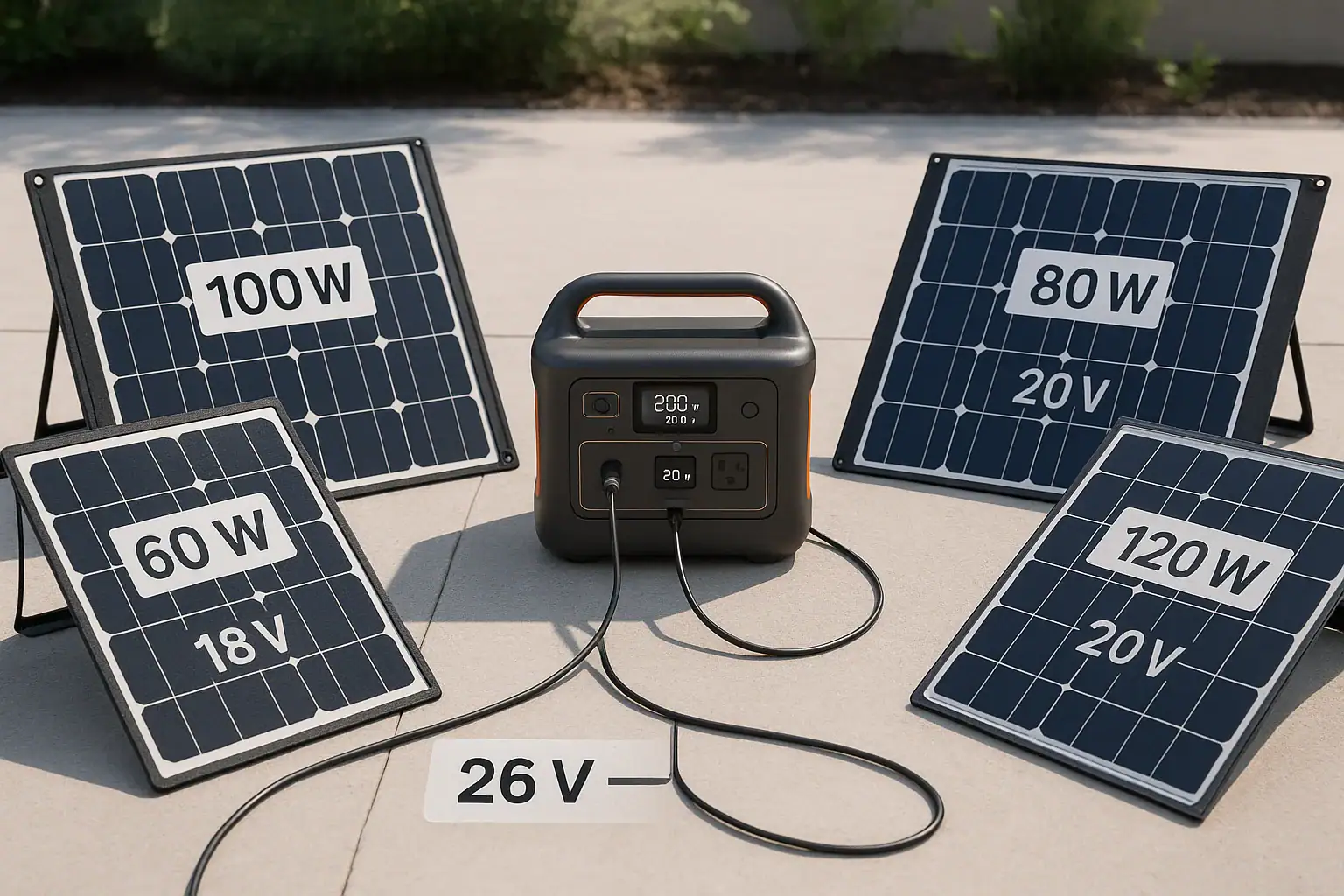
  • Solar panels (DC via charge controller or dedicated input): Helpful off-grid but variable with weather.

On day one, think about your typical use cases—home backup, camping, RV use, or remote work—and decide which input will be your default. Then consider the others as backups rather than relying on them for last-minute recovery from deep discharge.

Estimate Charging Time Windows

Even without exact numbers, it helps to know roughly how long your unit takes to charge from low to high using each method. For example, you might note that:

  • Wall charging typically completes in a few hours for a medium-size unit.
  • Vehicle charging might take much longer and is better for topping up than full charges, depending on your driving patterns.
  • Solar charging depends heavily on panel size, sunlight hours, and weather, and is rarely as fast as a wall outlet.

On day one, start a practice of plugging the unit in whenever it returns from a trip or after an outage, rather than letting it sit nearly empty. Avoid habitually running the battery down to very low percentages and then recharging under rushed, hot conditions.

Build a Simple Storage and Maintenance Routine

Battery health is affected not only by how you use the power station, but also by how you store and maintain it between uses. Setting expectations on day one helps you avoid slowly damaging the battery over months or years without realizing it.

Decide Where and How You Will Store the Unit

For most people, storage is split between short-term (days to weeks between uses) and long-term (months of inactivity). On day one, choose a location that works for both:

  • Temperature-controlled area: A closet, interior room, or office space, away from direct sunlight, garages that overheat, or unheated sheds in winter.
  • Accessible but protected: Easy to grab during an outage, but not in a spot where it will be kicked, knocked over, or have heavy items stacked on top.
  • Cable management: Store charging cables nearby so you do not resort to random cords later.

Good storage location choices limit exposure to extreme temperature swings, physical damage, and forgotten deep discharges.

Set an Initial Charge Level for Storage

Battery makers often recommend storing lithium batteries at a partial charge level instead of full or very low. While exact percentages vary by guidance, a middle range is commonly suggested for longer-term storage.

On day one, develop a rule of thumb for yourself, such as:

  • For short gaps between uses (days to a few weeks), keeping the unit mostly charged is convenient for emergencies.
  • For longer storage (several weeks or more), consider storing at a moderate level and topping up closer to the time you expect to use it.

Check the manual for any model-specific recommendations, and follow those over general rules where they differ.

Note a Simple Maintenance Schedule

On day one, create a reminder to:

  • Turn the unit on every month or two.
  • Check the state of charge and top up as needed.
  • Confirm ports, fans, and the display still operate normally.

This prevents slow, unnoticed self-discharge from taking the battery to very low levels during long periods of inactivity, which can stress the cells.

Table 2. Example Storage and Maintenance Plan – Example values for illustration.
Illustrative maintenance tasks and intervals for portable power stations.
Task Interval idea Why it matters Quick note
Check state of charge during storage Every 1–2 months Prevents deep discharge over time Top up if the level has dropped significantly
Operate basic loads briefly Every few months Keeps contacts and electronics exercised Run a small lamp or charger for a short time
Inspect vents and fans Every few months Maintains cooling efficiency Gently remove dust buildup around openings
Review cables and adapters Twice a year Avoids using damaged cords Look for fraying or loose plugs
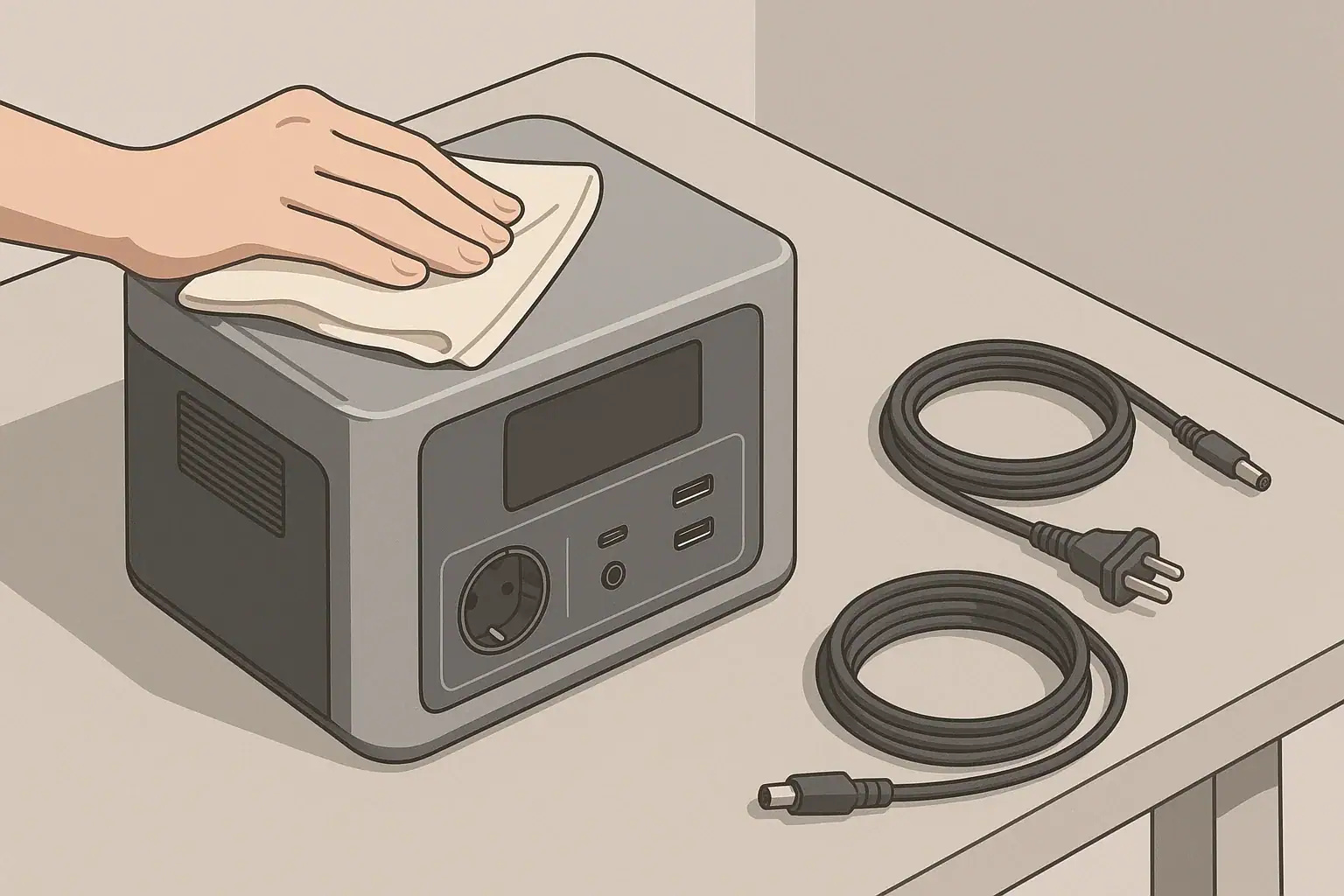
Clean housing surface As needed Prevents dust from entering vents Use a dry or slightly damp cloth only
Update personal emergency plan Yearly Aligns battery readiness with your needs Revisit which devices you plan to power

Example values for illustration.

Safety Habits to Establish on Day One

Battery health and safety go together. Practices that avoid overheating, overloading, and physical damage protect both your investment and your home or campsite.

Use Cords and Loads Within Ratings

On day one, commit to:

  • Plugging in only devices whose power draw fits within the unit’s continuous and surge ratings.
  • Using extension cords that are in good condition and rated for the loads you plan to run.
  • Avoiding daisy-chaining power strips or overloading multi-outlet adapters.

Sticking to rated limits will reduce stress on the battery, inverter, and wiring, particularly during long runtime events like outages.

Keep the Unit in Safe Operating Environments

Some basic practices to start from day one:

  • Do not place the power station where it can be splashed, rained on, or buried in snow.
  • Keep it away from flammable materials such as curtains or piles of paper, especially when running high loads.
  • Avoid locations where children or pets can easily tip it over or block vents.

If you use the unit in a vehicle, secure it so it will not shift during driving, and ensure it has ventilation space even while the vehicle is parked.

Leave Electrical Panel Work to Professionals

Some users consider ways to power household circuits from a portable power station. Any connection to a home electrical panel, transfer switch, or fixed wiring should be handled and evaluated by a licensed electrician and must follow local codes.

Using your power station with individual appliances and devices through standard cords and approved accessories is generally safer and reduces the risk of backfeeding or improper wiring arrangements.

Record Key Information on Day One

Finally, use the first day to:

  • Write down the model number and serial number in a safe place.
  • Note purchase date and keep a digital copy of the manual.
  • Record any observations from your first charge and discharge tests that seem unusual.

This basic documentation makes it easier to get support later and to notice if performance changes significantly over time.

By taking these steps on day one—thoughtful placement, careful first charge, realistic load testing, and simple maintenance planning—you put your portable power station on a path to safer operation and healthier long-term battery performance.

Frequently asked questions

Should I fully charge a new portable power station on day one?

It is acceptable to charge to 100% if you need maximum runtime for an upcoming trip or outage; otherwise charging to around 80–90% for initial testing is fine. The internal battery management system typically handles charging safely, so follow the manual for any model-specific guidance. Avoid leaving the unit at 100% for many days if it will not be used.

Can I test pass-through charging on day one?

Yes, you can briefly test pass-through charging, but first confirm the manual states it is supported and whether there are limits. During testing, avoid combining maximum input and near-maximum output, as that can increase heat and stress on the electronics. If the manual discourages pass-through, do not use it regularly.

What loads should I use for the first discharge test and for how long?

Start with low-power USB and DC loads for a few minutes to verify ports, then test moderate AC loads like a laptop charger or small fan for short periods to observe inverter and fan behavior. Avoid high-surge appliances such as microwaves or power tools on day one. Monitor for warning messages, rapid temperature rise, or unusual sounds while testing.

Where and at what charge level should I store the unit after initial setup?

Store the unit in a temperature-controlled, dry location away from direct sunlight and extreme heat or cold. For long-term storage, a moderate partial charge is usually recommended, while keeping it mostly charged is practical for short gaps; always follow any model-specific storage guidance in the manual. Check the state of charge every 1–2 months and top up as needed.

What warning signs during the first charge mean I should stop and seek help?

Stop charging and unplug the unit if you notice excessive surface heat, a burning smell, grinding or scraping fan noises, persistent error codes, or visible smoke. After moving the unit to a safe location, contact the seller or manufacturer support for instructions. Do not attempt internal repairs yourself.

Choosing the Right Size for Apartment Backup: Practical Examples

Portable power station charging laptop and phone in apartment

In an apartment, you usually cannot install large fuel generators or modify building wiring. A portable power station becomes a practical way to keep essentials running during short power outages. Choosing the right size is mostly about matching capacity (watt-hours) and power output (watts) to what you actually need.

Oversizing wastes money and storage space. Undersizing means your lights, internet, or medical-adjacent comfort items may not last through an outage. By looking at realistic loads and runtimes, you can choose an apartment-friendly unit instead of guessing.

Two key ideas guide sizing:

  • Power (watts): How much power all connected devices draw at the same time.
  • Energy (watt-hours, Wh): How long you can run those devices before the battery is empty.

Once you know the watts and watt-hours you need, you can narrow down a size range that fits your space, budget, and comfort level.

Why Sizing Matters for Apartment Backup

Step 1: Decide Your Apartment Backup Priorities

First clarify what you want to keep running. Most apartment backup plans fall into a few categories, from the most basic to more comfortable setups.

Minimal Essentials Only

For short outages of a few hours, many apartment dwellers focus on:

  • Phone charging
  • Small LED lamp or lantern
  • Wi‑Fi router and modem
  • One laptop for work or communication

This type of plan usually needs relatively low power output but enough energy to last several hours. The total running watts are often under a couple hundred watts, but you may want 300–600 Wh of capacity or more to comfortably bridge evening outages.

Comfort Essentials for Longer Outages

For multi-hour or overnight outages, you may want to add:

  • Desk or floor fan (especially in warm climates)
  • More lighting in key rooms
  • Small TV or streaming device
  • Charging for multiple phones, tablets, and laptops

This increases both your simultaneous watts and total energy needs. People often fall in the 400–800 W running range when several devices are on together, and may want 800–1500 Wh or more so they can run devices for many hours without draining the battery quickly. These values are examples only and vary widely by equipment.

Partial Kitchen or Work-from-Home Backup

Few apartment residents can power large appliances, but a portable power station can sometimes cover:

  • Coffee maker or electric kettle (used briefly)
  • Small microwave for short heating cycles
  • Small portable induction or hot plate (carefully managed)
  • Home office setup: monitor, laptop, small printer, modem/router

These items can pull high wattage while they are on, even if briefly. For example, a small microwave may draw several hundred to over a thousand watts while cooking. You need a power station with enough continuous AC output to handle those peaks and enough capacity to absorb these spikes without draining instantly. In this scenario, many people look to capacities from roughly 1000 Wh and up, depending on how often and how long they use high-draw appliances. Again, these are illustrative figures, not strict requirements.

Apartment Backup Planning Checklist

Example values for illustration.

What to check Why it matters Notes
Total watts of key devices Ensures inverter can handle simultaneous loads Add running watts; keep below continuous rating
Starting surge needs Some devices draw more power at startup Motors and compressors may briefly spike above running watts
Target runtime in hours Determines required battery capacity Multiply watts by hours to estimate Wh needs
Size and weight limits Affects storage and portability in an apartment Check if you can carry and store it comfortably
Outlet types needed Ensures compatibility with your devices Count AC, USB, and DC outputs you expect to use
Charging options Impacts how fast you can recharge between outages Wall, car, and optional solar support are common
Noise and placement Important in small, shared spaces Plan a stable, ventilated spot away from bedding

Step 2: Understand Watts, Watt-Hours, and Inverter Limits

Portable power stations are usually described with two main numbers: watt-hours (Wh) and watts (W). Both are important for sizing your apartment backup system.

Watt-Hours: How Long It Can Run

Watt-hours describe stored energy. A simplified way to estimate runtime is:

Runtime in hours ≈ Battery Wh ÷ Device watts × Realistic efficiency factor

The efficiency factor accounts for inverter and other system losses. A common rough assumption for planning is about 0.8 (80% of the nameplate watt-hours available for AC loads), but real results vary by model, temperature, and load.

Example (for illustration only):

  • Portable power station: 500 Wh
  • Loads: router (10 W) + laptop (60 W) + small LED light (10 W) = 80 W
  • Estimated runtime: 500 Wh ÷ 80 W × 0.8 ≈ 5 hours

This is a planning estimate, not a guarantee. Real runtimes may be higher or lower.

Continuous Watts vs Surge Watts

The inverter converts battery power to AC power. It has two main ratings:

  • Continuous watts: Power it can supply steadily.
  • Surge (or peak) watts: Short bursts, usually seconds, for startup spikes.

Many apartment loads, like laptops and LED lights, have little or no surge demand. Others, such as some fans or small refrigerators, may briefly draw more at startup. When planning, keep your expected running load comfortably below the continuous rating, with extra margin for possible surges.

AC, DC, and USB Outputs for Apartment Use

Consider the mix of outlets you need:

  • Standard AC outlets: For lamps, routers, small appliances, and monitors.
  • USB-A and USB-C: Efficient for phones, tablets, and some laptops.
  • Car-style DC outlet: Useful for certain 12 V devices and car chargers.

Running as many devices as possible directly from DC or USB can slightly improve efficiency compared with converting everything through AC, which can help stretch runtimes during a long outage.

Practical Sizing Examples for Different Apartment Scenarios

The best size for you depends on your devices and outage patterns. The examples below use rounded, illustrative numbers to show how needs can change.

Scenario 1: Short Evening Outage (3–4 Hours)

Goal: Keep communication, basic lighting, and internet going through a typical storm-related outage.

Example device list:

  • Phone charging: 10 W
  • Router + modem: 20 W
  • Laptop: 60 W
  • LED lamp: 10 W

Total running watts: About 100 W.

If you want 4 hours of runtime with a modest efficiency factor (0.8):

  • Energy required ≈ 100 W × 4 h ÷ 0.8 = 500 Wh

A unit in the several-hundred-Wh range could be reasonable for this light-use scenario. If you expect longer outages or want margin for heavier use, you might step up to a larger capacity.

Scenario 2: Work-from-Home Backup for a Full Day

Goal: Work a full day during a weekday outage while keeping communication and basic comfort items running.

Example device list (approximate):

  • Laptop: 60 W (active use)
  • Monitor: 30 W
  • Router + modem: 20 W
  • Phone charging: 10 W
  • LED desk lamp: 10 W
  • Small fan: 30–50 W (intermittent)

Average running watts: You might estimate around 150–200 W over the day, assuming the fan and monitor are not on constantly.

For an 8-hour workday:

  • Energy required ≈ 200 W × 8 h ÷ 0.8 = 2000 Wh

This suggests that if you genuinely want to run all of these for long periods, a unit in the low-thousands of watt-hours could be appropriate. Many people trim use (for example, running only the laptop and router, skipping the fan and monitor), which lowers the needed capacity substantially.

Scenario 3: Overnight Comfort and Food Safety Help

In an apartment, you probably will not fully power a refrigerator continuously with a small portable power station, but some people use backup power selectively to help preserve food or keep conditions tolerable.

Modified example device list:

  • Router + modem: 20 W
  • LED lamp or hallway light: 10–20 W
  • Phone and tablet charging: 10–20 W
  • Small fan: 30–50 W (used intermittently)
  • Refrigerator: often cycles; average draw can be in the 50–150 W range, but varies widely

If you plan to run the refrigerator only part of the night (for example, cycling power to help maintain temperature), and accept shorter runtimes for other loads, you might plan for an average 200–300 W over 8–10 hours, leading to a rough estimate of 2000–3500 Wh when factoring in efficiency. Many apartment dwellers instead prioritize smaller loads and leave large appliances off, relying on keeping the refrigerator closed and using ice when possible.

Charging and Recharging in an Apartment

Charging options affect how large a power station you really need. In an apartment, wall charging is usually easiest, but you may also consider car or solar charging.

Wall Charging and Pass-Through Use

Most units can be charged from a standard wall outlet. Two planning questions matter:

  • How many hours does it take to charge from low to full?
  • Do you want pass-through capability (running devices while charging)?

Some people keep their power station plugged in near a desk or entertainment center, charging it slowly while powering a few light loads. This can be convenient in apartments where storage space is tight, but check the manufacturer’s guidelines about long-term pass-through use and battery health.

Car Charging Logistics

Car charging in an apartment can be challenging if your vehicle is in a shared garage or lot without nearby outlets. It can still be useful if:

  • You can safely place the power station in the car and run it from the 12 V outlet while driving.
  • You bring the unit inside once charged.

Car charging usually provides much less power than wall charging, so it is better for topping up over time than for rapid full charges.

Solar as a Supplemental Option

Some apartment residents add a compact foldable solar panel placed on balconies or near windows. Output varies widely with orientation, shade, and weather. Solar can be most helpful for:

  • Extending runtimes during multi-day outages.
  • Recharging slowly when grid power is unreliable.

Building rules and safety considerations are important. Do not block egress routes, and avoid placing panels or cables where they can fall or create trip hazards. Always follow the manufacturer’s instructions for using compatible solar panels.

Safety and Practical Placement in Apartments

Even though portable power stations are simpler than fuel generators, some safety basics still apply, especially in compact living spaces.

Ventilation and Heat

Portable power stations can get warm during high loads or fast charging. For safe apartment use:

  • Place the unit on a stable, hard surface.
  • Allow space around vents; do not cover with bedding or clothing.
  • Avoid placing it directly against heaters or in direct sunlight for long periods.

Check your user manual for temperature limits and follow any guidance about safe operating environments.

Cord Management and Trip Hazards

In a small apartment, cords can quickly create hazards.

  • Route cables along walls where possible.
  • Avoid running cords under rugs where heat can build up.
  • Use grounded, appropriately rated extension cords if needed; avoid overloading them.

Do not modify plugs or bypass built-in safety features. If you are unsure whether your planned setup is safe, consult a qualified electrician.

Connection to Home Circuits

In many apartments, you are not allowed to modify electrical panels or add transfer switches. Do not attempt to backfeed a building circuit from a portable power station. This can be dangerous to you, neighbors, and utility workers.

Instead, plan to power devices by plugging them directly into the power station or into properly rated extension cords. If you are considering any connection that involves building wiring, speak with your landlord and a licensed electrician first.

Apartment Backup Runtime Planning Examples

Example values for illustration.

Device type Typical watts range Planning notes
LED lamp 5–15 W Low draw; good candidate for long runtimes
Wi‑Fi router + modem 10–25 W Often runs continuously; include full outage duration
Laptop (working) 40–80 W Consumption may drop when idle or on lower brightness
Small fan 20–60 W Use intermittently to reduce total energy use
Small TV + streaming device 40–120 W Plan for limited viewing hours to conserve battery
Compact microwave (in use) 600–1200 W Used in short bursts; can drain smaller batteries quickly
Refrigerator (average) 50–150 W Cycles on/off; starting surge may be higher

Planning for Storage, Maintenance, and Cold Weather

A portable power station is an emergency tool. It should be ready when you need it, especially if outages tend to follow storms or cold snaps.

Storage and Self-Discharge

Most units slowly lose charge over time, even when not in use. To keep your battery healthy:

  • Store in a cool, dry place away from direct sunlight.
  • Avoid leaving it fully depleted for long periods.
  • Top it off every few months based on manufacturer guidance.

A partially charged state is often recommended for long-term storage, but follow the specific instructions for your device.

Cold Weather Considerations

Battery performance generally drops in cold temperatures. For apartment use:

  • If possible, store and operate the unit within the recommended temperature range.
  • In very cold climates, avoid leaving the power station in an unheated vehicle for long periods.
  • Do not charge the battery below the minimum charging temperature specified by the manufacturer.

Planning for reduced capacity on especially cold days gives you a more realistic picture of backup runtimes.

Periodic Testing

Just like other emergency gear, it is helpful to test your setup:

  • Once or twice a year, simulate a short outage.
  • Run your planned devices from the power station.
  • Confirm cords reach where you need them and that the unit performs as expected.

This can reveal practical issues, like a router being in a hard-to-reach spot, long before a real outage.

Bringing It All Together for Apartment Backup

Choosing the right size portable power station for an apartment is about aligning your expectations with the realities of watts, watt-hours, and space constraints. Decide which devices matter most, estimate their power draw and hours of use, and then choose a capacity that leaves some margin for inefficiencies and unexpected needs.

By combining a realistic load list, basic math, and attention to safety, you can build a backup plan that fits comfortably in your apartment and helps you stay connected and comfortable during outages.

Frequently asked questions

How do I calculate the watt-hours I need for apartment backup power station sizing?

List each device’s running watts and estimate how many hours you expect to run each one, then multiply watts by hours to get watt-hours. Divide the total by a realistic efficiency factor (commonly about 0.8 for AC loads) to account for inverter losses, add margin for unexpected use, and select the next available unit size. Remember to plan separately for surge or starting currents.

What inverter wattage should I choose to run short high-draw appliances like a microwave or kettle in an apartment?

Check the appliance’s running watts and its startup draw; small microwaves or kettles commonly draw several hundred to over a thousand watts while operating. Choose a power station with a continuous AC rating above the running watts and a surge rating that covers startup peaks, and avoid relying on short bursts to compensate for an undersized inverter. Also consider how quickly those high-draw uses will consume battery capacity in an apartment setting.

Can I charge a portable power station from the wall while using it (pass-through) in an apartment?

Many models support pass-through charging and can power devices while recharging, but not all do and manufacturers often warn against continuous pass-through use. Using pass-through occasionally is practical for short events, but long-term simultaneous charging and discharging can increase wear and reduce battery life. Always follow the manufacturer’s guidance for safe operation.

Is it practical and safe to power a refrigerator from a portable power station in an apartment?

It can be practical if the station has enough continuous power and a high surge rating to handle compressor starts, but refrigerators cycle and their starting current may be significantly higher than running watts. Plan for the average draw over time and a capacity that covers several hours, or consider intermittent strategies if you accept partial temperature maintenance. Never attempt to backfeed building wiring; plug appliances directly into the station or consult a licensed electrician for approved options.

How should I store and maintain a power station in an apartment to keep it ready for outages?

Store the unit in a cool, dry place within the manufacturer’s recommended temperature range and avoid leaving it fully discharged for long periods. Top it off every few months, test the setup periodically by simulating an outage, and be aware that capacity can fall in cold conditions and charging below minimum temperatures should be avoided. Regular checks help ensure the unit performs when you need it.

A Simple Buying Checklist: Features That Matter (and Those That Don’t)

Portable power station charging a laptop and phone on desk

How to Use This Simple Buying Checklist

Portable power stations pack a lot of specs and buzzwords into a small box. This checklist helps you quickly separate what actually matters for everyday use from features that are mostly marketing. Use it as a practical filter before you buy.

At a high level, think about three things:

  • What you need to power (devices and appliances)
  • How long you need power (hours or days)
  • How you can recharge (wall, car, solar)

Once you know those basics, the rest of the specs fall into place. The sections below walk through key decisions in plain language.

Capacity and Power: The First Things to Check

Capacity and power ratings are the core of any portable power station. Everything else is secondary.

Battery capacity in watt-hours (Wh)

Battery capacity, usually given in watt-hours (Wh), tells you how much energy is stored. As a rough guide:

  • Under 300 Wh: phones, tablets, small cameras, a laptop for a few hours.
  • Around 300–600 Wh: multiple device charges, a laptop all day, small fan or router for part of a day.
  • Around 600–1,200 Wh: better for short power outages, small fridge for some hours, work-from-anywhere setups.
  • 1,200+ Wh: longer outages, powering several essentials, or more demanding camping/RV use.

These are examples only; real runtimes depend on how much power your devices draw and how efficiently the station runs.

Running watts vs surge watts

The inverter in a power station converts battery power into AC power. It has two key ratings:

  • Running (continuous) watts: how much power it can supply steadily.
  • Surge (peak) watts: a short burst of extra power, usually needed when certain devices start up.

For example, a small fridge or power tool might need a higher surge when starting, then settle at a lower running watt level. Always match the running watts of the power station to the expected combined load of what you want to plug in, with some headroom.

What matters most

  • Matters: Wh capacity that fits your runtime needs, running watts that match your devices, and enough surge capability for anything with a motor or compressor.
  • Matters less: Very high surge ratings if you only power electronics like laptops and phones.
Table 1. Portable power station pre-buy checklist

Example values for illustration.

Key items to verify before buying a portable power station
Checklist item Why it matters What to look for
Total battery capacity Determines how long devices can run Enough Wh to cover your highest-priority devices for the hours you expect
AC running watt rating Limits how many devices you can power at once Total device watts plus a safety margin instead of an exact match
Number and type of outlets Avoids having to juggle plugs or extra adapters Right mix of AC, DC, USB-A, and USB-C for your typical setup
Recharge methods Decides how usable it is beyond wall charging Wall charging plus car or solar if you camp, travel, or face long outages
Estimated recharge time Affects how quickly you can be ready again Recharge window that fits your routine or daylight hours
Weight and size Impacts how realistic it is to move and store Comfortable to lift and carry for your typical use
Basic safety features Helps protect devices and users Overload, over-temperature, and short-circuit protections listed in specs

Outputs and Inverters: Matching the Ports to Your Devices

Once you know capacity and power, focus on how you will actually connect your gear. Many buyers either overlook ports or get distracted by flashy ones they will rarely use.

AC outlets and inverter type

Portable power stations typically offer one or more 120 V AC outlets. Two points matter most:

  • Number of outlets: Enough for your usual mix of devices without stacking multiple power strips.
  • Inverter type: For sensitive electronics (most modern devices), a pure sine wave inverter is generally preferred over modified sine wave for smoother power delivery.

If you mainly charge small electronics via USB and rarely use AC, you can prioritize having at least one AC outlet and more USB ports instead of several AC outlets.

DC and USB ports

Beyond AC, you will likely see:

  • 12 V car-style outlet for coolers and some camping gear.
  • Barrel-style DC ports for certain lights or accessories.
  • USB-A ports for phones, headphones, and other small gadgets.
  • USB-C ports, sometimes with higher power delivery for laptops and tablets.

USB-C with power delivery can often charge laptops efficiently without using the inverter, which typically wastes more energy.

Pass-through-charging basics

Some power stations support pass-through charging, where the unit charges from an input source while also powering connected devices. This can be helpful for remote work or during outages.

Keep in mind:

  • Pass-through can generate extra heat inside the unit.
  • Higher heat can affect battery longevity over time.
  • Heavy loads during pass-through are best avoided unless clearly supported in the manual.

Use it as a convenience feature, not as a permanent setup.

Charging Methods: Wall, Car, Solar, and Time Planning

Power stations are only as useful as your ability to recharge them. Look at both the methods available and the time each method takes.

Wall charging (AC)

Wall charging is the default for most people. Check:

  • Included charger type (power brick, direct AC cord, or modular system).
  • Approximate charge time from empty to full as a general reference.
  • Whether there is an option for faster charging (for example, via higher wattage input or dual inputs).

Faster charging is convenient, but can be noisier (more fan use) and may stress components more. Moderate charge times are often fine if you plan ahead.

Car charging (12 V)

Car charging is useful for road trips, vanlife, or when wall power is unavailable. Keep in mind:

  • Charging through a vehicle outlet usually provides relatively low power compared with wall or solar inputs.
  • Charge times can be long, especially for larger-capacity units.
  • Follow the power station and vehicle guidelines to avoid draining your starter battery when the engine is off.

Solar charging basics

Solar can extend your runtime indefinitely in good conditions, but it comes with variability.

  • Check that the power station supports solar input and note the recommended input range.
  • Look at the maximum input wattage listed so you understand how much panel capacity can be used effectively.
  • Remember that real-world solar output is often lower than the panel rating due to angle, temperature, and weather.

For planning, think in terms of usable sun hours per day. For example, if you assume around 4–5 hours of reasonably strong sun, a 200 W panel might give roughly 600–800 Wh of energy in practice. This is an estimate only and varies by season and location.

Why charge time really matters

Fast charging is attractive, but the bigger question is whether you can get back to a usable level of charge within your typical window. Ask yourself:

  • Can I fully charge this overnight from a standard outlet?
  • If I rely on solar, will I likely catch up each day with realistic sun?
  • Do I need quick top-ups during breaks while working or traveling?

Realistic Use Cases: Matching Features to How You Live

It helps to think in terms of real scenarios instead of abstract specs. Different use cases push different features to the top of your checklist.

Short home power outages

For brief outages, most people care about a few essentials:

  • Keeping phones and laptops charged.
  • Powering a modem/router for internet.
  • Running a small light or fan.

Focus on:

  • Moderate capacity (enough for several hours of light use).
  • Pure sine wave AC for electronics.
  • Simple wall charging with reasonable recharge time.

High-end extras like built-in wireless chargers or complex app controls usually do not change the outcome in this scenario.

Home essentials for longer outages

Longer outages may add needs such as:

  • Running a small refrigerator for part of the day.
  • Keeping medical or comfort devices running, within the device guidelines.
  • Charging multiple family devices.

In this case, capacity and recharge options matter more than convenience features:

  • Higher Wh capacity to cover fridge cycles and basics.
  • Enough AC running watts for the fridge plus a few small loads.
  • Optional solar input to stretch runtime if outages are frequent.

For any critical medical device, review the device manual and talk with the device manufacturer or a qualified professional about backup power options; do not rely only on generic portable power advice.

Remote work and mobile offices

If your priority is remote work—laptops, monitors, and networking gear—consider:

  • USB-C power delivery ports for direct laptop charging.
  • A quiet fan profile if you work in quiet environments.
  • Pass-through charging for times when you are plugged into wall power but want backup on hand.

High power for heavy appliances is usually less important than stable, efficient power for electronics.

Camping and vanlife

Outdoor use highlights portability and flexible charging:

  • Weight and handle design, since you may carry it some distance.
  • Car and solar charging options for multi-day trips.
  • Low standby power draw so the battery does not drain quickly when idle.

Extra lighting or built-in flashlights can be handy, but they are rarely the reason to choose a specific unit.

Basic RV use

In RVs, a portable power station can supplement existing systems:

  • Powering laptops, phones, and small appliances without starting a generator.
  • Running fans, lights, or small kitchen devices intermittently.

Any connection to an RV’s electrical system should follow manufacturer recommendations. For more complex setups that tie into onboard wiring, consult a qualified RV technician or electrician. Avoid informal backfeeding or improvised panel connections.

Cold Weather, Storage, and Maintenance Basics

Battery performance changes with temperature and time, so it is worth understanding how storage and conditions affect your power station.

Cold weather considerations

Most portable power stations use lithium-based batteries, which do not like extreme cold or heat. In cold weather:

  • Available capacity can appear lower at low temperatures.
  • Charging at very low temperatures can be restricted or slowed by built-in protections.
  • Displays may respond more slowly when cold.

When possible, keep the unit within the temperature range recommended in its manual. For winter use, many people store the power station indoors and bring it out only when needed, instead of leaving it in a freezing vehicle for long periods.

Storage and self-discharge

All batteries slowly lose charge over time, even when not in use. To store a portable power station in good condition:

  • Avoid long-term storage completely full or completely empty.
  • Many manufacturers suggest storing around a partial charge level; check your manual for guidance.
  • Top up the battery every few months to offset self-discharge.

Do not open the unit or attempt to modify the battery pack. Internal components are designed and tested as a system; opening the case can damage safety features and void warranties.

Basic maintenance

Maintenance is mostly simple habits:

  • Keep vents clear and free of dust.
  • Use cords in good condition without damage or exposed conductors.
  • Store the unit in a dry place away from direct heat sources.
  • Periodically test the unit before storm seasons or trips so you know it still works as expected.
Table 2. Example device load and planning reference

Example values for illustration.

Common devices and approximate power considerations
Device type Example watt range Planning notes
Smartphone 5–15 W Low draw; many charges possible even from a small power station
Laptop 40–90 W Plan for several hours of use per 300–500 Wh of capacity
Wi-Fi router 10–25 W Often a priority during outages; low but continuous draw
LED light 5–20 W Efficient; multiple lights have modest impact on runtime
Small fan 20–60 W Good for comfort; consider intermittent use to save power
Compact fridge 50–150 W running Needs extra headroom for startup surge; runs in cycles, not constantly
Small power tool 300–800 W while in use Check surge capability; usage is typically short bursts

Safety and Features That Matter Less Than You Think

Safety should stay at the top of your checklist, while many cosmetic or convenience extras can be a lower priority.

Practical safety guidelines

  • Place the power station on a stable, dry surface with ventilation openings unobstructed.
  • Avoid covering the unit with blankets, clothing, or other materials while in use.
  • Use extension cords rated for the loads you intend to run and avoid daisy-chaining power strips.
  • Keep the unit away from flammable materials and out of standing water.
  • If a cord, plug, or outlet becomes hot, disconnect and inspect before further use.

If you want backup power for hardwired home circuits (for example, whole rooms or large appliances), talk with a licensed electrician about proper transfer equipment and safe options. Avoid any do-it-yourself methods that backfeed power into household wiring through improvised connections.

Features that often matter less

Many shoppers get distracted by extras that may not add much real value for their situation, such as:

  • Elaborate built-in lights when a basic flashlight would work.
  • Color screens and decorative lighting effects.
  • Complicated apps and smart functions that you may rarely open.
  • Minor styling differences that do not affect performance or durability.

These might still be pleasant to have, but they should not outweigh core needs like sufficient capacity, reliable outputs, and safe operation. Treat them as tie-breakers only after the essentials on your checklist are met.

Keeping your checklist simple

To recap the buying mindset:

  • Start with what you need to power and for how long.
  • Match capacity and running watts to those needs with some margin.
  • Check that the outputs, charging options, and weight fit how you will actually use the unit.
  • Confirm basic safety features and follow the manual for safe operation.

This approach keeps the focus on function over flash, so the portable power station you choose does its main job well when you really need it.

Frequently asked questions

How do I calculate the battery capacity (Wh) I need for my devices?

Estimate each device’s power draw in watts and multiply by how many hours you expect to run it to get watt-hours, then add those figures together. Include a margin (commonly 10–20%) to cover inverter and conversion losses and unexpected extra use; that total is the minimum Wh capacity to target.

Can a portable power station run a refrigerator, and how should I size it?

Yes, many power stations can run a compact refrigerator, but you must check both the fridge’s running watts and its startup surge requirement. Choose a station with running-watt capacity above the fridge’s steady draw and enough surge capability for startup, plus sufficient Wh to cover several compressor cycles during the period you need it.

Is pass-through charging safe to use regularly?

Pass-through charging is convenient but can produce extra heat and may stress components over time, which could reduce battery longevity if used constantly. Use it occasionally for convenience, and follow the manufacturer’s recommendations; avoid heavy continuous loads during pass-through unless the manual explicitly supports it.

How many solar watts do I need to recharge my power station in a day?

Estimate daily energy needs in Wh, then divide by realistic usable sun hours for your location to get required panel watts. As an example from typical assumptions, a 200 W panel might produce roughly 600–800 Wh in 4–5 strong sun hours, so plan with conservative sun-hour estimates and account for system losses.

What storage and maintenance steps extend a power station’s life?

Store the unit at a partial charge (not full or empty), top it up every few months to offset self-discharge, and keep it in a dry place within the recommended temperature range. Also keep vents clear of dust, use undamaged cords, and periodically test the unit before trips or storm seasons.

Portable Power Station Basics: Outputs, Inputs, and What the Numbers Mean

Portable power station on desk charging a laptop and phone

Portable power stations pack a lot of technical terms into a small box. Labels show watts, watt-hours, volts, amps, AC, DC, USB, surge, continuous, and more. Understanding these basics helps you decide whether a unit can safely and reliably run what you care about: lights, laptops, medical-support accessories, a small fridge, or tools.

This guide focuses on three core ideas:

  • Outputs: what kinds of power the station can provide, and in what amounts
  • Inputs: how the station can be recharged and how long it might take
  • The numbers: how watts, watt-hours, volts, and amps connect to real-world use

Once you understand those pieces, it becomes much easier to compare models, plan runtimes, and avoid overloading your system.

Most of the numbers on a portable power station fall into a few common units. Learning how they relate gives you a framework for reading any spec sheet or label.

Why Portable Power Station Numbers Matter

Portable power stations pack a lot of technical terms into a small box. Labels show watts, watt-hours, volts, amps, AC, DC, USB, surge, continuous, and more. Understanding these basics helps you decide whether a unit can safely and reliably run what you care about: lights, laptops, medical-support accessories, a small fridge, or tools.

This guide focuses on three core ideas:

  • Outputs: what kinds of power the station can provide, and in what amounts
  • Inputs: how the station can be recharged and how long it might take
  • The numbers: how watts, watt-hours, volts, and amps connect to real-world use

Once you understand those pieces, it becomes much easier to compare models, plan runtimes, and avoid overloading your system.

Key Electrical Terms: Watts, Watt-Hours, Volts, and Amps

Most of the numbers on a portable power station fall into a few common units. Learning how they relate gives you a framework for reading any spec sheet or label.

Watts (W): Power at a Moment in Time

Watts describe the rate of energy use. Think of watts as “how hard” the power station is working right now.

  • A small LED lamp might draw around 5–10 W.
  • A laptop often draws around 40–100 W while charging.
  • A small space heater can draw around 1000–1500 W.

The AC inverter on a portable power station will list a continuous watts rating (also called running power). That is the maximum load it can handle steadily. It may also list a higher surge watts rating for short bursts start-up loads like some refrigerators or power tools.

Watt-Hours (Wh): Stored Energy Capacity

Watt-hours measure how much energy the battery can deliver over time. It is similar to the size of a fuel tank.

For example, if a battery is rated at 500 Wh and you run a steady 100 W load, a simple estimate of runtime is:

Runtime (hours) ≈ Battery Wh ÷ Load W

In this example: 500 Wh ÷ 100 W ≈ 5 hours. Real runtimes are usually lower because of inverter and conversion losses, so many people apply a rough efficiency factor (such as 80%) when planning. That same load might then be estimated at roughly 4 hours instead of 5.

Volts (V): Electrical “Pressure”

Voltage is the electric potential difference. Common values on portable power stations include:

  • 120 V AC for household-style outlets in the United States
  • 12 V DC on car-style barrel or cigarette-lighter ports
  • 5 V, 9 V, 12 V, 20 V DC on USB ports, including fast-charge and USB-C Power Delivery

Voltage compatibility matters: a 12 V appliance expects 12 V, while a 120 V appliance expects 120 V AC. The portable power station’s ports are clearly labeled by type and voltage; devices should only be plugged into matching ports or appropriate adapters that are within rated limits.

Amps (A): Flow of Electrical Current

Amps describe the amount of current flowing. For a given voltage and wattage, you can roughly estimate:

Watts ≈ Volts × Amps

Rearranging that:

  • Amps ≈ Watts ÷ Volts
  • Volts ≈ Watts ÷ Amps

This is useful when a port is rated in amps and you know the voltage. For example, a 12 V DC port rated for 10 A can usually supply about 120 W (12 V × 10 A). Staying within both the watt and amp ratings keeps cables and connectors from overheating.

Portable power station buying checklist – what to check and why. Example values for illustration.
Key factors to review before choosing a portable power station
Item to check Why it matters Example consideration
Battery capacity (Wh) Defines how long devices can run between charges. Estimate total load (e.g., 150 W) and aim for several hours of runtime.
Inverter continuous watts Limits total AC power you can draw at once. Ensure it exceeds the combined running watts of devices you plan to plug in.
Inverter surge watts Supports brief start-up spikes from some appliances. Choose higher surge capacity if you expect to run fridges or some tools.
Output port mix Determines what you can plug in without extra adapters. Check how many AC outlets, USB-C, USB-A, and 12 V ports you actually need.
Input charging watts Affects how quickly the station can recharge. Higher input power can mean faster recovery after outages.
Weight and form factor Impacts portability and where you can store it. Lighter units are easier for camping; larger units suit semi-permanent setups.
Basic safety features Helps prevent overloads and overheating. Look for overcurrent, overvoltage, and temperature protections listed in specs.

Example values for illustration.


Understanding Portable Power Station Outputs

Outputs are how power leaves the station to run or charge devices. Most units include several output types so you can plug in different gear without extra converters.

AC Outputs and the Inverter

AC outputs look like household wall outlets. Inside the power station, an inverter converts the battery’s DC power to 120 V AC.

Important AC inverter specifications include:

  • Continuous (running) watts: maximum steady load. Exceeding this can trigger overload protection and shut off AC outputs.
  • Surge (peak) watts: short-term extra capacity used when a device starts up and briefly draws more power.
  • Waveform: many units use pure sine wave inverters that closely resemble grid power and are generally friendly to electronics. Some low-cost devices use modified waveforms that can cause certain appliances to run hotter or noisier.

When planning AC use, add up the running watt draw of all devices you intend to run at the same time and keep that below the inverter’s continuous rating. For appliances with compressors or motors, check that the inverter’s surge rating offers headroom for start-up spikes.

DC Outputs: 12 V and Barrel Ports

DC outputs power devices that already run on direct current, such as some car accessories, small coolers, routers, or LED lighting. Typical DC outputs include:

  • 12 V “car” ports with a current limit (for example, 10 A), often used for automotive-style plugs.
  • 5.5 mm barrel ports or similar connectors, each with its own voltage and current rating.

DC outputs can be more efficient than going through the AC inverter, because there is no extra conversion step. For small DC devices, using DC outputs instead of AC can extend usable runtime.

USB and USB-C Ports

Most portable power stations feature multiple USB outputs:

  • USB-A ports for phones, small accessories, and low to moderate power gadgets.
  • USB-C ports, often with Power Delivery (PD), which can supply higher wattages suitable for tablets and laptops.

USB ports are usually labeled with a maximum watt or amp rating. Some high-power USB-C ports might offer figures such as 60 W or 100 W, enabling direct laptop charging without an AC brick. If a device needs more power than a port can provide, it may charge slowly or not at all.

Total Output Limits and Port Sharing

Many portable power stations have both per-port limits and overall limits. For example:

  • An individual USB port might be capped at a certain wattage.
  • All USB ports together might share a larger combined limit.
  • AC and DC sections may also share an internal overall power limit.

If you plug in many devices at once, the system may reduce power to some ports or shut down specific sections to stay within safe operating limits. Checking both individual and combined ratings helps you avoid surprise cutoffs.

Understanding Inputs and Charging Methods

Inputs are how energy flows into the portable power station. Input ratings affect how fast you can recover from a power outage or recharge between trips.

AC Wall Charging

Many units include a charger that plugs into a standard household outlet. Important considerations are:

  • Charging wattage: A higher input rating generally means faster charging, up to the limits of the battery’s chemistry and management system.
  • Charge time estimates: As a simple approximation, charge time in hours ≈ Battery Wh ÷ Input W, adjusted upward for inefficiencies.

For example, a 600 Wh station charged at 300 W might complete a charge in a little over 2 hours under ideal conditions, though real times vary.

Vehicle (12 V) Charging

Many portable power stations can charge from a vehicle’s 12 V accessory socket. This is useful while driving between locations or during road trips.

Typical considerations for vehicle charging:

  • Input wattage is usually lower than from a wall outlet, leading to longer charge times.
  • Some vehicles limit current on 12 V outlets, especially when the engine is off.
  • To avoid draining a vehicle starting battery, many people only charge while the engine is running or follow manufacturer guidance.

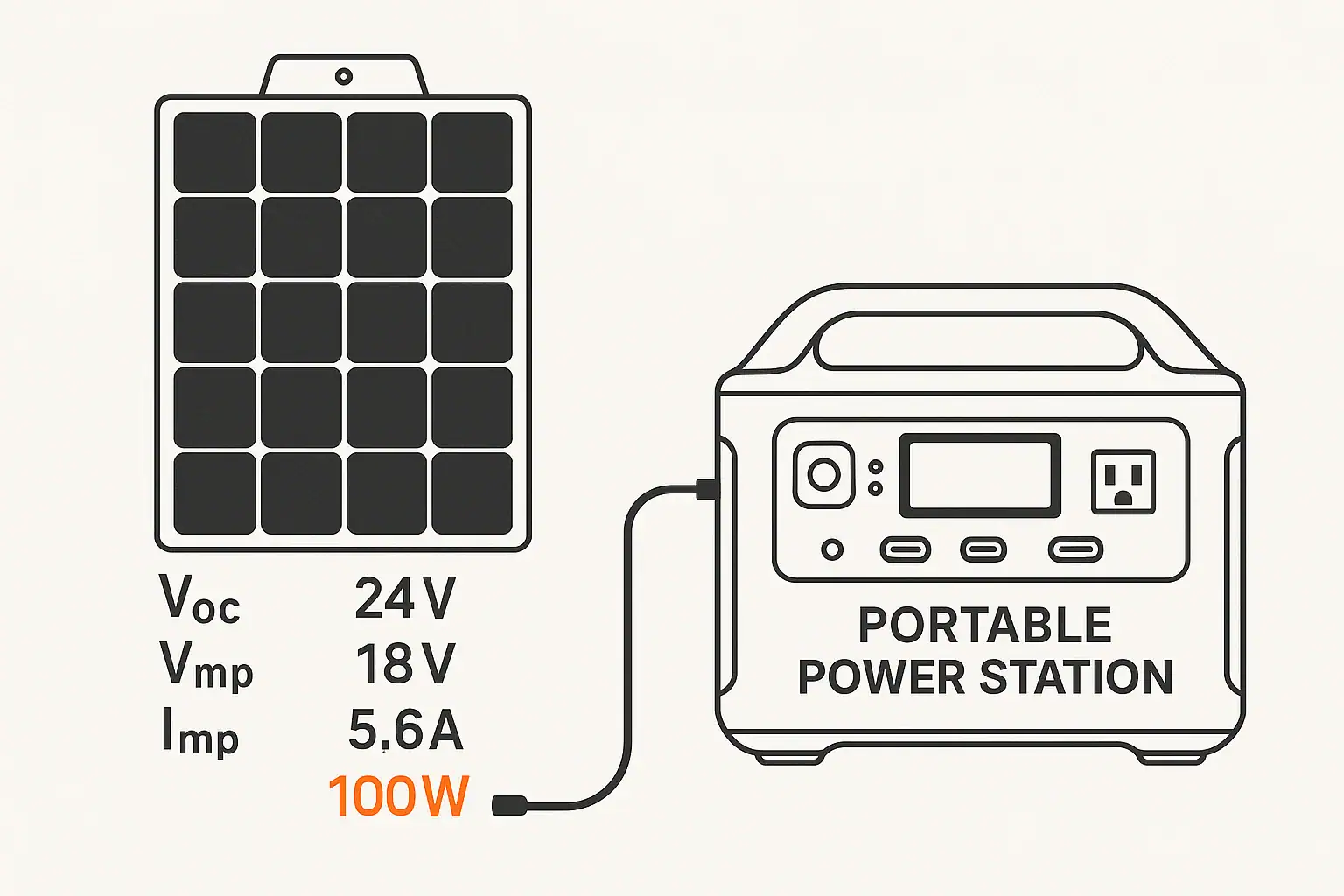
Solar Charging Basics

Solar charging allows you to generate power away from the grid. Portable power stations that support solar typically list:

  • Acceptable voltage range for the solar input (for example, a range of several tens of volts DC).
  • Maximum input wattage, which caps the solar panel power that can be used at once.

Real solar output depends on sun angle, weather, panel placement, and temperature. Nameplate wattage is a peak value in ideal lab conditions; actual output is often significantly lower over the course of a day.

Using Multiple Charging Methods

Some systems allow charging from more than one source at the same time, such as AC plus solar. Whether and how this works depends on the specific design and documentation for the unit. When combined charging is allowed, it can reduce total time needed to refill the battery, but the unit may limit total input to a safe upper wattage.

Pass-Through Power and Using the Station Like a UPS

Pass-through charging means the power station can charge its battery while also powering devices from its outputs. This can be convenient, but behavior varies by model.

How Pass-Through Behavior Varies

Common patterns include:

  • Some units allow pass-through on all outputs while charging.
  • Some only allow certain ports (for example, DC or USB) to be active while charging.
  • Some reduce output limits while charging to keep temperature and internal stress manageable.

Frequent heavy pass-through use can generate more heat and cycles, which may affect long-term battery wear. Manufacturer guidance often notes whether pass-through is recommended for continuous use.

Portable Power Stations as a Simple Backup

Some people use portable power stations loosely like an uninterruptible power supply (UPS) to keep sensitive electronics running during brief outages. Important points:

  • Transfer time between wall power and battery power may not be instantaneous and can vary.
  • Portable power stations are not always designed as dedicated UPS devices; check documentation for any limitations.
  • For critical equipment, consider whether a purpose-built UPS or professional installation is more appropriate.

Do not attempt to hardwire a portable power station into a home electrical panel or backfeed household circuits. Any connection to home wiring should only be done with appropriate equipment and by a qualified electrician, following local codes.

Matching Outputs to Common Use Cases

Different scenarios emphasize different outputs and capacities. Thinking through your typical use cases helps you focus on what matters most.

Short Power Outages at Home

For brief outages, many households want to keep:

  • LED lights
  • Internet modem and Wi-Fi router
  • Phones and laptops charged
  • Possibly a small fan or compact fridge

Key considerations:

  • AC inverter size: Enough watts to handle a small fridge or fan plus networking gear at the same time.
  • Capacity: Enough watt-hours for several hours of essential loads.
  • Quiet operation: Useful for indoor, nighttime outages.

Remote Work and Mobile Offices

For remote work, the focus is often on electronics:

  • Laptops and monitors
  • Wi-Fi or hotspot devices
  • Phones and small accessories

Helpful features include:

  • High-wattage USB-C ports that can power laptops directly.
  • Enough AC outlets if your monitor or other gear requires AC adapters.
  • Quiet fans and good efficiency at modest loads.

Camping, Vanlife, and RV Basics

Outdoor and mobile setups often combine AC and DC loads:

  • 12 V fridges or coolers
  • LED lighting strips
  • Chargers for phones, cameras, and radios
  • Occasional AC use for small appliances

When planning for camping or vehicle-based living, consider:

  • Using DC outputs for 12 V appliances to minimize conversion losses.
  • Adding solar input sized to cover a good portion of daily use during sunny conditions.
  • Weight and size, because you may move the unit frequently.

Tools and High-Power Devices

Running tools, heaters, or cooking appliances can demand large bursts of power and substantial capacity:

  • Check both running and surge watts against the tool’s labels.
  • Be realistic about runtimes: high-wattage loads drain batteries quickly.
  • Consider whether intermittent use (short bursts) is acceptable or if you need sustained operation.
Example runtime planning by device type. Example values for illustration.
Illustrative device loads and planning notes
Device type Typical watts range (example) Runtime planning notes
LED light 5–15 W Very efficient; even a modest battery can run several lights for many hours.
Wi-Fi router + modem 15–30 W Good target for outage planning; factor in constant, 24/7 draw if left on.
Laptop (in use) 40–90 W Draw can spike under heavy use; using USB-C PD may improve efficiency.
12 V portable fridge 40–70 W while running Compressor cycles on and off; average draw over time is lower than peak.
Small microwave 700–1200 W High demand; practical for short heating bursts, not continuous use.
Space heater 1000–1500 W Can drain a portable station quickly; often impractical for long runtimes.
CPAP or similar device 30–80 W Check device specs; many people plan for full-night runtimes with margin.

Example values for illustration.


Cold Weather, Storage, and Safety Basics

Environmental conditions and handling practices affect both performance and longevity of portable power stations.

Cold Weather Performance

Battery chemistry is sensitive to temperature. In cold conditions, you may notice:

  • Reduced available capacity; the same unit may run devices for less time when it is cold.
  • Limits on charging below certain temperatures; many systems restrict or block charging to protect the battery.
  • Slower charging and higher internal resistance.

When possible, use and store the power station within the temperature ranges recommended in its manual. In cold environments, keeping the unit in an insulated area within a tent, vehicle, or building (while still ensuring adequate ventilation) can help.

Storage and Self-Discharge

All batteries slowly lose charge over time, even when not in use. To keep a portable power station ready:

  • Avoid long-term storage at 0% or 100% charge unless the manufacturer specifies otherwise.
  • Top up the battery periodically, such as every few months.
  • Store in a cool, dry place away from direct sunlight and heat sources.

Keeping the battery within a moderate state of charge during storage can help preserve long-term health.

Basic Safety Practices

Portable power stations are generally straightforward to use, but they deliver substantial energy. Practical safety steps include:

  • Follow the user manual for charging, operation, and placement instructions.
  • Use only rated cords and adapters, and avoid damaged or undersized extension cords.
  • Place the unit on a stable, dry surface with space for airflow around vents.
  • Keep away from flammable materials and out of standing water.
  • Do not open the case, modify internal wiring, or bypass protection systems.

For any connection to household wiring or specialized installations, work with a qualified electrician and follow applicable electrical codes. Portable units are designed for plug-in use, not for improvised backfeeding of home circuits.

Using Cords and Appliances Safely

Appliance and cord ratings also matter:

  • Do not exceed the watt or amp rating of extension cords or power strips.
  • Avoid daisy-chaining multiple power strips.
  • Uncoil long cords fully under higher loads to reduce heat buildup.
  • Check plugs and connectors for warmth during extended high-power use.

If anything smells hot, looks damaged, or behaves unexpectedly, unplug devices, turn off the power station outputs, and investigate before continuing use.

Putting It All Together

Reading a portable power station label becomes easier once you recognize how the numbers connect:

  • Wh tells you how much total energy is available.
  • W (continuous and surge) tells you how much power you can draw at once.
  • V and A help you match specific ports to specific devices.
  • Input watts tell you how quickly you can refill the battery.

By combining capacity estimates, realistic device wattages, and awareness of temperature and safety basics, you can choose and use a portable power station with confidence in a wide range of everyday and emergency situations.

Frequently asked questions

How do I estimate runtime for a device using portable power station outputs and inputs?

Estimate runtime by dividing the battery capacity in watt-hours (Wh) by the device’s steady watt draw (W), then account for conversion losses (a common planning factor is ~80% efficiency for inverter and conversion losses). For example, 500 Wh ÷ 100 W ≈ 5 hours, which becomes roughly 4 hours after applying an 80% efficiency factor. Remember that real-world duty cycles, temperature, and startup surges affect actual runtimes.

Can I charge a portable power station with solar and AC at the same time to speed up inputs?

Some units support combined charging (e.g., solar plus AC), but whether it’s allowed and how the inputs are managed depends on the model and its power-management hardware. Even when combined charging is permitted, the station will often cap total input to a safe maximum wattage, so combined sources may not simply add linearly. Always check the manufacturer’s specifications for acceptable voltage ranges and maximum input wattage before connecting multiple sources.

Is it safe to use pass-through power continuously or treat a portable power station like a UPS?

Pass-through behavior varies: some stations allow continuous pass-through, others limit which ports remain active while charging, and some reduce output limits to manage heat. Continuous heavy pass-through use can increase heat and battery cycle stress, potentially shortening lifespan, and transfer times may not be instantaneous as in a dedicated UPS. For critical equipment, check the unit’s documentation or consider a purpose-built UPS to guarantee low transfer times and continuous protection.

How do I match my device’s requirements to the station’s outputs and port-sharing limits?

Match devices by confirming voltage, current (amps), and wattage requirements against each port’s per-port rating and the station’s overall output limits. Use the relation Watts ≈ Volts × Amps to convert between units, and remember that multiple ports may share a combined limit that can throttle or cut power if exceeded. When possible, use DC outputs for DC-native devices to avoid inverter losses and prefer USB-C PD ports for higher-power device charging if they meet the device’s voltage and wattage needs.

What precautions should I take when using a portable power station in cold weather or long-term storage?

Cold temperatures reduce available capacity and can restrict charging until the battery warms to a safe range, so keep the unit insulated and above the recommended minimum when possible. For storage, maintain a moderate state of charge (not 0% or 100%), top up periodically, and store the unit in a cool, dry place away from extreme heat or direct sunlight to preserve long-term battery health.

Why Does My Power Station Turn Off? Auto-Shutoff Explained

portable power station on clean surface with cables attached

When a portable power station turns off by itself, it can feel like something is broken. In most cases, the shutdown is intentional and built into the design to protect the battery, the electronics, and whatever you have plugged in.

Modern power stations use internal sensors and control circuits to watch for unsafe or inefficient conditions. When certain limits are reached, the unit will cut power or shut down. These behaviors are usually called auto-shutoff or protection modes.

Knowing how these protections work helps you:

  • Figure out why your unit turned off
  • Avoid repeat shutdowns when you need power most
  • Use the power station within its realistic limits
  • Extend battery life and keep operation safer

Auto-shutoff is an umbrella term for several different protections built into the battery management system (BMS), inverter, and control board. These often operate silently in the background until a limit is crossed.

Understanding Why Portable Power Stations Turn Off

Core Auto-Shutoff and Protection Features

The previous introductory paragraph about auto-shutoff has been placed above the table of contents.

Low-Battery and Deep-Discharge Protection

Portable power stations automatically shut down when the battery reaches a low state of charge. This prevents deep discharge, which can permanently damage lithium and other battery chemistries.

Signs you are hitting low-battery shutoff include:

  • State-of-charge indicator is very low or nearly empty
  • Unit runs for shorter and shorter times before shutting off
  • It turns off under load but can power very small devices briefly

Even if a display shows a bit of charge left, the internal BMS may decide the battery voltage is too low under load and shut down to protect itself.

Overload Protection (Too Many Watts)

Every power station has a maximum continuous AC output (in watts) and often a higher short-term surge rating. If the total draw from all connected devices exceeds the unit's capability, the inverter will typically shut off.

Common overload situations include:

  • Starting a high-wattage appliance, like a space heater or hair dryer
  • Running several devices at once on a small-capacity unit
  • Appliances with high startup surge, such as some fridges or power tools

In many models, the unit will:

  • Beep or show an error icon
  • Turn off only the AC output section
  • Require you to press a button to turn AC back on after removing the overload

Over-Temperature Protection (Too Hot or Too Cold)

Internal temperature sensors shut the unit down if it gets too hot or too cold for safe operation.

Heat-related shutdowns often happen when:

  • Running high-wattage loads for a long time in a warm room
  • Placing the power station in direct sun or a closed vehicle
  • Blocking ventilation openings or stacking items on top

Cold-related issues can appear when:

  • Trying to charge the battery below its safe charging temperature
  • Using the unit outdoors in freezing conditions

Some units will still discharge (run loads) at low temperatures but will disable or limit charging. Others may refuse both until the battery warms up.

Idle or No-Load Auto-Shutoff

Many portable power stations include an idle timer to avoid wasting energy when nothing is plugged in, or when the load is too small to detect reliably.

Typical idle shutoff behaviors include:

  • AC output turns off after a set period with no significant load
  • DC and USB outputs may remain on longer, or also time out
  • Entire unit enters a low-power sleep mode until you press the power button

This is usually normal, not a fault. Some models allow you to adjust or disable this feature in settings; others do not.

Checklist of Common Auto-Shutoff Causes and What to Check

Example values for illustration.

What to check Why it matters Quick notes
Battery state of charge Low charge triggers deep-discharge protection Fully recharge before testing again
Total load in watts Loads above inverter rating cause overload shutdown Unplug high-wattage items like heaters or kettles
Startup surge of appliances Short spikes can exceed surge capacity Stagger startup or avoid heavy-motor devices
Ventilation and temperature Overheating triggers thermal protection Keep vents clear and out of direct sun
Idle timer or eco mode No-load shutoff saves battery but surprises users Check settings or manual for power-saving modes
Type of output used Different ports may have different limits and timers Try DC or USB if your AC load is very small
Charging status Some units limit or cut output while charging Test behavior both while charging and on battery only

Why Your Power Station Turns Off Under Load

If your power station turns off as soon as you plug something in, or after a few seconds or minutes of use, the cause is often related to power draw, surge, or power quality.

Understanding Watts, Surge, and Running Loads

Every device you plug in draws power, measured in watts. There are two important numbers:

  • Running watts: The power used during normal operation.
  • Surge or starting watts: A short spike when the device first turns on.

Some appliances, especially those with motors or compressors, can briefly draw 2–3 times their running watts when starting. If your power station's inverter cannot supply that surge, it will shut down to protect itself.

Loads That Commonly Trigger Shutdown

Appliances that often cause unexpected shutoffs include:

  • Electric kettles, coffee makers, and toasters
  • Space heaters and hair dryers
  • Window air conditioners and some refrigerators
  • Microwave ovens
  • Power tools with heavy startup draw

Even if a nameplate label suggests the appliance is under the inverter's continuous watt rating, the startup surge could temporarily exceed the limit.

Combined Loads Adding Up

It is easy to underestimate total usage when several devices are plugged in:

  • A laptop charger might use 60–100 watts.
  • A monitor might add another 30–60 watts.
  • Lighting, fans, or routers can add more.

Individually, they seem small. Together, they can push a modest power station beyond its rating. When this happens, the AC output may switch off, and you may need to press the output button to reset after removing some devices.

Power Factor and Inverter Type

Some electronics draw power in a way that is less efficient or harder on the inverter, especially if the inverter is not a pure sine wave design. This does not usually damage the unit, but it can cause:

  • Earlier overload shutdown than expected
  • Noise from the appliance or inverter
  • Inconsistent startup behavior

If a particular device always makes your power station shut off, it is possible that its surge or power factor is not a good match for the inverter output, even if the printed wattage seems low.

Why Your Power Station Shuts Off With Small Loads or While Idle

Sometimes the opposite problem occurs: your power station turns off even though you are only running a tiny device, such as a Wi-Fi router, LED light, or phone charger. This is usually related to idle auto-shutoff thresholds or how the output section senses load.

Minimum Load Requirements on AC Outputs

Some inverters need a minimum amount of power draw on the AC outlet to recognize that something is plugged in. Very light loads may fall below this detection threshold.

When that happens, the unit may assume no one is using the AC output and shut it off after a delay to save battery. From your perspective, it looks like a random shutdown.

Ways users sometimes work around this behavior include:

  • Plugging in a slightly larger device in addition to the tiny load
  • Using DC or USB outputs instead of AC for small electronics when possible
  • Checking for an ‘always on’ or ‘eco’ mode setting in the menu, if available

Not every model allows these adjustments, so behavior can vary.

Idle Timers and Eco Modes

Eco modes turn off certain outputs after a set period of low or no use. Typically, this affects the AC output more than DC or USB.

Typical idle timers might be on the order of tens of minutes, but the exact value depends on the design. Some units allow you to configure or disable eco modes, while others keep them fixed for safety and battery protection.

If your power station always turns off after roughly the same amount of time with only a tiny load connected, an idle timer is a likely cause.

DC and USB Output Protections

USB and DC ports can also shut off automatically if they detect abnormal conditions, including:

  • Short circuit (for example, damaged cable)
  • Overcurrent (drawing more than the port's rating)
  • High temperature at the connector or port

In many units, the main system stays on, but the affected output group turns off. You may need to unplug the cables, wait briefly, and re-enable that output section with its button.

Shutoffs While Charging or During Pass-Through Use

A common question is why a portable power station turns off or behaves unpredictably while it is plugged into the wall, car outlet, or solar panels and supplying power at the same time.

Charging Limits and Power Sharing

Power stations have limits on how much power they can accept while charging and how much they can output at the same time. In some designs, the total of input + output is limited by internal wiring and the BMS.

This can lead to behaviors such as:

  • AC output shutting off if total demand is too high while charging
  • Charging slowing down when you plug in heavy loads
  • Unit cycling between charging and discharging instead of staying stable

If your power station frequently shuts off while doing "pass-through" charging (charging itself while powering other devices), it may be operating at or beyond its intended design envelope.

Vehicle Charging and Voltage Drop

When using a car outlet, the power station depends on consistent vehicle voltage. Shutoffs can happen when:

  • The car is off and voltage drops below the charger's requirement
  • The outlet is fused at a low amperage and the fuse or protection cuts power
  • A long or thin cable causes significant voltage drop under load

This might look like the unit starting to charge and then stopping repeatedly. Reducing the charge rate (if possible) or using a shorter, appropriate cable can sometimes improve stability, within the limits of what the manufacturer intends.

Solar Input Fluctuations

Solar charging is naturally variable. Clouds, shade, panel angle, and temperature all affect the power delivered. If the input falls below the charger's minimum or becomes unstable, the system may stop and restart charging or shut off certain functions to protect itself.

These fluctuations do not usually harm the power station, but can make behavior seem inconsistent. Keeping panels unshaded with a stable connection usually produces more predictable results.

Environmental and Placement Issues That Cause Shutdown

Where and how you place your power station matters. Environmental factors can trigger auto-shutoff, especially for longer-duration use.

Ventilation and Airflow

Power stations often have fans and vents to remove heat. Poor ventilation can lead to overheating and thermal shutdowns.

Good practices include:

  • Placing the unit on a hard, flat surface rather than soft fabric
  • Leaving space around vents so air can move freely
  • Avoiding enclosed cabinets or tightly packed storage while in use

If you notice the fan running constantly or the case getting very warm before shutdown, temperature is likely involved.

Cold Weather Operation

In cold conditions, the main risk is charging the battery when it is too cold, which can damage some chemistries over time. To prevent this, many units:

  • Limit or disable charging below a certain internal temperature
  • Allow discharging but with reduced performance
  • Shut down until the battery warms to a safe range

For outdoor or vehicle use in winter, it is helpful to keep the power station insulated from extreme cold, but still well ventilated and away from direct heat sources.

Dust, Moisture, and Vibration

Dust and moisture are not only cleanliness issues; they can affect cooling and electrical contacts. While ruggedness varies by model, as a general principle:

  • Avoid operating in standing water, heavy rain, or very damp environments
  • Keep dust and debris out of vents and ports
  • Minimize constant heavy vibration or impacts (for example, unsecured in a moving vehicle)

Some shutdowns might be temporary responses to unusual electrical readings caused by poor connections or environmental stress.

Distinguishing Normal Auto-Shutoff From Faults

Not every shutdown means your power station is damaged. The challenge is telling protective behavior apart from actual malfunctions.

Patterns That Suggest Normal Protection

The following patterns usually indicate that the system is doing what it is designed to do:

  • Shutoff occurs only with certain high-wattage devices
  • Unit runs fine with smaller or fewer loads
  • Shutoff happens after a predictable time with tiny loads (idle timer)
  • Charging resumes normally after the unit warms up or cools down

If behavior is repeatable and clearly tied to load, temperature, or charging conditions, auto-shutoff is likely functioning correctly.

Signs of Possible Hardware or Battery Problems

In contrast, the following may point to an issue that needs professional attention:

  • Unit shuts off quickly even with very small loads and a full charge
  • Battery gauge jumps suddenly or behaves erratically
  • Obvious swelling, cracking, or strong odor from the case
  • Repeated error lights or codes that do not clear after resting and recharging
  • Outputs stay off and cannot be re-enabled following basic troubleshooting

In such cases, avoid opening the power station or attempting DIY repairs. Internal batteries store significant energy, and bypassing protections can be hazardous. It is safer to contact the manufacturer or a qualified service provider.

High-Level Safety Notes for Home Use

Some users consider connecting a portable power station to home circuits during outages. This raises additional safety concerns beyond simple auto-shutoff.

At a high level:

  • Never connect a power station to household wiring by backfeeding through outlets or cords.
  • To power multiple home circuits safely, a transfer switch or similar device is typically required.
  • Any work involving home electrical panels, transfer switches, or generator inlets should be performed and inspected by a qualified electrician.

Using extension cords to feed individual appliances directly from the power station is generally safer than attempting temporary panel connections, provided cords and loads are within ratings and used according to their instructions.

Runtime Planning Examples by Device Type

Example values for illustration.

Device type Typical watts range (example) Planning notes
Smartphone charging 5–20 W Small, steady load; usually fine even on eco modes
Laptop computer 40–100 W Good match for mid-size power stations; watch for peak draw
LED lighting (room) 10–60 W Plan for hours of use; often best on AC with multiple bulbs
Compact fridge 40–150 W running Startup surge is higher; may trigger overload on small units
Fan (box or desk) 20–80 W Moderate continuous load; suitable for extended comfort use
Space heater 500–1500 W Very heavy load; often exceeds small or mid-size inverter ratings
Internet router 5–20 W Very light load; may be below minimum for some AC idle timers

Practical Steps to Reduce Unexpected Shutoffs

A few simple habits can reduce surprise shutdowns and help you get more predictable performance from your portable power station.

Size Loads Realistically

Before a trip or an outage, list key devices and estimate their wattage. Pay attention to:

  • Which items are non-negotiable (for example, medical-related electronics identified by your healthcare provider, refrigeration for food safety, communication devices)
  • Which items are nice-to-have but high draw (heaters, cooking appliances)
  • Whether you can stagger usage instead of running everything at once

Planning in advance reduces the chance of discovering overload limits at a critical moment.

Use the Most Efficient Outputs

Whenever possible, power devices using the output type they are designed for:

  • Use DC or USB ports for electronics that support them, to avoid inverter losses.
  • Reserve AC outlets for items that truly require AC power.
  • Be mindful that multiple high-speed USB or DC outputs combined can still add up to significant wattage.

Manage Temperature and Placement

To keep thermal protection from cutting power unexpectedly:

  • Place the unit in shade or a cool indoor area when possible.
  • Keep vents and fans clear of obstructions.
  • Avoid sealing the power station in small cabinets or under piles of gear while in use.

Maintain Charge and Storage Practices

Battery condition affects how the unit behaves near the low end of its charge. Long-term good practices include:

  • Storing the unit within the manufacturer's recommended charge range and temperature
  • Recharging after use instead of leaving it deeply discharged
  • Exercising the battery periodically with a moderate discharge and recharge cycle

Healthy batteries are less likely to show sudden drops or early low-voltage shutdowns under modest loads.

Respect Built-In Protections

Auto-shutoff features are there to protect both the power station and the devices you plug in. While they can be inconvenient, disabling or bypassing them is not advisable. Instead, working within their limits—by managing load, temperature, and charging conditions—keeps your system safer and more reliable over the long term.

Frequently asked questions

Why does my power station switch off immediately when I plug in an appliance?

Immediate shutdown after plugging in an appliance is commonly caused by overload or a high startup surge that exceeds the inverter's capability. Check the appliance's starting watts and the station's surge rating, reduce simultaneous loads, and try again after removing heavy items.

My router or small charger keeps causing the unit to turn off after a while — how can I prevent that?

This typically indicates an idle/no-load auto-shutoff or minimum-detect threshold on the AC output. Use DC/USB outputs for very small devices, look for an eco or always-on setting in the manual, or add a small dummy load if the model supports it safely.

Can charging the power station while using it make it shut down?

Yes. Many stations limit the combined input and output power, so heavy simultaneous charging and discharging can trip protections. Reduce the output load, lower the charge current if possible, or avoid high-demand pass-through scenarios to improve stability.

If my power station shuts down from overheating, will it work again by itself?

Thermal shutdowns are usually reversible once the internal temperature returns to a safe range; the unit may resume automatically or require a manual restart. Move it to a cooler, well-ventilated area, let it cool for the recommended period, and then try restarting per the manual.

How can I tell if shutdowns are normal protection behavior or a sign of a fault?

Protection shutdowns typically follow a pattern tied to load, temperature, or charging conditions and clear after addressing the cause. Random shutdowns with erratic battery readings, physical damage, persistent error codes, or swelling suggest a possible hardware or battery issue requiring professional service.

Do Portable Power Stations Work While Charging? Pass-Through vs UPS Mode

Portable power station on desk showing charging connections

Do Portable Power Stations Work While Charging?

Many people buy a portable power station expecting it to run devices while it is plugged into the wall or a vehicle outlet. Whether it can do this safely and effectively depends on how it is designed and what the manufacturer allows.

In general, there are three common behaviors:

  • No output while charging: Some units disable AC or all outputs whenever the input charger is active.
  • Pass-through charging: The station can power devices and charge its battery at the same time.
  • UPS-like mode: The station acts like an uninterruptible power supply, switching from grid power to battery when the grid fails.

Understanding which behavior your unit supports is important for planning outages, remote work setups, and camping or RV use.

What Is Pass-Through Charging?

Pass-through charging means a portable power station can deliver power from its outlets while it is also taking in power from a wall adapter, vehicle outlet, or solar panel. In simple terms, it can charge and discharge at the same time.

This is useful in common situations such as:

  • Running a laptop and monitor during the day while the station charges from the wall.
  • Powering a Wi-Fi router and phone chargers in a short outage while still plugged into the grid.
  • Using solar panels to run small appliances during the day while slowly topping up the battery.

However, pass-through charging is not guaranteed. Some manufacturers limit or disable it to reduce heat and wear on the battery. Always check the user manual to confirm:

  • Which ports (AC, DC, USB) can operate during charging.
  • Any wattage limits while in pass-through mode.
  • Recommended use patterns to avoid excessive battery stress.
Key features to check before relying on pass-through or UPS behavior

Example values for illustration.

What to check Why it matters Notes
Pass-through support for AC outlets Determines if you can run household-style plugs while charging Some models only allow DC or USB pass-through
Maximum output watts in pass-through Prevents overloading when input power is limited Example: may limit to a portion of rated inverter output
Maximum input watts Sets how quickly the battery can recharge Important for planning between outages or trips
Supported input sources Shows if wall, car, or solar can be used for pass-through Not all inputs behave the same when outputs are active
Continuous vs surge output ratings Helps match loads like fridges or tools to the inverter Surge rating covers short startup spikes only
Thermal and fan behavior Indicates how the unit handles heat under combined load Expect fans to run more in pass-through mode
Warranty terms on pass-through use Clarifies if heavy 24/7 use is recommended Some guides treat it as occasional, not continuous

How Pass-Through Charging Affects Runtime and Battery Health

When a portable power station is in pass-through mode, power flows in and out at the same time. This changes how you think about runtime, charging time, and long-term battery health.

Power balance: input vs output

The effective charge or discharge rate depends on the balance between input and output power:

  • Output higher than input: The battery still drains, just more slowly than if there were no input.
  • Input higher than output: The battery charges, though more slowly than if no devices were connected.
  • Input roughly equals output: Battery state of charge may hover in a narrow range.

As a simplified example, if a station can accept about 200 W from the wall and you run a 150 W load, the battery will charge slowly. If you run a 300 W load on the same input, the battery will gradually discharge even though it is plugged in.

Battery wear and heat

Pass-through use can mean the station is working harder:

  • The battery cycles more often, even if only between partial states of charge.
  • The inverter and charging circuitry create heat while running simultaneously.
  • Fans may run more frequently and at higher speed.

High temperatures and constant cycling tend to age lithium batteries faster. For long-term battery health:

  • Avoid leaving the unit at 100% charge under heavy load for long periods.
  • Do not block vents; give it open space for airflow.
  • Keep it out of direct sun or hot vehicle interiors when running and charging.

When pass-through is helpful vs when to avoid it

Pass-through charging is especially helpful when:

  • You need to keep a laptop, monitor, or router running through short outages.
  • You are working remotely and want to top up from a vehicle outlet while driving.
  • You are camping with solar and want to use power during the day without waiting for a full charge.

It may be better to avoid continuous pass-through use when:

  • You want to maximize battery lifespan over many years.
  • The unit becomes hot to the touch or frequently shows temperature warnings.
  • You are running near the maximum rated output for long stretches.

What Is UPS Mode on a Portable Power Station?

Some portable power stations offer a feature often described as a UPS mode or “uninterruptible power supply” behavior. In this mode, the unit can switch from utility power to battery power automatically when the grid fails.

This is commonly used for:

  • Desktop computers and monitors.
  • Wi-Fi routers and modems.
  • Small home office setups.
  • Low-wattage medical-related devices that cannot tolerate frequent interruptions (always follow medical guidance and manufacturer instructions).

How UPS-like behavior works

Exact designs vary, but many UPS-like portable stations work in one of two ways:

  • Online/line-interactive style: Grid power flows through the unit to your devices while also charging the battery. If the grid fails, the inverter instantly supplies power from the battery.
  • Standby style: Your devices draw directly from grid power, and the unit switches to battery when it detects a loss of power.

Most consumer portable power stations have a transfer time measured in milliseconds, not zero. This is often acceptable for many electronics, but timing can matter for some sensitive equipment.

Limitations of using a portable power station as a UPS

Before relying on UPS mode, consider these points:

  • Transfer time: There may be a brief moment where power drops while switching to battery. Devices with very strict power requirements may not tolerate this.
  • Wattage limits: The UPS mode is usually limited by the station’s continuous inverter rating, not just its advertised peak rating.
  • Runtime: Compared to dedicated large UPS units, portable power stations can offer longer runtime, but it depends on their capacity and your loads.
  • Duty cycle: Many portable power stations are not designed for 24/7, year-round UPS duty. Check the manual for any warnings about constant connection.

For critical or life-sustaining equipment, it is important to follow manufacturer guidance and consult a qualified professional. Portable power stations can be helpful, but they are not always a substitute for dedicated, properly sized UPS systems designed for that purpose.

Using a Portable Power Station During Power Outages

During short residential power outages, portable power stations are often used to keep a few essentials running. Pass-through and UPS-like features can make this more seamless.

Simple plug-in use vs home circuits

The safest and simplest approach is to plug individual devices directly into the portable power station:

  • Lamps or small LED lighting.
  • Phone and laptop chargers.
  • Internet router and modem.
  • Compact fans or low-power medical-related devices (as directed by their manufacturer).

Some homeowners want backup power for entire circuits or multiple outlets. Any connection between a portable power source and a home electrical system can introduce shock and backfeed hazards if done incorrectly. For safety:

  • Do not create improvised cables that feed power backward into wall outlets.
  • Avoid any modifications to breaker panels or wiring unless done by a licensed electrician.
  • If you want a portable power station to supply specific circuits, consult an electrician about appropriate hardware and safe configurations.

Prioritizing loads during an outage

Portable power stations have limited capacity, so prioritizing what you power matters more than whether pass-through is available. For typical home essentials, many people focus on:

  • Communications: phones, laptop, router.
  • Lighting: efficient LED lamps.
  • Food safety: a small refrigerator or cooler (intermittent operation).
  • Comfort: a small fan or low-wattage heater alternatives where safe and appropriate.

High-wattage devices such as resistance heaters, large space heaters, and full-size electric ovens usually drain batteries too quickly to be practical on most portable stations.

Remote Work, Camping, and RV Use

Outside the home, pass-through charging and UPS-like behavior can help manage limited power sources such as vehicle alternators and solar panels.

Remote work setups

For remote work, a typical setup might include:

  • Laptop and monitor.
  • Mobile hotspot or router.
  • Occasional phone or tablet charging.

Pass-through charging lets you run this setup while connected to:

  • A wall outlet in a coworking space or rental.
  • A vehicle outlet while parked or driving.
  • Solar panels during the day.

UPS-like behavior can help avoid data loss if power from a wall outlet is unstable, keeping your devices running during brief drops without you needing to intervene.

Camping and vanlife

For camping or vanlife, portable power stations often power:

  • LED lights and lanterns.
  • Phones, cameras, and small speakers.
  • Portable fridges or coolers.
  • Small fans or low-power electronics.

Pass-through charging is particularly useful when:

  • Solar panels are producing power during the day and you want to use devices without waiting.
  • You charge the station from a vehicle alternator while driving and use it at camp when parked.

Be mindful of energy balance. For example, a portable fridge cycling between 30–60 W over many hours may consume more than a small solar panel can replace on cloudy days. In that case, the battery slowly depletes despite pass-through charging.

RV basics

In RVs, portable power stations are often used separately from the built-in electrical system to:

  • Power electronics at a picnic table or outside seating area.
  • Run laptops and chargers without using the main inverter.
  • Provide quiet overnight power for fans or CPAP-type devices (when allowed by the manufacturer).

Some RV owners explore tying portable power into existing RV circuits. Any such integration can introduce safety concerns if not done correctly. Work with an RV technician or electrician who understands both the RV’s wiring and the portable power station’s limits.

Charging Methods and Their Impact on Pass-Through Use

Different charging methods change how practical pass-through and UPS-like use will be in real life. The main options are wall charging, vehicle charging, and solar.

Wall charging

Wall charging usually offers the highest and most stable input power. This makes it the most suitable option for:

  • UPS-like setups for computers or home offices.
  • Running small appliances while still getting a meaningful recharge.
  • Topping up the battery quickly between outages or trips.

When plugged into the wall, many units can run close to their inverter rating while also charging, though this depends on how large the charger is and how the unit manages input and output internally.

Vehicle charging

Vehicle 12 V outlets typically provide modest power. As a result:

  • They are well suited to topping up the battery while driving.
  • They are less suited to running high-wattage AC devices in pass-through mode.

For example, a typical vehicle outlet might support on the order of 100–150 W of input to a power station. If you plug in a 90 W laptop charger and a 20 W router, the battery may charge slowly. If you plug in a 300 W device, the battery will still drain even though you are “charging” from the vehicle.

Solar charging

Solar input varies with sun angle, weather, and panel size. In bright conditions, a modest portable array can supply enough power to:

  • Run low to moderate loads during the day.
  • Slowly recharge the battery for nighttime use.

On cloudy days or in shaded campsites, solar input may be much lower. In those cases, pass-through charging can keep devices running while slowly depleting the battery, so planning for margin is important.

Example charging methods and when they are most useful

Example values for illustration.

Charging method Typical input range (example) Best use cases Planning notes
Wall outlet (AC) Hundreds of watts, depending on charger Fast recharges, UPS-like use at home or office Often most reliable for pass-through with moderate loads
Vehicle 12 V outlet Dozens to low hundreds of watts Charging while driving, light pass-through for electronics Avoid relying on it for high-wattage AC devices
Portable solar panels Varies with panel size and sun Off-grid camping, vanlife, remote work Plan for weather; output can drop significantly on cloudy days
Generator-powered AC Similar to wall when properly sized Recharging during extended outages Follow safe generator placement and ventilation practices
USB-C input (where supported) Tens to low hundreds of watts Supplemental charging from laptops or adapters Useful but usually slower than dedicated AC adapters
RV 12 V or DC source Depends on RV wiring and limits Integrating with existing RV power for topping up Confirm current limits to avoid overloading circuits

Safety Tips for Using Portable Power Stations While Charging

Running a portable power station while it charges adds electrical and thermal stress. A few practical habits can reduce risks and extend equipment life.

Placement and ventilation

  • Operate the unit on a stable, dry surface away from flammable materials.
  • Keep vents and fans unobstructed; leave several inches of space on all sides.
  • Avoid enclosed cabinets or tightly packed shelves during heavy use.
  • Do not place the unit on soft bedding or cushions that can block airflow.

Cord and load management

  • Use cords and adapters rated for the loads you are running.
  • Avoid daisy-chaining multiple power strips and adapters.
  • Do not exceed the continuous watt rating of the power station’s inverter.
  • Unplug devices you are not using, especially high-wattage appliances.

Cold weather and storage

  • Avoid charging lithium-based power stations when they are extremely cold; consult the manual for safe temperature ranges.
  • Store the unit at a partial charge rather than fully depleted if it will sit unused for months.
  • Check and top up the battery every few months to reduce deep-discharge stress.

Understanding limits and documentation

  • Read the user manual sections on pass-through, UPS mode, and load limits.
  • Follow any guidance on maximum continuous connection time when used as a UPS.
  • If specifications are unclear, treat continuous 24/7 pass-through use as a heavy-duty scenario and consider lighter use patterns.

Used with realistic expectations and basic precautions, portable power stations can be effective for running devices while charging, whether in pass-through or UPS-like modes.

Frequently asked questions

Do portable power stations work while charging without harming the battery?

Some models support pass-through charging safely, but simultaneous charging and discharging increases heat and battery cycling which can hasten capacity loss over time. Occasional pass-through use is typically fine, but continuous 24/7 pass-through may shorten battery lifespan—check the manufacturer’s guidance.

How can I tell if my portable power station supports pass-through charging or UPS mode?

Review the user manual and product specifications for explicit mentions of pass-through, UPS mode, supported input sources, and any wattage or time limits. Also check which ports remain active while charging and whether a transfer-time is specified for UPS behavior.

Will using pass-through charging affect runtime and charging speed?

Yes. If the output power exceeds the input, the battery will still drain (albeit more slowly), whereas if the input exceeds the output the battery will charge while powering devices. Input and inverter limits determine the practical charging speed and effective runtime.

Is it safe to use a portable power station as a UPS for sensitive equipment?

Many stations offer UPS-like features but may have nonzero transfer times and limits on continuous duty; some sensitive equipment may not tolerate brief interruptions. For critical or life-sustaining devices, follow manufacturer recommendations and consult a professional to ensure proper protection and configuration.

Which charging method is best when I want devices to run while the station charges?

Wall AC charging generally provides the highest and most stable input, making it best for UPS-like use and meaningful recharging under load. Vehicle and solar inputs can work but are typically lower and more variable, so plan for power balance and environmental factors like sun and temperature.

Charging in Freezing Temperatures: Why It’s Risky and How to Avoid Damage

Portable power station at a snowy campsite in winter

Portable power stations rely almost entirely on lithium-based batteries. These batteries are efficient and compact, but they do not tolerate extreme cold well, especially while charging.

“Freezing” in this context generally means around 32°F (0°C) and below. Many lithium batteries are designed to be discharged at low temperatures, but charging them while they are that cold is another story.

When temperatures drop, several things happen inside a lithium battery:

  • Slower chemical reactions: The movement of ions through the electrolyte slows down, increasing internal resistance.
  • Thicker electrolyte: The liquid or gel that conducts ions becomes more viscous, further restricting ion flow.
  • Voltage behavior changes: The same current can create higher internal stress on the battery cells.

These changes mainly affect charging. While using (discharging) a power station in the cold will reduce runtime, attempting to charge it at the same temperature can cause permanent damage.

Why Freezing Temperatures Are Hard on Portable Power Stations

Portable power stations rely almost entirely on lithium-based batteries. These batteries are efficient and compact, but they do not tolerate extreme cold well, especially while charging.

“Freezing” in this context generally means around 32°F (0°C) and below. Many lithium batteries are designed to be discharged at low temperatures, but charging them while they are that cold is another story.

When temperatures drop, several things happen inside a lithium battery:

  • Slower chemical reactions: The movement of ions through the electrolyte slows down, increasing internal resistance.
  • Thicker electrolyte: The liquid or gel that conducts ions becomes more viscous, further restricting ion flow.
  • Voltage behavior changes: The same current can create higher internal stress on the battery cells.

These changes mainly affect charging. While using (discharging) a power station in the cold will reduce runtime, attempting to charge it at the same temperature can cause permanent damage.

What Can Go Wrong If You Charge When It’s Too Cold

The main technical risk when charging a very cold lithium battery is lithium plating. This is a condition in which metallic lithium builds up on the surface of the anode instead of moving into its structure like it should.

Lithium Plating and Permanent Capacity Loss

At low temperatures, ions move slowly but the charger may still try to push in the same amount of current. When this happens, lithium can deposit as a thin metallic layer on the anode. Over time, this can lead to:

  • Permanent loss of capacity: Less active material is available to store energy, so the battery holds less charge.
  • Increased internal resistance: The battery heats more under load and delivers power less efficiently.
  • Shortened lifespan: The battery reaches its end-of-life earlier, even if it still works.

Safety Concerns and BMS Protections

Modern portable power stations include a battery management system (BMS) that monitors temperature, voltage, and current. Many designs will:

  • Refuse to start charging when the pack is too cold.
  • Charge at a reduced rate until the battery warms up.
  • Shut down charging if sensors detect unusual behavior.

However, you should not rely on the BMS alone as your only line of defense. Extreme cold combined with high charging current, physical damage, or manufacturing issues can still increase safety risks. Keeping your power station within its recommended temperature range is a key part of using it safely.

Checklist: Before Charging a Portable Power Station in Cold Weather

Example values for illustration.

What to check Why it matters Practical notes
Battery temperature, not just air temperature The pack may be colder than the room or vehicle interior. Let the unit sit indoors for a while before charging.
Manufacturer’s temperature guidelines Minimum charging temperature varies by design. Look for separate ranges for charge vs. discharge.
Presence of any condensation or frost Moisture can affect ports and electronics. Allow the device to dry and warm gradually.
Charging method and rate Higher rates are tougher on cold batteries. Use a lower‑power input when the unit is cool.
Ventilation around the unit The battery may warm slightly while charging. Keep vents clear, even in a vehicle or tent.
Physical condition of the case and ports Cracks or damage can worsen with temperature swings. Do not charge damaged equipment in any conditions.
Extension cords and adapters Cold, stiff cords may be stressed or cracked. Inspect insulation; avoid tight bends in freezing weather.

How Cold Affects Runtime and Performance

Even when you avoid charging in freezing conditions, you will notice that your portable power station does not perform the same way in winter as it does in a warm room.

Reduced Available Capacity in the Cold

At low temperatures, lithium batteries appear to have less capacity. This is not because the energy has disappeared, but because the battery cannot deliver it efficiently under those conditions.

  • Expect shorter runtimes for the same devices compared to room temperature.
  • High-drain loads (heaters, kettles, some power tools) are more affected than low-drain loads (LED lights, phones).
  • If the power station warms back up, some of the “lost” capacity may become available again.

As a general planning rule, some users assume that cold weather may cut realistic runtime by a noticeable fraction, and they size their power needs with that in mind. This is not a precise rule, but it helps prevent surprises during a winter outage or camping trip.

Voltage Sag and Inverter Behavior

Cold batteries show more voltage sag under load. When the inverter inside your power station sees the voltage drop too low, it shuts down to protect the battery.

That means you may see:

  • Unexpected shutdowns under heavy loads, even when the display shows some remaining capacity.
  • More frequent low‑battery warnings.
  • Longer recharge times because the unit may throttle incoming power until it warms up.

Safe Charging Practices in Cold Conditions

You can safely use a portable power station in cold weather with some planning. The main idea is simple: charge warm, use cold when possible.

Every product has specific guidance for safe operation. It typically lists separate temperature ranges for:

  • Charging temperature range (often narrower and higher)
  • Discharging temperature range (often extends farther below freezing)
  • Storage temperature range (for when the unit is not being used)

A practical approach is to treat the minimum charging temperature as a strict limit. If you do not know the exact value, stay well above freezing before connecting a charger.

Warm the Battery Before You Charge

If your power station has been outside or in a very cold vehicle, bring it into a warmer space and allow it to sit unplugged before starting a charge. Helpful strategies include:

  • Bringing the unit indoors for several hours after cold use.
  • Letting it reach room temperature slowly to avoid condensation inside and outside the case.
  • Placing it in a space that is above freezing but still well ventilated, such as a mudroom or enclosed porch.

Avoid using external heaters, hair dryers, or placing the unit against radiators or heating vents. Fast, uneven heating or hot spots can stress the case and internal components. Gentle, gradual warming is safer.

Use Lower Charge Rates in Marginal Conditions

If you must recharge when the power station is cool but not frozen, reduce stress on the battery by avoiding the fastest possible charging method. For example:

  • Use a modest AC charger instead of a high‑power fast‑charge input if available.
  • Accept a slower recharge from a vehicle outlet or small solar array rather than forcing a very high input.
  • Monitor the unit occasionally for unusual sounds, smells, or error messages, and stop charging if anything seems off.

Cold Weather Camping, RV, and Remote Work Scenarios

Portable power stations are often used in exactly the environments that challenge them the most: cold campsites, winter cabins, and unheated work spaces. A few planning steps reduce risk and improve reliability.

Winter Camping and Vanlife

In a tent, van, or small trailer, your power station might spend the night in subfreezing air. To protect it:

  • Keep the unit off bare snow or frozen ground. Set it on an insulating pad, crate, or dry board.
  • Avoid running the unit in direct contact with wet snow or ice.
  • If safe to do so, store it in the warmest reasonably ventilated spot, such as near the sleeping area rather than in an uninsulated trunk.
  • In the morning, wait for the interior to warm up before starting a recharge from solar or vehicle power.

RV and Remote Work Setups

In an RV or mobile office, the power station may live in a storage compartment that sees large temperature swings.

  • Consider storing the unit inside the conditioned space when temperatures are expected to fall well below freezing.
  • Open cabinet doors and provide ventilation around the unit while charging.
  • Do not locate the power station next to heat sources such as exhaust systems, heaters, or cooking equipment in an attempt to “keep it warm.” Aim for moderate, stable temperatures.
  • When tying into an RV electrical system using external inlets or transfer equipment, follow manufacturer instructions and consult a qualified electrician or RV technician for any permanent wiring changes.

Cold Weather Home Backup and Short Outages

During winter storms, a portable power station is often used indoors for short-term backup. Cold still plays a role, even if the main living area is heated.

Bringing a Cold Unit Indoors

If the power station has been stored in an unheated garage, shed, or vehicle, it may be both cold and damp. When you bring it inside during an outage:

  • Set it on a dry, stable surface away from direct heat and open flames.
  • Allow condensation to evaporate before plugging anything in.
  • Once it feels close to room temperature, then connect chargers or critical loads.

Prioritizing Loads in the Cold

Because cold reduces effective capacity, winter outages are a good time to prioritize low‑power essentials:

  • LED lighting.
  • Phone and laptop charging.
  • Low‑wattage communications or medical monitoring equipment, as directed by device instructions.

Avoid trying to run high‑power electric heaters directly from a small or medium portable power station, as they will drain capacity quickly and may overload the inverter. Use safe, alternative heat sources approved for indoor use and follow their ventilation and carbon monoxide warnings carefully.

Safety Scenarios: Charging and Using Power Stations in the Cold

Example values for illustration.

Scenario Main risk Safer practice Quick note
Charging a frozen unit in an unheated garage Cell damage from lithium plating Warm the unit above freezing indoors before charging. Allow time for both warming and drying.
Leaving the unit on snow while running a space heater Moisture, instability, overloading Elevate the unit and power only low‑draw essentials. High‑watt heaters drain batteries very quickly.
Fast charging in a barely heated workshop High stress on cold cells Use a lower‑power charger until the unit is warm. Check for any error lights or warnings.
Storing fully charged in a freezing car all winter Accelerated aging, capacity loss Store at moderate charge level in a milder location. Aim for cool, dry, and above freezing.
Running cords through a door or window gap in winter Cord damage, pinching, drafts Use rated outdoor cords and avoid tight pinch points. Inspect insulation regularly in cold climates.
Connecting to home circuits without proper hardware Shock, backfeed, fire hazard Use only approved devices; hire a licensed electrician. Avoid improvised panel or outlet connections.
Operating near gas heaters in a closed space Overheating, fume buildup Maintain clearance and ensure good ventilation. Follow heater manufacturer safety guidance.

Storage, Maintenance, and Long-Term Cold Weather Care

Good storage habits are just as important as day‑to‑day use, especially in climates with long, cold winters.

Off-Season Storage in Cold Climates

If you will not use your portable power station for weeks or months:

  • Store it in a cool, dry place that stays above freezing whenever possible.
  • Avoid leaving it fully charged or fully empty for long periods.
  • Top it up every few months to offset self‑discharge, following the manufacturer’s maintenance advice.

If your only option is a location that does occasionally freeze, protect the unit from direct contact with concrete floors or exterior walls. An insulated shelf or cabinet can moderate temperature swings.

Inspecting After Harsh Weather

After a season of cold exposure, especially if the power station has traveled in vehicles, campsites, or job sites, perform a visual inspection:

  • Check for cracks in the housing, loose handles, or damaged feet.
  • Inspect AC outlets and DC ports for corrosion, dirt, or moisture signs.
  • Examine cables and extension cords for stiff or cracked insulation.

If you notice swelling, strange odors, or persistent error messages, stop using the unit and contact the manufacturer’s support resources for guidance. Do not attempt to open the case, repair cells, or bypass any internal safety systems yourself.

When to Involve a Professional

If you plan to integrate a portable power station more permanently into your home, cabin, or RV power system, keep the following in mind:

  • Do not modify home electrical panels, install transfer switches, or wire generator inlets without proper qualifications.
  • Use only approved accessories and follow all wiring diagrams provided by equipment manufacturers.
  • Consult a licensed electrician or qualified RV technician for any installation that ties into building circuits.

Safe operation in cold weather is largely about respecting the limits of the battery chemistry, avoiding charging in freezing conditions, and ensuring that any electrical connections are done correctly and safely.

Frequently asked questions

Can I charge a portable power station at or below freezing?

You should avoid charging at or below freezing because lithium plating can occur and the battery management system may refuse or limit charging. Warm the unit above the manufacturer’s minimum charging temperature before charging to prevent permanent capacity loss and potential safety issues.

How long should I warm a cold power station before charging?

Allow several hours for the unit to reach room temperature rather than relying on a fixed interval, since the required time depends on how cold it was and the unit’s enclosure. Ensure any condensation has evaporated before connecting a charger and follow the manufacturer’s guidance when available.

Is it safe to use (discharge) a power station in freezing temperatures?

Most lithium-based power stations can be discharged at lower temperatures than they can be charged, but you should expect reduced runtime and increased voltage sag under load. Avoid running high-draw appliances in the cold and monitor for unexpected shutdowns.

What signs indicate battery damage from charging in the cold?

Typical signs include reduced usable capacity, more frequent low-battery shutdowns, quicker voltage sag, persistent error messages, and in severe cases visible swelling. If you observe these symptoms, stop using the unit and contact the manufacturer or a qualified technician.

Will charging more slowly prevent cold-related damage?

Lowering the charge rate can reduce stress on cool cells but does not eliminate the risk of lithium plating if the battery is below its minimum charging temperature. When possible, warm the pack first and use reduced charging rates only as a temporary measure in marginal conditions.

Cold-Weather Capacity Loss: How Much Power You Really Lose

portable power station in a snowy campsite winter scene

Portable power stations rely on lithium-based batteries, which are sensitive to temperature. When it gets cold, many users notice that their station runs devices for less time than expected, even if it was fully charged indoors. This is not usually a defect; it is a normal characteristic of how batteries behave in low temperatures.

Most portable power stations are designed and rated around room temperature, often in the range of about 68–77°F (20–25°C). Once you move well below that range, especially near or below freezing, the available capacity and power output can drop noticeably.

The important point is that cold temperatures temporarily limit how much energy you can draw and how quickly you can draw it. When the battery warms back up, much of that capacity is effectively restored, as long as the battery has not been damaged by extreme conditions.

Why Portable Power Stations Lose Capacity in the Cold

Portable power stations rely on lithium-based batteries, which are sensitive to temperature. When it gets cold, many users notice that their station runs devices for less time than expected, even if it was fully charged indoors. This is not usually a defect; it is a normal characteristic of how batteries behave in low temperatures.

Most portable power stations are designed and rated around room temperature, often in the range of about 68–77°F (20–25°C). Once you move well below that range, especially near or below freezing, the available capacity and power output can drop noticeably.

The important point is that cold temperatures temporarily limit how much energy you can draw and how quickly you can draw it. When the battery warms back up, much of that capacity is effectively restored, as long as the battery has not been damaged by extreme conditions.

How Cold Affects Battery Chemistry and Performance

Inside a portable power station, lithium ions move through an electrolyte between the positive and negative electrodes. This movement enables charging and discharging. Cold temperatures slow down the chemical reactions and ion movement, which leads to several practical effects you will notice during winter use.

Slower Chemical Reactions

At lower temperatures, the internal resistance of the battery increases. Higher resistance means the battery has to work harder to deliver the same current, which leads to:

  • Lower effective capacity under load
  • More voltage sag when powering higher-wattage devices
  • Potential early low-battery cutoff by the power station’s protections

This is why a battery that is rated for a certain number of watt-hours at room temperature will appear to have less usable energy when used in the cold.

Voltage Sag and Early Cutoff

Portable power stations use built-in electronics to keep output voltage safe and stable. As the battery gets colder, voltage under load can drop faster. If voltage dips below safe thresholds, the management system may shut down output even though some energy remains in the cells.

The result is that you may see the display show a decent state-of-charge percentage, but the station shuts off earlier than you would expect in warmer weather. This is especially noticeable when running higher-power devices like space heaters or power tools.

Cold Charging Limitations

Charging lithium batteries when they are very cold can cause permanent damage, so most power stations limit or block charging below certain temperatures. In practice, this may look like:

  • Very slow charging when the unit is cold-soaked
  • A warning indicator and no charging until the battery warms
  • Reduced input power to protect the battery

This is a protective feature, not a malfunction. Warming the unit to a moderate indoor temperature before charging is generally recommended for long-term battery health.

Cold-weather portable power checklist – key factors that affect how much capacity you actually get when temperatures drop. Example values for illustration.
Checklist of cold-weather factors and why they matter
What to check Why it matters Practical note
Ambient temperature range Colder air reduces effective capacity and output Expect noticeable loss around freezing and below
Battery temperature, not just air Battery may stay cold even if air warms briefly Allow time for the unit to warm before use
Discharge rate (load watts) Higher loads amplify cold-related capacity loss Use lower-wattage settings when possible
Charging conditions Charging when very cold can stress the battery Charge indoors or in a moderate environment
Storage location Long-term cold storage affects self-discharge and life Avoid unheated sheds in severe winters
Physical insulation Helps keep battery closer to its own operating warmth Insulate the unit but leave vents and inlets clear
Runtime expectations Overestimating warm-weather runtimes can cause outages Plan a buffer for winter use cases

How Much Capacity You Really Lose at Different Temperatures

The exact amount of capacity loss in the cold depends on battery type, design, and load, but some general patterns are commonly observed. The figures below are approximate examples, not guaranteed values for any specific product.

Typical Capacity Loss Ranges

At moderate cool temperatures, such as around 50°F (10°C), you might barely notice any change for light loads. As you move closer to freezing, effects become more obvious. Many users report:

  • Light to moderate loads: modest capacity loss, especially around 32°F (0°C)
  • Higher loads: more severe loss due to combined effect of cold and high discharge rate
  • Very low temperatures: substantial reduction and difficulty sustaining high-power devices

Because of these combined factors, the same power station that runs a laptop and light for many hours indoors might run them for much less time during a cold overnight camping trip.

Example: Winter Runtime vs. Rated Capacity

Consider a portable power station with a rated capacity around 1000 Wh at room temperature. In mild weather, you might realistically plan for somewhat less than the rated capacity due to inverter losses and normal usage. In cold conditions, the available energy can drop further:

  • Near room temperature: often close to the expected runtime based on simple watt-hour math
  • Around 32°F (0°C): a noticeable reduction in usable runtime
  • Well below freezing: a significantly larger reduction, especially under heavier loads

These effects are cumulative with other inefficiencies, so the practical runtime in freezing weather can feel much shorter than the numbers on the spec sheet suggest.

Cold and High Loads Compound Each Other

Cold weather capacity loss is not just about temperature; it is strongly influenced by what you are powering. High-wattage appliances draw more current, accentuating voltage sag and causing the battery management system to intervene earlier. This results in:

  • Shorter runtimes than low-power use at the same temperature
  • More pronounced differences between warm and cold performance
  • Greater benefit from moderating loads or staggering device use

Planning Winter Runtimes for Real-World Use Cases

To make your portable power station more reliable in cold weather, it helps to plan runtimes based on conservative assumptions. Instead of using idealized math from the rated watt-hours, factor in cold-related and normal conversion losses together.

Adjusting Your Capacity Expectations

When estimating runtime, many users already account for inverter losses by assuming they will get less than the full rated watt-hours. In winter, you can add an extra margin for temperature effects. For example, you might:

  • Estimate runtime using a reduced capacity instead of the full rating
  • Plan shorter sessions for high-power tools or appliances
  • Schedule recharging sooner, before the battery is deeply discharged in the cold

This approach helps avoid surprises during a short power outage or an overnight camping trip when you are depending on the station for critical items like lights or communication devices.

Short Outages and Home Essentials

During winter power outages, portable power stations are often used for:

  • LED lights and small lamps
  • Phone and laptop charging
  • Small networking gear like a modem or router

These are usually low- to moderate-wattage loads, which are less demanding on the battery. Even with cold-weather capacity loss, a station sized appropriately for your needs can still cover several hours of critical essentials. You can improve reliability by keeping the unit in a moderately warm room and avoiding unnecessary high-power devices.

Remote Work, Camping, and Vanlife

In cold weather camping or vanlife scenarios, portable power stations often run:

  • Laptops and monitors
  • Portable Wi-Fi hotspots
  • 12 V fridges or coolers
  • Interior LED lighting

Cold-related capacity loss matters more here because you may be outdoors or in a minimally heated space for long periods. Storing the station inside an insulated area (like a sleeping compartment or under a blanket with clear ventilation for cooling vents) can help keep its temperature closer to a comfortable range once it is in use and generating a little internal heat.

Minimizing Capacity Loss and Protecting the Battery

You cannot completely eliminate cold-weather capacity loss, but you can reduce its impact and avoid unnecessary stress on the battery. Simple handling and placement choices make a noticeable difference.

Keep the Battery as Warm as Safely Practical

The battery works best close to typical room temperatures. In winter, you can:

  • Store and charge the power station indoors before using it outside
  • Transport it in the cabin of a vehicle instead of an exposed cargo area
  • Place it in an insulated bag or box during use, keeping vents clear
  • Avoid leaving it unused in freezing temperatures for long stretches

These steps help the battery stay within its more efficient operating range, which improves both capacity and overall lifespan.

Avoid Charging When the Battery Is Very Cold

If a power station has been in a cold environment, it is better to let it warm up gradually before charging. Many models restrict charging automatically at low temperatures, but you should still:

  • Bring the unit into a moderate environment before connecting chargers
  • Allow some time for the internal pack to warm, not just the case
  • Use typical charging methods (wall, vehicle, or solar) within recommended temperature ranges

This helps prevent stress to the battery and supports long-term capacity retention.

Moderate Your Loads in the Cold

Because high loads intensify voltage sag and capacity loss, especially in cold conditions, you can extend runtime by:

  • Running fewer devices at once
  • Choosing lower-power settings on appliances where possible
  • Avoiding continuous operation of heavy loads like resistive heaters
  • Scheduling heavier tasks when the battery is warmer and more charged

This approach reduces the risk of sudden shutdowns and helps your available capacity stretch further in winter.

Cold-weather runtime planning examples – approximate device loads and notes for winter operation. Example values for illustration.
Example device loads and winter planning notes
Device type Typical watts range (example) Winter planning note
LED lamp or string lights 5–20 W Low draw; cold has modest impact, but still plan a runtime buffer.
Phone or small tablet charging 5–15 W Short, intermittent loads; capacity loss is usually not critical.
Laptop for remote work 40–90 W Expect shorter sessions in the cold; keep the station warm indoors or in a vehicle.
12 V fridge or cooler 30–70 W while running Compressor cycles; cold reduces battery capacity but may reduce fridge runtime too.
Small space heater (not generally recommended) 300–800 W Very demanding; cold plus high wattage can drain capacity quickly and trigger shutoff.
Router and modem 10–30 W Good candidate for outages; keep the power station in a heated room.
Power tools (intermittent use) 200–800 W spikes Short bursts are more manageable; avoid continuous heavy cutting in deep cold.

Storage, Safety, and Long-Term Winter Care

How and where you store a portable power station in winter affects both safety and long-term capacity retention. Even when you are not actively using the station, cold temperatures still matter.

Off-Season and Between-Trip Storage

For winter storage, many manufacturers recommend keeping batteries:

  • In a cool, dry place away from direct sunlight
  • Out of prolonged freezing conditions when possible
  • Partially charged rather than at 0% or 100% for long periods

If you must store a unit in an unheated location, consider insulating it and checking it periodically. Self-discharge over months can leave batteries deeply empty, which is not ideal for long-term health.

Safe Placement and Ventilation in Winter

During use, portable power stations need adequate ventilation, even in cold weather. When insulating or sheltering the unit, make sure:

  • Air vents and fans are not covered or blocked
  • The station is kept away from liquid water, slush, or melting snow
  • Cords are routed to avoid tripping hazards in dark or icy areas

If you are using the station indoors, place it on a stable, dry surface away from heat sources and combustible materials. Do not enclose it tightly in blankets or containers that trap heat and block airflow.

High-Level Guidance for Home Backup Setups

Some users pair portable power stations with home circuits for winter outages. Any connection to a home’s electrical system involves safety and code considerations. For this reason:

  • Use clearly labeled outlets and extension cords rated for the load
  • Do not attempt to backfeed house wiring through improvised connections
  • Consult a qualified electrician for any transfer switch or inlet installation

Keeping the setup simple and external to the main panel reduces risk, especially during stressful winter outage conditions.

By understanding how cold weather affects battery capacity and taking basic steps to keep your station within a reasonable temperature range, you can plan more accurate runtimes and preserve long-term battery health, whether you are dealing with a short outage, a remote work trip, or a winter camping weekend.

Frequently asked questions

How much capacity loss should I expect around freezing temperatures?

Around 32°F (0°C), many lithium-based portable power stations experience a noticeable reduction in usable capacity — commonly in the range of about 10–30% for light to moderate loads. The exact amount depends on battery chemistry, state of charge, age, and how heavily you are discharging the pack.

Can cold weather permanently damage my power station’s battery?

Short-term exposure to cold typically causes temporary capacity loss that returns as the battery warms, but charging or repeatedly operating a very cold battery can cause long-term harm such as lithium plating or reduced cycle life. To avoid permanent damage, follow the manufacturer’s temperature guidelines and avoid charging while the pack is below recommended limits.

Is it safe to charge my power station when it’s cold outside?

Many power stations restrict or slow charging below certain temperatures to protect the cells. It’s safer to bring the unit into a moderate environment and allow the internal pack to warm before charging to prevent stress and preserve long-term capacity.

What practical steps reduce cold weather capacity loss in the field?

Keep the unit warm by storing and charging it indoors before use, use insulation or an insulated bag while keeping vents clear, moderate loads, and stagger high-draw devices. Transporting the station inside a vehicle cabin and avoiding prolonged exposure to subfreezing temperatures also helps preserve available capacity.

How should I plan runtimes for winter outages or cold-weather trips?

Use conservative runtime estimates by reducing the rated capacity to account for cold-weather capacity loss and inverter inefficiencies, avoid relying on high-wattage appliances, and schedule recharges earlier. Planning with a buffer and keeping the station in a moderately warm location when possible improves reliability.

Extension Cords and Power Strips: Safe Practices With Portable Power Stations

Portable power station on table with neatly managed cords

Portable power stations often sit in one place while the devices you power are spread around a room, campsite, or vehicle. Extension cords and power strips make that possible, but they also introduce extra heat, resistance, and potential overload points. Using them incorrectly can cause tripped protection, damaged equipment, or in the worst case, fire risk.

This guide explains how to choose and use extension cords and power strips safely with portable power stations. It focuses on typical home, office, and light camping scenarios, not industrial or permanent wiring. It also assumes you are plugging devices into the power station’s built-in outlets, not modifying the power station or your home wiring in any way.

Before adding cords and power strips, it helps to understand the limits of your portable power station and what you plan to run from it.

Why Extension Cords and Power Strips Matter With Portable Power Stations

Portable power stations often sit in one place while the devices you power are spread around a room, campsite, or vehicle. Extension cords and power strips make that possible, but they also introduce extra heat, resistance, and potential overload points. Using them incorrectly can cause tripped protection, damaged equipment, or in the worst case, fire risk.

This guide explains how to choose and use extension cords and power strips safely with portable power stations. It focuses on typical home, office, and light camping scenarios, not industrial or permanent wiring. It also assumes you are plugging devices into the power station’s built-in outlets, not modifying the power station or your home wiring in any way.

Key Safety Basics Before You Plug Anything In

Know Your Power Station’s Limits

Every portable power station has several important ratings:

  • Battery capacity (Wh): Tells you how much total energy is stored. This affects how long you can run devices, not how many you can plug in at once.
  • Inverter continuous power (W): The maximum steady AC output. Adding a power strip does not increase this limit.
  • Inverter surge power (W): A short-term higher output for starting motors or compressors. Multiple devices starting at once can exceed this.
  • Number and type of outlets: AC, DC, USB, and any built-in protection (such as overload and over-temperature shutoff).

Add up the running watts of what you want to power at the same time. Stay below the continuous watt rating of the power station, with extra margin if anything has a motor (fans, small pumps, some fridges).

Understand Extension Cords vs. Power Strips

Extension cords and power strips are not the same thing:

  • Extension cord: A flexible cable with a plug on one end and one or more outlets on the other. Its main job is to extend reach.
  • Power strip: A device with multiple outlets, often with a short cord. It may include surge protection and an on/off switch.

You can plug a power strip into an extension cord, or directly into a power station, but every added connection is another potential weak point. Using fewer, higher-quality components is generally safer than chaining many cheap ones.

Respect Amp, Watt, and Gauge Ratings

Each component has its own limits:

  • Power station outlet rating: Often 10–15 A per outlet (example values), but always check the printed rating near the outlet.
  • Power strip rating: Commonly listed as a maximum amp and watt value. Do not exceed whichever limit is reached first.
  • Extension cord wire gauge: Lower gauge number means thicker wire and higher capacity (for example, 12 AWG is thicker than 16 AWG).

Heat is a sign something is overloaded or poorly connected. Cords, plugs, and power strips should never become uncomfortably hot in normal use.

Checklist for Choosing Cords and Power Strips for Portable Power Stations

Example values for illustration.

What to Check Why It Matters Notes
Power strip amp/watt rating Prevents overload and tripping Keep device total below strip rating and below station rating
Extension cord gauge (AWG) Controls voltage drop and heating Thicker wire (smaller AWG number) for higher loads or longer runs
Indoor vs. outdoor rating Protects insulation from environment Use outdoor-rated cords only in damp or exterior locations
Grounding (3-prong) Supports grounded appliances Avoid adapters that defeat the grounding pin
Condition of plugs and jacket Reduces risk of shorts and shock Do not use cords with cracks, cuts, or bent blades
Built-in overload protection Adds another safety layer Some strips include resettable breakers for added protection
Cord length Longer cords increase resistance Use the shortest practical length for the load

Choosing the Right Extension Cord for a Portable Power Station

The right extension cord depends on how far you need to reach and what you plan to plug in. Using an undersized or inappropriate cord is one of the most common mistakes with portable power stations.

Gauge and Length: Balancing Convenience and Safety

Two factors go together: wire thickness (gauge) and length.

  • Short, light loads: For low-power devices (phone chargers, LED lamps) over short distances, a typical household extension cord is usually adequate.
  • Higher loads or longer runs: For heavier appliances (space heaters, kettles, small microwaves) or runs over a few yards, use a thicker cord designed for higher amps.
  • Avoid unnecessary length: Longer cords increase resistance and heating. Use the shortest cord that comfortably reaches.

Extension cord packages typically list their maximum amp rating and recommended use. Treat these as practical limits and leave extra margin rather than pushing to the maximum.

Grounded vs. Ungrounded Cords

Many portable power stations provide three-prong (grounded) AC outlets. When using grounded devices, use cords and power strips that maintain that ground connection:

  • Use three-prong cords: These support devices that rely on a ground for safety, such as some computer equipment and metal-bodied appliances.
  • Avoid ground adapters: “Cheater” adapters that defeat the ground pin remove a safety feature and are not recommended with portable power stations.

Indoor vs. Outdoor Rated Cords

If your portable power station is used outdoors, or indoors near damp areas like patios or garages, cord type matters:

  • Outdoor-rated cords: Have insulation designed to withstand moisture, abrasion, and temperature swings.
  • Indoor-only cords: Should stay dry and off the ground. Do not run them through doors or windows where they may be pinched.

Even with a robust portable power station, the weakest component in the chain sets the safety limit.

Using Power Strips With Portable Power Stations

Power strips let you plug several devices into one AC outlet on the power station. This is convenient for desks, media centers, and remote work setups, but it also makes it easy to silently overload the system if you are not paying attention.

Power Strip Ratings and Load Planning

Treat the power strip as its own device with limits:

  • Check the strip rating: It should list a maximum amps and/or watts. Never exceed this, even if the power station could theoretically supply more.
  • Count total load: Sum the typical wattage of all devices you plan to plug into that strip. Include chargers, which may draw more than expected when devices charge from low battery.
  • Add margin: Aim to stay below both the strip rating and the power station’s continuous output by a comfortable margin, especially for longer runtimes.

Remember that some devices draw an initial surge. If multiple devices with motors start at once from the same power strip, you may see the power station briefly trip or shut down to protect itself.

Avoid Daisy-Chaining Strips and Cords

Daisy-chaining means plugging a power strip into another power strip, or building long chains of cords. This is widely discouraged for safety reasons:

  • Uneven loading: One strip in the chain may carry more current than its design assumes.
  • Extra resistance: Each plug and connection adds points of potential heating.
  • Harder to inspect: Long chains get tucked behind furniture or under gear, where problems can go unnoticed.

A safer approach is to use a single, appropriately rated power strip connected directly to the portable power station, and then use individual cords only as needed for distance.

Surge Protectors With Portable Power Stations

Many power strips add surge protection. With portable power stations, surge protection can still be useful, particularly for sensitive electronics, but keep a few points in mind:

  • Redundant protection: Many power stations have built-in inverter protections. A surge-protecting strip adds another layer but does not replace careful load planning.
  • Indicator lights: Surge strips often have lights to show if protection is active. If the light is off when the strip is energized, its surge components may be spent.
  • End-of-life: Surge protection can degrade over time after voltage spikes. Replace old or suspect units rather than relying on them indefinitely.

Placement, Routing, and Ventilation

Where you place your portable power station and how you route cords affect both safety and usability. Good cable management prevents trips, strain on outlets, and accidental damage.

Keep the Power Station Stable and Ventilated

Portable power stations contain batteries and inverters that generate heat under load.

  • Stable surface: Place the unit on a flat, solid surface where it cannot tip or slide.
  • Vent clearance: Keep vents and fans unblocked. Leave a few inches of open space around air inlets and outlets.
  • Dry, cool location: Avoid direct sunlight, heaters, and damp or puddled areas.

Do not coil extension cords tightly near the power station. Coils trap heat and can cause the cord to run much warmer than if it were loosely laid out.

Safe Routing of Cords and Strips

Once everything is plugged in, check how your cords lie in the real space you are using:

  • Avoid trip hazards: Do not stretch cords across walkways without protection. Use cord covers or route along walls where practical.
  • Protect from pinch and crush: Do not run cords under rugs, through door gaps, or under heavy furniture. Pressure can damage insulation and cause hidden hot spots.
  • Strain relief: Avoid putting tension on the power station’s outlets. If a cord is pulled tight, reposition the station or use a slightly longer cord.

Indoor vs. Camping and RV Use

In homes and offices, cords are usually protected from the elements. In camping and RV scenarios, conditions are harsher:

  • Outdoor placement: If the power station is near a tent or under an awning, keep it off bare ground and protected from rain and splashes.
  • Vehicle doors and windows: Avoid sharply pinching cords in door seals or windows. Repeated closing can cut through insulation.
  • Temporary only: Resist the urge to build semi-permanent cord runs through walls or cabinetry. Permanent wiring modifications should be planned and installed by a qualified professional, not improvised with extension cords.

What Not to Plug In: High-Draw Devices and Risky Loads

Portable power stations are great for lights, communications gear, and many household essentials. However, some devices draw enough power to overwhelm both the power station and the cords you use.

High-Wattage Appliances

Be especially cautious with devices that convert electricity into heat:

  • Space heaters
  • Hair dryers
  • Toasters and toaster ovens
  • Electric kettles and some coffee makers
  • Hot plates

These can easily draw hundreds to over a thousand watts, sometimes more than a smaller portable power station can safely deliver. Even if the power station can handle the load, your extension cord and power strip also need to be appropriately rated.

Motor Loads and Starting Surges

Devices with motors or compressors have two power numbers: a lower running wattage and a higher starting surge. Examples include:

  • Refrigerators and freezers
  • Small air conditioners
  • Well pumps
  • Some power tools

If several motor loads start at once on the same power strip or cord, the combined surge can exceed what the power station and cords can handle, at least briefly. This may cause nuisance shutdowns or stress on components.

Resist Using Portable Stations as Whole-Home Backups

It can be tempting to use a portable power station like a whole-house generator. However, safely powering multiple circuits or your main panel requires equipment and methods that go beyond extension cords and power strips.

  • Do not backfeed: Plugging a power station into a wall outlet to energize house wiring is unsafe and may be illegal in many places.
  • No DIY panel wiring: Any connection to a home electrical system, including transfer switches or dedicated inlets, should be assessed and installed by a qualified electrician.

For short outages, it is usually safer to run specific extension cords from the portable power station directly to the devices you need, rather than trying to energize entire circuits.

Example Loads and Planning Considerations With Portable Power Stations

Example values for illustration.

Device Type Typical Watt Range (Example) Planning Notes
LED lamp 5–15 W Low load; multiple lamps can share one strip comfortably
Laptop and monitor 60–150 W Good candidate for a single power strip at a desk
Phone and tablet chargers 10–40 W total Prefer direct USB outputs when available to free AC capacity
Mini fridge 50–100 W running Allow for higher starting surge; avoid sharing strip with other motor loads
Fan 30–80 W Generally fine on a shared strip; start fan before other high loads
Space heater 1000–1500 W Use extreme caution; often too much for small stations or light-duty cords

Practical Checklists for Everyday Use

Before each use, it helps to run through a quick mental or written checklist. This keeps cords, power strips, and your portable power station working safely together.

Before You Turn On the Power Station

  • Confirm that total expected watts are within the power station’s continuous rating.
  • Check that each power strip and extension cord is rated for at least the portion of the load it will carry.
  • Inspect cords and plugs for damage, discoloration, or loose blades.
  • Place the power station where vents are clear and the surface is stable.
  • Lay cords where they will not be walked on, pinched, or driven over.

While in Use

  • Periodically feel cords and power strips with the back of your hand; they should be warm at most, not hot.
  • Listen for unusual sounds from the power station, such as fans running excessively hard, which may indicate heavy load or poor ventilation.
  • Watch the power station’s output indicators, if available, to avoid sustained operation near maximum capacity.
  • Shut down and unplug if you detect burning odors, visible arcing, or melted plastic, and replace faulty components.

After You Are Done

  • Turn off or unplug high-draw devices before switching off the power station.
  • Coil cords loosely, not tightly, to avoid kinks and internal damage.
  • Store cords and power strips in a dry area away from direct sunlight and sharp objects.
  • Recharge the portable power station according to the manufacturer’s recommendations so it is ready for the next use.

Thoughtful planning and simple inspections go a long way toward safe, reliable use of extension cords and power strips with portable power stations in homes, offices, vehicles, and campsites.

Frequently asked questions

Can I use any extension cord with a portable power station?

No. Use an extension cord rated for the current and wattage you expect to draw, with a suitable wire gauge and length for the load. Prefer three-prong grounded cords for grounded appliances and choose outdoor-rated jackets if the cord will be exposed to moisture or abrasion.

How do I choose the right gauge and length for an extension cord?

Match the cord’s amp rating to the device(s) you plan to power and use a thicker (lower AWG number) cord for higher loads or longer runs to reduce voltage drop and heat. When in doubt, pick a heavier-duty cord and keep the run as short as practical.

Is it safe to plug a power strip into an extension cord or vice versa?

Daisy-chaining is discouraged because each connection adds resistance and potential heating; it also makes overloads harder to spot. If you must extend reach, use a single, appropriately rated heavy-duty cord connected directly to the power station and then attach one properly rated power strip, avoiding chains.

Should I use a surge protector with a portable power station?

Surge-protecting strips can add protection for sensitive electronics, but they don’t replace proper load planning or the power station’s internal protections. Check the protector’s indicator light and replace the strip if the protection has been expended or if the unit shows signs of wear.

What are warning signs that a cord or power strip is overloaded or failing?

Warning signs include cords or plugs that feel hot to the touch, discoloration, melting, burning smells, frequent tripping of protection, or visible damage to insulation or blades. If you observe any of these, unplug the device immediately and replace the faulty component before reuse.

Indoor Use Safety: Ventilation, Heat, and Fire-Prevention Basics

Portable power station on indoor table with tidy cables

Portable power stations are designed to be safer and cleaner than fuel-powered generators, especially for indoor use. They produce no exhaust and usually have built-in protections. However, they still store and move significant amounts of energy, which means heat, electrical, and fire risks must be managed carefully.

Understanding basic indoor safety helps you use a power station for outages, work, or everyday charging without creating hidden hazards. Good habits around ventilation, heat, cords, and placement go a long way toward preventing problems.

This guide focuses on practical, non-technical steps you can apply in apartments, houses, RVs, and small workspaces.

Portable power stations do not emit combustion gases, so you do not need the same ventilation you would for a fuel generator. Instead, indoor ventilation is about giving the device enough airflow to manage heat and avoiding confined spaces where heat can build up.

Why Indoor Safety Matters for Portable Power Stations

Portable power stations are designed to be safer and cleaner than fuel-powered generators, especially for indoor use. They produce no exhaust and usually have built-in protections. However, they still store and move significant amounts of energy, which means heat, electrical, and fire risks must be managed carefully.

Understanding basic indoor safety helps you use a power station for outages, work, or everyday charging without creating hidden hazards. Good habits around ventilation, heat, cords, and placement go a long way toward preventing problems.

This guide focuses on practical, non-technical steps you can apply in apartments, houses, RVs, and small workspaces.

Ventilation Fundamentals for Indoor Use

Portable power stations do not emit combustion gases, so you do not need the same ventilation you would for a fuel generator. Instead, indoor ventilation is about giving the device enough airflow to manage heat and avoiding confined spaces where heat can build up.

Why Airflow Still Matters

Most portable power stations contain lithium-based batteries and an inverter that converts battery power to AC. Both can generate heat, especially at higher loads or while charging. If the unit cannot shed this heat, internal temperatures may rise and trigger protective shutdowns or, in extreme cases, contribute to damage.

Basic airflow principles:

  • Allow space around vents and fan openings.
  • Avoid blocking intake and exhaust grilles with walls, fabrics, or clutter.
  • Do not run the unit inside enclosed cabinets, drawers, or tightly sealed boxes.
  • Use it in a room with normal air circulation rather than in small, sealed closets.

Room Placement vs. Enclosures

Choose locations where air can move freely around the power station:

  • Better: On a hard surface in an open room, with several inches of clearance on all sides.
  • Worse: Inside a storage bin, wedged between pillows, or pushed tight against a wall.

If you must place it in a more confined area, such as an RV cabinet, ensure there is a clear path for air to get in and out and check that the surrounding surfaces do not get hot during use.

Humidity, Dust, and Indoor Air Quality

While power stations do not produce fumes, the surrounding environment still matters:

  • Humidity: Very damp spaces (like bathrooms with frequent steam or basements with condensation) can increase corrosion risk and affect electronics over time.
  • Dust: Dust buildup can clog vents and reduce cooling efficiency. Avoid placing the unit on the floor in dusty workshops without occasional cleaning.
  • Odors or unusual smells: If you notice persistent burning or sharp chemical odors from the unit, stop using it and disconnect loads. Let it cool and contact the manufacturer or a qualified professional.
Indoor portable power station placement checklist – Example values for illustration.
What to check Why it matters Practical notes
Space around vents Prevents overheating and fan strain Aim for open space on all sides, not tight corners
Surface material Avoids heat buildup and tipping Use stable, hard, level surfaces instead of soft bedding
Nearby combustibles Reduces fire fuel around the unit Keep away from paper piles, curtains, and fabrics
Cord routing Prevents tripping and plug damage Run cords along walls, not across walkways
Children and pets access Limits tampering and accidental unplugging Place where small hands and paws are less likely to reach
Moisture sources Protects against short circuits Avoid sinks, open windows during rain, and floor-level spills
Vent cleanliness Maintains airflow over time Lightly dust vents periodically as needed

Example values for illustration.

Managing Heat: Surfaces, Loads, and Room Conditions

Heat is a natural byproduct of moving energy. With portable power stations, managing that heat is about three main factors: how hard you are pushing the unit, where it sits, and what the room is like.

Choosing Safe Surfaces Indoors

The surface you place the power station on affects cooling and fire risk:

  • Preferred surfaces: Tile, hardwood, laminate, or sturdy tables and shelves.
  • Less ideal: Thick carpets, rugs, or bedding that can block vents or trap heat.
  • Unacceptable: On top of flammable piles (clothing, papers, cardboard boxes) or unstable stacks that may tip.

Avoid covering the unit with blankets or clothes, even if you are trying to reduce fan noise. This can restrict airflow and raise temperatures.

Load Levels and Heat Generation

Higher power draws generally create more heat. For example, powering a few small devices will create less heat than running an electric heater or hair dryer. While each device has its own limits, general practices include:

  • Stay within the rated continuous wattage of the power station.
  • Avoid running at maximum load for long periods if not necessary.
  • Use high-draw appliances (like power tools) for shorter intervals when possible.
  • Give the unit rest periods if it feels unusually warm to the touch.

Some models will reduce output or shut down automatically if internal temperatures rise too much. If that happens, let the unit cool in a well-ventilated space before restarting.

Room Temperature and Indoor Climate

Room temperature affects how easily the power station can shed heat. A unit used in a cool, dry room will typically run cooler than one used in a hot, closed-off attic.

  • Avoid using or charging the power station in very hot spaces, such as next to radiators or in direct sunlight inside a car.
  • If you are using it in a warm room, limit heavy loads and monitor it more often for heat buildup.
  • In cold climates, avoid placing the device directly on very cold surfaces (like concrete near open garage doors) when charging; follow the manufacturer’s guidance on operating temperature ranges.

Fire-Prevention Basics for Indoor Operation

Fire risk with portable power stations mainly comes from heat, damaged wiring, overloaded circuits, and nearby combustible materials. Simple preventive steps significantly reduce these risks.

Understanding Common Indoor Fire Risks

Typical indoor scenarios that raise risk include:

  • Running the unit on or under piles of clothing or blankets.
  • Using damaged extension cords or power strips.
  • Overloading multi-outlet adapters with many high-wattage devices.
  • Placing the unit near curtains that could drape over vents.
  • Leaving flammable items such as paper stacks against the unit.

Most power stations include internal protection for short circuits and overcurrent conditions, but they cannot manage the condition of your cords, outlets, or the items stored nearby.

Safe Indoor Charging Habits

Charging is when batteries are taking in energy, which can create heat inside the pack. Safer indoor charging involves:

  • Use only compatible chargers: Stick to the manufacturer-supplied or approved charging methods.
  • Normal surfaces and airflow: Follow the same surface and ventilation guidance you use for discharging.
  • Supervision: Avoid charging in completely unattended spaces for long periods, such as inside a closet while you are away for days.
  • Monitoring: Occasionally check for unusual warmth, swelling, noises, or odors while charging.

Do not attempt to open the unit, modify the battery pack, or bypass safety features. Internal repairs and diagnostics should be left to the manufacturer or qualified technicians.

Distance from Flammable Materials

Provide a clear zone around the power station:

  • Keep paper, cardboard, fabric, and plastics from resting against the case or vents.
  • Avoid storing aerosols, solvents, or fuels near the unit.
  • Do not place scented candles, space heaters, or other heat sources directly beside or on top of the unit.

In small rooms, think about what could accidentally fall onto the unit—curtains, wall hangings, or items on shelves above it—and choose a location with fewer chances for items to drop or drape over it.

Basic Preparedness: Extinguishers and Detection

General household fire-prevention measures support safer use of any electrical equipment:

  • Install and maintain working smoke alarms in living areas and near sleeping spaces.
  • Consider having a household fire extinguisher rated for electrical fires, and learn how to use it.
  • Keep escape paths clear in case of emergency.

These measures are not specific to power stations but are part of a safer indoor environment overall.

Safe Use of Cords, Outlets, and Extension Accessories

Even if the power station itself is well-designed, poor cord management can lead to shock, fire, or tripping hazards. Indoor setups often involve multiple devices, which increases the chance of tangles and damage.

Choosing and Using Extension Cords Indoors

When the device you are powering is far from the power station, an extension cord or power strip may be involved. Basic indoor cord safety includes:

  • Use cords rated for at least the expected load of your devices.
  • Prefer shorter cords when possible to reduce voltage drop and tangling.
  • Do not run cords under thick rugs where heat can build up and damage may go unnoticed.
  • Avoid pinching cords in doorways, windows, or under heavy furniture.
  • Inspect cords regularly for cuts, fraying, or crushed sections and replace damaged ones.

Check the labeling on cords and power strips to see their current and power ratings, and keep high-wattage appliances on separate cords or outlets rather than sharing a small strip with many devices.

Keeping Connections Secure and Dry

Loose or partially inserted plugs can arc and create heat. Good practices include:

  • Push plugs fully into outlets until they seat firmly.
  • If a plug wobbles excessively in the outlet, avoid using that outlet until it is inspected or replaced.
  • Keep drinks and other liquids away from the power station and connected devices.
  • If a spill occurs nearby, disconnect the power station safely and let everything dry thoroughly before reuse.

Do Not Backfeed or Modify Your Home Wiring

Some users want to power household circuits during an outage. Connecting a portable power station directly into home wiring, especially through improvised methods, is dangerous and often not code-compliant.

General high-level guidance:

  • Do not plug a power station into a wall outlet to energize home circuits (backfeeding).
  • Do not build custom cables to connect directly to a breaker panel or dryer outlet.
  • If you want a whole-circuit solution, consult a licensed electrician about appropriate equipment and local code requirements.

For most users, the safer approach is to power essential devices directly from the power station’s built-in AC and DC outlets using appropriate cords.

Indoor Use Around People, Pets, and Sleep Areas

Because portable power stations are often used in bedrooms, living rooms, and RVs, it is important to consider how they interact with daily life, including children, pets, and overnight use.

Children and Pet Safety

Children and pets may be curious about the device, buttons, and cables. To reduce risk:

  • Place the power station where it is not easy for small children to reach or operate it unsupervised.
  • Use cable organizers or clips to reduce dangling cords that may invite pulling or chewing.
  • Teach older children not to cover the unit or place items on top of it.
  • Watch for pets that might chew cables or sleep against warm surfaces on the unit.

Nighttime and Unattended Operation

Many people rely on power stations overnight to run devices like CPAP machines, fans, or phone chargers. Practical steps include:

  • Before sleeping, check that the unit is on a stable, clear surface with no fabrics covering it.
  • Verify that cords are not stretched across walkways where someone may trip in the dark.
  • If a device is critical for health or safety, consider having backup options available in case of unexpected shutdowns or faults.

Leaving the unit running while you leave home for a short period is common, but avoid leaving long, high-wattage loads running unattended for extended times if you do not need to.

Practical Safety Scenarios and Planning

Thinking through common indoor scenarios helps you apply the ventilation, heat, and fire-prevention basics in real life. Different uses—such as short outages, remote work, or camping indoors in an RV—create different patterns of risk.

Short Power Outages at Home

During brief outages, people often plug in lamps, phone chargers, routers, and sometimes a refrigerator. Indoors, you can reduce risk by:

  • Keeping the power station on a table or counter away from foot traffic.
  • Using one or two well-rated extension cords instead of many daisy-chained strips.
  • Resisting the urge to power every possible device at once; prioritize essentials.

Remote Work and Electronics Use Indoors

For laptops, monitors, and networking equipment, indoor safety focuses on cord management and heat around electronics:

  • Route cords behind desks and along walls instead of across floors.
  • Avoid stacking laptops, routers, and the power station tightly together; each needs airflow.
  • Periodically touch-check for hot spots on power bricks, surge strips, and the power station itself.

RV, Camper, and Van Use Indoors

In RVs and vans, space is tighter and ventilation can vary:

  • Ensure there is a dedicated spot for the power station that is not a general storage pile.
  • Provide open space around vents even if the unit is inside a cabinet or bench.
  • Be cautious with high-draw appliances in small enclosed interiors, where heat accumulates faster.

Because these spaces are also sleeping areas, especially at night, double-check clearances and placement before bed.

Indoor safety scenarios and safer practices – Example values for illustration.
Scenario Key risk Safer practice Note
Running a space heater from a power station High heat and heavy load Use lower-wattage heaters sparingly or avoid; monitor closely Check power ratings and keep clear space around both devices
Power station on bedroom carpet Restricted airflow and dust Place on a low table or hard board instead Improves cooling and reduces dust intake
Cords across a dark hallway Trip hazard and plug damage Route cords along walls; use shorter lengths Helps prevent falls during outages at night
Charging in a packed closet Heat buildup and combustibles nearby Charge in an open, ventilated room Closets often contain dense flammable materials
Children playing near the unit Cable pulling and tipping Place out of reach and secure cords Consider elevated or tucked-away locations
Using damaged extension cord Sparking and overheating Replace with properly rated, intact cord Never tape over severe damage as a fix
Stacking blankets on top of the unit Blocked vents and trapped heat Keep top and sides clear Warm air must escape freely

Example values for illustration.

Ongoing Habits for Safer Indoor Use

Indoor portable power station safety is less about one-time setup and more about consistent, simple habits:

  • Keep the device on stable, hard surfaces with clear airflow around it.
  • Route and inspect cords regularly, replacing any that show wear.
  • Store the unit in a cool, dry indoor place when not in use.
  • Follow the manufacturer’s guidelines for operating temperature and charging.
  • Pay attention to unusual sounds, smells, or heat and stop using the device if something seems wrong.

By combining ventilation awareness, heat management, careful cord use, and basic fire-prevention measures, you can use portable power stations indoors with greater confidence and fewer hidden risks.

Frequently asked questions

Can I use a portable power station indoors without the same ventilation needed for fuel generators?

No. Portable power stations do not produce combustion exhaust, so you do not need generator-style exhaust ventilation, but you do need adequate airflow around the unit to manage heat. Keep vents clear and avoid enclosing the unit in tight cabinets or under fabrics where heat can accumulate.

Is it safe to charge a portable power station overnight or while sleeping?

Charging overnight is common but should follow safety practices: place the unit on a stable, hard surface with good airflow, keep cords tidy and dry, and avoid leaving high-wattage charging unattended for long periods. If the unit becomes unusually hot, emits odors, or shows swelling, stop charging and seek professional advice.

How far should a power station be kept from flammable materials?

Maintain clear space around all sides and the top of the unit — typically several inches (about 10–30 cm) as a practical guideline — and never let papers, fabrics, or other combustibles rest against vents. Also avoid storing aerosols or fuels nearby and ensure nothing can drape over the unit and block airflow.

Can I run a space heater or other high-wattage appliances from a portable power station indoors?

Generally, high-wattage appliances like space heaters draw a lot of power and produce substantial heat, which many portable power stations cannot support continuously. Check the station’s rated continuous wattage; if a device approaches or exceeds that rating, avoid running it or run it only briefly while monitoring temperature and system behavior.

What are the best practices for using extension cords and avoiding home-wiring modifications?

Use extension cords rated for the expected load and avoid running cords under rugs or pinched in doorways. Never connect a power station to house wiring by backfeeding a wall outlet or using improvised wiring; consult a licensed electrician for whole-home or panel-level solutions.