LiFePO4 vs NMC Batteries: Weight, Cold Performance, Safety, and Real Cycle Life Differences

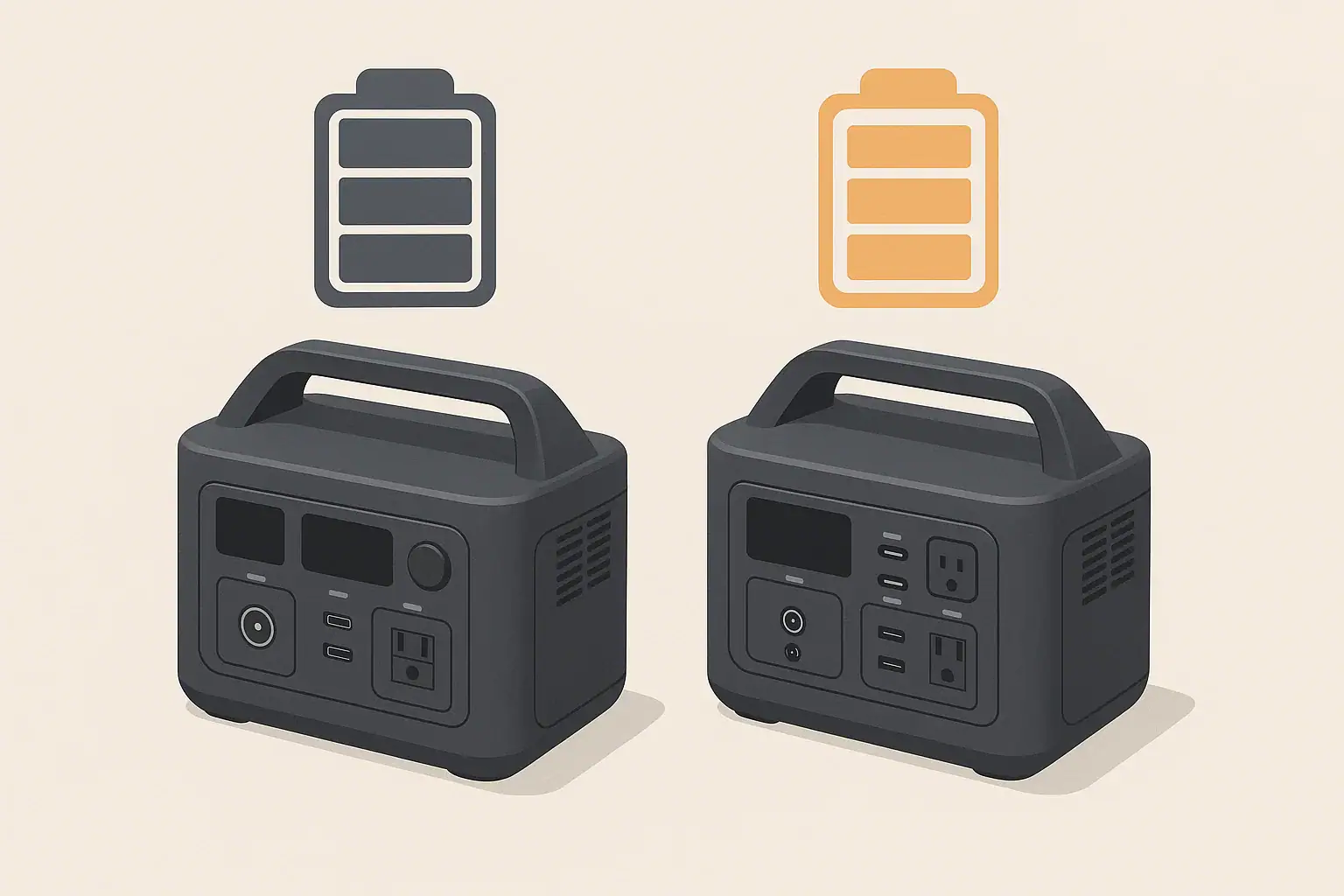
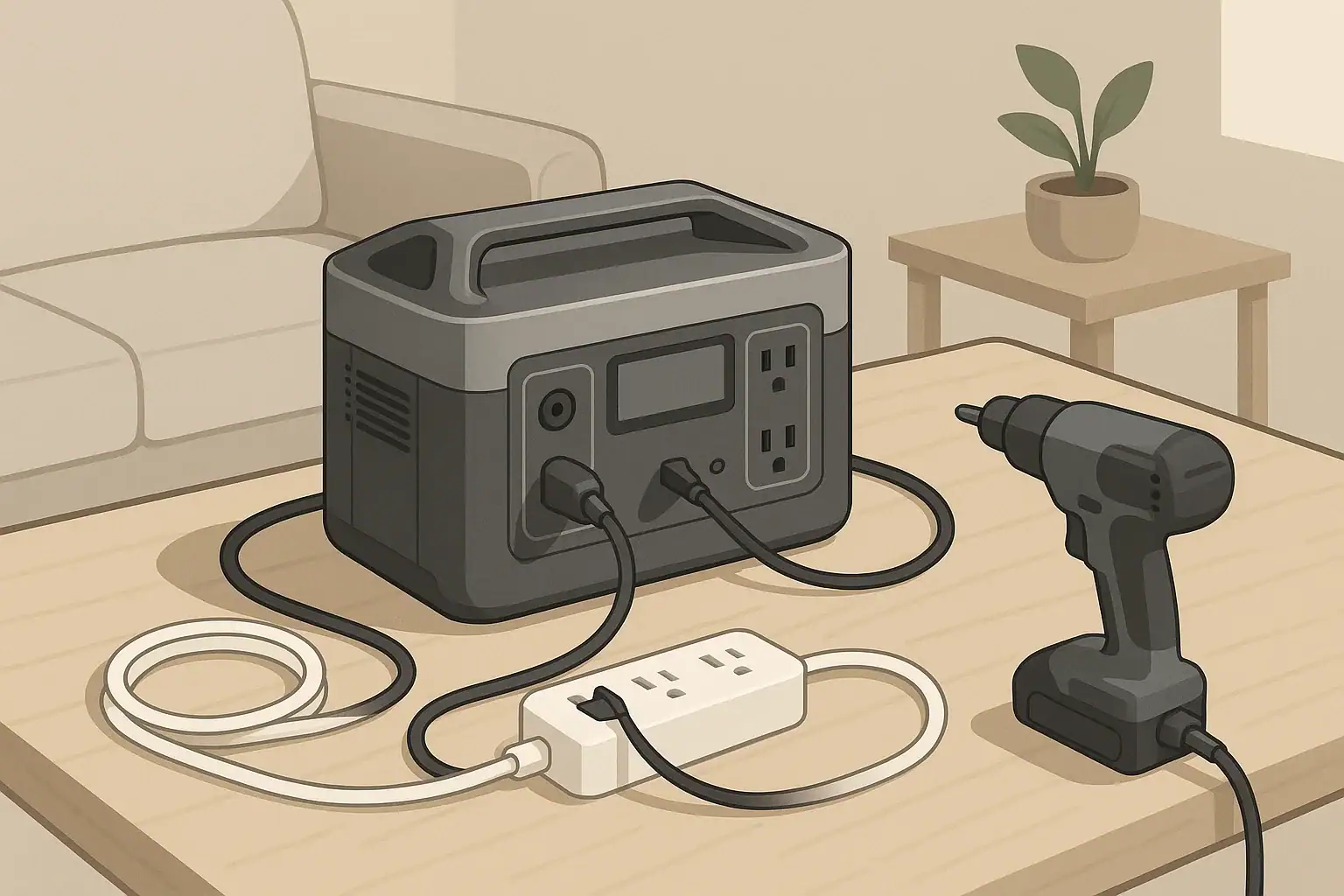
Two portable power stations compared side by side illustration

When people talk about LiFePO4 vs NMC batteries in portable power stations, they are comparing two common lithium-ion chemistries: lithium iron phosphate (LiFePO4) and lithium nickel manganese cobalt oxide (NMC). Both store energy in a compact form, but they behave differently in areas that matter for real-world use, such as weight, cold weather performance, safety, and long-term durability.

LiFePO4 batteries are known for long cycle life and strong thermal stability. They tend to be heavier and bulkier for the same watt-hour capacity but can tolerate many more charge and discharge cycles while staying relatively stable. NMC batteries, by contrast, usually pack more energy into less weight and volume, which makes devices lighter and easier to carry, but they generally have a shorter practical cycle life and are more sensitive to heat and deep discharges.

These differences matter when you choose a portable power station for camping, remote work, RV trips, or short home outages. If you value low weight and portability, NMC may appeal more. If you want a unit that you can cycle heavily for years, or leave at partial charge for long periods, LiFePO4 has advantages. Understanding these tradeoffs helps you match the battery chemistry to your real use patterns instead of just looking at headline capacity or peak watt ratings.

What the topic means

Because both chemistries are used behind the same user interface, marketing material often glosses over the underlying behavior differences. Taking time to understand how LiFePO4 and NMC differ in efficiency, cold performance, safety margins, and aging can prevent disappointment, unexpected shutoffs, or prematurely worn-out batteries.

Key concepts & sizing logic

No matter which chemistry you choose, some core sizing concepts apply: watt-hours (Wh), watts (W), surge vs running loads, and efficiency losses. Watt-hours describe how much energy the battery can store. Watts describe how fast you are using that energy at any moment. If you run a 100 W device from a 500 Wh battery, an ideal system would provide about 5 hours of runtime. In practice, both LiFePO4 and NMC systems lose some energy as heat in the inverter and internal electronics, so you usually plan for 10–20% less.

LiFePO4 and NMC batteries can both power high-wattage devices through an inverter, but the inverter has a rated continuous output (running watts) and a higher short-term surge output. Many appliances draw a brief surge when starting up: for example, compressor fridges or power tools may need 2–3 times their running watts for a second or two. A power station may have enough battery capacity but still shut off or fault if the surge is higher than the inverter can handle.

Chemistry affects how consistently the battery can deliver power across its state of charge and temperature range. LiFePO4 tends to maintain a flatter voltage curve during discharge, which can help the inverter deliver stable output until the battery is close to empty. NMC often has stronger energy density, so a smaller and lighter pack can reach the same watt-hour rating but might experience more voltage sag under heavy loads and at low temperatures, which can reduce usable capacity and cause earlier low-voltage cutoffs.

Efficiency losses vary slightly with chemistry and design. LiFePO4 systems can have minor efficiency advantages during moderate discharge rates because of their lower internal resistance, while NMC may show more variability depending on load and temperature. In everyday use, it is more important to consider that using AC outlets through the inverter is less efficient than using DC outputs (like 12 V car ports or USB). This means chemistry is only part of the runtime picture; how you connect devices and how heavily you load the system can matter just as much.

Portable power station sizing checklist – Example values for illustration.
What to checkWhy it mattersTypical example
Total daily watt-hoursHelps right-size capacity for your devicesAdd up device watts × hours of use
Highest surge loadAvoids inverter overload and shutoffsCompressor fridge or small tool startup
Continuous inverter ratingEnsures it can run your largest applianceExample: 800 W heater vs 600 W inverter
Chemistry cycle lifeIndicates how long the pack may last under heavy useLiFePO4 often higher cycles than NMC
Cold-weather behaviorAffects runtime and charging limits in winterLiFePO4 usually tighter charging temp limits
Weight vs capacityImpacts portability for camping or RV tripsNMC often lighter per watt-hour
Available charging methodsDetermines how quickly you can refill capacityWall, vehicle, and solar inputs
Expected efficiency lossesHelps set realistic runtime expectationsPlan for 10–20% overhead

Real-world examples

To see the practical differences between LiFePO4 and NMC batteries, it helps to walk through typical use cases rather than focus only on laboratory numbers. Consider a mid-sized portable power station used for home essentials during a brief outage. If you run a Wi​-Fi router (about 10 W), a laptop (50–70 W while working), and a few LED lights (10–20 W total), your total draw might be around 80–100 W. On a 500 Wh LiFePO4 unit, assuming 15% losses, you might see about 4.2 hours of runtime. On a similar-capacity NMC unit, real runtime is similar at these modest loads, but the NMC unit may be physically smaller and a few pounds lighter.

For camping or vanlife, weight and volume may be more important. A person carrying their station between a vehicle and campsite might choose an NMC-based system simply because it is easier to handle, especially in higher capacities. However, someone who cycles their battery deeply every day, such as an off-grid worker constantly charging tools, may prefer LiFePO4 because it tends to handle a higher number of deep discharge cycles before noticeable capacity loss. Over years of frequent use, this can offset the initial size and weight penalty.

Cold performance is another area where the differences emerge. NMC batteries generally retain more usable capacity in moderately cold conditions, though they still experience reduced performance below freezing. LiFePO4 batteries may lose usable capacity more abruptly in the cold, and charging them at or below freezing can be more restrictive. Some power stations address this with built-in battery management and, in some cases, internal heating. Even then, users often see shorter runtimes in winter and slower charging, regardless of chemistry.

In RV or remote-work scenarios where the unit stays mostly in one place, the extra weight of LiFePO4 may not be a concern. The longer cycle life can be valuable if you run heavy AC loads such as small space heaters or induction cooktops on a regular basis, because these quickly add to the cycle count. In contrast, a more occasional user who mainly wants backup for brief outages may never approach the cycle life limits of either chemistry, making weight, price, and cold behavior more important decision factors.

Common mistakes & troubleshooting cues

Both LiFePO4 and NMC-based power stations can shut off unexpectedly if the system is pushed outside its design limits. A frequent mistake is sizing capacity based on watt-hours alone and ignoring the inverter’s continuous and surge ratings. For example, trying to start a high-draw appliance like a microwave or hair dryer on a small power station can trigger overload protection. This behavior is not a flaw in the battery chemistry; it is an inverter and power budget issue.

Another common issue is misinterpreting low-temperature behavior as a defective battery. In cold weather, NMC packs may show reduced capacity but still charge with fewer restrictions, while LiFePO4 packs may refuse to accept a charge until they warm up above a certain threshold. Users sometimes see slow or halted charging and assume the unit is broken. In reality, the battery management system is protecting the pack from damage caused by charging when the internal cells are too cold.

Charging slowdowns can also occur at high states of charge or when the internal temperature is elevated. NMC and LiFePO4 chemistries both rely on protective logic that tapers charging as the battery approaches full. If your power station charges rapidly at first and then slows significantly near the top, this is usually normal. Running heavy AC loads while charging can also slow the net charge rate or even hold the state of charge steady, because much of the input power is diverted to the inverter output.

Over time, users might notice that a fully charged battery no longer lasts as long as when it was new. NMC batteries often show faster capacity fade if they have been stored at full charge in high heat or cycled very deeply and frequently. LiFePO4 batteries tend to age more slowly under the same conditions, but they are not immune to degradation. Early signs include reduced runtime, faster drops from 100% to around 80%, and more noticeable voltage sag under heavy loads. These cues can guide you to adjust usage patterns, such as avoiding long-term storage at full charge or high temperatures.

Safety basics

Safety considerations differ slightly between LiFePO4 and NMC, but many best practices are the same. Place portable power stations on stable, dry surfaces with good airflow around the vents. Avoid enclosing them in tight cabinets, under bedding, or near heat sources where heat buildup could accelerate wear or, in extreme cases, lead to thermal issues. LiFePO4 chemistry is generally more thermally stable and less prone to runaway reactions than NMC, which can offer an added margin of safety, but neither should be operated outside the manufacturer’s recommended temperature or moisture ranges.

Use appropriately rated extension cords and avoid daisy-chaining multiple power strips or running cords under rugs where heat can build up. Because portable power stations typically provide 120 V AC, they should be treated like a standard household outlet. Do not exceed the unit’s rated output by plugging in too many devices or high-wattage appliances simultaneously. Both chemistries rely on internal battery management and inverter protections; bypassing or ignoring those protections undermines the inherent safety design.

Moisture exposure is a concern regardless of chemistry. Keep the unit away from standing water, rain, and snowmelt. In RVs and vans, mount or place the power station where it is protected from spills and where vents are not blocked by gear or bedding. If you need to use a power station near sinks, basements, or outdoor locations, a properly rated GFCI-protected circuit or outlet provides an additional layer of protection against shock. When in doubt, consult a qualified electrician about safe ways to integrate a portable power station with existing circuits without modifying panels or wiring yourself.

Finally, never open the battery enclosure or attempt to repair the cells yourself. LiFePO4’s relative stability does not make it safe to tamper with compressed packs, and NMC cells can be especially unforgiving if punctured or shorted. If you observe swelling, strong odors, visible damage, or repeated overheat warnings, discontinue use and contact the manufacturer or a qualified service provider for guidance.

Maintenance & storage

Good maintenance and storage practices can stretch the usable life of both LiFePO4 and NMC batteries, but each chemistry responds slightly differently. LiFePO4 packs are generally more tolerant of regular deep cycles and long-term partial states of charge, which suits frequent users who discharge the power station deeply before recharging. NMC packs are more sensitive to high states of charge and heat, so it is especially helpful to avoid leaving them fully charged in hot environments for long periods.

For longer-term storage, a moderate state of charge is usually recommended for both chemistries. Many users aim for roughly 40–60% charge if the unit will sit unused for several weeks or months. At this level, the cells are under less stress than at 100%, and self-discharge over time is less likely to reach damaging low voltages. LiFePO4 typically has lower self-discharge than NMC, so it can often sit longer between top-ups, but checking the charge every few months is still wise.

Temperature control is an important part of storage. Try to store power stations in a cool, dry place, away from direct sun and freezing conditions. High heat accelerates aging for both chemistries, but it is particularly tough on NMC. Extreme cold can lead to very low internal voltage and difficulty charging without warming the pack first, especially for LiFePO4. If a unit has been stored in a cold vehicle or unheated garage, allow it to warm gradually to room temperature before charging.

Routine checks should include verifying that the unit powers on, outlets function correctly, and fans and vents are unobstructed and relatively clean. Light dusting around vents and ensuring cords are not frayed can prevent minor problems from becoming bigger issues. Running a brief functional test every few months—plugging in a small load and confirming normal behavior—helps you discover problems before you rely on the power station during an outage or trip.

Maintenance and storage plan – Example values for illustration.
TaskSuggested frequencyNotes
Check state of chargeEvery 2–3 monthsKeep around 40–60% for long-term storage
Top up the batteryWhen below ~30–40%Prevents deep discharge during storage
Visual inspectionEvery 3–6 monthsLook for damage, swelling, or loose cords
Vent and fan cleaningEvery 6 monthsLight dusting to maintain airflow
Functional test with small loadEvery 3–6 monthsConfirm AC and DC outputs work normally
Temperature check for storage spotSeasonallyAvoid extended high heat or freezing locations
Firmware or settings reviewAnnuallyAdjust eco/sleep modes if they affect your use
Label next service or replacement reviewEvery few yearsPlan around expected cycle life for chemistry

Example values for illustration.

Practical takeaways

Choosing between LiFePO4 and NMC batteries in a portable power station comes down to your priorities and usage patterns. LiFePO4 generally offers longer cycle life, strong thermal stability, and predictable voltage behavior, at the cost of more weight and bulk for the same capacity. NMC usually provides higher energy density and lighter units but can age faster under high temperatures, frequent deep discharges, or long storage at full charge.

Cold performance is nuanced: NMC often retains more usable capacity in moderate cold, while LiFePO4 requires more cautious charging at low temperatures but can still deliver reliable output when warmed. Safety is largely a function of design and battery management, but LiFePO4 has an inherent edge in thermal stability, which can add comfort for users who cycle their systems heavily or store them in variable environments.

For portable power station users in the United States thinking about outages, camping, or remote work, it helps to treat chemistry as one factor among several. Capacity in watt-hours, inverter ratings, charging options, and environmental conditions all interact with chemistry to determine real-world performance. A carefully chosen system, used within its limits and maintained thoughtfully, will typically provide years of dependable service regardless of whether it is based on LiFePO4 or NMC.

  • Match chemistry to use: LiFePO4 for frequent deep cycling and long life, NMC when low weight and compact size are more important.
  • Size by both watt-hours and inverter ratings, not just battery capacity, to avoid overload shutdowns.
  • Plan for efficiency losses and reduced cold-weather capacity when estimating runtime.
  • Store at moderate charge in cool, dry conditions and avoid long periods at full charge, especially with NMC.
  • Follow all safety guidance, avoid tampering with the battery pack, and consult qualified professionals before integrating with home wiring.

Frequently asked questions

Are LiFePO4 batteries significantly heavier than NMC for the same watt-hour capacity?

Yes. LiFePO4 cells have a lower energy density than NMC, so packs built with LiFePO4 are typically heavier and larger for the same watt-hour rating. The exact difference depends on pack design and supporting electronics, but users commonly notice a weight penalty when choosing LiFePO4 for equivalent capacity.

Can I charge LiFePO4 batteries in freezing temperatures?

Charging LiFePO4 at or below freezing is generally not recommended; many power stations prevent charging until cells warm above a safe threshold. Discharging at low temperatures may still work but with reduced usable capacity, and it’s best to follow the manufacturer’s temperature limits or allow the unit to warm before charging.

Which chemistry is safer for indoor use: LiFePO4 or NMC?

LiFePO4 has inherently better thermal and chemical stability and a lower risk of thermal runaway compared with NMC, giving it an edge for safety. However, overall safety also depends on pack construction, battery management systems, and proper use, so follow manufacturer guidance regardless of chemistry.

How do cycle lives typically compare between LiFePO4 and NMC?

LiFePO4 generally offers a much longer practical cycle life and can tolerate many more deep discharge cycles before noticeable capacity loss, while NMC typically reaches significant capacity fade sooner under heavy cycling or high-temperature storage. Exact cycle life varies by cell quality, depth of discharge, and operating conditions.

What are the best storage practices for each chemistry to maximize lifespan?

For both chemistries, store in a cool, dry place at a moderate state of charge (around 40–60%) and avoid prolonged storage at full charge or high temperatures. NMC is more sensitive to high heat and full-charge storage, while LiFePO4 tolerates partial charge and long storage somewhat better but still benefits from periodic checks and a stable environment.

Neutral-Ground Bonding Explained for Portable Power Stations: When It Matters (and When It Doesn’t)

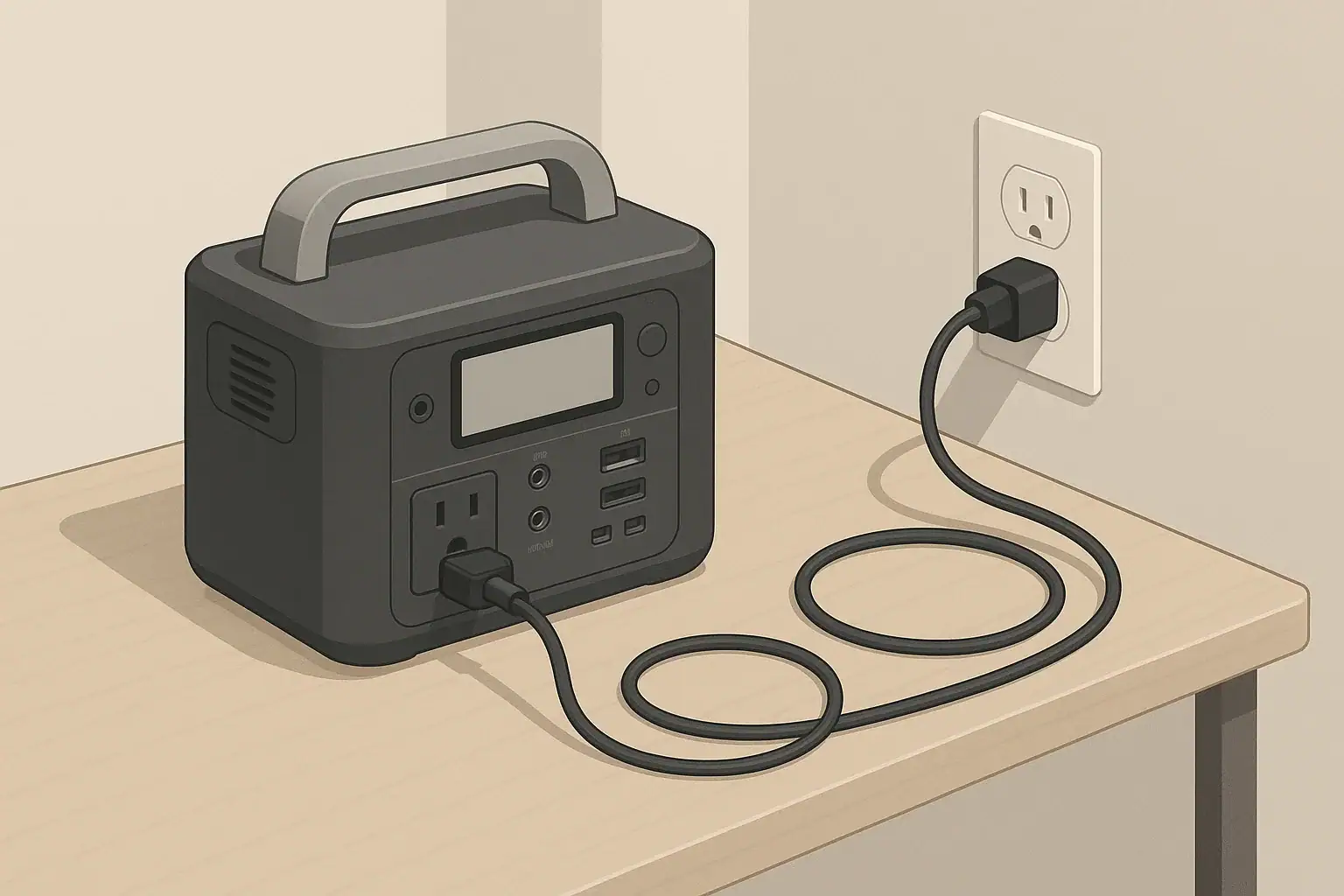
portable power station on indoor table with tidy cords

Neutral-ground bonding describes the electrical relationship between the neutral conductor and the equipment grounding path in an AC power system. In most permanent home wiring in the United States, the neutral and ground are bonded together at a single point in the main service panel. That bond defines what is considered 0 volts, and it provides a low-resistance return path that allows protective devices like breakers and fuses to operate quickly during a fault.

Portable power stations also produce AC output, usually 120V at 60Hz, but they do not always treat neutral and ground the same way a home electrical panel does. Some units have a floating neutral, where neutral is not bonded to ground inside the device. Others provide a bonded neutral internally or via a special adapter. This design choice affects how certain safety devices behave, especially GFCI outlets, surge protectors, and transfer switches.

Understanding neutral-ground bonding matters because it can explain why some loads trip, why a GFCI might not work as expected, or why a power station manual warns against certain connection methods. For typical plug-in use, such as running small appliances, lights, or electronics directly from the outlets on the power station, the internal bonding scheme is usually already accounted for by the manufacturer. Concerns grow mainly when users start connecting a power station into larger wiring systems, such as RV distribution panels or home backup setups.

In short, neutral-ground bonding is about how the reference point of the AC output is defined and how faults are cleared. Most everyday users never have to modify anything, but knowing what it is—and when not to interfere with it—helps you operate a portable power station more safely and more predictably.

What the topic means (plain-English definition + why it matters)

Key concepts & sizing logic (watts vs Wh, surge vs running, efficiency losses)

Neutral-ground bonding does not change how much power a portable power station can supply, but sizing still matters for safely running the things you care about. Two related ratings are important: watts and watt-hours. Watts describe power, or how fast energy is used at a moment in time. Watt-hours describe total stored energy, or how long the power station can sustain a load before the battery is depleted.

Running watts are the continuous power your devices draw during normal operation, while surge watts are the short spikes that occur when motors, compressors, or power supplies start up. A refrigerator, for example, might run at a few hundred watts but briefly surge to several times that when the compressor kicks on. The inverter in the power station must tolerate those surges without shutting down. Neutral-ground bonding does not increase capacity; it only affects how the AC waveform relates to ground and safety protection devices.

Efficiency losses also play a role in realistic runtime. Converting DC battery energy to AC output involves inverter losses, often around 10–15% depending on load level. There can be additional losses in any extension cords, adapters, or power strips. These inefficiencies mean that you rarely get the full, labeled watt-hour capacity in usable AC energy. When planning runtimes, it is helpful to assume that only a portion of the rated capacity is practically available.

When portable power stations are connected to other systems—such as an RV, a power strip with surge protection, or a transfer device for selected home circuits—neutral-ground bonding and sizing interact indirectly. For example, undersizing a power station for a load that frequently surges can cause frequent inverter shutdowns, and if those loads are on GFCI outlets or other protective devices, misinterpreted bonding can complicate troubleshooting. A well-sized unit, with appropriate cords and a clear understanding of how the neutral is treated, tends to run more reliably.

Neutral-ground and sizing checklist – Example values for illustration.
Checklist for planning AC loads on a portable power station
What to check Why it matters Example guidance (not limits)
Total running watts of planned loads Avoids continuous overload of the inverter Keep total running load at or below about 70–80% of inverter rating
Largest motor or compressor surge Prevents shutdowns when devices start Choose a power station whose surge rating comfortably exceeds the biggest single start-up load
Approximate daily energy use (Wh) Helps estimate runtime between charges Compare your expected daily Wh to roughly 70–85% of battery capacity for AC use
Neutral-ground bonding behavior Affects compatibility with GFCI outlets and transfer devices Check the manual for floating vs bonded neutral notes and any adapter requirements
Extension cord type and length Impacts voltage drop and heat buildup Use appropriately sized, outdoor-rated cords for higher loads and longer runs
Use with RV or home circuits Incorrect bonding can be unsafe Do not alter bonding yourself; consult a qualified electrician for any panel or transfer switch work
Environment temperature Influences battery performance and inverter limits Expect shorter runtimes and reduced charging performance in very hot or cold conditions

Real-world examples (general illustrative numbers; no brand specs)

Consider a common scenario: running a few home essentials during a short outage. Suppose you want to power a refrigerator, a Wi-Fi router, a few LED lights, and charge some electronics. The refrigerator might average around 150 watts with a surge of several hundred watts when the compressor starts. The router and lights together may use 30–50 watts, and electronics charging another 30–60 watts. In this case, the total running load might be around 250 watts, with a startup surge under 800 watts.

If your portable power station’s inverter can handle 1,000 watts continuous with a higher surge rating, this setup should be within its comfort zone. Assuming a 1,000 watt-hour battery and about 80% practical AC efficiency, you might expect roughly 800 usable watt-hours. At 250 watts average draw, that suggests around three hours of runtime before needing to recharge. Neutral-ground bonding will not change that runtime, but it will influence how this power station behaves if you plug it into a household circuit selector or a transfer device instead of plugging loads directly into the unit.

Another example is remote work in an RV or van. You might run a laptop (60 watts), a monitor (40 watts), some interior LED lighting (20 watts), a small fan (30 watts), and a low-draw router or hotspot (15 watts). That totals around 165 watts of running load. On a 500 watt-hour battery with similar efficiency assumptions, you may get roughly 3–4 hours of use before recharging. In this mobile scenario, neutral-ground bonding becomes relevant if you plug the power station into the RV’s shore-power inlet. Many RVs bond neutral and ground at the distribution panel or at the plug connection, and combining this with a bonded-neutral power station can create multiple bonds, which is something an electrician or RV technician should evaluate.

For camping, you might only be powering a cooler, lights, and phone charging, staying under 150 watts most of the time. A moderate-size power station could realistically keep those loads running through an evening or overnight. Here, neutral-ground bonding mostly matters when adding devices like portable GFCI strips near water or using the power station inside a tent or small camper. A floating neutral design can reduce shock risk relative to earth in some situations, but it behaves differently than a home circuit if a fault occurs. Following the manufacturer’s guidance on where the unit should be placed and how cords are routed is more important than trying to change how the neutral is bonded.

Common mistakes & troubleshooting cues (why things shut off, why charging slows, etc.)

One common mistake is assuming that every portable power station behaves exactly like a household receptacle. In reality, many have internal protections that shut down the inverter under conditions that would not necessarily trip a standard home breaker. These include overloads, sustained surges, internal temperature limits, or certain fault conditions detected on the output. If your devices suddenly turn off, the unit may have detected too much combined load, a short, or a spike that exceeded inverter limits.

Charging can also slow or pause unexpectedly. When the battery reaches a higher state of charge, most power stations reduce charging power to protect battery health, which can make the last portion of charging take longer than the first. High ambient temperatures or blocked ventilation can cause thermal throttling on both charging and discharging. Neutral-ground bonding does not cause slower charging, but if you are using complex power strips or surge protectors while the unit is charging and powering loads, extra heat and minor voltage drops in cords can add to stress on the system.

Another confusion point appears when using GFCI-protected outlets or transfer devices. Some GFCI testers assume a specific relationship between neutral and ground. On a floating-neutral power station, plug-in testers may show readings that look “wrong” compared to a home circuit, even though the power station is functioning as designed. Similarly, a transfer device that expects a bonded neutral might not behave correctly when fed by a floating-neutral source, or vice versa. Without changing anything internally, the safe approach is to follow the power station manual and have a qualified electrician evaluate any permanent or semi-permanent connection to a panel, RV distribution system, or transfer switch.

A final common mistake is improvising neutral-ground bonding adapters or modifying plugs to “fix” nuisance tripping. Defeating built-in protections or creating unapproved bonds can introduce shock and fire hazards, especially in wet locations or with long extension cords. If you see frequent shutdowns, tripping, or odd behavior from protective devices, treat those as troubleshooting cues: reduce the load, simplify the cord and strip setup, move the power station to a cooler and drier area, and consult the device documentation rather than bypassing safety features.

Safety basics (placement, ventilation, cords, heat, GFCI basics at a high level)

Safe placement is the foundation of using a portable power station, regardless of how the neutral and ground are handled. Position the unit on a stable, dry surface with enough clearance for air to flow around vents. Avoid enclosed spaces where heat can build up, such as tightly packed cabinets or under piles of fabric. Heat accelerates wear on electronic components and batteries, and it can trigger automatic shutdowns or derating while the device protects itself.

Cords and extension cables should be rated appropriately for the load, length, and environment. Undersized cords can overheat, especially with higher-wattage appliances or in hot conditions. Avoid daisy-chaining multiple power strips, and keep cords out of walkways to prevent tripping and accidental unplugging. If you must run cords outdoors, use outdoor-rated cables and keep connection points off the ground and away from standing water. Good cord management is just as important as understanding neutral-ground bonding in preventing shocks and equipment damage.

From a GFCI perspective, think of portable power stations as a unique kind of source. Built-in outlets may or may not include GFCI protection, and external GFCI devices may respond differently depending on whether the power station has a floating or bonded neutral. GFCIs work by monitoring the balance of current between hot and neutral; they are designed to trip when a small imbalance suggests current is flowing to ground through an unintended path, such as water or a person. The presence or absence of a neutral-ground bond can influence how quickly or reliably they detect certain fault conditions.

Because of that, treat wet locations with extra caution. Use equipment rated for damp or wet environments, keep the power station itself away from splashes, and avoid touching conductive surfaces when handling plugs near water. Do not attempt to change internal bonding to “match” household behavior. Instead, rely on properly rated cords and devices, and seek professional help for any applications involving permanent wiring, transfer equipment, or complex RV systems.

Maintenance & storage (SOC, self-discharge, temperature ranges, routine checks)

Good maintenance practices help keep both the inverter electronics and the battery in healthy condition. Most portable power stations benefit from being stored at a partial state of charge, commonly somewhere in the mid-range rather than at 0% or 100% for long periods. Storing fully charged or completely drained for months can accelerate cell aging. Check the manufacturer’s guidance for the preferred storage range, and aim to top up the battery periodically to stay within those recommendations.

Self-discharge occurs even when the unit is turned off. Internal electronics and the chemistry of the cells slowly reduce the state of charge over time. In many cases, checking and recharging every three to six months is enough to keep the battery ready for use, though more frequent checks may be wise if you live in a very hot or cold climate. Neutral-ground bonding does not affect self-discharge, but periodically exercising the inverter by powering moderate loads can help confirm that the AC output, including any ground-fault or bonding-related behavior, still functions normally.

Temperature is another critical factor. Extreme heat can permanently reduce battery capacity, while extreme cold can temporarily reduce available power and slow charging. Storing your power station in a climate-controlled space when not in use is ideal. Avoid leaving it in a hot vehicle or unconditioned shed for extended periods. If you need to operate the unit in cold weather, allow it to warm gradually to a moderate temperature before charging at high rates, and expect shorter runtimes compared to mild conditions.

Routine checks should include inspecting cords and plugs for nicks, loose blades, or discoloration; ensuring vents are free of dust and debris; and verifying that outlets still hold plugs firmly. If you use the power station with RV or home systems, periodic professional inspection of those connection points is wise. Never open the power station enclosure or attempt to modify internal bonding or wiring. Internal maintenance and any bonding changes belong in the hands of the manufacturer or qualified service technicians.

Storage and maintenance planner – Example values for illustration.
Typical maintenance and storage considerations for portable power stations
Item What to do Example interval or condition
State of charge before storage Store at a moderate charge level, not empty or full Roughly 40–60% charge for multi-month storage
Periodic top-up charge Recharge to the recommended range if SOC drifts low Check every 3–6 months or before storm seasons
Temperature during storage Keep in a cool, dry, well-ventilated space Avoid prolonged storage in very hot vehicles or direct sun
AC outlet and cord inspection Check for loose outlets, damaged cords, or heat marks Before and after heavy use or seasonal use
Vent and fan cleanliness Gently remove dust to maintain airflow Inspect every few months or in dusty environments
Functional test of inverter Power a small AC load to confirm operation Every few months and before trips or outages
RV or home connection points Have wiring and bonding evaluated when in doubt Consult a qualified electrician for any changes or issues

Example values for illustration.

Practical takeaways (non-salesy checklist bullets, no pitch)

Neutral-ground bonding in portable power stations is mostly about compatibility and safety, not about how much power you have. For everyday plug-in use, you typically do not need to alter or customize anything; the device is designed to handle its own bonding scheme internally. Problems arise when users try to make the power station behave exactly like a home panel or generator without understanding how it is built.

For planning, focus on realistic power needs, appropriate cords, and a clear idea of where and how you will use the power station. When your setup involves anything beyond plugging devices directly into the unit—such as RV shore-power inlets, transfer devices, or complex surge strips—treat neutral-ground bonding as a flag that professional advice may be warranted. The goal is to maintain a single, properly located bond point and preserve the function of protective devices.

Use the following checklist as a quick reference when planning or reviewing your setup:

  • Identify your key loads and estimate both running and surge watts before choosing or using a power station.
  • Stay within a comfortable margin of the inverter’s continuous rating to reduce shutdowns and heat.
  • Use appropriately rated, shortest-practical extension cords and avoid daisy-chaining strips and adapters.
  • Place the power station on a stable, dry surface with good ventilation, away from direct sun and moisture.
  • Do not attempt to add or remove neutral-ground bonds yourself; follow the manual and use a qualified electrician for any panel, RV, or transfer connections.
  • For wet or outdoor use, rely on properly rated equipment and cautious cord routing rather than bypassing GFCI or other protections.
  • Store the unit at a moderate state of charge, check it periodically, and keep it in a temperature-controlled environment when possible.
  • Treat any unusual tripping, shutdowns, or tester readings as a cue to simplify the setup and, if needed, seek expert help.

By keeping these points in mind, you can use neutral-ground bonding as a concept to inform safer decisions without needing to modify the power station itself or compromise its built-in protections.

Frequently asked questions

What’s the difference between a floating neutral and a bonded neutral in a portable power station?

A floating neutral is not tied to the equipment grounding conductor inside the unit, while a bonded neutral connects neutral to ground at a single point inside the device. This changes the reference of the AC output and can affect how protective devices detect faults and how plug-in testers report wiring. Neither design is inherently unsafe when used as intended, but compatibility with external panels, GFCIs, and transfer equipment differs.

When should I worry about neutral-ground bonding when connecting a power station to an RV or home backup system?

Worry about bonding when the power station is tied into any larger wiring system—such as an RV shore inlet, a transfer switch, or a home subpanel—because multiple bond points or unexpected bonding schemes can create unwanted fault currents and protective-device issues. Before making semi-permanent connections, consult the power station manual and have a qualified electrician verify that there will be a single, correct bond point. For simple plug-in use of the unit’s own outlets, bonding is usually already handled by the manufacturer.

Can I use a neutral-ground bonding adapter to stop nuisance GFCI trips?

No. Using adapters or creating an aftermarket bond can defeat built-in protections and create shock or fire hazards by introducing multiple or improper bond points. Instead of using an adapter, simplify the setup, reduce leakage paths, and consult the manufacturer or an electrician to address nuisance tripping safely. Repeated nuisance trips are a troubleshooting cue, not a reason to defeat safety features.

How does neutral-ground bonding affect GFCIs and plug-in testers?

Neutral-ground bonding can change how plug-in testers display wiring status and how external GFCI devices respond; a floating neutral may make a tester show nonstandard readings even when the output is safe. GFCIs detect imbalance between hot and neutral, so they still provide protection, but their behavior and nuisance-trip susceptibility can vary depending on bonding and any leakage paths. Treat unusual tester results as a sign to follow the manual and seek professional evaluation for permanent connections.

Do I need a licensed electrician to change bonding or connect my power station to household wiring?

Yes. Any work that alters neutral-ground bonding, modifies panels, or connects backup power into household or RV distribution systems should be done by a qualified electrician. Incorrect bonding or DIY changes can impair protective devices and create serious safety risks. For plug-in portable use, no electrician is typically required; for transfer switches, shore power inlets, or panel ties, get professional help.

GFCI Tripping Explained: Why Power Tools and Appliances Trip on Power Stations (and Solutions)

Portable power station on table with tidy cords indoors

Ground-fault circuit interrupter, or GFCI, protection is built into many portable power stations to reduce the risk of electric shock. The GFCI constantly compares the current flowing out on the hot wire with the current returning on the neutral wire. If it senses a difference beyond a small threshold, it shuts off power almost instantly.

When you plug in power tools, appliances, or extension cords, that protection sometimes “trips” even though nothing appears damaged. On a portable power station, this usually shows up as the AC output switching off or a warning indicator on the display. It can be confusing, especially if the same device works fine when plugged into a wall outlet.

Understanding why GFCI trips happen matters because it helps you separate real safety issues from nuisance trips. It also helps you size the power station correctly and choose better wiring and accessory practices so your tools and home essentials run more reliably during outages, camping, or remote work.

In this context, GFCI behavior connects directly with other basics such as watts, watt-hours, surge ratings, and inverter efficiency. A portable power station may shut down for different reasons: overload, low battery, inverter overheat, or GFCI trip. Knowing which is which is the key to safe and effective use.

To make sense of GFCI trips with power stations, it helps to separate three concepts: power (watts), energy (watt-hours), and how inverters and protective devices behave. Watts describe how fast a device uses power at a given moment. Watt-hours describe how much energy a battery can deliver over time.

What GFCI Tripping Means on Portable Power Stations

Portable power stations have two important watt limits: continuous (running) watts and surge watts. Running watts describe what the inverter can handle steadily. Surge watts describe short bursts when a motor or compressor starts. Power tools, refrigerators, pumps, and some electronics can draw 2–3 times their running wattage for a fraction of a second, which can lead to brief overloads, voltage dips, or inverter protection events.

GFCI protection is a separate layer from wattage limits. A GFCI trip is triggered by current imbalance, not by how many watts you are using. However, high startup currents, long extension cords, and certain power supplies can create small leakages or waveform distortions that look like a ground fault. Combined with inverter efficiency losses—typically 10–15% from battery to AC output—this can create situations where devices behave differently on a power station than on a utility outlet.

Efficiency losses also matter for sizing. If a device is rated at 500 watts, the power station may need to supply closer to 550–600 watts from the battery to cover inverter losses. That extra load adds heat and stress, which can make protective circuits more sensitive. When you plan capacity, it is wise to assume you will get somewhat less usable energy than the raw watt-hour rating suggests, especially at higher loads.

Checklist: Why a Tool or Appliance Might Trip or Shut Off Example values for illustration.
Common causes of shutdowns or trips on a portable power station
What to checkWhy it mattersTypical cue
Total running wattsExceeding the continuous rating can cause overload shutdown, separate from GFCI.Power station shows overload or immediately shuts off under load.
Startup (surge) loadMotors and compressors can draw 2–3x running watts briefly.Device starts, clicks, then stops; lights flicker at start.
Extension cord length and gaugeLong or thin cords increase resistance and leakage paths.Works fine when plugged directly into the power station but not with a long cord.
Moisture or outdoor useDamp connectors and cords can create small ground faults.GFCI trips more often outdoors or in damp areas.
Condition of tool or applianceWorn insulation or damaged cords can leak current to ground.GFCI trips on any GFCI-protected source, not just the power station.
Number of devices plugged inMultiple small leakage currents can add up to one large trip.Works alone, but trips when multiple AC devices are on together.
Power station temperatureHigh internal temperature can trigger protective shutdown.Unit feels warm; fan runs often; shuts down under moderate load.
Battery state of chargeLow battery can cause voltage sag and protection events.Shuts off sooner than expected or during heavy startup loads.

Example values for illustration.

Key Concepts Behind GFCI, Watts, and Sizing Logic

To make sense of GFCI tripping with power stations, it helps to separate three concepts: power (watts), energy (watt-hours), and how inverters and protective devices behave. Watts describe how fast a device uses power at a given moment. Watt-hours describe how much energy a battery can deliver over time.

Portable power stations have two important watt limits: continuous (running) watts and surge watts. Running watts describe what the inverter can handle steadily. Surge watts describe short bursts when a motor or compressor starts. Power tools, refrigerators, pumps, and some electronics can draw 2–3 times their running wattage for a fraction of a second, which can lead to brief overloads, voltage dips, or inverter protection events.

GFCI protection is a separate layer from wattage limits. A GFCI trip is triggered by current imbalance, not by how many watts you are using. However, high startup currents, long extension cords, and certain power supplies can create small leakages or waveform distortions that look like a ground fault. Combined with inverter efficiency losses—typically 10–15% from battery to AC output—this can create situations where devices behave differently on a power station than on a utility outlet.

Efficiency losses also matter for sizing. If a device is rated at 500 watts, the power station may need to supply closer to 550–600 watts from the battery to cover inverter losses. That extra load adds heat and stress, which can make protective circuits more sensitive. When you plan capacity, it is wise to assume you will get somewhat less usable energy than the raw watt-hour rating suggests, especially at higher loads.

Real-World Examples of GFCI Tripping and Power Use

Consider a corded drill rated at 6 amps on 120 volts. In theory, that is about 720 watts while drilling under load. On startup or when it binds, it can briefly demand well over that. A medium portable power station with a continuous rating near that level may manage light work but shut down or trip as you push the drill harder, especially if you use a long extension cord through damp conditions.

A small air compressor might be labeled at 8 amps (around 960 watts) but surge to several times that when the motor and pump start. Plugged into a household GFCI outlet, it may work fine because of the wiring and grounding characteristics of the building circuit. On an isolated inverter output with built-in GFCI, the same compressor might cause nuisance trips if its motor or wiring leaks a small amount of current to its metal body or to ground through nearby surfaces.

Even non-motor loads can interact with GFCI and inverters. Some laptop power supplies, battery chargers, and LED lighting drivers use internal filters that bleed a tiny current to ground. When one device is plugged in, the leakage may be too low to matter. When you add several of these to a small power station, the combined leakage can reach the threshold that causes a GFCI trip, even though each individual device is within normal limits.

During a short power outage at home, you might run a refrigerator (with a compressor), a Wi‑Fi router, a laptop, and some LED lights from a single portable power station. The total running watts might be comfortably within the power station’s rating. Yet the combination of compressor surges, extension cords, and multiple electronic power supplies can occasionally trip the GFCI or overload protection, causing everything to shut off until you reset the unit.

Common Mistakes and Troubleshooting Cues

Many users assume that any shutdown means the battery is empty, but portable power stations can stop output for multiple reasons. A pure GFCI trip typically occurs suddenly when a device starts or when conditions change, even if the battery is still well charged. Overload or surge shutdown is more directly linked to watts, and thermal shutdown relates to heat buildup over time. Distinguishing these is the starting point for solving issues.

A common mistake is undersizing the power station for tools or appliances with motors. Choosing a power station based only on running watts without accounting for startup surge leads to frustrating trips. If your device’s label says 600 watts, and the power station’s continuous rating is 600 watts, there is little headroom for surge, heat, or inverter inefficiencies. You might see the AC output drop off just as the tool starts or when the refrigerator compressor kicks in.

Another frequent issue is using long, lightweight extension cords. These cords add resistance and introduce more opportunities for minor leakage or contact with moisture, which can trigger GFCI. If a device trips only when using a particular cord, that cord might be damaged, undersized, or poorly suited to the load. Keeping runs as short as practical and using cords rated for the current you need can reduce both voltage drop and nuisance trips.

Look for patterns when troubleshooting. If the GFCI trips whenever a certain tool starts, that tool may have internal leakage or insulation wear. If shutdowns happen mainly when multiple small devices are connected, the combined leakage current or total watts may be too high. If the power station feels hot and the fan runs constantly before shutdown, temperature is likely part of the problem. Paying attention to these cues helps you decide whether to change cords, reduce loads, move the unit for better cooling, or have a tool inspected.

Safety Basics: Placement, Ventilation, Cords, Heat, and GFCI

GFCI protection is one element of a broader safety picture around portable power stations. These units should be placed on stable, dry surfaces, away from standing water, open containers of liquid, or damp ground. Indoors, avoid blocking the air inlets and outlets that the cooling fan depends on. Outdoors, protect the unit from rain and heavy condensation, even if its enclosure is rated for some level of weather resistance.

Ventilation is important because inverters and batteries generate heat under load. If a power station is tucked into a tight cabinet or surrounded by gear, internal temperatures rise faster. That can lead to derating of output capacity, earlier shutdown, or accelerated battery wear. Give the unit several inches of clearance on all sides and avoid covering it with blankets, clothing, or bags while in use or charging.

Extension cords and power strips should match the load. Use cords with appropriate gauge wire for the current you expect and keep them as short as reasonably possible. Inspect cords regularly for cuts, crushed sections, or damaged plugs. Do not run cords through standing water, and avoid daisy-chaining multiple power strips. When GFCI tripping becomes frequent, inspect all cords and connections for damage and consider using fewer adapters and splitters.

At a high level, GFCI exists to reduce the risk of shock. If you consistently see GFCI trips with a particular tool or appliance on any GFCI-protected source, consider having that device inspected or replaced. For more complex setups—such as using a portable power station alongside an RV electrical system or in a building with existing GFCI and other protection—consult a qualified electrician. Avoid any attempt to bypass grounding pins, defeat GFCI functions, or modify the internal wiring of power stations or appliances.

Maintenance and Storage for Reliable Operation

Good maintenance and storage habits support both safety and predictable runtime. Most portable power stations perform best when stored with a moderate state of charge, often somewhere in the middle of their range rather than completely full or empty. Over long periods, batteries self-discharge slowly, so a unit left unused for many months can drop low enough that it refuses to start without a careful recharge.

Temperature strongly affects both battery health and GFCI behavior. Extreme cold can temporarily reduce available capacity and cause devices to draw higher currents as they struggle to start. Excessive heat can accelerate internal aging and make protective circuits more sensitive. Storing and using the power station within a moderate temperature range helps keep runtimes consistent and reduces the likelihood of nuisance shutdowns under load.

Routine checks are straightforward but important. Periodically inspect AC outlets, USB ports, and DC jacks for debris, corrosion, or looseness. Make sure ventilation grills are free of dust buildup. Check cords and commonly used tools for damage, especially those that have previously caused GFCI trips. Many power stations offer a way to run a basic self-test or show error codes; learn what those indicators mean in general terms so you can respond appropriately.

Charging practices also matter for longevity. Avoid letting the battery sit at 0% for long periods, and do not rely constantly on very fast charging if your schedule allows slower, cooler charging cycles. When storing the unit for a season, bring it back to a moderate state of charge every few months. This reduces stress on the battery and helps ensure the power station is ready when you need it for outages, trips, or projects.

Storage and Maintenance Planning Overview Example values for illustration.
Example maintenance intervals and storage practices
TaskSuggested frequencyNotes
Top up battery charge to a moderate levelEvery 3–6 months in storageHelps offset self-discharge and keeps cells balanced.
Inspect cords and plugsBefore major trips or outage seasonsLook for damage that can increase GFCI tripping risk.
Clean ventilation openingsEvery few months or after dusty usePrevents overheating and thermal shutdowns.
Test key appliances on the power stationOnce or twice a yearConfirms compatibility and checks for nuisance trips.
Store in temperature-controlled spaceDuring off-seasonAvoid prolonged exposure to high heat or freezing.
Review indicator lights and basic error codesWhen first setting up and after updatesHelps distinguish GFCI trips from overload or low battery.
Check for physical damage to outletsAnnually or after impactsCracked housings or loose outlets may be unsafe.
Verify charger and cablesWhen charging behavior changesLoose or damaged chargers can slow charging or cause faults.

Example values for illustration.

Practical Takeaways and Checklist

Managing GFCI tripping and shutdowns on portable power stations comes down to understanding load behavior, wiring quality, and environmental conditions. When you recognize how power tools, appliances, and electronics interact with a small inverter-based system, it becomes easier to plan realistic runtimes and avoid surprises.

Rather than treating every shutdown as a defect, use it as information. Identify whether you are seeing GFCI trips, overloads, thermal limits, or low-battery protection. Then adjust how you size, place, and maintain the power station and connected devices.

  • Match the power station’s continuous and surge ratings to your highest-demand tool or appliance, leaving comfortable headroom.
  • Use short, properly rated extension cords and avoid damaged or questionable cords that can contribute to GFCI trips.
  • Keep the power station dry, well ventilated, and within moderate temperature ranges during use and storage.
  • Test critical devices on the power station before relying on them during an outage or trip.
  • Inspect any tool or appliance that repeatedly trips GFCI protection, even on other circuits, and consider professional evaluation.
  • Maintain a moderate state of charge during long-term storage and refresh the battery periodically.
  • Consult a qualified electrician for complex setups involving RVs or building wiring, and do not modify internal wiring or safety systems.

With these practices, you can use portable power stations more confidently, keeping GFCI protection working for your safety while minimizing nuisance trips that interrupt your work and daily life.

Frequently asked questions

Why does a portable power station’s GFCI trip when I start a power tool?

GFCI trips occur when the device senses a current imbalance between hot and neutral, not simply high wattage. Motor startup surges, waveform distortion from the inverter, tiny leakage from tool filters, or increased resistance from long/poor cords can create conditions that the GFCI interprets as a fault and trips. Check surge capacity, use a short heavy-gauge cord, and test the tool on a known-good outlet to isolate the cause.

How can I tell if the unit shut down from a GFCI trip versus overload or thermal protection?

GFCI trips are usually sudden and often accompany a visible GFCI or fault indicator on the unit; overloads commonly trigger an overload indicator or immediate shutdown when the load exceeds the continuous rating; thermal issues are often preceded by increased fan activity and elevated temperature before derating or shutdown. Consult the station’s status lights or error codes for the precise meaning and the manual for reset procedures.

Can several small devices together cause GFCI tripping on a power station?

Yes. Multiple small electronics with EMI filters or chargers can each leak a tiny current to ground, and those leakage currents can add up to exceed the GFCI threshold. If trips only happen when multiple items are connected, try removing some devices or redistributing loads to reduce combined leakage.

Do long or thin extension cords increase the chance of GFCI tripping on power stations?

Long or undersized cords increase resistance, voltage drop, and the chance of insulation breakdown or moisture ingress, all of which can contribute to leakage paths or inverter distortion that look like ground faults. Use the shortest, appropriately gauged cord for the current and inspect cords for damage to reduce nuisance trips.

What safe steps reduce nuisance GFCI trips without disabling protection?

Do not bypass safety devices. Instead, ensure the power station has adequate surge headroom for motors, use proper-gauge short cords, keep the unit dry and well ventilated, inspect and repair tools or cords that leak, and test devices on a different GFCI-protected source to identify problematic equipment. For complex or persistent issues, consult a qualified electrician or service technician.

Best Storage Charge Percentage: 40% vs 60% vs 80% (What Battery Chemistries Prefer)

portable power station beside abstract battery cells illustration

What the topic means (plain-English definition + why it matters)

Portable power stations rely on rechargeable batteries that age over time. One of the biggest factors in how long they last is the percentage of charge you leave them at during storage, also called state of charge or SOC. Questions like whether 40%, 60%, or 80% is best for storage come down to how different battery chemistries respond to voltage, temperature, and time.

In simple terms, storage percentage is the amount of energy left in the battery while it is sitting unused for days, weeks, or months. Storing a battery full, nearly empty, or in the middle can change how quickly it loses capacity, how well it handles cold or heat, and how reliable your power station will be during an outage or camping trip.

For most modern portable power stations, the internal battery management system (BMS) tries to protect the cells from extreme conditions. However, the choices you make about charge level before long-term storage still matter. Different chemistries such as lithium iron phosphate (LiFePO4), nickel manganese cobalt (NMC), and older lead-acid designs each have different “comfort zones.”

Understanding how storage SOC interacts with chemistry, watt-hours (Wh), and your real-world needs helps you decide when to stop charging, when to top up, and what to expect over the life of the device. That way your power station can balance longevity, safety, and readiness whenever you need backup power.

Key concepts & sizing logic (watts vs Wh, surge vs running, efficiency losses)

Before deciding on the best storage percentage, it helps to understand how capacity and power work together. Capacity is usually expressed in watt-hours (Wh) and describes how much energy a battery can store. Power is expressed in watts (W) and describes how fast that energy is delivered at any moment. A power station with more Wh can run devices longer, while higher W capacity lets it run larger or more demanding loads.

When you plug in an appliance, it may have two kinds of power needs: running watts and surge watts. Running watts are what the device draws steadily during normal use, like a laptop or small fan. Surge watts are brief bursts of higher power needed at startup, common in devices with motors or compressors. A portable power station inverter must be sized to handle both the steady load and any short surge so it does not shut down.

Efficiency losses also matter. Energy is lost when converting DC battery power to AC household-style power, or when using adapters and chargers. These losses mean the usable runtime is less than the raw Wh rating suggests. The BMS and inverter also consume some energy while the unit is on, even with light loads. In practice, many users see perhaps 80–90% of the labeled Wh as usable, depending on how they operate the station.

These concepts tie back to storage percentage because the same battery that runs your loads must also be kept in a healthy range when sitting idle. Storing at very high SOC means the cells sit at a higher voltage for long periods, which can slowly stress them, especially in warm environments. Storing at very low SOC risks deep discharge over time as self-discharge and standby electronics slowly drain the pack. A mid-range SOC often provides a reasonable compromise between long-term health and immediate readiness.

Storage charge checklist by battery type – Example values for illustration.
Battery chemistry Typical storage SOC band (example) When to consider 40% When to consider 60% When to consider 80%
LiFePO4 (LFP) 30–70% Long, warm storage when you do not need instant readiness Balanced choice for most seasonal storage Shorter storage periods when you want more standby energy
Lithium NMC / NCA 40–60% Maximizing calendar life in hot locations General-purpose storage with moderate temperatures Only if you expect to use it soon
Lithium polymer variants 40–60% When seldom used and kept indoors Typical midpoint for backup use Rarely needed for long-term storage
Sealed lead-acid (AGM, Gel) 80–100% Not generally recommended for storage Short storage between uses Helps reduce sulfation; recharge regularly
Hybrid or mixed packs Follow manual Use only if manufacturer suggests Often safe default if unspecified Use when fast deployment is likely
Unknown chemistry ~50–60% If rarely used and kept cool Reasonable compromise for most users If you prioritize readiness over maximum life

How 40%, 60%, and 80% relate to chemistry

Different chemistries handle voltage stress differently. Many lithium-based cells are happiest long-term at a mid-range SOC, often near 40–60%. LiFePO4 tends to be robust and tolerant of slightly wider storage ranges, while NMC and similar cells typically benefit more from avoiding very high SOC in warm conditions. Lead-acid batteries, on the other hand, do not like sitting partially discharged because that encourages sulfation, so they are usually stored closer to full with periodic top-ups.

The best storage percentage is therefore not a single number, but a range tuned to your chemistry and situation. If your main goal is maximum lifespan and you live in a warm climate, something closer to 40–50% for lithium-based packs is often reasonable. If you want your power station ready for unplanned outages with minimal thought, 60–80% may be more practical, especially in cooler indoor storage.

Real-world examples (general illustrative numbers; no brand specs)

Consider a portable power station with a 1,000 Wh nominal capacity using a lithium-based battery. If you store it at 40% SOC, that is about 400 Wh of energy. At 60%, you have about 600 Wh, and at 80% about 800 Wh. Assuming typical efficiency losses, the usable AC energy might be closer to 320 Wh, 480 Wh, and 640 Wh respectively, depending on how you operate it.

At 40%, you could expect, for example, several laptop charges or many hours of a low-power light and router in an outage, but not a full night of heavier loads. At 60%, you might power a laptop, modem, and small fan through a typical evening. At 80%, you gain more buffer for unexpected longer outages or for powering a compact refrigerator for a few hours, if the inverter and surge capacity are adequate.

When thinking about storage SOC, it helps to match your target to the scenarios you care about most. If your power station is mainly for scheduled camping trips, you might store it near 40–50% and charge to a higher level a day before you leave. If you want coverage for surprise outages, you might accept some additional battery wear and leave it closer to 60–80%, checking it periodically so it does not drift down too low over time.

For a smaller unit, say 300 Wh, the same percentages give 120 Wh at 40%, 180 Wh at 60%, and 240 Wh at 80%. This might be enough for phones, a tablet, and a hotspot for remote work, but not for high-wattage tools. Larger home-oriented stations with several thousand Wh can support more demanding use at these same percentages, but the underlying tradeoff between storage SOC, readiness, and longevity remains similar.

Common mistakes & troubleshooting cues (why things shut off, why charging slows, etc.)

One common mistake is storing a lithium-based portable power station at 0–10% SOC for long periods. Even though the BMS usually reserves some hidden capacity, self-discharge and standby loads can bring the pack down far enough that it will not turn on or accept a charge easily. This can look like a dead unit even though the internal cells might be recoverable only with manufacturer-level service.

Another frequent issue is leaving the unit at 100% SOC in a warm garage or vehicle for weeks or months. High voltage combined with heat accelerates chemical aging, which may show up later as shorter runtime, faster voltage sag under load, or more aggressive shutoffs when you approach lower percentages. In extreme cases, built-in protections may limit charging speed or total capacity to protect the pack.

Users also sometimes misinterpret shutoffs and slow charging. If the power station turns off sooner than expected, it could be hitting a low-voltage cutoff even though the displayed SOC shows a seemingly comfortable number. This can happen after the battery has aged, if the load has significant surge demands, or if the temperature is low. Slow charging can occur when the BMS reduces current at high SOC to reduce stress, or when the pack is cold or hot and needs to stay within safe temperature limits.

Overfocusing on a single “perfect” storage percentage without considering temperature and actual usage can also lead to frustration. For example, aiming for exactly 50% but leaving the unit baking in a vehicle on summer days may still be harder on it than storing at 60% in a cool, dry indoor space. Battery health is the combination of SOC, temperature, and time, not a single number on a display.

Safety basics (placement, ventilation, cords, heat, GFCI basics at a high level)

Regardless of whether you store your power station at 40%, 60%, or 80%, safe placement and operation are essential. Use the unit on a stable, dry surface where air can move around it. Avoid burying it under blankets, inside tightly closed cabinets, or right up against walls or other heat sources. Batteries and inverters can warm up during use and charging, and good ventilation helps them manage that heat.

Pay attention to cords and extension cables. Use appropriately rated cords for the expected current, keep them uncoiled if they tend to get warm, and avoid running them under rugs or through doorways where they can be pinched or damaged. Damaged insulation or loose plugs can be a fire or shock hazard, regardless of how carefully you manage storage SOC.

When using the AC outlets on a portable power station around water, such as in kitchens, bathrooms, or outdoors, plug devices into outlets that are protected by ground-fault circuit interrupters (GFCI) where possible. Some portable power stations may incorporate their own protective features, but in many setups, the GFCI protection comes from the downstream devices or extension cords. If you are not sure, a qualified electrician can help you choose appropriate accessories.

Do not modify the power station, bypass built-in protections, or attempt to open the battery enclosure. If you need to connect a portable power station to part of a home electrical system, rely on listed equipment and a properly installed transfer mechanism handled by a licensed electrician. Improvised or backfed connections can create severe safety risks even if the storage SOC and battery chemistry are well managed.

Maintenance & storage (SOC, self-discharge, temperature ranges, routine checks)

Good maintenance practices work together with your chosen storage SOC to extend the life of a portable power station. Most lithium-based packs slowly lose charge over time through self-discharge and the small draw of the BMS. Checking the unit every one to three months and topping it up as needed helps prevent drifting into unhealthy low states, especially if you store near 40%.

Temperature is as important as SOC. Storing batteries in a cool, dry, indoor environment is usually easier on them than in hot garages, attics, or vehicles. For lithium chemistries, moderate room temperatures are generally preferable for long-term storage. Very cold environments can temporarily reduce apparent capacity and may slow charging, while very warm conditions can speed up permanent capacity loss.

For lithium iron phosphate (LiFePO4) packs, many users choose a storage range roughly between 30–70%, aiming around 40–60% if the unit will sit for months. For NMC or similar packs, a common approach is about 40–60%, avoiding long periods at 100% unless you expect to use the energy soon. For sealed lead-acid designs, manufacturers often recommend keeping them near full and topping up regularly to avoid sulfation, so 80–100% may be more appropriate.

Routine checks go beyond SOC. Inspect the case for cracks or swelling, feel for unusual warmth during light use, and listen for odd sounds from internal fans. If the display reports abnormal error codes or the unit refuses to charge or discharge, discontinue use and follow manufacturer guidance. Storage at a thoughtful SOC cannot fix a physically damaged pack, but it can slow the normal aging of a healthy one.

Storage and maintenance plan over time – Example values for illustration.
Time frame Suggested SOC band (lithium examples) Temperature focus Maintenance step What to watch for
Short storage (up to 2 weeks) 40–80% Normal room temperature Power down when not needed Rapid self-discharge or unexpected drops
Medium storage (1–3 months) 40–60% Cool, dry indoor area Check SOC once per month Signs of swelling or unusual odor
Long storage (3–12 months) 40–50% Avoid hot garages or vehicles Top up if it drifts near 20–30% Failure to wake or accept charge
Seasonal use (camping gear) 40–60% off-season Indoor closet or storage room Charge to use level a day before trip Reduced runtime vs prior seasons
Emergency backup focus 60–80% Stable indoor location Quick functional test every few months Alarms, error codes, or fan anomalies
Lead-acid based units 80–100% Avoid deep discharge storage Top up every 1–2 months Cranking weakness or voltage sag
Very cold storage 40–60% before cooling Shield from condensation Warm to moderate temp before charging Charging refusal until warmed

Example values for illustration.

Practical takeaways (non-salesy checklist bullets, no pitch)

The best storage charge percentage depends on battery chemistry, temperature, and how quickly you need power available. There is usually a reasonable range rather than a single perfect point. Most lithium-based portable power stations are comfortable in the middle of the pack, while lead-acid designs prefer to stay closer to full.

Balancing longevity and readiness means matching SOC to your usage pattern. If you cycle the station frequently, you may spend less time in storage and more in active use; if it is mainly for emergencies, you might accept some extra wear for higher standby charge. For any approach, consistent temperature control and periodic checks are just as important as the number on the display.

Use the following checklist as a quick reference when deciding whether 40%, 60%, or 80% makes sense for your situation:

  • Identify your battery chemistry from the manual or specifications.
  • For lithium chemistries, favor mid-range storage: often around 40–60%.
  • Use about 60–80% storage SOC if you prioritize outage readiness.
  • Keep sealed lead-acid designs near 80–100% with periodic top-ups.
  • Store indoors at moderate temperatures whenever possible.
  • Avoid leaving the unit at 0–10% or 100% for long periods, especially in heat.
  • Check SOC and basic operation every one to three months.
  • Stop using and seek guidance if you notice swelling, strong odors, or error codes.

By combining an appropriate storage SOC with good placement, temperature control, and occasional maintenance, you can help your portable power station deliver reliable service across many seasons of everyday use and unexpected power needs.

Frequently asked questions

What is the best storage charge percentage for lithium iron phosphate (LiFePO4) batteries?

LiFePO4 cells are typically happiest in a mid-range SOC—roughly 30–70%, with about 40–60% a practical target for long-term storage. Lower levels like ~40% reduce calendar aging while ~60–70% are acceptable when you want quicker deployment; always factor in storage temperature and duration.

How often should I check and top up a portable power station stored at 40–60%?

Check the SOC every one to three months and top up if the charge drifts toward about 20–30% to avoid deep discharge and BMS issues. In warmer storage conditions check more frequently because higher temperatures increase self-discharge and accelerate aging.

Is it bad to store a lithium battery at 100% or 0% for long periods?

Yes; storing at 100%—especially in warm conditions—accelerates chemical aging, while storage near 0% risks deep discharge and possible failure to accept a charge. Both extremes reduce calendar life compared with a mid-range SOC.

What storage SOC should I use if I need my power station ready for emergencies?

For emergency readiness, storing around 60–80% provides more standby energy while keeping reasonable longevity, and you should perform quick functional tests every few months. Keep the unit in a stable, cool indoor location to limit extra wear from high SOC combined with heat.

How does temperature affect the best storage charge percentage?

Temperature strongly modifies the optimal SOC: high temperatures make high SOC more damaging, so prefer lower mid-range SOC (e.g., ~40–50%) in warm climates, while cool storage tolerates slightly higher SOC for readiness. Also avoid charging or discharging in extreme cold until the pack warms to a safe operating range.

Why Capacity Drops in Cold and Heat: Battery Chemistry + Simple Rules for Better Runtime

Portable power station with abstract battery cells in isometric view

When people say a portable power station “loses capacity” in the cold or seems to “drain faster” in hot weather, they are talking about how much usable energy the battery can actually deliver at that moment. The battery’s rated capacity is measured in watt-hours under controlled test conditions, but real-world temperature and usage can make the effective capacity meaningfully higher or lower.

Inside every portable power station is a battery made of electrochemical cells. These cells move ions between electrodes to store and release energy. That chemical process is sensitive to temperature and how quickly energy is being drawn. Cold slows the reactions down, while excessive heat increases internal resistance and accelerates wear. Both can reduce how much of the rated capacity you can access during a single discharge.

This matters because capacity is the foundation for planning runtime. If you expect a 1,000 Wh power station to give you 1,000 Wh in freezing conditions or in a hot, closed car, you will almost always be disappointed. Knowing how temperature and battery chemistry change the usable energy helps you size your system correctly and avoid surprises during outages, camping trips, and remote work.

Understanding these effects also helps you interpret unexpected behavior: the unit shutting off early, the display showing less runtime than usual, or charging slowing down in the cold. None of these necessarily mean the power station is “bad”; they may just reflect the physics of how batteries behave outside ideal lab conditions.

What the topic means (plain-English definition + why it matters)

Key concepts & sizing logic (watts vs Wh, surge vs running, efficiency losses)

To make sense of capacity drops in heat and cold, it helps to separate power from energy. Power, measured in watts (W), is how fast you are using energy at any moment, like the speedometer of a car. Energy, measured in watt-hours (Wh), is how much total work the battery can do before it needs recharging, like the size of a gas tank. A portable power station’s “capacity” rating is given in watt-hours, but its outlets are limited in watts.

Appliances have two important power values: surge and running. Surge is the brief, higher power draw when a device starts up, common with compressors, pumps, and some tools. Running watts are what the device uses once it is operating normally. The inverter inside a power station has a maximum continuous rating (for running loads) and a short-term surge rating. If either rating is exceeded, the unit may shut down to protect itself, even if the battery still has plenty of energy left.

Efficiency losses further reduce usable capacity. Converting battery DC power to 120 V AC through the inverter wastes some energy as heat. Charging from AC, DC, or solar also has conversion losses, and running small DC devices through USB or a car-style port is usually more efficient than converting to AC and back again. In cold conditions, where battery chemistry already limits output, these losses become more noticeable because you are working with less effective capacity to begin with.

Temperature influences internal resistance and reaction rates inside the cells. In cold weather, higher resistance and slower ion movement can reduce how much energy the battery can deliver at a given discharge rate. In heat, reactions may be easier in the short term but cause faster aging over time, so the total lifetime capacity slowly shrinks. Good sizing includes a margin for these real-world effects instead of assuming the printed watt-hour number will always be available.

Checklist for accounting for real-world battery capacity. Example values for illustration.
What to consider Why it matters Typical planning rule (example only)
Conversion losses (DC to AC) Inverter heat reduces usable watt-hours from the battery Assume 10–20% loss when using AC outlets
Cold weather operation Lower temperatures limit chemical reactions inside cells Plan for 20–40% less usable capacity below freezing
High discharge rate (many watts at once) Pulling power quickly increases internal losses Expect shorter runtime when running near inverter max
Partial vs deep discharges Very deep discharges can shorten long-term battery life Aim to avoid hitting 0% regularly when possible
High ambient heat Heat accelerates aging and can cause protective throttling Try to keep the unit below roughly hot car temperatures
Display estimates and indicators Runtime predictions adjust based on recent load and temp Treat displayed runtime as an estimate, not a guarantee
Battery age and cycle count Capacity gradually declines with use over years Expect noticeable loss after many hundreds of cycles

Real-world examples (general illustrative numbers; no brand specs)

Imagine a portable power station rated at 1,000 Wh. On a mild day at room temperature with modest loads and mostly DC outputs, you might reasonably plan on 800–900 Wh of usable energy once you account for inverter losses, display overhead, and safety reserves the manufacturer keeps in the battery management system. That could power a 50 W laptop setup for roughly 14–16 hours of actual runtime, not counting breaks or standby periods.

Now place the same unit in a cold garage at around 20°F. The internal battery chemistry slows, and the management system may further limit charging or output to protect the cells. In that scenario, you might only see 60–70% of the rated capacity available in practice. The same 50 W laptop load might now run closer to 9–11 hours. The power station has not “shrunk” permanently; it is just unable to tap its full stored energy until conditions improve.

At the other extreme, consider using that 1,000 Wh power station inside a sun-heated vehicle interior where temperatures rise well above typical room temperature. In the short term, it may still deliver close to its usual runtime, but the unit may run its cooling fan more often or reduce charging speed to avoid overheating. Over months and years, repeated high-heat exposure will accelerate capacity fade. After many cycles and seasons, you might find that a full charge now only yields, for example, 700–800 Wh, even back at normal temperatures.

Load size also changes the picture. If you run a 600 W space heater from a 1,000 Wh unit at room temperature, you might think you should get roughly 1.5 hours of runtime (1,000 Wh ÷ 600 W). In reality, running close to the inverter’s upper limit increases internal losses and heat, so the effective runtime might be closer to 1.1–1.3 hours. In cold weather, that same heavy load combined with reduced chemical performance could cut usable runtime even further.

Common mistakes & troubleshooting cues (why things shut off, why charging slows, etc.)

A frequent mistake is confusing the inverter’s power rating with the battery’s energy capacity. Users sometimes assume that as long as the total wattage of their appliances is below the inverter’s continuous limit, the runtime will automatically match a simple watt-hour calculation. In practice, if the load is near the inverter’s maximum for extended periods, extra heat and internal resistance can cause voltage sag and protective shutdowns, especially in cold weather.

Another common issue is expecting the unit to charge or discharge normally in temperature extremes. Many portable power stations have built-in limits that slow or prevent charging when the internal battery is too cold or too hot. If you see charging stop at a partial state of charge on a freezing morning, this often indicates the system is protecting itself, not that the charger or cable has failed. Warming the battery into its recommended range usually restores normal behavior.

People also misinterpret state-of-charge indicators. A percentage readout is an estimate based on voltage, current, and previous usage patterns. In cold conditions, the same voltage can correspond to a different usable capacity than at room temperature. As a result, the display may drop faster than expected under load, or the unit may shut off with some percentage still showing because the battery cannot safely maintain the required voltage.

Troubleshooting cues to watch for include the inverter clicking off under heavy loads in cold temperatures, fans running continuously in hot conditions, charging pausing or slowing without an obvious reason, and noticeable differences in runtime between warm and cold days using the same devices. These signs point to temperature and load-related constraints rather than simple “battery failure.”

Safety basics (placement, ventilation, cords, heat, GFCI basics at a high level)

Safe operation starts with where you place the power station. Set it on a stable, dry surface away from standing water, flammable materials, and direct heating sources. Leave clearance around vents so cooling fans can move air freely. In cold environments, avoid placing the unit directly on ice or snow; a small insulating layer under the unit can help keep the internal temperature more moderate, which improves both safety and performance.

Heat management is especially important. Do not cover the power station with blankets, clothing, or gear while it is charging or powering loads, and avoid operating it inside closed, unventilated spaces that can trap heat. Prolonged operation in hot conditions can trigger thermal protections or, in extreme cases, contribute to overheating. Allowing the unit to cool if its casing feels very warm, and keeping it out of direct midday sun, helps reduce risk.

Use cords and extension cables that are appropriately rated for the load they will carry. Undersized or damaged cords can overheat, particularly when running high-wattage appliances, adding unnecessary risk on top of the heat already generated by the inverter. Inspect cords for cuts, fraying, or crushed insulation, and avoid coiling them tightly under heavy load, as that can trap heat.

When powering devices near water (such as outdoors, in basements, or near sinks), it is generally safer to plug equipment into outlets protected by ground-fault circuit interrupter (GFCI) devices. Many portable applications rely on GFCI power strips or existing building outlets for this protection. If you plan to power fixed home circuits from a portable source, consult a qualified electrician rather than attempting any direct wiring yourself.

Maintenance & storage (SOC, self-discharge, temperature ranges, routine checks)

Battery chemistry and temperature sensitivity do not stop when the power station is turned off. For storage, manufacturers typically recommend keeping the battery at a moderate state of charge rather than at 0% or 100% for long periods. A middle range helps slow long-term capacity loss. Because all batteries self-discharge slowly over time, long-term storage at very low charge combined with cold temperatures can risk dropping below the minimum voltage the battery management system expects.

Temperature during storage also matters. Leaving a power station for months in a hot attic or vehicle can accelerate aging, even if you rarely use it. Storing in a cool, dry place away from direct sunlight is generally better for preserving capacity. Extremely cold storage can be acceptable if the battery is not being charged or discharged, but you will want to bring it back toward room temperature before heavy use or charging.

Routine checks help ensure the unit will perform reliably during outages or trips. Every few months, verify the state of charge, top it up if needed, and briefly run a small load to confirm that the inverter and outlets operate as expected. This light cycling also helps the battery management system keep its capacity estimates more accurate, so percentage readings and runtime predictions remain reasonably trustworthy across seasons.

Visual inspection is part of basic maintenance. Check the casing for cracks, verify that vents are unobstructed and relatively dust-free, and listen for unusual noises from fans during operation. Do not open the battery enclosure or attempt internal repairs; modern packs include complex safety systems that should only be serviced by qualified professionals or the manufacturer.

Example storage and maintenance plan across the year. Example values for illustration.
Time or condition Suggested action Reason and notes
Every 3–6 months Check charge level and recharge to a mid-high range Helps offset self-discharge and keeps pack ready for emergencies
Before winter Test runtime with a typical load indoors Confirms performance before cold-weather outages
Before summer heat Confirm fans and vents are clear and operational Improves cooling when ambient temperatures rise
Long-term storage (months) Store at moderate charge in a cool, dry area Reduces long-term capacity loss from heat and high voltage
After heavy use Allow the unit to cool before recharging fully Minimizes time spent hot and fully charged
Visible damage or swelling Stop using and contact support or a professional Physical changes can indicate internal battery issues
Unusual smells or noises Disconnect loads and move to a safe, ventilated area May signal overheating or component failure

Practical takeaways (non-salesy checklist bullets, no pitch)

Portable power stations cannot escape the basic rules of battery chemistry: cold and heat change what the cells can safely and efficiently deliver. Instead of relying on a single watt-hour number printed on a box, it is more realistic to think in terms of a range of usable capacity that shifts with temperature, discharge rate, and age. Planning within that range helps prevent disappointment and extends the life of the system.

By adjusting expectations for winter and summer, using loads efficiently, and placing the unit in temperature-friendly locations, you can maintain better runtime and reliability. Simple habits like testing before storm seasons, avoiding prolonged exposure to extreme heat, and storing at a moderate charge all contribute to keeping the battery performing as well as it reasonably can over time.

  • Assume real-world usable capacity is lower than the rated watt-hours, especially in cold weather.
  • Plan extra capacity for winter use and for high-wattage appliances that run near the inverter’s limit.
  • Keep the power station off very hot surfaces and out of sealed, sun-heated spaces when operating or charging.
  • Use appropriately sized cords and avoid overloading a single outlet or extension.
  • Store at partial charge in a cool, dry place and check the battery every few months.
  • Let the unit warm up toward room temperature before charging or heavy use in freezing conditions.
  • Treat runtime estimates on the display as guides, not guarantees, and adjust based on temperature and load.

Approaching portable power stations with this temperature-aware mindset turns capacity drop from a frustrating surprise into one more factor you can plan around. With a bit of margin and simple habits, you can get more reliable runtime and longer service life from the same hardware.

Frequently asked questions

Why does battery capacity in cold and heat change?

Cold temperatures slow ion movement and increase internal resistance, which reduces the battery’s ability to deliver usable energy under load. High temperatures can temporarily improve output but accelerate chemical degradation and may trigger thermal protection that lowers usable capacity over time.

How much capacity loss can I expect in freezing conditions?

As a general planning guideline, many batteries can show 20–40% less usable capacity at temperatures below freezing, though the exact amount depends on the cell chemistry, age, and discharge rate. Heavier loads and older packs typically see larger reductions.

Can I restore lost capacity by warming or cooling the battery?

Yes — performance lost to cold is often restored when the battery returns to a moderate temperature, and cooling a hot battery can reduce thermal throttling. However, heat damage from repeated overheating is cumulative and cannot be fully reversed by later cooling.

How should I size a portable power system for winter or hot climates?

Include margin in your sizing: add extra watt-hours to cover expected temperature-related losses (for example, 20–40% for cold) and account for inverter/conversion inefficiencies. Also consider load profiles and avoid designing systems that regularly run near the inverter’s continuous limit.

Why does charging slow or stop in extreme temperatures, and what should I do?

Many battery management systems limit or pause charging outside safe temperature ranges to protect the cells, so reduced charging in very cold or hot conditions is usually intentional. Bring the unit into a recommended temperature range before charging or follow manufacturer temperature guidelines to restore normal charging speeds.

Depth of Discharge (DoD) Explained: How Partial Cycles Extend Battery Life (LiFePO4 vs NMC)

portable power station beside abstract battery modules isometric

Depth of discharge, often shortened to DoD, describes how much of a battery’s stored energy has been used compared with its total usable capacity. A 100% DoD means you have drained the battery from full down to its minimum safe level. A 50% DoD means you have used half of its usable energy and still have half remaining.

DoD matters because rechargeable batteries do not last forever. Each time you discharge and then recharge, you complete a cycle. The deeper the average discharge, the fewer total cycles the battery can typically handle before its capacity noticeably fades. Shallow or partial cycles generally allow a battery to deliver many more total cycles over its life.

In portable power stations, understanding DoD helps you plan runtimes, protect the battery, and choose between chemistries such as LiFePO4 and NMC. These chemistries behave differently under high DoD, temperature extremes, and heavy loads, which affects how long your power station will remain useful.

What Depth of Discharge Means and Why It Matters

Most modern units have built-in protection to prevent you from truly over-discharging the battery. However, how far you regularly let the battery run down still has a strong influence on long-term performance and the cost of ownership over years of use.

Key Concepts: DoD, Capacity, and Sizing Logic

Before comparing LiFePO4 and NMC, it helps to connect DoD to capacity and power. Capacity is usually listed in watt-hours (Wh), which tells you how much energy the battery can store. Power draw is listed in watts (W), which tells you how fast that energy is being used. If you divide Wh by W, you get an approximate number of hours of runtime, ignoring losses.

Portable power stations also specify an inverter rating, usually with separate running and surge figures. Running watts describe how much continuous power the inverter can supply. Surge watts describe a short burst it can handle when devices like refrigerators or pumps first start. DoD does not change the surge capability directly, but repeated heavy surges can stress the battery and electronics, especially at high DoD and low state of charge.

No system is perfectly efficient. Inverters, internal wiring, and voltage conversion all waste some energy as heat. Real runtimes are often 10–20% lower than a simple Wh ÷ W calculation would suggest. Discharging at very high power levels can also reduce usable capacity somewhat, especially in NMC packs running close to their limits.

For sizing and long-term life, two ideas are key: partial cycling and usable capacity. Operating between, for example, 20% and 80% state of charge (SOC) is a 60% DoD cycle. Many LiFePO4 batteries can tolerate frequent deep cycles better than NMC, but both chemistries generally last longer when average DoD is lower and temperatures are moderate.

Decision matrix: using DoD and power needs to size a portable power station. Example values for illustration.
Situation Typical Load Level Target DoD Range Capacity Planning Hint
Short outages (1–3 hours) Low to moderate (phone, router, lights) Aim for ≤ 70% DoD per event Size for about 2× your expected Wh use
Remote work days Low (laptop, monitor, small router) 30–60% DoD cycles Choose capacity to cover a full day at 50% DoD
Camping weekends Mixed small devices, occasional higher draw Up to 80% DoD, not daily Plan for two days of use plus 20% reserve
RV fridge and fans Moderate continuous load 50–80% DoD with regular recharging Size so daily use is ≤ 70% of capacity
Tool use on jobsite High, intermittent Keep DoD moderate when possible Favor higher capacity and short, frequent recharges
Essential medical-related electronics Low to moderate Conservative DoD, with ample reserve Plan for at least two full cycles of expected load
Frequent daily cycling Low to moderate 30–70% DoD for longest life Select capacity that keeps daily use within this band

Real-World Examples: DoD, LiFePO4 vs NMC, and Runtimes

Consider a portable power station rated at 1,000 Wh. If you run a 100 W load, a simple estimate says it could run for about 10 hours (1,000 Wh ÷ 100 W). After accounting for efficiency losses, the real runtime might be closer to 8–9 hours. If you routinely let it drop from full to nearly empty, you are using close to 100% DoD every time.

With LiFePO4 chemistry, many batteries can tolerate frequent deep discharges while still delivering a large number of cycles before the capacity noticeably drops. With NMC, frequent deep discharges usually reduce cycle life more quickly. For example, using only 50–60% of the capacity on each cycle instead of 90–100% often translates into a significantly longer service life, even though such numbers are examples rather than fixed rules.

Now imagine a 500 Wh unit used for remote work, powering a laptop (50 W) and a small monitor (30 W) for about 6 hours. That is 480 Wh of use (80 W × 6 hours), or roughly 96% of the capacity on paper. In practice, the system might shut down earlier due to inverter losses and voltage limits, so you might see 75–85% of the labeled capacity before it stops. If you want to keep daily DoD closer to 50–60%, choosing a larger capacity unit or reducing runtime can help.

Appliances with surge loads create a different pattern. A compact refrigerator might use only 60–80 W while running, but draw several times that briefly on startup. A LiFePO4-based power station may handle those surges with less voltage sag than a similar NMC pack at the same DoD, especially as the battery nears empty. This can be the difference between a fridge successfully starting and the inverter shutting down under low-battery or overload protection.

Common Mistakes and Troubleshooting Cues

One common mistake is confusing power and energy. People often buy a unit based on a high surge wattage number, then discover it cannot run their equipment as long as expected because the actual energy capacity in watt-hours is modest. Running a high-wattage appliance at a high DoD will drain the battery far faster than anticipated and can cause early shutdowns when the inverter hits its low-voltage cutoff.

Another issue is assuming that a power station will always deliver its labeled Wh in every situation. Discharging very quickly, running in hot or cold environments, or operating near maximum inverter output will all reduce usable capacity. This is especially noticeable with NMC chemistries at high discharge rates or low temperatures. LiFePO4 generally handles partial and deep cycles more consistently, but it is still affected by temperature and high loads.

Users may also misinterpret protective shutdowns as “faults.” If the unit powers off suddenly under load, it could be hitting low-battery protection, inverter overload, or temperature limits rather than having a defect. These protections are designed to prevent damage from over-discharge, overheating, or excessive current draw, all of which are more stressful when the battery is already at a high DoD.

Charging behavior can also be confusing. Charging often slows down as the battery approaches higher SOC levels. If you have been cycling to deep DoD, the first portion of charging may be fast, then taper off as the battery management system protects the cells near the top of the charge. Cold or hot conditions cause additional throttling. Recognizing that changing charge rates and early cutoffs are often protective behavior can help you troubleshoot without assuming something is broken.

Safety Basics: Placement, Heat, and Electrical Protection

Whether a power station uses LiFePO4 or NMC, safe operation follows similar principles. Place the unit on a stable, dry surface with enough space around it for ventilation. Avoid stacking items on top that could block vents or trap heat. Heat builds faster at high DoD and high load, so maintaining clear airflow helps the internal components manage temperature safely.

Keep the unit away from flammable materials, open flames, and direct, intense sunlight. High ambient temperatures shorten battery life over time and can force the system to throttle power or charging. In very cold conditions, some systems restrict charging to protect the cells, especially when the battery is deeply discharged and more vulnerable to damage.

Use cords and extension cables that are appropriately rated for the loads you intend to run. Long, undersized cords can overheat and drop voltage, especially when drawing high current. This can trigger the power station’s protections or cause devices to behave erratically. For outdoor scenarios, use cords marked for outdoor use and keep connections out of standing water.

If you plug into household circuits, use grounded outlets and, where appropriate, GFCI-protected receptacles, especially near kitchens, bathrooms, garages, or outdoor areas. Avoid any attempt to backfeed a home’s electrical system through standard outlets or improvised connections. Any permanent or semi-permanent integration with home wiring should be evaluated and installed by a qualified electrician who understands local codes and safe transfer methods.

Maintenance and Storage for Longer Battery Life

Good maintenance practices help you get the most from the battery, regardless of chemistry. For storage longer than a few weeks, keep the power station in a cool, dry place away from direct sunlight. Moderate temperatures are best; prolonged exposure to heat is one of the fastest ways to shorten both LiFePO4 and NMC battery life, especially if stored at a very high or very low SOC.

For many systems, storing the battery partially charged is beneficial. As a general example, keeping long-term storage around a mid-range SOC rather than 100% or near empty can reduce stress on the cells. Some manufacturers recommend a specific range, such as 30–60% SOC, for extended storage. Topping off to full right before anticipated use is often a better strategy than leaving the unit full for months.

All batteries self-discharge slowly over time, even when not in use. The built-in electronics in a portable power station also draw a small amount of power when idle. Plan to check and recharge the unit every few months so it does not drift into very low SOC, which can be harder on the battery and may trigger deep-sleep protections that require a longer recharge to recover.

Routine checks should include verifying that vents are free of dust, cords and plugs are in good condition, and there are no signs of swelling, strong odors, or unusual heat during use or charging. Avoid opening the case or tampering with internal components. If you notice persistent abnormal behavior, contact the manufacturer or a qualified service provider rather than attempting your own internal repairs.

Storage and maintenance plan examples for portable power stations. Example values for illustration.
Timeframe Suggested SOC Range Suggested Action
Weekly use 20–80% between sessions Recharge after use; avoid leaving at 0% or 100% for long
Monthly use 30–70% when stored Top up to desired level a day before expected use
Seasonal storage (1–3 months) 30–60% Store in a cool, dry place; check SOC at least once midway
Long-term storage (over 3 months) 40–60% Check and recharge every 2–3 months to stay within range
High-heat environments Lower end of recommended range Minimize heat exposure and avoid storing at full charge
Cold environments Mid-range SOC Allow the battery to warm toward room temperature before charging
Before a major storm Charge to high SOC for readiness After the event, discharge slightly and return to normal storage range

Practical Takeaways and Checklist

Depth of discharge is one of the most important yet overlooked concepts in getting reliable performance from a portable power station. Understanding how DoD interacts with chemistry, temperature, and load size allows you to balance runtime needs with long-term battery life. LiFePO4 chemistry usually tolerates deeper cycling with less wear than NMC, but both benefit from moderate DoD and reasonable operating conditions.

When planning for outages, camping, or remote work, think in terms of watt-hours, not just watts, and remember that surge ratings do not guarantee long runtimes. Estimate your daily energy use, then select a battery size and DoD strategy that leave some margin rather than running at the edge of capacity on every cycle.

Consistent care also matters. Storing at moderate SOC, avoiding extreme temperatures, checking the unit periodically, and recognizing that protective shutdowns are a safeguard rather than a failure will help you get more years of practical use from the system. Over time, thousands of shallow or moderate cycles can often be achieved if you stay within reasonable DoD and temperature ranges.

Use the following simple checklist as a reference:

  • Think in watt-hours for runtime planning, watts for power draw.
  • Aim for moderate DoD (for example, 30–70%) for frequent daily cycling when possible.
  • Expect less than the labeled Wh in real use due to efficiency losses and protections.
  • Keep the unit in a well-ventilated, dry, and temperature-moderate location.
  • Use properly rated cords, and avoid improvised connections to home wiring.
  • Store at partial charge for long periods; avoid leaving it empty or full for months.
  • Check and recharge every few months to prevent very low SOC during storage.
  • If behavior changes suddenly, consider DoD, temperature, and load before assuming a fault.

Frequently asked questions

What is Depth of Discharge (DoD) and how does it differ from state of charge (SOC)?

Depth of discharge (DoD) measures how much of a battery’s usable energy has been consumed relative to its capacity, while state of charge (SOC) is the remaining usable energy expressed as a percentage. DoD and SOC are complementary metrics (DoD = 100% − SOC), and both are useful for planning use and storage.

How does DoD affect the cycle life of LiFePO4 compared to NMC batteries?

LiFePO4 batteries typically tolerate deeper and more frequent discharges with less capacity loss than NMC chemistry, so the same DoD generally yields more cycles on LiFePO4. NMC tends to degrade faster at high DoD, especially under high discharge rates and elevated temperatures.

What DoD range should I aim for to balance runtime and battery longevity in a portable power station?

A practical target for frequent use is often in the 30–70% DoD range, which gives useful runtime while limiting wear on the cells. Occasional deeper discharges are acceptable, but routine 90–100% DoD will shorten overall cycle life.

How do high discharge rates and temperature interact with DoD to influence usable capacity?

High discharge rates and extreme temperatures reduce usable capacity and increase stress on cells, effectively making the battery behave as if it is at a deeper DoD. This effect is more noticeable with NMC chemistry and at low SOC, so moderating power draw and keeping temperatures moderate helps preserve usable energy.

How should I store a battery to minimize DoD-related degradation during long-term storage?

Store batteries at a moderate SOC (many systems recommend roughly 30–60%) in a cool, dry place and check/recharge every few months. Avoid leaving the unit at 0% or 100% for long periods and minimize exposure to high ambient temperatures to reduce capacity loss.

BMS Explained: What a Battery Management System Actually Does in a Portable Power Station

Isometric illustration of portable power station and battery module

Inside every modern portable power station is a hidden controller called a battery management system, often shortened to BMS. It is the electronic “overseer” that constantly monitors the battery cells, controls charging and discharging, and decides when to allow or cut off power. Without it, high-capacity lithium batteries would be unsafe and unreliable.

In plain terms, the BMS makes judgment calls thousands of times per second. It watches voltage, current, and temperature and compares them to safe limits set by the manufacturer. If something goes outside an acceptable range, the BMS steps in and either reduces or stops power flow to protect the battery and connected devices.

This matters because the headline numbers you see on a portable power station—watt-hours, watts, and charge times—only tell part of the story. The BMS affects how much of that capacity you can actually use, how long the battery will last over its lifetime, and how the unit behaves under stress, like during a power outage or while camping in extreme temperatures.

What a Battery Management System Means and Why It Matters

Understanding the basics of what a BMS does helps set realistic expectations. It explains why your power station sometimes shuts off earlier than the math suggests, why charging may slow down, and why certain outlets might refuse to power a particular appliance. These behaviors are usually signs of the BMS doing its job, not that the unit is failing.

Key Concepts, Sizing Logic, and How the BMS Fits In

To understand how a battery management system influences a portable power station, it helps to separate a few common terms. Watt-hours (Wh) describe stored energy, while watts (W) describe power, or how fast that energy is used. A 500 Wh battery can theoretically supply 500 watts for 1 hour, or 250 watts for 2 hours, and so on, before losses and BMS limits are considered.

Most portable power stations also have an inverter that turns the battery’s DC power into AC outlets similar to standard 120 V household power. The inverter has a continuous rating, sometimes called running watts, and a surge rating, which is the brief extra power it can supply to start motors or compressors. The BMS and inverter work together: even if the inverter can handle a certain load on paper, the BMS may limit output or shut down if it senses the battery is being stressed too much.

Efficiency losses are another key factor. Energy is lost as heat in the inverter, wiring, and internal electronics, so you never get 100 percent of the rated Wh out of the battery. The BMS may also reserve a portion of the capacity to avoid fully charging or fully discharging the cells, which helps prolong battery life. In real use, the accessible energy might be noticeably lower than the printed capacity, especially at high loads or in hot or cold conditions.

The BMS also controls charging. It limits charging current to keep temperatures in check, adjusts behavior based on state of charge, and may slow or stop charging when using pass-through power (charging while powering devices) to avoid overloading the system. When you plan runtimes or charge times, the BMS’s protective decisions are a built-in part of the equation.

Portable Power Station Sizing and BMS Behavior Overview – Example values for illustration.
What you are planningKey number to look atHow the BMS can change the outcomeNotes (example only)
Running small electronics (laptop, phone)Battery capacity in WhMay allow use of most of stored energy at moderate loadsExample: 500 Wh battery might give several hours of 80–120 W use
Starting a device with a motor (mini fridge, fan)Inverter surge wattsCan shut off if surge current exceeds safe battery limitsBMS may trip even if brief surge watt rating seems sufficient
Powering devices for long periodsContinuous (running) wattsMay reduce available capacity at higher continuous loadsHigher loads create more heat, so BMS may limit duration
Charging from wall outletMax charge watt ratingCan slow charging if battery is hot or nearly fullCharge rate often tapers during final part of charge
Charging from vehicle outletDC input ratingMay prevent high current draw to protect car socketLower current means longer charge times from a car
Charging and using at the same timePass-through capabilityCan reduce charge speed or cycle outputs to reduce stressNot all units support full-power pass-through on every outlet
Cold weather use or storageOperating and storage temp rangesMay restrict charging or discharging at low temperaturesCharging is often limited or blocked below freezing

Example values for illustration.

Real-World Examples of How the BMS Affects Use

Consider a remote work setup where you run a laptop, a monitor, and a Wi‑Fi router from a portable power station. Together they might draw around 120 watts. With a 500 Wh unit, simple math suggests just over 4 hours of runtime. In real life, you might see more like 3 to 3.5 hours because of inverter losses and the BMS reserving some capacity at the top and bottom of the charge range to protect the battery.

For a short power outage at home, you might want to power a small refrigerator and a few LED lights. The refrigerator’s compressor might need a brief surge of several times its running wattage to start. Even if the listed surge rating looks adequate, the BMS may trip if it senses that the initial inrush current is too high for the battery. The result is an instant shutoff when the fridge tries to start, even though other smaller loads work fine.

On a camping trip, you might charge phones, run a small fan, and occasionally power a portable air pump. These are light to moderate loads, so the BMS will likely allow deeper use of the battery capacity. However, if the unit sits in direct sun in a hot tent, the internal temperature can climb. The BMS may respond by throttling output or charging speed to keep the battery within its safe temperature range, extending cell life at the expense of immediate performance.

In an RV or vanlife situation, some people expect to run high-draw appliances such as microwaves or hair dryers from a compact power station. The combined demands of the inverter and the battery can push things to their limits. The BMS might permit a short burst but then shut down to prevent overheating or overcurrent. Understanding that behavior helps you size the system realistically, often by choosing lower-power alternatives or accepting shorter run times for heavy loads.

A frequent misunderstanding is assuming that if the wattage of your appliances is below the inverter’s continuous rating, everything should run smoothly until the battery is mathematically empty. In practice, the BMS may shut off early when the battery voltage drops under load, especially near the end of the charge. This is more noticeable with high-power devices like space heaters or power tools, which can cause voltage sag that triggers an early low-voltage cutoff.

Another common issue is unexpected charging behavior. Users may expect the power station to accept full input power from a wall outlet or solar panel at all times. The BMS often reduces charge current when the battery is nearly full, when the unit is hot, or when many devices are plugged in. This can look like “stuck” charging or very slow progress, but it is usually a protective tapering, not a malfunction.

If outputs suddenly shut off, it can be tempting to assume a defect. In many cases, the BMS is simply enforcing limits. Causes can include overcurrent (too many devices or one device drawing more than the outlet allows), overtemperature (unit in a confined or hot space), or undervoltage (battery near empty, especially at high load). Some units require you to manually reset or power the outputs back on after such an event.

Using long, undersized extension cords or power strips can create additional resistance and heat, causing voltage drops that further stress the system. The BMS may react by shutting down or refusing to start certain devices. Watching for patterns—such as the unit shutting off only when a specific appliance starts, or only in hot weather—can help you distinguish between normal BMS protection and an actual fault that needs service.

Safety Basics: How the BMS Helps and What It Cannot Do

The BMS is a critical safety layer, but it is not a replacement for safe operating habits. It can prevent overcharging, protect against short circuits, and shut the unit down if the internal temperature becomes too high. These protections are especially important when using high-energy lithium batteries in portable devices that can be moved, bumped, or exposed to varying conditions.

Placement still matters. Portable power stations should be used on stable, dry surfaces with adequate ventilation around intake and exhaust vents. The BMS can sense temperature and current, but it cannot move air or clear dust. Keeping the unit out of enclosed spaces, away from direct heat sources, and off soft surfaces that block airflow reduces the chance that the BMS will need to intervene due to overheating.

Extension cords and power strips should be rated for the load you plan to run. The BMS can shut down the power station if it detects certain electrical issues, but it does not protect downstream wiring from being overloaded or damaged. For outdoor use, a cord with appropriate weather resistance and, where applicable, a ground-fault circuit interrupter (GFCI) outlet helps reduce shock risk, especially around damp areas. The BMS focuses on the battery; it does not replace the protections built into proper cords and outlets.

For any connection involving household circuits, such as backup power for home devices, it is important not to backfeed a building’s wiring by improvising adapters or connections. The BMS is not designed to manage grid interactions or code requirements. If you plan to integrate backup power with home circuits, consult a qualified electrician who can design a safe, code-compliant solution using appropriate transfer equipment.

Maintenance and Storage: How the BMS Influences Battery Life

The BMS plays a central role in how a portable power station ages. It limits how far the battery charges and discharges, which directly affects long-term capacity. Repeatedly pushing the battery to its absolute minimum and maximum can shorten its life, so many systems keep a protective buffer, even if the display reads 0 percent or 100 percent. This is one reason you might notice the unit turning off before you expect or taking longer to top up at the end of a charge cycle.

For storage, the BMS often draws a tiny amount of power even when the unit is off, to power internal monitoring and safety circuits. Over weeks or months, this can gradually reduce the state of charge (SOC). Storing the unit completely full or completely empty is usually not ideal; many manufacturers recommend keeping it around a moderate SOC range and checking it periodically. The BMS helps prevent over-discharge during storage, but it cannot keep the battery at a fixed level forever.

Temperature is a major factor. Most portable power stations specify a recommended operating and storage temperature range. The BMS will limit charging in cold conditions, sometimes blocking it altogether when temperatures are near or below freezing. In high heat, it may slow charging or reduce output to prevent damage. Storing the unit in a cool, dry place, away from direct sunlight or heat sources, gives the BMS more room to operate without hitting its protective thresholds.

Routine checks are simple but helpful. Periodically verify that the unit charges normally, that fans and vents are unobstructed, and that there are no warning indicators on the display. Avoid opening the case or trying to “reset” the BMS by disconnecting internal components; that can defeat safety measures and is not recommended. If you see recurring error codes or unusual behavior that does not match the user manual, contact the manufacturer or a qualified service provider.

Storage and Maintenance Habits for Portable Power Stations – Example values for illustration.
Maintenance taskTypical frequencyHow the BMS is involvedExample notes
Top-up charge during storageEvery 1–3 monthsPrevents deep discharge cutoffBring SOC back to a moderate level before storing again
Short functional test under loadEvery few monthsConfirms BMS still controls charge and discharge normallyRun a small device briefly to verify stable operation
Vent and fan inspectionA few times per yearReduces overheating events that trigger BMS shutdownsGently clear dust from intake and exhaust areas
Check for error messages or warningsWhenever powering upUses BMS diagnostics to spot issues earlyRefer to user documentation if codes persist
Adjust storage temperatureSeasonallyKeeps battery within BMS’s ideal temperature rangeAvoid hot attics, vehicles, or unheated sheds when possible
Inspect cables and connectorsPeriodicallyHelps prevent faults that might cause BMS shutdownsLook for bent pins, damaged insulation, or loose plugs
Avoid full discharges when not necessaryOngoingLets BMS maintain protective capacity buffersRecharge before the unit remains near empty for long

Example values for illustration.

Practical Takeaways for Using BMS-Equipped Portable Power Stations

Knowing that a battery management system is constantly protecting and optimizing your portable power station helps explain many everyday behaviors. Shutdowns, slow charging, and reduced performance in extreme temperatures are often signs that the BMS is working as intended, not failing. Planning around these behaviors can make your power setup more predictable and less stressful.

When sizing a unit, think beyond the advertised watt-hours and inverter watts. Consider your typical loads, how long you need to run them, and how environmental factors like heat or cold might affect performance. Matching your expectations to what the BMS will allow, rather than to theoretical maximums, leads to better decisions for outage preparedness, camping, RV use, or remote work.

  • Estimate runtime using both capacity (Wh) and realistic efficiency losses.
  • Check surge and continuous watt ratings, and be cautious with devices that have motors or heating elements.
  • Expect charging to slow as the battery nears full or if the unit is hot.
  • Place the power station on a stable, ventilated surface away from direct heat sources.
  • Use appropriately rated cords and avoid overloading power strips or adapters.
  • Store the unit at a moderate state of charge in a cool, dry area.
  • Perform occasional checks: brief test under load, visual inspection, and top-up charging during long storage.
  • Consult qualified professionals for any connection involving household electrical systems.

By treating the BMS as an essential partner instead of a mystery box, you can use your portable power station more safely, extend its lifespan, and get more reliable performance across a wide range of everyday and emergency situations.

Frequently asked questions

How does the battery management system decide when to stop charging or discharging?

The BMS continuously monitors cell voltages, pack current, and temperatures and compares those readings to manufacturer-set safety limits. It will taper charging as cells approach full state of charge and cut charging or discharging if it detects overvoltage, undervoltage, overcurrent, or unsafe temperatures. Some BMS implementations also use state-of-charge algorithms and cell balancing to keep cells within safe ranges.

Why does my portable power station sometimes shut off before the display shows 0%?

Most BMSs reserve a protective buffer at the top and bottom of charge to prevent full overcharge or deep discharge, so the usable capacity can be less than the displayed percentage. Additionally, under high loads voltage sag can trigger the BMS low-voltage cutoff earlier than simple Wh math predicts. This behavior protects the cells and helps extend battery life.

Is it safe to use pass-through charging (charge while powering devices) with a BMS-equipped unit?

Many units allow pass-through but the BMS may limit charge or discharge currents during pass-through to prevent overheating or overcurrent conditions. Continuous pass-through can increase internal heat and, depending on design, may reduce long-term battery life if done frequently at high power. Check the unit’s specifications for supported pass-through behavior and recommended limits.

How does temperature affect BMS behavior and battery performance?

The BMS restricts charging and often disallows charging below freezing to protect lithium cells, and it will throttle or cut output at high temperatures to prevent damage. Cold temperatures increase internal resistance and reduce available capacity, while heat accelerates aging—both conditions cause the BMS to intervene. Storing and operating the unit in the manufacturer’s recommended temperature range minimizes these limits.

How can I tell if a shutdown or charging issue is the BMS protecting the battery or an actual hardware fault?

Typical BMS interventions are patterned: shutdowns under very high load, charging taper when near full or when hot, or recovery after cooling indicate protection at work. Persistent error codes, inability to power on after normal reset procedures, or visible damage to components suggest a hardware fault. Consult the user manual for diagnostic codes and contact the manufacturer or a qualified service provider if behavior persists.

Temperature Limits Explained: Safe Charging/Discharging Ranges and What Happens Outside Them

isometric portable power station beside abstract battery module

Portable power stations rely on lithium-based batteries that are sensitive to temperature. Every unit has a safe operating window for both charging and discharging, usually described as a range of degrees Fahrenheit or Celsius. These limits help protect the battery, electronics, and the user.

Charging is the process of putting energy into the battery, while discharging is using that stored energy to power devices. Each process has its own recommended temperature range. Charging typically has stricter limits than discharging because the battery is under more chemical stress when energy is being pushed into it.

Staying within these temperature limits affects how long a battery lasts, how much capacity it can deliver, and how reliably your power station works. Operating well outside the recommended range can trigger automatic shutdowns, shorten battery life, or in extreme cases damage components. Understanding the basics helps you plan for hot summers, cold winters, and storage between trips.

Manufacturers build in protections such as temperature sensors and control circuits, but those are last lines of defense. Good planning around temperature keeps your portable power station safer, more predictable, and more cost‑effective over time.

What the topic means (plain-English definition + why it matters)

Portable power stations rely on lithium-based batteries that are sensitive to temperature. Every unit has a safe operating window for both charging and discharging, usually described as a range of degrees Fahrenheit or Celsius. These limits help protect the battery, electronics, and the user.

Charging is the process of putting energy into the battery, while discharging is using that stored energy to power devices. Each process has its own recommended temperature range. Charging typically has stricter limits than discharging because the battery is under more chemical stress when energy is being pushed into it.

Staying within these temperature limits affects how long a battery lasts, how much capacity it can deliver, and how reliably your power station works. Operating well outside the recommended range can trigger automatic shutdowns, shorten battery life, or in extreme cases damage components. Understanding the basics helps you plan for hot summers, cold winters, and storage between trips.

Manufacturers build in protections such as temperature sensors and control circuits, but those are last lines of defense. Good planning around temperature keeps your portable power station safer, more predictable, and more cost‑effective over time.

Key concepts & sizing logic (watts vs Wh, surge vs running, efficiency losses)

Temperature limits interact with the basic sizing math of a portable power station. To plan runtimes, you need to understand the difference between power (watts) and energy capacity (watt‑hours). Power is how fast energy is used at a given moment; energy capacity is how much total energy is stored in the battery.

Surge watts describe short bursts of higher power that an inverter can supply briefly, such as when a motor starts. Running watts (or continuous watts) describe how much power the inverter can provide steadily. Cold or hot conditions can cause the inverter to reduce output or shut down sooner, effectively lowering usable surge and running power compared with ideal lab conditions.

Efficiency losses also matter. When DC battery power is converted to AC, some energy is lost as heat in the inverter and internal wiring. High temperatures can increase these losses, and very low temperatures can reduce battery efficiency, so the real usable watt‑hours are often lower than the printed capacity. Planning with a safety margin helps account for both temperature effects and conversion losses.

In practical terms, this means sizing your portable power station with extra capacity if you expect to use it in extreme heat or cold. It also means not expecting full rated output when the unit is sitting in direct sun, inside a hot vehicle, or at a freezing campsite.

Decision matrix: how temperature affects planning Example values for illustration.
Condition If you plan to… Then consider… Notes (example guidance)
Hot day in direct sun Run close to max watt rating Reduce expected runtime by 15–25% Heat and inverter losses can lower usable capacity
Freezing temperatures Charge the power station outdoors Warm the unit toward room temperature first Charging very cold lithium batteries can cause damage
Mild indoor environment Run small essentials for hours Use 70–80% of rated Wh for estimates Accounts for typical conversion and inverter losses
Hot storage area (attic, car trunk) Store for weeks or months Move to a cooler, shaded spot Prolonged high heat speeds up battery aging
Cold garage in winter Use occasionally for outages Keep at partial charge and avoid charging when very cold Helps preserve cycle life and reduces stress
Long off‑grid trip Depend on solar for recharging Include extra capacity for cloudy or very hot days Temperature swings change real‑world charging efficiency
High‑load appliances Operate near continuous/peak inverter limits Ensure good airflow around the unit Helps avoid heat‑related shutdowns or throttling

Real-world examples (general illustrative numbers; no brand specs)

Most portable power stations list an operating temperature range such as roughly 32–95°F for charging and 14–104°F for discharging. These are not universal numbers, but they show that charging usually requires the battery to be closer to room temperature. Below freezing, many units will block charging entirely while still allowing light discharging.

Consider a mid‑sized unit rated around 500 Wh. In a cool, indoor environment, you might reasonably assume 350–400 Wh of usable energy after typical inverter and conversion losses. On a hot day inside a parked vehicle, the internal temperature may climb high enough for the battery management system to reduce charging speed or shut off the inverter, cutting usable capacity and runtime.

Cold has a different effect. At around freezing, you may see apparent capacity drop noticeably. The same 500 Wh unit might only deliver the equivalent of 250–300 Wh before the voltage sags and the system shuts down to protect the battery. Once the battery warms back up, some of that apparent lost capacity becomes available again, but repeated deep use in extreme cold can contribute to long‑term wear.

Small differences in temperature can also affect timing. For example, if a unit normally charges from empty to full in about five hours at room temperature, the same charge cycle in a hot garage may take longer as the internal charger reduces current to manage heat. In very cold conditions, charging may not begin until the unit has warmed past an internal threshold.

Common mistakes & troubleshooting cues (why things shut off, why charging slows, etc.)

Many temperature‑related issues look like mysterious failures when they are actually protective features doing their job. A power station that suddenly shuts off under load on a hot day may have reached its internal temperature limit, not necessarily suffered a defect. Likewise, a unit that refuses to charge on a cold morning may be preventing unsafe charging at low battery temperatures.

A common mistake is leaving a portable power station in a closed vehicle or in direct sun. The internal temperature can climb far beyond the outside air temperature, triggering thermal protection. Symptoms include fans running hard, reduced charging speed, or sudden shutoff of AC outlets while DC ports may keep working.

On the cold side, people often try to recharge a unit that has been stored in an unheated garage or vehicle overnight in winter. If the pack is below its safe charge temperature, the internal electronics may block charging or allow only a trickle. Users may see a blinking indicator, an error icon, or no charging progress even though the charger is connected.

Another frequent issue is expecting full surge capability when the battery is already warm from heavy use. The inverter may limit surge watts to prevent overheating. Signs include appliances that fail to start, inverters that click off immediately when a motor tries to start, or warning indicators that clear after the unit cools down. Moving the device to a shaded, ventilated area and letting it cool usually restores normal behavior.

Safety basics (placement, ventilation, cords, heat, GFCI basics at a high level)

Safe temperature management starts with placement. Portable power stations should be used on stable, dry, nonflammable surfaces with 충분 clearance around vents and fans. Avoid covering the unit with blankets, clothing, or gear, because trapped heat can build up quickly during high‑load use or fast charging.

Ventilation is especially important when running close to the inverter’s maximum load. The inverter and internal electronics generate heat, and the cooling system relies on airflow to maintain safe temperatures. Leaving a unit inside a cabinet, closet, or tightly packed vehicle compartment can cause higher internal temperatures, triggering automatic shutdowns.

Cords also play a role in temperature safety. Undersized extension cords, tightly coiled cables, or damaged insulation can heat up under load and become a fire risk. For AC loads, use cords rated for the intended current and length, keep them uncoiled and away from flammable materials, and inspect them for cuts or crushed sections. For DC and USB connections, avoid sharply bent or pinched cables that can overheat at the connector.

When powering devices near water sources such as kitchens, RV wet baths, or outdoor setups, ground‑fault protection is an additional safety layer. Some power strips and outlets include GFCI (ground‑fault circuit interrupter) functions designed to reduce shock risk by shutting off power if they sense a fault. For any complex or permanent arrangement, especially near household wiring or outdoor installations, consulting a qualified electrician is recommended rather than improvising connections.

Maintenance & storage (SOC, self-discharge, temperature ranges, routine checks)

Long‑term battery health depends heavily on how and where you store your portable power station. Most lithium batteries are happiest stored in a cool, dry place, away from direct sunlight and extreme temperatures. Prolonged exposure to heat is one of the fastest ways to accelerate capacity loss over years of ownership.

State of charge (SOC) during storage also matters. Many manufacturers recommend storing lithium batteries around a partial charge rather than fully full or completely empty for long periods. A common guideline is somewhere roughly in the middle of the battery’s range, with periodic top‑ups to account for self‑discharge. Even though self‑discharge rates are modest, the unit can slowly lose charge over months.

Cold storage is less damaging than hot storage for lithium batteries, but very low temperatures can still cause issues. A battery stored near or below freezing may deliver less power until it warms up, and you should avoid initiating charging until the unit has come closer to room temperature. Repeated freeze‑thaw cycles in damp environments can also affect seals and connectors.

Routine checks help you catch temperature‑related problems early. Every few months, power the unit on, verify that fans spin up under load, and confirm that charging begins normally from your usual power sources. Look for dust buildup around vents, signs of moisture exposure, or damage to cords. Planning these checks before high‑demand seasons, such as hurricane season or winter storms, reduces the chance of surprises.

Storage and maintenance plan by environment Example values for illustration.
Storage environment Suggested SOC range Approx. check interval Temperature considerations
Climate‑controlled room 40–60% charge Every 3–6 months Generally ideal; avoid placing near heaters or windows
Attached garage (mild climate) 40–70% charge Every 2–4 months Monitor seasonal highs; move indoors during heat waves
Unheated shed (cold winters) 50–70% charge Before and after winter Avoid charging when very cold; warm unit first
RV or van storage 40–70% charge Every 1–3 months Interior can get hot; use shades and ventilation
Closet with limited airflow 40–60% charge Every 3–6 months Ensure vents are unobstructed when in use
Backup for seasonal storms 60–80% charge before season Before and after storm season Top up before forecast events; store in cool area
Occasional camping gear bin 40–60% charge Before each trip Check for dust and insects near vents in long storage

Practical takeaways (non-salesy checklist bullets, no pitch)

Temperature limits are built‑in guardrails that help keep portable power stations safe and reliable. By understanding what those limits mean and how they affect capacity, charging speed, and runtime, you can plan more realistic usage for outages, camping, and remote work. Treat the printed specs as best‑case values under mild conditions, and add a margin for very hot or very cold environments.

You do not need to memorize exact degrees to protect your system. Focusing on a few habits—avoiding extreme heat, being cautious about charging when very cold, and storing at partial charge in a cool place—goes a long way toward maintaining battery health. Internal protections are there to help, but your day‑to‑day choices often have the biggest impact on long‑term performance.

Use the following checklist as a quick reference when planning how and where to use your portable power station:

  • Keep the unit out of direct sun and hot vehicles whenever possible.
  • Allow space around vents and fans; do not cover the device during use.
  • Avoid charging if the battery feels very cold; let it warm toward room temperature first.
  • Expect lower runtime and performance in both very hot and very cold conditions.
  • Store at a partial state of charge in a cool, dry location between uses.
  • Inspect cords and connections regularly for heat damage, wear, or pinching.
  • Test the system periodically before seasons when you expect to rely on it.
  • Consult a qualified electrician for any setup that interacts with building wiring.

By aligning your expectations and practices with how temperature affects batteries, you can get more consistent performance and longer life from any portable power station, regardless of brand or size.

Frequently asked questions

What are typical charging and discharging temperature ranges for portable power stations?

Many units specify charging ranges around 32–95°F (0–35°C) and discharging ranges around 14–104°F (−10–40°C). These are common illustrative values and individual models may differ, so check your unit’s manual.

What happens if I try to charge a portable power station when it's below the safe charging temperature?

Most power stations will block or severely reduce charging at low temperatures to prevent lithium plating and internal damage. Attempting to force charge a cold battery can shorten its life or cause permanent capacity loss.

Can I leave a portable power station inside a parked car or attic during hot weather?

Prolonged exposure to high temperatures accelerates battery aging and may trigger automatic shutdowns or reduced performance. If you must store it in a vehicle, move it to shade and avoid leaving it in direct sun or closed compartments during heat.

How should I store a portable power station for long-term storage to minimize temperature-related degradation?

Store in a cool, dry place away from direct sunlight at a partial state of charge (commonly 40–60%) and check it every few months. Avoid hot attics or unventilated trunks, and top up periodically to compensate for self‑discharge.

How do extreme temperatures affect runtime and surge capability?

High temperatures can increase inverter losses and may cause the unit to throttle or reduce surge capacity, shortening runtime. Cold temperatures lower available battery capacity and can prevent charging or reduce the inverter’s ability to deliver high surge currents.

Why Your Power Station Won’t Charge From a Generator: Frequency, Grounding, and Fixes

Portable power station and generator on a clean workbench

When a portable power station will not charge from a generator, it usually means the power station’s internal protections are rejecting the generator’s output. Instead of accepting power like it does from a wall outlet, the unit may show an error, rapidly start and stop charging, or simply do nothing. This can be confusing because from the outside, both the generator and the wall outlet look like the same kind of plug.

Many modern power stations closely monitor input voltage, frequency, waveform quality, and grounding. They are designed for relatively “clean” power, similar to grid electricity. Some small or older generators, especially those without inverter-style output, can have fluctuating voltage, frequency that is not close to 60 Hz, or unstable waveforms. These differences can make the power station refuse to charge to protect its electronics and battery.

Understanding why this happens matters if you plan to combine a generator and a power station for backup power, camping, RV use, or remote work. If they are not compatible, you might waste fuel, time, and money while still not having reliable charging. Knowing the role of frequency, grounding, and proper sizing helps you choose equipment that works together and avoid unsafe workarounds.

Instead of forcing compatibility, it is better to understand what your power station expects to see on its AC input and how your generator actually behaves under real loads. That knowledge will guide you toward safe troubleshooting steps and realistic expectations about charging speed and total runtime.

What the topic means (plain-English definition + why it matters)

When a portable power station will not charge from a generator, it usually means the power station’s internal protections are rejecting the generator’s output. Instead of accepting power like it does from a wall outlet, the unit may show an error, rapidly start and stop charging, or simply do nothing. This can be confusing because from the outside, both the generator and the wall outlet look like the same kind of plug.

Many modern power stations closely monitor input voltage, frequency, waveform quality, and grounding. They are designed for relatively “clean” power, similar to grid electricity. Some small or older generators, especially those without inverter-style output, can have fluctuating voltage, frequency that is not close to 60 Hz, or unstable waveforms. These differences can make the power station refuse to charge to protect its electronics and battery.

Understanding why this happens matters if you plan to combine a generator and a power station for backup power, camping, RV use, or remote work. If they are not compatible, you might waste fuel, time, and money while still not having reliable charging. Knowing the role of frequency, grounding, and proper sizing helps you choose equipment that works together and avoid unsafe workarounds.

Instead of forcing compatibility, it is better to understand what your power station expects to see on its AC input and how your generator actually behaves under real loads. That knowledge will guide you toward safe troubleshooting steps and realistic expectations about charging speed and total runtime.

Key concepts & sizing logic (watts vs Wh, surge vs running, efficiency losses)

To understand charging from a generator, you first need to separate power (watts) from energy (watt-hours). Generator and power station input ratings are usually given in watts (W), which describe the rate of energy flow. The capacity of the power station’s battery is given in watt-hours (Wh), which describes how much energy it can store. A 1,000 Wh power station drawing 500 W from a generator would take roughly two hours to charge in a perfect world.

Real charging is less efficient. Converting AC from the generator to DC for the battery wastes some energy as heat, and the power station may throttle charging at different stages to protect the battery. It is common for 10–20% of the generator’s output to be lost in conversion and overhead. If a power station advertises a maximum AC charging rate, it might only reach that rate with clean, stable power and under certain battery conditions.

Generators and power stations also have surge (or peak) and running ratings. A generator might be labeled with a higher “starting watts” number and a lower “running watts” number. Similarly, a power station inverter has a peak and continuous output rating. While charging, the power station adds a new load to the generator. If other devices are already plugged in, the combined load might exceed the generator’s stable running capability, causing voltage dips and frequency swings that the power station sees as unsafe.

Frequency and grounding complete the picture. Most power stations sold for the U.S. expect about 120 V at 60 Hz with a reasonably pure sine wave and a properly referenced ground. Some generators drift away from 60 Hz under light or changing loads, or have a floating neutral and unique grounding behavior. The power station’s protective circuits may treat these conditions as faults. Matching wattage is only the first step; reliable charging also depends on electrical quality.

Generator to power station compatibility checklist – Example values for illustration.
What to check Why it matters Example guidance (not a limit)
Generator running watts vs. charger draw Prevents overload and voltage sag while charging Aim for generator running watts at least 1.5× expected charge watts
Other loads on the generator Shared loads can push generator past stable capacity Try testing with only the power station connected first
AC voltage stability Large swings can trigger input protection in the power station Keep total load well below generator maximum to reduce dips
Frequency behavior Deviation from 60 Hz may cause the power station to reject input Use generator eco/idle modes cautiously if they affect frequency
Waveform type Distorted waveforms can confuse chargers and power supplies Inverter-based generators often produce cleaner sine waves
Grounding and bonding setup Incorrect or unclear grounding may trigger safety checks Consult generator manual and a qualified electrician if unsure
Extension cord quality and length Thin or very long cords can cause extra voltage drop Use heavy-gauge outdoor cords sized for the load

Real-world examples (general illustrative numbers; no brand specs)

Consider a mid-sized portable power station with a battery capacity in the 800–1,200 Wh range. If it can accept around 500–700 W of AC charging, pairing it with a small generator rated for about 2,000 running watts leaves room for other modest loads while keeping the generator comfortably below its limit. Under those conditions, and assuming 15–20% losses, a mostly empty battery might go from low to full in roughly 2–3 hours of continuous charging.

Now imagine the same power station connected to a much smaller generator rated around 900 running watts, while a refrigerator and lights are also drawing power. When the fridge compressor kicks on, the total demand might briefly exceed the generator’s surge capacity. Voltage may sag and frequency can dip below 60 Hz. The power station may respond by reducing its charge rate or stopping entirely until conditions stabilize.

Another scenario involves waveform quality. A non-inverter generator under light load can produce a distorted sine wave. Some power stations are relatively tolerant, while others are very strict and will not engage charging if the waveform is too noisy. A user might see the charging indicator flash on and off every few seconds as the internal charger repeatedly tests, then rejects, the incoming AC.

Grounding can also create puzzling behavior. In certain setups, the generator’s neutral might float with respect to ground unless it is bonded through a transfer device or other approved method. Some power stations monitor the relationship between hot, neutral, and ground for safety. If the expected reference is missing or unusual, the device may display a fault or refuse to pull significant current even though a simple lamp plugged into the same generator works fine.

Common mistakes & troubleshooting cues (why things shut off, why charging slows, etc.)

One common mistake is assuming that if a generator’s total watt rating is higher than the power station’s charger rating, everything will work flawlessly. In practice, voltage and frequency stability under changing loads are just as important. If other devices cycle on and off while the power station is charging, each transition can upset the generator and briefly create out-of-spec power that the charger rejects.

Another frequent issue is running the generator in an economy or idle-down mode while attempting to charge. Some generators adjust engine speed according to load, which can temporarily change frequency or voltage. Sensitive chargers may not like this, especially when the power station ramps its input up and down as it manages its own battery. Turning off eco modes can sometimes improve stability, as long as fuel use and noise are acceptable.

Undersized or very long extension cords also cause problems. Thin cords add resistance, which leads to voltage drop under load. When the power station tries to draw near its maximum charging rate, the extra drop may pull the generator’s output below the charger’s acceptable range. The result can be slower charge rates or cycling between charging and idle, even though the generator itself is technically capable.

Watch for cues from both devices. If the generator sounds like it is straining, surging, or repeatedly changing pitch, it may be near or beyond its comfortable operating range. If the power station’s display or indicators show fluctuating input watts, periodic error messages, or repeatedly starting and stopping charging, that usually means it is actively protecting itself from inconsistent input rather than failing outright.

Safety basics (placement, ventilation, cords, heat, GFCI basics at a high level)

Any time you pair a generator with a power station, safety should come first. Generators that burn fuel must always be operated outdoors in a well-ventilated area, far away from doors, windows, and vents, to prevent carbon monoxide from entering living spaces. The power station itself should remain dry and protected from direct rain or standing water, with intake and exhaust vents clear so internal components can stay within safe temperature limits.

Use heavy-duty, outdoor-rated extension cords sized appropriately for the load. Cords that are too small for the current can overheat, especially when coiled or run under rugs and doors. Periodically check connectors and cord jackets for warmth or damage during operation. Keep cords visible and routed where they will not be pinched, abraded, or tripped over.

Ground-fault circuit interrupter (GFCI) outlets and adapters are widely used for shock protection in damp or outdoor environments. Some generators include GFCI-protected receptacles by default. When you plug a power station into a GFCI outlet, nuisance tripping can occur if there are grounding or leakage issues. If this happens repeatedly, do not bypass the GFCI; instead, investigate the setup and consult a qualified electrician if needed.

Avoid improvising grounding or neutral-bonding solutions. Do not drive random ground rods or alter plugs in an attempt to “force” compatibility. Modifying cords, using adapters in unintended ways, or defeating safety features can create shock and fire hazards. If you need a permanently integrated backup setup between a generator, power station, and home circuits, high-level planning is appropriate, but the actual wiring and equipment selection should be handled by a licensed electrician.

Maintenance & storage (SOC, self-discharge, temperature ranges, routine checks)

Regular maintenance of both the generator and power station improves the chances that they will work together when you need them. Generators require oil changes, fuel stabilizer or fuel cycling, and periodic test runs. A generator that surges, stalls, or has clogged filters is more likely to produce unstable voltage and frequency, which will frustrate sensitive chargers. Running the generator with a modest test load every few months helps keep it in known working condition.

Portable power stations need less mechanical maintenance but still benefit from routine checks. Lithium-based batteries generally prefer being stored partially charged rather than full or empty for long periods. Many manufacturers recommend keeping state of charge somewhere around the middle range for storage and topping up every few months to counter self-discharge. Extreme heat or cold during storage can accelerate aging and reduce capacity over time.

When storing for seasonal use, keep the power station in a dry, cool environment away from direct sunlight and heat sources. Avoid leaving it in a vehicle on very hot or very cold days. Check ports, vents, and cords for dust, debris, and physical damage. A brief function test with a small appliance before storm season or a planned trip can reveal issues early, when they are easier to address.

Documenting your typical runtimes, charge times, and generator behavior in a notebook or digital file can be surprisingly helpful. If you know from past measurements that your setup normally delivers a certain charge rate, any significant change later on could indicate developing problems with the generator, cords, or the power station itself. Early detection allows for safer and less stressful troubleshooting.

Storage and upkeep planning examples – Example values for illustration.
Item What to do Example interval or condition
Power station state of charge Store partly charged and avoid long-term 0% or 100% Check and adjust every 3–6 months
Generator exercise run Start and run under moderate load to verify operation About 30–60 minutes every 1–3 months
Fuel condition Use stabilizer or rotate fuel to keep it fresh Replace stored fuel roughly yearly as an example
Cord and plug inspection Look for cuts, kinks, heat damage, or corrosion Before each extended use or at least seasonally
Vent and fan openings Gently clear dust and debris from grills Check during regular cleaning or before trips
Temperature exposure Avoid storage in very hot or very cold spaces Move equipment if forecasts are extreme
Performance notes Record charge times and generator behavior Update whenever you notice a change

Example values for illustration.

Practical takeaways (non-salesy checklist bullets, no pitch)

A power station refusing to charge from a generator is usually the result of protective design, not a defect. The device is sensing something about the input power that falls outside its comfort zone, such as unstable voltage, drifting frequency, poor waveform quality, or an unexpected grounding situation. Treat those behaviors as clues rather than obstacles to be bypassed.

Planning and testing ahead of time reduces surprises. Size your generator with enough running capacity above the maximum expected charging load, keep cords short and appropriately thick, and avoid stacking too many cycling appliances on the same generator while charging. Regular maintenance on both generator and power station makes it more likely they will behave predictably when used together.

Use the following checklist as a concise reference when diagnosing charging issues between a generator and a power station:

  • Confirm the generator’s running watt rating comfortably exceeds the power station’s maximum AC charge rate plus any other loads.
  • Test charging with the power station as the only load on the generator to rule out interference from other devices.
  • Turn off generator eco or idle-down modes temporarily if they cause noticeable pitch changes during charging.
  • Use a short, heavy-gauge, outdoor-rated extension cord, and avoid coiling it tightly during high loads.
  • Operate the generator outdoors with proper ventilation, and keep the power station dry and within its recommended temperature range.
  • Do not modify plugs, cords, or grounding to “force” charging; consult the manuals and, when in doubt, a qualified electrician.
  • Maintain both devices regularly and keep simple notes on typical charge times and behavior so you can spot changes early.

With a basic grasp of watts, watt-hours, surge behavior, and electrical quality, you can pair a generator and power station more effectively and safely, turning them into a coordinated backup or off-grid power solution rather than a source of frustration.

Frequently asked questions

Why does my power station refuse to charge when plugged into a generator?

Modern power stations monitor input voltage, frequency, waveform quality, and grounding, and will refuse to charge if any of those parameters fall outside safe limits. Generators with fluctuating voltage, drifting frequency, noisy waveforms, or unusual grounding can trigger built-in protections that stop or cycle charging.

How can I tell whether the generator or the power station is the problem?

Start by testing the power station as the only load on the generator using a short, heavy-gauge cord; if charging stabilizes, other loads or cords were likely the issue. You can also use a voltmeter or wattmeter to observe voltage and frequency under load—consistent large dips, frequency drift, or audible engine surging point to the generator as the likely cause.

Will switching to an inverter-style generator make charging more reliable?

Inverter generators usually produce a cleaner sine wave and tighter frequency control, which makes them more compatible with sensitive chargers, but they are not a guaranteed fix. Proper generator sizing, correct grounding, and stable load management remain important even with an inverter generator.

Is it safe to bypass GFCI or re-bond the neutral to force charging?

No. Bypassing safety devices, altering grounding, or modifying plugs and cords to force charging creates shock and fire hazards and can violate code. If grounding or GFCI tripping is suspected, consult the generator and power station manuals and a qualified electrician.

Can extension cord length or gauge stop charging, and how do I avoid that?

Yes—undersized or very long cords add resistance and cause voltage drop under load, which can pull generator output below a charger’s acceptable range and cause cycling or stoppage. Use short, heavy-gauge outdoor-rated cords sized for the expected current and avoid coiling cords tightly while operating.

AC Charging Heat & Fan Noise: Why It Happens and How to Reduce It Safely

Portable power station AC charging on a clean workbench

When you plug a portable power station into a wall outlet, you are using AC charging. The station converts 120V AC power from the grid into DC power to recharge its internal battery. During this conversion, some of the electrical energy turns into heat, and the built-in cooling fans switch on to prevent overheating.

Heat and fan noise are normal side effects of this process, especially at higher charge rates. The AC charger, inverter electronics, and battery all generate heat as they work. Fans move air through the enclosure to keep internal components within a safe temperature range.

Understanding why your power station gets warm and noisy helps you judge what is normal and what might signal a problem. It also helps you choose good placement, manage loads, and adjust charging habits so you can reduce noise, extend battery life, and stay within safe operating conditions.

This matters most when you rely on a power station for backup power, remote work, or camping. Good heat management and realistic expectations about fan noise can make your setup more comfortable and help ensure your power station is ready when you need it.

What AC charging heat and fan noise mean for portable power stations

Key concepts behind heat, fan noise, and sizing logic

Portable power stations are typically rated in watt-hours (Wh) for battery capacity and watts for output power. Watt-hours tell you how much energy the battery can store, while watts describe how much power the unit can supply or accept at a given moment. Both numbers influence how much heat is produced during AC charging.

Surge watts describe short bursts of higher power the inverter can provide to start certain devices, while running watts describe the continuous power it can handle. During AC charging, the important value is input power: how many watts the charger is drawing from the wall. Higher charge power usually means the battery fills faster, but it also means more heat and more frequent fan operation.

No conversion is perfectly efficient. When the charger converts AC to DC and when the battery stores that energy, some portion is lost as heat. For example, if your power station pulls 300W from the wall but only 240W reaches the battery, the rest is lost as heat in the electronics and battery. These efficiency losses are one of the main reasons the enclosure warms up and the fans ramp up.

The environment adds another layer. If the unit is in a warm room or direct sun, or if it is charging while also powering devices (pass-through charging), temperatures rise faster. The internal temperature sensors then trigger the fans to maintain safe limits. High charge rates, low efficiency, warm ambient temperatures, and restricted airflow all combine to increase heat and fan activity.

AC charging and heat checklist – Example values for illustration.
Key factors that influence AC charging heat and fan noise
What to checkWhy it mattersExample observation
Charge power (watts from wall)Higher watts create more heat and more frequent fan use.Fast mode draws about twice the power of eco mode.
Battery capacity (Wh)Larger batteries absorb more energy and stay under load longer.A 1,000Wh unit may stay warm for several hours of charging.
Ambient temperatureWarm rooms reduce cooling effectiveness and raise internal temps.Fans run longer in a 85°F garage than in a 68°F office.
Airflow clearanceBlocked vents trap hot air and can trigger louder fan speeds.Fans quiet down after moving unit a few inches from a wall.
Simultaneous output loadCharging while powering devices increases total heat.Laptop plus charging makes the case warmer than charging alone.
Charge mode settingsSome models offer eco or reduced charge rates to cut heat.Lowering charge speed noticeably reduces fan noise.
Dust buildupDust on vents and fans can restrict cooling over time.Gentle cleaning restores more normal fan behavior.

Real-world examples of AC charging heat, noise, and efficiency

Consider a mid-sized portable power station with around 1,000Wh of battery capacity. If it charges from the wall at roughly 400W input, it could go from low to full in about three hours in simple math. In practice, charging may slow near the top of the battery to protect the cells, so total time could stretch to three and a half or four hours. During the first part of the charge, when power is highest, the enclosure is likely to feel noticeably warm and the fans may run at a moderate to high speed.

If the same unit allowed you to reduce the charge power to around 200W, the total charging time might extend to six or seven hours. However, the heat generated at any moment would be lower, fan speeds might stay in a quieter range, and internal temperatures would rise more slowly. For overnight charging, this slower, cooler approach is often more comfortable and easier on the battery.

Now think about simultaneous charging and discharging. If you are AC charging at about 300W while running a small fridge that uses around 60W on average, the total internal workload is closer to what a 360W input would produce. The fans may come on sooner and stay on longer because both the charger and the inverter are active. This can surprise users who expect the unit to be quiet just because the output load is relatively small.

Even small differences in efficiency can change how hot the unit feels. A charger that is 90% efficient at 300W wastes roughly 30W as heat, while one that is 80% efficient wastes around 60W. That extra heat has to go somewhere, and it typically means more fan activity. You cannot directly see efficiency, but you can infer it from how warm the charger area feels and how aggressively the fans behave for a given charge level.

Common mistakes, warning signs, and troubleshooting cues

Several common mistakes make AC charging heat and fan noise worse than they need to be. One frequent issue is placing the power station in a tight space, such as in a cabinet, closet, or against a wall, where vents are partially blocked. This forces the fans to work harder to remove heat and may even trigger thermal protection that slows or pauses charging.

Another common mistake is expecting silent operation at high charge power. Fast or “turbo” charge modes move a lot of energy quickly, which naturally creates more heat. If fans are spinning loudly at maximum charge rate, that is usually a sign the cooling system is doing its job, not that something is wrong. Switching to a lower charge setting can be a simple way to reduce noise if you are not in a hurry.

Watch for warning signs that go beyond normal warmth and fan noise. If the case becomes uncomfortably hot to the touch, if charging stops repeatedly with error indicators, or if the fans ramp to maximum and stay there for long periods in moderate room temperatures, those are cues to power down, unplug, and let the unit cool. Persistent overheating, strange odors, or visible damage warrant contacting the manufacturer or a qualified technician rather than continued use.

Charging that slows or stops unexpectedly can have several benign causes. The battery may be nearing full and the control system is tapering current to protect the cells. The unit may have reduced charge speed automatically due to high internal temperature. In some cases, long extension cords, loose plugs, or undersized circuits can also create voltage drop or nuisance breaker trips that interrupt charging. Checking the outlet, cord condition, and room temperature can help narrow down the cause without opening the device or tampering with built-in protections.

Safety basics for heat, ventilation, cords, and outlets

Safe AC charging starts with placement. Put the portable power station on a stable, nonflammable surface with several inches of clearance around all sides, especially near vents. Avoid covering the unit with blankets or placing it on soft bedding, which can block airflow and trap heat. Keep it away from direct sunlight, space heaters, or other heat sources that might push internal temperatures too high.

Ventilation is essential because the fans are designed to move air through specific paths inside the case. If these pathways are obstructed, hot spots can form and the unit may shut down to protect itself. In smaller rooms, consider leaving a door open so hot air can dissipate more easily, especially during long, high-power charging sessions.

Cord safety matters as well. Use properly grounded outlets, and avoid running cords under rugs or through doorways where they can be pinched or damaged. If you use an extension cord, make sure it is rated for at least the current your power station’s charger will draw, and keep it fully uncoiled to prevent overheating. Inspect cords periodically for cuts, kinks, or loose prongs and replace them if damaged.

In damp locations like garages or outdoor areas, ground-fault circuit interrupter (GFCI) outlets add an extra layer of protection by quickly cutting power if a ground fault is detected. Do not attempt to wire your power station into your home’s electrical panel or circuits on your own. Any connection that goes beyond plugging into standard outlets should be handled by a qualified electrician using appropriate transfer equipment so you do not bypass safety systems or create back-feed hazards.

Maintenance and storage to keep heat and noise under control

Routine maintenance helps keep AC charging heat and fan noise predictable over the life of the power station. Periodically check the vent areas and gently remove dust with a soft brush or dry cloth. Dust buildup restricts airflow, forces the fans to work harder, and reduces cooling performance. Avoid sprays or liquids that could enter the enclosure.

Battery health influences how much heat is generated during charging. Most portable power stations are happiest when stored at a partial state of charge rather than completely full or empty. For many lithium-based systems, keeping the battery somewhere around the middle of its range during long-term storage helps reduce stress. Topping up every few months helps counter self-discharge without subjecting the battery to constant high-voltage storage.

Temperature conditions during storage are also important. Storing the unit for long periods in very hot places, such as a parked car in summer or a sunlit shed, can age the battery faster and make it run hotter during future charges. Extremely cold storage can temporarily reduce capacity and performance. Aim for a cool, dry indoor environment within the manufacturer’s recommended range whenever possible.

Regular functional checks are useful. Every few months, bring the unit out of storage, charge it, and run a small load for a short time. Pay attention to how warm it gets and how the fans sound during AC charging. Gradual changes over the years are expected, but sudden increases in heat or unusual fan noise can signal that the unit needs inspection or professional service.

Storage and maintenance planner – Example values for illustration.
Example long-term care plan for a portable power station
TaskSuggested frequencyExample notes
Top up charge from storageEvery 3–6 monthsCharge to a moderate level to offset self-discharge.
Vent and fan inspectionEvery 3–6 monthsCheck for dust and gently clean vent openings.
Full functional testEvery 6–12 monthsCharge, run a small load, confirm normal heat and fan behavior.
Check cords and plugsEvery 6–12 monthsLook for fraying, loose blades, or discoloration.
Review storage locationSeasonallyMove out of very hot or freezing environments if needed.
Inspect for physical damageAnnuallyLook for cracks, warping, or signs of impact.
Update use planAnnuallyConfirm charging habits align with current needs.

Practical takeaways to reduce AC charging heat and fan noise safely

To keep AC charging comfortable and safe, focus on placement, settings, and habits. Charge the power station in a cool, well-ventilated room with clear space around the vents. Avoid enclosing it in cabinets or tight corners, and keep it off soft surfaces that might block airflow. If the unit feels hotter than usual, pause charging and let it cool before continuing.

Use charging modes thoughtfully. When you do not need a fast turnaround, select lower AC charge rates if your unit offers them. This can noticeably reduce heat and fan noise, especially overnight. Try to avoid frequently charging from very low to 100% if your use case allows; moderate charge levels and gentler rates are often kinder to the battery in the long run.

  • Check that vents are clear and dust-free before long charging sessions.
  • Give the unit some space from walls and other objects on all sides.
  • Use properly rated, undamaged cords and outlets, preferably indoors.
  • Consider slower charge modes when you want quieter operation.
  • Avoid charging in very hot environments or direct sunlight.
  • Pause charging and let the unit cool if it becomes unusually hot.
  • Do not open the unit or bypass safety systems; seek professional help for persistent issues.

By combining sensible placement, realistic expectations about fan noise, and moderate charging practices, you can keep your portable power station running cooler, quieter, and more reliably whenever you need it.

Frequently asked questions

Why does my portable power station get hot while AC charging?

AC-to-DC conversion and battery charging are not perfectly efficient, so some of the input power is lost as heat in the charger, inverter, and battery. Higher charge power, warm ambient temperatures, and simultaneous output loads increase heat production and cause the fans to run more frequently to maintain safe internal temperatures.

Is loud fan noise during AC charging dangerous?

Loud fan noise by itself usually indicates the cooling system is working and is not inherently dangerous. However, if noise is accompanied by repeated shutdowns, burning odors, an excessively hot enclosure, or visible damage, unplug the unit and seek inspection from the manufacturer or a qualified technician.

How can I reduce AC charging heat and fan noise without voiding the warranty?

Keep the unit on a stable, nonflammable surface with several inches of clearance around vents, charge in a cool, ventilated room, use lower charge modes when possible, and keep vents free of dust. Do not open or modify the enclosure; instead follow the manufacturer’s care instructions and use properly rated cords and outlets.

Should I stop charging if the unit becomes very hot or emits odors?

Yes—power down the unit, unplug it, and allow it to cool in a well-ventilated area. Persistent overheating, burning smells, error indicators, or visible damage merit contacting the manufacturer or a qualified service technician rather than continuing to use the unit.

Can charging at lower power extend battery life and reduce noise?

Charging at a lower power reduces instantaneous heat generation and fan activity and generally reduces stress on the battery, which can help long-term battery health. The trade-off is longer charging times, but this is often beneficial for overnight charging or when minimizing noise and heat is important.